Please read the user manual carefully before use
UNIVERSAL WIRELESS MICROPHONE
MODEL:WM-2
Specification
1
2
2
1
3
6
4
5
Comprehensive features
Carrier frequency range:
Modulation Mode:
Max offset frequency:
Frequency Response:
S/N Ratio:
Distortion(1KHz):
Working temperature:
Working range:
Receiver
Channel:
Oscillation Mode :
Stray radiation suppression:
Image rejection:
Sensitivity:
Working Current:
Battery:
Charging Time:
Working Time:
Handheld Transmitter
RF Power Output:
Oscillation Mode:
Transmit frequency stability:
Dynamic Range:
Frequency Response:
Max Input Sound Pressure:
Microphone Pickup :
Power:
Battery Capacity:
.......470MHz-960 MHz (Depend on the country standard)
...................................................................FM adjustable frequency
..........................................................................................±45KHz
.................................................................................50Hz-15KHz
..........................................................................................................>105dB(A)
.................................................................................................... <0.3%
.................................................................................-10° C~55° C
..................................................................................200FT(Open Area)
.......................................................................................................................50x2
............................................. PLL (Digital Frequency Synthesizer)
.................................................................................≥80dB
......................................................................................................≥80dB
.................................................................................................................5dBu
................................................................................................≤150mA
..........................................................................................14650 Lithium Battery
.........................................................................................1200mA
..................................................................................................3~4 Hours
..................................................................................................7~8 Hours
..................................≤10mW (Depend on the country standard)
...............................................PLL (Digital Frequency Synthesizer)
.............................................................................. <30ppm
.............................................................................................≥100dB(A)
.................................................................................50Hz-15KHz
.........................................................................130dB SPL
...........................................................................................Dynamic
.....................................................................................................1.5V Battery x 2
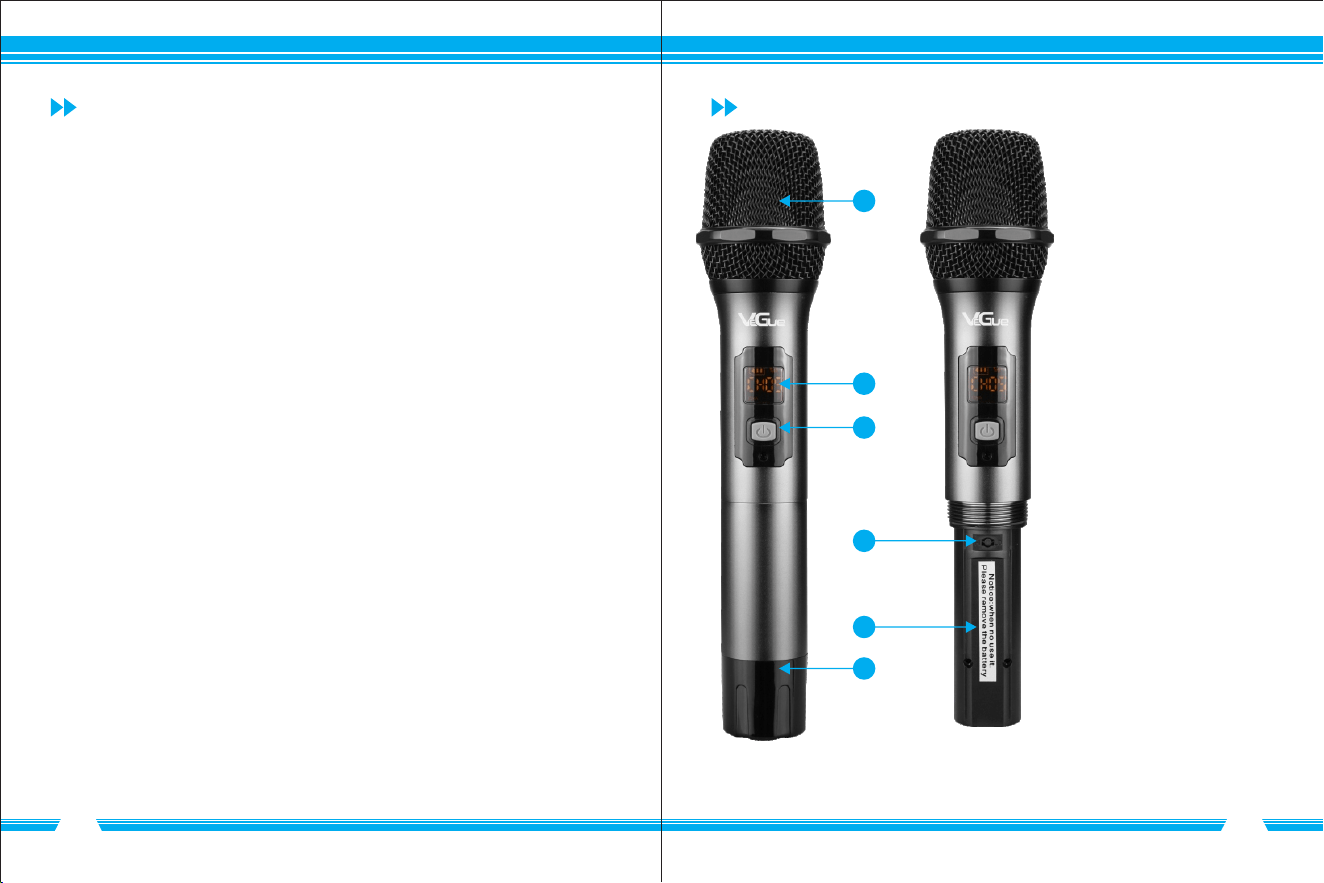
Microphone Function Description
①
②
Power Status and Signal
③ Power Button: Hold down for 3
seconds to turn on / off
④ Channel-adjust Button
⑤ Battery Compartment
⑥ Bottom Cover
Mic Head
Screen: Channels Display,
3
4
5432 61
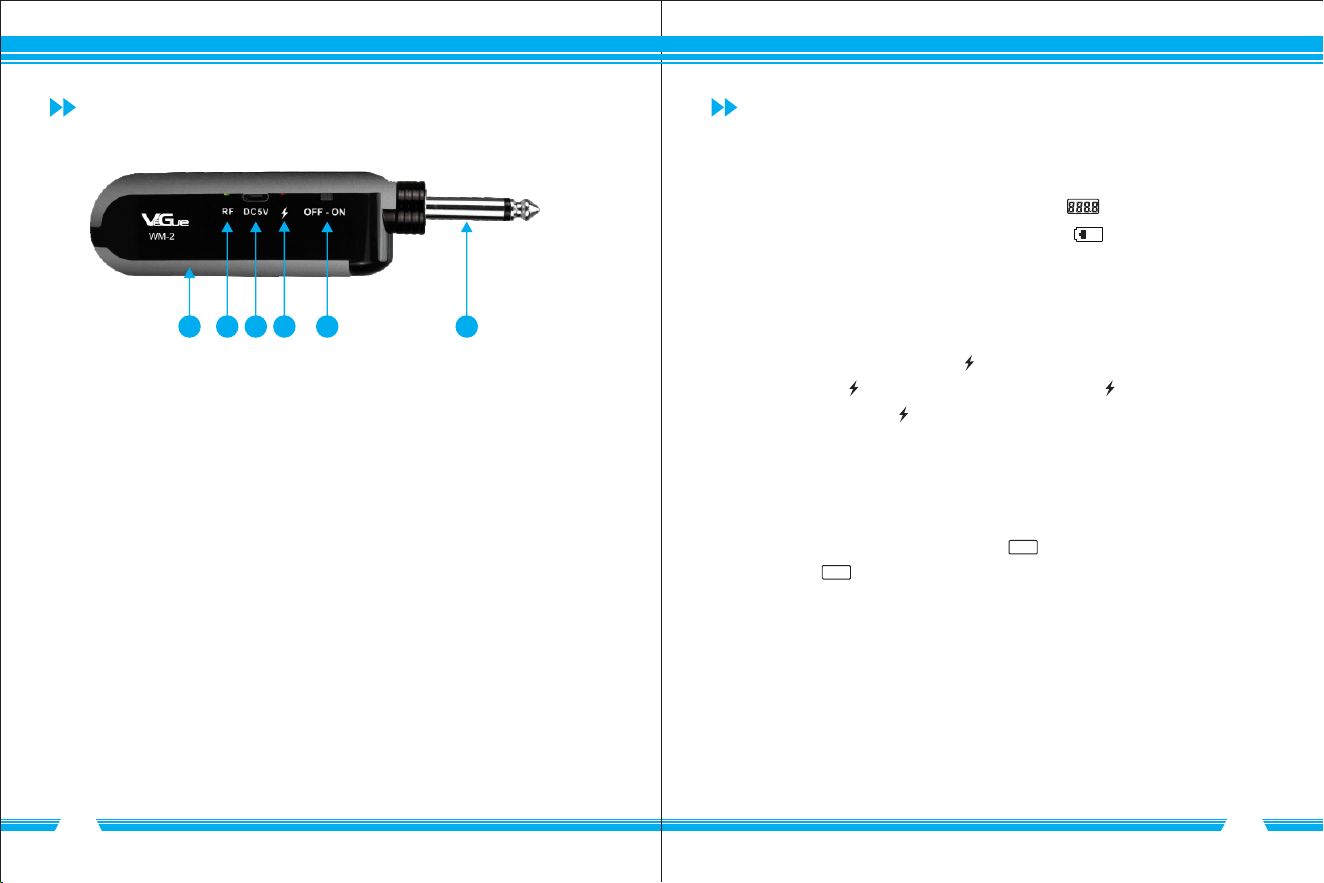
Receiver Function Description Instructions
①
② Microphone Signal-Receiving Indicator
③ DC5V Charging Port
④ Power and Charging Indicator
⑤ On/Off Switch
⑥ 1/4" audio output jack
Battery Compartment
1.Microphone
channel like CH01, CH02, CH03 and so on. When " " shows in the screen
and keeps flash, it means the battery is under low power status.
2. Receiver
Turn on the receiver and plug it into the audio outlet(Amplifier). If RF is on, mic
will work normally. When working, " " will show green and solid. When under
low power status, " " will keep flash. When charging, " " will show red and
solid. After full charging, " " will go off.
3.Pairing Method
Turn on the receiver and turn off mic first. Make sure both mic and receiver within
20" distance. Hold down the channel-adjust button of mic first, and then press
power button of mic. When screen shows " ----- ", release both buttons and wait
for seconds. If " ----- " disappears, it means pairing is successful.
Hold down power button for 3 seconds to turn on/off mic. When mic is on, press
channel-adjust button to adjust the channel. Then " " on the screen will show
Note: When work with 2 sets or more simultaneously, please make sure
mics are set with different channels.
Note: When both mics turn on, RF will show green and red light at
the same time. Mic A(CHA) shows green light and Mic B(CHB)
shows red light.
6
5
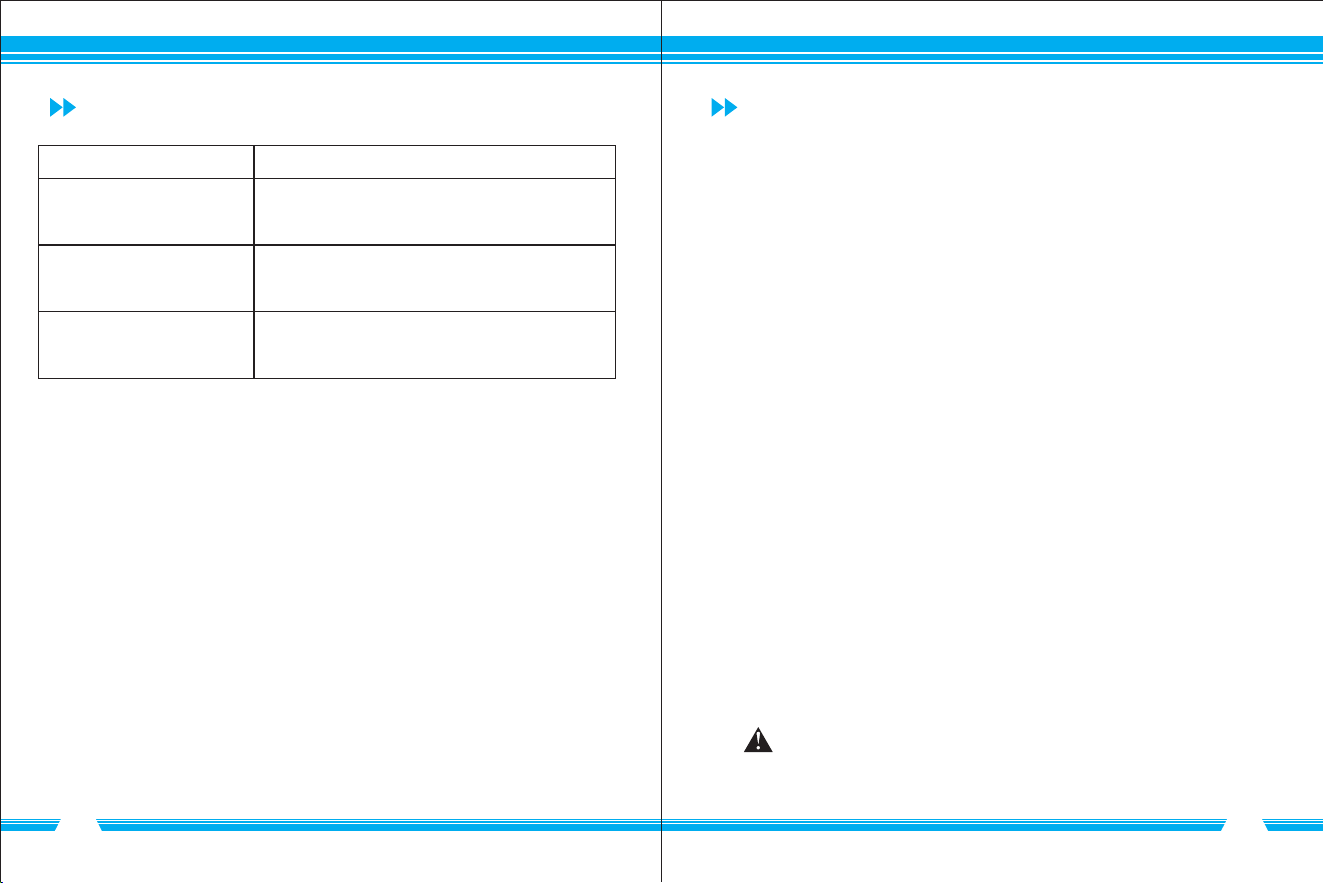
Troubleshooting Packing List
Microphone :
Receiver :
Anti-roll Ring :
Charging Cable :
Wind Muff :
Adapter(1/4" to 1/8")6.35mm to 3.5mm :
User Manual:
Please replace the battery and make sure battery
is put at the correct position(positive and negative)
Problem Solution
Microphone is not working
Receiver fails to turn on
Microphone is squealing
Please turn down the volume of speaker or
keep away from speaker.
Please charge it
....................................................................... 2 pcs
............................................................................. 1 pc
...................................................................... 2 pcs
................................................................... 1 pc
.......................................................................... 2 pcs
............................... 1 pc
......................................................................... 1 pc
Product specifications and designs are subject to
change without prior notice
Note: The specifications and pictures in this specification are
for reference only, please refer to the physical object.
※