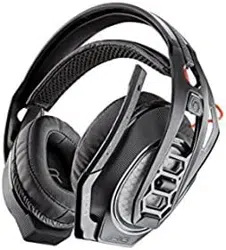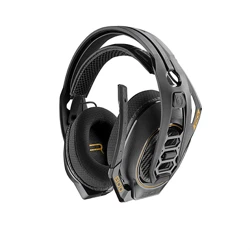

RIG 800 series
RIG 800HD, RIG 800HS, RIG 800HX,
RIG 800LX
User Guide

Contents
Setup and basics 3
Fit 3
Setup PS4 3
Setup Xbox One 4
Setup PC 4
Charge 4
Adjust volume 5
Mute 6
Set EQ 6
Support 7
2
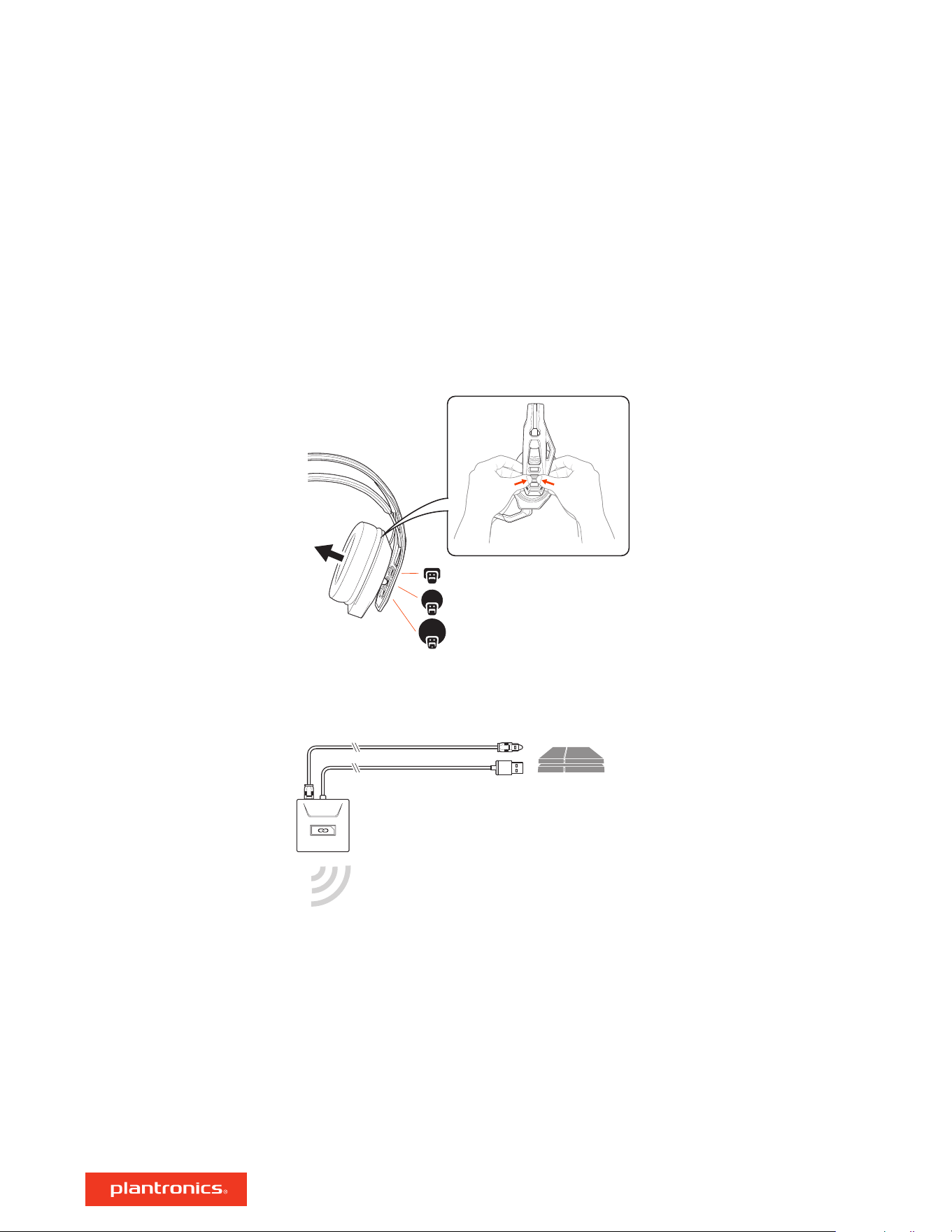
Your adapter comes pre-paired to your headset. After you adjust and charge
your headset and configure your adapter, power on your headset and it's
ready to go.
Your headset components easily snap into the headset frame to configure the best fit and sound.
The headband adjusts to three sizes (small, medium, large) by moving the earcups. To remove an
earcup, press the earcup to detach it from the headband.
PS4
1 Connect your adapter to your system.
PS4
2 Power on your PS4 and Check for updates
3 Go to Settings > Sound and Screen > Audio Output Settings > Select Digital Out (Optical)
4 Go to Settings > Devices > Audio Devices > Output Devices Select Plantronics RIG800XX
PS4 (slim version)
1 Connect your adapter to your system.
Setup and basics
Fit
Setup PS4
3
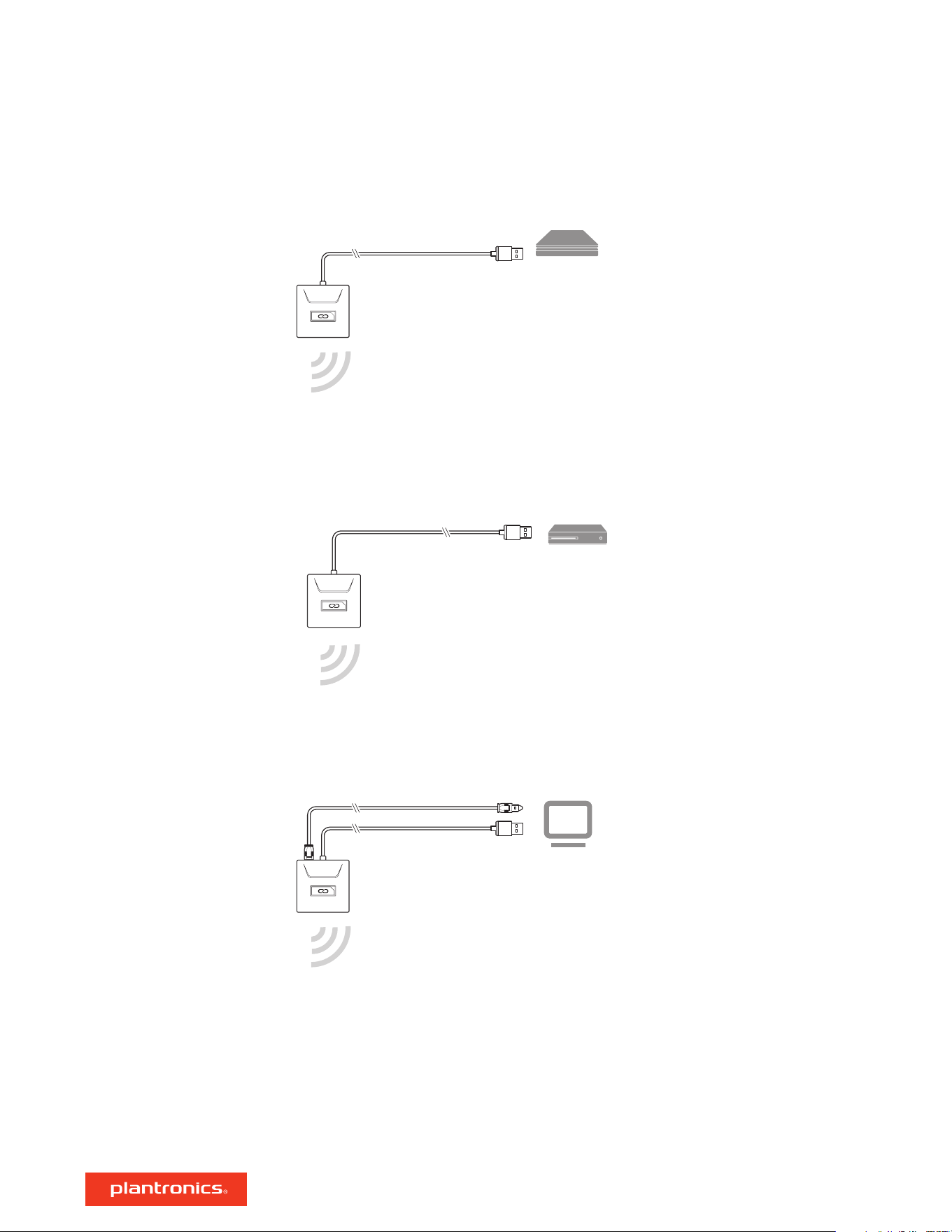
PS4
(slim version)
2 Power on your PS4 and Check for updates
3 Go to Settings > Devices > Audio Devices > Output Devices Select Plantronics RIG800XX
4 Go to Settings > Devices > Audio Devices > Output to headphones > All audio
1 Connect your adapter to your system.
Xbox One
2 Power on your Xbox One and Check for updates
3 Go to Display and Sound > Kinect and Devices > Device Options > Assign
1 Connect your adapter to your system.
RIG 800HD and RIG 800HS only
IMPORTANT Optical cable connection is only for RIG 800HD and RIG 800HS.
NOTE Optical cable is not provided in RIG 800HD.
2
RIG 800HX and RIG 800LX only: Ensure the switch on the back of the adapter is set to "PC."
It takes up to 4.5 hours to fully charge your headphones. The headset LED is red while charging
and turns off when complete.
Setup Xbox One
Setup PC
Charge
4
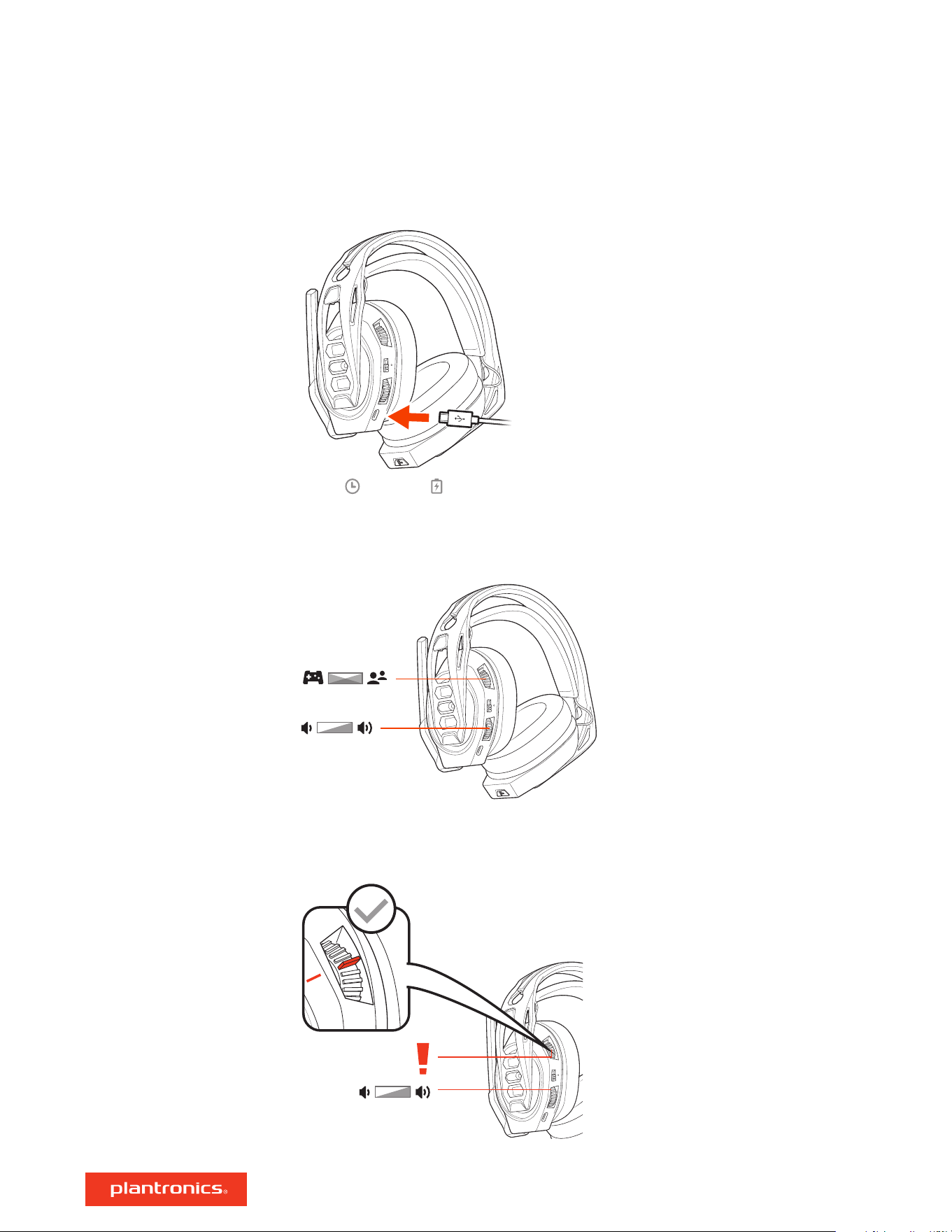
04:30:00 = 100%
1 To increase or decrease the game and chat volume, adjust the top headset dial.
2 To increase or decrease the master volume, adjust the bottom headset dial.
IMPORTANT For the PS4 (slim version), set the top headset dial in the middle; game and chat
remain balanced. Use the bottom headset dial to increase or decrease the master volume.
Adjust volume
5
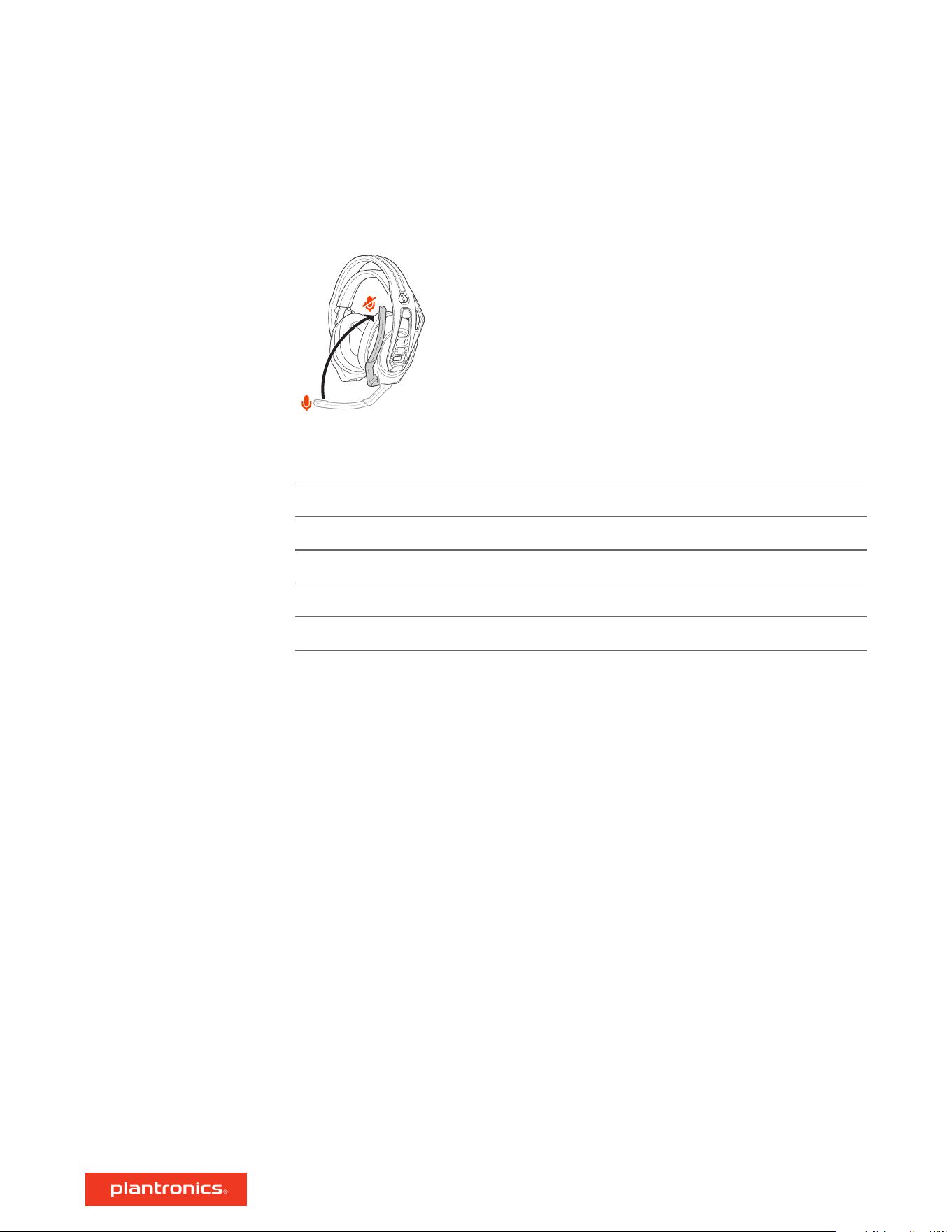
Lift the boom to a full stop to mute the microphone.
CAUTION Do not force the boom past its upper or lower limits.
Cycle through the EQ modes by tapping the EQ button.
Tap the EQ button and hear EQ mode
one tone Pure EQ is our signature sound
two tones Seismic EQ boosts bass
three tones Intensify EQ focuses on detail sounds
four tones Vocal EQ emphasizes vocal frequencies
Mute
Set EQ
6

Support
NEED MORE HELP?
plantronics.com/support
Plantronics, Inc.
Plantronics B.V.
345 Encinal Street
Santa Cruz, CA 95060
United States
Scorpius 171
2132 LR Hoofddorp
Netherlands
©
2018 Plantronics, Inc. Plantronics and RIG are trademarks of Plantronics, Inc. registered in the US and other countries. Manufactured under license from
Dolby Laboratories, Dolby and the double-D symbol are registerd trademarks of Dolby Laboratories. All other trademarks are the property of their
respective owners.
Patents pending.
208788-06 (10.18)