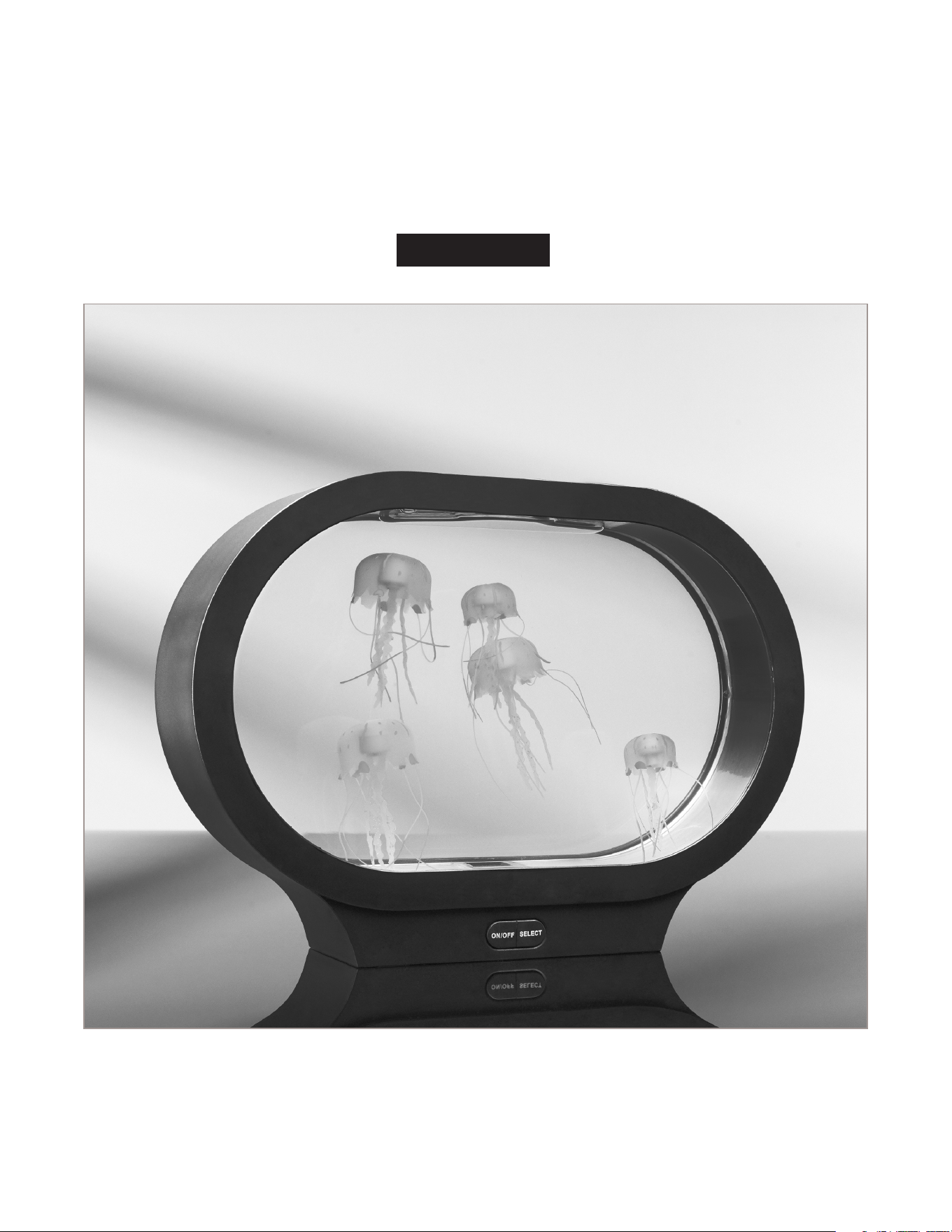
Thank you for purchasing the Fantasy Jellyfish Aquarium. Please take a moment to review
these instructions and retain them for future reference.
-1-
Item No. 207130
User Guide
FANTASY JELLYFISH AQUARIUM
-2-
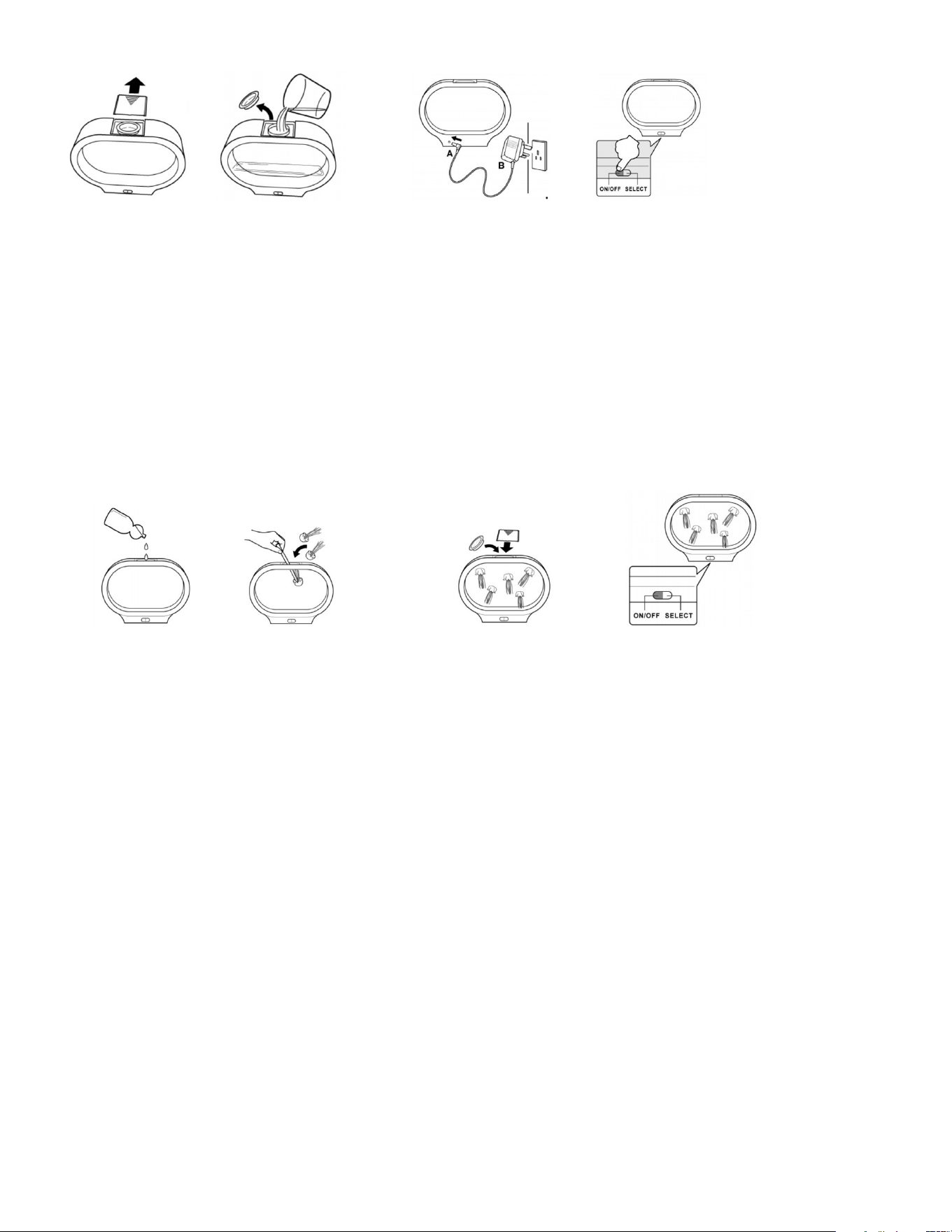
• Connect A end to the
base
• Plug B end into an AC
outlet
• Turn on the switch
• Try to avoid
air bubbles. If
necessary, use a
straw or a stick to
break up any air
bubbles
• Replace the rubber
plug and the plastic
cap
• Press the ON button
to activate the lamp
in automatic color-
changing mode
• Press the SELECT button
to toggle through the 5
different colors
WARRANTY / CUSTOMER SERVICE
This item from SharperImage.com includes a 1-year limited replacement warranty. If you have any
questions not covered in this guide, please call our Customer Service department at 1 (877) 210-
3449. Customer Service agents are available Monday through Friday, 9:00 a.m. to 6:00 p.m. ET.
• Handle the aquarium with care
• Always place the aquarium on a flat surface
• Use a soft cloth to dry the outside of the aquarium if needed
• Change the water occasionally if it appears dirty
• This unit will turn off automatically after 4 hours of operation. Please leave
the unit OFF for 1 hour before reactivating the aquarium
IMPORTANT
• Remove the plastic cap
• Remove the rubber plug
• Fill the aquarium to
the top with tap water
or distilled water
(recommended)
3. ADDING THE LIFELIKE JELLYFISH
• Add 2-3 drops of liquid
dish washing soap
to the water in the
aquarium
• Place the jellyfish upside-
down in the filled aquarium.
Note: Allow the aquarium to
run for at least 30 seconds
before adding the jellyfish.
• When filling your aquarium, add water directly into
opening. Make sure water does not seep outside of the
circle opening into the sides of the aquarium
• If water seeps into the sides of the aquarium it will
leak out of the bottom until all of the water is drained
from the sides. It is recommended to fill and leave the
aquarium in your sink for approximately 45 minutes
until excess water has drained. Wipe the unit off
before plugging into an AC outlet
• If the jellyfish are floating on top of the water they
have air bubbles in them.
1. FILLING THE TANK 2. PLUGGING IN THE DEVICE

HELPFUL TIPS:
• When filling your aquarium, add water directly into opening, making sure water does not seep
outside of the circle opening, into the sides of the aquarium
• If water seeps into sides of aquarium, it will leak out of the bottom until all water is drained
from the sides
• After aquarium is turned on, wait for bubbles to dissolve
• It may take 24-48 hours for bubbles to dissolve and jellyfish float and swim properly
• Use straw/stick to shake jellyfish in water in order to remove bubbles from jellyfish’s body
• If bubbles have all dissolved and aquarium is turned to OFF mode, the jellyfish will sink to
bottom until aquarium is powered back ON and ready to be enjoyed again
FANTASY JELLYFISH AQUARIUM
QUICK START GUIDE
1. Carefully fill tank with water.
2. Add Jellyfish into water.
3. Turn Aquarium ON.