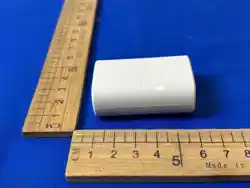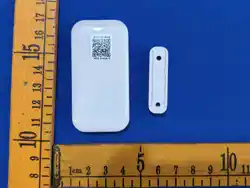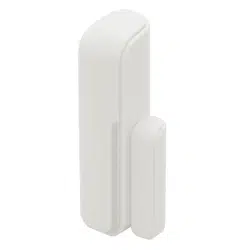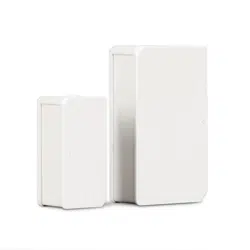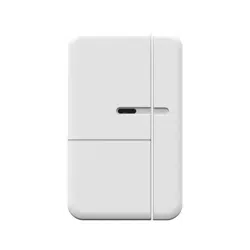

AXIST8342Door/WindowSensor
Solutionoverview
Solutionoverview
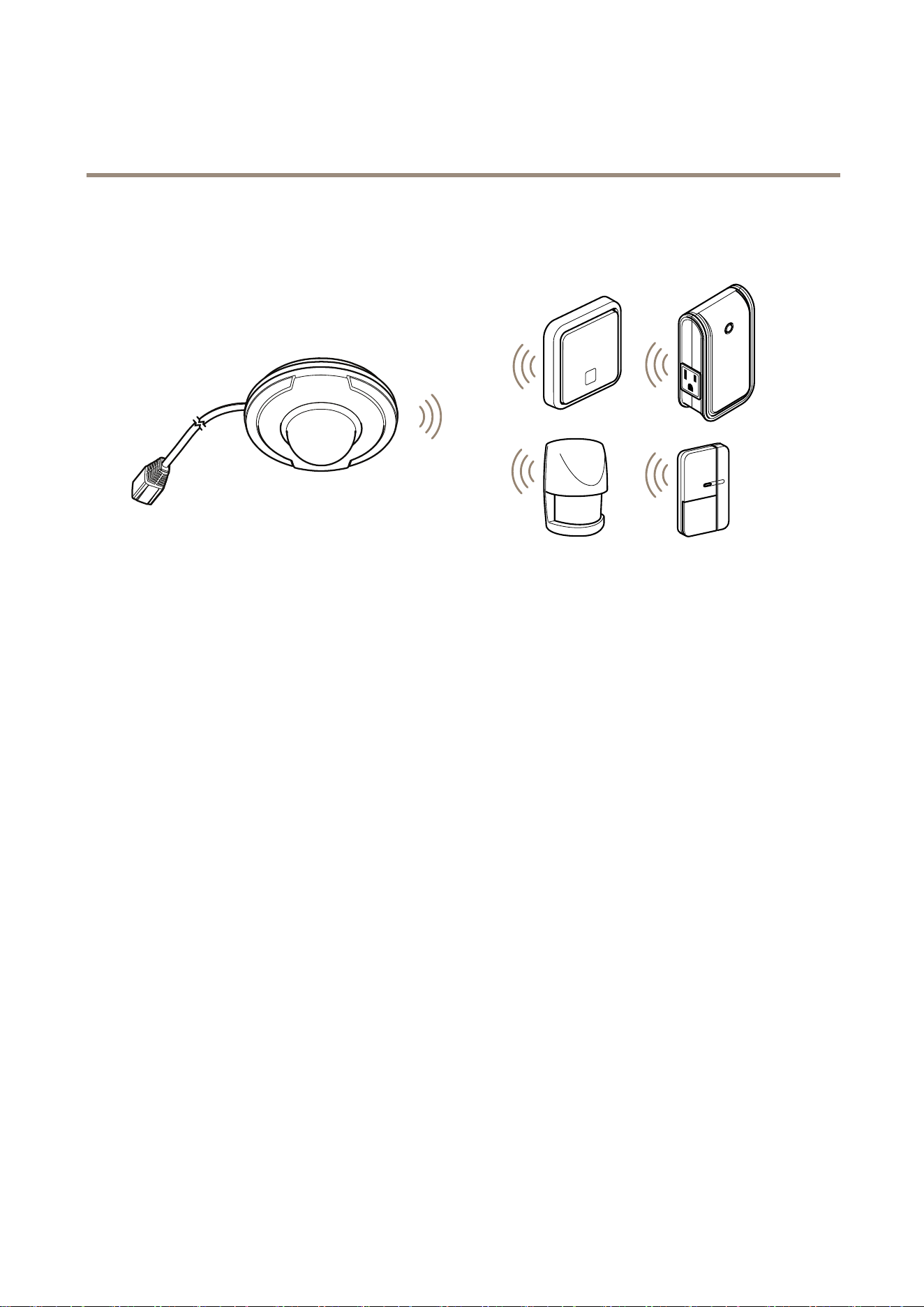
ThedeviceisZ-Wave®enabledandfullycompatiblewithanyZ-Waveenablednetwork.ThedevicecanbesetupinaZ-Wave
networktocommunicatedirectlywithotherend-devicessuchaslightingcontrollers,ortoreportdirectlytoaZ-Wavecontroller,
suchasAXISM5065PTZNetworkCamera.
2
AXIST8342Door/WindowSensor
Productoverview
Productoverview
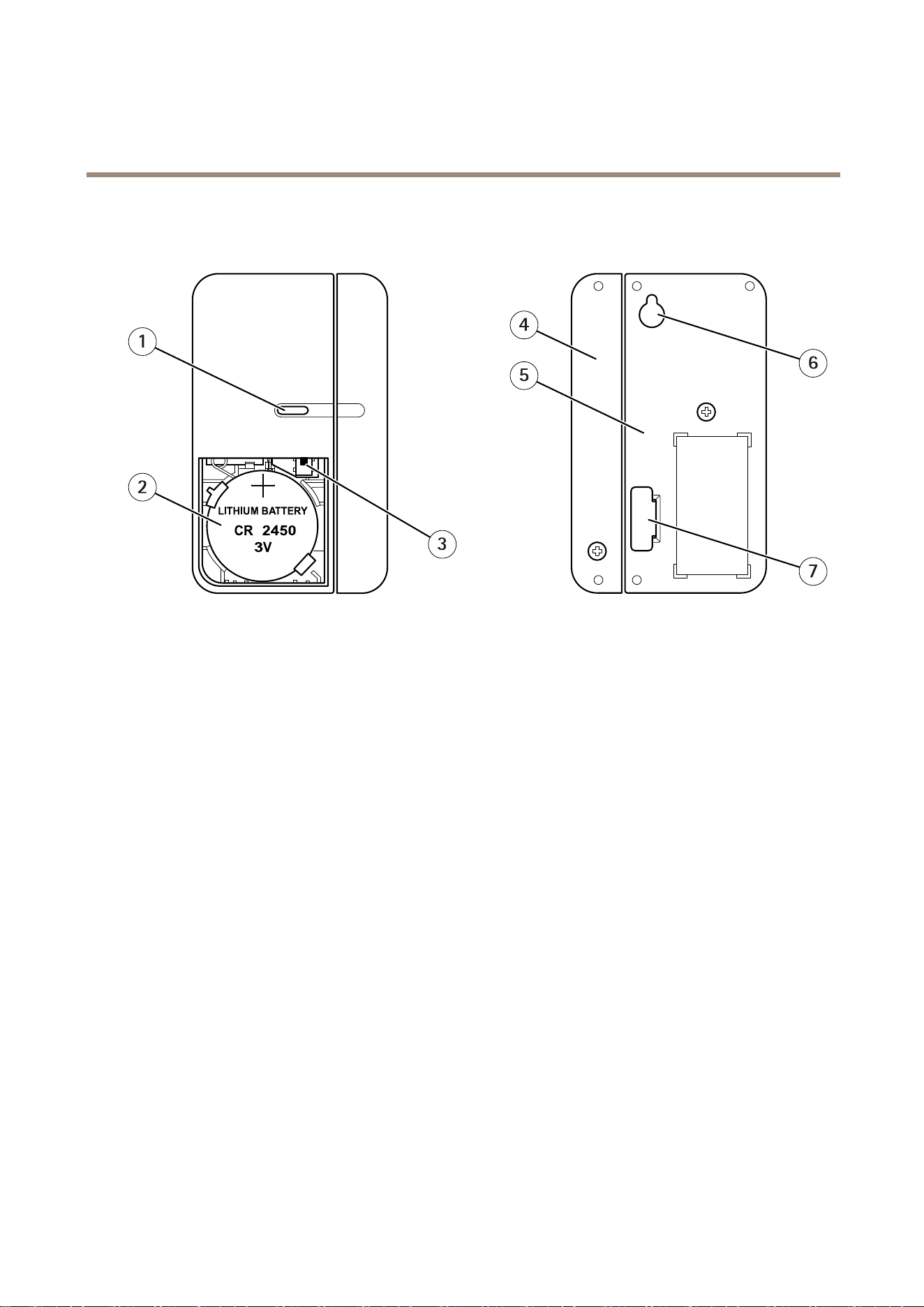
1.LED
2.Battery
3.Tamperswitch
4.Magnet
5.Detector
6.Screwhanger
7.Batteryprotectionlm
3

AXIST8342Door/WindowSensor
HowtoaddadevicetoaZ-WaveNetwork
HowtoaddadevicetoaZ-WaveNetwork
Auto-inclusion
Thisdevicesupportstheauto-inclusionfeature,whereitwillautomaticallyenterInclusionmodewhenrstpoweredup.
1.PutaZ-Wavecontrollerintoinclusionmode.
2.Removethestripofbatteryprotectionlmstickingoutfromthebatterycoveronthefrontofthecasing.TheLEDon
thedeviceshouldturnON.
3.EnterthePINnumberintotheZ-Wavecontroller.SeetheinstallationguideforwheretondthePINnumberonthedevice.
4.TheinclusionprocessshouldbecompletewhentheLEDstopsblinking.
5.Performatestbeforeyouretthebatterycover.SeeHowtotesttheZ-WaveDevice.
Manualinclusion
YoucanalsochoosetomanuallyaddtheZ-Wavedevicetoacontroldevice.Followthestepsbelow.
Note
Forbestresults,excludethedevicebeforestartingtheinclusionprocess.Formoredetailsseetheinstallationguide.
1.Removethebatterycover.
2.Pressthetamperswitch3timeswithin1.5secondstoputtheunitintolearning(inclusion/exclusion)mode.
3.EnterthePINnumberintotheZ-Wavecontroller.SeetheinstallationguideforwheretondthePINnumberonthedevice.
4.TheinclusionprocessshouldbecompletewhentheLEDstopsblinking.
5.Performatestbeforeyouretthebatterycover.SeeHowtotesttheZ-WaveDevice.
Manualexclusion
1.Removethebatterycover.
2.Pressthetamperswitch3timeswithin1.5secondstoputthedeviceintolearning(inclusion/exclusion)mode.
3.TheexclusionprocessshouldbecompletewhentheLEDstopsblinking.
4.Retthebatterycover.
4

AXIST8342Door/WindowSensor
HowtotesttheZ-Wavedevice
HowtotesttheZ-Wavedevice
•Removethebatterycover,withoutpressingthetamperswitchonthedetectorpart(testmode).
•Separatethemagnetfromthedetector.Thedetectorshouldthenash.
•Putthebatterycoverbackonthedetectorandthedetectorwillenternormalmode.
Note
Ifyouhaveremovedthebatteries,wait5secondsbeforeyouretthem.
Operationalguidelines
•Duetothelimitedpowersuppliedbythebatteries,thedeviceshouldnotoperatecontinuouslyforanextendedperiodof
time.Therefore,thesetuptimeforthedeviceshouldbeminimized,andrepeatedpressesofthetamperswitchshouldbe
avoided,inordertopreventincidentscausedbyarapiddropinbatteryvoltage.
•Youcanentertestmodebyreleasingthetamperswitch.Ifthemagneticsensoristriggeredduringthistime,theLEDwill
beilluminated.Youcanconrmwhetherthetamperswitchhasbeenpressedproperlybytestingthisfunction.
•Whenthetamperswitchhasbeenpressedandthedevicehasenterednormalmode,theLEDwillnotbeilluminated,
evenifthemagneticsensoristriggered,unlessalowbatterylevelisdetected.
5
AXIST8342Door/WindowSensor
HowtoprogramtheZ-Wavedevice
HowtoprogramtheZ-Wavedevice
Note
ProgrammingZ-WavedevicesusingaZ-Wavecontrollerisrecommendedforexperiencedusersonly.
ThedetectorsupportstwodifferentZ-WaveAssociationGroups:
•Group1:Associationwith1Controllernode.
•Group2:Associationwith4nodes(i.e.end-devicessuchassmartplugsandotherlightingcontrollers).Thisallowsthe
devicetosendcommandsdirectlytootherdeviceswithouttheparticipationofthecontroller.Thishastheeffectthat
whenthedevicetriggers,allotherassociateddeviceswillalsobeoperated.
Note
AssociationgroupsupportcanvaryamongZ-WaveControllers.TheAXISM5065supportsZ-WaveAssociationGroup1.
Group1commands:
•IfthedeviceisalreadypartofaZ-Wavenetworkwhenpoweredup,itwillsendaNoticationReporttothenodeinGroup1.
•Whensettingupthedeviceorchangingdevicestatus,thedevicewillsendaBinarySwitchReporttothenodeinGroup
1.WhenthedeviceisturnedOFF,theSwitchBinaryReportValue=0x00.WhenthedeviceisturnedON,theSwitch
BinaryReportValue=0xFF.
•DeviceReset:Whenperformingafactoryreset,thedevicewillsendDeviceResetLocallyNoticationtothenodein
Group1.
Group2commands:
•Whenthebuttononthedeviceispressed,thedevicewillsendaBasicSetcommandtothenodesinGroup2.Whenthe
deviceisOFF,BasicSetValue=0x00.WhentheunitisON,BasicSetValue=0xFF
Z-WavePlus® ®
®
info
RoletypeNodetypeInstallerIconUserIcon
SlaveSleepingreport
Z-WavePlusnode
SensorNoticationDeviceType
(AccessControl)
SensorNoticationDeviceType
(AccessControl)
Version
Protocollibrary
3(Slave_Enhance_232_Library)
Protocolversion
4.61(6.71.01)
Manufacturer
ManufacturerID
ProductTypeProductID
0x03640x00030x0001
AGI(AssociationGroupInformation)table
6
AXIST8342Door/WindowSensor
HowtoprogramtheZ-Wavedevice
GroupProleCommandClass&Command
(List)Nbytes
GroupName(UTF-8)
1
General
NoticationReport
DeviceResetLocallyNotication
Lifeline
2
ControlBasicSetPIRControl
Notication
EventTypeEventEventParameters
Length
EventParameters
Powerisappliedforthersttime
0x080x01
null
DoorsensortriggerOPEN
0x060x16
null
DoorsensordetectortriggerClose
0x060x17
null
Tamperswitchpressedformorethan10seconds
andthenreleased
0x070x03
null
Tamperswitchpressed
0x070x00
null
Battery
BatteryReport(value)
Description
0xFFBatteryislow
Commandclasses
Thisproductsupportsthefollowingcommandclasses:
•COMMAND_CLASS_ZWAVEPLUS_INFO_V2
•COMMAND_CLASS_ASSOCIATION_V2
•COMMAND_CLASS_ASSOCIATION_GRP_INFO
•COMMAND_CLASS_TRANSPORT_SERVICE_V2
•COMMAND_CLASS_VERSION_V2
•COMMAND_CLASS_MANUFACTURER_SPECIFIC_V2
•COMMAND_CLASS_DEVICE_RESET_LOCALLY
•COMMAND_CLASS_POWERLEVEL
•COMMAND_CLASS_SECURITY
•COMMAND_CLASS_SECURITY_2
•COMMAND_CLASS_SUPERVISION
•COMMAND_CLASS_FIRMWARE_UPDATE_MD_V4
•COMMAND_CLASS_BATTERY
•COMMAND_CLASS_WAKE_UP_V2
•COMMAND_CLASS_NOTIFICATION_V4
Wake-upcommandclass
7

AXIST8342Door/WindowSensor
HowtoprogramtheZ-Wavedevice
AfterthedetectorhasbeenincludedinaZ-Wavenetworkitwillgotosleep,butwillperiodicallysendawake-upnotication
commandtothecontrolleratapresetperiod.Thedetectorwillstayawakeforatleast10secondsandthengobacktosleep,to
conservebatterylife.
Thetimeintervalbetweenwake-upnoticationcommandscanbesetinthewake-upcommandclass,basedontherangevalues
below:
Minimumwake-upinterval
600s(10minutes)
Maximumwake-upinterval
86400s(1day)
Defaultwake-upinterval
14400s(4hours)
Wake-upintervalstepseconds
600s(10minutes)
8
AXIST8342Door/WindowSensor
Troubleshooting
Troubleshooting
Ifyoucan’tndwhatyou’relookingforhere,trythetroubleshootingsectionataxis.com/support
ThetablebelowexplainsthestatusintheZ-WavecontrolleraswellastheLEDindicationonthedevice.
Action/Status
DescriptionLEDindication
NonodeID.TheZ-Wavecontrollercould
notndthedeviceanddid
notprovideanodeID.
2secondson,2secondsoff,for2minutes.
1.Pressthetamperswitch3
timeswithin1.5secondsto
puttheunitintoexclusion
mode.
2.Within1secondofstep
1,pressthetamperswitch
againandholdfor5seconds.
FactoryReset
(This
procedure
shouldonly
beusedwhen
thecontroller
isinoperable.)
3.NodeIDisexcluded.The
devicerevertstofactory
defaultstate.
2secondson,2secondsoff,for2minutes.
Failureorsuccessinincluding/excludingtheIDcanbeviewedontheZ-WaveController.
Thetablebelowlistssometypicalproblemsencountered:
Symptom
PossiblecauseRecommendation
Cannotperforminclusionand
association.
1.Thedeviceisstillconnected,orhas
accidentallybeenincludedinaprevious
network.
2.TheenteredPINcodeisincorrect
3.Thebatteryhasrunoutofpower.
4.Batterypolarityisreversed.
1.Excludethedevicebefore
includingitagain.
2.Makesureyouhave
enteredthecorrectPIN
code.
3.Replacethebattery.
4.Retthebatterywiththe
correctpolarity.
Cannotcontroltheconnected
modules.
1.Thedeviceisstillconnected,orhas
accidentallybeenincludedinaprevious
network.
2.Thebatteryhasrunoutofpower.
1.Excludethedevicebefore
includingitagain.
2.Replacethebattery.
Thedetectorisnotworking.1.Thedeviceisstillconnected,orhas
accidentallybeenincludedinaprevious
network.
2.Thebatteryhasrunoutofpower.
3.Thedistancebetweenthedeviceandthe
receiver(s)istoogreat.
1.Excludethedevicebefore
includingitagain.
2.Replacethebattery.
3.Movethedevicecloserto
thereceivers.
Note
Forbestresults,excludethedevicebeforestartingtheinclusionprocess.Formoredetailsseetheinstallationguide.
9

AXIST8342Door/WindowSensor
Specifications
Specifications
Tondthelatestversionoftheproduct’sdatasheet,gototheproductpageataxis.comandlocateSupport&Documentation.
Specications
Battery
CR24503.0VLithiumBatteryx2
BatteryLife
1year*
Range
Upto100m(328ft)lineofsight
FrequencyRange
908.42MHz,922.5MHz,868.42MHz(EU)
Specicationsaresubjecttochangewithoutnotice.
*measuredat10triggersperday.
10

UserManualVer.M2.4
AXIST8342Door/WindowSensor
Date:February2019
©AxisCommunicationsAB,2017-2019
PartNo.T10117078