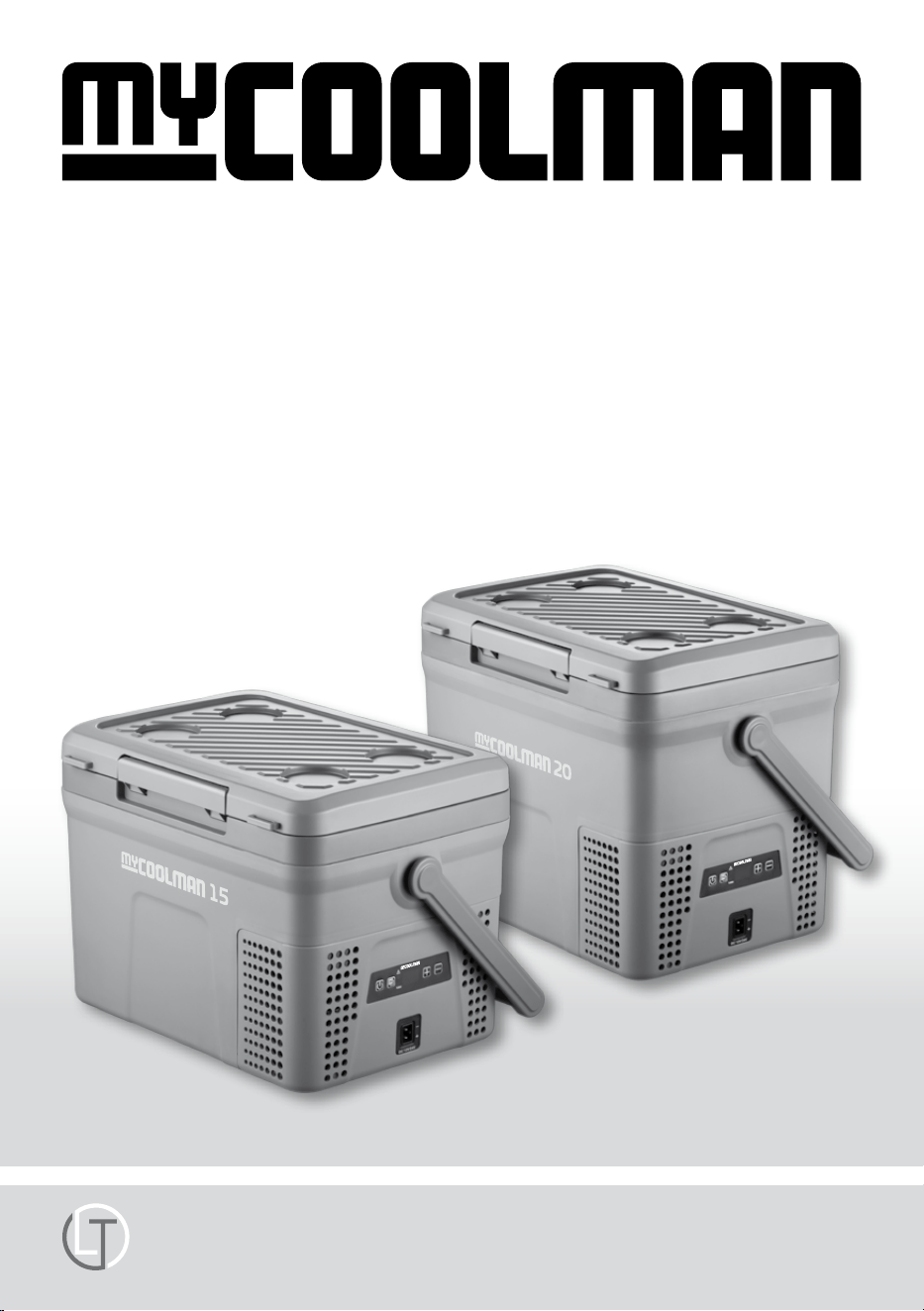
COMPRESSOR FRIDGE·FREEZER
LEISURE-TEC Australia Pty Ltd
Operation Manual
for DC Fridge·Freezer
Single Zone Models CCP15R / CCP20R RECREATIONAL
www.mycoolman.com.au
Page 2
Page 3
Page 3
Page 4-5
Page 6
Page 7
Page 7
Page 8
Page 9
Page 10-11
Page 12
Page 12
Important Safety Warnings
Important Product Information
Product Features
LED Control Panel & Operation Instructions
Bluetooth Mode Instructions
DC 12V/ 24V Inlet Socket and Fuse
Cleaning & Maintenance
Troubleshooting
Status Indicator
Notes
Product Specifications
Warranty Terms & Conditions
• DO NOT use if any of the electrical cables or
plugs are worn or frayed. Replace with original
manufacturers parts.
• ALWAYS check cables for mechanical damage,
cuts in the insulation, heat / moisture
damage before use. If in any doubt REPLACE.
• DO NOT handle electrical exes with wet
hands.
• DO NOT place electrical items in refrigerator.
• If your fridge/freezer has been o with food
stored, do not consume if in any doubt!
• Repairs should only be carried out by a
suitably qualied and authorized person.
Poor repair could be dangerous.
• DO NOT store dangerous items in the
appliance, such as spray cans, explosives,
and ammable liquids / propellants.
• ALWAYS leave room for airow around the
contents stored in the refrigerator to ensure
optimum performance.
• DO NOT operate this appliance in the rain.
• DO NOT allow children to play with the
appliance.
• Small children must be supervised when
around all electrical appliances.
• DO NOT allow children or pets to climb inside
appliance.
• ALWAYS disconnect before cleaning.
• Food must be stored in suitable and
appropriate containers.
• If your appliance is plugged in to a DC vehicle
socket – ensure that you disconnect from
power when you stop. Or use the battery
protection (page 5).
Don’t come back to a at battery!
• DO NOT ll appliance with ICE, WATER
or other liquid.
• DO NOT attempt to remove frost with scraper
or knife. Serious damage to cooling system
could occur.
• Buildup of heat in a vehicle can be extreme,
‘shutdown‘ will occur if cooling is not possible.
Contents
Page 2
Important Safety Warnings
CCP FRIDGE·FREEZER
• Best performance is achieved in ambient
temperatures between +10 °C and + 38 °C.
• Temperatures above +32 °C may see a slight per-
formance drop, and power consumption increase.
• The lower the ambient temperature, the lower
the power usage. In order to maximize eciency,
keep the unit in a cool location out of direct
sunlight.
• When using the unit ensure the circuit being used
has a fuse or circuit breaker, recommended size
for DC 12 Volt is 10 Amp, DC 24 Volt is 5 Amp.
• Make sure the voltage is within the correct
range for socket and cable being used.
• Do not place any electrical devices inside
the refrigerator as they may be damaged.
• Your unit requires good ventilation, especially
around the vents of the refrigerator; allow a
gap of at least 100 mm around all vents.
• Do not allow a large amount of frost to
build up on the inside walls as this may
impair cooling.
• Defrost by turning the unit o. Once frost
has melted, remove the bung plug to
drain any excess water and wipe out any
remaining moisture with a clean cloth.
• It is recommended to operate the unit on a at
surface, but it will operate at angles up to 30 º.
1. Powered by DC Compressor
2. Strong Carry Handle
3. Battery Protection
4. Turbo Mode
5. Flexible Storage with divider
6. Digital Display
7. Bluetooth App for mobile use
Damage may occur if the DC cable supply is
undersized. This will cause low voltage.
As a guide, from the battery to the appliance
follow this guide.
Important Product Information
Product Features
Page 3
NOTE:
At inclinations of more than 15 ° the
compressor noise level may increase
(without any eect on the cooling
performance).
Cable cross
section
12V maximum
cable length
24V maximum
cable length
mm² Metre Metre
2.5 2.5 5
4 4 8
6 6 12
10 10 20
CCP FRIDGE·FREEZER
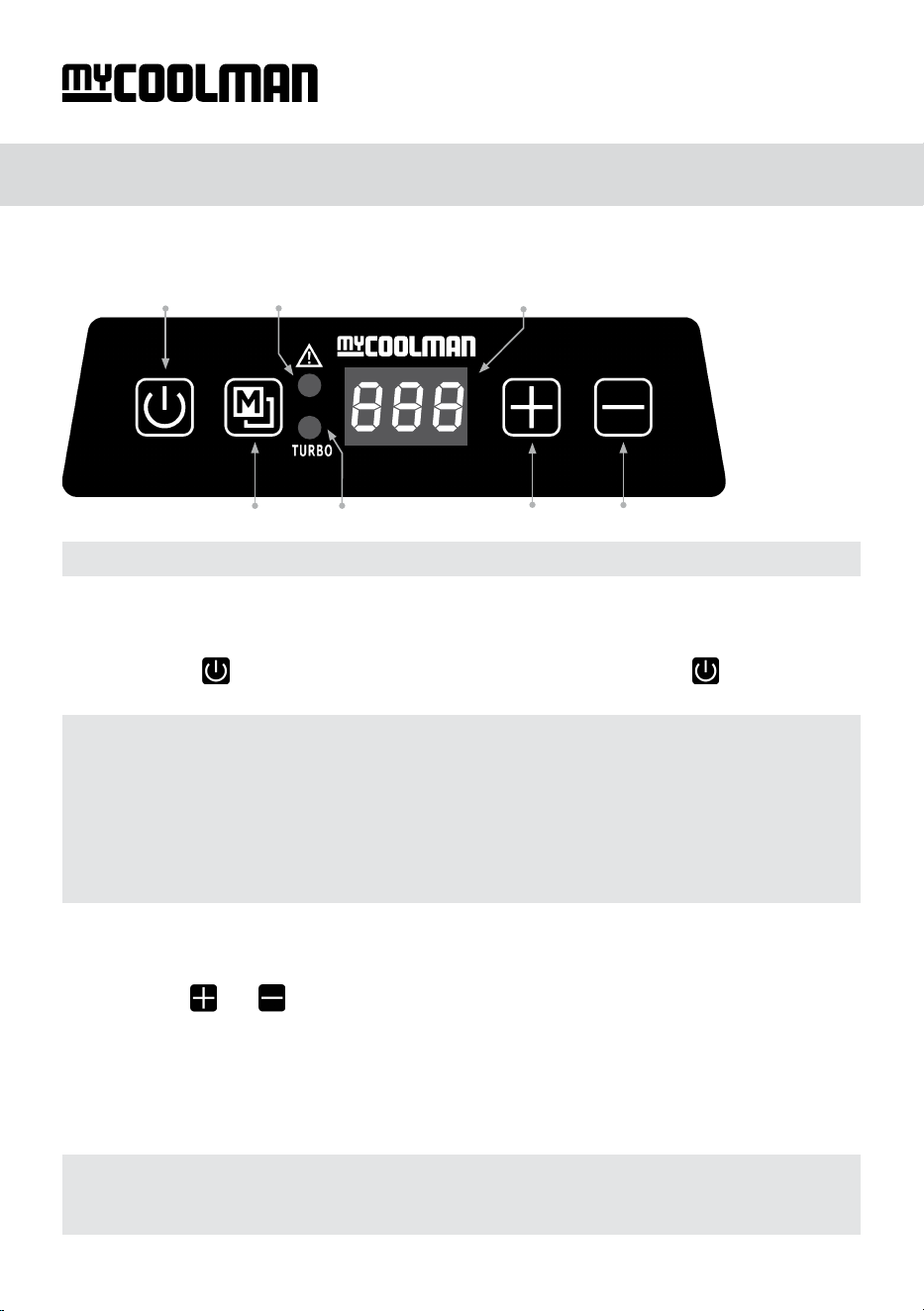
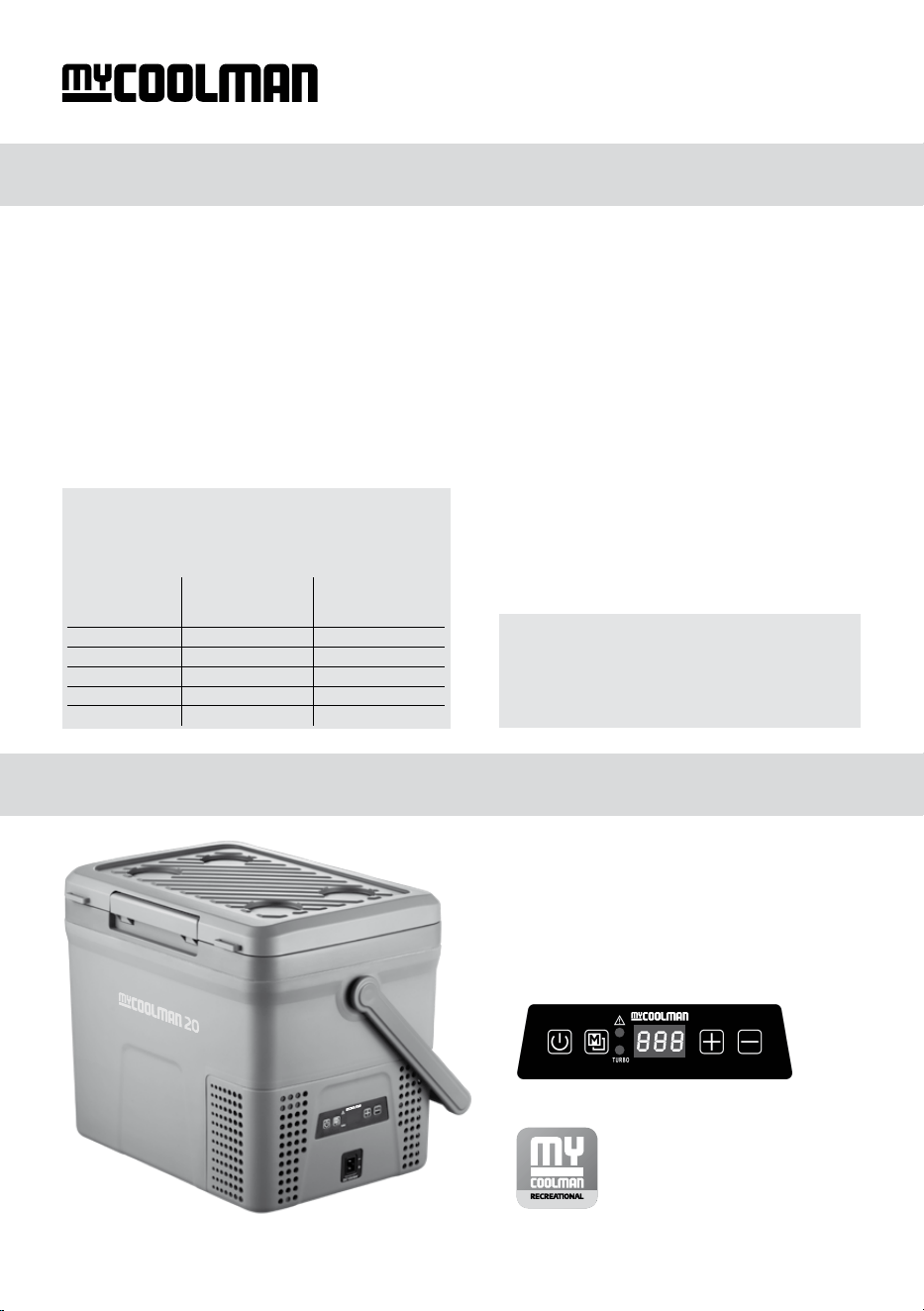
Turning the unit on and o:
Step 1: Plug in the DC power cable (ensure power is on at source).
Step 2: Press the
button once to turn on - To switch o press and hold the
for 3 seconds.
Changing the set temperature:
Step 1: Use the
and
button to change the temperature.
Step 2: Once you reach your desired temperature you do not need to press any further buttons.
Just leave it sit until you see the temperature ash 8 times – this means the temperature is now
locked in.
Control Panel CCP15R / CCP20R
NOTE: Temperature can be set from –18 ºC to +10 ºC
NOTE:
• The ‘Power/Status Indicator Light’ will only illuminate to indicate a fault.
• The system has a memory which records your last setting before shutting down.
• If the power supply is cut o or disconnected, the unit will switch o automatically,
once the power supply is restored it will automatically switch back on.
• When adjusting settings directly on the fridge, the LED display will ash to let you know
that the settings are now adjustable.
NOTE:
The fridge temperature shown on the LED (as a solid - non ashing icon) is the current
inside temperature. This will lower to your set temperature, given time to chill down.
LED Control Panel & Operation Instructions
Page 4
Power Switch
Power/Status Indicator Light
LED-Display
Turbo Indicator Light
Temperature Settings
Mode Switch
CCP FRIDGE·FREEZER
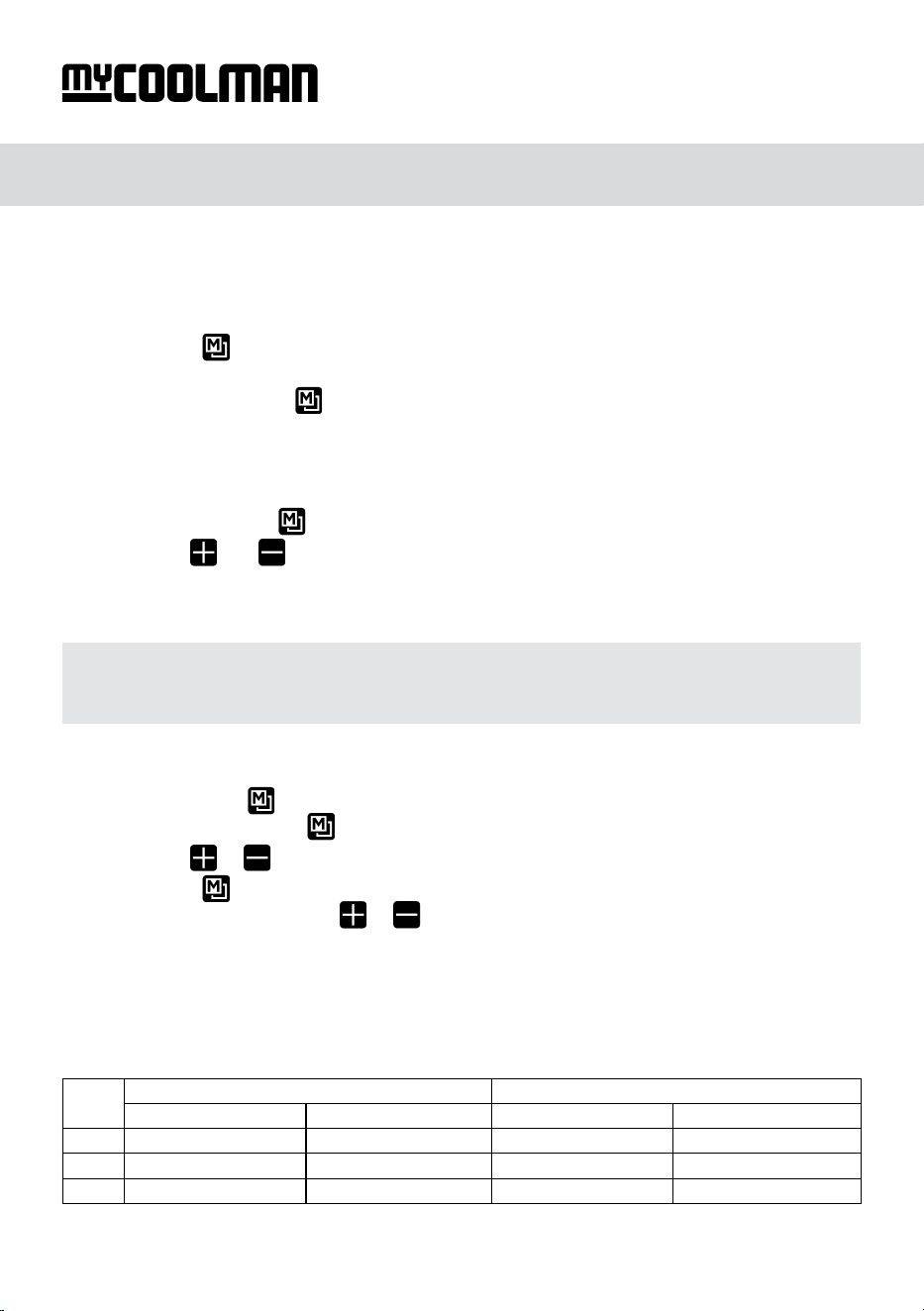
Engaging Turbo mode:
What is the purpose of Turbo Mode? It enables the compressor to run at a higher speed,
therefore achieving faster cooling to your nominated temperature.
Step 1: Press the
button once to turn on. The light will illuminate blue to indicate that
Turbo Mode is engaged.
Step 2: To turn o, press the button again. The blue light will now go out to indicate that
Turbo mode is no longer engaged.
Change temperature between °C or °F:
Step 1: Press and hold the
button to enter °C Celsius and °F Fahrenheit setting mode.
Step 2: Use the
and
button to change between °C or °F.
Step 3: Once you reach your desired setting you do not need to press any further buttons.
Just leave it sit until you see the setting ash 8 times – this means the setting is now locked in.
12V MAX Input Voltage 17V 24V MAX Input Voltage: 31.5V
Unit turns o at Unit turns on at Unit turns o at Unit turns on at
LO: 10.1 11.1 21.5 23.0
NE: 11.4 12.2 22.5 24.0
HI: 11.8 12.6 23.0 24.5
Automatic shut down and re-start voltage levels:
NOTE:
• When o, there will be NO LED temperature display.
• You can power on the cooler via the App
Setting Battery Protect:
Step 1: Press and hold button to enter °C Celsius and °F Fahrenheit setting mode, once
in this setting mode, press the button again and switch to battery protection setting mode.
Step 2: Use the
or
button to choose either HI, NE or LO protection levels.
Step 3: Press the button one more time in battery protection setting mode change to
Bluetooth ON/OFF mode, and use
or button to cycle the option.
Step 4: Once you reach your desired setting you do not need to press any further buttons.
Just leave it sit until you see the setting ash 8 times – this means the setting is now locked in.
Page 5
LED Control Panel & Operation Instructions
CCP FRIDGE·FREEZER
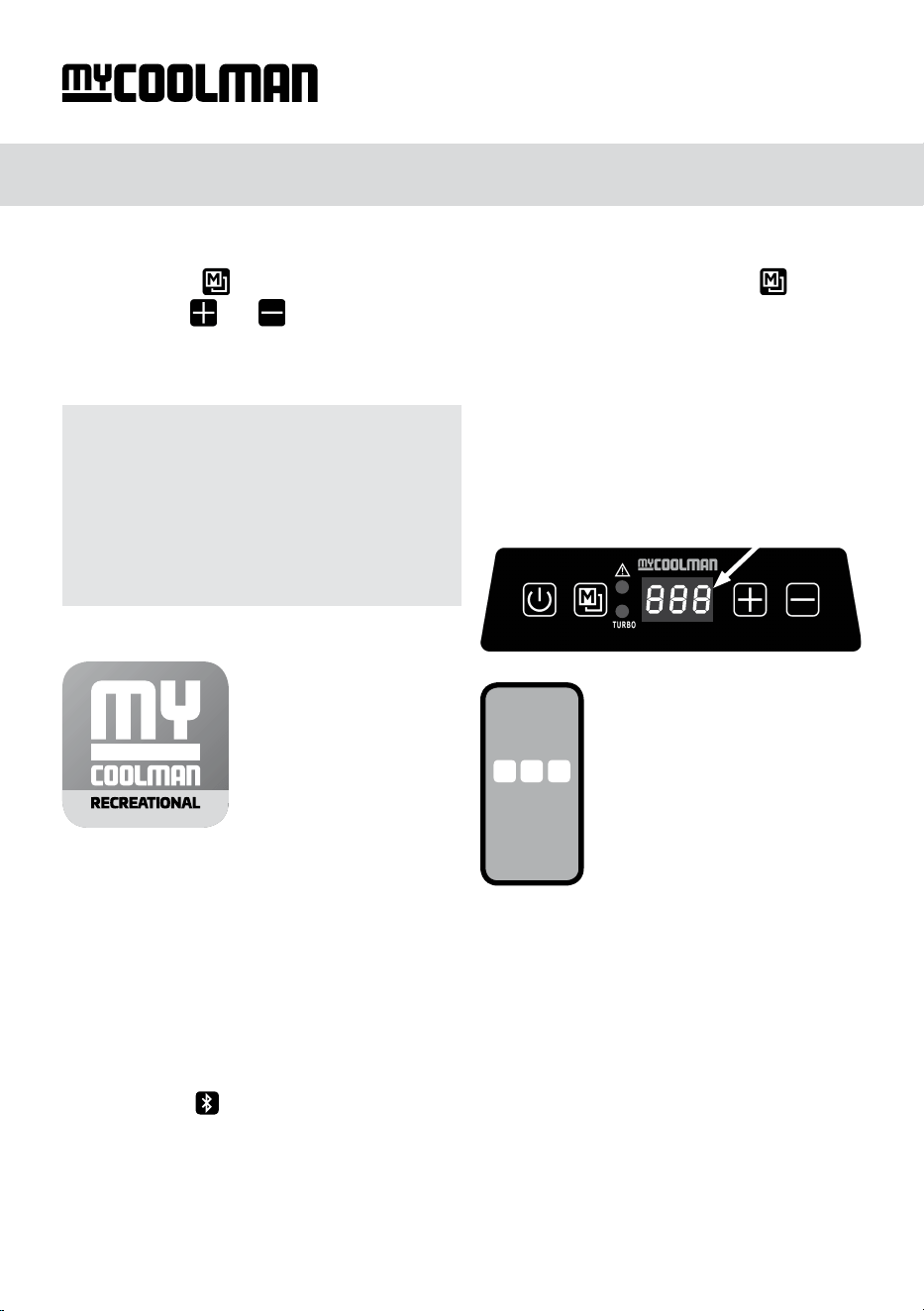
Activate Bluetooth mode:
Step 1: Press the button for 3 seconds to enter function selection mode then press
3 times.
Step 2: Use the
and
button to choose either ON or OFF.
Step 3: Once you reach your desired setting you do not need to press any further buttons.
Just leave it sit until you see the setting ash 8 times – this means the setting is now locked in
Step 1: Download the App (for FREE)
from the Apple or Google Play store.
Step 2: Open the App.
Step 3: Connecting to your unit - There are
2 ways to discover your unit within the App.
Option 1 – Scan QR code.
Step 1: Scan QR code – this is on a sticker
adhered to the side of the unit.
Option 2 – ‘Search’ for the device
Step 1: Click the
Bluetooth icon
Step 2: Select your unit from the list.
If your unit does not appear, you can
either complete option 1 or see above
‘Activate Bluetooth mode‘ to turn on
Bluetooth connectivity.
Installing the
myCOOLMAN
RECREATIONAL
Bluetooth App
NOTE:
• OFF: Bluetooth mode is o.
You can only pair your unit to the App
by directly scanning the QR code
adhered to the side of the fridge.
• ON: Bluetooth connection is open.
You can now ‘search’ using your App for
your unit and pair your unit to the App
What can I do through the app now
that I am activated and connected?
• Turn your fridge on and o
• Adjust the fridge temperature
between –18 °C to +10 °C
• Check the current temperature
• Turn the Turbo mode on and o
• Monitor the current battery voltage
• Choose between °C or °F in the settings
• Switch and control several fridges
• Recognize any fault immediately
• Personalise your units name
Bluetooth Mode Instructions
Page 6
CCP FRIDGE·FREEZER
Security Code Function:
Once you have selected the correct fridge
you will be prompted to enter a three digit
code that will appear on the display:
3 Digit Code
Enter this code into your
device to access all of the
APPs features.
This will occur when you
rst connect to your
myCOOLMAN RECREATIONAL
fridge APP
NOTE:
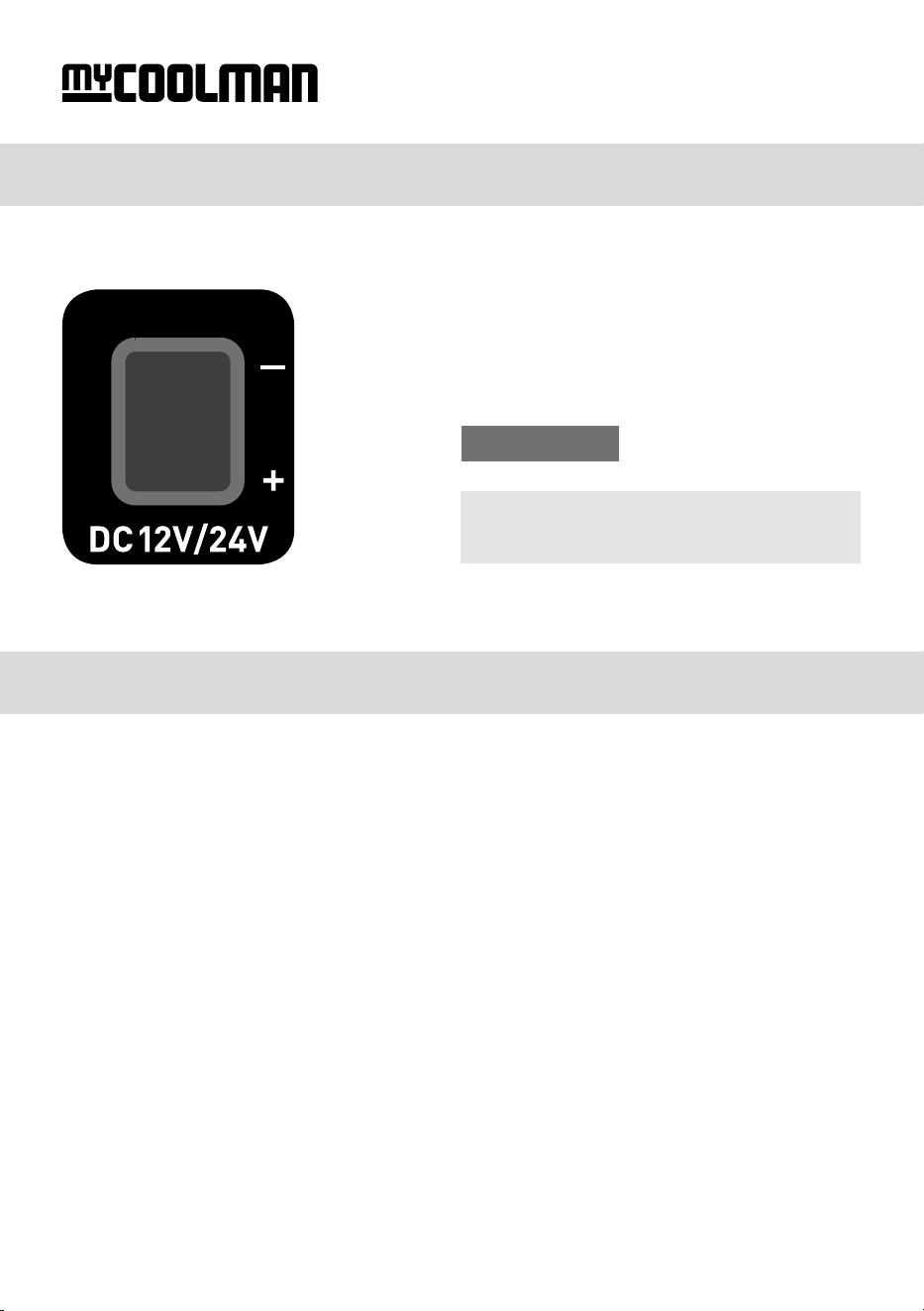
• You will nd the fuse in the DC lead
How to clean your unit:
• Clean the appliance inside and outside with a clean damp cloth every week.
If it is dirty, use sodium bicarbonate dissolved in lukewarm water to clean the unit.
• Please don’t use abrasive products, detergents, soap or hard objects to clean as these can
damage your refrigerator.
• After cleaning, wipe out with a clean damp cloth and dry carefully.
• Never clean the unit under running water or in dish water.
• Do not store products inside unit if the unit is o.
• Do not store the unit if it is wet inside or without leaving the lid open.
Page 7
Cleaning & Maintenance
DC 12V/24V Inlet Socket and Fuse
CCP FRIDGE·FREEZER
Fuse 6.3A

How to get the most out of your unit:
• Best performance is achieved at ambient temperatures between +10 °C and +32 °C.
• Product is rated as a ‘N, T Climate’ class (Tropical), which means that the units meet the
requirements of ISO-15502 at 43 °C.
• Higher ambient temperatures mean that the compressor will run faster and longer.
• If the unit is in direct sun, this also increases the ambient temperature and may result in the
compressor running faster and longer.
• In extraordinary high temperatures the compressor will purposely slow to 1080 RPM for safety.
• Never stack meat, sh or any other solid water-based food directly against each other without
air gaps. If the cool air cannot circulate and surround the individual contents, it will take much
longer to freeze and may even result in partial freezing.
The unit is not turning on
• Check whether the unit has been turned on.
• Check the power supply (try a dierent power source/vehicle/socket).
• Check whether the plug and the socket have a good connection.
• Check whether the fuse has been burned out or blown.
Low refrigeration performance
• Too much product has been placed inside the unit.
• There is no room for air to circulate between the items in the fridge/freezer.
• There is too much warm product inside the unit.
• The lid is unlatched or open.
• The lid seal is broken.
• Poor ventilation (allow 100 mm of space around all vents).
• The ambient temperature is too high.
• The temperature setting is too high.
Can hear the sound of liquid owing or gurgling from inside the unit
• This is normal, due to the ow of refrigerant in the unit.
Unusual noise when refrigerator is working
• The refrigerator is not placed on a level surface. If none of the above solves your issue,
see page 3 or contact Leisure-Tec on 1300 07 2018.
Page 8
Troubleshooting
NOTE:
At inclinations of more than 15 ° the compressor noise level may increase
(without any eect on the cooling performance).
CCP FRIDGE·FREEZER

NOTE:
The status indicator will be blank if running normal. If it changes to a ashing orange light,
this indicates that there is a change in status. There will also be a status indicator code
shown on the LED display.
E1 ash every 4 seconds - low voltage & Battery Protection:
• An E1 will occur when the battery protection level has been reached.
i.e input voltage to low for protection setting, check power source voltage.
• Try on dierent power source (vehicle or powerpack)
If changing power source xed issue, then possible issue with original power source.
• Ensure cabling between fridge and battery is at least 1.5 mm
2
,
if the distance is more than 2 metres use at least 2.5 mm
2
cable.
E2 ashes every 4 seconds - fan issue:
• Fan is drawing too many amps (over 0.6 amps), replace fan.
Contact Leisure-Tec on 1300 07 2018
E3 ashes every 4 seconds - compressor start issue:
• Unplug cable and allow unit to rest for 10 minutes.
• Try on dierent power source (vehicle or powerpack)
• Electronic box fault.
• Compressor fault.
E4 ashes every 4 seconds - low motor speed:
• Reduce products/items inside unit.
• Move so unit is in a lower ambient temperature,
clean vents/ensure clear air ow over compressor.
• Fan fault.
E5 ashes every 4 seconds - over temperature:
• Ambient temperature too high.
• Clean vents/ensure clear air ow over compressor.
• Fan fault.
E6 ashes every 4 seconds - temperature sensor issue:
• Contact Leisure-Tec on 1300 07 2018
Page 9
Status Indicator
CCP FRIDGE·FREEZER
LEISURE-TEC Australia Pty Ltd
Phone 1300 07 2018
Model CCP15R CCP20R
Product description Single Zone Fridge / Freezer Single Zone Fridge / Freezer
Dimensions / mm Length 452 / Width 346 / Height 318 Length 452 / Width 346 / Height 368
Weight / kg 9 10
Connection voltage DC 12/24V DC 12/24V
Input power
40W 40W
Insulation C-Pentane C-Pentane
Climate class N or T N or T
Refrigerant / quantity R134a / 23 grams R134a / 23 grams
Cooling capacity – 18 °C to +10 °C (0 °F to +50 °F) – 18 °C to +10 °C (0 °F to +50 °F)
Volume / litres 15 19.3
Warranty Terms & Conditions
To warranty register your unit please head to: https://mycoolman.com.au/pages/warranty-registration and
upload a copy of your proof of purchase as well as completing the online form.
When you buy myCOOLMAN Fridge·Freezer you have peace of mind knowing that it is backed by a comprehensive
3 year warranty against defects in materials and workmanship. The myCOOLMAN warranty is provided in addition
to any rights provided under Australian Consumer Law. All claims under this warranty should be made by returning
the product to the place of purchase at your expense, with the detail of the fault, proof of purchase and tment
details. If we determine that a myCOOLMAN product is defective in materials or workmanship during the warranty
period, we will either repair or replace the unit.
This warranty does not apply to failure or damage to a myCOOLMAN product caused by incorrect or faulty tment,
accidental or intentional damage, failure of other products, incorrect application, incorrect voltage, environmental
damage, operation of the product outside of its environmental and technical specications, or repair or modica-
tion carried out by anyone other than an authorised repairer.
Product Specications
Page 12
Designed and made in China for
www.mycoolman.com.au
CCP FRIDGE·FREEZER