Quick Start Guide
Item: IMT7001
Quick Start Guide
IMT7001
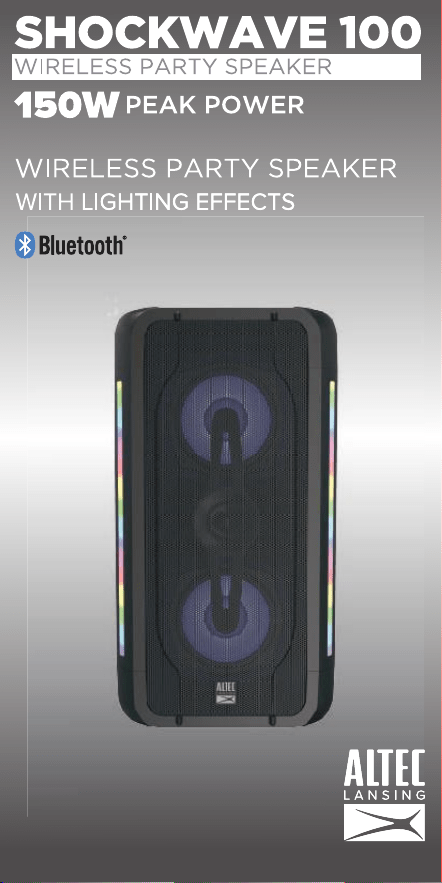
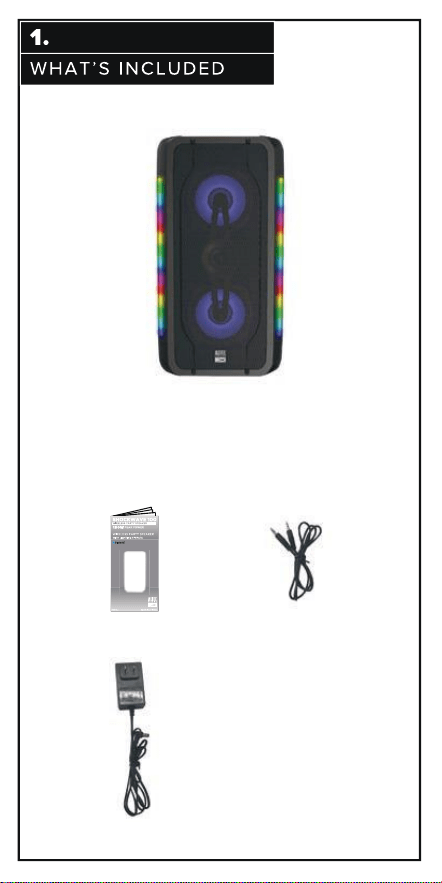
IMT7001 Wireless
Party Speaker
Adapter
AUX. Audio cable
Wired Mic.x1
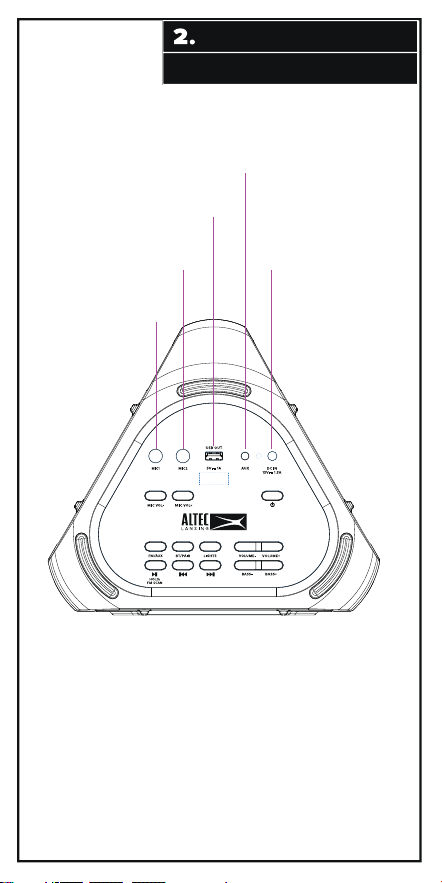
AUX:To connect devices via auxiliary
cable
USB OUT: For charging mobile devices
DC IN: Power adapter port
MIC2: For 2nd wired microphone
MIC1:
For 1st wired microphone
INPUT/OUTPUT PORTS
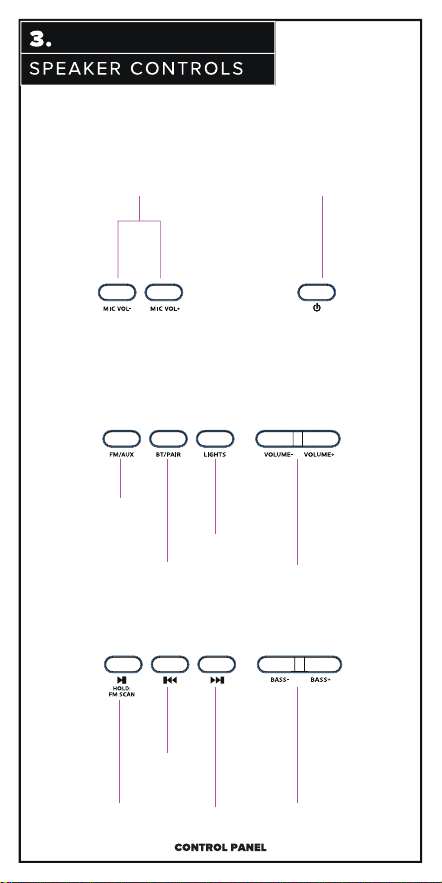
Play/Pause
Previous song/
change FM station
Next song/change
FM station
Adjust Bass level
Press and hold for 3 seconds to
turn speaker ON and OFF
FM and AUX modes
Bluetooth/Stero
Pairing mode
Light mode
Adjust speaker volume
Brief introduction to buttons on top panel
Press MIC volume buttons to
increase or decrease the volume of
each microphone
MIC Volume Control
:
Power Button:
(BT mode only)
Hold: FM Scan
AL Shockwave 100
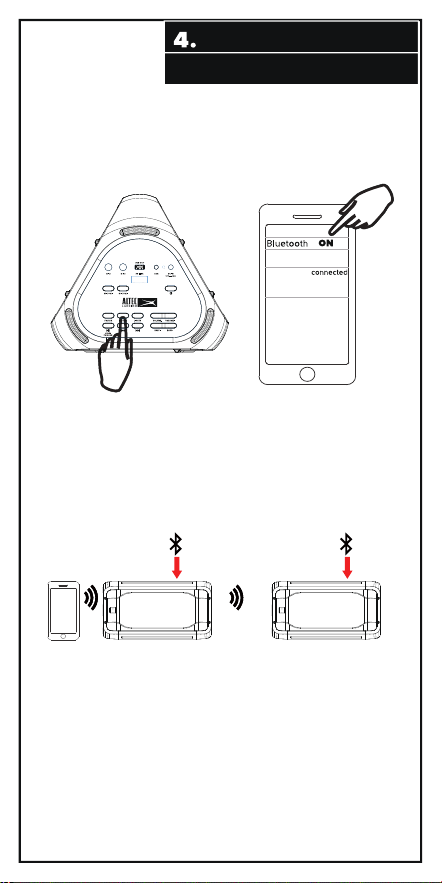
BLUETOOTH CONNECTION
Stereo pairing (requires two speakers) :
1. Have one speaker turned on, paired, and playing music. It will serve as the
HOST (the Primary speaker). The display will be showing ‘Bt’. (Pair by pressing the
BT/PAIR button, ‘Bt’ flashes on the display screen and becomes solid when pairing
is complete.
2. Turn on an additional compatible speaker, it will serve as the Secondary
speaker.
3. Press and hold the BT/PAIR button on the Primary speaker for approximately
two seconds or until the display changes from solid ‘Bt’ to flashing ‘HOSt’.
4. Quickly press the BT/PAIR button on the Secondary speaker. The display will change
from flashing ‘Bt’ to flashing ‘St PAIr’ (stereo pairing).
5. The speakers will connect and both displays will show ‘Bt’. The speakers
will now play the same music from the same audio source, one will play Left and
one will play Right.
Go to the Bluetooth settings page on your phone. Make sure Bluetooth
is on before connecting to the available device “AL Shockwave 100”.
Primary Speaker
Secondary Speaker
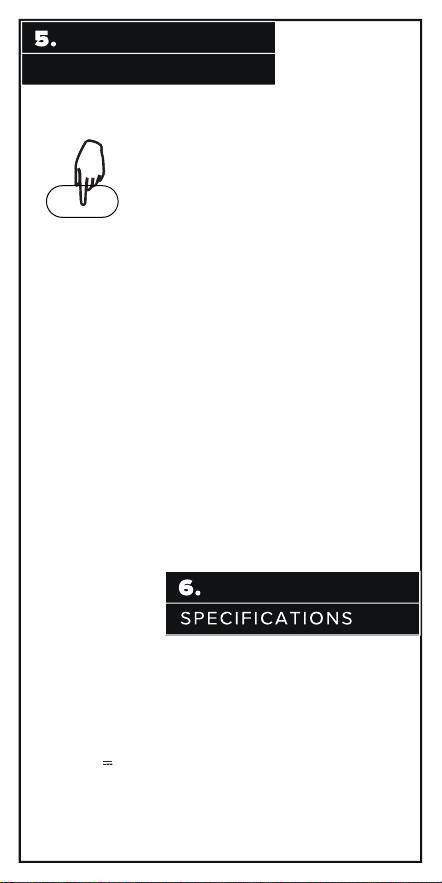
LIGHTING CONTROL
Lights
(Noted: Cone’s light will be displayed while unit is playing music)
Briefly press the LIGHTS button for lighting control:
LED 1: Side lights scrolling multi-color, cones color change with the beat;
press and hold to change as single color scrolls one by one.
Side lighting one colore, cones follow music to flash the same color;
press and hold for 3 seconds to change color.
L267 x W238 x H504 (mm)
15V 1.5A
LED 2: Sides and cones follow music and change color automatically every 3
seconds.
LED 3:
LED 4:
Sides o and cones flash into one color; press and hold for 3 seconds
to change color.
LED 5:
Sides do a bar graph from the middle in one color and cones flash the
same color; press and hold for 3 seconds to change color.
LED 6: Sides and cones slowly change colors automatically every 3 seconds;
press and hold to turn the cone lights o.
LED 7: Sides flash one color and cones are o. Press and hold for 3 seconds
to change color.
LED 8: Sides do a multi-color bar graph from the middle and cones flash.
Sides fade between colors and cones are o.
Lighting o.
LED 9:
OFF:
Power Audio: 43W (RMS) 150W (Peak) Total
Driver Units: 5.25” x 2+2” x 1
Seperation: ≥40dB
S/N: ≥70dB
Distortion: ≤o.5% (1K, 1W)
DC Input:
Dimension:
Length of adaptor: 110cm
Length of Audio cable(stereo-to-stereo): 90cm
Length of wired micphone’s cable: 285cm
Call us 24/7 at 1-855-292-4087 or
email us at [email protected]
or visit us at alteclansing.com
Having Trouble?
We’re here to help!
Supplier's Declaration of Conformity
47 CFR § 2.1077 Compliance Information
Trade Name: Altec Lansing
Unique Identifier
Model No.: IMT7001
Responsible Party – U.S. Contact Information
US Company Name: SAKAR INTERNATIONAL INC.
Address: Edison, NJ 08817
Telephone number or internet contact information: 855-292-4087
This equipment complies with FCC radiation exposure limits set forth for an
uncontrolled environment. This equipment should be installed and operated
with minimum distance 20cm between the radiator and your body.
RF Exposure Compliance


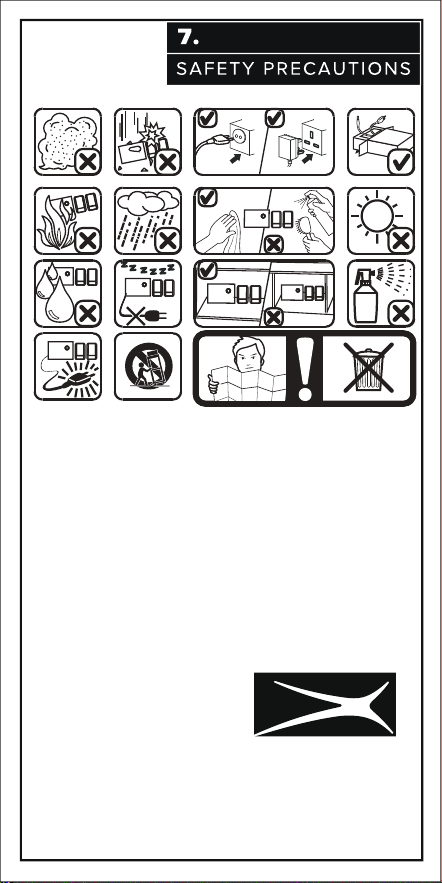
IMPORTANT SAFETY INSTRUCTIONS
1. Read these instructions – All the safety and operating instructions should be
read before this product is operated.
2.Keep these instructions – The safety and operating instructions should be
retained for future reference.
3.Heed all warnings – All warnings on the appliance and in the operating
instructions should be adhered to.
4.
Follow all instructions – All operating and use instructions should be followed.
5.Do not use this speaker near water or in moist environments. Do not put
this product on wet surfaces.
6.Clean only with dry cloth.
7.Do not block any ventilation openings. Install in accordance with the
manufacture’s instructions.
8.
Do not install near any heat sources such as radiators, heat registers, stoves,
or other apparatus (including amplifiers) that produce heat.
9.
Do not defeat the safety purpose of the polarized or grounding plug. A polarized
plug has two blades with one wider than the other. A grounding plug has two
blades and a third grounding prong. The wide blade or the third prong is
provided for your safety. If the provided plug does not fit into your outlet,
consult an electrician for replacement of the obsolete outlet.
10.Protect the power cord from being walked on or pinched particularly at the
plugs, convenience receptacles, and at the point where they exit from the apparatus.
11.Only use attachments/accessories specified by the manufacturer.
12.Use only with the cart, stand, tripod, bracket, or table specified by the
manufacturer, or sold with the apparatus. When a cart or rack is used, use
caution when moving the cart/apparatus combination to avoid injury from tip-over.
13.Unplug the apparatus during lightning storms or when unused for long
periods of time.
14.Refer all servicing to qualified personnel. Servicing is required when the
apparatus has been damaged in any way, such as power supply cord or plug
is damaged, liquid has been spilled or objects have fallen into the apparatus
has been exposed to rain or moisture, does not operate normally, or has been
dropped.
15.CAUTION: These servicing instructions are for use by qualified service
personnel only. To reduce the risk of electric shock, do not perform any servicing
other than that contained in the operating instructions unless you are qualified
to do so.
16.WARNING:To reduce the risk of fire or electric shock, do not expose this
apparatus to rain or moisture. The apparatus shall not be exposed to dripping
or splashing and that objects filled with liquids, such as vases, shall not be
placed on apparatus.
17.
WARNING:For the terminals marked with symbol of “ ” may be of sufficient
magnitude to constitute a risk of electric shock. The external wiring connected
to the terminals requires installation by an instructed person or the used of
ready-made leads or cords.
18. This equipment is a Class II or double insulated electrical appliance. It
has been designed in such a way that it does not require a safety connection
to electrical earth.

IMPORTANT SAFETY INSTRUCTIONS
- This lightning flash with arrowhead symbol within an equilateral triangle is
intended to alert the user to the presence of non-insulated “dangerous voltage”
within the product’s enclosure that may be of sucient magnitude to constitute
a risk of electric shock.
- Warning: To reduce the risk of electric shock, do not remove cover (or back)
as there are no user-serviceable parts inside. Call a professional to fix
the suspected problem.
-
The exclamation point within an equilateral triangle is intended to alert the user
to the presence of important operating and maintenance instructions in the
literature accompanying the appliance.
RISQUE DE CHOC ELECTRIQUE-NE PAS OUVRIR
Keep manual and all relevant
information for future reference

The Bluetooth® word mark and logos are registered trademarks owned by
the Bluetooth SIG, Inc. and use of such marks by AL Innity, LLC is under
license. Other trademarks and trade names are those of their respective
owners.