
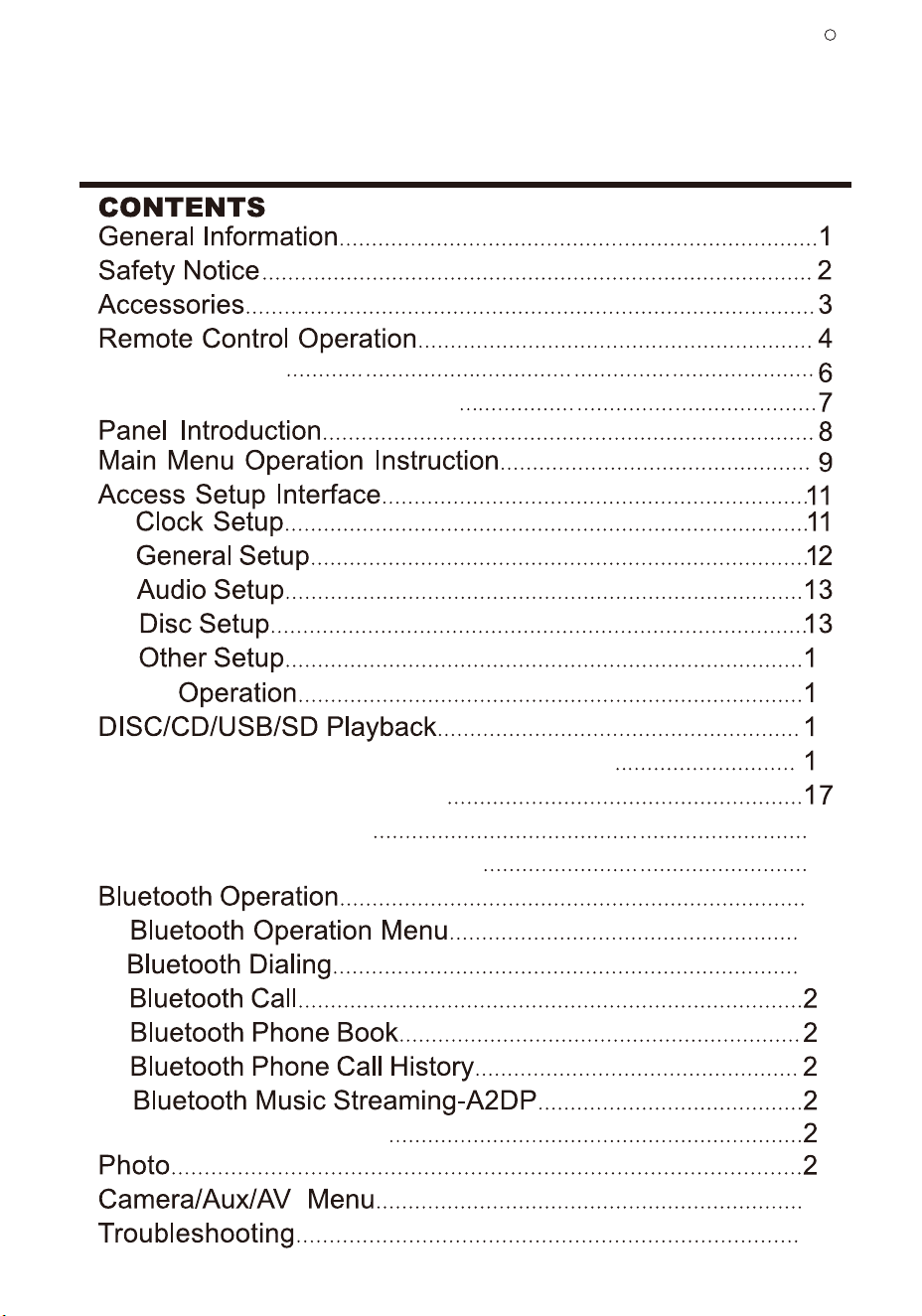
Unit Installation
24
25
Wires Connection Description
Media
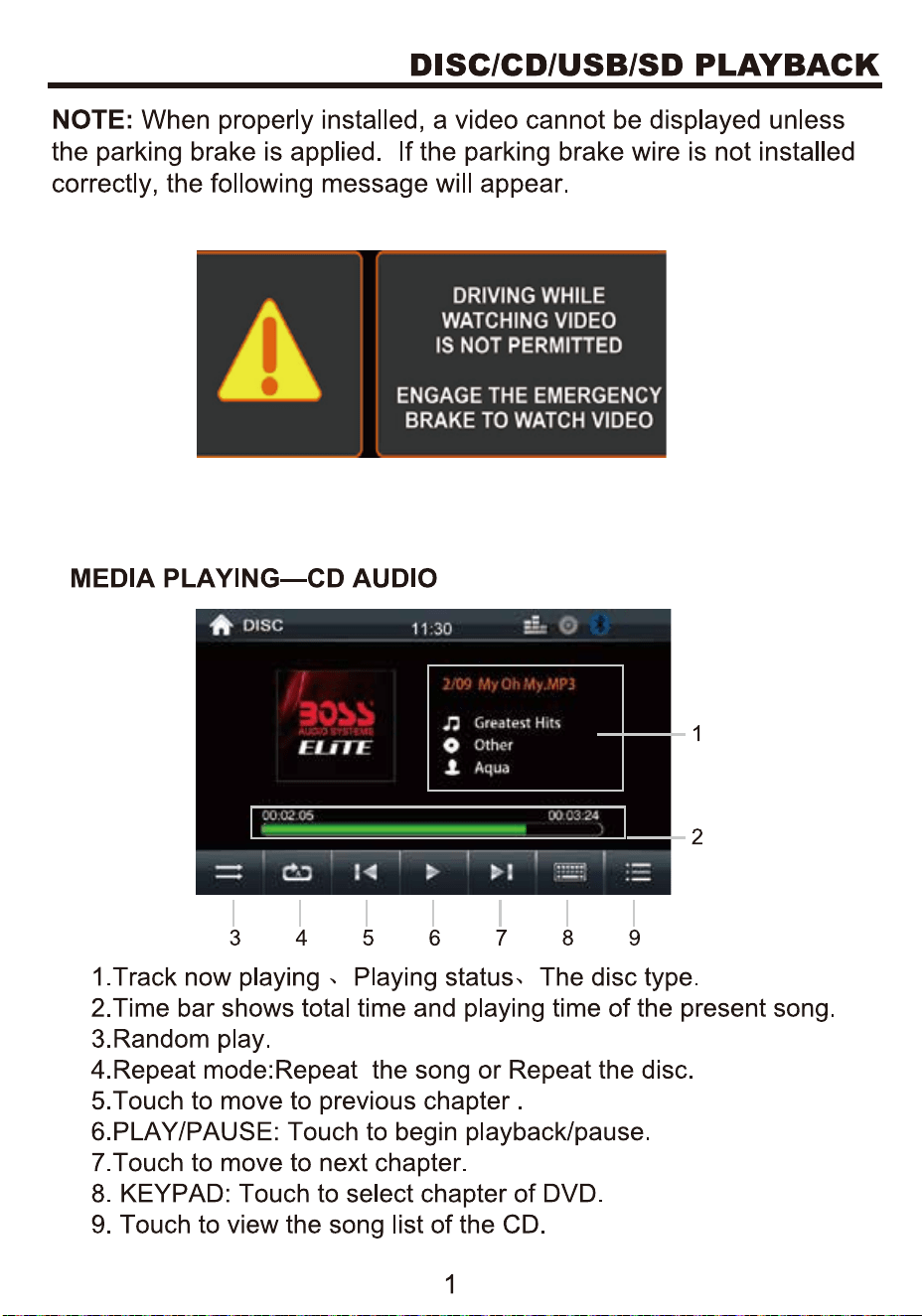
Media Playing—CD Audio
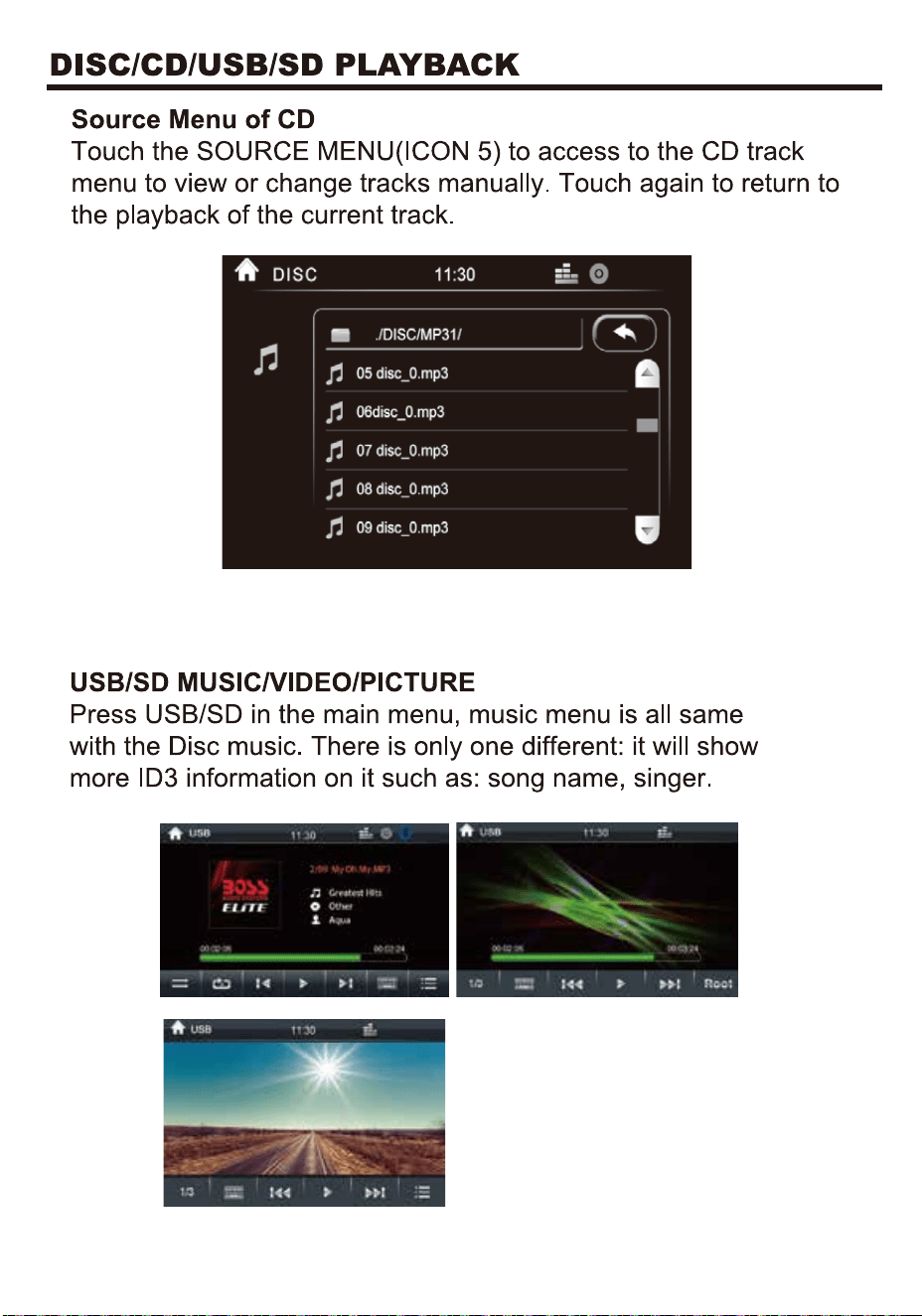
Source Menu of CD
USB/SD Music/Video/Picture
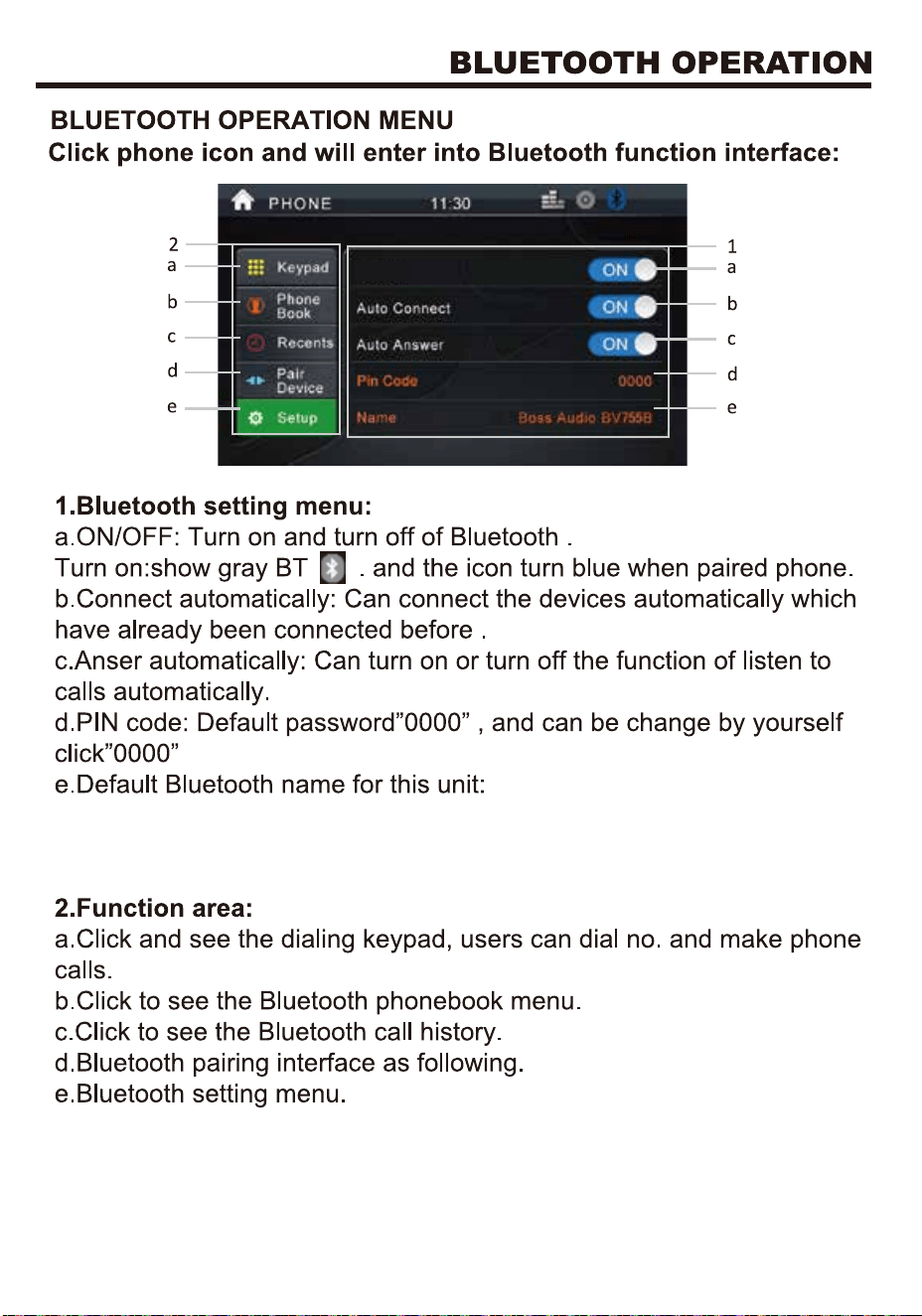
Bluetooth Pair device
4
4
6
6
18
18
19
19
20
0
1
2
2
2
3
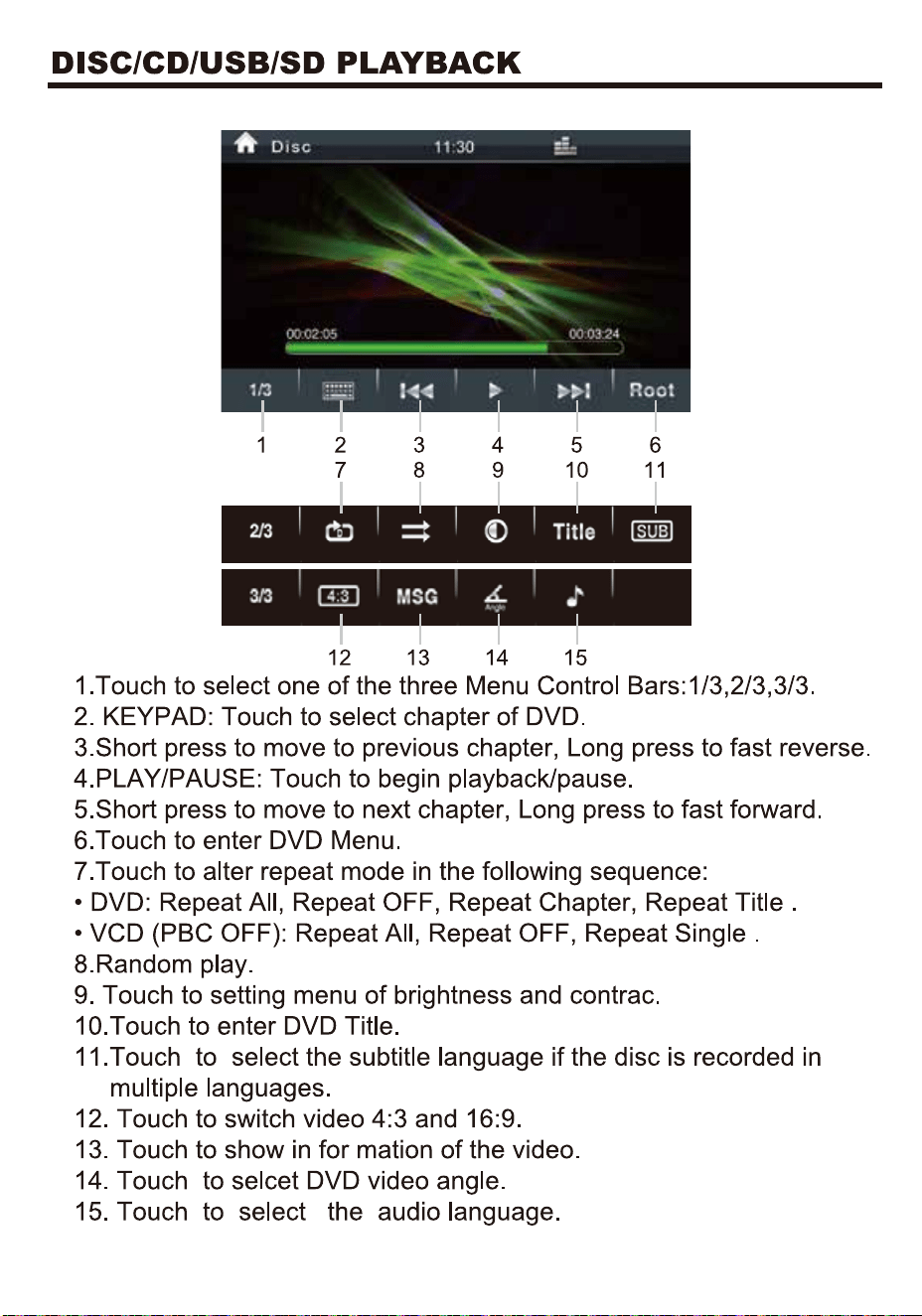
Playing—video/disc Form Playing
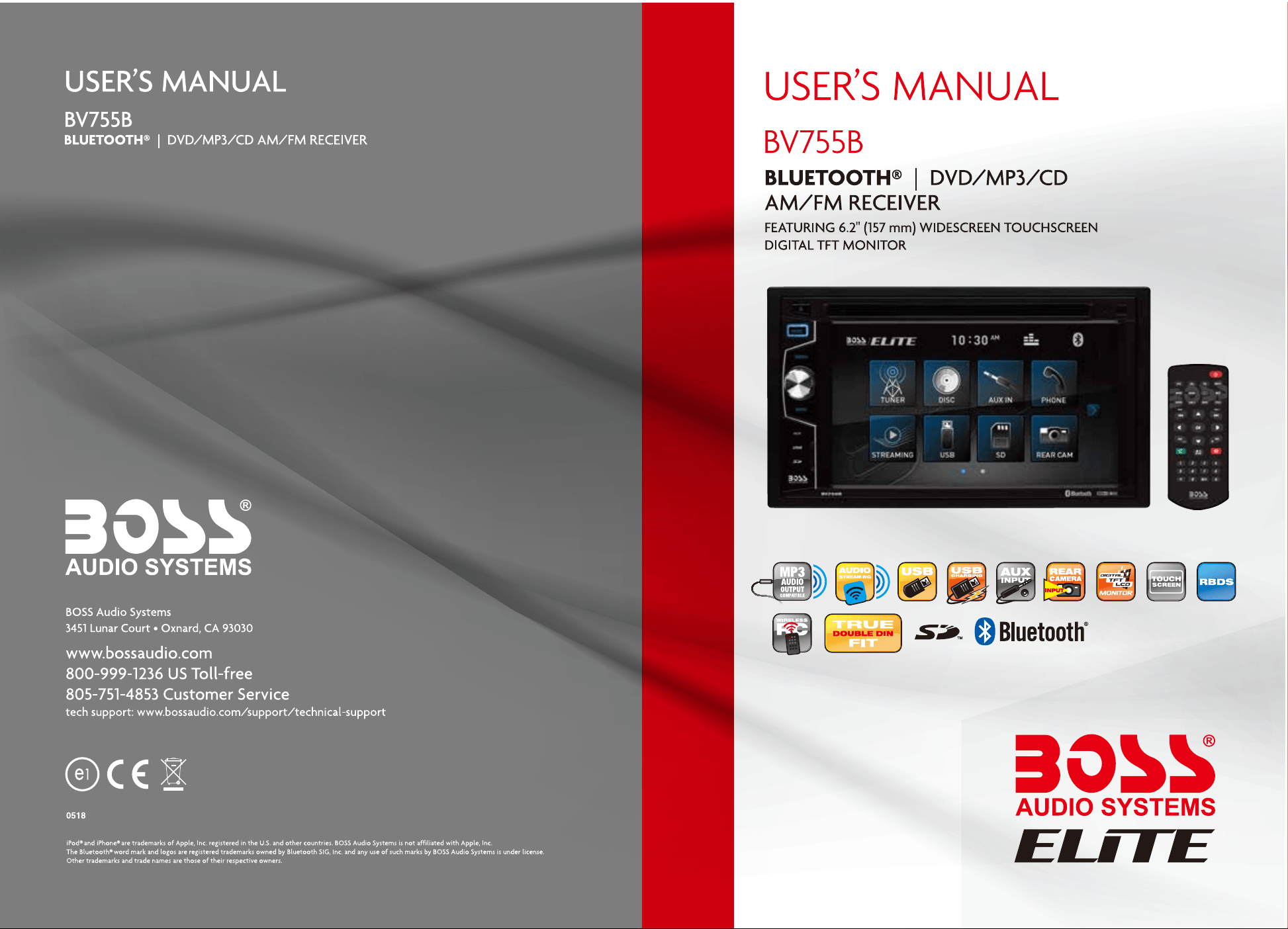
Congratulations on your purchase of a Boss Audio Systems
Multimedia Receiver.
It has been designed, engineered and manufactured to bring you
the highest level of performance and quality, and will offer you
years of entertainment pleasure.
R
Tuner
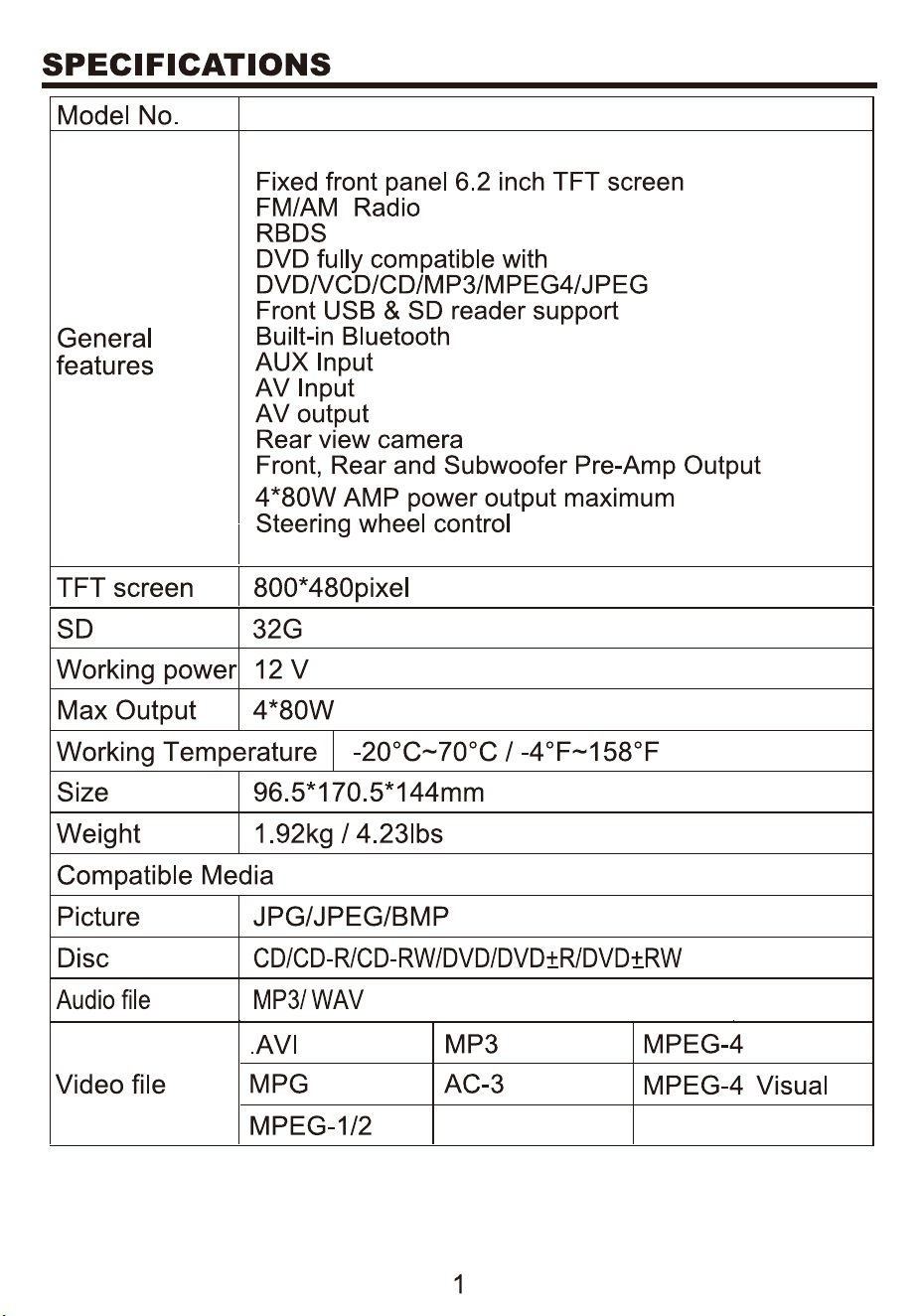
BV755B
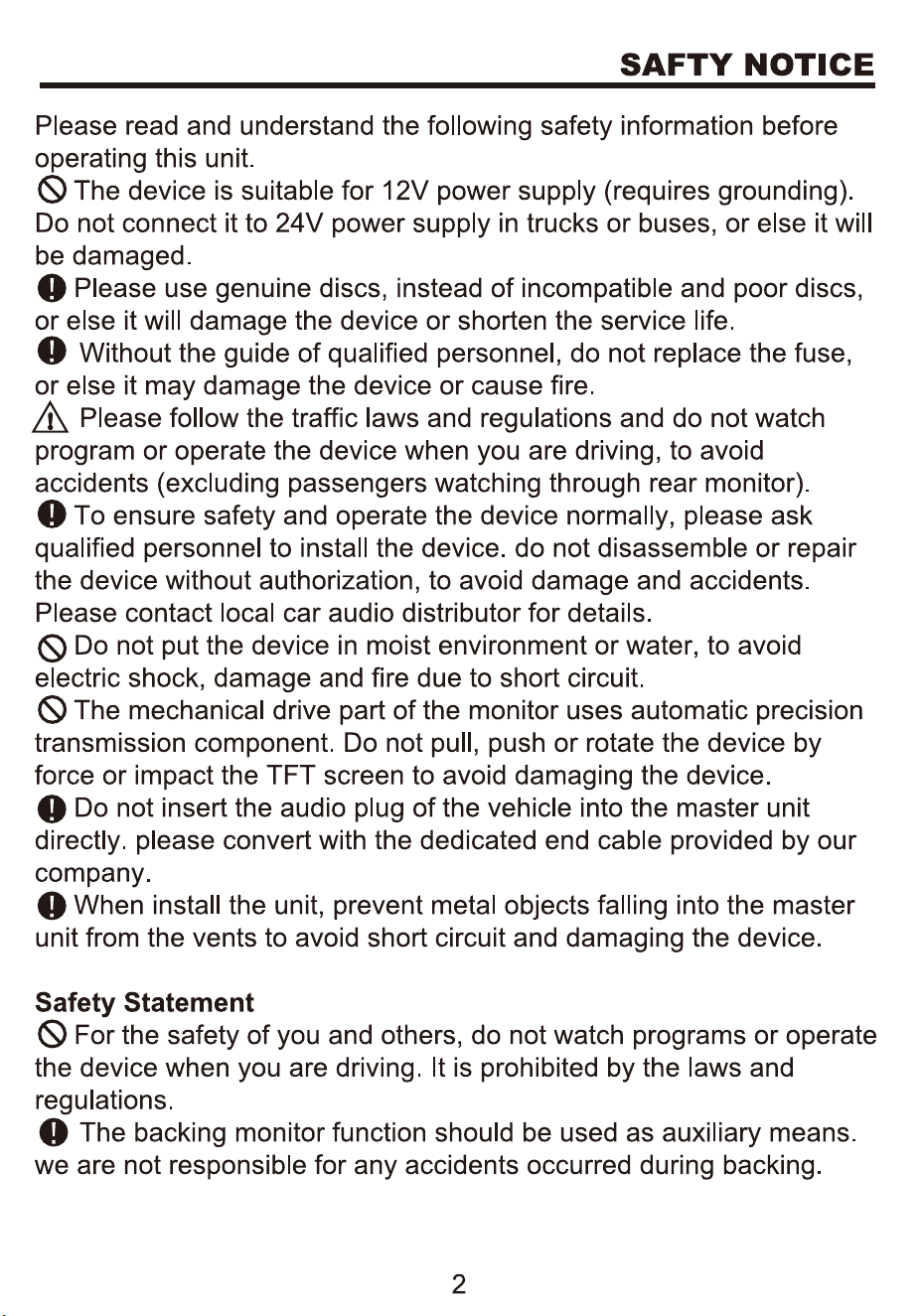
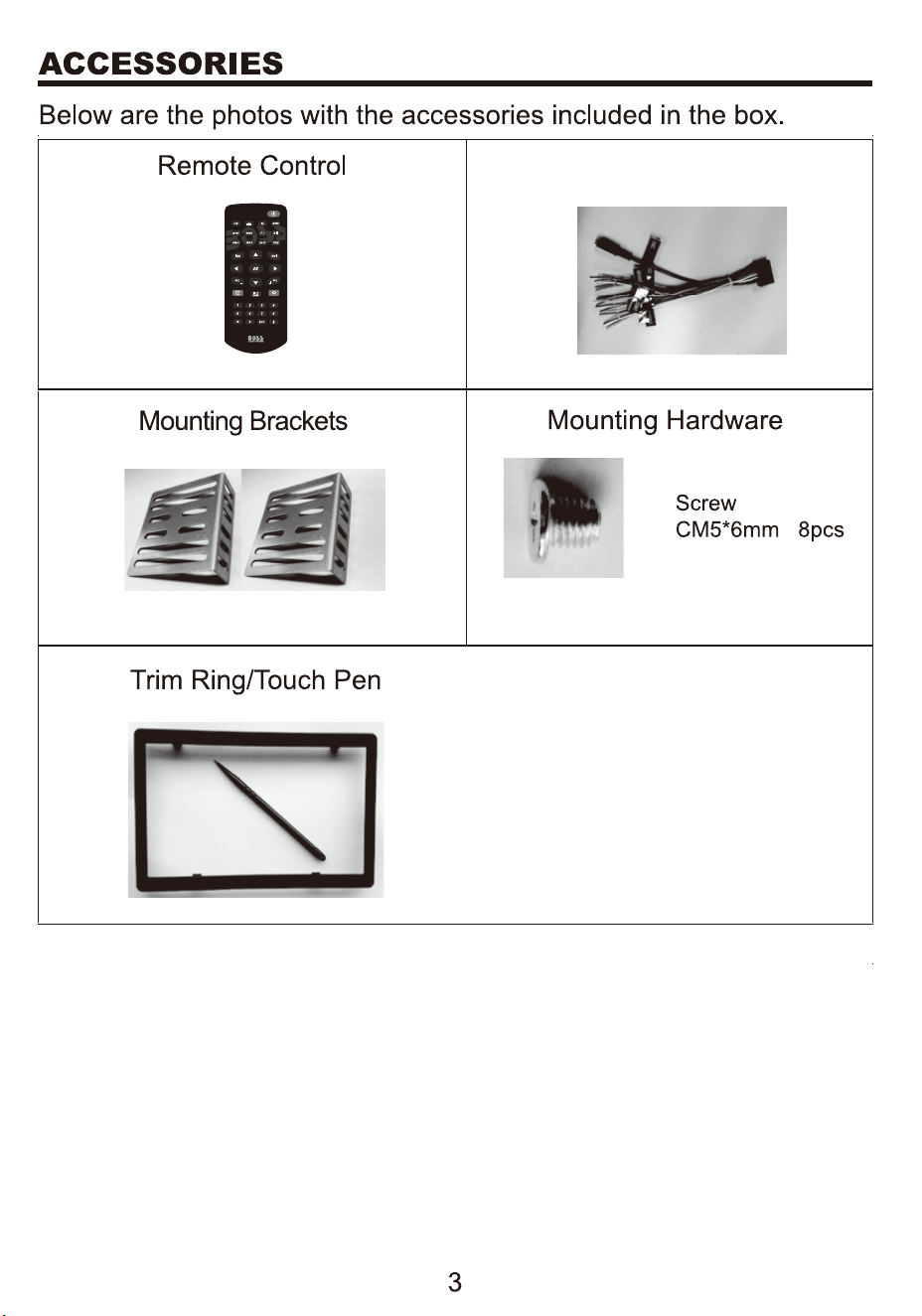
Power Cable
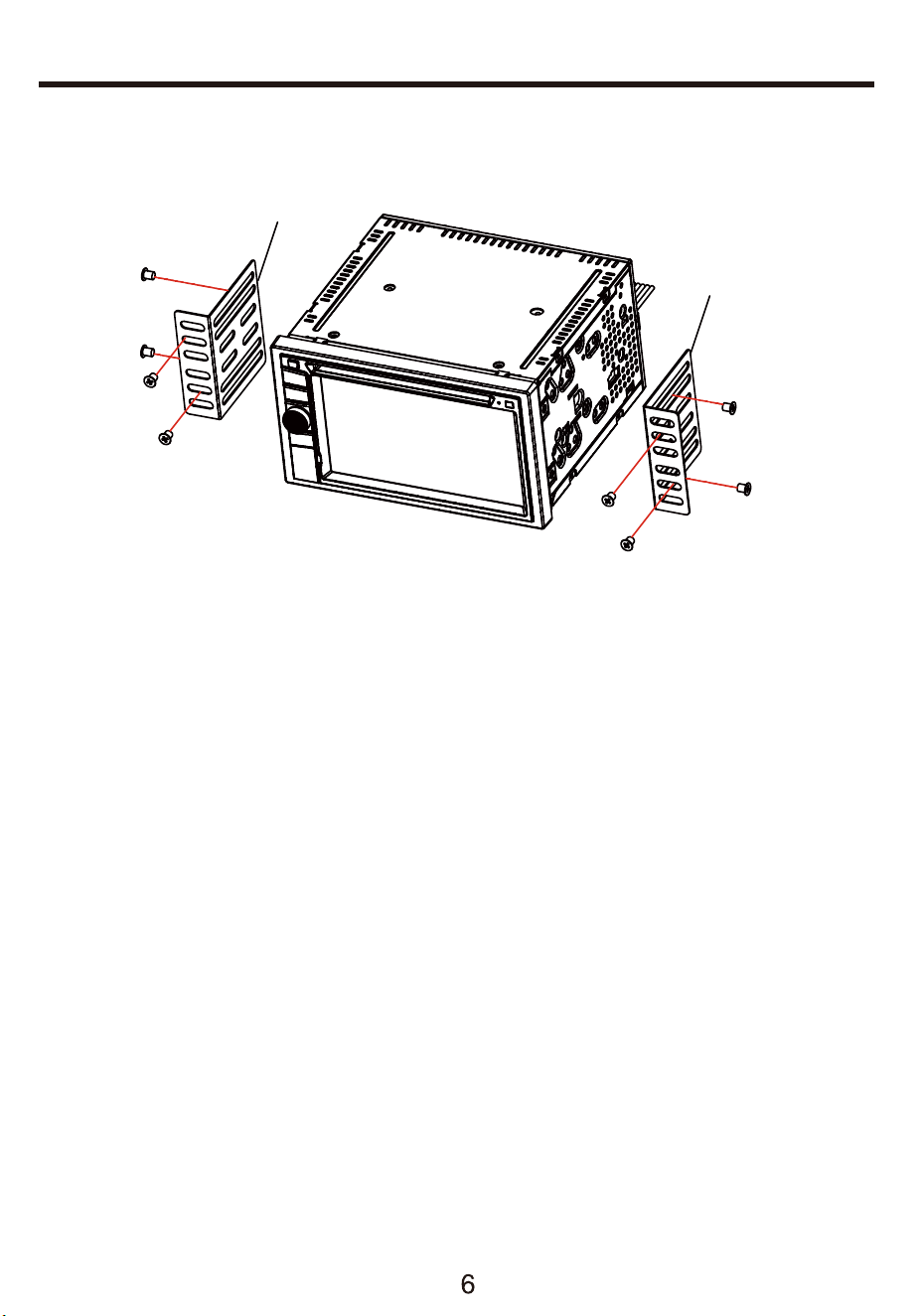
UNIT INSTALLATION
Bracket
1.Put the 2 brackets to the left and right side of the unit;
2.Use screws to fix the brackets to the unit.
Bracket
Screw
3. Once the screws are attached, the brackets can be adjusted
forward or aft depending on the installation requirements.
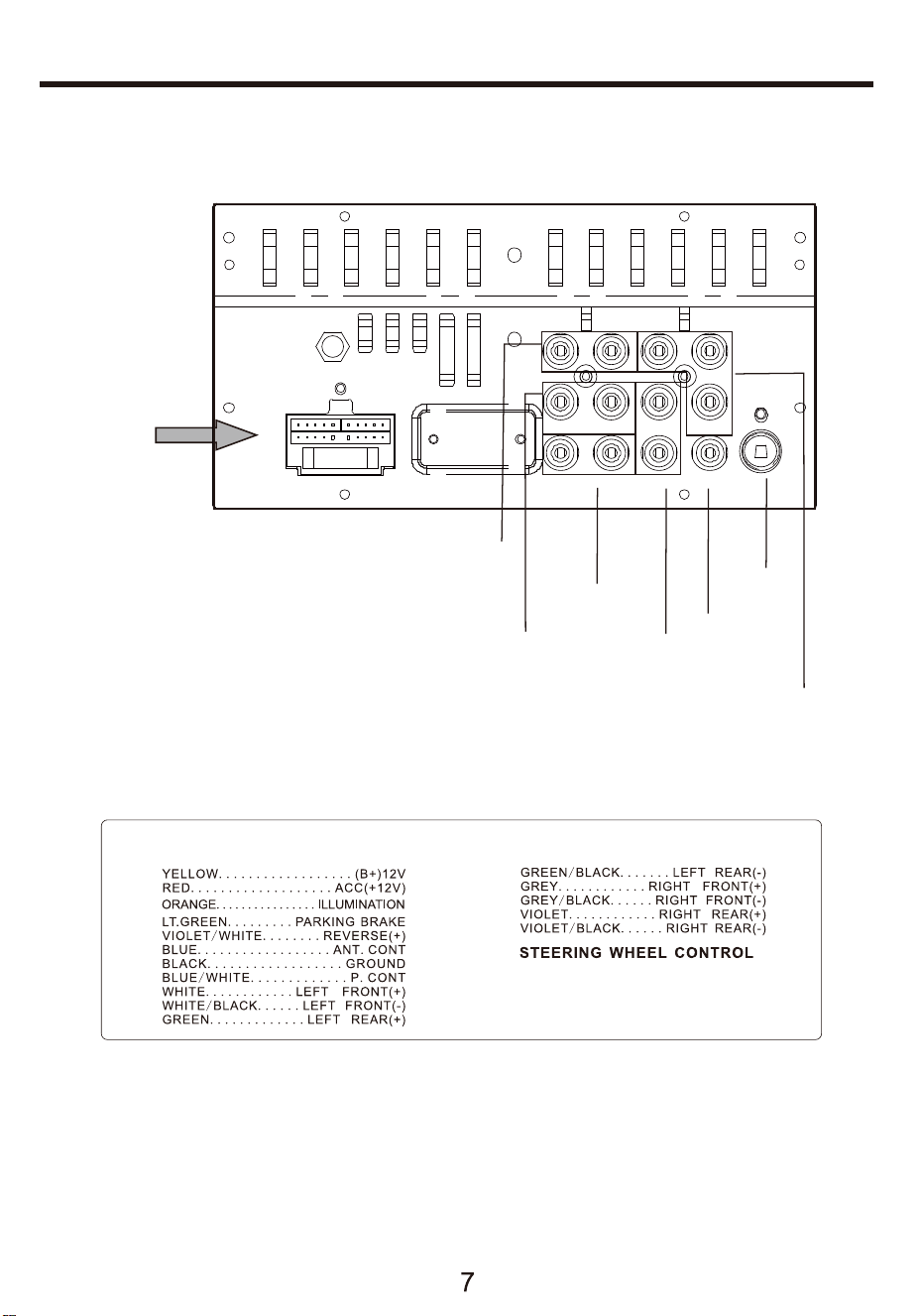
WIRES CONNECTION DESCRIPTION
The Description of the Input/Output Interface
SWC 3.5M M JACK
ANTENNA
VIDEO
OUT
REAR
CAMERA
INPUT
FRONT PRE-AMP
OUTPUT
REAR PRE-AMP
OUTPUT
A/V INPUT
SUBWOOFER
OUTPUT
A
FL
RL
V-OUT1 V-OUT2
SUB2 CAMERA
RR SUB1 V-IN
FR L-IN R-IN
Connector A
6
10
Tuner
Steaming
Bluetooth
7
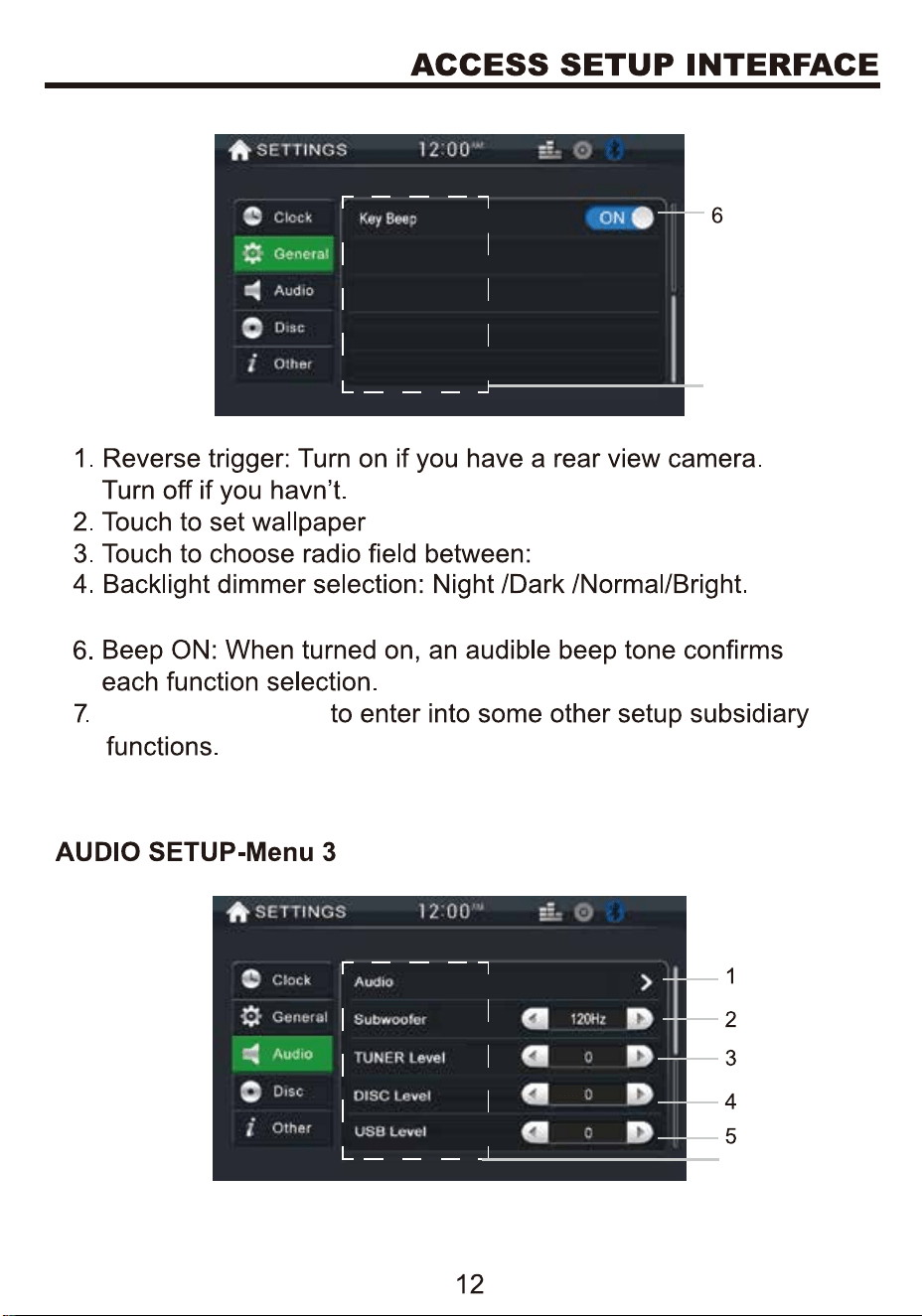
Sliding up or down
11
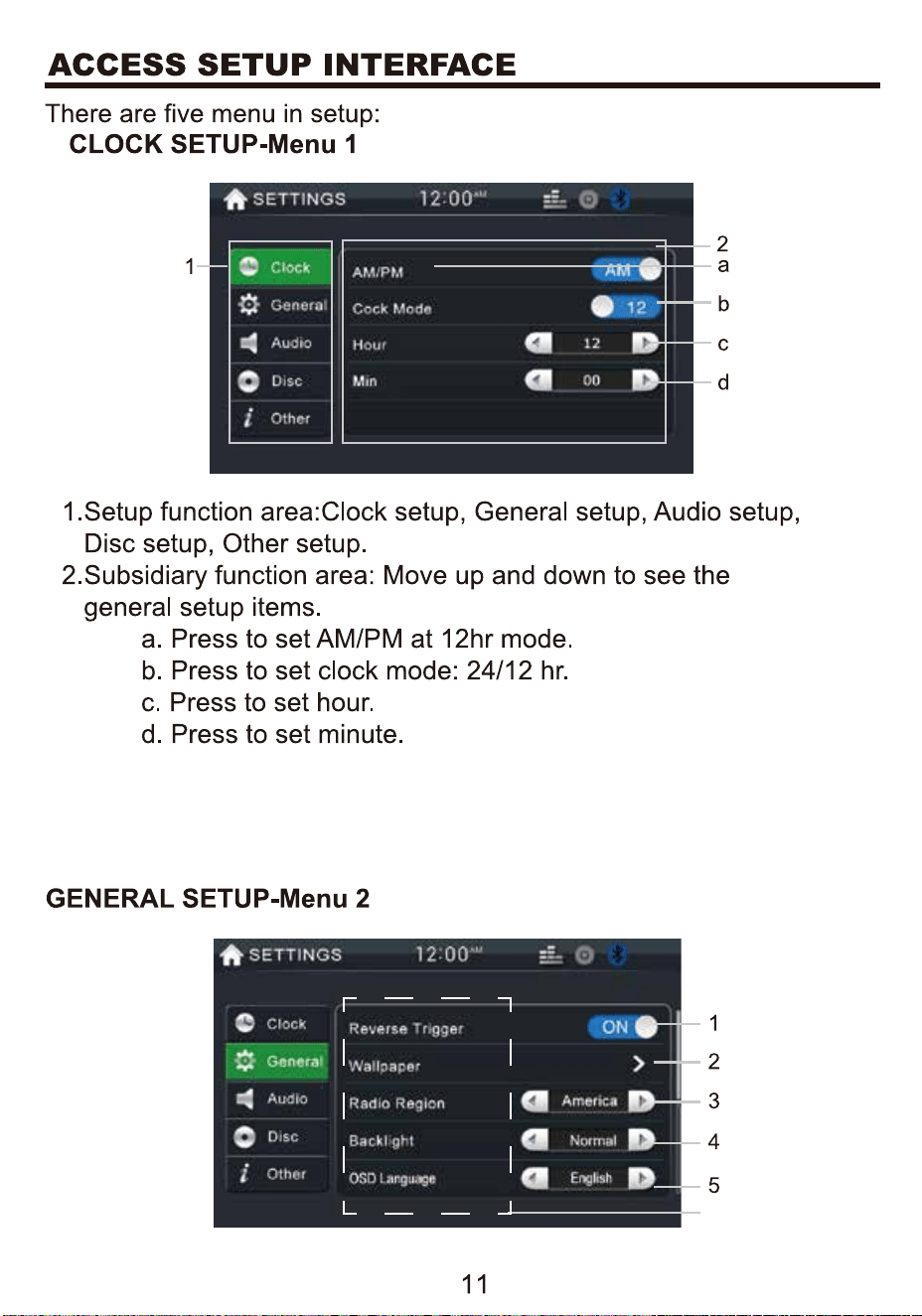
America/EU/Latin.
7
5. Touch OSD language to select English/Spanish .
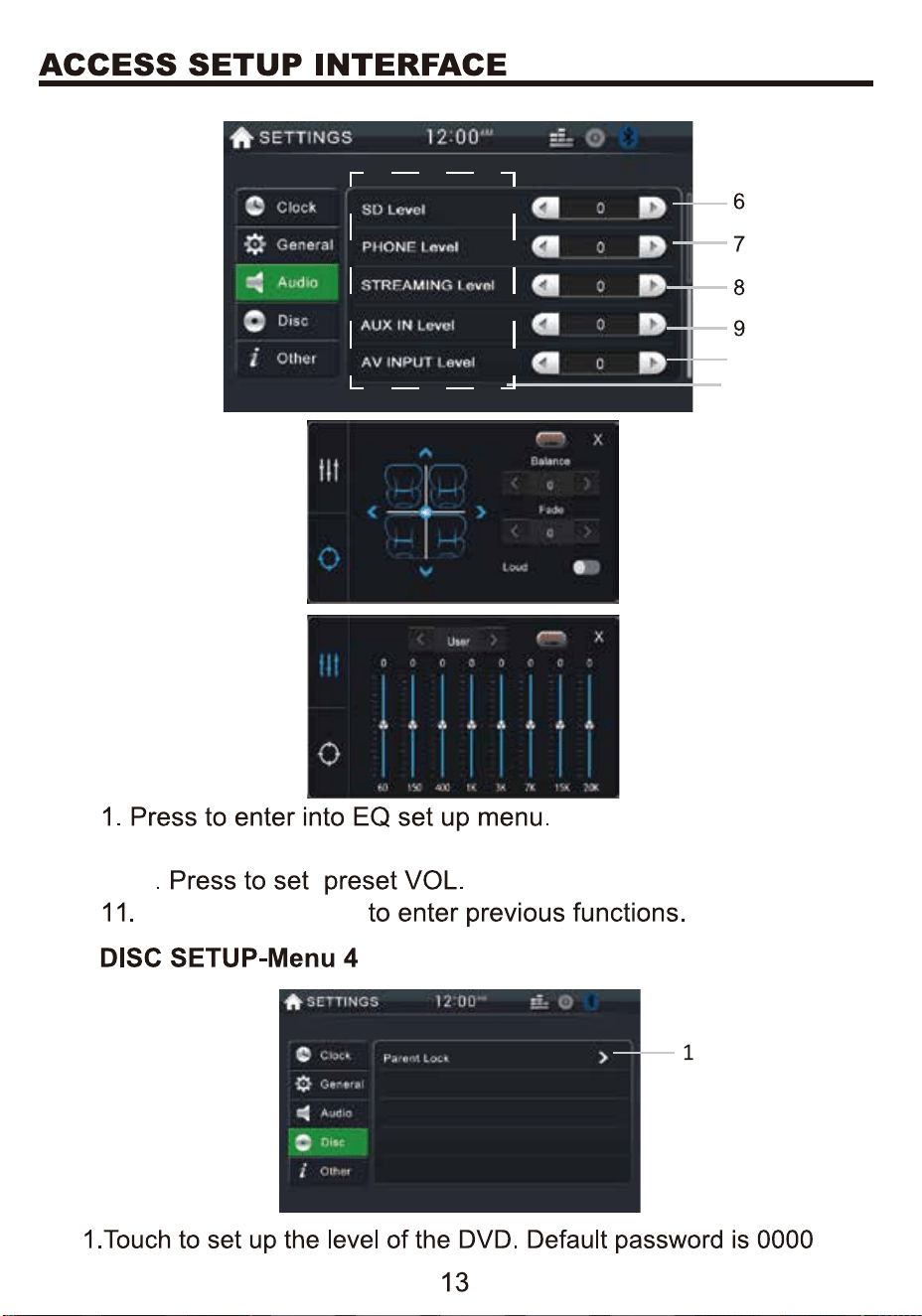
Sliding up or down
11
10
2. Press Subwoofer to select: OFF,80Hz,120Hz,160Hz
3-10
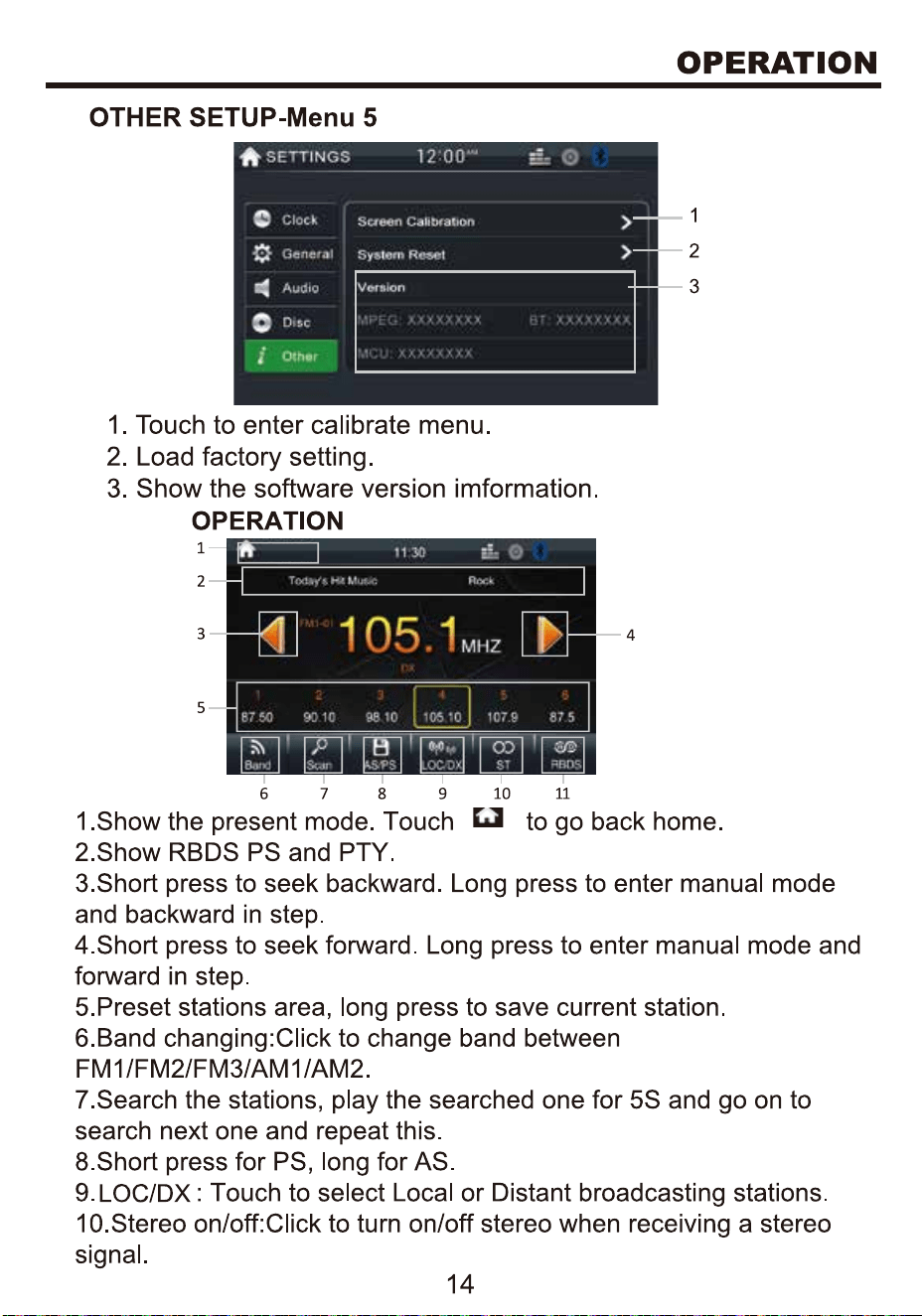
TUNER
TUNER
TUNER
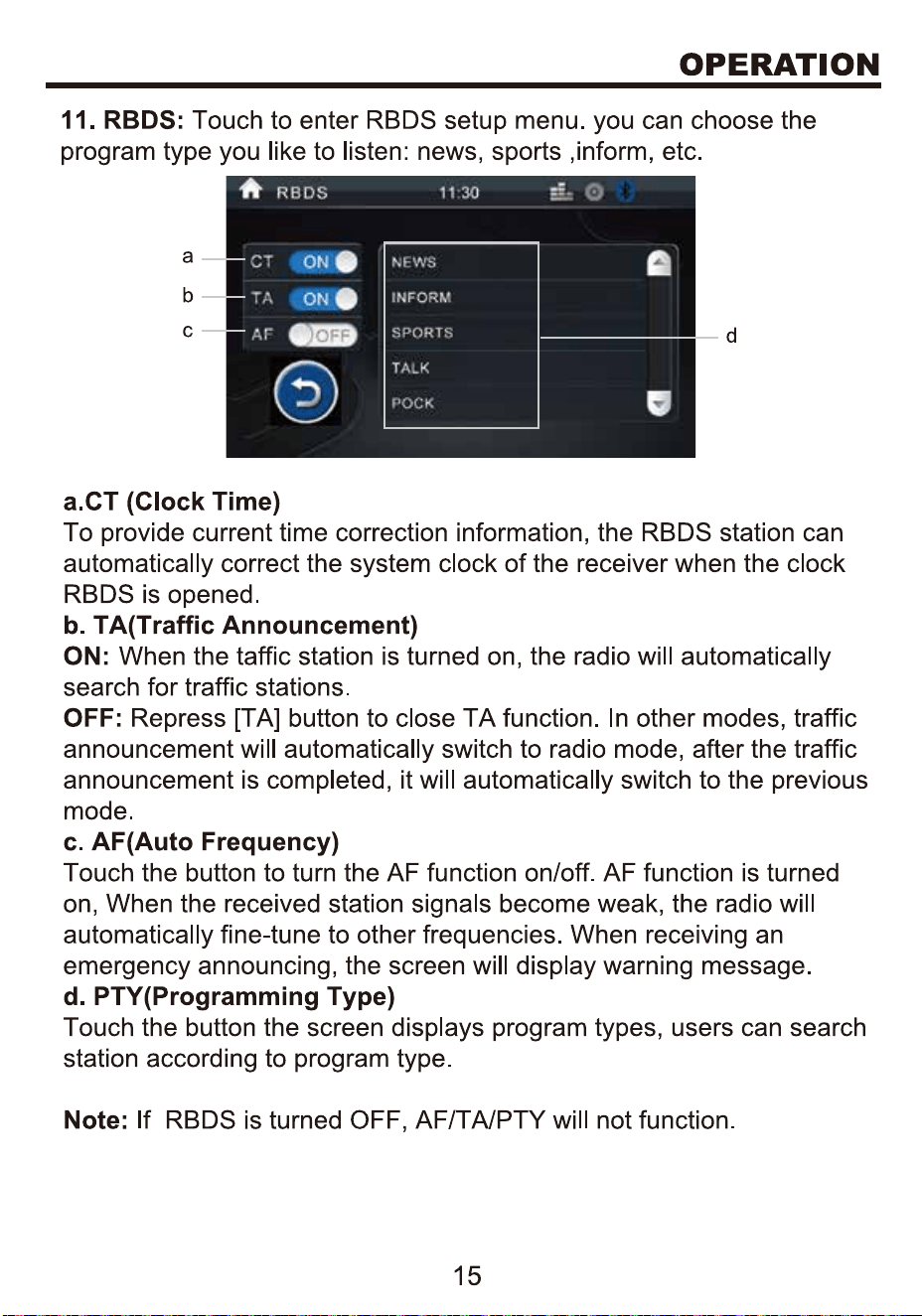
TUNER
16
17
18
19
Boss Audio BV755B
Bluetooth
20
phone
21
phone
phone
22
phone
phone
23
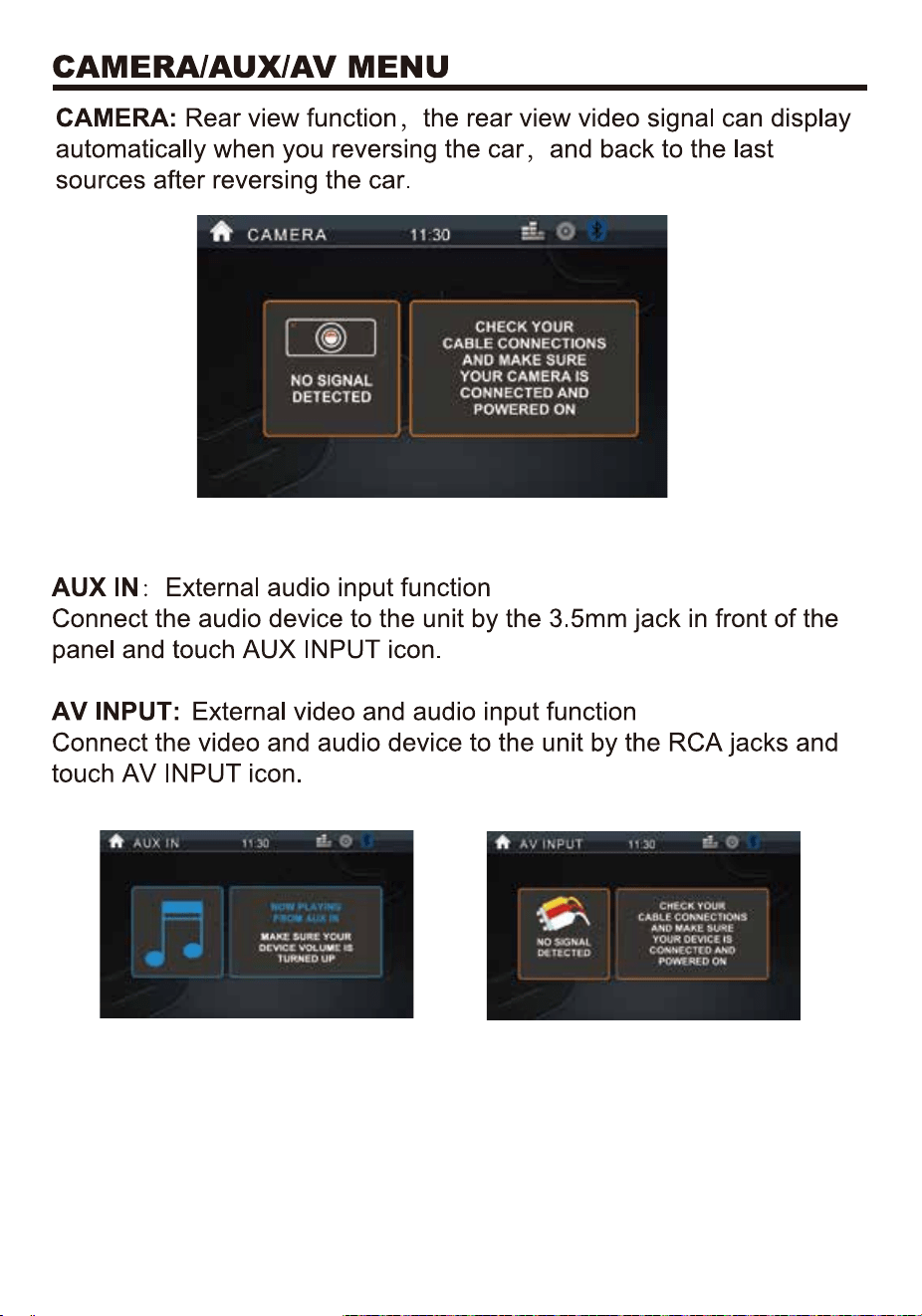
24
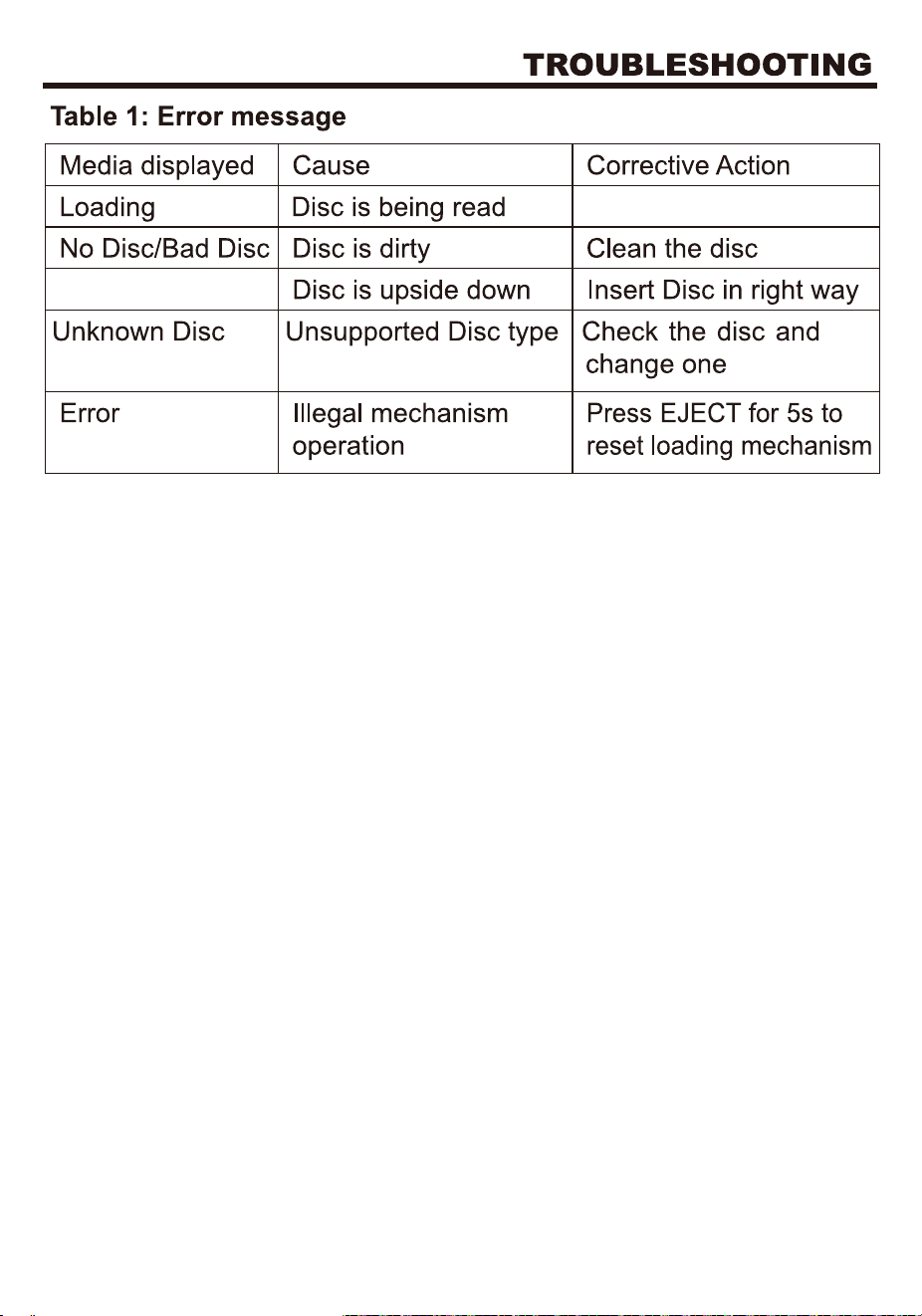
25
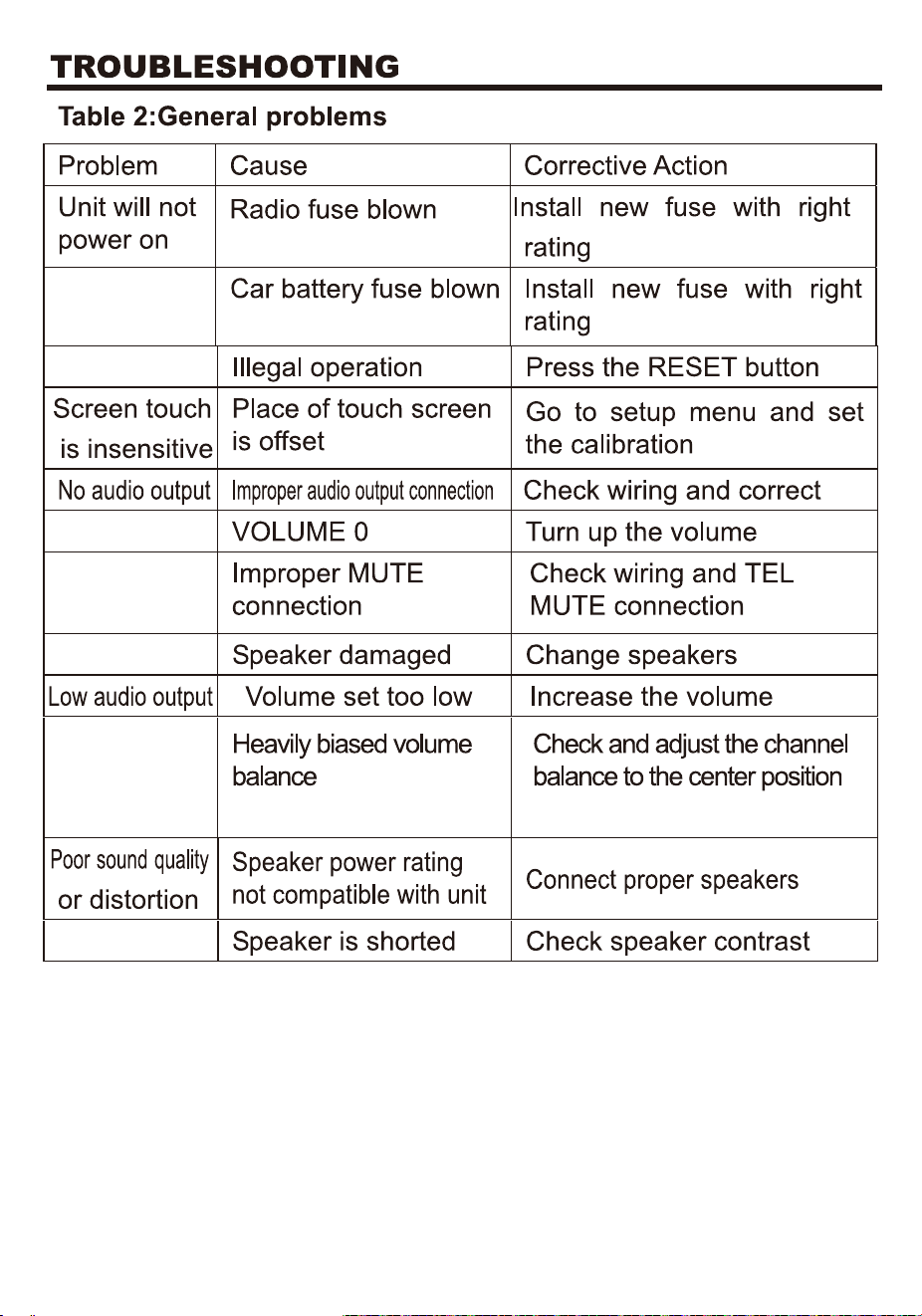
26
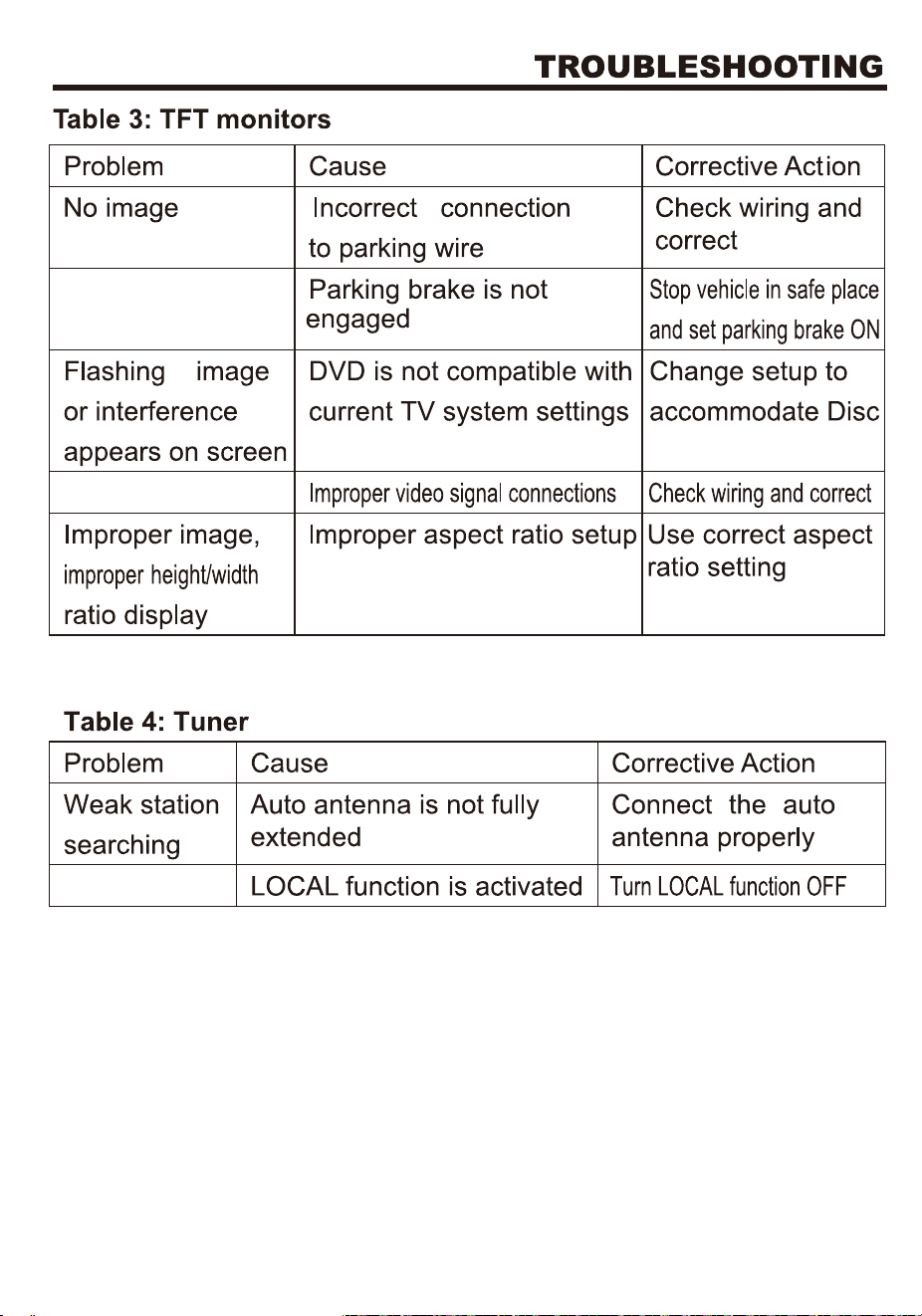
27
28