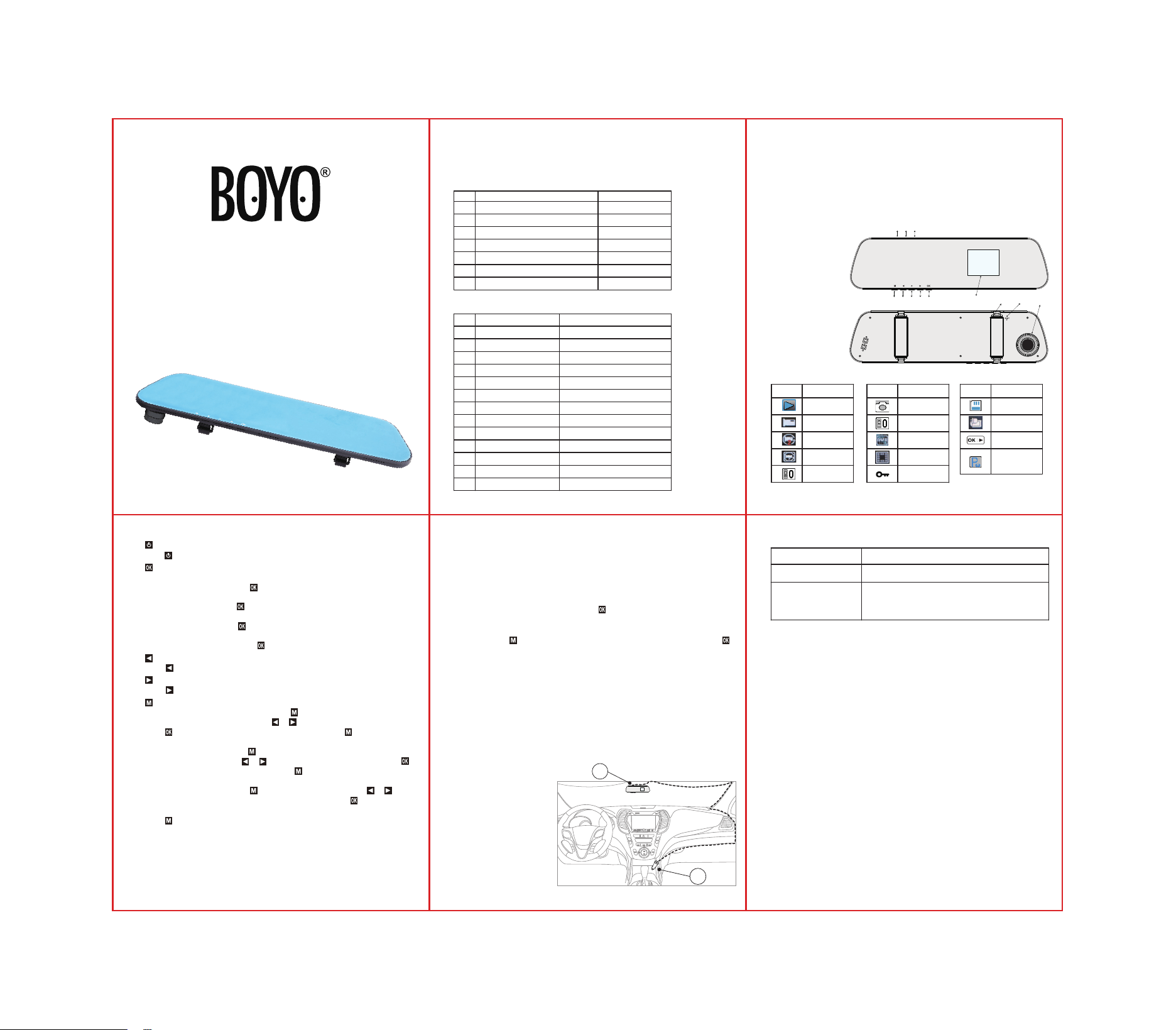
Wiring Diagram:
A. Connect the car charger
to the corresponding
socket of the car.
B. Connect the other end
of the car charger to the
Mini-USB port of the
device.
6. Installation method
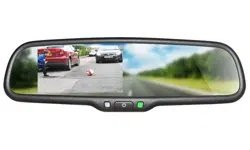
Rear View Mirror Monitor & HD DVR
VTR24MHD User's Manual
1. Introduction
This product is a device to record the video and sound during driving. It
has the functions of loop recording, photo, recording, G-sensor collision
automatic locked, parking monitoring (vibrating turn on) etc.
4. SD Card Selection
• Ensure to record completely information, please use a TF card of
Minimum capacity of 8GB, maximum capacity of 32GB, and make sure
the speed is above Class 10.
• Before using TF card, please use this device to format the TF card.
1. TFT Display
2. Menu / Return
3. Up
4. Power ON / OFF
5. Down
6. OK
7. Mini USB port
8. Reserved port
(rear view camera)
9. TF card slot
10. Front Camera
11. Buckle
12. RESET
3. System Parameters
5. Operating Instructions
5.1 Product Structure
• Power ON/OFF Key :
press to choose power on or power off.
• Key:
(1). ON / OFF recording function
In recording mode, short press to
start recording, press again to stop recording.
(2). Take Photos
In photo mode, short press to take a picture.
(3). Browse les
In replay mode, short press to play/pause the video les.
(4). Select Function
In the menu settings, short press to confirm or save the selection.
• UP Key:
Press to upturning selection.
• DOWN Key:
Press to the next selection.
• MENU Key:
(1). In recording standby mode, long press into recording menu; long press it
again to enter the setup menu. Press or to choose the correct setting and
press to save the setting. In the setup menu, short press will automatically
exit the setup menu and return to recording standby mode.
(2). In photo mode, long press to enter camera menu, long press it again to
enter the setup menu. Press or to choose the correct setting and press to
save the setting. In setup menu, short press will automatically exit the setup
menu and return to photo mode.
(3). In replay mode, long press to enter the replay menu, Press or to
choose the correct setting (delete or lock the files) and press to save the
setting. Long press it again to enter the setup menu. In the setup menu ,short
press will automatically exit the setup menu and return to replay mode.
5.3 Operations Instructions
• Mini USB interface:
Standard USB2.0 data transmission and equipment
power supply.
• TF card slot:
TF card.
5.4 Interface
• Video resolution: 1080FHD 1920*1080(standard)、720P 1280*720、
WVGA 848*480、VGA 640*480 30FPS
• Photo resolution: 12M 4032×3024、10M 3648×2736、8M( 3264×2448(-
standard)、5M 2592×1944、3M2048×1536、2MHD 1920×1080、1.3M
1280×960、VGA 640×480
• Recording: the device will start to record automatically while power on.
After power off, it will record for another 10 seconds and then shut off.
When the device turns on, short press Key can start or stop recording.
• Record Audio: In recording mode, you can set the audio ON or OFF; initial
setting is ON, audio and video will be turned on synchronously when start.
• Photo: Press key and switch to photo mode. In the photo mode, press
Key to take photos.
• Wide dynamic range: Support high dynamic range shooting to improve
effect of low exposure.
• Parking monitoring (Park mode): Default setting is “ON”, you can set
“OFF” if needed. While “ON”, if there is vibration, it will transmit to the
device. At that time, the device will turn on automatically and start to record.
After 20 seconds of recording, it will stop and shut off.
• File protection: In order to protect important videos from being covered
during loop recording, the device will lock the videos by G-Sensor
activated. When G-sensor senses get enough impact force, the system will
judge that a driving accident has occurred, and locks the current video to
protect. If the user thinks the current video is very important, he can also
lock it manually.
5.5 Recording and Photo
2. Packing List
No.
1
2
3
4
5
6
7
Item
Dash Camera
Car charger
Rubber strap bandages
User Manual
SD Reader(USB 2.0)
Warranty Card
Registration card
Quantity
1
1
4
1
1
1
1
Parameter
2.5D
Strap-on
DC 5V
≤290mA
2.4 Inch, 320*240
1920*1080 SHD 30FPS
MOV H.264
JPEG
Up to 32GB C10
G-Sensor activated recording
Yes
-20°C~70°C
-40°C~85°C
No.
1
2
3
4
5
6
7
8
9
10
11
12
13
Project
Mirror Glass
Type
Operating Voltage
Working Current
Display
Video Resolution
Video File Format
Picture Format
Storage Medium
Parking Mode
Motion Detection
Operating Temperature
Storage Temperature
5.2 Icon Description
Icon Function
Replay
Recording
Loop
Recording
Motion
Detection
Video
Exposure
Photograph
Photo
Exposure
White
Balance
Replay Icon
Video Locked
Icon Function
TF Card
Charging
Replay
Parking
Monitoring
ON
Icon Function
Note: This product reserves the right to change the design and
specifications without notice. If there is any difference, please refer
to the actual product.
Reminder: If you have any questions, please email us for help.
Vision Tech America, Inc.
1452 E Valencia Valencia Dr.
Fullerton CA 92831
714-446-0543
For technical support, Call 888-941-3060 or Email [email protected]
www.visiontechamerica.com
7. Common troubleshooting
Fault Solutions
Unable to turn on
can't record or video
frames dropped or
crashed
1. Please format TF card before use.
2. Please confirm whether a high-speed memory
card above Class10 is used.
Please confirm whether the wire is connected.
-1- -2-
-3-
-4- -5-
1
2 3 4 5 6
12
7 8 9
10
11
B
A