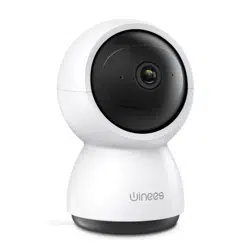
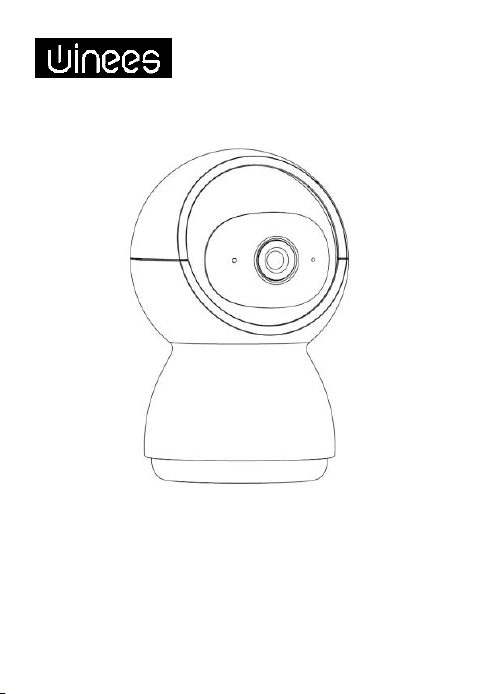
Winees M2X Indoor PTZ Cam
Model WP2700 (NA)
Model WP2700 (EU)
Model WP2700 (J P)
Model WP2700 (UK)


Cautions
To avoid personal injury and/or possible product
damage, the following cautions must be followed:
1. Please use the provided adapter instead of others in
case of any damage to the product.
2. Keep out of reach of children. This product contains
small magnets and other small parts, which can cause
choking or injury if ingested.
3. To prevent early failure, the camera should only be
installed in operating environments ranging between -
20°C ~ 50°C(-4°F ~ 122°F).
4. Do not install
- close to heat source
- near the metal objects and mirrors that cause radio
signal attenuation or shading.
5. Do not disassemble or reinstall the camera, otherwise
it may cause security risks.
6. Unplug the power cord before cleaning. Do not clean
the camera with any liquids, spray cleaner or wet cloth.
7. The slot and opening are used for ventilation, not
allowed to be blocked or covered.
8. This product only can be connected to 2.4G WIFI.

Camera Power Adaptor
USB Cable Bracket
Screws Manual
Package Contents

Description
Power DC 5V/1A
Status light
•
Blinking red light: wait for network connection
(slow)connecting the network (fast)
• Solid blue light on: camera is working correctly
• Solid red light on: camera is malfunctional
Microphone Capture sound for your video
SD card slot Support local SD Card storage (Max.128 GB)
Reset
Press and hold for 5 seconds to reset the camera
(if you have modified settings, they will return to
factory defaults)

Installation
1. Put the camera on a flat surface.
2 . Use the included mounting bracket to fix the camera to a clean surface.

Connection
1. Scan the QR code below to download the CloudEdge APP from App
store or Google Play.
2. Log in the CloudEdge, select "Add Device", and add the smart camera to the
App according to the screen tips(Make the smart camera close to the
router when configuring).
Or search for “CloudEdge” in App Store or Google
Play.
NOTE: If you need to re-select the WiFi
network, please press and hold the
"RESET" button for 5 seconds, the device
will restart, and the indicator will be
flashing red.
3. Place the Winees M2X PTZ Cam in the area where you plan to install
to test the video quality, ensure that the camera can work normally after
the final installation.

Functions
Pan/Tilt
Rotate your camera by sliding on your smartphone, providing you with a good
vision.
Video flip
Flip your video stream up or down for maximum flexibility.
Full color vision
With white light, the captured pictures and videos of motion detection are
colorful which can provide you a better vision.
Motion detection
Support smart motion detection. The camera will detect movements, and
then send you push notifications and app alerts.
Record
Support 24H continuous recording with high capacity SD storage or Cloud
storage.
Day & Night
Never miss a moment, even in complete darkness, with powerful night-vision
technology.
Daytime
Night

FCC Statement
This device complies with Part 15 of the FCC Rules.
Operation is subject to the following two conditions:
(1) This device may not cause harmful interference.
(2) This device must accept any interference received, including interference
that may cause undesired operation.
Note: The grantee is not responsible for any changes or modifications not
expressly approved by the party responsible for compliance. Such
modifications could void the user’s authority to operate the equipment.
Note: This equipment has been tested and found to comply with the limits for
a Class B digital device, pursuant to part 15 of the FCC Rules. These limits are
designed to provide reasonable protection against harmful interference in a
residential installation.
This equipment generates uses and can radiate radio frequency energy and, if
not installed and used in accordance with the instructions, may
cause harmful interference to radio communications. However, there is no
guarantee that interference will not occur in a particular installation. If this
equipment does cause harmful interference to radio or television reception,
which can be determined by turning the equipment off and on, the user is
encouraged to try to correct the interference by one or more of the following
measures:
- Reorient or relocate the receiving antenna.
- Increase the separation between the equipment and receiver.
- Connect the equipment into an outlet on a circuit different from that to
which the receiver is connected.
- Consult the dealer or an experienced radio/TV technician for help.
RF Exposure Statement
This equipment complies with FCC radiation exposure limits set forth for an
uncontrolled environment. This equipment should be installed and operated with
minimum distance of 20 cm between the radiator and your body.

This device contains licence-exempt transmitter(s)/receiver(s) that comply
with Innovation, Science and Economic Development Canada’s licence-exempt
RSS(s). Operation is subject to the following two conditions:
1.This device may not cause interference.
2.This device must accept any interference, including
interference that may cause undesired operation of the device.
L’émetteur/récepteur exempt de licence contenu dans le présent appareil est
conforme aux CNR d’Innovation, Sciences et Développement économique
Canada applicables aux appareils radio exempts de licence.
L’exploitation est autorisée aux deux conditions
suivantes :
1. L’appareil ne doit pas produire de brouillage;
2. L’appareil doit accepter tout brouillage radioélectrique subi, même si le
brouillage est susceptible d’en compromettre le fonctionnement.
This equipment complies with ISED RSS-102 radiation exposure limits set forth
for an uncontrolled environment.
This equipment should be installed and operated with a minimum distance of
20cm between the radiator and any part of your body.
Pour se conformer aux exigences de conformité CNR 102 RF exposition, une
distance de séparation d'au moins 20 cm doit être maintenue entre l'antenne
de cet appareil ettoutes les personnes.
ISED Statement
Contact us
Linkzone Technology Co., Limited
Room 510, 5/F, Wayson Commercial Building, 28
Connaught Road West, Sheung Wan, Hong Kong,
China
Phone: 1-855-334-9800
Website: www.iwinees.com
Email: suppor[email protected]
Made in China

Winees M2X PTZ Innen Kamera
Model WP2700 (NA)
Model WP2700 (EU)
Model WP2700 (J P)
Model WP2700 (UK)

Vorsichtsmaßnahme
Um Verletzungen und/oder mögliche Produktschäden zu
vermeiden, müssen die folgenden Vorsichtsmaßnahmen
befolgt werden:
1. Bitte verwenden Sie stattdessen den mitgelieferten
Adapter andere im Falle einer Beschädigung des Produkts.
2. Außerhalb der Reichweite von Kindern aufbewahren.
Dieses Produkt enthält kleine Magnete und andere
Kleinteile, die verursachen können Verschlucken oder
Verletzungen bei Verschlucken.
3. Um einen vorzeitigen Ausfall zu verhindern, sollte die
Kamera nur sein installiert in Betriebsumgebungen
zwischen
-20 °C ~ 50 °C (-4 °F ~ 122 °F).
4. Nicht installieren
- in der Nähe einer Wärmequelle
- in der Nähe von Metallgegenständen und Spiegeln, die
eine Dämpfung oder Abschattung des Funksignals
verursachen.
5. Bauen Sie die Kamera andernfalls nicht auseinander und
installieren Sie sie nicht neu Dies kann Sicherheitsrisiken
verursachen.
6. Ziehen Sie vor der Reinigung das Netzkabel ab. Nicht
säubern die Kamera mit Flüssigkeiten, Sprühreiniger oder
einem feuchten Tuch.
7. Der Schlitz und die Öffnung dienen der Belüftung, nicht
darf gesperrt oder abgedeckt werden.
8. Dieses Produkt kann nur mit 2,4 G WIFI verbunden
werden.

Kamera Netzadapter
USB-Kabel Halterung
Schraubenpaket Handbuch
Inhalt der Packung

Beschreibung
Leistung DC5V/1A
Statuslicht
• Blinkendes rotes Licht: Warten auf
Netzwerkverbindung (langsam)
Verbinden des Netzwerks (schnell)
• Dauerhaft blaues Licht an: Kamera
funktioniert ordnungsgemäß
• Dauerhaft rotes Licht an: Kamera funktioniert
nicht
Mikrofon Nehmen Sie Ton für Ihr Video auf
TF
-
Kartensteckplatz
Unterstützt lokalen TF-Kartenspeicher (Max. 128
GB)
Zurücksetzen
Halten Sie 5 Sekunden lang gedrückt, um die
Kamera zurückzusetzen (falls Sie Einstellungen
geändert haben, werden sie auf die
Werkseinstellungen zurückgesetzt)
IR Licht
Mikrofon
Statusleuchte
TF
Kartenschlitz
Zurücksetzen
Lautspreche
r
Micro
USB

Installation
1. Stellen Sie die Kamera auf eine ebene Fläche.
2 . Verwenden Sie die mitgelieferte Halterung, um die Kamera auf einer
sauberen Oberfläche zu befestigen.

Verbindung
1. Scannen Sie den nachstehenden QR-Code, um die CloudEdge-APP aus dem App
Store oder von Google Play herunterzuladen.
2. „Melden Sie sich bei CloudEdge an, wählen Sie „Gerät hinzufügen“ und fügen
Sie die Smart-Kamera gemäß den Bildschirmtipps zur App hinzu. (Stellen Sie die
Smart-Kamera bei der Konfiguration in die Nähe des Routers).“
Oder suchen Sie nach "CloudEdge" im App Store oder bei
Google Play.
HINWEIS: Wenn Sie das WLAN-Netzwerk
erneut auswählen müssen, halten Sie
bitte die Taste "RESET" 5 Sekunden lang
gedrückt, das Gerät wird neu gestartet
und die Anzeige blinkt rot.
3. Platzieren Sie den Kamera in dem Bereich, in dem Sie die Installation
planen, um die Videoqualität zu testen und sicherzustellen, dass die
Kamera nach der endgültigen Installation normal funktioniert.

Funktionen
Schwenken/Neigen
Drehen Sie Ihre Kamera, indem Sie sie auf Ihrem Smartphone verschieben, und
verschaffen Sie sich so eine gute Sicht.
Video spiegeln
Drehen Sie Ihren Videostream nach oben oder unten für maximale Flexibilität.
Vollfarbige Sicht
Mit weißem Licht sind die aufgenommenen Bilder und Videos der
Bewegungserkennung farbig, was Ihnen eine bessere Sicht ermöglicht.
Bewegungserkennung
Unterstützt intelligente Bewegungserkennung. Die Kamera erkennt
Bewegungen und sendet Ihnen dann Push-Benachrichtigungen und App-
Benachrichtigungen.
Aufzeichnung
Unterstützt 24 Stunden kontinuierliche Aufzeichnung mit hoher Kapazität SD-
Speicher oder Cloud-Speicher.
Tag & Nacht
Mit der leistungsstarken Nachtsichttechnologie verpassen Sie auch bei völliger
Dunkelheit keinen Moment.
Tageszeit
Nacht

BRAUCHEN SIE HILFE
Linkzone Technology Co., Limited
Room 510, 5/F, Wayson Commercial
Building, 28 Connaught Road West,
Sheung Wan, Hong Kong, China
Phone: 1-855-334-9800
Website: www.iwinees.com
Email: [email protected]
Made in China
Business name: APEX CE SPECIALISTS
LIMITED
Business address: UNIT 3D NORTH POINT
HOUSE, NORTH POINT BUSINESS PARK, NEW
MALLOW ROAD, CORK, T23 AT2P, IRELAND
Email: info@apex-ce.com
Tel: +353212066339
Business name: APEX CE SPECIALISTS
LIMITED
Business address: 89 Princess Street,
Manchester, M1 4HT, UK
Email: info@apex-ce.com
Tel: +441616371080


注意
人身事故や製品破損を防ぐため、以下の注意事項を必ず守っ
てください。
1.万一、破損した場合は、付属のアダプターを代用してくだ
さい。
2.子供の手の届かないところに保管してください。本製品に
は小さな磁石などの部品が使われており、飲み込むと窒息、
けがをしたりする可能性があります。
3.早期故障を防ぐため、カメラは-20°C〜50°C(-4°F〜122°F)
の範囲の動作環境にのみ設置してください。
4.下記の設置場所は避けてください。
- 熱源に近い場所
- 電波の減衰や遮光の原因となる金属物や鏡の近くには設置
しないでください。
5.カメラ本体分解をしたり、改造したりしないでください
(故障の原因となります)
6.お手入れの際は、必ず電源コードを抜いてください。また、
液体やスプレークリーナー、濡れた布などでカメラを拭かな
いでください(故障や感電の恐れがあります)。
7.スロットや開口部は熱の蓄積を防ぐため、カメラ周辺の空
気循環を遮断しないでください。
8.本製品は、2.4G WIFIのみ接続可能です。

カメラ
電源アダプター
USBケーブル ブラケット
ネジパッケージ マニュアル
パッケージ内容

商品説明
電源 DC 5V/1A
ステータスライ
ト
1、赤ランプ点滅:ネットワーク接続待ち
(遅い)
ネットワークに接続中(高速)
2、青色点灯:カメラは正常に動作してい
ます
3、赤色点灯:カメラに異常があります。
マイクロフォ
ン
ビデオのサウンドをキャプチャする
SDカードス
ロット
ローカルSDカードストレージをサポート
(最大128GB)
リセット
カメラをリセットするには、5秒間押し続
けます(設定を変更した場合は、工場出
荷時のデフォルトに戻ります)
赤外線
マイクロフォ
ン
ステータスラ
イト
スピーカー
マイクロ
USB
TFカードス
ロット
リセット

インストール
1.カメラを平らな場所に置く。
2 .付属の取り付けブラケットを使用して、カメラをきれいな面に固定し
ます。

接続方法
1. 以下のQRコードをスキャンして、AppStoreまたはGooglePlayから
CloudEdgeAPPをダウンロードします.
2. CloudEdgeにログインし、[デバイスの追加]を選択して、画面のヒン
トに従ってスマートカメラをアプリに追加します。 (設定時にス
マートカメラをルーターの近くに配置します)。
または、AppStoreまたはGooglePlayで「CloudEdge」を検索してください。
注意: WiFiネットワークを再選択する
必要がある場合は、[リセット]ボタン
を5秒間押し続けると、デバイスが再
起動し、インジケーターが赤く点滅
します。
4. M2X カメラの設置位を決めたら、設置する前に必ずアプリで画質の
角度・画質をテストし、ニーズに応じて調整してください。そうす
ることで、設置完成後の調整の手間を省くことができます。

機能
パン/チルト
スマートフォンをスライドさせてカメラを回転させ、良好な視界を提供
します。
ビデオフリップ
ビデオストリームを上下に反転させて、最大限の柔軟性を実現します。
フルカラービジョン
白色光では、動体検知で撮影した写真や動画がカラフルになり、より良
い視界を提供できます。
動体検知
スマートモーション検出をサポートします。 カメラが動きを検出し、
プッシュ通知とアプリアラートを送信します
記録
大容量SDストレージまたはクラウドストレージで24時間連続録画をサ
ポートします。
デイ&ナイト
強力なナイトビジョン技術で、完全な暗闇の中でも一瞬を逃さないでく
ださい。
デイ
ナイト

お問い合わせ
Linkzone Technology Co., Limited
Room 510, 5/F, Wayson Commercial Building, 28 Connaught Road
West, Sheung Wan, Hong Kong, China
Phone: 1-855-334-9800
Website: www.iwinees.com
メール: [email protected]
中国製
サポートチームへお問い合わせください。
support@iwinees.com
助けが必要?