EN
Quick guide
THANK YOU FOR BUYING AN INDESIT PRODUCT
In order to receive a more complete assistance, please
register your product on www . indesit . com/ register
Before using the appliance carefully read the Safety
Instruction.
FIRST TIME USE
Wait at least two hours, after the installation, before connecting
the appliance to the power supply. Connect the appliance to the
power supply it starts the operation automatically. The ideal storage
temperatures for the food are preset in the factory.
After turning the appliance on, you must wait for 4-6 hours for the
correct storage temperature to be reached for a normally lled
appliance. Position the antibacterial anti-odour lter in the fan as
demonstrated in the lter packaging (if available). If the audible signal
sounds, it means that the temperature alarm has intervened: press the
button to switch o the acoustic alarms.
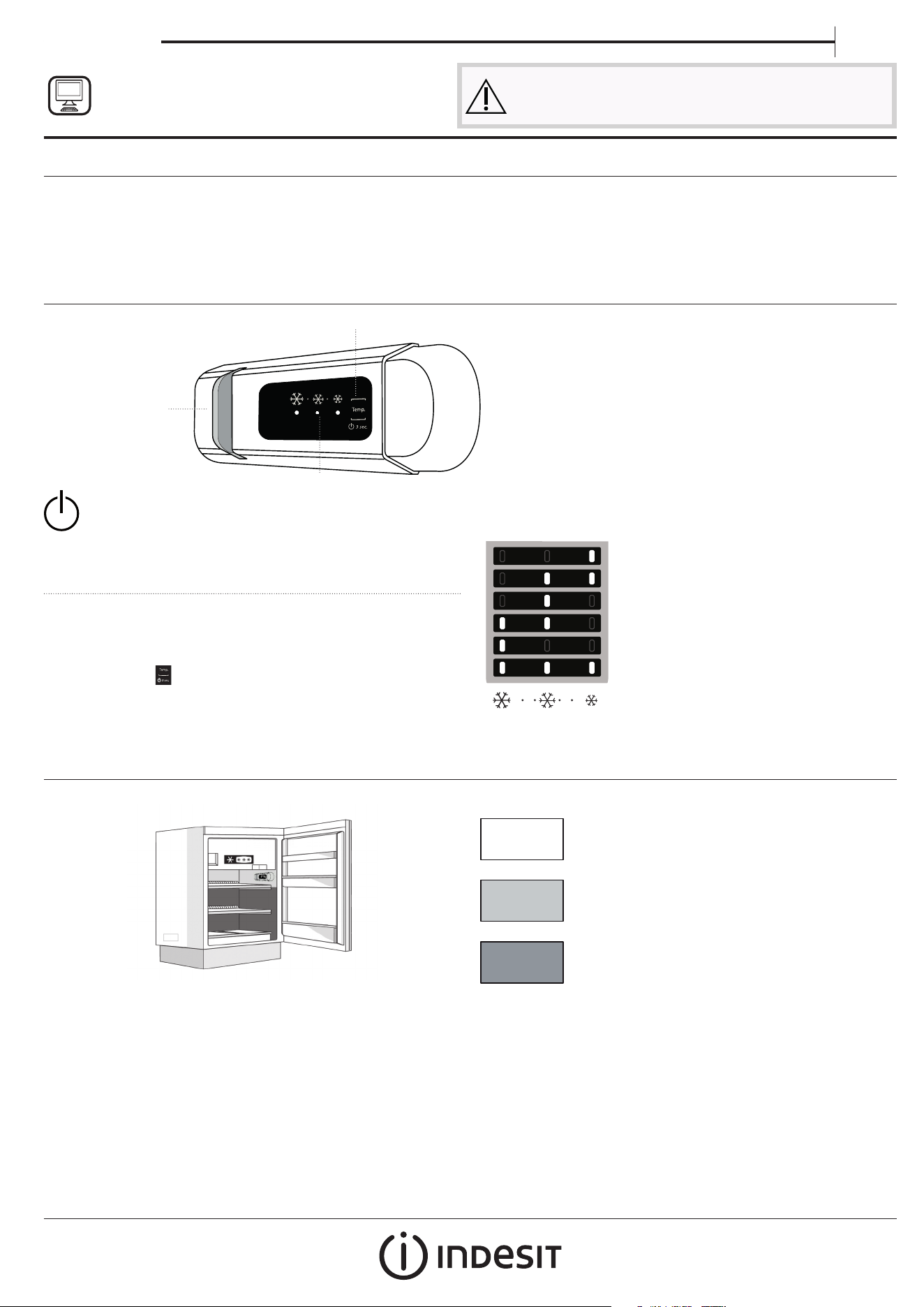
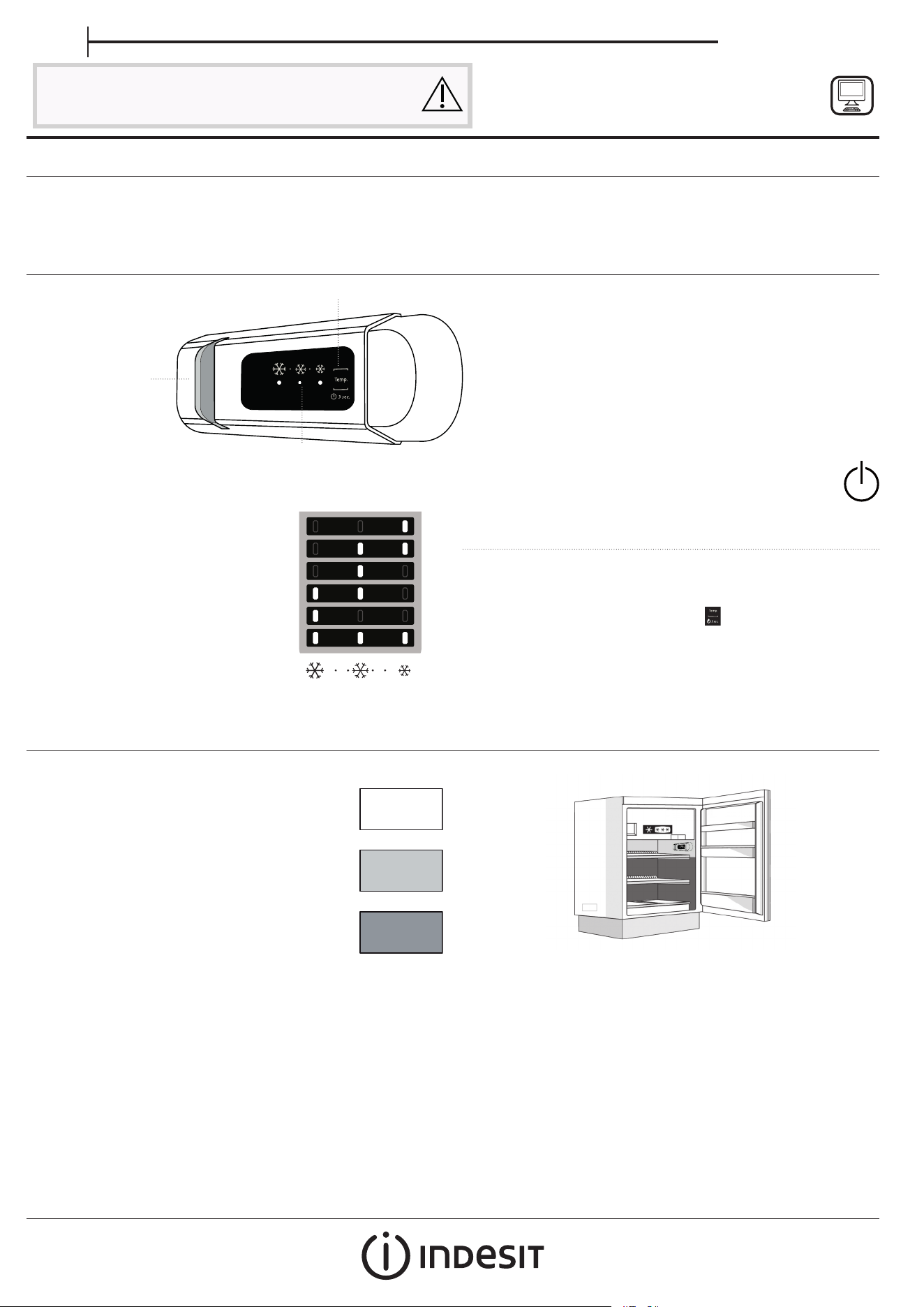
CONTROL PANEL
1. LED Light
2. On/Stand-by
3. Freezer and refrigerator compartment
temperature button
2.
1.
3.
ON/STAND-BY
Press the button for 3 seconds to turn the appliance o. In
Stand-by mode the light in the refrigerator compartment does not turn
on. Press the button again briey to reactivate the appliance.
Note: this does not disconnect the appliance from the power supply.
FREEZER AND REFRIGERATOR
COMPARTMENT TEMPERATURE
The three LED indicators indicate the refrigerator compartment
set temperature. It is possible to set a dierent temperature of the
appliance with the
button.
Recommended setting: MEDIUM
The following adjustments are possible:
LEDs lit Set temperature
High (less cold)
Medium-high
Medium
Medium-low
Low (colder)
Fast cool
To avoid food waste, please refer to the recommended setting and storage
times found in the online user manual.
HOW TO STORE FRESH FOOD AND BEVERAGES
*
Legend
TEMPERATE ZONE
Suggested for storage of tropical fruit, cans, drink, eggs,
sauces, pickles, butter, jam
COOL ZONE
Suggested for storage of cheese, milk, daily food,
delicatessen, yoghurt
COOLEST AREA
Suggested for storage of cold cuts, desserts, meat and
sh
* Available only on certain models
* Available only on certain models
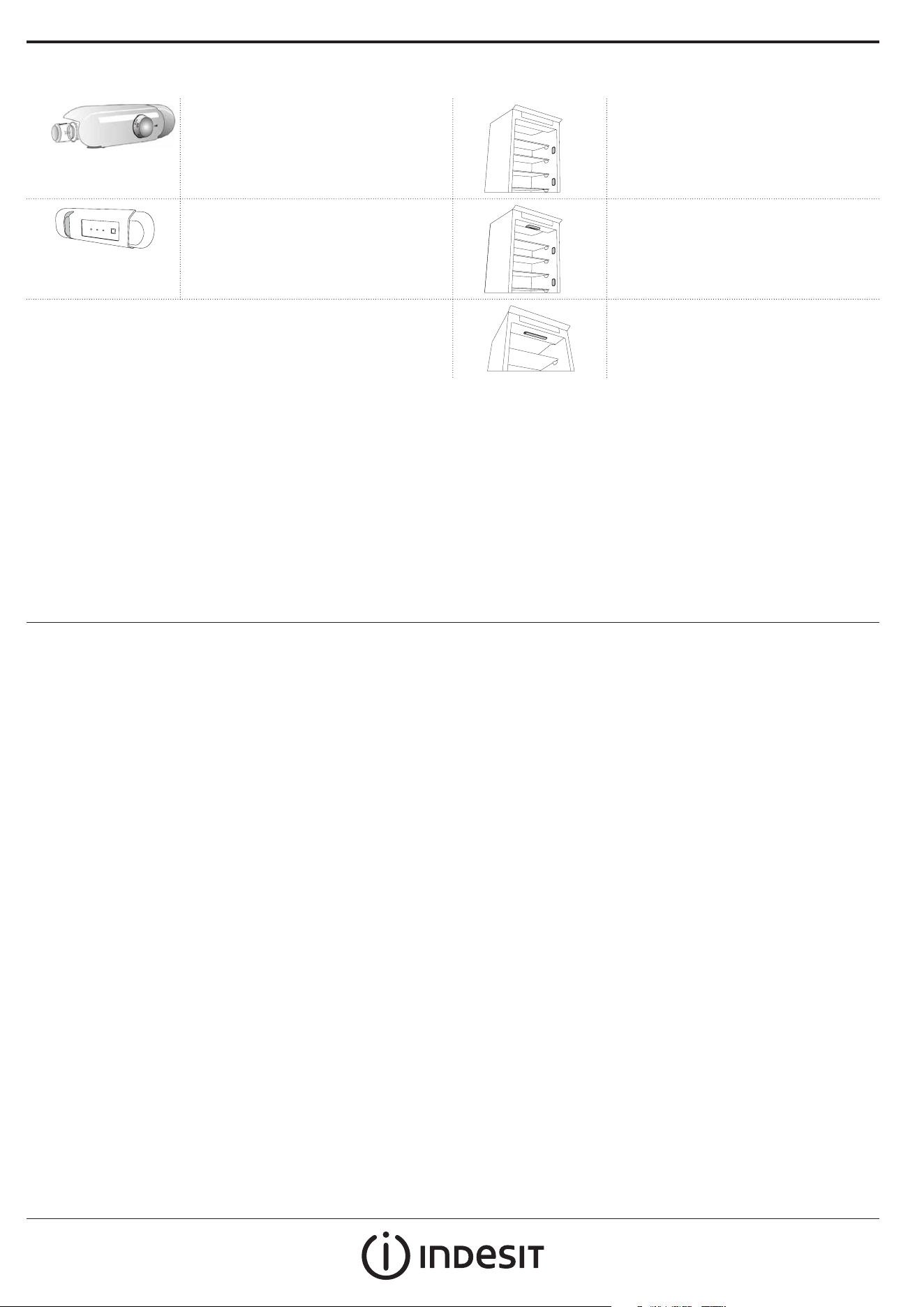
REFRIGERATOR COMPARTMENT
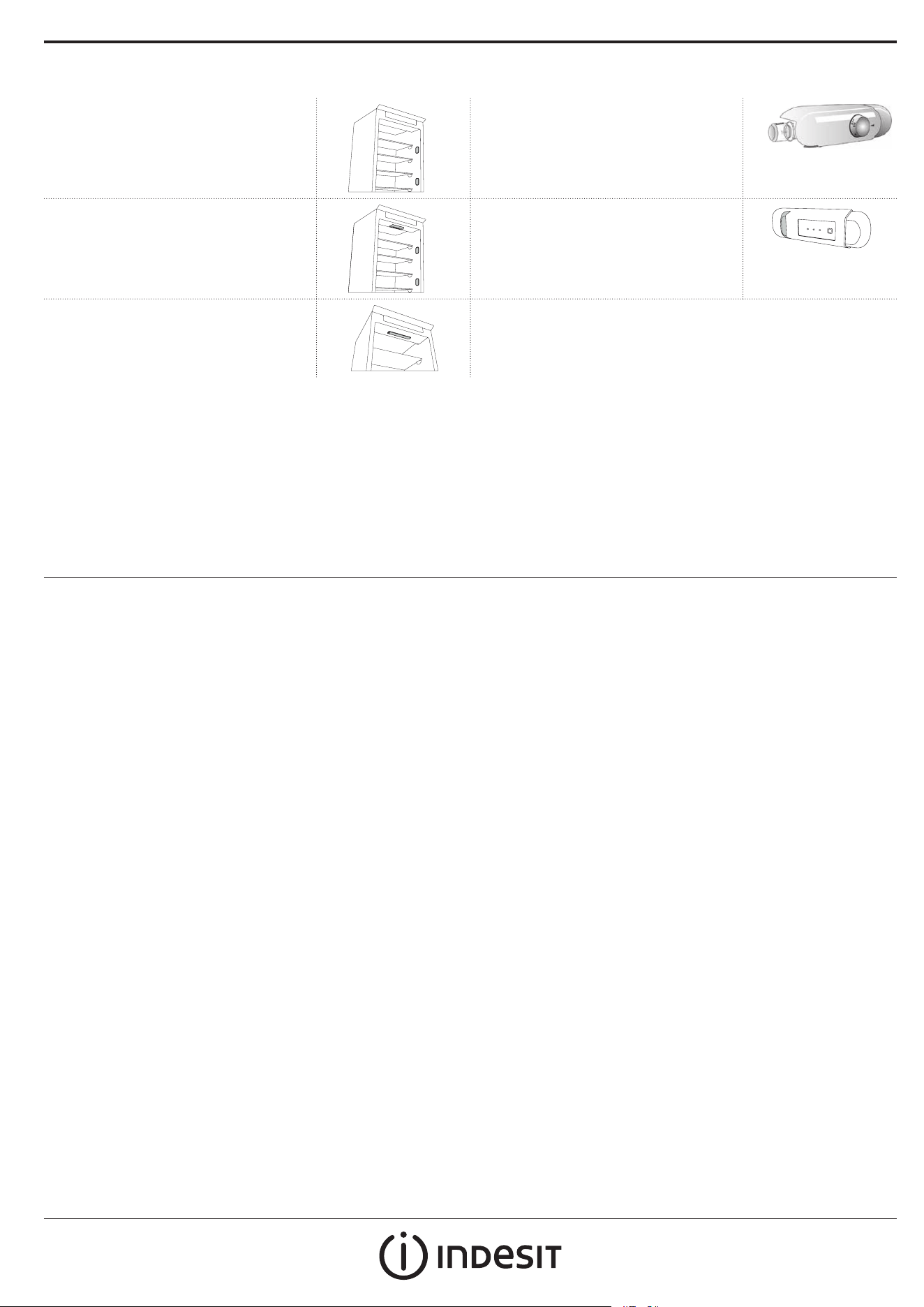
Light system (depending on model)
This product contains a light source of energy
eciency class G
This product contains 4 lateral light sources of
energy eciency class F
This product contains a light source of energy
eciency class G
This product contains 4 lateral light sources of
energy eciency class F and a top light source
of energy class G
This product contains a top light source of
energy eciency class G
FREEZER COMPARTMENT
Freezing fresh food
1. It is advisable to set the temperature colder or turn on the Fast Freeze/
Fast Cool* at least four hours before removing the food from the
freezer compartment, to prolong the preservation of the food during
the defrosting phase.
2. To defrost, unplug the appliance and remove the drawers. Leave
the door open to allow the frost to melt. To prevent the water from
escaping during the defrost, it is advised that you place an absorbent
cloth on the bottom of the freezer compartment and wring it out
regularly.
3. Clean the inside of the freezer compartment and dry it carefully.
4. Turn the appliance back on and put the food back inside. To remove
the frost on the STOP FROST* accessory, follow the CLEANING.
Ice cubes*
Fill 2/3 of the ice tray with water and put it back in the freezer
compartment. Do not, under any circumstances, use sharp or pointed
objects to remove the ice.
The quantity of fresh food that can be frozen in a specic time period is
indicated on the rating plate.
Load limits are determined by baskets, aps, drawers, shelves etc. Make
sure that these components can still close easily after loading.
GENERAL INFORMATION
The drawers, baskets and shelves should be kept in their current position
unless otherwise specied in this quick guide. The light system inside the
refrigerator compartment uses LED lights, allowing for better lighting than
with traditional light bulbs, as well as for very low energy consumption.
Doors and lids of the refrigeration appliance should be removed before
disposal in the landll, to avoid children or animals getting trapped inside.
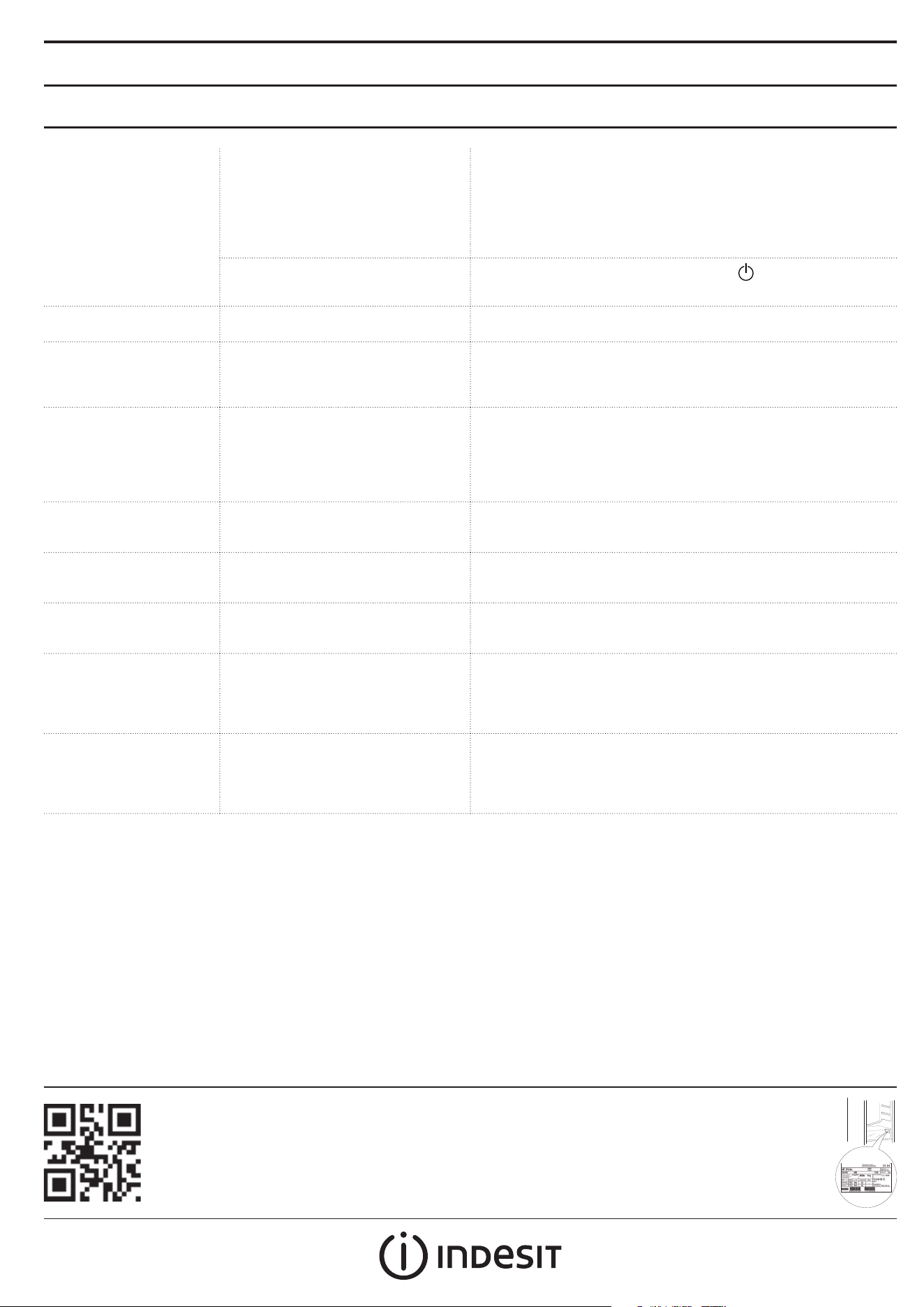
* Available only on certain models
Note: If the chiller declaration is present in the rating plate (see image below), the declaration applies only to standard EN 62552:2013 valid until February 28th, 2021.
TROUBLESHOOTING
What to do if... Possible reasons Solutions
The control panel is
switched o, the appliance
does not work.
There may be an appliance power supply
problem.
Check that:
• there is not a power outage;
• the plug is properly inserted in the socket and any bipolar power
switch is in the correct position (this enables the power supply to
the appliance);
• the household electrical system protection devices are ecient;
• the power cable is not damaged.
The appliance could be in On/stand by
mode.
Turn the appliance on by briey pressing the
button (see On/Stand-
by function).
The inside light does not
work.
The light may need to be replace.
Malfunction of a technical component.
Disconnect the appliance from the power supply and contact the
Technical Assistance Service if you need a replacement.
The inside light ashes. Door alarm active.
It is activated when the refrigerator
compartment door remains open for a
prolonged period of time.
To stop the alarm, close the refrigerator door.
On reopening the door, check the light works.
The temperature inside the
compartments is not low
enough.
There could be various causes (see
“Solutions”).
Check that:
• the door closes properly;
• the appliance is not installed near a heat source;
• the set temperature is adequate;
• the circulation of air through the vents at the bottom of the
appliance is not obstructed (see installation section).
There is water on the
bottom of the refrigerator
compartment.
The defrost water drain is blocked. Clean the defrosting water drain (see section “Cleaning and
Maintenance").
Excessive amount of frost in
the freezer compartment.
The door to the freezer compartment is
not closed properly.
Check that there is nothing preventing the door from closing properly.
• Defrost the freezer compartment.
• Make sure the appliance has been correctly installed.
The front edge of the
appliance that the door
gaskets seal against is hot.
This is not a defect. It prevents
condensation from forming.
No solution is necessary.
One or more green symbols
are ashing continuously
and it is not possible to
change the temperature
set.
Malfunction alarm.
The alarm indicates a fault in a technical
component.
Contact Technical Assistance Service.
The temperature of the
refrigerator compartment is
too cold.
• The set temperature is too cold.
• A large amount of fresh food may
have been placed in the freezer
compartment.
• Try to set a less cold temperature.
• If fresh food has been placed in the freezer compartment, wait
until it has fully frozen.
• Turn o the fan (if present) following the procedure described in
the paragraph “FAN”.
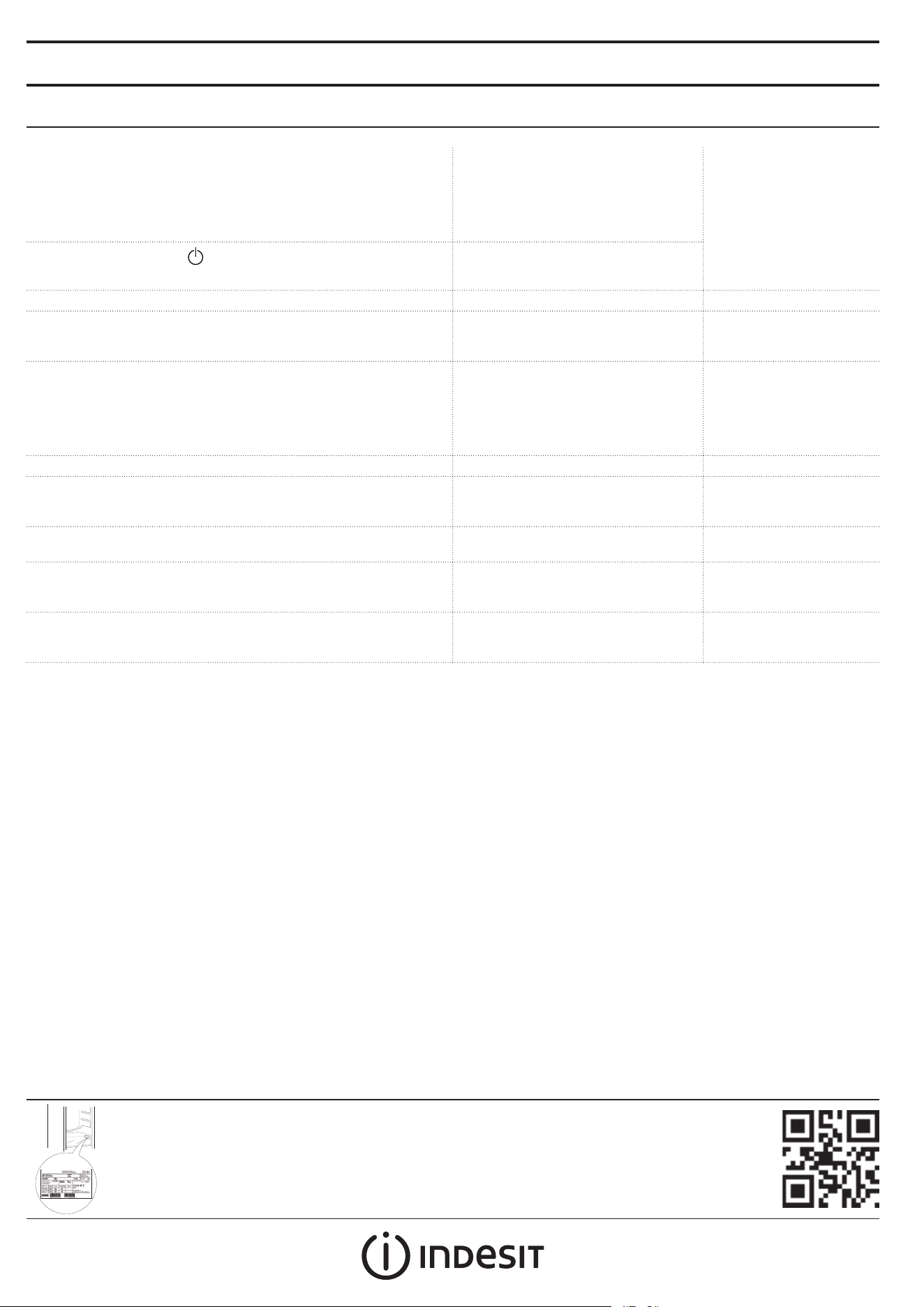
Policies, standard documentation, ordering of spare parts and additional product information can be
found by:
• Visiting our website docs . indesit . eu and parts - selfservice . whirlpool . com
• Using QR Code
• Alternatively, contact our After-sales Service (See phone number in the warranty booklet). When
contacting our After-sales Service, please state the codes provided on your product's identication plate.
The model information can be retrieved using the QR-Code indicated on the energy label. The label also includes
the model identier that can be used to consult the https://eprel.ec.europa.eu database portal.
FR
Guide rapide
MERCI D'AVOIR CHOISI UN PRODUIT INDESIT
An de proter d'une assistance complète,
veuillez enregistrer votre appareil sur
www . indesit . com/ register
Lisez attentivement les instructions avant d’utiliser
l’appareil.
1ÈRE UTILISATION
Attendre au moins deux heures après l’installation avant de brancher
l’appareil à l’alimentation électrique. Brancher le four à l’alimentation
électrique démarre le fonctionnement automatiquement. Les
températures idéales de stockage des aliments sont préréglées en
usine.
Après avoir allumé l’appareil, vous devez patienter de 4 à 6 heures pour
atteindre la température de conservation appropriée pour un appareil
normalement rempli. Selon le modèle, placez le ltre anti-odeurs
et antibactérien dans le ventilateur comme illustré sur l’emballage
du ltre. Si le signal sonore retentit, cela signie que l’alarme de
température est intervenue: appuyez sur le bouton pour éteindre les
alarmes sonores.
PANNEAU DE COMMANDE
1. Éclairage à LED
2. Marche/Attente
3. Bouton de température de congélateur et
compartiment réfrigérateur
2.
1.
3.
ON/STAND-BY (MARCHE/VEILLE)
Appuyez sur la touche pendant 3 secondes pour éteindre
l’appareil. En mode Veille, le témoin dans le compartiment réfrigérateur
ne s’allume pas. Appuyez de nouveau brièvement sur la touche pour
réactiver l’appareil.
Remarque: Ceci ne coupe pas l’alimentation électrique de l’appareil.
TEMPÉRATURE DES COMPARTIMENTS
RÉFRIGÉRATEUR ET CONGÉLATEUR
Les trois voyants à LED indiquent la température programmée du
compartiment réfrigérateur. Il est possible de régler une température
diérente à l’aide de la touche
.
Réglage recommandé : MOYEN
Les réglages suivants sont possibles :
LED allumées Température programmée
Haute (moins froide)
Moyenne-élevée
Moyenne
Moyenne-basse
Basse (plus froide)
Fast cool (Refroidissement rapide)
Pour éviter de gaspiller de la nourriture, consultez les réglages et les durées
de conservation recommandés dans le manuel de l'utilisateur en ligne.
COMMENT CONSERVER DES ALIMENTS FRAIS ET DES BOISSONS
*
Légende
ZONE TEMPÉRÉE
Recommandée pour la conservation des fruits
tropicaux, conserves, boissons, œufs, sauces, marinades,
beurre, conture
ZONE FROIDE
Recommandée pour conserver le fromage, lait, produits
laitiers, charcuterie, yogourt
ZONE PLUS FROIDE
Recommandée pour la conservation des viandes
froides, des desserts, du poisson et de la viande
* Disponible sur certains modèles uniquement
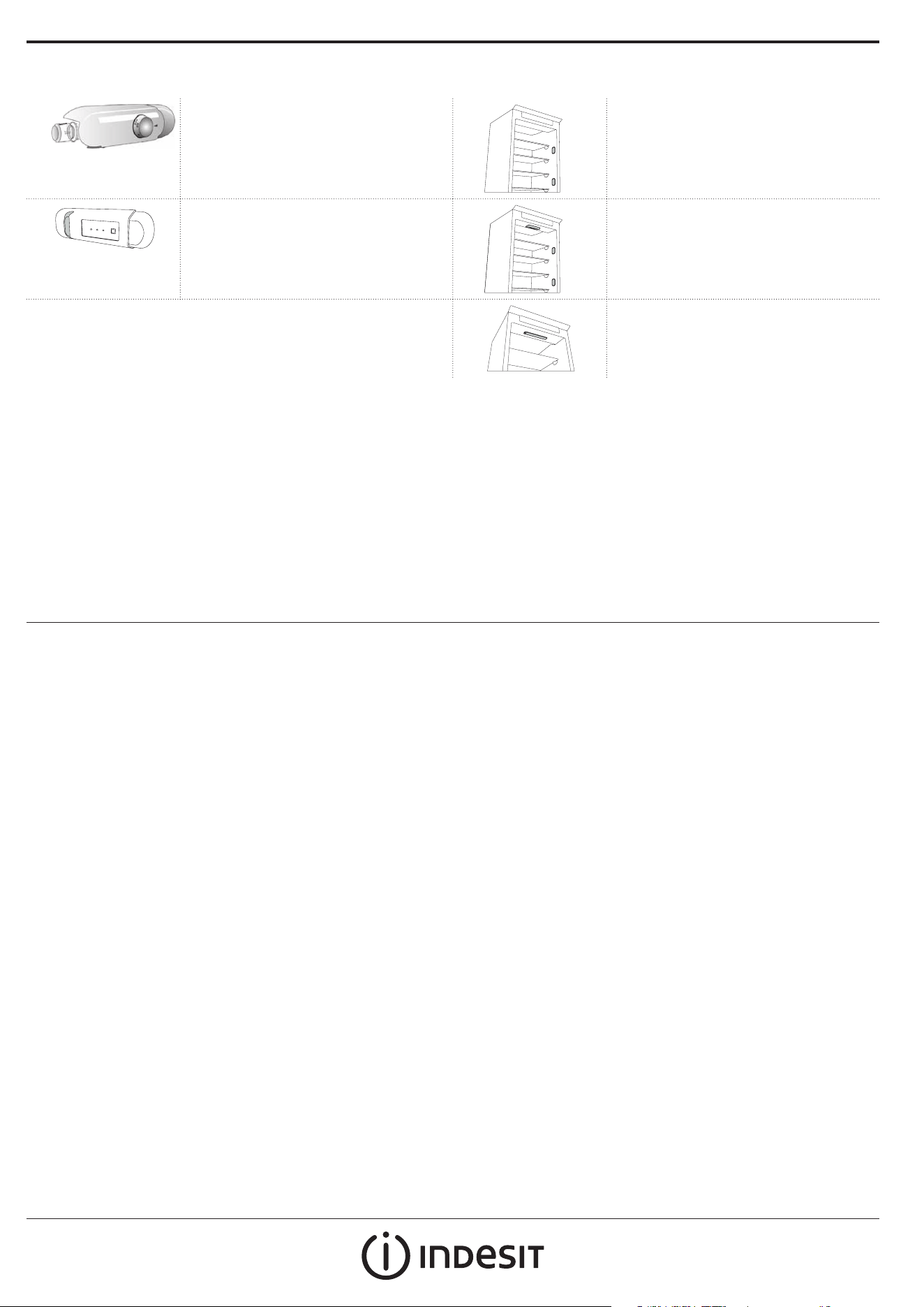
* Disponible sur certains modèles uniquement
COMPARTIMENT RÉFRIGÉRATEUR
Système d'éclairage (en fonction du modèle)
Ce produit contient une source lumineuse de
classe d'ecacité énergétique G
Ce produit contient 4 sources lumineuses
latérales de classe d'ecacité énergétique F
Ce produit contient une source lumineuse de
classe d'ecacité énergétique G
Ce produit contient 4 sources lumineuses
latérales de classe d'ecacité énergétique F
et une source lumineuse supérieure de classe
énergétique G
Ce produit contient une source lumineuse
supérieure de classe d'ecacité énergétique G
COMPARTIMENT CONGÉLATEUR
Congélation d'aliments frais
1. Il est conseillé de régler une température plus froide ou activer la
Congélation rapide/Refroidissement rapide* au moins quatre heures
avant d’enlever les aliments du compartiment congélateur pour
augmenter la durée de conservation lors de la phase de dégivrage.
2. Pour dégivrer, débranchez l'appareil et enlevez les tiroirs. Laissez la
porte ouverte pour faire fondre la glace. Pour éviter les dégâts l'eau
pendant le dégivrage, il est conseillé de placer un chion absorbant au
fond du compartiment congélateur et de l'essorer régulièrement.
3. Nettoyez l'intérieur du compartiment congélateur et séchez-le
soigneusement.
4. Rallumez l'appareil et replacez les aliments à l'intérieur. Pour dégivrer
l'accessoire STOP FROST*, suivez la procédure de NETTOYAGE.
Cubes de glace*
Remplir le bac à glaçons au 2/3 d’eau et le replacer dans le compartiment
congélateur. N'utilisez jamais, en quelques circonstances que ce soit,
d'objets pointus ou tranchants pour enlever la glace.
La quantité d'aliments frais pouvant être congelés en heures est inscrite sur
la plaque signalétique.
Les limites de charge sont déterminées par des paniers, des volets, des
tiroirs, des tablettes, etc. Assurez-vous que ces composants peuvent
toujours se fermer facilement après avoir été chargés.
INFORMATIONS GÉNÉRALES
Les tiroirs, paniers et tablettes doivent rester dans leur position sauf
spécication diérente dans le présent guide rapide. Le système d'éclairage
à l'intérieur du compartiment réfrigérateur utilise un éclairage à LED,
permettant un meilleur éclairage qu'avec des ampoules traditionnelles,
ainsi que pour une très faible consommation d'énergie.
Les portes et couvercles de l'appareil de réfrigération doivent être enlevés
avant sa mise au rebut en décharge, an d'éviter que des enfants ou des
animaux ne soient piégés à l'intérieur.
Vous trouverez les documents normatifs, la documentation standard, la commande de pièces de
rechange et les informations supplémentaires sur le produit:
• En visitant nos sites web docs . indesit . eu et parts - selfservice . whirlpool . com
• En utilisant le codeQR
• Vous pouvez également contacter notre service après-vente (voir numéro de téléphone dans le livret de
garantie). Lorsque vous contactez notre Service après-vente, veuillez indiquer les codes gurant sur la plaque
signalétique de l’appareil.
Les informations relatives au modèle peuvent être trouvées en utilisant le QR-Code gurant sur l’étiquette
énergétique. L’étiquette comprend également l’identiant du modèle qui peut être utilisé pour consulter le
portail du registre sur le site https://eprel.ec.europa.eu.
* Disponible sur certains modèles uniquement
Remarque: Si la déclaration du réfrigérateur est présente sur la plaque signalétique (voir l'image ci-dessous), la déclaration s'applique uniquement à la norme
EN 62552:2013 valable jusqu'au 28 février 2021.
DÉPANNAGE
Que faire si... Causes possibles Solutions
Le panneau de commandes
est éteint, l’appareil ne
fonctionne pas.
Il se peut que l’alimentation de l’appareil
présente une anomalie.
Vériez si:
• Il n’y a pas de coupure de courant.
• La che est bien insérée dans la prise et l’interrupteur bipolaire
se trouve bien en position marche (ceci active l’alimentation de
l’appareil).
• Les dispositifs de protection de l’installation électrique du foyer
fonctionnent correctement.
• Le câble d’alimentation n’est pas endommagé.
L’appareil peut être en mode Marche/
Attente.
Mettez l’appareil sous tension en appuyant brièvement sur la touche
(voir Fonction On/Stand-by).
L’éclairage intérieur ne
fonctionne pas.
Il peut être nécessaire de remplacer
le témoin. Dysfonctionnement d’un
composant technique.
Débranchez l’appareil de l’alimentation électrique et contactez le
Service d’assistance technique si vous avez besoin d’une ampoule de
remplacement.
L’éclairage intérieur
clignote.
Alarme de porte active.
Elle s’active lorsque la porte du
compartiment réfrigérateur reste
ouverte pendant une durée prolongée.
Pour arrêter l’alarme, fermez la porte du réfrigérateur.
Ouvrez de nouveau la porte pour vérier que l’éclairage fonctionne.
La température à l’intérieur
des compartiments n’est
pas assez basse.
Plusieurs causes sont possibles (voir
«Solutions»).
Vériez si:
• la porte ferme correctement ;
• L’appareil n’est pas installé près d’une source de chaleur.
• La température programmée est adéquate.
• Rien n’obstrue la circulation de l’air par les bouches situées en bas
de l’appareil (voir la section sur l’installation).
De l’eau s’accumule au
fond du compartiment
réfrigérateur.
L’orice de vidange d’eau de dégivrage
est bloqué.
Nettoyez le drain de l’eau de dégivrage (voir la section «Nettoyage et
entretien»).
Couche de glace excessive
dans le compartiment
congélateur.
La porte du compartiment congélateur
n’est pas correctement fermée.
Assurez-vous que rien n’empêche la porte de bien fermer.
• Dégivrer le compartiment congélateur.
• Assurez-vous que l’appareil est bien installé.
Le pourtour frontal de
l’appareil contre lequel les
joints de porte reposent est
chaud.
Ceci est tout à fait normal. Cela empêche
la formation de condensation.
Aucune solution n’est requise.
Au moins un symbole vert
clignote de façon continue
et il est impossible de
modier la température
programmée.
Alarme de dysfonctionnement.
L’alarme indique le dysfonctionnement
d’une composante électrique.
Contacter le Service d’assistance technique.
La température du
compartiment réfrigérateur
est trop froide.
• La température programmée est
trop froide.
• Une grande quantité d’aliments frais
a été placée dans le compartiment
congélateur.
• Essayez d’augmenter la température.
• Si des aliments frais ont été placés dans le compartiment
congélateur, attendez qu’ils soient complètement congelés.
• Éteignez le ventilateur (selon le modèle) à la n de la procédure
décrite dans le paragraphe «VENTILATEUR».
FR
AR
عيرسلا
ليغشتلا ليلد
INDESIT تاجتنم دحأ كئارش ىلع كركشن
عقوملا ىلع كزاهج ليجست ىجري ،ةيليصفتلا ةدعاسملا نم ديزم ىلع لوصحلل
www.indesit.com/regier
.زاهجلا مادختسا لبق ةيانعب تاميلعتلا عيمج أرقا
ةرم لو مادختسا
رايتلا ردصمب زاهجلا ليصوت لبقو ،بيكرتلا دعب لقا ىلع نيتعاس ةدمل راظتنا ىعاري
ةجرد .ايكيتاموتوأ زاهجلا لمع أدبيسو ،يئابرهكلا رايتلا ردصمب زاهجلا ليصوتب مق .يئابرهكلا
.عنصملا يف ا
ً
قبسم اهطبض مت دق ماعطلا نيزختل ةيلاثملا ةرارحلا
ةحيحص نيزخت ةرارح ةجردل لوصولل تاعاس 6-4 ةدم راظتنا بجي ،زاهجلا ليغشت دعب
بسح ةحورملا يف ةهيركلا حئاورلاو ايريتكبلا عنم رتلف ب
ِ
ّ
كر .يدايتعا لكشب أبعم زاهجل
ينعي اذهف ،ةيتوصلا ةراشا رودص ةلاح يف .)تدجو نإ( رتلفلا ةبلع ىلع ةنيبملا ةروصلا
.يتوصلا راذنا فاقي رزلا ىلع طغضا :ةرارحلا ةجرد راذنإ لخدت
مكحتلا ةحول
.1LED ةءاضإ ماظن
.2دادعتسا عضو/ليغشتلا عضو
.3ديربتلا زيحو ديمجتلا زيح ةرارح ةجرد رز
.2
.1
.3
دادعتسا عضو/ليغشتلا عضو
ةءاضا لمعت دادعتسا عضو يف .زاهجلا فاقي ناوث 3 ةدمل رز طغضا
.زاهجلا ليعفت ةداع رزلا ىلع ىرخأ ةرم طغضا .ديربتلا زيح يف ةدوجوملا
.ءابرهكلاب دادما ردصم نع زاهجلا لصفت ةيلمعلا هذه :ةظحم
زيح ةرارح ةجرد
ديربتلا زيحو ديمجتلا
ةجرد طبض كنكمي .ديربتلا زيحب ةطوبضملا ةرارحلا ةجرد LED تاملب ةثثلا تارشؤملا نيبت
.
رزلا مادختساب زاهجلل ىرخأ ةرارح
طسوتم :اهب ىصوملا تادادعا
:ةحاتم ةيلاتلا طبضلا تايلمع
LEDs تابمل ةءاضإةرارحلا ةجرد طبض
)ةدورب لقأ( عفترم
عفترم - طسوتم
ةطسوتم
ضفخنم - طسوتم
)دربأ( ضفخنم
Fa Cool عيرسلا ديربتلا ةفيظو
يف ةدوجوملا نيزختلا تاقوأو اهب ىصوملا تادادعا ىلإ عوجرلا ىجر
ُ
ي ،ةمعطا فلت بنجتل
.تنرتنا ىلع مدختسملا ليلد
ةجزاطلا تابورشملاو ةمعطا نيزخت ةيفيك
*
لاكشا حاتفم
ةلدتعملا ةقطنملا
،ضيبلا ،تابورشملا ،تابلعملا ،ةراحلا قطانملا هكاوف نيزختل اهب ىصوم
ىبرملا ،ةدبزلا ،تلخملا ،صوصلا
ةدرابلا ةقطنملا
،ةساسحلا ةمعطاو ،يمويلا ماعطلاو ،نبللاو ،نبجلا نيزختل اهب ىصو
ُ
م
يدابزلاو
قاطن دربأ
كامساو موحللا ،تايولحلاو ،درابلا محللا حئارش نيزختل اهب ىصوم
ةنيعم تزارطب طقف رفوتي *
ةنيعم تزارطب طقف رفوتي *
ديربتلا زيح
)ليدوملل ا
ً
عبت( ءوضلا ماظن
ةءافكل
G
ةئفلا نم ءوض ردصم ىلع جتنملا اذه يوتحي
ةقاطلا
ةئفلا نم ةيبناج ءوض رداصم ةعبرأ ىلع جتنملا اذه يوتحي
ةقاطلا ةءافكل
F
ةءافكل
G
ةئفلا نم ءوض ردصم ىلع جتنملا اذه يوتحي
ةقاطلا
ةئفلا نم ةيبناج ءوض رداصم ةعبرأ ىلع جتنملا اذه يوتحي
G
ةئفلا نم ةقاطلل يولع ءوض ردصمو ةقاطلا ةءافكل
F
G
ةئفلا نم يولع ءوض ردصم ىلع جتنملا اذه يوتحي
ةقاطلا ةءافكل
ديمجتلا زيح
ةجزاطلا ةمعطا ديمجت
.1
ديربتلا/عيرسلا ديمجتلا ليغشت وأ ةدورب رثكأ تاجرد دنع ةرارحلا طبضب حصني
جارخإ لبق لقا ىلع تاعاس عبرأ ةدمل *
Fa Cool
/
Fa Freeze
عيرسلا
.دمجتلا ةباذإ ةلحرم ءانثأ ماعطلا ظفح ةرتف ليوطتل ،ديمجتلا زيح نم ماعطلا
.2
نابوذب حامسلل ا
ً
حوتفم بابلا كرتا .جاردا لزأو زاهجلا لصفا ،دمجتلا ةباذ
عاق يف شامق ةعطق عضوب حصني ،دمجتلا ةباذإ ءانثأ برهلا نم هايملا عنمل .جلثلا
.ماظتناب اهرصعاو هايملا صتمتل ديمجتلا زيح
.3
.ةيانعب هففجو ديمجتلا زيحل يلخادلا قاطنلا فيظنتب مق
.4
عنم قحلم نم جلثلا ةلاز .ىرخأ ةرم لخادلاب ماعطلا عضو زاهجلا ليغشت دعأ
.هاندأ حضوملا فيظنتلا ءارجإ عبتا ،جلثلا نوكت
*جلثلا تابعكم
نم لاح يأب ،مدختست .ديمجتلا زيح يف ىرخأ ةرم هعضو ءاملاب جلثلا جرد يثلث ما
.جلثلا ةلاز ةقدتسم وأ ةداح ءايشأ ،لاوحا
.عنصلا ةحولب ددحم تقو يف اهديمجت نكمي يتلا ةجزاطلا ةمعطا ةيمك ىلإ ةراشا تمت
نأ نم دكأت .كلذ ىلإ امو فوفرلاو جارداو حاولاو لسلا ةطساوب ةلومحلا دودح ديدحت متي
.ليمحتلا دعب ةلوهسب قلغت لازت تانوكملا هذه
ةماع تامولعم
ليلدلا اذه يف كلذ فخ ركذي ملام يلاحلا مهعضوم يف ففراو لسلاو جاردا لظت
لضفأ ةءاضإ ىوتسم رفوي امم ،
LED
تابمل ديربتلا زيح لخاد ةءاضا ماظن مدختسي .عيرسلا
.ةياغلل ضفخنملا ةقاطلا كهتسا ىلإ ةفاضاب ،ةيديلقتلا ةءاضا تابمل نم
بنجتل كلذو ،نيهكتلا عقاوم يف هنم صلختلا لبق هتيطغأو ديربتلا زاهج باوبأ علخ بجي
.هلخادب تاناويحلا وأ لافطا راصحنا
:لخ نم ةيفاضا جتنملا تامولعمو رايغلا عطق بلطو ةيسايقلا قئاثولاو تاسايسلا ىلع روثعلا نكميو
docs . indesit . eu و parts - selfservice . whirlpool . com ينورتكلا انعقوم ةرايز
ةعيرسلا ةباجتسا مادختسا
دعب ام ةمدخب لاصتا دنع ىجري .)نامضلا بيتك يف فتاهلا مقر عجار( انيدل عيبلا دعب ام ةمدخب لاصتا كنكمي ،ليدبكو
.جتنملا زييمت ةحول ىلع ةروكذملا داوكا ركذ عيبلا
فرع
ُ
م ا
ً
ضيأ قصلملا لمشي .ةقاطلا تانايب قصلم ىلع حضوملا ةعيرسلا ةباجتسا دوك حسم مادختساب ليدوملا تامولعم ةداعتسا نكمي
.تانايبلا ةدعاق ةباوبب https://eprel.ec.europa.eu ينورتكلا عقوملا ىلع راسفتسل همادختسا نكمي يذلا ليدوملا
ةنيعم تزارطب طقف رفوتي *
.2021 رياربف رهش نم نيرشعلاو نماثلا ىتح ةيراس 2013:62552 EN ةفصاوملا ىلع طقف نايبلا قبطني ،)هاندأ ةروصلا رظنا( عنصلا ةحولب دربملا نايب دوجو ةلاح يف :ةظحم
اهحصإو لاطعا فاشكتسا
...امدنع لمعلا امةلمتحملا بابسالولحلا
لمعي و ،مكحتلا ةحول فقوتت
.زاهجلا
.يئابرهكلا رايتلاب زاهجلا دادمإ يف ةلكشم كانه نأ ودبي:نم دكأت
،يئابرهكلا رايتلا عاطقنا مدع
هعضو يف بطقلا يئانث يئابرهكلا حاتفملا نأو حيحص لكشب سبقملاب سباقلا ليصوت
؛)ءابرهكلاب زاهجلا دادمإ كلذ حيتي( حيحصلا
،كلزنم يف يئابرهكلا ماظنلاب ةيامحلا ةزهجأ ةءافك
.ررضلل ءابرهكلا لباك ضرعت مدع
.دادعتسا عضو/ليغشتلا ديق زاهجلا نوكي دق
عضو/ليغشتلا ةفيظو عجار(
رزلا ىلع ةريصق ةلهول طغضلا لخ نم زاهجلا ليغشت
.)دادعتسا
.لمعت ةيلخادلا ةبمللا.ينقتلا ءزجلاب يفيظو للخ.رييغتلا ىلإ جاتحت ةبمللا.رايغ ةعطقل ةجاحلا ةلاح يف ةينقتلا ةدعاسملا ةمدخب لصتاو ءابرهكلا ردصم نم زاهجلا لصفا
.يلخادلا حابصملا ضموي.لاعف بابلا هبنم
ةرتفل احوتفم ديربتلا زيح باب كرت دنع هليعفت متي
.ةليوط ةينمز
.ةجثلا باب قلغأ ،هبنملا فاقي
.حابصملا لمع نم دكأت ،بابلا حتف ةداعإ دنع
ريغ زيحلا لخاد ةرارحلا تاجرد
.يفاكلا ردقلاب ةضفخنم
.)"لولحلا" رظنا( ةديدع بابسأ كانه نوكت نأ نكمي:نم دكأت
،بسانم وحن ىلع بابلا قغإ
؛ةرارح ردصم نم برقلاب زاهجلا بيكرت مدع
؛ةبسانم ةطوبضملا ةرارحلا ةجرد
ءزج عجار( زاهجلا ةدعاقب ةدوجوملا تاحتفلا ربع ءاوهلا ريودت ةقاعإ مدع
.)بيكرتلا
.ديربتلا زيح لفسأ ءام دوجو.ةباذا نع جتانلا ءاملا فيرصت ذفنم دادسنا.)"ةنايصلاو فيظنتلا" مسقلا عجار( دمجتلا ةباذإ هايم فيرصت ىرجم فظن
زيح يف جلثلا نم ةدئاز ةيمك دوجو
.ديمجتلا
.حيحص لكشب قلغم ريغ ديمجتلا زيح باب.حيحص لكشب بابلا قلغ قوعي ام دوجو مدع نم دكأت
.ديمجتلا زيح يف دمجتلا ةباذإب مق
.حيحص لكشب زاهجلا بيكرت نم دكأت
ةهجاوملا زاهجلل ةيماما ةفاحلا
.ةياغلل ةنخاس بابلا ناوجل
.فثكتملا ءاملا نوكت عنمي .ابيع سيل اذه.يرورض لح دجوي
ءارضخلا زومرلا نم رثكأ وأ زمر
نم دعي ملو رمتسم لكشب ضموي
.ةرارحلا ةجرد طبض نكمملا
.هبنملاب يفيظو للخ
.ةينقتلا تانوكملاب للخ دوجو ىلإ هيبنتلا توص ريشي
.ةينفلا ةدعاسملا ةمدخب لصتا
ةضفخنم ديربتلا زيح ةرارح ةجرد
.ةياغلل
.ةياغلل ةدراب ةطوبضملا ةرارحلا ةجرد
مت يتلا جزاطلا ماعطلا ةيمك نوكت دق
.ةياغلل ةريبك ديمجتلا زيح يف اهعضو
.ةدورب لقأ ةجرد دنع ةرارحلا طبضت نأ لواح
.لماك لكشب هديمجت متي ىتح رظتنا ،ديمجتلا زيح يف جزاطلا ماعطلا عضو مت اذإ
."ةحورملا" ةرقف يف ةحورشملا تاءارجا اعبتم )تدجو نإ( ةحورملا فقوأ


400011497719/C