aeg.com/register
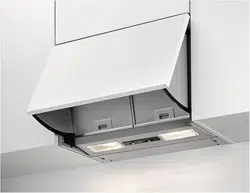
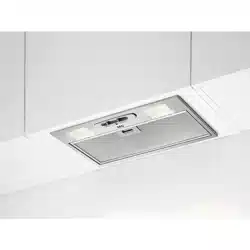
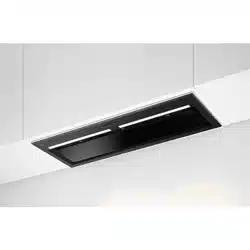
GDG961AB
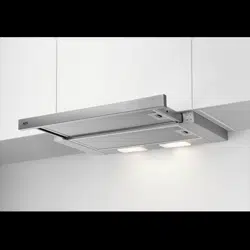
GDG966AB
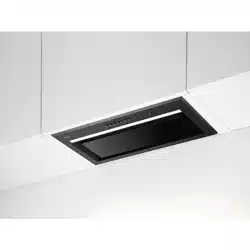
GDG969AB
EN
User Manual | Cooker Hood
aeg.com\register
Welcome to AEG! Thank you for choosing our appliance.
Get usage advice, brochures, trouble shooter, service and repair information:
www.aeg.com/support
Subject to change without notice.
CONTENTS
1. SAFETY INFORMATION AND INSTALLATION............................................. 2
2. PRODUCT DESCRIPTION............................................................................. 2
3. DAILY USE......................................................................................................3
4. CARE AND CLEANING.................................................................................. 7
5. TROUBLESHOOTING.................................................................................... 9
6. ENVIRONMENTAL CONCERNS..................................................................10
1. SAFETY INFORMATION AND INSTALLATION
WARNING!
Refer to the separate Installation
Instructions booklet for Safety
Information and Installation. Read
carefully the Safety chapters before any
use or maintenance of the appliance.
2. PRODUCT DESCRIPTION
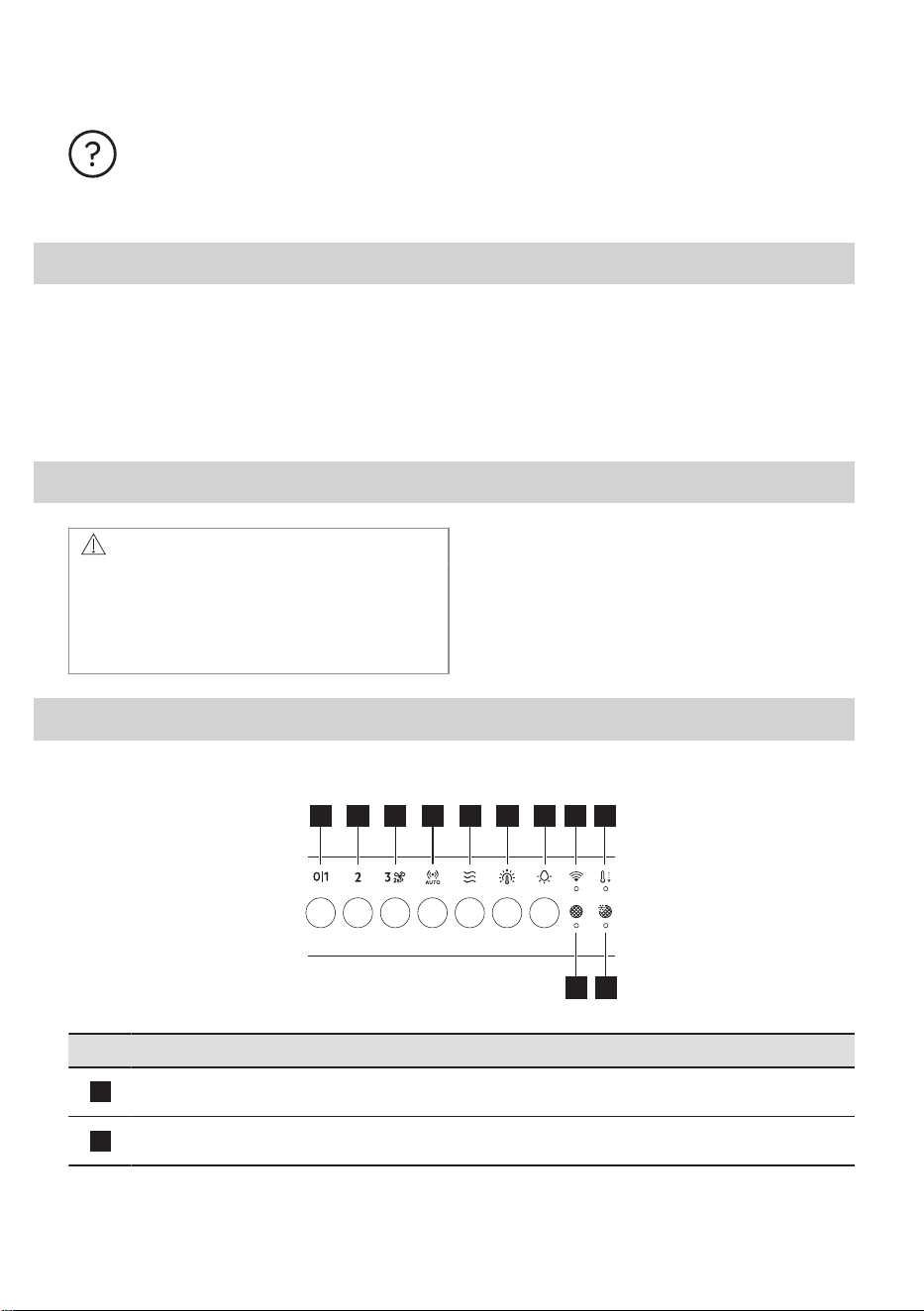
2.1 Control panel overview
1 2 3 4 5 6 7 8 9
11 10
Function Description
1
First Speed / Off The motor switches to first speed level. Second press or long press
while other functions operate, turns off the appliance.
2
Second speed The motor switches to second speed level. Second press turns off the
appliance.
2 ENGLISH
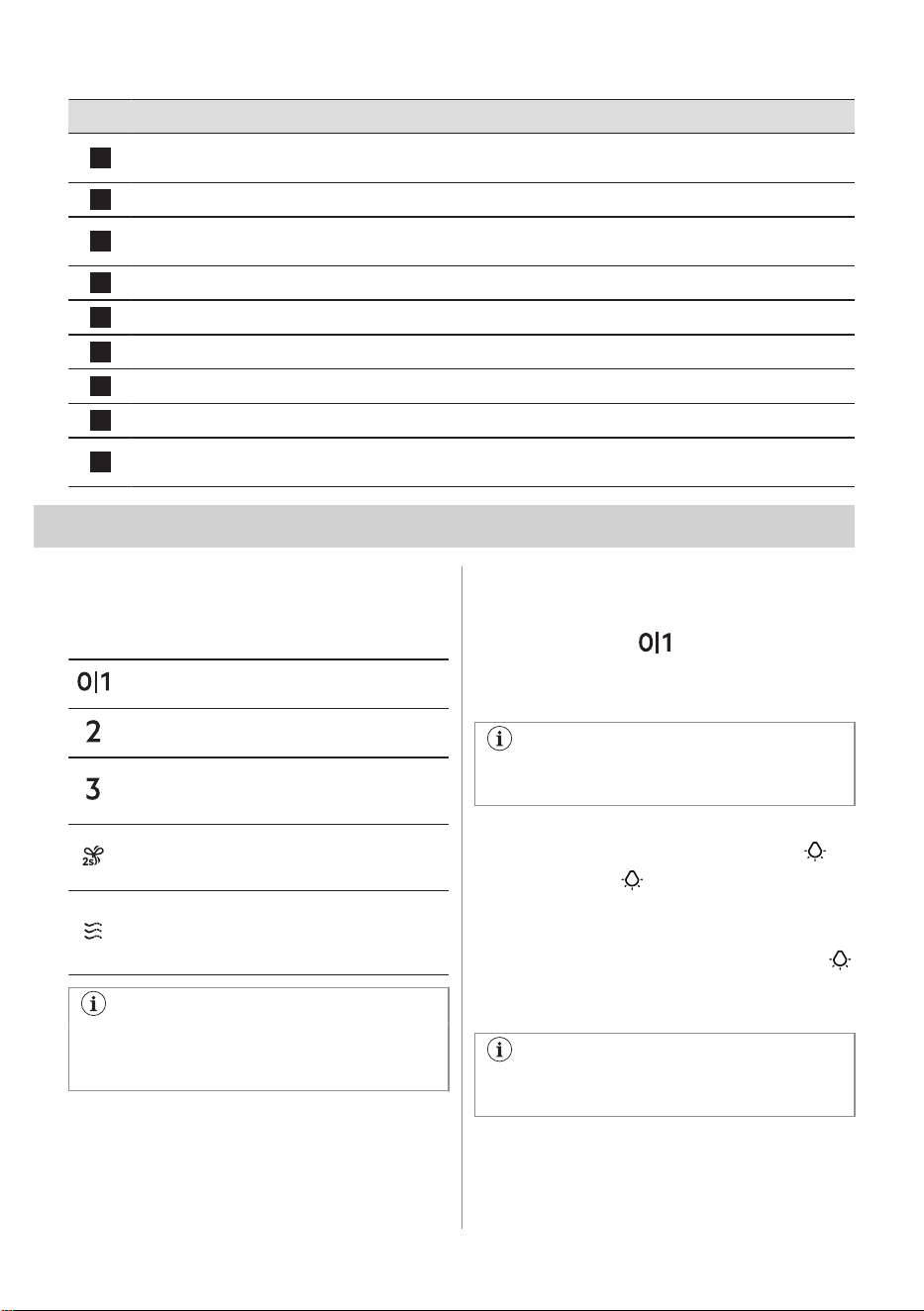
Function Description
3
Third speed / Boost function The motor switches to third speed level. Press and hold for 2 seconds
to activate the Boost function. Second press turns off the appliance.
4
AutoSense Activates and deactivates the AutoSense function.
5
Breeze The hood operates on the lowest speed. After 60 minutes the motor
turns off.
6
Light colour temperature Changes the light colour temperature.
7
Lamp Turns the lights on and off. Changes the light intensity.
8
WiFi indicator Indicates WiFi connection status.
9
Automatic cool down Indicates that the Automatic cool down is active.
10
AutoSense filter notification Reminds to change or clean the AutoSense filter.
11
Filter notification Reminds to change or clean the charcoal filter and clean the grease
filter.
3. DAILY USE
3.1 Using the hood - manual mode
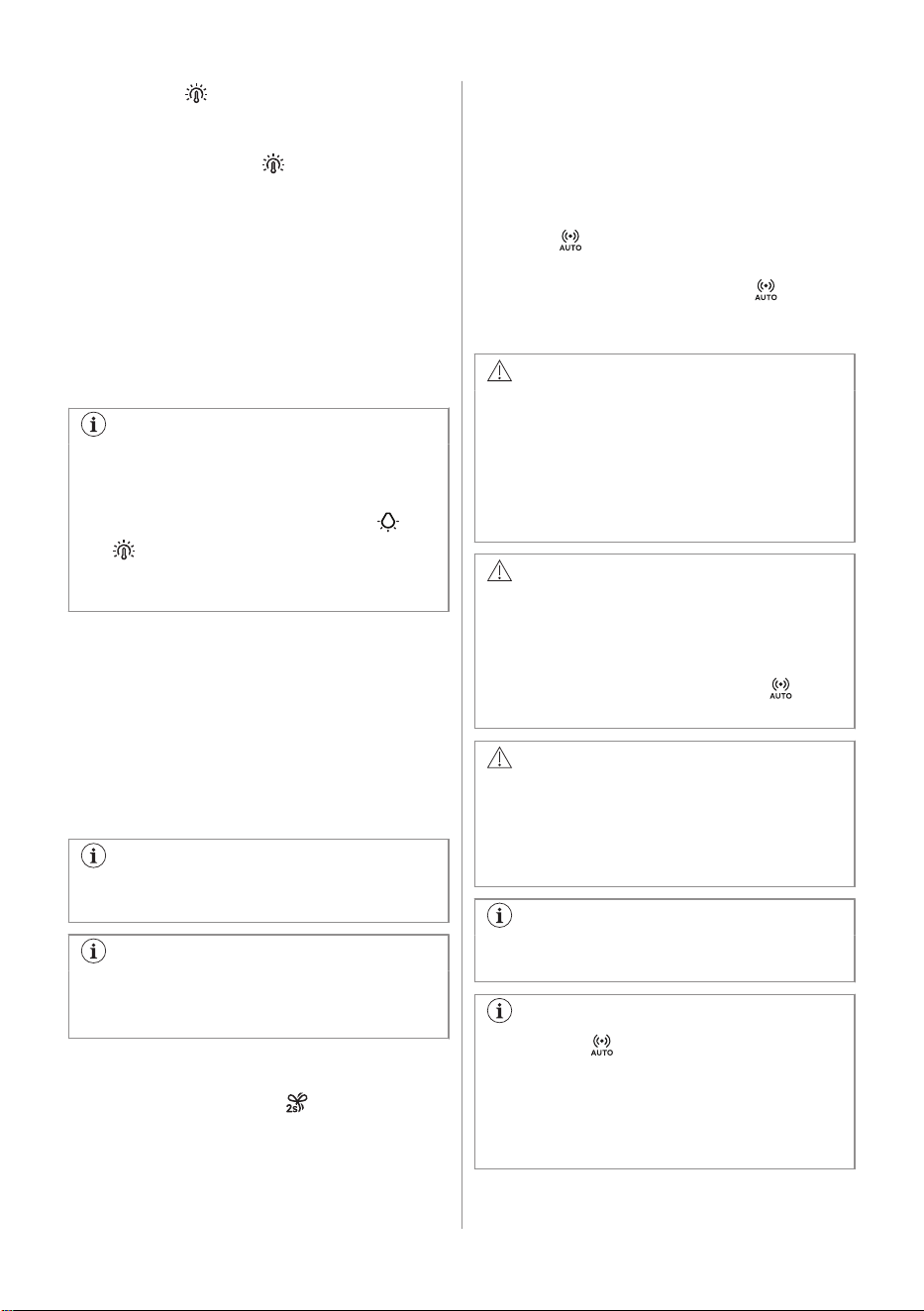
Check the recommended speed according to
the table below.
While heating up food, cooking with covered
pots.
While cooking with covered pots on multiple
cooking zones or burners, gentle frying.
While boiling and frying big quantities of food
without a lid, cooking on multiple cooking
zones or burners.
While boiling and frying big quantities of food
without a lid, big humidity. After 8 minutes the
appliance returns to previous setting.
Refreshes the air in kitchen after cooking at a
very low noise level. The function turns off au‐
tomatically after 60 minutes. Use after cooking
only.
It is recommended to leave the hood
operating for approximately 15 minutes
before and after cooking.
Activating the appliance
To operate the hood:
Press the desired fan speed button.
Deactivating the appliance
To turn off the fan touch the activated speed
again or long press .
Perfect Illumination - Lighting
The hood lighting works independently to
other hood functions.
Activating and deactivating the lighting
To illuminate the cooking surface press
button. Press the button again to change
the light intensity in the following order:
Maximum, Medium, Low, Off.
To switch off the lights, press and hold the
button for 3 seconds.
Setting the light colour temperature
The hood remembers the last setting of
the light colour temperature.
There are two ways to set the light colour
temperature:
ENGLISH 3
1. Press the button to change the colour
temperature from neutral, through warm
to cold.
2. Press and hold the button to move
smoothly between light colour
temperatures.
Release it once you reach the desired
setting.
AuroraTech®
It is a function that automatically adjusts the
illumination colour and intensity based on the
time of day, creating an optimal ambiance.
Use the app to activate this function.
After activating from the app, the function
will operate each time the lighting is
switched on. You can still manually
adjust the lighting settings using the
and buttons. However, the
AuroraTech® function will be
deactivated.
3.2 Hob²Hood function
It is an automatic function which connects the
hob with a hood. Both the hob and the hood
have an infrared signal communicator. Speed
of the fan is defined automatically on basis of
mode setting and temperature of the hottest
cookware on the hob. You can also operate
the fan using the hob manually. The function
can be activated from panel of the hob.
For more information how to use the
function, refer to the hob user manual.
For information on how to use the
function together with AutoSense
function, refer to the AutoSense chapter.
3.3 Activating Boost Function
When you press and hold , the Boost
function starts to operate for 8 minutes. After
that time, the appliance returns to its previous
speed settings.
3.4 AutoSense
The function automatically adjusts the fan
speed level basing on the TVOC sensor
(Total Volatile Organic Compounds), air
temperature, and relative humidity coming
from the hob.
1. Press to turn on the function.
The function indicator lights up.
2. To turn off the function, press or any
other speed level button on the hood
control panel.
WARNING!
If your hob is equipped with the
Hob²Hood function, switch its mode to H1
to use it together with the AutoSense. In
this mode, the AutoSense function and
lighting are activated automatically each
time the hob is turned on. Refer to hob
user manual.
WARNING!
During the first 96 hours after plugging in
the appliance, the function runs in a
dedicated startup mode for air sensor
tuning. Hood reactions may vary at the
startup mode. During that time the
indicator pulsates.
WARNING!
A blackout or unplugging and plugging in
the appliance again causes internal
sensor self-tuning. It may take up to 24
hours for the function to regain full
capability.
The AutoSense function can run for a
maximum of 5 hours.
Pressing the button with the hood off
will start the AutoSense function at
Breeze speed by default. When another
speed has been already selected and the
fan is working, the AutoSense function
will start at that speed.
4 ENGLISH
CAUTION!
This function is sensitive to cleaning
agents. After cleaning, wait at least half
an hour before turning on the function to
avoid unintentional activation of the
Boost function.
When used with a gas hob, the function
may operate at higher speeds due to gas
combustion.
While preparing food that generates little
odour over an extended period (e.g.
simmering), the hood may stop and then
restart within a few seconds. If the hob
power level is very low, the generated
odour may not be sufficient for
AutoSense to function properly. If your
hood switches off and does not restart,
use manual mode to operate it.
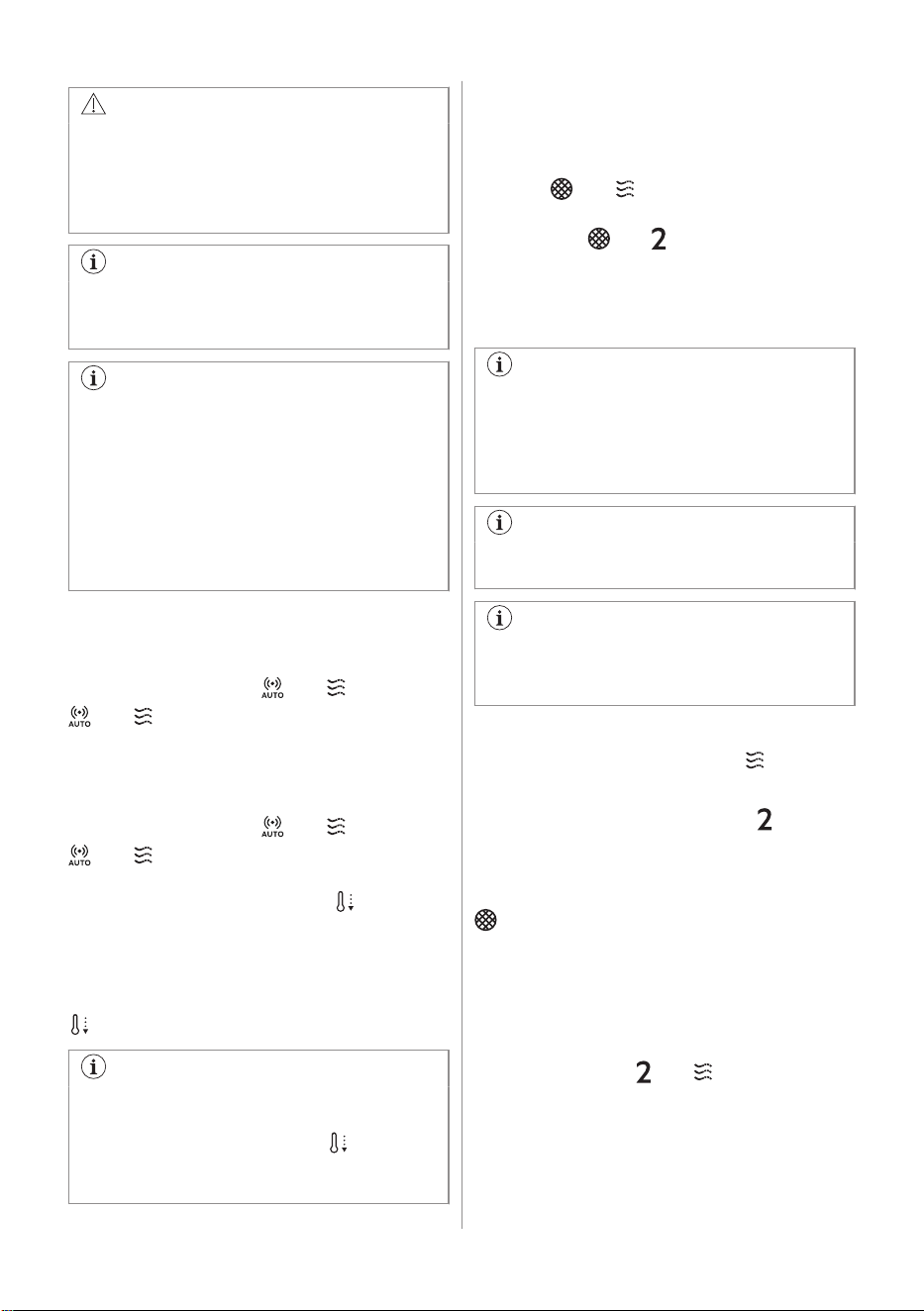
To permanently deactivate the function:
1. Make sure the fan and the lighting are
turned off.
2. Press and hold the and buttons.
and indicators blink twice.
To activate the function again:
1. Make sure the fan and the lighting are
turned off.
2. Press and hold the
and buttons.
and indicators blink once.
3.5 Automatic cool down
This function turns on automatically when the
temperature of the hood exceeds 70°C. The
hood continues to operate on the third speed
to cool down. The indicator with the symbol
on the panel turns on.
For safety reason, if the temperature
grows higher while the function is active,
the hood turns off and symbol starts
to blink. The hood can be turned on
again when the indicator stops blinking.
3.6 Filter notification
The filter alarm serves as a reminder to clean
the grease filter and either replace or clean
the charcoal filter, depending on its type. The
indicator and blinks regularly for 30
seconds if the grease filter must be cleaned.
The indicator and blinks twice per every
second for 30 seconds if the charcoal filter
must be replaced or cleaned. Reset can be
performed during or out of the notification
period.
This function is activated after 40 hours
of the operation of the hood when the
grease filter requires cleaning and after
160 hours when the charcoal filter
requires cleaning or replacement.
Refer to cleaning the grease filter in Care
and cleaning chapter.
Refer to cleaning the charcoal filter or
replacing the charcoal filter in Care and
cleaning chapter.
To reset the function counter:
For grease filter, press and hold for 3
seconds.
For charcoal filter, press and hold for 3
seconds.
The indicator stops blinking for the correct
reset in the notification period. The indicator
blinks once for correct reset out of the
notification period.
To activate or deactivate the filter
notification for charcoal filter:
1. Make sure the fan and the light are turned
off.
2. Press and hold
and for 3 seconds.
The function is activated if both indicators
blink once. The function is deactivated if both
indicators blink twice.
ENGLISH 5
3.7 AutoSense filter notification
Filter alarm reminds to clean the AutoSense
filter. The indicators and blink regularly
for 30 seconds if the filter must be cleaned.
Refer to Care and cleaning chapter.
A reset can be performed during or out of the
notification period.
To reset the function during the notification
period:
1. Press and hold the button for 3
seconds.
Indicators
and stop blinking for the
correct reset.
To reset the function out of the notification
period:
1. Make sure that the fan is turned off.
2. Press and hold the button for 3
seconds.
The indicator blinks once for the correct
reset.
3.8 Deactivating and activating
panel sounds
To deactivate or activate the sounds of the
panel:
1. Make sure the fan and the lighting are
turned off.
2. Press and hold and buttons.
Both indicators blink once if sounds are
enabled and twice if sounds are disabled.
The off sounds of the hood cannot be
disabled.
3.9 WiFi connectivity setup
This feature enables you to connect your
appliance to a WiFi network and pair it with
your mobile device. Using this feature, you
can access additional functions, control and
monitor your appliance from your mobile
device, and receive notifications.
To connect the appliance you need:
• Wireless network with the Internet
connection,
• Mobile device connected to your wireless
network.
Frequency/Protocol WiFi: 2.4 GHz / 802.11
bgn
Power WiFi 2.4 GHz: <20 dBm
Encryption WPA-PSK, WPA2-PSK,
WPA3-SAE
Installing the app
Take the following steps to connect the
appliance to WiFi :
1. Make sure that the appliance is plugged
into a power socket and turned on.
2. Make sure that your mobile device is
connected to the same wireless network
you want to add your appliance to.
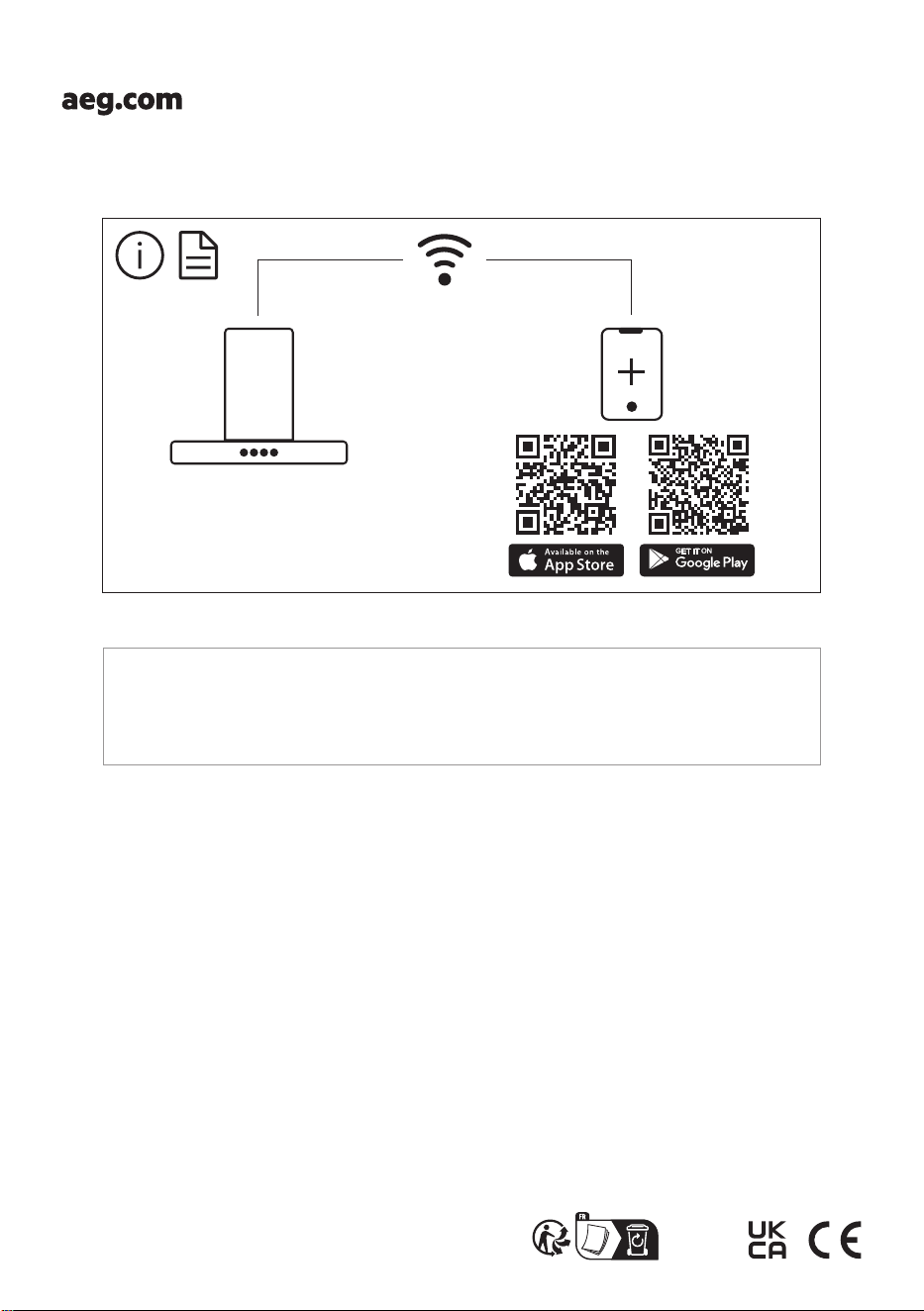
3. To download the app, use your mobile
device's camera to scan the QR code
located on the back cover of the user
manual. You can also download the app
directly from Google Play (Android) or
App Store (iOS).
4. Open the app and register to create an
account.
Configuring the appliance wireless
connection
Follow the instructions in the app to complete
the onboarding process:
1. Press and hold and buttons on
your appliance, the indicator flashes
continuously. The onboarding process is
ongoing.
2. Continue to follow the instructions in the
app to complete the onboarding process.
To stop the onboarding process, press
the or any of the speed level buttons.
After the successful onboarding, the
indicator stops flashing and becomes steady.
6 ENGLISH
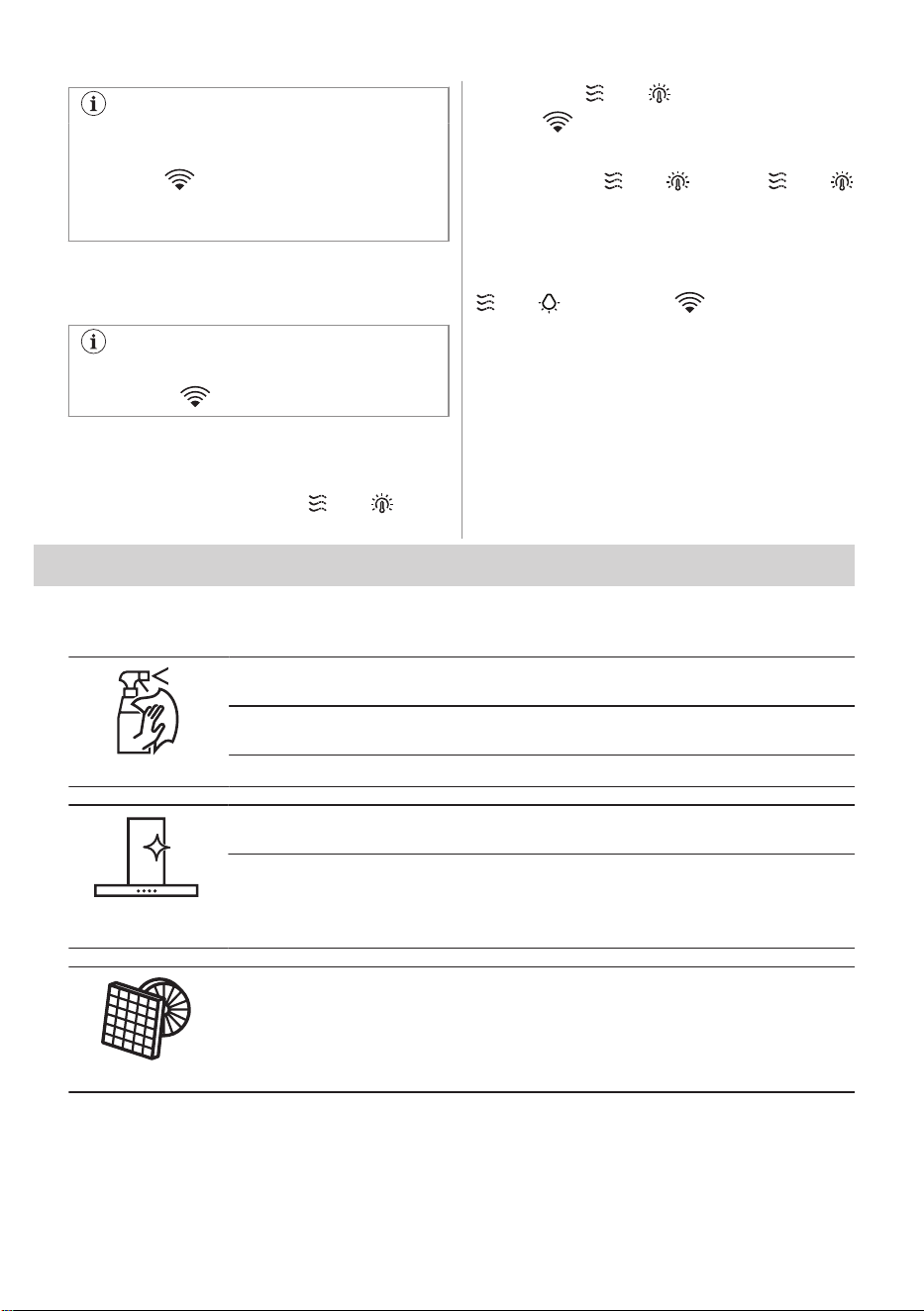
If the onboarding process exceeds 1
minute, the control panel enters standby
mode, the indicator turns off, and the
app provides feedback on the onboarding
status.
If the onboarding process is unsuccessful, the
indicator flashes rapidly for 6 seconds and
then turns off. Repeat the procedure.
Each time the action is performed using
the app, the indicator blinks 3 times.
Disabling / Enabling the appliance
wireless connection
To temporarily disable the WiFi
connection, press and hold and
buttons. The and indicators blink twice
and the indicator turns off.
To enable the WiFi connection again,
press and hold
and buttons, and
indicators blink once.
Resetting the appliance wireless
connection
To offboard the WiFi network, press and hold
and buttons. The indicator blinks
until the successful reset.
This action results in the removal of the
appliance from the WiFi network. To re-
establish the connection, repeat all the steps
described in the 'Configuring the appliance
wireless connection' section.
4. CARE AND CLEANING
4.1 Notes on cleaning
Cleaning Agents
Do not use abrasive detergents and brushes.
Clean the surface of the appliance with a soft cloth with warm water and a mild detergent.
After cooking some parts of appliance can get hot. To avoid stains appliance must be
cooled down and dried with clean cloth or paper towels.
Clean stains with a mild detergent.
Keep the hood
clean
Clean the appliance and grease filters each month. Clean the interior and grease filters
carefully from fat. Fat accumulation or other residue may cause fire.
Grease filters can be washed in a dishwasher.
The dishwasher must be set to a low temperature and a short cycle. The grease filter may
discolour, it has no influence on the performance of the appliance.
Charcoal filter
The time of saturation of the charcoal filter varies depending on the type of cooking and
the regularity of cleaning the grease filter. The activated charcoal filter is not washable,
cannot be regenerated and must be replaced approximately every 4/6 months of opera‐
tion, or more frequently for particularly heavy usage.
ENGLISH 7
Before carrying out any maintenance,
make sure there is no cookware on the
hob and that the hood and the hob are
disconnected from the power supply.
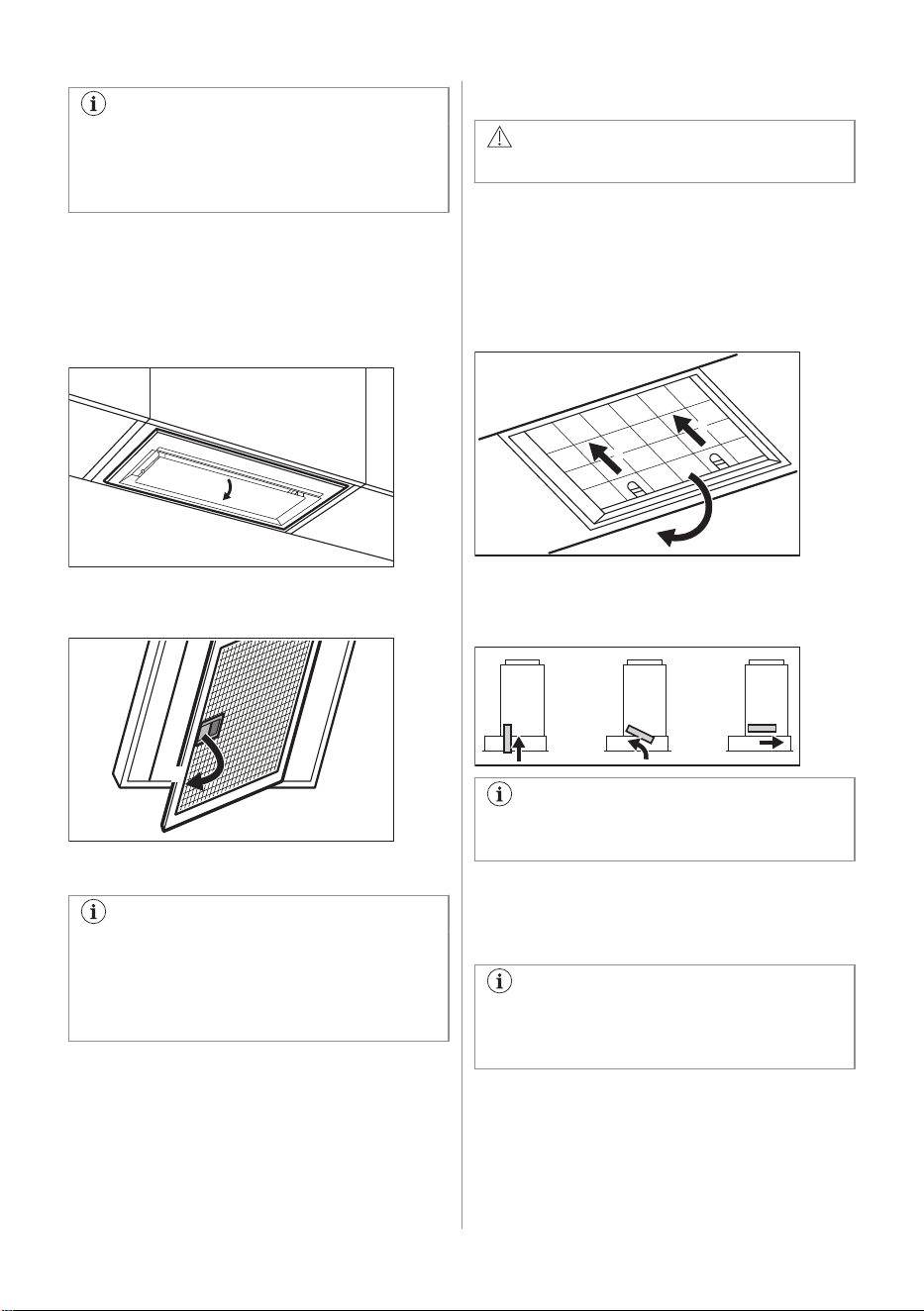
4.2 Cleaning the grease filter
Filters are mounted with the use of clips and
pins on the opposite side.
To clean the filter:
1. Pull the cover to open it.
2. Pull the handle on the filter underneath
the hood and slightly tilt the front of the
filter down.
1
3. Clean the filters using a sponge with non
abrasive detergents or in a dishwasher.
The dishwasher must be set to a low
temperature and a short cycle. The
grease filter may discolour, it has no
influence on the performance of the
appliance.
4. To mount the filters back follow the first
two steps in reverse order.
Repeat the steps for all filters if applicable.
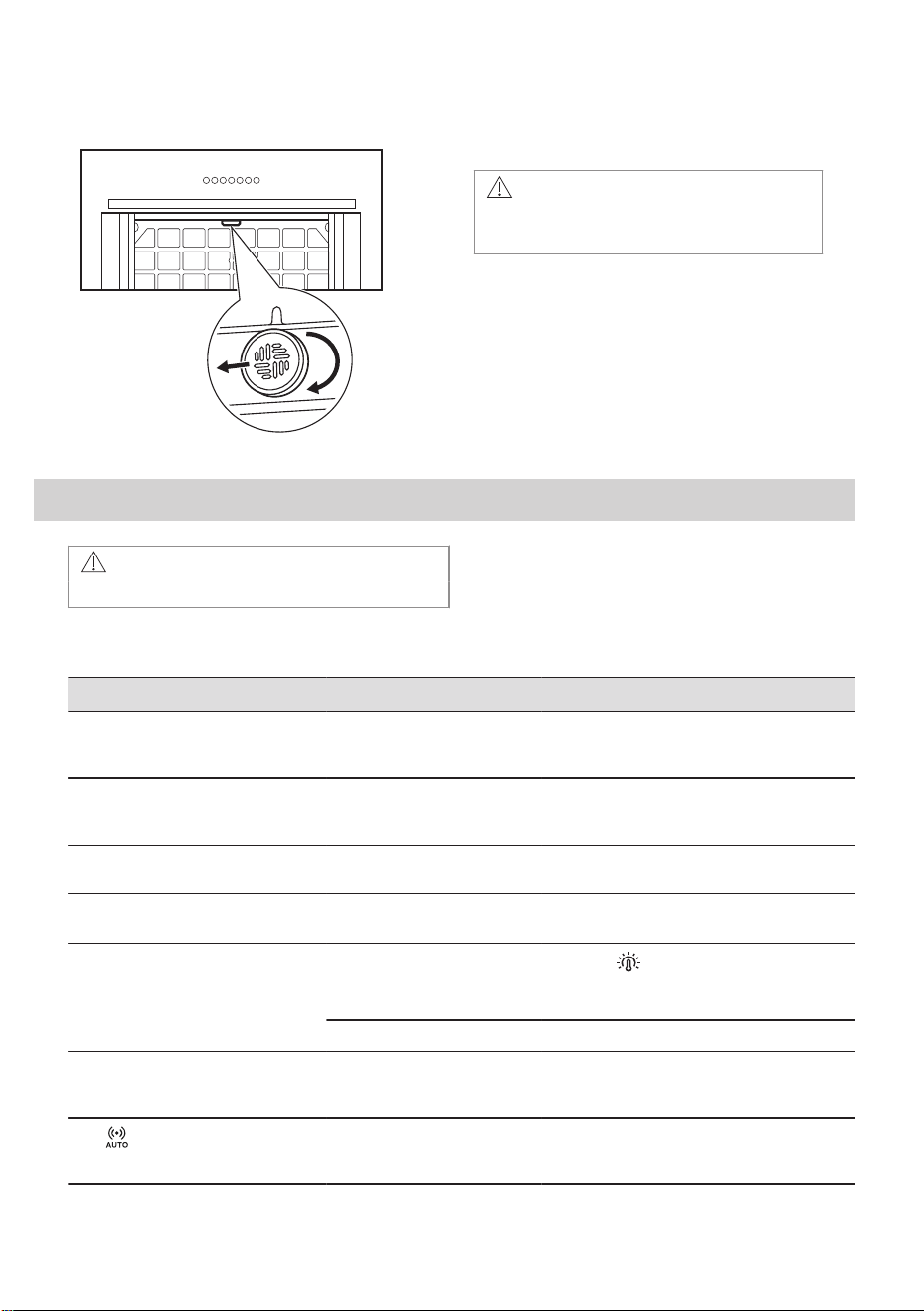
4.3 Replacing the charcoal filter
WARNING!
The charcoal filter is non-washable!
To replace the filter:
1. Remove the grease filters from the
appliance.
Refer to "Cleaning the grease filter" in this
chapter.
2. Pull the tabs towards the bottom part of
the filter.
2
1
1
3. Slightly tilt the front of the filter
downwards, then pull.
4. To install a new filter, perform the steps in
the following order.
Refer to the separate Installation
Instructions booklet.
In any case, it is necessary to replace the
filters at least every four months.
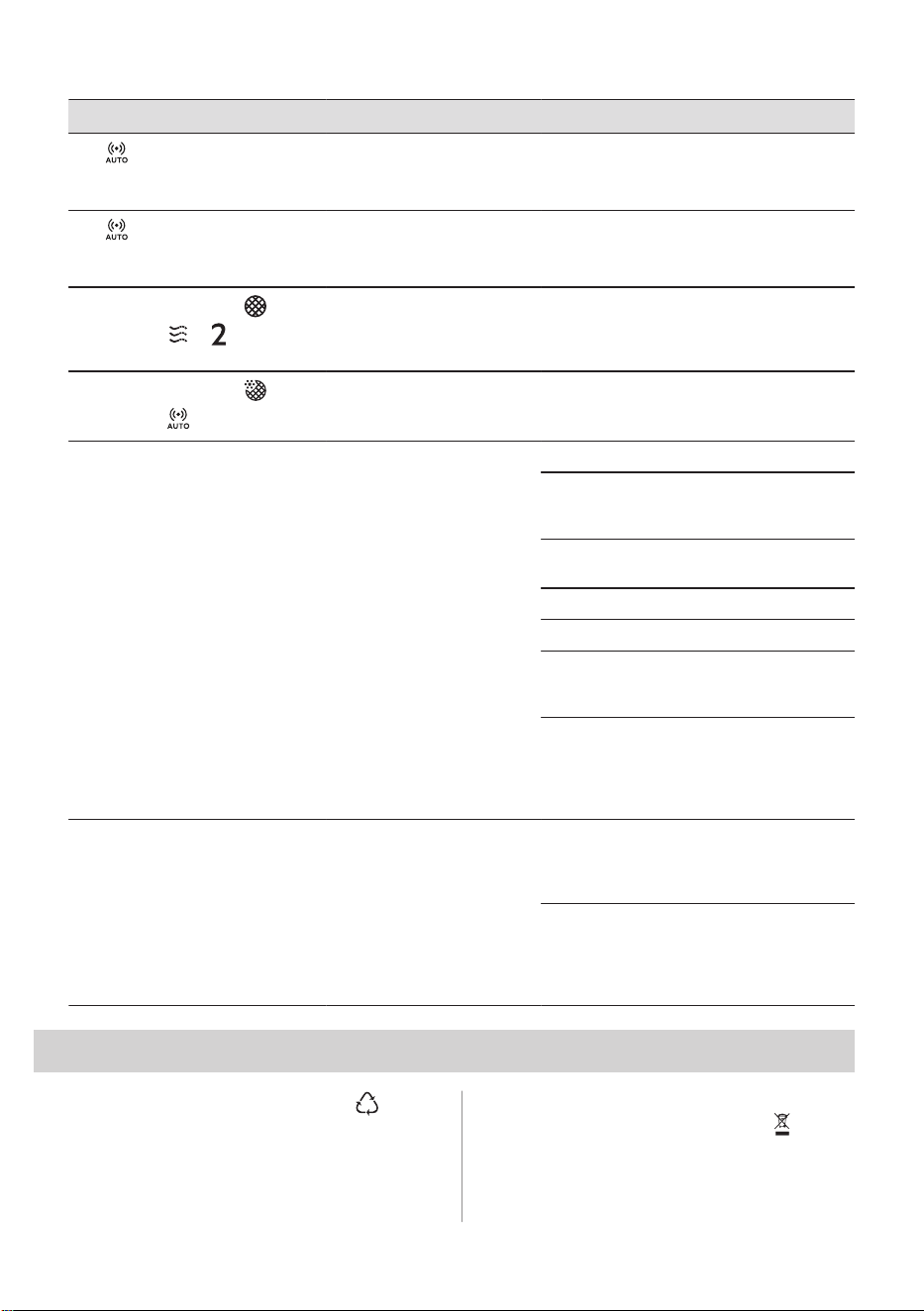
4.4 Cleaning the AutoSense filter
The AutoSense filter must be cleaned
when the filter notification is on. Refer to
the "AutoSense filter notification" chapter.
To remove the filter:
1. Remove the grease filters from the
appliance.
Refer to the "Cleaning the grease filter"
chapter.
8 ENGLISH
2. Turn the filter clockwise (1) and then pull
(2).
1
2
3. Wash the filter in hot water without using
detergent.
4. To install the filter back, perform the steps
in reverse order.
CAUTION!
The filter has to be fully dried before
installing it back into the appliance.
4.5 Replacing the lamp
This appliance is supplied with a LED lamp
and separate control gear (LED driver).
These parts can be replaced by a technician
only. In case of any malfunction refer to
"Service" in the "Safety Instructions" chapter.
5. TROUBLESHOOTING
WARNING!
Refer to Safety chapters.
5.1 What to do if...
Problem Possible cause Remedy
You cannot activate the appliance. The appliance is not connec‐
ted to a power supply or it is
connected incorrectly.
Check if the appliance is correctly connec‐
ted to the electrical supply.
You cannot activate the appliance. Lack of electrical power sup‐
ply.
Check the fuse or the main switch. If the
fuse or the switch continue to break the cir‐
cuit, contact a qualified electrician.
You cannot activate the appliance. Cabinet doors are not aligned
with the cabinet frame.
Align the cabinet doors.
The lamp does not operate. The lamp is defective. Replace the lamp. Refer to the "Care and
Cleaning" chapter.
The brightness level or light colour
temperature is not as described in
the instructions.
Incorrect Perfect illumination
setting.
Press the button to check if you are
able to change all three colour tempera‐
tures.
The lamp is defective. Contact an Authorised Service Centre.
The appliance does not absorb
enough vapours.
The motor speed is not ade‐
quate to the appearing va‐
pours.
Change the speed of the motor.
The indicator pulsates.
The internal sensor of the
function is in the self-tuning
mode.
Refer to the AutoSense in "Daily use" chap‐
ter.
ENGLISH 9
Problem Possible cause Remedy
The indicator blinks rapidly
three times, and the AutoSense
function does not start.
The function is permanently
deactivated.
Activate the function. Refer to the Auto‐
Sense in "Daily use" chapter.
The indicator blinks rapidly for
three seconds, and the AutoSense
function does not start.
There is a malfunction. Contact an Authorised Service Centre.
The filter alarm indicator is on
together with or .
The filter alarm is on. The
grease filter must be cleaned
or the charcoal filter must be
replaced or cleaned.
Refer to the filter notification in "Daily use"
chapter.
The filter alarm indicator is on
together with .
The AutoSense filter alarm is
on. The filter must be
cleaned.
Refer to the AutoSense filter notification in
"Daily use" chapter.
The App cannot connect to the ap‐
pliance.
Connectivity issues.
Check the wireless signal.
Make sure that the wireless connection is
on. Refer to "WiFi connectivity setup" chap‐
ter.
Check if your mobile device is connected to
the wireless network.
Check your home network and router.
Restart the router.
Contact your wireless service provider if
there are further problems with the wireless
network.
The appliance, the mobile device, or both
need to be configured again because a new
router has been installed or the router con‐
figuration has been changed. Refer to "WiFi
connectivity setup" chapter.
The App cannot frequently connect
to the appliance.
Connectivity issues.
Make sure that the wireless signal reaches
the appliance. Try to move the home router
as near the appliance as possible or consid‐
er purchasing a wireless range extender.
Make sure the wireless signal is not disrup‐
ted by a microwave. Turn the microwave
off. Avoid using the microwave and the re‐
mote control of the appliance at the same
time.
6. ENVIRONMENTAL CONCERNS
Recycle materials with the symbol . Put the
packaging in relevant containers to recycle it.
Help protect the environment and human
health by recycling waste of electrical and
electronic appliances. Do not dispose of
appliances marked with the symbol with
the household waste. Return the product to
your local recycling facility or contact your
municipal office.
10 ENGLISH
*

The software in this product contains components that are based on free and open source software. AEG gratefully
acknowledges the contributions of the open software and robotics communities to the development project.
To access the source code of these free and open source software components whose license conditions require
publishing, and to see their full copyright information and applicable license terms, please visit:
http://aeg.opensoftwarerepository.com (folder NIUS)
867382566-A-092024