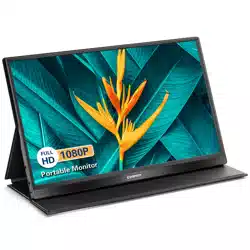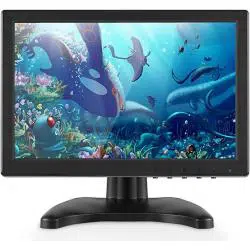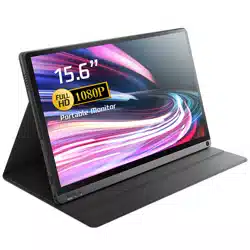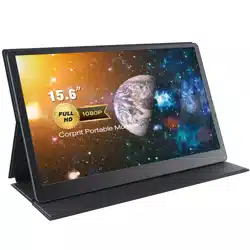

TOGUARDCOLORTFT-LCD
MONITOR
MIC,VGA&HDMIINPUT
INSTRUCTION

Dear Customer,
Thank you for choosing our Toguard monitor.
You are our valued customer and friend, we really care much about your
buying experience.
Your satisfaction is our greatest comfort, we are always expecting serving
for you!
If meet any problems in use, please feel free to contact us with your order
ID via email: support@toguard.cc or you can send message to us on your
Amazon account . Our after-sale service team will be happy to help you
solve it, but please allow us reply you within 24 hour due to time difference.
If you are satisfied with our product or service, please take a little time
leave us 5 star positive review.
Your encouragement will keep us moving forward and do better.
TOGUARD
Monitor What You Concern
2
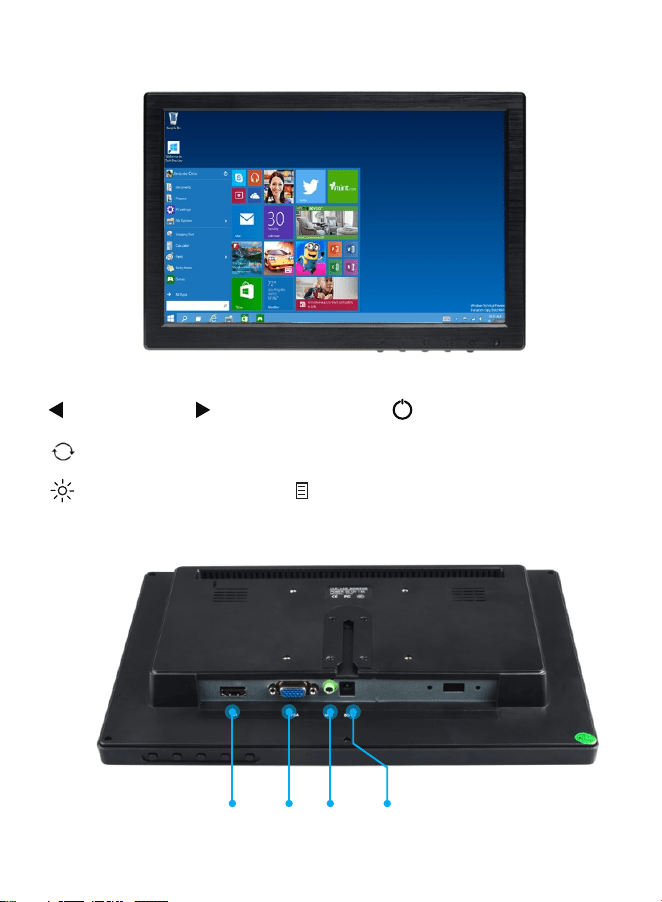
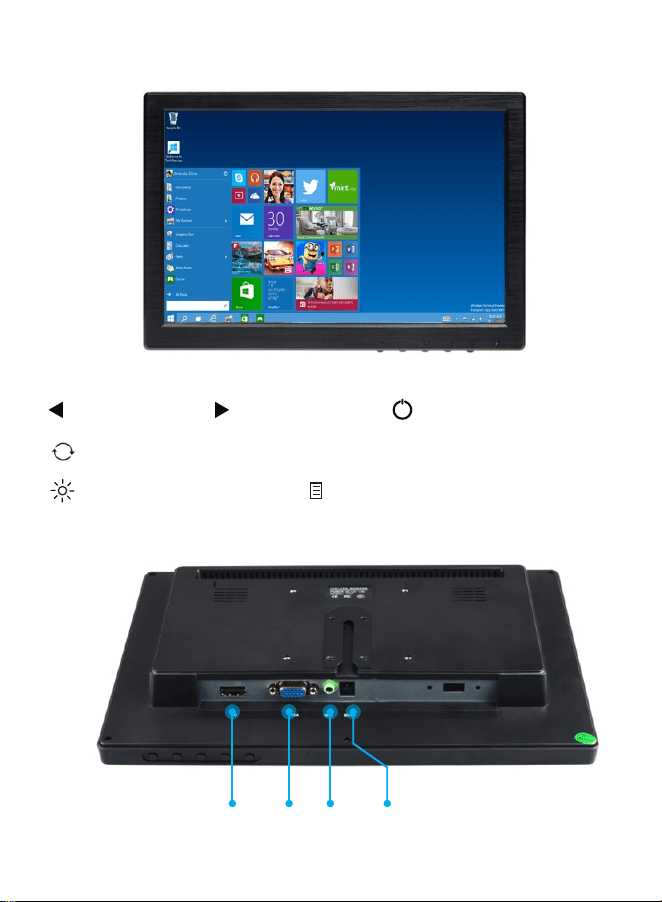
HDMI VGA MIC DC-IN
Auto adjust the picture ; Return.
Enter the main menu ; Confirm
Up /Right Power On / Off
KEYFUNCTION.
Indicator Light
[ ]
[ ]
[ ]
[ ]
Down / Left
[ ]
[ ]
3
MENUBASICOPERATION
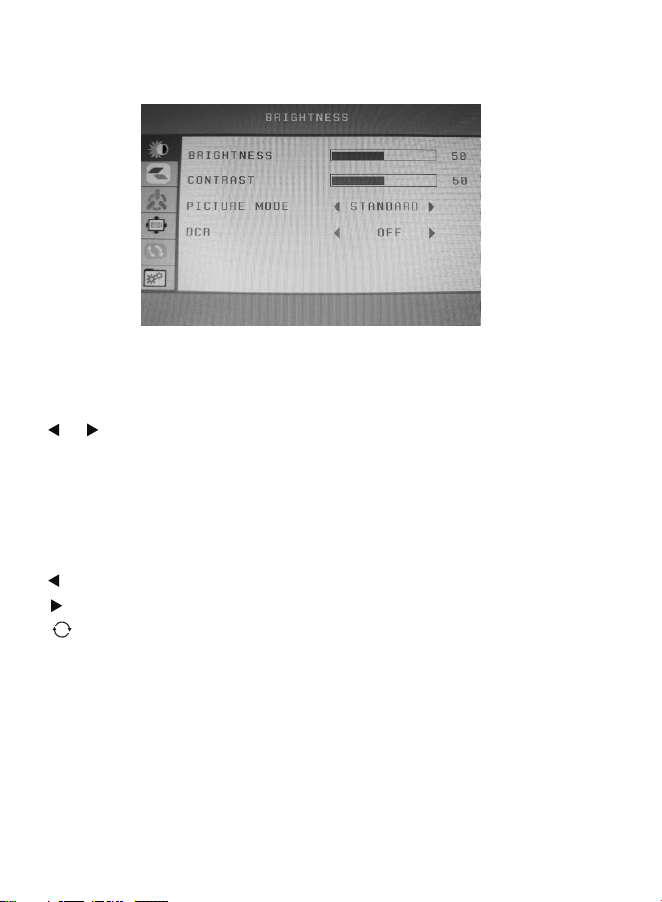
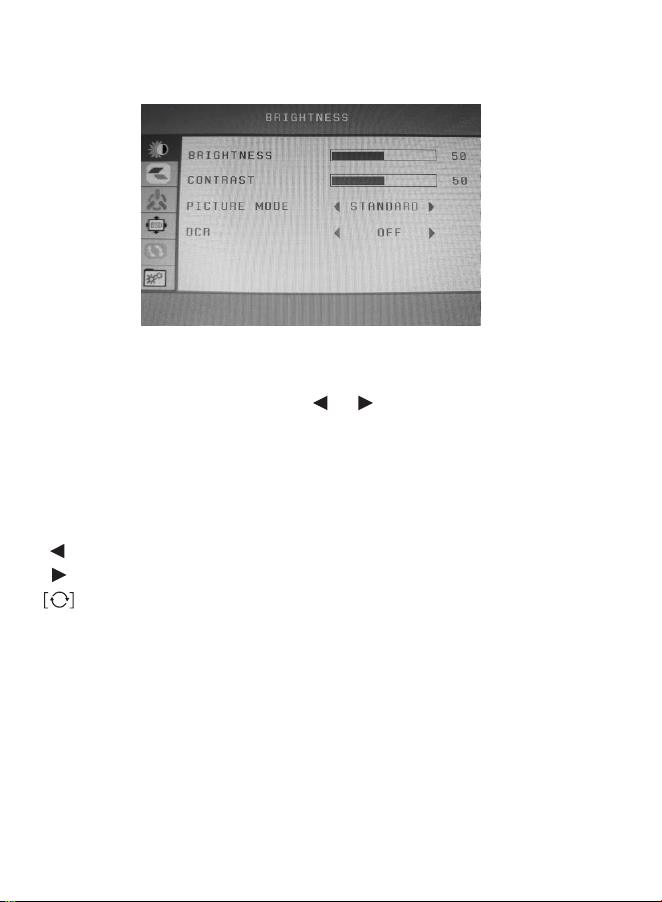
Please press the [Menu] button on the display to enter the display
menu while the display has a signal access. Then press the
[]/[] key to move cursor and press [Menu] key choose the
function that you want to adjust, at the same time the horizontal
position font will turn red. After you have changed setting, press
[refresh] key to exit menu setting interface.
Shortcut key :
Left key: volume adjust
Right Key:Brightness Control
Refresh key:Automatic image adjustment
NOTE :
(1) if the Brightness & Contrast function can not adjust , please
change picture mode to [STANDARD] first .
(2) Clock and Phase in Adjust menu is unavailable in HDMI
channel.
(3) Auto Color in Setup menu is unavailable in HDMI channel.
[]
[]
[]
4

SPECIFICPARAMETERS:
Screen Size: 11.6 inch
Aspect Ratio: 16:9
Screen Resolution: 1366(H) * 768(V) pixels
Screen Brightness: 350 cd/m2
Screen Contrast: 600:1
Refresh rate:60Hz
Video Input: VGA, HDMI,MIC
Remote Control: NO
Video System: PAL, NTSC
Screen Backlight: LED
Built in speaker: Yes
Viewing Angle: 160 degree
Operating Temperature: 0 degree to 45 degree
Storage Temperature: -20 degree to 60 degree
Response Time: 8-12ms
Power Supply: 12VDC-2A 10W
Language: English, Chinese, German, French, Italian, Russian,
Spanish, Korean
Weight: 1600g
Dimensions(W x H x D): 297 * 192 * 38mm
PACKAGECONTENT:
1 * LCD color monitor screen 1 * Power Adapter
1 * Mount stand 1 * HDMI cable
1 * User Manual 1 * Double-sided adhesive
5
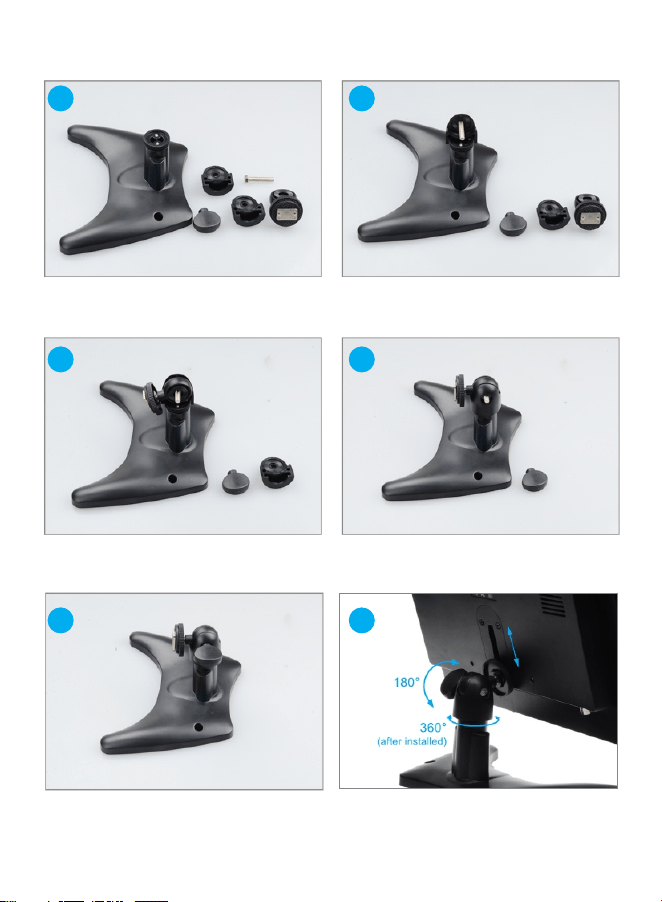
HOWTOINSTALLMOUNT:
1
2
3
4
5
6
6
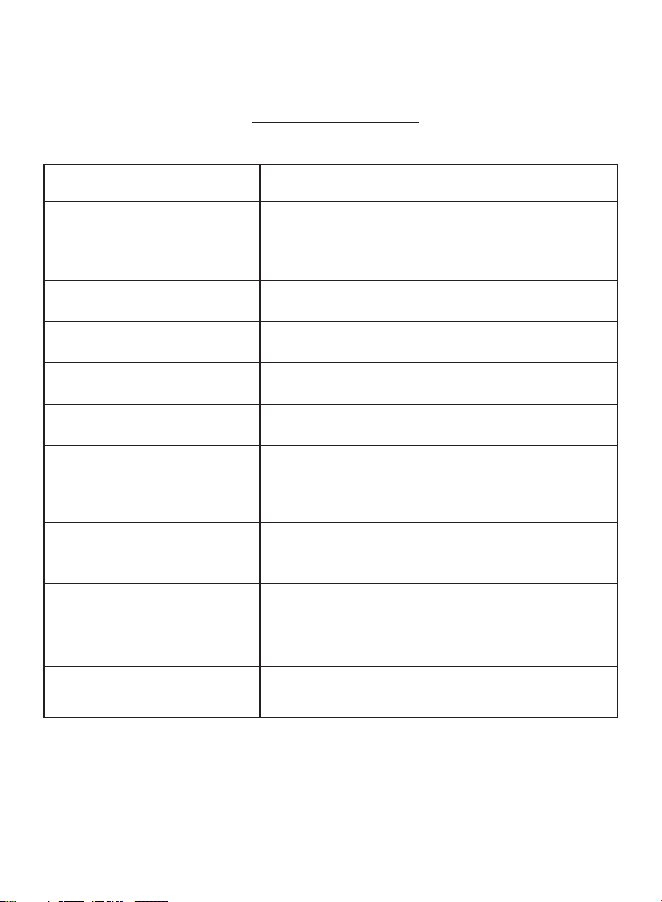
★TROUBLESHOOTING
Please feel free to contact with us first if you have any problem when use :
support@toguard.cc
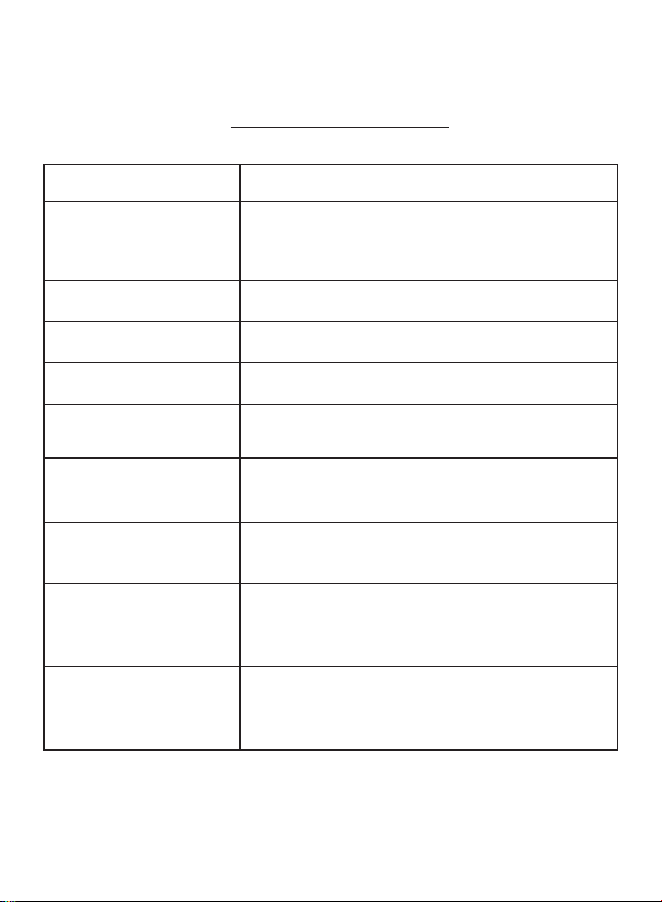
Problem PossibleReason
Blue screen , No signal and
few seconds turns off
Please check if you have adjust to the right input
mode. only the indicator turns from red to blue
that means the device has been turned on and has
signal access ..
Can not turn ON/ screen
remaindark
Please check if the power source is connected
correctly.
No sound and picture
The power source is not connected properly or the
adapter is defective.
No picture
Please adjust it to the right mode suit for you input
device
Poor reception
1.C heck if you have adjust it to the right mode.
2.The connection part is loose.
Dark picture
1. The temperature of the using environment is too
cold.
2. The input device has take the picture in dark
environment, please adjust the color to confirm.
Snowflake
The device has influenced by electromagnetic
interference. Please make sure the nearby has no
electromagnetic interference.
No images or the Abnormal
coloring in PC mode
1. Check if the mode is set to PC mode. Make sure
the VGA cable is connected
2.Check if the VGA resolution and refresh
frequency is correct.
Flickering image in AV mode
Check whether the AV cables is connected
properly or not. Please plug the cables again.
7

取説書
モニター
TOGUARDカラーTFT-LCD
MIC,VGA&HDMI輸⼊
8

何時もお世話になっております!
弊社の Toguard モリターを選んでいただきました、誠にありがとうござい
ます!
弊社の尊敬のお客さんと友達として、お客さんの購買体験は関⼼を持っており
ます。
お客さんの満⾜度は私たちにとって最⼤の報償で、お客様へのサービス提供
を期待しております。
もし使⽤中に問題があったら、どんな問題でも随時的に、メールを通じてお客
さんの注⽂番号で連絡してくだい。
メールアドレス:s u p p o r t @ t o g u a r d . c c またはお客様のAmazonユーザー
で連絡してもいいと思います。
弊社のアフターサービスのスタッフも喜んでお客様の問題を解決いたします。
弊社に、24時間以内の返事時間をいただくお願いしたいです。もし弊社の製
品とサービスは満⾜なら、ちょっと時間をかけて、ごレビューの星の数を五つ
にしていただきたいんです。
お客様からの認可は弊社前へ進めの動⼒でございます。
TOGUARD
ご愛護ありがとうございます
9
DC-IN
[ ]
[ ] [ ]
メインファンクション
[ ]
上/左
[ ]
電源を⼊れる/切る
[ ]
下/右
⾃動的に画⾯調整する、戻る
パイロットラン
メインメニューに⼊る ; 確定
HDMI
VGA
マイク
10
メニュー基本操作
ディスプレイ上の【メニュー】をクリックして、メニューに⼊ります。
ディスプレイ上信号訪問有る時 [ ]/[ ]キーをクリックして、カーソ
ルを移動します。メニューの指示通り関数を調整する同時に、⽔平位
置の字体も⾚になります。設置終わった後【刷新】キーをクリックし
てメニュー設置ページを退出します。
ショートカットキー:
[ ] 左きー:⾳量調節
[ ] キー:光度調節
刷新キー:⾃動的に画⾯調整
注意:
(1)もし光度&対⽐度のパラメータ調整できずの場合、まずピクチャ
模式から[標準模式]に変更お願いします。
(2)HDMIチャンネルの場合、“調整”メニュー中の時計と位相(PH)
は使⽤不可です。
(3)HDMIチャンネルの場合、“設置”メニュー中の⾃動⾊は使⽤不可
です
11

具体的のパラメーター
画⾯サイズ: 11.6
⻑さ幅さ⽐率:16:9
画⾯解像度: 1366(H) * 768(V) ピクセル
ディスプレイ光度:350 cd/m 2
ディスプレイ対⽐度:600:1
刷新レート:60 Hz
ビデオ⼊⼒: VGA、HDMI、
マイク リモートコントロール: なし
ビデオ システム: PAL、NTSC
スクリーンバックライト:LED
内蔵スピーカ:はい
視野⻆: 160 度
動作温度: 0 度 45 度
貯蔵温度:-20 度 60 度
応答時間: 8-12 ms
電源電圧: 12 vdc 2A 10 w
⾔語: 英語、中国語、ドイツ語、フランス語、イタリア語、ロシア語、
スペイン語、韓国語
重量: 1600 g
⼨法 (W x H x D): 297 * 192 * 38 mm
パケージ内容:
1*液晶カラーモニタースクリーン 1*電源アダプター
1 *組⽴てマウント 1 * HDMI ケーブル
1 * ユーザー マニュアル 1 * 両⾯テープ
12
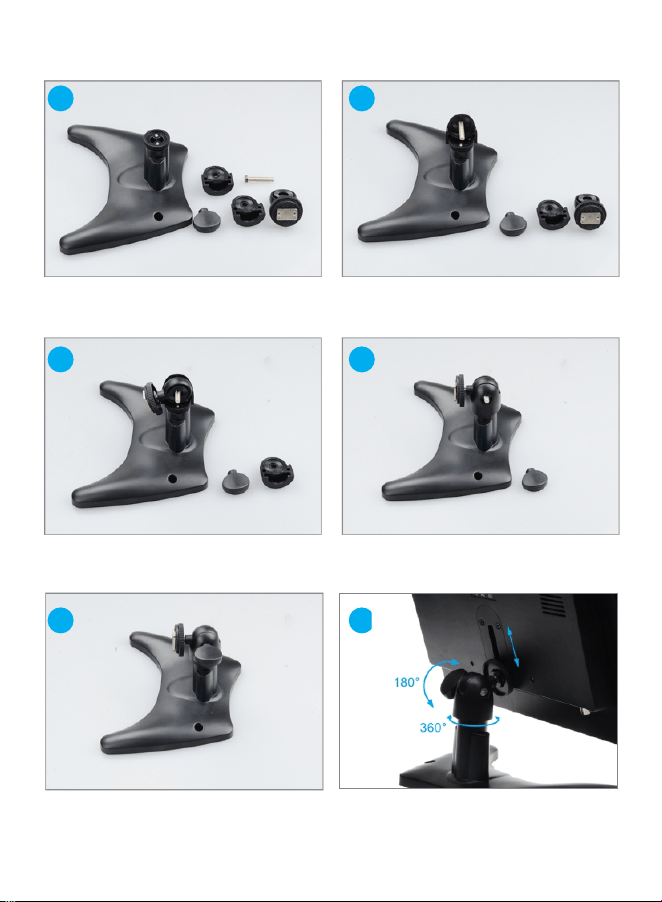
HOWTOINSTALLMOUNT:
1
2
3
4
5
6
13
取り付け後
★トラブル対応
使⽤中にある全ての問題は随時的に弊社にご連絡お願いします。アドレス:
jp. s u p p o r t @ t o g u a r d . c c
問題点
可能な原因
正確の⼊⼒モードに調整しましたか?チェックお願
いします。パイロットランプが⾚から⻘に変わった
場合は設備が開いて信号訪問ありの意味です。
電源は性格的につながっているかチェックしてください。
電源が正しく接続されていないか、アダプタが故障し
ていますか?
ご⼊⼒設備に合わせる適合のモードにご調整しお願いします。
1、ご設備は適合のモードに調整しましたかチェック
お願いします。2、接続部が緩んでいますか?
1、設備使う周りの環境はあまりに寒です。
2、⼊⼒設備は暗闇環境で写真を撮る機能があり、
⾊はconfirmに調整してください。
デバイスは電磁に⼲渉された可能性があります。
近くに電磁⼲渉がないことを確認してください。
1、PCモードに設定されているかチェックしてください。
VGA解像度と刷新頻度は正確であるかチェクしてください。
ブルー スクリーン、信号
がなく及び数秒間でOFF
になること。
オンにすることはできま
せん/スクリーンが暗いまま
声と画像がありません。
画像なし
受信不良
画⾯は暗い
雪フレーム
画像なしまたは PC
モードで⾊が異常である
Avモードで、画像はちらつく
AV ケーブルが正しく接続されているかどうかを確認
してください。
再度ケーブルを接続してください。
14