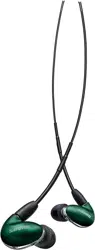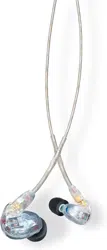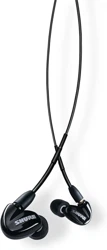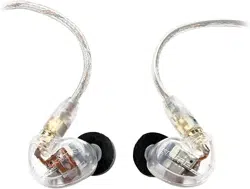
SE846
Sound Isolating Earphones
™
The Shure sound isolating earphones, SE846, user guide.
Version: 1.0 (2022-I)

Shure Incorporated
2/10
Table of Contents
SE846 Sound Isolating™ Earphones 3
Important Safety Information 3
Sound Isolating™ Earphones 3
Using Earphones 3
The best sound starts with a good fit 3
Changing Sleeves 4
Wearing the Earphones 4
Removing the Earphones 5
Detachable Cable 5
Maintenance and Cleaning 6
Cleaning the Nozzle 6
Four Interchangeable Nozzle Inserts 6
Removing the Nozzle 6
Reassembling the Nozzle 7
Specifications 7
SAFETY PRECAUTIONS 8
WARNING FOR ALL EARPHONES! 8
SAFETY PRECAUTIONS 8
WARNING 8
CAUTION 9
IMPORTANT SAFETY INSTRUCTIONS 9
Certifications 9
Shure Incorporated
3/10
•
•
SE846
Sound Isolating Earphones
Important Safety Information
Before using this product, please read the warnings and safety instructions: SAFETY PRECAUTIONS
Sound Isolating Earphones
Shure Sound Isolating Earphones, built with balanced armature speakers, deliver a detailed soundstage free from outside
noise.ThepowerfulandstylishShureSEearphonescomewithadetachablecable,adapters,adurablecarryingcase,andin
terchangeable Sound Isolating sleeves for a comfortable and personalized fit.
Using Earphones
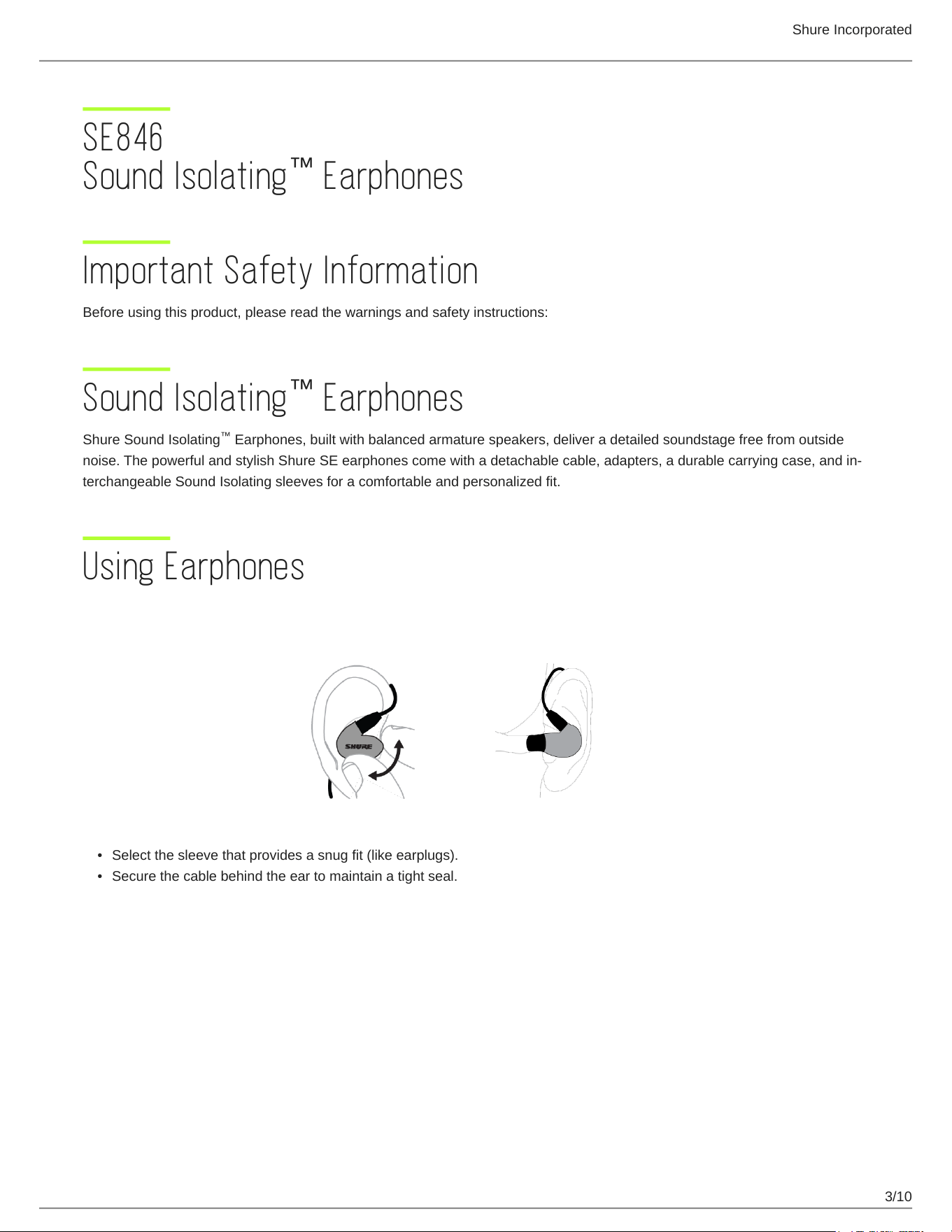
The best sound starts with a good fit
Select the sleeve that provides a snug fit (like earplugs).
Secure the cable behind the ear to maintain a tight seal.
™
™
™
Shure Incorporated
4/10
•
•
1.
2.
3.
Changing Sleeves
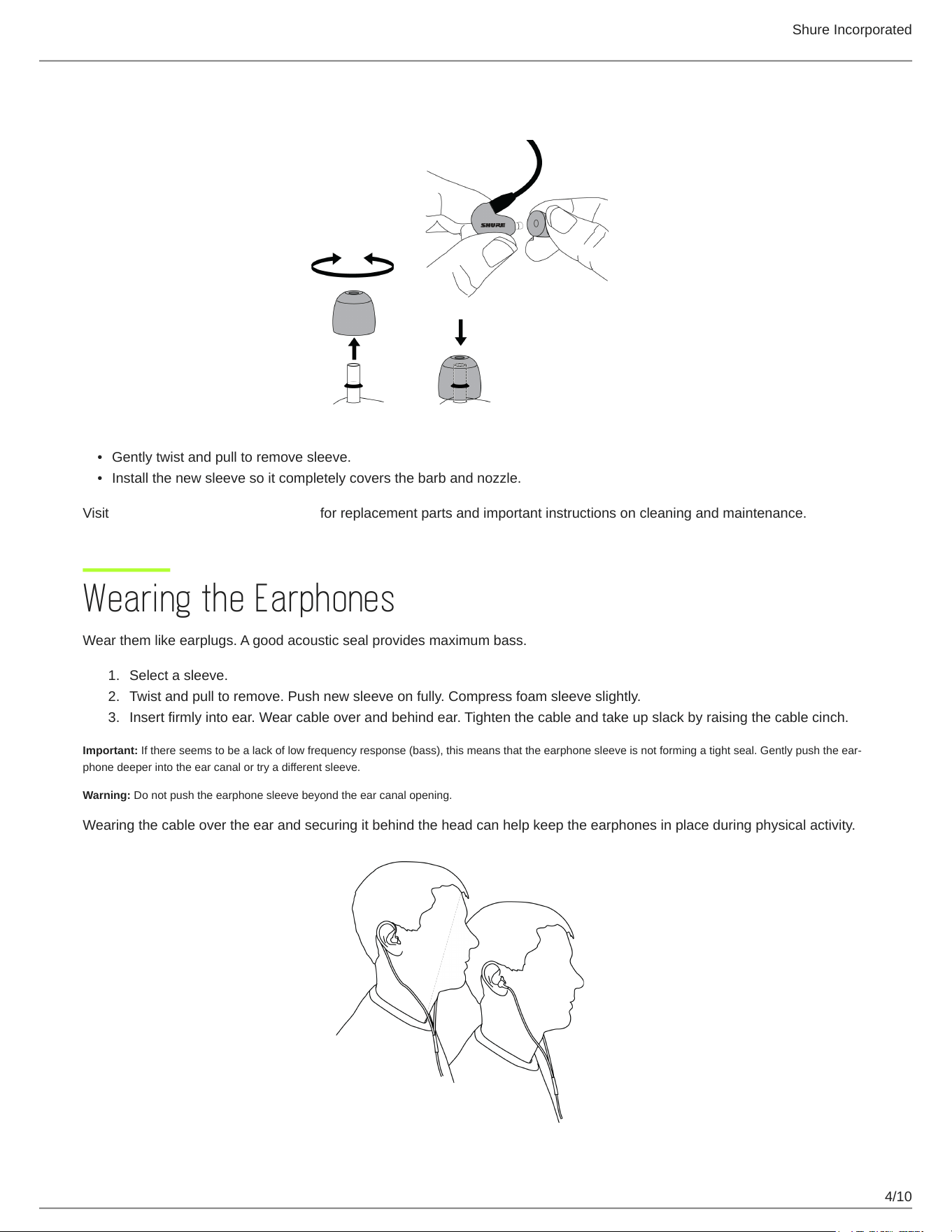
Gently twist and pull to remove sleeve.
Install the new sleeve so it completely covers the barb and nozzle.
Visit http://www.shure.com/earphones for replacement parts and important instructions on cleaning and maintenance.
Wearing the Earphones
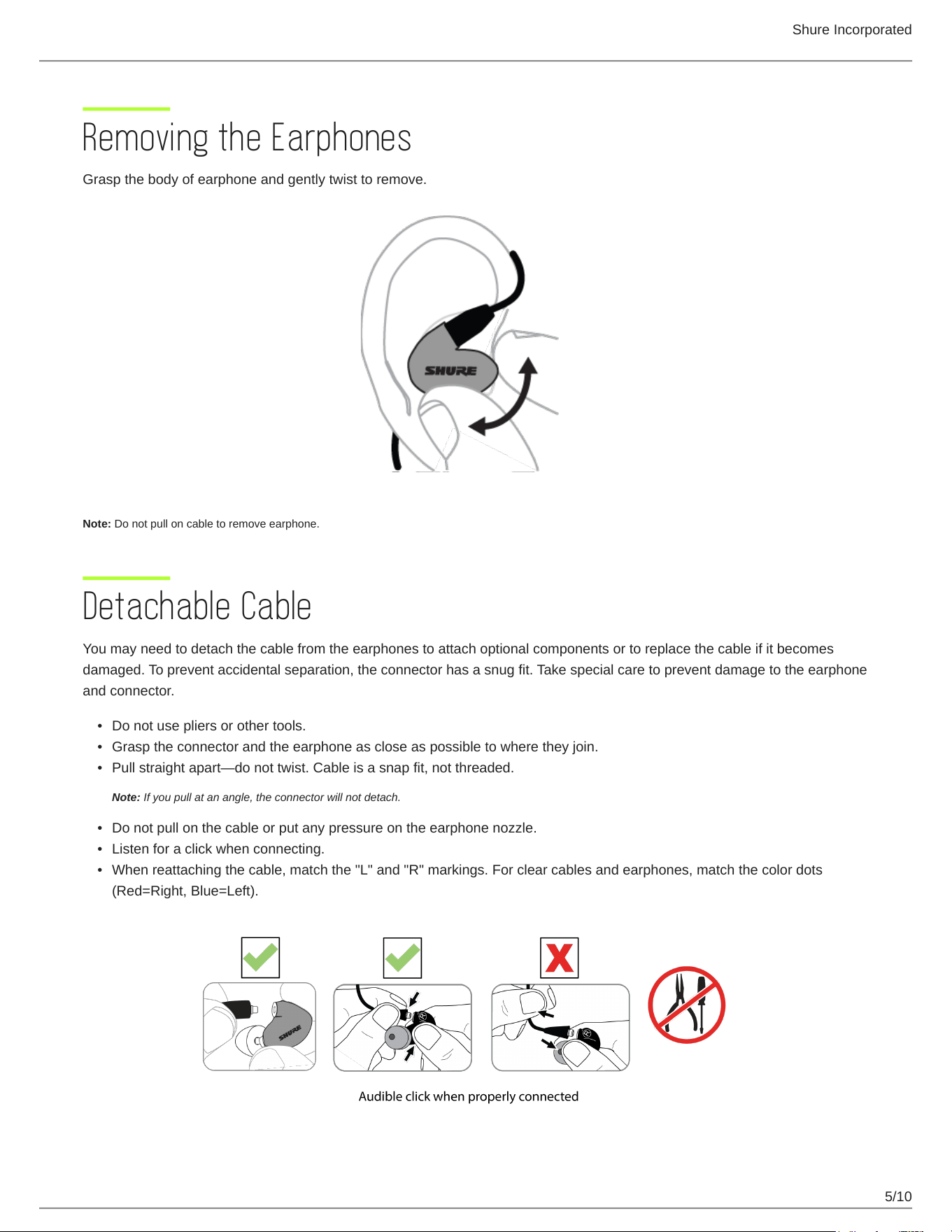
Wear them like earplugs. A good acoustic seal provides maximum bass.
Select a sleeve.
Twist and pull to remove. Push new sleeve on fully. Compress foam sleeve slightly.
Insert firmly into ear. Wear cable over and behind ear. Tighten the cable and take up slack by raising the cable cinch.
Important: Ifthereseemstobealackoflowfrequencyresponse(bass),thismeansthattheearphonesleeveisnotformingatightseal.Gentlypushtheear
phone deeper into the ear canal or try a different sleeve.
Warning: Do not push the earphone sleeve beyond the ear canal opening.
Wearing the cable over the ear and securing it behind the head can help keep the earphones in place during physical activity.
Shure Incorporated
5/10
•
•
•
•
•
•
Removing the Earphones
Grasp the body of earphone and gently twist to remove.
Note: Do not pull on cable to remove earphone.
Detachable Cable
You may need to detach the cable from the earphones to attach optional components or to replace the cable if it becomes
damaged. To prevent accidental separation, the connector has a snug fit. Take special care to prevent damage to the earphone
and connector.
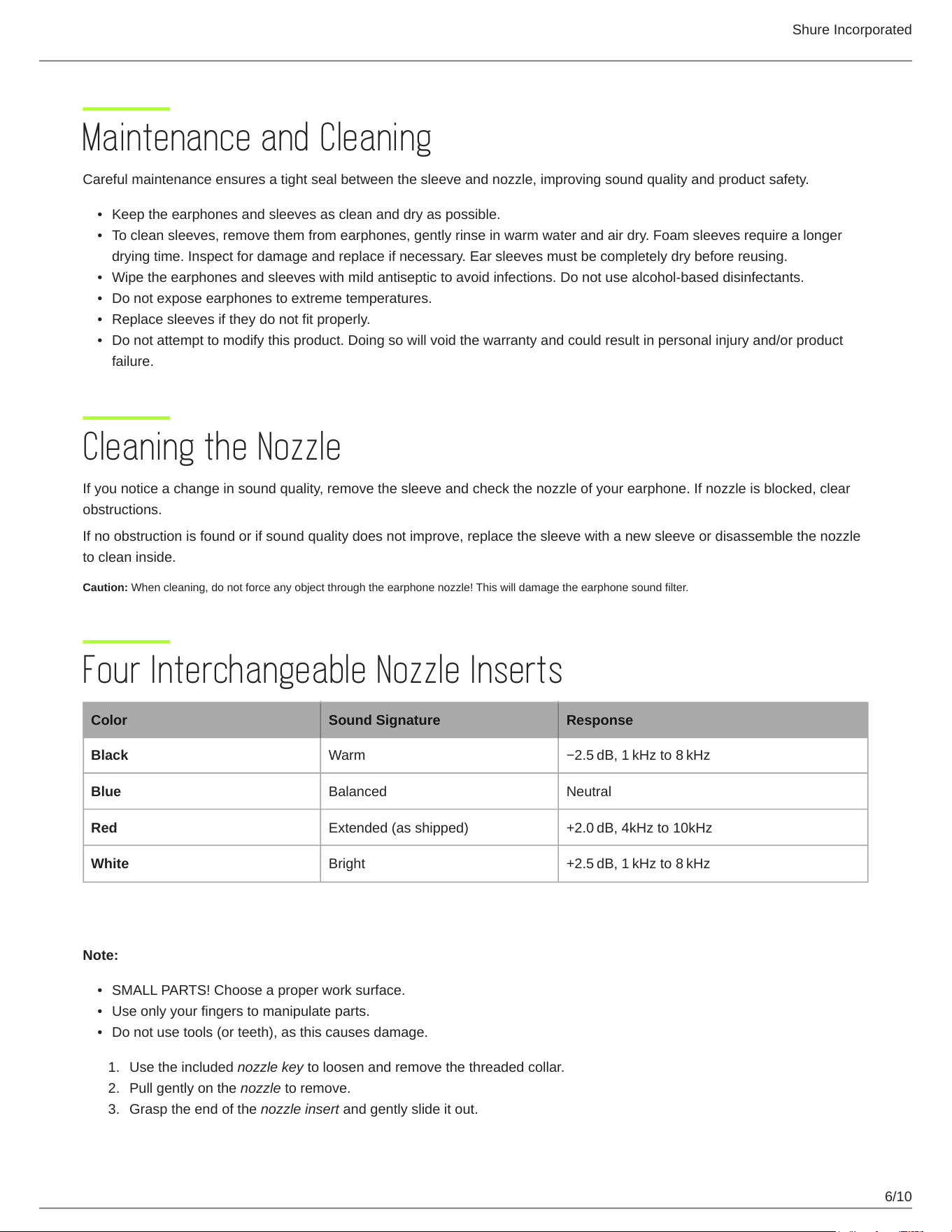
Do not use pliers or other tools.
Grasp the connector and the earphone as close as possible to where they join.
Pullstraightapart—donottwist.Cableisasnapfit,notthreaded.
Note: If you pull at an angle, the connector will not detach.
Do not pull on the cable or put any pressure on the earphone nozzle.
Listen for a click when connecting.
When reattaching the cable, match the "L" and "R" markings. For clear cables and earphones, match the color dots
(Red=Right, Blue=Left).
Shure Incorporated
6/10
•
•
•
•
•
•
•
•
•
1.
2.
3.
Maintenance and Cleaning
Careful maintenance ensures a tight seal between the sleeve and nozzle, improving sound quality and product safety.
Keep the earphones and sleeves as clean and dry as possible.
To clean sleeves, remove them from earphones, gently rinse in warm water and air dry. Foam sleeves require a longer
drying time. Inspect for damage and replace if necessary. Ear sleeves must be completely dry before reusing.
Wipe the earphones and sleeves with mild antiseptic to avoid infections. Do not use alcohol-based disinfectants.
Do not expose earphones to extreme temperatures.
Replace sleeves if they do not fit properly.
Do not attempt to modify this product. Doing so will void the warranty and could result in personal injury and/or product
failure.
Cleaning the Nozzle
If you notice a change in sound quality, remove the sleeve and check the nozzle of your earphone. If nozzle is blocked, clear
obstructions.
If no obstruction is found or if sound quality does not improve, replace the sleeve with a new sleeve or disassemble the nozzle
to clean inside.
Caution: When cleaning, do not force any object through the earphone nozzle! This will damage the earphone sound filter.
Four Interchangeable Nozzle Inserts
Color Sound Signature Response
Black Warm −2.5 dB,1 kHzto8 kHz
Blue Balanced Neutral
Red Extended (as shipped) +2.0 dB,4kHzto10kHz
White Bright +2.5 dB,1 kHzto8 kHz
Removing the Nozzle
Note:
SMALL PARTS! Choose a proper work surface.
Use only your fingers to manipulate parts.
Do not use tools (or teeth), as this causes damage.
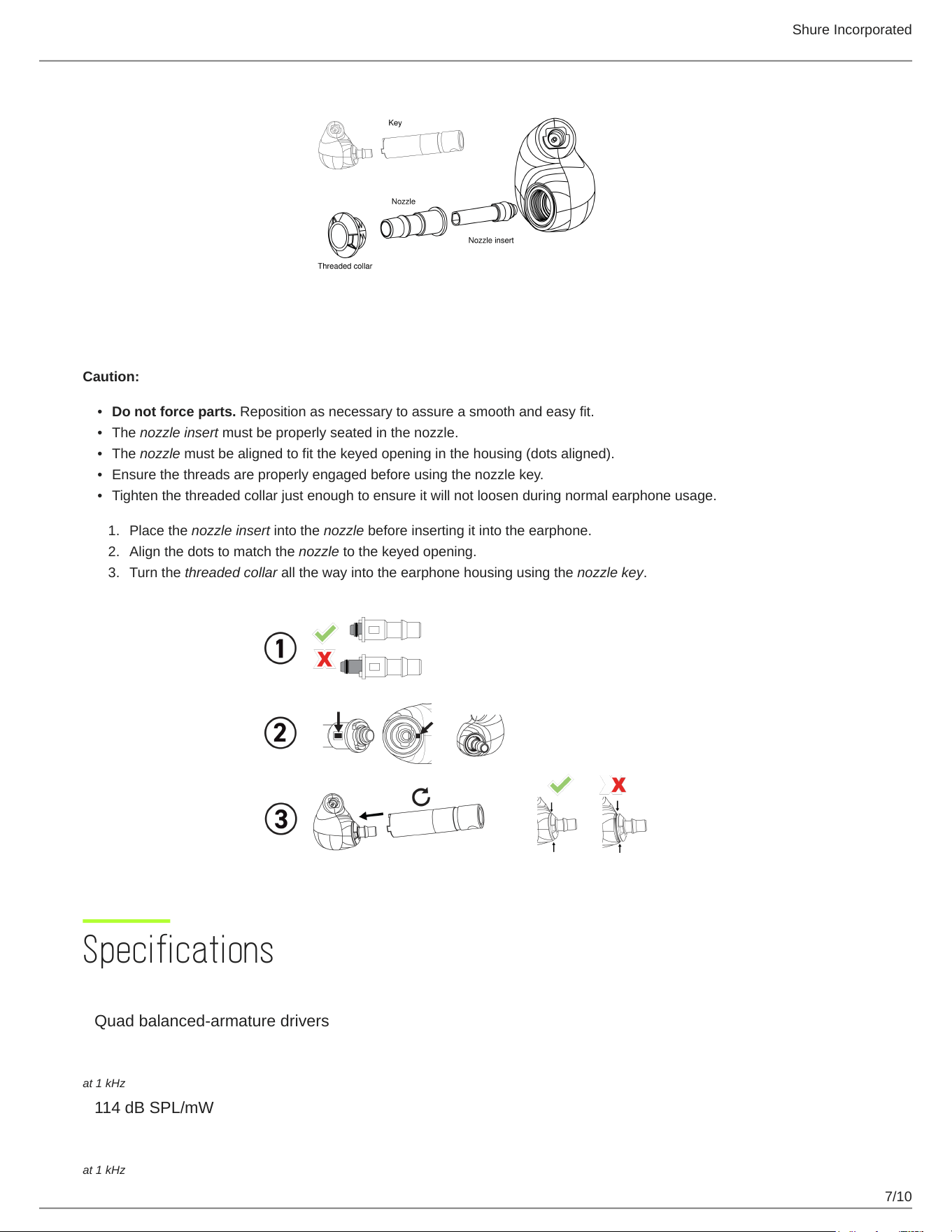
Use the included nozzle key to loosen and remove the threaded collar.
Pull gently on the nozzle to remove.
Grasp the end of the nozzle insert and gently slide it out.
Shure Incorporated
7/10
•
•
•
•
•
1.
2.
3.
Reassembling the Nozzle
Caution:
Do not force parts. Reposition as necessary to assure a smooth and easy fit.
The nozzle insert must be properly seated in the nozzle.
The nozzle must be aligned to fit the keyed opening in the housing (dots aligned).
Ensure the threads are properly engaged before using the nozzle key.
Tighten the threaded collar just enough to ensure it will not loosen during normal earphone usage.
Place the nozzle insert into the nozzle before inserting it into the earphone.
Align the dots to match the nozzle to the keyed opening.
Turn the threaded collar all the way into the earphone housing using the nozzle key.
Specifications
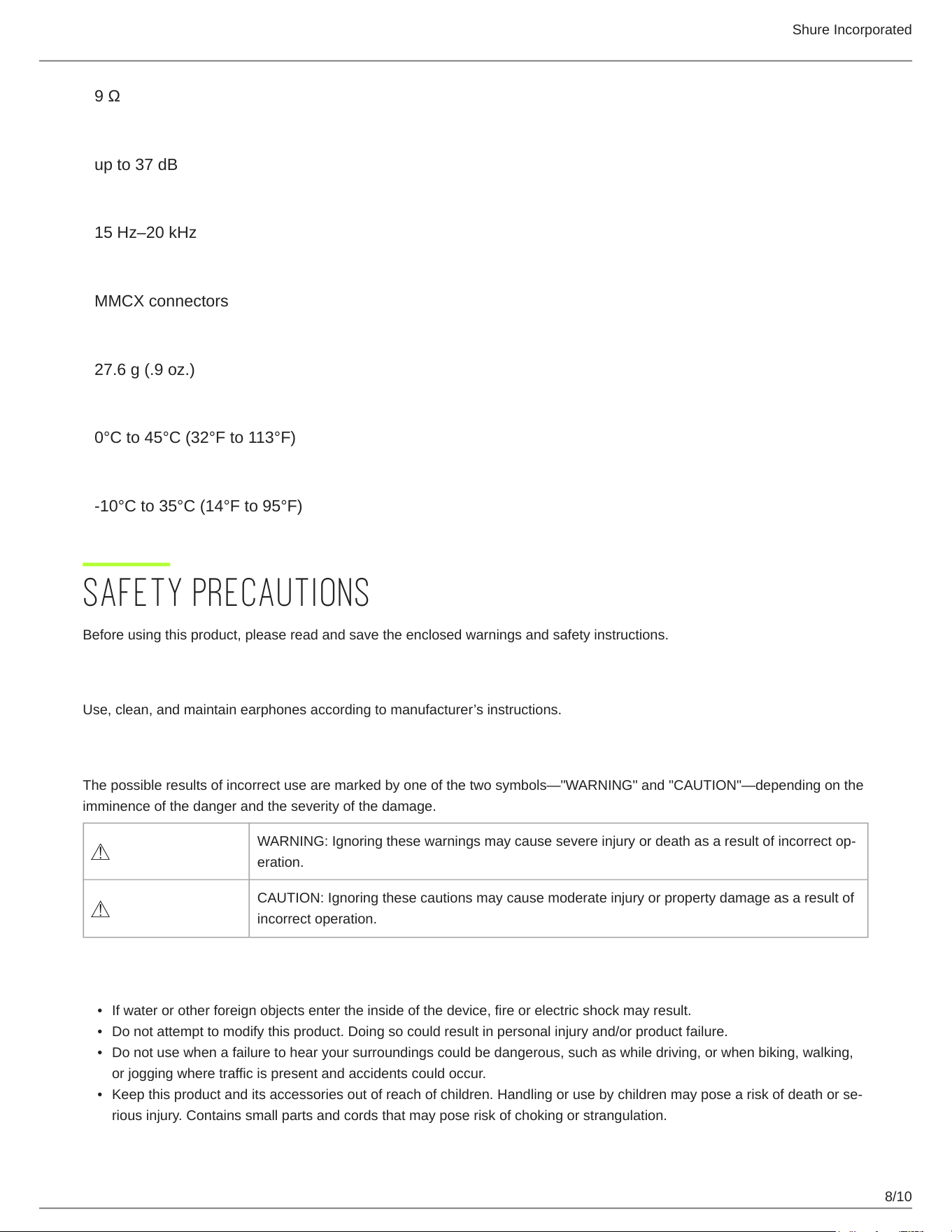
Transducer Type
Quad balanced-armature drivers
Sensitivity
at 1 kHz
114dBSPL/mW
Impedance
at 1 kHz
Shure Incorporated
8/10
•
•
•
•
9Ω
Noise Attenuation
upto37dB
Frequency Range
15Hz–20kHz
Input Connector
MMCX connectors
Net Weight
27.6g(.9oz.)
Operating Temperature
0°C to 45°C (32°F to 113°F)
Storage Temperature
-10°C to 35°C (14°F to 95°F)
SAFETY PRECAUTIONS
Before using this product, please read and save the enclosed warnings and safety instructions.
WARNING FOR ALL EARPHONES!
Use,clean,andmaintainearphonesaccordingtomanufacturer’sinstructions.
SAFETY PRECAUTIONS
Thepossibleresultsofincorrectusearemarkedbyoneofthetwosymbols—"WARNING"and"CAUTION"—dependingonthe
imminence of the danger and the severity of the damage.
WARNING:Ignoringthesewarningsmaycausesevereinjuryordeathasaresultofincorrectop
eration.
CAUTION: Ignoring these cautions may cause moderate injury or property damage as a result of
incorrect operation.
WARNING
If water or other foreign objects enter the inside of the device, fire or electric shock may result.
Do not attempt to modify this product. Doing so could result in personal injury and/or product failure.
Do not use when a failure to hear your surroundings could be dangerous, such as while driving, or when biking, walking,
or jogging where traffic is present and accidents could occur.
Keepthisproductanditsaccessoriesoutofreachofchildren.Handlingorusebychildrenmayposeariskofdeathorse
rious injury. Contains small parts and cords that may pose risk of choking or strangulation.
Shure Incorporated
9/10
•
•
•
•
•
•
1.
2.
3.
4.
5.
6.
7.
8.
9.
10.
11.
12.
13.
Prior to inserting the earphone, always recheck the sleeve to make sure it is firmly attached to the nozzle to decrease the
risk of sleeves detaching from the nozzle and becoming lodged in your ear. If a sleeve becomes lodged in your ear, seek
professional medical assistance to remove the sleeve.
Stop using the earphones and consult a medical professional if you experience irritation, excessive wax buildup, or other
discomfort.
CAUTION
Never disassemble or modify the device, as failures may result.
Do not subject to extreme force and do not pull on the cable or failures may result.
Keep the earphone dry and avoid exposure to extreme temperatures and humidity.
If you are currently receiving ear treatment, consult your physician before using this device.
High sound pressure
Hearing damage risk
To prevent possible hearing damage, do not listen at high volume levels for long periods.
IMPORTANT SAFETY INSTRUCTIONS
READ these instructions.
KEEP these instructions.
HEED all warnings.
FOLLOW all instructions.
DO NOT use this apparatus near water.
CLEAN ONLY with dry cloth.
DONOTblockanyventilationopenings.Installinaccordancewiththemanufacturer’sinstructions.
DONOTinstallnearanyheatsourcessuchasradiators,heatregisters,stoves,orotherapparatus(includingampli
fiers) that produce heat.
DO NOT defeat the safety purpose of the polarized or grounding type plug. A polarized plug has two blades with one
wider than the other. A grounding type plug has two blades and a third grounding prong. The wider blade or the third
prongareprovidedforyoursafety.Iftheprovidedplugdoesnotfitintoyouroutlet,consultanelectricianforreplace
ment of the obsolete outlet.
PROTECT the power cord from being walked on or pinched, particularly at plugs, convenience receptacles, and the
point where they exit from the apparatus.
ONLY USE attachments/accessories specified by the manufacturer.
USE only with a cart, stand, tripod, bracket, or table specified by the manufacturer, or sold with the apparatus. When a
cart is used, use caution when moving the cart/apparatus combination to avoid injury from tip-over.
UNPLUG this apparatus during lightning storms or when unused for long periods of time.
Shure Incorporated
10/10
Certifications
This product meets the Essential Requirements of all relevant European directives and is eligible for CE marking.
The CE Declaration of Conformity can be obtained from: www.shure.com/europe/compliance
Authorized European representative:
Shure Europe GmbH
Global Compliance
Jakob-Dieffenbacher-Str. 12
75031 Eppingen, Germany
Phone: +49-7262-92 49 0
Email: [email protected]
www.shure.com