I www.russellhobbs.com
27450
2
e
g
f
max
h
hh
h
i
j
A
i
j

3
Read the instructions, keep them safe, pass them on if you pass the appliance on. Remove all
packaging before use.
IMPORTANT SAFEGUARDS
Follow basic safety precautions, including:
This appliance can be used by children aged from 8 years and above and
persons with reduced physical, sensory or mental capabilities or lack of
experience and knowledge if they have been supervised/instructed and
understand the hazards involved. Children shall not play with the appliance.
Cleaning and user maintenance shall not be done by children unless they
are older than 8 and supervised.
Keep the appliance and cable out of reach of children under 8 years.
h Parts of the appliance will get hot during use.
If you overfill, the kettle may spit boiling water.
Use the kettle only with the stand supplied (and vice versa).
If the cable is damaged, it must be replaced by the manufacturer, its service
agent, or someone similarly qualified, to avoid hazard.
Avoid spillage on the stand/connector.
The surface of the heating element is subject to residual heat after use.
Use the appliance according to these instructions. Any misuse may cause
potential injury, electric shock or other hazards.
During use, the kettle should be placed on a work surface that has a
minimum height of 850 mm to prevent access by children.
i
Do not immerse in any liquid.
This appliance is intended to be used in household and similar applications such as:
• staff kitchen areas in shops, offices and other working environments;
• by clients in hotels, motels and other residential type environments;
• bed and breakfast type environments;
• farm houses.
• Don’t use the appliance for any purpose other than those described in these instructions.
• Don’t operate the appliance if it’s damaged or malfunctions.

4
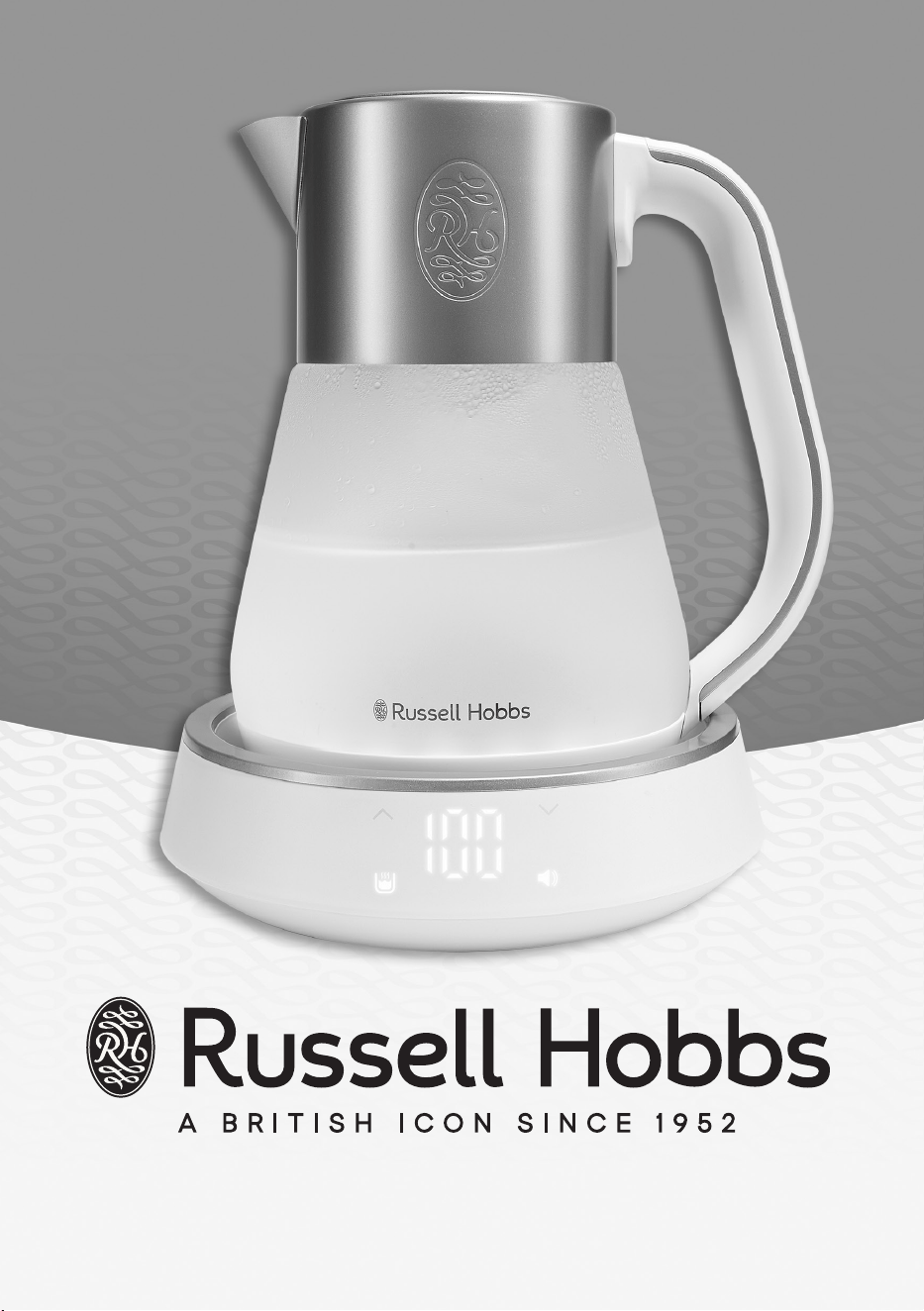
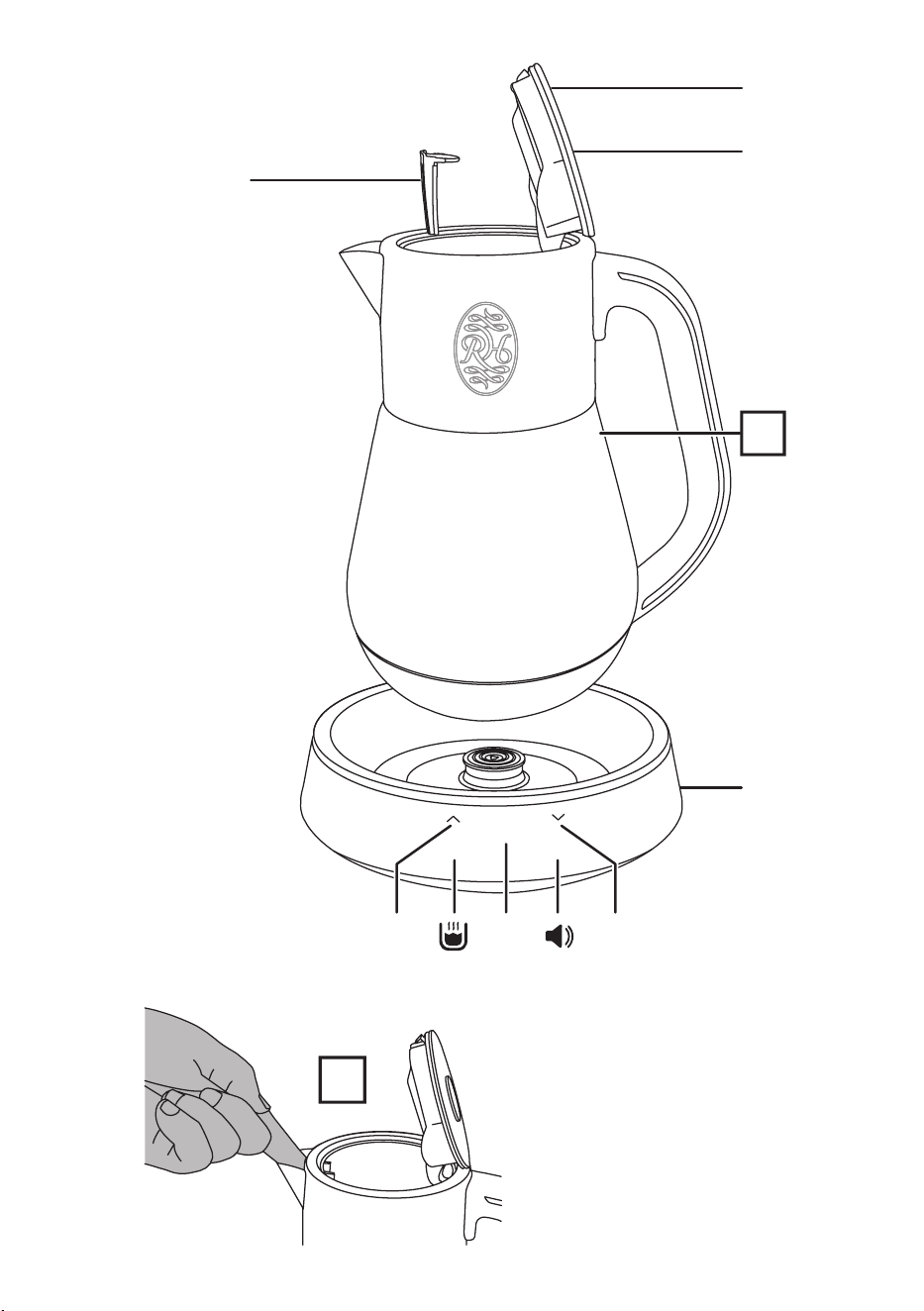
PARTS
1. Filter
2. Lid
3. Lid release button
4. Stand/touch controls
5. Display
i Increase
j Decrease
u Boil/cancel
v Sound
BEFORE USING FOR THE FIRST TIME
Fill to max, boil, discard the water, then rinse. Do this twice to remove any manufacturing dust,
etc.
PREPARATION AND FILLING
• Always use your kettle and stand on a stable, level surface at a height of at least 850 mm.
• When your kettle is not on its stand, or the stand is not plugged in, the display will be off.
• When your kettle is on its stand and the stand is plugged in but not in use, it will go into
standby mode and the display will be off. Pressing any button will wake your kettle from
standby mode and the display will come on.
• Unless your kettle is in keep warm mode or demo mode, after 2 minutes of inactivity, it will
return to standby mode and the display will go off.
1. Remove the kettle from the stand.
2. Open the lid.
3. Fill with at least one cup of water, but not above max.
4. Close the lid.
5. Place the kettle back on its stand.
BOILING WATER (100ºC)
1. Plug the stand into the wall socket. Your kettle will play a welcome sound and the display
will come on.
2. To boil the kettle, press the u button.
3. The display will flash 100 three times and then change to show the actual water
temperature as the kettle starts to boil the water.
4. Your kettle will play the boil start sound and then start to bring the water to the boil. Your
kettle’s lighting will start to fade slowly up and down throughout its colour range.
5. The display will continue to show the temperature of the water as it is heated.
6. To cancel, press the u button. Alternatively, lift the kettle from the stand.
7. When heating is complete your kettle will play the boil complete sound and the lighting
will turn to warm white. Your kettle will enter keep warm mode which will keep the
temperature of the water at 90ºC for 40 minutes.
8. To cancel the keep warm feature, press the u button.

5
HEATING WATER TO A SELECTED TEMPERATURE
Your kettle’s variable temperature mode allows you to tailor the water temperature to suit
specific teas, coffee and even baby food and milks. The range is adjustable from 40-100ºC in 5ºC
increments.
Heating water to a precise temperature depends on several factors. One of these is the amount
of water you are trying to heat. The final temperature of a small quantity of water may overshoot
the desired temperature. If it is important that the temperature of the water is exact, we
recommend using the Keep Warm feature of your kettle which will allow the temperature of the
water to stabilise naturally.
1. To select the desired temperature, press either the i or j buttons. The display will step
through the available temperatures in 5 ºC increments.
2. When you have selected the desired temperature, press the u button.
3. Your kettle will play the boil start sound and then start to heat the water. Your kettle’s
lighting will start to fade slowly up and down throughout its colour range.
4. The display will continue to show the temperature of the water as it is heated.
5. To cancel, press the u button. Alternatively, lift the kettle from the stand.
6. When heating is complete your kettle will play the boil complete sound and the lighting
will turn to warm white. Your kettle will enter keep warm mode which will keep the
temperature of the water at the temperature you have selected for 40 minutes.
7. To cancel the keep warm feature, press the u button.
KEEP WARM MODE
After the heating cycle has ended, your kettle will automatically enter the keep warm mode. The
keep warm mode has a memory function with the following characteristics :
• The selected audio will continue playing (unless switched off) when the kettle is lifted from
the stand and replaced again.
• The keep warm function will resume if you place your kettle back on the stand within 5
minutes provided that the keep warm period has not expired, or the water temperature has
not significantly changed.
AUDIO SETTINGS
Your kettle can play from a selection of five soothing audio tracks.
To select an audio track:
1. Briefly press the v button.
2. The display will show I, 2, 3, 4, 5 or ‐ to indicate which track is selected.
3. Press either the i or j buttons to cycle through the available tracks. A 10 second sample
of the track will play.
4. When you have chosen the desired track, press the v button. If no button is pressed for 3
seconds, the currently selected track will be used.
To change the volume:
1. Press and hold the v button for 2 seconds.
2. The display will show the current volume—for example, “u5“. To increase or decrease the
volume, use the i or j buttons.
3. Press the v button to confirm the setting. If no button is pressed for 3 seconds, the
currently selected volume will be used.

6
To switch off sound playback:
1. Briefly press the v button.
2. Press either the i or j buttons to select “‐“.
3. Press the v button.
SOUND/LIGHT DISPLAY
Your kettle can be set to Demo Mode which will cycle through its colour changing lighting with
or without the audio track.
To enter Demo Mode:
• Press and hold the i and j buttons simultaneoulsy for 2 seconds.
• The sound track can be changed or volume adjusted as described under AUDIO SETTINGS.
• During demo mode, the active audio track will be displayed continuously. Simply use the i
or j buttons to adjust. Press and hold the v button to adjust the volume.
To exit Demo Mode:
• Press and hold the i and j buttons simultaneously for 2 seconds.
BOIL DRY PROTECTION
If your kettle boils dry, a safety cut-out device will automatically switch it off. Your kettle will
display “Er“.
If this happens, unplug your kettle and allow it to cool down until the cut-out resets itself.
Allowing your kettle to boil dry will shorten the life of the element.
CARE AND MAINTENANCE
1. Unplug the stand, and let the kettle cool before cleaning.
2. Wipe all surfaces with a clean damp cloth.
3. Open the lid.
4. Use your finger to carefully press the filter inwards until it is released (fig A).
5. Rinse the filter under a running tap while brushing with a soft brush.
6. Lower the filter into the kettle and engage the bottom hook. Next, push the top hooks into
position until they click.
7. Close the lid.
Descale regularly, (at least monthly).
Descale the appliance with a proprietary descaler. Follow the instructions on the package of
descaler.
Products returned under guarantee with faults due to scale will be subject to a repair charge.

7
RECYCLING
W
To avoid environmental and health problems due to hazardous substances,
appliances and rechargeable and non-rechargeable batteries marked with
one of these symbols must not be disposed of with unsorted municipal
waste. Always dispose of electrical and electronic products and, where
applicable, rechargeable and non-rechargeable batteries, at an appropriate
official recycling/collection point.
SERVICE
If you ring Customer Service, please have the Model Number to hand, as we won’t be able to
help you without it. It’s on the rating plate (usually underneath the product).
The product isn’t user-serviceable. If it’s not working, read the instructions, check the plug fuse
and main fuse/circuit breaker. If it’s still not working, consult your retailer.
If that doesn’t solve the problem – ring Customer Service – they may be able to offer technical
advice.
If they advise you to return the product to us, pack it carefully, include a note with your name,
address, day phone number, and what’s wrong. If under guarantee, say where and when
purchased, and include proof of purchase (till receipt). Send it to:
Customer Service
Spectrum Brands (UK) Ltd
Fir Street, Failsworth, Manchester M35 0HS
email: support@russellhobbs.com
telephone: 0345 658 9700 (local rate number)
Please note: If you have purchased the product within the last 6 months, please contact the
retailer in the first instance to deal with any matters relating to warranty.
GUARANTEE
Defects affecting product functionality appearing within the guarantee period will be corrected
by replacement or repair at our option provided the product is used and maintained in
accordance with the instructions. Your statutory rights are not affected.
This warranty shall not be valid where it is contrary to U.S. and other applicable laws, or where
the warranty would be prohibited under any economic sanctions, export control laws,
embargos, or other restrictive trade measures enforced by the United States or other applicable
jurisdictions. This includes, without limitation, any warranty claims implicating parties from, or
otherwise located in, Cuba, Iran, North Korea, Syria and the Crimea region.
Guarantee period = 2 years from first retail purchase.
To claim an extra 1 year guarantee, register your product online within 28 days of purchase.
Register at: uk.russellhobbs.com/product-registration
Consumables are guaranteed only for their recommended lifecycle. Replacement/Spare parts*
are excluded and are only covered by a 1 year warranty.
* Examples include filters, removable grill plates, drip trays/crumb trays etc.
J ONLINE
www.russellhobbs.com for more products

T22-9003693