IMPORTANT INSTRUCTIONS
Midea America Corp.
Parsippany, NJ 07054
TEL : 1-866-646-4332
SAVE THESE INSTRUCTIONS
FCC Radiation Exposure Statement:
This equipment complies with FCC radiation exposure
limits set forth for an uncontrolled environment. This
equipment should be installed and operated with a
minimum distance of 20cm between the radiator and
your body.
This transmitter must not be co-located or operating
in conjunction with any other antenna or transmitter.
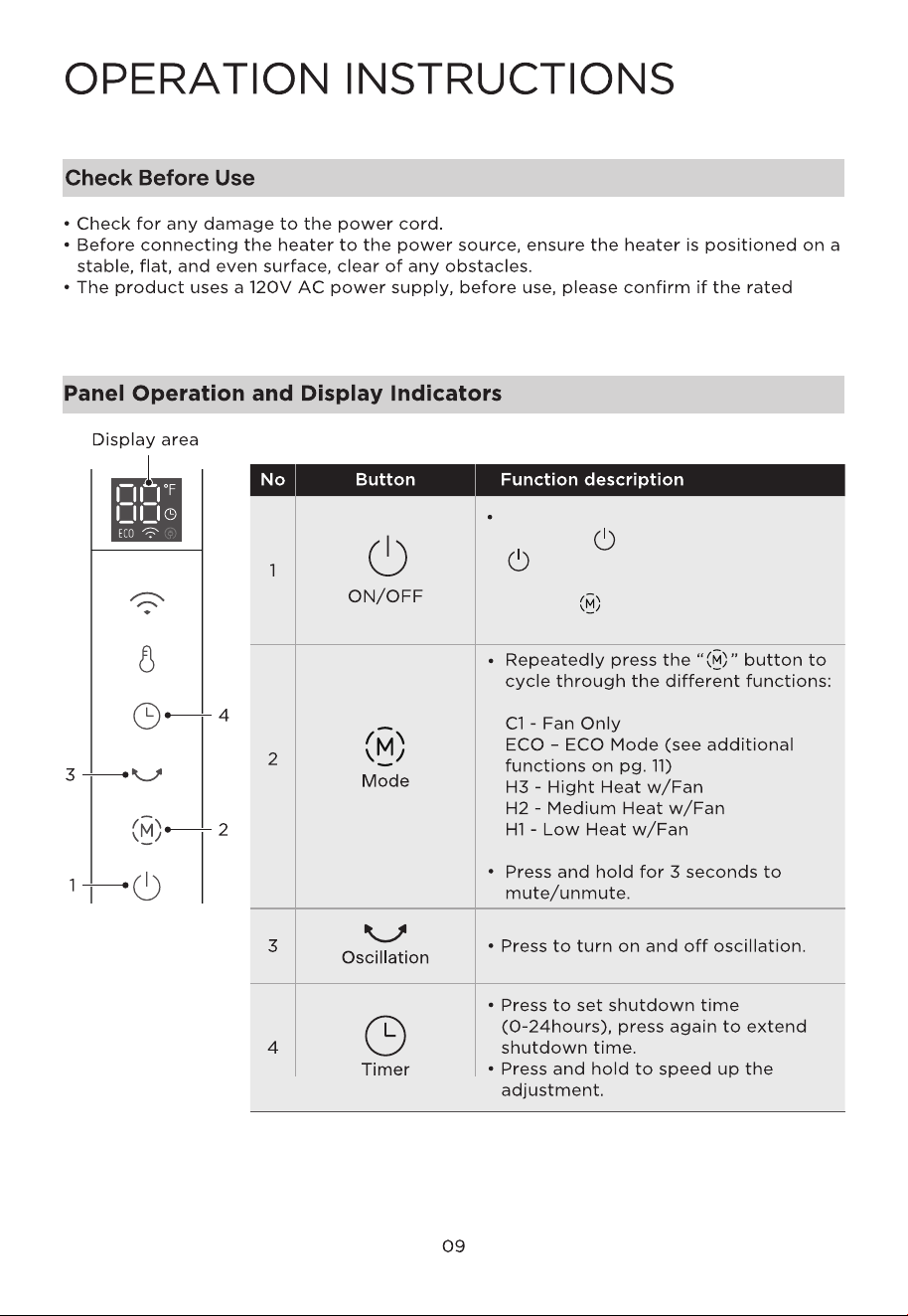
Plug the unit into a 120V~ outlet,
press the " " button (or press the
" " button of the remote) to power
the unit on. The heater will default to
H3, use " " to cycle through the
different modes.
current of the receptacle meets the local requirements as a safe device, otherwise,
please replace it with the qualified receptacle.
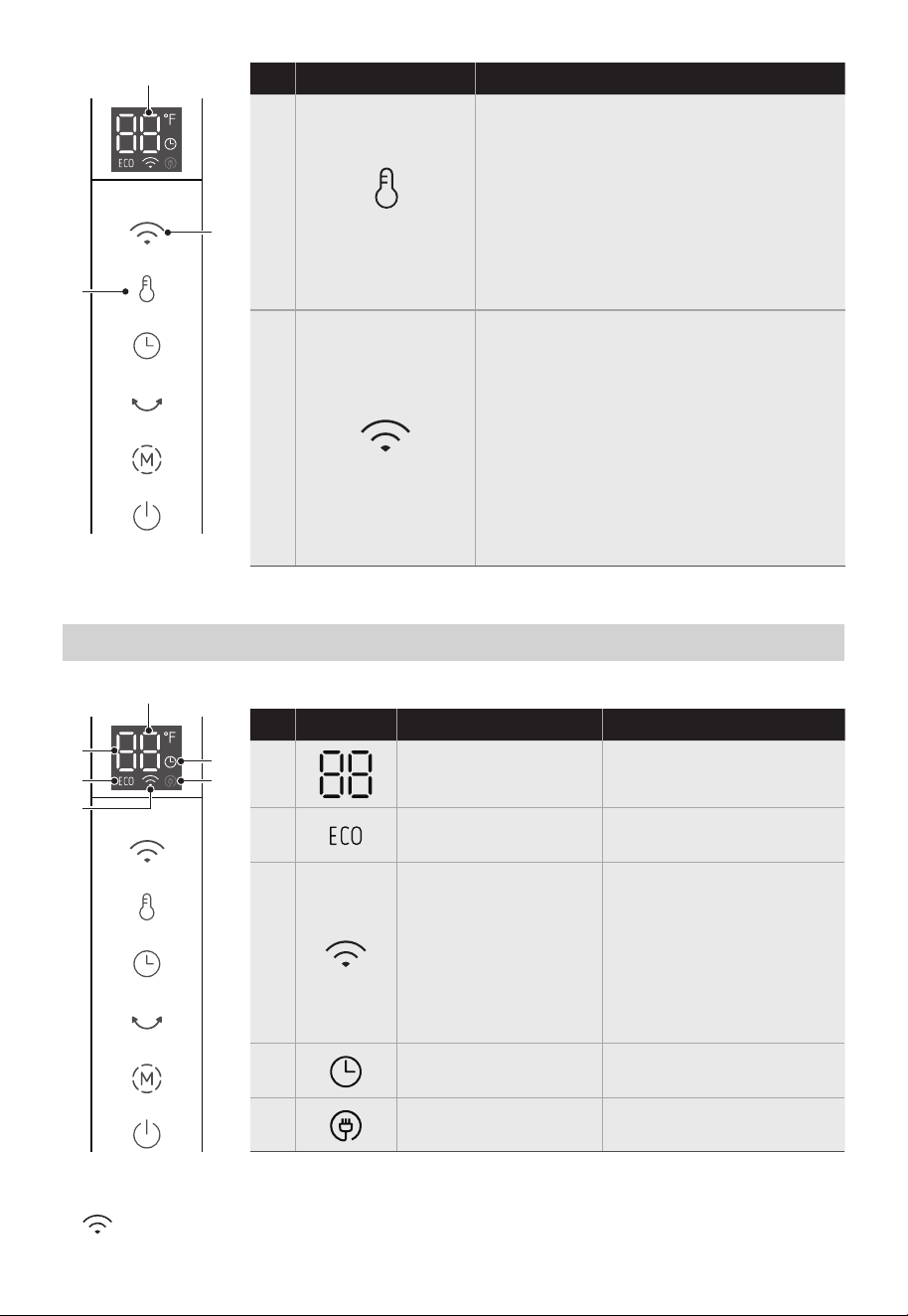
Function descriptionButtonNo
5
6
• When powered-on, short press to
turn on/off the WiFi function.
• Hold for 3 seconds to start wireless
networks connection settings.
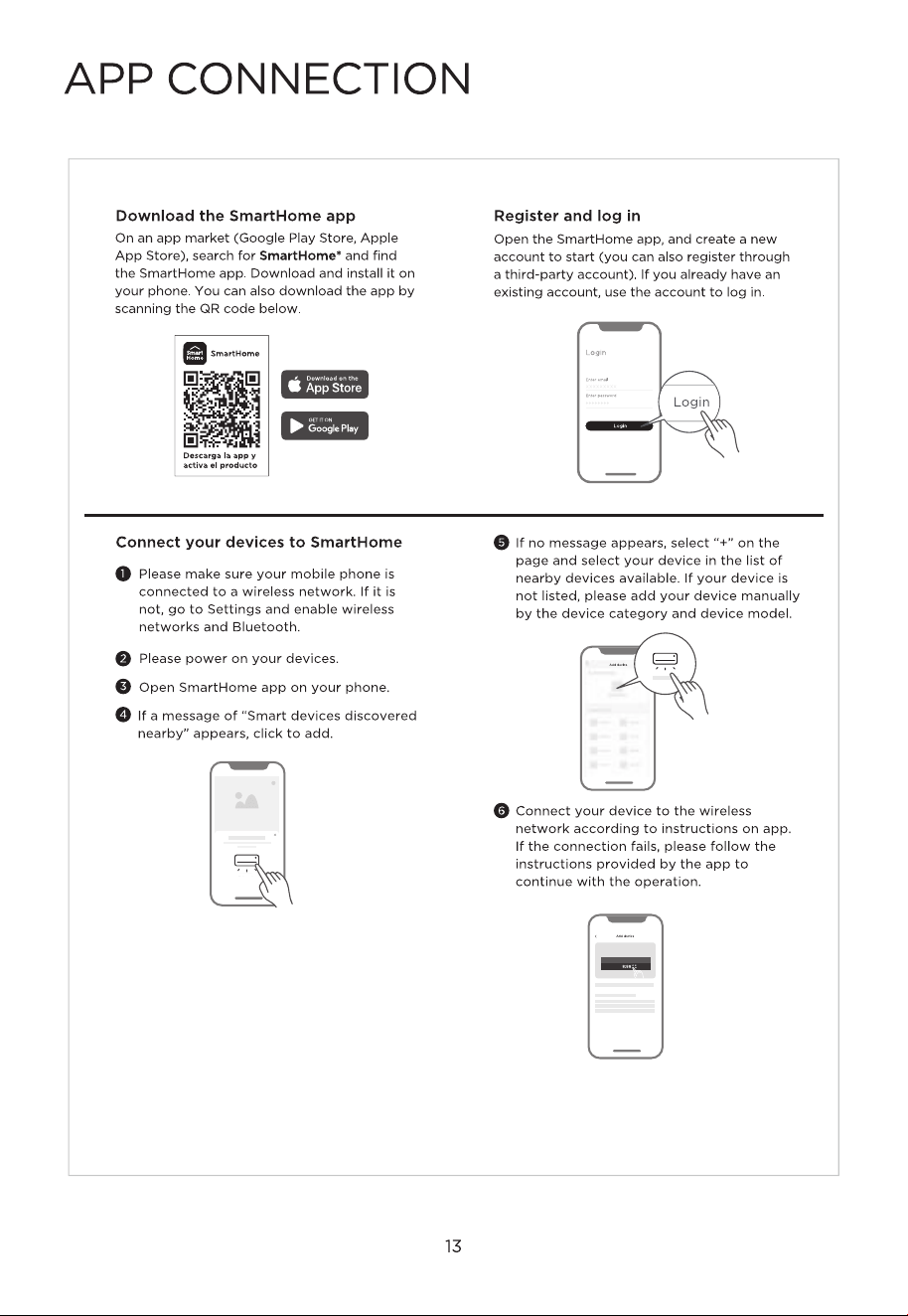
• To connect your heater to the
SmartHome APP, refer to page 13.
• After connecting to APP, if there is no
operation, it will disconnect after 24
hours, and if there is an operation
within 24 hours, it will refresh this
time.
• In ECO mode, press to set
temperature range from 41-83°F.
The default set temperature is 78°F.
Note: The heater will turn off
automatically when the room
temperature is 4°F above the set
temperature.
• Press and hold to speed up the
temperature adjustment.
Temperature
Adjustment
Wireless Network
Mode
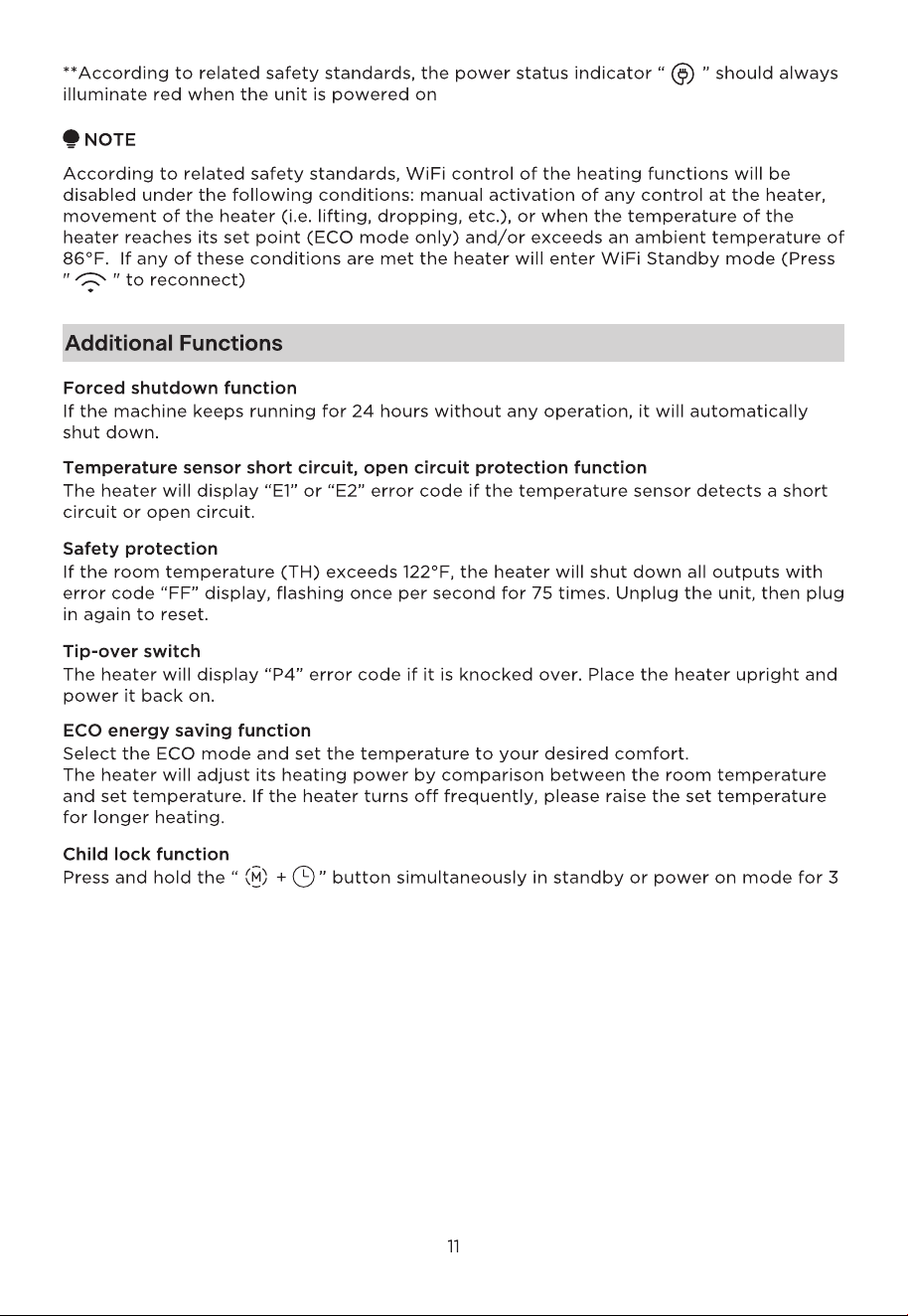
Light StatusFunctionIndicator
Solid White
Solid White
Solid White
Solid Red**
Flashing White
– Connecting to WiFi
Solid White
– WiFi Connected
Flashing Amber
– WiFi Enabled
Solid Amber
– WiFi Standby*
Temperature/Timer/
Mode Display
Eco Mode Enabled
WiFi Status
Timer Enabled
10
Display Area Indicators
*In WiFi Standby all functions are controllable via the app except for the heater. Press
“ ” to reconnect
6
5
Display area
11
10
8
9
7
Display area
No
7
8
9
10
11
Power Status – ON
seconds, the display will be locked and show the "[ ]" icon. Then long press again can
unlock the display. Please note that this function can only be realized through the control
panel rather than remote control.
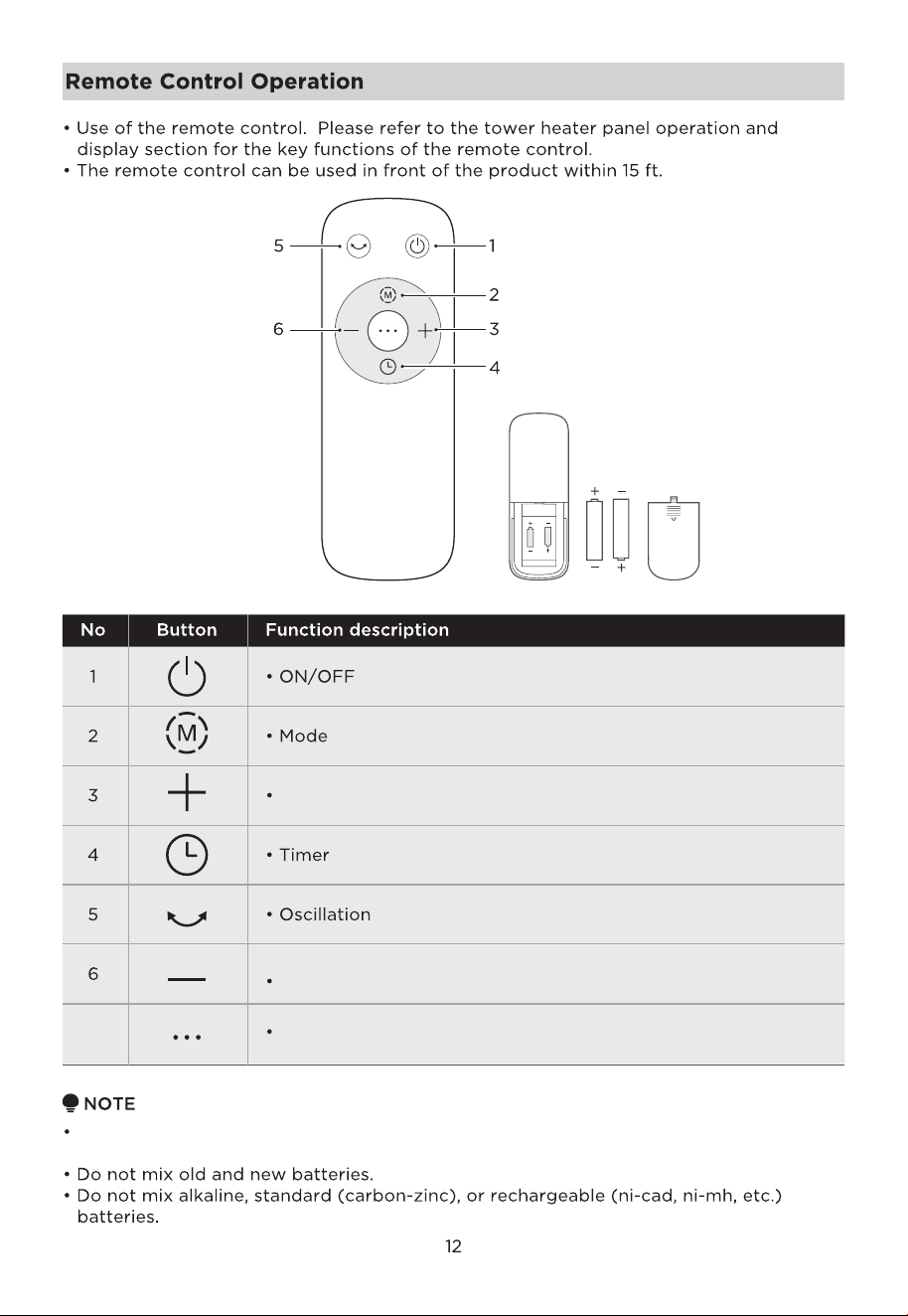
(Batteries not included)
2xAAA Battery. 1.5V
Temperature Increase/Timer Setting Increase
Temperature Decrease/Timer Setting Decrease
Enter ECO mode directly7
Please use a manganese or alkaline battery of type "AAA" and do not use a non-
recyclable battery.



08
INSTRUCCIONES IMPORTANTES

Midea America Corp.
Parsippany, NJ 07054
TEL : 1-866-646-4332
CONSERVE ESTAS
INSTRUCCIONES
Declaración de exposición a la radiación de la FCC:
Este equipo cumple con los límites de exposición a la
radiación de la FCC establecidos para un entorno no
controlado. Debe instalarse y operarse manteniendo
una distancia mínima de 20 cm entre el radiador y
su cuerpo.
Este transmisor no debe colocarse ni utilizarse junto
con ninguna otra antena o transmisor.
08
09
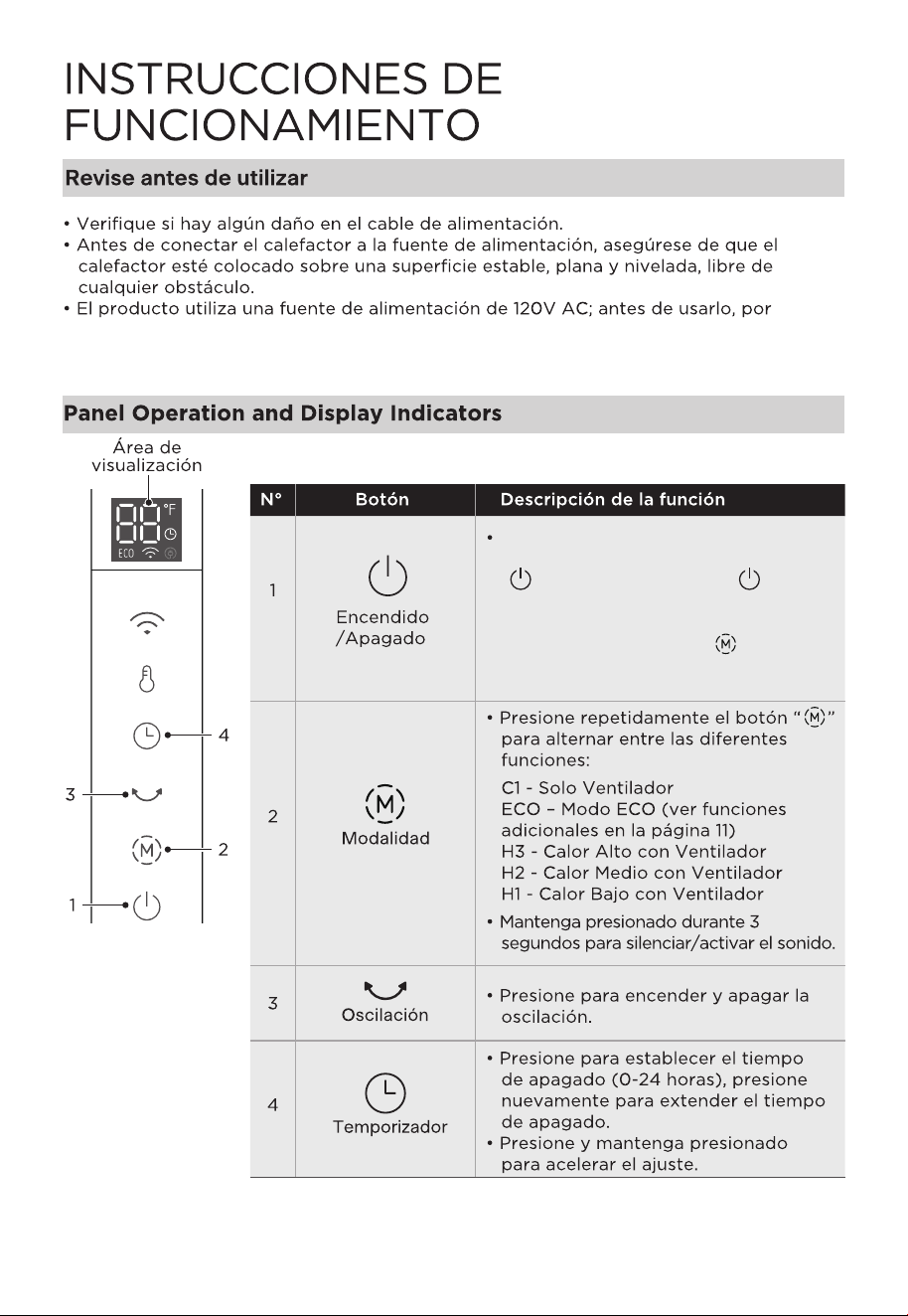
Conecte la unidad a una toma de
corriente de 120V~, presione el botón
" " (o presione el botón " " del
control remoto) para encender la
unidad. El calefactor se configurará
por defecto en H3; use " " para
alternar entre los diferentes modos.
10
favor confirme si la corriente nominal del receptáculo cumple los requisitos locales
como dispositivo seguro; de lo contrario, reemplace la toma de corriente con
una adecuada.
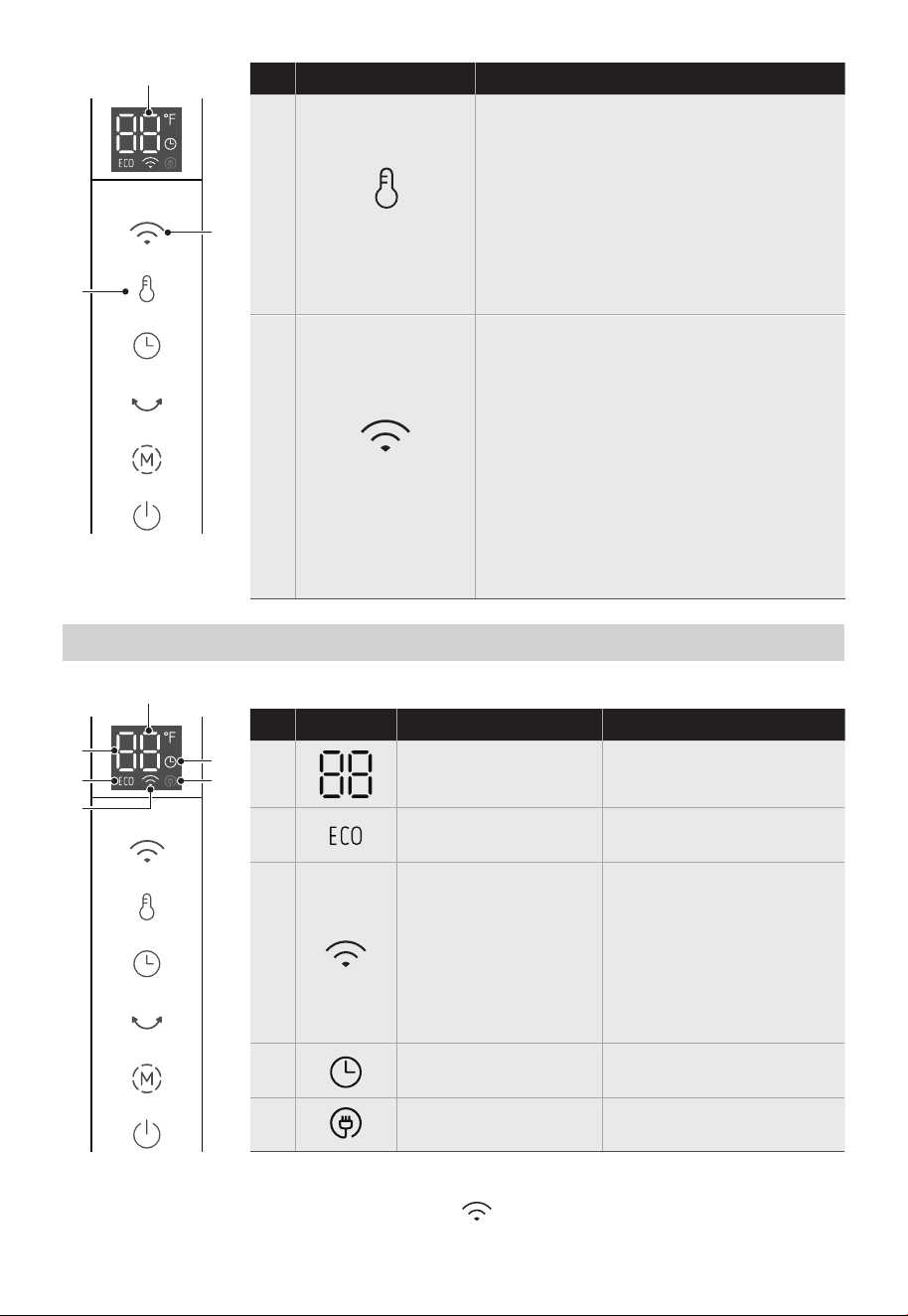
5
6
stado de la LuzFunciónIndicador
Blanco Sólido
Blanco Sólido
Rojo Sólido **
Display Area Indicators
6
5
11
10
8
9
7
N°
7
8
9
10
11
*En el modo de espera de WiFi, todas las funciones son controlables a través de la
aplicación, excepto el calefactor. Presione “ ” para reconectar.
Área de
visualización
Área de
visualización
• En modo ECO, presione para
establecer un rango de temperatura
de 41-83°F.
La temperatura predeterminada es
78°F. Nota: El calefactor se apagará
automáticamente cuando la
temperatura de la habitación sea 4°F
superior a la temperatura configurada.
• Mantenga presionado para acelerar
el ajuste de la temperatura.
• Cuando está encendido, presione
brevemente para activar/desactivar
la función de WiFi.
• Mantenga presionado durante 3
segundos para iniciar la configuración
de conexión a redes inalámbricas.
• Para conectar su calefactor a la APP
SmartHome, consulte la página 13.
• Después de conectarse a la APP, si
no hay operación, se desconectará
después de 24 horas, y si hay una
operación dentro de las 24 horas, se
actualizará este tiempo.
Descripción de la funciónBotónN°
Descripción de la
funciónBotónN°
Descripción de la
funciónBotónN°
Pantalla de
Temperatura/Tempor
izador/Modo
Modo ECO Activado
Estado de WiFi
Estado de Energía –
ENCENDIDO
Blanco Sólido
Temporizador
Activado
Blanco Parpadeante
– Conectando a WiFi
Blanco Sólido
– WiFi Conectado
Ámbar Parpadeante
– WiFi Activado
Ámbar Sólido
– WiFi en Espera*
11
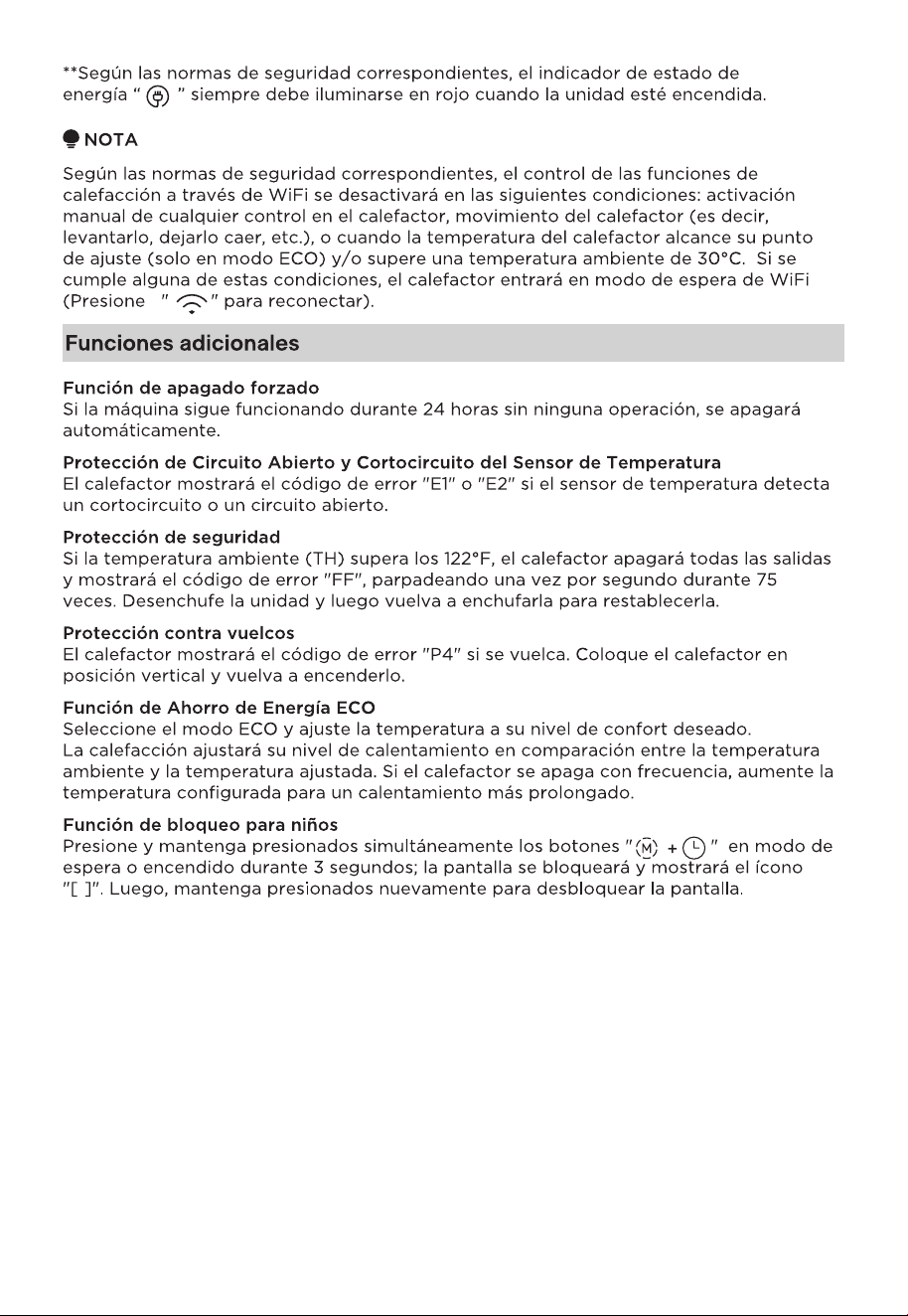
Luego, mantenga presionados nuevamente para desbloquear la pantalla. Tenga en
cuenta que esta función sólo puede realizarse a través del panel de control y no del
mando a distancia.
12
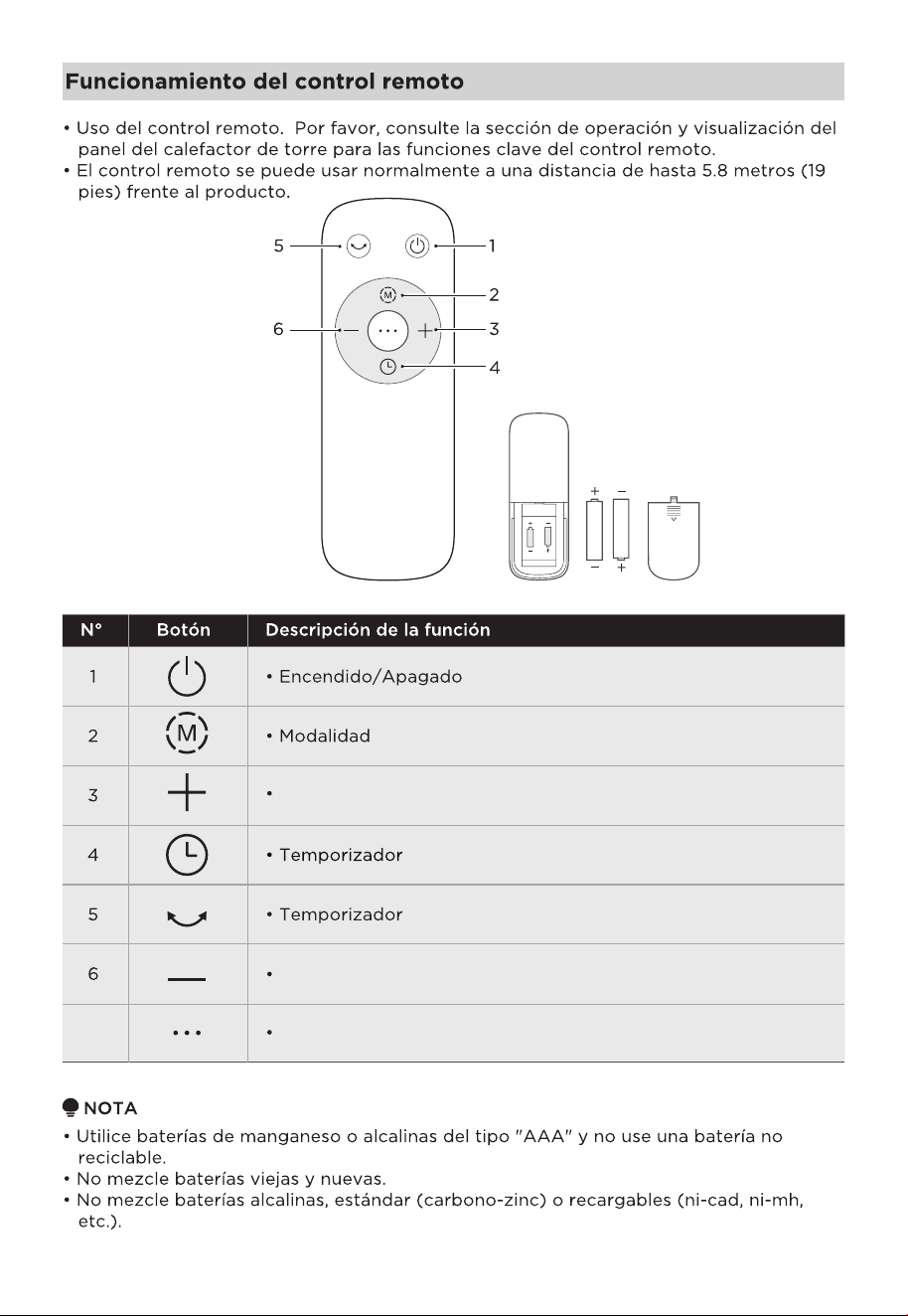
Entra directamente en el modo ECO7
2xBaterías AAA. 1,5V
(Baterías no incluidas)
Disminuir Temperatura/Disminuir del Ajuste del Temporizador
Aumentar temperatura/Aumentar del Ajuste del temporizador
13
14
15
16
17
18

19