App-Controlled
ITM. / ART. 1148268
WP ITM. LM56224
Instruction Manual
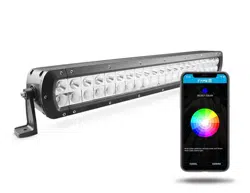
24” Smart Light Bar
OFF-ROAD
1
PACKAGE CONTENTS
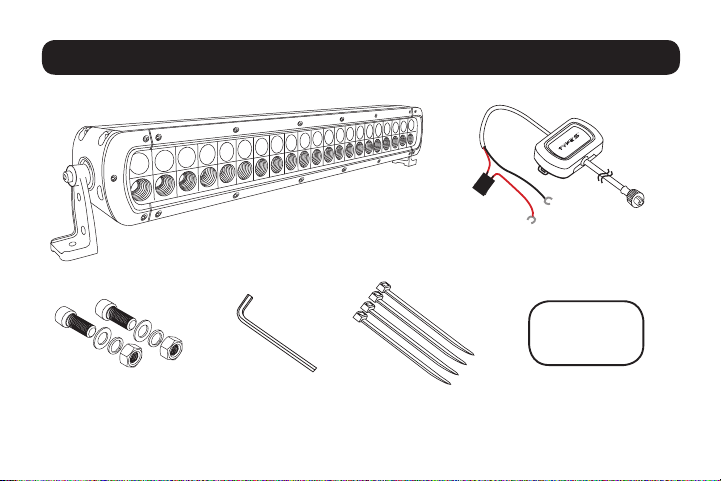
1 × Smart Light Bar 1 × Hub Controller
with easy battery connector
2 × Mounting Bolts 1 × Allen Key 4 × Zip Tie
1 ×
3M™ Double-sided
Tape for Hub Controller
3M 3M 3M 3M
3M 3M 3M 3M
3M 3M 3M 3M
3M 3M 3M 3M
3M 3M 3M 3M
3M 3M 3M 3M
3M 3M 3M 3M
2
SPECIFICATIONS (PER LIGHT)
Working voltage: DC 12V Only
Bluetooth distance: 30 ft (9.14 m) (no obstacle)
Frequency band: 2.4 GHz
Watt: 136W
LEDs: 21 × Super White LED (each light)
21 × Multicolor LED (each light)
Raw Lumens: 18480
Effective Lumens: 4700
Weatherproof Light: IP67 Rated (Light bar only)
Weight: 3.15 kg / 6.94 lb
Maximum amperage draw: 5.5A
Replacement Fuse: 10A
3
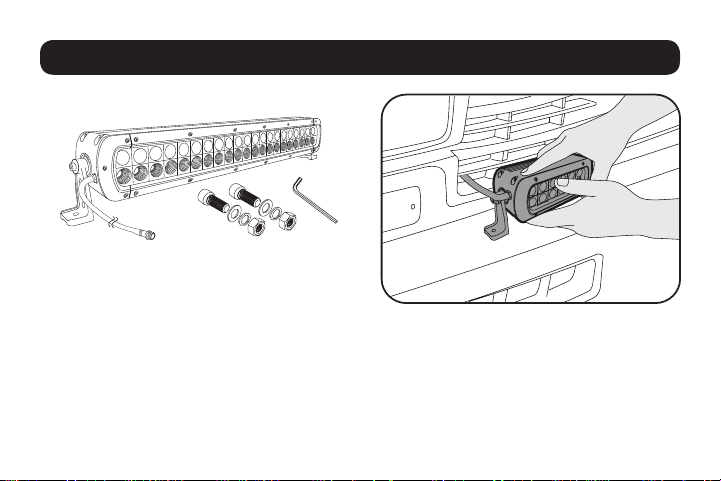
1) INSTALLING THE LIGHT:
Tools Required:
1/4” drill bit & Drill / Pliers / Wrench
•
Choose your desired location to install the light.
Make sure the location is strong enough to hold the lights.
• Carefully mark the drilling location through the mounting brackets for a precise installation.
• Install the lights with the provided mounting bracket and bolts.
• Adjust the light to the desired angle with the Allen key provided.
INSTALLATION
4
INSTALLATION CONT.
2)
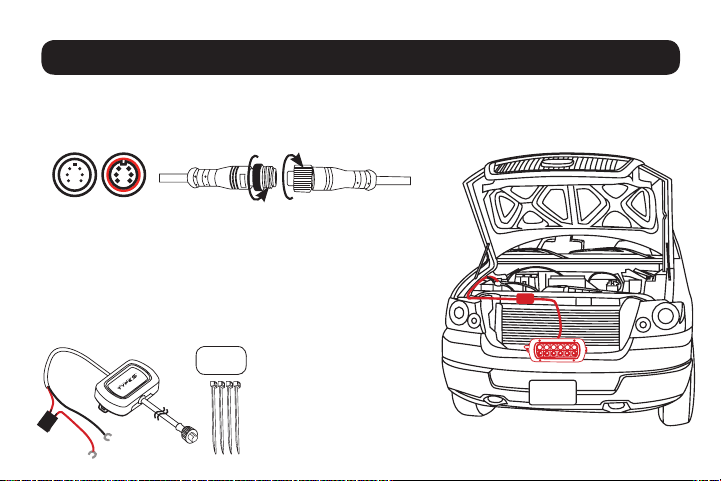
CONNECT THE LIGHT TO THE HUB CONTROLLER
-
Connect the Smart Off-Road Light cable to the Hub controller. Make sure the connectors are securely
fastened and route cables away from engine. The connectors are directional, make sure to
connect to the correct position and fasten each end of the cap.
- Position the Hub controller away from the car engine. Make
sure to avoid placing the Hub controller or cables near any
extremely HOT location or next to the car engine. Use 3M™
doublesidedtapetosecuretoanyatlocationandusezipties
to secure the Hub controller if needed. The best location for
the Hub controller will be inside the front grill if possible.
3) INSTALLING THE HUB CONTROLLER:
WARNING: DO NOT mix up the
cables or allow the metal ends to
touch together because this may
damage the battery, charging system
and/or electronics on a vehicle.
When installing, please make sure
your engine is not running.
3M 3M 3M 3M
3M 3M 3M 3M
3M 3M 3M 3M
3M 3M 3M 3M
3M 3M 3M 3M
3M 3M 3M 3M
3M 3M 3M 3M
5
INSTALLATION CONT.
•
For use with 12V power only
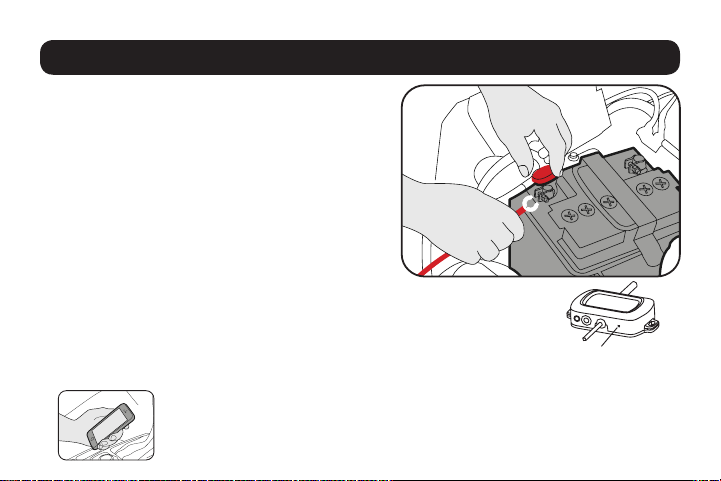
• Hub controller hardwire cables are color-coded,
RED for POSITIVE (+) and BLACK for NEGATIVE (-).
- Connect the RED cable to the POSITIVE (+)
battery clamp as illustrated. The POSITIVE battery
post will be slightly larger than the NEGATIVE
post, and will be marked with a PLUS (+) sign.
There may also be a RED protective cover over
the positive battery post.
- Connect the BLACK cable to the NEGATIVE (-)
battery clamp as illustrated. The NEGATIVE will be
marked with a MINUS (-) sign. There may also be
a BLACK plastic protective cover over the negative battery post.
NOTE: After connecting the Smart Hub controller to the car battery, the LED power
indicatorwillashBlue.IftheLEDpowerindicatordoesnotashonceconnected,
please recheck your power connections.
4) DOWNLOAD THE APP AND START CUSTOMIZING YOUR LIGHTS
Power Indicator
6
•
Install Smart Lighting APP on your smart device. Scan below QR code or search for the Winplus
Type S LED APP in the APP Store or Google Play.
• Once installed, open the APP and begin enjoying your
Type S Smart Off-Road lights
APP INSTALLATION
Compatible with iPhone 4s and
higher, iPad3, iPad Mini, iPad Air
and higher, and iPod touch 5th
Generation and higher.
Requires iOS 7.0 or higher.
Compatible with phones
with Android™ 4.3 or higher.
Note: not all Android™ phones
are equipped with
Bluetooth
®
v4.0 required for
this application.
Scan to download APPScan to download APP
7
USING THE APP
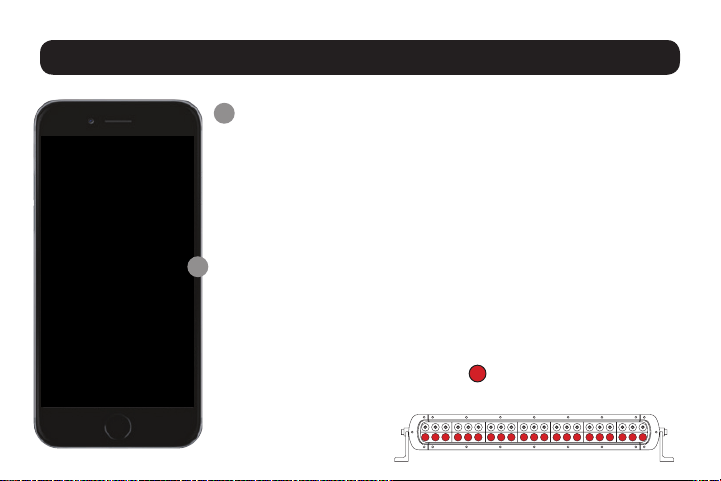
Tap “Smart Off-Road” icon to start the APP
APP will automatically pair to the Hub when both the lights
and your device are powered on and within the 9.14 m (30 ft)
Bluetooth range. We strongly recommend that you set up a private
password to prevent unauthorized devices from connecting to
your Hub. (Refer to Password instructions on the following page)
NOTE: The HUB controller has built-in voltage protection to
prevent car battery drain in case the lights are accidentally left
on. The lights will automatically turn off and the HUB will be on
standby mode when the voltage drops to approximately 12V.
Once on standby mode, if the car battery is producing below 12V,
do not turn on the LED lights until your next engine start or when
power is back to 12V or above.
Smart Lighting Home Page
8
USING THE APP CONT.
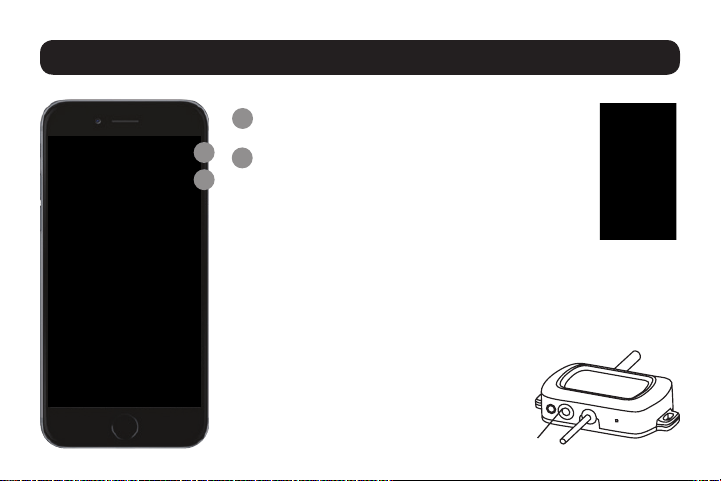
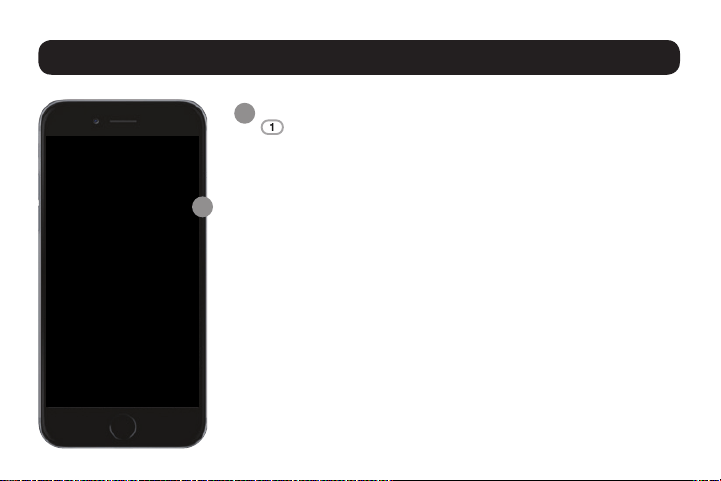
Master On/Off Switch
Password
You can set up a password to prevent other devices
from controlling your lights. Once you have entered
your password, it will be saved in the APP and the
Smart Hub Controller.
NOTE: To set or change the password, your device must be
connected to the Smart Off-Road / Exterior Hub and simply
follow on-screen instructions. Changing the password without
connecting to the Smart Off-Road / Exterior HUB may cause
an invalid password the next time your App and Smart Hub
Controller are activated. If you forget your
password, simply reset by pressing the
Smart Hub Controller reset button for
3 seconds or disconnect the power from
the car battery.
A
A
B
B
Reset Button
9
USING THE APP CONT.
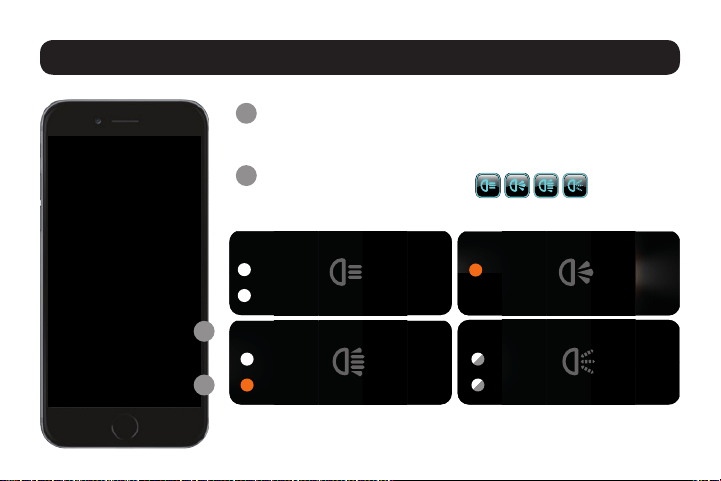
LED Zone Functions:
Connect and control up to four separate Smart Off-Road
Hub Controllers.
Zone On/Off: Press each zone icon to turn LED On or Off.
Move Zone Icon:
Press and hold zone icon, select “Move” to position each zone
icon at your desired location.
Rename Zone Icon:
Press and hold zone icon, select “Rename” to rename each
icon. (Note: Maximum 4 characters).
Select Multiple:
You can select and control multiple zones at once. Press and
hold zone icon, select “Select Multiple” then select your
desired zones by pressing “Conrm.” To ungroup your
selection, press and hold zone icon and select “Ungroup.”
Select Vehicle Schematic:
Press >, select your desired vehicle schematic.
C
C
10
Save Preset:
Save your favorite settings.After choosing your settings, press
“Save Preset” and enter your preset name. Save up to 10 Presets.
Select Preset:
To select your previously saved preset setting, simply press
“Select Preset” and choose your saved setting.
Delete Saved Preset Setting:
To delete a saved preset setting, press “Select Preset”, press
and hold the preset you wish to delete. Press “Yes” to delete.
NOTE: Make sure the preset you wish to delete is not currently in use.
Select Color:
Choose from up to 49 different colors. Press “Select Color,”
select your desired color and press “Conrm.”
NOTE: Only Multicolor LED lights
will
show custom colors from
color wheel selection.
USING THE APP CONT.
D
D
11
USING THE APP CONT.
Brightness:
You can adjust brightness settings on both Multicolor LEDs
and Super White LEDs. Slide bar to adjust brightness.
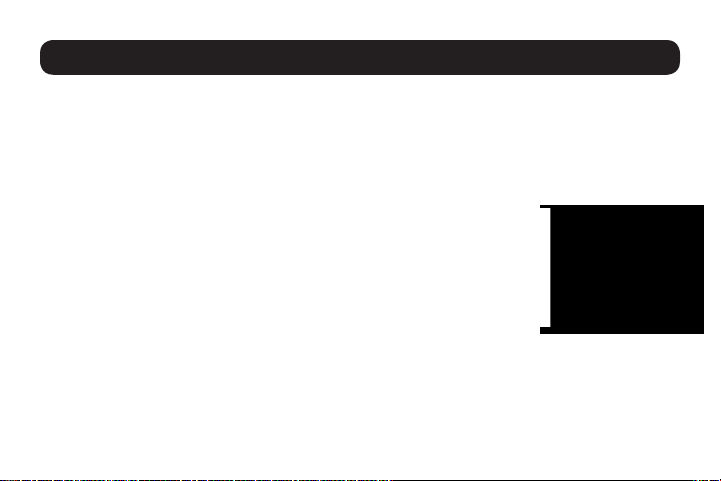
LED Mode:
Choose from 4 different modes and
customize the Multicolor LED color in “Select Color.”
E
F
E
F
Color Light
100%
Spot Light
100%
Super White LED
100%
Strobe Light
100%
Super White LED
100%
Spot & Color Light
100%
Super White LED
100%
Multicolor LED
Multicolor LED
Multicolor LED
Multicolor LED
12
ADDITIONAL SMART LIGHTING
Smart Off-Road
20 cm (8 in)
Smart Light Bar
10 cm (4 in)
Smart Work Light Kit
7.6 cm (3 in)
Smart Running
Light Kit
15 cm (6 in)
Smart Running
Light Kit
13
WARNING
WARNING: Check your state or provincial laws before installing. Vehicle owner must comply with all applicable laws. This
product is intended solely for off road purposes. Manufacturer and Seller assume no liability for installation or use, which are
solely the responsibility of the purchaser. This product is not DOT approved and is designed and intended for off road uses only.
WARNINGS:
1. Do not install or use product if it, in any way, impairs the safe operation of your vehicle.
2. NEVER use the APP while operating your vehicle. Use the APP when vehicle is stationary only.
3.Followmanufacturer’sinstructionstoensuretheproductisproperlyandsafelyinstalled.
4. Check your state or provincial laws before installing. Vehicle owner must comply with all applicable laws.
5. This product is intended solely for off road purposes. Manufacturer and Seller assume no liability for installation or use,
which are solely the responsibility of the purchaser.
6. This product is not DOT approved and is designed and intended for off road uses only.
7. The Manufacturer and Seller are not responsible or liable for consequential, incidental, or indirect damages, whether to
person or property, resulting from the installation or improper use of this product.
WARNING: This product can expose you to chemicals including LEAD, DEHP, which are known to the State of California to
cause cancer and birth defects or other reproductive harm.
For more information go to www.P65Warnings.ca.gov.
Apple, the Apple logo, iPhone, iPad and iPod touch are trademarks of Apple Inc.. App Store is a service mark of Apple Inc.
Android, Google Play, and the Google Play logo are trademarks of Google Inc.
3M
TM
is a trademark of 3M Company.
The Bluetooth® word mark and logos are registered trademarks owned by the Bluetooth SIG, Inc. and any use of such marks
by Winplus Co. Ltd is under license. Other trademarks and trade names are those of their respective owners.
WARNING
FCC / IC Compliance Statement:
This device complies with Part 15 of the FCC Rules and Industry Canada license-exempt RSS standard(s). Operation is subject to the following
two conditions: (1) This device may not cause harmful interference, and (2) This device must accept any interference received, including
interference that may cause undesired operation.
Changesormodicationstothisunitnotexpresslyapprovedbythepartyresponsibleforcompliancecouldvoidtheuser’sauthoritytooperate
the equipment.
ThemanufacturerisnotresponsibleforanyradioorTVinterferencecausedbyunauthorizedmodicationsorchangetothisequipment.Such
modications or change could void the user’s authority to operate the equipment.
This equipment has been tested and found to comply with the limits for a Class B digital device, pursuant to Part 15 of the FCC Rules. These
limits are designed to provide reasonable protection against harmful interference in a residential installation. This equipment generates, uses
and can radiate radio frequency energy, and, if not installed and used in accordance with the instructions, may cause harmful interference to
radio communications. However, there is no guarantee that interference will not occur in a particular installation. If this equipment does cause
harmful interference to radio or television reception, which can be determined by turning the equipment off and on, the user is encouraged to try
to correct the interference by one of the following measures:
• Reorient or relocate the receiving antenna
• Increase the separation between the equipment and receiver
• Connect the equipment into an outlet on a circuit different from that to which the receiver is connected
• Consult the dealer or an experienced radio/TV technician for help
The device has been evaluated to meet general RF exposure requirement.
To maintain compliance with FCC/IC’s RF exposure guidelines, this equipment
should be installed and operated with a minimum distance of 20cm between
the radiator and your body.
CAN ICES-005 (B) / NMB-005 (B)
in
fo
@
w
inp
lusu
sa.
com
|
www.w
in
p
lu
s.co
m
N
o
rth
Am
e
rica
|
Tel:
866-294-9244
820
So
uth
Wan
am
aker
Ave.,
O
ntario, CA
91761,
U
SA
©
2018
Winp
lu
s
N
o
rth
Am
e
rica
Inc.
All rights rese
rved.
Click Here to Read More....
Mobile friendly optimized manual:
TypeS Appl Controlled Smart Light Bar User Manual
15
ML-56224_V2
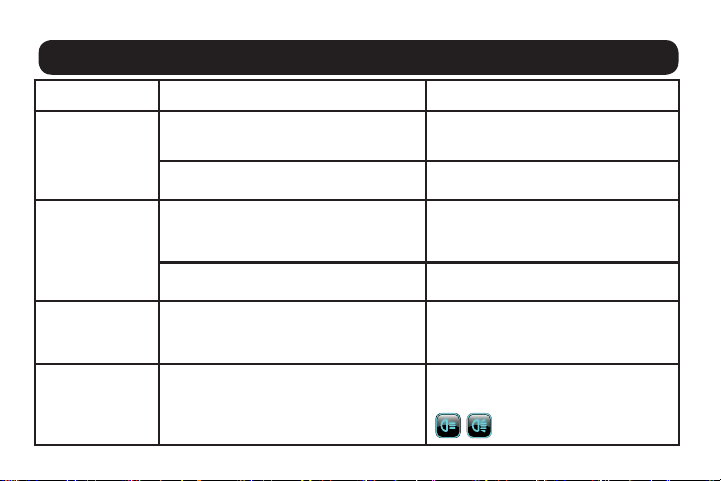
TROUBLESHOOTING
Issue Cause Remedy
The light is not
working
Bad power connection C
heck power connection and make sure the Smart
Hub LED is ashing or try to disconnect power and
reconnect
Incorrect password on APP Press and hold Smart Hub reset button for 3
seconds to reset password
The light turns
on but turns off
after 30 minutes
Light may still be “on” after engine is turned off.
Lights will automatically turn off and Hub will
be in standby mode when the voltage drops to
approximately 12V
Start the engine and the vehicle will generate
voltage above 12V. The light should remain on
once opened in the APP
Was light hardwired from other 12V source instead of
directly to car battery?
Connect the power source directly to the car
battery or fuse box instead
The light turns on
but turns off after
10 seconds
Car battery may be undercharged or low. Do not
turn on the LED lights
Recharge or replace car battery
Not all of the
LED lights
turned on
Each light has both Super White and
Multicolor LED lights. The LED Mode
selected determines whether just one or both
types of lights are turned on
To turn on all LED, please use
“Spot Light mode” or “Spot and Color Light
Mode”