
AMPLIFIER TUNING
TEST & SETUP
1998-2013 Harley-Davidson
®
M5-800X4 Tuning Guide
1220-77328-01
07-27-2022
Rockford Fosgate
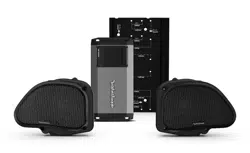
PMX-HD9813
REAR INPUT LEVEL:
9:00 O’Clock
FRONT INPUT LEVEL:
9:00 O’Clock
PUNCH EQ:
12:00 O’Clock
CROSSOVER FREQ:
50Hz
PRESET:
OFF
CROSSOVER:
HP (High-Pass)
INPUT:
4CH (4-Inputs)
After system is installed, test for proper operation and adjust
radio settings to below configurations.
INTERNAL AMPLIFIER:
Set to ON position.
BALANCE:
Test left/right balance control.
Set to CENTER position.
FADER:
Test front/back fader control.
Set to DESIRED rider position.
7-BAND EQ:
Set to FLAT position.
PUNCH EQ:
Set GAIN to 0.
CROSSOVER:
FRONT HPF: 60 Hz @ 12dB/Octave
REAR HPF: 60 Hz @ 12dB/Octave
SUB LPF: APF (All Pass Filter)
Before installing amplifier, remove cover and set PRESET to
OFF position. Verify remaining settings are properly config-
ured. Replace cover for water-tight protection.
RADIO EQ O.K.
no flash required
TURN-ON O.K.
blue remote wire not required
Maximum Radio Volume: Source unit
does not clip. Highest level can be
achieved without damaging speakers.
1998-2013 Harley-Davidson
®
PMX-HD9813 Tuning Guide
FLAT: Use with non-Rockford Fosgate amplifier+speaker combinations.
UPPER:
UPPER+BAGLIDS:
UPPER+TOURPAK:
UPPER+TOURPAK+BAGLIDS:
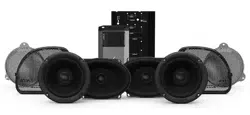
• HD9813SG-PMX-STG2
• HD9813SG-STG2
+ PMX-HD9813
• HD9813SG-PMX-STG2
+ TMS5
• HD9813SG-STG2
+ PMX-HD9813
+ TMS5
• HD9813SG-STG3
+ PMX-HD9813
+ TMS5
• HD9813SG-STG3
+ PMX-HD9813
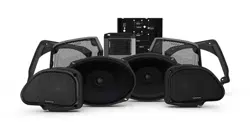
• HD9813RG-PMX-STG2
• HD9813RG-STG2
+ PMX-HD9813
• HD9813RG-STG3
+ PMX-HD9813
• HD9813RG-PMX-STG2
+ TMS5
• HD9813RG-STG2
+ PMX-HD9813
+ TMS5
• HD9813RG-STG3
+ PMX-HD9813
+ TMS5
AUDIO KIT PRESET:
These presets are exclusively
designed for Rockford Fosgate
M5-800X4 or TM400X4ad
amplifiers combined with TMS
speakers due to their unique
frequency response. These
presets are not for use with
other amp or speaker brands.
To select a preset:
1) Press & Hold MENU to
access SETTINGS.
2) Rotate VOLUME,
press to select AUDIO.
3) Rotate VOLUME,
press to select
AUDIO KIT PRESET.
4) Radio will automatically
load preset and reboot.
1220-77328-01
07-27-2022
ELECTRA GLIDE
®
STREET GLIDE
®
ROAD GLIDE
®