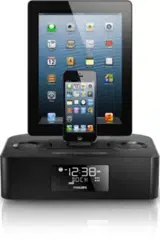
Item Number: 208181
Item Name: Apple Watch Clock Dock
How to setup NightWatch
Open the Apple Watch app on your iPhone. Tap My Watch, tap General, then turn on
nightstand mode. Place your watch into the NightWatch stand with the digital crown
facing up. Insert your charger into NightWatch with the charger facing toward the watch
and the cord facing down and push it in. Run the wire through the right or left channel
depending on your clock’s orientation and snap it into place. Plug in the charger.
How to use NightWatch
When you slide the Apple Watch into NightWatch, nightstand mode will automatically turn
on. To see the time, just tap on the large NightWatch screen. Even nudging or tapping
the table might work.
The Apple Watch was designed to wake up to a tap on the NightWatch surface, but to
also avoid turning on from unintentional movement. Therefore, if the watch screen does
not wake up after taping NightWatch, or if you have tapped the screen more than eight
times in a minute, just wait about ten minutes for the watch to reset tap mode. At any
time, you can use the watch button or digital crown to wake the screen. Both are
accessible on the top of the watch just behind the orb face.
If you set an alarm using the alarm app on your watch, your Apple Watch in nightstand
mode will gently wake you with an alarm sound amplified through the sound
chamber. When the alarm sounds, press the watch button to turn it off, or press the digital
crown to snooze the alarm.