1. Beeps only sound when the Silent Mode is disabled.
2. If the indicators flash red light, it means your setting
failed and it will require to re-enter master mode if
you would like to continue your programming.
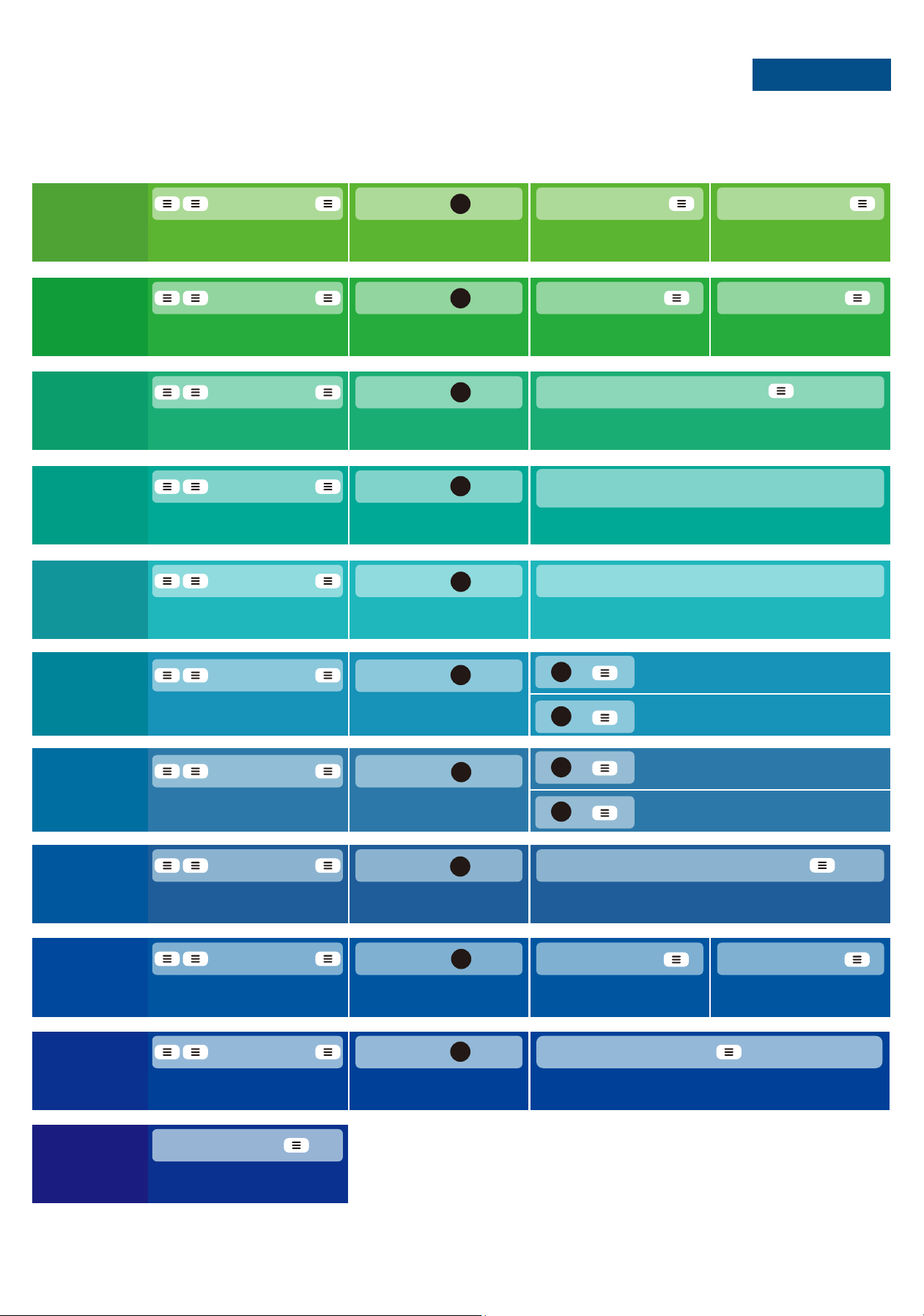
New User Code +
Succeed
Green light flash
New User Code +
Wait for green light flash
+ Master Code +
Wait for long green lights
Add
User Code
Wait for green light flash
Press
2
+ Master Code +
Wait for long green lights
Delete
User Code
Wait for green light flash
Press
Succeed
Green light flash
Unwanted User Code +
Succeed
Green light flash + A long beep
Scan fingerprint 8 times
Each time succeed along with a short beep
3
+ Master Code +
Wait for long green lights
Add
Fingerprint
Wait for green light flash
Press
4
+ Master Code +
Wait for long green lights
Delete
Fingerprint
Wait for green light flash
Press
Succeed
Green light flash + A long beep
Scan unwanted fingerprint 1 time
5
Master Code +
Vacation Mode Disabled
The door was opened
Vacation
Mode
Disabled
New Master Code +
+ Master Code +
Wait for long green lights
Change
Master
Code
Succeed
Green light flash
New Master Code +
Wait for green light flashWait for green light flash
Press
1
+ Master Code +
Wait for long green lights
Enable
Vacation
mode
Vacation Mode Enabled
Green light flash
Wait for green light flash
Press Press
8
New User Code ++ Master Code +
Wait for long green lights
Add
One-Time
Code
Wait for green light flash
Press
Succeed
Green light flash
Wait for green light flash
New User Code +
9
+ Master Code +
Wait for long green lights
Auto
Lock
Wait for green light flash
Press
Auto Lock Enabled
Green light flash
Auto Lock Disabled
Green light flash
7
+
1
+
2
+ Master Code +
Wait for long green lights
Silent
Mode
Wait for green light flash
Press
Silent Mode Enabled
Green light flash
Silent Mode Disabled
Green light flash
+
1
6
+
2
+ Master Code +
Wait for long green lights
Set Auto
Lock Time
Wait for green light flash
Press
Succeed
Green light flash
Enter New Duration Time(10-99s)+
0
NOTES
QUICK SET UP
V1
The default Master Code is 12345678
It is required that you change it to a code of your
own before programming.