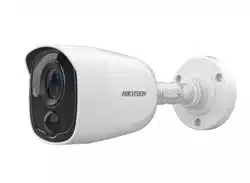

TURBO HD
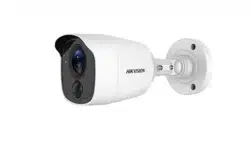
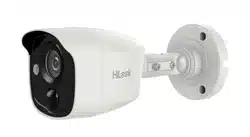
Bullet Camera
User Manual
User Manual
Thank you for purchasing our product. If there are any
questions, or requests, do not hesitate to contact the
dealer.
This manual applies to the models below:
Model
THC-B120-MPIRL
This manual may contain several technical incorrect
places or printing errors, and the content is subject to
change without notice. The updates will be added to
the new version of this manual. We will readily improve
or update the products or procedures described in the
manual.
0200001080625

Regulatory Information
FCC Information
Please take attention that changes or modification not
expressly approved by the party responsible for
compliance could void the user’s authority to operate
the equipment.
FCC compliance: This equipment has been tested and
found to comply with the limits for a Class A digital
device, pursuant to part 15 of the FCC Rules. These
limits are designed to provide reasonable protection
against harmful interference when the equipment is
operated in a commercial environment. This equipment
generates, uses, and can radiate radio frequency energy
and, if not installed and used in accordance with the
instruction manual, may cause harmful interference to
radio communications. Operation of this equipment in a
residential area is likely to cause harmful interference in
which case the user will be required to correct the
interference at his own expense.
FCC Conditions
This device complies with part 15 of the FCC Rules.
Operation is subject to the following two conditions:
1. This device may not cause harmful interference.
2. This device must accept any interference received,
including interference that may cause undesired
operation.
EU Conformity Statement
This product and - if applicable - the
supplied accessories too are marked with
"CE" and comply therefore with the
applicable harmonized European
standards listed under the Low Voltage Directive
2014/35/EU, the EMC Directive 2014/30/EU, the RoHS
Directive 2011/65/EU.
2012/19/EU (WEEE directive): Products
marked with this symbol cannot be
disposed of as unsorted municipal waste in
the European Union. For proper recycling,
return this product to your local supplier
upon the purchase of equivalent new
equipment, or dispose of it at designated collection
points. For more information see: www.recyclethis.info.
2006/66/EC (battery directive): This product contains a
battery that cannot be disposed of as
unsorted municipal waste in the European
Union. See the product documentation for
specific battery information. The battery is
marked with this symbol, which may
include lettering to indicate cadmium (Cd), lead (Pb), or
mercury (Hg). For proper recycling, return the battery
to your supplier or to a designated collection point. For
more information see: www.recyclethis.info.
Industry Canada ICES-003 Compliance
This device meets the CAN ICES-3 (A)/NMB-3(A)
standards requirements.
Warning
This is a class A product. In a domestic environment this
product may cause radio interference in which case the
user may be required to take adequate measures.
Safety Instruction
These instructions are intended to ensure that user can
use the product correctly to avoid danger or property
loss.
The precaution measure is divided into “Warnings” and
“Cautions”.
Warnings: Serious injury or death may occur if any of
the warnings are neglected.
Cautions: Injury or equipment damage may occur if any
of the cautions are neglected.
Warnings
In the use of the device, you must be in strict
compliance with the electrical safety regulations of
the nation and region.
Input voltage should meet both the SELV (Safety Extra
Low Voltage) and the Limited Power Source with 12
VDC according to the IEC60950-1 standard. Refer to
technical specifications for detailed information.
Do not connect multiple devices to one power
adapter to avoid over-heating or a fire hazard caused
by overload.
Make sure that the plug is firmly connected to the
power socket.
Make sure that the device is firmly fixed if wall
mounting or ceiling mounting is adopted.
If smoke, odor or noise rise from the device, turn off
the power at once and unplug the power cord, and
then contact the service center.
Never attempt to disassemble the camera by
unprofessional personal.
Cautions
Do not drop the camera or subject it to physical
shock.
Do not touch senor modules with fingers.
Do not place the camera in extremely hot, cold (the
operating temperature shall be -40°C to 60°C), dusty
or damp locations, and do not expose it to high
electromagnetic radiation.
If cleaning is necessary, use clean cloth with a bit of
ethanol and wipe it gently.
Do not aim the camera at the sun or extra bright
places.
The sensor may be burned out by a laser beam, so
when any laser equipment is in using, make sure that
the surface of sensor will not be exposed to the laser
beam.
Do not expose the device to high electromagnetic
radiation or extremely hot, cold, dusty or damp
environment.
To avoid heat accumulation, good ventilation is
required for the operating environment.
Warnings Follow
these safeguards to
prevent serious injury
or death.
Cautions Follow these
precautions to prevent
potential injury or
material damage.

Keep the camera away from liquid while in use for
non-water-proof device.
While in delivery, the camera shall be packed in its
original packing, or packing of the same texture.
Mark Description
Table 0-1 Mark Description
Mark
Description
DC Voltage
1 Introduction
1.1 Product Features
The main features are as follows:
High performance CMOS sensor
IR cut filter with auto switch
OSD menu with configurable parameters
Auto white balance
Internal synchronization
SMART IR mode
Visible alarm
PIR detection
3-axis adjustment
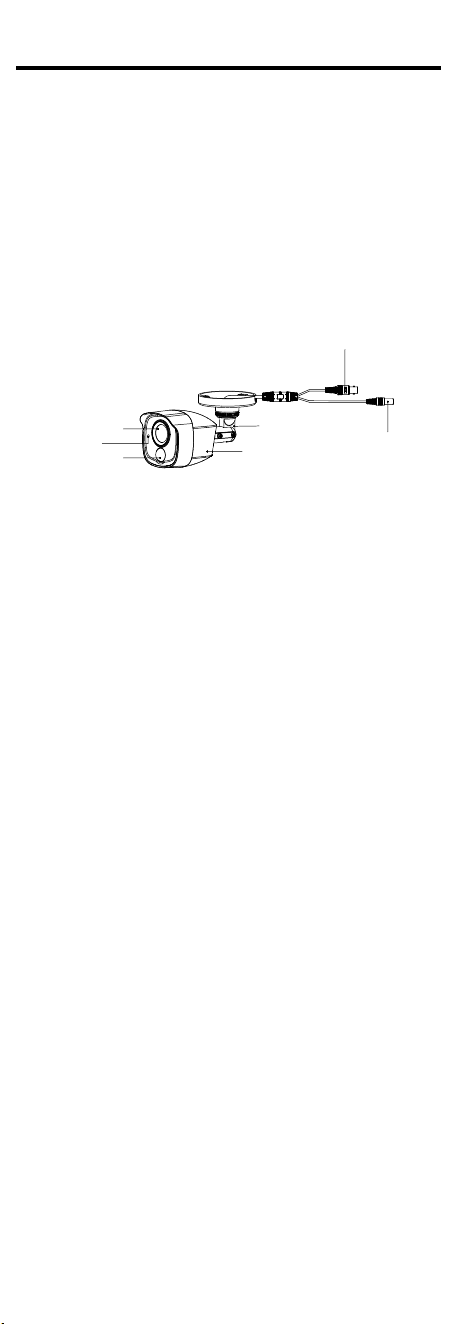
1.2 Overview
Video Cable
Power Cord
Bracket
Main Body
Lens
White Light
Source
PIR
Figure 1-1 Overview of Type I Camera
2 Menu Description
Purpose:
Call the menu by clicking button on the PTZ Control
interface, or call the preset No.95.
Steps:
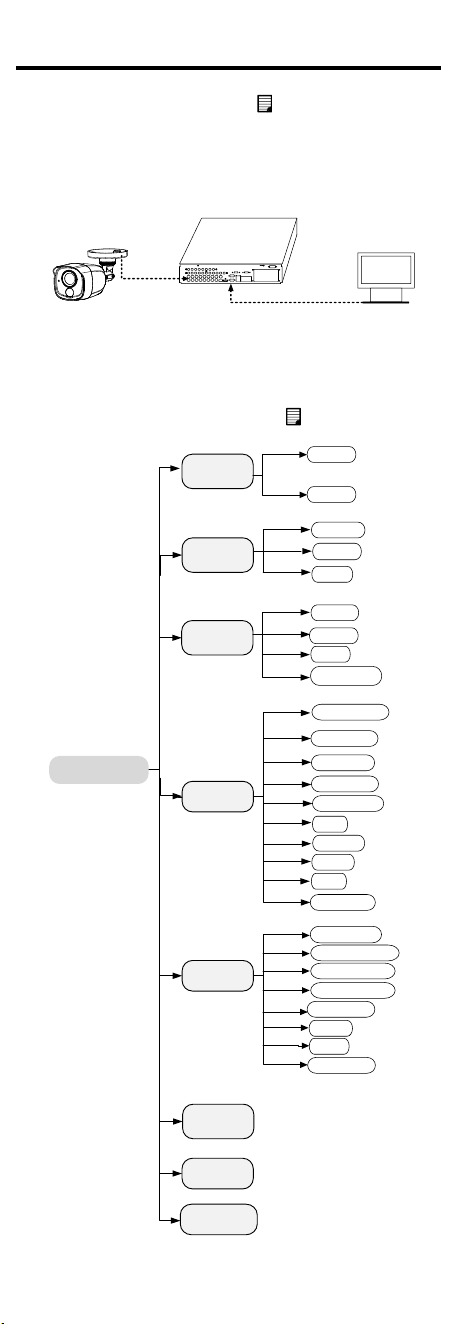
1. Connect the camera with the TVI DVR, and the
monitor, shown as the figure 3-1.
Camera
TVI DVR
Monitor
Figure 2-1 Connection
2. Power on the analog camera, TVI DVR, and the
monitor to view the image on the monitor.
3. Click PTZ Control to enter the PTZ Control interface.
4. Call the camera menu by clicking button, or call
the preset No. 95.
EXPOSURE
GLOBAL
MAIN MENU
VIDEO
SETTINGS
FUNCTIONS
EXIT
SAVE & EXIT
DWDR
BLC
CONTRAST
SHARPNESS
SATURATION
AGC
MIRROR
BACK
TRIGGER MODE
ALARM MODE
TIME SETTINGS
VIDEO
FORMAT
FACTORY
DEFAULT
BRIGHTNESS
EXIT
SAVE & EXIT
WHITE LIGHT
PIR LEVEL
DAY/NIGHT
BACK
EXIT
SAVE & EXIT
MODE
IMAGE MODE
2M25
2M30
BACK
SAVE & EXIT
EXIT
Figure 2-2 Main Menu Overview
5. Click the direction arrow to control the camera.
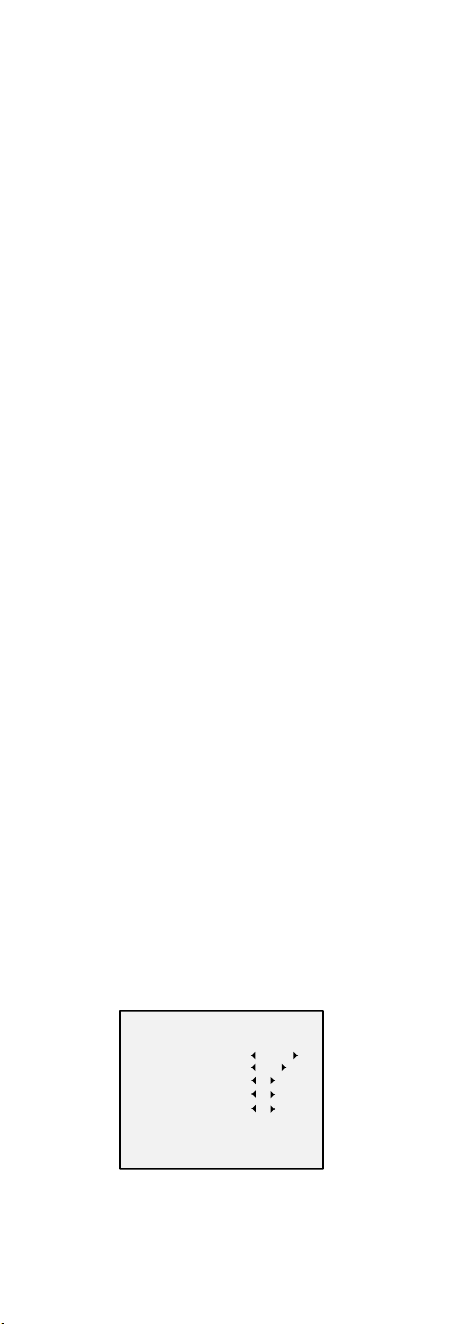
1). Click up/down direction button to select the
item.
2). Click Iris + to confirm the selection.
3). Click left/right direction button to adjust the
value of the selected item.
2.1 VIDEO FORMAT
You can select the video format as 2MP@25fps , or
2MP@30fps.
2.2 EXPOSURE
You can set the EXPOSURE MODE as GLOBAL, BLC, or
DWDR.
GLOBAL
GLOBAL refers to the normal exposure mode which
adjusts lighting distribution, variations, and
non-standard processing.
BLC (Backlight Compensation)
BLC (Backlight Compensation) compensates light to the
object in the front to make it clear, but this may cause
the over-exposure of the background where the light is
strong.
DWDR (Digital Wide Dynamic Range)
The digital wide dynamic range helps the camera
provide clear images even under backlight
circumstances. WDR balances the brightness level of
the whole image and provides clear images with details.
2.3 DAY/NIGHT
COLOR, B&W (Black White), and AUTO are selectable
for DAY and NIGHT switches.
COLOR
The image is colored in day mode all the time.
B/W
The image is black and white all the time, and it is
better to turn the IR LIGHT on in poor light conditions.
IR LIGHT
You can turn on/off the IR LIGHT to meet the
requirements of different circumstances.
SMART IR
The Smart IR function is used to adjust the light to its
most suitable intensity, and prevent the image from
over exposure. The SMART IR value can be adjusted
from 0 to 3. The greater the value is, the more obvious
effects are.
AUTO
You can turn on/off the IR LIGHT, and set the value of
SMART IR in this menu.
DAY/NIGHT
MODE
IR LIGHT
SMART IR
D-N THRESHOLD
N-D THRESHOLD
BACK
EXIT
SAVE&EXIT
AU TO
ON
2
2
7
Figure 2-3 DAY NIGHT
IR LIGHT
You can turn on/off the infrared to meet the
requirements of different circumstances.
SMART IR

The Smart IR function is used to adjust the light to its
most suitable intensity, and prevent the image from
over exposure. The SMART IR value can be adjusted
from 0 to 3. The greater the value is, the more obvious
effects are.
D-N THRESHOLD ((Day to Night Threshold))
Day to Night Threshold is used to control the sensitivity
of switching the day mode to the night mode. You can
set the value from 1 to 9. The larger the value is, the
more sensitive the camera is.
N-D THRESHOLD (Night to Day Threshold)
Night to Day Threshold is used to control the sensitivity
of switching the night mode to the day mode. You can
set the value from 1 to 9. The larger the value is, the
more sensitive the camera is.
2.4 VIDEO SETTINGS
Move the cursor to VIDEO SETTINGS and click Iris+ to
enter the submenu. IMAGE MODE, BRIGHTNESS,
CONTRAST, SHARPNESS, SATURATION, AGC, and
MIRROR are adjustable.
Figure 2-4 VIDEO SETTINGS
IMAGE MODE
IMAGE MODE is used to adjust the image saturation,
and you can set it as STD (Standard) or HIGH-SAT (High
Saturation).
BRIGHTNESS
Brightness refers to the brightness of the image. You
can set the brightness value from 1 to 9 to darken or
brighten the image. The greater the value is, the
brighter the image is.
CONTRAST
This feature enhances the difference in color and light
between parts of an image. You can set the CONTRAST
value from 1 to 9.
SHARPNESS
Sharpness determines the amount of detail an imaging
system can reproduce. You can set the SHARPNESS
value from 1 to 9.
SATURATION
Adjust this feature to change the saturation of the color.
The value ranges from 1 to 9.
AGC (Auto Gain Control)
It optimizes the clarity of the image in poor light
conditions. The AGC level can be set as HIGH, MEDIUM,
or LOW. Select OFF to disable the AGC function.
Note:
The noise will be amplified when setting the AGC level.
The higher the level is, the more obvious the noise is.
VIDEO SETTINGS
IMAGE MODE
BRIGHTNESS
CONTRAST
SHARPNESS
SATURATION
AGC
MIRROR
BACK
EXIT
SAVE & EXIT
5
5
5
5
LOW
OFF
ST D

MIRROR
OFF, H, V, and HV are selectable for mirror.
OFF: The mirror function is disabled.
H: The image flips 180° horizontally.
V: The image flips 180° vertically.
HV: The image flips 180° both horizontally and
vertically.
2.5 FUNCTIONS
2.5.1 WHITE LIGHT
The embedded white light source can be worked as the
visible alarm.
In the WHITE LIGHT mode, you can set the mode as
ALARM, or OFF.
When you select the WHITE LIGHT as ALARM, you can
set the parameters in the TRIGGER MODE, and the
ALARM MODE to meet your needs.
TRIGGER MODE
DVR
Select the TRIGGER MODE as DVR. In this way, the
alarm signal is sent from the DVR, and the camera
works as the alarm detector in the process. Besides, the
alarm type only supported by the DVR can also triggers
the visible alarm in the camera.
CAMERA
Select the TRIGGER MODE as CAMERA, the embedded
PIR module sends the alarm signal to the visible alarm
in the camera, when PIR module detected the alarm
source.
ALARM MODE
In the ALARM mode, you can select the ALARM MODE
as SOLID, or FLASHING.
FUNCTIONS
WHITE LIGHT
TRIGGER MODE
ALARM MODE
TIME SETTING
PIR LEVEL
BACK
EXIT
SAVE & EXIT
ALARM
CAMERA
SOLID
15 S
3
Figure 2-5 ALARM MODE
SOLID
Select the ALARM MODE as SOLID. In this way, the
white light source turns on, when the PIR module
received the alarm signal.
In the TIME SETTING you can set the time as 5 s, 10 s,
15 s, 30 s, or 60 s, which means that the solid mode
stays for the set time when the camera received one
alarm signal.
Note:
The solid mode will be stayed for another set time
when second alarm signal is received, and the rest can
be done in the same way.
FLASHING
Select the ALARM MODE as FLASHING. In this way, the
white light source flashes when the PIR module
received the alarm signal.
OFF
Select OFF to give up this function.

2.5.2 PIR LEVEL
PIR LEVEL adjusts the sensitivity of the PIR module, and
the greater the value is, the more sensitive the PIR
module is.
2.6 FACTORY DEFAULT
Reset all the settings to the factory default.
2.7 EXIT
Move the cursor to EXIT and click Iris+ to exit the menu.
2.8 SAVE & EXIT
Move the cursor to SAVE & EXIT and click Iris+ to save
the settings, and exit the menu.
UD10703B