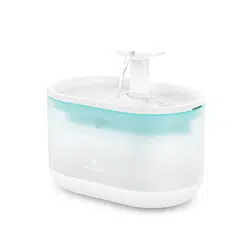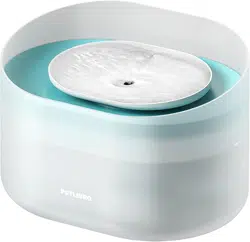
*Please read this manual before using the product and keep it for
future reference.
USER MANUAL
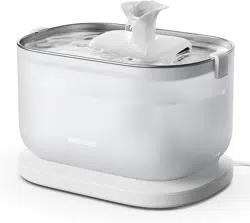
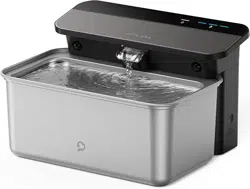
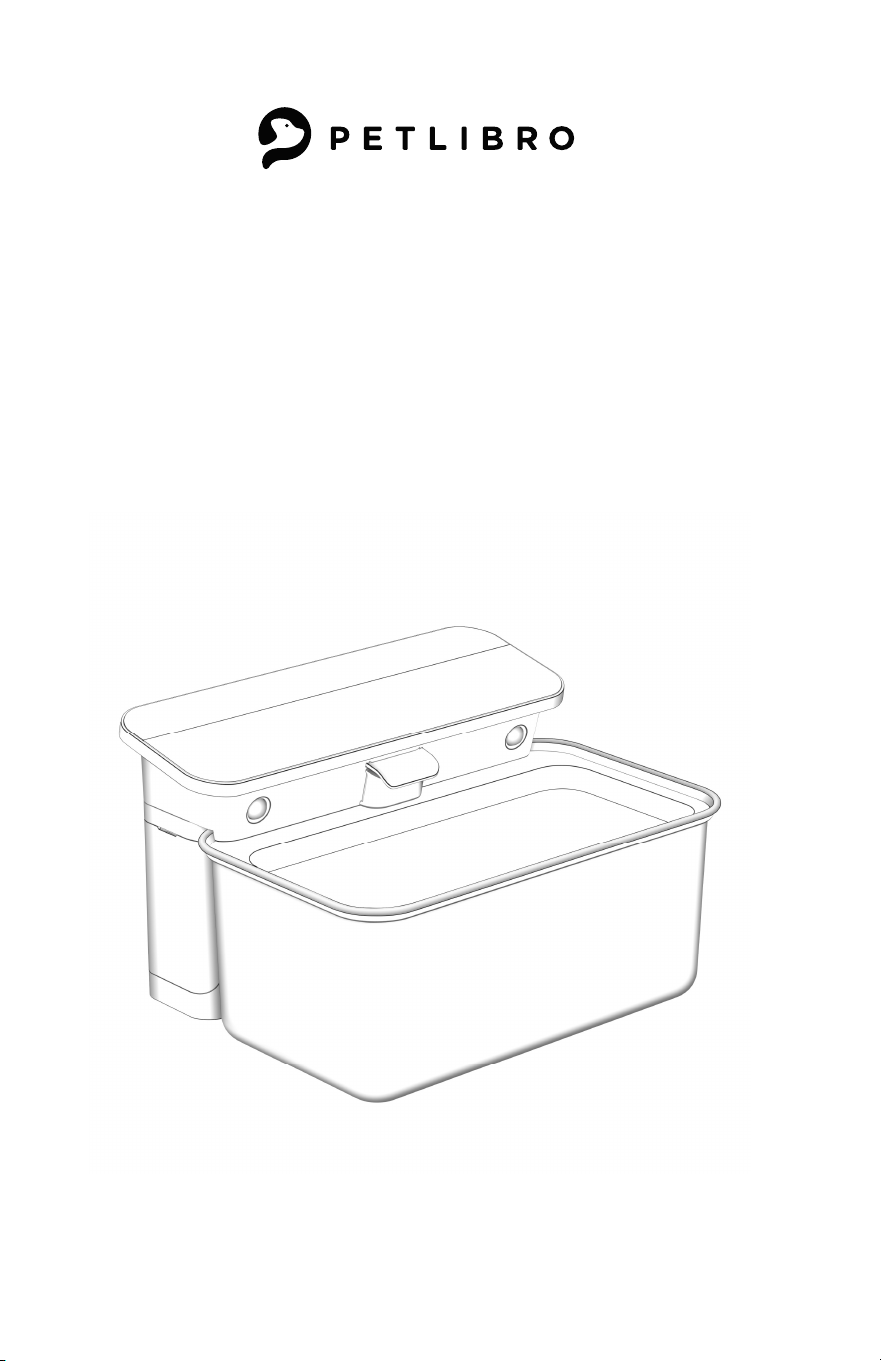
Glacier Automatic Pet Water Fountain
This device complies with Part 15 of the FCC Rules. Operation is subject to the
following two conditions: (1) this device may not cause harmful interference, and (2)
this device must accept any interference received, including interference that may
cause undesired operation.
CAN ICES-3 (B)/NMB-3(B)
@Libro Corp. All Rights Reserved.
Manufacturer: Shenzhen Libro Technology Co., Ltd.
Address: 12/F, Tower B, GALAXY WORLD, Yabao Road,
Longgang District, Shenzhen, China
JP Importer:
Made in China Model: PLWF007
GLACIER
Automatic Pet Water Fountain
www.petlibro.com

01
02
06
07
08
09
09
Contents
/ English
In The Box
Product Overview
Getting Started
Specifications
Safety Instructions
Warranty
Notice
11
12
16
17
18
19
01
02
06
07
08
09
09
Contents
/ English
In The Box
Product Overview
Getting Started
Specifications
Safety Instructions
Warranty
Notice
11
12
16
17
18
19
01 02
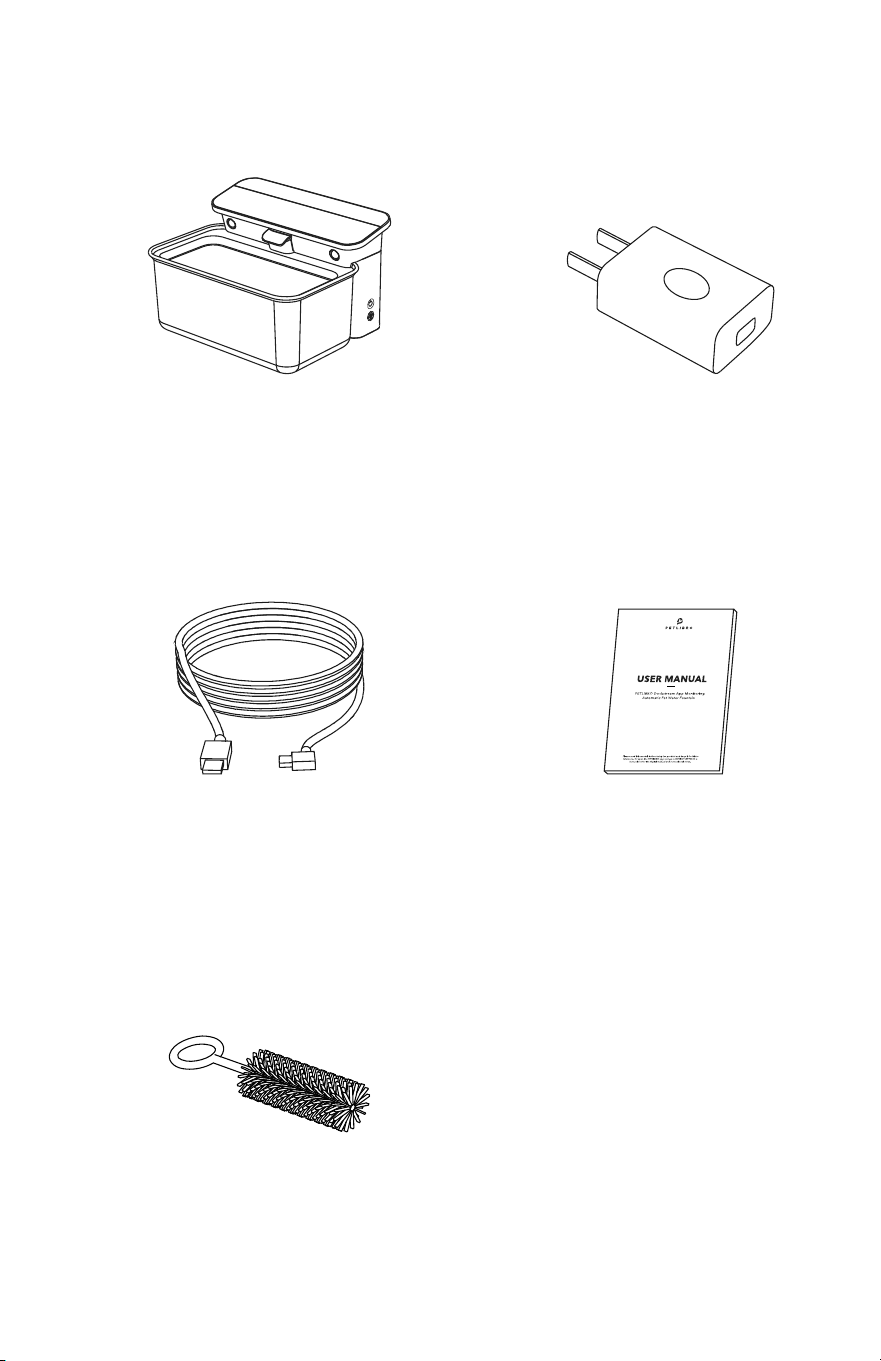
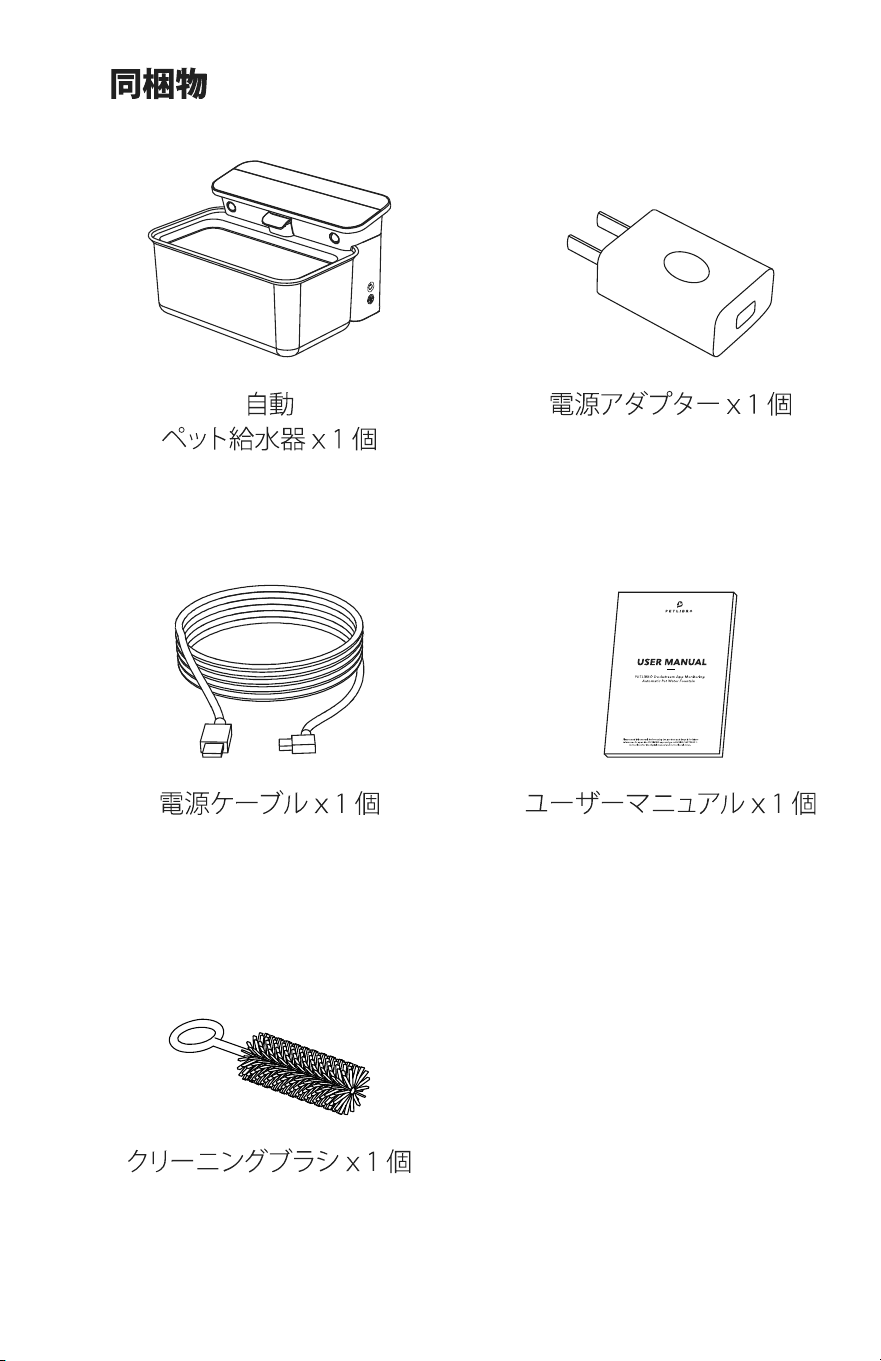
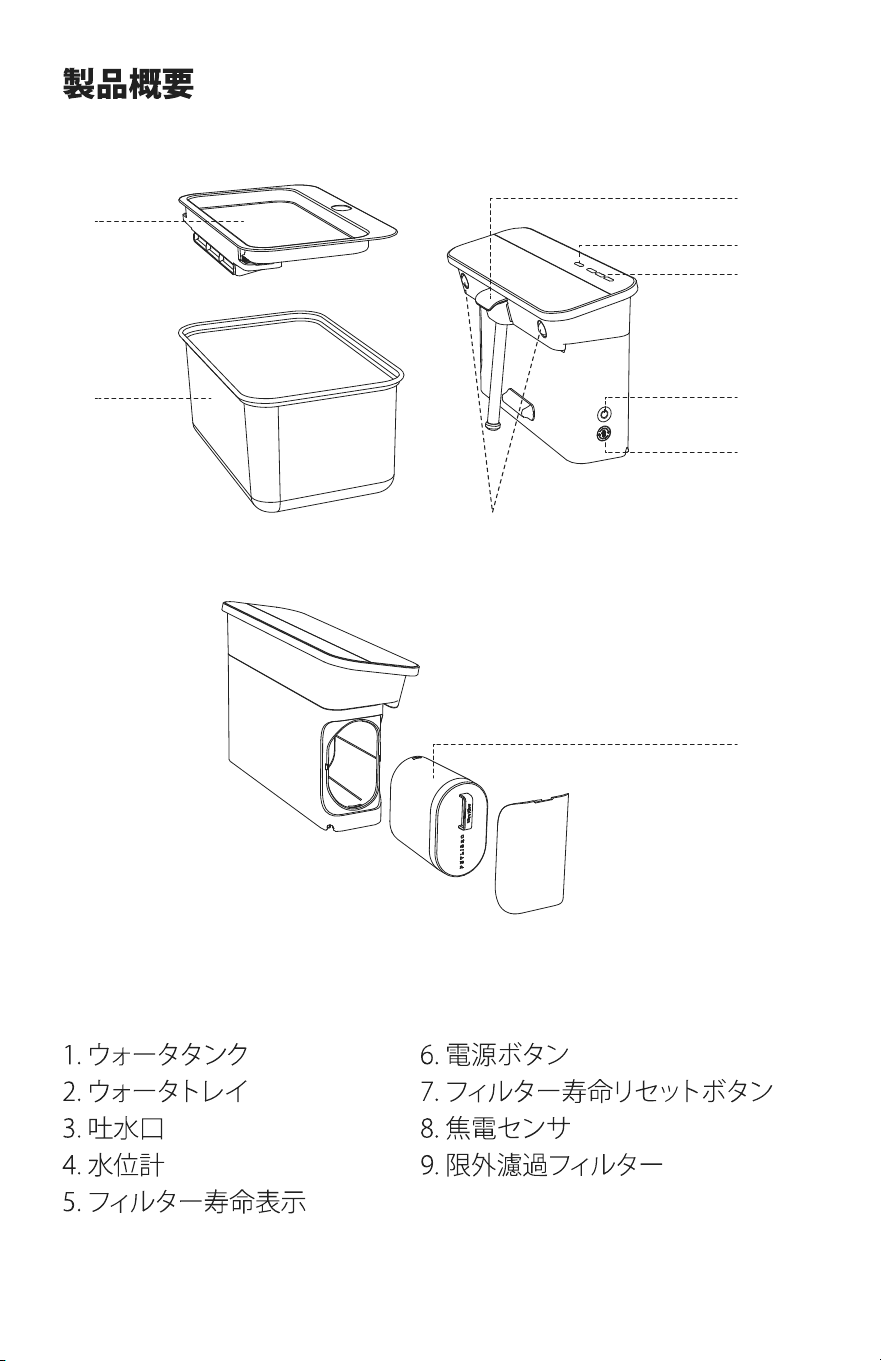
In the Box Product Overview
1 × Power Cable
1 × Automatic
Pet Water Fountain
1 × User Manual
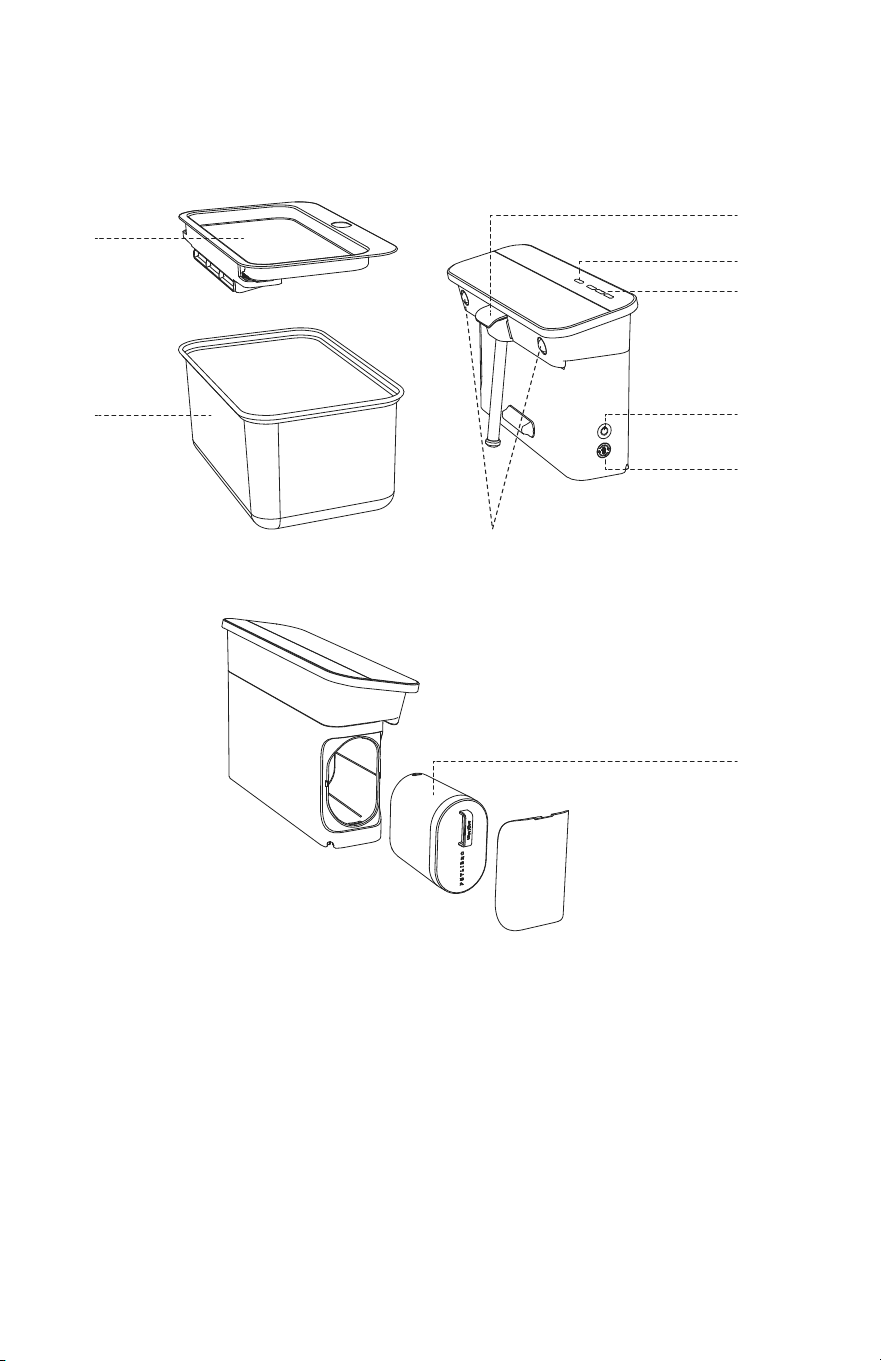
1. Water Tank
2. Water Tray
3. Water Outlet
4. Water Level Indicator
5. Filter Life Indicator
1 × Power Adapter
1 x Cleaning Brush
6. Power Button
7. Filter Life Reset Button
8. Pyroelectric Sensor
9. Ultrafiltration Filter
6
5
9
1
2
8
3
4
7
01 02
In the Box Product Overview
1 × Power Cable
1 × Automatic
Pet Water Fountain
1 × User Manual
1. Water Tank
2. Water Tray
3. Water Outlet
4. Water Level Indicator
5. Filter Life Indicator
1 × Power Adapter
1 x Cleaning Brush
6. Power Button
7. Filter Life Reset Button
8. Pyroelectric Sensor
9. Ultrafiltration Filter
6
5
9
1
2
8
3
4
7
03 04
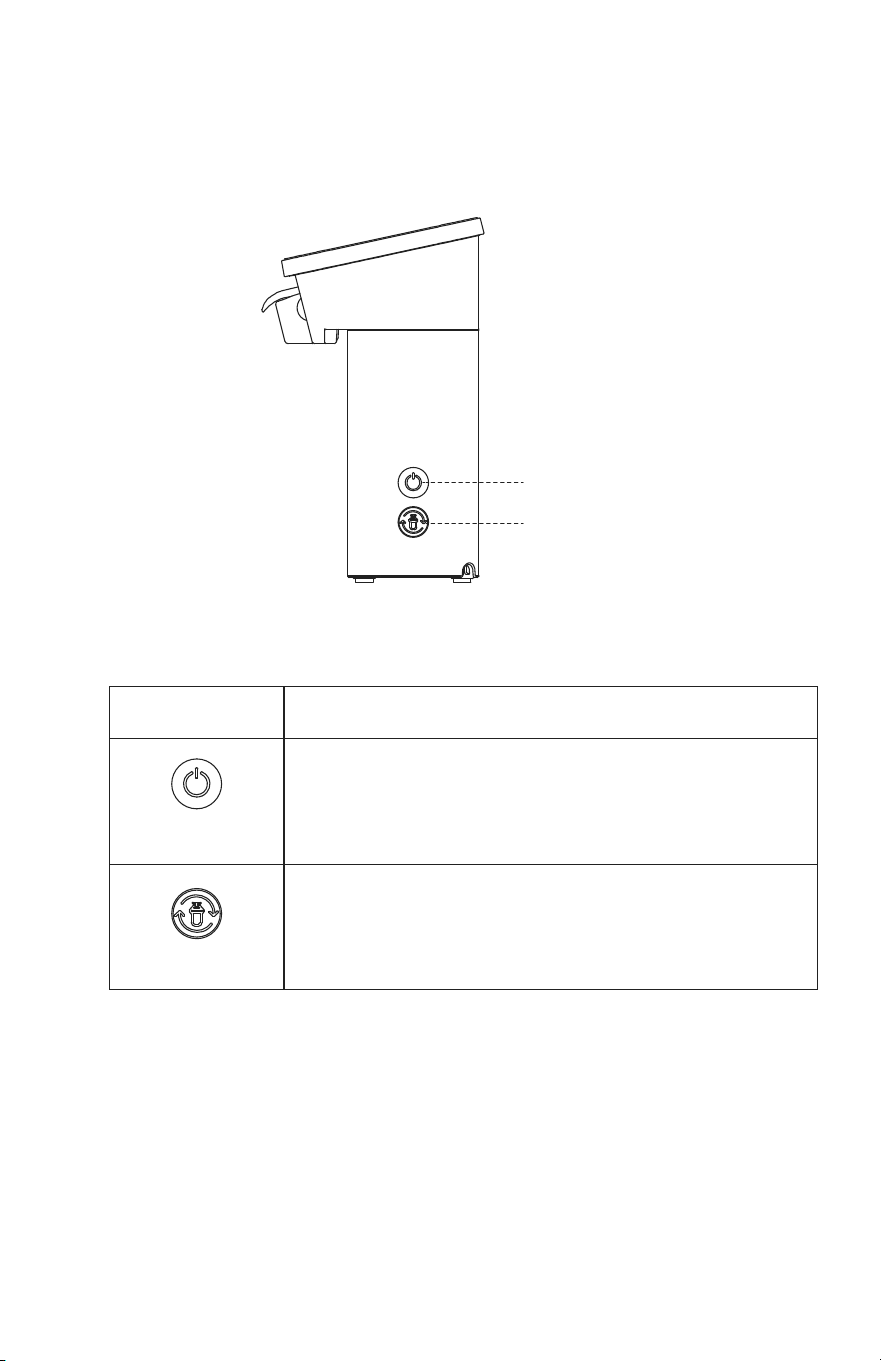
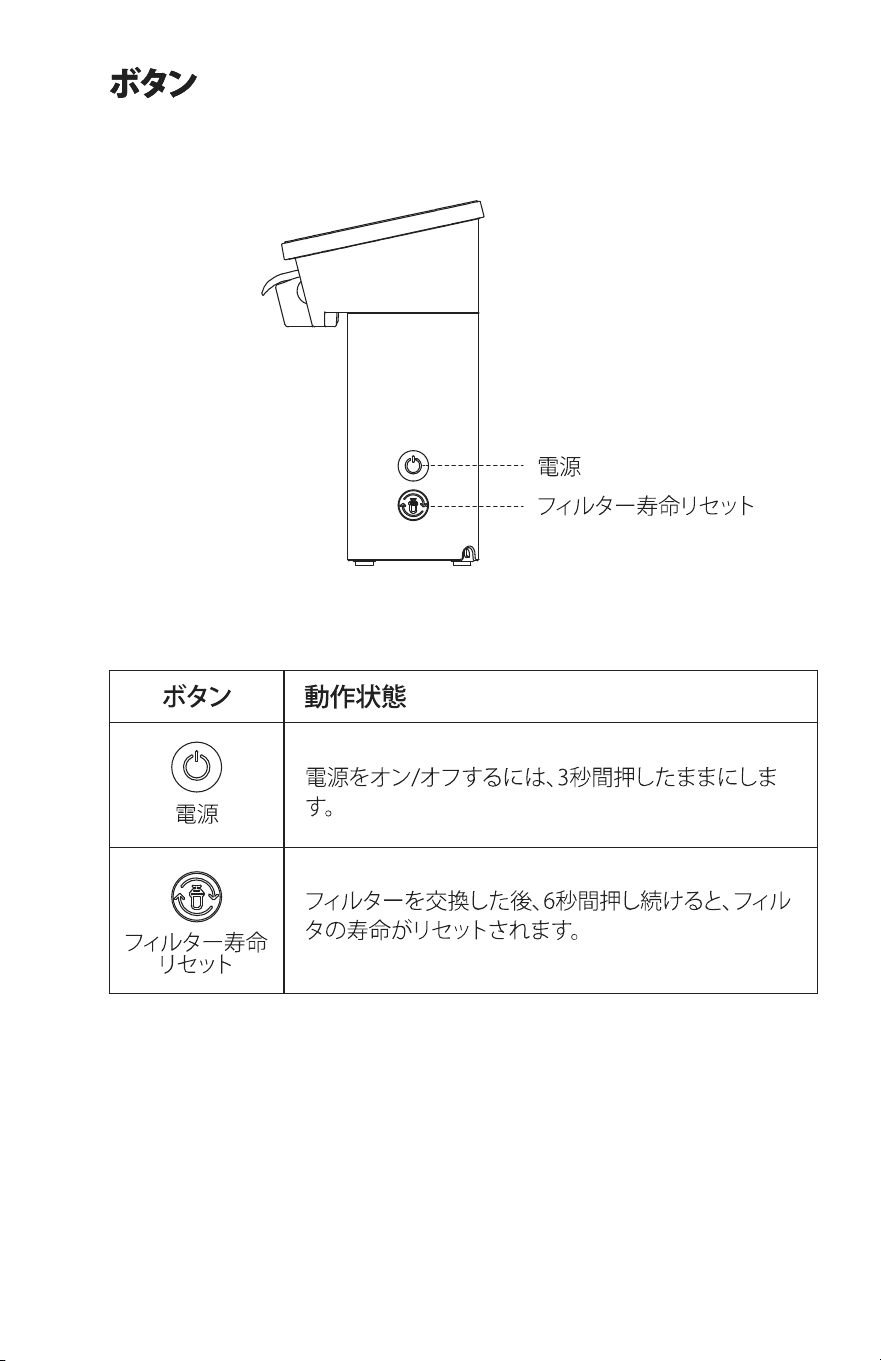
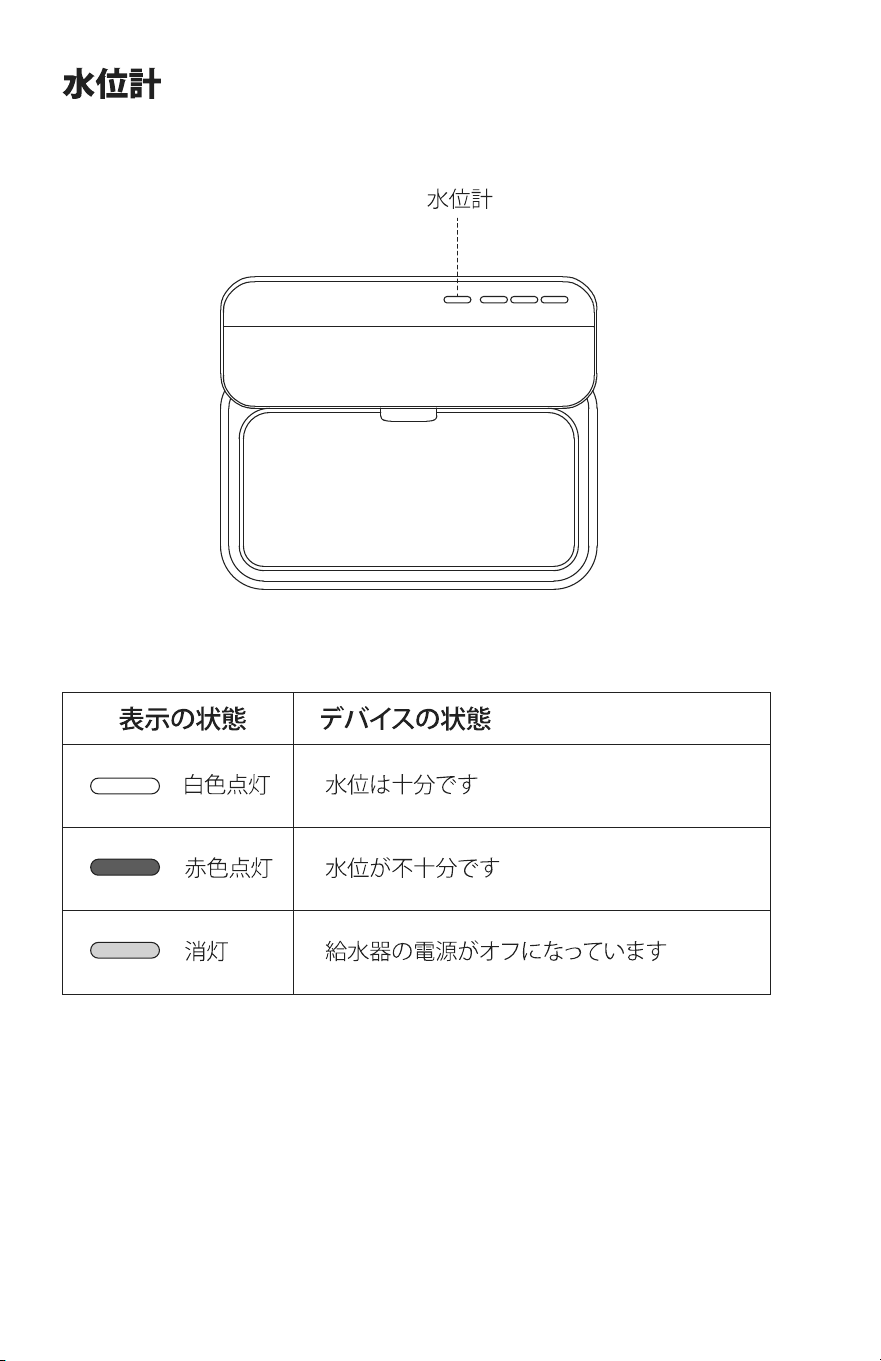
ButtonButton Water Level Indicator
Button Operation Status
Power
Filter Life Reset
Filter Life Reset
Water Level Indicator
Press and hold for three seconds to power on/o
After replacing the filter, press and hold for six
seconds to reset the filter life
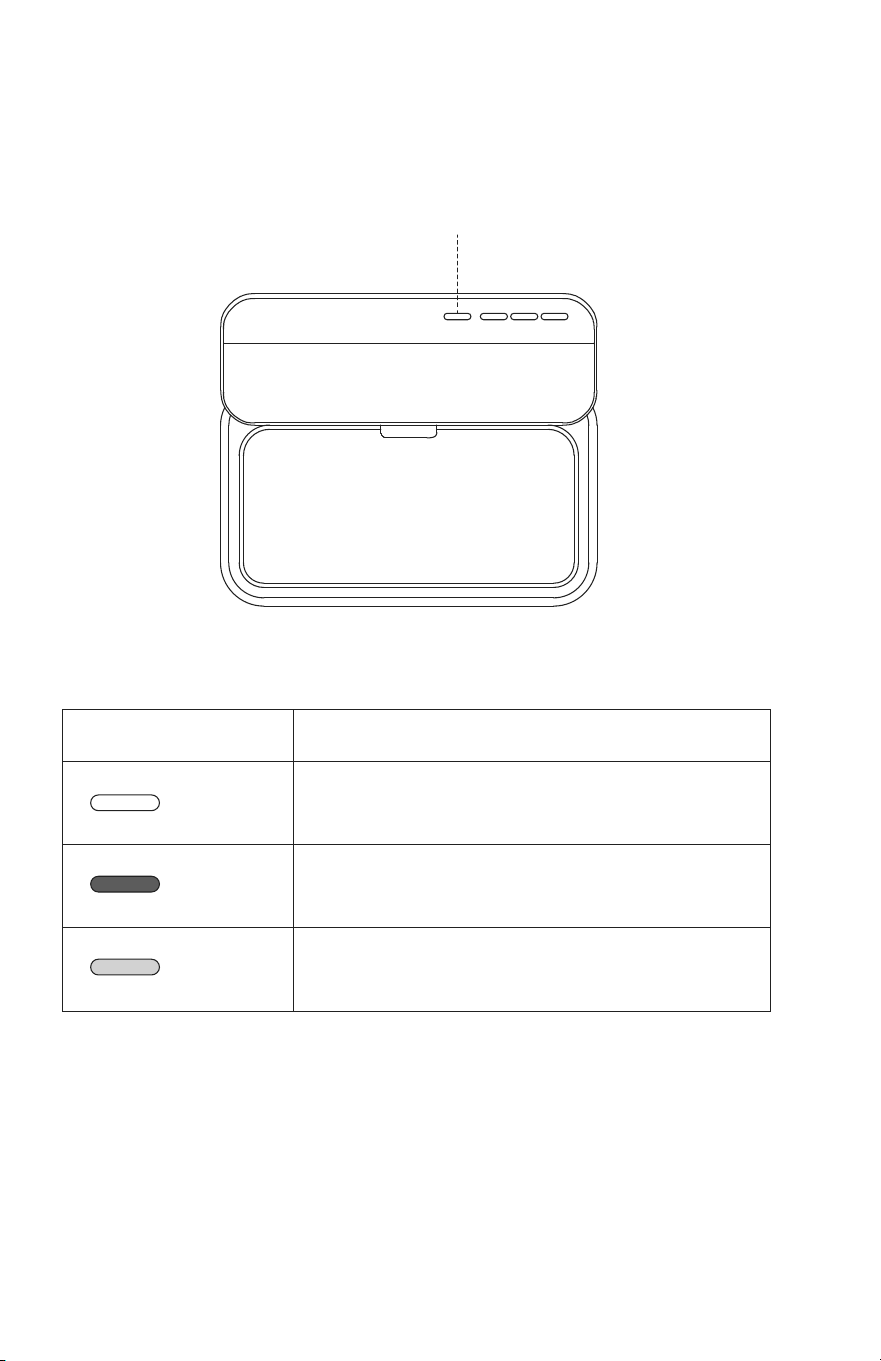
White on
Red on
O
Indicator Status Device Status
Sucient water level
Insucient water level
The water fountain is powered o
Power
03 04
ButtonButton Water Level Indicator
Button Operation Status
Power
Filter Life Reset
Filter Life Reset
Water Level Indicator
Press and hold for three seconds to power on/o
After replacing the filter, press and hold for six
seconds to reset the filter life
White on
Red on
O
Indicator Status Device Status
Sucient water level
Insucient water level
The water fountain is powered o
Power
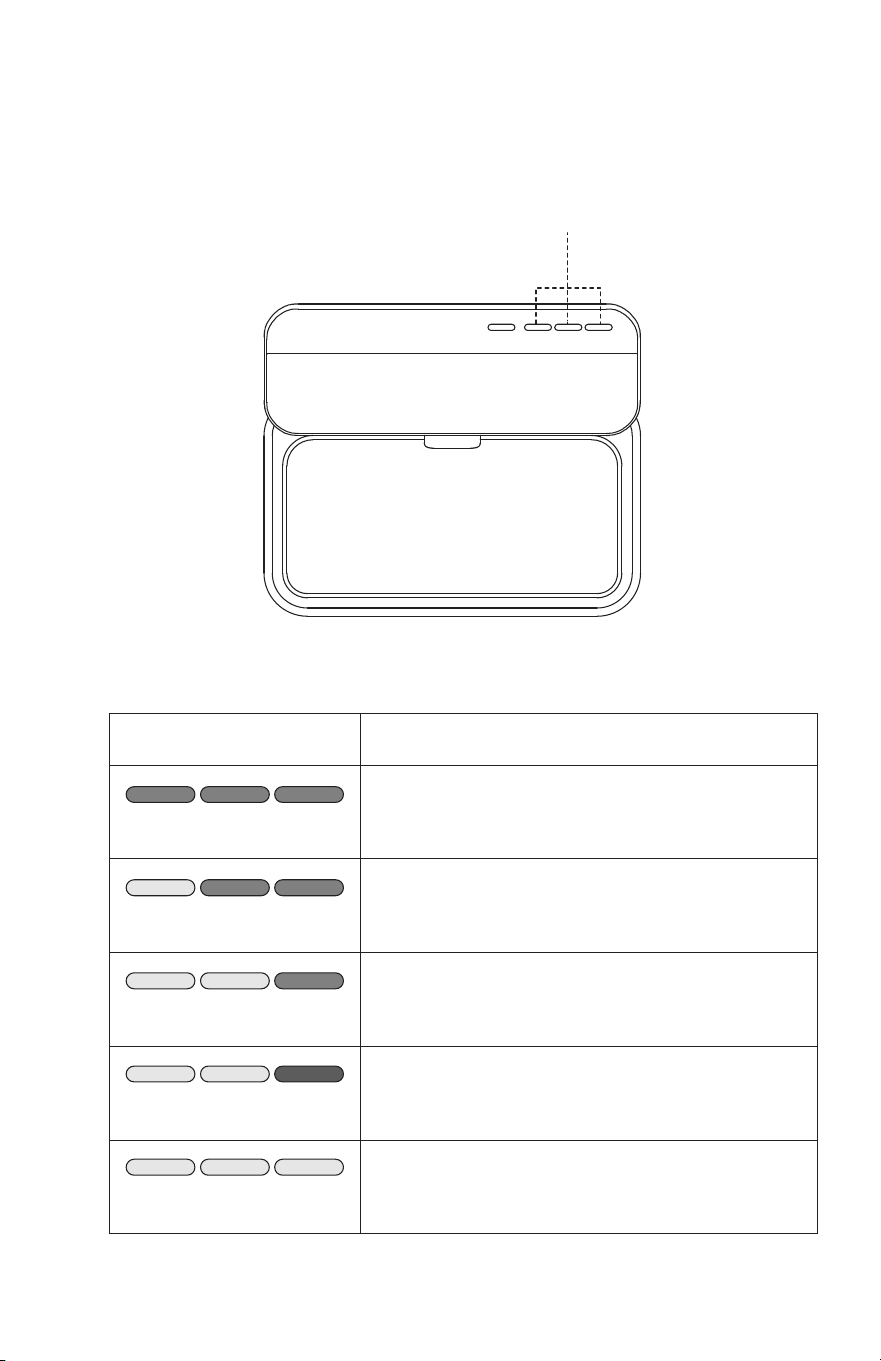
05 06
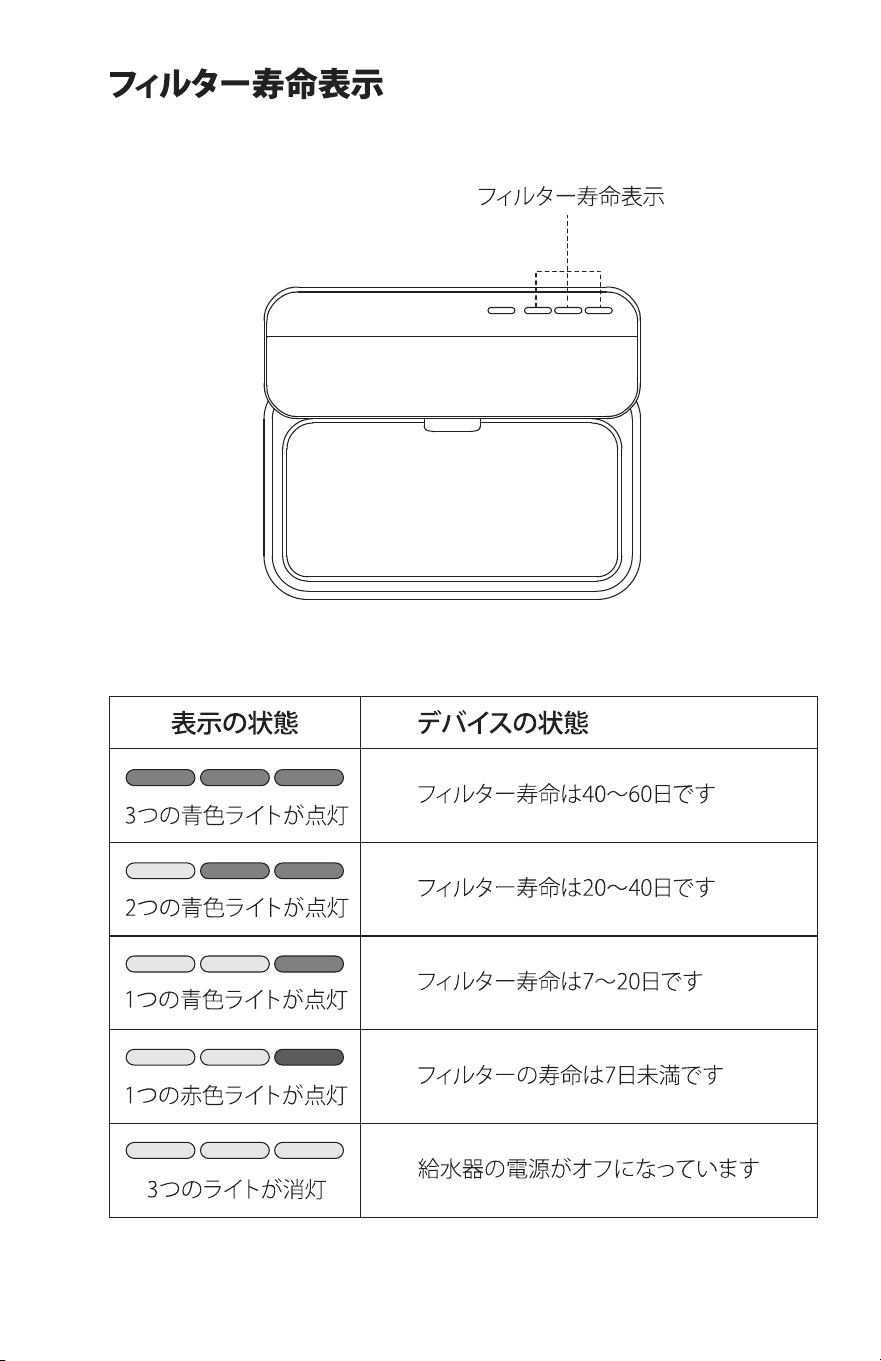
Filter Life Indicator
Getting Started
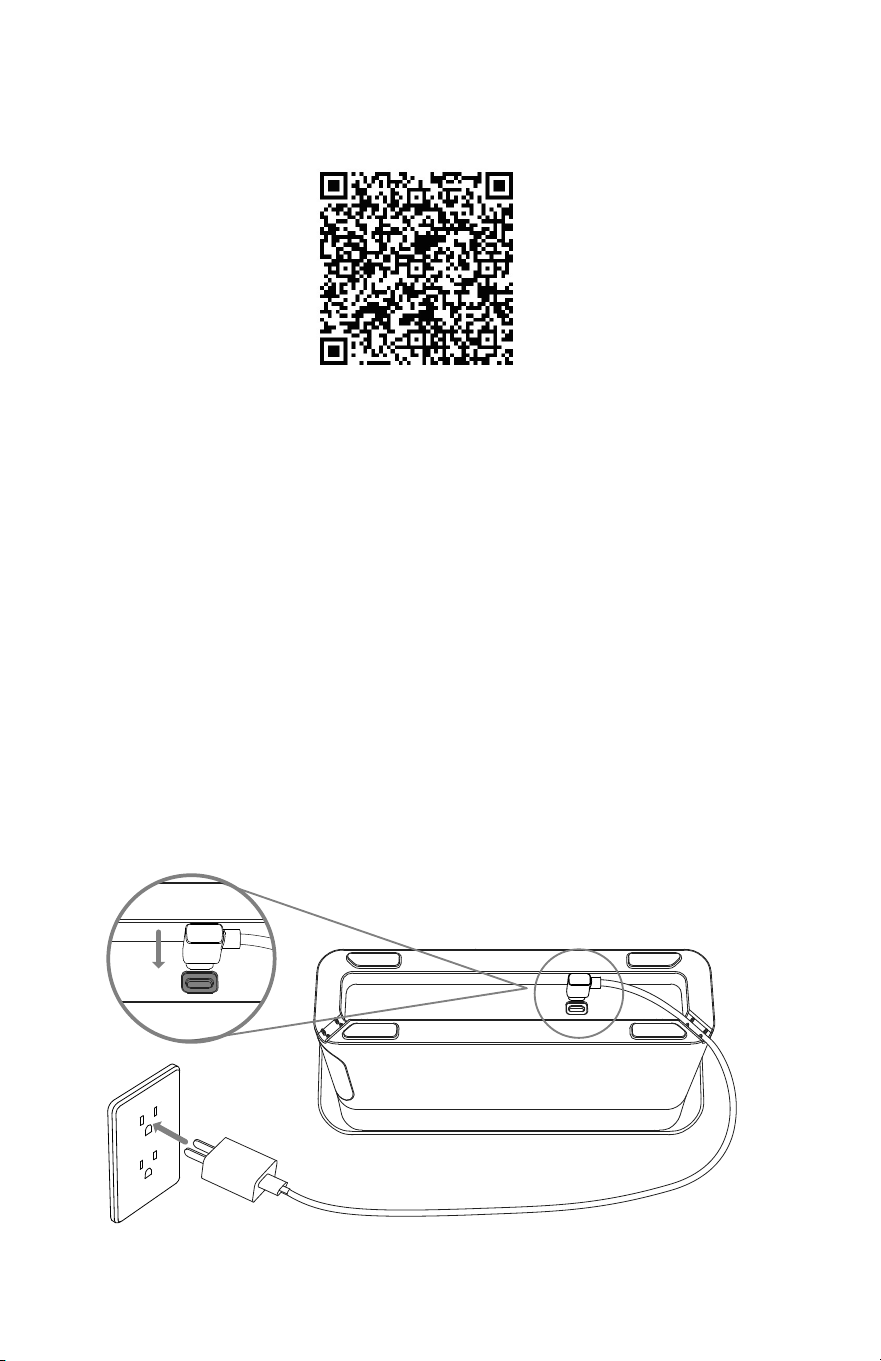
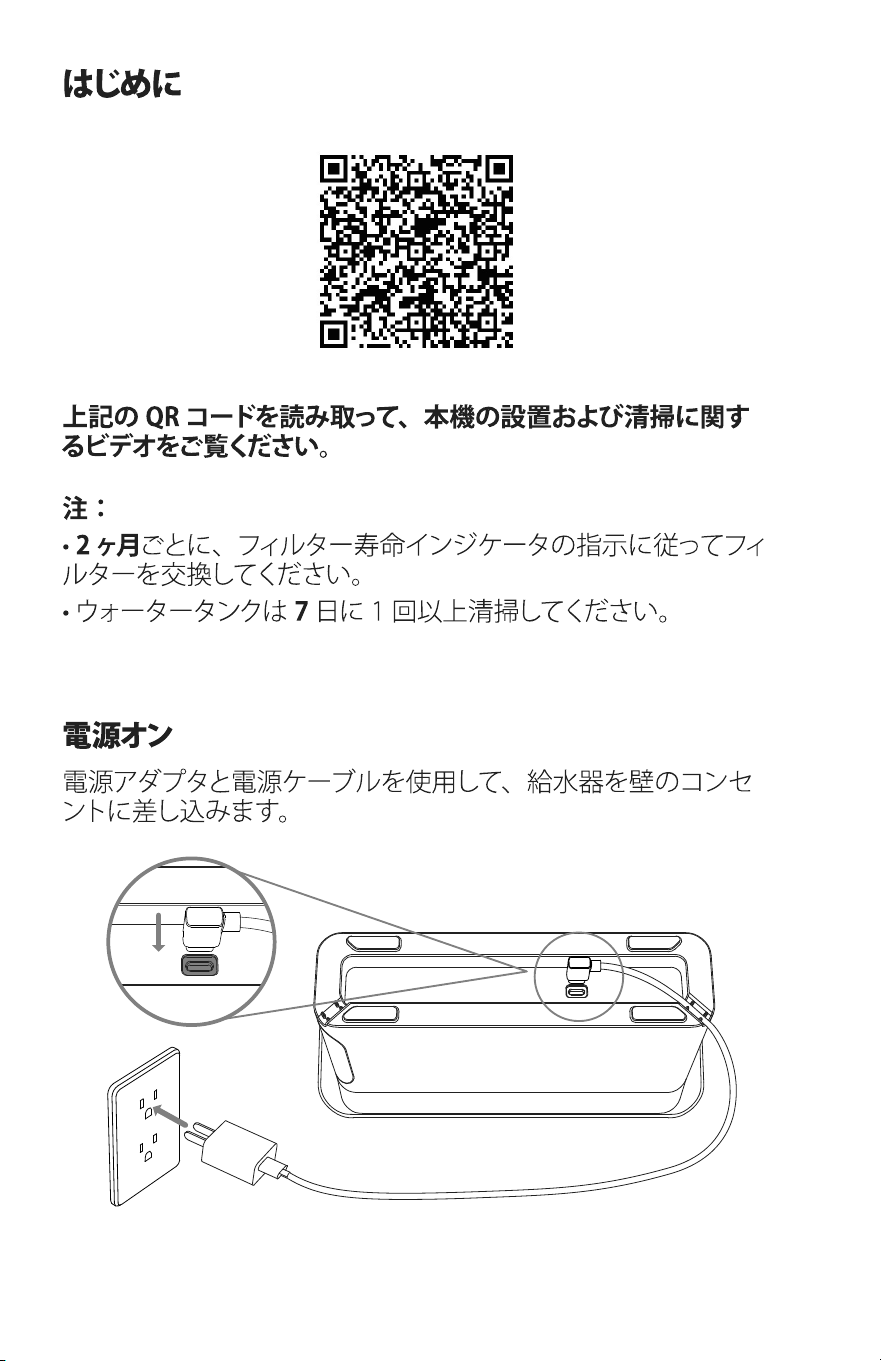
Power on
Scan the QR code above to watch the video for product
installation and cleaning.
Plug the fountain into a wall outlet using the power adapter
and power cable.
Notes:
• Replace the filter every two months as indicated by the
filter life indicator.
• Clean the water tank at least once every seven days.
Three blue lights on
Two blue lights on
One blue light on
One red light on
Three lights o
Indicator Status Device Status
The filter life is about 40–60 days
The filter life is about 20–40 days
The filter life is about 7–20 days
The filter life is less than 7 days
The water fountain is powered o
Filter Life Indicator
05 06
Filter Life Indicator
Getting Started
Power on
Scan the QR code above to watch the video for product
installation and cleaning.
Plug the fountain into a wall outlet using the power adapter
and power cable.
Notes:
• Replace the filter every two months as indicated by the
filter life indicator.
• Clean the water tank at least once every seven days.
Three blue lights on
Two blue lights on
One blue light on
One red light on
Three lights o
Indicator Status Device Status
The filter life is about 40–60 days
The filter life is about 20–40 days
The filter life is about 7–20 days
The filter life is less than 7 days
The water fountain is powered o
Filter Life Indicator
07 08
Specifications
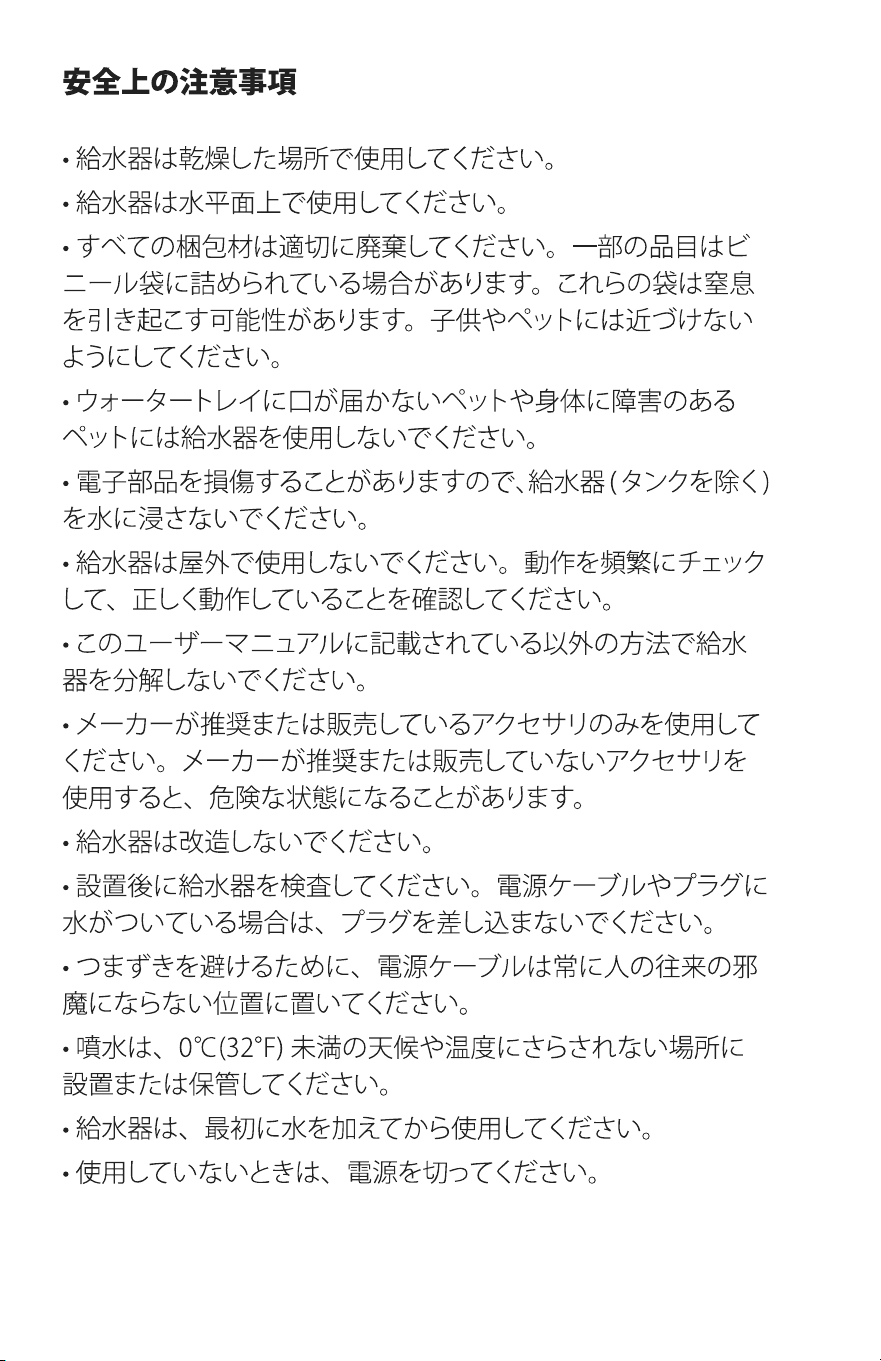
Safety Instructions
• Use the fountain in a dry place.
• Use the fountain on a level surface.
• Dispose of all packaging materials properly. Some items
may be packed in plastic bags; these bags could cause
suocation. Keep them away from children and pets.
• Do not use the water fountain with pets that are not able to
reach the water tray or with any physical disability.
• Do not immerse the water fountain (except the tank) in
water at any time as it may damage electronic components.
• Do not use the fountain outdoors. Check its operation
frequently to be sure it is operating properly.
• Do not disassemble the fountain other than as instructed in
this user manual.
• Only use accessories recommended or sold by the
manufacturer. The use of accessories not recommended or
sold by the manufacturer may cause an unsafe condition.
• Do not modify the fountain.
• Examine the fountain after installation. Do not plug in if
there is water on the power cable or plug.
• To avoid tripping, always position the power cable out of
the way of foot trac.
• Do not install or store the fountain where it will be exposed
to weather or temperatures below 0°C (32°F).
• Do not use the fountain without adding water first.
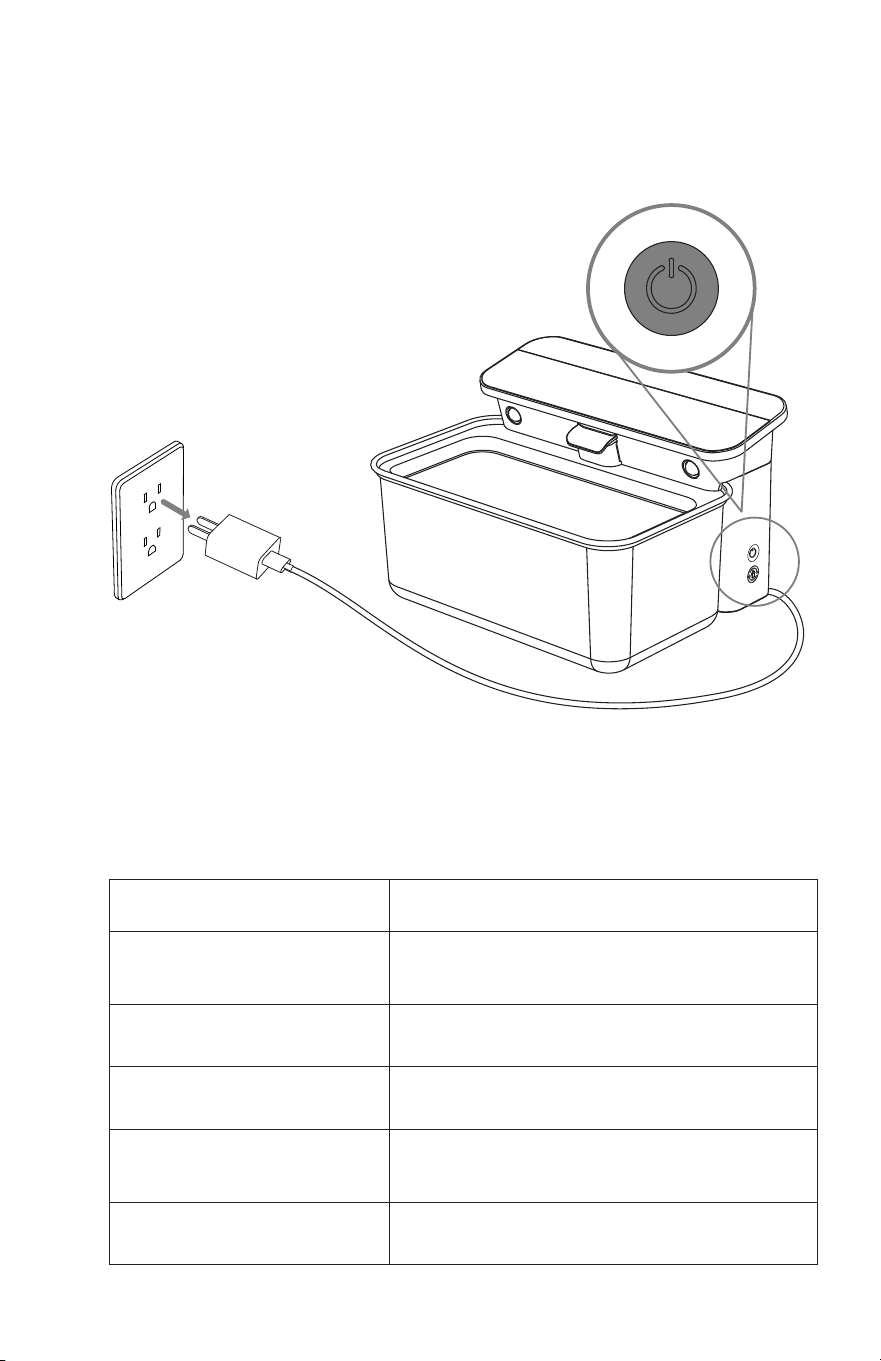
• Power o the fountain when it's not in use.
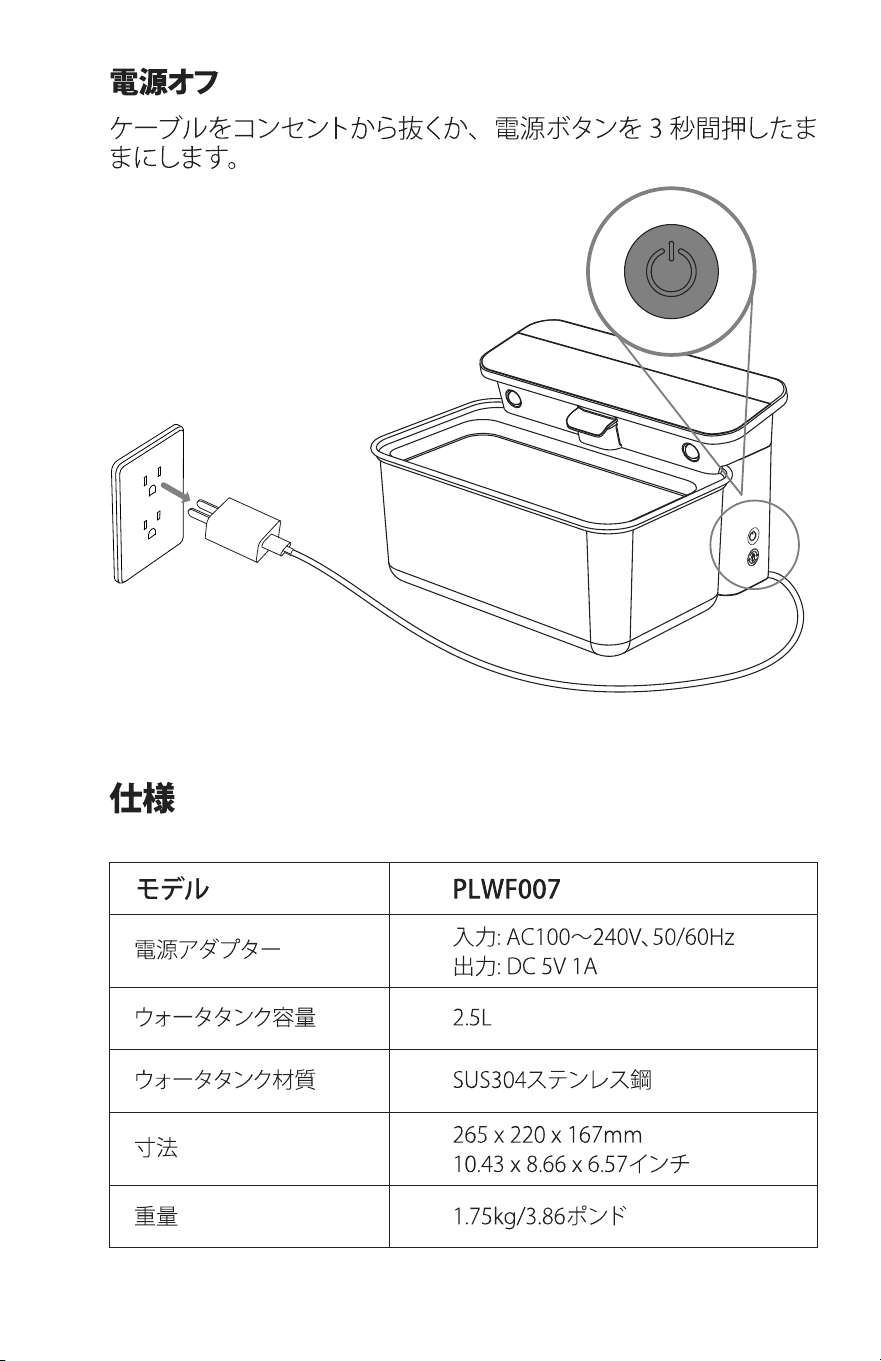
Power o
Unplug the cable from the outlet or press and hold the power
button for three seconds.
Power Adapter
Water Tank Capacity
Model PLWF007
Input: AC 100–240V 50/60Hz
Output: DC 5V 1A
2.5L
Water Tank Material SUS304 stainless steel
Weight 1.75kg / 3.86lb
Dimensions
265 × 220 × 167mm
10.43 × 8.66 × 6.57in

07 08
Specifications
Safety Instructions
• Use the fountain in a dry place.
• Use the fountain on a level surface.
• Dispose of all packaging materials properly. Some items
may be packed in plastic bags; these bags could cause
suocation. Keep them away from children and pets.
• Do not use the water fountain with pets that are not able to
reach the water tray or with any physical disability.
• Do not immerse the water fountain (except the tank) in
water at any time as it may damage electronic components.
• Do not use the fountain outdoors. Check its operation
frequently to be sure it is operating properly.
• Do not disassemble the fountain other than as instructed in
this user manual.
• Only use accessories recommended or sold by the
manufacturer. The use of accessories not recommended or
sold by the manufacturer may cause an unsafe condition.
• Do not modify the fountain.
• Examine the fountain after installation. Do not plug in if
there is water on the power cable or plug.
• To avoid tripping, always position the power cable out of
the way of foot trac.
• Do not install or store the fountain where it will be exposed
to weather or temperatures below 0°C (32°F).
• Do not use the fountain without adding water first.
• Power o the fountain when it's not in use.
Power o
Unplug the cable from the outlet or press and hold the power
button for three seconds.
Power Adapter
Water Tank Capacity
Model PLWF007
Input: AC 100–240V 50/60Hz
Output: DC 5V 1A
2.5L
Water Tank Material SUS304 stainless steel
Weight 1.75kg / 3.86lb
Dimensions
265 × 220 × 167mm
10.43 × 8.66 × 6.57in

09
Radio frequency exposure statement
To maintain compliance with the FCC's RF Exposure
Guidelines, this equipment should be installed and operated
with a minimum distance of 20cm from your body.
FCC statement
This device complies with Part 15 of the FCC Rules. Operation
is subject to the following two conditions:
(1) this device may not cause harmful interference, and
(2) this device must accept any interference received,
including interference that may cause undesired operation.
Changes or modifications to this unit not expressly approved
by the party responsible for compliance could void the user’s
authority to operate the equipment.
Note: This equipment has been tested and found to comply
with the limits for a Class B digital device, pursuant to Part
15 of the FCC Rules. These limits are designed to provide
reasonable protection against harmful interference in a
residential installation. This equipment generates, uses and
can radiate radio frequency energy and, if not installed and
used in accordance with the instructions, may cause harmful
interference to radio communications. However, there is
no guarantee that interference will not occur in a particular
installation. If this equipment does cause harmful interference
to radio or television reception, which can be determined by
turning the equipment o and on, the user is encouraged to
Warranty
Notice
• 12-month warranty
• For guidance on product use, please contact our customer
service team via email: support@petlibro.com.
try to correct the interference by one or more of the following
measures:
• Reorient or relocate the receiving antenna.
• Increase the separation between the equipment and
receiver.
• Connect the equipment into an outlet on a circuit dierent
from that to which the receiver is connected.
• Consult the dealer or an experienced radio/TV technician for
help.
This device and its antenna(s) must not be co-located or
operated in conjunction with any other antenna or transmitter.

09
Radio frequency exposure statement
To maintain compliance with the FCC's RF Exposure
Guidelines, this equipment should be installed and operated
with a minimum distance of 20cm from your body.
FCC statement
This device complies with Part 15 of the FCC Rules. Operation
is subject to the following two conditions:
(1) this device may not cause harmful interference, and
(2) this device must accept any interference received,
including interference that may cause undesired operation.
Changes or modifications to this unit not expressly approved
by the party responsible for compliance could void the user’s
authority to operate the equipment.
Note: This equipment has been tested and found to comply
with the limits for a Class B digital device, pursuant to Part
15 of the FCC Rules. These limits are designed to provide
reasonable protection against harmful interference in a
residential installation. This equipment generates, uses and
can radiate radio frequency energy and, if not installed and
used in accordance with the instructions, may cause harmful
interference to radio communications. However, there is
no guarantee that interference will not occur in a particular
installation. If this equipment does cause harmful interference
to radio or television reception, which can be determined by
turning the equipment o and on, the user is encouraged to
Warranty
Notice
• 12-month warranty
• For guidance on product use, please contact our customer
service team via email: support@petlibro.com.
try to correct the interference by one or more of the following
measures:
• Reorient or relocate the receiving antenna.
• Increase the separation between the equipment and
receiver.
• Connect the equipment into an outlet on a circuit dierent
from that to which the receiver is connected.
• Consult the dealer or an experienced radio/TV technician for
help.
This device and its antenna(s) must not be co-located or
operated in conjunction with any other antenna or transmitter.
11 12
6
5
9
1
2
8
3
4
7
11 12
6
5
9
1
2
8
3
4
7
13 14
13 14
15 16
15 16
17 18
17 18
19

19
*Please read this manual before using the product and keep it for
future reference.
USER MANUAL
Glacier Automatic Pet Water Fountain
This device complies with Part 15 of the FCC Rules. Operation is subject to the
following two conditions: (1) this device may not cause harmful interference, and (2)
this device must accept any interference received, including interference that may
cause undesired operation.
CAN ICES-3 (B)/NMB-3(B)
@Libro Corp. All Rights Reserved.
Manufacturer: Shenzhen Libro Technology Co., Ltd.
Address: 12/F, Tower B, GALAXY WORLD, Yabao Road,
Longgang District, Shenzhen, China
JP Importer:
Made in China Model: PLWF007
GLACIER
Automatic Pet Water Fountain
www.petlibro.com