HILUX - SEP - 2022 - 001
PANORAMIC VIEW MONITOR (PVM)
OWNERS MANUAL
Please read this manual for proper operation and keep it for future reference.
Statements & Declarations
Safety Instructions
Getting Started
Product Overview
Operating Panoramic View Monitor
Gear : Engaged to Parking (P) / Neutral (N) / Drive (D)
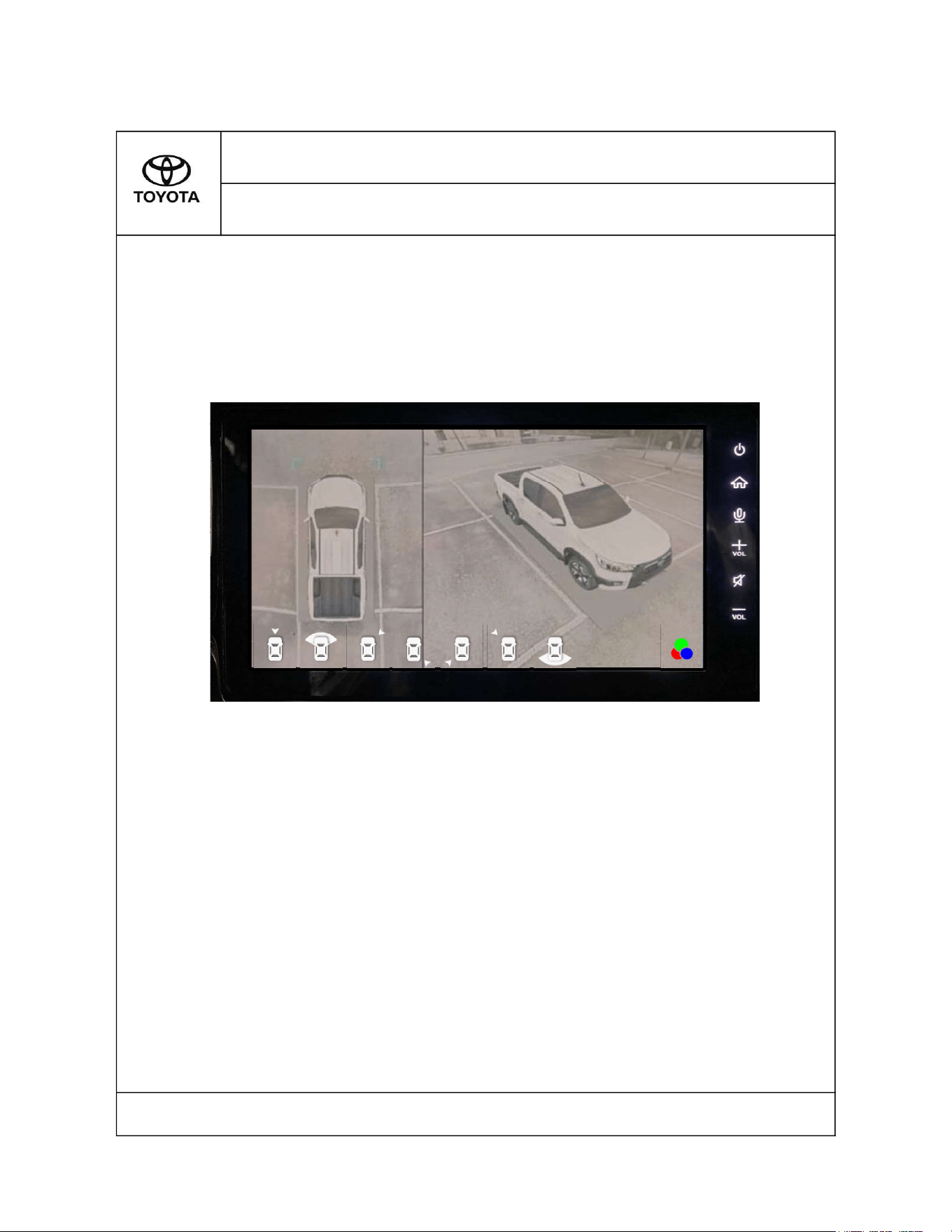
2D model + 3D model (from angle A)
.
Front View Full Screen.
2D model + 3D model (from angle B)
.
2D model + 3D model (from angle D) .
2D model + 3D model (from angle F)
.
2D model + 3D model (from angle H).
Rear View Full Screen.
Gear : Reverse (R )
Colour Selection
1.0
1.1 1
HILUX - SEP - 2022 - 001
TABLE OF CONTENTS
PANORAMIC VIEW MONITOR (HILUX)
Section Title Page
3.0
3.1.2
3.1.3
4
2.0
2.1 2
3.1.5 5
3.1.6 5
3.1.7 6
3.1
4
3.1.1
4
3.1.4 5
3
3.3
3.1.8 6
3.2 7
8
Please read this manual for proper operation and keep it for future reference.
Safety Instructions
Warning
Read, follow, and retain all of the following safety precautions. Heed all
warnings before operating the Panoramic View Monitor.
Cautions
1. Several precautions are to be taken whle using the PVM :
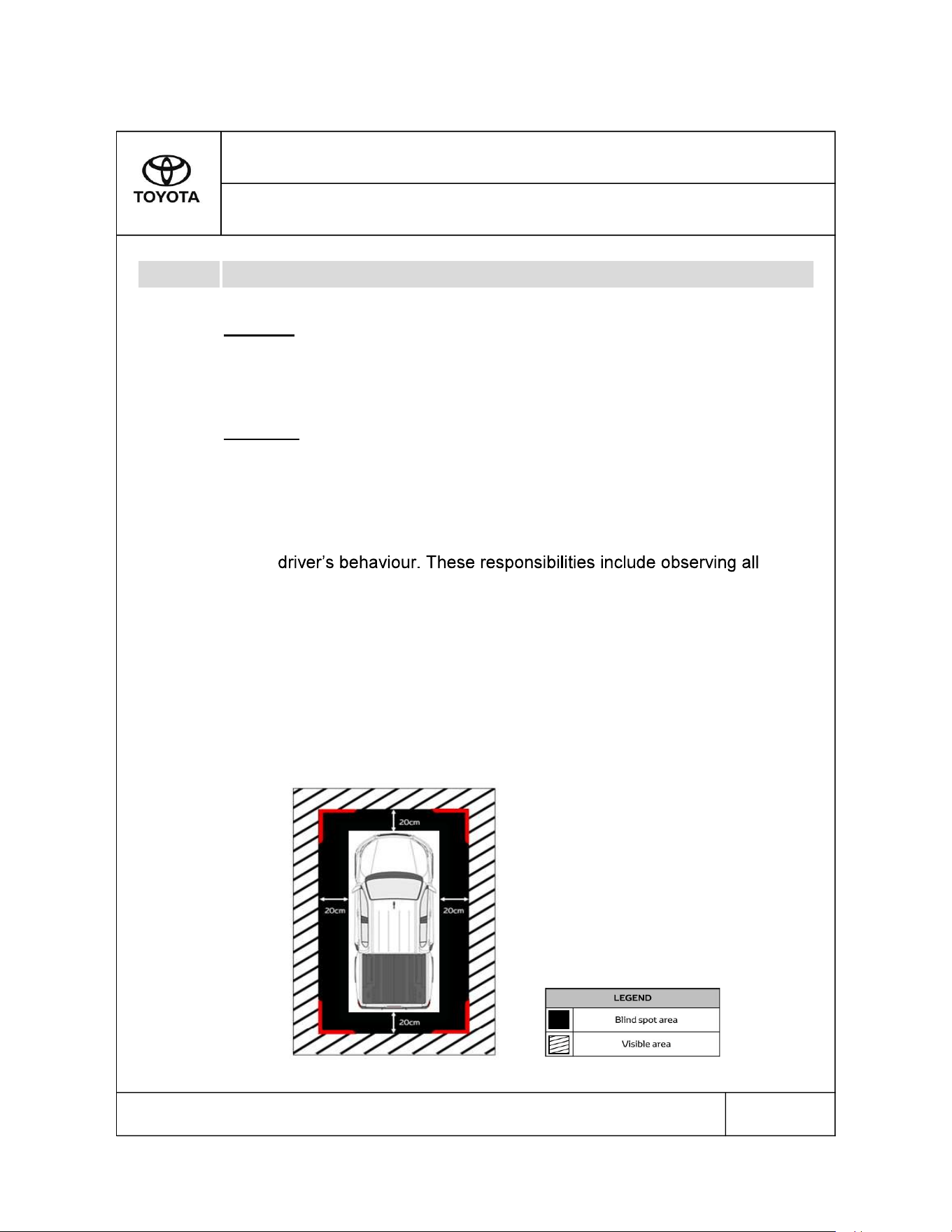
2. Blind Spot
HILUX - SEP - 2022 - 001
SECTION 1.0
Statements & Declarations
1.1
Please read this manual for proper operation and keep it for future reference.
1/8
a. PVM function automatically disables when vehicle speed
exceeds 12 km/h.
b. Using the PVM mode does not alter the responsibilities of the
the traffic rules and regulations to avoid accidents to prevent
accidents, personal injuries or property damages.
The cameras that are mounted at the Front, Right, Left and Rear
of the vehicle are only able to view objects from a proximate
distance distance of 20cm away from the vehicle.
18
Product Overview
•
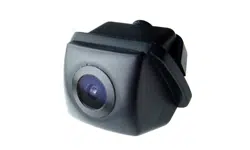
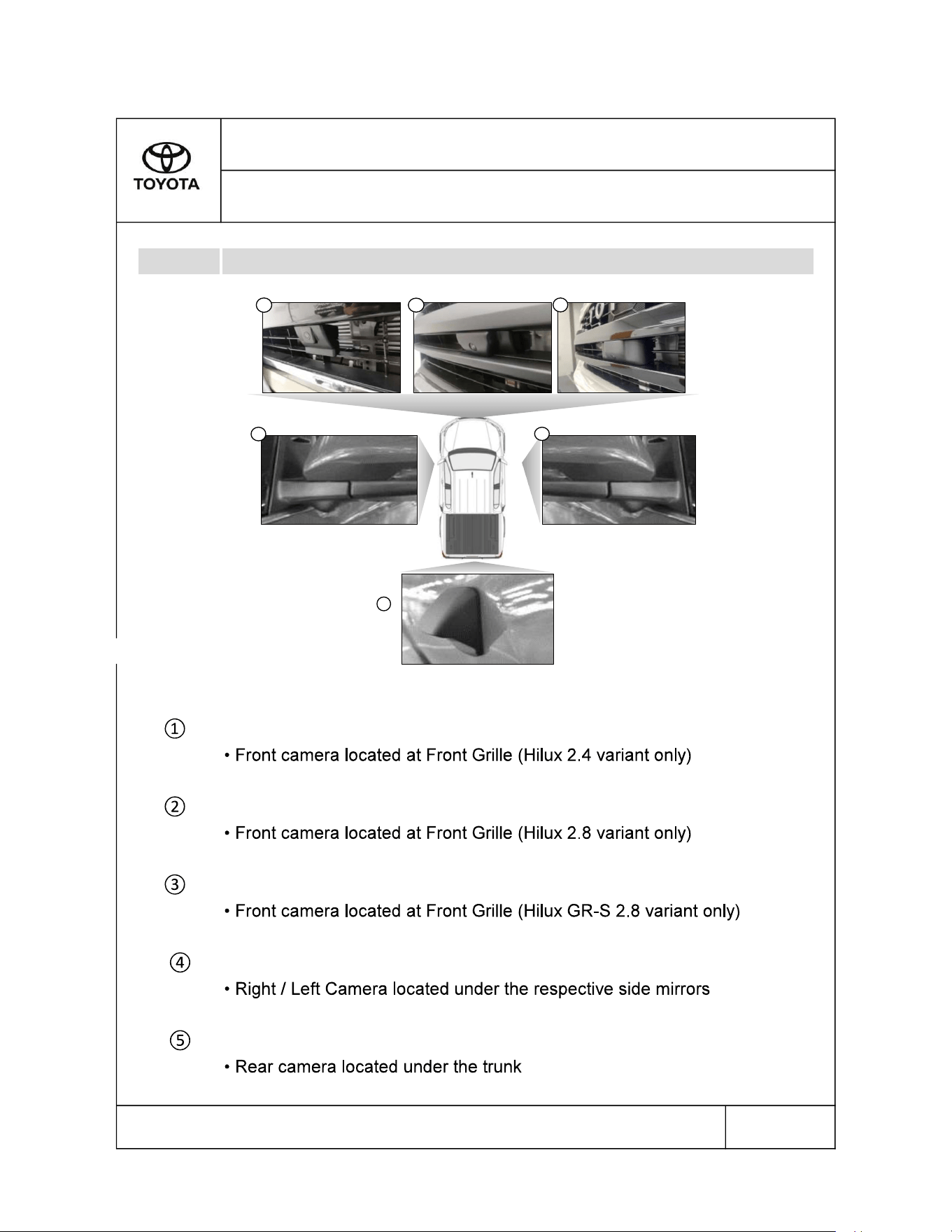
Front Camera Hilux 2.4
Front Camera Hilux 2.8
Front Camera Hilux GR-S 2.8
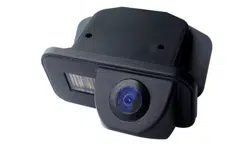
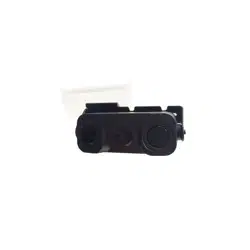
Right and Left Camera Hilux
Rear Camera Hilux
HILUX - SEP - 2022 - 001
SECTION 2.0
Getting Started
2.1
Figure 2.1
Please read this manual for proper operation and keep it for future reference.
2/8
5
4
4
1
2
3
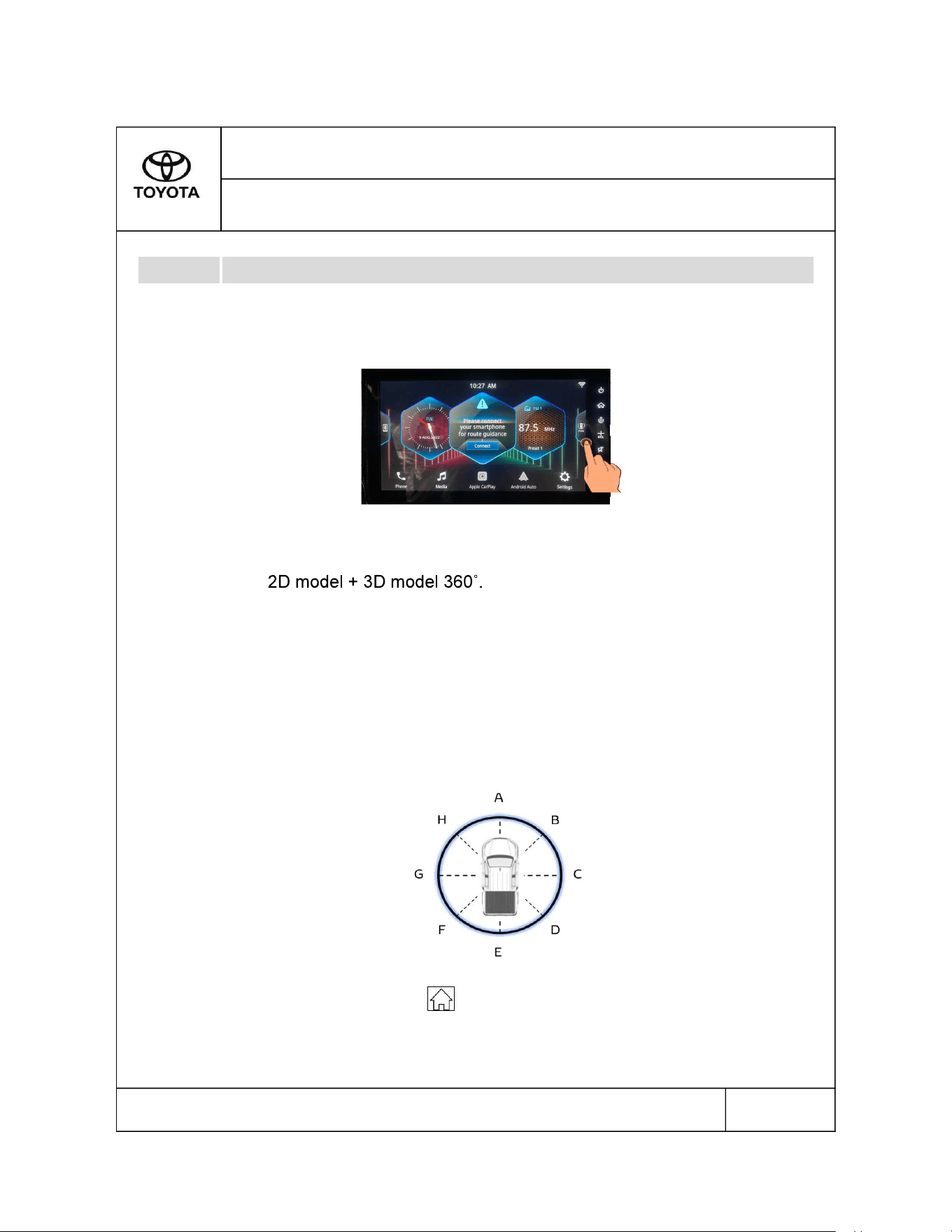
Gear : Engaged to Parking (P) / Neutral (N) / Drive (D)
1.
2.
i.
ii. 2D model + 3D model (from angle A).
iii. Front View Full Screen.
iv. 2D model + 3D model (from angle B).
v. 2D model + 3D model (from angle D).
vi. 2D model + 3D model (from angle F).
vii.
2D model + 3D model (from angle H).
viii.
Rear View Full Screen.
3.
HILUX - SEP - 2022 - 001
Please read this manual for proper operation and keep it for future reference.
3/8
SECTION 3.0
Operating PVM
3.1
Press the PVM icon located on the right side of the head unit home
screen to activate its function.
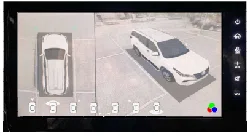
User can view vehicle surroundings from 8 different perspective as
follows:
Press the "Home" button located on the Head Display Unit to exit PVM
mode manually.
2D model + 3D model 360° view
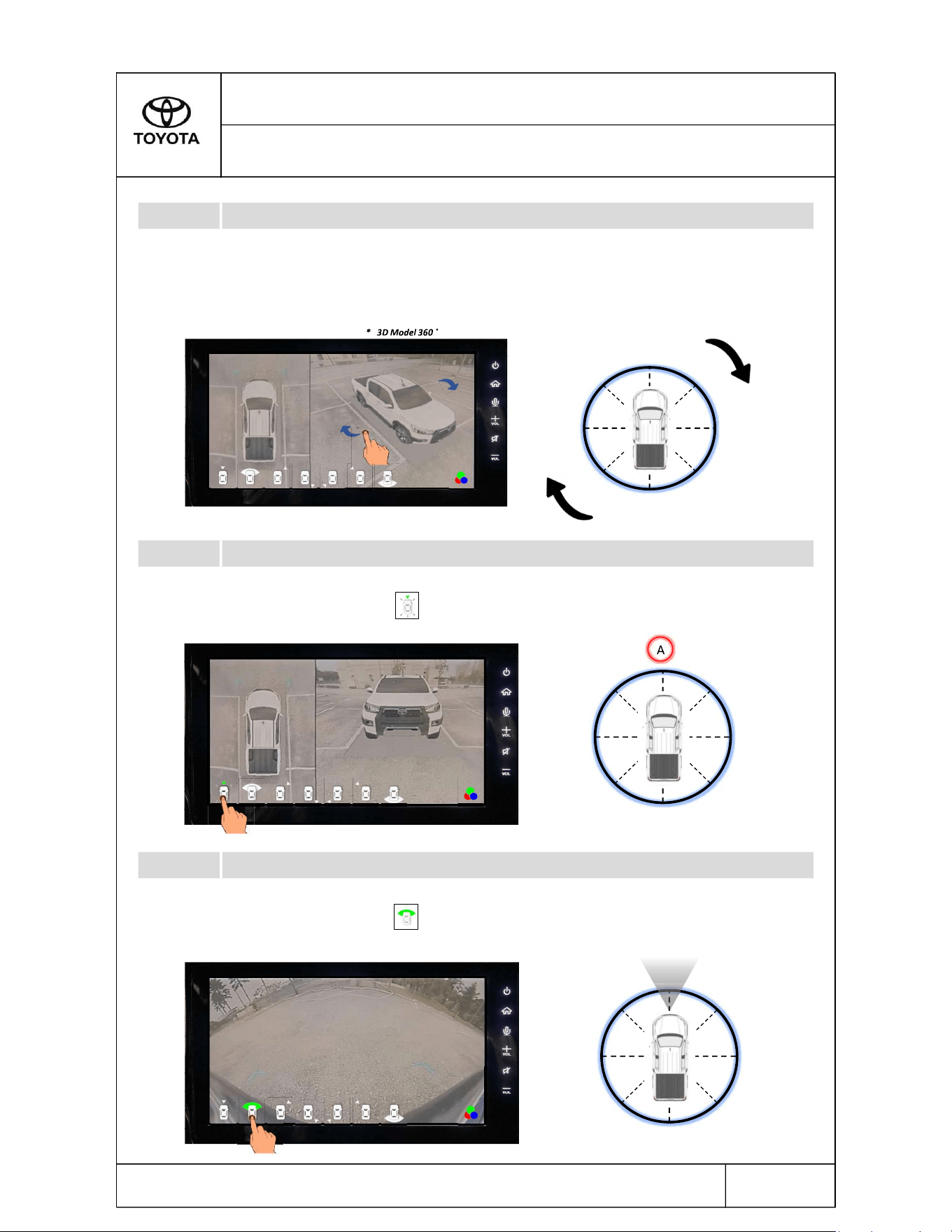
2D model + 3D model from angle A
Front View Full Screen
HILUX - SEP - 2022 - 001
SECTION 3.0
Operating PVM
3.1.1
Please read this manual for proper operation and keep it for future reference.
To activate this view, tap on the icon on screen.
To activate this view, tap on the icon on screen.
4/8
3.1.2
Swiping the finger across the screen as shown below allows user to rotate the view
around the vehicle.
3.1.3
A
G
H
D
B
F
C
E
2D Model
A
G
H
D
B
F
C
E
2D Model * 3D Model from angle A
Front view only
Front view
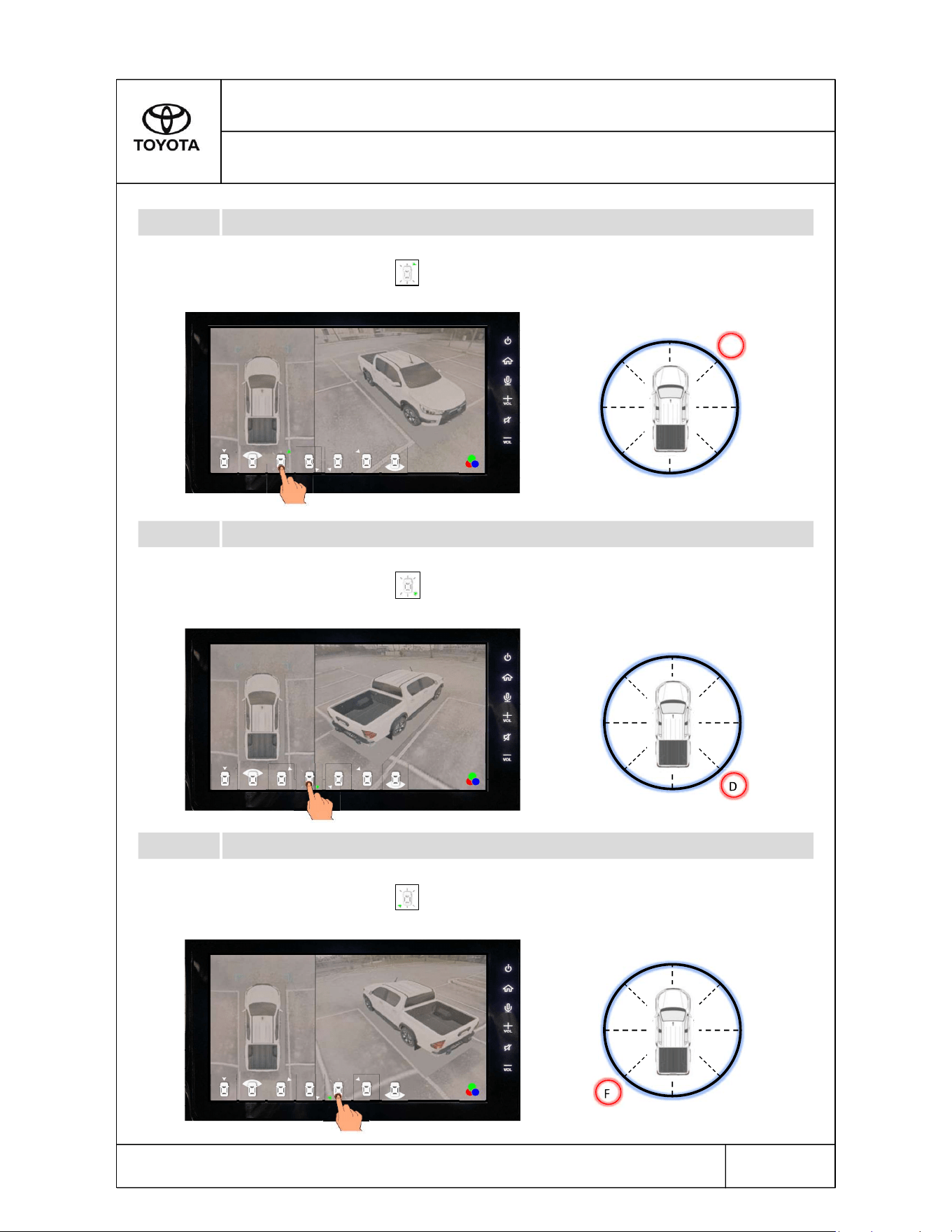
2D model + 3D model from angle B
2D model + 3D model from angle D
2D model + 3D model from angle F
To activate this view, tap on the icon on screen.
To activate this view, tap on the icon on screen.
To activate this view, tap on the icon on screen.
3.1.5
3.1.6
Please read this manual for proper operation and keep it for future reference.
5/8
HILUX - SEP - 2022 - 001
SECTION 3.0
Operating PVM
3.1.4
A
G
H
D
B
F
C
E
2D Model * 3D Model from angle B
A
G
H
D
B
F
C
E
2D Model * 3D Model from angle D
A
G
H
D
B
F
C
E
2D Model * 3D Model from angle F
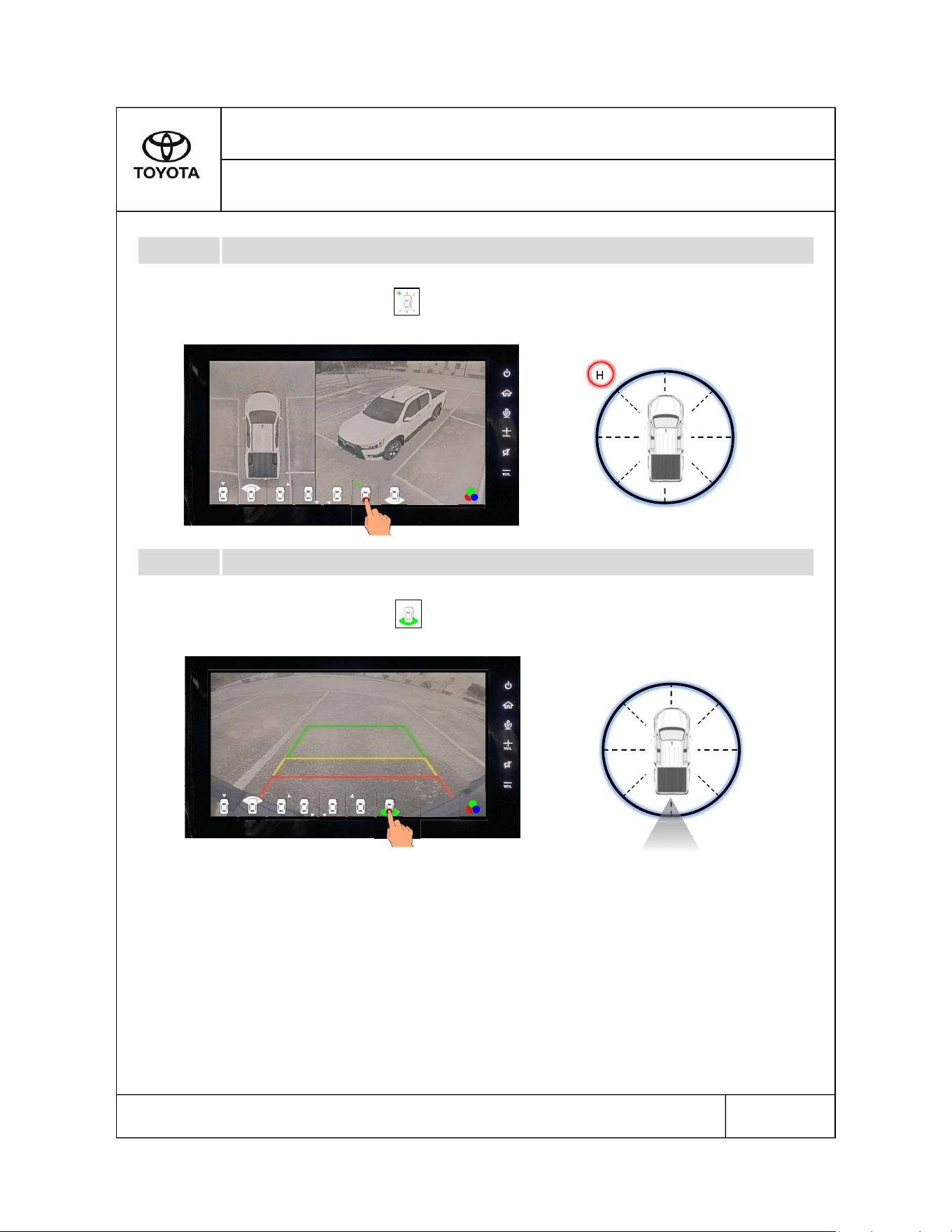
2D model + 3D model from angle H
Rear View Full Screen
3.1.8
Please read this manual for proper operation and keep it for future reference.
6/8
HILUX - SEP - 2022 - 001
SECTION 3.0
Operating PVM
3.1.7
To activate this view, tap on the icon on screen.
To activate this view, tap on the icon on screen.
A
G
H
D
B
F
C
E
2D Model * 3D Model from angle H
Rear view only
Rear view
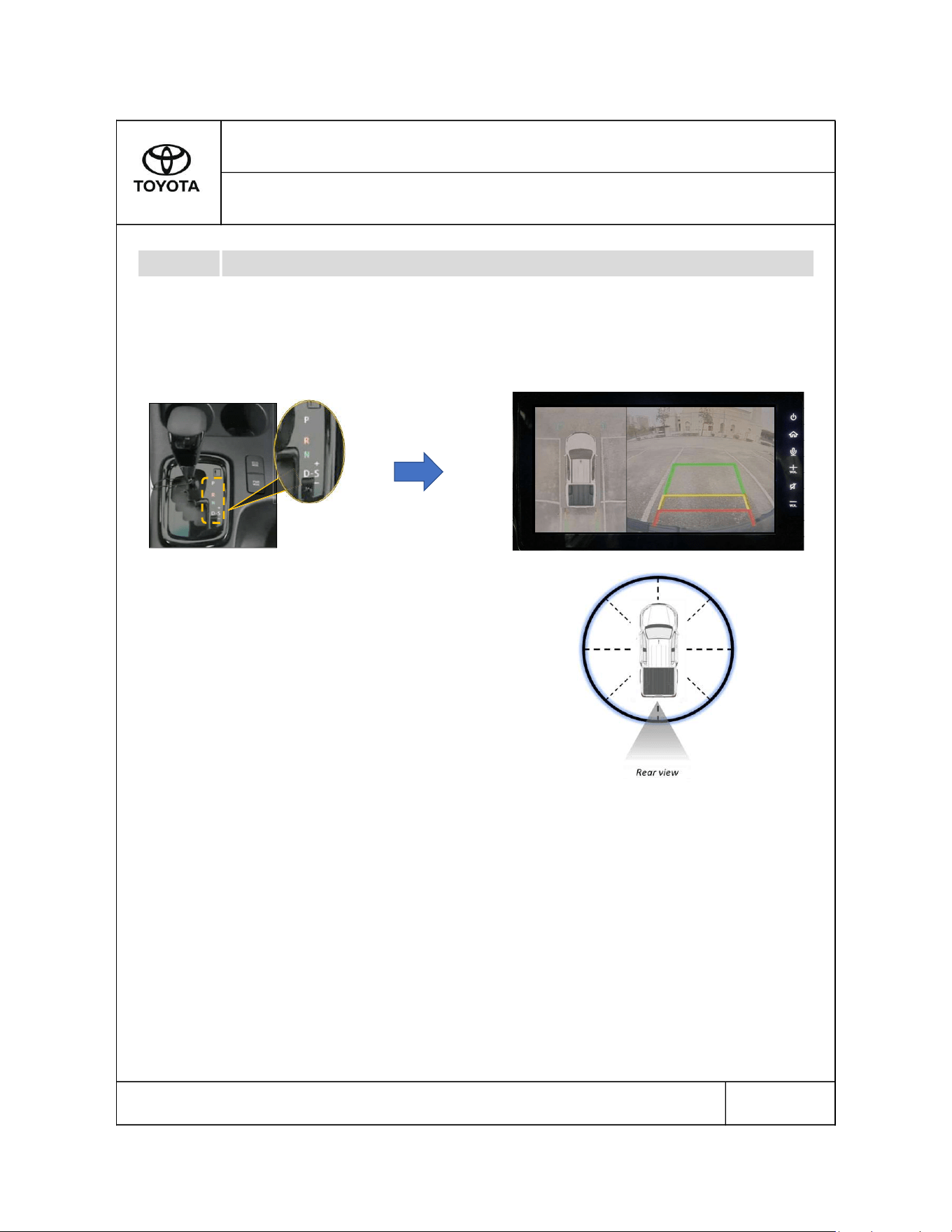
Gear : Reverse (R)
HILUX - SEP - 2022 - 001
SECTION 3.0
Operating PVM
Please read this manual for proper operation and keep it for future reference.
7/8
3.2
When gear is engaged to Reverse (R), the screen on Head Display Unit will switch to
PVM mode automatically.
PVM activates upon
engaging reverse gear
2D model Rear view
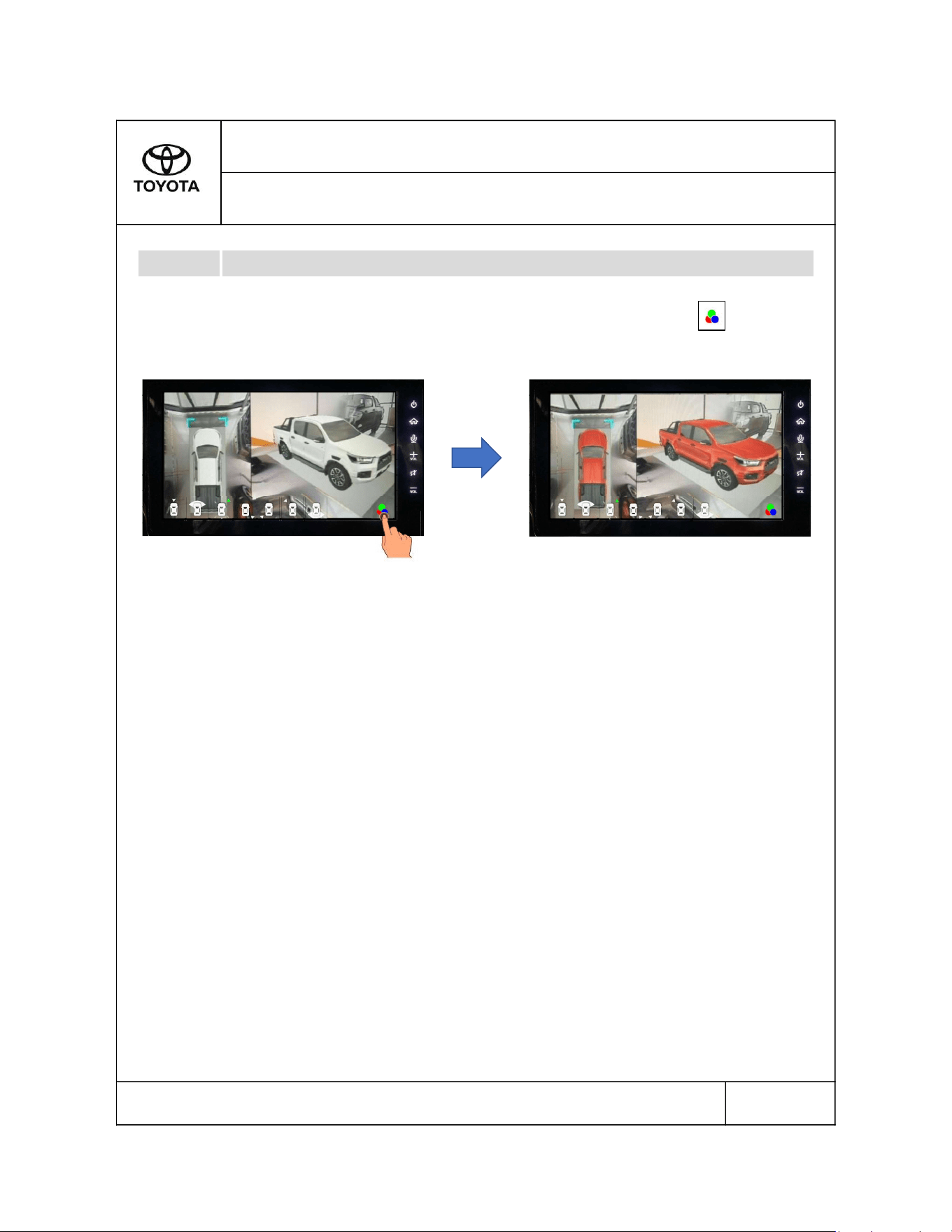
Colour Selection
3.3
Please read this manual for proper operation and keep it for future reference.
8/8
To change colour of vehicle model to a more preferred colour, tap the icon.
HILUX - SEP - 2022 - 001
SECTION 3.0
Operating PVM