Operating instructions
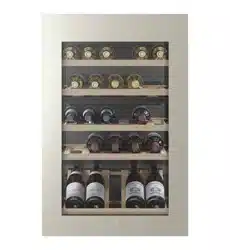
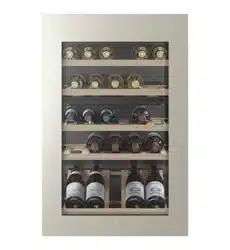
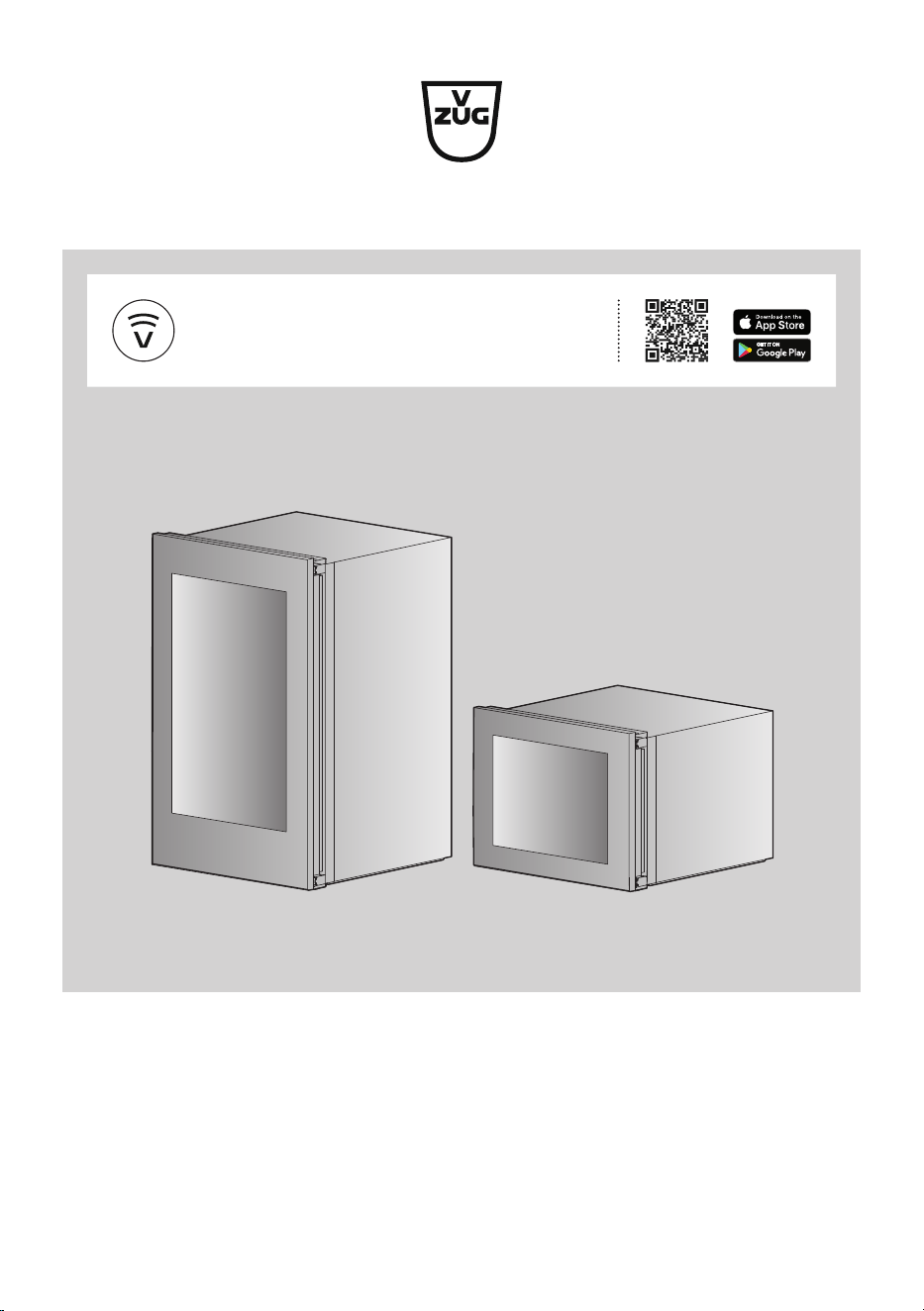
WineCooler V4000 90 | 45
Refrigerating appliance
V-ZUG-Home
Install the app, network your appliances and
benefit from a wide range of useful functions.

Thank you for choosing to buy one of our products. Your appliance is made to high
standards and is easy to use. Nevertheless, please take the time to read these operating
instructions in order to familiarize yourself with the appliance and get the best use out of
it.
Please follow the safety precautions.
Modifications
Text, diagrams and data correspond to the technical standard of the appliance at the
time these operating instructions went to press. The right to make technical modifications
for the purpose of the further development of the appliances is reserved.
Validity
These operating instructions apply to:
Model designation Type Model number Size system
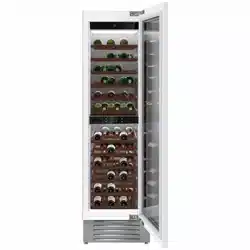
WineCooler V4000 90 WC4T-51102 51102 Euro 60
WineCooler V4000 45 WC4T-51113 51113 Euro 60
Variations depending on the model are noted in the text.
© V-ZUG Ltd, CH-6302 Zug, 2024
2

3
Contents
1 Safety warnings 4
1.1 Symbols used .........................................................4
1.2 General safety precautions ..................................4
1.3 Appliance-specific safety precautions................5
1.4 Appliance installation ............................................5
1.5 Instructions for use ................................................5
2 Using for the first time 8
3 Appliance description 8
3.1 Structure ..................................................................8
3.2 Operating and display elements .........................9
4 Operation 10
4.1 Switching the appliance on............................... 10
4.2 Setting the temperature ..................................... 10
4.3 Selecting appliance functions........................... 11
4.4 Cancelling settings ............................................. 11
4.5 Switching the appliance off............................... 11
5 Appliance functions 12
5.1 Activating/Deactivating appliance functions.. 12
5.2 Description of functions ..................................... 16
6 V-ZUG-Home 17
6.1 Conditions ............................................................ 17
6.2 Initial set-up .......................................................... 18
7 Interior fittings 18
7.1 Door opener with TouchOpen .......................... 18
7.2 Shelves and presentation shelves ................... 19
7.3 Divider shelf ......................................................... 19
8 Care and maintenance 20
8.1 Interior ................................................................... 20
8.2 Operating and display elements ...................... 20
8.3 Door seals ............................................................ 20
8.4 Defrosting ............................................................. 20
8.5 When the appliance is not in use .................... 20
9 Noises and warnings 20
9.1 Operating noise................................................... 20
9.2 Warning signal and alarm ................................. 21
10 Trouble-shooting 22
11 Tips and tricks 25
11.1 General information on using the appliance . 25
11.2 Notes on storage of wine .................................. 25
11.3 Notes on saving energy..................................... 25
12 Technical data 26
13 Disposal 27
14 Index 29
15 Service & Support 31
4
1 Safety warnings
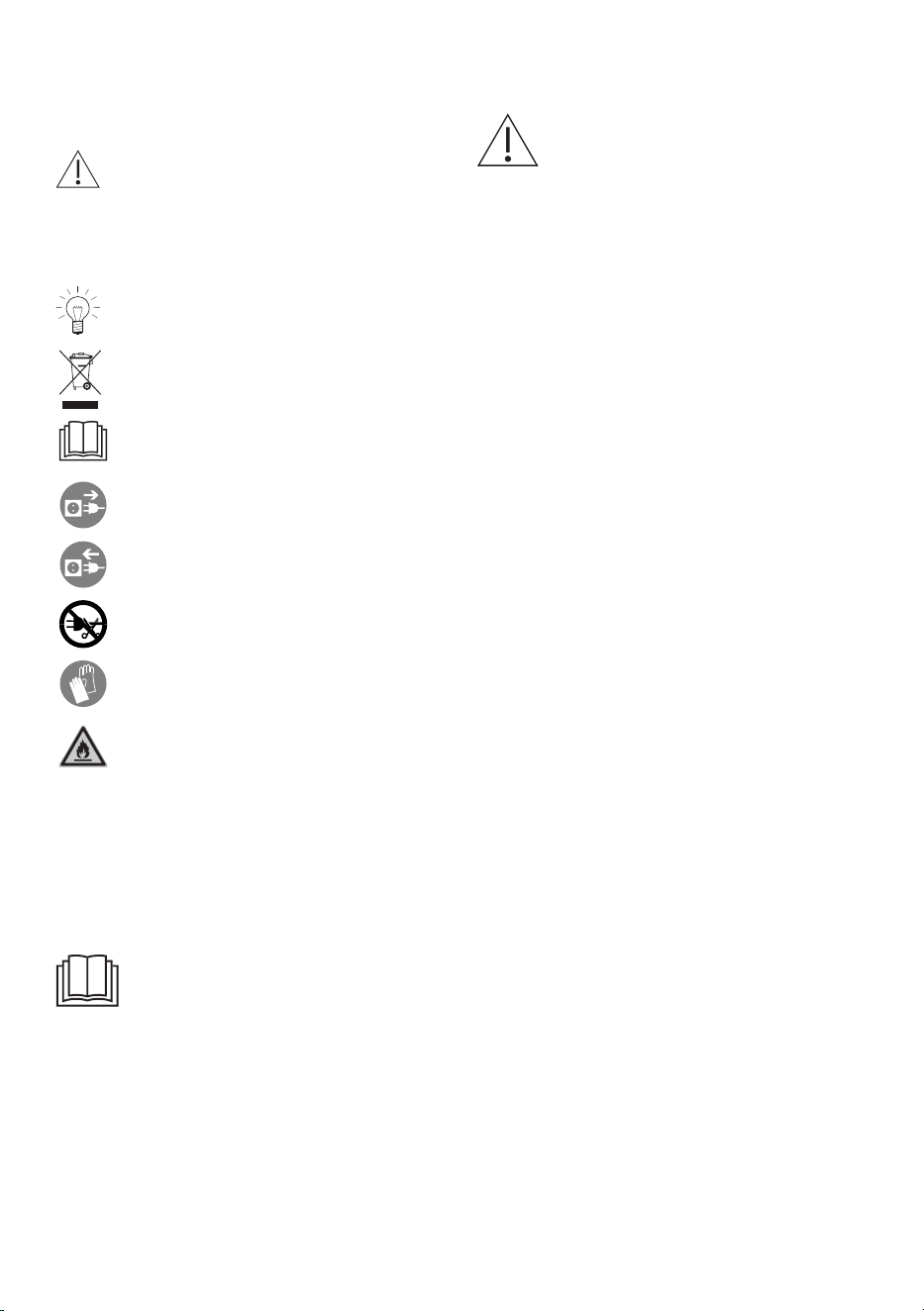
1.1 Symbols used
Denotes important safety precau-
tions.
Failure to observe said precautions
can result in injury or in damage to
the appliance or fittings!
Information and precautions that
should be observed.
Information on disposal
Information about the Operating In-
structions
Remove plug from mains socket /
disconnect power supply
Insert plug into mains socket / con-
nect power supply
Do not cut off or modify mains plug
Wear protective gloves
Symbol ISO 7010 W021
WARNING: Risk of fire / flammable
materials
▸ Indicates step-by-step instructions.
– Describes how the appliance reacts
to the steps taken.
▪ Indicates a list.
1.2 General safety precautions
▪ Read the operating instruc-
tions before using the appli-
ance for the first time.
▪ This appliance can be used
by children aged 8 and above
and by persons with reduced
physical, sensory or mental
capabilities, or lack of experi-
ence and/or knowledge,
provided they are supervised
or have been instructed on
the safe use of the appliance
and have understood the haz-
ards involved. Children shall
not play with the appliance.
Cleaning and user mainten-
ance shall not be undertaken
by children without supervi-
sion.
▪ If an appliance is not
equipped with a mains cable
and a plug or other means for
disconnecting from the mains
with a contact opening on
each pole complying with the
conditions of overvoltage cat-
egory III for full isolation, an
isolating device must be in-
corporated into the perman-
ently installed electrical install-
ation in accordance with the
installation regulations.
▪ If the mains cable of this ap-
pliance is damaged, it must
be replaced by the manufac-
1 Safety warnings
5
turer or its Customer Services
or a similarly qualified person
in order to avoid hazard.
1.3 Appliance-specific safety
precautions
▪ Children aged from 3 to 8
years are allowed to load and
unload refrigerating appli-
ances.
1.4 Appliance installation
▪ The appliance must be installed by
qualified personnel only.
▪ Each step must be carried out and
checked in full in the order specified.
▪ Electrical connections must be carried
out by qualified personnel in accord-
ance with the guidelines and standards
for low-voltage installations and the spe-
cifications of the local electricity supply
companies.
▪ A plug-in appliance may only be con-
nected to a socket outlet with earthing
contact, installed according to specifica-
tions. An all-pole mains isolating device
with 3 mm contact opening should be
provided in the house wiring system.
Switches, plug and socket devices, cir-
cuit breakers and fusible cut-outs which
are accessible after installation and
which have all-poles switching are per-
missible as isolating devices. Effective
earthing and separately installed neutral
and earth conductors ensure safe and
fault-free operation. After installation,
live parts and cables with basic insula-
tion must not be accessible. Check old
installations.
▪ Refer to the identification plate for in-
formation on the required mains
voltage, current type and fuse protec-
tion.
▪ All plastering, plasterboarding, wall pa-
pering and painting work is to be car-
ried out prior to installing the appliance.
▪ Efficient repairs can only be guaranteed
if it is possible to de-install the complete
appliance at any time without causing
any damage.
1.5 Instructions for use
Before using for the first time
▪ The appliance must be installed and
connected to the electricity supply in
accordance with the separate installa-
tion instructions. Have a qualified fitter/
electrician carry out the necessary
work.
▪ Electrical safety (protection against con-
tact) must be ensured by the installa-
tion.
▪ If the appliance is visibly damaged, do
not use it. Contact our Customer Ser-
vices. Do not use the appliance if the
cold circuit is damaged.
▪ WARNING: The required room volume
for the appliance is at least 1m
3
per
8g refrigerant (isobutane R600a). In
rooms that are too small, a leak can
produce a flammable air-gas mixture.
The filled volume of the refrigerant is
shown on the identification plate.
▪ WARNING: When installing the appli-
ance, ensure the mains cable is not
trapped or damaged.
▪ WARNING: Do not locate multiple port-
able socket-outlets or portable power
supplies at the rear of the appliance.
▪ Avoid using extension cables.
▪ When installed, it is important to ensure
that the air inlets and vent openings are
not covered or blocked.
▪ Retain these operating instructions for
future reference.
▪ Operating instructions for the appliance
can be downloaded from
www.vzug.com.
1 Safety warnings
6
▪ Dispose of the packaging material in
accordance with local regulations.
Correct use
▪ This appliance is intended to be used
exclusively for the storage of wine. The
appliance must only be used as de-
scribed in the operating instructions.
▪ This appliance is intended for use in the
home and similar settings such as: in
staff kitchens; in shops or offices; in ag-
ricultural establishments; by guests in
hotels, motels and other accommoda-
tion establishments; in bed and break-
fast establishments. This appliance is
not intended for use in the commercial
sector.
▪ The appliance corresponds to recog-
nized technology standards and the rel-
evant safety regulations. Proper use of
the appliance is essential to avoid dam-
age and accidents. Please therefore fol-
low the precautions given in these oper-
ating instructions.
▪ No liability is assumed for any damage
caused by improper or incorrect use or
by repairs carried out by an unqualified
person. In this case any warranty or
other liability claims are deemed null
and void.
▪ Any repairs, modifications or manipula-
tions to the appliance, especially any
electrically live parts, may only be car-
ried out by the manufacturer, its Cus-
tomer Services or a similarly qualified
person. Repairs if carried out incorrectly
may cause serious injury, damage to
the appliance and fittings, as well as af-
fect the functioning of the appliance. If
the appliance is not working properly or
in case a repair is needed, follow the in-
structions given in the «Service & Sup-
port» section. Contact our Customer
Services if necessary.
▪ Use original spare parts only.
Climate class
This appliance is intended for use in a lim-
ited ambient temperature range to ensure
proper operation. Information for the ap-
plicable climate class can be found on the
identification plate.
Climate class Ambient temperature
SN +10 °C to +32 °C
N +16 °C to +32 °C
ST +16 °C to +38 °C
T +16 °C to +43 °C
SN-ST +10 °C to +38 °C
SN-T +10 °C to +43 °C
Note on use
▪ Do not operate any electrical devices
inside the appliance.
▪ High-proof alcohol should only be
stored tightly sealed and standing up-
right. Do not store explosive materials
or aerosol cans in the appliance.
Danger of explosion!
▪ This appliance is CFC- and FC-free and
contains small quantities of the environ-
mentally friendly, but flammable refriger-
ant isobutane (R600a). When handling
the appliance take care not to damage
the cooling circuit. Any refrigerant that
escapes can ignite. If it were to become
damaged, avoid open flames and other
ignition sources as isobutane is flam-
mable. Ventilate the room well for a few
minutes. Switch the appliance off and
disconnect from the power supply. Do
not turn on any power supplies. Notify
our Customer Services.
Caution: Risk of injury!
▪ Be careful not to put fingers in the door
hinges, as there is otherwise a risk of
injury if the appliance door is moved.
Particular care should be taken when
children are around.

1 Safety warnings
7
▪ Cut the power going to the appliance
before cleaning. Pull out the mains plug
or switch off the fuse. Never pull the
mains plug out of the mains socket by
the cable or with wet hands. Hold the
mains plug and pull it straight out of the
mains socket.
▪ Do not remove the evaporation tray on
the compressor. Fire hazard!
Caution: Risk to life!
▪ Packaging materials, e.g. plastic film
and polystyrene, can be dangerous for
children. Danger of suffocation! Keep
packaging material away from children.
▪ When carrying out maintenance work
on the appliance, including replacing
light bulbs (if how to remove them is
described in the Operating instructions),
cut off the electricity supply to the appli-
ance: remove the screw fuse from the
holder or switch the circuit breaker off,
or unplug from the mains socket.
How to avoid damaging the appliance
▪ Clean the appliance just with water or a
mild soapy solution (water and washing-
up liquid).
Transport
Transport the appliance in an up-
right position only! Transporting it in
any other position will result in dam-
age to the appliance!
2 Using for the first time
Before operating the newly installed appliance for the first time, the following steps
should be taken:
▸ Remove packaging and transport materials as well as any protective film from the in-
terior.
▸ Remove any traces of adhesive from the appliance door with a mild soapy solution.
▸ Clean the interior and accessories with lukewarm water or a mild soapy solution (wa-
ter and washing-up liquid) and dry thoroughly.
▸ Check that all appliance door seals are completely dry and dry them if necessary.
▸ Wait for 2 hours before switching the appliance on.
3 Appliance description
3.1 Structure
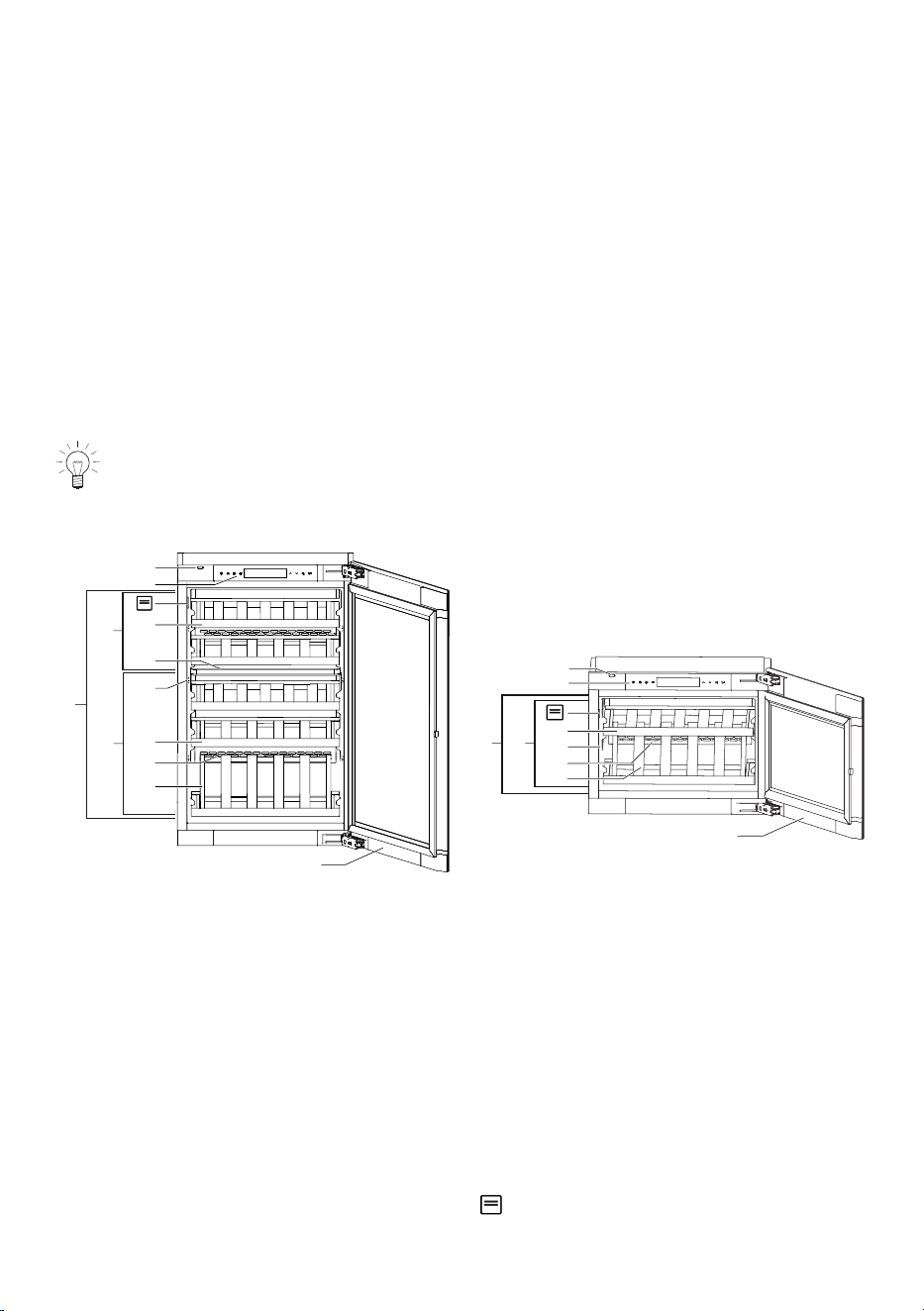
The direction in which the door opens can be changed. Please contact our Cus-
tomer Services if necessary.
WineCooler V4000 90 (51102) WineCooler V4000 45 (51113)
2
1
3
8
7
9
4
5
6
C
B
A
2
1
3
9
5
7
8
BA
Temperature zones
A
Refrigerator section
A
Refrigerator section
B
Upper wine storage compartment
B
Wine storage compartment
C
Lower wine storage compartment
Interior fittings
1
«TouchOpen» door opener
6
Long presentation shelf
2
Operating and display elements
7
Ventilation slit
3
Shelves
8
Short presentation shelf
4
Divider shelf
9
Appliance door
5
LED illumination Identification plate with serial number
(SN)
8
3 Appliance description
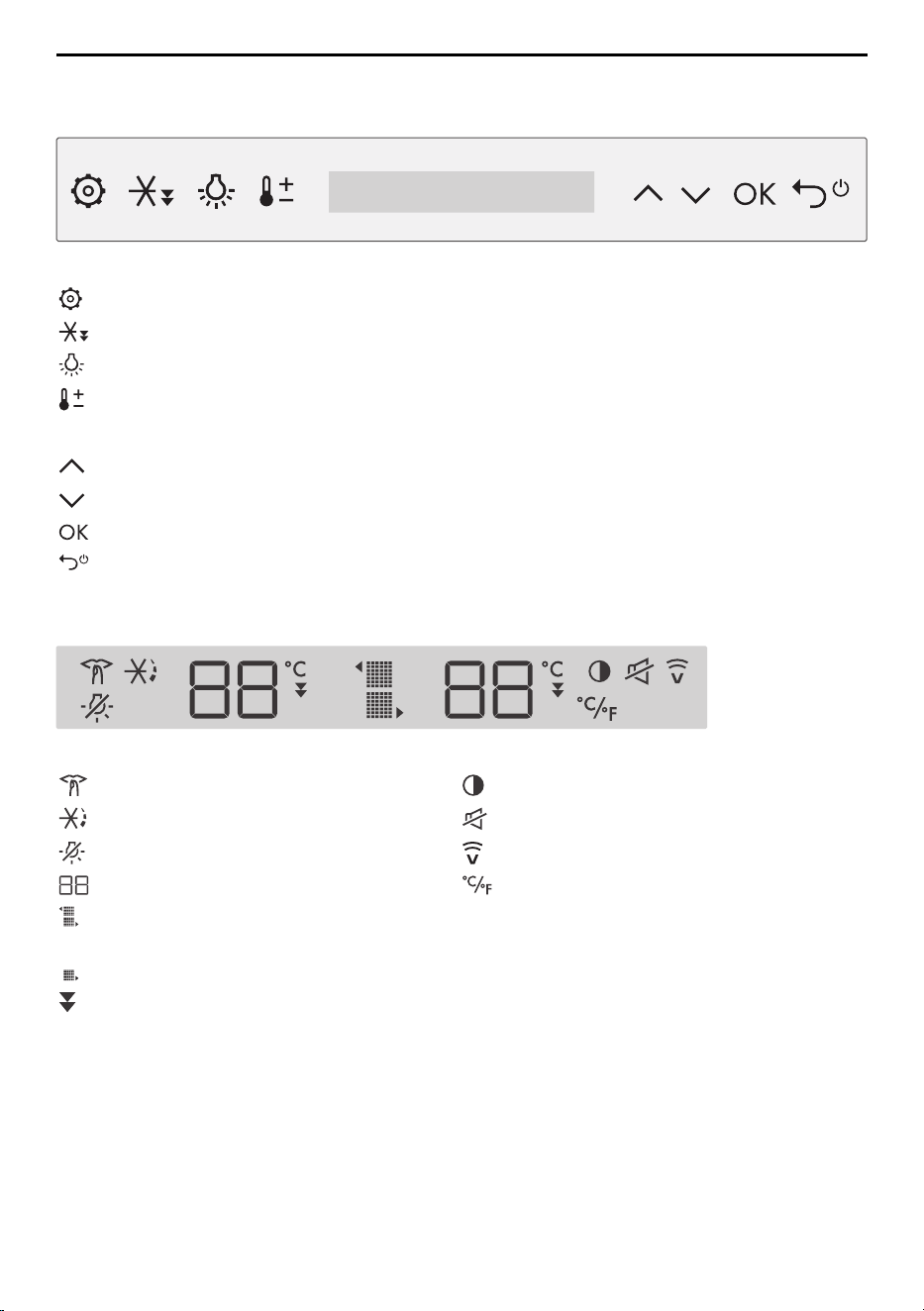
3.2 Operating and display elements
Buttons
Function buttons
Settings
Fast cooling
Permanent interior illumination
Temperature setting
Navigation buttons
Navigation arrow pointing up/left; adjust value
Navigation arrow pointing down/right; adjust value
Confirm entry
BACK: Cancel or discard entry, ON/OFF (hold depressed for 3 seconds)
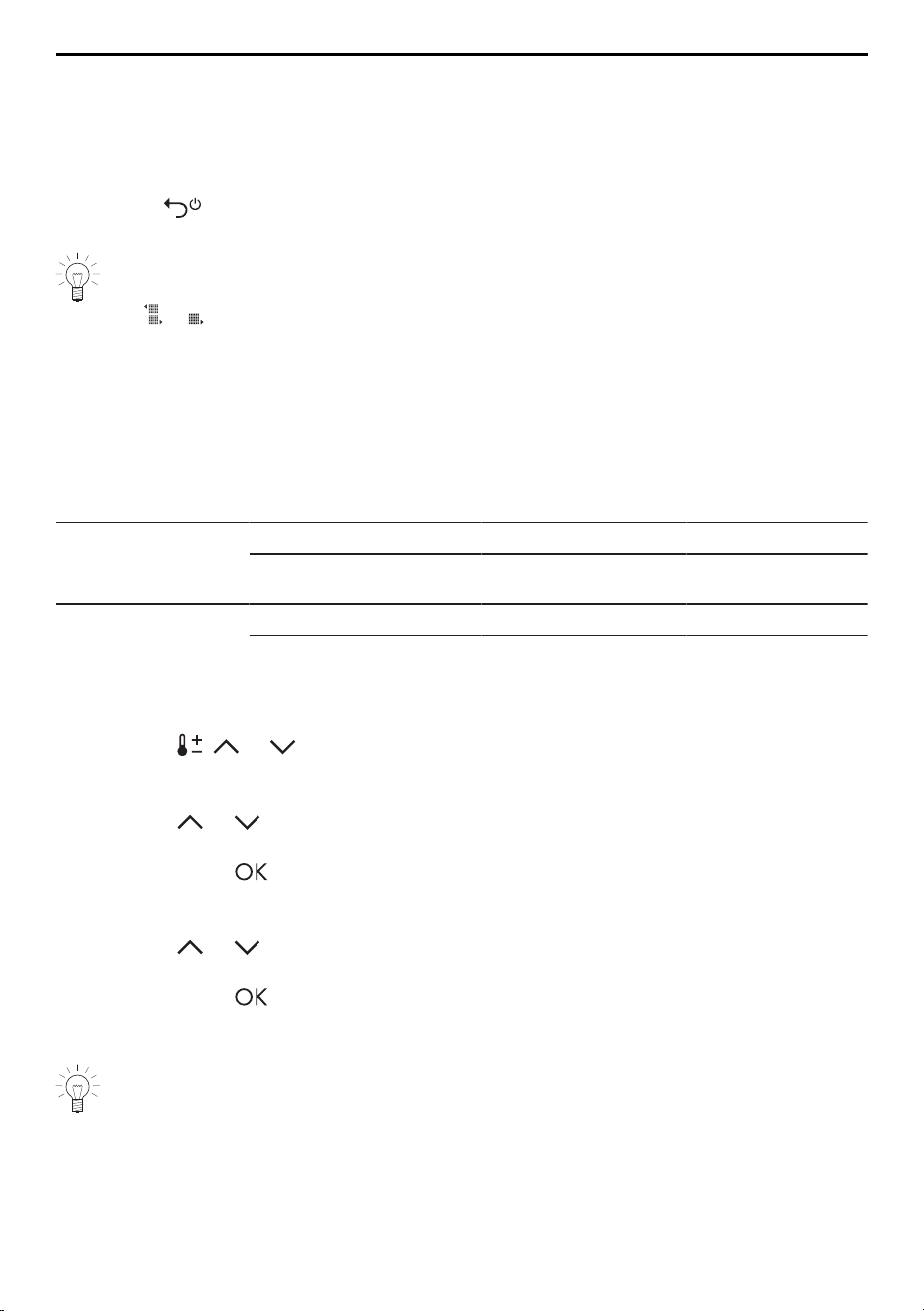
Display elements
Functions User settings
SilentPlus Display brightness
PartyCooling Switch off button tone
Sabbath mode V-ZUG-Home
Value and status display Temperature unit
Upper/Lower wine storage compart-
ment (51102)
Wine storage compartment (51113)
Fast cooling
9
4 Operation
4 Operation
4.1 Switching the appliance on
▸ Plug in the appliance at the mains socket.
– «OF» appears on the left- and right-hand side of the display for 30 seconds.
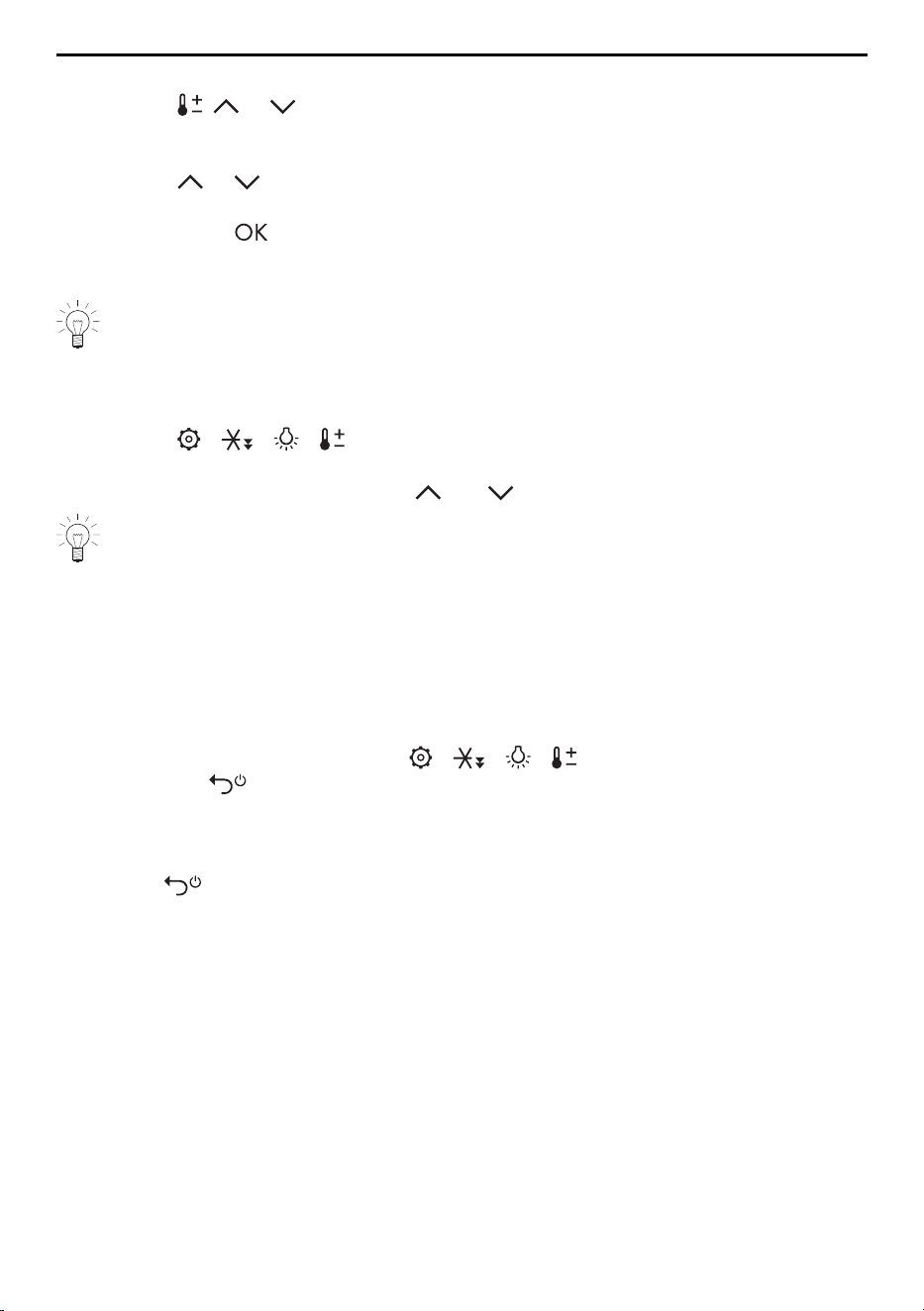
▸ Hold the button depressed for 3 seconds.
– The appliance is switched on.
A newly installed appliance takes up to 5 hours (empty state / without any bottles
inside) to reach its normal operating temperatures. The corresponding zone sym-
bol / continues to flash in the display until the wine storage compartment
temperature is reached.
4.2 Setting the temperature
Setting range
The required temperature for each zone is entered one after the other (depending on
model).
Temperature zone Degrees Celsius [°C] Fahrenheit [°F]
Upper and lower
wine storage com-
partments (51102)
Setting range 5 to 20 41 to 68
Recommended setting 10 to 12 50 to 54
Wine storage com-
partment (51113)
Setting range 5 to 20 41 to 68
Recommended setting 10 to 12 50 to 54
Notes on the storage of wine (see page 25).
Procedure for the WineCooler V4000 90 (51102)
▸ Touch the , or button.
– The temperature display for the upper wine storage compartment flashes on the
left-hand side of the display.
▸ Touch the or button and select the desired temperature for the upper wine stor-
age compartment.
▸ Confirm with the button to accept the entry.
– The temperature display for the lower wine storage compartment flashes on the
right-hand side of the display.
▸ Touch the or button and select the desired temperature for the lower wine stor-
age compartment.
▸ Confirm with the button to accept the entry.
– The temperature setting has been entered successfully.
– The temperature will be reached in a few hours, depending on the setting.
The effective temperature may at times be different from the selected set temperat-
ure value if the door is open for an extended period of time or if warm bottles have
been placed inside.
10
4 Operation
Procedure for the WineCooler V4000 45 (51113)
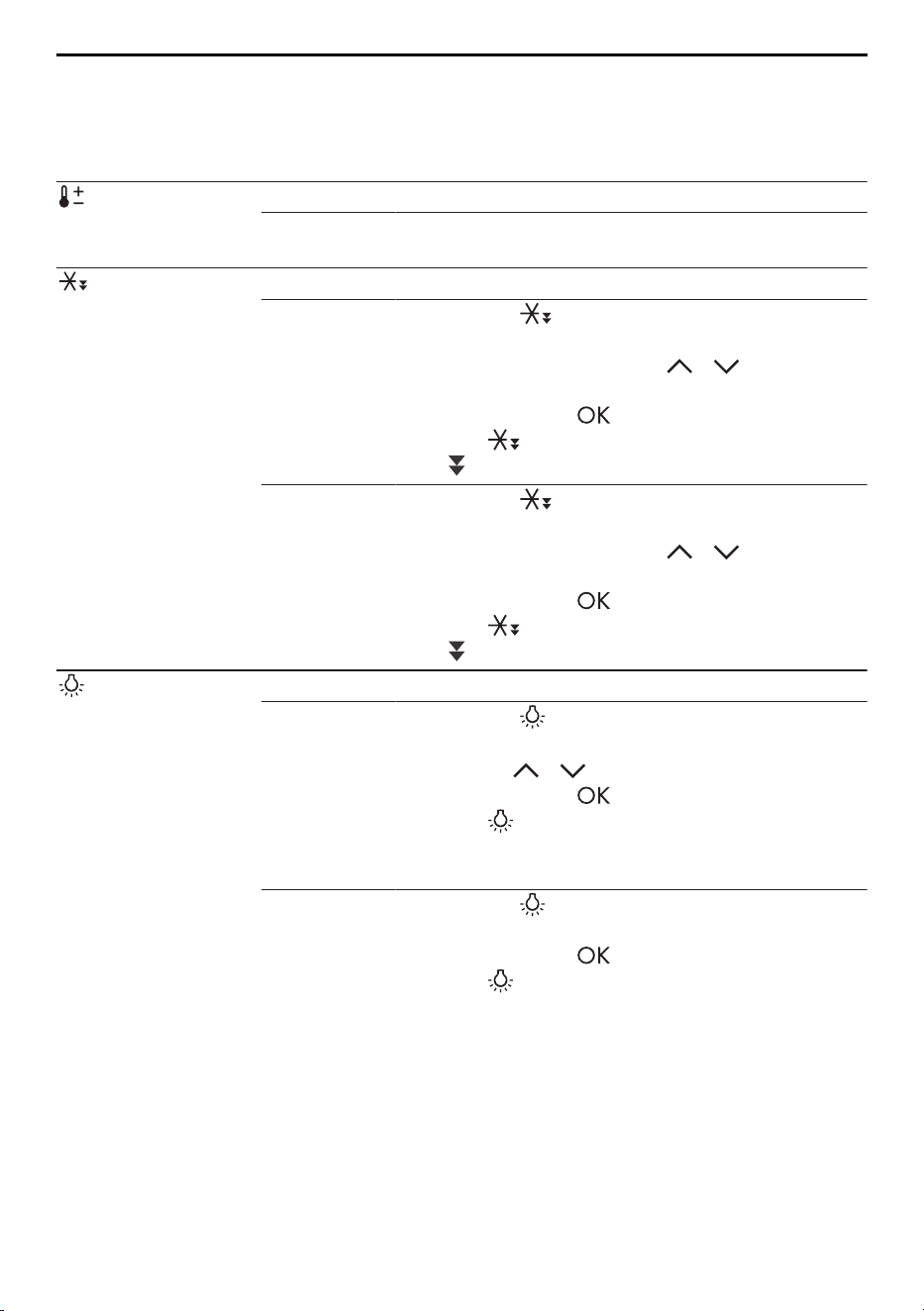
▸ Touch the , or button.
– The temperature display for the wine storage compartment flashes on the right-
hand side of the display.
▸ Touch the or button and select the desired temperature for the wine storage
compartment.
▸ Confirm with the button to accept the entry.
– The temperature setting has been entered successfully.
– The temperature will be reached in a few hours, depending on the setting.
The effective temperature may at times be different from the selected set temperat-
ure value if the door is open for an extended period of time or if warm bottles have
been placed inside.
4.3 Selecting appliance functions
▸ Touch the / / / function button.
– The corresponding settings level is called up.
▸ Select appliance functions using the and navigation arrows.
If a button is touched that has no function in the particular context, a double
acoustic signal is emitted and «- -» is shown on the left-/right-hand side of the dis-
play.
4.4 Cancelling settings
Settings can be cancelled or discarded in one of four ways, such that any changed val-
ues are not accepted.
▸ To cancel or discard a setting, the following options are available:
▪ Wait 30 seconds without interaction.
▪ Touch the active function button / / / again.
▪ Touch the button.
▪ Close the cooling compartment door.
4.5 Switching the appliance off
▸ Hold the button depressed for 3 seconds.
– The appliance is switched off.
– «OF» is shown on the left- and right-hand side of the display for 30 seconds.
If the appliance is being taken out of operation, e.g. for repair work or disposal:
▸ Remove the mains plug from the mains socket.
▸ When not in use for an extended period of time: Empty and clean the appliance.
Leave the appliance door open.
11
5 Appliance functions
5 Appliance functions
5.1 Activating/Deactivating appliance functions
Function Description
Temperature set-
ting
Temperature selection for the zone(s)
▸ Follow the instructions in the «Setting the tem-
perature» section (see page 10).
Fast cooling Preparing the cooling zone(s) ideally for loading bottles.
Activating
▸ Touch the button.
▸ If relevant, select the upper or lower wine stor-
age compartment with the / buttons (de-
pending on model).
▸ Confirm with the button.
– The function is activated.
– is shown in the display.
Deactivating
▸ Touch the button in the active mode.
▸ If relevant, select the upper or lower wine stor-
age compartment with the / buttons (de-
pending on model).
▸ Confirm with the button.
– The function is deactivated.
– is no longer shown in the display.
Permanent in-
terior illumination
Interior illumination when the appliance door is closed.
Activating
▸ Touch the button.
▸ Select the desired level of brightness (1–5)
using the / buttons.
▸ Confirm with the button.
– The function is activated. The illumination
comes on at the selected level of brightness
when the appliance door is closed.
Deactivating
▸ Touch the button.
– «OF» is shown in the display.
▸ Confirm with the button.
– The function is deactivated.
– Permanent interior illumination is turned off
when the appliance door is closed.
12
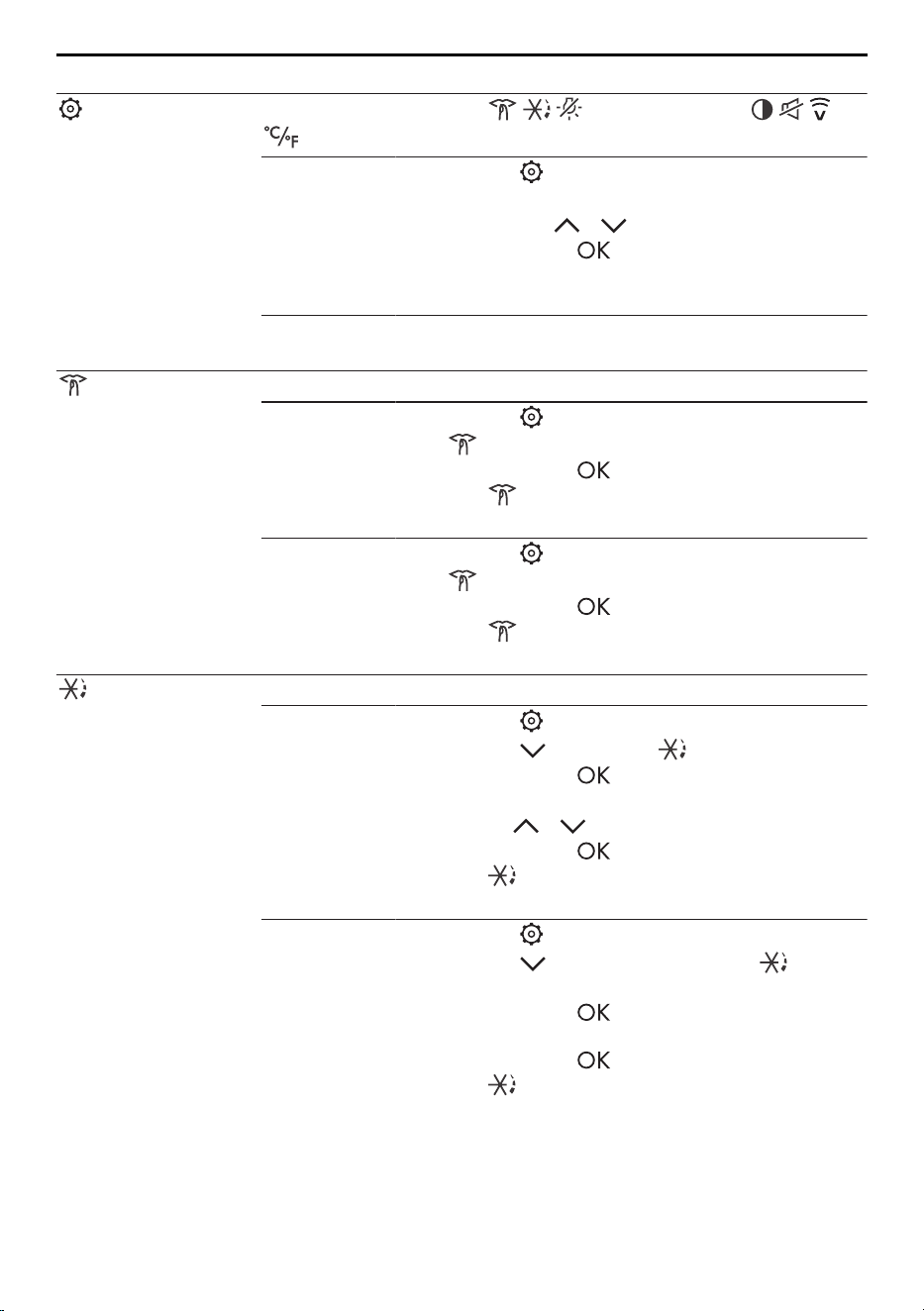
5 Appliance functions
Function Description
Setting
Accessing the functions and user settings
. Further information: Description of functions (see page 16).
Selecting
▸ Touch the button.
▸ Select the desired function or user setting (flash-
ing) using the / buttons.
▸ Confirm with the button.
– The selection is accepted or additional set-
tings are required.
▸ See the following detailed description for the in-
dividual functions and user settings.
SilentPlus Noise-reduced operation
Activating
▸ Touch the button.
– flashes in the display.
▸ Confirm with the button.
– The function is activated and shown in
the display.
Deactivating
▸ Touch the button,
– flashes in the display.
▸ Confirm with the button.
– The function is deactivated and no longer
shown in the display.
PartyCooling Operation with increased cooling capacity
Activating
▸ Touch the button.
▸ Select the button until appears flashing.
▸ Confirm with the button.
▸ Select the desired duration (12, 24 or 48 hours)
using the / buttons.
▸ Confirm with the button.
– The function is activated and shown in
the display.
Deactivating
▸ Touch the button.
▸ Touch the button repeatedly until is
shown in the display.
▸ Confirm with the button.
– «OF» is shown in the display.
▸ Confirm with the button.
– The function is deactivated and no longer
shown in the display.
13
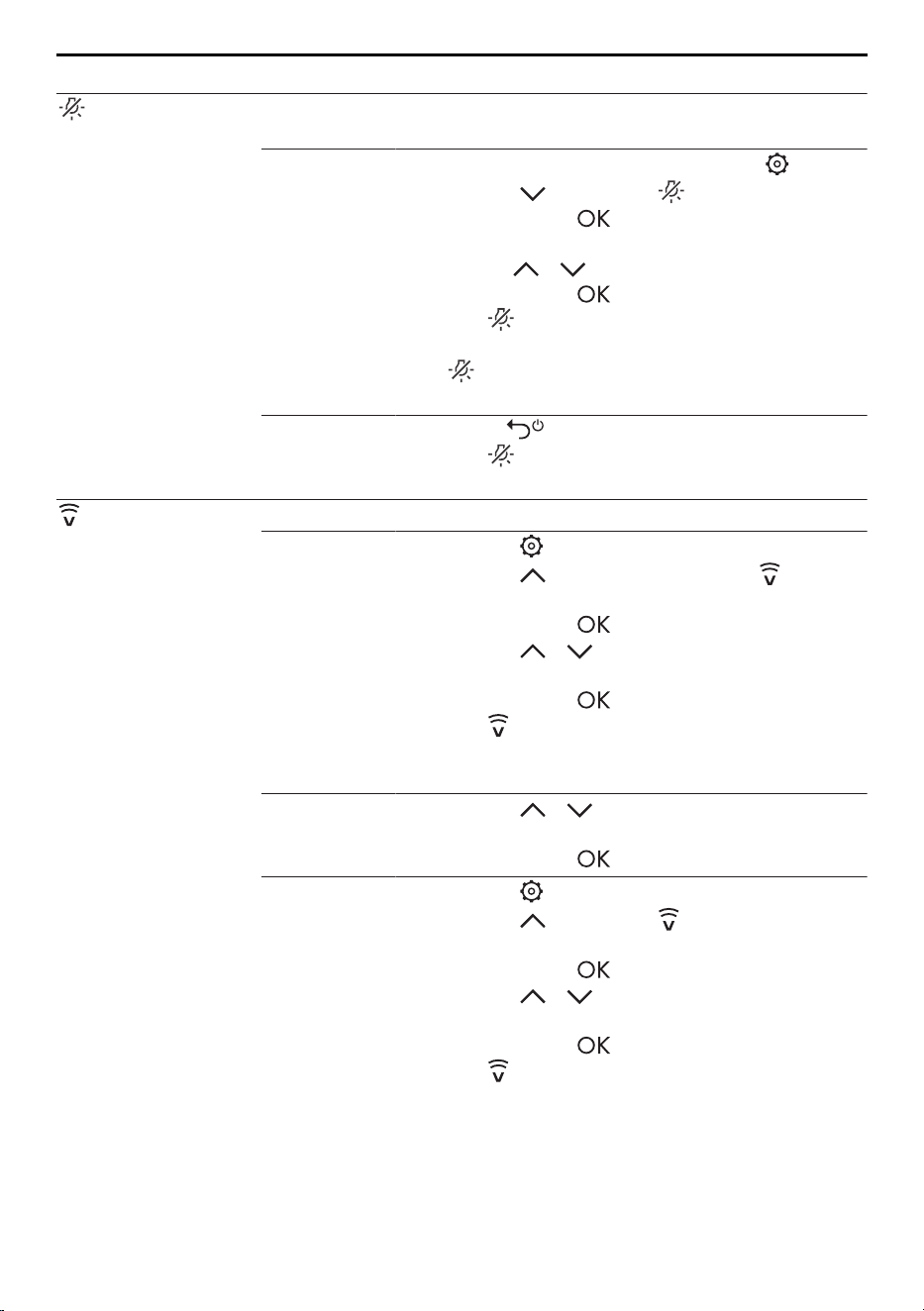
5 Appliance functions
Function Description
Sabbath mode Illumination does not change when the door is opened, the
alarms and alert tones are temporarily deactivated.
Activating
▸ Preparing for the Sabbath: Touch the button.
▸ Select the button until appears flashing.
▸ Confirm with the button.
▸ Select the desired duration (30, 54 or 78 hours)
using the / buttons.
▸ Confirm with the button.
– The function is activated. The display,
visual and acoustic warnings are turned off.
– is no longer shown in the display after a
minute or after the appliance door is closed.
Deactivating
▸ Hold the button depressed for 3 seconds.
– The function is deactivated; the illumina-
tion and display are switched on.
V-ZUG-Home Interaction with the appliance via the app (see page 17).
Activating
▸ Touch the button.
▸ Touch the button repeatedly until flashes
in the display.
▸ Confirm with the button.
▸ Touch the / button repeatedly until «On»
appears in the display.
▸ Confirm with the button.
– The function is activated and shown in the
display.
▸ Follow the instructions in the app.
Resetting the
connection
▸ Touch the / button repeatedly until «rS»
(reset) appears in the display.
▸ Confirm with the button.
Deactivating
▸ Touch the button.
▸ Touch the button until appears in the dis-
play.
▸ Confirm with the button.
▸ Touch the / button repeatedly until «OF»
appears in the display.
▸ Confirm with the button.
– The function is deactivated and no longer
shown in the display.
14
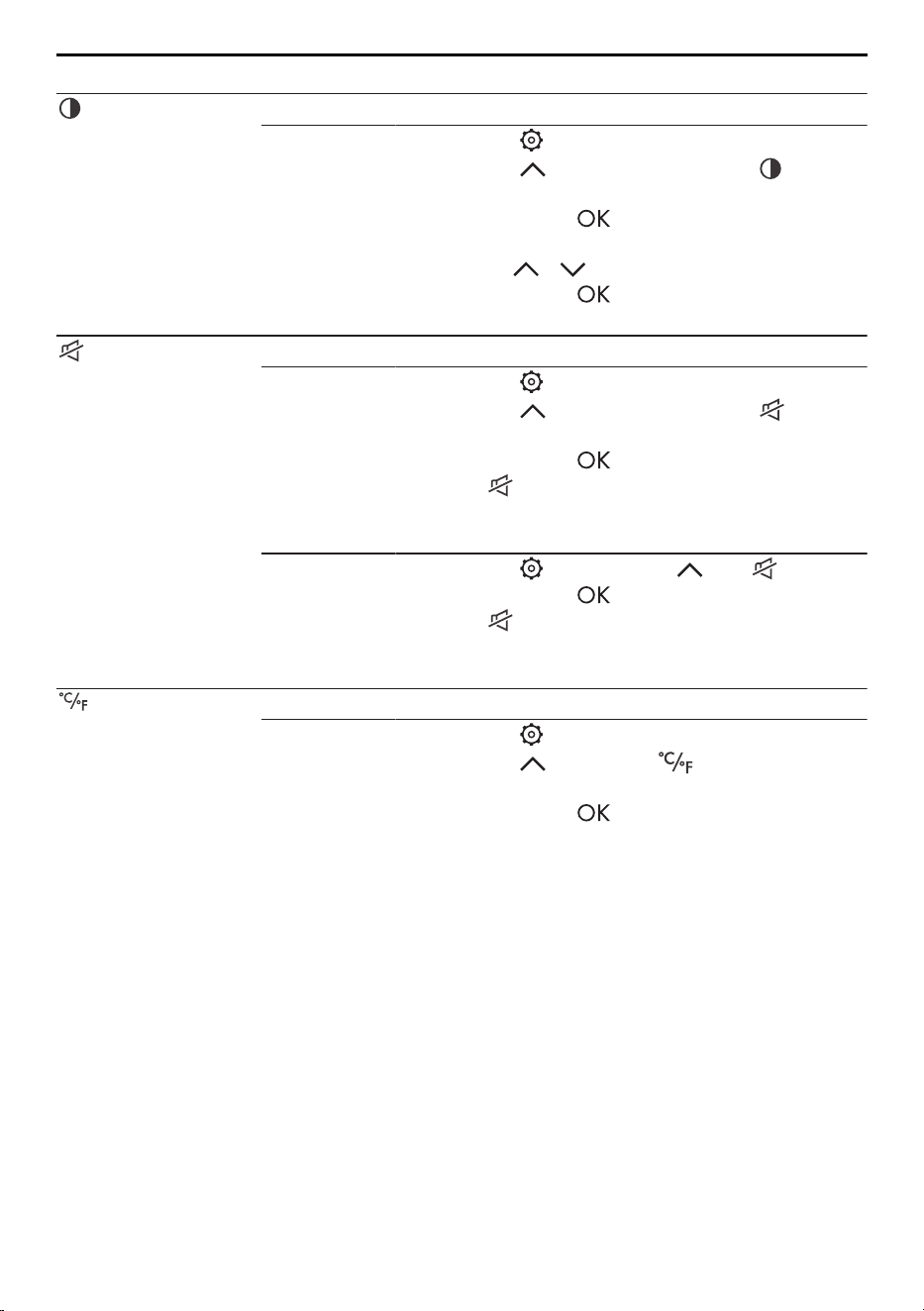
5 Appliance functions
Function Description
Display bright-
ness
Adjusting the level of brightness for the display
Selecting
▸ Touch the button.
▸ Touch the button repeatedly until flashes
in the display.
▸ Confirm with the button.
▸ Select the desired level of brightness (1/2/3)
using the / buttons.
▸ Confirm with the button.
– The setting is accepted.
Switch off button
tone
Switching the button tone on/off.
Activating
▸ Touch the button.
▸ Touch the button repeatedly until flashes
in the display.
▸ Confirm with the button.
– The setting is activated and shown in the
display.
– The button tone is switched off.
Deactivating
▸ Touch the button, select until appears.
▸ Confirm with the button.
– The setting is deactivated and no longer
shown in the display.
– The button tone is switched on.
Temperature unit Switching the unit of temperature.
°C / °F
▸ Touch the button.
▸ Select the button until flashes in the dis-
play.
▸ Confirm with the button.
15
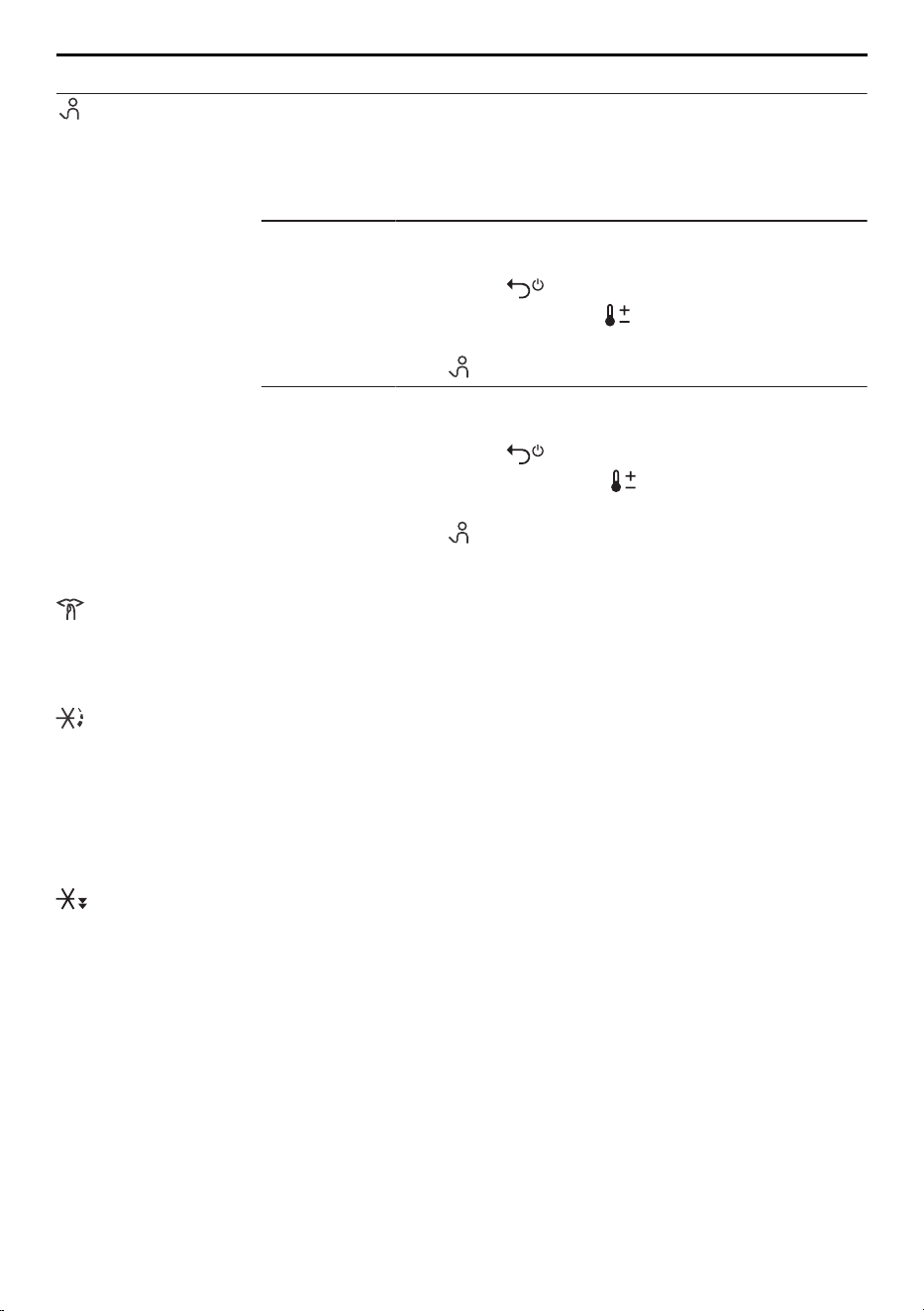
5 Appliance functions
Function Description
Demo mode* This setting enables specialist retailers to put the appliance into
the showroom mode for demonstration purposes. The demo
mode enables functions to be demonstrated without the appli-
ance being switched on.
* Note: This setting is not recommended for private use.
Activating
The demo mode can only be turned on when the
appliance is switched off.
▸ Hold the button depressed and at the same
time long press the button.
– The demo mode is activated.
– is shown in the display.
Deactivating
The demo mode can only be turned off when the
appliance is switched off.
▸ Hold the button depressed and at the same
time short press the button.
– The demo mode is deactivated.
– is no longer shown in the display.
5.2 Description of functions
SilentPlus
This operating mode is designed to produce low noise emissions. Energy efficiency may
be slightly reduced. SilentPlus is temporarily interrupted for the duration of PartyCooling
and fast cooling.
PartyCooling
PartyCooling temporarily provides generally increased cooling capacity whereby the tem-
perature of the corresponding compartment is lowered to just below the selected set
value. The appliance can thus react better to the effect of opening the door frequently
and loading bottles. For application reasons, the noise emissions and energy consump-
tion of the appliance are raised. PartyCooling can be set to run 12, 24 or 48 hours. Si-
lentPlus is interrupted for the duration for application-related reasons.
Fast cooling
The fast cooling function allows a larger quantity of bottles, e.g. after a shopping trip, to
be cooled more quickly. The temperature of the selected compartment is lowered to just
below the selected set value. The SilentPlus function is interrupted for the duration for ap-
plication-related reasons. During fast cooling, the appliance operates at higher power,
which raises energy consumption and increases the noise level above the normal operat-
ing noise level. The function switches off automatically after 24 hours. To prevent bottles
already being stored from warming up: activate fast cooling several hours beforehand
(e.g. before going shopping).
16
6 V-ZUG-Home
Sabbath mode
When the Sabbath mode is activated, all visual and acoustic warnings as well as operat-
ing and display elements are turned off for the selected duration (30, 54 or 78 hours).
Opening the appliance door will not affect the illumination or the behaviour of the appli-
ance.
The appliance door must be closed firmly as the visual and acoustic warnings are
turned off!
When the Sabbath mode is activated, no error messages are displayed and no
warnings are given. In certain circumstances, the appliance switches to the emer-
gency mode or cannot maintain the cooling temperatures for other reasons.
When the Sabbath mode is activated, the appliance door cannot be opened using
the «TouchOpen» door opening mechanism. To open the appliance door, get hold
of it at the top or bottom edge and pull. Alternatively, use a standard suction cup.
Risk of damage to the appliance.
V-ZUG-Home
This function is available for specific countries.
With V-ZUG-Home, you can access your appliances over the V-ZUG App to, for instance:
▪ query the appliance status
▪ receive push notifications
▪ change appliance settings
▪ receive software updates.
6 V-ZUG-Home
Download updates to your appliance via V-ZUG-Home so that you are always up to
date.
Hereby, V-ZUG Ltd declares that the radio equipment type is in compliance with Directive
2014/53/EU. The full text of the EU declaration of conformity is available at the following
internet address: https://www.vzug.com/nl/nl/guidance-for-testing-institutes
6.1 Conditions
The following conditions must be met for full use of V-ZUG-Home:
▪ Access to the internet and to Google Play
TM
Store / App Store
®
▪ Smartphone or tablet that is connected to the home network
▪ System requirements for smartphone or tablet: from Android 6.0 or from iOS 11.0
▪ WLAN/Wi-Fi that meets one of the following standards: 2.4GHz 802.11 b/g/n
Google Play
TM
is a trademark of Google Inc.
Apple and the Apple logo are trademarks of Apple Inc., registered
in the U.S. and other countries. App Store
®
is a service mark of
Apple Inc.
17
7 Interior fittings
6.2 Initial set-up
When establishing a connection, stay close to your household appliance and have
the password for your wireless network at the ready.
Installing the app
▸ Enable bluetooth and location determination on the smartphone or tablet.
▸ Search the Google Play
TM
Store or the App Store® for «V-ZUG».
▸ Install and open the V-ZUG App.
Enabling the V-ZUG-Home mode on the appliance
▸ In the user settings , touch the button repeatedly until flashes in the display.
▸ Touch the button.
▸ Touch the / button repeatedly until «On» appears in the display.
▸ Touch the button.
– appears in the display.
Connecting the appliance to the home network
▸ In the V-ZUG App, add the household appliance.
– A bluetooth pairing request appears in the V-ZUG App.
– A 6-digit PIN appears in the display of the household appliance.
▸ Enter the 6-digit PIN in the V-ZUG App and confirm the bluetooth pairing request.
– The name of the active WLAN/Wi-Fi appears in the V-ZUG App and then you are
prompted to enter the WLAN/Wi-Fi password.
▸ Enter the WLAN/Wi-Fi password.
– The household appliance is connected to the active WLAN/Wi-Fi connection.
Further information on V-ZUG-Home and its availability can be found at
home.vzug.com.
7 Interior fittings
7.1 Door opener with TouchOpen
The appliance is equipped with the «TouchOpen» door opening mechanism.
Procedure:
▸ Gently push the appliance door in at the top corner opposite the hinge and release.
▸ The door opener extends, causing the appliance door to automatically open about
5 cm.
– The appliance door can now be opened wide manually.
If the appliance door is not opened wide manually after using «TouchOpen», the
appliance door will automatically close again after a few seconds.
Make sure the appliance door is not obstructed when using «TouchOpen»!
Risk of damage to the appliance.
Do not push in or hold the door opener when it is closing. If the door opener is ac-
cidentally pulled out, push back into the opening provided manually until it en-
gages in position.
Risk of damage to the appliance.
18
7 Interior fittings
When the Sabbath mode is activated, the appliance door cannot be opened using
the «TouchOpen» door opening mechanism. To open the appliance door, get hold
of it at the top or bottom edge and pull. Alternatively, use a standard suction cup.
Risk of damage to the appliance.
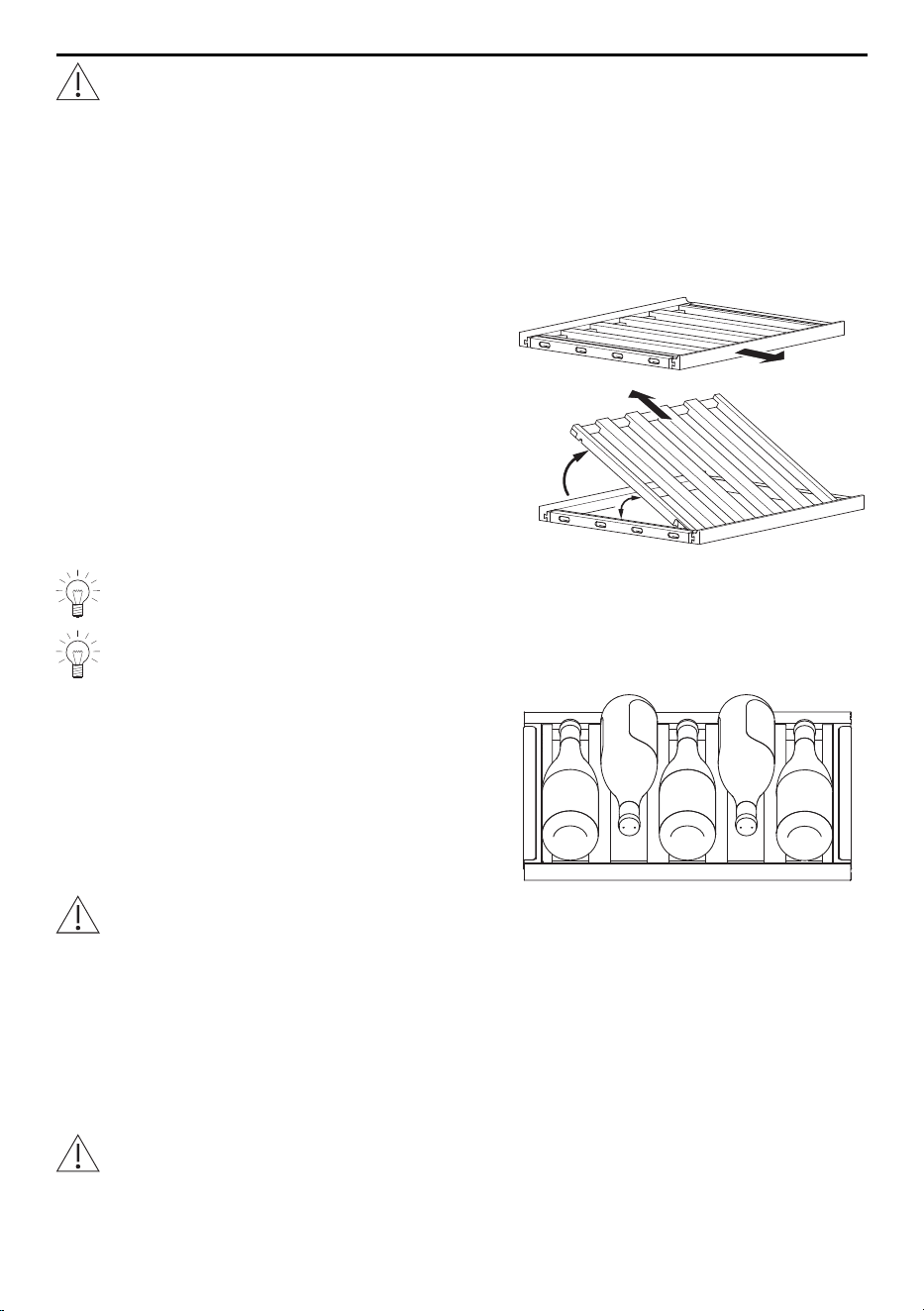
7.2 Shelves and presentation shelves
The shelves are not height-adjustable. Shelves with bottles stored on them can be par-
tially pulled out. The presentation shelves are an ideal way of showcasing select bottles
of wine.
Converting a shelf into a presentation shelf:
▸ Take the shelf with rack insert out of the appli-
ance (1).
▸ Lift the rack insert at the back by ≥30° (2)
and pull backwards at an angle (3).
– The rack insert locks into place.
▸ Slide the presentation shelf into the appliance.
▸ To use the presentation shelf in the horizontal
position again, follow the steps in reverse or-
der.
1
2
3
≥30°
In order to be able to position bottles of wine on the presentation shelf when tilted,
the shelf above may have to be removed beforehand.
If only bottles with a wide diameter (e.g. Burgundy wine bottles) are stored on a
shelf, position them according to the illustration below.
For optimum temperature distribution, bottles should ideally be stored with the
neck facing the appliance door.
Bottles should only be stacked on the bottom-most two shelves (ex-factory ar-
rangement).
Risk of damage to the appliance.
7.3 Divider shelf
The divider shelf (depending on model) separates the appliance into two cooling com-
partments; its position is fixed. The divider shelf can be removed for cleaning.
The divider shelf should only be removed for cleaning. The appliance must not be
operated without the divider shelf being in place!
Risk of damage to the appliance and the stored bottles.
19

8 Care and maintenance
8 Care and maintenance
For hygienic storage, the interior should always be kept clean.
Do not use any abrasive cleaning agents or scouring cloths. Clean wooden
shelves just with a slightly damp cloth without any detergent.
Risk of damage to the appliance.
8.1 Interior
▸ Surfaces that can come in contact with food and accessible drainage systems must
be cleaned regularly.
▸ Clean the interior periodically with a mild soapy solution and wipe completely dry.
8.2 Operating and display elements
▸ Clean the operating and display elements just with a slightly damp cloth.
8.3 Door seals
▸ Regularly check the door seals and
▸ if dirty clean using a soft brush and clean water. Wipe dry.
8.4 Defrosting
The appliance regularly defrosts automatically, rendering manual defrosting unnecessary.
8.5 When the appliance is not in use
▸ If the appliance is not to be used for an extended period of time, switch it off.
▸ Empty and clean the appliance.
▸ Leave the appliance door open.
9 Noises and warnings
9.1 Operating noise
The appliance can make various noises during operation. Although the appliance is
noise-optimized, some noise cannot be eliminated completely. This noise depends on
the size of the appliance, how it is installed and the cooling requirements (e.g. fast cool-
ing), the ambient temperature and the installation conditions. Operating noises are partic-
ularly audible immediately after switching on the compressor; however, these noises be-
come quieter as the appliance runs.
Unusual noises are often caused by improper installation. The appliance must be in-
stalled on a level and stable surface. In open kitchens or in the case of appliances in-
stalled in partitioned areas, normal operating noises may seem louder. This is not a fault
but rather an effect of the design/architecture.
20
9 Noises and warnings
Noise Cause Remark
Buzzing Compressor or fan Normal operating noise made by the cooling
unit.
Gurgling, bub-
bling, hissing
Cooling circuit Normal operating noise as refrigerant flows
through the cooling circuit.
Hissing Cooling circuit Normal operating noise as refrigerant is injected
into the evaporator.
Rattling Shelves, contents, etc. Arrange the parts in the interior so that they are
fixed in place and not touching.
Creaking Housing Normal, temperature-dependent stress-strain of
the materials, e.g. plastics, insulation.
Buzzing,
knocking
Valve Normal switching noise caused by the switching
valve.
9.2 Warning signal and alarm
If the appliance door remains open for a time, the following warning is given:
Time Warnings
After 3 minutes The LEDs flash with the intensity of the brightness gradually increas-
ing and decreasing.
After 5 minutes The LEDs flash and an acoustic signal is emitted.
Press any button or close the appliance door to confirm the warning. After confirming the
warning, if the appliance door remains open then another warning is given. After confirm-
ing 3×, no further warning is triggered. The display shows the A1 error message.
▸ Further information: Trouble-shooting (see page 22)
Note on when the temperature value is raised
If a temperature value (actual value) is 8°C above the selected set value for more than
3 hours, an acoustic signal is emitted for a limited time. The relevant zone and the zone
temperature flash in the display.
Confirming/Acknowledging warnings
▸ Touch any button.
▸ Further information: Trouble-shooting (see page 22)
When the Sabbath mode is activated, there are no visual or acoustic warning
signals.
21
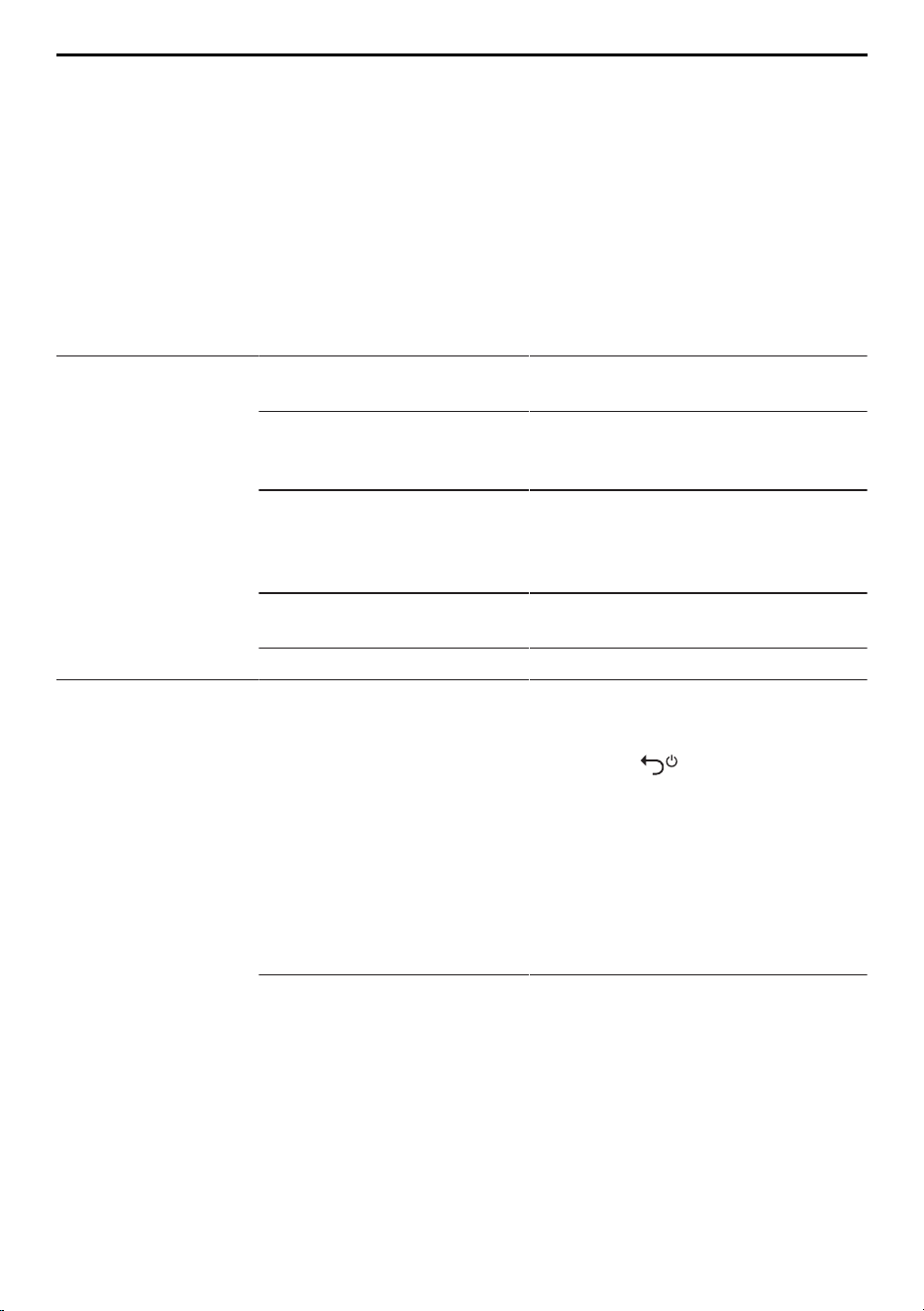
10 Trouble-shooting
10 Trouble-shooting
This section lists faults that can be solved simply by following the instructions given. If
the fault cannot be remedied, please contact Customer Services. Before contacting Cus-
tomer Services:
▸ please note down
▪ the serial number (SN), which is shown on the identification plate),
▪ the error message in full (e.g. F10 / E19) shown in the display,
▪ the sequence of events that led to the fault.
Malfunction Possible cause Solution/Measures
Appliance is not
working.
▪ Mains voltage too high,
error message U1.
▸ Have the electrical installation
checked by an expert.
▪ Control and/or process
data error, error message
F5, F6 or F7.
▸ Contact Customer Services.
▪ Interruption in the power
supply.
▸ Check the power supply.
▸ Replace the fuse.
▸ Reset the automatic circuit
breaker.
▪ The fuse or circuit breaker
keeps blowing.
▸ Contact Customer Services.
▪ Other appliance defect. ▸ Contact Customer Services.
Appliance door not
opening with
«TouchOpen».
▪ Sabbath mode is active. ▸ Open the appliance door manu-
ally (e.g. with a standard suction
cup).
▸ Hold the button depressed
for 3seconds.
▪ If the illumination turns on: The
problem is remedied.
▪ If the appliance switches off
(«OF» in the display):
▸ Switch the appliance back on
again and contact Customer Ser-
vices.
▪ The «TouchOpen» door
opening mechanism is
defective.
▸ Contact Customer Services.
▪ The appliance door can be
opened manually (e.g. with a
standard suction cup).
22
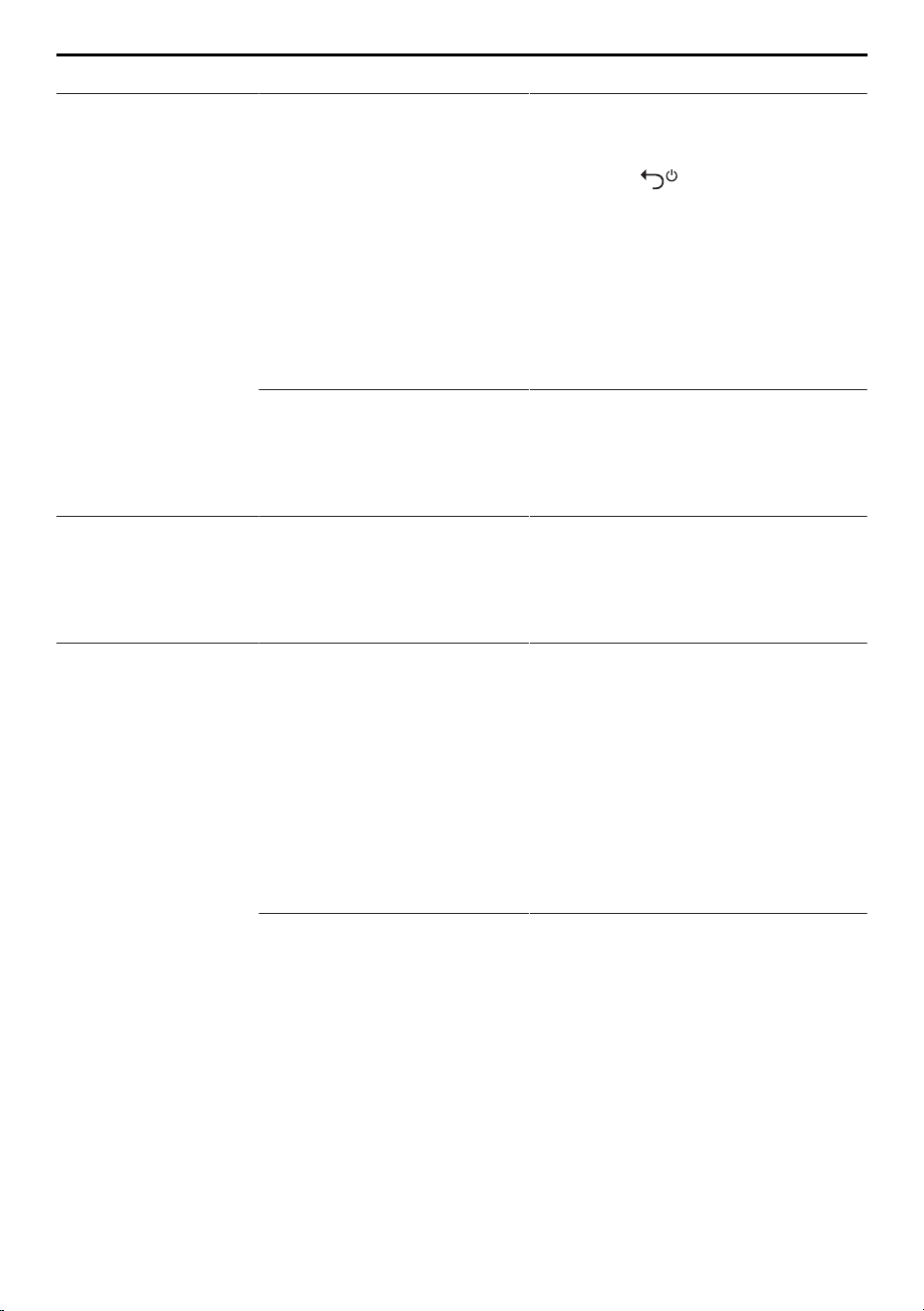
10 Trouble-shooting
Malfunction Possible cause Solution/Measures
Illumination is not
working
▪ Sabbath mode is active. ▸ Open the appliance door manu-
ally (e.g. with a standard suction
cup).
▸ Hold the button depressed
for 3seconds.
▪ If the illumination turns on: The
problem is remedied.
▪ If the appliance switches off
(«OF» in the display):
▸ Switch the appliance back on
again and contact Customer Ser-
vices.
▪ Message A1: Door sensor
is faulty.
▪ If no A1 message ap-
pears: LED illumination is
defective.
▸ Contact Customer Services.
Illumination is flash-
ing.
▪ Appliance door is left
open for longer than 3
minutes.
▪ Appliance door was not
closed properly.
▸ Close the appliance door.
Illumination is flash-
ing and an acoustic
signal is emitted.
▪ Appliance door is left
open for longer than 5
minutes.
▪ Appliance door was not
closed properly.
▪ Door sensor is faulty.
▸ Close the appliance door.
– If the alarm is still being emit-
ted:
▸ Touch any button to acknow-
ledge the alarm.
▸ Check the door seal, contents
and installation situation for any
obstructions.
– After acknowledging 3×, an er-
ror message appears: A1.
▸ Contact Customer Services.
▪ The «TouchOpen» door
opening mechanism is
defective.
▸ If the door opener does not re-
tract, disconnect the appliance
from the mains, wait about 10
seconds and then reconnect it to
the mains.
▸ If the door opener still does not
retract, remove by pulling it out.
▸ Close the appliance door.
▪ The appliance door can be
opened manually (e.g. with a
standard suction cup).
▸ Contact Customer Services.
23

10 Trouble-shooting
Malfunction Possible cause Solution/Measures
The temperature
zones and the wine
storage compart-
ments flash and/or
an acoustic signal is
emitted.
▪ The refrigerator section
temperature is 8°C
higher than the set tem-
perature.
▸ Touch any button.
– The current temperature value
is displayed; the wine storage
compartment flashes until the
set temperature is reached.
▸ If there is no warm bottle in the
appliance: Contact Customer Ser-
vices.
▪ There has been a power
failure. The flashing tem-
perature display shows
the actual temperature
value of the appliance.
▸ Touch any button.
– The set temperature is shown
in the temperature display.
▪ The frequent appearance
of warnings indicates a
technical problem.
▸ Contact Customer Services.
Refrigerator section
illumination is on
when the door is
closed.
▪ Permanent interior illumin-
ation is active.
▸ Deactivate permanent interior illu-
mination.
Error messages
F10–F15
▪ Temperature sensor is
faulty.
▸ Contact Customer Services.
– The appliance switches to the
emergency mode. The appli-
ance continues to cool, but it
cannot detect the current tem-
perature value and cannot guar-
antee that the temperature is
controlled at the selected set
value.
Error messages A3,
A4, A5
▪ Ambient temperature out-
side operating range of
10–43°C.
▸ Bring the temperature of the
room where the appliance is in-
stalled to within the operating
range of 10–43°C.
Error message F_ _ ▪ Various situations can
lead to an F message.
▸ Contact Customer Services.
24
11 Tips and tricks
11 Tips and tricks
11.1 General information on using the appliance
▪ When closing the appliance door make sure that it forms a proper seal all the way
round. The self-closing hinges help keep it closed and sealed: the appliance door
closes automatically if the opening angle is between 20–30°.
▪ Depending on the storage conditions, it can take several hours for wine to cool down
from room temperature to the temperature of the refrigerator section.
▪ Opening the door for long periods can cause a significant increase of the temperature
in the wine storage compartments of the appliance.
▪ Make sure that the appliance door does not touch or tip over any bottles on the
shelves when it is closed.
▪ The PartyCooling and fast cooling functions increase the cooling rate.
▪ Make sure that air inlets and outlets are not completely obstructed by bottles. Air in-
lets and outlets are integrated into the back panel.
11.2 Notes on storage of wine
Ideal drinking temperatures:
Degrees Celsius [°C] Fahrenheit [°F] Wines
5–8 41–46 Champagne, sparkling wines, Sekt, Prosecco,
sweet wines
6–10 43–50 Fresh white wines (e.g. Chasselas, Müller-
Thurgau, Chardonnay, Silvaner, Sauvignon
Blanc)
8–12 46–54 Rich white wines (e.g. Pinot Blanc, Pinot Gris,
Riesling)
8–12 46–54 Rosé wines
16 60 Elegant red wines (e.g. Pinot Noir, Merlot,
Gamay, Barbera)
16–18 60–64 Full-bodied red wines (e.g. Cabernet
Sauvignon, Barolo)
For very fine wines, follow the wine producers’ recommendations.
11.3 Notes on saving energy
▪ Leave the shelves as far as possible in the positions that they were in upon delivery.
These ensure ideal temperature distribution and efficiency.
▪ Only open the appliance door when necessary and keep it open for as short a time as
possible.
▪ Store open bottles of wine or decanters closed or covered in the cooling compart-
ment. Moisture reduces the cooling capacity.
▪ For ideal air circulation: Do not store bottles too close to each other, but rather spread
out evenly.
▪ Turn the SilentPlus function off when not in use.
25
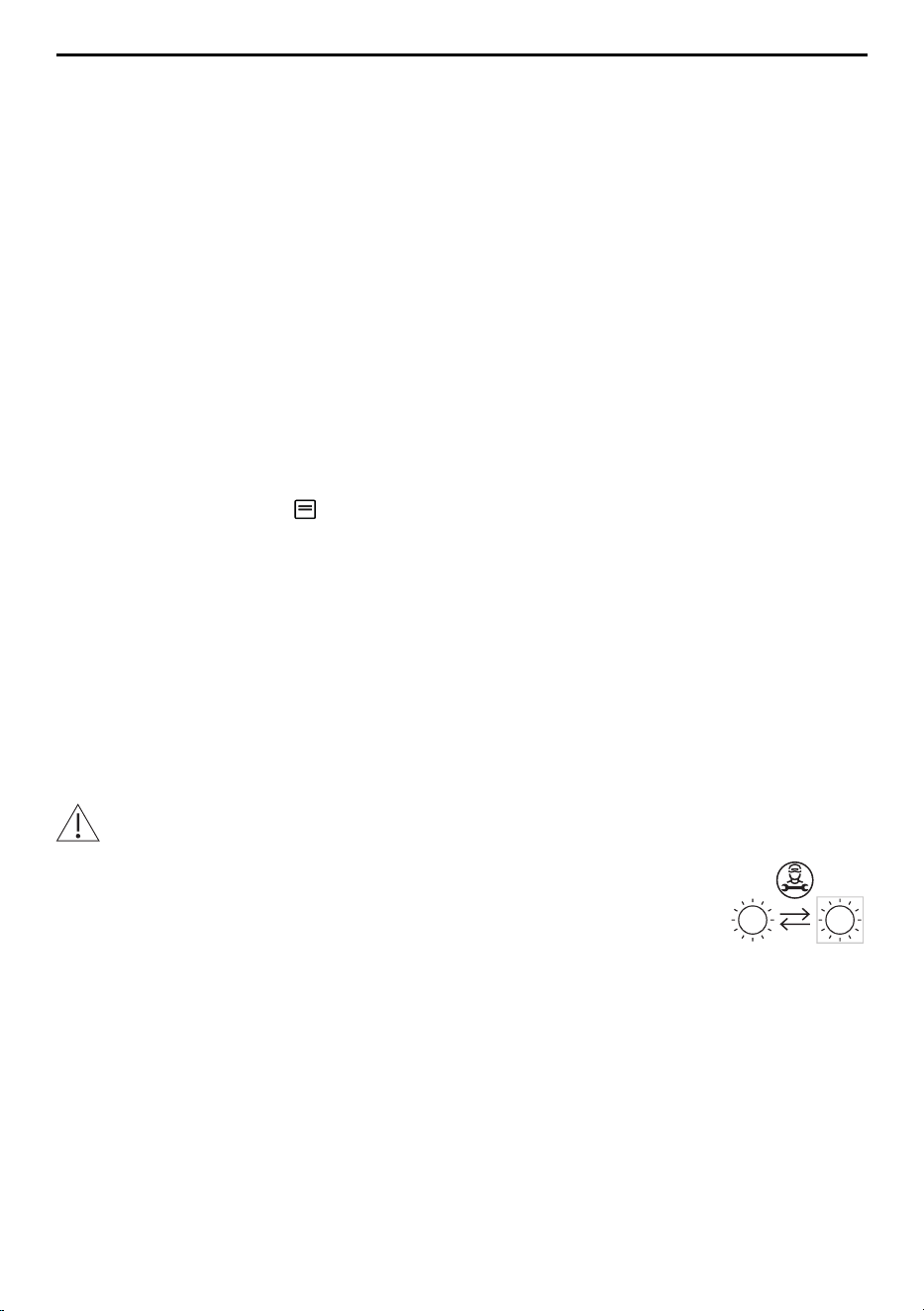
12 Technical data
12 Technical data
Product information in accordance with EU Regulation 2019/2016
Appliance-specific data is stored in the European Product Database for Energy Labelling
(EPREL). To identify the appliance:
▸ scan the QR code on the energy label and follow the link or alternatively
▸ manually enter the «Type» designation in the EPREL database (https://
eprel.ec.europa.eu/).
▸ The product fiche can also be found at www.vzug.com under the corresponding
product.
Warranty claim
The manufacturer’s warranty is valid for 24 months starting from when the appliance is
first put into service.
External dimensions
▸ See installation instructions
Electrical connection
▸ See identification plate
Spare parts
V-ZUG Ltd provides spare parts for 15 years after the making available on the market of
the last appliance with this type designation. Deviations from this are subject to consider-
ation of and compliance with the applicable ecodesign regulations on the availability of
spare parts.
Energy consumption
The declared energy consumption was determined with a kitchen cabinet depth of 560
mm. All functions (e.g. fast cooling) are deactivated while energy consumption is being
measured.
Light sources
Light sources may only be replaced by a service technician.
This product contains light sources of energy efficiency class E.
26
13 Disposal
13 Disposal
13.1 Packaging
Never allow children to play with packaging material due to the danger of injury or
suffocation. Store the packaging material in a safe location or dispose of it in an
environmentally-friendly way.
13.2 Safety
Render the appliance unusable to prevent accidents caused by improper use (e.g.
through children playing):
▸ Disconnect the appliance from the mains. With a fixed appliance, this is to be carried
out by a qualified electrician. Then cut the mains cable off flush with the appliance.
13.3 Disposal
▪ The «crossed‐out wheeled bin» symbol requires the separate collection of waste
electrical and electronic equipment (WEEE). Such equipment can contain hazardous,
environmentally harmful materials.
▪ These appliances are to be handed over to a designated collection point for the recyc-
ling of electrical and electronic equipment and must not be disposed of with unsorted
household waste. And in this way, you will be helping to protect resources and the en-
vironment.
▪ For more information, please contact the local authorities.
27
Addresses of the importers
Addresses of the importers
AU/NZ
V-ZUG Australia Pty. Ltd.
2/796 High Street
Kew East, Victoria 3102,
AUSTRALIA
LB
Kitchen Avenue SAL
Mirna El Chalouhi Highway
Wakim Bldg, Jdeiheh
Beirut
LEBANON
CN
V-ZUG (Shanghai)
Domestic Appliance Co. Ltd.
Raffles City Changning Office
Tower 3
No. 1139 Changning Road
200051 Shanghai
CHINA
RU
OOO Hometek
Dubininskaya Street 57 building 1
113054 Moscow
RUSSIA
AT/BE/
DK/DE/
ES/FR/
NO/NL/
LU/SE
V-ZUG Europe BV
Evolis 102
8530 Harelbeke
BELGIUM
SG
V-ZUG Singapore Pte. Ltd.
6 Scotts Road
Scotts Square #03-11/12/13
228209 Singapore
SINGAPORE
GB/IE
V-ZUG UK Ltd.
27 Wigmore Street
London W1U 1PN
GREAT BRITAIN
TH
V-ZUG (Thailand) Ltd.
140/36, 17th Floor ITF Tower,
Silom Road
Suriyawong Sub-district
Bangrak District
Bangkok 10500
THAILAND
HK/MO
V-ZUG Hong Kong Co. Ltd.
12/F, 8 Russell Street
Causeway Bay
HONG KONG
TR
GÜRELLER
Anchor Sit.3A/1-2 Çayyolu
06690 ÇANKAYA/ANKARA
TURKEY
IT
Frigo 2000 S.p.A
Viale Fulvio Testi 125
20092 Cinisello Balsamo (Mil-
ano)
ITALY
UA
Private enterprise “Stirion” (MIRS
corp.)
Osipova Street 37
65012 Odessa
UKRAINE
IL
Digital Kitchen
Hataarucha 3
6350903 Tel Aviv
ISRAEL
VN
V-ZUG VIETNAM COMPANY LTD.
21st Floor, Saigon Centre, 67 Le
Loi
Ben Nghe Ward, District 1
Ho Chi Minh City, 700000
VIETNAM
28

14 Index
A
Addresses of the importers ........................... 28
Appliance
Disposal......................................................... 27
Switching off ................................................. 11
Switching on ................................................. 10
Appliance functions......................................... 12
Selecting........................................................ 11
Setting............................................................ 12
Appliance installation ......................................... 5
B
Button tone............................................. 9, 15, 32
C
Cancelling ......................................................... 11
Care.................................................................... 20
Cleaning............................................................. 20
Climate class ....................................................... 6
Construction......................................................... 8
D
Defrosting .......................................................... 20
Demo mode ...................................................... 16
Display brightness ................................ 9, 15, 32
Disposal............................................................. 27
Divider shelf ...................................................... 19
Door opener with TouchOpen....................... 18
E
Electrical connection ....................................... 26
Error
Appliance is not working............................ 22
Illumination is flashing ................................ 23
Illumination is not working ......................... 23
Illumination on when door is closed
........................................................................ 24
Temperature display is flashing................ 24
TouchOpen is not opening appliance door
........................................................................ 22
Error message
A1 ................................................................... 23
A3–A5............................................................ 24
F_ _ ................................................................ 24
F10–F15........................................................ 24
F
Fast cooling ........................................... 9, 12, 32
I
Identification plate................................. 8, 26, 31
Increased cooling capacity............................ 13
Initial set-up..................................................... 5, 8
Instructions for use............................................. 5
Interior and accessories................................. 18
M
Maintenance ..................................................... 20
Model designation .............................................. 2
N
Noise-reduced operation................................ 13
Noises ................................................................ 20
O
ON/OFF ......................................................... 9, 32
Operating and display elements............... 9, 20
Operation........................................................... 10
P
PartyCooling .......................................... 9, 13, 32
Permanent interior illumination........... 9, 12, 32
Presentation shelf ............................................ 19
Product fiche..................................................... 26
S
Sabbath mode....................................... 9, 14, 32
Safety precautions
General .............................................................4
Safety warnings
Appliance installation.....................................5
Appliance-specific ..........................................5
Correct use ...................................................... 6
Service & Support............................................ 31
Settings.............................................................. 12
Cancelling ..................................................... 11
SilentPlus................................................ 9, 13, 32
Smartphone system requirements ............... 17
Switching on ..................................................... 10
Symbols................................................................ 4
T
Tablet system requirements .......................... 17
Technical data .................................................. 26
Technical questions......................................... 31
Temperature setting ..................... 9, 10, 11, 32
Temperature unit................................... 9, 15, 32
Tips..................................................................... 25
Trouble-shooting .............................................. 22
Type....................................................................... 2
U
User settings..................................................... 13
Using for the first time .................................. 5, 8
29

V
Validity................................................................... 2
V-ZUG App........................................................ 18
V-ZUG-Home.............................................. 14, 17
W
Warnings............................................................ 21
Warranty claim.................................................. 26
Warranty extensions ........................................ 31
WLAN connection ............................................ 18
30
15 Service & Support
15 Service & Support
The «Trouble-shooting» section gives you valuable tips on how to deal with minor
malfunctions yourself, saving you the time and trouble of calling out a service tech-
nician and any cost that goes along with it.
Information on the V-ZUG warranty can be found at www.vzug.com →Service
→Warranty information. Please read this information carefully.
Please register your appliance straightaway online at www.vzug.com →Service
→Warranty registration. This will allow you to take advantage of the best possible support
in the event of a fault in the appliance during the guarantee period. You will require the
serial number (SN) and appliance designation to register your appliance. You will find
them on the identification plate of your appliance.
My appliance information:
SN: __________________________ Appliance: ________________________________
Please have this appliance information to hand when contacting V-ZUG. Thank you.
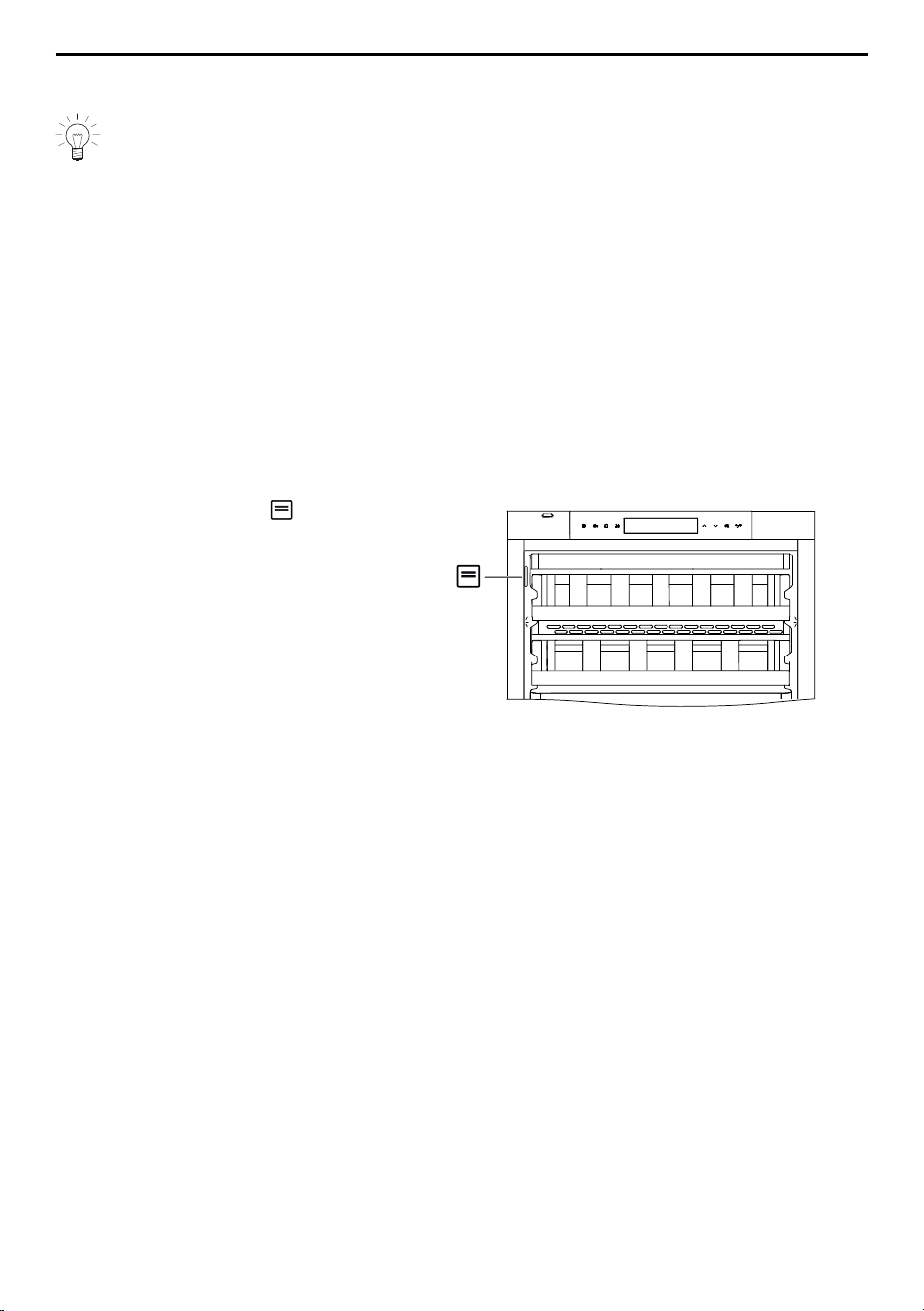
The identification plate is located
top left on the side panel.
Your repair order
At www.vzug.com →Service→Service number you will find the telephone number of your
nearest V‑ZUG service centre.
Technical questions, accessories, warranty extensions
V-ZUG is happy to help you with any general administrative or technical queries, to take
your orders for accessories and spare parts and to inform you about our progressive
service agreements.
31
Quick instructions
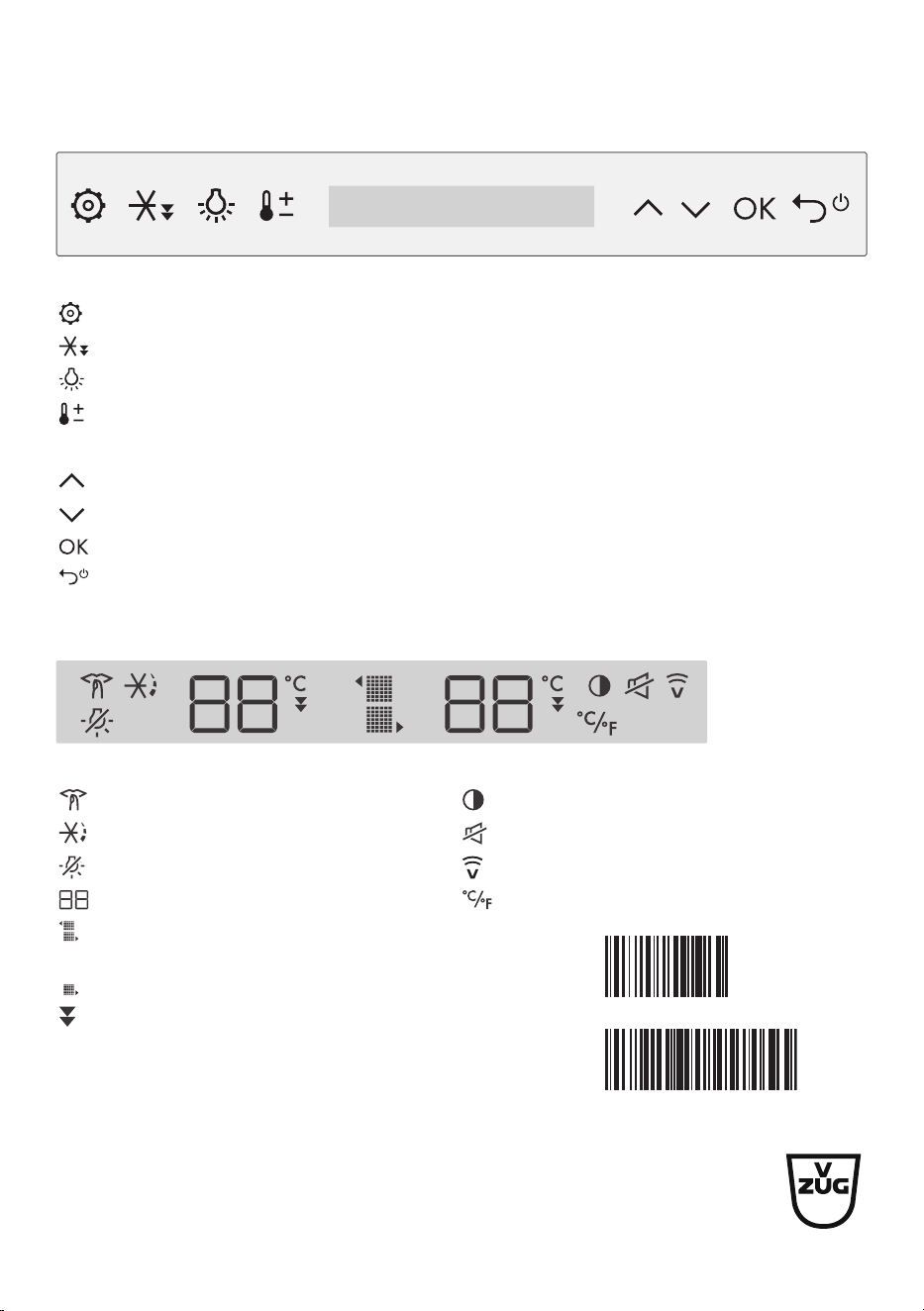
Buttons
Function buttons
Settings
Fast cooling
Permanent interior illumination
Temperature setting
Navigation buttons
Navigation arrow pointing up/left; adjust value
Navigation arrow pointing down/right; adjust value
Confirm entry
BACK: Cancel or discard entry, ON/OFF (hold depressed for 3 seconds)
Display elements
Functions User settings
SilentPlus Display brightness
PartyCooling Switch off button tone
Sabbath mode V-ZUG-Home
Value and status display Temperature unit
Upper/Lower wine storage compart-
ment (51102)
Wine storage compartment (51113)
Fast cooling
V-ZUG Ltd, Industriestrasse 66, CH-6302 Zug
[email protected], www.vzug.com
1153591-03
10183760