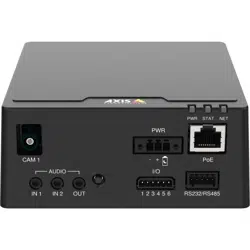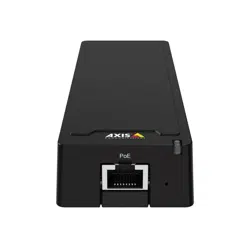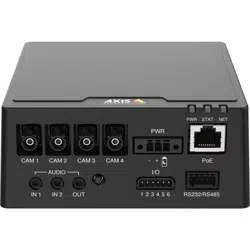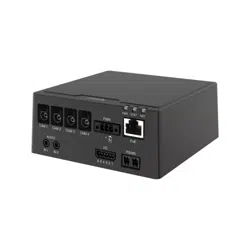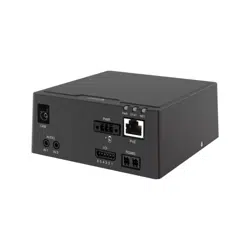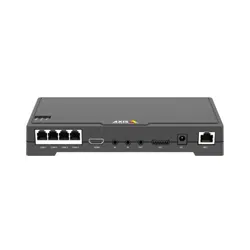


AXISFA54MainUnit
TableofContents
Systemoverview............................................3
Productoverview...........................................4
Aboutthesensorunits...........................................4
Howtoshortenthesensorunitcable...............................4
Setup.....................................................6
Howtoaccesstheproduct........................................6
Abouttheproduct'sbuilt-inhelp...................................7
Howtosetupcorridorformat.....................................7
Howtosetupamonitor..........................................8
Aboutoverlays..................................................8
Howtomaximizethedetailsintheimage...........................8
Howtoreducebandwidthandstorage..............................9
Aboutapplications..............................................9
Troubleshooting............................................10
Howtocheckthecurrentrmware.................................10
Howtoupgradethermware.....................................10
Technicalissues,cluesandsolutions................................11
Performanceconsiderations.......................................12
Technicalspecications......................................13
LEDIndicators..................................................13
SDcardslot....................................................13
Buttons.......................................................13
Connectors....................................................13
2

AXISFA54MainUnit
Systemoverview
Systemoverview
3
AXISFA54MainUnit
Productoverview
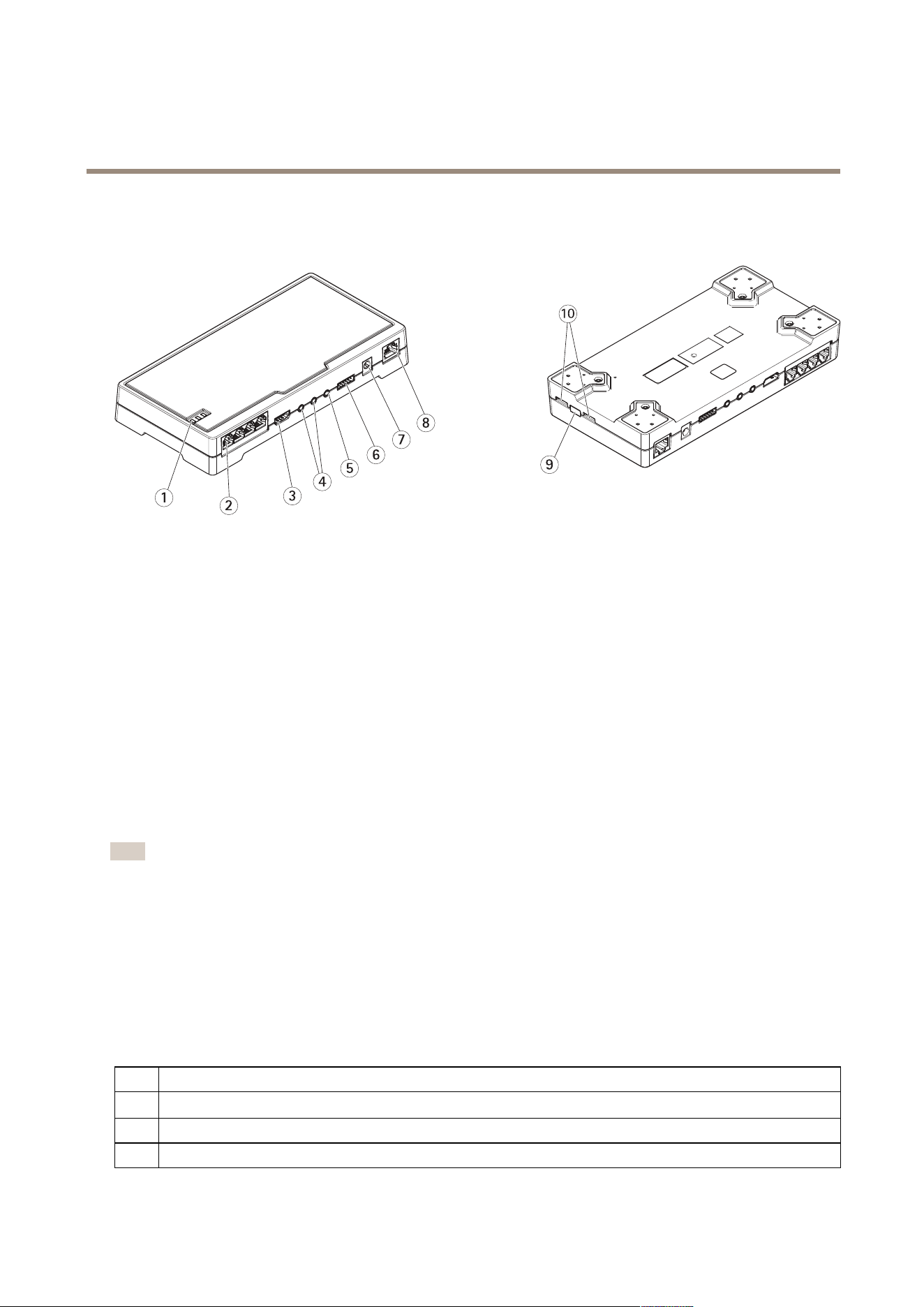
Productoverview
1
StatusLED
2
RJ12connector(4x)
3
HDMI
4
Audioin(2x)
5
Audioout
6
I/Oconnector
7
Powerconnector
8
Networkconnector(DCinput)
9
Controlbutton
10
microSDcardslot
Aboutthesensorunits
Werecommendthatyouconnectthesensorunitstothemainunitbeforepoweringthemainunit.Ifyoudisconnectasensorunit,
andconnectadifferentsensorunit,itmaybenecessarytorestartthemainunit.
Howtoshortenthesensorunitcable
Note
•Thesensorunitcablecannotbeextendedorsplit.
•Whenroutingthesensorunitcable,theminimumbendingradiusis40mm.
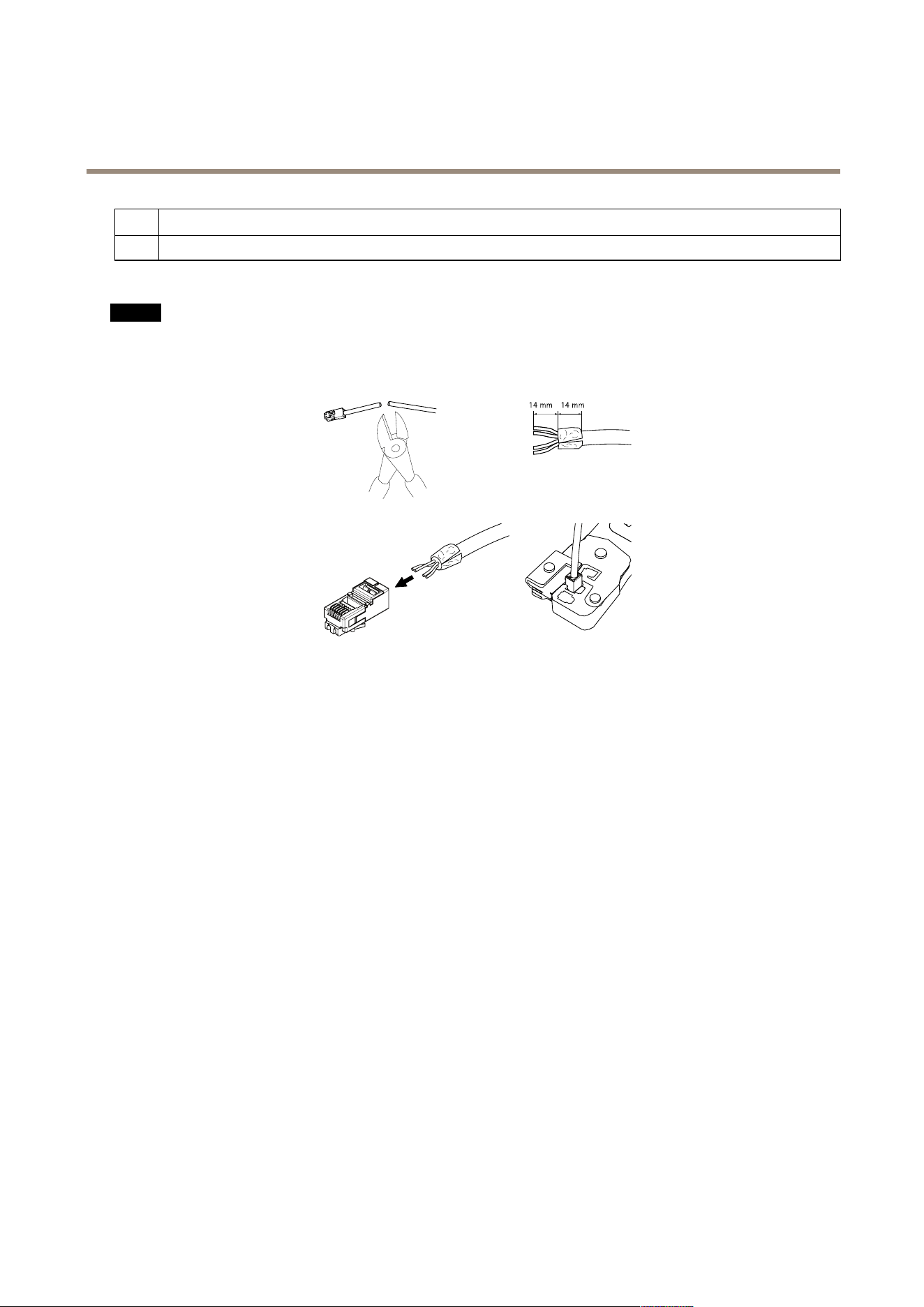
Thesensorunitisdeliveredwithacable.Toshortenthecablefollowthesesteps:
1.Cutthecabletothedesiredlength.Measurefromthesensorunit.
2.Striptheplasticoutercoatingfromtheendofthecable.
3.Peelbacktheshield.
4.Flattenthecoloredwiresintheorderdescribedbelow.
1
Brown
2
White/brown
3
Notused
4
Notused
4
AXISFA54MainUnit
Productoverview
5
White/blue
6
Blue
5.Insertthewiresallthewayintoashielded6P6CRJ12connector.
NO NO
NO
TICE TICE
TICE
Makesurethatthewiresstayinthecorrectorderandthatthecableshieldmakesgoodcontactwiththeconnectorshield.
6.Useacrimpingtooltofastentheconnectortothecable.
5

AXISFA54MainUnit
Setup
Setup
Howtoaccesstheproduct
AXISIPUtilityandAXISCameraManagementarerecommendedmethodsforndingAxisproductsonthenetworkandassigning
themIPaddressesinWindows®.Bothapplicationsarefreeandcanbedownloadedfromwww.axis.com/support
Theproductcanbeusedwiththefollowingbrowsers:
•Chrome
TM
(recommended),Firefox
®
,Edge
®
,orOpera
®
withWindows
®
•Chrome
TM
(recommended)orSafari
®
withOSX
®
•Chrome
TM
orFirefox
®
withotheroperatingsystems.
Howtoaccesstheproductfromabrowser
1.Startawebbrowser.
2.EntertheIPaddressorhostnameoftheAxisproductinthebrowser’saddresseld.
ToaccesstheproductfromaMaccomputer(OSX),gotoSafari,clickonBonjourandselecttheproductfromthe
drop-downlist.
IfyoudonotknowtheIPaddress,useAXISIPUtilitytolocatetheproductonthenetwork.Forinformationabout
howtodiscoverandassignanIPaddress,seethedocumentAssignanIPAddressandAccesstheVideoStreamonAxis
Supportwebatwww.axis.com/support
Note
ToshowBonjourasabrowserbookmark,gotoSafari>Preferences.
3.Enteryourusernameandpassword.Ifthisisthersttimetheproductisaccessed,therootpasswordmustrstbe
congured.
4.Theproduct’sliveviewpageopensinyourbrowser.
Aboutsecurepasswords
Important
Whensettingtheinitialpassword,thepasswordissentincleartextoverthenetwork.Ifthereisariskofnetworksnifng,
rstsetupasecureandencryptedHTTPSconnectionbeforeresettingthepasswords.
Thedevicepasswordistheprimaryprotectionforthedataandservices.Axis’productsdonotimposeapasswordpolicyasproducts
maybeusedinvarioustypesofinstallations,buttoprotectyourdatadothefollowing:
•Don’tusethedefaultpasswordthatcomeswiththeproducts.
•Useapasswordwithatleast8characters,preferablyusingapasswordgenerator.
•Don’texposethepassword.
•Changepasswordatarecurringinterval,atleastonceayear.
Setapasswordfortherootaccount
Important
Thedefaultadministratorusernamerootispermanentandcannotbedeleted.Ifthepasswordforrootislost,theproduct
mustberesettothefactorydefaultsettings.
6
AXISFA54MainUnit
Setup
Thedefaultrootaccounthasfullprivilegesandshouldbereservedforadministrativetasks.Alwayscreateauseraccountwithlimited
privilegesfordailyuse.Thisreducestheexposureoftheadministrativeaccount.
1.Makesuretofollowtheinstructionsaboutsecurepasswords,seeAboutsecurepasswordsonpage6.
2.Typeapasswordandthenretypeittoconrmthespelling.
3.ClickCreatelogin.Thepasswordhasnowbeencongured.
AXISInternetDynamicDNSService
AXISInternetDynamicDNSServiceassignsahostnameforeasyaccesstotheproduct.Formoreinformation,seewww.axiscam.net
ToregistertheAxisproductwithAXISInternetDynamicDNSService,gotoSystemOptions>Network>TCP/IP>Basic.Under
Services,clicktheAXISInternetDynamicDNSServiceSettingsbutton(requiresaccesstotheInternet).Thedomainnamecurrently
registeredatAXISInternetDynamicDNSservicefortheproductcanatanytimeberemoved.
Note
AXISInternetDynamicDNSServicerequiresIPv4.
Abouttheproduct'sbuilt-inhelp
Tosetuptheproduct,youneedtoaccesstheproduct’swebpage.Inthewebpageyoucanalsonddetailedinstructionsinthe
product’sbuilt-inhelp.
Howtosetupcorridorformat
Usecorridorformattobetterutilizethefulleldofviewinalongnarrowarea.Forexampleinstaircases,hallways,roads,tunnels,
andmanyothers.
7

AXISFA54MainUnit
Setup
1.Turnthecamera90°.
2.GototheStreamtabontheproduct’swebpageandrotatetheview90°.
Howtosetupamonitor
TheproductcanbeconnectedtoaHDMIdisplayandtransmitvideotothatdisplaywithouttheneedforanetworkconnection.The
displaycaneitherbeusedforsurveillanceorasapublicviewe.g.inastore.
1.ConnectanexternalmonitorusingtheHDMIconnector.
2.ChangetheHDMIsettingsunderSystem>HDMI.FormoreinformationaboutHDMIsettings,pleaseseetheonlinehelp
Aboutoverlays
Note
Theoverlayfeatureisnotsupportedforthequadstream,onlyfortheindividualvideostreams.
Note
ImageandtextoverlaywillnotbedisplayedonvideostreamoverHDMI.
Overlaysaresuperimposedoverthevideostream.Theyareusedtoprovideextrainformationduringrecordings,suchasatimestamp,
orduringproductinstallationandconguration.
Howtomaximizethedetailsintheimage
Important
Ifyoumaximizethedetailsintheimagethebitratebecomeshigherwhichinturnmightresultinreducedframerate.
•Makesuretoselectthecapturemodewiththehighestresolution.
8

AXISFA54MainUnit
Setup
•Setthecompressionassmallaspossible.
•SelectMJPEGstreaming.
•TurnofftheZipstreamfunctionality.
Howtoreducebandwidthandstorage
Important
Ifyoureducethebandwidthitcanresultinlessdetailsinthepicture.
1.GotoliveviewandselectH.264.
2.GototheStreamtab.
3.Dooneormoreofthefollowing:
-TurnontheZipstreamfunctionality.
-TurnontheGOPandsetahighGOPlengthvalue.
-Increasethecompression.
-TurnonthedynamicFPS.
Aboutapplications
AXISCameraApplicationPlatform(ACAP)isanopenplatformthatenablesthirdpartiestodevelopanalyticsandotherapplications
forAxisproducts.Forinformationaboutavailableapplications,downloads,trialsandlicenses,gotowww.axis.com/applications
TondtheusermanualsforAxisapplications,gotowww.axis.com
Note
•Severalapplicationscanrunatthesametimebutsomeapplicationsmightnotbecompatiblewitheachother.Certain
combinationsofapplicationsmightrequiretoomuchprocessingpowerormemoryresourceswhenruninparallel.Verify
thattheapplicationsworktogetherbeforedeployment.
9

AXISFA54MainUnit
Troubleshooting
Troubleshooting
Important
Resettofactorydefaultshouldbeusedwithcaution.Aresettofactorydefaultresetsallsettings,includingtheIPaddress,to
thefactorydefaultvalues.
Toresettheproducttothefactorydefaultsettings:
1.Disconnectpowerfromtheproduct.
2.Pressandholdthecontrolbuttonwhilereconnectingpower.SeeProductoverview.
3.Keepthecontrolbuttonpressedfor15–30secondsuntilthestatusLEDindicatorashesamber.
4.Releasethecontrolbutton.TheprocessiscompletewhenthestatusLEDindicatorturnsgreen.Theproducthasbeenreset
tothefactorydefaultsettings.IfnoDHCPserverisavailableonthenetwork,thedefaultIPaddressis192.168.0.90
5.UsetheinstallationandmanagementsoftwaretoolstoassignanIPaddress,setthepassword,andaccessthevideostream.
Theinstallationandmanagementsoftwaretoolsareavailablefromthesupportpagesonwww.axis.com/support
Howtocheckthecurrentrmware
Firmwareisthesoftwarethatdeterminesthefunctionalityofnetworkdevices.Oneofyourrstactionswhentroubleshootinga
problemshouldbetocheckthecurrentrmwareversion.Thelatestversionmaycontainacorrectionthatxesyourparticular
problem.
Tocheckthecurrentrmware:
1.Gototheproduct’swebpage.
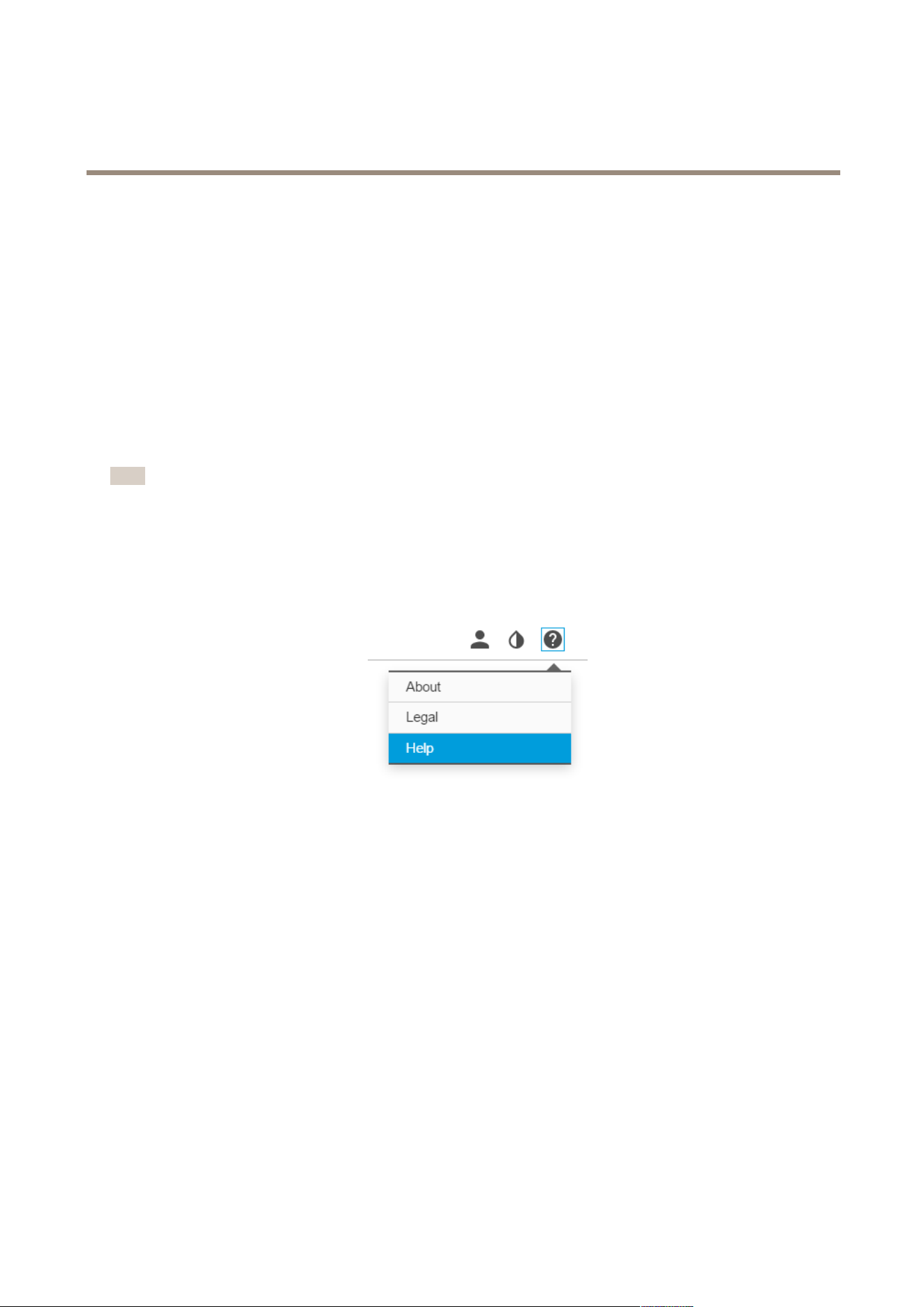
2.Clickonthehelpmenu.
3.ClickAbout.
Howtoupgradethermware
Important
Preconguredandcustomizedsettingsaresavedwhenthermwareisupgraded(providedthatthefeaturesareavailablein
thenewrmware)althoughthisisnotguaranteedbyAxisCommunicationsAB.
Note
Whenyouupgradetheproductwiththelatestrmware,theproductreceivesthelatestfunctionalityavailable.Alwaysread
theupgradeinstructionsandreleasenotesavailablewitheachnewreleasebeforeupgradingthermware.Tondthelatest
rmwareandthereleasenotes,gotowww.axis.com>product>Support&Documentation.
1.Downloadthelatestrmwareletoyourcomputer,availablefreeofchargeatwww.axis.com/support/rmware
2.Logintotheproductasanadministrator.
3.GotoSettings>System>Maintenanceintheproduct’swebpageandfollowtheinstructions.
4.Theupgradetakesawhile,don'tbreakthepowertotheproduct.Whentheupgradeisnished,theproductrestarts
automatically.
AXISCameraManagementcanbeusedformultipleupgrades,seewww.axis.com/products/axis-camera-managementformore
information.
10

AXISFA54MainUnit
Troubleshooting
Technicalissues,cluesandsolutions
Ifyoucan’tndwhatyou’relookingforhere,trythetroubleshootingsectionatwww.axis.com/support
Problemsupgradingthermware
FirmwareupgradefailureIfthermwareupgradefails,theproductreloadsthepreviousrmware.Themostcommonreason
isthatthewrongrmwarelehasbeenuploaded.Checkthatthenameofthermwarele
correspondstoyourproductandtryagain.
ProblemssettingtheIPaddress
Theproductislocatedona
differentsubnet
IftheIPaddressintendedfortheproductandtheIPaddressofthecomputerusedtoaccessthe
productarelocatedondifferentsubnets,youcannotsettheIPaddress.Contactyournetwork
administratortoobtainanIPaddress.
TheIPaddressisbeingused
byanotherdevice
DisconnecttheAxisproductfromthenetwork.Runthepingcommand(inaCommand/DOS
window,typepingandtheIPaddressoftheproduct):
•Ifyoureceive:Replyfrom<IPaddress>:bytes=32;time=10...
thismeansthattheIPaddressmayalreadybeinusebyanotherdeviceonthenetwork.
ObtainanewIPaddressfromthenetworkadministratorandreinstalltheproduct.
•Ifyoureceive:Requesttimedout,thismeansthattheIPaddressisavailable
forusewiththeAxisproduct.Checkallcablingandreinstalltheproduct.
PossibleIPaddressconict
withanotherdeviceonthe
samesubnet
ThestaticIPaddressintheAxisproductisusedbeforetheDHCPserversetsadynamicaddress.
ThismeansthatifthesamedefaultstaticIPaddressisalsousedbyanotherdevice,theremay
beproblemsaccessingtheproduct.
Theproductcannotbeaccessedfromabrowser
Cannotlogin
WhenHTTPSisenabled,ensurethatthecorrectprotocol(HTTPorHTTPS)isusedwhenattempting
tologin.Youmayneedtomanuallytypehttporhttpsinthebrowser’saddresseld.
Ifthepasswordfortheuserrootislost,theproductmustberesettothefactorydefaultsettings.
See.
TheIPaddresshasbeen
changedbyDHCP
IPaddressesobtainedfromaDHCPserveraredynamicandmaychange.IftheIPaddresshas
beenchanged,useAXISIPUtilityorAXISCameraManagementtolocatetheproductonthe
network.Identifytheproductusingitsmodelorserialnumber,orbytheDNSname(ifthename
hasbeencongured).
Ifrequired,astaticIPaddresscanbeassignedmanually.Forinstructions,goto
www.axis.com/support.
Certicateerrorwhenusing
IEEE802.1X
Forauthenticationtoworkproperly,thedateandtimesettingsintheAxisproductmustbe
synchronizedwithanNTPserver.GotoSettings>System>Dateandtime
Theproductisaccessiblelocallybutnotexternally
Routerconguration
CheckthatyourrouterallowsincomingdatatrafctotheAxisproduct.Theroutermustsupport
UPnP
TM
.
Firewallprotection
ChecktheInternetrewallwithyournetworkadministrator.
Problemswithstreaming
MulticastH.264only
accessiblebylocalclients
Checkifyourroutersupportsmulticasting,oriftheroutersettingsbetweentheclientandthe
productneedtobecongured.TheTTL(TimeToLive)valuemayneedtobeincreased.
11

AXISFA54MainUnit
Troubleshooting
NomulticastH.264
displayedintheclient
CheckwithyournetworkadministratorthatthemulticastaddressesusedbytheAxisproduct
arevalidforyournetwork.
Checkwithyournetworkadministratortoseeifthereisarewallpreventingviewing.
PoorrenderingofH.264
images
Ensurethatyourgraphicscardisusingthelatestdriver.Thelatestdriverscanusuallybe
downloadedfromthemanufacturer’swebsite.
Colorsaturationisdifferent
inH.264andMotionJPEG
Modifythesettingsforyourgraphicsadapter.Gototheadapter’sdocumentationformore
information.
Lowerframeratethan
expected
•SeePerformanceconsiderationsonpage12.
•Reducethenumberofapplicationsrunningontheclientcomputer.
•Limitthenumberofsimultaneousviewers.
•Checkwiththenetworkadministratorthatthereisenoughbandwidthavailable.
•Lowertheimageresolution.
•Intheproduct’swebpage,setacapturemodethatprioritizesframerate.Changingthe
capturemodetoprioritizeframeratemightlowerthemaximumresolutiondepending
ontheproductusedandcapturemodesavailable.
•Themaximumframespersecondisdependentontheutilityfrequency(60/50Hz)of
theAxisproduct.
Performanceconsiderations
Whensettingupyoursystem,itisimportanttoconsiderhowvarioussettingsandsituationsaffecttheperformance.Somefactors
affecttheamountofbandwidth(thebitrate)required,otherscanaffecttheframerate,andsomeaffectboth.Iftheloadonthe
CPUreachesitsmaximum,thisalsoaffectstheframerate.
Thefollowingfactorsarethemostimportanttoconsider:
•Highimageresolutionorlowercompressionlevelsresultinimagescontainingmoredatawhichinturnaffectsthe
bandwidth.
•AccessbylargenumbersofMotionJPEGorunicastH.264clientsaffectsthebandwidth.
•Simultaneousviewingofdifferentstreams(resolution,compression)bydifferentclientsaffectsbothframerateand
bandwidth.
Useidenticalstreamswhereverpossibletomaintainahighframerate.Streamprolescanbeusedtoensurethat
streamsareidentical.
•AccessingMotionJPEGandH.264videostreamssimultaneouslyaffectsbothframerateandbandwidth.
•Heavyusageofeventsettingsaffectstheproduct’sCPUloadwhichinturnaffectstheframerate.
•UsingHTTPSmayreduceframerate,inparticularifstreamingMotionJPEG.
•Heavynetworkutilizationduetopoorinfrastructureaffectsthebandwidth.
•Viewingonpoorlyperformingclientcomputerslowersperceivedperformanceandaffectsframerate.
•RunningmultipleAXISCameraApplicationPlatform(ACAP)applicationssimultaneouslymayaffecttheframerateand
thegeneralperformance.
12

AXISFA54MainUnit
Technicalspecifications
Technicalspecifications
Tondthelatestversionofthedatasheet,gotowww.axis.com>product>Support&Documentation.
LEDIndicators
StatusLED
Indication
GreenSteadygreenfornormaloperation.
Amber
Steadyduringstartup.Flasheswhenrestoringsettings.
RedFirmwareupgradefailure.
NetworkLEDIndication
Green
Steadyforconnectiontoa1Gbit/snetwork.Flashesfornetworkactivity.
Amber
Steadyforconnectiontoa10/100Mbit/snetwork.Flashesfornetworkactivity.
UnlitNonetworkconnection.
PowerLEDIndication
Green
Normaloperation.
Amber
Flashesgreen/amberduringrmwareupgrade.
SDcardslot
NO NO
NO
TICE TICE
TICE
•RiskofdamagetoSDcard.Donotusesharptools,metalobjects,orexcessiveforcewheninsertingorremovingthe
SDcard.Useyourngerstoinsertandremovethecard.
•Riskofdatalossandcorruptedrecordings.DonotremovetheSDcardwhiletheproductisrunning.Disconnectpoweror
unmounttheSDcardfromtheproduct’swebpagebeforeremoval.
ThisproductsupportsmicroSD/microSDHC/microSDXCcards(notincluded).
ForSDcardrecommendations,seewww.axis.com
Buttons
Controlbutton
Thecontrolbuttonisusedfor:
•Resettingtheproducttofactorydefaultsettings.See.
•ConnectingtoanAXISVideoHostingSystemservice.Toconnect,pressandholdthebuttonforabout3secondsuntilthe
statusLEDashesgreen.
Connectors
HDMIconnector
UsetheHDMI
TM
connectortoconnectadisplayorpublicviewmonitor.
13

AXISFA54MainUnit
Technicalspecifications
Networkconnector
RJ45Ethernetconnector.
Audioconnector
TheAxisproducthasthefollowingaudioconnectors:
•Audioin–3.5mminputforamonomicrophone,oraline-inmonosignal(leftchannelisusedfromastereosignal).
•Audioout–3.5mmoutputforaudio(linelevel)thatcanbeconnectedtoapublicaddress(PA)systemoranactive
speakerwithabuilt-inamplier.Astereoconnectormustbeusedforaudioout.
3.5mmaudioconnectors
(stereo)
1Tip2Ring
3Sleeve
AudioInput
Microphone/Linein
Ground
AudioOutput
Lineout(mono)
Ground
I/Oconnectors
UsetheI/Oconnectorwithexternaldevicesincombinationwith,forexample,tamperingalarms,motiondetection,eventtriggering,
andalarmnotications.Inadditiontothe0VDCreferencepointandpower(DCoutput),theI/Oconnectorprovidestheinterfaceto:
Digitaloutput-ForconnectingexternaldevicessuchasrelaysandLEDs.ConnecteddevicescanbeactivatedbytheVAPIX®
ApplicationProgrammingInterfaceorintheproduct’swebpage.
Digitalinput-Forconnectingdevicesthatcantogglebetweenanopenandclosedcircuit,forexamplePIRsensors,door/window
contacts,andglassbreakdetectors.
6-pincongurableterminalblock
FunctionPinNotes
Specications
0VDC(-)
1
DCground0VDC
DCoutput
2
Canbeusedtopowerauxiliaryequipment.
Note:Thispincanonlybeusedaspowerout.
12VDC
Maxload=50mA
Digitalinput–Connecttopin1toactivate,orleaveoating
(unconnected)todeactivate.
0tomax30VDC Congurable
(InputorOutput)
3–6
Digitaloutput–Connectedtopin1whenactivated,oating
(unconnected)whendeactivated.Ifusedwithaninductiveload,e.g.
arelay,adiodemustbeconnectedinparallelwiththeload,for
protectionagainstvoltagetransients.
0tomax30VDC,opendrain,
100mA
14
AXISFA54MainUnit
Technicalspecifications
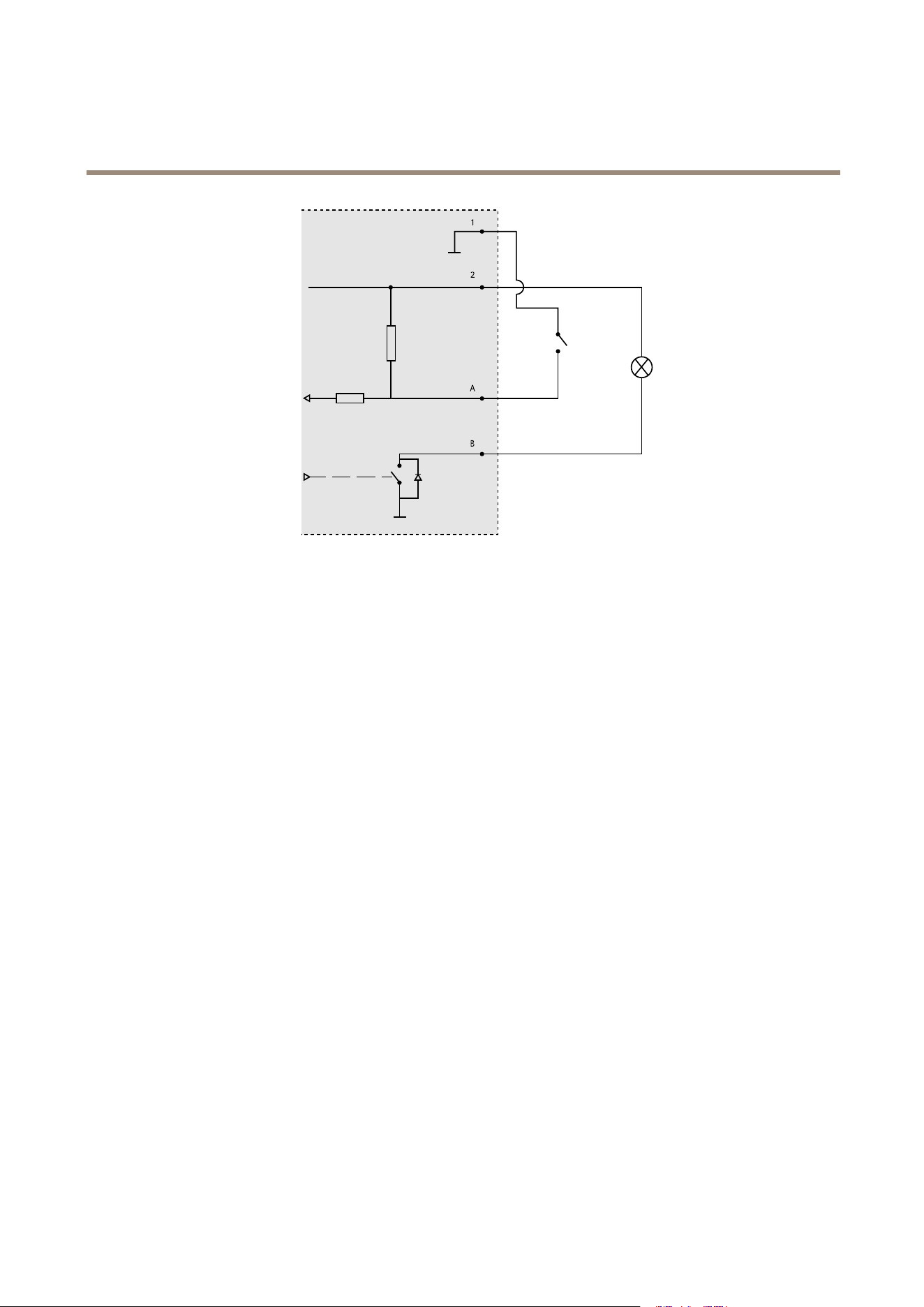
1
0VDC(-)
2
DCoutput12V,max50mA
A
I/Oconguredasinput
B
I/Oconguredasoutput
Powerconnector
DCconnector.Usethesuppliedadapter.
RJ12Connector
TheRJ12connectorisusedforconnectingthesensorunittothemainunit.Forinformationonhowtoshortenthesensorunit
cableseeHowtoshortenthesensorunitcableonpage4.
15

UserManualVer.M2.3
AXISFA54MainUnit
Date:June2017
©AxisCommunicationsAB,2016-2017
PartNo.1659322