
QUICK START GUIDE
GETTING STARTED
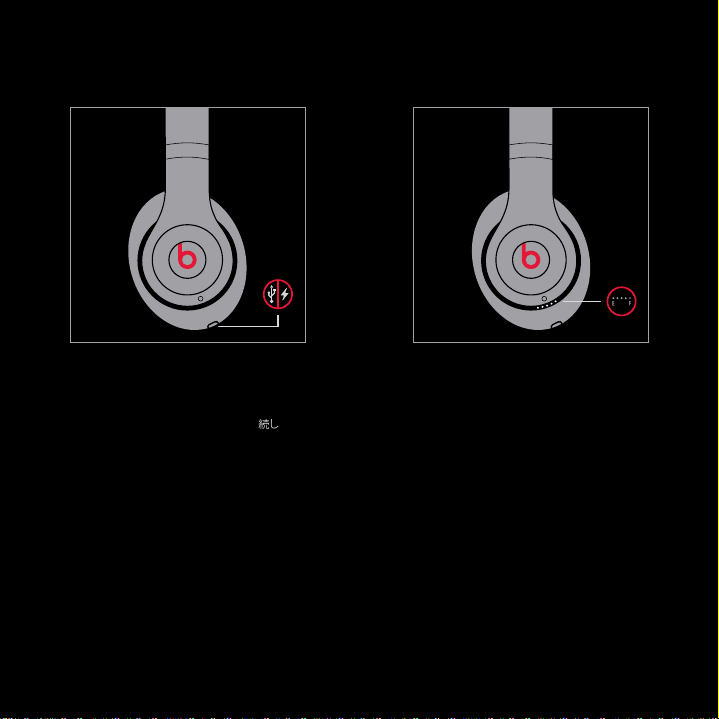
EN Connect cable to micro USB port
to charge.
CN USB 。
JP USB
KR USB
.
ZH USB。
EN Tap power button to check battery
Fuel Gauge.
CN ,。
JP
KR
.
ZH 。
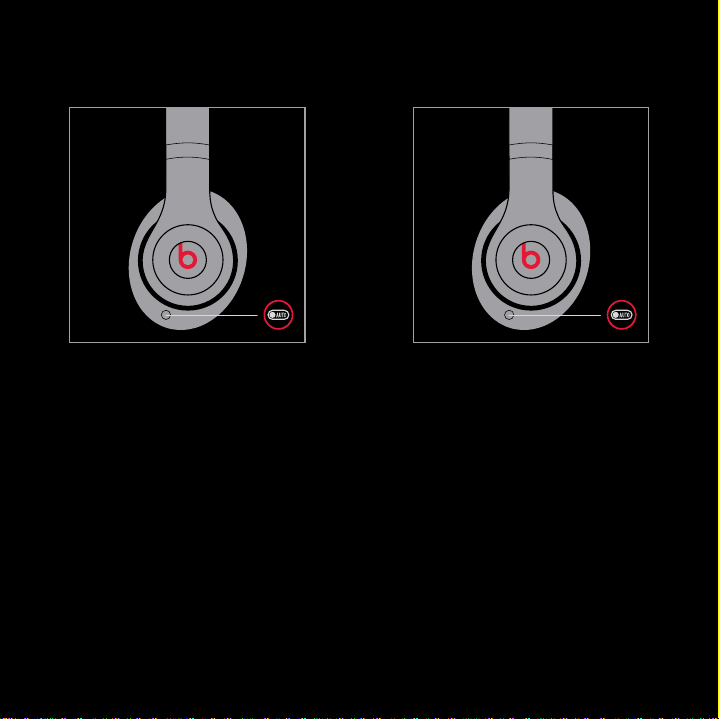
EN Plug in audio cable to turn on.
CN 。
JP
KR
.
ZH 。
EN Remove audio cable to turn off.
CN 。
JP
KR .
ZH 。
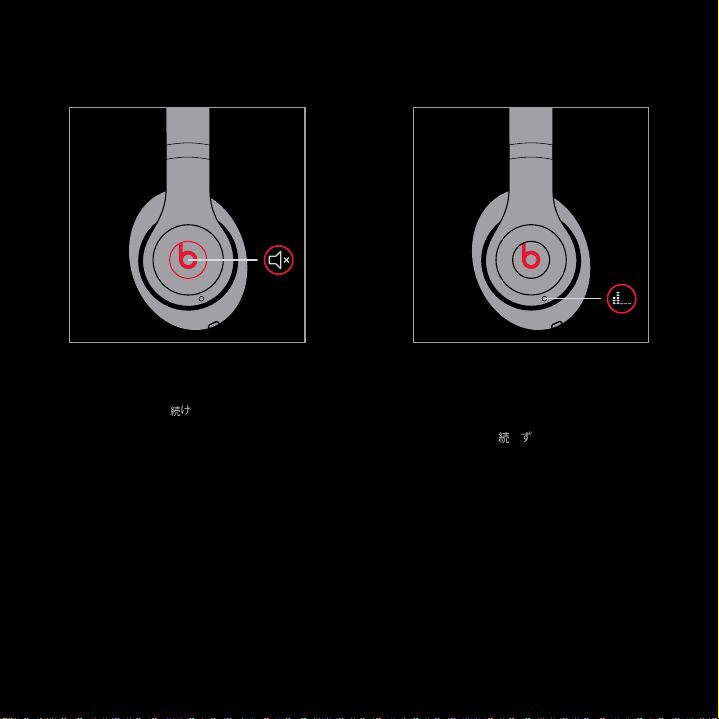
ANC
Adaptive
Noise
Canceling
EN Press and hold Beats logo to mute.
CN Beats 。
JP
Beats
KR Beats
.
ZH Beats。
EN Press power button without cable to
enable ANC without music playback.
CN ,
ANC, 。
JP
ANC
KR ANC
.
ZH
ANC。
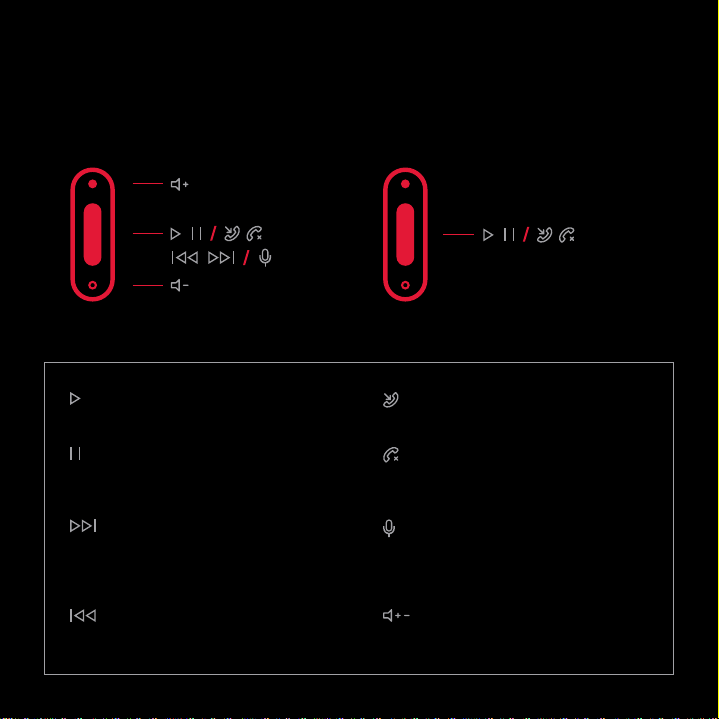
REMOTE TALK CONTROL
iPod
®
, iPhone
®
and iPad
®
Functionality may vary by device.
Android
™
, BlackBerry
®
, Windows
®
Answer, , , ,
End Call, , ,
,
Voice Command, ,
, ,
Volume Control, ,
, ,
Play, , , ,
Pause, , ,
,
Skip Forward, ,
, ,
Scan Backward, ,
, ,
NEED MORE INFORMATION?
beatsbydre.com
Product Care
User Guide
Product Registration
Helpful Tips
780-00005-02-C
“iPod”, “iPhone” and “iPad” are trademarks of Apple Inc., registered in the U.S. and other countries.
“Android” is a trademark of Google Inc. “Windows” is a registered trademark of Microsoft Corporation
in the United States and other countries. Blackberry is the property of Research In Motion Limited
and is registered and/or used in the U.S. and countries around the world. Used under license from
Research In Motion Limited.
“iPod”、“iPhone” “iPad” (Apple Inc.) 。 “” (“Android”)
(Google Inc.) 、“Windows” 。 “” (“Blackberry”)
Research in Motion Limited ,。 Research In Motion
Limited 。
“iPod”“iPhone” “iPad” Apple Inc.“Android”
Google Inc.“Windows” Microsoft Corporation
BlackberryResearch In Motion Limited/
Research In Motion Limited
“iPod”, “iPhone” “iPad” Apple Inc. . “Android” Google
Inc. . “Windows” Microsoft Corporation . Blackberry
Research In Motion Limited / . Research In
Motion Limited .
“iPod”、“iPhone” “iPad” Apple Inc., 。 “Android” (Google Inc.)
、“Windows” 。 “”(“Blackberry”) Research In Motion
Limited /。 Research In Motion Limited 。
© 2013 Beats Electronics LLC
beatsbydre.com
facebook.com/beatsbydre
@beatsbydre