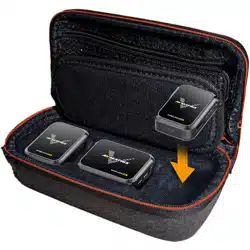
-
WM12
Wireless Microphone
WM12
Mini Wireless Microphone System

WM12
Wireless Microphone
CONTENT
1. BRIEF INTRODUCTION .......................................................................................................................1
1.1. Overview ..................................................................................................................................1
1.2. Main Features .......................................................................................................................... 1
2. INTERFACES ........................................................................................................................................2
2.1. Interfaces ................................................................................................................................. 2
2.2. Specification .............................................................................................................................3
3. TRANSMITTER ................................................................................................................................... 5
3.1. Power Button ........................................................................................................................... 5
3.2. Pairing Button.......................................................................................................................... 5
3.3. (level of) Sensitivity ..................................................................................................................5
3.4. Pairings .....................................................................................................................................6
3.5. Mode Switching ....................................................................................................................... 7
3.6. Battery Indicator ...................................................................................................................... 7
4. RECEIVER ........................................................................................................................................... 7
4.1. Power Button ........................................................................................................................... 7
4.2. Volume.....................................................................................................................................8
5. ON SCREEN DISPLAY ..........................................................................................................................8
1
WM12
Wireless Microphone
1. BRIEF INTRODUCTION
1.1. Overview
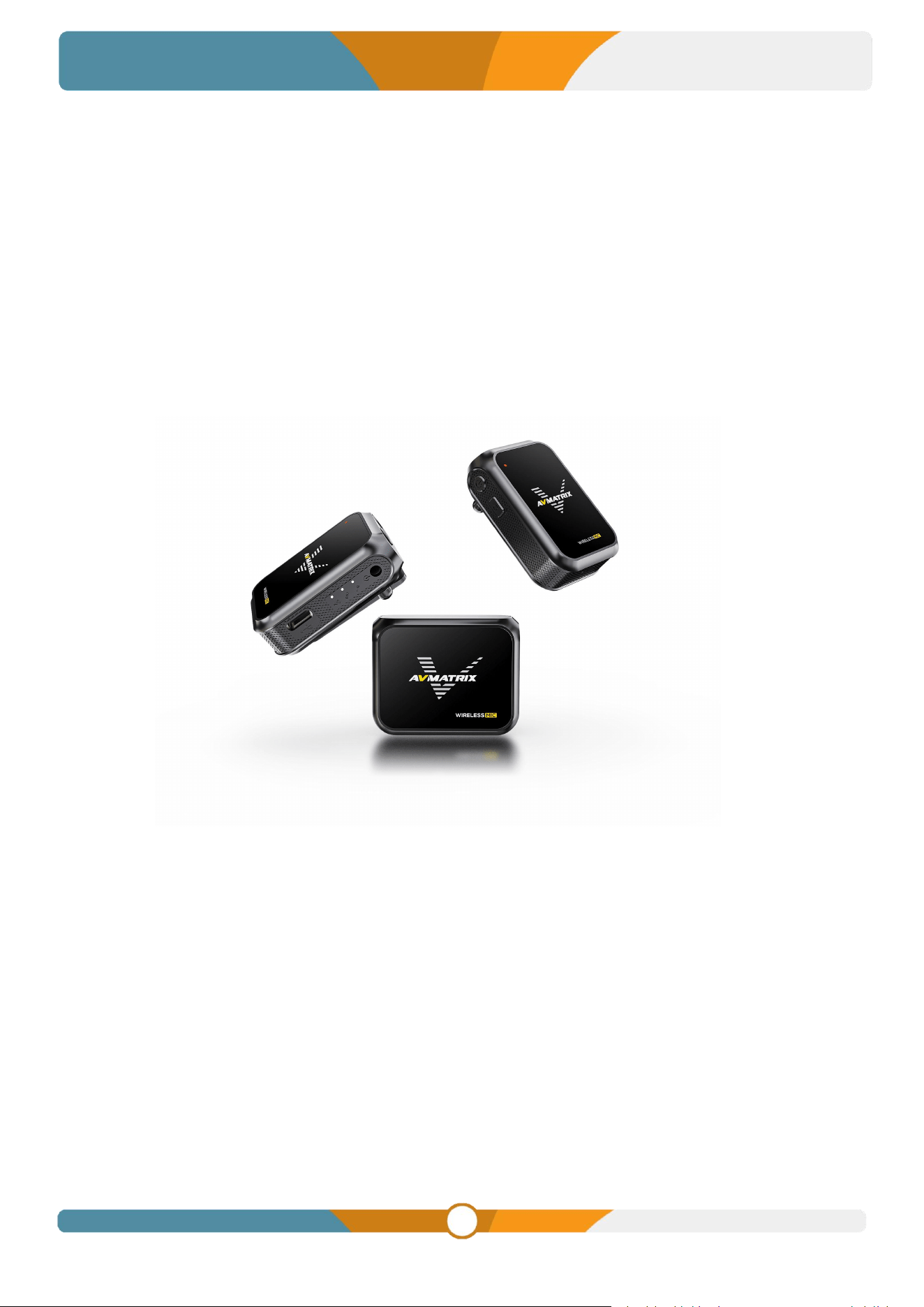
The WM12 is an extremely small, full-featured wireless microphone system. The transmitter has a built-in
microphone and can be clipped directly to the collar. This product adopts 2.4G frequency band for
transmission, the receiver and transmitter will be paired automatically within 2-5 seconds after powering
on, and the effective use distance reaches 100 meters(Open and undisturbed environment). The receiver
uses a clear TFT display to show the current input and output audio dynamic messages, etc. Use the
3.5mm TRS output to connect to camera tablets, cell phones and other devices to assist in picking up
high-fidelity audio. Ideal for applications such as interviews, micro-video recording or business
presentations.
1.2. Main Features
Remote wireless connection
Up to 2-CH audio pick up
Two-channel Audio Output USB Output
Long-Distance Transmission
Support three-stage sensitivity adjustment
Real-Time Monitoring with One-Button Muting
Compatible with a variety of devices
Clear TFT Color LCD Display
Clip-on Design, Comfortable to Wear
Long Battery Life
2
WM12
Wireless Microphone
2. INTERFACES
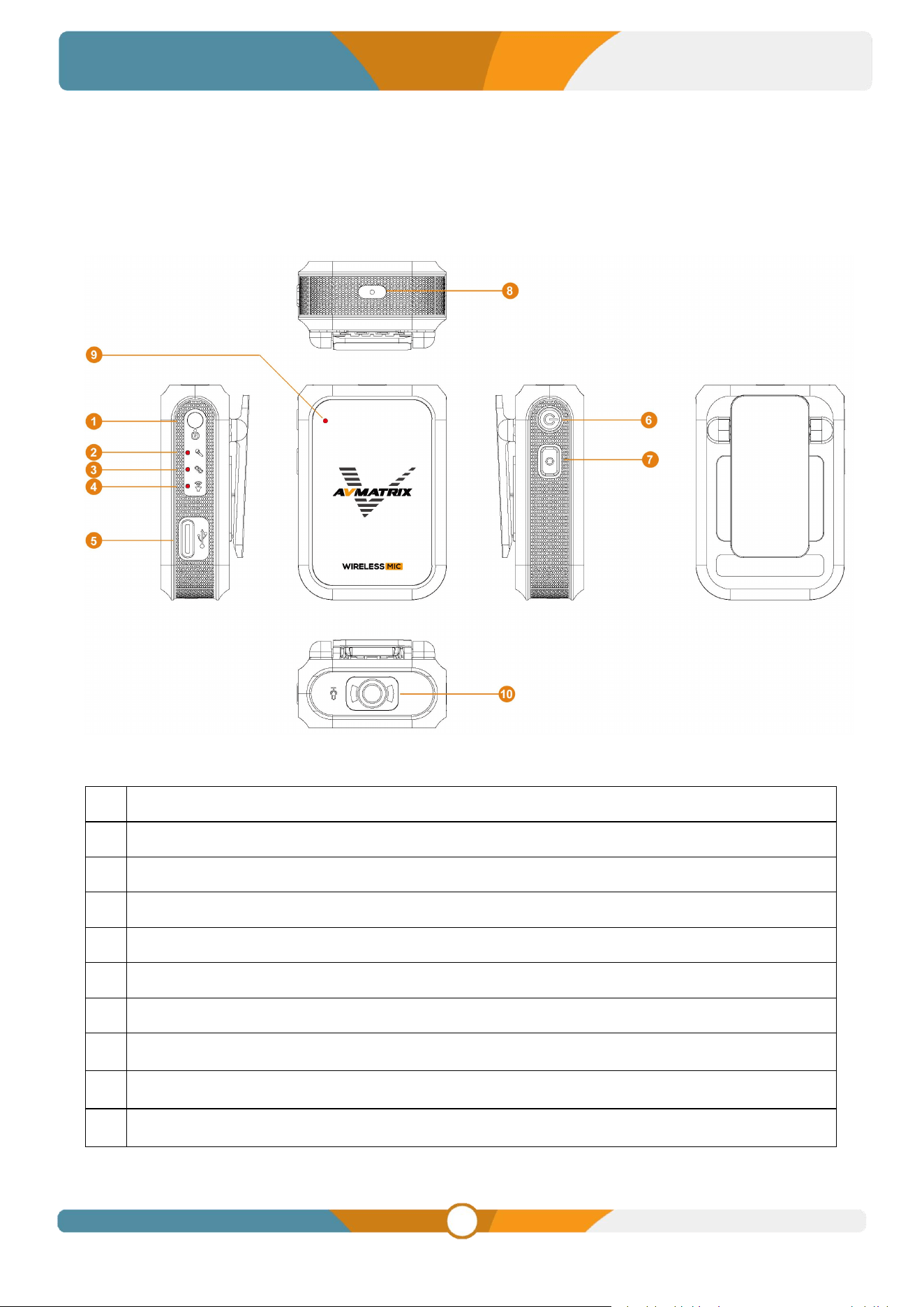
2.1. Interfaces
TX
1
Audio In (MIC/LINE in)
2
Microphone Indicator
3
Pairing Indicator
4
Sound Pressure Indicator
5
USB Type-C (Power Charge)
6
Power Button
7
Pairing Key
8
Reset Hole
9
Power Indicator
10
Microphones
3
WM12
Wireless Microphone
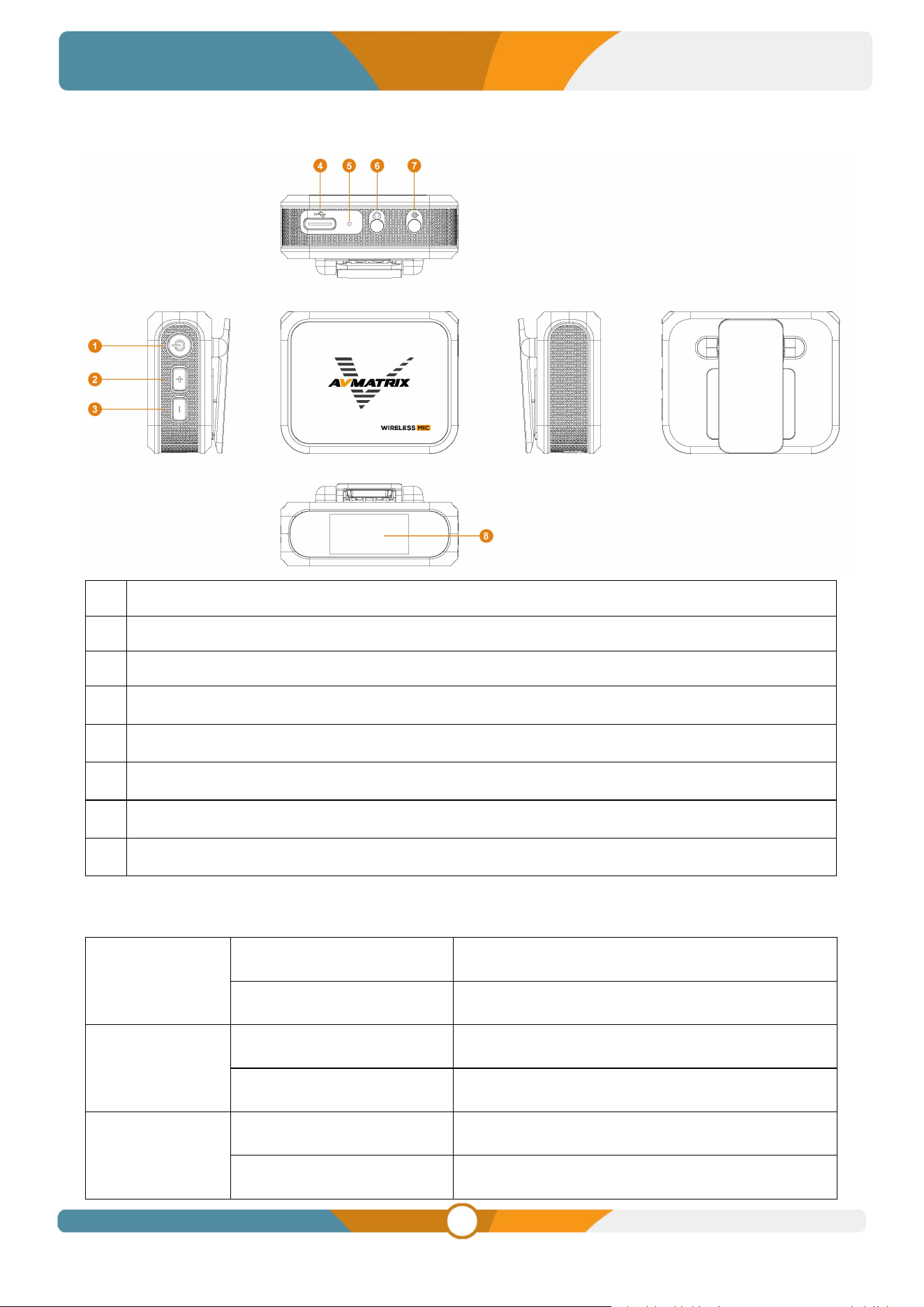
RX
1
Power Button
2
Volume +
3
Volume -
4
USB Type-C(Power Charge & Sound Card)
5
Reset Hole
6
Earphone Out
7
Line Out
8
0.96 inch TFT color LCD display
2.2. Specification
COMBO
WM12 Dual
2TX+1RX
WM12 Single
1TX+1RX
TRANSMITTER
Audio In
3.5mm TRS
Power In
USB Type-C (Power charge)
RECEIVER
Earphone Out
3.5mm TRS
Line Out
3.5mm TRS

4
WM12
Wireless Microphone
Power In
USB Type-C (Power charge & Sound card)
WIRELESS
Modulation Mode
GFSK
Operating Frequency
2.4GHz (2400M~2483 .5MHz)
Transmission Range
100m (Open and undisturbed environment)
MIC
Frequency Range
100Hz ~ 20KHz±3dB
Mic Polar Pattern
Omnidirectional
Mic Sound Pressure Level
110dB SPL (Max)
Signal-to-noise Ratio
≥90
Sensitivity
TX: -34dB, RX: -94dB
DISPLAY
Display
0.96 inch TFT color LCD display
Display Resolution
160 × 80
POWER
Battery Life
TX: 15h, RX: 4h
Battery Capacity
TX: 300mAh, RX: 300mAh
Battery Voltage
TX: 3.7V, RX: 3.7V
Charging Time
TX: ≤1.5h (5V 1A), RX: ≤1.5h (5V 1A)
OTHER
Dimension (LWD)
TX: 34.7×50.1×20.6mm, RX: 50.1×40×23.3mm
Weight
TX: 25g, RX: 32g, Gross Weight: 267g (2TX+RX)
Operating Temperature
-20-60°C
5
WM12
Wireless Microphone
3. TRANSMITTER
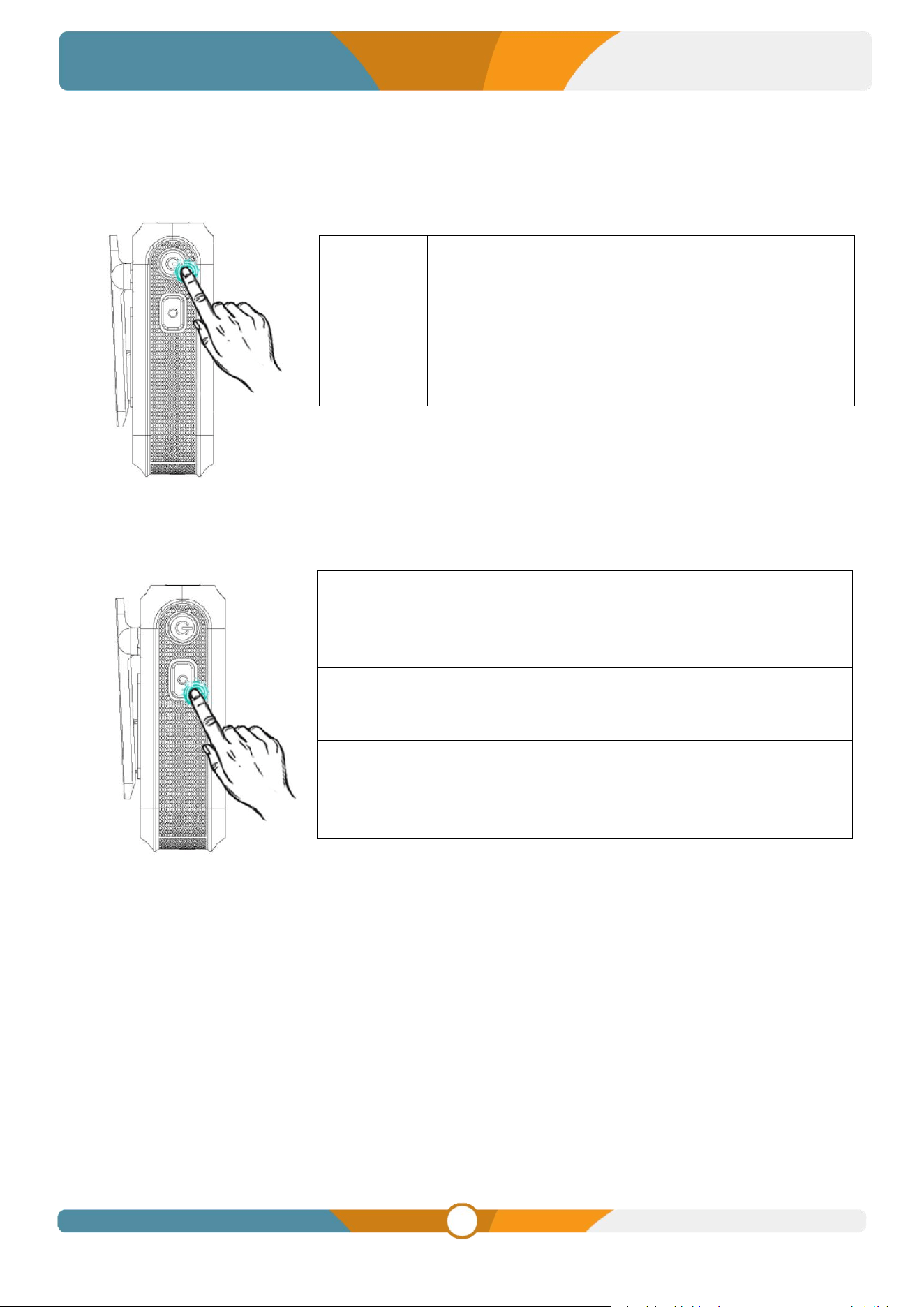
3.1. Power Button
3.2. Pairing Button
3.3. (level of) Sensitivity
The sensitivity of a wireless microphone is the strength of the output signal produced by the microphone
at a certain sound pressure level, is usually measured in decibels (dB) . The higher the sensitivity, the
larger the output signal produced by the microphone at the same level of sound pressure, which means
that the microphone can pick up quieter sounds.
The sensitivity adjustment can be adjusted according to the usage environment and actual needs. For
example, when using the wireless microphone in a noisy environment, the sensitivity can be adjusted to
high level to pick up human voice better; when using the wireless microphone in a quiet environment, the
sensitivity can be adjusted to low level to avoid picking up ambient noise. The default medium level gain is
the best gain.
Power On
Press and hold the power button for 3 seconds to turn on
the device. The power light will illuminate to confirm
activation.
Power Off
Press and hold the power button for 3s to switch off the
power.
Mute
Double-click the power button to enter mute mode. The
sound pressure indicator will flash red.
(level of)
Sensitivity
Short press the pairing button to adjust the sensitivity by
3 levels, high, medium and low.
The input connector indicator flashes red, yellow and
green 3 times to indicate.
Pairings
Press and hold the Pairing button for 5s to enter the
pairing mode in the power-on state, and the connection
indicator will blink rapidly.
Input Mode
Switching
Press and hold 3s to switch between microphone mode
and line mode.
The input interface indicator will turn green to indicate
microphone mode, and turn red to indicate line mode.

6
WM12
Wireless Microphone
Short press the pairing button to adjust the sensitivity by 3 levels, high, medium and low. Input connector
indicator blinks red, yellow and green 3 times to indicate that the sensitivity has been adjusted
successfully.
● Red: High sensitivity for noisy environments or long-distance sound pickup.
● Yellow: Medium sensitivity for general environments or medium distance pickup.
● Green: Low sensitivity for quiet environments or close pickup.
3.4. Pairings
Microphone pairing is the process of connecting a microphone receiver to an audio transmitter, and the
followings are guidance to pair the wireless microphone:
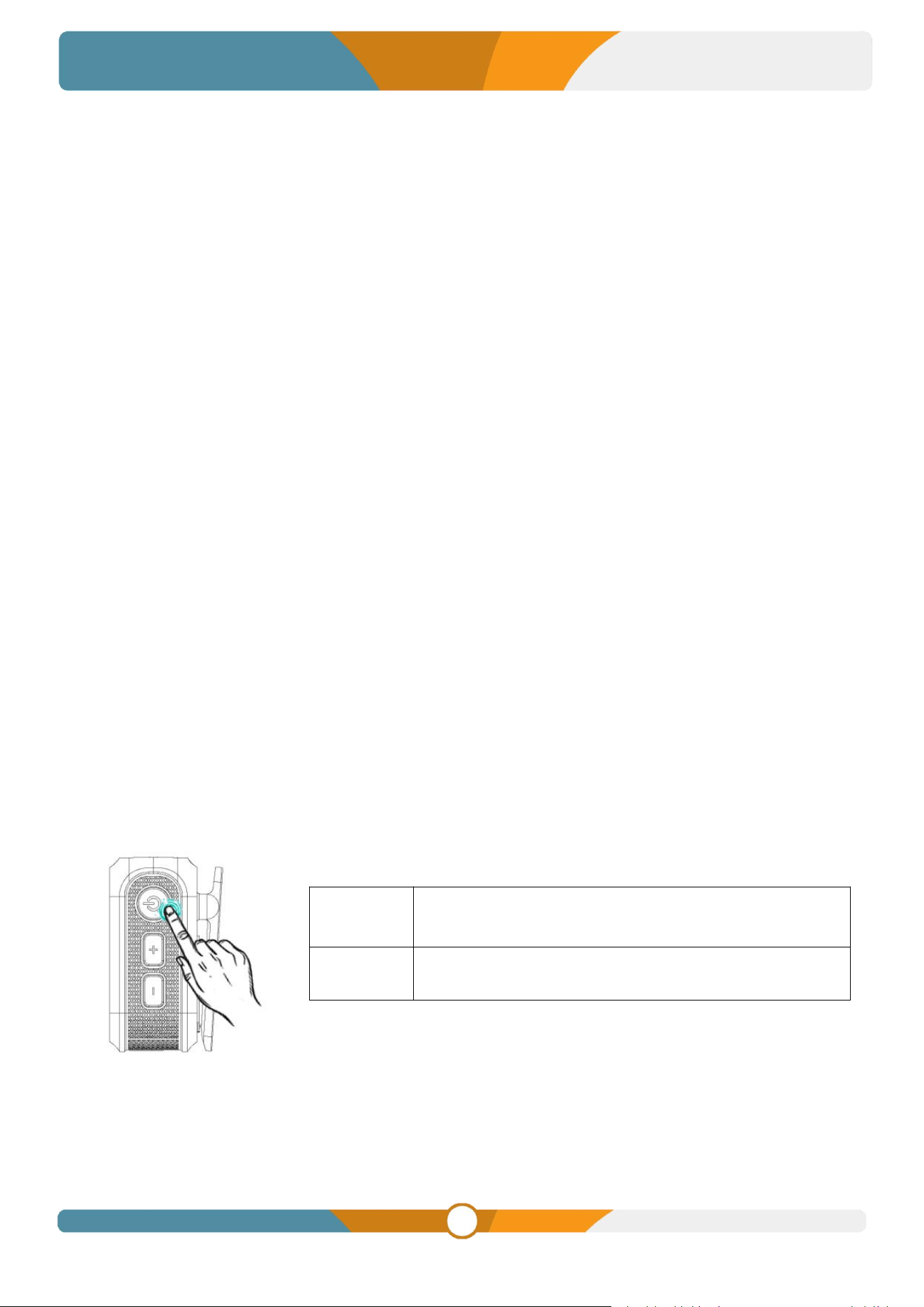
3.4.1 Pairing steps
1. Power up both the transmitter and receiver in the on state.
2. Press and hold the transmitter pairing button for 5 seconds, the connection status indicator flashes
rapidly to enter transmitter pairing mode.
3. Press and hold the volume + and volume - buttons of the receiver for 5 seconds, the connection
status indicator flashes rapidly to enter the pairing mode of the receiver.
4. When the connection status indicator flashes rapidly, the microphone is pairing.
5. When the connection status indicator on the transmitter is always on and the signal icon on the
receiver's screen changes to the connection icon, it means that it's successful connected.
3.4.2 Pairing Status Indication
● The connection status indicator flashes rapidly during the pairing process.
● After successful pairing, the connection status indicator on the transmitter is always on and the signal
icon on the receiver's screen changes to the connection icon.
● When pairing fails, the Connection Status LED blinks slowly every 1 second.
● The status display flashes for every 1.5 seconds when the microphone signal strength falls below
20%.
3.4.3 Take note of
● After successful pairing, you can start using the wireless microphone.
● If pairing fails, try restarting the transmitter and receiver and repeat the above steps.
● If the microphone signal strength is too low, move the transmitter and receiver closer together.
7
WM12
Wireless Microphone
3.5. Mode Switching
The wireless microphone system has two input modes, microphone input and analogue audio input mode,
press and hold the 3s pairing button to switch between modes.
● When the Input Connector indicator shows green, it means that it is currently in microphone mode
and the Input Connector receives signals from the microphone.
● When the Input Connector indicator is red, it means that it is currently in analogue audio mode and
the Input Connector receives signals from the analogue audio input.
3.6. Battery Indicator
Charge status indication
● While charging, for battery levels below 25%, the power indicator blinks once per second.
● For battery level at 26-50%, the power indicator blinks 2 times per second.
● For battery level at 51-75%, the power indicator blinks 3 times per second.
● For battery level at 76-99%, the power indicator blinks 4 times per second.
● When fully charged, the indicator stays on continuously.
Note: When the power level is lower than 25%, the power indicator will flash once per second to remind
you that the device is low on power and needs to be charged. When the power is low, it is recommended
to charge it in time to avoid affecting the use.
4. RECEIVER
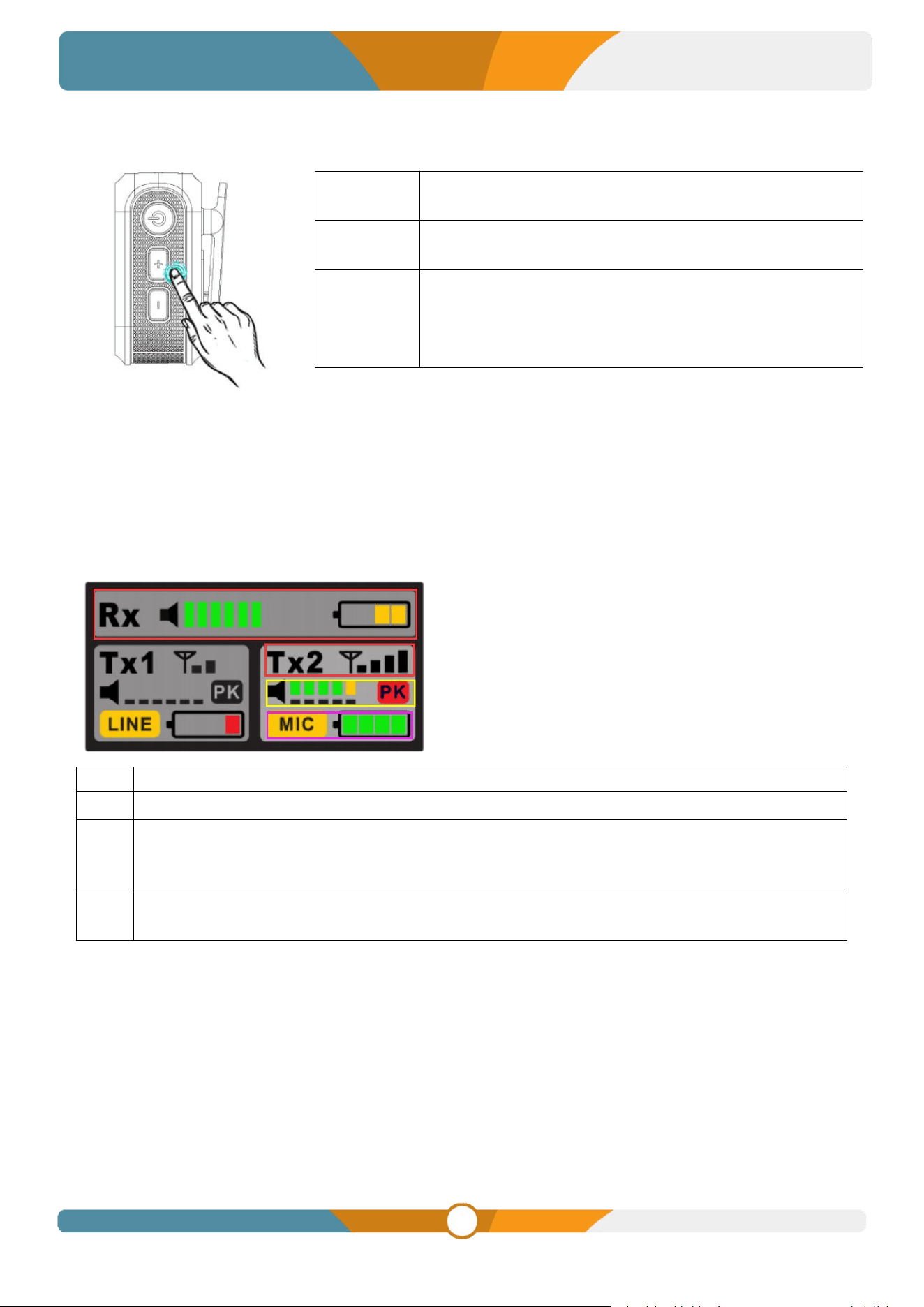
4.1. Power Button
Power
On/Off
Long press 3s to switch on/off.
Screen
On/Off
Short press to turn off/on the screen.
8
WM12
Wireless Microphone
4.2.
Volume
5. ON SCREEN DISPLAY
The wireless microphone has a clear screen display. The screen can display the microphone's status
information, such as power level, volume indication, signal strength, mode, PK value and so on. The clear
on-screen display helps users to better understand the status of the microphone and make finer
adjustments.
①
Receiver Output Volume and Battery Indicator
②
Transmitter signal strength indication
③
Dynamic volume level indication on the large square transmitter, microphone sensitivity
configuration level indication on the small square transmitter, the PK Limit Warning, PK Burst
Red, Volume Too Loud.
④
Transmitter 3.5mm connector operating mode indication, microphone mode and line audio input
mode; And transmitter power indicatio.
------①
------②
------④
------
③
Volume +
Press Output Volume +
Volume -
Press Output Volume -
Pairing
Mode
Entry
Press Volume + and Volume - at the same time for 5
seconds, the signal icon on the screen will change to the
connection icon and flash rapidly for 0.5s to enter pairing
mode.