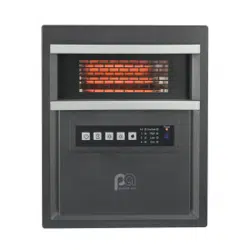
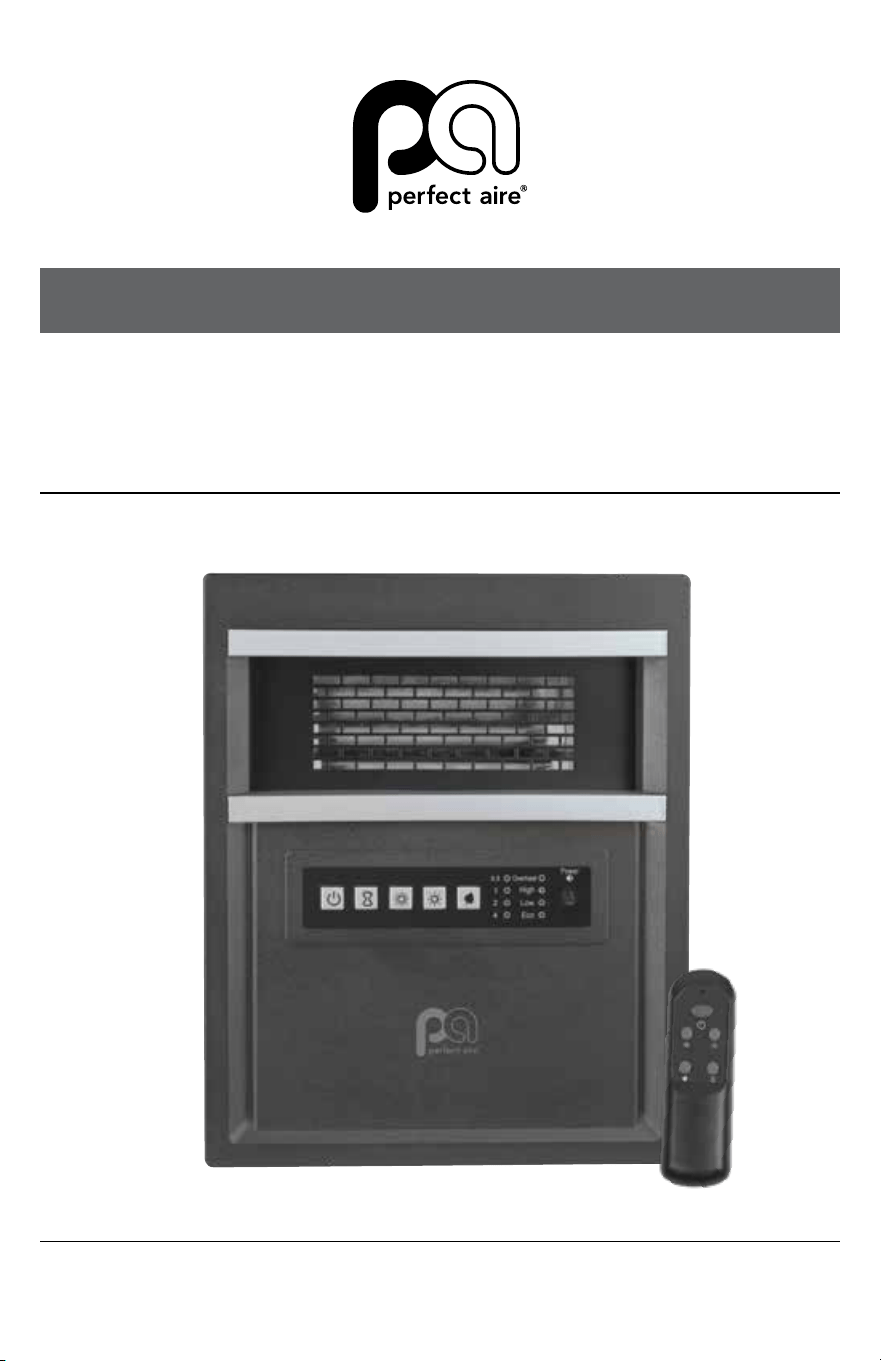
MODEL 1PHQ14
OWNER’S MANUAL
4 TUBE INFRARED
HEATER WITH REMOTE
14" | 1500W

CONTENTS

3
SPECIFICATIONS:
Voltage Rating: 120 V (60Hz)
Power Consumption: 1500W
IMPORTANT NOTE:
Read the manual carefully. Make sure to save this manual for
future reference. Illustrations in this manual are for explanatory
purposes only, your actual product may look slightly dierent.
CONTENTS
CONTENTS
SAFETY INFORMATION ........................................................................................... 5
IN THE BOX ................................................................................................................... 8
PRODUCT DIAGRAM ................................................................................................. 8
PREPARATION ...........................................................................................................10
INSTRUCTIONS FOR USE ....................................................................................11
MAINTENANCE .........................................................................................................13
STORAGE ....................................................................................................................14
TROUBLESHOOTING ..............................................................................................14


5
SAFETY INFORMATION
IMPORTANT INSTRUCTIONS
When using this electric unit, basic safety precautions should always be followed to
reduce the risk of re, electric shock, and injury to persons, including the following:
1. Read ALL instructions before using this unit.
2. CAUTION: Risk of Electric Shock. DO NOT open or try to repair the heater
yourself.
3. This heater may get hot when in use. To avoid burns, DO NOT let bare skin
touch hot surfaces. If provided, use handle(s) when moving this heater. DO
NOT place it against walls, furniture, curtains, etc.
4. The output of this heater may vary and its temperature may become intense
enough to burn exposed skin. Use of this heater is not recommended for
persons with reduced sensitivity to heat or an inability to react to avoid burns.
5. Keep combustible materials, such as furniture, pillows, bedding, paper,
clothes, and curtains at least 3 ft from the front of the heater and keep them
away from the sides, top, and rear. DO NOT place towels or other objects on
the heater.
6. Extreme caution is necessary when any heater is used. Do not leave invalids
or children unattended with an operating heater. Do not leave heaters
unattended when in use.
7. Always unplug heater when not in use.
8. DO NOT operate any heater with a damaged cord or after the heater
malfunctions, has been dropped, or damaged in any manner. Discard
damaged heater or return heater to authorized service facility for
examination, electrical or mechanical adjustment, or repair.
9. This heater is not intended for use in bathrooms, laundry areas, showers or
swimming pools and similar locations. NEVER locate heater where it may fall
into a bathtub or other water container. To protect against electrical hazards,
DO NOT immerse in water or other liquids.
10. DO NOT touch the control panel or plug with a wet hand.
11. DO NOT run cord under carpeting. DO NOT cover cord with throw rugs,
runners, or similar coverings. Do not route cord under furniture or appliances.
Arrange cord away from trac area and where it will not be tripped over.
12. DO NOT insert or allow foreign objects to enter any ventilation or exhaust
opening as this may cause an electric shock or re or damage the heater.
WARNING
Read and understand this entire owner’s manual, including
all safety information, before plugging in or using this product. Failure to do so
could result in re, electric shock, or serious personal injury.

6
SAFETY & PRECAUTIONS
CONTINUEDCONTINUED
SAFETY INFORMATION
13. To prevent a possible re, DO NOT block the air intakes or exhaust in any
manner. DO NOT use on soft surfaces, like a bed, where openings may
become blocked.
14. A heater has hot and arcing or sparking parts inside. DO NOT use in areas
where gasoline, paint, explosive and/or ammable liquids are used or stored.
Keep unit away from heated surfaces and open ames.
15. To avoid re or shock hazard, plug the unit directly into a 120 V AC electrical
outlet.
16. To prevent overloading a circuit, do not plug the heater into a circuit that
already has other appliances working.
17. It is normal for the plug to feel warm to the touch; however, a loose t
between the AC outlet (receptacle) and plug may cause overheating
and distortion of the plug. Contact a qualied electrician to replace loose
or worn outlet.
18. To disconnect heater, turn controls to OFF, then remove plug from outlet.
Pull rmly on the plug, DO NOT unplug by pulling on the cord.
19. Always unplug the unit before moving or cleaning, or whenever the
heater is not in use.
20. Use only for intended household use as described in this manual.
Any other use not recommended by the manufacturer may cause re,
electric shock, or injury to persons. The use of attachments not
recommended or sold by unauthorized dealers may cause hazards.
21. Always use on a dry, level surface. Use on oor only.
22. DO NOT use outdoors.
23. WARNING: To reduce the risk of re or electric shock, DO NOT use this unit
with any solid-state speed control device.
24. DO NOT attempt to repair or adjust any electrical or mechanical functions on
this unit. Doing so will void your warranty. The inside of the unit contains no
user service able parts.
25. Always use the product in an upright position.
26. This heater cannot achieve accurate temperature control of the environment,
and thus cannot be used as insulation device for storage environment, items,
animals and plants.
27. Use this heater only as described in this manual. Any other use not
recommended by the manufacturer may cause re, electric shock, or injury to
persons.
CAUTION
Always plug heaters directly into a wall outlet.
Never use with an extension cord or power strip.
(Continued)
7
SAFETY INFORMATION
(Continued)
TIP-OVER SAFETY FEATURE
This heater is equipped with a shut-o safety feature. Once the heater is tipped
over, an internal switch will automatically shut the heater o. Once the heater is
restored to an upright position, the heater will reset.
OVERHEAT SAFETY FEATURE
This heater is equipped with an overheat safety feature. When the heater’s
internal components reach a certain temperature that could cause overheating
and possible re, the heater will automatically shut o.
• A thermal overload protector is built in to prevent overheating. When an
“overheat” temperature is reached, the heater will automatically shut o.
Operation can resume only when the user resets the unit.
• To reset the unit, unplug the heater, ensure the power is turned o, and
wait 15 to 20 minutes for the unit to cool down.
• Follow OPERATING INSTRUCTIONS to return heater to operating mode.
WARNING
It is normal for the power cord to feel warm to the touch; however, a loose
t between the outlet and the plug may cause overheating of the plug. If
this occurs, try inserting the plug into a dierent outlet. Contact a qualied
electrician to inspect the original outlet for damage.
8
SAFETY & PRECAUTIONS
CONTINUEDCONTINUED
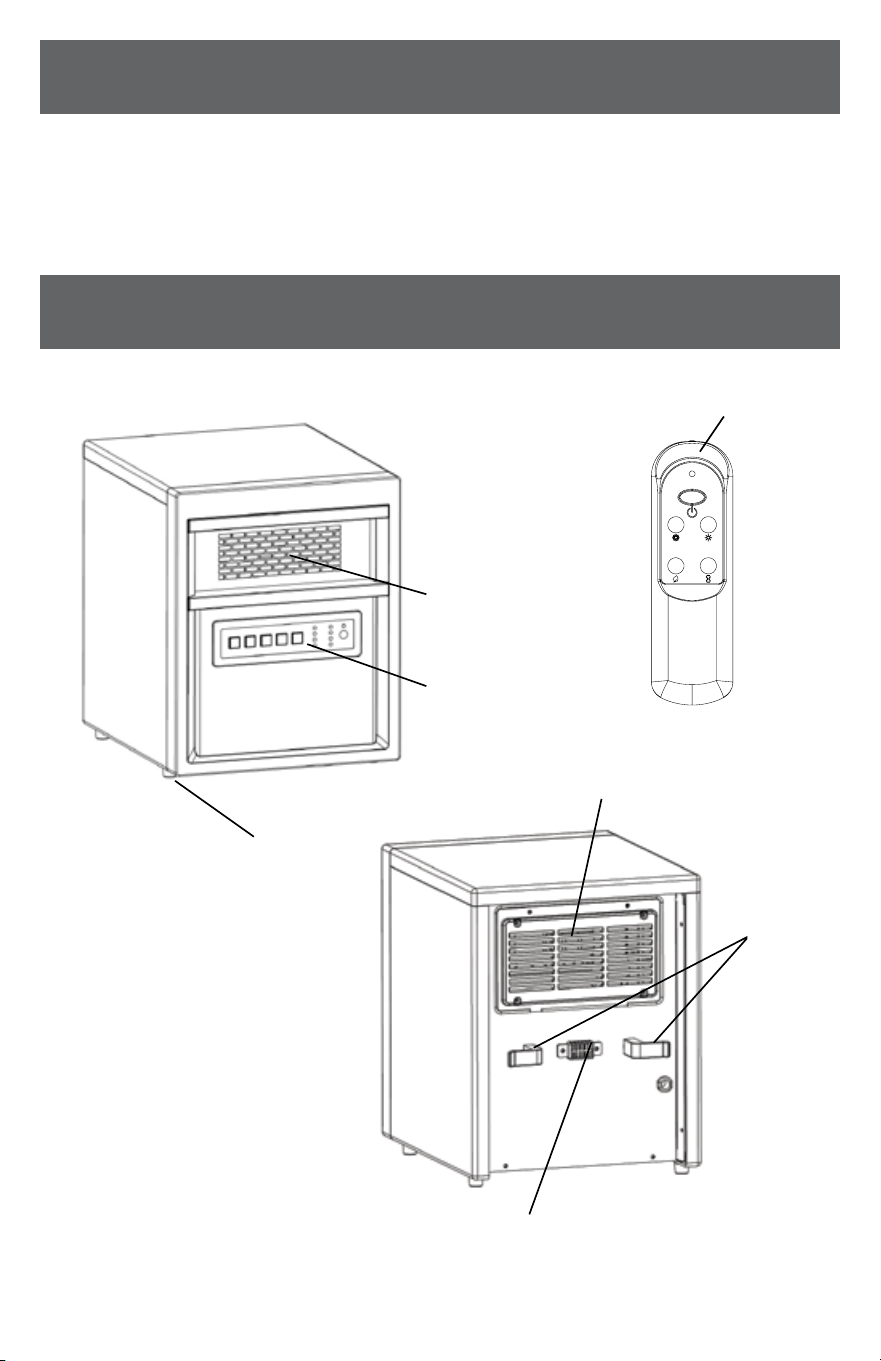
IN THE BOX
PRODUCT DIAGRAM
Remote Control
Air Outlet
Control Panel
Foot Pad
Air Intake
Cord Clamp
Temp Sensor
• INFRARED ZONE HEATING SYSTEM • REMOTE CONTROL
• INSTRUCTION BOOKLET
9
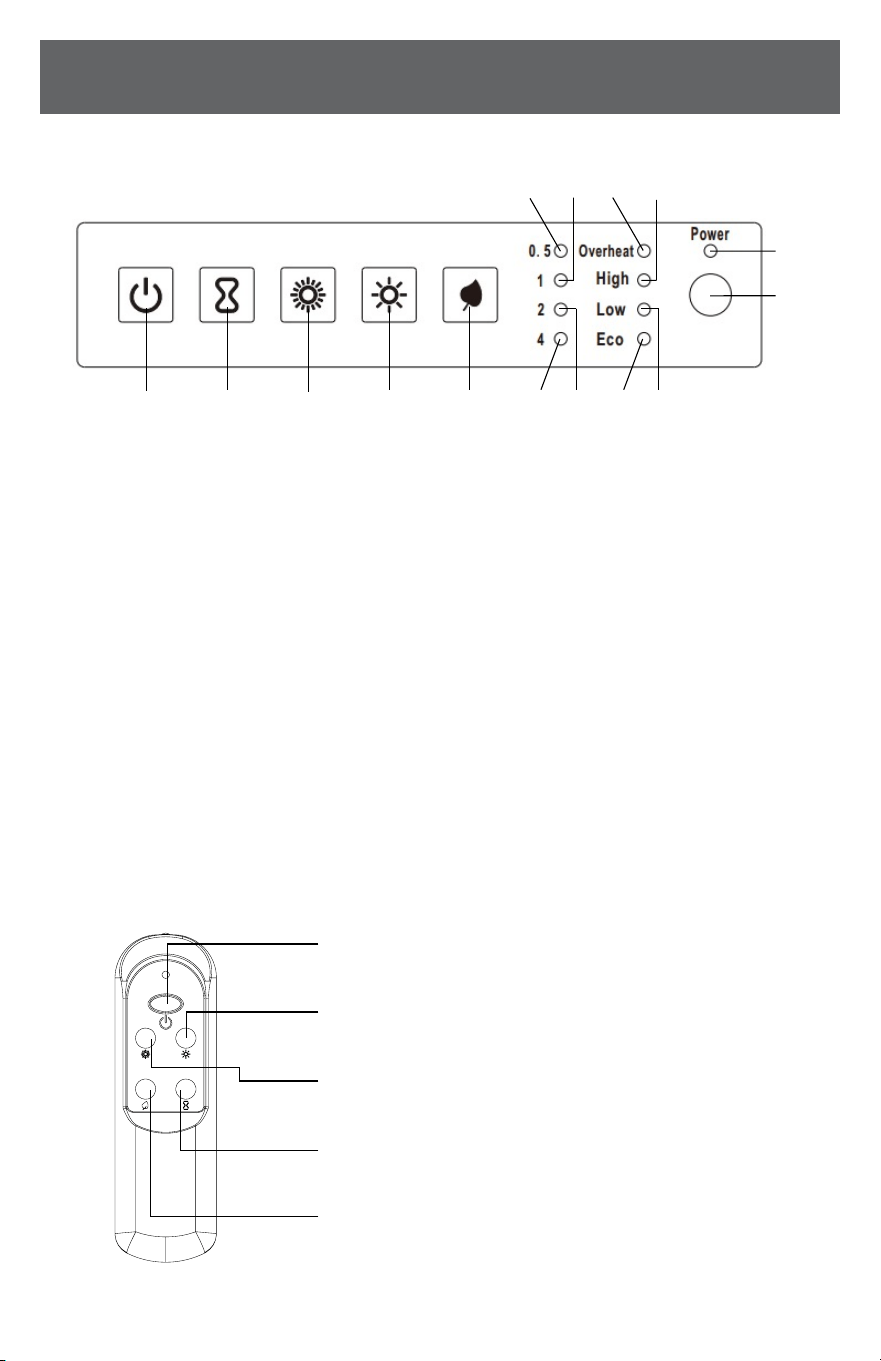
Low button: To select between Low modes.
High button: To select between High modes.
Timer button: Used for setting timer and adjust time value of timing
PRODUCT DIAGRAM
(Continued)
CONTROL PANEL
REMOTE CONTROL
1 42 53 6
15
7
14
8
13
9
12
11
10
1. ON/OFF button: Powers the display ON and OFF.
2. Timer button: Used to engage timer mode and
to set hour value for the timer.
3. High button: To select between High modes.
4. Low button: To select between Low modes.
5. Eco button: To select between Eco modes.
6. Timer indication light: Will be lit when the Timer
mode is engaged.
7. Timer indication light: Will be lit when the Timer
mode is engaged.
8. Energy-saving mode indicator: Will be lit when
energy-saving mode is engaged.
9. Low Mode indicator light: Will be lit when Low
Heat mode is engaged.
10. Signal receiving window: For receiving remote
control signal.
11. Power indicator light: Indicates that the heater
is receiving power from outlet. Will ash when
powered “ON”
12. High Mode indicator light: Will be lit when High
Heat mode is engaged.
13. Overheat indicator light: When thermostat cut
o, the indicator is on.
14. Timer indication light: Will be lit when the Timer
mode is engaged.
15. Timer indication light: Will be lit when the Timer
mode is engaged.
ON/OFF button: Used for power-on or power-o
Eco button: Energy-saving mode.
10
SAFETY & PRECAUTIONS
CONTINUEDCONTINUED
PREPARATION
Place the heater on a rm, level surface and plug into a grounded 120V 60Hz
power outlet and turn on the power to the unit. Only operate heater in upright
position.
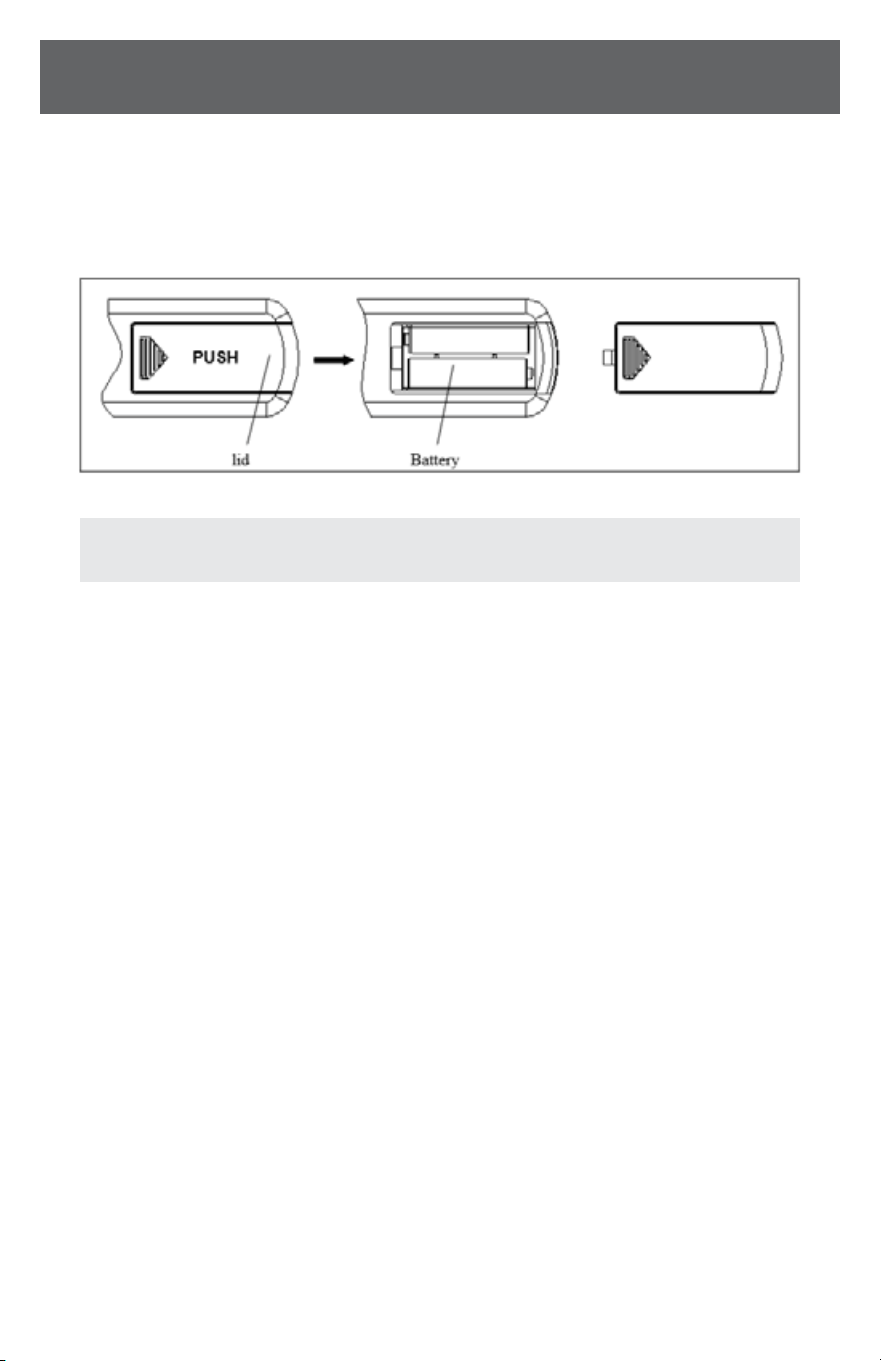
NOTE: Remote requires 2 AAA batteries
11
INSTRUCTIONS FOR USE
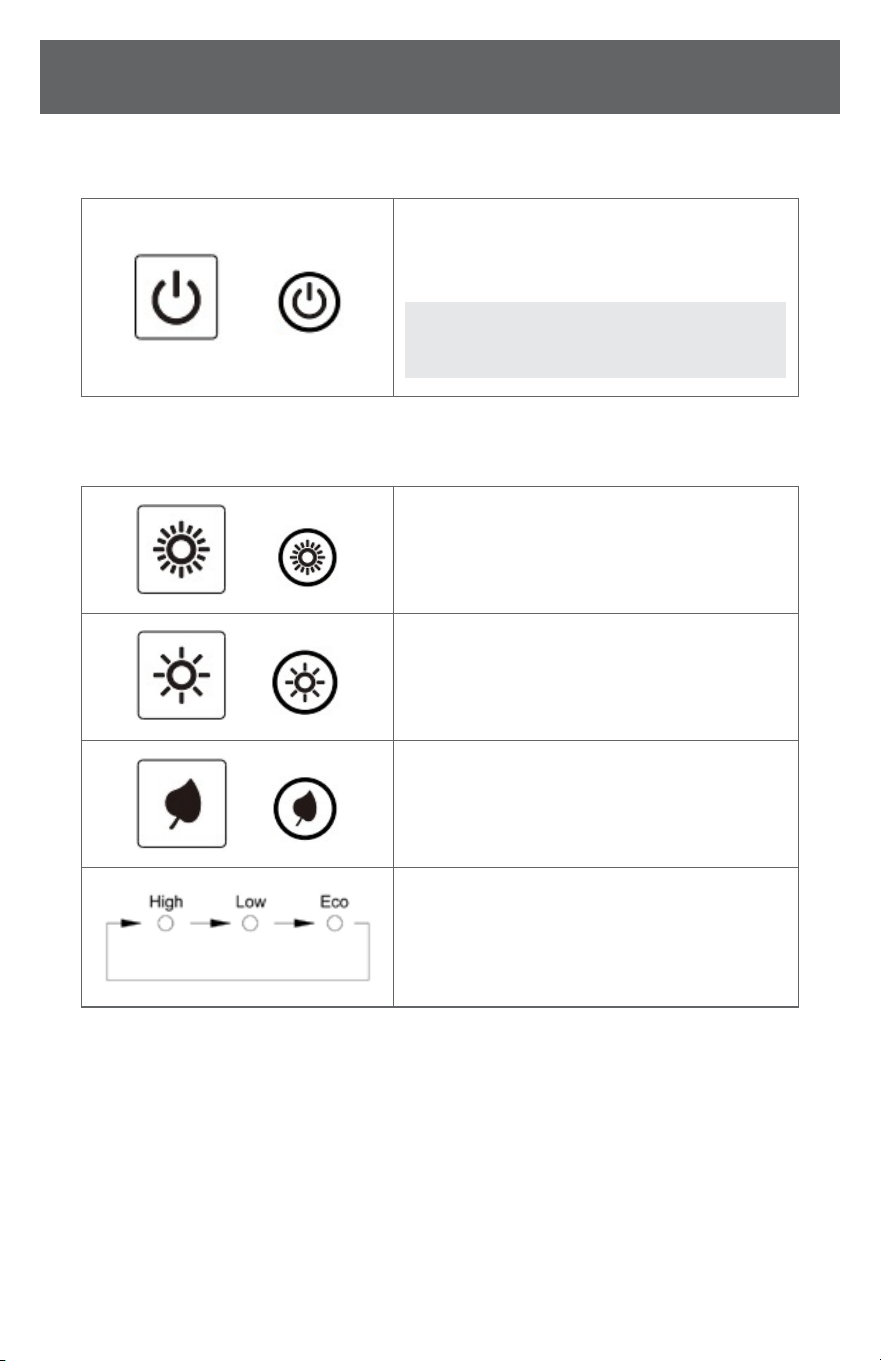
1. Start working mode
2. Select working mode
OR
Turn the heater on/o by pressing the ON/OFF button
on the control panel or by pressing the Power button on
the supplied remote control.
OR
Select a Heat mode;
OR
Select a Low mode;
OR
Select an Eco mode;
High Mode uses 1500W; Low Mode uses 750W. ECO
mode is an Economic Energy Saving Function. When
ECO mode is chosen, the heater will manage itself from
less to more heating power (watts) in an attempt to
maintain a constant warm 68°F (20°C).
NOTE: When you turn the power o the fan will
continue to run for up to 3 minutes to cool the
heating elements.
12
SAFETY & PRECAUTIONS
CONTINUEDCONTINUED
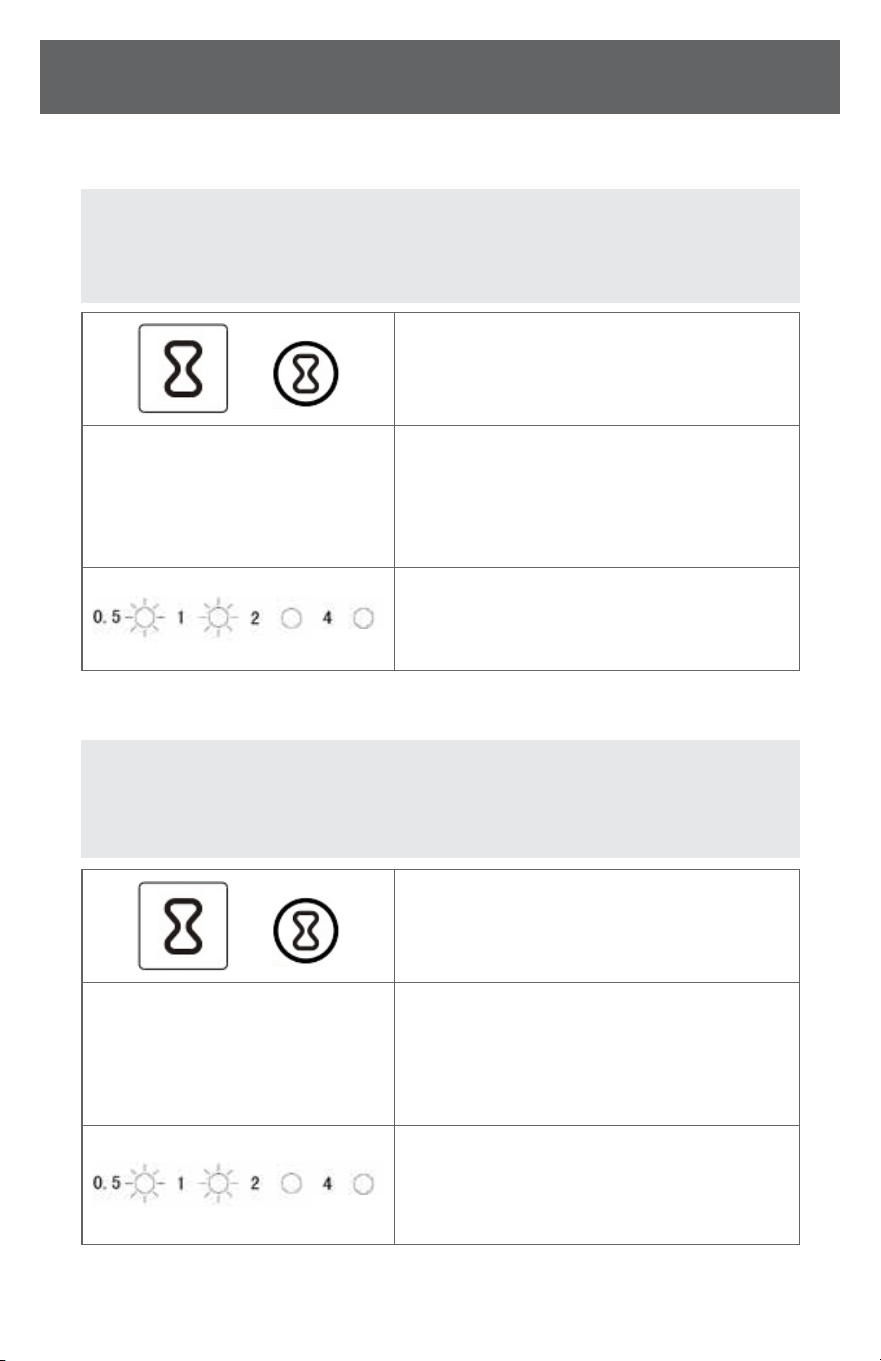
3. Setting the POWER OFF TIMER Function
4. Setting the POWER-ON-TIMER Function
OR
Turn the heater to the “On” position. Press the Timer
button on the heater’s control panel or the remote.
0.5, 1, 1.5 ... 7.5
The indication light changes from the to the “hours”
option for the timer. Continue to press the timer
button to change the number of hours you would like
the heater to run before powering itself o. The hour
options for the timer are from 0.5 to 7.5 hrs.
The Timer indicator light will remain lit as long as the
Timer is set. The heater will power OFF when the internal
heater clock counts down the hour increments you set.
OR
Turn the heater to the “O” position. Press the Timer
button on the heater’s control panel or the remote.
0.5, 1, 1.5 ... 7.5
The indication light shows the “hours” option for the
timer. Continue to press the timer button to change the
number of hours you would like the heater’s internal
clock to count down before powering itself on. The hour
options for the timer are from 0.5 to 7.5 hrs.
The Timer indicator light will remain lit as long as
the Timer is set. The heater will power itself ON when
the internal heater clock counts down the hour
increments you set
NOTE: The Power-O-Timer Function will allow for the heater to power
OFF after a certain set time and can only be set while the heater’s display
is in the “On” position.
NOTE: The Power-ON-Timer Function will allow for the heater to power
ON after a certain set time and can only be set while the heater’s display
is in the “O” position.
INSTRUCTIONS FOR USE
(Continued)
13
MAINTENANCE
1. Turn o the power to the unit.
2. Unplug the unit and let it cool completely.
3. To keep the heater clean, the outer shell may be cleaned with a soft,
damp cloth. You may use a mild detergent if necessary.
4. After cleaning, dry the unit with a soft cloth.
5. Wait until the unit is completely dry before use.
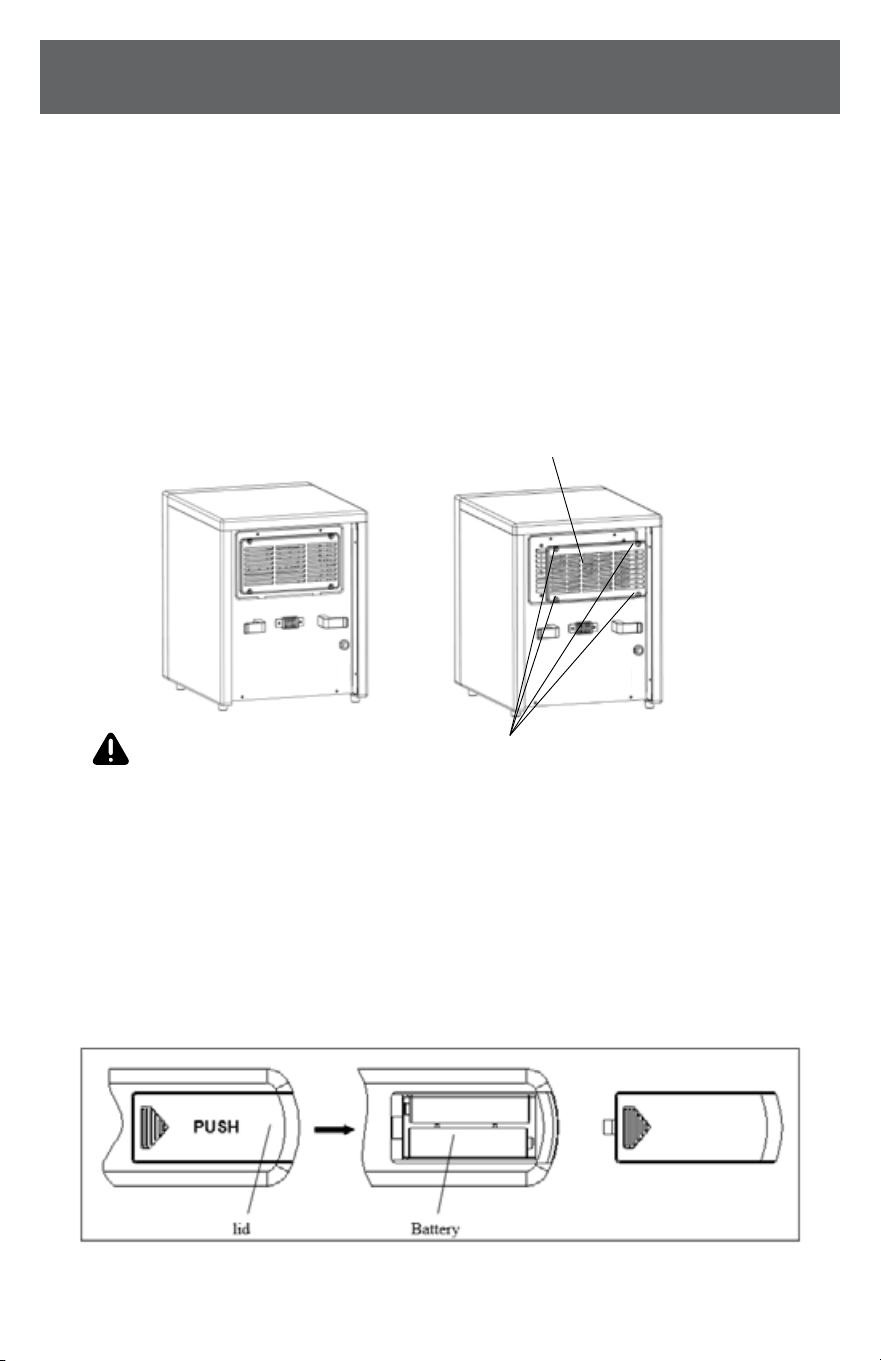
6. Air lter needs cleaning after used 3 months of use. Please take o
the lter with the 2 steps in the drawing below. Flush and clean the lter
with water. Then, dry it out and re-assemble.
WARNING
• DO NOT let liquid enter the heater.
• DO NOT use alcohol, gasoline, abrasive powders, furniture polish, or rough
brushes to clean the heater. This may cause damage or deterio ration to the
surface of the heater.
• DO NOT immerse the heater in water.
7. If don’t use the unit for a long time, please take out battery in remote
control according to following steps, then take care of the remote control.
Step 1: Remove Bracket screws (4x)
Step 2: Remove Air lter
THE UNIT

14
SAFETY & PRECAUTIONS
CONTINUEDCONTINUED
TROUBLESHOOTING
If the heater will not operate, please check the following before seeking repair
advice:
1. Check if the power cord is plugged into an electrical outlet, if not, plug in.
2. Check if the unit is turned on and the electricity to the unit is working.
3. Check to see if the battery on the remote is placed correctly, undamaged.
STORAGE
Store the heater in a cool, dry location when not in use. To prevent dust and dirt
build-up, use the original packaging to repack the unit.
NOTICE: The product is equipped with an overheat safety feature
protector which will switch o the heater in case of accidental over heating
(ex. Obstruction of air intake and outlet grills, motor turning slowly or not at all).
NOTICE: The product is equipped with tip-over switch inside. When
the
product tips over abnormally during its use, it can cut o power automatically.


844-4PA-AIRE | 844-472-2473 | support@perfectaire.us
CANADA SUPPORT 877-997-2473 | supportcanada@perfectaire.us
www.perfectaire.us
5401 Dansher Road
Countryside, IL 60525
Printed in China | 0422_M899