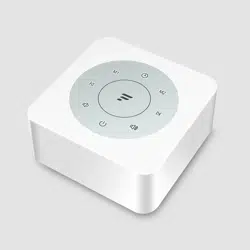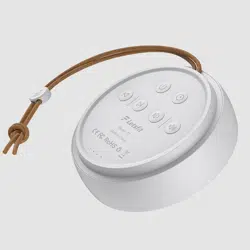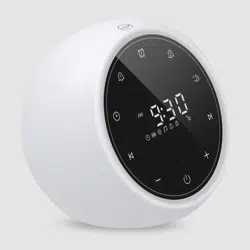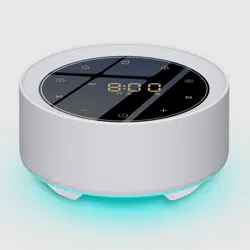
T3
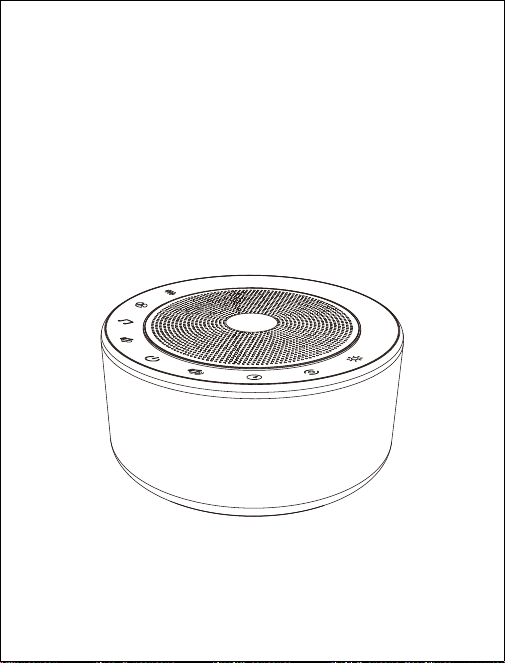
Sleep Sound Machine
User Manual
Thank you for purchasing our product. This manual addresses
the safety guidelines, warranty and operating instructions. Please
review this manual thoroughly before operating your device.
● Sleep Sound Machine × 1
● Power Adapter × 1
● User Manual × 1
Package Contents
At a Glance
- 1 -
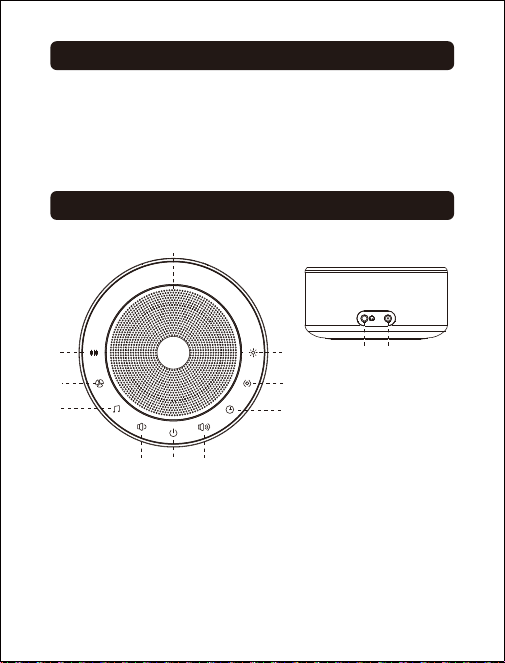
① White noise sound
② Fan sound
③ Natural sound & lullaby
④ Volume -
⑤ Power switch
⑥ Volume +
⑦ Timer
⑧ Sound effect
⑨ Night light
⑩ Speaker
⑪ Power jack
⑫ 3.5mm audio port
①
②
③
④ ⑤ ⑥
⑦
⑩
⑨
⑧
DC
5V
⑪⑫
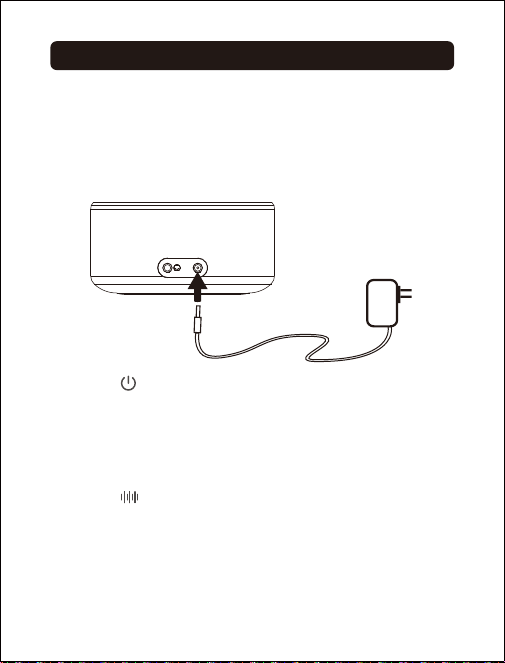
Getting Started
Power On / Off
Note:
The machine does not have a built-in battery. Please
connect the machine to a power source using the power
adapter provided before use.
Tap the " " button to turn on / off the machine and it
will not affect the use of night light and ambient light.
- 2 -
Choose Your Sound
● White noise sound
Tap the " " button to choose a white noise sound you
wish to listen. The machine provides 8 white noise sounds:
1) TV white noise
2) Radio white noise
3) Original mix white noise
4) Torrential pink noise
5) Pink noise
6) Ambient pink noise
7) Brown noise
8) Soothing brown noise
DC
5V

● Fan sound
Tap the " " button to choose a fan sound you wish to
listen. The machine provides 8 fan sounds:
1) Humidifier fan
2) Home fan
3) Electric fan
4) Cement fan
5) Machine fan
6) Healing fan
7) Big fan
8) Clothes dryer
- 3 -
● Natural sound & lullaby
Tap the " " button to choose a natural sound or a lullaby
you wish to listen. The machine provides 10 natural sounds
and 4 lullabies:
1) Water stream
2) Thunder rain
3) Ocean wave
4) Seagulls and ocean wave
5) Cricket
6) Forest bird song
7) Brook bird
8) Campfire
9) Choo choo
10) Strong breeze
11) Twinkle twinkle little star
12) Hush little baby
13) Rock-a-bye baby
14) Brahms’ lullaby
- 4 -
Volume Control
Tap the " " button once to increase the volume by one
level. Tap and hold the " " button to increase the volume
continuously.
Tap the " " button once to decrease the volume by one
level. Tap and hold the " " button to decrease the volume
continuously.
Night Light
Tap the metal speaker grill to turn on / off the night light.
When the night light is on, you can tap and hold the " "
button to adjust the brightness.
Colorful Ambient Light
Tap the " " button to choose an ambient light (6 colors:
red, yellow, blue, pink, aqua, and purple, and a
color-changing mode). Tap and hold the " " button to
adjust the brightness. Tap the metal speaker grill to turn
off the ambient light.
Auto-Off Timer Set
When the machine is on, tap the " " button to set the
timer for 15/30/60/90/120mins or turn it off. You can also
tap and hold the " " button to turn off the timer directly.
Note:
Turn off the timer if you wish to listen to the sounds
continuously.
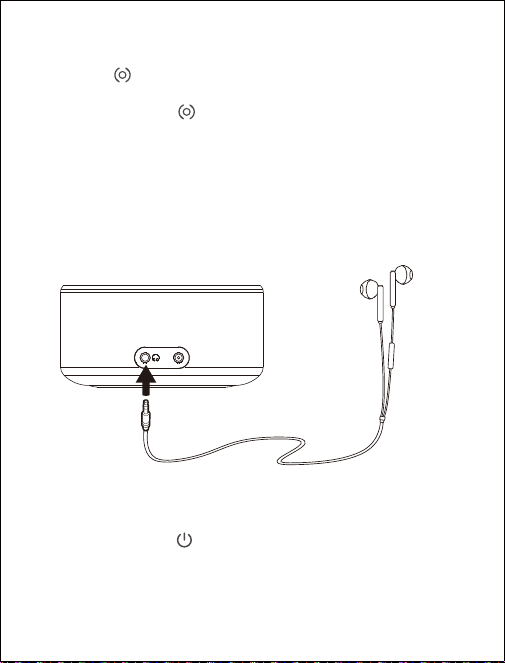
Use T3 with Your Headphones
You can play the sounds with your headphones. Plug the
3.5mm audio connector of your headphones into the audio
port of the machine.
- 5 -
DC
5V
EQ Set
Tap the " " button to choose a sound effect (4 sound
effects for you to choose: pop, rock, jazz, and classical).
Tap and hold the " " button to turn off the sound effect
function and you will hear a tone.
Restore Factory Defaults
Tap and hold the " " button for about 5 seconds until you
hear a voice prompt "Factory Recovery" and the machine
will be turned off.

- 6 -
Specifications
● Model: T3
● Audio Output: 3W
● Working Voltage: DC 5V / 1A
● Output Connector: 3.5mm audio connector
● Working Temperature: -10°C to 50°C
● Working Humidity: 20% to 90%; non-condensing
● Dimension: 101 x 101 x 51mm

SAFETY AND WARRANTY
Important Safety Instructions
● This machine is designed for indoor use only. Do not
use it outdoors.
● Clean the machine regularly with a soft, dry cloth. Do
not use any liquids, sprays (including solvents,
chemicals, alcohol) or abrasives to clean.
● The machine should not be used near water, such as
a bathtub, swimming pool, faucet or basin, which may
cause risks.
● Never drop or insert any object into any opening.
● Do not operate where aerosol (spray) products are
being used or where oxygen is being administered.
● Avoid placing the machine in areas that are exposed
to direct sunlight or close to heat-radiating products
such as electric heaters. Do not place the device on
top of the stereo equipment that may emit heat.
● Avoid placing the machine in areas that are dusty,
humid, moist, lack ventilation, or are subject to
constant vibration.
● The machine may be subject to interference from
external sources such as transformers, electric motors
or other electronic devices. To avoid distortion from
such sources, please make sure you place the device
as far away from these disturbances as possible.
- 7 -

We strive to build our products with the highest attention
to detail and craftsmanship. However, sometimes there
are occurrences of defect.
We are happy to offer a one-year hassle-free warranty to
all our products as we continue to support our customers
and make amazing products. Please contact us if you
have any questions about our devices.
Warranty
● Do not apply excessive force when using any of the
control buttons.
● Power cords should be routed to avoid being walked
on or pinched by items placed on or against them.
● Disconnect power supply of the machine when it is
unused for an extended period of time or when moving
the machine.
● Use this machine only for its intended use as described
in this manual.
● Close supervision is necessary when this appliance is
used by or near children, invalids or disabled persons.
● Never operate this machine if it has a damaged cord,
cable or housing.
- 8 -