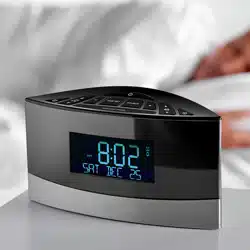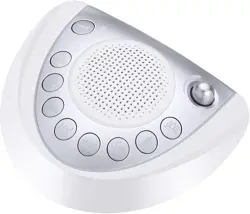
Natural Sound Bedside Lamp
Please read carefully before use
Thank you for purchasing the AJ300 desk lamp scene speaker.
Here enclosing with the detailed instructions for your best reference
to experience our product easily! This user manual is designed to
familiarize you with all the features of this device. Please take time to
read this user manual carefully, if the translation is having faults or
imperfect or there are some typographical error, hope to get your
understanding.
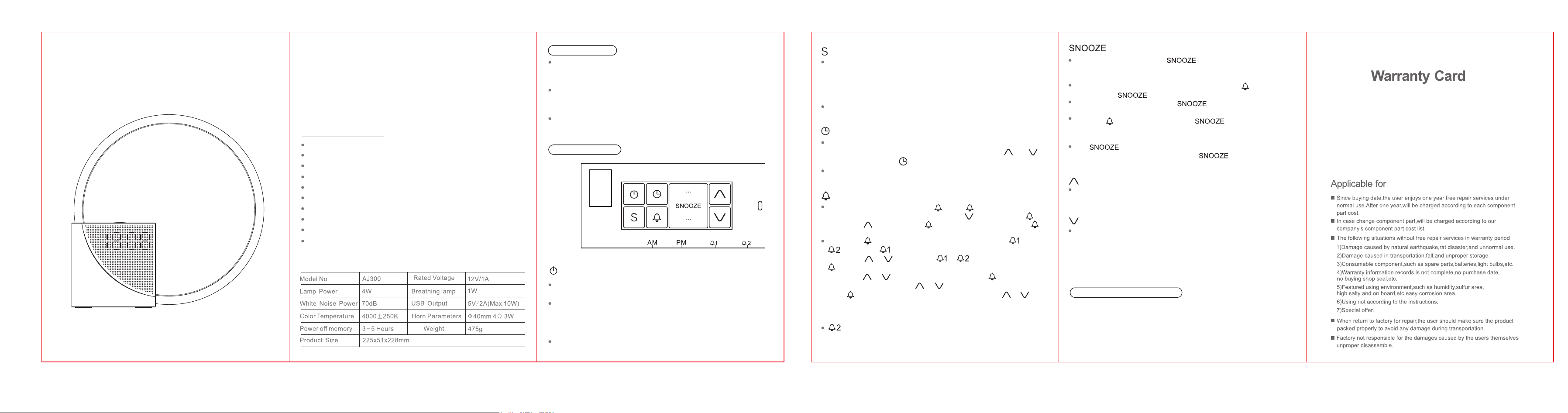
Function introduction
Technical Paramaters
AJ300
Lamp Operation
Plug in the power adapter included in the package at the "DC 12V" on
the back of the product, and the time will display normally after plugging
in to indicate that it is working normally.
Short touch the lamp tube to light up the desk lamp, then short touch
the lamp tube for 3-level dimming function, and finally touch to turn off
the desk lamp, that can be used in the cycle operation.
Long touch for 2 seconds to enter the breathing light mode, and then
long touch for 2 seconds to turn off the breathing light.
Power on/off/Track switching:
Key Introduction
Built-in 10 Natural Sounds
Time Display
2 Sets of Alarm Clock
Countdown 30mins,60mins,90mins
Desk Lamp Function,with 3- level Dimming
Breathing Lamp Function
Wake-Up Lamp(in AL2 mode)
Snooze Function
USB Output 5V 2A (10W MAX)
Power off memory function(maintain approximately 3-5 hours)
In the clock mode, short press this button to start the natural sound
function.
Short press this button for the track switching function, including 01
to 10 cycle selection respectively:
01 birdsong, 02 ocean wave , 03 flowing water, 04 bonfire, 05 summer
night, 06 thunderstorm, 07 fan, 08 rain, 09 music box, 10 clock ticking.
Press and hold this button for 2 seconds to turn off.
In natural sound mode, short press this button to select 30 mins/60mins
/90 mins/OFF, and at the same time the indicator light in the upper left
corner will turn on.The countdown will automatically confirm in 3
seconds and return to the time mode. Short press the up and down
buttons to adjust the appropriate volume.
During the countdown, the natural sound gradually decreases and the
light gradually dims until they turned off;
Countdown:
In the clock mode, long press this button for 2 seconds to enter clock
setting.“hour” digits starts flashing,then short press the and
button to adjust.Press agian or wait for 10 seconds to confirm.
In time display mode,short press this button to switch between 12 or
24 hour format.
Clock Setting:
In the clock mode, short press the button, 1 light up and display
the current alarm "clock 1" time, short press button to turn off 1,
short press button to turn on 1;Short press again to enter the 2.
Alarm Clock Setting :
Long press key for 2 seconds to enter the alarm setting and
,the default symbol flashes together with "hour" and "minute",
short press or key to select or mode.Short press
key again to enter the alarm clock setting and the "hour" is flashing,
then press or key to select.Then short press key to enter
the "minute" flashing, press or key to select.Then short
press key to set the alarm clock ringtone track, press or
key to select.Short press or wait for 10 seconds to cofirm with a
“beep” sound and return to time display.
is bulit in wake-up light function, the light gradually changes
from dark to brightest 10 minutes in advance, and the light reaches t
he brightest at the same time the alarm clock rings;
In clock mode,short press on button to adjusts the brightness
of display screen in 3 levels:brightest,medium,slightly dim,and off in
a loop.
During alarm or snooze mode,a short press button on or a 2-second
longpress on button will turn off the alarm for the day.
When the alarm goes off and the button is pressed,the
indicator light on the alarm will flash until the alarm rings again.
When the 2 goes off,short press the button ,light intensity
will gradually increase again.After 10 minutes of snoozing,the alarm
will ring again.
The function is set to a maximum of 3 times,after which the
alarm for the day will be turned off.If the button is not
pressed, the alarm will turn off for the day after 30 minutes of ringing.
When setting the clock and alarm clock, short press this button to
turn up the function; In the natural sound mode, short press this
button to increase the volume;
Up:
When setting the clock and alarm clock, short press this button to
scroll down. In natural sound mode, short press this button to
decrease the volume;
Down:
After unplugging the DC power supply (the internal battery keeps the
time running normally, it can last for about 3-5 hours after the power
is cut off), the display screen is off, the light is off, the sound stops, and
all functions stop and do not respond. However, the clock will
continue to run.When the DC power is reconnected, the time will be
displayednormally again.
Power-off Memory Function