Problem Solution
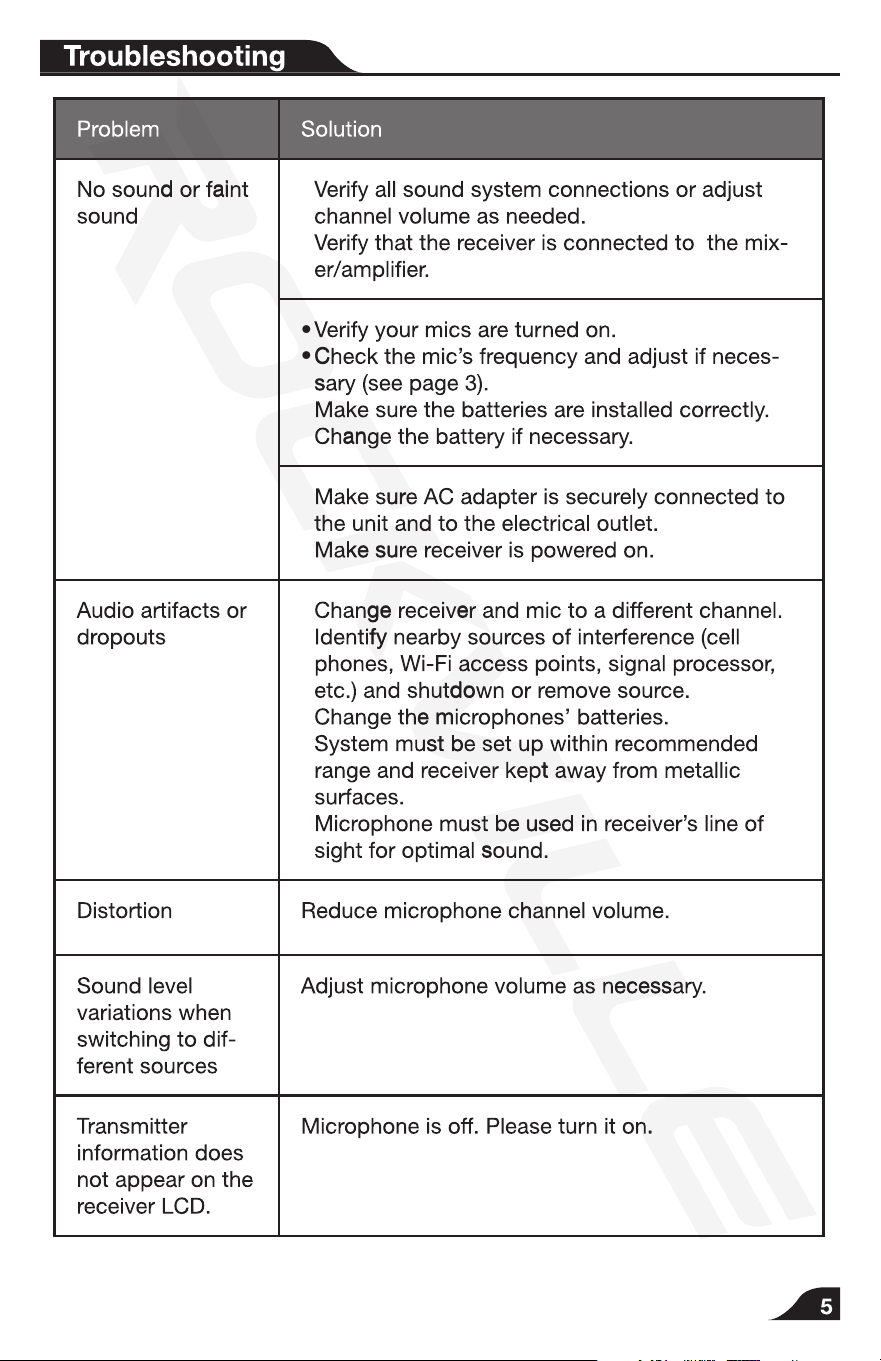
No sound or faint
sound
• Verify all sound system connections or adjust
channel volume as needed.
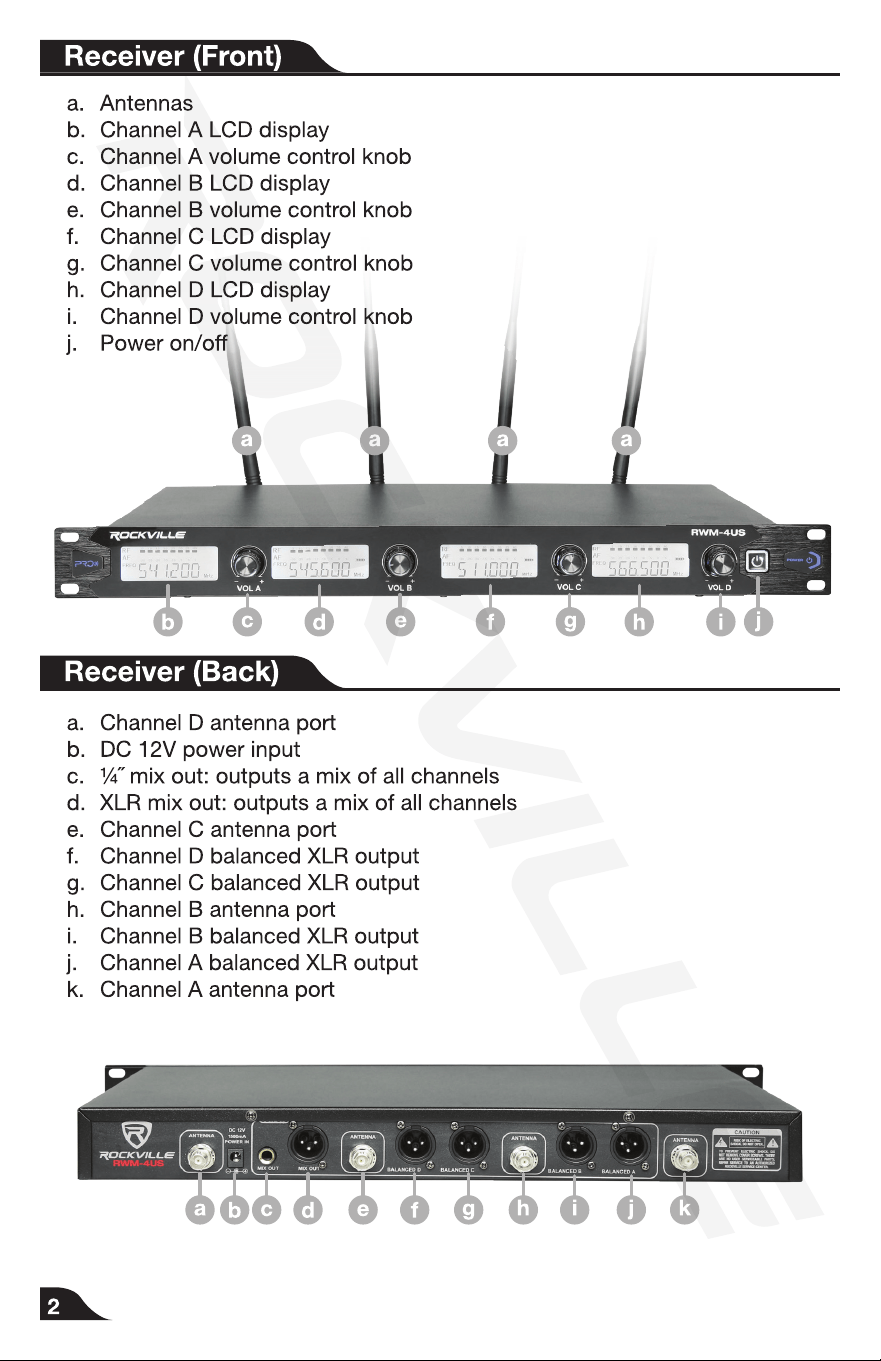
• Verify that the receiver is connected to the mix-
er/amplier.
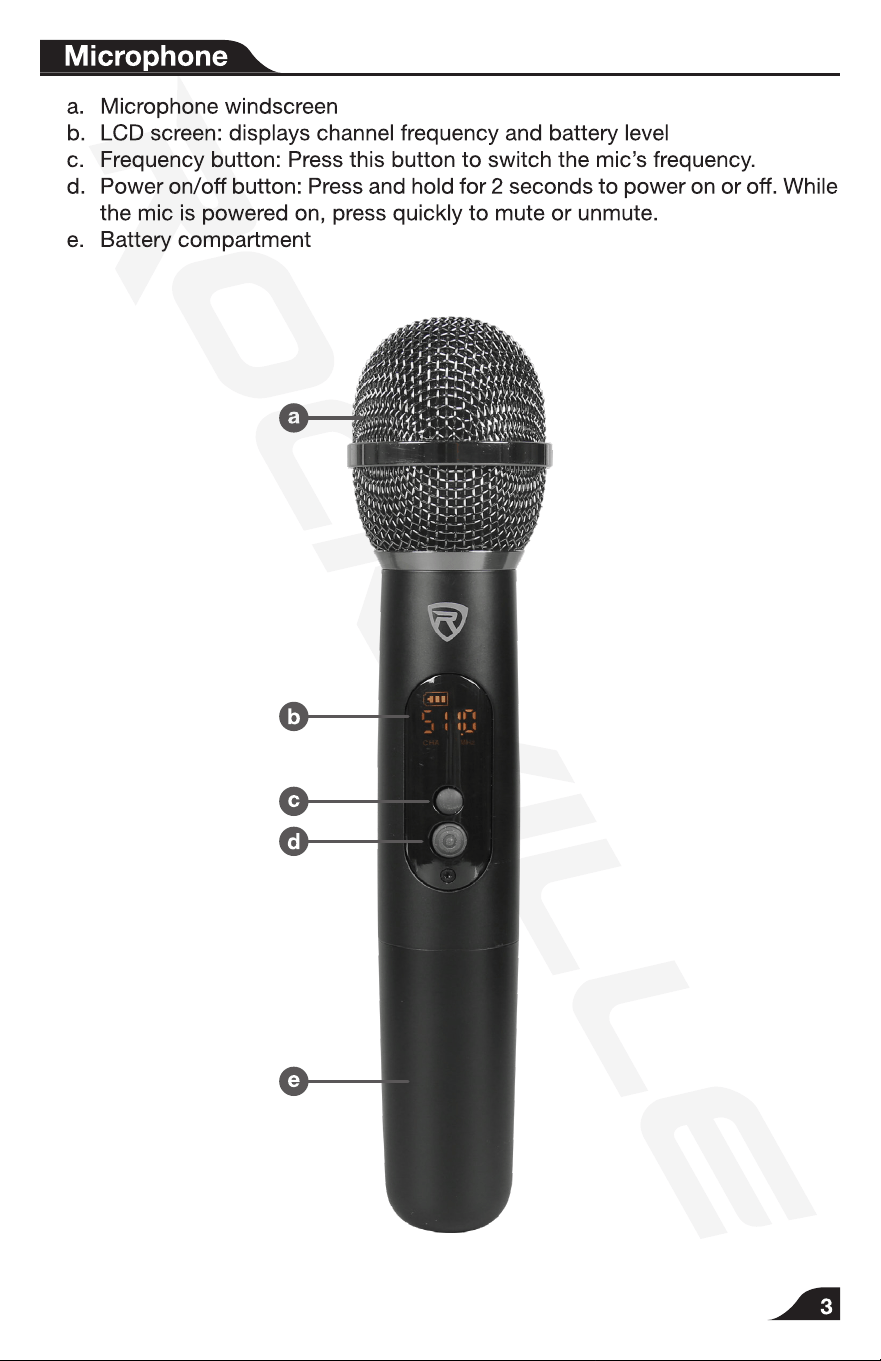
• Verify your mics are turned on.
• Check the mic’s frequency and adjust if neces-
sary (see page 3).
• Make sure the batteries are installed correctly.
• Change the battery if necessary.
• Make sure AC adapter is securely connected to
the unit and to the electrical outlet.
• Make sure receiver is powered on.
Audio artifacts or
dropouts
• Change receiver and mic to a different channel.
• Identify nearby sources of interference (cell
phones, Wi-Fi access points, signal processor,
etc.) and shutdown or remove source.
• Change the microphones’ batteries.
• System must be set up within recommended
range and receiver kept away from metallic
surfaces.
• Microphone must be used in receiver’s line of
sight for optimal sound.
Distortion Reduce microphone channel volume.
Sound level
variations when
switching to dif-
ferent sources
Adjust microphone volume as necessary.
Transmitter
information does
not appear on the
receiver LCD.
Microphone is off. Please turn it on.