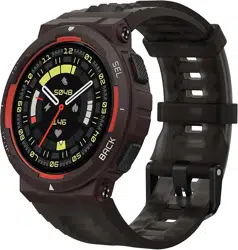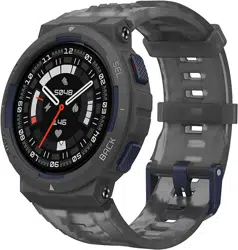
AmazfitActiveEdgeUserManual
Connectionandpairing
UseyourphonetoscantheQRcodeinthemanualoronthedevice,anddownloadandinstall
theZeppapp.Forabetteruserexperience,updatetheapptothelatestversionasprompted.
Note:
TheoperatingsystemofyourmobilephonemustbeAndroid7.0oriOS14.0,orlater.
Initialpairing:
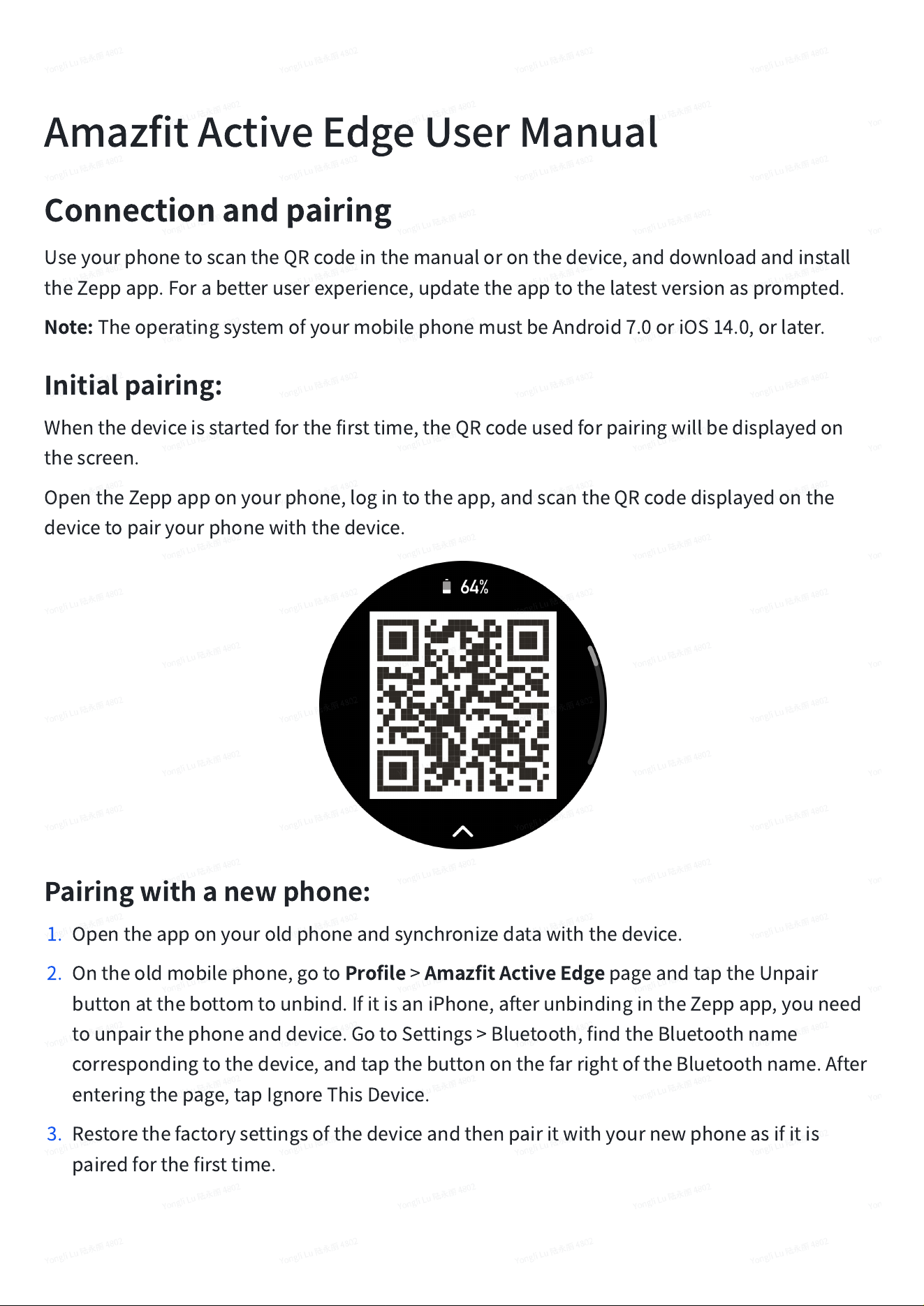
Whenthedeviceisstartedforthefirsttime,theQRcodeusedforpairingwillbedisplayedon
thescreen.
OpentheZeppapponyourphone,logintotheapp,andscantheQRcodedisplayedonthe
devicetopairyourphonewiththedevice.
Pairingwithanewphone:
1. Opentheapponyouroldphoneandsynchronizedatawiththedevice.
2. Ontheoldmobilephone,goto
Profile
>
AmazfitActiveEdge
pageandtaptheUnpair
buttonatthebottomtounbind.IfitisaniPhone,afterunbindingintheZeppapp,youneed
tounpairthephoneanddevice.GotoSettings>Bluetooth,findtheBluetoothname
correspondingtothedevice,andtapthebuttononthefarrightoftheBluetoothname.After
enteringthepage,tapIgnoreThisDevice.
3. Restorethefactorysettingsofthedeviceandthenpairitwithyournewphoneasifitis
pairedforthefirsttime.
Updatingthesystemofyourwatch
Keepthedeviceconnectedtoyourphone,opentheZeppapp,gotoProfile>AmazfitActive
Edge>SystemUpdatetovieworupdatethesystemofyourdevice.
WerecommendthatyoutapUpdateImmediatelywhenyourdevicereceivesasystemupdate
message.
Wearing
1. Wearthewatchstrapnottootightortooloose,andleaveenoughspacefortheskinto
breathe.Thismakesyoufeelcomfortableandallowsthesensortofunction.
2. Whenmeasuringbloodoxygen,wearthewatchcorrectly.Avoidwearingthewatchonthe
wristjoint,keepyourarmflat,maintaincomfortable(appropriatelytight)fittingbetweenthe
watchandthewristskin,andkeepyourarmstillthroughoutthemeasurementprocess.
Whenaffectedbyexternalfactors(armsag,armsway,armhair,tattoo,etc.),the
measurementresultmaybeinaccurateorthemeasurementmayfailwithnooutput.
3. Werecommendthatyoutightenthewatchstrapduringworkoutandloosenitafterwards.
Basicoperations
Commongestureoperations
Tapthescreenfocusstate
Usesafeature,selectsthecurrentitem,or
proceedswiththenextstep
Pressandholdthewatchface
Activateswatchfaceselectionandwatchface
settings
Coverthescreen
Turnsoffthescreen
Swipefromlefttoright
Onmostsub-levelpages,returnstotheupper-
levelpage
Swipeupordownonthescreen
Scrollsorswitchespages
upperrightbutton-Selectbutton
Usesafeature,selectsthecurrentitem,or
proceedswiththenextstep
Tapthelowerrightbutton-Backbutton
Returnstotheupper-levelpagewhenonmostsub-
levelpages
TapUP/DOWNbutton
Scrollsorswitchespages
Pressandholdtheupperrightbutton-Select
buttonfor5secorlonger
Powerson,accessestherestartpage,and
performsforcerestart
Controlcenter
SwipedownfromtoptobottomonthewatchfaceofthedevicetoentertheControlCenter,
whereyoucanaccesssystemfeaturesofthedevice.
Supportedfeatures:Flashlight,DND,Theatermode,KeepScreenOn,Calendar,Battery,
Brightness,Sleepmode,Settings,ScreenLock,FindPhone
Findthephone
1. Keepthedeviceconnectedtoyourphone.
2. Onthewatchfacepage,swipedowntogotothecontrolcenter,andtapFindPhone.Your
phonewillvibrate.Clickingonthebelliconwillmakethephonering.
3. Intheapplist,tapMore,andthentapFindPhone.Yourphonewillvibrate.Clickingonthe
belliconwillmakethephonering.
Findthewatch
Keepthedeviceconnectedtoyourphone,opentheZeppapp,andgotoProfile>AmazfitActive
Edge>FindWatch.Then,thedevicewillvibrate.
Watchfaces
Watchfacecompilations
Somewatchfacessupporteditingcompilations.Withcompilations,youcanviewsteps,calories,
weather,andotherinformation,andedittheinformationasneeded.
Editwatchfacecompilations:
1. Wakeupthedevice,andpressandholdthewatchfacetoenterthewatchfaceselection
page,whereyoucanchooseotherwatchfacesoreditthewatchface.
2. Swipeleftorrighttopreviewthewatchfacesavailable.TheEditbuttonwillbedisplayedat
thebottomofawatchfacethatsupportscompilations
.Youcantapthisbuttontogotothepageforeditingthecompilationsofthiswatchface.
3. Selectthecomponenttobeeditedandclickonthecomponenttoreplaceit
4. Afterediting,pressthePresstheupperright(Select)buttontofinisheditingandenablethe
watchface.
Addwatchfaces
Thedeviceprovidesseveralwatchfacesbydefault.YoucanalsogototheStoreintheZeppapp
tosynchronizeonlinewatchfacestothedevice,orsetapictureonthephoneasacustomized
watchfacepictureintheZeppapp.
Addonlinewatchfaces:
1. Keepthedeviceconnectedtoyourphone,opentheZeppapp,andgotoProfile>Amazfit
ActiveEdge>WatchFaces.
2. Selectoneormorewatchfacesyoulike,andthensynchronizethemtothedevicetogive
yourselfmultipleoptions.
Addcustomizedwatchfaces:
Keepthedeviceconnectedtoyourphone,opentheZeppapp,gotoProfile>AmazfitActive
Edge>WatchFaces>PhotoWatchface,andtapyourpreferredstyletochangebackgroundby
selectingaphotofromyourphone
’
sAlbumsortakingaphotowithyourphone
’
scamera.
Addaportraitwatchface:
Aportraitwatchfaceisacustomwatchfacethatfocusesondisplayingtheportrait.Itcan
automaticallyidentifytheportraitelementsintheaddedphotosanddisplaythemby
integratingthewatchfaceelements.Youcanaddupto3photosforonewatchface.Tapthe
watchfaceorraiseyourwristtoswitchthephotoonthewatchface.
OpentheZeppapp,selectthedevice,andtapWatchFaces>PortraitWatchFace.
1. Taptoaddtheportraitphoto(upto3photos),andthepositionofthetimecanbeadjusted
separatelyforeachphoto.
2. Selectthetimestyleandthefeaturesdisplayedatthetopandbottomofthewatchface.
3. Tap"Sync"tosyncthewatchfacetothedevice.
4. Aftersynchronization,tapthewatchfaceonthedeviceorraiseyourwristtoswitchthephoto
onthewatchface.
5. GotoWatchFaces>Mine>Download,andgototheportraitwatchfacetoedititagain.Tap
"Sync"tosyncthewatchfaceaftereachedit.
Precautions:
1. Thephotosyouusewhencreatingthewatchfacesarestoredintheappandyourdevice.
Pleaseprotectyourpersonaldata.Removingthewatchfacewillclearthelocalcache.
2. Itisrecommendedtouseportraitphotoswiththesizeof1200*840andabove,andaphotoof
onepersonwithsimplebackgroundisrecommendedforbetterresults.ForiOS12and
above,itisrecommendedtousephotosinportraitmodeforbetterresults.
Changewatchfaces
1. Wakeupthedevice,andpressandholdthewatchfacetogotothewatchfaceselectionpage.
2. Swipeleftorrighttopreviewthewatchfacesavailableonthecurrentdevice,includingbuilt-
inwatchfacesandsynchronizedonlinewatchfaces.
3. Tapthedesiredwatchfacetoreplacethecurrentwatchface.
Deletewatchfaces
Whenthestoragespaceonthedeviceisalmostfull,youwillneedtodeletesomeofthewatch
facestomakeroomfornewones(retainatleastonewatchface).
1. Wakeupthedevice,andpressandholdthewatchfacetogotothewatchfaceselectionpage.
2. Swipeleftorrighttopreviewthewatchfacesavailableonthecurrentdevice,includingbuilt-
inwatchfaces,synchronizedonlinewatchfaces,andcustomizedwatchfaces.
3. Findthewatchfaceyouwanttodeleteandslideup.Adeletebutton
willappearifthewatchfacecanbedeleted.
Statepoints
Thestatepointisdisplayedonthetopofthewatchfacetoindicatethefunctionscurrently
enabledonthedevice,suchasTheaterModeturnedonindeviceortheCountdownapprunning
inthebackground.
Thesupporteddisplaystatesare:
•
Lowbattery
•
BatterySaverMode
•
DNDmode
•
Sleepmode
•
Theatermode
•
Stopwatch(tapthestatepointtogototheapp)
•
Countdown(tapthestatepointtogototheapp)
•
Inworkouts(tapthestatepointtogototheapp)
•
Charging
NotificationsandReminders
Appalerts
Keepthedeviceconnectedtoyourphonetoreceivephoneappalertsonyourdevice.Swipe
fromlefttorightonthewatchfacepagetoentertheNotificationCenterandviewthelatest10
notifications.ThereisaClearNotificationsbuttonatthebottom.
Clearallnotifications:
Thereisa"Delete"buttonatthebottomofthenotificationlist.Tapittoclearallnotifications.
Or,afterthewatchrestarts,notificationswillbeautomaticallycleared.
Clearingasinglenotification:
Whenanotificationispushed,orafteryouopenaspecificnotificationfromthenotificationlist,
youcandeletethenotificationbypressingthedeletebuttonatthebottom.
Settingmethod:
Keepthedeviceconnectedtoyourphone,opentheZeppapp,gotoProfile>AmazfitActive
Edge>NotificationsandReminders>AppAlerts,andthenturnonnotificationsforappsas
needed.
Note:
•
ToenablethisfeatureonanAndroidphone,youneedtoaddtheZeppapptotheallowlistor
auto-runlistinthephone'sbackgroundsothattheappalwaysrunsinthebackground.Ifthe
Zeppappisterminatedbythephone'sbackgroundprocess,thedevicewillbedisconnected
fromyourphone,andyoucannotreceiveappalertsonthedevice.
•
ForiOS,therearelimitedappsthatcanbesetintheNotificationsandreminderjustafterthe
deviceisactivated.Asthephonereceivesthenotificationmessagesfrommoreapps,more
appswillbedisplayedintheNotificationsandreminderoftheZeppapp.
Incomingcallalerts
Toenablethisfeature,opentheZeppapp,andgotoProfile>AmazfitActiveEdge>Notifications
andReminders>Incomingcall.Oncethefeatureisenabled,andwhilethedeviceandphoneare
connected,thedevicewilldisplayapromptwhenthephonereceivesacall,andyoucanignore
orhangupthecallonthedevice.
MorningUpdates
WithMorningUpdatesenabled,thedevicewillpushupdateseverymorning.Youcanquickly
viewinformationsuchastoday'sweather,workoutstatus,healthstatus,andpersonalaffairs,
andgetpreparedforthenewday.
YoucanenableordisabletheMorningUpdatesfeatureonthedeviceunderSettings>
Preferences>MorningUpdates.YoucanalsotapContentSettingstoadjustthecontentand
displayorderinMorningUpdates.
TheabovesettingscanalsobeaccessedintheZeppappunderProfile>AmazfitActiveEdge>
WatchSettings>MorningUpdateswhilekeepingthewatchconnectedtothephone.
Shortcuts
ShortcutCards
SwipeuponthewatchfacetogototheShortcutCardspage,whereyoucaneasilyuseandview
variousfeaturesandinformation:
Youcanaddfrequentlyusedfeaturecardstothispageformoreconvenientaccess,suchasyour
latestevent,nextalarm,orrecentBPMdata.
YoucanalsoopentheZeppappandgotoProfile>AmazfitActiveEdge>ShortcutCards,where
youcansetshortcutcardstodisplayandtheirdisplayorder.
Pressbuttonsforquickstart-up
YoucangotoWatch>Settings>Preferences>Quickstart-upandselecttheapptobequickly
launched,andthenyoucanquicklyopenthepreviouslysetappbyoperatingthecorresponding
button.
Triggeringmethods:
-Presstheupperright(Select)button
Workouts
Workoutmodes
Thedevicesupportsmorethan130workoutmodes,includingRunning&Walking,Cycling,
Swimming,OutdoorWorkouts,IndoorWorkouts,Dance,CombatWorkouts,BallWorkouts,
WaterWorkouts,WinterWorkouts,LeisureWorkouts,Board&CardGames,andOthers.
Workoutlist
1. SelectWorkoutsinthewatchApplistorpresstheupperrightbuttononthewatchface(if
quickstart-upissetforworkouts)togototheworkoutlist.
2. Taptheworkouttostartontheworkoutlist.
3. SelectMoreWorkoutstoviewallworkoutmodesandstartaworkout.
Selectaworkout
Afterenteringtheworkoutlist,selecttherequiredworkoutbyswipingupanddownonthe
screenortapingtheUP/DOWNbutton.Enterthecorrespondingworkoutpagebytappingthe
workoutorpressingtheupperrightbutton.
Startaworkout
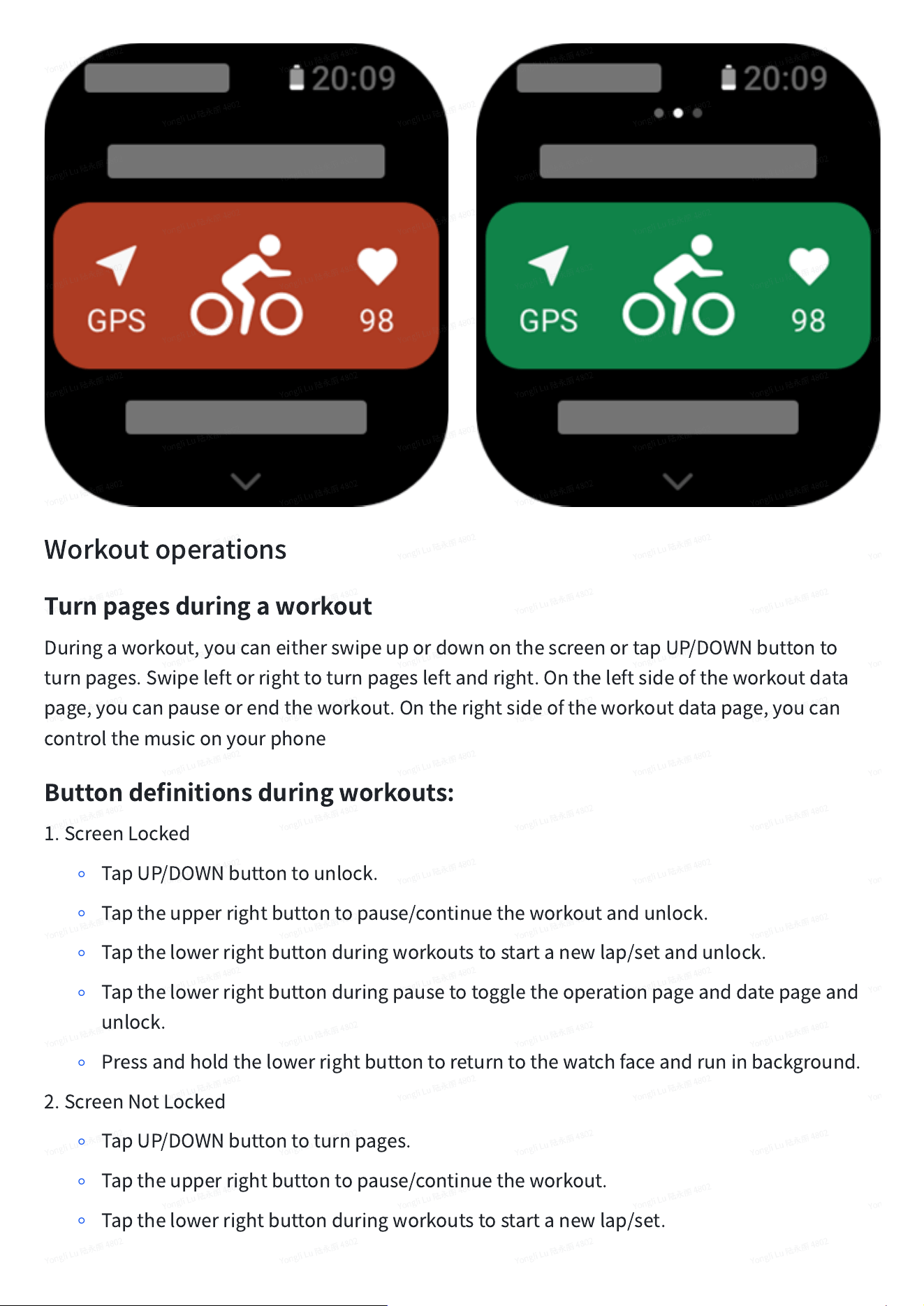
Afterenteringtheworkoutpreparationpage,forworkoutsthatrequirepositioning,thewatch
willautomaticallysearchforaGPSsignal.Theredstatusbarindicatesthatthewatchis
searchingforasignal,andthegreenstatusbarindicatesthatsignalisfound.Werecommend
thatyoutapthegreenstatusbartostarttheworkoutafterasuccessfulGPSpositioning,which
canimprovetheaccuracyofworkoutdatacalculation.
Forworkoutsthatdonotrequirepositioning,youcandirectlytapthegreenstatusbaronthe
workoutpreparationpagetostarttheworkout.
Workoutoperations
Turnpagesduringaworkout
Duringaworkout,youcaneitherswipeupordownonthescreenortapUP/DOWNbuttonto
turnpages.Swipeleftorrighttoturnpagesleftandright.Ontheleftsideoftheworkoutdata
page,youcanpauseorendtheworkout.Ontherightsideoftheworkoutdatapage,youcan
controlthemusiconyourphone
Buttondefinitionsduringworkouts:
1.ScreenLocked
◦
TapUP/DOWNbuttontounlock.
◦
Taptheupperrightbuttontopause/continuetheworkoutandunlock.
◦
Tapthelowerrightbuttonduringworkoutstostartanewlap/setandunlock.
◦
Tapthelowerrightbuttonduringpausetotoggletheoperationpageanddatepageand
unlock.
◦
Pressandholdthelowerrightbuttontoreturntothewatchfaceandruninbackground.
2.ScreenNotLocked
◦
TapUP/DOWNbuttontoturnpages.
◦
Taptheupperrightbuttontopause/continuetheworkout.
◦
Tapthelowerrightbuttonduringworkoutstostartanewlap/set.
◦
Tapthelowerrightbuttonduringpausetotoggletheoperationpageanddatapage.
◦
Pressandholdthelowerrightbuttontoreturntothewatchfaceandruninbackground.
Workoutoperationspage
1. Pause/resume
Taptoentertheworkoutpause/resumepage.
2. Finish
Taptoendthecurrentworkoutandsavethedata.
3. WorkoutAssistant
Taptomodifysomeoftheworkoutassistantsettings(canbemodifiedonthepagewhenyou
pausetheworkout).
4. Resumelater
Presstosavethecurrentworkoutandreturntothewatchface.Entertheworkoutappagainto
returntotheworkoutpausepage.
5. More
Presstomodifysomeofthesettings.
Workoutsettings
Atthebottomoftheworkoutpreparationpage,youcantaptheSettingsicontosetthecurrent
workoutmode.Therelatedparametersvarydependingonthedifferentworkoutmodes.
WorkoutAssistant
Theworkoutassistantprovidesauxiliarytoolsforyourworkout,includingtheworkoutgoals,
workoutreminders,autolaps,autopause,cadenceassistant,andvirtualpacer.Auxiliary
featuresprovidedbytheworkoutassistantvarydependingonworkouts.
WorkoutGoals
Youcansetworkoutgoals,suchastheduration,distance,calories,andeffectinWorkoutGoal.
Thewatchdisplaysthecurrentgoalprogressinrealtimeduringworkouts.Amessagedisplays
uponyouachievethepresetworkoutgoal.Workoutgoalsvaryaccordingtoworkouts.
WorkoutAlerts
Inthissetting,youcansetvariousremindersaccordingtoyourneeds,suchasdistance
reminder,heartratereminder,andmore.Workoutalertsvarydependingonworkouts.
1.Distancereminder
Thewatchvibratesanddisplaysthedurationthatyouuseforeachfullkilometer/mileduringthe
workout.
GotoWorkoutMode>WorkoutSettings>WorkoutAssistant>WorkoutAlerts>Distance,seta
targetdistance,andenablethisfeature.
2.Safeheartratealert
Duringaworkout,ifthewatchdetectsthatyourheartrateexceedsthesafeheartratevalueyou
haveset,itwillvibrateanddisplayamessageonthescreen.Inthiscase,youneedtoslowdown
orstop.
GotoWorkoutMode>WorkoutSettings>WorkoutAssistant>WorkoutAlerts>SafeHeartRate,
setasafeheartratevalue,andenablethefeature.
3.Heartraterangealert
Duringaworkout,ifthewatchdetectsthatyourheartratedoesnotfallwithintheconfigured
heartratezone,itwillvibrateanddisplayamessageonthescreen.Inthiscase,youneedto
speeduporslowdowntoensurethatyourheartrateiswithintheconfiguredrange.
Tosetthefeature,gotoWorkoutMode>WorkoutSettings>WorkoutAssistant>WorkoutAlerts
>HeartRateZone,setaheartratezone,andenablethisfeature.
4.Pacealert
Youcansetamaximum/minimumpacevalue.Ifyourpaceexceedsthepresetvalue,thewatch
willvibrateanddisplayamessage.
GotoWorkoutMode>WorkoutAssistant>WorkoutSettings>WorkoutAlerts>FastestPace&
SlowestPace,setapace,andenablethisfeature.
Additionally,thewatchalsosupportsalertsforthefollowing:trips,speed,strokefrequency,
cadence,time,calorie,drinking,energyintake,returnandrestperiod.
CadenceAssistant
Youcansetthecadenceperminuteandthereminderfrequency.Duringaworkout,thewatch
canvibrateaccordingtothesetcadence,sothatyoucancontrolyourcadence.
GotoWorkoutMode>WorkoutSettings>WorkoutAssistant>CadenceAssistant,setthe
cadenceperminuteandthereminderfrequency,andenablethisfeature.
Virtualpacer
Afteryousetapacevalueofthevirtualpacer,youcanviewthecurrentpace,thedistancethat
youlead/lagbehindthevirtualpacer,andyourpositioninrelationtothevirtualpacerduring
workouts.
GotoOutdoorRunning/Treadmill>WorkoutSettings>WorkoutAssistant>VirtualPacer,setthe
paceofthevirtualpacer,andenablethisfeature.
Autolap
Thisfeatureisavailableforsomeworkouts.Youcansettheautolapdistanceintheworkout
settings,andthewatchwillstartanautolapandremindyoueachtimeyoureachtheset
distanceduringaworkout.Also,duringaworkout,youcanpressthelowerrightbuttonofthe
watchtomanuallystartalap.
Thewatchalsorecordstheworkoutdetailsofeachlapnodeforboththekeylapandautolap.
Aftertheworkoutends,youcanviewdetailsofdifferentlaps.
GotoWorkoutMode>WorkoutAssistant>AutoLap,andsettheautolapdistance.Manuallaps
donotrequireanysetting.
AutoPause
EnableordisableAutopause.Afterthefunctionisenabled,theworkoutwillbeautomatically
pausedwhentheworkoutspeedistoolow.Whenthespeedincreasestoacertainthreshold,the
workoutcanberesumed.Youcanalsoresumetheworkingduringthepause.Theautopause
thresholdcanbecustomizedforsomeworkouts.
Training
Intervaltraining
Thisfeatureisavailableforsomeworkouts.Onthewatch,youcandirectlyeditthetraining
stage,reststageandloopsofintervaltraining.Whenyouuseintervaltraining,itwillbe
performedaccordingtothesettingsyoudid.Afterthisstageiscompleted,thetraining
automaticallygoestothenextstage.
Youcaneditthetrainingstagesandreststagesbydistance,time,andtripsaswellasina
customizedway.Theitemsforeditingvaryaccordingtotheworkout.
GotoWorkoutMode>Settings>Training>Intervaltraining
,
Thenyoucansetupyourown
intervaltraining.
Trainingtemplate
Thisfeatureisavailableforsomeworkouts.ThisfeaturecanbeeditedintheZeppappunder
"Profile>AmazfitActiveEdge>Training>TrainingTemplate".Youcaneditthetrainingtemplate
ofaworkoutpracticed,andsetthetrainingsteps,steptype,alertcontent,numberofcycle,etc.
Aftereditingiscompletedandsynchronizedtothewatch,youcanuseitunderthe
correspondingworkoutonthewatch.
Wheninuse,thewatchwillfollowtheeditedtemplate,andautomaticallygotothenextstage
afterthecontentofthisstageiscompleted.
Navigation
Importtracktowatch
TrackfilesinGPX,TCX,KMLandotherformatscanbeuploadedtotheZeppApp,andthensent
tothedevicethroughtheApp,andtheroutecanbeviewedonthedeviceandusedfor
navigation.
Setupsteps:Trackfile>openviaZeppapp>Savetrack>Sendtowatch
Savecurrentlocation
Inworkoutmodesthatsupportnavigation,thecoordinatesofthecurrentlocationcanbesaved
andusedinnavigation.
Settingsteps:before/duringworkout>Navigation>Savecurrentposition
Tracknavigation
Youcanenterthroughmyrouteormylocationpoint,selectthetargettrackorlocationpointto
starttracknavigation,andafterenablingit,thetrackpagewillgiveyouthecorrectroute
guidance.Thisfeatureisonlyavailableforsomeoutdooractivities.
Setupsteps:Workoutmode>WorkoutSettings>Navigation>MyRoute/Mylocation>Select
Track>StartNavigation
Backtostartpoint
Intheworkout,youcanreturntothestartingpointthroughnavigation.Therearetwowaysof
returning:returningaccordingtostraight-lineandreturningaccordingtotheoriginalroute
(Backtrack).ThisfeatureisonlyapplicabletosomeoutdooractivitieswhereGPStracksare
generatedduringworkout.
Straightlinereturn
Whenthisfeatureisenabled,thetrackpageofthedevicewillconnectastraightlinebasedon
yourcurrentpositionandthestartingpointofthisworkout,andyoucanreturntothestarting
pointbyfollowingtheguide.
Settingsteps:Workout>Pause>Navigation>Returntostartingpoint>Straightlinereturn
Note:Thestraight-linereturnrouteisdrawnpurelybasedonGPSlocationpoints,anditis
impossibletojudgeimpassablelandformfeaturessuchasmountains,rivers,canyons,and
buildings.Pleasenavigateaccordingtotheactualsituation.
Backtrack
Whenthisfunctionisenabled,thetrackpageofthedevicewillbenavigatedaccordingtothe
routetrackyouhavepassed,andyoucanreturntothestartingpointofthisexercisebypressing
thistracknavigation.
Settingsteps:Workout>Pause>Navigation>Returntostartingpoint>Backtracking.
More
Editdataitems
Youcaneditdataitemsduringworkouts,includingeditingtheworkoutdataandcharts,
deleting,addingorsortingdatapages.
Optionalvaluesofthedatapageformatinclude1,2,3,4,5or6dataitemsperpage.
Morethan150workoutdataitemsaresupported(specificsupporteddataitemsvaryby
workouts).
Morethan6typesofreal-timechartsaresupported,includingpace,elevation,andmore.
Upto5pagesofdata/workoutchartscanbeadded.
Wristside
Somesportssuchasrowingmachine,youneedtochoosetowearthehand,whichcanmakethe
exercisedatamoreaccurate.
Setupprocedure:Rowingmachine>Settings>More>Wristside
Swimmingpoollength
Referstothelengthoflanesinyourswimmingpool.Thewatchcalculatesswimmingdatabased
onthelanelengthyouset.
Setthecorrespondinglanelengthforeachpoolsothatthewatchcanaccuratelyevaluateyour
swimmingdata.
Recalibrate
Inthetreadmillworkoutmode,youneedtocalibrateaccordingtotheactualdistanceaftereach
exercise.Calibrationwithadistancegreaterthan0.5kmallowsthewatchtolearnyourrunning
habits.Aftermultiplecalibrations,thewatchwillrecordthedistancemoreandmoreaccurately.
Ifthereisstillasignificantdifferencefromtheactualdistanceaftermultiplecalibrations,you
canrecalibrateitbyenteringthedeviceAppList>Workout>Treadmill>Settings>
More>Recalibrate.
TrackLength&TrackSelection
Inthetrackrunworkout,itisnecessarytosetthe
runwaydistanc
eand
Trackselection
,which
canmaketheworkoutdatamoreaccurate.
YoucansetitbyenteringthedeviceAppList>Workout>Trackrun>Settings>More>Trackrun
settings.
Specialworkoutmodes-swimming
Workoutterms
Trip:Referstothelanelengthinpoolswimmingmode.
Stroke:Referstoacompletestrokemotionwhileyouarewearingthewatch.
Strokerate:Referstothenumberofstrokesperminute.
DPS:Referstothedistanceofacompletestroke.
SWOLF:Itisanimportantindicatorofswimmingscores,whichcomprehensivelyevaluatesyour
swimmingspeed.SWOLFinpoolswimmingmode=Durationofasinglelap(inseconds)+
Numberofstrokesinasinglelap.Inopen-waterswimmingmode,SWOLFiscalculatedusinga
lapdistanceof100meters.AsmallerSWOLFscoreindicateshigherswimmingefficiency.
StrokeRecognition
Thewatchrecognizesstrokesinswimmingmodesanddisplaysthemainstrokeyouuse.
StrokeType
Definition
Freestyle
Freestylestroke
Breaststroke
Breaststroke
Backstroke
Backstroke
Butterfly
Butterfly
Medley
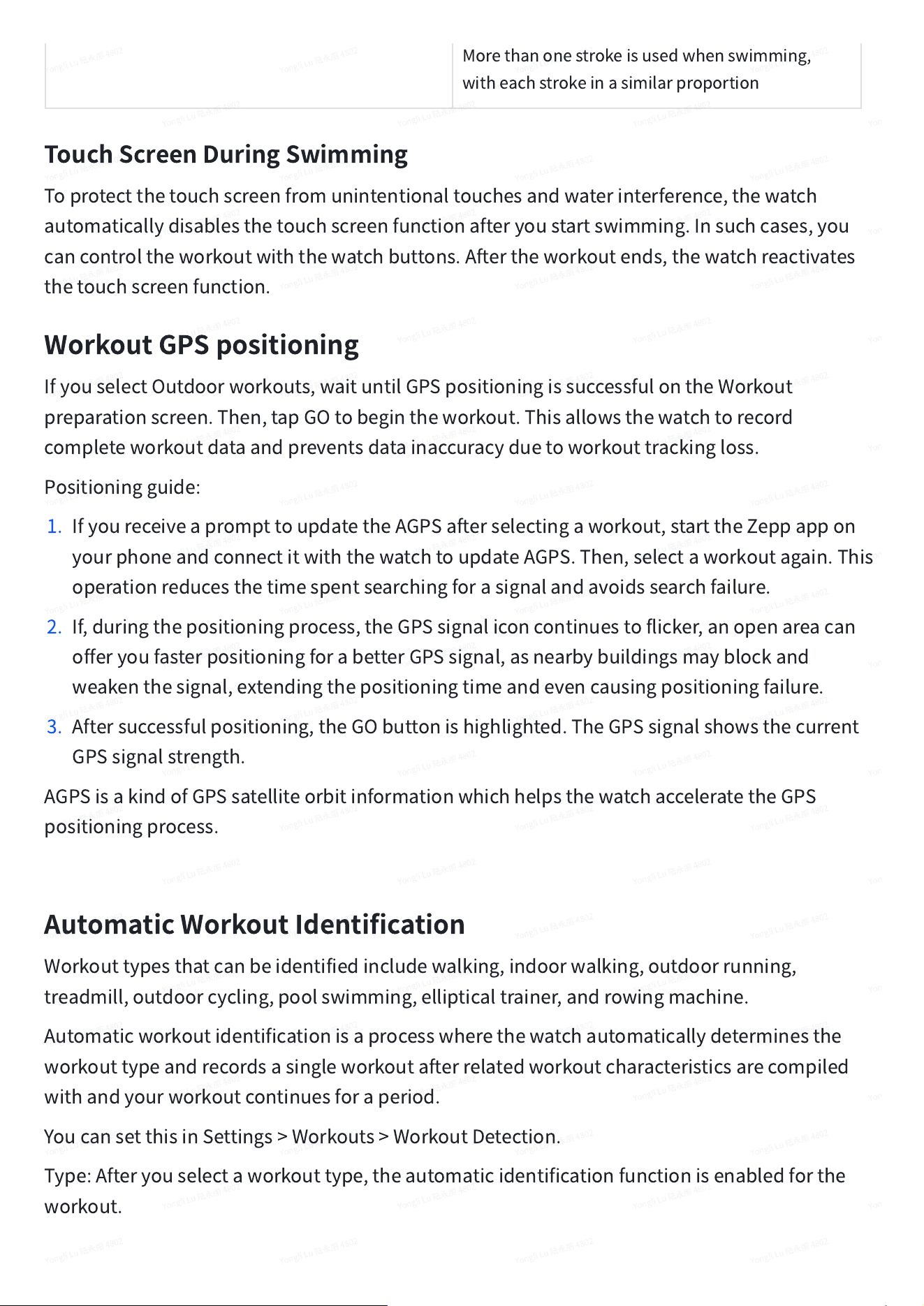
Morethanonestrokeisusedwhenswimming,
witheachstrokeinasimilarproportion
TouchScreenDuringSwimming
Toprotectthetouchscreenfromunintentionaltouchesandwaterinterference,thewatch
automaticallydisablesthetouchscreenfunctionafteryoustartswimming.Insuchcases,you
cancontroltheworkoutwiththewatchbuttons.Aftertheworkoutends,thewatchreactivates
thetouchscreenfunction.
WorkoutGPSpositioning
IfyouselectOutdoorworkouts,waituntilGPSpositioningissuccessfulontheWorkout
preparationscreen.Then,tapGOtobegintheworkout.Thisallowsthewatchtorecord
completeworkoutdataandpreventsdatainaccuracyduetoworkouttrackingloss.
Positioningguide:
1. IfyoureceiveaprompttoupdatetheAGPSafterselectingaworkout,starttheZeppappon
yourphoneandconnectitwiththewatchtoupdateAGPS.Then,selectaworkoutagain.This
operationreducesthetimespentsearchingforasignalandavoidssearchfailure.
2. If,duringthepositioningprocess,theGPSsignaliconcontinuestoflicker,anopenareacan
offeryoufasterpositioningforabetterGPSsignal,asnearbybuildingsmayblockand
weakenthesignal,extendingthepositioningtimeandevencausingpositioningfailure.
3. Aftersuccessfulpositioning,theGObuttonishighlighted.TheGPSsignalshowsthecurrent
GPSsignalstrength.
AGPSisakindofGPSsatelliteorbitinformationwhichhelpsthewatchacceleratetheGPS
positioningprocess.
AutomaticWorkoutIdentification
Workouttypesthatcanbeidentifiedincludewalking,indoorwalking,outdoorrunning,
treadmill,outdoorcycling,poolswimming,ellipticaltrainer,androwingmachine.
Automaticworkoutidentificationisaprocesswherethewatchautomaticallydeterminesthe
workouttypeandrecordsasingleworkoutafterrelatedworkoutcharacteristicsarecompiled
withandyourworkoutcontinuesforaperiod.
YoucansetthisinSettings>Workouts>WorkoutDetection.
Type:Afteryouselectaworkouttype,theautomaticidentificationfunctionisenabledforthe
workout.
Reminder:Whenthefeatureisenabled,apop-updialogboxisdisplayedwhenaworkoutis
identifiedorends.Whenthefeatureisdisabled,dataisrecordedsilentlyuponworkout
identificationandadynamiciconisdisplayedonthewatchfacescreen.
Sensitivity:Highersensitivityindicatesashorteridentificationtime.Identificationtimeis
prolongedifthesensitivityislow.Setasrequired.
*Continuousworkoutstatusmonitoringwillgreatlyreducethebatterylife.Whennoworkoutis
selected,theworkoutidentificationfunctionisnotenabled.Ifthewatchdetectsanongoing
workout,somedatacannotbesynchronizedwiththeapp.
Workouthistory
Whenaworkoutends,theworkoutrecordwillautomaticallybesavedtotheActivitiesapp.If
youendtheworkoutwhentheworkouttimeistooshort,thewatchwillaskyouwhethertosave
it.Duetothelimitedstoragespace,itisrecommendedthatyousynchronizetheworkoutdatato
theappsoonaftercompletingaworkout;otherwise,theworkoutdatamaybeoverwritten.
Workouthistoryonthewatch
Workouthistoryincludestheworkoutdata,workouttrace(forworkoutswhichsupportGPS),
lap/setdata,workoutgoalcompletion,andotherinformation.
Whenaworkoutends,thescreenwillimmediatelyjumptotheworkouthistorydetailspage,or
youcanviewrecentworkouthistorydetailsinthe
WorkoutHistory
app.Thewatchcansaveup
to20recentworkoutrecords.
Workouthistoryontheapp
Workouthistoryontheappshowsawiderrangeofworkoutdata.Dynamicrouteandsharing
featuresarealsosupported.
Pathintheapp:Zeppapp>
intheupperrightcornerofthehomepage>Exerciserecord
Physicalindicatorsforworkouts
Thewatchprovidesavarietyofphysicalindicatorsforworkouts.Youcanuseevaluationscores
asareferenceforyourworkouts.Theseindicatorscanbeviewedinworkoutrecordsorthe
Workoutstatusapp,includingcurrenttrainingload,totalrecoverytime,VO2max,andtraining
effect.
Youcanfindadetailedexplanationofcurrenttrainingload,totalrecoverytime,andVO2maxin
theWorkoutStatusapp.
TE
TrainingEffect(TE)isanindicatorformeasuringtheeffectofaworkoutonimprovingthe
aerobiccapacity.Whenyouworkoutwhilewearingthewatch,theTEscorestartsfrom0.0and
increasesastheworkoutprogresses.TheTEscorerangesfrom0.0to5.0,anddifferentscore
rangesindicatedifferenteffects.AhigherTEscoreindicatesagreaterworkoutintensity.It
signifiesahigherbodyload,butabetterTE.However,youshouldconsiderwhetheryourbody
loadistoohighwhentheTEscorereaches5.0.
AerobicTEScore
EffectonImprovingAerobicCapacity
0.0
‒
0.9
Thisworkouthasnoeffectonimprovingaerobic
capacity.
1.0-1.9
Thisworkouthelpsimproveenduranceandisideal
forpost-workoutrecoverytraining.
2.0-2.9
Thisworkouthelpsmaintainaerobiccapacity.
3.0-3.9
Thisworkoutsignificantlyhelpsimproveaerobic
capacity.
4.0-4.9
Thisworkoutremarkablyimprovesheart-lung
abilityandaerobiccapacity.
5.0
Post-workoutrecoveryisrequiredfornon-athlete
users.
AnaerobicTEScore
EffectonImprovingAnaerobicCapacity
0.0
‒
0.9
Thisworkouthasnoeffectonimprovinganaerobic
capacity.
1.0-1.9
Thisworkouthasaslighteffectonimproving
anaerobiccapacity.
2.0-2.9
Thisworkouthelpsmaintainanaerobiccapacity.
3.0-3.9
Thisworkoutsignificantlyhelpsimprove
anaerobiccapacity.
4.0-4.9
Thisworkouthasasignificanteffectonimproving
anaerobiccapacity.
5.0
Post-workoutrecoveryisrequiredfornon-athlete
users.
TheTEscoreisevaluatedbasedonyourprofile,aswellasyourheartrateandspeedduringyour
workout.AlowTEscoredoesnotindicateaproblemduringyourworkout,butinsteadsignifies
thattheworkoutistooeasyandhasnosignificanteffectonimprovingaerobiccapacity(for
example,alowTEscorefor1-hourofjogging).
Howisitobtained?
Onceaworkoutforwhichheartratedataismonitoredends,thewatchdisplaystheTEscoreof
theworkoutandprovidesrelatedcommentsorsuggestions.YoucanalsoreviewtheTEscoreof
eachworkoutrecordinthefuture.
Workoutstatus
Workoutstatusincludescurrenttrainingload,Fullrecoverytime,andVO2max.Theseindicators
aredeterminedbasedonyourprofileandotherdatasuchasheartrate.Asthewatchcontinues
tounderstandandanalyzeyourbodyandworkoutdata,theaccuracyofevaluationscores
graduallyimproves.
VO2max
VO2maxindicatestheamountofoxygenconsumedbythebodyduringmaximum-intensity
workouts,whichisanimportantindicatorofthebody'saerobiccapacity.Asoneofthemost
importantreferenceindicatorforenduranceathletes,high-levelVO2maxistheprerequisitefor
high-levelaerobiccapacity.
VO2maxisarelativelypersonalindicator,whichhasdifferentreferencestandardsforuserswith
differentgendersandindifferentagegroups.Thewatchevaluatesyourathleticcapacitybased
onyourprofileandtheheartrateandspeedduringyourworkouts.Also,VO2maxchangeswith
yourathleticcapacity.However,everyonehasaVO2maxvalue,whichvariesbyindividualbody
conditions.
Howisitobtained?
1. Correctlyenteryourprofileintheapp.
2. Runoutdoorsforatleast10minuteswhenwearingthewatchandensurethatyourheartrate
reaches75%ofthemaximumheartrate.
3. Aftertherunends,youcanviewyourcurrentVO2maxinthewatch'sworkoutrecordappor
ontheSeemorestatusesscreen.
4. VO2maxscoresmapsevenathleticabilitylevels.
HowcanIviewit?
YoucanviewthecurrentVO2maxinthewatch'sworkoutstatusapp.
YoucanalsoviewtheVO2maxhistoryandvariationtrendsintheapp.
TrainingLoad
Thewatchcalculatesthetrainingloadbasedonexcesspost-exerciseoxygenconsumption
(EPOC)scoresoverthepastsevendaystoevaluateyourworkoutvolume.Youcanadjustyour
subsequenttrainingschedulebasedonyourtrainingloadscorerange.
Youcanviewyourhistoricaltrainingloadandchangetrendsintheapp.
Fullrecoverytime
Totalrecoverytimeistherecommendedtimeforthecompleterecoveryofthebody.Aftereach
workout,recoverysuggestionswillbeofferedbasedontheheartrateofthelatestworkoutto
helpyoubetterrecoverandreasonablyarrangeyourworkouttoavoidinjury.
FullRecoveryPeriod
WorkoutSuggestions
0-18hours
Youhavefullyornearlyfullyrecovered,andyou
candoslightlyhigher-intensitytraining.
19-35hours
Youcantrainasusualandyoucanprepareto
strengthenyourregimenagain.
36-53hours
Appropriatelyreducingtheintensityofyour
trainingwillallowyoutogainworkoutbenefits
fromyourlasttraining,andyoushoulddo
recoveryworkoutstorelievephysicalfatigue.
54-96hours
Properrestwillallowyoutogetthebenefitsofthe
workoutfromyourlasthigh-intensitytraining.
ZeppCoach
ZeppCoachismainlytohelpuserswhohavenotdevelopedregularexercisetocarryoutdaily
exercise,andtoguidewhattypeofexercise,howlongandhowmuchintensityshouldbe
performedsoastomaintainahealthyexercisepattern.
Startaplan
FindZeppApp>Home>ZeppCoachcard,clickonTailor-madePlanandfollowtheinstructions
tofillinthepurposeoftheexercise,aswellasthepast1to2monthsofexercise,andselecta
restdayandstartdatetostarttheplan.
Viewtheplan
AfteryouhavesuccessfullysetupyourtrainingplanonZeppapp,youcanviewyourdaily
scheduleintheZeppCoachapponyourdeviceorinZeppapp>Home>ZeppCoachdetails
page.
Setreminders
IntheZeppCoachapponyourdevice,slidetotherightmostpagetosetareminderforyour
training.
Executetheplan
Youcanstartyourworkoutbyquicklylaunchingtheworkoutmodeonthedevice>ZeppCoach
app,orbyselectingtheworkoutmodeontheWorkoutList.Theworkoutrecordswillbe
includedinthetrainingstatisticsoftheday.Pleasewearyourdeviceduringexercisesothatyou
cansyncyourexerciselogtoZeppAppintimeafterexercise.
Modifyandterminatetheplan
InZeppapp>Homepage>ZeppCoach>Detailpage,youcanmodifytheplanorterminatethe
planbyclickingtheSettingsbuttononthetoprightcorner.
Activitiesandhealth
One-tapmeasurement
Thisdevicesupportsheartrate,bloodoxygen,stress,andrespirationratemonitoring.Youcan
quicklycheckthestatusofvarioushealthindicatorsbyusingtheOne-tapMeasurementfeature.
Themeasurementdatawillbesavedundereachfeature'sdatarecords.
Wakeupthewatch,pressthelowerrightbuttononthewatchfacepagetoopentheapplist,and
swipeupordownonthescreentoselectandopentheOne-tapMeasuringapp.Tap
tostartmeasurement.SettingtheOne-tapMeasuringappasaquickaccessappallowsyouto
easilyperformone-tapmeasurements.
Sleep
Sleepqualityhasanimportantimpactonhumanhealth.
Whenyouarewearingthewatchwhilesleeping,itautomaticallyrecordssleepinformation.The
watchcanrecordnighttimesleepandnaps.Sleeptimethatoverlapswith00:00-08:00willbe
recordedasnightsleep,andsleepthatismorethan60minutesapartfromnightsleepwillbe
recordedasnaps.Sleeplessthan20minuteswillnotberecorded.
Wakeupthewatch,pressthelowerrightbuttononthewatchfacepagetoopentheapplist,and
swipeupordownonthescreentoselectandopentheSleepapp.IntheSleepapponthe
watch,youcanviewnightsleepduration,sleepstages,sleepscore,andotherinformation.Naps
andothermoreinformationcanbeviewedaftersynchronizingtotheapp.SettingtheSleepapp
asaquickaccessappallowsyoutoeasilyviewthepreviousnight'ssleepstatus.
Whilethephoneanddeviceareconnected,thefollowingsleepsettingscanalsobeaccessedin
theZeppappunderProfile>AmazfitActiveEdge>HealthMonitoring.
Assistedsleepmonitoring
OpentheSleepapp,swipedowntothelastpage,andgotosleepsettingstoenableassisted
sleepmonitoring.Ifthesystemdetectsthatyouarewearingthedeviceduringsleep,itwill
automaticallyrecordmoresleepdata,suchasREMsleepstages.
Sleepbreathingqualitymonitoring
OpentheSleepapp,swipedowntothelastpage,andgotosleepsettingstoenablesleep
breathingqualitymonitoring.Ifthesystemdetectsthatyouarewearingthedeviceduringsleep,
itwillautomaticallymonitoryourbreathingqualitytohelpyoubetterunderstandyoursleep
status.
PAI
PAIisusedtomeasureaperson'sphysiologicalactivityandreflectoverallphysicalcondition.It
iscalculatedbasedonaperson'sBMP,theintensityofdailyactivities,andphysiologicaldata.
Wakeupthewatch,pressthelowerrightbuttononthewatchfacepagetoopentheapplist,and
swipeupordownonthescreentoselectandopenthePAIapp.InthePAIapponthedevice,you
canviewinformationsuchasyourPAIscoreinthepastsevendaysandtoday'sPAIscore.
Synchronizethedatatotheapptoviewmoreinformation.SettingthePAIappasaquickaccess
appallowsyoutoeasilyviewyourPAIscore.
Bymaintainingacertainintensityofdailyactivitiesorworkouts,youcanobtainaPAIvalue.
AccordingtotheresultsoftheHUNTFitnessStudy*,maintainingaPAIabove100helpsreduce
theriskofcardiovasculardeathandincreaselifeexpectancy.Formoreinformation,openthe
Zeppappandgoto
>PAI>PAIQ&A.
•
TheHUNTFitnessStudyisasub-projectoftheHUNTstudy,ledbyProfessorUlrikWisloffat
theSchoolofMedicine,NorwegianUniversityofScienceandTechnology.Ithaslastedover
35yearsandinvolvedmorethan230,000participants.
Heartrate
Heartrateisanimportantindicatorofphysicalcondition.Highly-frequentheartrate
measurementhelpscapturemoreheartratechangesandprovideareferenceforahealthy
lifestyle.Toensuretheaccuracyofthemeasurement,youneedtowearthedevicecorrectly
accordingtotheinstructions.Inaddition,keeptheareaofyourwristthatcontactsthedevice
clean,anddonotapplysunscreentothisarea.
Wakeupthedevice,pressthelowerrightbuttononthewatchfacepagetoopentheapplist,
andswipeupordownonthescreentoselectandopentheHeartRateapp.IntheHeartRate
apponthedevice,youcanviewyourmostrecentlymeasuredheartratevalue,dailyheartrate
curve,restingheartrate,heartrateintervaldistributionandotherinformation.Synchronizethe
datatotheapptoviewmoreinformation.SettingtheHeartRateappasaquickaccessapp
allowsyoutoeasilymeasureyourheartrate.
Whilethephoneanddeviceareconnected,thefollowingheartratesettingscanalsobe
accessedintheZeppappunderProfile>AmazfitActiveEdge>HealthMonitoring.
Manualheartratemeasurement
Wakeupthedevice,pressthesidebuttononthewatchfacepagetoopentheapplist,andswipe
upordownonthescreentoselectandopentheHeartRateapp,andthentap
tomanuallymeasureyourheartrate.Whenthemeasurementsaredone,thedevicewillstay
ontheHeartRatescreenandcontinuetomeasureandupdatethedata.
Autoheartratemonitoring
1. OpentheHeartRateapp,swipeuptothelastpage,andgotoSettings>AutoHeartRate
Monitortoadjustthemonitoringfrequency.Thedeviceautomaticallymeasuresyourheart
rateatthesetfrequencyandrecordschangesinheartratethroughouttheday.
2. Heartratechangesaremoreintensewhenyouareworkingout.Enabletheactivitydetection
featuretoallowthedevicetoautomaticallyincreasemeasuringfrequencywhenitdetectsan
activitysothatmoreheartratechangescanberecorded.
Heartratealert
Inarestingstate(exceptsleep),thedevicewillnotifyyouifyourheartrategoesaboveorbelow
thelimitfor10minutes.
3. WhentheAutoHeartRateMonitorfrequencyissetto1minute,theheartratealertfeature
canbeenabled.
4. Inthesettingsforhighandlowheartratealerts,thealertvaluecanbeadjustedoralertscan
bedisabled.
Bloodoxygen
Bloodoxygenisanimportantphysiologicalindicatorofrespirationandcirculation.
Wakeupthedevice,pressthelowerrightbuttononthewatchfacepagetoopentheapplist,
andswipeupordownonthescreentoselectandopentheBloodOxygenapp.IntheBlood
Oxygenapponthedevice,youcanviewyourmostrecentlymeasuredbloodoxygenvalue.
Synchronizethedatatotheapptoviewmoreinformation.SettingtheBloodOxygenappasa
quickaccessappallowsyoutoeasilymeasureyourbloodoxygen.
Whilethephoneanddeviceareconnected,thefollowingbloodoxygensettingscanalsobe
accessedintheZeppappunderProfile>AmazfitActiveEdge>HealthMonitoring.
Manualbloodoxygenmeasurement
Tap
tomanuallymeasureyourbloodoxygen.
Autobloodoxygenmonitoring
GototheBloodOxygenapp,swipeuptothelastpageandgotoSettingspagetoenableAuto
BloodOxygenMonitor.Inarestingstate,thewatchwillautomaticallymeasureyourblood
oxygenandrecordchangesinbloodoxygenlevelsthroughouttheday.
Lowbloodoxygenalerts
Inarestingstate(exceptsleep),thedevicewillnotifyyouifyourbloodoxygenfallsbelowthe
limitfor10minutes.
1. AfterAutoBloodOxygenMonitorisenabled,enabletheLowbloodoxygenalertsfeature.
2. Inthesettingsforlowbloodoxygenalerts,thealertvaluecanbeadjustedoralertscanbe
disabled.
Precautionsforbloodoxygenmeasurement
1. Wearthedeviceaboutonefingerawayfromthecarpal.
2. Wearthedevicetightly,withanappropriatesenseofpressure.
3. Placeyourarmonatabletoporastationarysurface,withthedevicescreenfacingup.
4. Remainstillduringmeasurementandfocusonthemeasurement.
5. Factorssuchashair,tattoo,shaking,lowtemperature,andincorrectwearingofthewatch
mayaffectmeasurementresults,andevenleadtomeasurementfailure.
6. Themeasurementrangeofthewatchis78%-100%.Thisfeatureisforreferenceonlyand
shouldnotbeusedasabasisformedicaldiagnosis.Ifyoufeelunwell,pleaseseekmedical
advice.
Stress
Thestressindexiscalculatedbasedonchangesinheartratevariability.Itisareferencefor
healthstatusevaluation.Youshouldrestmorewhentheindexishigh.
Wakeupthedevice,pressthelowerrightbuttononthewatchfacepagetoopentheapplist,
andswipeupordownonthescreentoselectandopentheStressapp.IntheStressapponthe
device,youcanviewyourmostrecentlymeasuredstressvalue,dailystressstatus,stressinterval
distribution,andpressurestatusoverthelastsevendays.Synchronizethedatatotheappto
viewmoreinformation.SettingtheStressappasaquickaccessappallowsyoutoeasily
measureyourstress.
Whilethephoneanddeviceareconnected,thefollowingstresssettingscanalsobeaccessedin
theZeppappunderProfile>AmazfitActiveEdge>HealthMonitoring.
Manualstressmeasurement
IntheStressapp,tap
tomanuallymeasureyourstress.
Autostressmonitoring
OpentheStressapp,swipeuptothelastpage,andgotostresssettingstoenableAutoStress
Monitoring.Thiswillautomaticallymeasurestresseveryfiveminutestoshowyoustress
changesthroughouttheday.
Stressreliefreminder
Inarestingstate(exceptsleep),thedevicewillnotifyyouifyourstresslevelgoesabovethelimit
for10minutes.
1. AfterAutoStressMonitoringisenabled,enablethestressreliefalertsfeature.
2. Instresssettings,enablestressreliefalerts,andthenyoucanreceivealerts.
Activity
Maintainingacertainamountofdailyactivityisveryimportantforyourphysicalhealth.
Wakeupthedevice,pressthelowerrightbuttononthewatchfacepagetoopentheapplist,
andswipeupordownonthescreentoselectandopentheActivityapp.Thedailyactivityis
composedofthreemainindicators,namelyactivity(whichcanbesetasstepsorcalories),fat
burning,andstanding.IntheActivityapponthedevice,youcanviewtheall-dayactivity
distributionchart.SettingtheActivityappasaquickaccessappallowsyoutoeasilycheckthe
progressofyourmainindicators.
Thedevicealsoautomaticallyrecordsotheractivitydata,includingrestingconsumption,sitting
time,walkingtime,andrunningtimeanddistance,whichcanbeviewedintheActivityapp.
Goalnotifications
Thedevicedisplaysanotificationwhenanymainindicatorofdailyactivityreachesthesettarget
value.
1. OpentheActivityapp,swipeuptothelastpage,andgototheactivitysettingstoenableGoal
ReachReminders.Whilethephoneanddeviceareconnected,thesesettingscanalsobe
accessedintheZeppappunderProfile>AmazfitActiveEdge>Notificationsandreminder>
Goalnotifications.
2. InActivitysettings,youcanalsosetdailygoalsforstepsandcalories.Whilethephoneand
deviceareconnected,thesesettingscanalsobeaccessedintheZeppappunderProfile>My
Goals.
Standingreminders
Toreducetheharmcausedbyremainingsedentary,thedeviceencouragesyoutomoveandbe
activeeveryhourwhileyouareawake.Thedailygoalisthatyouareactivefor12hoursaday.
Whileyouareawake,ifnoactivityisdetectedformorethanoneminuteduringthefirst50
minutesofanhour,thedevicewillremindyoutomovearound.Whenyoureceiveastanding
alert,youcanstillachievethestandinggoalofthecurrenthouraslongasyoumovebeforethe
nexthourarrives.
OpentheActivityapp,swipedowntothelastpage,andgototheactivitysettingstoenable
StandingReminder.Whilethephoneanddeviceareconnected,thesesettingscanalsobe
accessedformoredetailsintheZeppappunderProfile>AmazfitActiveEdge>Notificationsand
reminder>StandingReminder.
Cycletracking
Trackingmenstrualcycleshelpsyouunderstandyourownphysiologicalrhythms.
Wakeupthedevice,pressthelowerrightbuttononthewatchfacepagetoopentheapplist,
andswipeupordownonthescreentoselectandopentheCycleTrackingapp.IntheCycle
Trackingapponthedevice,youcanviewinformationsuchasmenstrualcyclerecordsand
predictions.Synchronizethedatatotheapptoviewmoreinformation.SettingtheCycle
Trackingappasawidgetallowsyoutoeasilyviewyourmenstrualcyclestateandrecords.
BeforeusingtheCycleTrackingapp,youneedtoenterthestarttimeofyourmostrecentperiod,
thedurationoftheperiod,andthedurationofyourmenstrualcycle.Youcanalsoenterthisdata
ontheZeppappandsynchronizeittothedevice.Youcanalsomodifythesesettingsanddatain
theZeppappwhenneeded.
Whilethephoneanddeviceareconnected,thefollowingsettingscanalsobemodifiedinthe
Zeppappunder
>Cycles>Settings.
Manuallyrecordthemenstrualcycle
IntheCycleTrackingapp,tapthe
buttontomanuallyrecordthemenstrualcycletrackingdata.
1. Ifyouhavenotrecordedthismenstrualcycle,taptorecordthestartdateofthecurrent
period.
2. Ifyouhaverecordedthismenstrualcycle,taptorecordthestartdateofthenextperiod.
3. Ifyouneedtoextendyourperiodafterthesetendtime,youcantaptherecordagainwithin
30days,asthelastperiodhasnotended,orsynchronizethedatatotheapp,andthen
modifyit.
Menstrualcycleprediction
TheCycleTrackingappwillintelligentlypredictyourperiod,fertileperiod,andovulationday
basedonyourdata.Thisfeatureisnotasubstituteforcontraceptionormedicaladvice.
OpentheCycleTrackingapp,swipetothebottom,andtaptoenterthemenstrualcyclesettings
tostartthemenstrualcycleprediction.
Menstrualcyclereminder
Beforethestartofyourperiod,thedevicewillsendyouanotificationat9:00PMonthesetdate.
1. Whenmenstrualcyclepredictionisturnedon,enablethemenstrualcyclereminder.
2. FortheperiodreminderandovulationdatereminderthatyousetintheCycleTrackingapp,
youcanadjustthereminderdateordisablethereminderfeature.
Breathe
Ithelpsyourelievestressbyguidingyoutobreatheslowlyanddeeply.
Wakeupthedevice,pressthelowerrightbuttononthewatchfacepagetoopentheapplist,
andswipeupordownonthescreentoselectandopentheBreathapp.Tapthe
buttontostartbreathingrelaxation.SettingtheBreathappasaquickaccessappallowsyouto
easilystartbreathingrelaxation.
Deviceapps
Appsrefertodevicefeaturesthatcanbeusedseparately,suchasworkouts,heartrate,and
weather.
Wakeupthedevice,pressthelowerrightbuttononthewatchfacepagetoopentheapplist,
swipeupordownonthescreentobrowsetheapplist,andtapanapptostartit.
MembershipCard
Howtoaddthemembershipcardtothewatch:
1)Enterthemembershipcardpage,tap"Add"togotothescanpage,andaligntheQR
code/barcodeofyourmembershipcardwiththescanbox.
2)Or,youcantakeascreenshotorphotoofyourmembershipcardbarcode/QRcodeinadvance
andsaveitinphotosinyourmobilephone.Tap"Photos"andselectthesavedmembershipcard
barcode/QRcodephoto.
3)Aftersuccessfullyscanning,enteryourmembershipcardnameandcardnumber,selectthe
preferredcolorofthecardface,tapthe"Save"button,andyourmembershipcardisadded
successfully.
Notes:
Duetothelimitedstorageinthewatch,onlyamaximumof20membershipcardscanbeadded
tothesameaccount.
WeonlysupportCode128,Code39,QRcode,UPCA,EAN13,andEAN8.
Musiccontrol
Keepthewatchconnectedwithyourphone.Whenplayingmusiconyourphone,youcanstart
orpausethemusic,switchtothepreviousornextsong,andperformotheroperationsonthe
musicappofyourwatch.
ModifyingsettingsonanAndroidphone:
Keepyourwatchconnectedtoyourphone.StarttheZeppapp,gotoProfile>AmazfitActive
Edge>Notificationandreminder.Onthepagethatappears,tapthe
"Accesstoreadnotificationsnotenabled"messagetogototheNotificationSettingspage,and
grantnotificationpermissiontotheZeppapp.Ifthismessageisnotdisplayed,thepermission
hasbeengranted.
Note:
ToenablethisfeatureonanAndroidphone,youneedtoaddtheZeppapptotheallowlistor
auto-runlistinthephone'sbackgroundsothattheappalwaysrunsinthebackground.Ifthe
Zeppappisterminatedbythephone'sbackgroundprocess,thewatchwillbedisconnected
fromyourphoneandyouwillbeunabletocontrolmusicplayback.
Alarm
YoucanaddalarmsintheZeppappandonthedevice.Upto10alarmscanbeadded.
Thedevicewillringtoremindyouwhenthesetalarmtimearrives,andyoucanchoosetoturnit
offorhaveitremindyoulater.IfyouchooseRemindMeLater,thedevicewillremindyouafter
10minutes.Youcanonlyusethisfeature5timesperalarm.Ifyouhavenotperformedany
operation,thewatchremindsyoulaterbydefault.
To-do
Keepthedeviceconnectedtoyourphone,opentheZeppapp,gotoProfile>AmazfitActive
Edge>Appsettings>TodoList,andyoucancreateoreditto-dosandsetaremindertimeor
repetitionforto-dos.Upto60to-doscanbeadded.
Whenthespecifiedremindertimearrives,theTo-Doreminderwillpopuponthedevice,after
whichyoucanperformoperationssuchasDone,RemindMein1Hour,RemindMeLater,and
Ignore.
PomodoroTracker
ThePomodoroTrackerappallowsyoutomanagetimescientificallyandsettheconcentration
timeinacycle.Thisallowsyoutostrikeabalancebetweenyourworkandbreakswithminimum
interruptionsandmaketimemanagementmoreintuitiveandeffective.Bydefault,eachwork
periodlasts25minutesandisfollowedbya5-minutebreak.Youcancreatethecustomwork
timeandbreaktime.Duringwork,thedevicewillautomaticallyenterDNDmode.
Worldclock
InZeppappunderProfile>AmazfitActiveEdge>Appsettings>Worldclock,youcanaddclocks
ofdifferentcities,andthensynchronizethemtothedevicetoviewthetimeinthosecitiesinreal
time.Upto20differentcitiescanbeadded.Atthesametime,thedeviceprovidessomedefault
cities,sothatyoucanquicklyaddcitiestotheworldclocklistonthedevice.
Stopwatch
Thestopwatchcantimeupto23hours,59minutes,and59secondswithanaccuracyof0.01
seconds.Thewatchcancountupto99timesduringthetiming.Whilecounting,thetime
differencebetweenthecurrentandlastcountsisalsorecorded.
Countdown
TheTimerappprovides8shortcutsforquicksetup.Also,youcanmanuallysetatimerwitha
maximumtimeof23hours,59minutesand59seconds.Thewatchwillremindyouwhenthe
timerends.
CameraRemote
Whenthephone'scameraisturnedon,youcantakepicturesremotelyusingthe
device.SupportedforiOSdevicesonly
Weather
Gototheweathertoviewthetemperatureandweatherconditions,wind,humidity,sunrisetime
andsunsettimeoftheday,aswellasweatherforthenext5days.
•
Theweatherdataneedstobesynchronizedthroughthemobilenetwork.Therefore,you
needtokeepthewatchconnectedtoyourphonetokeepweatherinformationuptodate.
•
Youcanaddupto5locationsandtemperatureunits(Celsius/Fahrenheit)intheZeppapp.
•
Youcanviewthelocationsthathavebeenaddedonthedevice.
Sun&moon
IntheSun&Moonapp,youcanviewthefollowing:
•
Sunriseandsunsettime
Tapthereminderbuttononthepagetoenable/disablethesunrise/sunsetreminder.
•
Moonriseandmoonsettime,moonphase
•
Fortides,youcanviewhourlytidaldataincoastalandportareas.
Mini
Appinstallationanduninstallation
Youcandownloadandinstallmoreappsintheappstore.
MiniAppinstallation:
Keepthedeviceconnectedtoyourphone,opentheZeppapp,gotoProfile>AmazfitActive
Edge>Appstore,selectatargetapptodownloadandinstallit,orupdateaninstalledapptothe
latestversion.
MiniAppuninstallation:
Keepthedeviceconnectedtoyourphone,opentheZeppapp,gotoProfile>AmazfitActive
Edge>Appstore,Enter"Mine">"More",tap"delete"touninstalltheapp.
Watchsettings
Units
Keepthedeviceconnectedtoyourphone,opentheZeppapp,gotoProfile>More>Settings>
Units,whereyoucansettheunitsfordistance,weightandtemperature.Duringdata
synchronization,thedeviceautomaticallyfollowsthesettingsintheapp.
Timeformat
Keepthedeviceconnectedtoyourphone.Duringdatasynchronization,thedevice
automaticallyfollowsthesystemtimeandtimeformatofyourphone,anddisplaysthetimeina
12-houror24-hourformat.
Ifyouselectthe12-houror24-hourformatonthedeviceinSettings>WatchFace&Time,the
timeformatofthedevicewillnotchangewiththemobilephoneonceset.
Dateformat
Thedefaultdateformatdisplayedonthedeviceis"year/month/day".Youcanchangethedate
formatto"month/day/year"or"day/month/year"inSettings>WatchFace&Time.

Settingapassword
YoucansetthedevicepasswordunderSettings>Preferences>Off-wristLock.Whenthesystem
detectsthatyouarenotwearingthedevice,itwillautomaticallylockthedevicewitha
password.Youwillneedtoenterthepasswordbeforeyoucancontinuetousethedevice.