1 2 4 LIGHT
0-50 51-100 101
Note:The blue/green/purple
side of the filter should face
the front shell.
No.2
1 2 4 LIGHT
0-50 51-100 101
Note:The blue/green/purple
side of the filter should face
the front shell.
No.2
1 2 4 LIGHT
0-50 51-100 101
Note:The blue/green/purple
side of the filter should face
the front shell.
No.2
1 2 4 LIGHT
0-50 51-100 101
Note:The blue/green/purple
side of the filter should face
the front shell.
No.2
1 2 4 LIGHT
0-50 51-100 101
Note:The blue/green/purple
side of the filter should face
the front shell.
No.2
1 2 4 LIGHT
0-50 51-100 101
Note:The blue/green/purple
side of the filter should face
the front shell.
No.2
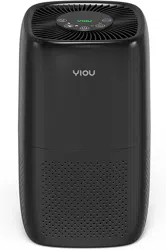
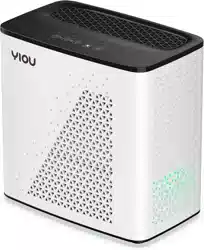
Yiou
Note:The blue/green/purple
side of the filter should face
the front shell.
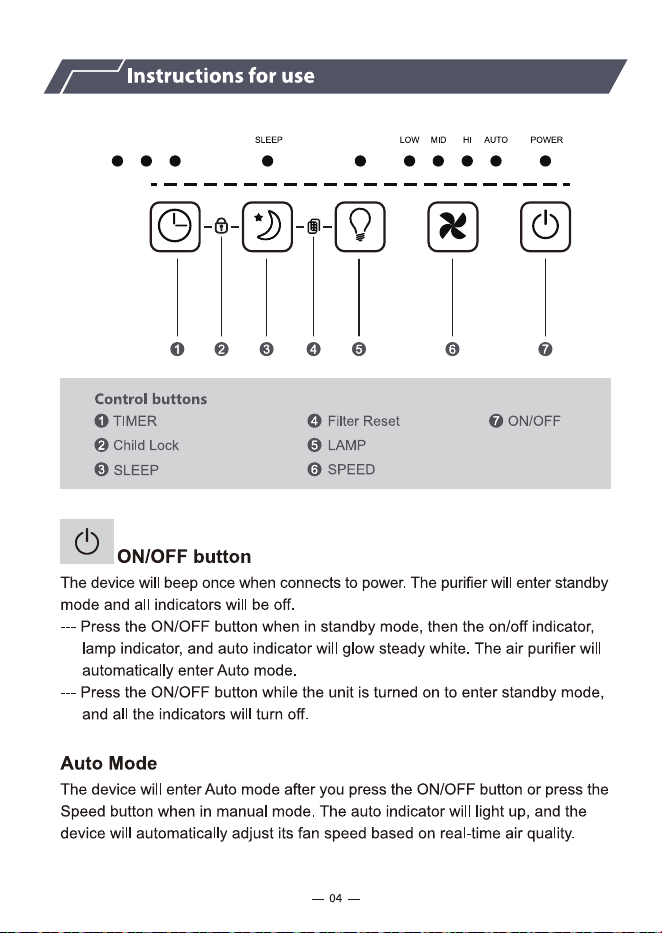
While the unit is turned on , you can press the Timer button to set a specific
shutdown time from OFF to 1,2,3,4,5,6,7 hours in a loop . The corresponding
indicator will be steadily on once this is set . The time indicator will change as
the running time changes ( e.g. for an 7-hour timer , the corresponding indicator
will change to 4 once the remaining time is 4 hours. ). When you set it to OFF,
all the timing indicators will turn off.
Yiou
Note:The blue/green/purple
side of the filter should face
the front shell.
While the unit is turned on , you can press the Timer button to set a specific
shutdown time from OFF to 1,2,3,4,5,6,7 hours in a loop . The corresponding
indicator will be steadily on once this is set . The time indicator will change as
the running time changes ( e.g. for an 7-hour timer , the corresponding indicator
will change to 4 once the remaining time is 4 hours. ). When you set it to OFF,
all the timing indicators will turn off.
Yiou
Note:The blue/green/purple
side of the filter should face
the front shell.
While the unit is turned on , you can press the Timer button to set a specific
shutdown time from OFF to 1,2,3,4,5,6,7 hours in a loop . The corresponding
indicator will be steadily on once this is set . The time indicator will change as
the running time changes ( e.g. for an 7-hour timer , the corresponding indicator
will change to 4 once the remaining time is 4 hours. ). When you set it to OFF,
all the timing indicators will turn off.
Yiou
Note:The blue/green/purple
side of the filter should face
the front shell.
While the unit is turned on , you can press the Timer button to set a specific
shutdown time from OFF to 1,2,3,4,5,6,7 hours in a loop . The corresponding
indicator will be steadily on once this is set . The time indicator will change as
the running time changes ( e.g. for an 7-hour timer , the corresponding indicator
will change to 4 once the remaining time is 4 hours. ). When you set it to OFF,
all the timing indicators will turn off.
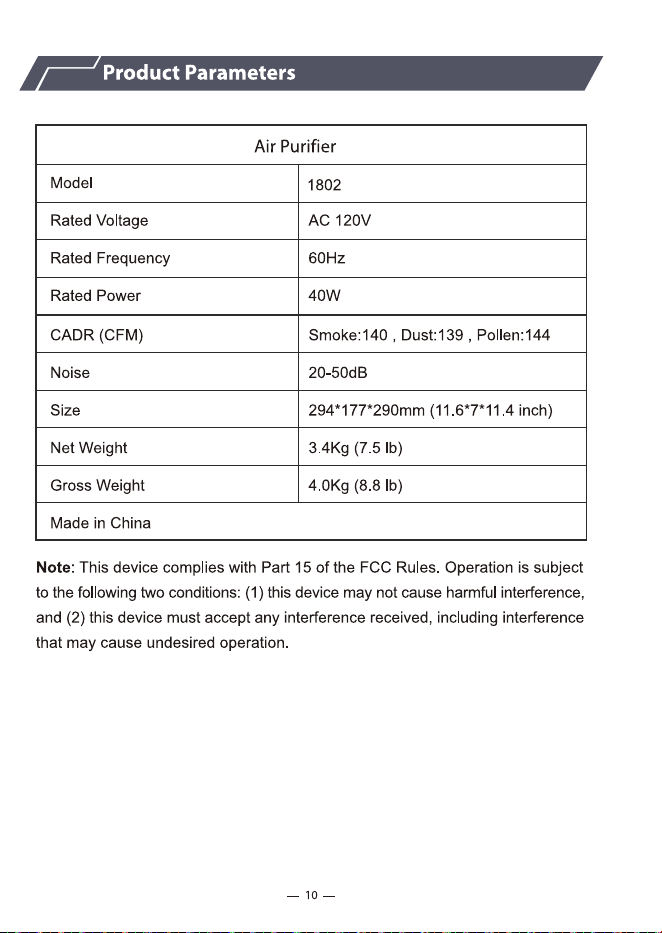
Yiou
Note:The blue/green/purple
side of the filter should face
the front shell.
While the unit is turned on , you can press the Timer button to set a specific
shutdown time from OFF to 1,2,3,4,5,6,7 hours in a loop . The corresponding
indicator will be steadily on once this is set . The time indicator will change as
the running time changes ( e.g. for an 7-hour timer , the corresponding indicator
will change to 4 once the remaining time is 4 hours. ). When you set it to OFF,
all the timing indicators will turn off.
Yiou
Note:The blue/green/purple
side of the filter should face
the front shell.
While the unit is turned on , you can press the Timer button to set a specific
shutdown time from OFF to 1,2,3,4,5,6,7 hours in a loop . The corresponding
indicator will be steadily on once this is set . The time indicator will change as
the running time changes ( e.g. for an 7-hour timer , the corresponding indicator
will change to 4 once the remaining time is 4 hours. ). When you set it to OFF,
all the timing indicators will turn off.