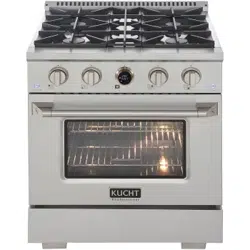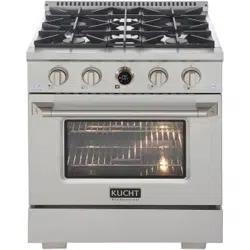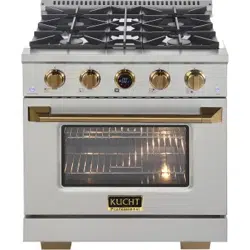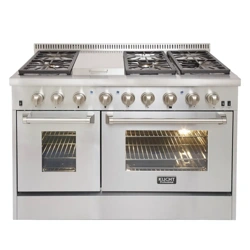
WWW.KUCHT.COM
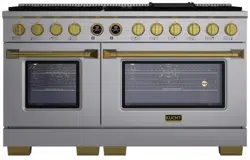
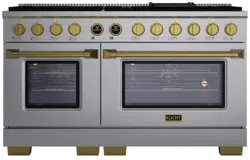
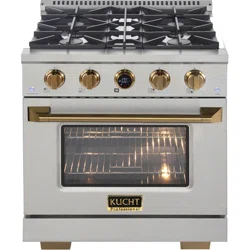
APPLICABLE MODEL: KXP30-SS, KXP30-GL, KXD30, KXP36-SS, KXP36-GL,
KXD36, KXP48-SS, KXD48, KXP60-SS, KXP-60-GL. KXD60
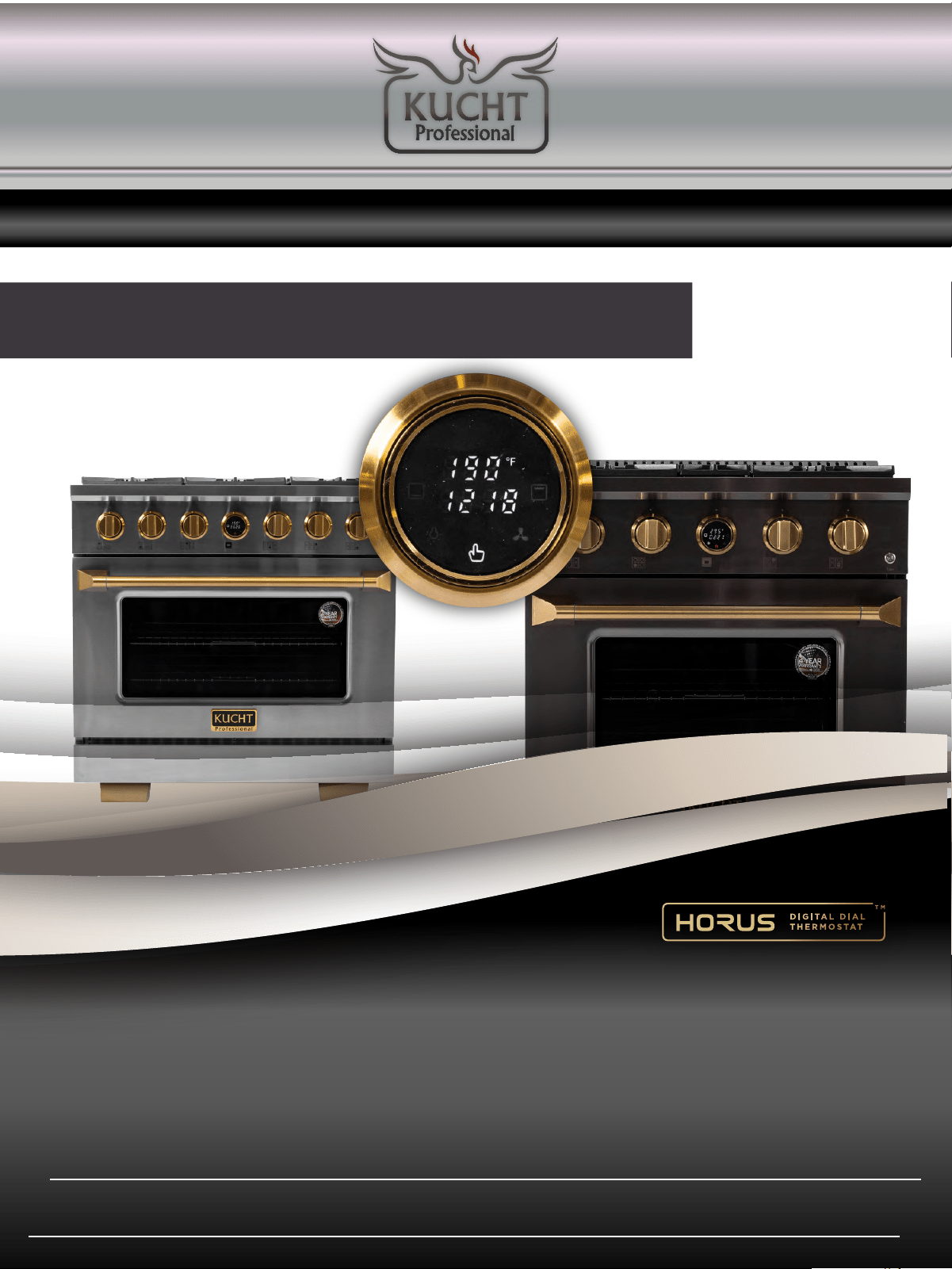
PROFESSIONAL-STYLE
DUAL FUEL RANGE
INSTALLATION AND USER MANUAL
KXSERIES
Thank you for purchasing your KX SERIES pro-style range.
We appreciate your business and we recommend that you read this
entire user’s manual before operating your new appliance for the
first time.
This manual contains instructions on how to properly install and set
up your new range, as well as insights into many of the unique
features that our product offers. Please keep this manual for future
reference, as it contains the answers to questions that you might
have as you begin to cook.
2
FOR MORE DETAILS AND INFORMATION, PLEASE VISIT OUR WEBSITE
WWW.KUCHT.COM
2
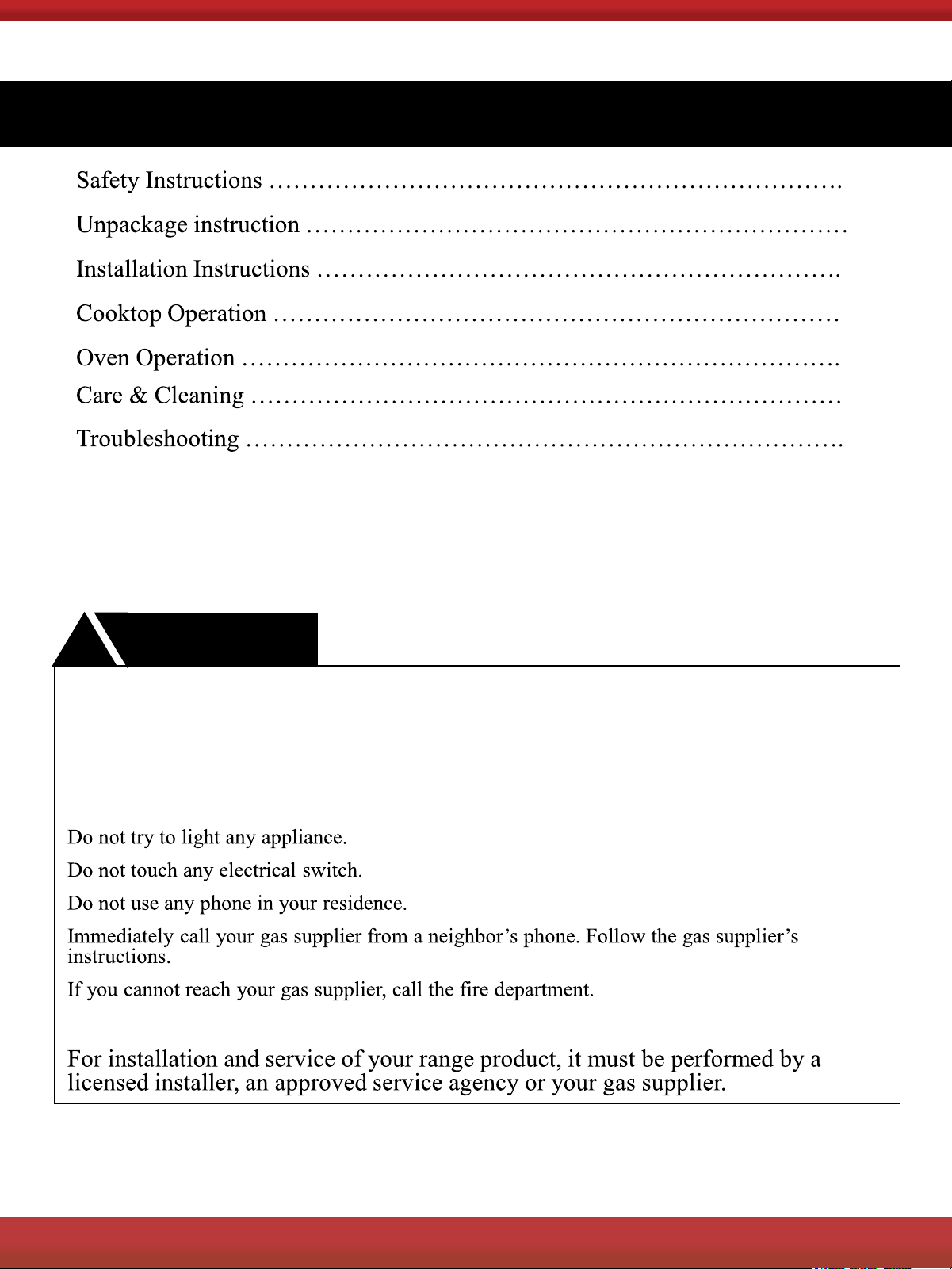
Contents
If the information in this manual is not followed exactly, a fire or an explosion may result
causing property damage, personal injury or even death.
Do not store or use gasoline, liquid propane cylinder or other flammable vapors and
liquids in the vicinity of this appliance.
What to do if you smell gas?
WARNING
!
2
FOR MORE DETAILS AND INFORMATION, PLEASE VISIT OUR WEBSITE
WWW.KUCHT.COM
3
TABLE OF CONTENTS
4
6
8
18
23
28
30
SAFETY INSTRUCTIONS
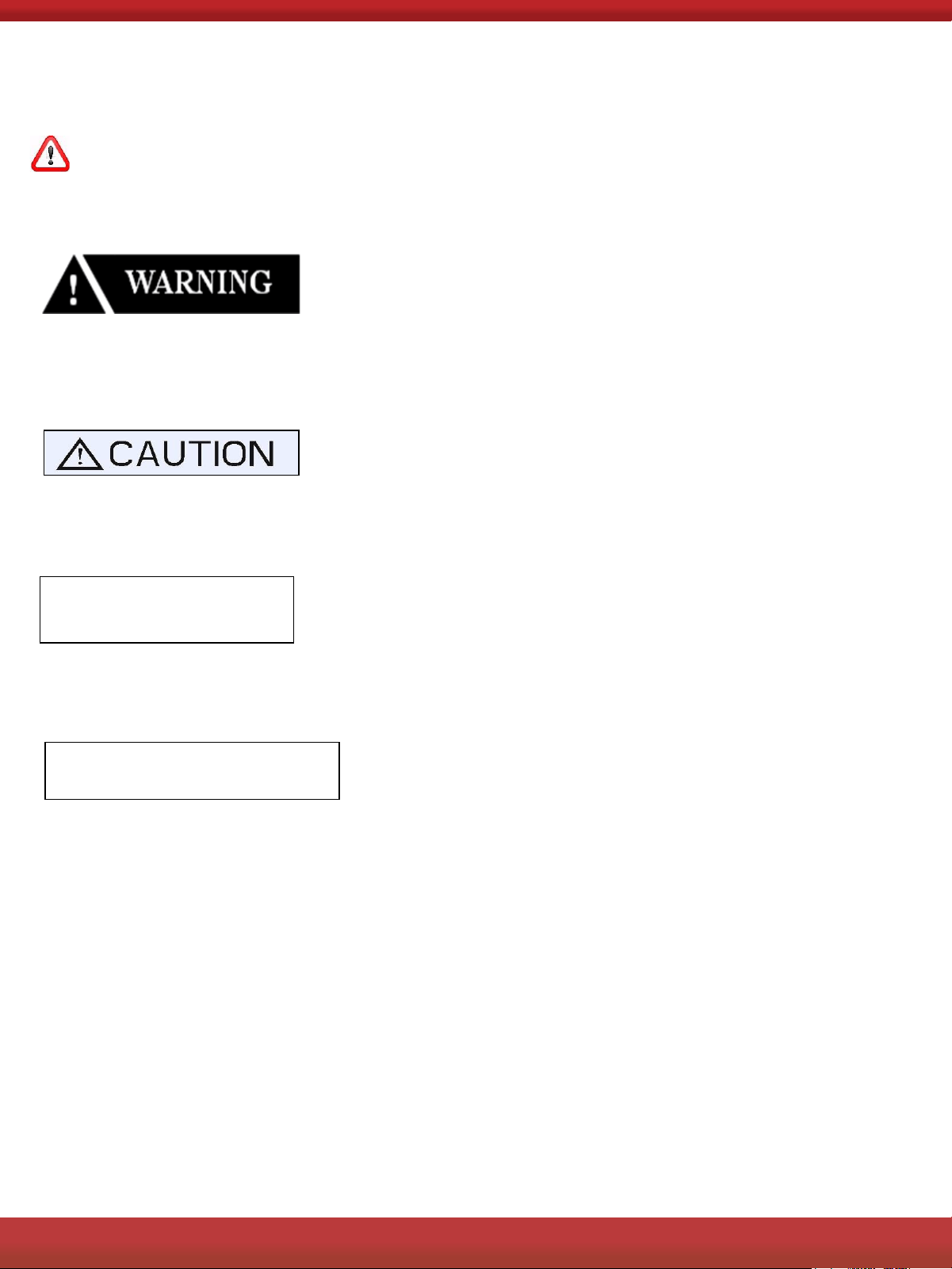
Definitions
This is a safety alert symbol. It will alert you to potential personal or property
safety hazards. Obey all safety messages to avoid any property damage,
personal injury or death.
WARNING indicates a potentially hazardous situation which, if not avoided,
could result in serious injury or death.
CAUTION indicates a moderate hazardous situation which, if not avoided,
could result in minor or moderate injury.
CAUTION
CAUTION – when used without the safety alert symbol, indicates a potentially
hazardous situation which, if not avoided, could result in property damage.
IMPORTANT
IMPORTANT used for installation, operation and maintenance information that
are not related to safety.
If the information in this manual is not followed exactly, a fire or an explosion may
result causing property damage, personal injury or even death.
Do not store or use gasoline, liquid propane cylinder or other flammable vapors
and liquids in the vicinity of this appliance.
Save this manual for future references.
2
FOR MORE DETAILS AND INFORMATION, PLEASE VISIT OUR WEBSITE
WWW.KUCHT.COM
4
SAFETY INSTRUCTIONS
What to do if you smell gas?
Do not try to light any appliance.
Do not touch any electrical switch.
Do not use any phone in your residence.
Immediately call your gas supplier from a neighbor’s phone.
Follow the gas supplier’s instructions.
If you cannot reach your gas supplier, call the fire department.
IMPORTANT
The installation and service of your range product must be performed by a
licensed installer, an approved service agency or your gas supplier
!
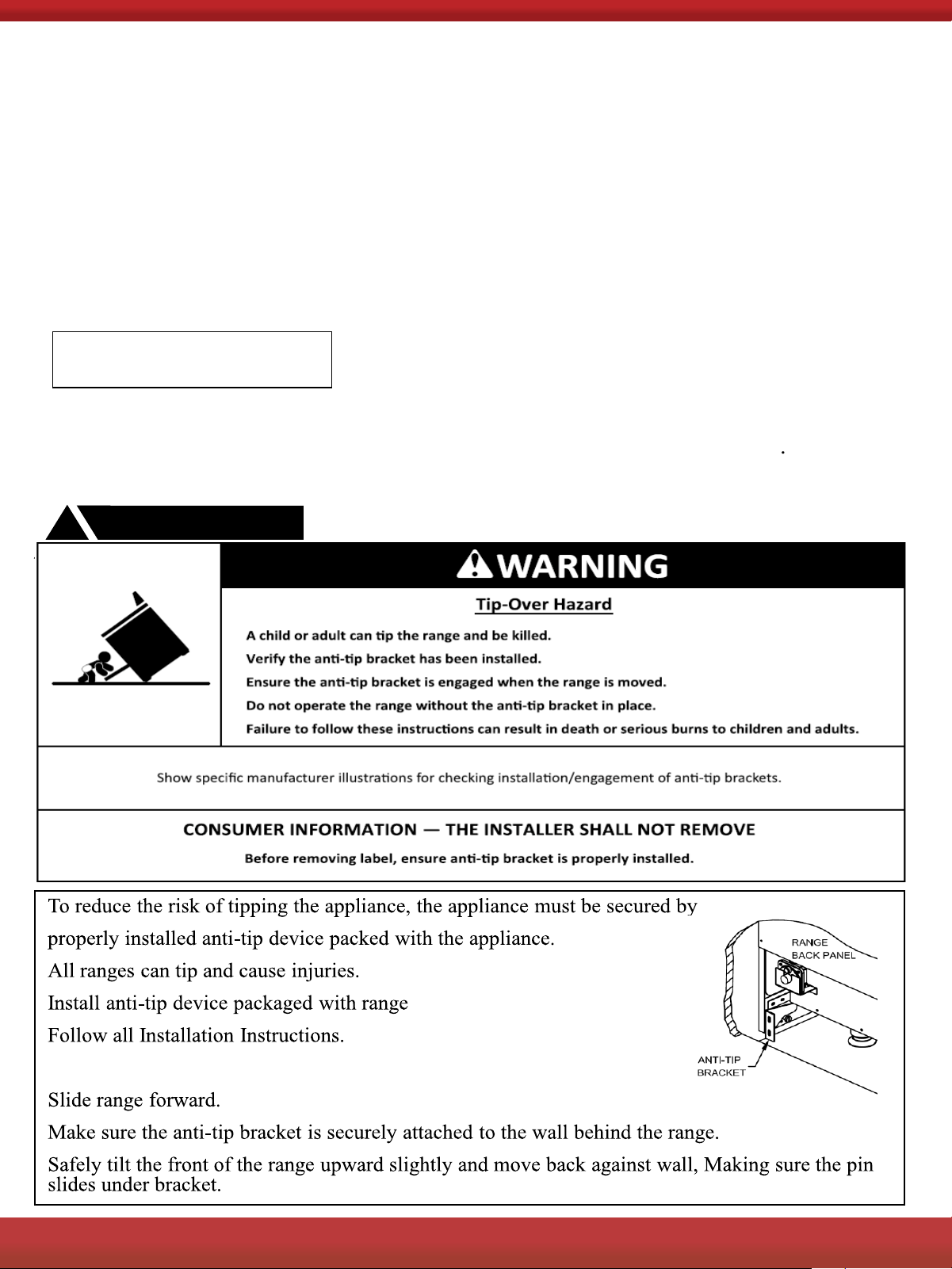
Make sure the anti-tip bracket is installed:
WARNING
!
2
FOR MORE DETAILS AND INFORMATION, PLEASE VISIT OUR WEBSITE
WWW.KUCHT.COM
5
UNPACKING AND HANDLING
WARNING
!
WARNING
!
DO NOT lift range by the oven door handles !
Extremely Heavy.
Proper equipment and adequate manpower when move the range to avoid
personal injury or damage to the unit or the floor. The unit is heavy and rests on
adjust able steel legs.
Failure to follow this advice may result in damage or personal injury.
62
FOR MORE DETAILS AND INFORMATION, PLEASE VISIT OUR WEBSITE
WWW.KUCHT.COM
6
SAFETY INSTRUCTIONS
Do not store or use gasoline, liquid propane cylinder or other flammable vapors and liquids in
the vicinity of this appliance.
The installation and service of your range must be performed by a qualified installer, an
approved service agency or the gas supplier.
Gas appliances can cause minor exposure to four of these substances, namely benzene,
carbon monoxide, formaldehyde and soot, caused primarily by the incomplete combustion of
natural gas fuel. When operating your range on natural gas, the flames from the burners
should be blue in color. In addition, the flames should be stable, free of yellow tipping,
excessive noise and lifting. However, this yellow tipping should be restricted to the primary
flame kernels only. Properly adjusted burners, indicated by a bluish rather than a yellow
flame, will minimize incomplete combustion. Exposure to those substances can be
minimized by venting with an open window or use of a ventilation fan or hood.
ELECTRICAL GROUNDING INSTRUCTIONS
IMPORTANT
This indoor cooking appliance is equipped with a three-prong (grounding) plug for your
protection against shock hazard and should be plugged directly into a properly grounded
three-pronged receptacle. DO NOT
cut or remove the grounding prong from this plug.
72
FOR MORE DETAILS AND INFORMATION, PLEASE VISIT OUR WEBSITE
WWW.KUCHT.COM
7

INSTALLATION AND OPERATION INSTRUCTIONS
To ensure proper and safe operation, read all instructions before using the product. Install or
locate the product only in accordance with the provided Installation Instructions.
All servicing should be performed to a qualified technician.
Do not attempt to adjust, repair, service or replace any part of your appliance unless it is
specifically recommended in this guide.
Do not use the range for warming or heating the room.
Do not leave children alone or unattended in the area where the range is in use. Never
allow them to sit or stand on any part of the range. Do not let children play with the range.
Have the technician show you the location of th
e gas shut off valve and how to shut it off
in an emergency situation.
Always disconnect power to appliance before any type of servicing.
Do not use abrasive or caustic cleaners or detergents on this appliance. They may cause
permanent damage to the surface.
When cooking, set the burner controls so that the flame heats only the bottom of the
utensil and does not overlap at the sides of the utensil.
Utensils (pots and pans) that conduct heat slowly, i.e. glass pots, should be used in
c
onjunction with burner flames at a low or medium setting.
Turn off all controls and wait for appliance parts to cool down before touching them. Do
not touch the burner grates or surrounding areas until cool.
Do not use water on grease fires.
Clean appliance with caution.
Always turn pot handles to the side or back of the range. Do not turn handles towards
the area where they can be easily burned. Handles should not extend over the adjacent
burners.
Use the range only for cooking tasks as outlined
in this manual. When using the range,
do not touch the grates, burner caps, burner bases, or any other parts in proximity to the
flame. These components may be hot enough to cause burns.
Use dry pot holders. Moist or damp pot holders on hot surfaces may result in burns from
steam.
Remove pot holder away from hot surface areas.
Do not use a towel or other bulky cloth.
Do not heat unopened food containers. Build up of pressure may cause the container to
explode and result in injury.
During and af
ter use, do not touch interior surfaces of the oven until cool.
8
2
FOR MORE DETAILS AND INFORMATION, PLEASE VISIT OUR WEBSITE
WWW.KUCHT.COM
8
INSTALLATION INSTRUCTIONS
IMPORTANT
Keep appliance area clear and free from combustible materials, gasoline, and other
flammable vapors.
Gas Supply Requirements
Installation of this range must conform with local codes, or in the absence of local codes, the
National Fuel Gas Code, ANSI Z223.1 / NFPA 54. In Canada, installation must conform to the
current natural Gas Installation /code, CAN 1-1.1-M81 and with local codes where applicable.
This range has been design-certified according to ANSI Z21.1b-2012 latest edition.
A statement of the maximum
gas supply pressure in accordance with the inlet pressure rating
of the gas appliance pressure regulator supplied.
MINIMUM GAS SUPPLY PRESSURE TO APPLIANCE FOR LP GAS---14.0 IN.W.C.
MINIMUM GAS SUPPLY PRESSURE TO APPLIANCE FOR NG --- 6 IN.W.C.
APPLIANCE REGULATOR IS SET AT 5.0 IN. W.C. OUTLET PRESSURE.
Do not obstruct the flow of combustion air into the range and ventilation air away from the
range.
Ventilation: it is recommended that the unit be operated with an oven head, vented exhaust
hood of sufficient size and capacity.
Before installing the range, you must locat
e and secure the included anti-tip bracket to the wall
for your range.
The use of cabinets for storage above the appliance may result in a potential fire
hazard. Combustible items may ignite; metallic items may become hot and
cause burns. If a cabinet storage is to be provided, the risk can be reduced by
installing a range hood that projects horizontally a minimum of 5" (12.7cm)
beyond the bottom of the cabinets.
The appliance shall not be used for space heating. This information
is based on safety considerations. All openings in the wall behind the
appliance and in the floor under the appliance shall be sealed.
9
2
FOR MORE DETAILS AND INFORMATION, PLEASE VISIT OUR WEBSITE
WWW.KUCHT.COM
9
INSTALLATION INSTRUCTIONS
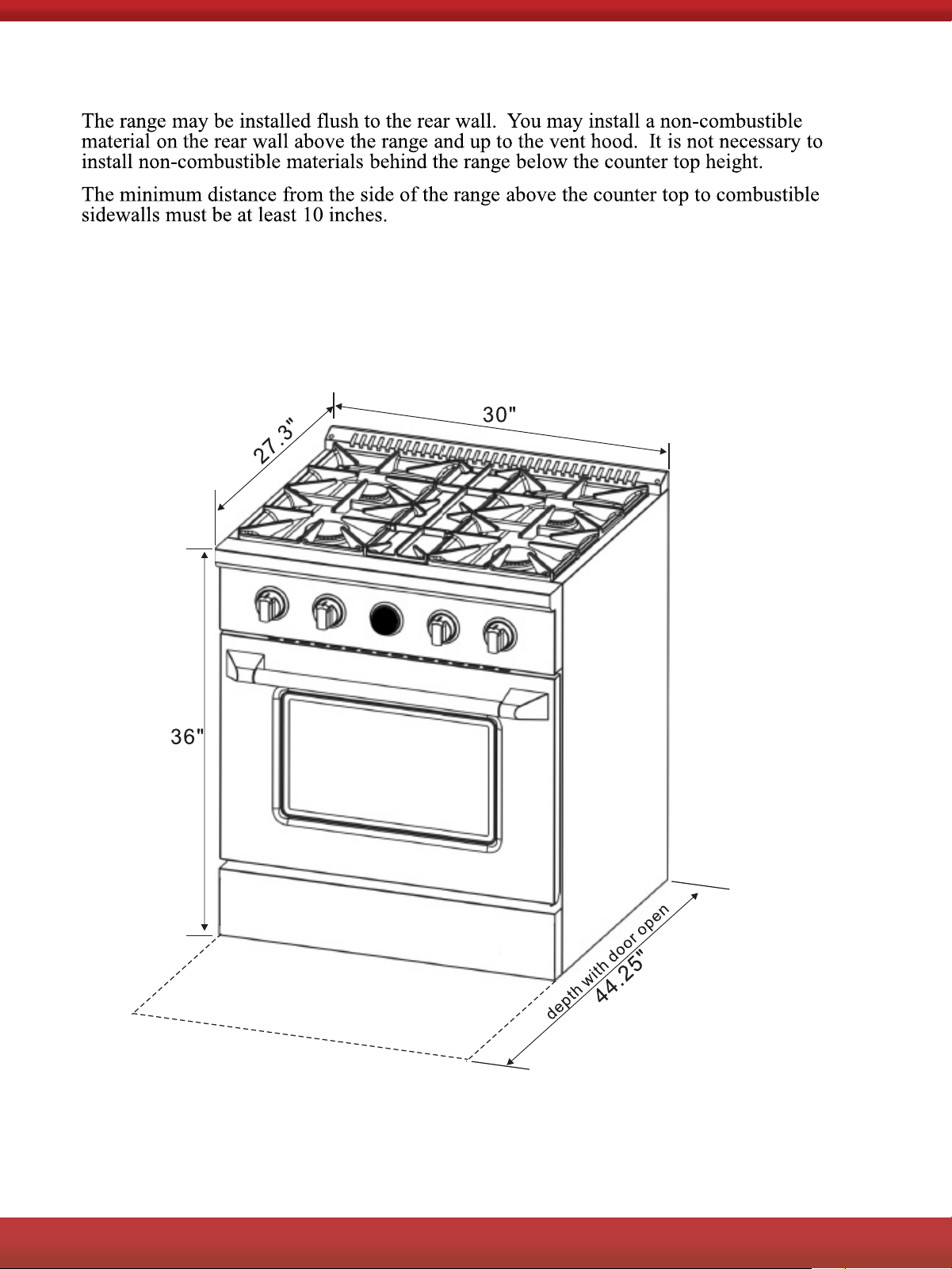
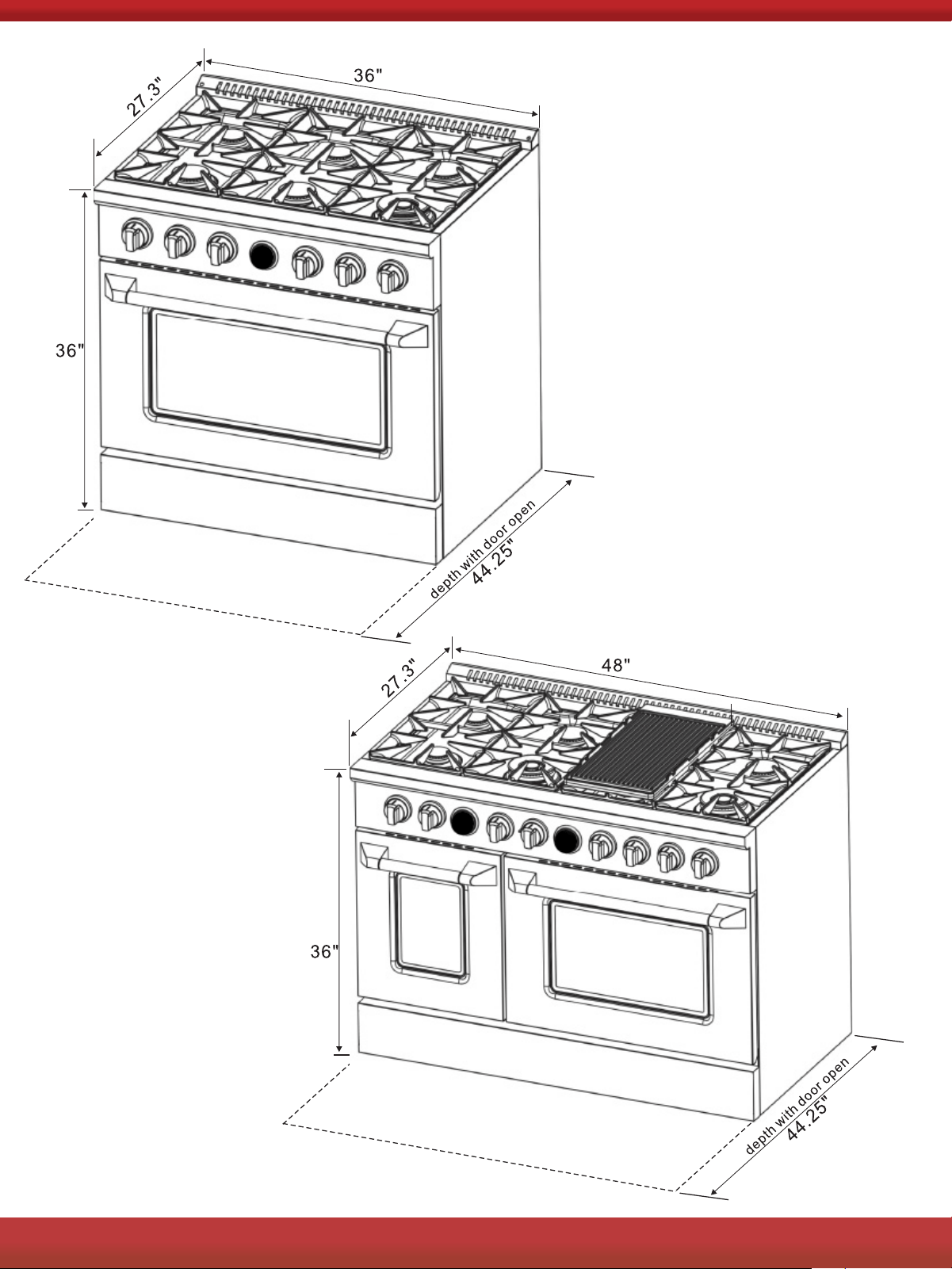
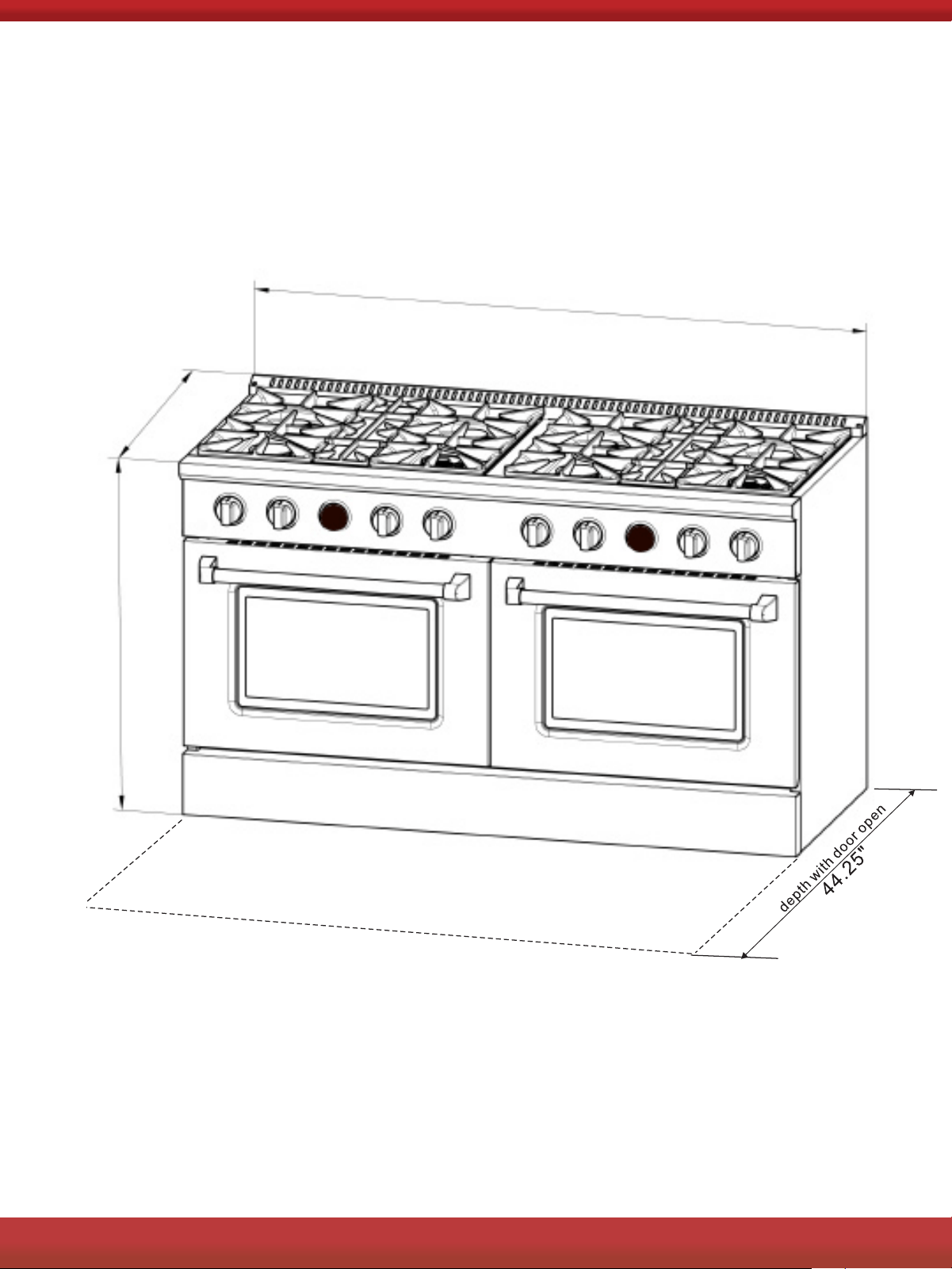
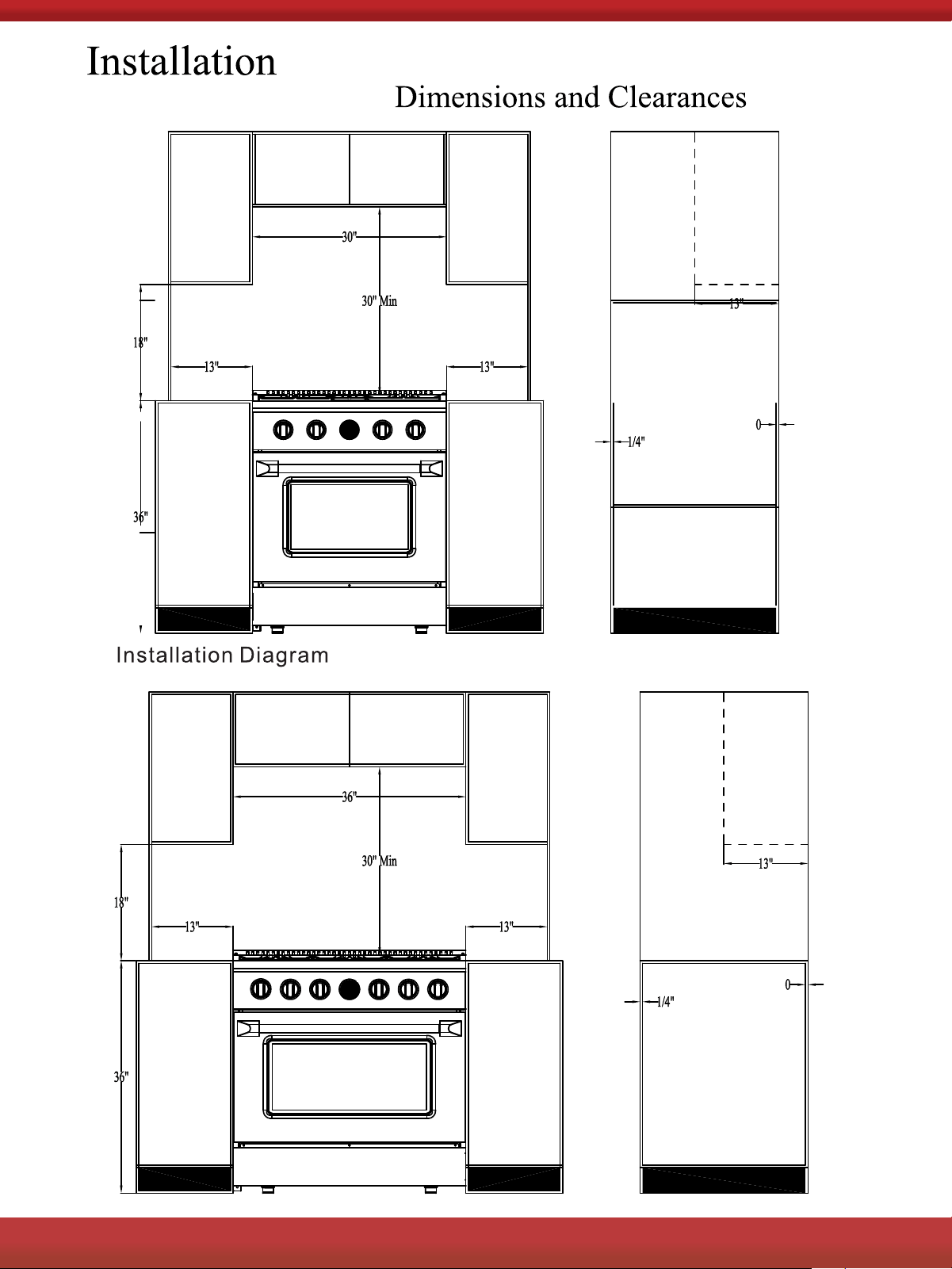
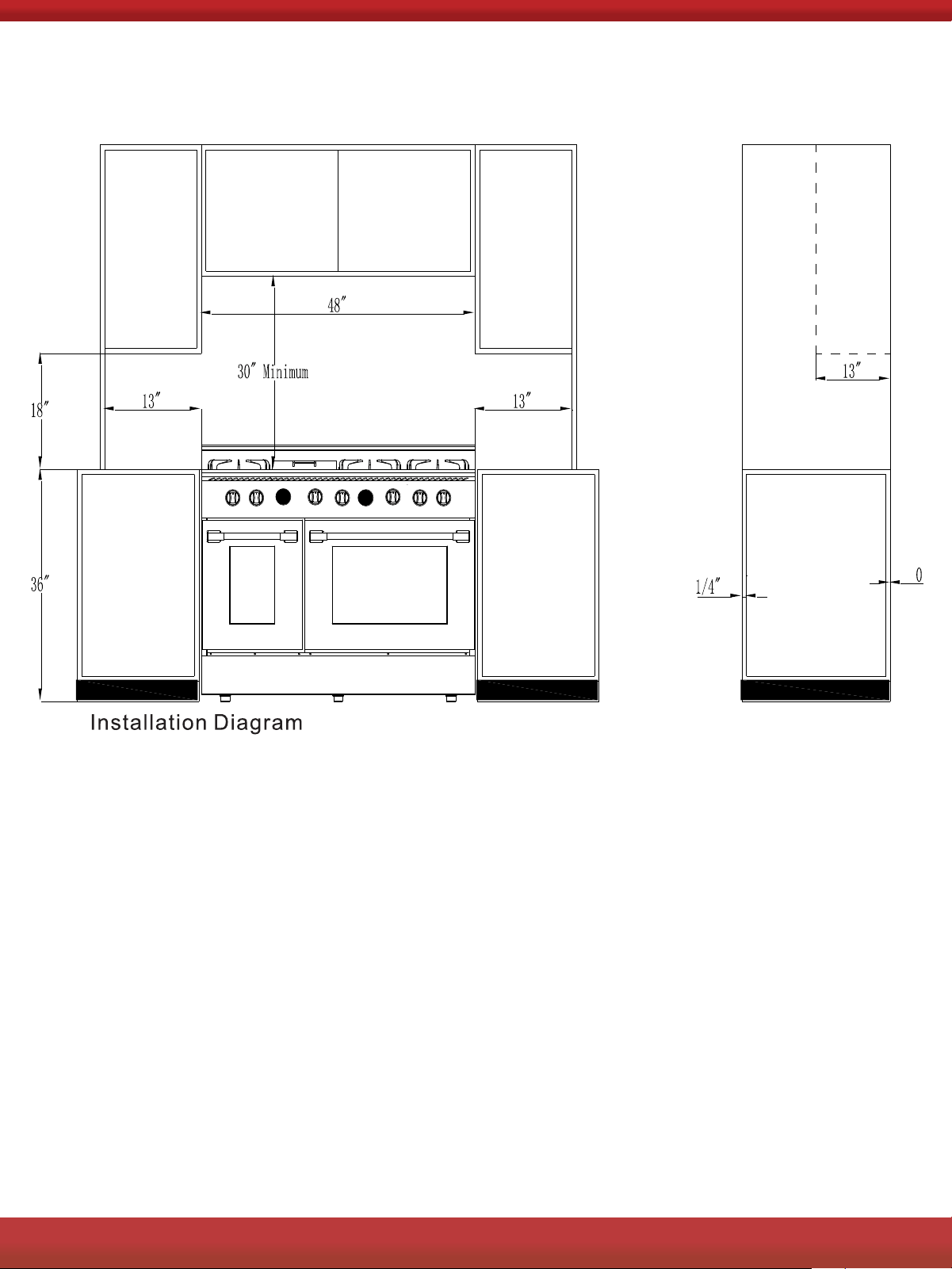
Dimensions and Clearances
INSTALLATION INSTRUCTIONS
10
2
FOR MORE DETAILS AND INFORMATION, PLEASE VISIT OUR WEBSITE
WWW.KUCHT.COM
10
2
FOR MORE DETAILS AND INFORMATION, PLEASE VISIT OUR WEBSITE
WWW.KUCHT.COM
11
2
FOR MORE DETAILS AND INFORMATION, PLEASE VISIT OUR WEBSITE
WWW.KUCHT.COM
12
36”
60”
27.3”
2
FOR MORE DETAILS AND INFORMATION, PLEASE VISIT OUR WEBSITE
WWW.KUCHT.COM
13
2
FOR MORE DETAILS AND INFORMATION, PLEASE VISIT OUR WEBSITE
WWW.KUCHT.COM
14
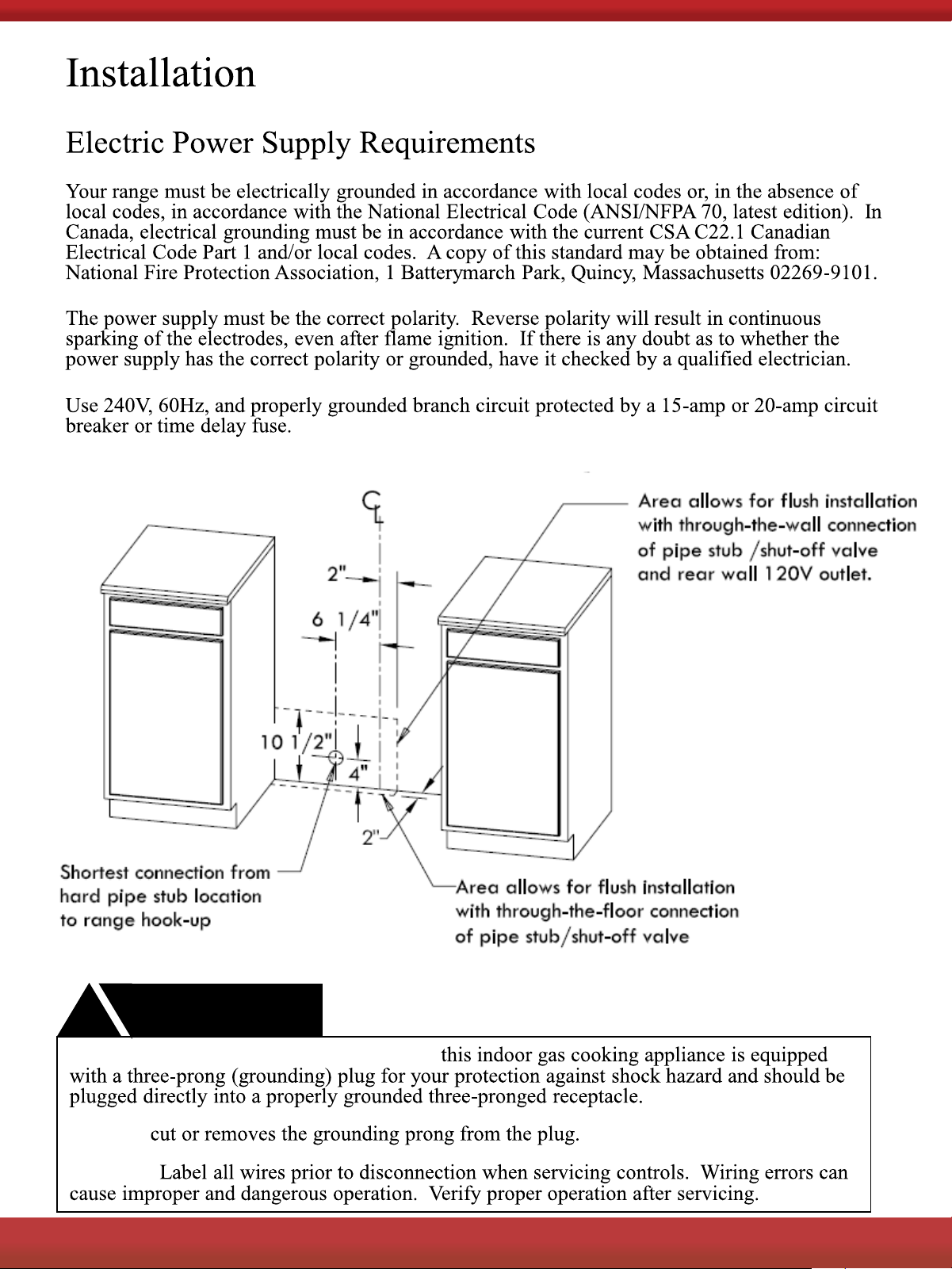
WARNING
!
Electrical Grounding Instructions:
Do Not
Caution
2
FOR MORE DETAILS AND INFORMATION, PLEASE VISIT OUR WEBSITE
WWW.KUCHT.COM
15
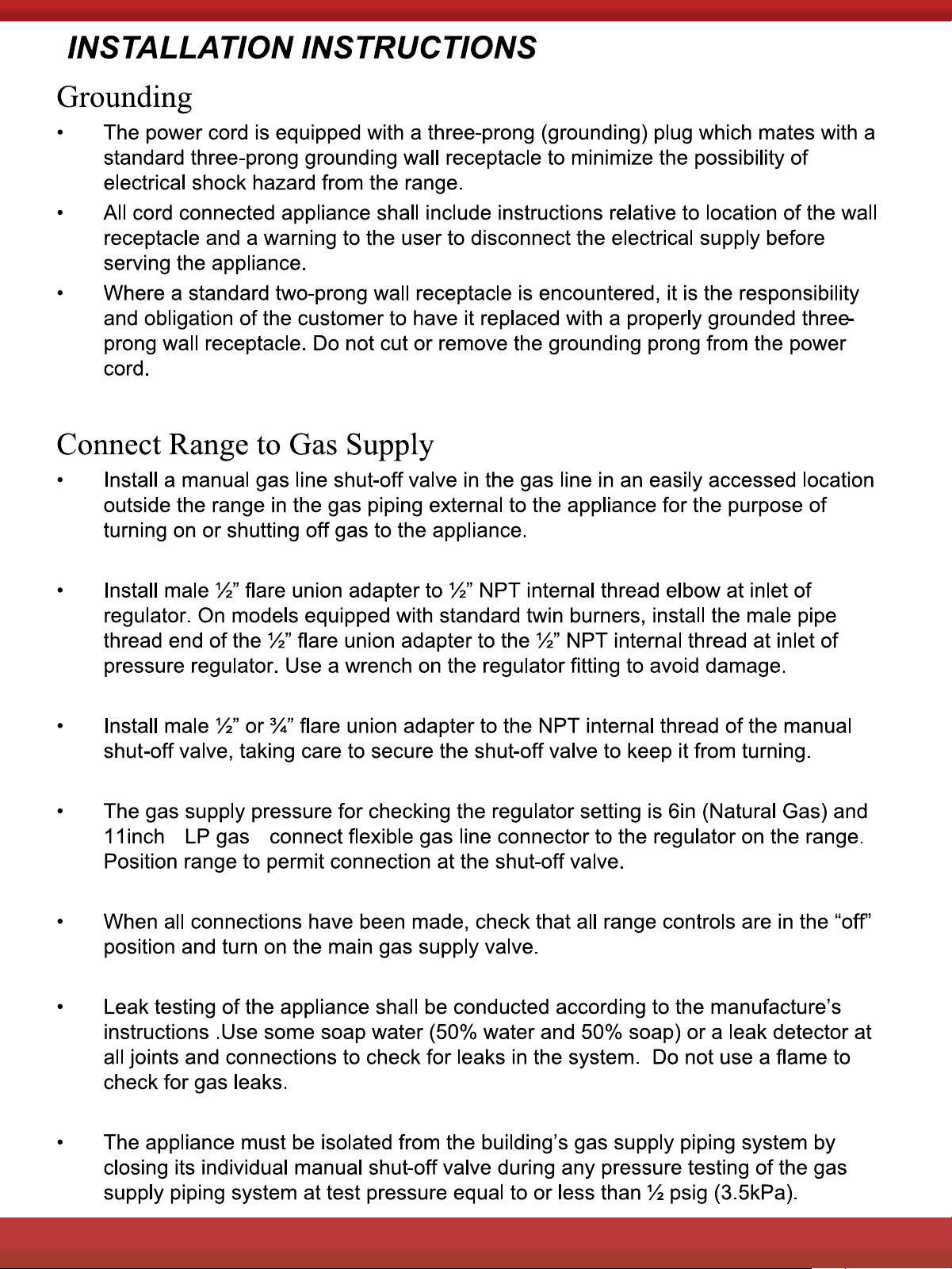
2
FOR MORE DETAILS AND INFORMATION, PLEASE VISIT OUR WEBSITE
WWW.KUCHT.COM
16
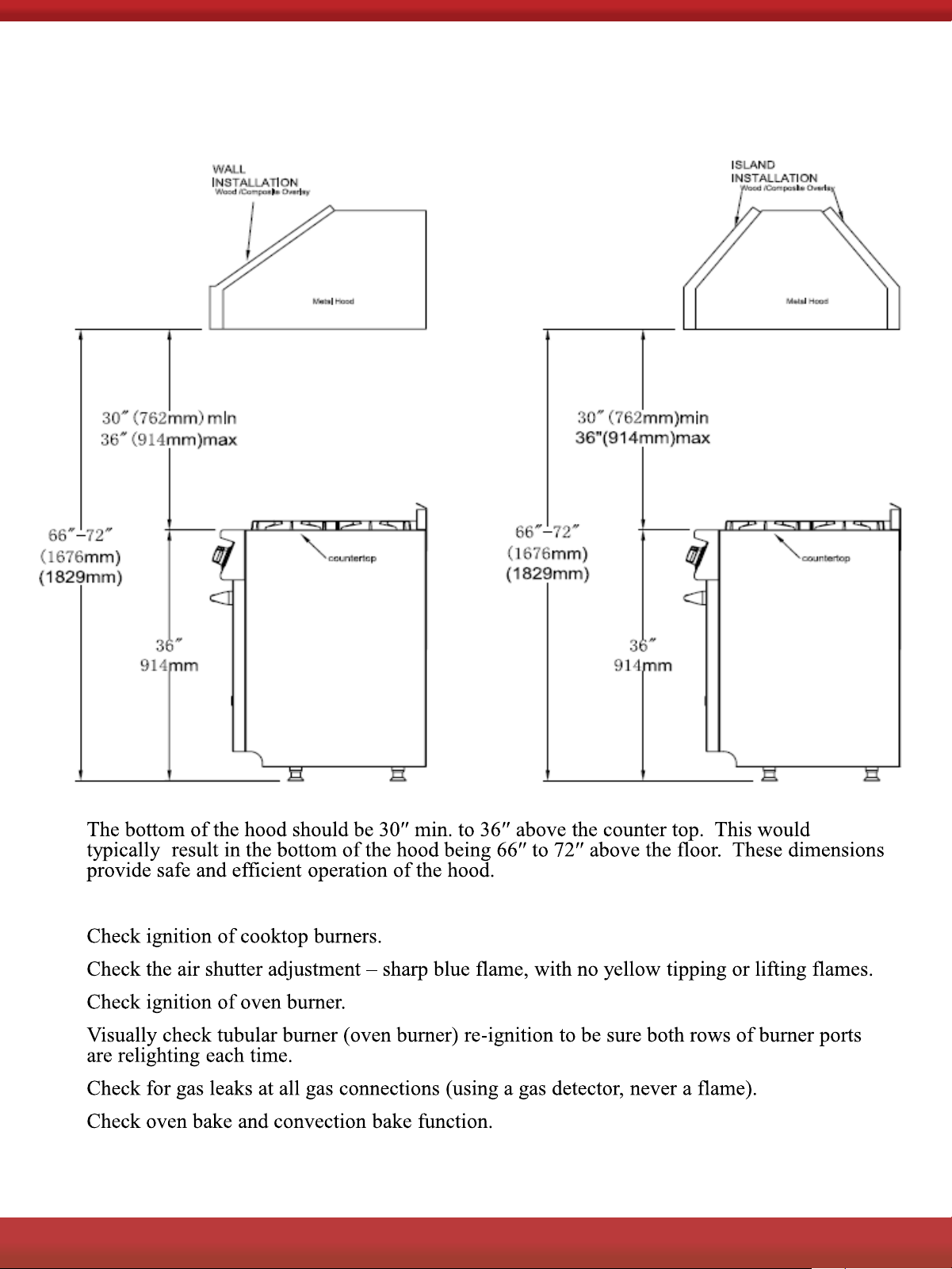
After Installation:
Hood/Composite Overlay Install
2
FOR MORE DETAILS AND INFORMATION, PLEASE VISIT OUR WEBSITE
WWW.KUCHT.COM
17
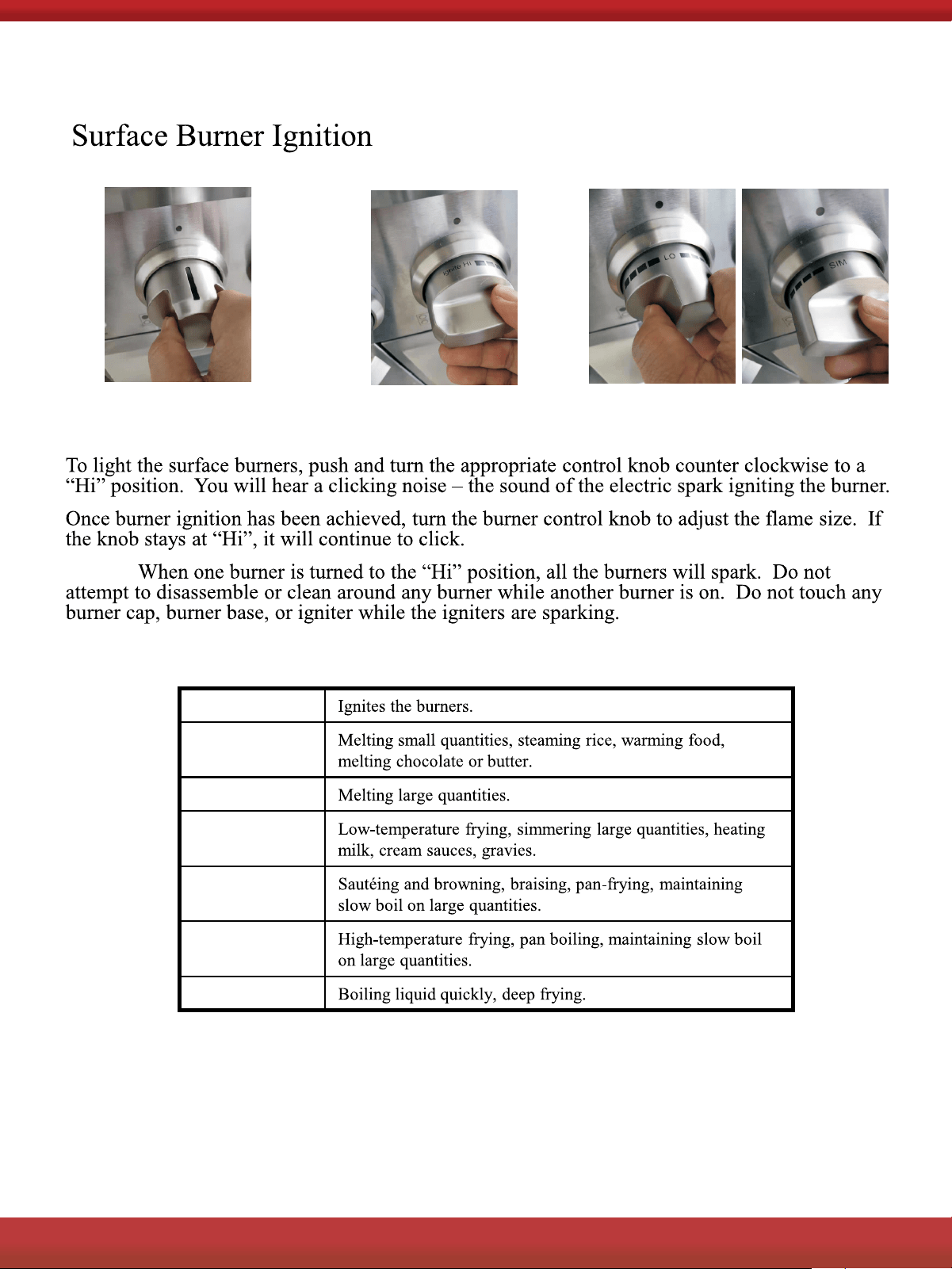
Push to release gas.
Adjust to appropriate
flame height.
Turn to Ignite and ‘Hi’ position.
NOTE:
Heat Settings:
Hi
Simmer
Low
Low-Medium
Medium
Medium – Hi
Hi
COOKTOP OPERATION
2
FOR MORE DETAILS AND INFORMATION, PLEASE VISIT OUR WEBSITE
WWW.KUCHT.COM
18
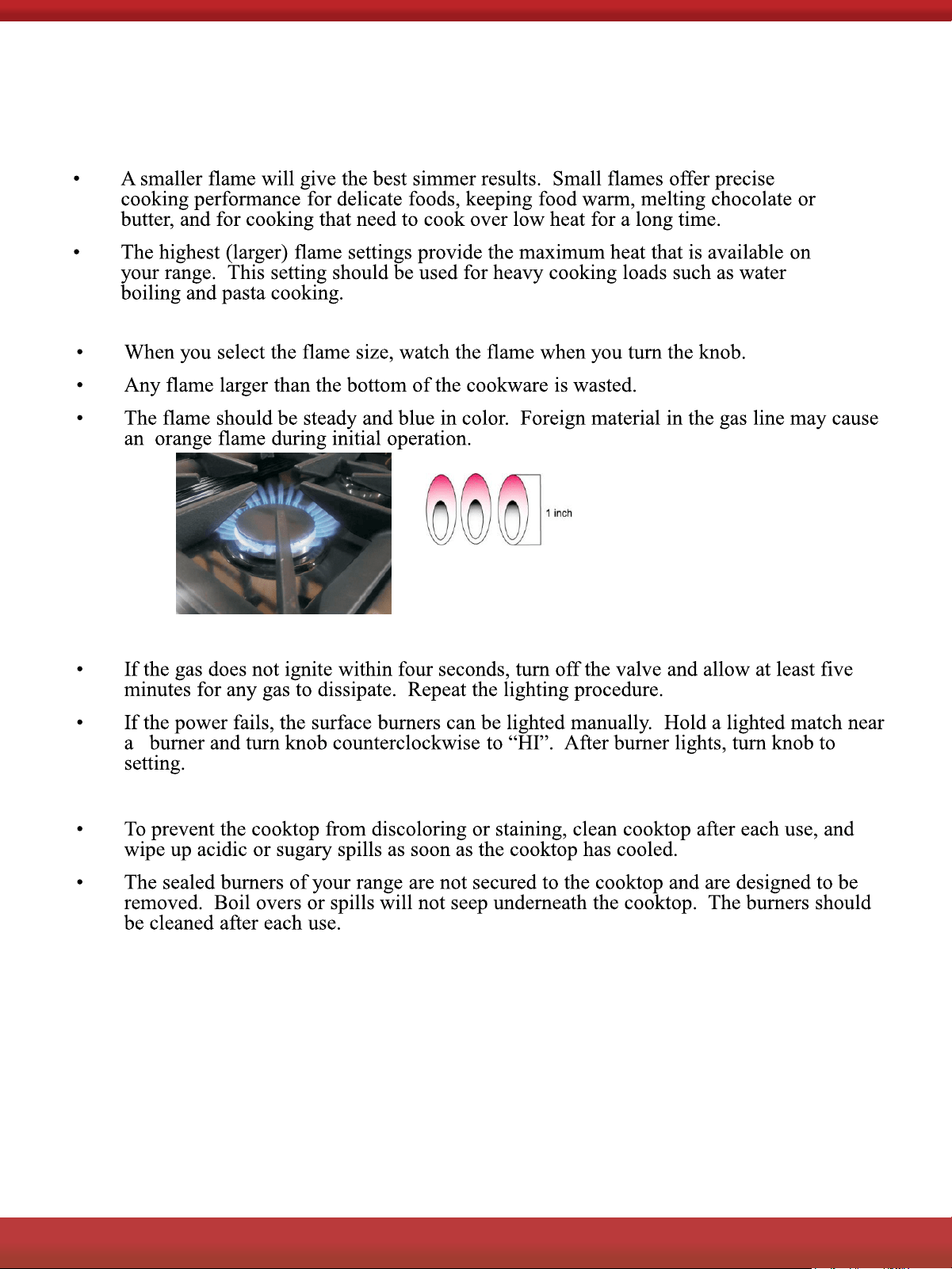
Flame Size
Power Failure
Cooktop
Approximate 1
1/2“ Flame Height
Simmer and Boil
2
FOR MORE DETAILS AND INFORMATION, PLEASE VISIT OUR WEBSITE
WWW.KUCHT.COM
19
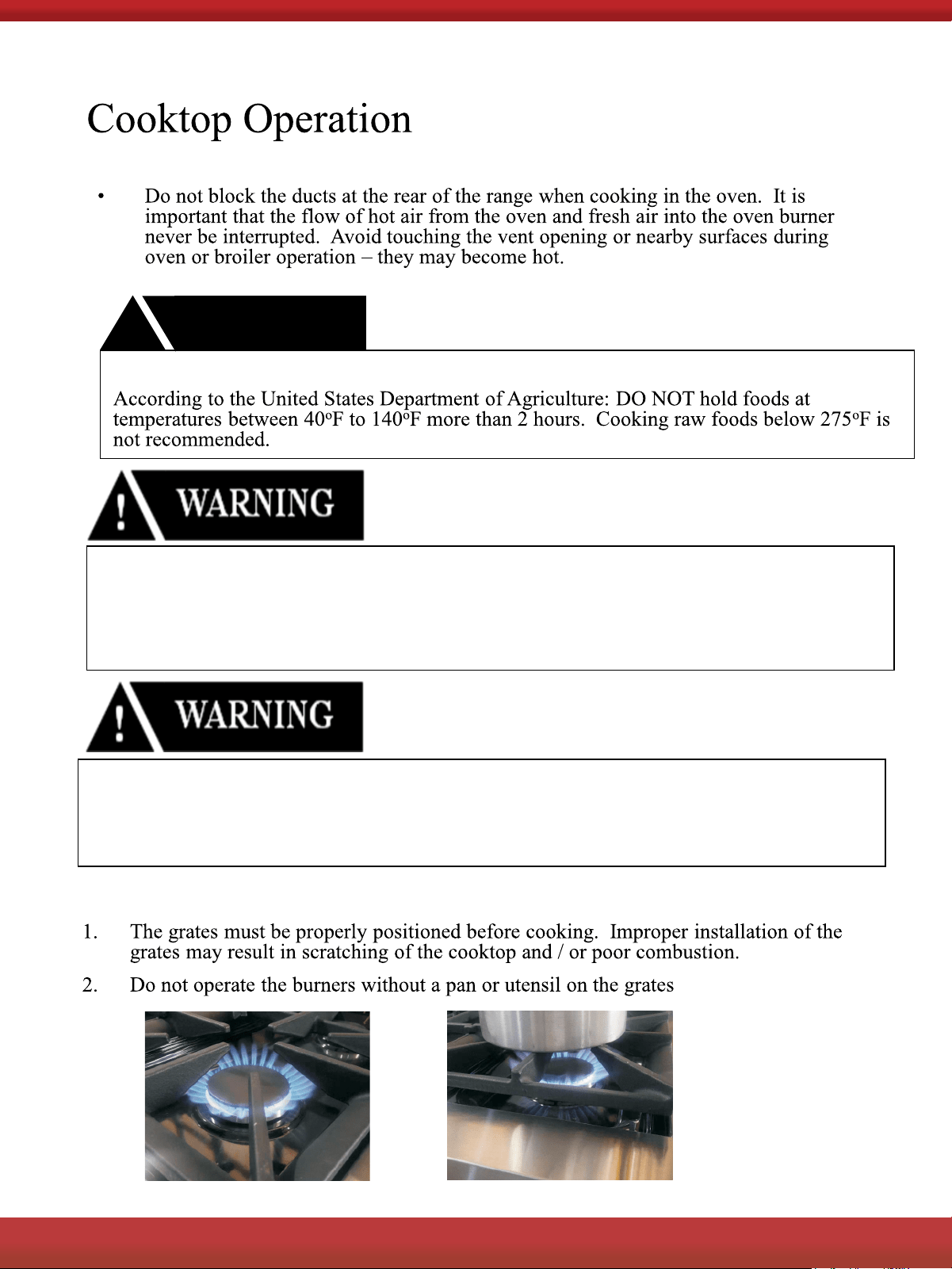
Burner Grates
Oven Vent
WARNING
!
FOOD SAFETY
Never use this appliance as a space heater to heat or warm the room,
Doing so many result in carbon monoxide poisoning and overheating of
the oven. Never use this appliance as a storage space and storage
cabinet areas
Never use this appliance doors or drawers such as stepping.
Leaning or setting on the doors or drawers, may result in hazards and
injuries
2
FOR MORE DETAILS AND INFORMATION, PLEASE VISIT OUR WEBSITE
WWW.KUCHT.COM
20
2
FOR MORE DETAILS AND INFORMATION, PLEASE VISIT OUR WEBSITE
WWW.KUCHT.COM
21
2
FOR MORE DETAILS AND INFORMATION, PLEASE VISIT OUR WEBSITE
WWW.KUCHT.COM
22
Oven Operation
2
FOR MORE DETAILS AND INFORMATION, PLEASE VISIT OUR WEBSITE
WWW.KUCHT.COM
23
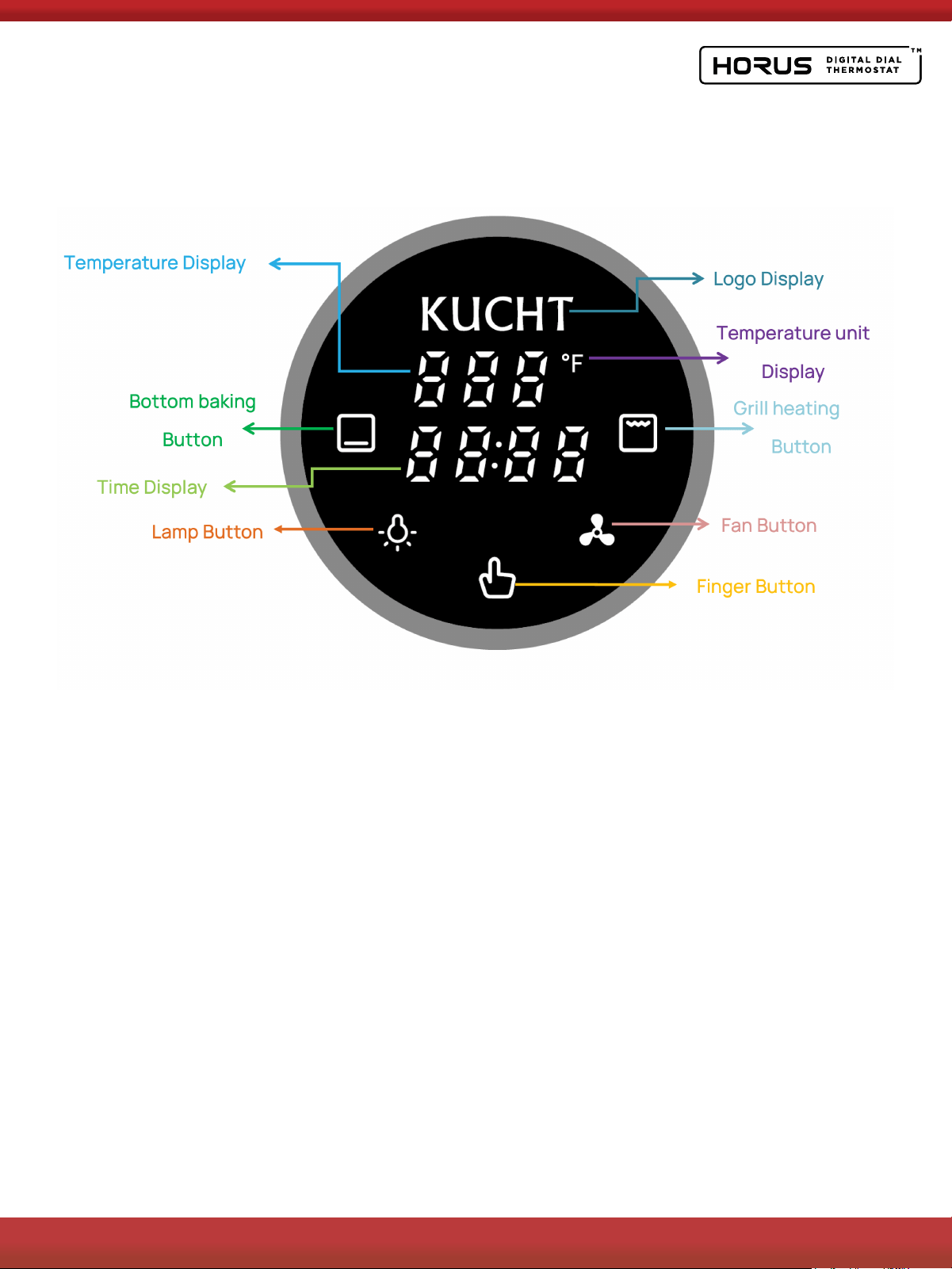
Oven Thermostat Operation
1. Power On
After the product is powered on, there will be a "power on sound". The screen
will display the product Logo and clock 12:00 (blinking), and the Finger Button
will appear white. Next, enter the Clock Setting in the Standby State.
As long as the product is powered on, the Logo will always light up.
2. Stand-by State
ln normal Stand-by State, only the product Logo, clock, and Finger Button are
displayed on the screen.
ln the Stand-by State, when the clock is not set, click the Finger Button to enter
the Start up State. The clock can be set only in Stand-by State.
FUNCTION INSTRUCTIONS

2
FOR MORE DETAILS AND INFORMATION, PLEASE VISIT OUR WEBSITE
WWW.KUCHT.COM
24
2.1. Clock Setting
After entering the Clock Setting, the clock blinks, indicating that the current
clock can be adjusted, and the clock can be adjusted by turning the knob. The
clock is set to 12 hours.
After adjusting the clock, click the Finger Button or do not operate for 5
seconds to exit the Clock Setting and return to the normal display in the
Standby State.
3. Start up State
After entering the Start up State, all buttons light up and the product makes a
"power-on tone".
ln the Start up State, you can set the heating mode and temperature. If you do
not operate the product for 10 minutes (when the fan is not started) or hold
down the Finger Button for 2 seconds, the product enters the Standby State.
3.1. Heating Mode Setting
This product provides two heating modes, namely bottom element heating and
grill heating.
Click the Bottom baking Button to set the heating mode to bottom element
heating. At this time, the Bottom baking Button remains fully lit, and the Grill
heating Button turns dark; Click Grill heating Button to set the heating mode to
grill heating. At this time, Grill heating Button becomes fully lit and Bottom
baking Button darkens.
The user can select one of the heating modes for heating. After selecting any
heating mode in the above way, click the Finger Button to enter the
Temperature Setting. Users can also not select any heating mode, click the
Finger Button can directly enter the Temperature Settings.
3.2. Temperature Setting
For either heating method, the temperature range can be set from 190°F to
500°F.
Slowly turn the knob to a temperature adjustable range of 5°F; Quickly turn the
knob for a temperature adjustable range of 10°F.
After adjusting the temperature, click the Finger Button to enter the Heating
State.

2
FOR MORE DETAILS AND INFORMATION, PLEASE VISIT OUR WEBSITE
WWW.KUCHT.COM
25
4. Heating State
After entering the heating state, the time in the middle of the screen begins to
accumulate. The maximum heating time is 2h, and the Finger Button in bright
red. If the user selects the overheating mode in the Start up State, the selected
heating mode is fully bright, and the unselected heating mode buttons are
dimmed. If the user has not selected the heating mode in the Start up State,
after entering the Heating State, the Bottom baking Button is fully bright by
default, and Grill heating Button is displayed in half.
After entering the Heating State, you can also modify the heating mode and
default temperature. Click the desired heating mode button to switch the
heating mode directly, and turn the knob to directly adjust the temperature.
When adjusting the temperature, the temperature display will flash. After the
temperature is adjusted, click the Finger Button or leave it for 5 seconds
without operation to exit the Temperature Setting.
ln the Heating State, press the Finger Button for 2 seconds to enter the Start up
State or can end the heating.
lf the heating time reaches a maximum of 2 hours, the product will
automatically enter the End State.
5. End State
After entering the End State, the Finger Button is fully white, and the screen
displays "End" on the left.
In the End State, click the Finger Button to enter the Start up State.
ln the End State, long press the Finger Button for 2s to return to the Standby
State.

2
FOR MORE DETAILS AND INFORMATION, PLEASE VISIT OUR WEBSITE
WWW.KUCHT.COM
26
6. Lamp Setting
ln addition to the Standby state and Fault Conditions, the lamp can be turned
on or off by the Lamp Button in other states. When the lamp is turned on, the
lamp button is fully on; when the lamp is turned off, the lamp button is
dimmed.
With the door open, the lamp stays on. After closing the door, the lamp will be
delayed for 2 minutes to turn off. Afterwards, when the oven door is closed,
click the Lamp Button to turn on the lamp, and then without 10 minutes
operation or click the Lamp Button to turn off the lamp.
After entering Standby State, the lamp will be turned off.
After entering the Heating State and End State, the lamp will automatically
light up for 2 minutes.
Hold down lamp button for 3 seconds, the long strip lamp on, hold down lamp
button 3 second again,the long strip lamp off.
7. Fan Setting
You can use the Fan Button to enable or disable the fan in any state except the
Standby State and Fault Conditions.
After the Fan Button is started, the Fan Button is all on. After the fan is turned
off, the Fan Button is dimmed.
Note: After entering the Heating State, the fan will automatically turn on and
the Fan Button will light up. When the oven reaches the set temperature, the
Fan Button can control the fan to turn on or off again.
8. Door Detection
ln the Heating State, after the oven door is opened, the heating time continues
to be timed, and the lamp will always be on.
After closing the oven door, the lamp will be delayed for 2 minutes.
2
FOR MORE DETAILS AND INFORMATION, PLEASE VISIT OUR WEBSITE
WWW.KUCHT.COM
27
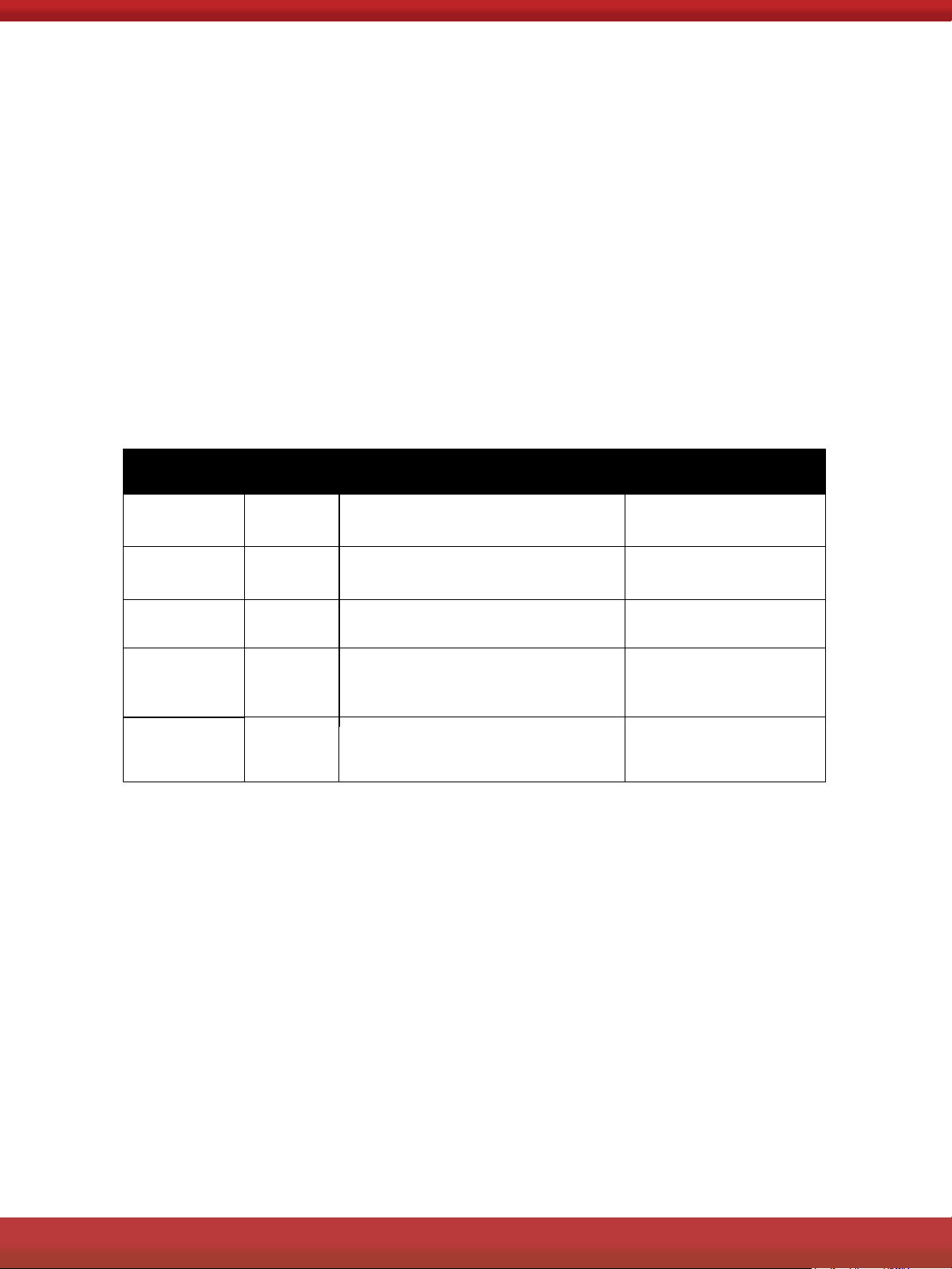
9. Fault Conditions
The oven malfunctions in the following cases. After a fault occurs, the oven
will sound 20 fault sounds, and the corresponding fault code will be displayed
in the center of the screen.
ln case of some failures, click the Finger Button to return to Start up State. In
the case of some failures, click the Finger Button or turn the knob to return to
the original state. In the case of other faults, after troubleshooting, the product
needs to be powered on again to resume normal operation.
See next page for troubleshooting error codes.
NTC
open
circuit
EOl
Open circuit or open NTC is detected
X
NTC
short
circuit
E02
NTC short circuit is detected
X
Abnormal
communication
Ell
Abnormal communication is detected
X
Abnormal
crystal
E14
Abnormal crystal oscillator detected
Restore to original state
oscillator
Abnormal high
temperature
E15
After heating, it is detected that oven
temperature exceeds 600°F for 20s
ERROR
CODE
FAULT
CONDITION
FAULT
REASON
WETHER OVEN CAN
RESTORE TO START UP STATE
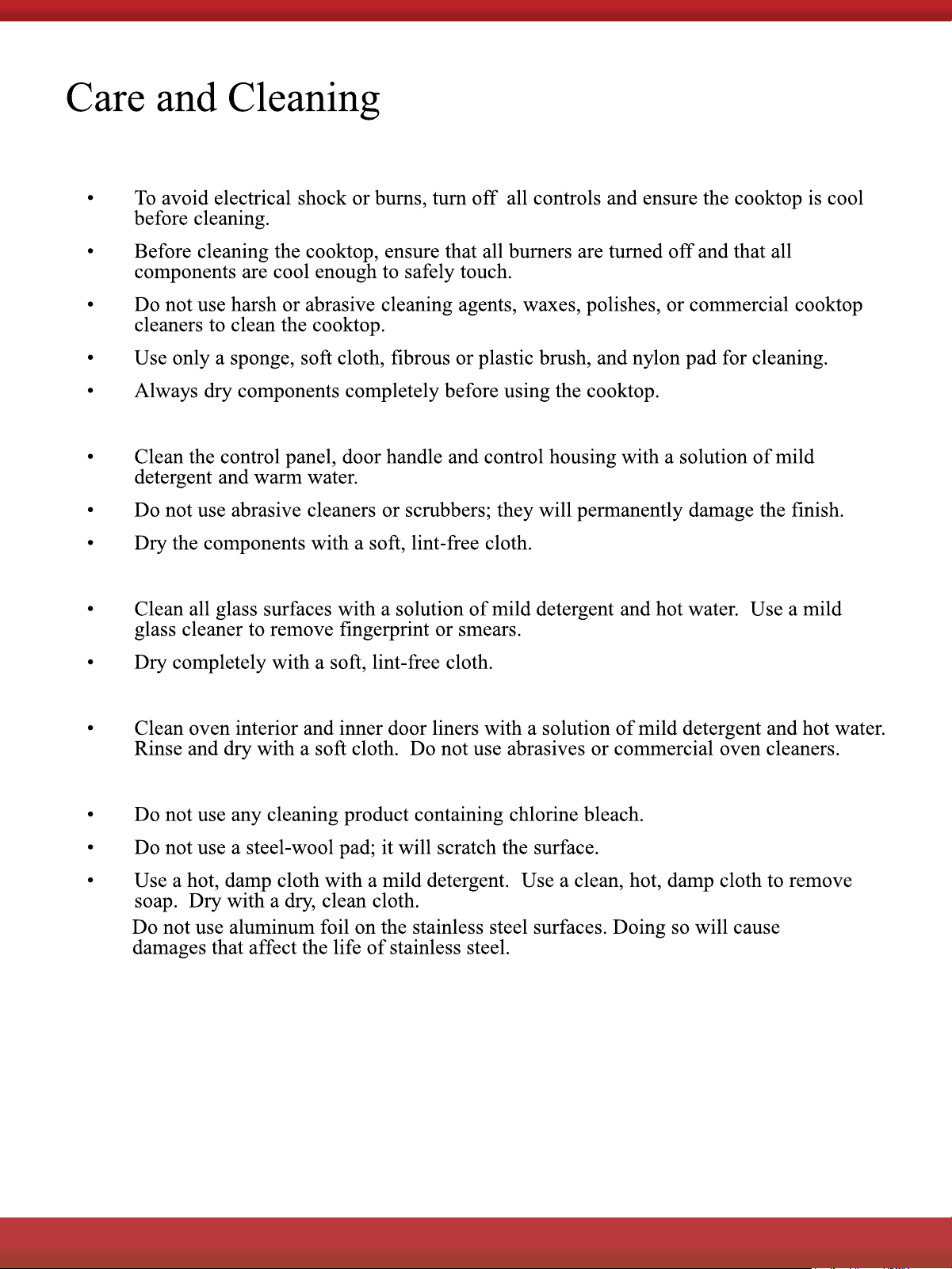
Cooktop
Control Panel, Door Handle, Control Housing
Oven Window
Porcelain Surfaces
Stainless Steel Surfaces
•
2
FOR MORE DETAILS AND INFORMATION, PLEASE VISIT OUR WEBSITE
WWW.KUCHT.COM
28
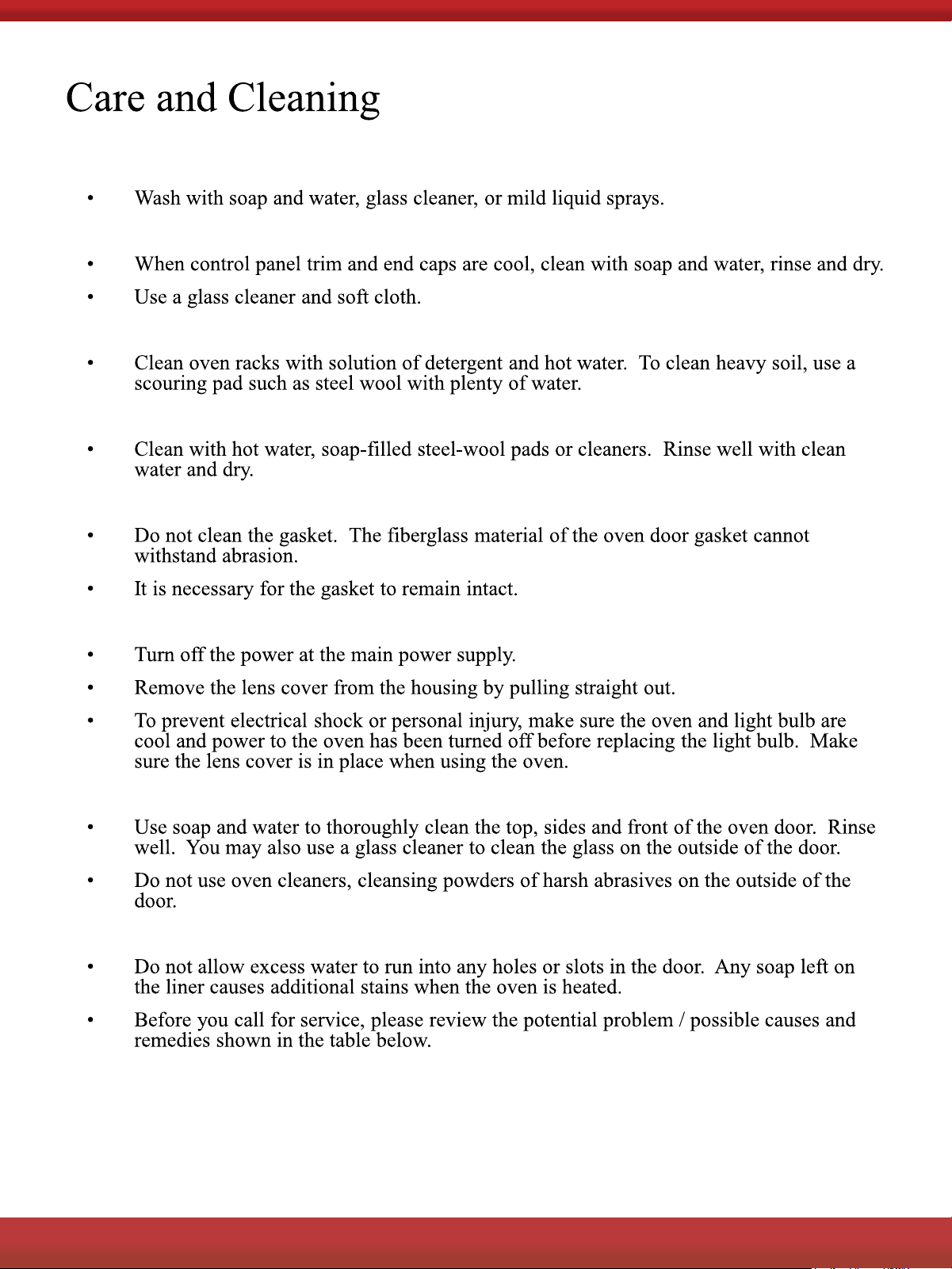
Metal Finishes
Plastic Finishes
Oven Racks
Oven Frame
Oven Gasket
Replacing the Oven Light
Outer Oven Door
Inner Oven Door
2
FOR MORE DETAILS AND INFORMATION, PLEASE VISIT OUR WEBSITE
WWW.KUCHT.COM
29
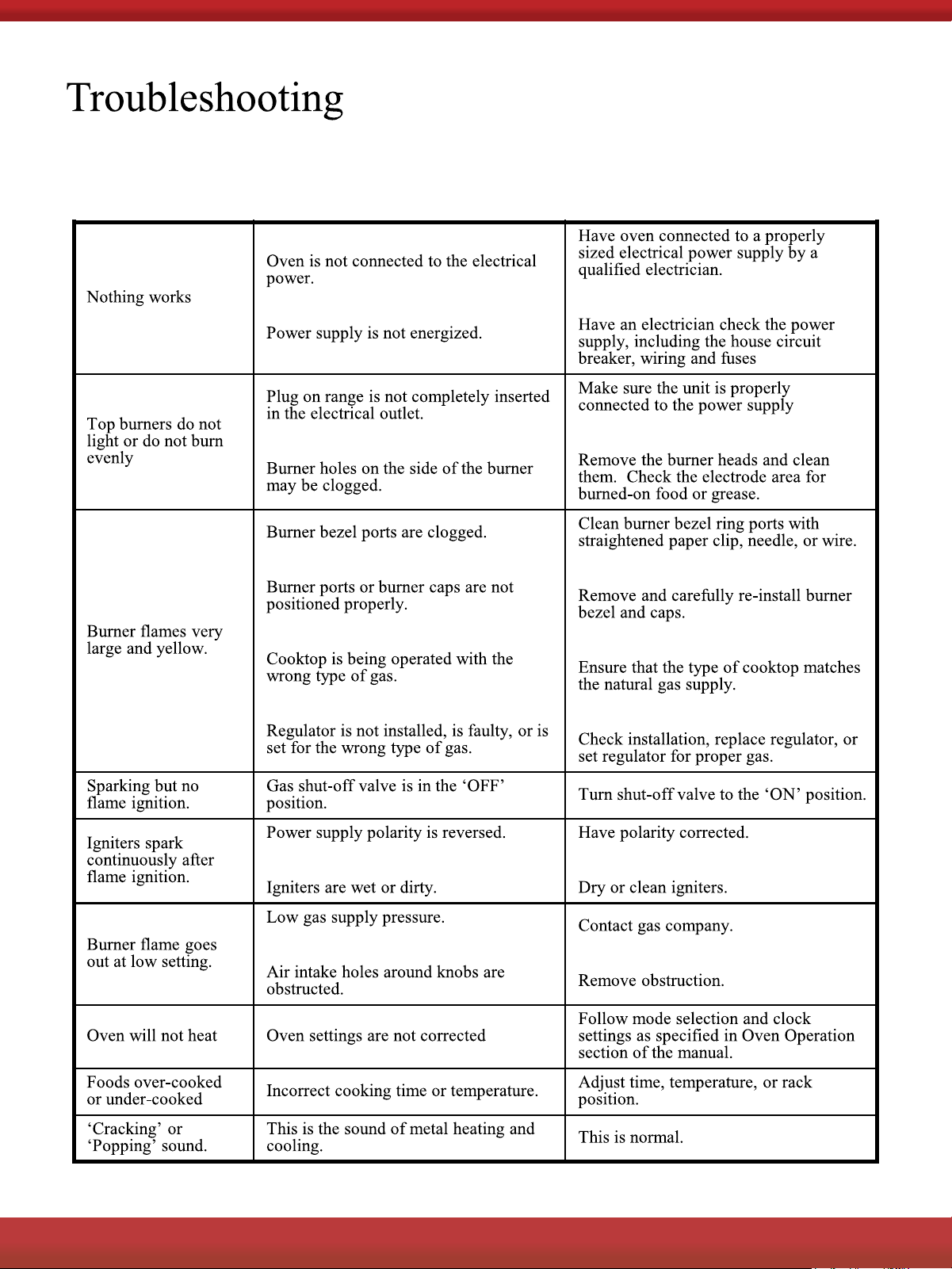
Before you call for service, please review the potential problem / possible causes and
remedies shown in the table below.
2
FOR MORE DETAILS AND INFORMATION, PLEASE VISIT OUR WEBSITE
WWW.KUCHT.COM
30
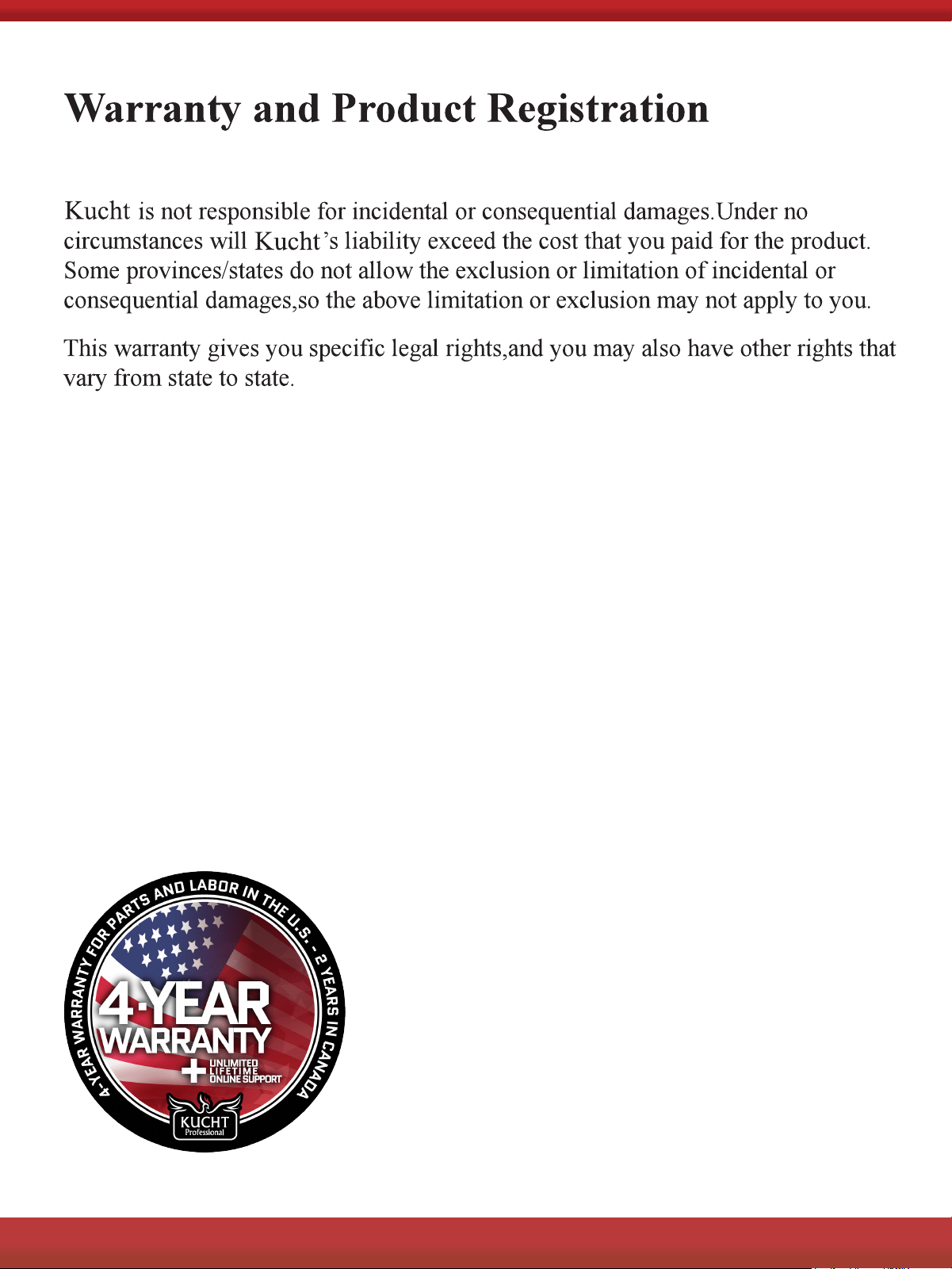
Remember to register your product at www.kucht.com
2
FOR MORE DETAILS AND INFORMATION, PLEASE VISIT OUR WEBSITE
WWW.KUCHT.COM
31

2
FOR MORE DETAILS AND INFORMATION, PLEASE VISIT OUR WEBSITE
WWW.KUCHT.COM
32
KUCHT.COM | STYLE AND SIMPLICITY
TM
WARRANTY
4-Year Warranty for Parts and Labor*
The main objective of KUCHT is to meet the needs and expectations of our customers. For this reason, all our products
are subjected to rigorous security and quality controls to be above the North American safety standards.
KUCHT Warranty covers defects in Parts and Labor for functional parts that are the result of normal usage for a period
of time of 4 Years for Parts and Labor* from date of purchase. Functional parts are those components parts that are
critical to the performance of the product’s essential function. Nonfunctional parts are those that are not critical like
knobs, handles, or cosmetic parts. KUCHT will repair or replace the unit or any parts, therefore, as required, subject to
these terms and conditions.
Unlimited lifetime online support
In addition, we give full unlimited lifetime support. This means that if our customers come across any problem after the
warranty has expired, a qualified Kucht member will assist you or your trusted technician using video chat in any repair
process. You will also have access to repair videos, tutorials, manuals, and any extra help that is available.
General Conditions:
a. Warranty does not cover failure as a result of misuse, abuse, rust or corrosion, spilled liquids or foreign objects found
inside the unit; repair of damage caused by accident, theft, fire, flood, external causes such as, but not limited to, blow
fuses, inadequate electrical power, water and gas lines beyond the equipment, or any use of the product not authorized
by the manufacturer.
b. The maximum liability of the warranty for product replacement or repair shall not exceed the original purchase price
of the product.
c. KUCHT reserves the right to repair or replace the covered product with a comparable feature model of like kind.
d. Warranty does not cover deterioration of the appearance of the product, any cosmetic part such as paint, porcelain,
glass, dents, scratches, chips, rust or peeling.
e. Any damage resulting from unauthorized replacement parts, improper service, or modifications made to the covered
product are not covered.
f. KUCHT is released from all liability due to indirect, consequential, or incidental damages.
g. This warranty does not cover any damage to the product due to lightning, over-voltage, under-voltage, accident,
misuse, abuse, negligence, or any damage caused by the use of the product by the purchaser or others. This warranty
does not cover non-EWP products that have been exposed to wet or corrosive environments. This warranty does not
cover stainless steel surfaces that have not been properly maintained.
h. Kucht Products are certified for use according to U.S. and Canada standards. The warranty coverage is limited to
U.S. and Canada only. Kucht will not provide technical service or support in other countries. Replacement parts will
only be shipped to continental U.S. and Canada addresses.
Limit of Liability:
Our Liability is limited to the original price of the covered equipment. Additional losses, damages, or injuries caused by
product malfunction or defects will not be covered.
To Arrange for Service:
Prior approval from Customer Service is required to start the service. To initiate a service claim please Submit a Ticket
or contact KUCHT for assistance on how to initiate a service claim. Please have your original bill of sale and Serial
Number of the unit available so our customer service representative is able to quickly arrange for service.
–
(*): Valid for every appliance bought after September 1st, 2020 in the U.S. – Not valid for accessories, parts, wine
coolers, and outdoor kitchen appliances (Pizza Ovens & Cart). All the appliances acquired before September 1st,
2020, and Wine Coolers, outdoor kitchen appliances (Pizza Ovens & Cart), and products sold or located in Canada are
covered with a 2-year warranty for parts and labor.

WARRANTY EXCLUSIONS
RETURN POLICY
The Kucht LLC Limited Warranty covers residential installations only and is non-transferable to any other party.
Warranty is void when the product is installed in common areas where more than a single party has rightful access to
its use or in locations considered beyond normal residential use.
Warranty does not apply to products installed or used in any commercial or non-residential application. Examples of
excluded applications include, but are not limited to daycare centers, schools, bed and breakfast centers, churches,
private clubs, fire stations, club houses, common areas in multi-family dwellings, restaurants, bakeries, hotels, nursing
homes, food service locations and institutional food service locations or any similar institutional or commercial activity.
About Commercial, Industrial, or Institutional Use
Our products are specifically certified for residential use due to the unique challenges posed by commercial settings.
The rigorous demands of commercial activities, particularly in ovens and gas ranges, subject the components to
accelerated material fatigue, primarily driven by intense heat. The continuous and rapid cooking cycles in commercial
environments impede proper cooling of the internals, leading to expedited wear of the unit.
While our units may share similarities or even surpass components found in commercial counterparts, they are
designed and optimized for residential environments with distinct heat dissipation characteristics. Commercial kitchens
are notably hot because a significant portion of the heat is transferred to the unit surface and the surrounding space.
This is a feature we intentionally avoid for home use to ensure the safety and comfort of your family.
It’s important to note that commercial equipment typically requires routine inspections and servicing for optimal
performance and safety. Therefore, for commercial applications, we strongly recommend using products that are
explicitly certified for such purposes. Using Kucht products in commercial, industrial, or institutional settings will result
in the immediate voiding of the warranty, releasing Kucht from any responsibility for the outcomes. Your safety and
satisfaction are our top priorities, and we encourage adherence to recommended usage guidelines.
Kucht will accept return requests for purchases within the
first 60 days after delivery. Shipping discrepancies or products that arrive damaged must be reported to Kucht
Customer Support within 5 business days of delivery in order to be eligible for a full refund.
Once a return request is approved, Kucht will send a Return Merchandise Authorization (RMA). From this time, the
customer will have 15 calendar days to return the item to Kucht.
All merchandise returned to Kucht must be in original packaging with all original items (e.g., manuals, remotes,
cables, etc.) that came in the box. Returns with missing or damaged items will result in a partial refund.
Products and or Part(s) must be returned in new condition, including: all components, manuals, registration cards, and
original undamaged packaging.
After we receive and inspect the item(s), the refund will be processed, minus the original shipping cost.
Kucht won´t refund the original shipping cost in any case. The return shipping cost might be covered by Kucht
depending on the situation, in which case, Kucht will send a Bill Of Lading and handle the shipping arrangements.
There will not be refunds or compensations related to the shipping and handling of the products under any
circumstances.
Returns without an RMA number will not be accepted and a credit will not be issued.
Additional shipping charges apply with shipments outside the 48 contiguous United States, expedited shipping and
oversized items. These additional shipping charges, such as taxes, custom duties and fees are the responsibility of
the purchaser.
For more detailed information about our Return Policy, please visit the following link:
https://kucht.com/online/warranty/return-policy/
2
FOR MORE DETAILS AND INFORMATION, PLEASE VISIT OUR WEBSITE
WWW.KUCHT.COM
33
FOR MORE DETAILS AND INFORMATION, PLEASE VISIT OUR WEBSITE WWW.KUCHT.COM
WE TRANSFORM A SIMPLE KITCHEN INTO A PRO ONE.
THIS IS WHY WE CARE ABOUT MAKING VERY HIGH PERFORMANCE
RANGES AND HOODS, TO MAKE YOU FEEL LIKE A PRO AND STYLISH COOKER.
DESIGN: LONDON DC - WWW.LONDON-DC.COM