AI R P U RI FI ER
M o del:JAP230
U SER M A N U AL
REA D A N D SAVE THESE INSTRUCTIO NS
W arning: Not suitable for use with solid-state speed controls and unplug or
disconnect the appliance fro m the po wer supply before servicing.
A b o ut Air Purifying
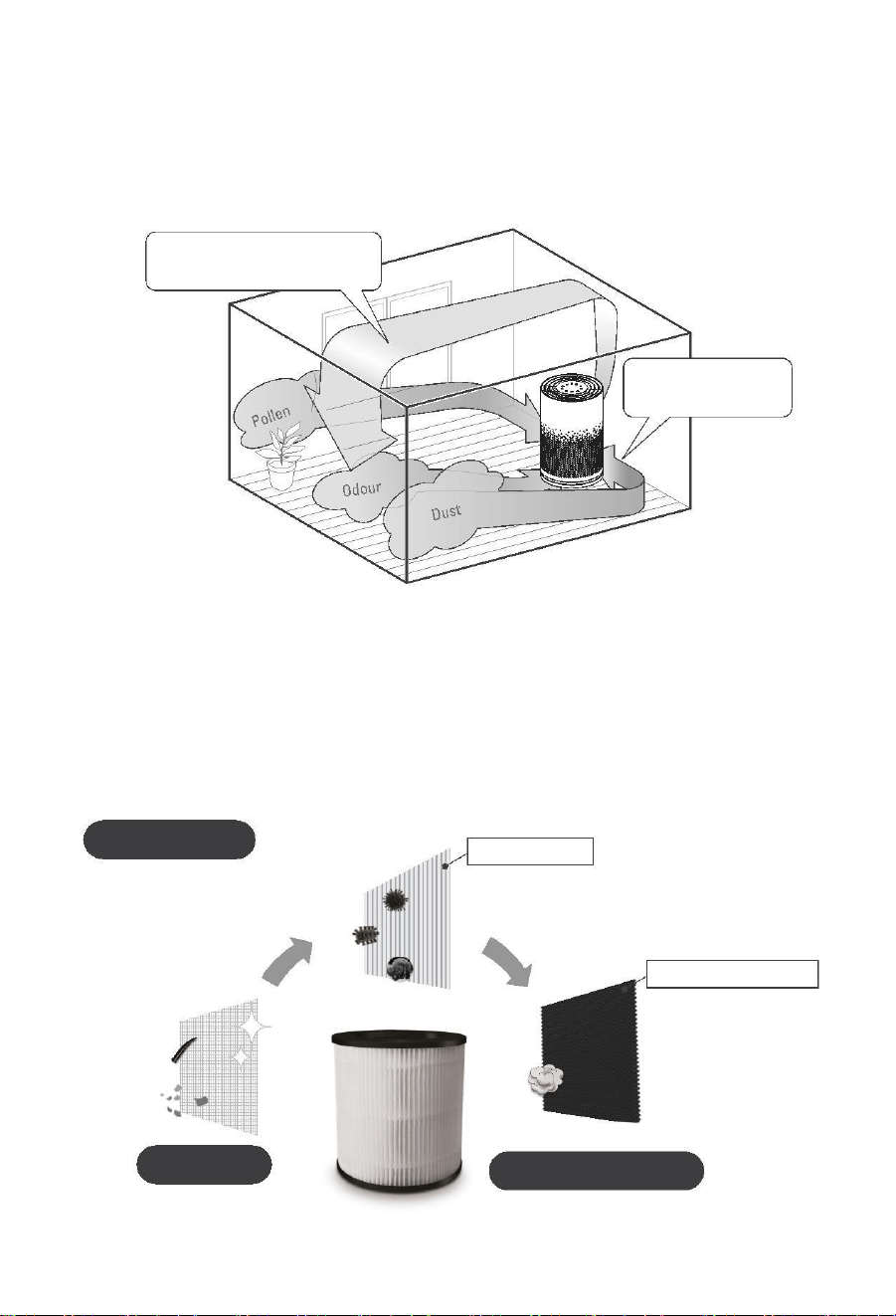
The powerful suction of a high air flow rate captures dust, pollen, etc.
The purifying capacity improves as the airflow rate increases.
The air permeates the room
at a high airfl ow rate.
Po werful suction
from 360° all-round
Effective against pollen
With the high air flow rate, even pollen that readily settles because of its large particle size is quickly caught.
Pr ofessional Filtration System
TRUE HEPA AIR PURIFIER
HEPA filter mates with excllent airflow, make your room far away allergens
TRUE HEPA
M ultiple folding
Eliminates dust,smoke particles,
m old spores,pollen,dander,dust
mites and other P M2.5 particles
Deodorising catalyst
Pre-Filter
Activated Carbon
Catches pet dander,
lint,fibers,hair
Re m ove s moke,odors,
fu mes,VOCs
S afety preca u tions
· 1 · · 2 ·
· 3 ·
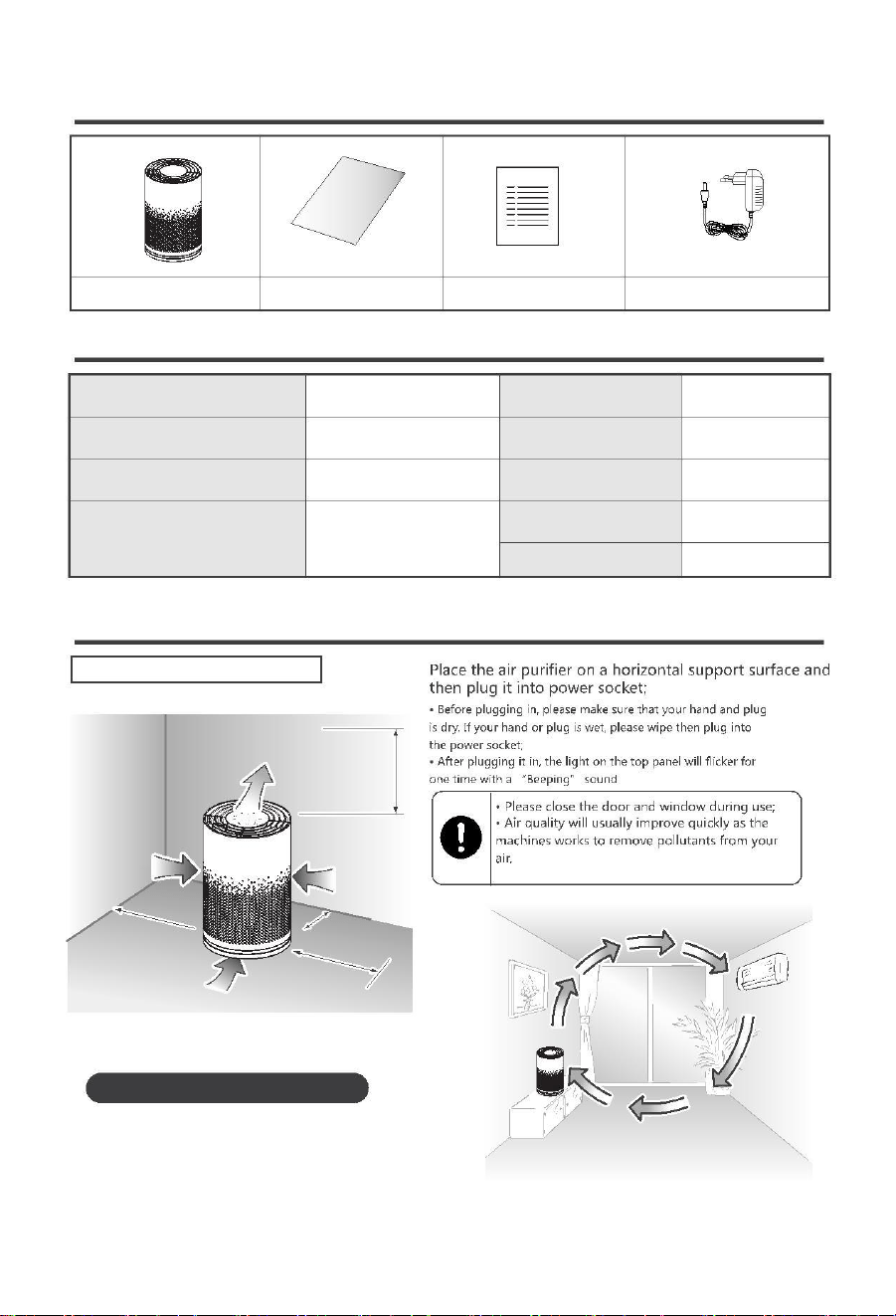
P a c king List
Air purifier
User manual
W arranty Card
M odel
Adapter
S p e ci fication
Product name
Rated voltage/frequency
Po wer
Air Purifier
JAP230
100-240V~ 50/60Hz
36 W
Product size
22*22*34cm
1.8kg
Net weight
Applicable area
Fuselage materials
323 sq.ft(30m²)
ABS , PP
<55dB(Sleep
mode <24dB)
Noise
O p eration prep aration
Installed on a table or the fl oor
100cm from ceiling
Airflow
50cm from wall
10cm from wall
50cm from wall
Airflow
Hints for smart installation
If you install the air purifier opposite the air conditioner,
the circulation effect is enhanced. The unit controls
unevenness in the room temperature while cleaning
the air during heating or cooling operation.
· 4 ·
O p eration prep aration(co ntin u e)
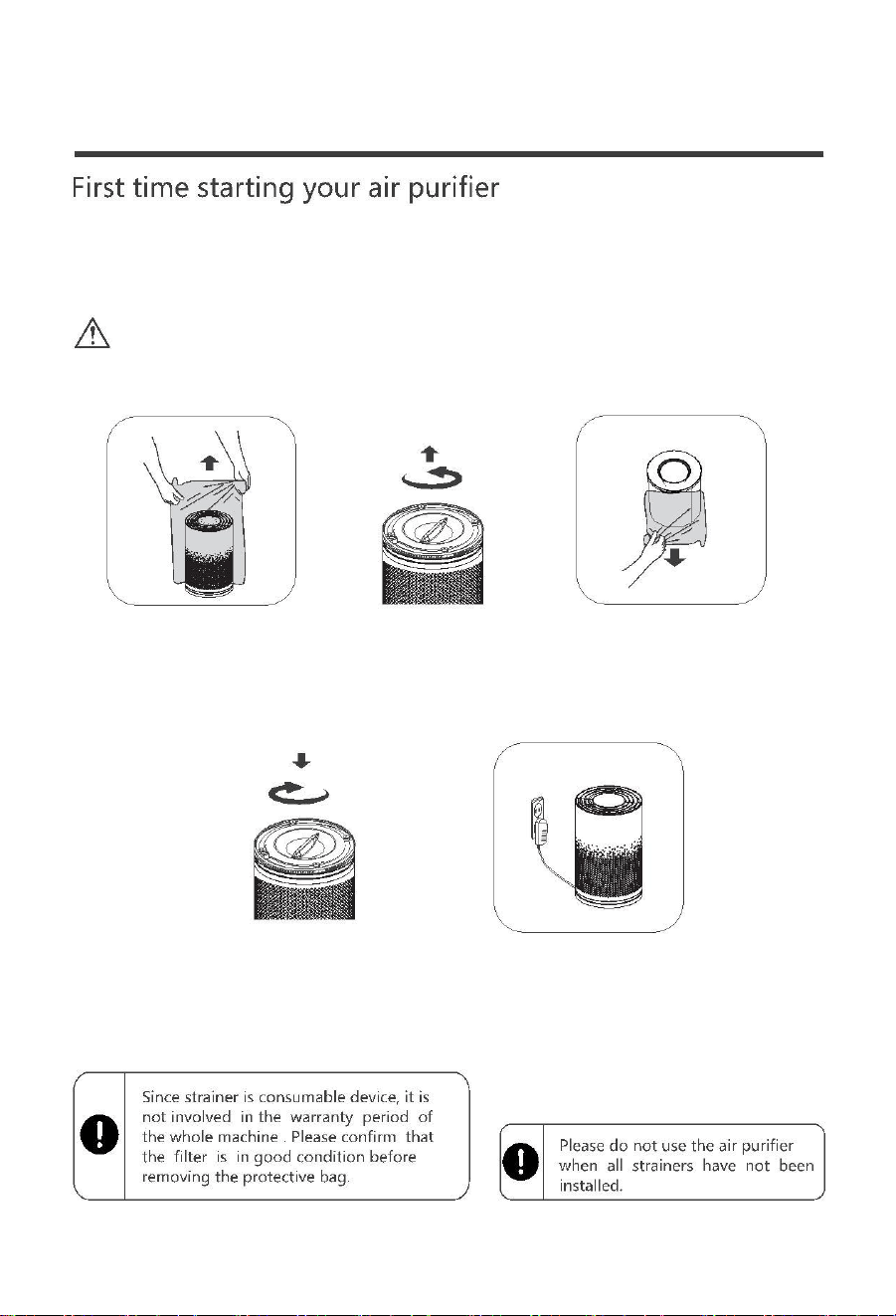
Re move the filters plastic bag and then pack it back the same way it came out without
plastic. Place the filters back to the air purifier.
Re move plastic wrappers from products and store them out of reach of
Notice
infants or children or throw them away. If you turn over, you risk choking.
1. Take out the
transparent packaging
bag and properly put it;
2. Turn the bottom cover
counterclockwise and
remove the filter;
3. Open the packaging bag
of the filter and put it back
into the filter according to
the direction;
4. Install the bottom
cover clockwise;
5. Place the product on
a flat surface, insert the
adapter and connect the
power supply.
· 5 ·
H o w to use
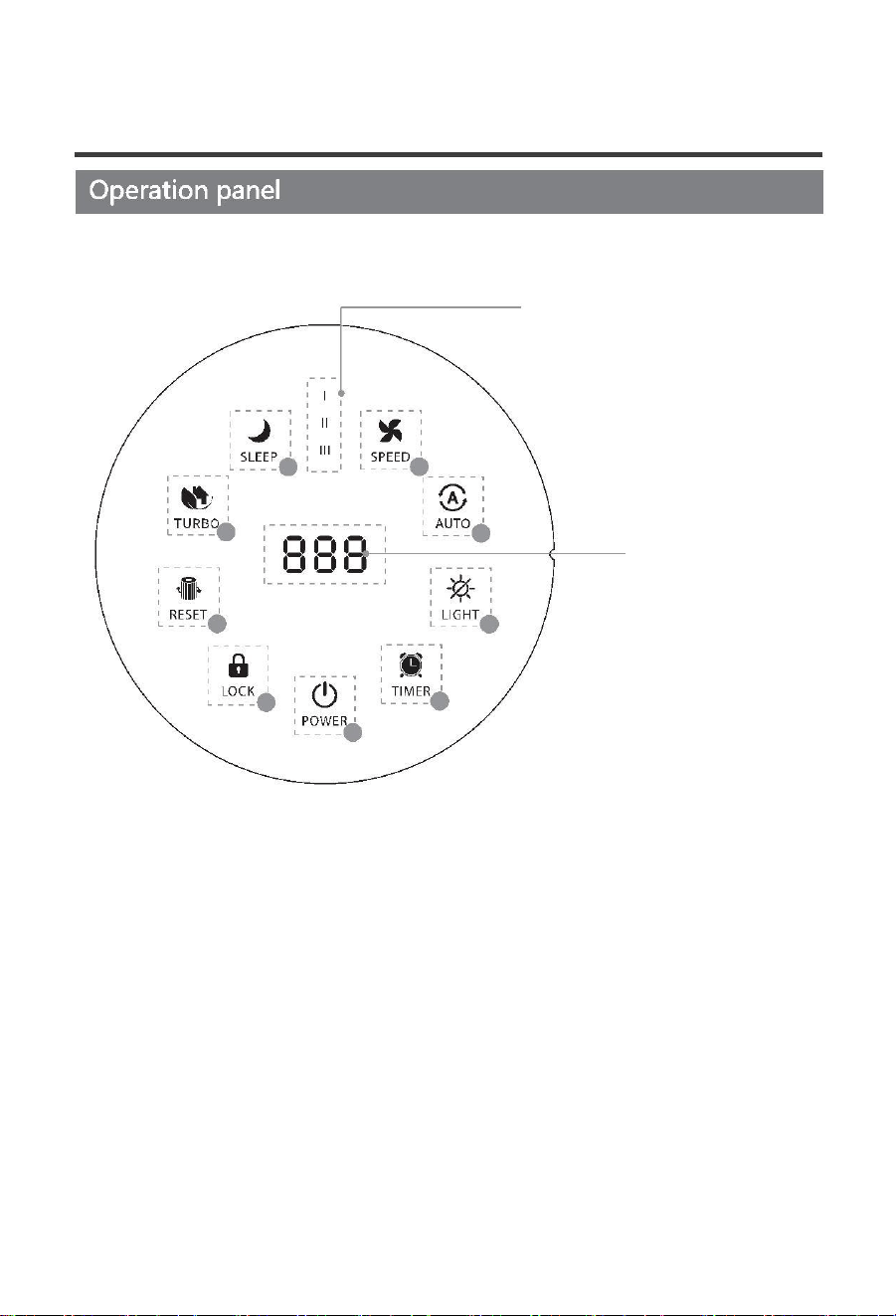
Wind speed
gear indicator
1
9
2
8
P M2.5 value display /
Timer value
3
7
4
6
5
Function button description:
1. Sleep: the machine operates in silent mode;
2. Turbo: the machine operates at the highest speed;
3. Filter reset: remind to reset the filter replacement;
4. Child lock: lock the control panel to prevent accidental touch;
5. Power : turn on/off;
6. Timer: Timing shutdown function;
7. Light: control the light on/off of the machine;
8. Auto: the machine runs automatically according to the air quality;
9. Speed: manual adjustment of wind speed;
· 6 ·
H o w to use
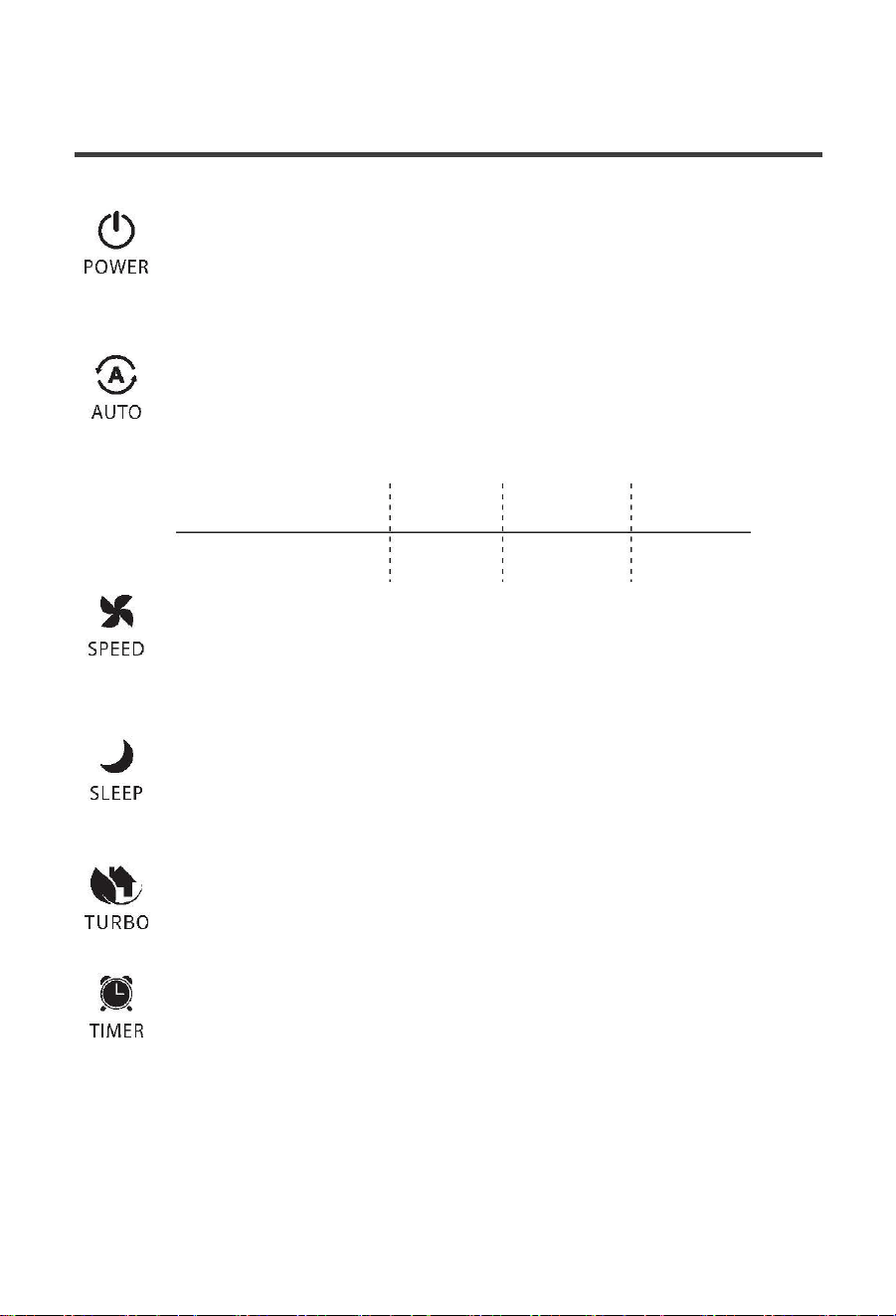
P O W E R
After connecting the power supply,
touch the "Power" button, and the
machine defaults to automatic mode at initial startup. After running for 5
seconds, the machine runs normally, the digital tube displays the current
air quality index, and the air quality indicator shows the current air quality.
A U T O M O D E
In the startup state, touch the "Auto" button, the
machine enters the
automatic mode, the wind speed is automatically adjusted according to
the current opening quality, and the automatic gear wind speed is up to
3 gears.
AQI Light
Blue
0~75
Orange
76~150
Red
150
P M2.5(μ g/m³)
M A N U A L M O D E
In the startup state, touch the "Speed" button and the machine will enter
the state of manually adjusting the wind speed. The user can adjust the
wind speed according to needs, and switch the wind speed before the first,
second and third gears.
S L E E P M O D E
In the startup state, touch the "Sleep" button, the machine enters sleep
mode. Except for the sleep indicator, the other indicators are all off. Press
the "sleep" button again or press other mode buttons to exit the sleep state.
T U R B O M O D E
In the startup state, touch the "Turbo" button, the machine enters the turbo
mode. The machine operates at the highest speed.
TI M E R
In the startup state, touch the "timing" button, and the machine will turn on
the timing shutdown function. The digital tube displays the timing tim e, the
setting range is: 1~8 hours. After the timing setting is successful, the digital
tube restores P M2.5 display, and then the digital tube displays the current
remaining time every 1 hour until the countdown ends.
Cancel timing function: After the setting is successful, the timing indicator
light will be on for a long time. If you need to cancel the timing function, you
can press and hold the timer button for 3 seconds, and the indicator light
will go out to cancel the timing function.
· 7 ·
H o w to use
L O C K
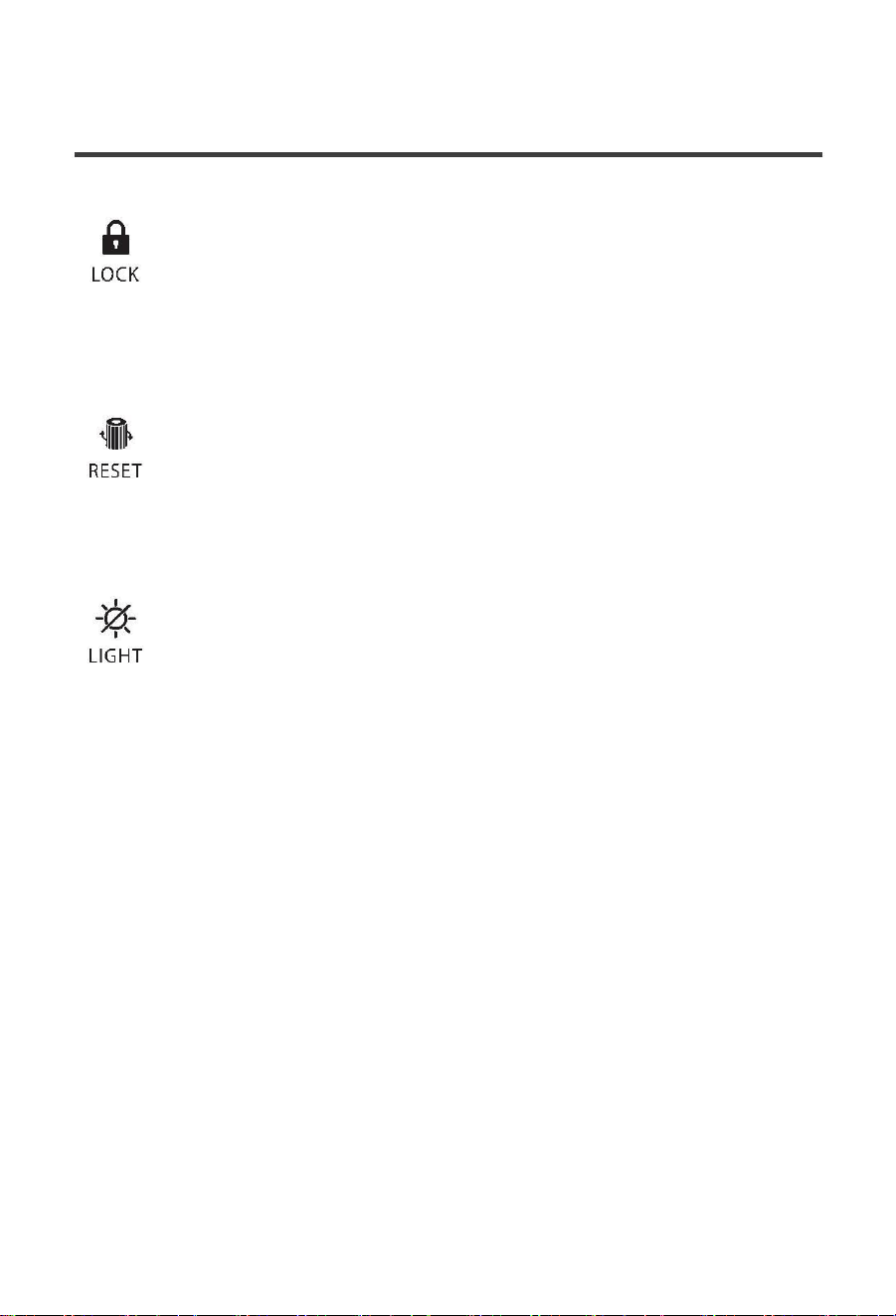
In the startup state, long press the "Lock" button for 5 seconds, the lock indicator
will light up, and the lock function will be activated. At this time, any button
touch on the operation panel is invalid. Long press the "Lock" button again for 5
seconds, the lock indicator light goes out, and other buttons resume normal
operation.
FILTE R R E S E T
In the startup state, when the filter life time is over, the air quality light will flash
red, prompting the user to replace the filter. After the user replaces the filter,
long press the "Reset" button, the filter replacement stop prompts, and the filter
reset is successful.
LI G H T
In the startup state, touch the "Light" button, except for the light button
indicator, the other lights are off, and the machine is operating normally.
Perform other operations on the m achine after it is turned off, and the lights of
the machine will return to the state before it is turned off.
· 8 ·
M aintena n c e
6
· 9 ·
Tro u blesho otin g
QUESTION
POSSIBLE SOLUTIONS
You ignored the reminder to replace the filter. When the filter indicator starts flashing,
you do not timely replace the filter; You must replace the filter and press the reset
button for 5 seconds. After the reset, the indicator will go out, and then the product
can be started normally.
Product failed to start
There's no air coming
out of the vent
The product is not plugged in. Please plug into the power socket and turn on the
product.
So me kind of filter may not be inside the product. M ake sure the filters are installed
in the correct sequence
The product has been
running for a long time
and the air quality has
not improved significantly
Indoor humidity is too high, because this formed condensation 7 green do not put
the product in the place of high humidity such as: bathroom, toilet
Obstacles around the product affect the purification effect.
The room where the product is located is too large.
Excessive product noise
Before running, make sure the strainer has been removed from the packing bag.
Every time it is powered on, the product runs in intelligent purification mode by default,
and the purification speed is automatically adjusted by the machine according to indoor
air quality. If you want to adjust the running state at will, please press manual mode to exit
the intelligent mode.
The purification speed
cannot be adjusted after
power supply
It may be the child lock function that locks the product. Please press the button of the
child lock for 3 seconds, the indicator will go out, and the child lock function will be
cancelled, and you can do what you want.
W hen running, the keys
do not respond
The air is dirty, but the air
quality is good
Please confirm whether it is a difficult place for inhalation of pollutants.
It is dif ficult to remove dirt
from the air
Is the dust filter dirty? If there is still no improvement after maintenance, please
replace the filter.
The air flow in the outlet
is significantly reduced
High density filter screen is dirty, please clean the filter screen, see the maintenance
method.
Is it used where the smell is strong? If use under strong smell such as cigarette and
roast meat, the inner net can produce odor for several weeks or days, please replace
the filter, and always keep the ventilation.
The wind from the air
outlet smells bad
I have changed the filter,
why is it still not on
M aybe you didn't press the reset button. Long press the reset button for 5 seconds.
After the reset, the indicator will go out, and then start the air purifier normally.
· 10 ·

A L T O N I N D U S T R Y LT D. G R O U P
643 Innovation Drive West Chicago, IL 60185
https://w w w.altonindustries.co m
info @ altonindustries.co m
1-888-899-0146
M A DE IN CHINA