

FLEXIDOME panoramic 5100i Table of contents | en 3
Bosch Security Systems B.V.
Installation manual
2022-04 | V01 | F.01U.385.628
Table of contents
1
Safety 4
1.1 Safety message explanation 4
1.2 Safety precautions 4
1.3 Important safety instructions 4
1.4 Notices 5
2
Short information 7
3
System overview 8
3.1 Product description 8
3.2 Intended use 8
3.3 Using the camera 8
3.4 Operation with external systems 8
4
Planning information 10
4.1 Unpacking 10
4.2 Parts included 10
4.3 Preparation 10
4.4 Network and PoE 11
5
Installation 12
5.1 Installing the camera base 12
5.1.1 Before the installation 12
5.1.2 Installation steps 13
5.2 Removing the camera 16
5.3 Optional mounting accessories 16
6
Configuration 20
6.1 Browser connection 20
6.1.1 Establishing the network 20
6.1.2 Protected network 20
7
Troubleshooting 21
7.1 Resolving problems 21
7.2 Testing the network 21
7.3 Customer service 22
8
Maintenance 23
8.1 Cleaning 23
8.2 Repair 23
8.3 Reset 23
9
Decommissioning 24
9.1 Transfer 24
9.2 Disposal 24
10
Technical data 25
10.1 Dimensions 25
10.2 Specifications 25

4 en | Safety FLEXIDOME panoramic 5100i
2022-04 | V01 | F.01U.385.628
Installation manual
Bosch Security Systems B.V.
1 Safety
Read, follow, and retain for future reference all of the following safety instructions. Follow all
warnings before operating the device.
1.1 Safety message explanation
In this manual, the following symbols and notations are used to draw attention to special
situations:
Danger!
Indicates a hazardous situation which, if not avoided, will result in death or serious injury.
!
Warning!
Indicates a hazardous situation which, if not avoided, could result in death or serious injury.
!
Caution!
Indicates a hazardous situation which, if not avoided, could result in minor or moderate
injury.
i
Notice!
Indicates a situation which, if not avoided, could result in damage to the equipment or
environment, or data loss.
1.2 Safety precautions
!
Caution!
Installation should only be performed by qualified service personnel in accordance with the
National Electrical Code (NEC800 CECSection60) or applicable local codes.
1.3 Important safety instructions
– To clean the device, do not use liquid cleaners or aerosol cleaners.
– Do not install the device near any heat sources such as radiators, heaters, stoves, or
other equipment (including amplifiers) that produce heat.
– Do not spill liquids on the device.
– Take precautions to protect the device from power and lightning surges.
– Adjust only those controls specified in the operating instructions.
– Operate the device only from the type of power source indicated on the label.
– Unless qualified, do not attempt to service a damaged device yourself. Refer all servicing
to qualified service personnel.
– Install in accordance with the manufacturer's instructions in accordance with applicable
local codes.
– Use only attachments/accessories specified by the manufacturer.
– Protect all connection cables from possible damage, particularly at connection points.
– When using a Class I adapter with your product, the power cord shall be connected to a
socket-outlet with a connection to ground.

FLEXIDOME panoramic 5100i Safety | en 5
Bosch Security Systems B.V.
Installation manual
2022-04 | V01 | F.01U.385.628
– The Low Voltage power supply unit used must comply with EN 62368-1.
– For PoE connections, the adapter shall be rated 55 VDC, 0.50 A minimum, with an
ambient operating temperature of at least 55ºC.
– Your product shall only be connected to PoE networks without routing to the outside
plant.
1.4 Notices
UL Disclaimer
Underwriter Laboratories Inc. ("UL") has not tested the performance or reliability of the
security or signaling aspects of this product. UL has only tested fire, shock and/or casualty
hazards as outlined in Standard(s) for Safety for Information Technology Equipment, UL
60950-1, UL 62368-1, UL 60950-22. UL Certification does not cover the performance or
reliability of the security or signaling aspects of this product.
UL MAKES NO REPRESENTATIONS, WARRANTIES, OR CERTIFICATIONS WHATSOEVER
REGARDING THE PERFORMANCE OR RELIABILITY OF ANY SECURITY OR SIGNALING-RELATED
FUNCTIONS OF THIS PRODUCT.
FCC statement (USA)
1. This device complies with Part 15 of the FCC Rules. Operation is subject to the following
two conditions:
– This device may not cause harmful interference.
– This device must accept any interference received, including interference that may
cause undesired operation.
2. Changes or modifications not expressly approved by the party responsible for compliance
could void the user's authority to operate the equipment.
Note: This equipment has been tested and found to comply with the limits for a Class A digital
device, pursuant to Part 15 of the FCC Rules. These limits are designed to provide reasonable
protection against harmful interference when the equipment is operated in a commercial
environment. This equipment generates, uses and can radiate radio frequency energy and, if
not installed and used in accordance with the instruction manual, may cause harmful
interference to radio communications. Operation of this equipment in a residential area is
likely to cause harmful interference in which case the user will be required to correct the
interference at his own expense.
FCC suppliers Declaration of Conformity
FLEXIDOME panoramic 5100i: NDS-5703-F360 and NDS-5704-F360.
Responsible party
Bosch Security Systems Inc
130 Perinton Parkway
14450 Fairport, NY, USA
www.boschsecurity.us
The manufacturing datecodes of the products are explained in:
http://www.boschsecurity.com/datecodes
IC statement (Canada)
This device complies with Industry Canada licence-exempt RSS standard(s). Operation is
subject to the following two conditions: (1) this device may not cause harmful interference,
and (2) this device must accept any interference received, including interference that may
cause undesired operation.

6 en | Safety FLEXIDOME panoramic 5100i
2022-04 | V01 | F.01U.385.628
Installation manual
Bosch Security Systems B.V.
Old electrical and electronic equipment
This product and/or battery must be disposed of separately from household waste.
Dispose such equipment according to local laws and regulations, to allow their reuse
and/or recycling. This will help in conserving resources, and in protecting human
health and the environment.

FLEXIDOME panoramic 5100i Short information | en 7
Bosch Security Systems B.V.
Installation manual
2022-04 | V01 | F.01U.385.628
2 Short information
This manual has been compiled with great care and the information it contains has been
thoroughly verified. The text was correct at the time of publication, however, the content can
change without notice. Bosch Security Systems accepts no liability for damage resulting
directly or indirectly from faults, incompleteness or discrepancies between this manual and
the product described.
Copyright
This manual is the intellectual property of Bosch Security Systems and is protected by
copyright.
All rights reserved.
Trademarks
All hardware and software product names used in this document are likely to be registered
trademarks and must be treated accordingly.
More information
For more information please contact the nearest Bosch Security Systems location or visit
www.boschsecurity.com.
https://www.boschsecurity.com/xc/en/product-catalog/

8 en | System overview FLEXIDOME panoramic 5100i
2022-04 | V01 | F.01U.385.628
Installation manual
Bosch Security Systems B.V.
3 System overview
3.1 Product description
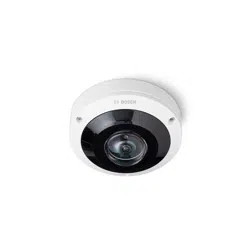
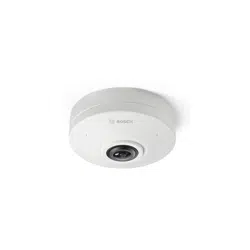
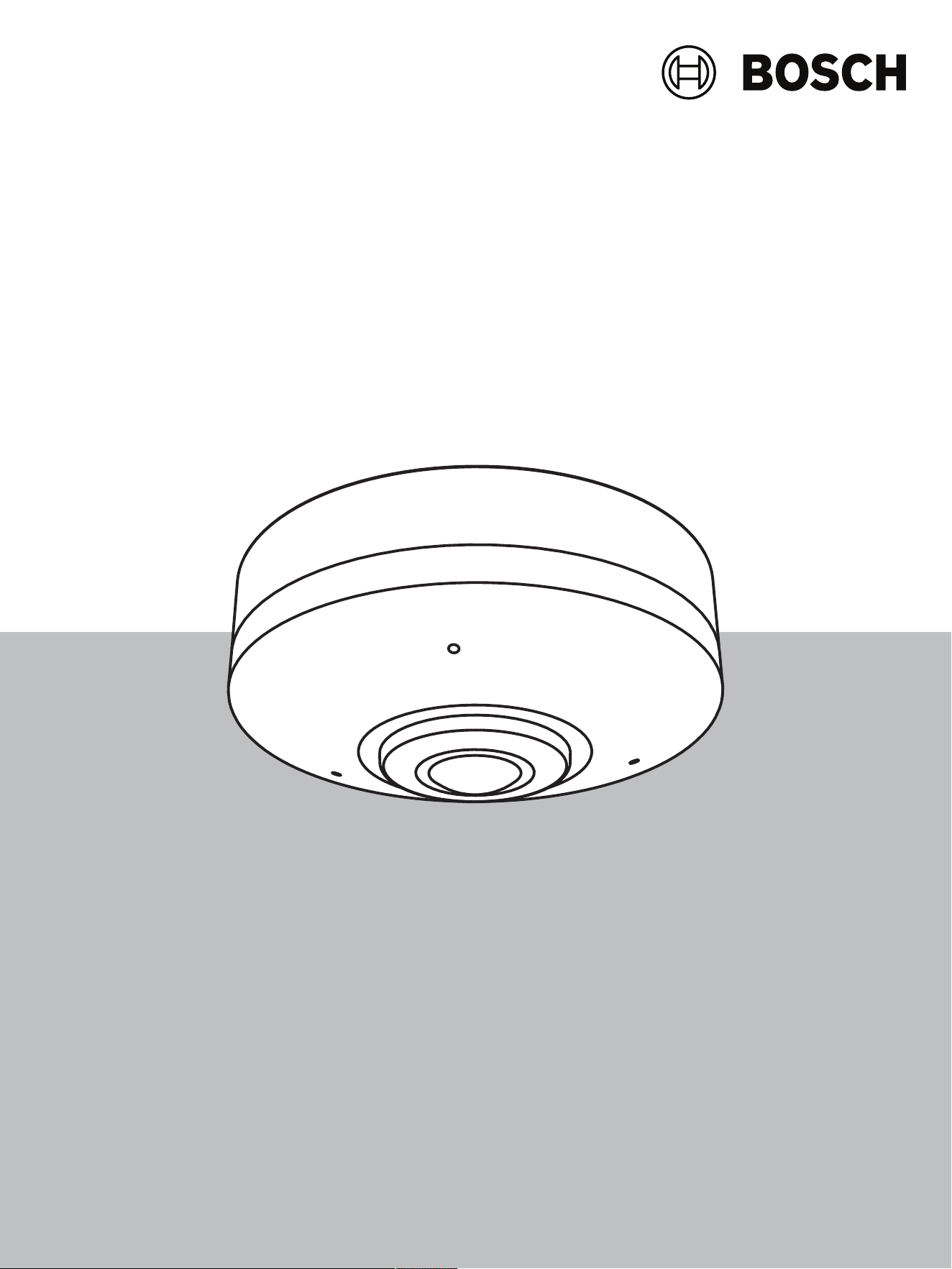
The FLEXIDOME panoramic 5100i camera is built for high-quality performance, featuring
360ºpanoramic overview in 6MP and 12MP resolution without blind spots. It helps to simplify
installation and lower costs while maintaining flexibility in coverage. The camera offers full
situational awareness and simultaneous high-resolution zoomed-in images. Built-in Intelligent
Video Analytics enriches full situational awareness and triggers relevant alerts.
3.2 Intended use
The camera is designed to be integrated in professional IP video surveillance solutions as a
surveillance camera. Installation, commissioning and operation of the camera shall be carried
out by trained professionals only.
The use of surveillance cameras is restricted by national laws and regulations. Use the camera
accordingly.
3.3 Using the camera
To access the features of the camera, use a web browser. The browser provides live viewing of
the camera streams in the interface window, and also allows you to access and change the
extensive list of settings and parameters for camera configuration. Refer to the software
manual for more information on the browser interface.
The camera recording and storage functions include local alarm recording and recording to
iSCSI-based systems. The camera can also use the BoschVideoRecordingManager (VRM) to
control recording and storage. Integration with the many Bosch recording solutions is
seamless.
3.4 Operation with external systems
The web browser is the most direct way of using the camera, however, the Bosch download
store provides several other free applications (listed below) for viewing and controlling the
camera.
Download store
Download the latest applications and firmware from:
http://downloadstore.boschsecurity.com/
Configuration Manager
Use the Configuration Manager application to configure general VideoClient settings like the
default path for workstation recording or the use of an IntuiKey keyboard.
If you decide to work with a pre-configured monitoring system, use the Configuration Manager
application to set up your monitoring system:
– Easily configure basic system settings with the integrated configuration wizard
– Manage user groups and rights
– Add devices to your system and arrange them in groups
VideoSecurityClient
The VideoSecurityClient is a free, easy-to-use video-surveillance application provided by
Bosch for local and remote monitoring of IP cameras and appliances. The software supports
up to 16 cameras.
The VideoSecurityClient has extensive dewarping capabilities and can be used for client-side
dewarping as well as for viewing the available modes.

FLEXIDOME panoramic 5100i System overview | en 9
Bosch Security Systems B.V.
Installation manual
2022-04 | V01 | F.01U.385.628
BoschVideoClient
The BoschVideoClient is a free Windows application to view, operate, control, and administer
surveillance cameras and installations at remote locations. It offers a user-friendly interface for
easy live viewing of multiple cameras, playback, forensic search and export.

10 en | Planning information FLEXIDOME panoramic 5100i
2022-04 | V01 | F.01U.385.628
Installation manual
Bosch Security Systems B.V.
4 Planning information
4.1 Unpacking
This equipment should be unpacked and handled with care. If an item appears to have been
damaged in shipment, notify the shipper immediately.
Verify that all parts are included. If any items are missing, notify your Bosch Security Systems
sales or customer service representative.
The original packaging is the safest container in which to transport the unit and can be used if
returning the unit for service.
4.2 Parts included
Quantity Component
1 Camera base
1 Camera cover
1 TR15 Allen key for microSD slot lock
1 Quick installation guide
1 Safety information
3 Identification labels
4.3 Preparation
Before installation, prepare and plan the installation process and materials needed.
Pre-requisites
– Remove the components from the box. Make sure that all parts are included and are not
damaged.
– The necessary material and equipment:
– 2 screws in size M4 or No. 7
– Appropriate size power drill

FLEXIDOME panoramic 5100i Planning information | en 11
Bosch Security Systems B.V.
Installation manual
2022-04 | V01 | F.01U.385.628
– Screwdriver, bit holder and TR15 bit, or use the provided TR15 Allen key (optional,
only required when MicroSD is used)
– microSD card (optional)
4.4 Network and PoE
i
Notice!
Use only PoE IEEE 802.3af Type 1, Class 2 approved devices.
Power-over-Ethernet (PoE) has a power consumption of 6W.
Cables
For cable requirements, refer to Wiring the camera base.

12 en | Installation FLEXIDOME panoramic 5100i
2022-04 | V01 | F.01U.385.628
Installation manual
Bosch Security Systems B.V.
5 Installation
5.1 Installing the camera base
1 2
3
4
5
6
7
1 RJ45 connector 2 MicroSD card slot
3 Micro HDMI 4 Reset button
5 Activity LED 6 3-microphone array
7 Cable side-entry door
5.1.1 Before the installation
Remove the camera base from the box.
Local storage
i
Notice!
Bosch recommends the use of industrial micro SD cards with health monitoring.
To install the micro SD card:
1. Install a micro SD card in the micro SD slot using the TR15 tool.
2. Press the micro SD card firmly until it latches into place in the slot.
To remove the micro SD card:
1. Press the micro SD card into the slot until it unlatches again.
2. Remove the card from the SD slot.
3. Close the lock again with TR15 tool.

FLEXIDOME panoramic 5100i Installation | en 13
Bosch Security Systems B.V.
Installation manual
2022-04 | V01 | F.01U.385.628
i
Notice!
The plugs and screws for surface mounting are not supplied with the camera.
5.1.2 Installation steps
1. Place the sticker on the wall/ceiling.
TOP
6mm
6mm
110mm
S
2. Use an appropriate size drill to mark the holes using the mounting template.
For wall mount installation, the camera base needs to be installed with the cable entries
facing top to ensure proper installation of the camera with a leveled Bosch logo. If this is
not possible, confirm that the lens module marking “TOP” is facing up. If not, turn the
lens module in the correct orientation to ensure the images show up correctly in the
system or browser.

14 en | Installation FLEXIDOME panoramic 5100i
2022-04 | V01 | F.01U.385.628
Installation manual
Bosch Security Systems B.V.
i
Notice!
Remove the side entry door, if a cable comes from outside the camera. The side entry door
can stay in place, if a cable comes from the back.
3. Connect the network cable and the micro HDMI cable (optional) to the correct connector.
4. Allow approximately 5.5cm (2.2inch) cable length to ensure proper installation and to
prevent excessive cable length.

FLEXIDOME panoramic 5100i Installation | en 15
Bosch Security Systems B.V.
Installation manual
2022-04 | V01 | F.01U.385.628
~5.5cm
~2.2”
5. Remove the protective foil from the lens.
6. Push the camera cover upwards.
7. Rotate clockwise to click the camera cover from the camera base.

16 en | Installation FLEXIDOME panoramic 5100i
2022-04 | V01 | F.01U.385.628
Installation manual
Bosch Security Systems B.V.
1
2
5.2 Removing the camera
In case the camera needs to be removed or opened below steps need to be followed:
1. Remove the camera cover by pushing it against the surface and simultaneously rotating it
counterclockwise.
2. Remove the two screws.
3. Disconnect the cables.
4. Remove the camera.
5.3 Optional mounting accessories
NDA-5081-PIP Pendant Interface Plate,
110mm
NDA-U-WMT Pendant wall mount

FLEXIDOME panoramic 5100i Installation | en 17
Bosch Security Systems B.V.
Installation manual
2022-04 | V01 | F.01U.385.628
NDA-U-WMP Wall mount plate
NDA-U-PMT Pendant pipe mount,
12" (31cm)
NDA-U-PMTE Pendant pipe extension,
20" (50cm)
NDA-U-PMTS Pendant pipe mount, 4" (11
cm)
NDA-U-PSMB Pendant wall/ceiling mount
SMB
NDA-U-PMAS Pole mount adapter small
NDA-U-PMAL Pole mount adapter large

18 en | Installation FLEXIDOME panoramic 5100i
2022-04 | V01 | F.01U.385.628
Installation manual
Bosch Security Systems B.V.
NDA-5081-PC Paintable cover, F360, 4pcs
NDA-5081-TM Tilt mount 20-deg, 110mm
NDA-5081-PLEN In-ceiling plenum rated kit,
110mm
NDA-U-CMT Corner mount adapter
NDA-U-PMTG Pendant pipe mount, gang
box
NDA-U-WMTG Pendant wall mount, gang
box
NPD-3001-WAP Portable installation tool

FLEXIDOME panoramic 5100i Installation | en 19
Bosch Security Systems B.V.
Installation manual
2022-04 | V01 | F.01U.385.628
NPD-5001-POE Midspan, 15W, single port,
AC in
NPD-5004-POE Midspan, 4 port x 15W, AC in

20 en | Configuration FLEXIDOME panoramic 5100i
2022-04 | V01 | F.01U.385.628
Installation manual
Bosch Security Systems B.V.
6 Configuration
6.1 Browser connection
A computer with a web browser (Google Chrome, Microsoft Edge, or Mozilla Firefox) is used
to receive live images, control the unit, and replay stored sequences. The unit is configured
over the network using the browser.
6.1.1 Establishing the network
The unit must have a valid IP address to operate on your network and a compatible subnet
mask.
By default, DHCP is pre-set at the factory to On plus Link-Local so a DHCP server assigns an
IP address or, if no DHCP server is available, a link-local address (auto-IP) is assigned within
the range 169.254.1.0 to 169.254.254.255.
You can use the Configuration Manager to find the IP address. Download the software from
http://downloadstore.boschsecurity.com.
1. Start the Web browser.
2. Enter the IP address of the unit as the URL.
3. During initial installation, confirm any security questions that appear.
6.1.2 Protected network
If a RADIUS server is used for network access control (802.1x authentication), the unit must
be configured first. To configure the unit, connect it directly to a computer using a network
cable and configure the two parameters, Identity and Password. Only after these have been
configured can communication with the unit via the network occur.

FLEXIDOME panoramic 5100i Troubleshooting | en 21
Bosch Security Systems B.V.
Installation manual
2022-04 | V01 | F.01U.385.628
7 Troubleshooting
7.1 Resolving problems
The following table is intended to help identify the causes of malfunctions and correct them
where possible.
Malfunction Possible causes Solution
Unit does not operate. Power failure. Check power supply. Check if
PoE is used. Check if activity
lights are on.
No connection
established, no image
transmission.
Incorrect unit configuration. Check all configuration
parameters (reset to factory
default if necessary).
Faulty installation. Check PoE.
Wrong IP address. Check the IP addresses (ping).
Faulty data transmission within
the LAN.
Check the data transmission
with ping.
The maximum number of
connections has been reached.
Wait until there is a free
connection and call the
transmitter again.
The unit is not
operational after a
firmware upload.
Power failure during
programming by firmware file.
Have the unit checked by
Customer Service and replace if
necessary.
Incorrect firmware file. Enter the IP address of the unit
followed by /main.htm in your
Web browser and repeat the
upload.
Only use CPP14 firmware files.
Web browser contains
empty fields.
Active proxy server in network. Create a rule in the local
computer's proxy settings to
exclude local IP addresses.
7.2 Testing the network
The ping command can be used to check the connection between two IP addresses. This
allows testing whether a device is active in the network.
1. Open the DOS command prompt.
2. Type ping followed by the IP address of the device.
If the device is found, the response appears as "Reply from ... ", followed by the number of
bytes sent and the transmission time in milliseconds. Otherwise, the device cannot be
accessed via the network. This might be because:
– The device is not properly connected to the network. Check the cable connections in this
case.

22 en | Troubleshooting FLEXIDOME panoramic 5100i
2022-04 | V01 | F.01U.385.628
Installation manual
Bosch Security Systems B.V.
– The device is not correctly integrated into the network. Check the IP address, subnet
mask, and gateway address.
7.3 Customer service
If a fault cannot be resolved, please contact your supplier or system integrator, or go directly
to BoschSecuritySystems Customer Service.
The version numbers of the internal firmware can be viewed on a service page. Please note
this information before contacting Customer Service.
1. In the address bar of your browser, after the unit IP address, enter: /version
for example: 192.168.0.80/version
2. Write down the information or print out the page.

FLEXIDOME panoramic 5100i Maintenance | en 23
Bosch Security Systems B.V.
Installation manual
2022-04 | V01 | F.01U.385.628
8 Maintenance
8.1 Cleaning
Lens cleaning
It is important to keep the lens clean to ensure optimum performance. Dust, grease, or
fingerprints should be removed from the lens surface. When cleaning the lens, take extra care
not to damage the special coating used to reduce light reflections.
– Remove dust with a blower-brush or grease-free soft brush.
– Wipe water drops off the lens with a clean soft lint-free cloth and dry the lens surface.
– Use special lens cleaning paper or cloth treated with lens cleaning fluid to gently wipe off
any remaining dirt (wipe spirally from the lens center towards the edge).
8.2 Repair
The unit does not contain any user-serviceable parts. Refer all repairs to suitable qualified
specialists.
8.3 Reset
To restore the unit of its original settings, push the reset button for 10 seconds. Any changes
to the settings are overwritten by the factory defaults. A reset may be necessary, for example,
if the unit has invalid settings that prevent it from functioning as desired.

24 en | Decommissioning FLEXIDOME panoramic 5100i
2022-04 | V01 | F.01U.385.628
Installation manual
Bosch Security Systems B.V.
9 Decommissioning
9.1 Transfer
The device should only be passed on together with this Installation manual.
9.2 Disposal
Old electrical and electronic equipment
This product and/or battery must be disposed of separately from household waste.
Dispose such equipment according to local laws and regulations, to allow their reuse
and/or recycling. This will help in conserving resources, and in protecting human
health and the environment.

FLEXIDOME panoramic 5100i Technical data | en 25
Bosch Security Systems B.V.
Installation manual
2022-04 | V01 | F.01U.385.628
10 Technical data
10.1 Dimensions
28.76 (1.13)
39.50 (1.56)
110 (4.33)
42.50 (1.67)
47.69 (1.88)
Dimensions in mm (inch)
10.2 Specifications
Power
Input voltage PoE IEEE 802.3af Type 1, Class 2
Power consumption 6W
Sensor
Total sensor pixels 6MP
Type (6MP) 1/1.8‑inch CMOS
Used pixels (6MP) 2112x2112 (4.5MP)
Total sensor pixels 12MP
Type (12MP) 1/2.3 inch CMOS
Used pixels (12MP) 3008x3008 (9MP)
Video performance - Sensitivity
Measured according to IEC 62676 Part 5 (1/25, F2.0)
Color (6MP) 0.099 lx
Mono (6MP) 0.008 lx
Color (12MP) 0.150 lx
Mono (12MP) 0.048 lx
Video performance - Dynamic range
Wide Dynamic Range (6 MP) 120 dB WDR

26 en | Technical data FLEXIDOME panoramic 5100i
2022-04 | V01 | F.01U.385.628
Installation manual
Bosch Security Systems B.V.
Video performance - Dynamic range
Measured according to IEC
62676 Part 5 (6 MP)
105 dB WDR
Wide Dynamic Range (12 MP) 120 dB WDR
Measured according to IEC
62676 Part 5 (12 MP)
106 dB WDR
Video streaming
Video compression H.265; H.264; M-JPEG
Streaming Multiple configurable streams in H.265, H.264 and M-JPEG,
configurable frame rate and bandwidth.
Multiple channels with edge dewarping (available with a
future firmware version)
Regions of Interest (ROI)
Overall IP Delay Min. 120ms, Max. 340ms
GOP structure IP, IBP, IBBP
Frame rate (6 MP) 1-30fps
Frame rate (12 MP) 1-30fps
1-25fps in HDR mode
Encoder regions Eight independent areas for setting encoder quality to
optimize bitrate.
Video resolution (HxV)
Video 1 channel Full image circle 6MP: 2112x2112
(4.5MP)
12MP: 3008x3008
(9MP)
Video 2 channel (available
with a future firmware
version)
Various dewarped modes (Full
panoramic, double panoramic,
quad, corridor, E-PTZ)
Video 3 channel (available
with a future firmware
version)
E-PTZ
Multiple lower resolutions available and individually selectable per channel and stream
Video functions
Day/Night Color, Monochrome, Auto (adjustable switchover points)
Adjustable picture settings Contrast, Saturation level and control, Brightness, Sharpness
White Balance 2500 to 10000K, 3 automatic modes (Basic, Standard,
Sodium vapor), Manual mode and Hold mode
Shutter Automatic Electronic Shutter (AES)
Default shutter (1/30 [1/25] to 1/500) selectable

FLEXIDOME panoramic 5100i Technical data | en 27
Bosch Security Systems B.V.
Installation manual
2022-04 | V01 | F.01U.385.628
Video functions
Backlight compensation Off / On
Noise reduction Dynamic Noise Reduction
Privacy Masking Eight independent areas, fully programmable
Scene modes Multiple default modes with scheduler
Pre-positions Six independent sectors (available with a future firmware
version)
Display stamping Individual names and stamps for all video channels
Other functions Pixel counter, Video watermarking, Location
Video content analysis
Analysis type Intelligent Video Analytics, Camera Trainer
Alarm rules (combinable) Any object, Object in field, Line crossing, Enter / leave field,
Loitering, Follow route, Idle / removed object, Counting,
Occupancy, Crowd density estimation, Condition change,
Similarity search, Flow / counter flow
Object filters Duration, Size, Aspect ratio, Speed, Direction, Color, Object
classes (4)
Tracking modes Standard (2D) tracking, 3D tracking, 3D people tracking,
Ship tracking, Museum mode
Object classes Person, car, bike, truck
Calibration / Geolocation Automatic, based on gyro sensor and camera height
Audio AI Gunshot detection, glass-break detection, loud noises
detection (available with a future firmware version)
Optical
Lens 1.155mm fixed-focus lens F2.0 (6MP)
1.26mm fixed-focus lens F2.0 (12MP)
Lens mount Board mounted
Iris control Fixed iris
Day/Night Switchable IR-cut filter
Field of view 182°(H) x 182°(V)
Minimum object distance 0.1m
Local storage
Internal RAM 5s pre-alarm recording
Memory card slot Micro SDXC / SDHC / SD card
Industrial SD cards Extreme lifetime and health monitoring support (if supported
by the SD card) that provides early service indication.

28 en | Technical data FLEXIDOME panoramic 5100i
2022-04 | V01 | F.01U.385.628
Installation manual
Bosch Security Systems B.V.
Input/output
Video output for HDMI-
compatible devices
Micro HDMI connector and 1080p resolution with dewarped
viewing possibilities (dewarped viewing available with a
future firmware version)
Microphone Integrated array with 3 digital MEMS audio sensors
Ethernet RJ-45
Audio streaming
Standard G.711, 8 kHz sampling rate
L16, 16 kHz sampling rate
AAC-LC, 96 kbps at 32/48 kHz sampling rate
Signal-to-Noise Ratio >50 dB
Audio Streaming Full-duplex / half duplex
Platform
Common product platform CPP14
Data security
Secure Element (“TPM”) RSA 4096 bit, AES/CBC 256 bit
PKI X.509 certificates
Encryption Full end-to-end encryption with supported VMS
Network: TLS1.0/1.1/1.2, AES128, AES256
Local storage: XTS-AES
Video authentication checksum, MD5, SHA-1, SHA-256
Firmware protection Signed firmware, secure boot
Network
Protocols IPv4, IPv6, UDP, TCP, HTTP, HTTPS, RTP/RTCP, IGMP V2/V3,
ICMP, ICMPv6, RTSP, FTP, ARP, DHCP, APIPA (Auto-IP, link
local address), NTP (SNTP), SNMP(V1,V3, MIB-II), 802.1x,
DNS, DNSv6, DDNS (DynDNS.org, selfHOST.de, no-ip.com),
SMTP, iSCSI, UPnP(SSDP), DiffServ(QoS), LLDP, SOAP,
Dropbox™, CHAP, digest authentication
Ethernet 10/100/1000 Base-T, auto-sensing, half/full duplex
Connectivity Auto-MDIX
Interoperability ONVIF ProfileS ONVIF Profile G ONVIF ProfileM ONVIF
Profile T
Mechanical
Dimensions (∅ x H) 110 x 47.7mm (4.33 x 1.88in)
Lens adjustment (rotation) 355º
Weight 0.31kg (0.68lbs)

FLEXIDOME panoramic 5100i Technical data | en 29
Bosch Security Systems B.V.
Installation manual
2022-04 | V01 | F.01U.385.628
Mechanical
Color White (RAL9003)
Gyrosensor Yes
Mounting Surface mount
Environmental
Operating temperature -10ºC to +45ºC (14ºF to 113ºF)
Storage temperature -40ºC to +70ºC (-40ºF to 158ºF)
Operating humidity 5% to 93% RH non-condensing
5% to 100% RH condensing
Storage humidity Up to 98% RH
Impact protection IK08 (except lens)
Sustainability PVC free
Country of origin Thailand
Support
Access our support services at www.boschsecurity.com/xc/en/support/.
Bosch Security and Safety Systems offers support in these areas:
– Apps & Tools
– Building Information Modeling
– Warranty
– Troubleshooting
– Repair & Exchange
– Product Security
Bosch Building Technologies Academy
Visit the Bosch Building Technologies Academy website and have access to training courses,
video tutorials and documents: www.boschsecurity.com/xc/en/support/training/

30 | Technical data FLEXIDOME panoramic 5100i
2022-04 | V01 | F.01U.385.628
Installation manual
Bosch Security Systems B.V.


Bosch Security Systems B.V.
Torenallee 49
5617 BA Eindhoven
Netherlands
www.boschsecurity.com
© Bosch Security Systems B.V., 2022
202204051618
Building solutions for a better life.