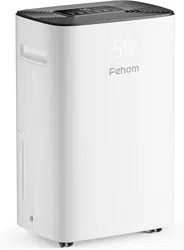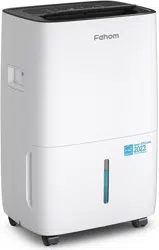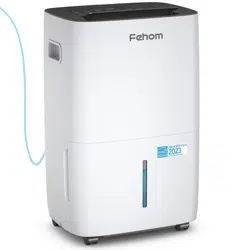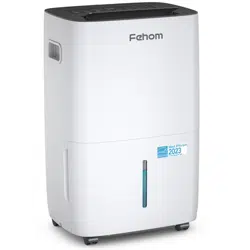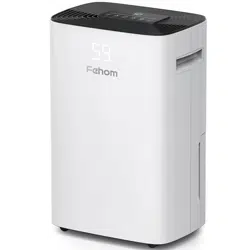

Home Dehumidifier
PD08F
Please read the manual carefully
before using the product
USER MANUAL
www.fehom.com


Thank you for purchasing our dehumidifier.
Fehom has been committed to developing powerful and easy-to-use
products to bring more convenience to your life. We highly recommend
you to keep this user manual for future reference in case of unexpected
problems.
Please read this user manual carefully to ensure proper use of the
dehumidifier. This dehumidifier is perfect for reducing humidity in family
bedrooms, bathrooms, basements, offices, storage rooms and more.
Fehom dehumidifiers reduce the room humidity efficiently, creating a
more healthy and comfortable environment for you and your family.
If there are any problems of the product, please contact Fehom Customer
Service at with your Purchase Order ID. We’ll help support@fehom.com
you solve the problems as soon as possible.
FOR CUSTOMERS
REQUESTING CUSTOMER SERVICE
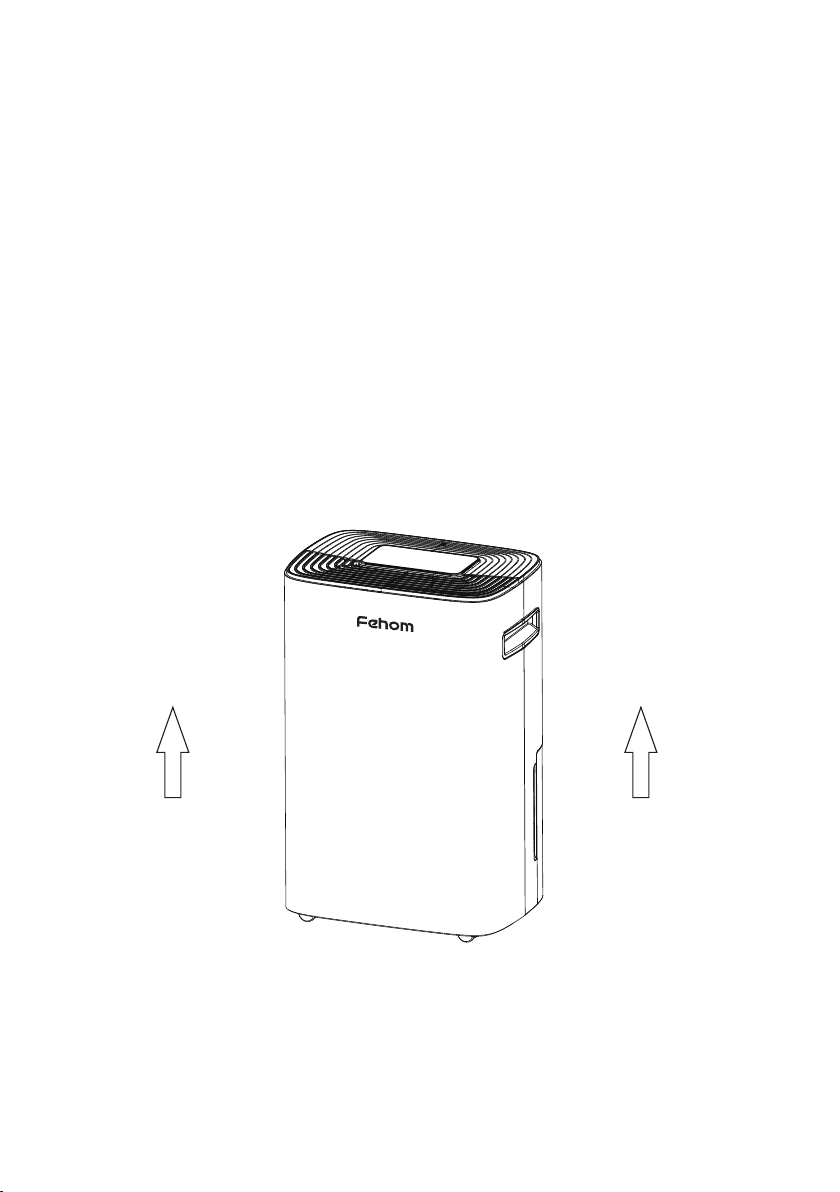
To protect the product from any internal damages, please keep
the product in the upright position throughout its journey.
Please take out the product and leave it standing in the upright
position for before plugging it in.
24 HOURS
BEFORE FIRST USE:

Precautions for Use...........................................................01
Parts Description...............................................................02
Operation Instructions ......................................................03
Cleaning and Maintenance...............................................12
Specifications.....................................................................13
Troubleshooting.................................................................14
Special Notes.....................................................................17
Warranty and Contact Us..................................................18
TABLE OF CONTENTS
Statement
The graphics and functions provided in this manual maybe not the
same as the actual product. The model shown in this manual is
only for reference. Please install and operate the machine
according to the actual situations. The company reserves the right
to interpret relevant terms.
For your safety, please read this manual carefully and keep it for future
reference. This product is for home use only. Please install and use the
product according to the operations in this manual.
Safety notes:
● Before cleaning the dehumidifier, please turn off the machine and
unplug it from the power source.
● Please do not place the machine near heat or flammable goods.
● Do not put any sticks or your fingers into the air inlet or outlet.
● Please always place the machine on a flat ground, rather than uneven or
slopping ones.
● Do not spray water, insecticides or flammable liquids on the machine.
● Please do not place the machine in a confined or narrow space.
● If the power cord is damaged, please contact a technician approved by
the company to replace it.
● In Dry Mode, please keep the clothes at least 15.7 inches away from the
air outlet to prevent the water entering the machine to cause damages.
● Please make sure the machine power wiring is installed in accordance
with national wiring rules. The power cord should be connected to a
reliable external naught wire.
● The fixed wiring connected to the machine must be equipped with an all-
pole disconnect device (air switch) with a contact distance of at least
0.118 inch.
● The specification of the fuse: 3.15A.
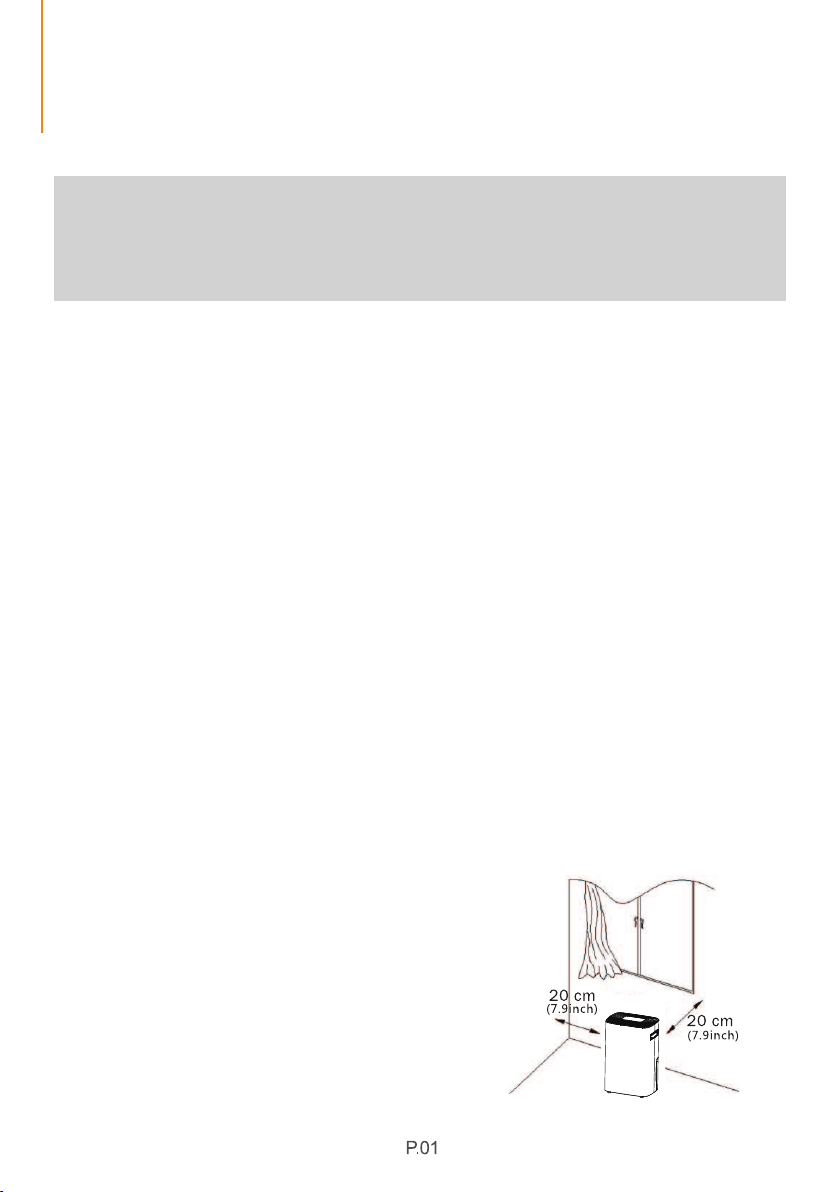
● Please use this dehumidifier in an
environment with the temperature
range between 41℉/5℃ and 95℉/35℃.
● When using the dehumidifier,
please keep other surrounding
objects at least 7.9 inches/20cm
away from the machine.
As shown in the picture:
PRECAUTIONS FOR USE
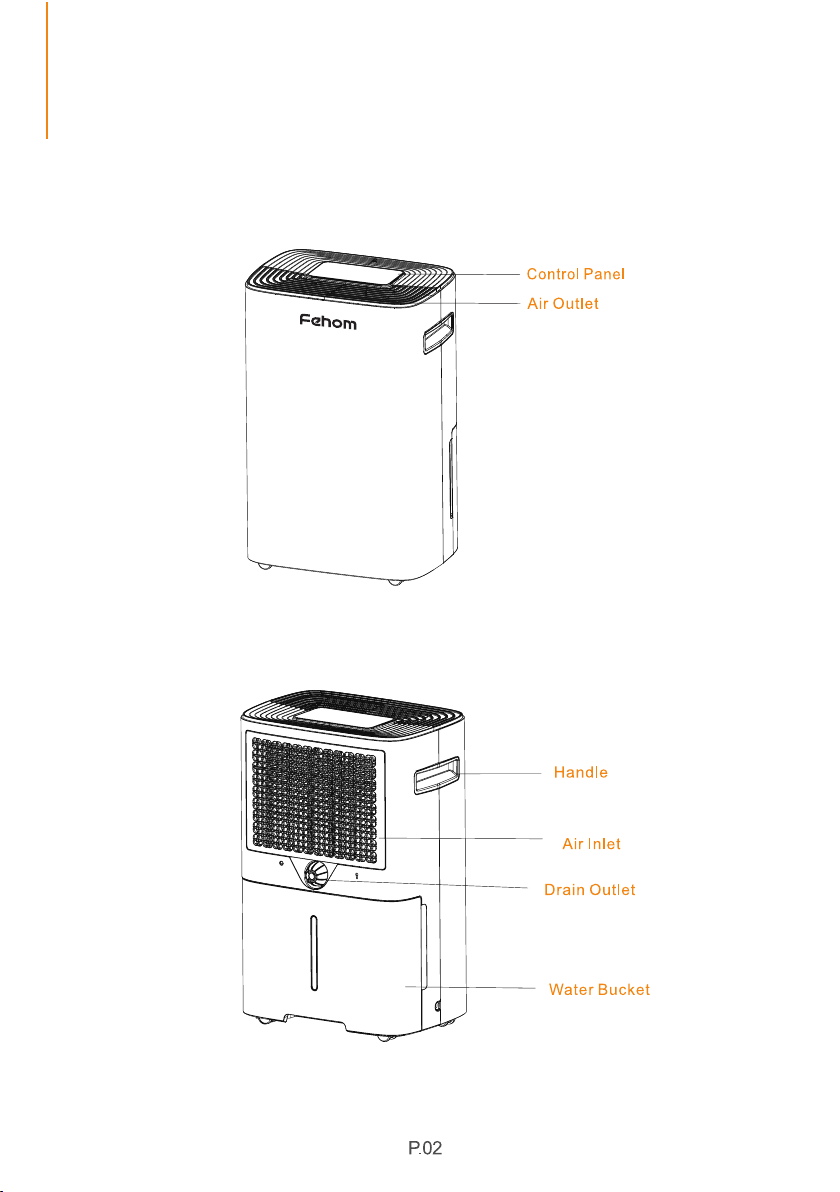
PARTS DESCRIPTION
BACK
FRONT

OPERATION INSTRUCTIONS
1. Control Panel
To enable or disable the child-lock
function.
Full Bucket Icon
To indicate the water bucket is full.

The humidity level can be set within the range of 30% RH to 80% RH in 5%
increments.
● When the machine starts to work, it will automatically detect and show the room
humidity first. In dehumidification mode, press the " " button to set the humidity
in 5% increments. Then it will flash "" and show the set humidity. Now you can set
88
the humidity within the range of 30% RH to 80% RH in 5% increments. If you do not
operate the machine for 5 seconds, "" will show the actual room humidity.
88
● When the room humidity is higher or lower than the humidity you set, the machine
will automatically begin to work or stop.
● When the humidity level is set at 30%RH, the machine will work in continuous
dehumidification mode.
Press and hold the " " button for 3-5 seconds to lock or unlock the control panel.
When the " " function has been activated, the indicator will light up, and other
buttons will be disabled. To regain use of the buttons, please unlock the control
button.
This setting is used for you to set a time when the machine will turn on and turn off
automatically.
1. Press the " " button to select the timer by 1-hour increments. You can set the
timer up to 24 hours. The machine will start to countdown when you start the timer.
2. Press and hold the " " button for several seconds to select faster.
3. If the timer is set to 00, it will be a invalid time. If you set the timer successfully, the
light " " will light up. The led screen will display the time for several seconds and
show the current humidity.
OPERATION INSTRUCTIONS
2.Setting
Humidity Setting
Lock Setting
Timer Setting
OPERATION INSTRUCTIONS
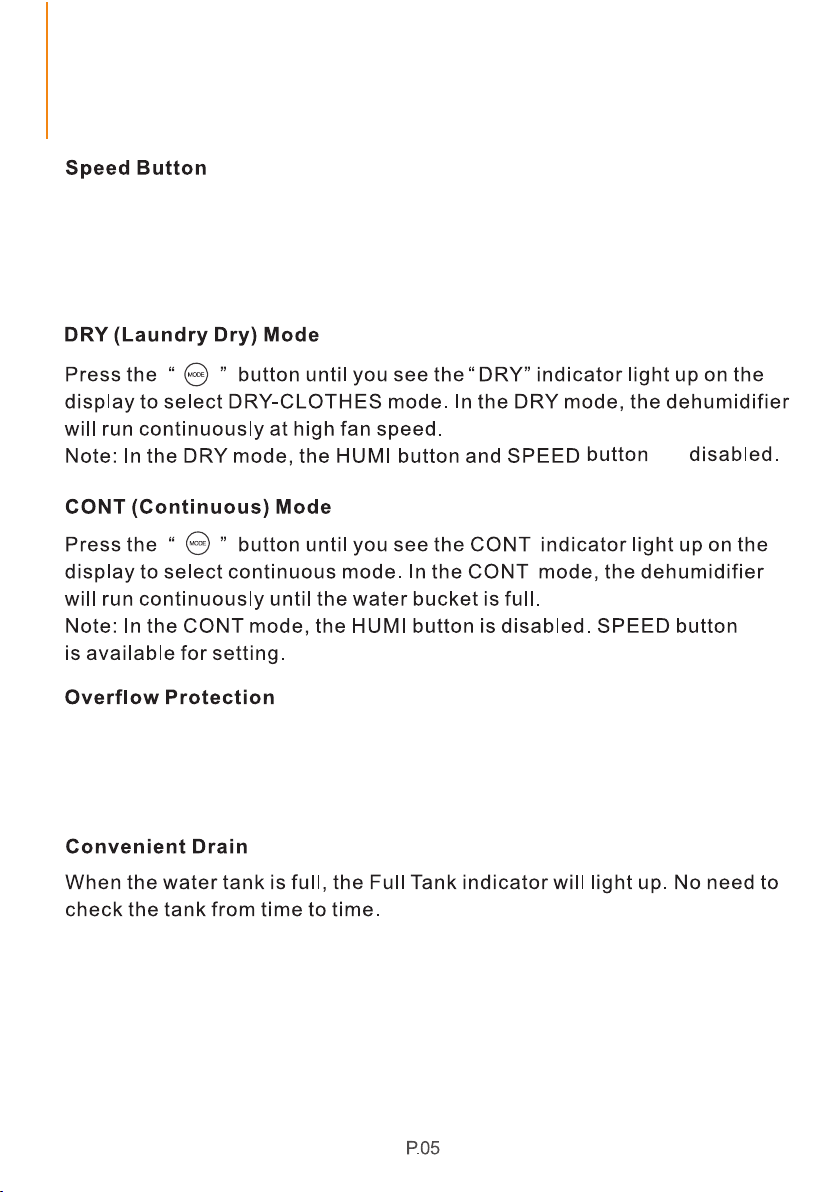
Press this button to control the fan speed. By pressing it, you can choose
either High or Low speed. Higher speed results in quicker moisture
removal. So when you want to reduce the humidity quickly, please choose
the High speed; If you have reduced the humidity or prefer quieter
operation, please choose the Low speed.
When the bucket is full of water, the machine will turn off automatically.
The indicator light is "FULL" will flash. After you empty the water from the
bucket, the indicator light "FULL" will turn off.
The machine will restart to work.
Auto Drain: The dehumidifier has a Drain outlet where you can just simply
attached the 6.56ft hose used for continuous drainage.
Manual Drain: When the water tank is full, the "Full Tank" indicator will
light up, the dehumidifier will automatically turn off and will start to turn on
automatically when the tank is emptied and placed back into the unit.
are

● When the device is currently powered on, when turning it off only the
POWER" will light up indicating device is in "Standby" status.
● Setting light " " : If the timer is setup properly, the indicator will light
up. Otherwise, the indicator will be off.
● High-speed indicator light " ": If you set the high speed, this indicator
will light up.
● Low-speed indicator light " " : If you set the low speed, this indicator
will light up.
● Dehumidify mode indicator light " " : When the machine starts to
dehumidify, this indicator light will light up. When the room humidity
reaches the set humidity, the light will flash. Otherwise, it will be off.
● Water full light indicator " FULL " When the water tank or bucket is full,
this indicator will flash.
● If the machine malfunctions, it will alarm and "" will flash and show the 88
error code.
● When the dehumidifier works normally, "" will show the current 88
humidity.
OPERATION INSTRUCTIONS
3. Display Status Description
4. Instructions for Drying Clothes
The dehumidifier can be used for drying clothes in rainy weather.
Step 1.
Hang the washed clothes in a small space such as cloakroom, bathroom,or
storage room.
Please keep the machine away from the water drips from the wet clothes.
Turn on the dehumidifier and set the humidity level at 30% RH. It is perfect if you
can let the machine air outlet blow the air to the wet clothes directly.
1. The drying effect will vary according to the clothes thickness, quantity and the
size of the drying space. Theoretically, the effect will be better if you hang few
thin clothes in a small space.
2. It will take 3-8 hours to dry the wet clothes in general. We suggest that you
should use continuous drainage when drying clothes.
Step 2.
OPERATION INSTRUCTIONS
If the malfunctions still exist, please don't hesitate to contact Fehom
Customer Service at for help.
support@fehom.com
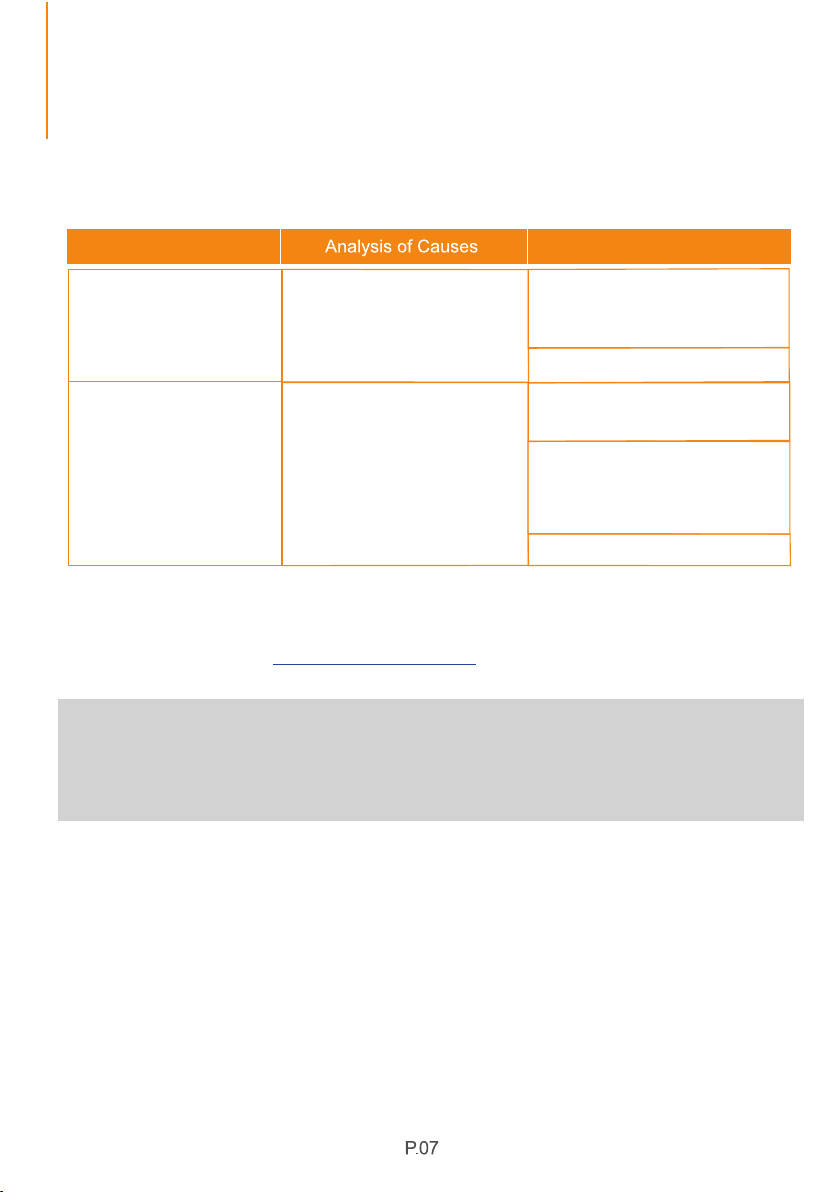
5. Faults and Solutions
Problems
Solutions
Does the humidity sensor fail?
Is there some water on the
surface of the humidity sensor?
Set the humidity to 30% RH and check
if the dehumidifier can work normally.
If it does, the machine is in a good
condition.
Repair or replace the humidity sensor.
The dehumidifier can work normally.
The moisture removal effect is not
affected.
Please keep the machine working for
a while to remove the water on the
humidity sensor surface. The machine
will work normally when the water is
removed.
Repair or replace the humidity sensor.
Humidity always shows
"25% RH" but there is a
big difference from the
actual humidity.
Humidity always shows
"99% RH" but there is a
big difference from the
actual humidity.
Notice:
Before turning on the machine, please be sure to have opened the air
outlet. Otherwise, the machine will overheat. Do not unplug the power
cord directly to turn off the machine.
OPERATION INSTRUCTIONS
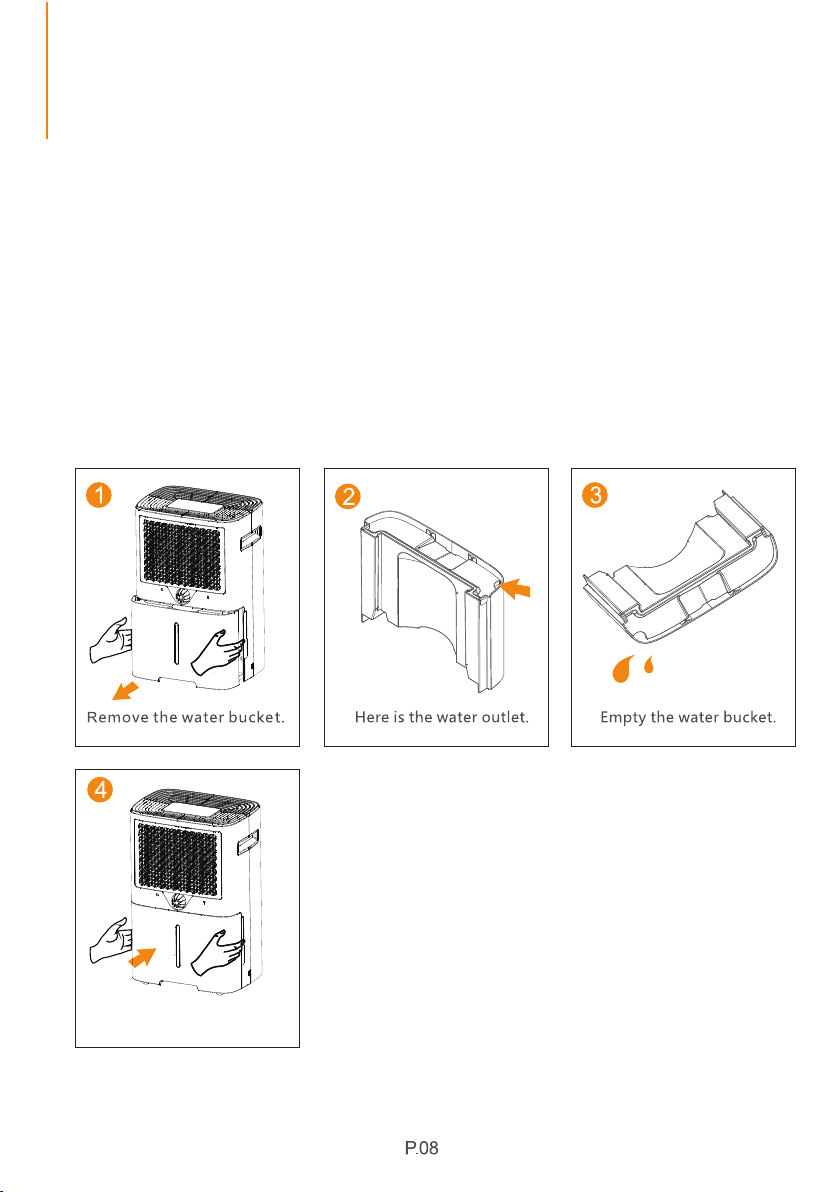
6. Empty the Tank or Bucket
There are two ways to remove collected water.
Using the Bucket
Ways to Empty the Water Tank
When the water tank is full, the full tank alert indicator will light up and the
dehumidifier will automatically shutdown until the tank is emptied and
placed back to the machine.
Place the water bucket back
properly.
OPERATION INSTRUCTIONS
Note:
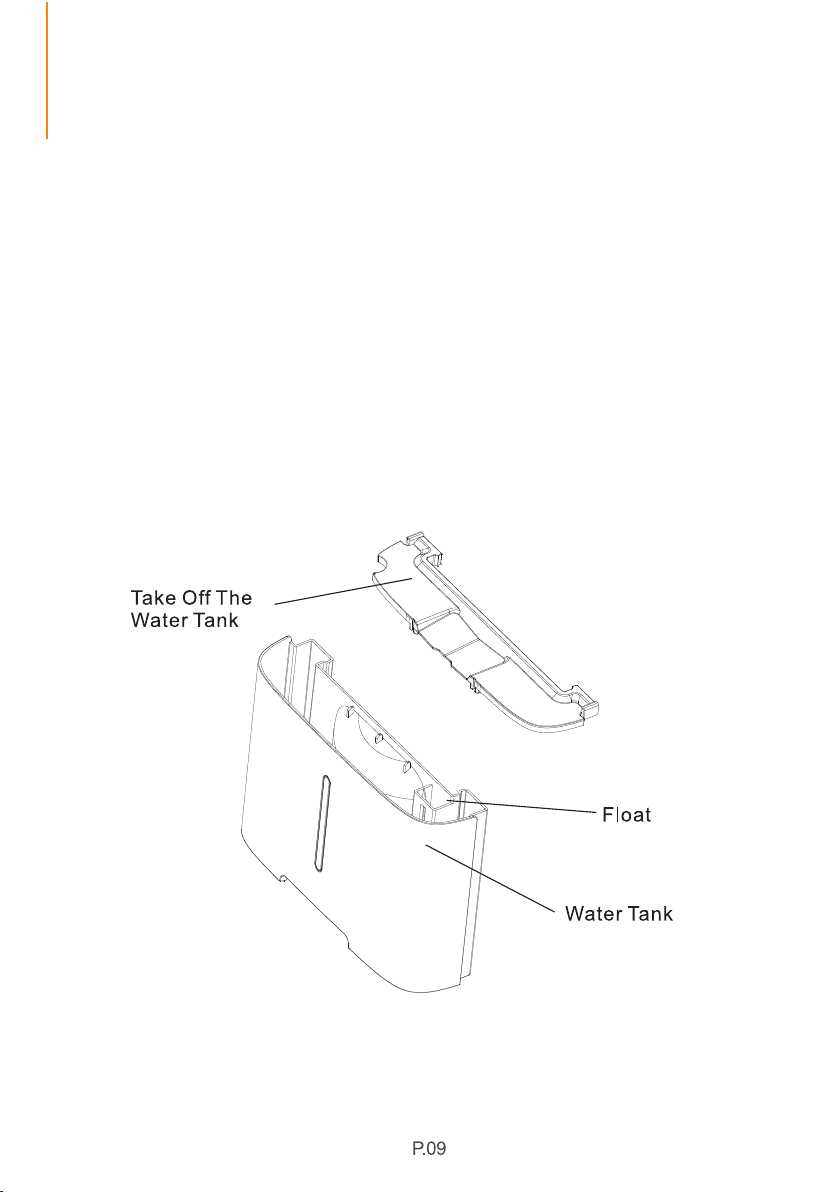
Do not remove the float in the water tank. Otherwise, the sensor maybe
unable to identify the water level in the tank properly, thus causing water
leakage.
If the water tank is dirty, please use cold or warm water to clean it. Do not
use any detergents, steel wools, chemically-treated dust clothes, gasoline,
benzene, thinners or other solvents. Otherwise, it may damage the water
tank and cause it to leak.
When placing the water bucket back, please use your hands to gently put it
back to its original place. If the water tank is not placed properly, the
sensors preventing water overflow may not operate as expected.
OPERATION INSTRUCTIONS
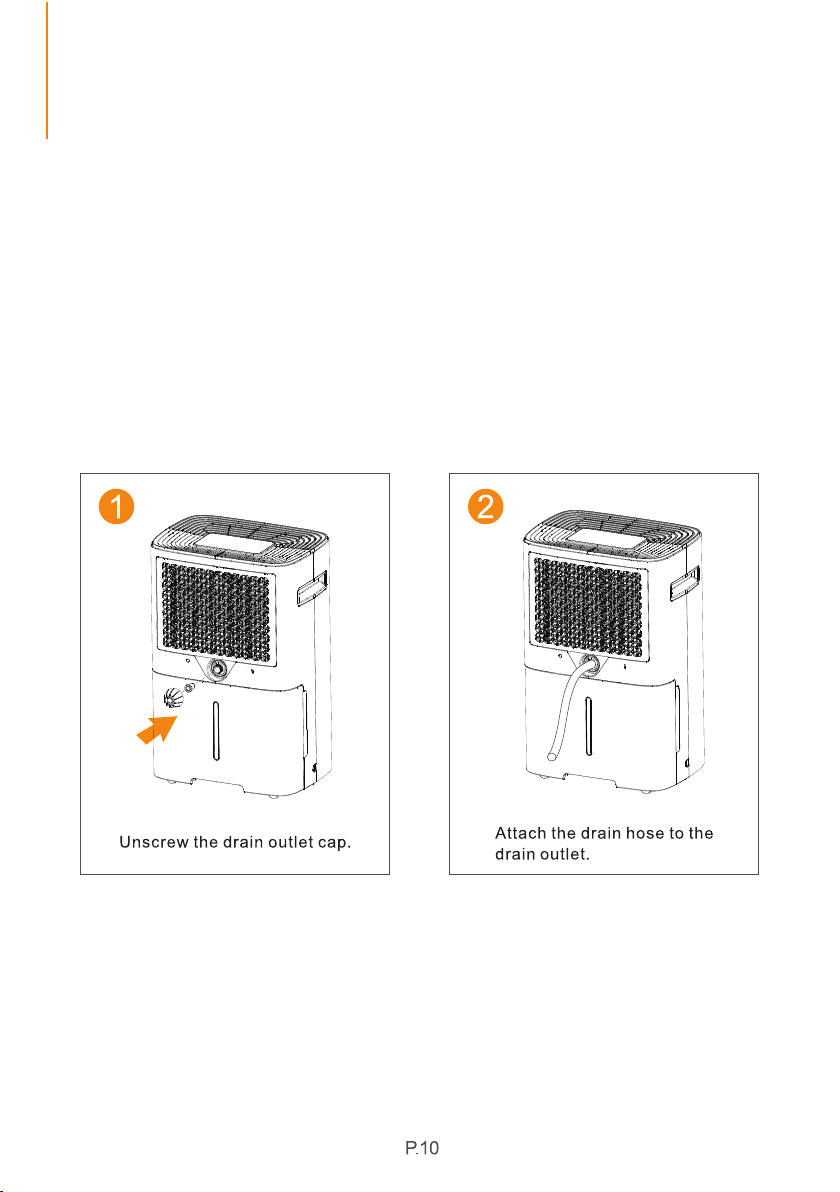
To continuously drain, please unplug the machine from the power source
first. Then take out the water tank and open the drain cover. Now insert
the drain hose into the continuous drain port and place the water tank
back to its original place. Plug the machine into the power source to start
continuous drainage. Please make sure that the drain hose should be
lower than the continuous drain port by at least 3.9 inches. Do not bend
the drain hose. (Note: The diameter of the continuous drain port is
16mm/0.63inch.)
7. Continuous Drainage
OPERATION INSTRUCTIONS
8. Smart Functions
Auto Restart
If the dehumidifier shuts off unexpectedly due to power outage while it is
running or in standby mode, the dehumidifier will restart with the previous
unction setting (working mode, set humidity, fan speed and etc.)
automatically when the power resumes.
Please turn off the dehumidifier and unplug it from the power source before
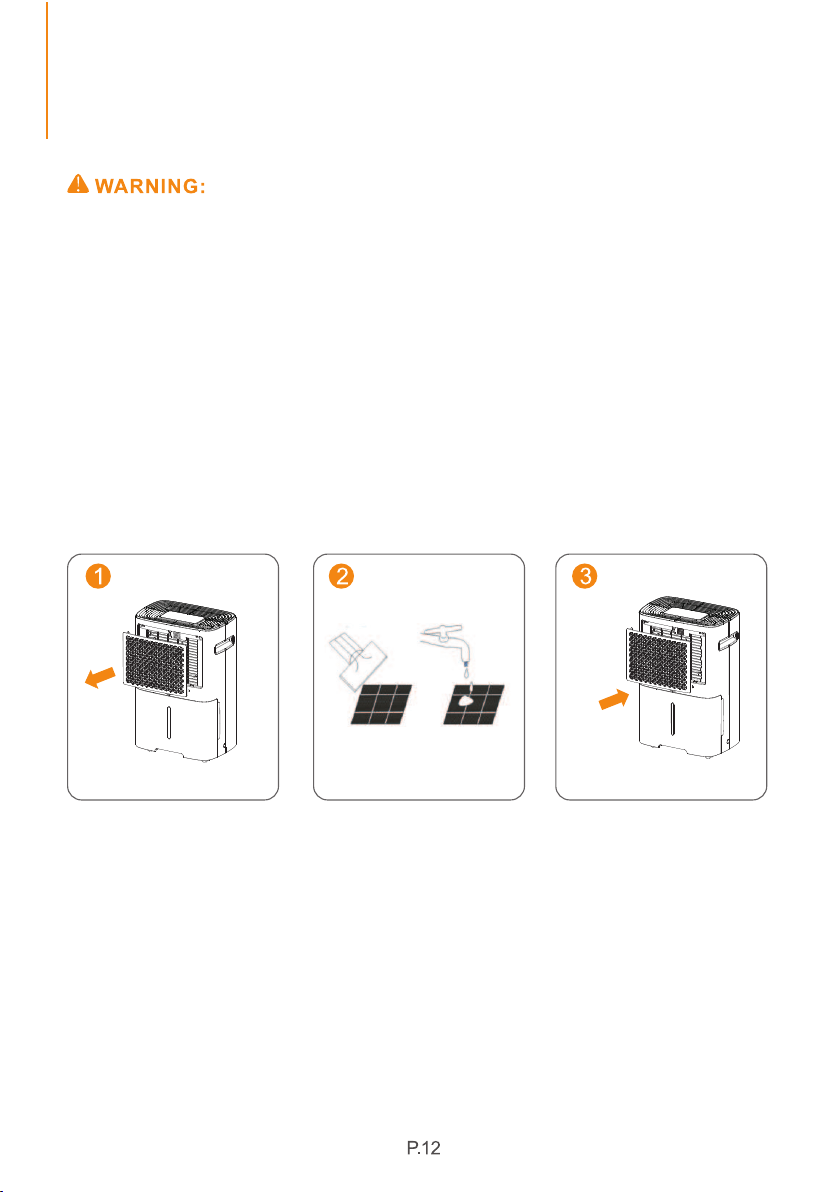
cleaning.
A-Cleaning the Dehumidifier Body
Please use a soft and slightly damp cloth to clean the humidifier body.
B- Cleaning the Filter
1. Pull out the filter.
2. Clean the filter: Use a vacuum cleaner to gently remove the dust from
the surface of the filter. If the filter is very dirty, wipe it with warm water and
a mild detergent and dry it completely.
3. Carefully insert the filter back to its original place.
If you don't use the machine for a long time, please store it according to
the following steps:
1. Empty the water in the water tank.
2. Roll up the power cord and tie it up.
3. Clean the filter.
4. Place the machine in a cool and dry environment.
C-Dehumidifier Storage
CLEANING AND MAINTENANCE
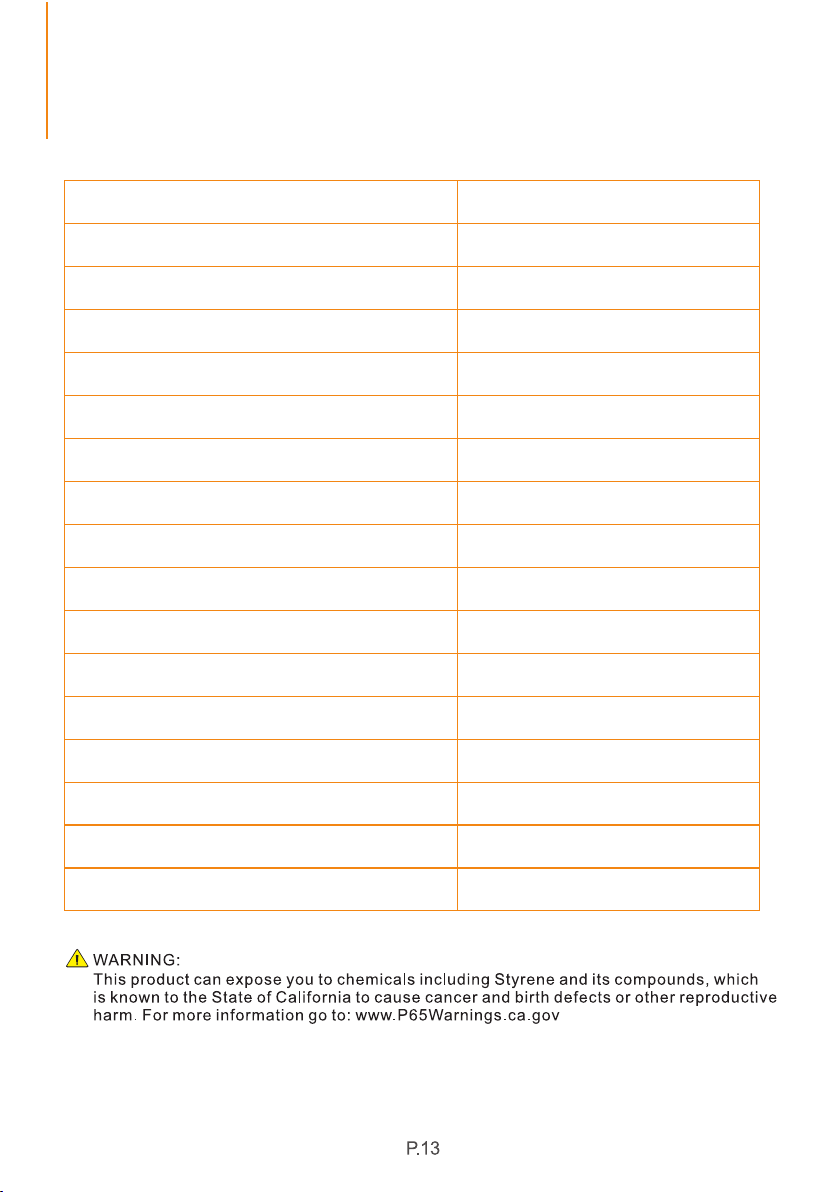
Model
Motor Fla
Motor Compressor
Refrigerant
Maximum Allowable Pressure
Power Source
Rated Power (95°F,90%RH)
Rated Current (95°F,90%RH)
Maxlmum Operating Ressure High
Moisture Removal (95°F,90%RH)
Input Power (65°F,60%RH)
Input Current (65°F,60%RH)
IEF (64.94°F,60%RH)
PD08F
50 Pints/Day
Maxlmum Operating Ressure Low
120V~60Hz
400W
3.6A
216W
2.0A
1.30 liters/kWh
0.23A
RLA:2.4A LRA:9.9A
R134a/150g (5.29ozs)
3.5MPa
1.6MPa
0.7MPa
Moisture Removal (65°F,60%RH)
Moisture Removal (80°F,60%RH)
Moisture Removal (86°F,80%RH)
15 Pints/Day
23 Pints/Day
40 Pints/Day
SPECIFICATIONS
P.14
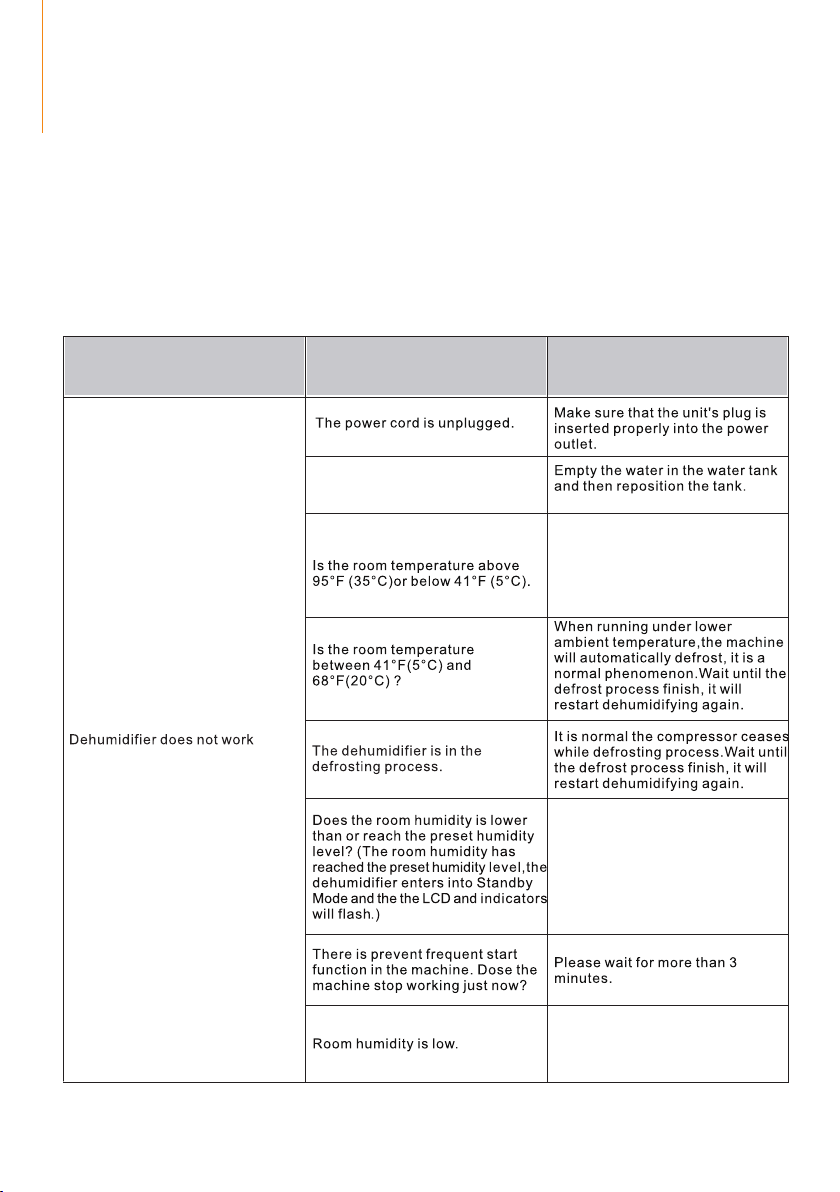
TROUBLESHOOTING
Check the information below for troubleshooting the common problems you
may encounter in the future. These abnormal conditions that are not faults
caused by manufacturing process or material defects.
If the malfunctions still exist, please feel free to contact Fehom customer
service for help.
Problems
Possible Causes
Troubleshooting
Is the full tank indicator flashing?
(The tank is full or it is in a wrong
position.)
The machine cannot work in an
overheat or cold environment. It
will automatically shutdown to
protect itself.
Please set the humidity 5%
lower than the room humidity or
set the humidity to 30% RH.
The machine is designed to work
in the humidity range of 30% RH
to 80% RH. It will not work if the
humidity is not within this range.
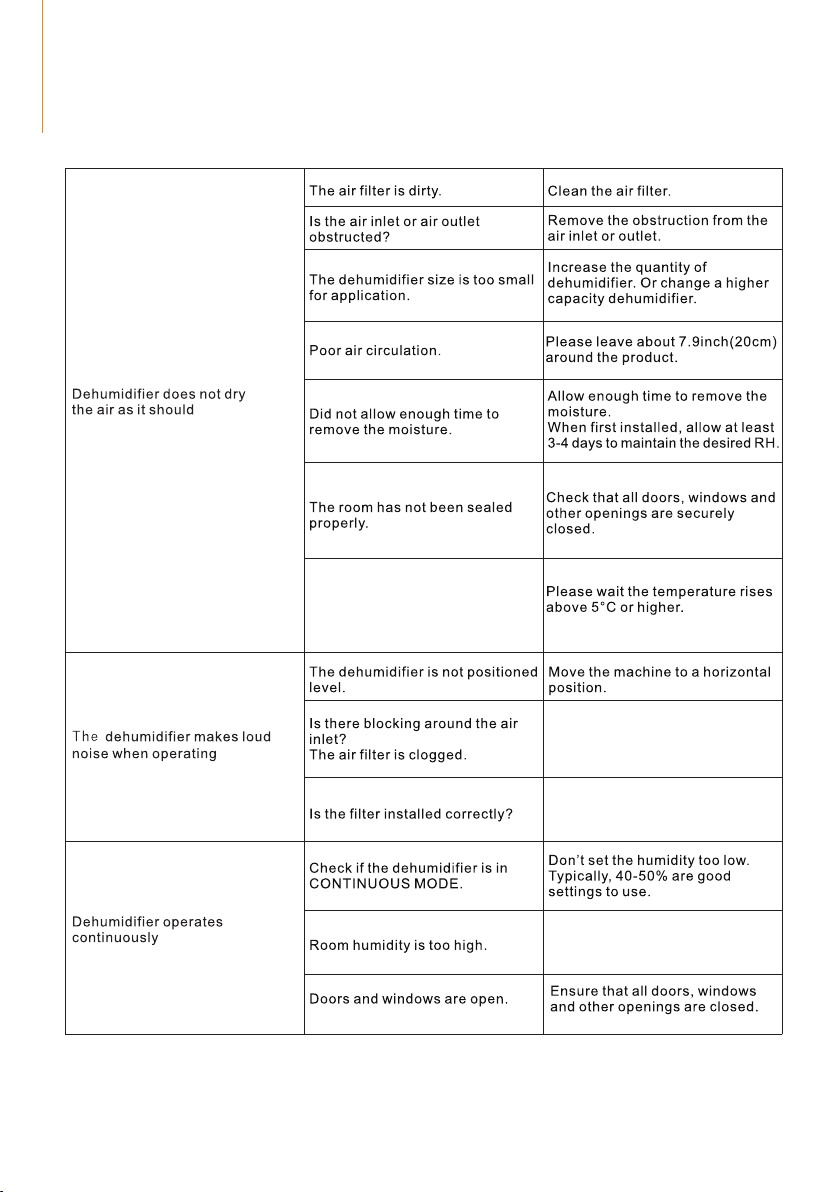
The room temperature is too low
or the ambient temperature is
below 41℉(5℃) (The machine
will not work or it dehumidifies
very slowly in low temperature).
Clean up the dirt on the air inlet
and outlet.
Please check to see if the filter
package is removed and it is
installed properly.
Change humidity settings or
replace the machine with a
higher-capacity dehumidifier.
TROUBLESHOOTING
P.15
TROUBLESHOOTING
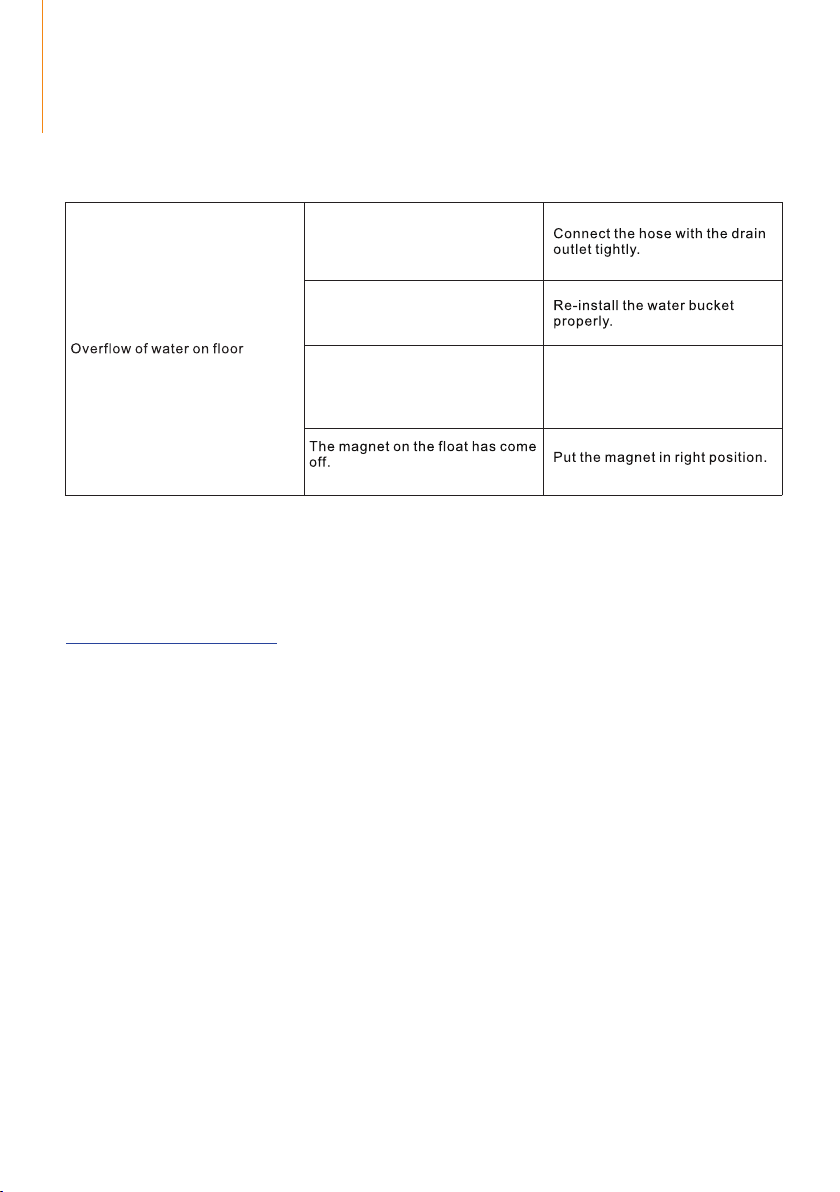
The connection between the
hose and port may be loose.
The water tank is not installed
properly.
The float of the water tank has
sunk.
Move the float and make sure
it can swing freely.
Notice:
If the dehumidifier still does not work properly as expected, please unplug
the machine from the power source and contact Fehom customer service at
support@fehom.com.
P.16
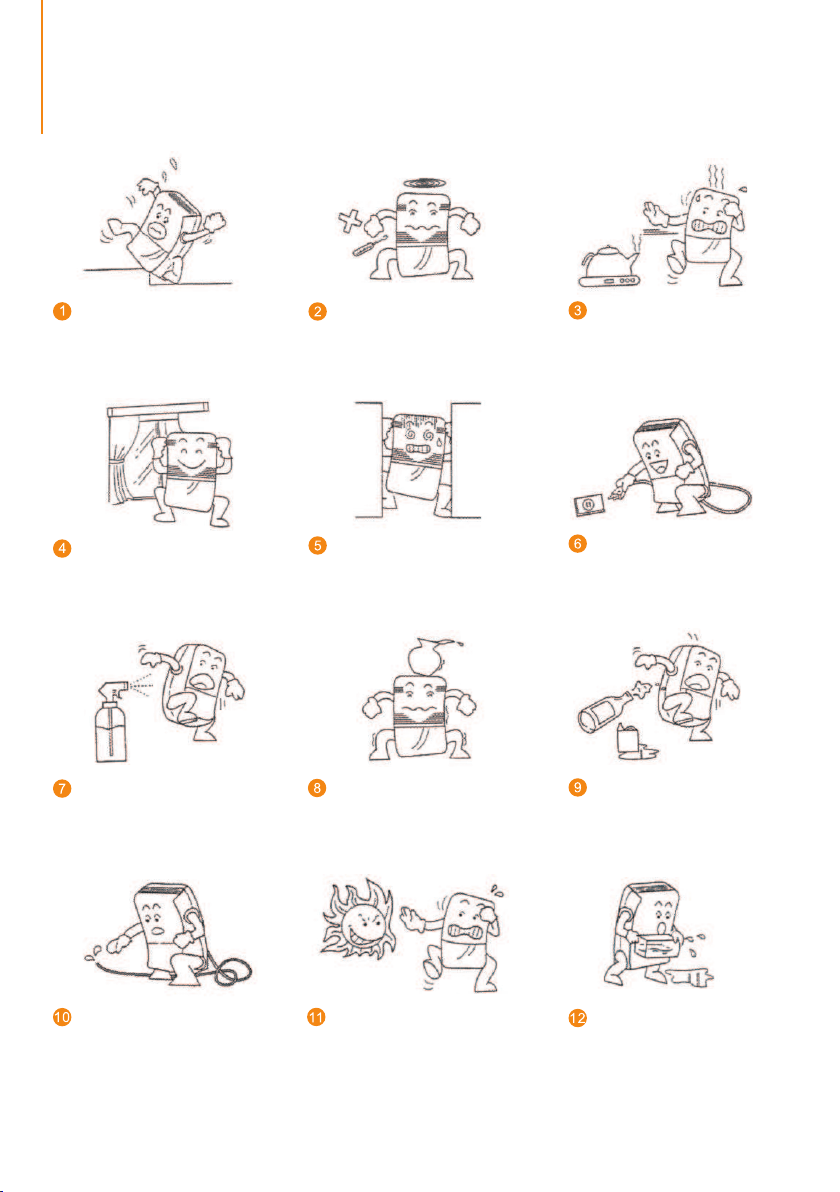
SPECIAL NOTES
Do not insert any thin rods or
hard items into the machine to
prevent malfunctions and
dangers.
When cleaning the machine,
please use wet cloth to wipe
gently. Do not spray water on it
directly.
Please clean the filter every two
weeks. Do not use hot water
above 104°F, alcohol, gasoline
or toluene.
After cleaning the filter,
please do not dry it under
direct sunlight to prevent it
from deforming.
When using the machine,
please do not put it on a soft
or uneven ground to prevent
vibration and movement.
When using the machine, please
keep it away from any heating
furnaces, electric kettles and
other heating sources.
When using the machine,
please close doors and
windows for the optimal
moisture removal effect.
Please do not put any objects
around the machine. The
dehumidification effect will be
affected if the ventilation is bad.
Please unplug the machine from
the power source if you do not
use it for a long time.
Please do not put any
objects on the dehumidifier.
Before moving or carrying
the machine around, please
empty the water tank first.
When using the hose to drain
continuously, please place the
hose horizontally and make
sure it is even and not winded.
P.17
Fehom Office
13211, Spring Street Baldwin Park, CA, US
Email: [email protected]
Live Chat: www.fehom.com
Support Hours
24 Hours available
*Please have your order number before contacting customer support.
Fehom offers a 12-month warranty to all of our products together with the original
proof of purchase when a defect occured, including those newly purchased and
unused, from Fehom or through an authorized reseller, wholly or substantially, or as
a result of faulty manufacturing parts, or workmanship during the Warranty Period.
The warranty does not apply if damage is caused by other factors, including but
without limitation of:
There are our general terms for the warranty service, but we always encourage our
customers to contact us if any issues, regardless of warranty terms. If you are
experiencing an issue with fehom product, you can reach out to us at
support@fehom.com, we will dedicate our efforts to resolve it for you.
*Please fill out all required fields and inlcude your Order ID, Date of Purchased if
applicable.
Warranty
Extend Your Warranty by 1Year
Customer Support
If you have any questions or concerns about our product, please feel free to
contact our expert support team. Fehom customer service is ready to help.
( a ) Normal wear and tear;
( b ) Abuse, mishandling, accident or failure to follow operating instructions;
( c ) Exposure to liquid or infiltration of foreign particles;
( d ) Servicing or modification of the product other than by Fehom.
Register your product at to extend your 1-year warranty by an
www.fehom.com
additional year.
P.18

@Fehom
@Fehom
@Fehom
@Fehom
We are expecting to see our products fulfill your life and hear your voice.
Your satisfaction means a lot to us.
Please tag us if you share a snap on your social media.
www.fehom.com
www.fehom.com