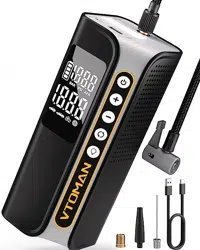
Model : X6 Pro
160PSI
Air Inflator
Thank you for choosing VTOMAN Air Inflator. To ensure a good user experience, personal
safety, and property security, please read all of the instructions carefully before using this
product, please keep this manual for reference.
Charge It First !
While reading through the manual, you can start to charge your X6 Pro with the wall charger
and type-c cable provided.
1
To protect the motor, when the temperature of the electric core is higher than 55 ° C, it
will stop working, and when the temperature drops to 45 ° C, it will restart working.
The Air Inflator's air hose may get very hot after inflating. To prevent injuries, exercise
caution when disconnecting it from a valve.
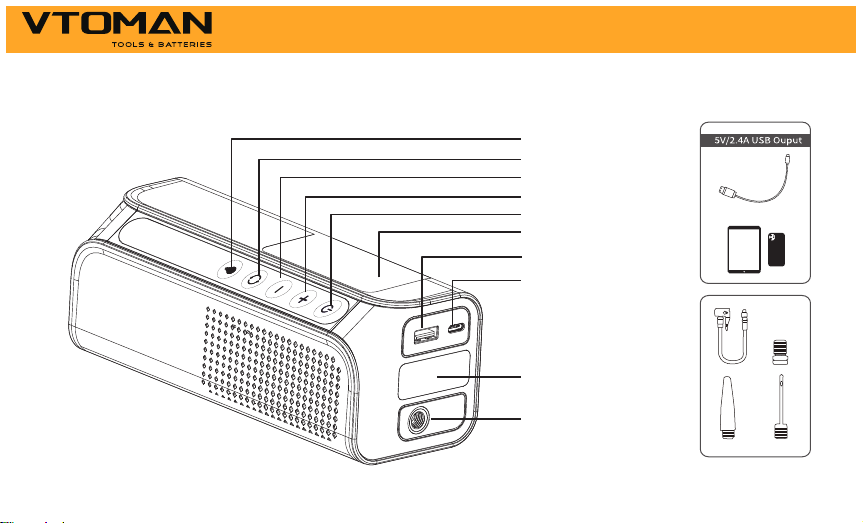
Product Parts and Functions Description
2
USB-C 9V 2A
Input Port
Aerated
LCD Display
LED Flash Light
Light switch
Setting button
5V/2A Output Port
Power switch
Pressure increase
Pressure decrease
Operation Instructions
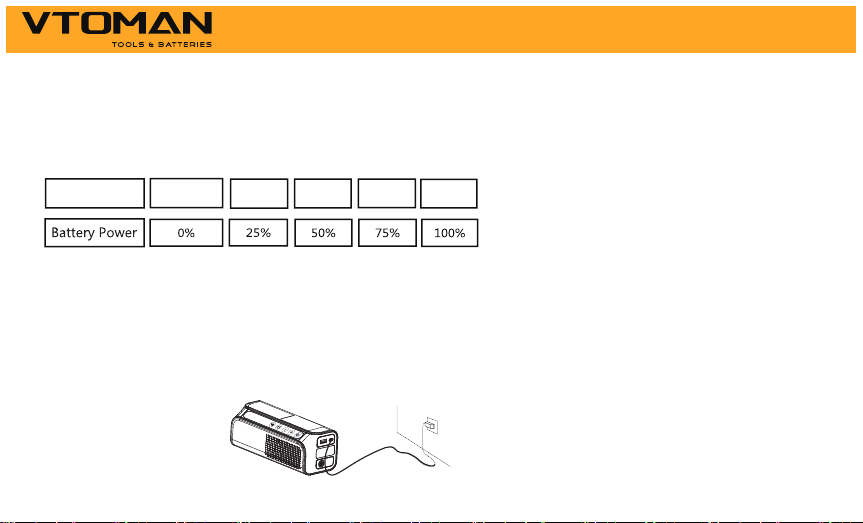
Battery Power:
1 Bar 2 Bars 3 Bars 4 Bars
0 Bar
Ba�ery Icon
Press the power button to check the battery power:
The battery icon will blink one by one during the period of charging. Different bars of battery
icon show different battery power, the battery icon becomes 4 bars when the charging
process was finished.
This unit can be charged with the type-c cable and wall charger(wall charger Not Included).
How to Charge the X6 Pro
4
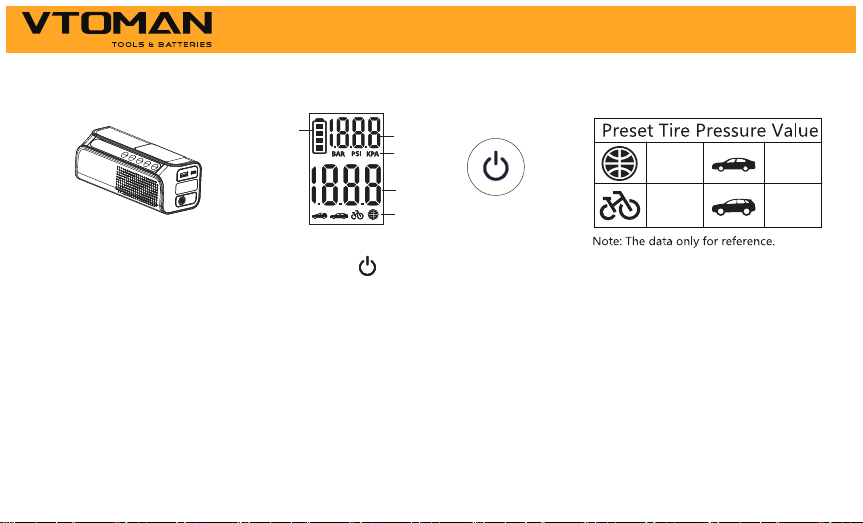
Steps to Use the Air Inflator
Power on, short press the " " key to start to set the air inflator.
1.Long press the "power" button to turn it on, short press the "setting" button to enter the
air pump editing mode, and selet the icon of SUV, car, bicycle and basketball, and then short
press the "+" or "-" keys to adjust the tire pressure value.
2.Short press the "Power" button to start inflation.
5
3
5
4
2
1
45PSI
2.4BAR8PSI
2.5BAR
6
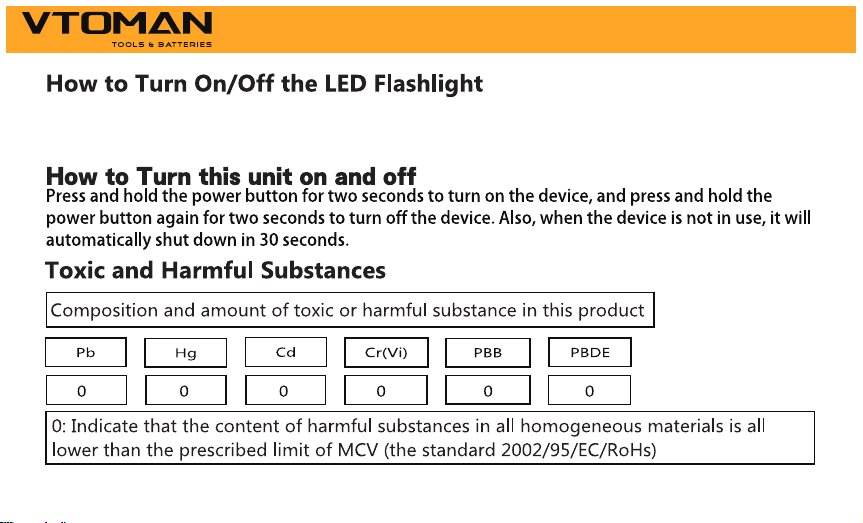
Long press the light switch button to turn on the LED light, the white light will stay on, after
pressing the switch button again, the LED will enter the white light flashing, and then press to
turn off the light.
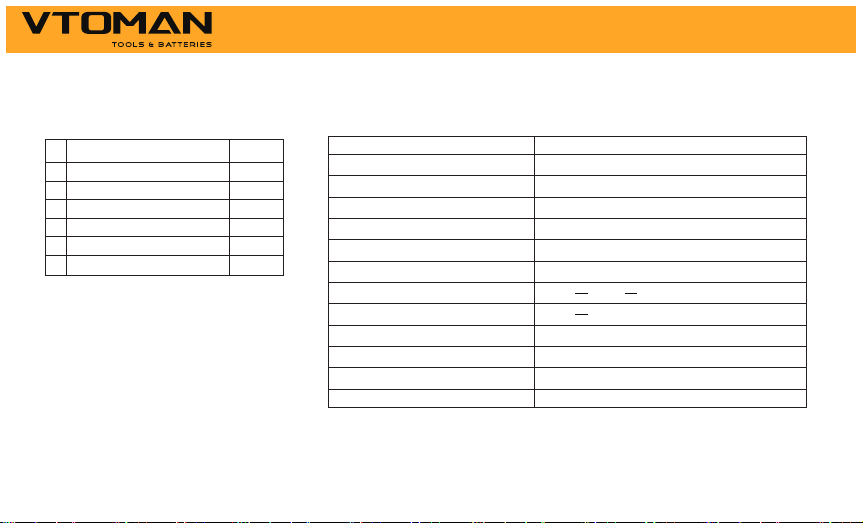
Technical SpecificationPackage Content
#
QuantityPart Name
Host
Carrying Bag
Pump Tube
Air Nozzle
USB-A to USB-C Cable
1
1
1
1
3
1
1
2
3
4
5
6
User Manual
7
Model
Battery Capacity
Dimensions
Inflation Pressure Range
Length of air hose
Working Noise
lnput
Operating Temperature
Output
Input Port
Output Port
Charging Time
Sensor Accuracy
X6 Pro
27.75Wh
186mm*70mm*70mm
4-160psi
500mm
Lower than 80dB within 1 meter
5V 2A, 9V 2A (Max 18W)
-20-60 ºC/ -4-140ºF
5V 2A (Max 10W)
USB Type-C
USB-A
about 2h
±2psi
---
---
---

FAQ
Q1: What is the operating temperature of this unit and how to store it?
A: This unit is lithium polymer battery, operating temp is -20-60 ºC/ -4-140ºF. If the ambient
temperature is higher than 60ºC/140ºF, the internal construction of the battery cells may be
damaged, it may swell and become unsafe. So don’t store the device in vehicle which parked
in hot weather for long periods of time.
Q2: What should I do if this unit can’t charge up?
A: Charge it with a usb-c cable and wall charger for a full overnight period. If it still does
not work, contact us at: [email protected] ( Attach your order ID).
Q3: What should I do if this unit can’t charge other devices?
A: Try to charge the device with another charging cable, If it works, which means the charging
cable we provided is defective, we will provide you a new one; If it still does not work, please
email us at: [email protected] ( Attach your order ID).
8

Q4: Can this unit charge other devices while it is being charged?
A: Yes.
Q5: How often does this unit need to be recharged?
A: It would be best to recharge it every 3 months.
Q6: Why it shuts off in 30s when charging other devices?
A. This unit may shut off automatically when charging for the devices that need light
charging current, such as headphone, smart watch,etc since there is minimum load current
limitation (200mA) on this unit, it will be automatically off after 30s if the load current is less
than 200mA.
9

Warning
1. Please read this user manual carefully before using this machine.
2. Please be careful when using this machine. If you do not follow the instructions, you may
injure yourself or damage the equipment or vehicle battery.
3. Do Not allow people who do not have proper knowledge or ability to operate the device
without supervision.
4. Do Not use this unit as a toy. Keep it away from children to avoid accident.
5. Do Not use this unit when any cable, clamp, or cord was damaged or when this unit was.
6. Don't over-discharge the unit (don't let the battery run out), charge it regularly, it would
be best to recharge it every 3 months.
7. Do not operate this product in an explosive environment, such as a place where flammable
liquid, gas or dust exists.
8. Do Not let the product be immersed in water.
10. Do not operate this product in an explosive environment, such as a place where flammable
liquid, gas or dust exists.
11. Do not modify or disassemble this machine. Only service technicians can repair this
equipment.
10

12. Do not expose the product to extreme heat or fire.
13. Do not drop or squeeze the device. If the device is hit hard or damaged in any other way,
it should be inspected by a qualified battery technician.
14. Do not store in places where the temperature may exceed 60ºC/140ºF.
15. Only charge at ambient temperature of -10~45ºC/14~113ºF.
16. Under extreme conditions, the battery may leak. If there is a liquid leak from the device,
do not handle it with bare hands. If there is skin contact, wash immediately with soap and
water. If the liquid accidentally touches the eyes, immediately rinse the eyes with water for
at least 10 minutes and seek medical help.
17. The device contains a lithium battery. At the end of the product's service life, or if the
device leaks liquid, dispose of the device according to local regulations.
11
Within 18 months, we will provide timely and effective online after- sales service after your
purchase.
18 Months Online After- Sales Service
Within the first 30 days after your purchase, you can apply return for it through Amazon
when you have any product issue.
30 Days Money Back Guarantee
We will replace the defective unit due to manufacturing issues with a new one within 18
months.
30 Days to 18 Months
Your Warranty Includes
Disclaimer
A. When the product needs to be repaired or replaced, the original purchaser should show
the original receipt (order ID), and the warranty will take effect.
12

B. The warranty does not cover damage or product failures caused by normal wear and tear,
physical abuse, improper installation, misuse, modification, or unauthorized third-party
repairs.
C. We are not responsible for any accidental or indirect damage caused by incorrect use or
misuse of this product.
D. All warranty claims are limited to repair or replacement of the defective product and at the
sole discretion of VTOMAN.
13
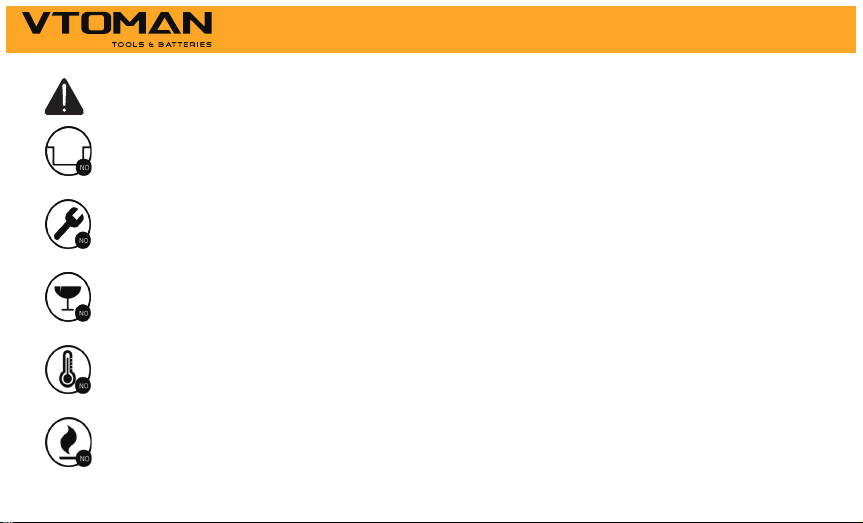
Attention
Do Not Place Near or Into Fire
Avoid Extreme Temperatures
Do Not Drop
Do Not Disassemble
Do Not Submerge In Water
14

Customer Service
18 Months Limited Warranty Service
Lifetime Technical Service
Feel Free to Contact Us
For FAQ and More Information
15
Thank You
Made in China
