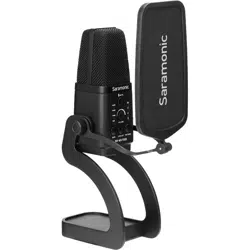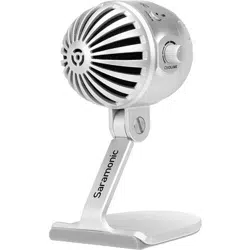
SmartMic MTV500
USB Desktop Microphone
USB 桌面式麦克风
User Manual
鋀宔寯㘄

1.Do not use the unit under moisture condition or water, don't expose it to rain.
Please store it in a cool, dry place.
2.Please use and store it in normal temperature. Do not move it from overheat ed
to supercooled condition frequently as well as keep away from heat sources such
as heater or oven.
3.When using and storing, please pay attention to dust and moisture.
4.Be careful to violent collision.
5.To avoid acoustical feedback, do not hold the microphone close to the
loudspeakers.
6.For the best pick-up pattern, do not hold your hand against the microphone
cover.
Statement
Cautions
Please read this manual carefully before using and strictly operate and store
in accordance with the instructions. Please save it for your future reference.
If the user manual can not help you to solve problems, please ask your retailer for
help or email us: [email protected].
such as home-recording, studio, podcasting and much more.
Easy-to-operate, gain control, mute button features, you can create a clear and
ample audio as you wish.
The SmartMic MTV500 also incorporates real-time monitoring features, like a built-
in headphone jack with a volume control, allowing you to directly monitor zero-
latency microphone signal.
No need to install any driver, the SmartMic MTV500 can be directly connected to
the computer through the supplied cable.
Introduction
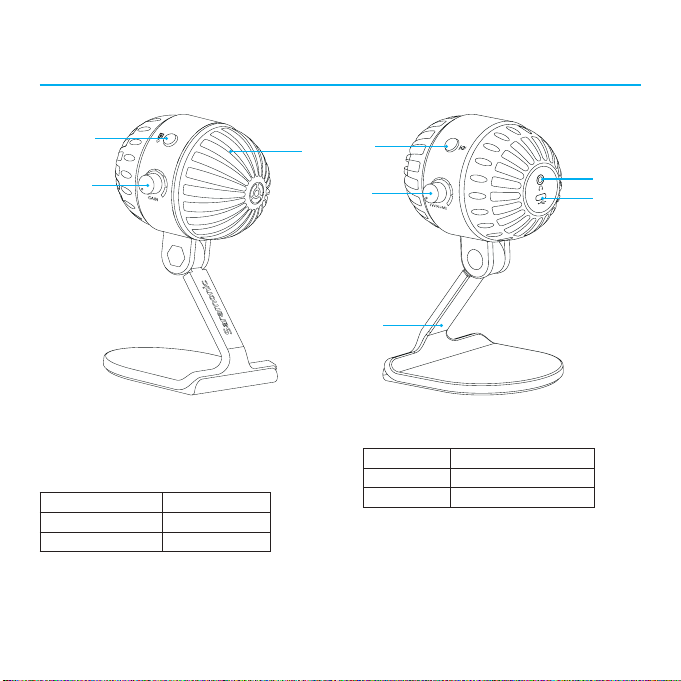
Product Structure
①
④
⑤
⑧
⑥
⑦
②
③
①
Pop filter
③
Gain control
④
Power/Mute button
⑤
Volume control
⑥
3.5mm headphone jack
Connect a headphone to monitor the
audio output.
②
Polar pattern switch
Mode Indicator Status
Omnidirectional Lights off
Cardioid Green Light
Mode Indicator Status
Power ON Solid Green Light
Mute ON Flashes Green Light
Operational Instruction
⑦
Standard USB-C output (DC 5V)
⑧
Desktop stand
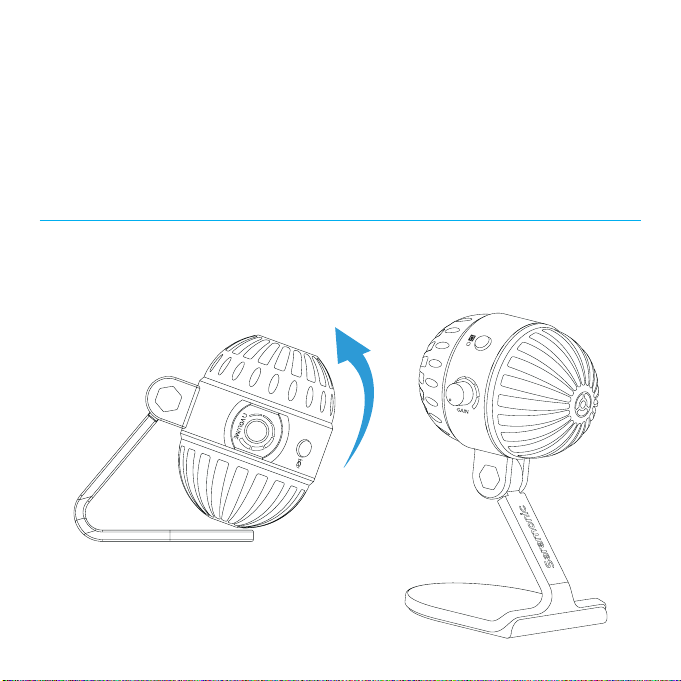
1. Unfold the microphone and lay it flat on the table, adjust it to an ideal angle,
And always face the front side of the microphone's pop filter to you.
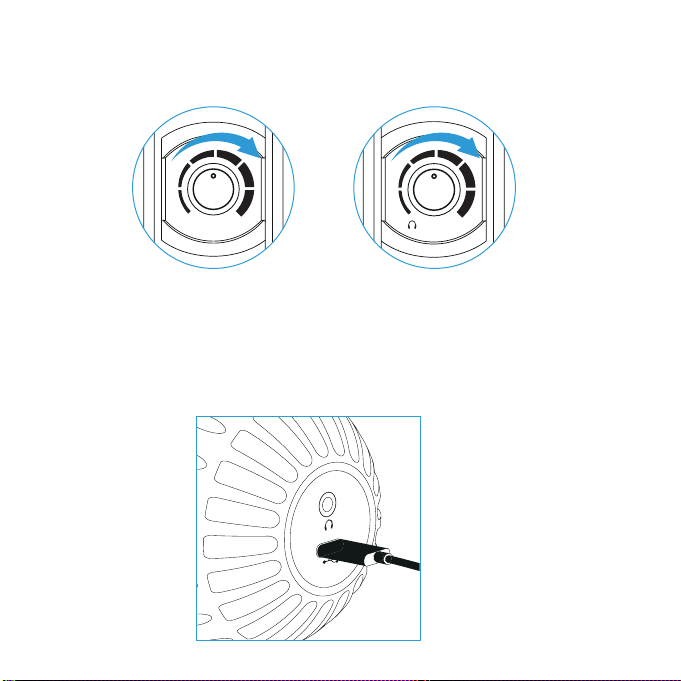
2. Adjust the "VOLUME" and "GAIN" control to 80% level position. If your pick-up
subject is too quiet, you can slightly turn up the volume.
3. No need to install any driver, the SmartMic MTV500 can be directly connected
to the computer. Connect to the computer through the supplied cable, and plug
into the USB-C output at the back of the microphone. The POWER indicator lights
green.
GAIN
VOLUME
4. Select SmartMic MTV500 as the input/output device on your computer.
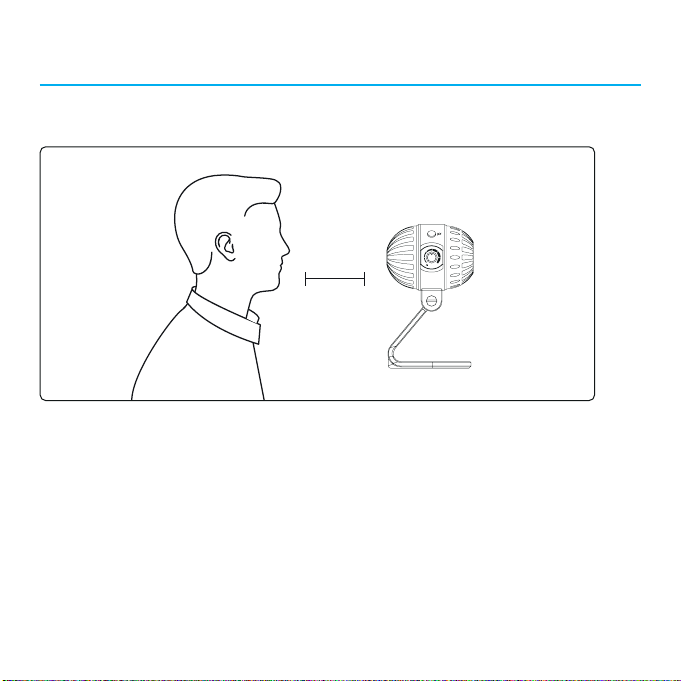
6. Choose an appropriate pick-up pattern and keep a certain distance before you
recording.
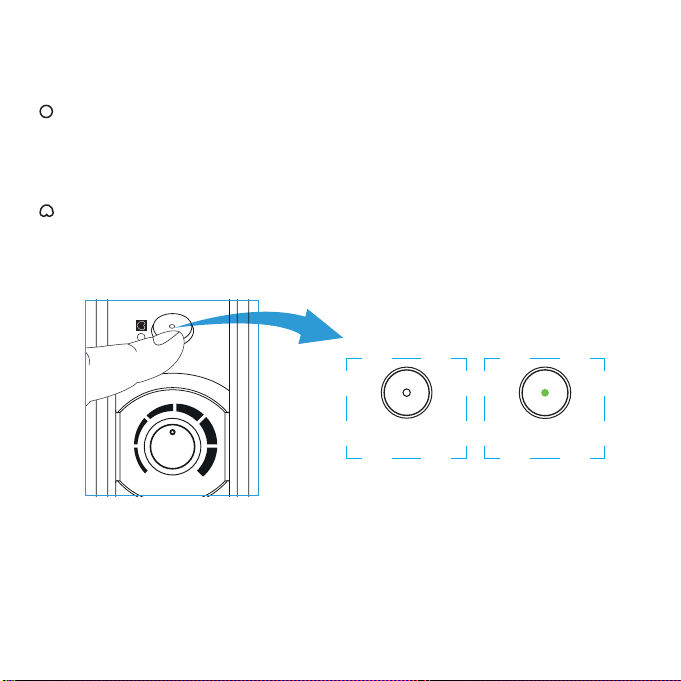
5. Polar Pattern Introduction
Omnidirectional
Pick up sound equally from all directions, capturing a natural blend of voice and
ambiance with low sensitivity to wind and handling noise, as well as to vocal
plosives.
Cardioid
Maximizes the rejection of sound coming from the sides and rear of the mic and
can be used as a directional microphone to capture full, rich, natural-sounding
audio for podcast, speech, dialog, instrument etc.
Omnidirectional
(Lights off)
GAIN
Cardioid
(Solid Green Light)
7. You are ready to record. (The headphone jack supports the real-time monitoring,
so you can secure the intelligibility of audio.)
Setups Procedure
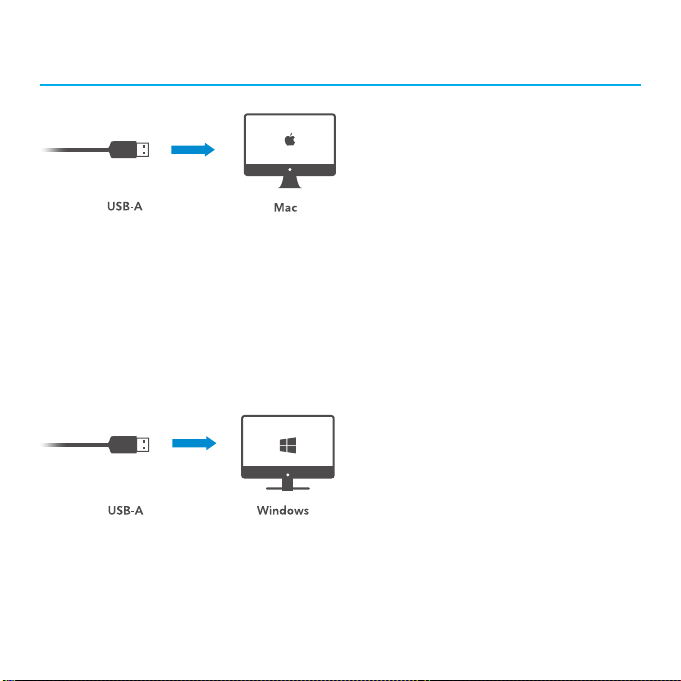
Mac OSX Setup Procedure
1.Connect the microphone to your computer via the supplied USB-C to USB-A
output cables.
2.Open the Apple interface and select the "System Preferences"
3.Select the icon of "Sound".
4.Choose "SmartMic MTV500" as input device and click "OK".
5.Choose "SmartMic MTV500" as output device and click "OK".
Windows Setup Procedure
1. Connect the microphone to your computer via the supplied USB-C to USB-A
cable.
2. Open the control panel and select the "SmartMic MTV500"
3. Select "Audio" tab and choose "SmartMic MTV500" as input device.
Tips
VOLUME
To get optimum sound performance, adjust the microphone's pick-up angle. For
maximum clarity and intelligibility, position the microphone pointed directly at the
subject's mouth.
Before adjusting the angle, slightly loosen the knobs. Avoid tightening or
loosening knobs with great force as it might damage the screw threads.
Always mount the pop filter to avoid plosive when recording.
5-30cm

Specifications
Polar Pattern Omnidirectional/Cardioid
Frequency Response 20-20kHz
Sensitivity -36±3dB(0dB=1V/Pa,1kH 1.5V 2.2K)
Signal-to-noise ratio 80dB
Maximum SPL 130dB
Gain Control 0~39dB
Operating Voltage 5V 150mA
Headphone
Amplifier
Impedance
>16ohms
Output power
130mW
THD
0.01%
Frequency Response
15Hz-20,000Hz
Signal-to-noise ratio
100dB
Headphone gain
0~35 dB
Material ABS housing
Output USB-C
Dimensions 88×100×171mm (3.5*3.9*6.7'')
Weight 300.5g (10.6 oz.)

Packing Lists
• SmartMic MTV500 Microphone
• 1.2m (3.9') USB-C to USB-A audio cable
• Warranty Card
• User Mannual