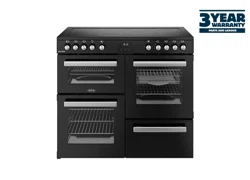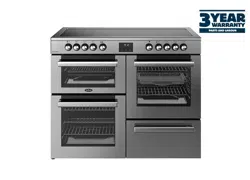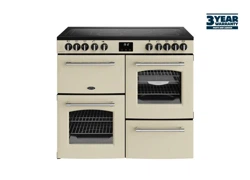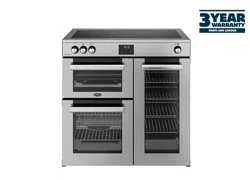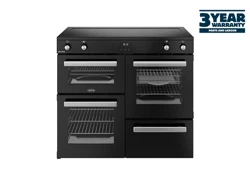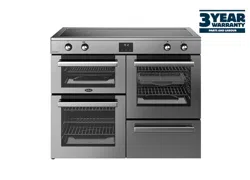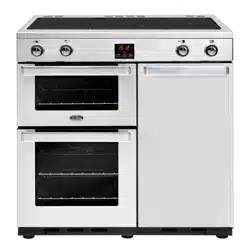
GOURMET & KENSINGTON
User manual - EI (90 cm)
2
COUNTRIES OF DESTINATION:
GB - Great Britain
IE - Ireland
DE - Germany
ES - Spain
FR - French
IT - Italy
PL - Poland
NL - Netherlands
SE - Sweden
CN - China
NZ - New Zealand
AU - Australia
TO CONTACT BELLING ABOUT YOUR
APPLIANCE, PLEASE CALL:
Customer Care Helpline
0344 815 3746
In case of diculty within the UK
Warranty Registration
0800 952 1068
Spares Store
0344 815 3745
To register your appliance online:
www.belling.co.uk
To contact us by email:
gdhainfo@gdha.com
To register your appliance by mail: Please
complete the warranty card and return to
the address supplied
Alternatively general, spares and service
information is available from our website
at: www.belling.co.uk
Calls are charged at the basic rate, please check with
your telephone service provider for exact charges
Your new appliance comes with our 12-month guarantee
(UK only), protecting you against electrical and
mechanical breakdown. To register, please complete
the registration form included, register online or by
phone. For full terms & conditions of the manufacturer’s
guarantee, please refer to the website above. In addition,
you may wish to purchase an extended warranty. A leaflet
explaining how to do this is included with your appliance.
Our policy is one of constant development and
improvement, therefore we cannot guarantee the strict
accuracy of all of our illustrations and specifications.
Changes may have been made subsequent to publishing.
Glen Dimplex Home Appliances, Stoney Lane,
Prescot, Merseyside, L35 2XW
3
INTRODUCTION
SAFETY
GETTING TO KNOW YOUR PRODUCT
USING YOUR APPLIANCE
USING THE HOB
USING THE GRILL
USING THE TOP OVEN
USING THE MAIN OVEN FANNED
COOKING GUIDE
BAKING GUIDE
ROASTING GUIDE
CLOCKPROGRAMMER
REMOVING SHELF RUNNERS
CLEANING YOUR APPLIANCE
TECHNICAL DATA
CONTENTS
4
INTRODUCTION
Thank you for buying this British-built appliance from us.
This user guide book is designed to help you through
each step of owning your new product.
Please read it carefully before you start using your
appliance, as we have endeavored to answer as many
questions as possible, and provide you with as much
support as we can.
General information, spares and service information is
available from our website.
If you should find something missing from your product
or have any questions that are not covered in this user
guide, please contact us (see contact information inside
the front cover).
EUROPEAN DIRECTIVES
As a producer and a supplier of cooking appliances we
are committed to the protection of the environment and
are in the compliance with the WEEE directive. All our
electric products are labelled accordingly with the crossed
out wheeled bin symbol. This indicates, for disposal
purposes at end of life, that these products must be taken
to a recognized collection points, such as local authority
sites/local recycling centres.
This appliance Complies with European Community
Directives (CE) for household and similar electrical
appliances and Gas appliances where applicable.
This appliance conforms to European Directive regarding
Eco design requirements for energy-related products. Our
policy is one of constant development and improvement,
therefore we cannot guarantee the strict accuracy of all
of our illustrations and specifications – changes may have
been made subsequent to publishing.
DISPOSAL OF PACKAGING
MATERIAL
The packaging materials used with this
appliance can be recycled. Please dispose of
the packaging materials in the appropriate
container at your local waste disposal
facilities.

5
SAFETY
WARNING
6 Never put items directly on the base
of the oven or cover the oven with foil,
as this can cause the base element to
overheat.
6 Accessible parts may become hot when the
grill is in use. Children should be kept away
6 Do not place articles on or against the
appliance.
6 Always switch off your appliance and
allow it to cool down before you clean
any part of it.
6 Although every care has been taken to
ensure this appliance has no sharp edges,
we recommend that you wear protective
gloves when installing and moving this
appliance. This will prevent injury.
6 This appliance must be fitted to a switch
providing all pole disconnection with a
minimum contact separation of 3mm.
6 Connection should be made with a
suitable flexible cable with a minimum
temperature of 70°C.
6 Do not use a steam cleaner on any
cooking range, hob or oven appliance.
6 If your appliance is fitted with a lid, any
spillage should be removed from the lid
before opening. The hob surface should
be allowed to cool before closing the lid
(if fitted).
6 To avoid electric shock, ensure that the
appliance is switched off before replacing
the lamp.
6 The appliance is not intended to be
operated by means of an external timer
or separate control system.
6 Unattended cooking on a hob with fat or oil
can be dangerous and may result in fire.
6 NEVER try to extinguish a fire with water,
but switch off the appliance and then cover
the flame with a lid or damp cloth.
6 Danger of fire: Do not store items on the
cooking surfaces.
6 Only use hob guards designed by the
manufacturer of the cooking appliance
or indicated by the manufacturer of the
appliance in the instructions for use as
suitable or hob guards incorporated in the
appliance. The use of inappropriate hob
guards can cause accidents.
6 If the cooker is placed on a base, measures
have to be taken to prevent the appliance
slipping from the base.
6 The cooking process has to be supervised.
A short term cooking process has to be
supervised continuously.
6 This appliance must not be installed
behind a decorative door in order to avoid
overheating.
6 Ensure shelving is correctly installed. See
the sections on the shelf runners and shelf
location within this book.
6 This appliance is for cooking purposes only.
It must not be used for other purposes, for
example room heating.

6
CAUTION
6 If the hob surface is cracked, broken or
shattered, switch off the appliance to
avoid the possibility of electric shock and
call for a service engineer’s visit.
6 During use the appliance becomes hot.
Care should be taken to avoid touching
heating elements.
6 Children less than 8 years of age shall
be kept away unless continuously
supervised. This appliance can be
used by children aged from 8 years
and above and persons with reduced
physical sensory or mental capabilities
or lack of experience and knowledge
if they have been given supervision or
instruction concerning the use of the
appliance in a safe way and understand
the hazards involved. Children shall not
play with the appliance. Cleaning and
user maintenance shall not be made by
children without supervision.
6 Do not use harsh abrasive cleaners or
sharp metal scrapers to clean the oven
door glass or the hob, since they can
scratch the surface, which may result in
shattering of the glass.
6 This induction hob complies with the
applicable EMC and EMF standards.
Therefore it should not interfere with
other electronic units. Persons fitted
with a pacemaker or any other electrical
implant should clarify with their doctor
or the producer of the implant, whether
there implant is adequate and fail-
safe. Please place pans centrally on
the cooking zones. The British Heart
Foundation provide additional advice
regarding using induction hobs when a
pacemaker is fitted.
FIRE SAFETY ADVICE
6 If you do have a fire in the kitchen, don’t
take any risks – get everyone out of your
home and call the Fire Service.
If you have an electrical fire in the
kitchen:
1. Pull the plug out, or switch off the
power at the fuse box – this may be
enough to stop the fire immediately
2. Smother the fire with a fire blanket,
or use a dry powder or carbon dioxide
extinguisher
6 Remember: never use water on an
electrical or cooking oil fire.
OTHER SAFETY ADVICE
6 Servicing should be carried out only by
authorised personnel.
6 Do not operate the appliance without the
glass panel correctly fitted.
6 There is a risk of electric shock, so always
make sure you have turned off and
unplugged your appliance. Always allow
the product to cool down before you
change a bulb.
6 Do not modify the outer panels of this
appliance in any way.
6 This appliance must be earthed.
6 The appliance must never be
disconnected from the mains supply
during use, as this will seriously affect
the safety and performance, particularly
in relation to surface temperatures
becoming hot and gas operated parts
not working efficiently. The cooling fan
(if fitted) is designed to run on after the
control knob has been switched off.
7
GETTING TO KNOW YOUR PRODUCT
4
Note: Your appliance layout may differ
depending on the model.
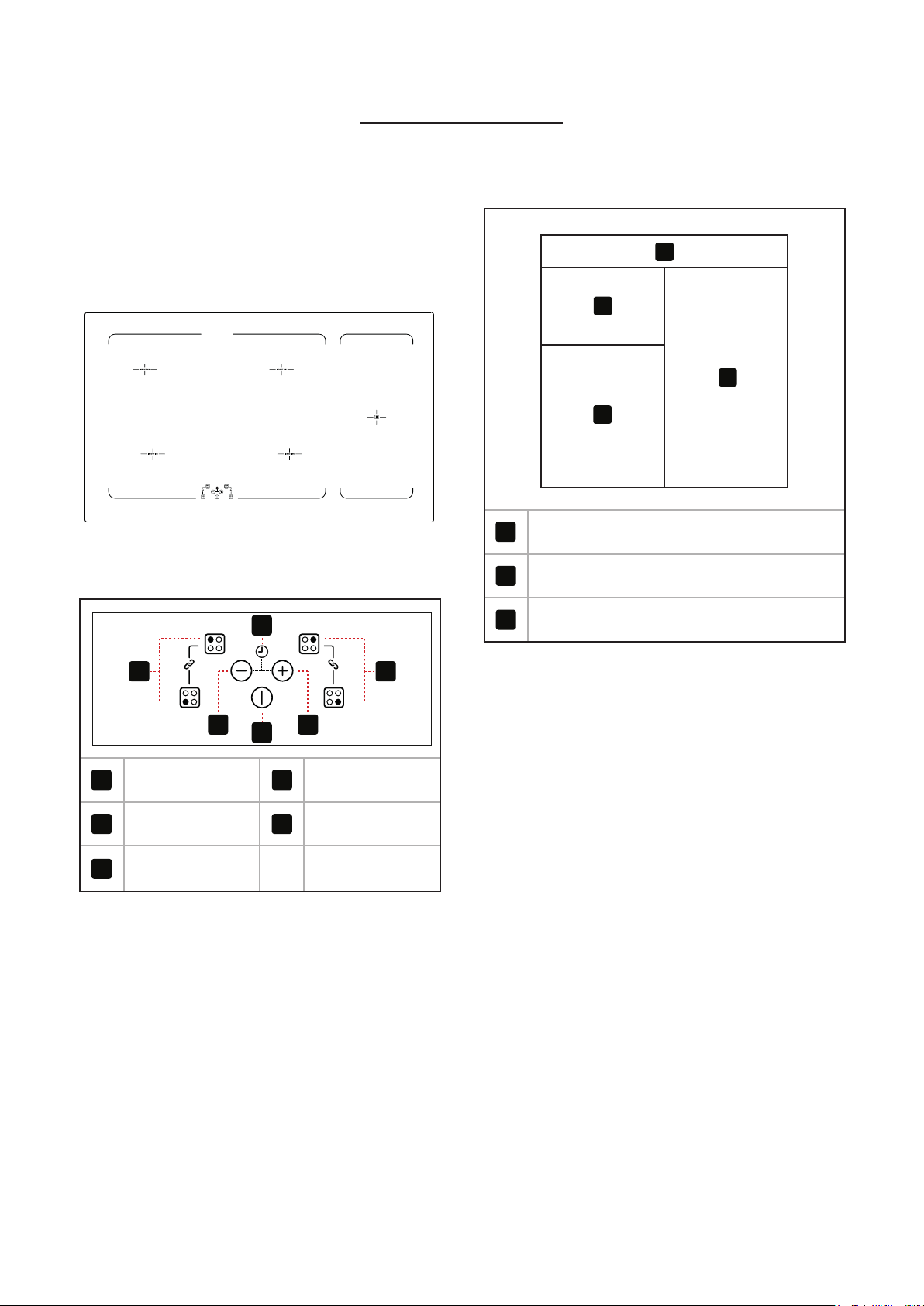
HOB
HOB CONTROL PANEL
1 1
2
3
4 5
1
Cook Zones
4
Minus Key
2
Timer Symbol
5
Plus Key
3
On/o Key
OVERVIEW
90cm
1
2
3
3
1
Fascia
2
Top Oven/Grill
3
Main Oven (Fanned)
8
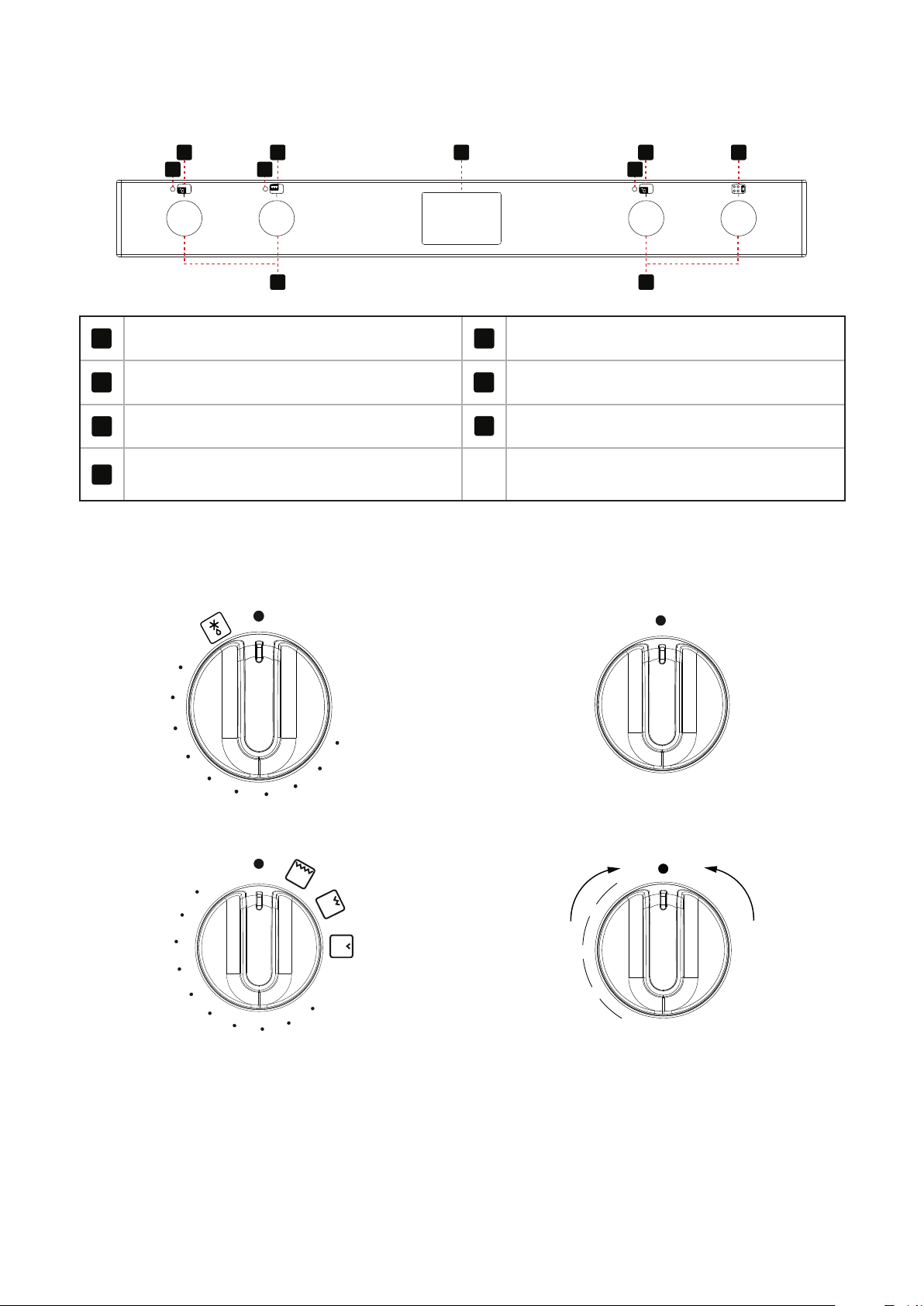
CONTROL PANEL
3
2
4
55 5
2
10
8
8
1
Cook Zones
6
Top Oven/Grill
3
Oven
8
Hob and Oven controls
4
Clock/Programmer
10
Warming zone
5
Thermostat indicator
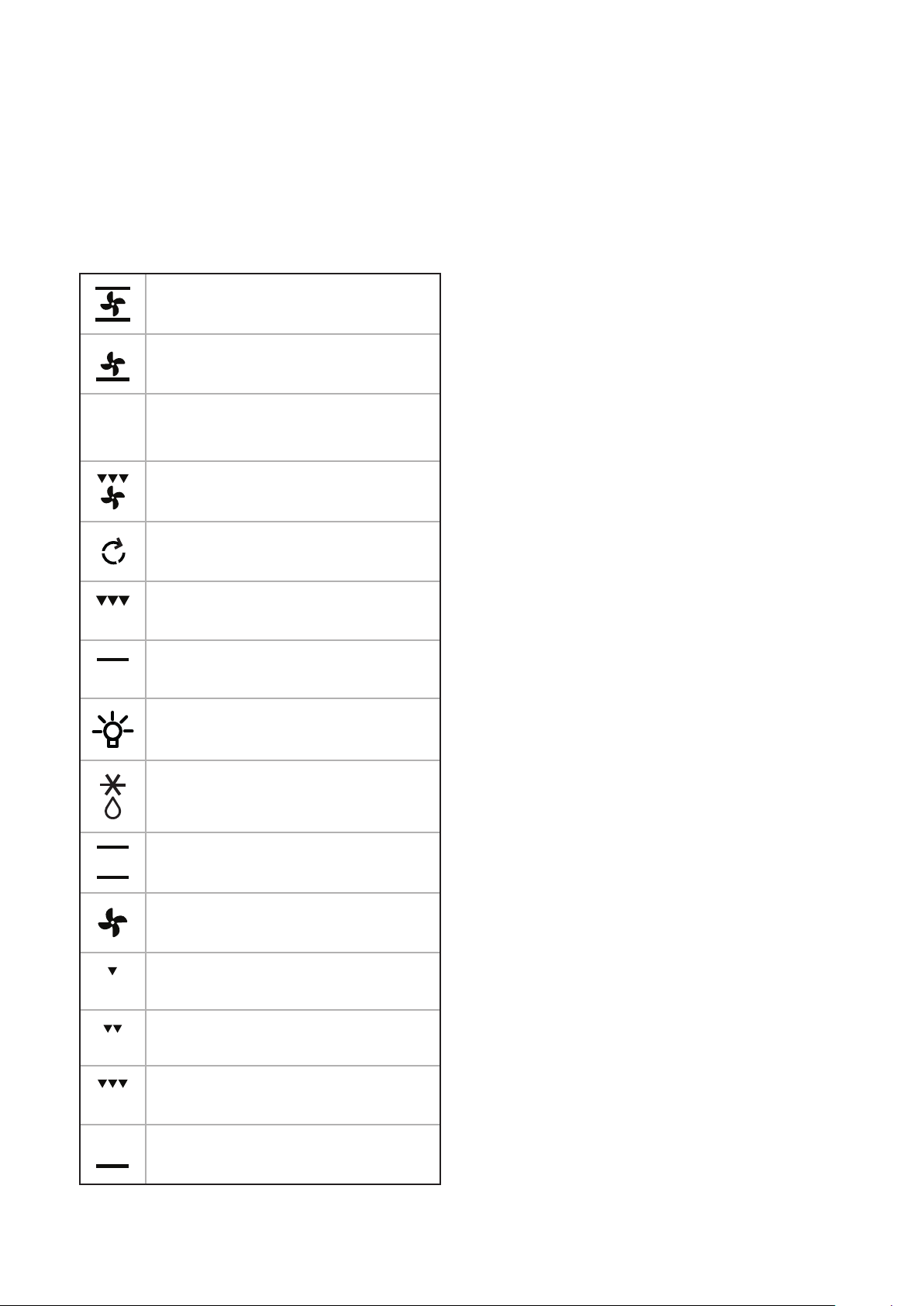
OVEN CONTROLS
Oven
OFF
60
8
0
120
140
1
60
180
200
220
240
S
Top Oven/Grill
OFF
60
80
100
120
140
160
180
200
22
0
240
260
Single Grill
OFF
1
7
8
2
3
4
5
6
Dual Grill
OFF
1
2
3
4
5
1
2
3
4
5
D
u
a
l
G
r
i
l
l
S
i
n
g
l
e
G
r
i
l
l
9
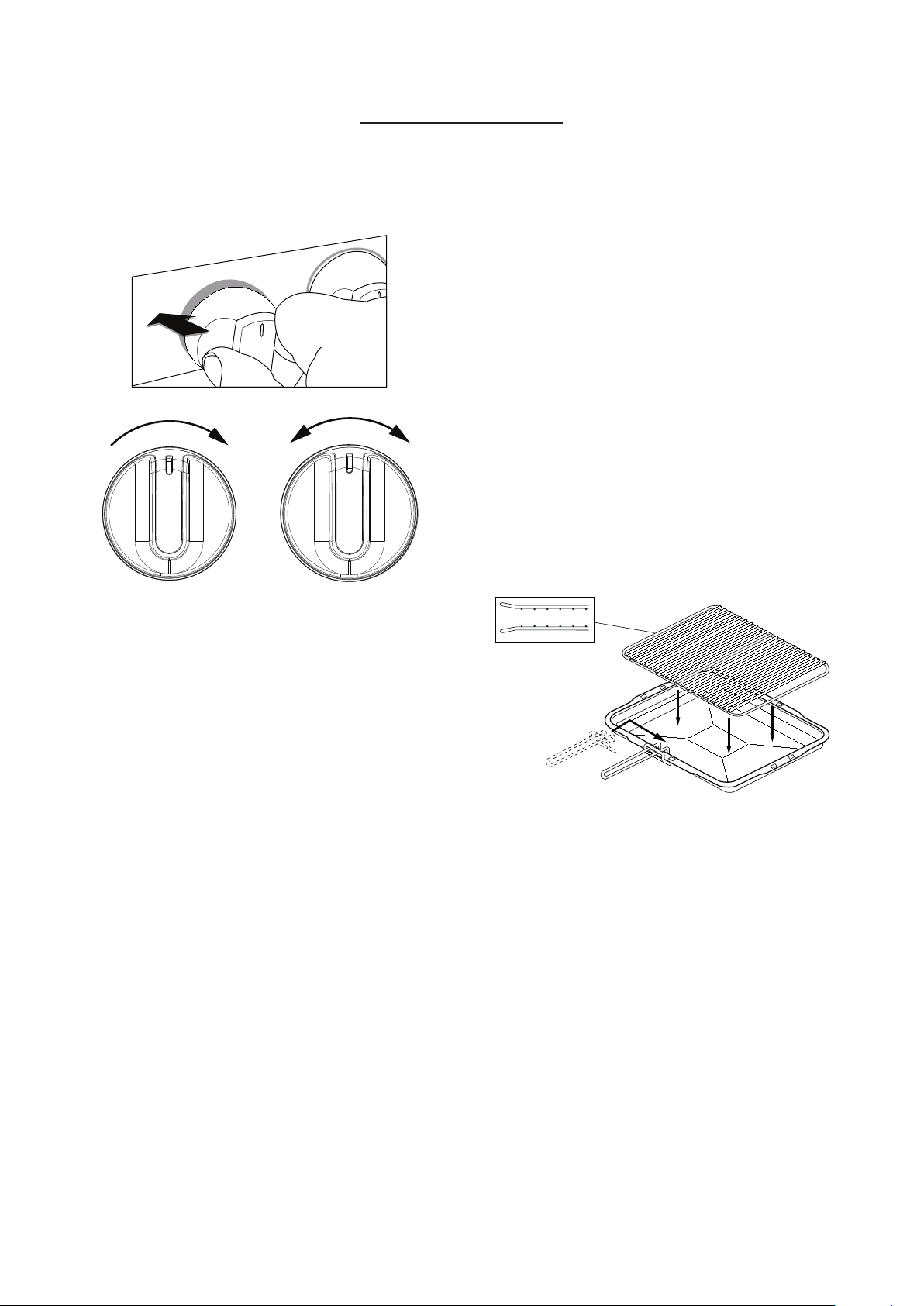
APPLIANCE FUNCTIONS
4
Note: Your oven may not have all of the
functions shown here. We recommend
for best cooking results, please preheat
your oven for 15 minutes and 3−5
minutes for grilling.
Intense Baking
Base Heat with Fan
S
Slow Cook
Fanned Grill
Oven Selector Control
Conventional Grill
Top Heat
Lights Only
Defrost
Conventional oven
Fanned Oven
Low Grill
Single Grill
Dual Grill
Base Heat
10
USING YOUR APPLIANCE
OVENS AND GRILL
Main Oven & Top Oven/
Grill
Grill
When using the top oven or main oven, the red
thermostat indicator light will come on until the
selected temperature is reached.
When the Top oven/grill or grill is switched on, the
cooling fans come on to keep the fascia and control
knobs cool during cooking/grilling. The cooling
fans may operate when the main ovens are in use,
depending on the temperature setting. The fans may
continue to operate for a period after the oven/grill
has been switched off. During use the fan may cycle
on and off, this is normal.
6 Important: Never put items directly on
top the base of the oven, or cover the
oven base with foil, as this may cause
the element to overheat. Always position
items on the shelf.
Top Oven – Grill
6 The door must be OPEN when the grill is
used.
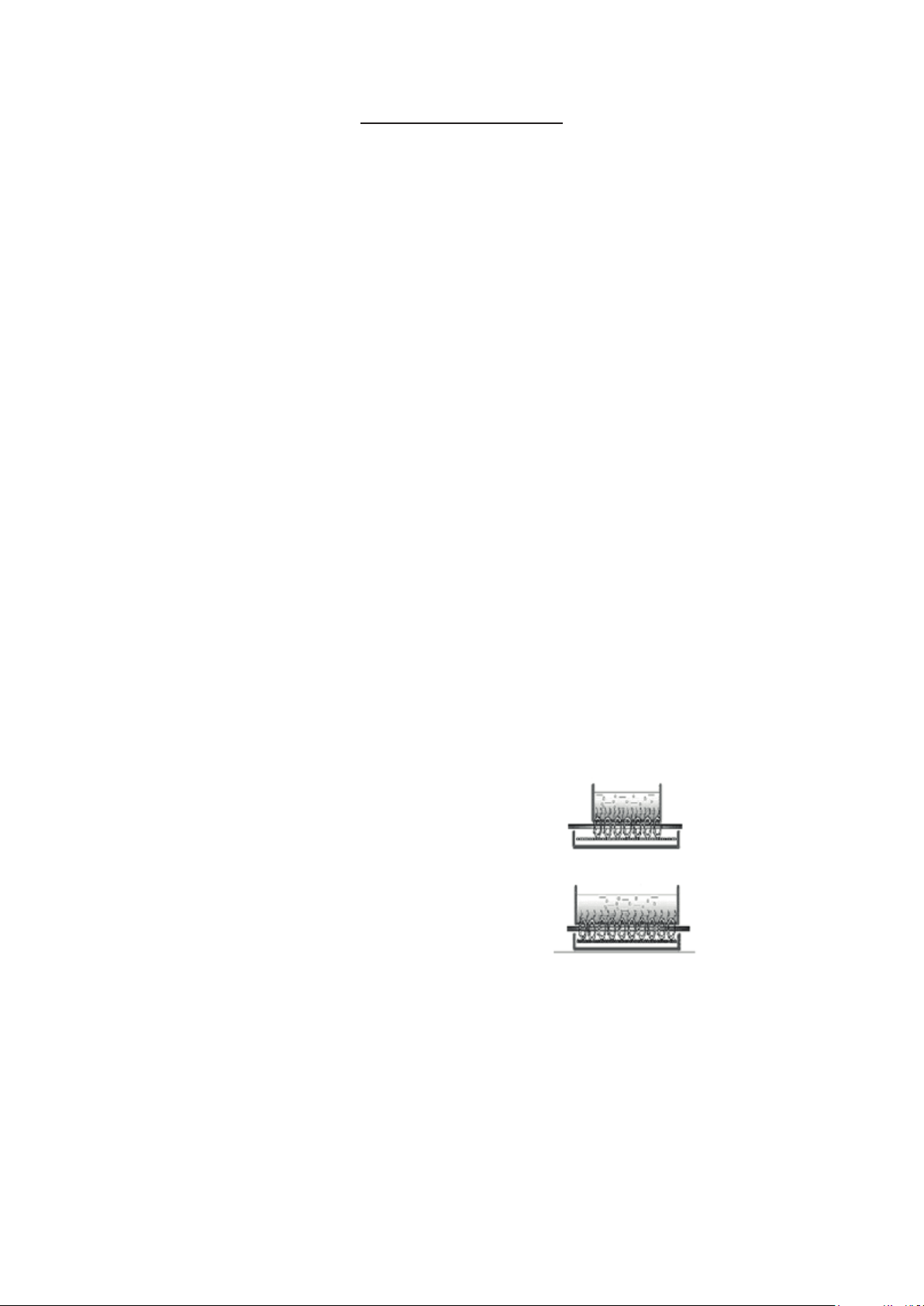
GRILL PAN, TRIVET AND
DETACHABLE GRILL PAN HANDLE
The grill trivet (inside the grill pan) can be inverted
to give a high or low position, or it may be removed.
The speed of grilling can be controlled by selecting a
higher or lower shelf position, or adjusting the grill
setting.
4
Note: Grill pan handle not included. This
can be purchased as an optional extra
from our spares store.
Inverted
6 The door must be open when the grill is
used for conventional grilling.
11
USING THE HOB
SAFETY
6 Commercial simmering aids should
not be used as they create excessive
temperatures that can damage the
surface and may cause a hazard.
6 Do not place aluminium foil or plastic
utensils on the ceramic glass, as they may
melt and damage the surface.
6 Do not use the ceramic glass hotplate
surface for storage.
6 When cooking with fat or oil, never leave
unattended.
6 Turn pan handles to a safe position, so
they are out of reach of children, not
overhanging the appliance, and cannot be
caught accidentally.
6 Position pans over the centre of the
hotplate elements.
6 Do not use the hob as a chopping board
or a storage area, as this increases the
likelihood of it being damaged – e.g.;
plastic utensils placed on a warm hob
may melt onto it, and damage the
ceramic glass surface.
6 Be careful when cooking foods in salted
water, or foods containing large amounts
of sugar, syrup or jam – if they are spilled
onto hot areas of the hob they may
damage it.
6 Lift pans onto and off the surface, rather
than sliding them across the surface, to
avoid marks and scratches.
6 If you use a wet paper towel to remove
spills from a warm heating area of the
hob, be careful to avoid steam burns.
6 Do not use abrasive powder cleaners,
metal wire wool pads, impregnated
plastic pads, detergents, bleaches,
bath stain removers, or chemical oven
cleaners; all these types of products will
damage the ceramic glass.
ABOUT THE INDUCTION HOB
The induction hob provides the most energy efficient
hob technology available.
The induction system provides superior heat up
and cool down times for pans – you get fast, precise,
repeatable power control.
As induction only heats up the pan, there is no lost
heat from the cooking process, which in turn, limits
the heat generated in the kitchen.
Auto Power Tuning
Induction hobs have a unique power tuning system
that automatically tunes the power to the size of the
pan base this ensures energy isn’t wasted.
Small Pan
Large Pan
Touch Controls
The touch controls for your induction have been
designed to provide you with finger touch control of
your hob, providing accurate and repeatable power
settings for cooking and an easy clean surface that can
be easily wiped over.
Each cook zone displays it’s individual power setting.
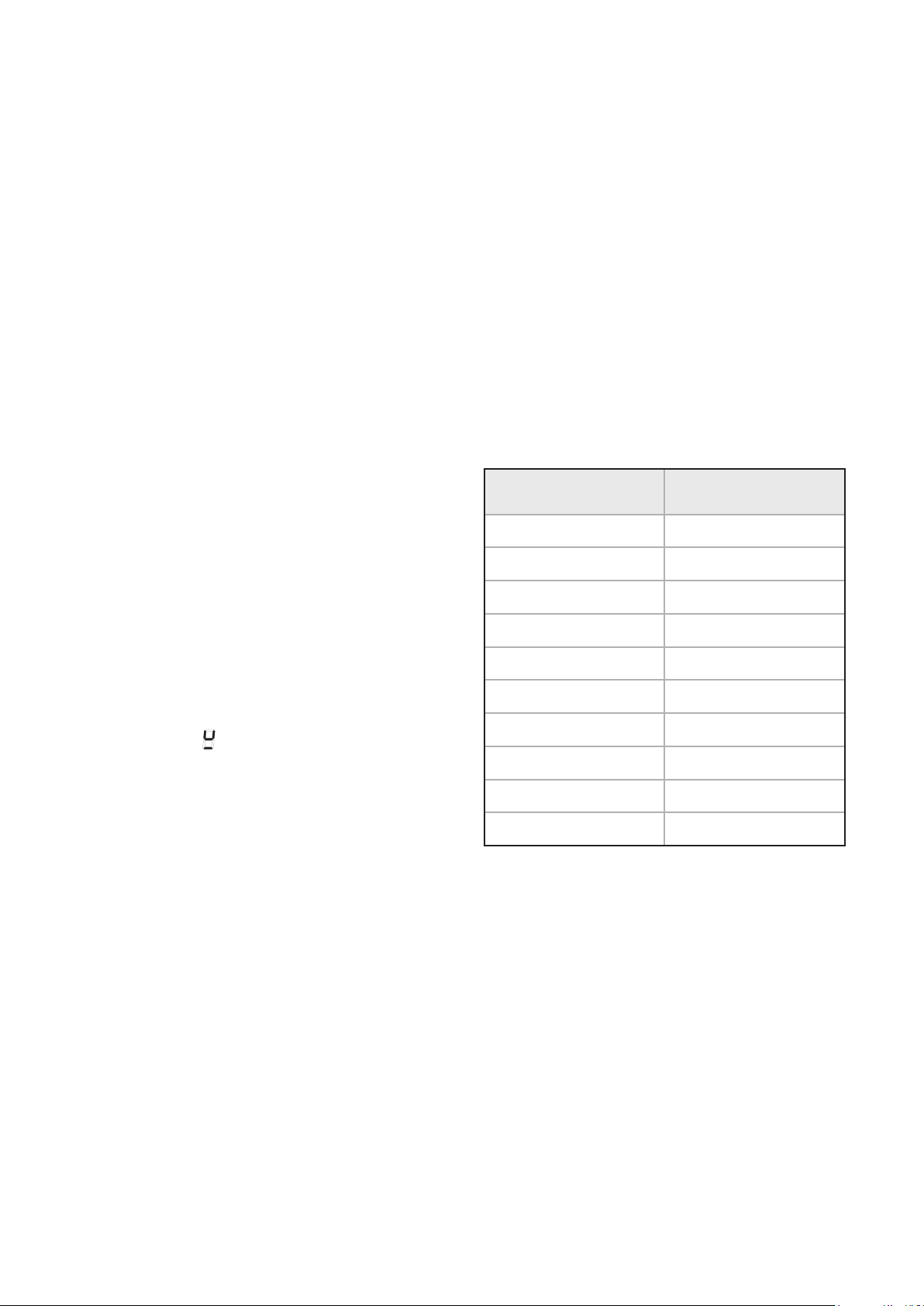
12
Power Boost
The power boost is a function that can be used to
temporally boost the normal maximum power for a
cook zone by borrowing the available power from a
“paired zone”.
All the cook zones have this function.
4
Note The Power Boost function will only
operate for a limited time and is also
under thermal control. This means the
power boost will deactivate automatically
if the product is hot, to protect the
internal electronic components of the
hob and to prevent the cookware from
overheating.
Pan detection
When a zone has been activated but no pan has been
placed on the cook zone, the zone will recognise that
there is no pan in position. It also means the hob
only uses power when a suitable pan is placed on the
zone. This reduces the energy used during the cooking
process, i.e. when you take your pan off the zone
the hob automatically reduces the power, and only
switches back on when you replace the pan.
4
Note If the symbol does not disappear
when a pan is placed on the zone it
indicates that the pan is not suitable for
induction cooking.
Residual heat indicators
This feature not only warns you against hot surfaces
but also indicates that there is residual heat which can
be used as temporary warm zone.
4
Note – The cook zone itself does not heat
up, but the ceramic glass does get hot
because of the hot pan conducting heat
back onto the hob glass.
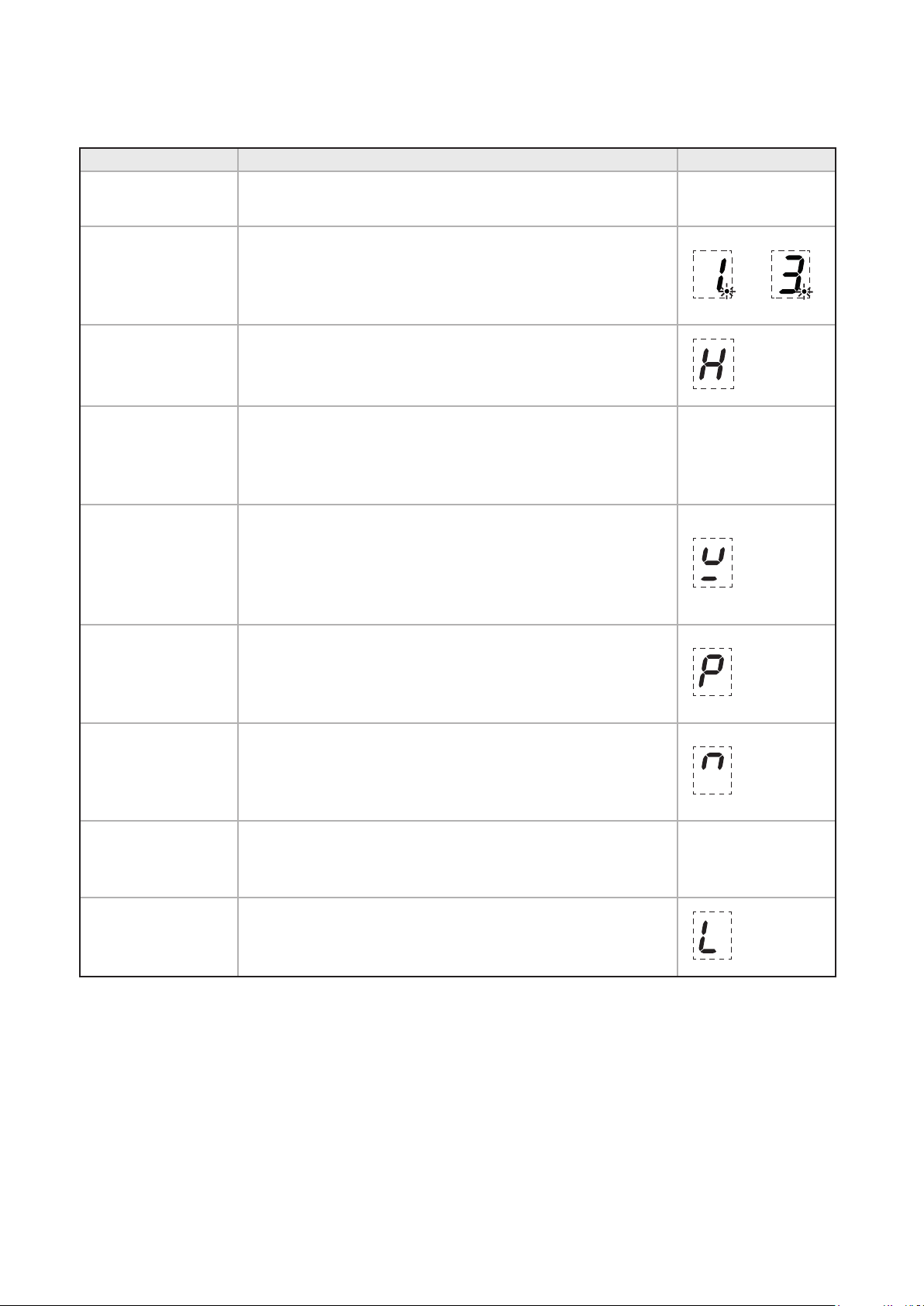
Auto stand by
The hob will automatically switch off if left (with
pan) on for an extended period of time, see maximum
running times below
Power Level Maximum Operation
Time hours
1 8
2 6
3 5
4 5
5 4
6 1.5
7 1.5
8 1.5
9 1.5
P (Power Boost) 5 minutes
13
HOB OVERVIEW
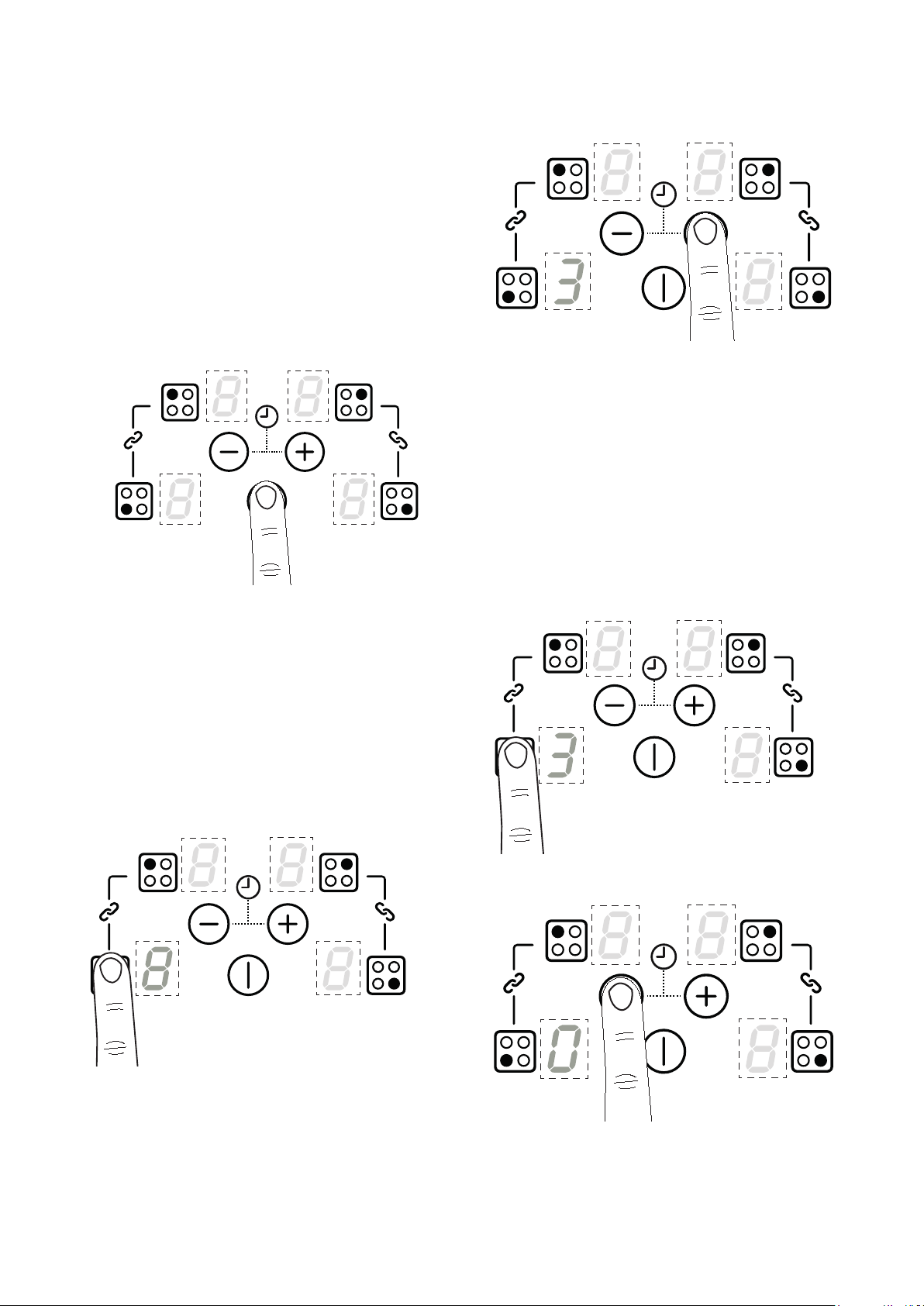
Function Description Symbol
Power Level
Once a cook zone is selected, a power level can be set to a
low or high temperature.
1-9
Cook zone timer
Once a cook zone is selected, the cook zone timer can be
activated to sound after a pre-determined amount of time.
When the alarm sounds and the dot begins to flash, the
cook zone will turn o.
Residual Heat
After use, the cooking surface remains hot and the residual
heat symbol will be displayed. As it cools, the number of
rings will reduce until they disappear from the display.
Automatic switch
o
Each cook zone is pre-set with a maximum operation time.
Once this time is reached, the zone will automatically switch
o. The residual heat symbol will be displayed if the surface
remains hot.
N/A
Pan detection
If no pan or an unsuitable pan is detected on an activated
cook zone, the pan detection symbol will be displayed.
Suitable pans - cast iron, metals with magnetic properties.
Non-suitable pans - copper, stainless steel, aluminium, glass,
ceramic, terra-cotta.
Booster function
The booster function temporarily increases the power
to a cook zone allowing for a faster heat up time. It will
deactivate automatically after 10 minutes or if a lower
power level is selected.
Bridge function
Individual cook zones can be bridged or joined together to
create a larger, single controlled cook zone. By bridging the
left hand front and rear zones or the right hand front and
rear zones, two larger cook zones can be created.
Recall function
While the hob is in use, if it is accidentally turned o, turn
the hob back on within 6 seconds and the settings will be
restored.
N/A
Child lock
Child lock can be activated to stop the hob from being
accidentally turned on.
14
USING THE HOB
6 Caution: Always ensure that induction
pans remain within the marked cooking
area when hot. Do not allow hob pans to
rest on the user control panel at the front
of the hob glass, as this will cause the
controls to overheat and the appliance to
temporarily shut down.
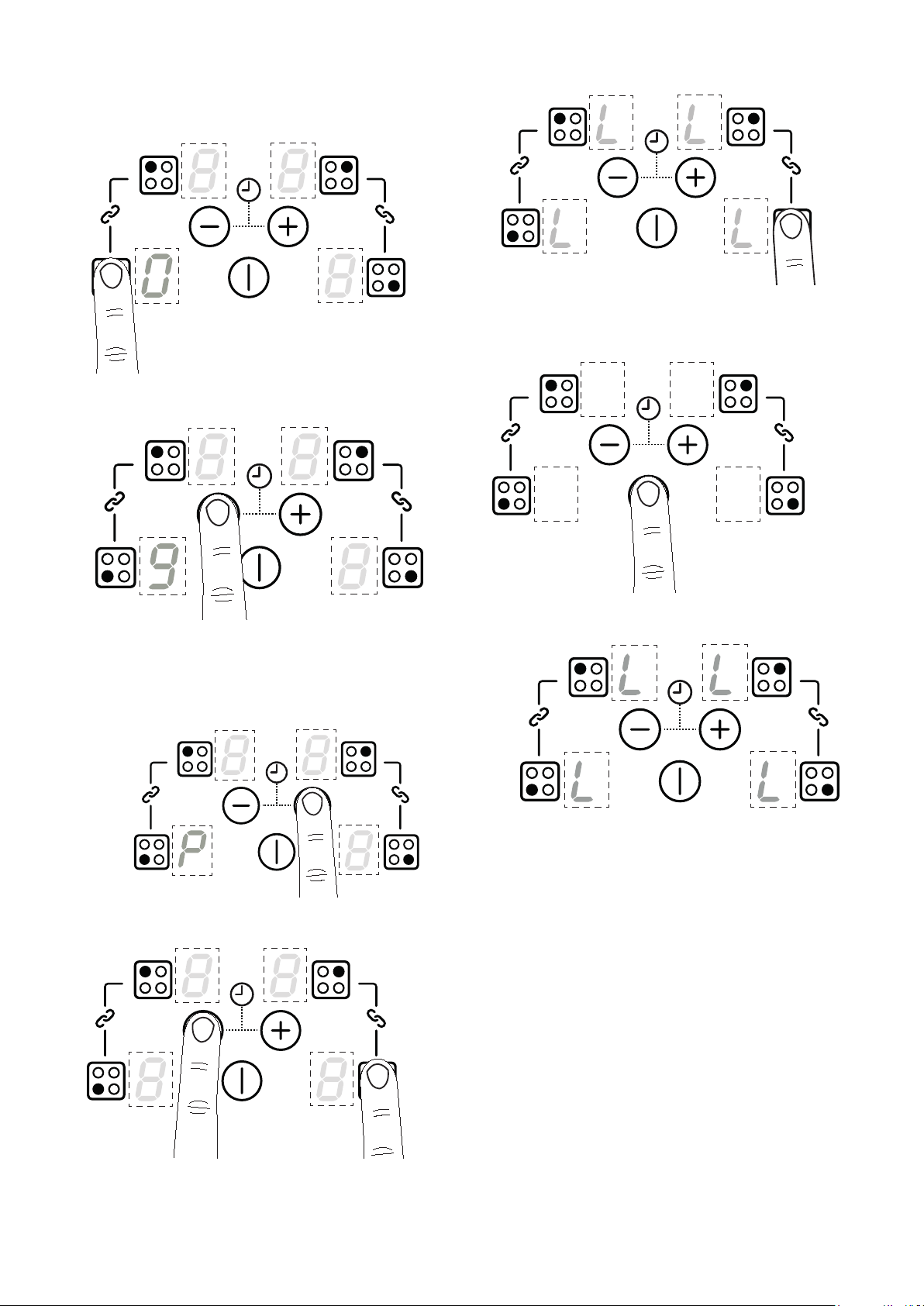
To switch on
1
Press the On/Off key
4
Note: If a heater is not selected in
10 seconds, the hob will turn off
automatically. The hob is switched off by
touching the "ON/OFF" key for 1 second.
A beep sounds and all the heaters will
switch off.
Switching on an individual hob cook zone
Choose required cook zone
Set desired power level
4
Note: Pressing the minus key first will
automatically set the power level at level
9.
When the cook zone selection is finished after 10
seconds, a beep sounds and all the heater displays
that were dimmed show the power levels with normal
brightness.
Switching off an individual hob cook zone
Select a cook zone
Press the minus button until it reaches "0"
The selected cook zone will be switched off when the
display shows “0”.
15
Activating Power Boost
Choose required cook zone
Press the minus key and power level 9 will appear
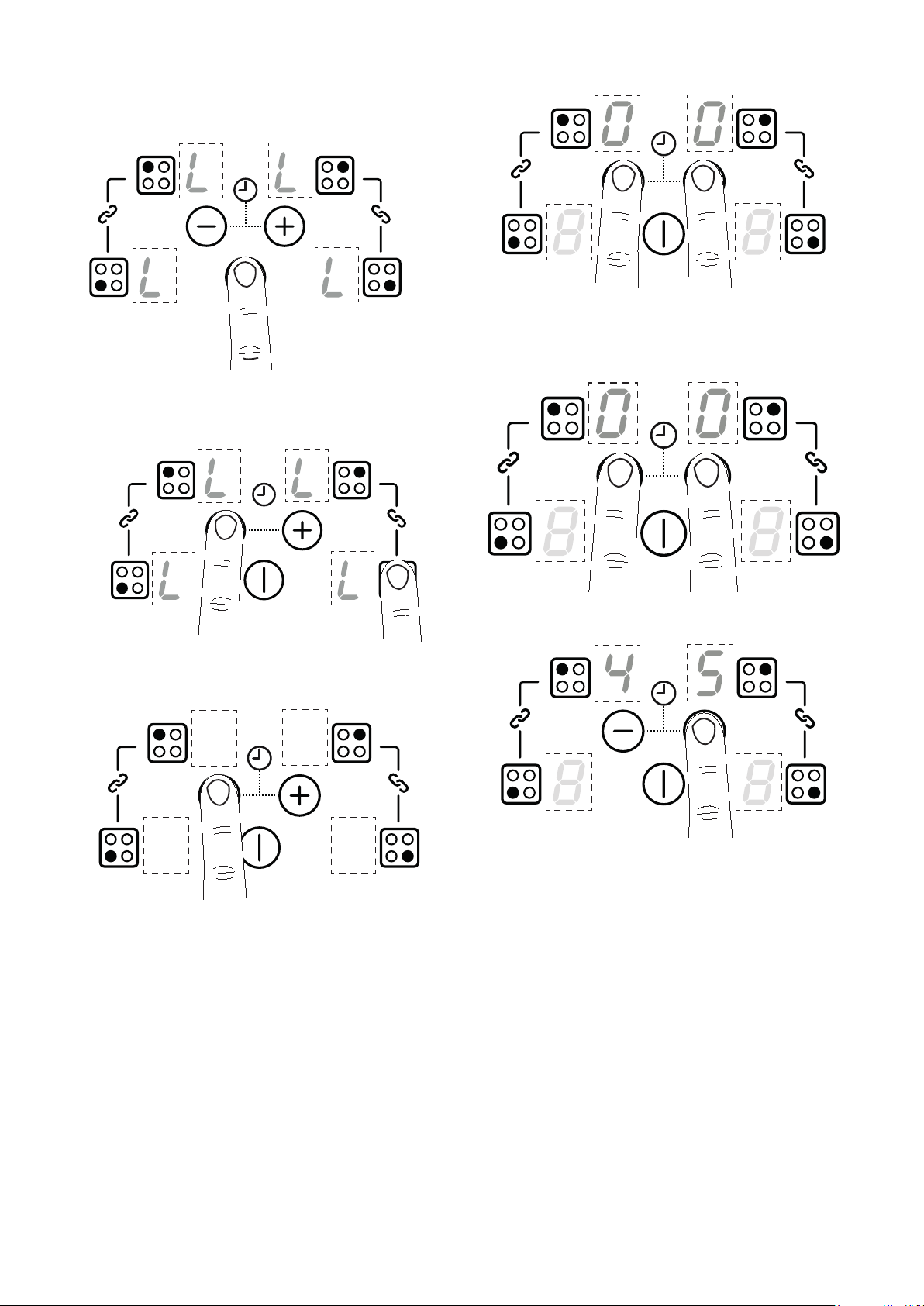
Child lock
Press the plus key until “P” appears
Press and hold the minus key and right hand front
cook zone. A sound will be heard.
Press the right hand front cook zone. “L” will
appear on the display
Press the On/Off key
When the hob is switched on the hob “L” will
appear in all the cook zone displays.
The child lock feature will to be activated until you
switch this feature off.
16
De-activating Child Lock
Press the On/Off key and “L” will appear in all cook
displays.
Press and hold the minus key and the right hand
front cook zone. A sound will be heard.
Press the minus keyand “L” will disappear from all
cook zone displays
When you now switch on the hob “0” will be displayed
in all cook zone displays, the hob can now be used
normally.
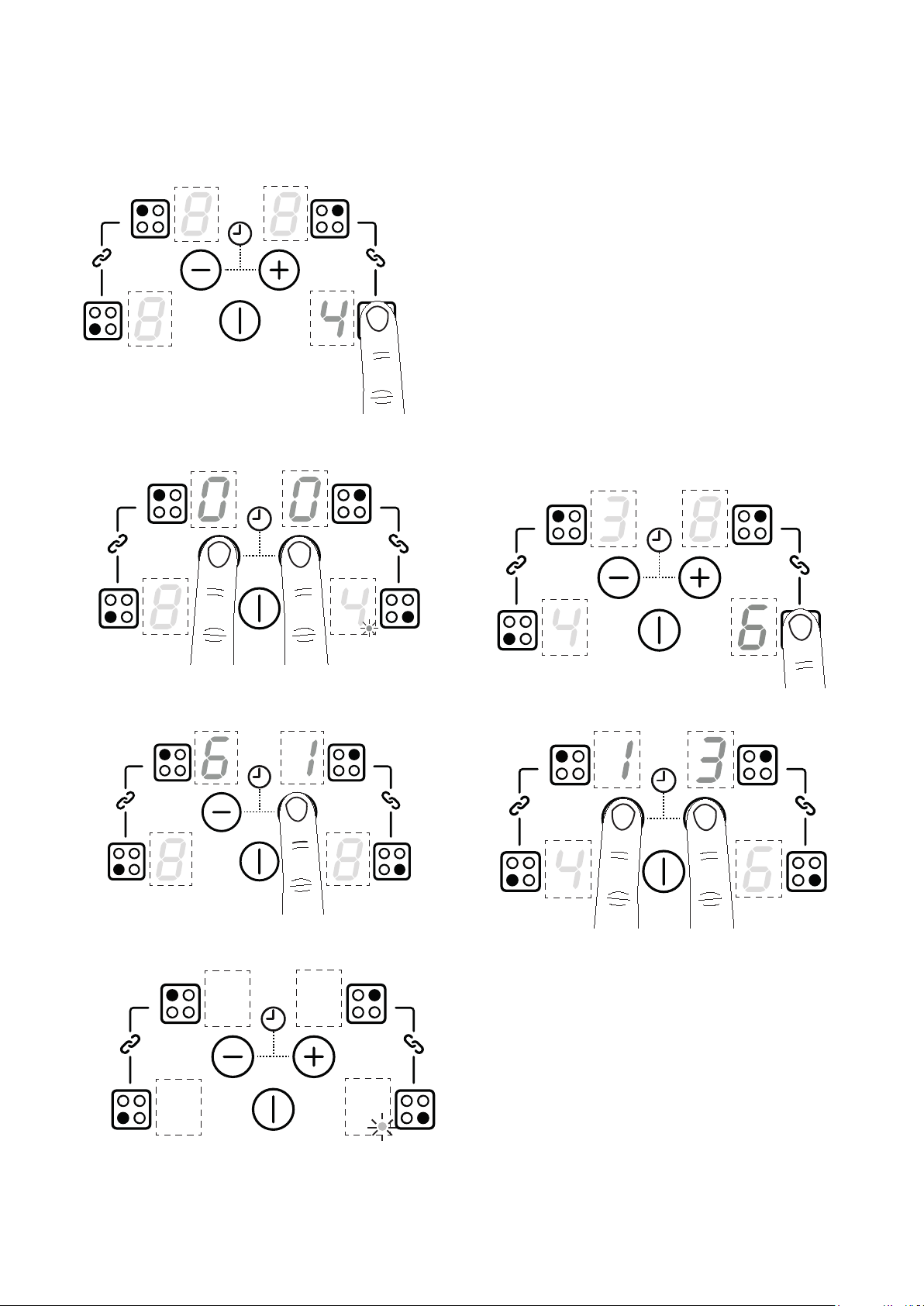
Press and hold the minus key and plus key
Setting the minute minder
Press and hold the minus key and plus key
Set a time by pressing the minus or plus keys.
When the time is up.
Please ensure that no cook zones have been selected.
When the set time has expired, it does not switch off
any cook zones. A sound is heard and “00” will flash
on the display. Press the minus or plus key to stop the
alarm. The dots will flash on the display if the hob is
turned off before the minute minder ends.
To modify or cancel the minute minder
Repeat the same steps for “Setting the minute minder”
to modify the time. Setting back to zero will cancel the
minute minder.
17
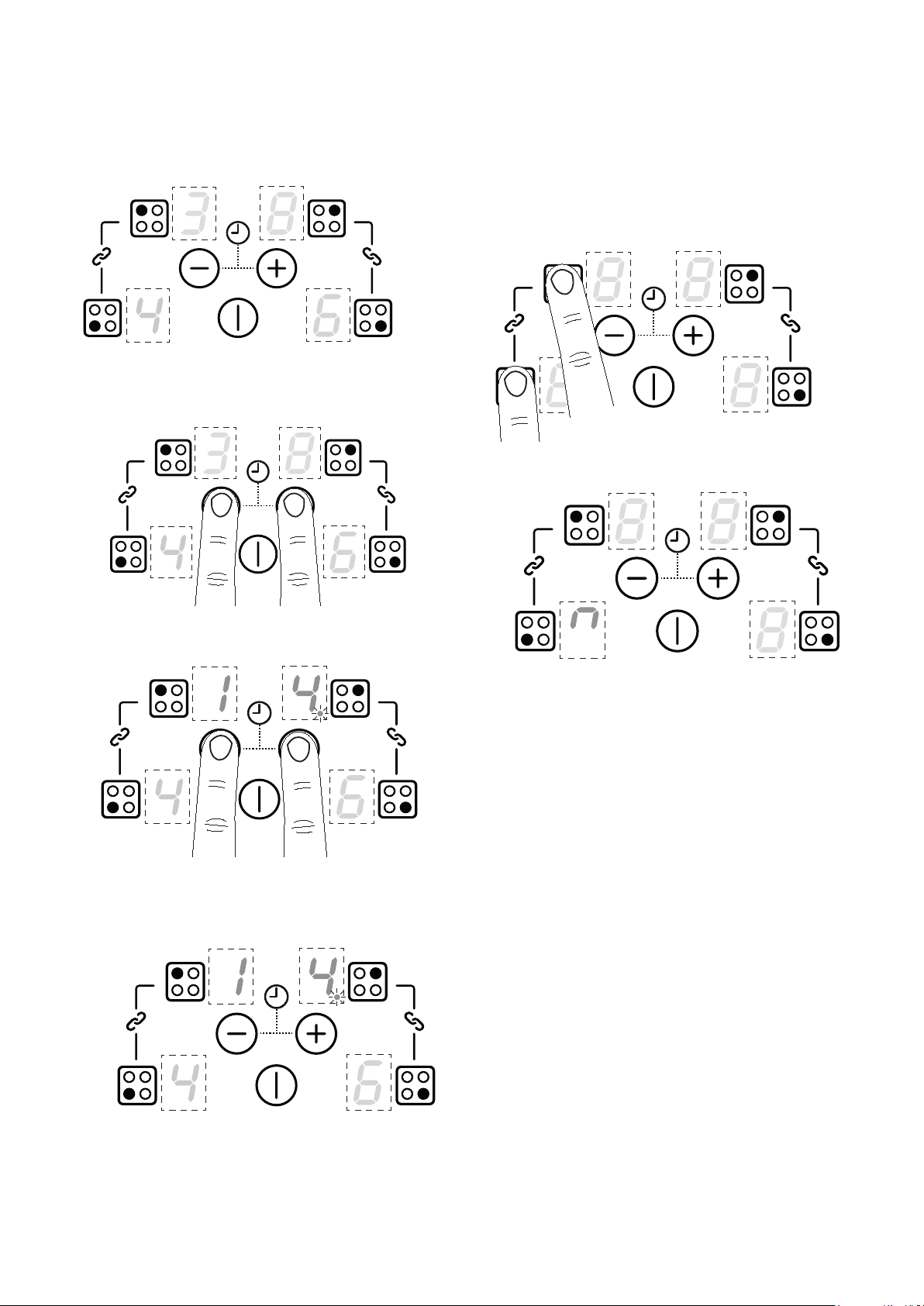
Timer auto switch off
4
Note: Cook zones(s) must be switched on
Choose require cook zone(s)
Press and hold the plus minus keys. A dot will
appear is the chosen cook zone display
Press the plus or minus keys to set a time.
A dot appears in the cook zone display when a
time is set.
When the time is up.
The timer indicator in the display stops flashing and
is not displayed. Operation of a timer is shown by a
stationary dot in the cook zone display for the timed
cook zone.
To modify or cancel the cooking time
When the set time has expired, a sound will be heard
and the dot will begin to flash on the cook zone
display. Press the minus or plus key to stop the alarm.
Repeat the above steps to modify the time. Setting
back to zero will cancel the timer.
To check the time for a cook zone
Choose required cook zone.
Press and hold the minus and plus keys together.
The remaining time will appear on the display.
18
To check the time for multiple cook zones
Active cook zone times are cycled clockwise
Ensure no cook zone has been selected
Press the minus and plus together
Press the minus and plus as many times as
necessary to display the timer for the required
cook zone
A dot will flash in the chosen cook zone display
4
Note: If the minute minder has also been
set it will be displayed first. In this case
other timed cooking zones are shown by
a dot in the cook zone display.
Bridge function
Press the linked cook zones keys together.
Bridge symbol will appear in the right or left front
cook zone
The cooking zones can be used as four separate
cooking zones which can be controlled individually. Or,
the two left hand zones and the two right hand zones
can be bridged to provide two large zones that can be
controlled via one setting.
Large pans and griddle plates can be placed across
these two bridged zones.
19
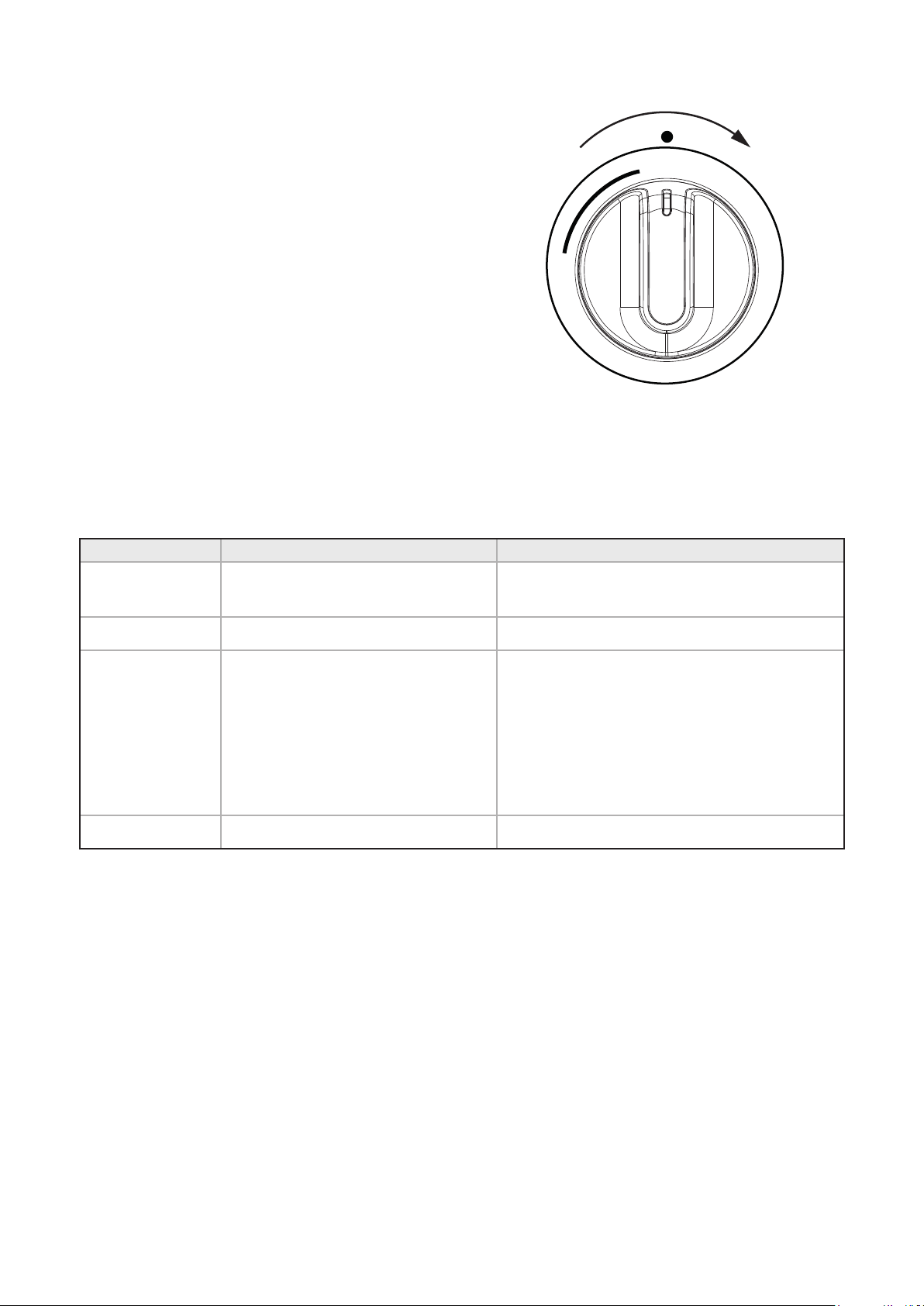
HOB WARMING ZONE
The warming function can be activated by turning the
control knob to the ‘On’ position.
OFF
NO
APPLIANCE ERRORS
Appliance Errors Fault Description Action
ER03 and
permanent tone
Continuous button actuation;
control switches o after 10 seconds
Clean the user interface.
E2 Over temperature Allow system to cool
E3
1. Pot/pan not suitable, example
Loss of magnetic properties
because of temperature at bottom
of pot.
2. Power of cooking zones
permanently exceeded
1. This error is reset after 30 seconds; the
cooking zone can be used again. The pot/
pan must be removed if the fault keeps
reoccurring.
2. The power unit must be replaced if the error
continues to be displayed even when no pot/
pan is present on the cooking zone.
E/H Invariable resistor fault Induction module must be cool

20
USING THE GRILL
BEFORE YOU START GRILLING. . . .
Before you use the grill, make sure you have placed the
grill shelf in the position you need as once the grill is
on you may injure yourself if you try to move the shelf.
Do not close the door while the grill is in use.
Turn the top oven control knob to the required grill
setting.
Turn the grill control knob (if fitted) to the heat
setting you require.
To switch off, return the control knob(s) to the ‘off’
position.
The cooling fan will come on during use, and may
continue to run for some time afterwards.
To adjust your results, you can turn the grid over,
or remove it altogether.
The dual grill uses all of the top element and is
ideal for grilling large quantities of food.
The single grill uses part of the element only, and
is better suited to grill smaller amounts of food.
THE GRILL PAN
This appliance comes with a grill pan and trivet.
SHELF & TRIVET ADJUSTMENTS
Speed of grilling can be adjusted by changing the shelf
position or the turning the trivet.
High: For thin foods and toasting
Low: For thicker meat pieces.
ALUMINIUM FOIL
6 Never cover the grill pan or grill trivet
with foil, or allow fat to build up in the
grill pan, as this creates a fire hazard.
6 Accessible parts may become hot when
the grill is in use. Children should be kept
away
TYPES OF GRILL
Dual grill: has two grill elements which can be used
together, or as a single grill.
For best results: Pre-heat the single grill for 5
minutes and the dual grill for 3 minutes.
THE COOLING FAN
During use the fan may cycle on and off, this is
normal.
When the grill is switched on, the cooling fan comes
on to keep the fascia and control knobs cool during
grilling. The fan may continue to operate for a period
after the grill has been switched off.

21
USING THE TOP OVEN
6 When you are cooking keep children
away from the vicinity of the oven.
6 Caution: The top element gets extremely
hot when in use, so take extra care to
avoid touching it.
4
The top oven is a conventional oven.
4
Note: The top oven is not controlled by
the programmer.
OVEN FURNITURE
Oven shelves
The oven shelf must be positioned with the upstand at
the rear of the oven and facing upwards.
4
Extra shelves may be ordered from your
local supplier.
Baking tray and roasting tins
For best cooked results and even browning, the
recommended size baking trays and roasting tins that
should be used are as follows;
Baking tray 350mm x 250mm
Roasting tin 370mm x 320mm
4
Position baking trays and roasting tins on
the middle of the shelves, and leave one
clear shelf-position between shelves, to
allow for circulation of heat.
4
We recommend that you use good quality
cookware. Poor quality trays and tins may
warp when heated, leading to uneven
baking results.
Shelf positions
As a general guide, when cooking frozen or chilled
food, use the highest possible shelf position, while
allowing some clearance between the food and the top
element. Follow the instructions given on packaging.
The cooling fan
When the top oven is switched on, you will hear
the cooling fan come on – this keeps the fascia and
control knobs of the appliance cool during cooking.
The fan may continue to operate for a period after the
oven control has been switched off.
TO TURN ON THE TOP OVEN
1. Turn the temperature control knob until the
required temperature is selected.
The white thermostat indicator will come on until
the selected temperature is reached, and then go off.
It will turn on and off periodically as the thermostat
operates to maintain the selected tem-perature.
2. To switch off, return the top oven control knob to
the off position.
6 Important: Never put items directly on
the base of the oven, or cover the oven
base with foil, as this may cause the
element to overheat. Always position
items on the shelf.

22
PREHEATING
Preheat the oven until the indicator light switches
off for the first time, this will take up to 15 minutes
depending on the temperature selected.
4
The oven must be preheated when
cooking frozen or chilled foods, and
we recommend preheating for yeast
mixtures, batters, soufflés, and whisked
sponges.
4
If you are not preheating the oven, the
cooking times in the following guide may
need to be extended, as they are based on
a preheated oven.
4
Put the oven shelves in the position
required before preheating the oven.
The oven shelf must be positioned with the up-stand
at the rear of the oven and facing up. Position baking
trays and roast-ing tins on the middle of the shelves,
and leave one clear shelf position between shelves, to
allow for circulation of heat.
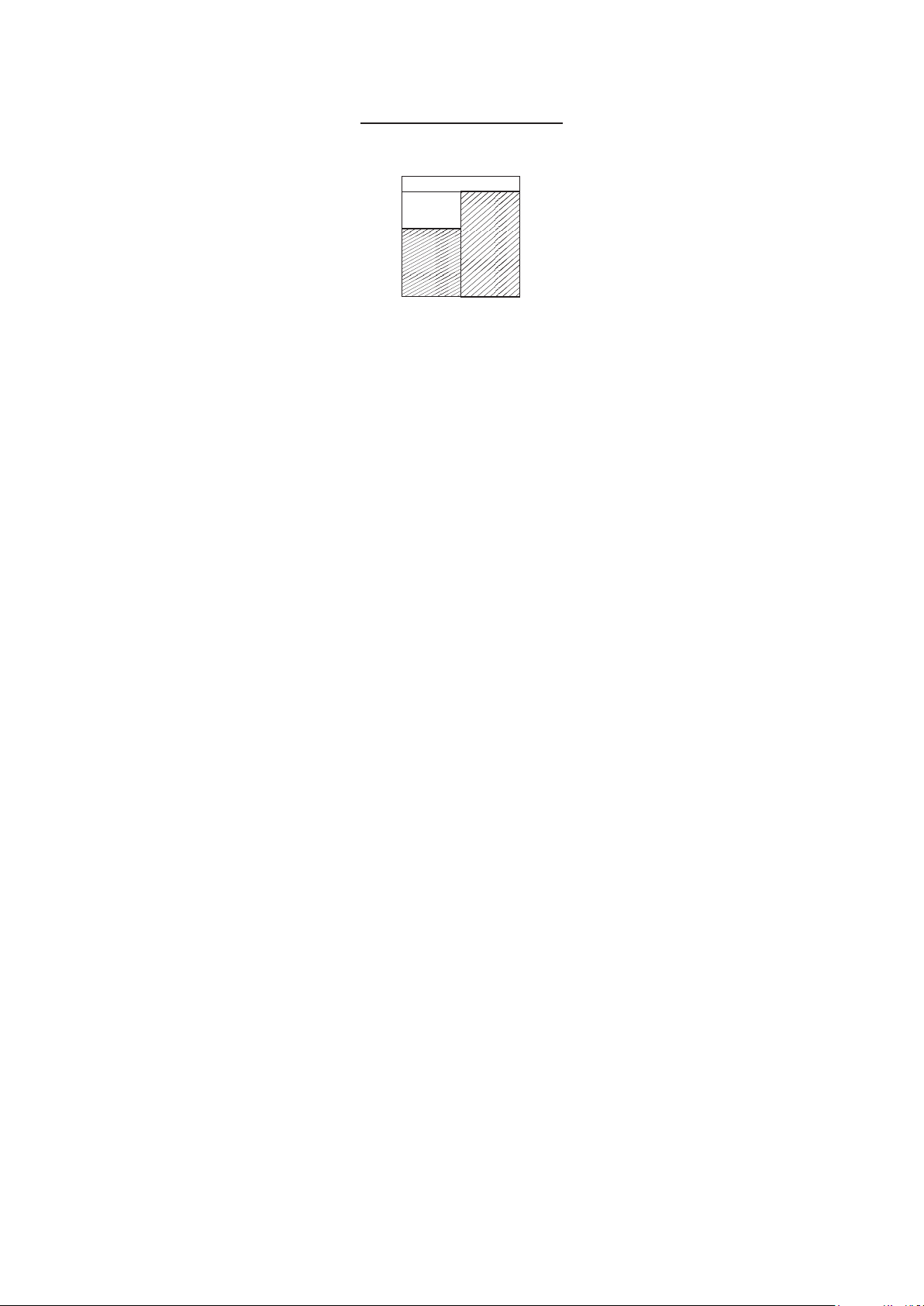
WHEN USING THE TOP OVEN
As part of the cooking process, hot air is expelled
through a vent at the top of the oven(s). When opening
the oven door, care should be taken to avoid any
possible contact with potentially hot air, since this
may cause discomfort to people with sensitive skin.
We recommend that you hold the underneath of the
oven door handle.
23
USING THE MAIN OVEN - FANNED
6 Accessible parts may be hot when the
oven is used. Young children should be
kept away.
OVEN FURNITURE
Oven shelves
The oven shelf must be positioned with the upstand at
the rear of the oven and facing upwards.
4
Extra shelves may be ordered from your
local supplier.
Baking tray and roasting tins
For best cooked results and even browning, the
recommended size baking trays and roasting tins that
should be used are as follows;
Baking tray 350mm x 250mm
This size of baking tray will hold up to 12 small cakes.
Roasting tin 370mm x 320mm
4
Position baking trays and roasting tins on
the middle of the shelves, and leave one
clear shelf-position between shelves, to
allow for circulation of heat.
4
We recommend that you use good quality
cookware. Poor quality trays and tins may
warp when heated, leading to uneven
baking results.
Shelf positions
As a general guide, when cooking frozen or chilled
food, use the highest possible shelf position, while
allowing some clearance between the food and the top
element. Follow the instructions given on packaging.
To help the air circulate freely
Position the shelves evenly within the oven and
maintain a clearance from the oven roof and base.
If more than one cooking dish or baking tray is to be
used on a shelf, leave a gap of at least 25mm between
the items themselves and the oven interior.
The cooling fan
The cooling fan may operate when the main oven is
on and may continue to operate for a period after the
oven has been switched off.
Aluminium Foil
6 Use foil only to cover food or cooking
dishes, using foil to cover the shelves or
oven base creates a fire hazard.
WHEN USING THE OVEN
As part of the cooking process, hot air is expelled
through a vent at the top of the oven(s). When opening
the oven door, care should be taken to avoid any
possible contact with potentially hot air, since this
may cause discomfort to people with sensitive skin.
We recommend that you hold the underneath of the
oven door handle.

24
To switch on the oven
Turn the oven control knob(s) to the required
setting.
The white thermostat neon (if fitted) will come
on until the selected temperature is reached and
then go off; it will turn on and off periodically as
the thermostat operates to maintain the selected
temperature.
To switch off, return the control knob to the off
position.
Preheating
Fanned oven
When cooking sensitive items such as souffle and
Yorkshire puddings or, when cooking bread, we
recommend that the oven is preheated until the neon
switches off for the first time. For any other types of
cooking, a preheat may not be required.
Conventional oven
Preheating is always required
Manual Operation (Left hand oven only)
The programmer must be set to manual operation
before the main oven can be used. If A (Auto) is on the
programmer display, return the oven to manual by
pressing the plus and minus buttons simultaneously
or the Menu button where applicable. Any programme
which has been set is cancelled.
Cooking with a fanned oven
6 As this is a high efficiency oven, you may
notice the emission of steam from the
oven when the door is opened. Please
take care when opening the door.
If you are used to cooking with a conventional oven
you will find a number of differences to cooking with
a fan oven which will require a different approach:
There are no zones of heat in a fan oven as the
convection fan at the back of the oven ensures an even
temperature throughout the oven.
This makes it ideal for batch baking – eg; when
planning a party as all the items will be cooked within
the same length of time.
4
Foods are cooked at a lower temperature
than a conventional oven, so
conventional recipe temperature may
have to be reduced. Please refer to the
conversion chart.
4
Preheating is generally not necessary as a
fan oven warms up quickly.
4
There is no flavour transference in a fan
oven, which means you can cook strong
smelling foods such as fish at the same
time as mild foods – eg; milk puddings.
4
When batch baking foods that will rise
during cooking – eg; bread – always
ensure that enough space has been left
between the shelves to allow for the rise.
Notes:
4
When 2 or more shelves are being used, it
may be necessary to increase the cooking
time slightly.
4
Because the 2 oven shelves are wider
than in many ovens, it is possible to
cook 2 items per shelf – eg; 2 victoria
sandwiches or 2 casseroles.
4
When roasting meats, you will notice that
fat splashing is reduced, which is due in
part to the lower oven temperatures, and
will help keep cleaning of the oven to a
minimum.
4
Because a fan oven has an even
temperature throughout the oven, there
is no need to follow the shelf positions
given in the baking guide.

25
4
There is no need to interchange dishes
onto different shelves part way through
cooking, as with a conventional oven.
Keep Warm (Setting or 70°C)
This setting temperature is set to allow the user to
keep food warm without over cooking. This setting can
also thaw frozen foods, or warm plates.
4
Do not use this as a cooking function.
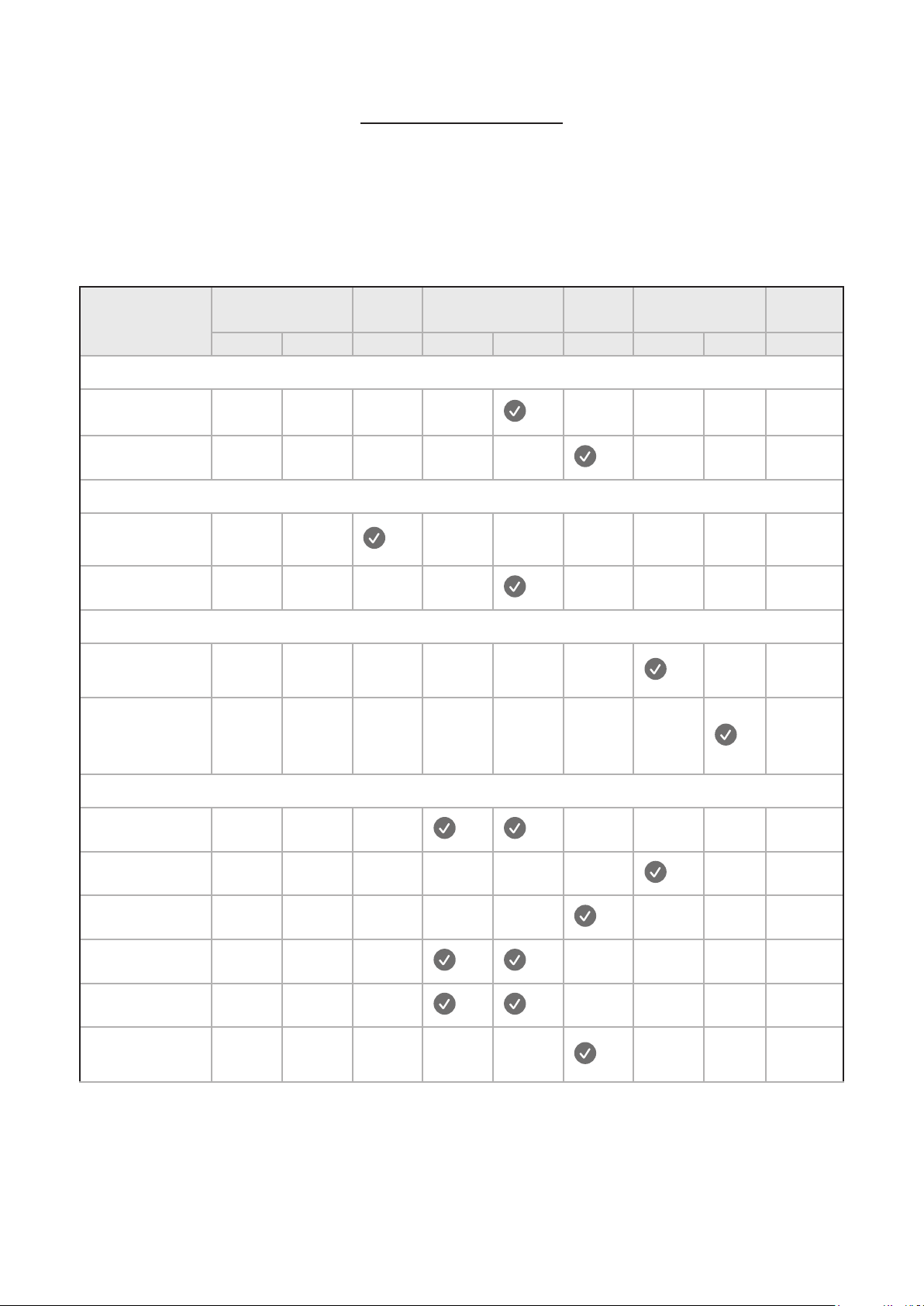
Defrosting and cooling in the main oven
To defrost frozen foods, turn the main oven control
to the Bread Proving position, place the food in the
centre of the oven and close the door.
To cool foods after cooking prior to refrigerating or
freezing, turn the main oven control to the defrost
position and open the door.
Defrosting times
4
Small or thin pieces of frozen fish or
meat – eg; fish filets, prawns & mince
will take approximately 1 – 2 hours.
4
Placing the food in a single layer will
reduce the thawing time.
4
A medium sized casserole or stew will
take approximately 3 – 4 hours.
4
A 1½kg/3lb oven ready chicken will
take approximately 5 hours, remove the
giblets as soon as possible.
Be safe
4
Do not defrost stuffed poultry using this
method.
4
Do not defrost larger joints of meat and
poultry over 2kg / 4lb using this method.
4
Never place uncooked food for defrosting
next to cooked food which is to be cooled,
as this can lead to cross contamination.
4
Defrosting meat, poultry, and fish can be
accelerated using this method but make
sure they are completely thawed before
cooking thoroughly. Place meat and
poultry on a trivet in a meat tin.
26
COOKING GUIDE
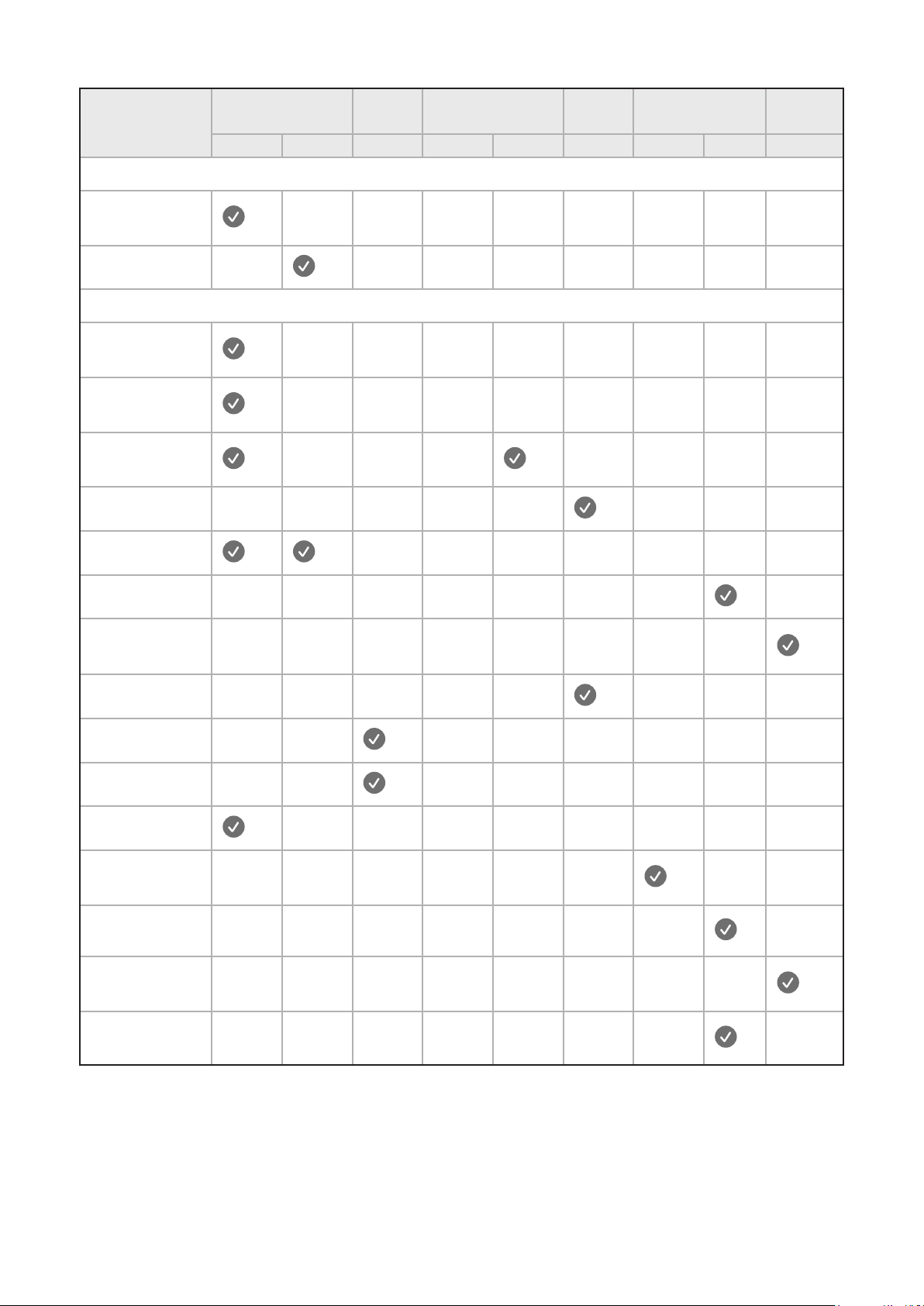
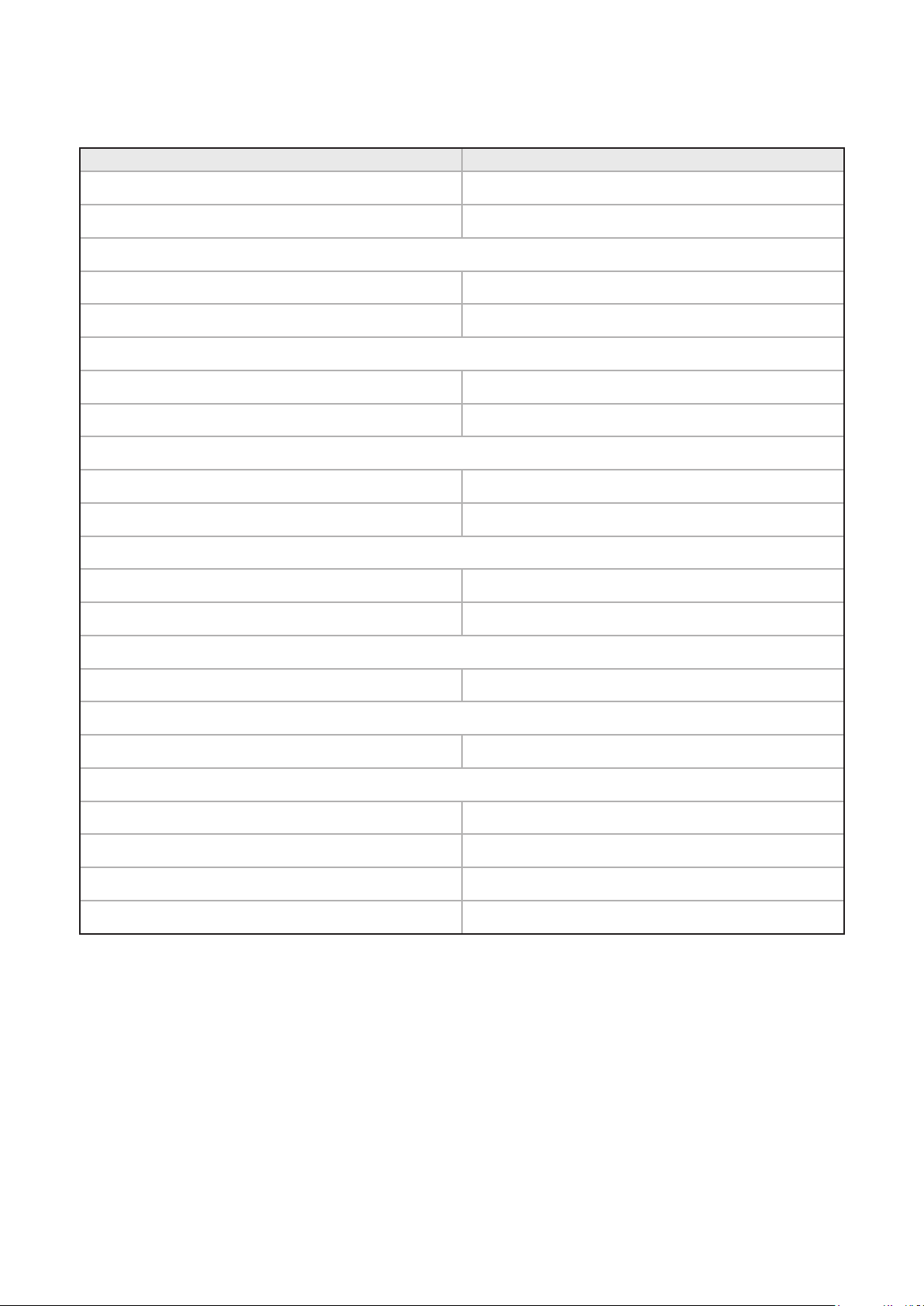
INDUCTION HOB
For best cooking results, follow the examples in the guide below, bearing in mind that settings 8 and 9 are
maximum positions and should only be used for deep frying and bringing up to the boil quickly.
Preparation Very fast frying Fast Medium Slow Simmering,
re-heating
Keeping
warm
9 8 7 6 5 4 3 2 1
Soup
Thin soup
Thick soup
Fish
Court-Bouillon
Deep fried
Sauces
Thick, flour
based
Buttery,
containing
eggs
Vegetables
Spinach
Pulses
Boiled potatoes
Carrots
Saute potatoes
Frozen
vegetables
27
Preparation Very fast frying Fast Medium Slow Simmering,
re-heating
Keeping
warm
9 8 7 6 5 4 3 2 1
Meat
Thin cuts of
meat
Fried steak
Other types of cooking
Deep frying:
frozen chips
Deep frying:
fresh chips
Pressure
cooking
Stewed fruit
Pancakes
Custard
To melt
chocolate
Jam
Milk
Fried eggs
Pasta
Re-heating
baby food
Rice pudding
Keeping food
warm
Stews
28
GRILL
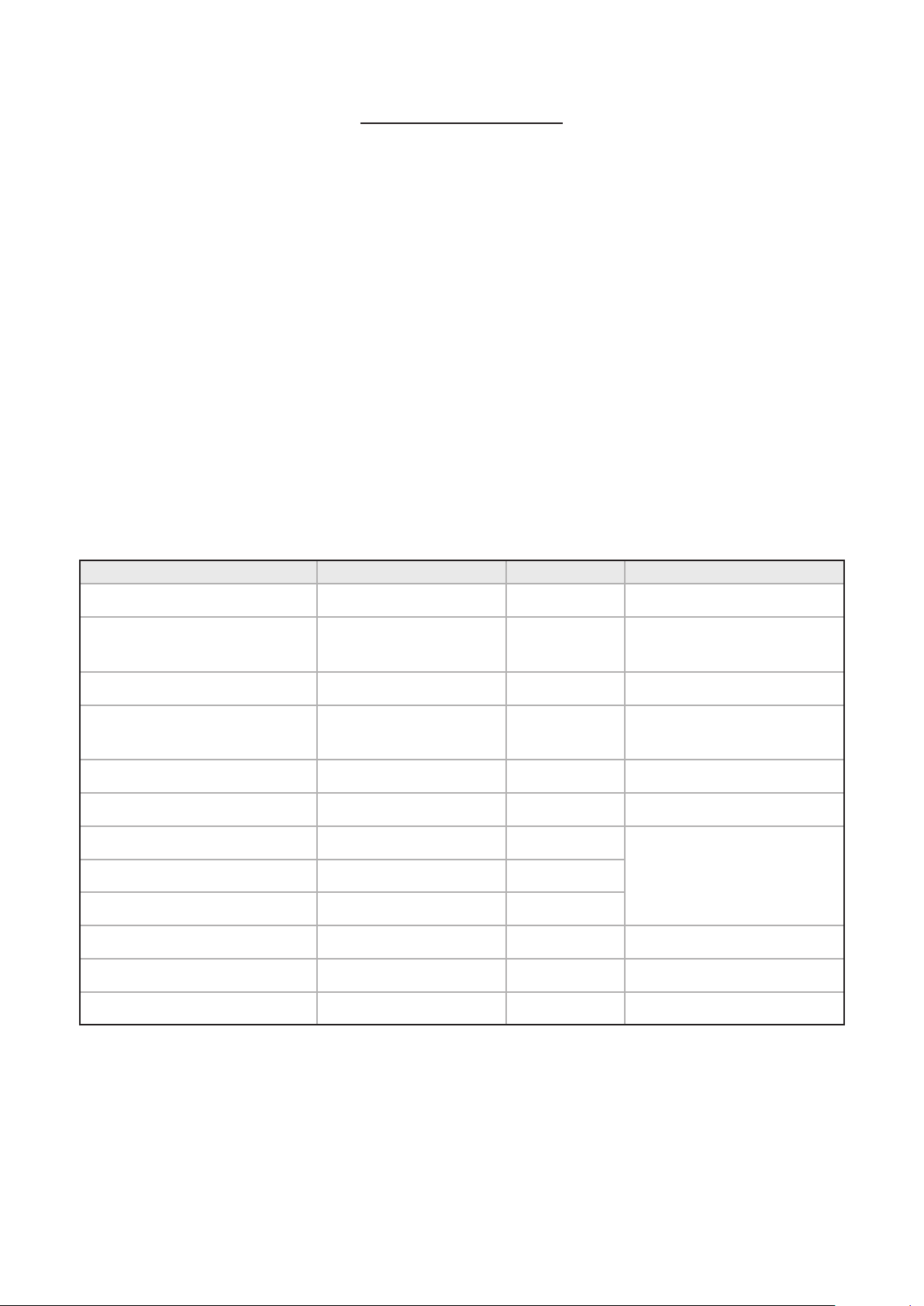
Food Type Time Approx (mins)
Bacon
8 - 15
Sausages
12 - 15
Chops
- Lamb 10 - 15
- Pork 15 - 25
Toast
- 2 rounds 1 - 2 (per side)
- 4 rounds 1 - 2 (per side)
Bread products
- Buns 1 - 2 (per side)
- Tea cakes 1 - 2 (per side)
Cheese on toast
- 2 rounds 4 - 5
- 4 rounds 4 - 5
Fish
- Fillets 10 - 15
Chicken
- Fillets 20 - 30
Beef Steaks
- Rare 7 - 10
- Medium 10 - 15
- Well done 15 - 20
Gammon Steaks
12 - 15
4
As with any cooking guide, all times are
approximate and can be adjusted to suit
personal taste.
29
BAKING GUIDE
TOP OVEN
Cooking temperatures
The temperature settings and time given in the
Baking Guides are based on dishes made with block
margarine. If soft tub margarine is used, it may be
necessary to reduce the temperature setting. If a
recipe gives a different temperature set-ting to that
shown in the guide, the recipe instruction should be
followed.
4
Because the top oven is more compact,
it may be necessary to reduce cooking
temperatures specified in recipes by up
to 20°C.
4
Use the baking guide as a reference for
determining which temperatures to use.
Cooking times
4
These times are based on cooking in a
preheated oven.
4
These cooking times are approximate,
due to the size and type of cooking dish
and personal preferences.
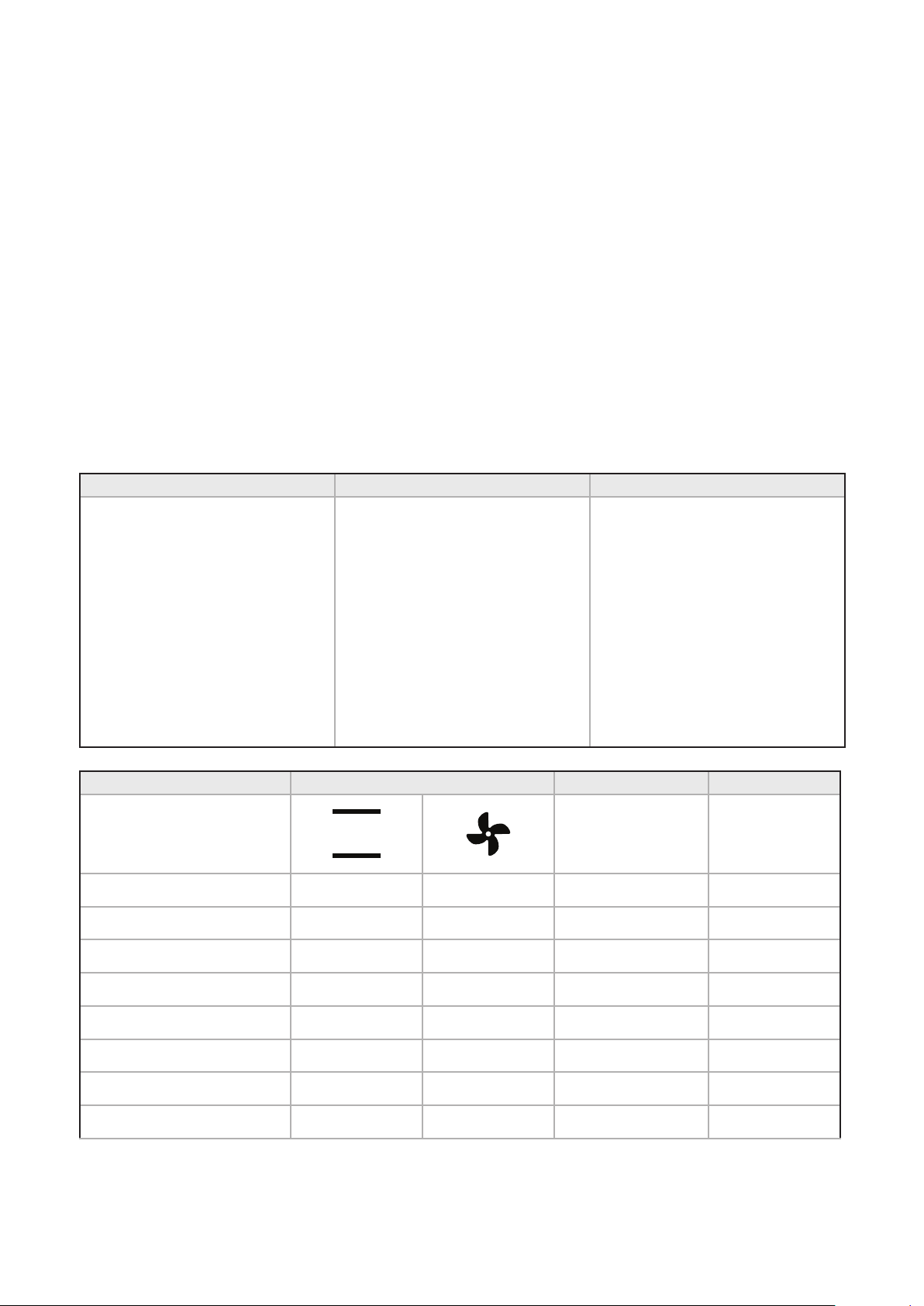
Item Temperature (°C) Shelf Position Approximate cooking time
Small cakes 160°C - 180°C (fanned) 1 15 - 20 mins
Victoria sandwich (2 x 180mm
/ 7”)
160 1 20 - 25 mins
Swiss roll 200 1 8 - 12 mins
Semi rich fruit cake (180mm x
7”)
140 1 2¼ - 2¾ hours
Scones 215 1 10 - 15 mins
Meringues 90 - 100 1 2 - 3 hours
Shortcrust pastry 200 - 210 1
Depends on size & type
of cooking dish & also the
filling
Pu / flaky pastry 200 - 210 1
Choux pastry 200 - 210 1
Biscuits 160 - 200 2 10 - 20 mins
Sponge pudding 150 1 30 - 45 mins
Milk pudding 140 1 2 - 2½ hours
30
MAIN OVEN
Cooking times & temperatures
4
The temperature settings and times
given in the baking guide are based on
dishes made with block margarine. If
soft tub margarine is used it may be
necessary to reduce the temperature
setting.
4
Allow enough space between shelves for
food that will rise during cooking.
4
Do not place items on the oven base as
this will prevent air circulating freely.
4
Note: This is a fanned oven, therefore
some adjustment will have to be made to
conventional cooking temperatures. The
table below shows conventional cooking
temperatures, fanned oven temperatures
and gas marks. For optimum results,
conventional temperatures need to be
converted to fanned oven temperatures.
For example, an item which would
normally cook at a conventional
temperature of 180 °C, will now cook at
the fanned oven temperature of 160 °C.
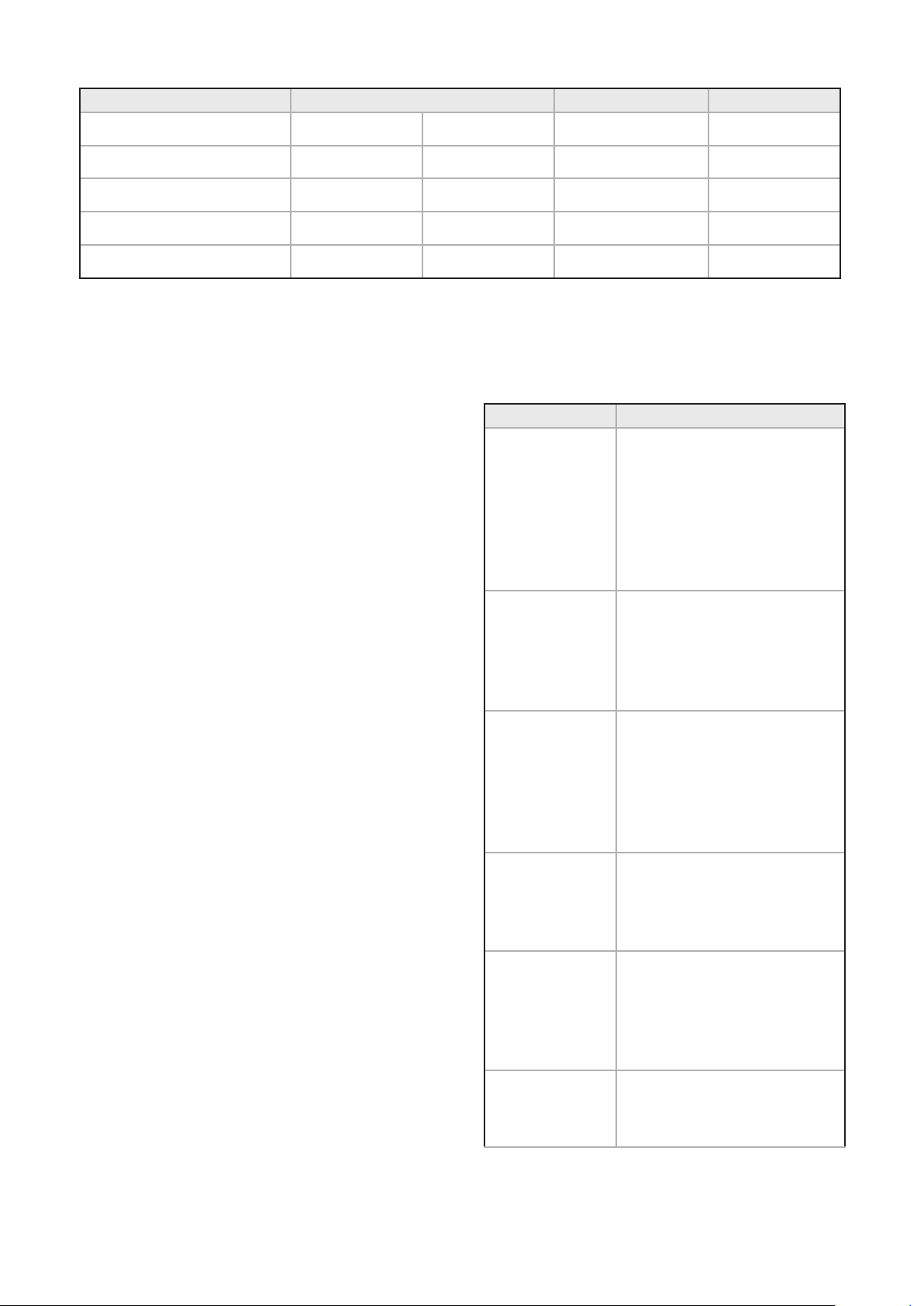
Conventional temperature (°C) Fanned Oven (°C) Gas Mark
100
110
130
140
150
160
180 - 190
200
220
230
250
100
110
120
130
140
150
160
170
180
190
200
1/4
1/4
1/2
1
2
3
4 - 5
6
7
8
9
Food Type Temp. Setting °C Time Approx. Shelf Position
Cakes
Small cakes 190 160 15 - 25 2 - 4
Victoria sandwich 180 160 20 - 30 3
Semi rich fruit cake 150 125 2½ - 3 hours 2
Christmas cake 150 125 2½ - 3 hours 2
Puddings
Bread & butter pudding 170 150 45 - 1 hour 3
Fruit crumble 200 175 40 - 1 hour 3
31
Food Type Temp. Setting °C Time Approx. Shelf Position
Miscellaneous
Yorkshire pudding:
- large 220 200 40 - 48 4 - 5
- small 220 200 15 - 20 4 - 5
Shortcrust pastry 200 180 depends on filling 4 - 5
GENERAL BAKING GUIDE
Traditional fruit cakes
It should be remembered that ovens can vary over
time, therefore cooking times can vary, making it
difficult to be precise when baking fruit cakes.
It is necessary therefore, to test the cake before
removal from the oven. Use a fine warmed skewer
inserted into the centre of the cake. If the skewer
comes out clean, then the cake is cooked.
4
Follow the temperatures suggested in the
recipe and then adjust accordingly to the
conversion table.
4
Do not attempt to make Christmas cakes
larger than the oven can cope with, you
should allow at least 25mm (1”) space
between the oven walls and the tin.
4
Always follow the temperatures
recommended in the recipe.
4
To protect a very rich fruit cake during
cooking, tie 2 layers of brown paper
around the tin.
4
We recommend that the cake tin is not
stood on layers of brown paper, as this
can hinder effective circulation of air.
4
Do not use soft tub margarine for rich
fruit cakes, unless specified in the recipe.
4
Always use the correct size and shape of
tin for the recipe quantities.
Trouble-shooting – fruit cakes
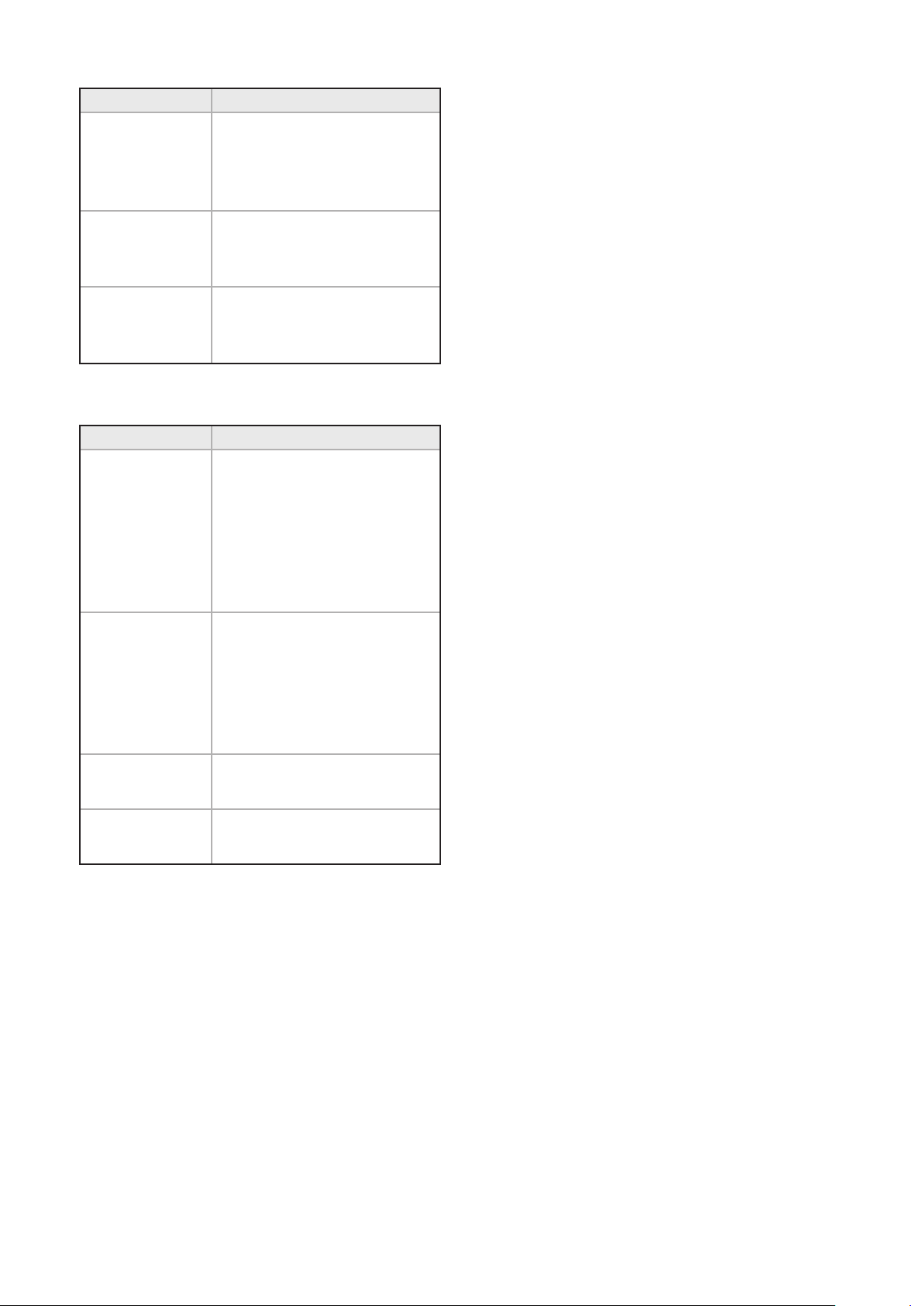
Problem Possible Cause
Fruit sinking to
the bottom
Low oven temperature which
may cause the cake to take
longer to set, allowing the
fruit to sink. Or, too much
liquid, or raising agent. The
fruit may not have been
properly washed and dried.
Cake sinking /
dipping in the
centre
Too much raising agent in
the mixture. Too hot, or
too cool an oven. Or, not
enough liquid or insucient
creaming.
Surface cracks
Too small a tin, or too much
mixture in the tin. Too much
raising agent in the mix,
plus not enough liquid or
insucient creaming. The
oven may be too hot.
Hard outer
crust with a
damp patch
inside
Oven too hot, therefore the
cake baked too quickly. Too
much sugar, or insucient
liquid.
Burnt outside
Oven temperature too high.
Oven too small for the size of
cake. Insucient protection
around the tin. Cake baked
on too high a shelf.
Texture with
pronounced
holes.
Too much raising agent. Flour
unevenly mixed.
32
Problem Possible Cause
Texture too
close and cake
insuciently
risen.
Not enough raising agent.
Not enough liquid. Too
cool an oven. Insucient
creaming.
Cake crumbles
when cut
Not enough liquid. Baked for
too long. Not enough sugar.
Too much baking agent.
Too dry
Over baking. Insucient egg
or liquid. Too much raising
agent.
Trouble-shooting – sponge cakes
Problem Possible Cause
Domed top
Insucient creaming of
mixture. Cake baked on
too high a shelf position, or
at too high a temperature.
Paper liners can cause the
outer edge not to rise and
the centre to peak.
Hollowed /
sunken top
Too much raising agent.
Oven temperature too low, or
incorrect shelf position. Cake
removed from oven before
it’s cooked. Use of soft tub
margarine.
Very pale, but
cooked
Oven temperature too low.
Baked too low in the oven
Overflowing tin
Tin too small for the amount
of mixture
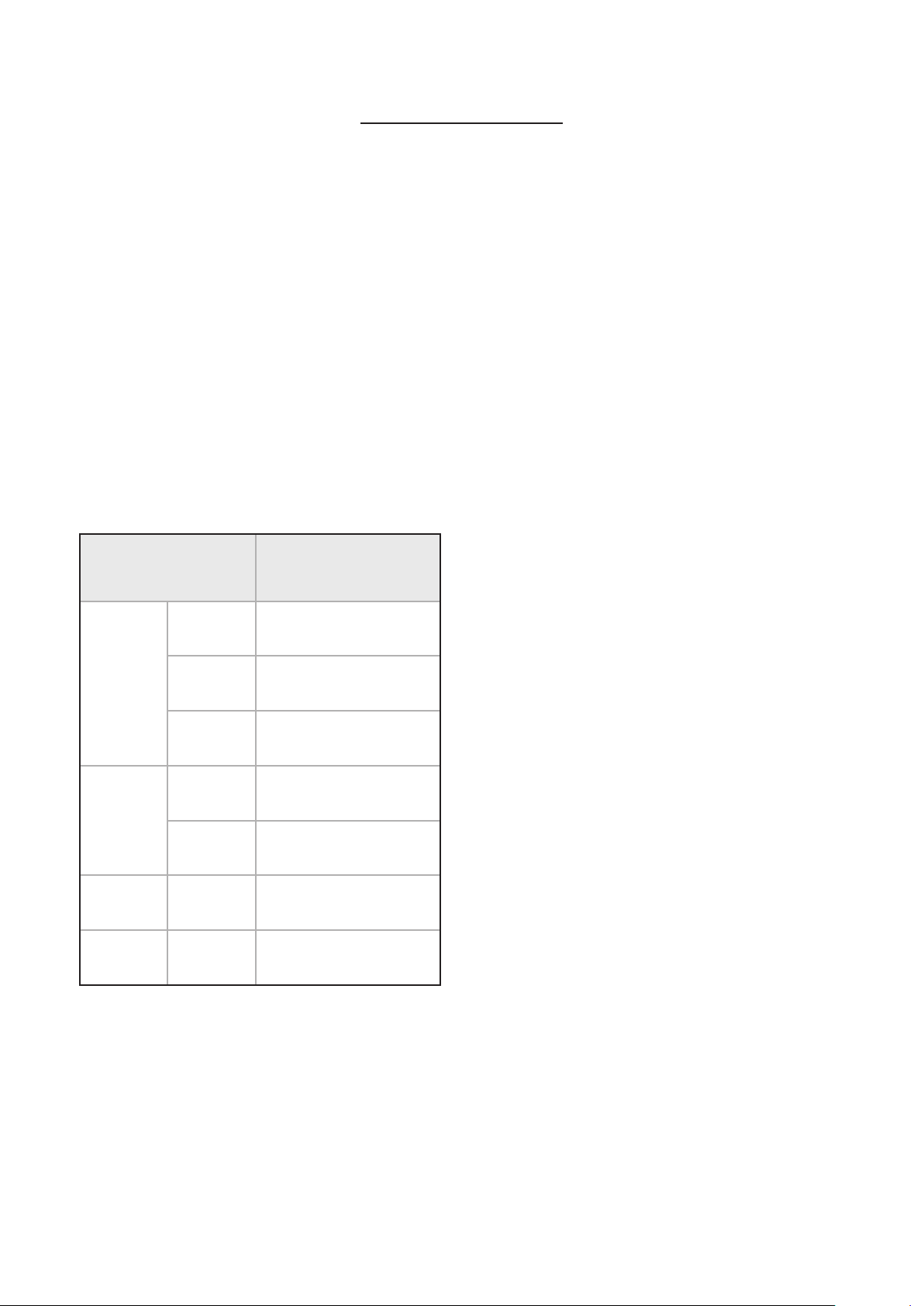
33
ROASTING GUIDE
The times given in the roasting guide are only
approximate, because the size and age of the bird will
influence cooking times as will the shape of a joint
and the proportion of the bone.
Frozen meat should be thoroughly thawed before
cooking. For large joints it is advisable to thaw over night.
Frozen poultry should be thoroughly thawed before
cooking. The time required depends on the size of the
bird – eg; a large turkey may take up to 48 hours to thaw.
Use of a trivet with a roasting tin will reduce fat
splashing and will help to keep the oven interior clean.
Alternatively, to help reduce fat splashing, potatoes or
other vegetables can be roasted around the meat/poultry.
Cook in main oven at:
160°C - 180°C (fanned)
180°C - 200°C (conv.)
Approximate Cooking
Time (preheated oven)
Beef
Rare
20 minutes per 450g
(1lb), plus 20 minutes
Medium
25 minutes per 450g
(1lb), plus 25 minutes
Well
done
30 minutes per 450g
(1lb), plus 30 minutes
Lamb
Medium
25 minutes per 450g
(1lb), plus 25 minutes
Well
done
30 minutes per 450g
(1lb), plus 30 minutes
Pork
35 minutes per 450g
(1lb), plus 35 minutes
Poultry
20 minutes per 450g
(1lb), plus 20 minutes
Notes:
4
When cooking stuffed meat or poultry
calculate the cooking time from the total
weight of the meat plus the stuffing.
4
For joints cooked in foil or covered
roasters, and for lidded casseroles, add 5
minutes per 450g (1lb) to the calculated
cooking time.
4
Smaller joints weighing less than 1.25kg
(2½lb) may require 5 minutes per 450g
(1lb) extra cooking time.
4
Position the oven shelf so that the meat
or poultry is in the centre of the oven.
4
It is recommended that the appliance is
cleaned after open roasting.
ROAST TURKEY
Roasting turkey involves cooking two different types
of meat – the delicate light breast meat, which must
not be allowed to dry out, and the darker leg meat,
which takes longer to cook.
The turkey must be roasted long enough for the legs
to cook, so frequent basting is necessary. The breast
meat can be covered once browned.
To test if the turkey is cooked, push a fine skewer into
the thickest part of the thigh. If the juices run clear,
the turkey is cooked. If the juices are still pink, the
turkey will need longer cooking.
4
Always make sure that the turkey is
completely thawed and that the giblets
are removed before cooking.
4
Turkey should be roasted at gas mark 5
for 20 minutes per lb, plus 20 minutes,
unless packaging advises otherwise.
4
The turkey can be open roasted, breast
side down, for half of the cook time, and
then turned over for the remainder of the
cooking time.
4
If the turkey is stuffed, add 5 minutes per
1lb to the cooking time.
4
If roasting turkey covered with foil, add 5
minutes per 1lb to the cooking time.
4
Please note: for all other Roasting guides
refer to main oven section and see table.
34
CLOCK/PROGRAMMER
4
Please be aware that only the main oven
is controlled by the programmer.
4
Note: Your clock / programmer may not
have all these functions
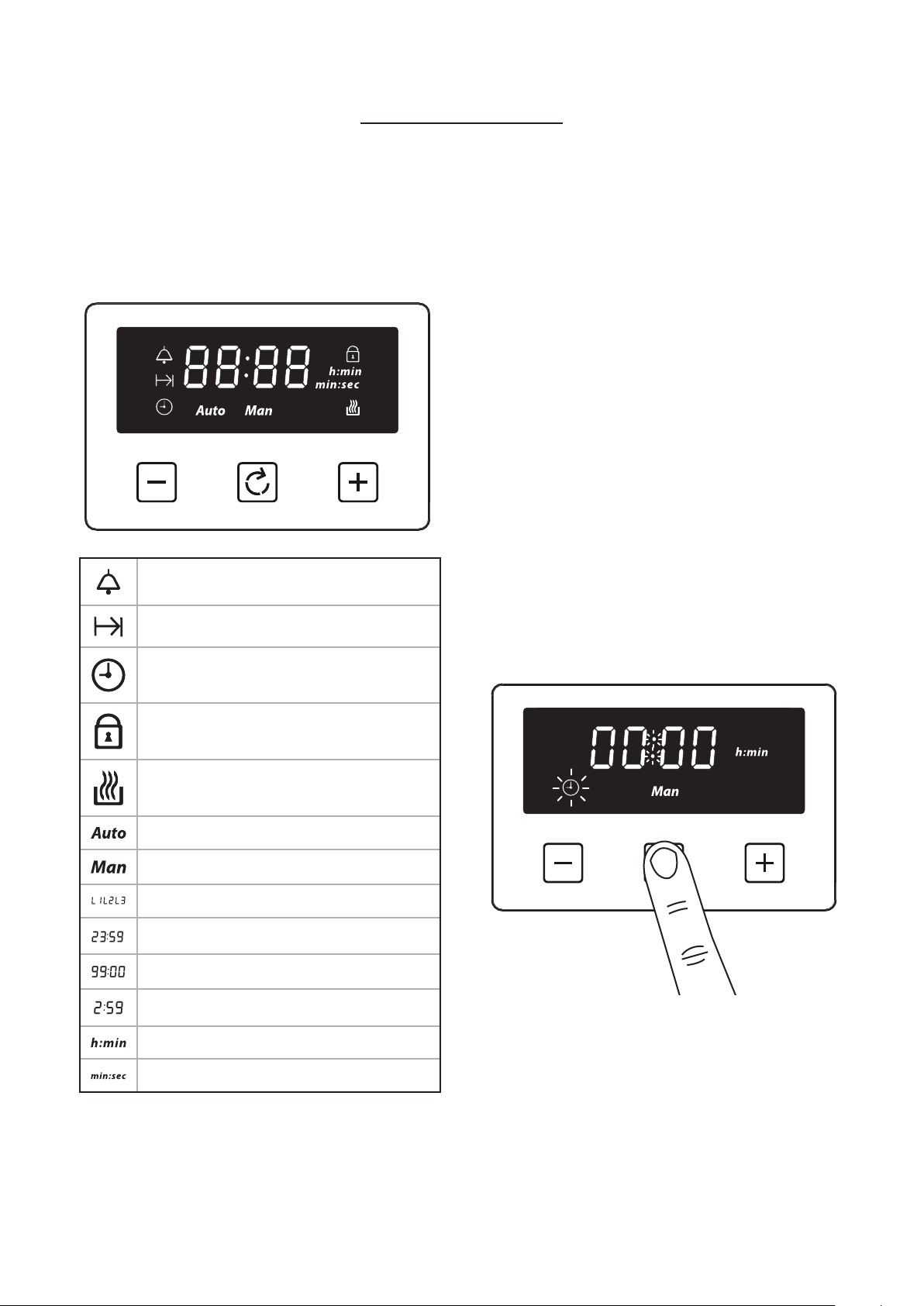
MenuMinus Plus
Minute minder
Cooking time / Duration
Time of day
Key Lock
Auto cooking
Automatic mode
Manual mode
, ,
Volume level
, ,
7-segment display
Max. adjustable minute minder
Max. adjustable cooking time
Display hours:minutes
Display minutes:seconds
USING THE TOUCH CONTROLS
Menu – Scroll through to select a function
Plus – Increase time or volume
Minus – Decrease time or volume
4
When a function is selected and the time
or volume is set, the chosen function will
automatically start seven seconds after
setting.
MANUAL MODE
If the programmer is not in semi-automatic or full-
automatic mode you can use oven functions manually.
The manual icon is also on the display.
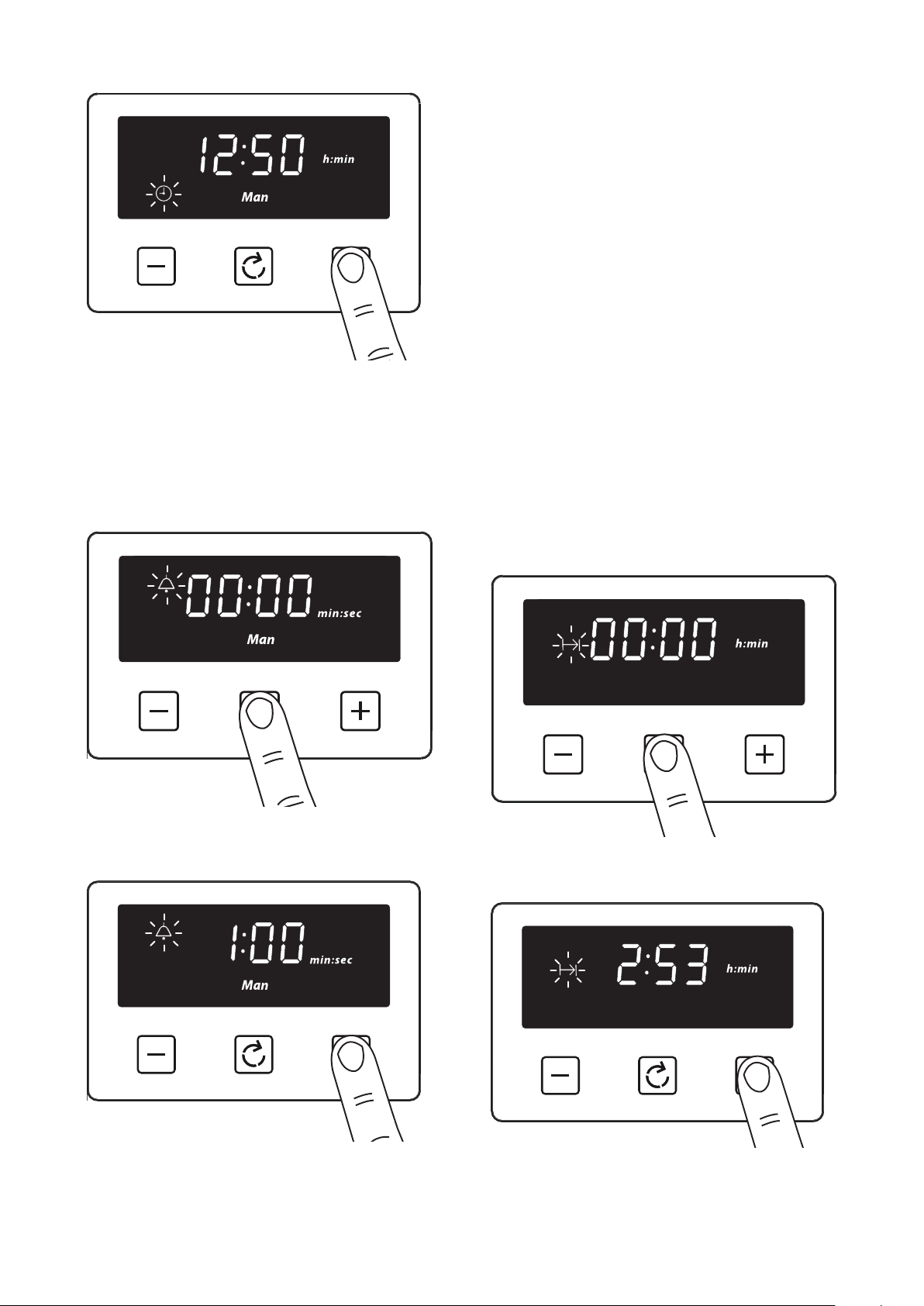
SETTING THE TIME OF DAY
By pressing menu, scroll through the functions until
you reach ‘time of day’.
1. Press the function button until the 'time of day'
symbol appears
35
2. Press the plus or minus buttons to set a time
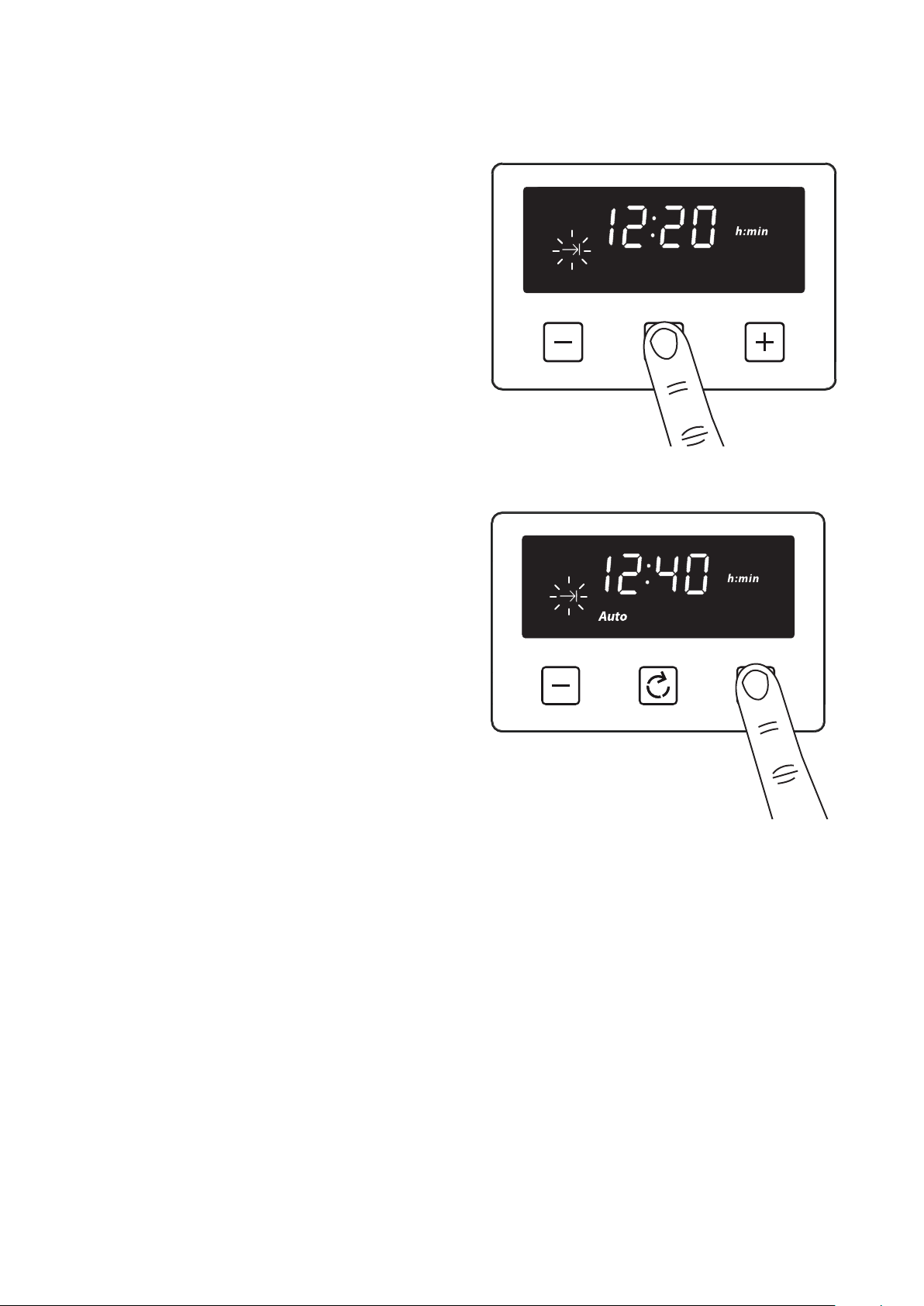
SETTING THE MINUTE MINDER
The maximum cooking time that can be set is 99
minutes.
1. Press the function button until the 'minute minder'
symbol appears
2. Press the plus or minus buttons to set a time
Once set, the minute minder will start to countdown
in steps of seconds. The display will show the
minute minder symbol and the remaining time. The
countdown will continue in the background, if other
functions are being set.
When the set time for the minute minder has
completed, an alarm is heard and the minute minder
symbol will flash on the display. Press any button to
stop the alarm and the time of day is displayed.
To modify or cancel the minute minder
Return to the minute minder function and use
either the plus or minus buttons to adjust the time.
By setting the time to ‘0.00’, this will cancel the
countdown.
SETTING THE COOKING TIME (SEMI
AUTOMATIC COOKING)
1. Press the function button until the 'cooking time'
symbol appears
2. Press the plus or minus buttons to set a time
36
Once set, the automatic mode, auto cooking symbol
and the time of day is displayed.
When cooking is completed, an alarm is heard and the
manual mode symbol flashes on the display. Press the
Menu button to stop the alarm and then the ‘time of
day’ will then be displayed. Pressing the Menu button
again will return to manual mode.
4
Note: Only the bottom left hand oven
can use the Semi Automatic cooking
function.
4
The maximum cooking time that can be
set is 23 hours and 59 minutes.
To modify or cancel the cooking time
Return to the ‘cooking time’ function and use either
the plus or minus buttons to set the time. By setting
the time to ‘0.00’, this will cancel the countdown.
SETTING THE END OF COOKING
TIME (FULLY AUTOMATIC)
1. Press the function button until the 'end of cooking
time' symbol appears
2. Press the plus or minus buttons to set a time
Enter cooking duration as described in ‘Setting the
cooking time’ section.
The display shows the current ‘time of day’ plus
the ‘end of cooking time’ symbol. The latest ‘end of
cooking time’ is limited to the current ‘time of day’
plus the maximum time that can be set (23 hours and
59 minutes).
The auto cooking symbol disappears from the display
once the time, the required cooking settings and
temperature have been set. The appliance will not be
switched on until the set cooking start time, that is
the difference between the cooking end time and the
cooking duration.
37
When cooking is completed, an alarm is heard and the
manual mode symbol flashes on the display. Press the
Menu button to stop the alarm and then the ‘time of
day’ will then be displayed. Pressing the Menu button
again will return to manual mode.
To modify or cancel the end cooking time
Return to the ‘end of cooking time’ function and use
either the plus or minus buttons to set the time. The
‘end of cooking time’ can be deleted by counting back
using the minus button until it equals the current
time of day.
SETTING THE VOLUME
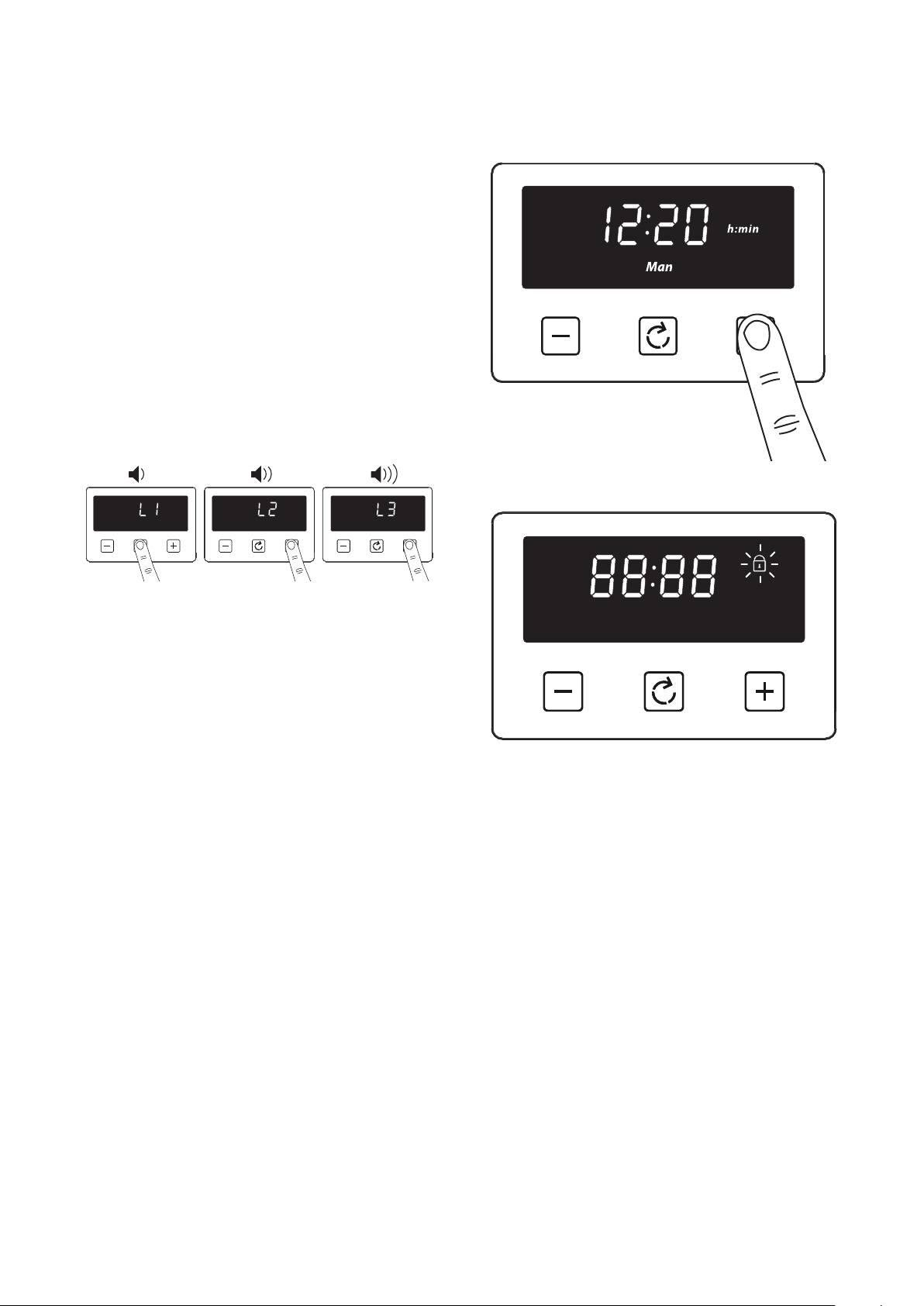
Press the menu button until “LX” (X = 1, 2 or 3)
flashes on the display. Use the plus or minus
buttons to select a tone.
4
Note: Default tone is L3
ACTIVATING / DEACTIVATING KEY
LOCK
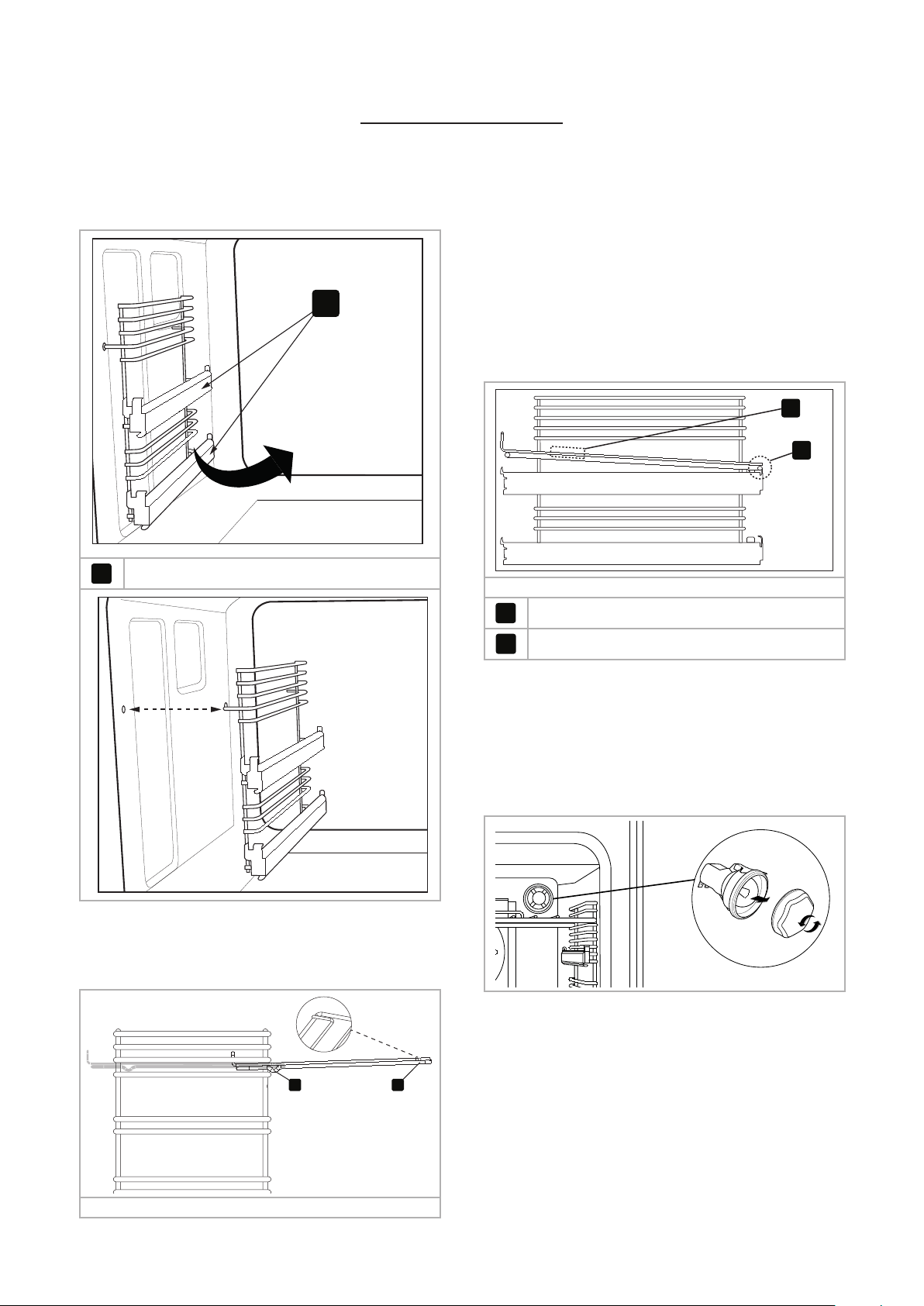
1. Press and hold the plus button for 3−5 seconds
Once the Key lock is active, the buttons will be
inactive. A two beep signal will be heard if the buttons
are pressed.
To deactivate the Key lock
Press and hold the plus button for 3−5 seconds. The
Key lock symbol will disappear and the appliance
can continue to be used.
4
Note: In case of main power loss for a
short time (about 1.5 minutes), timer
maintains its status.
4
Key lock status and buzzer tone are
memorized independent of the power
loss duration.
38
REMOVING SHELF RUNNERS
REMOVING SHELF RUNNERS
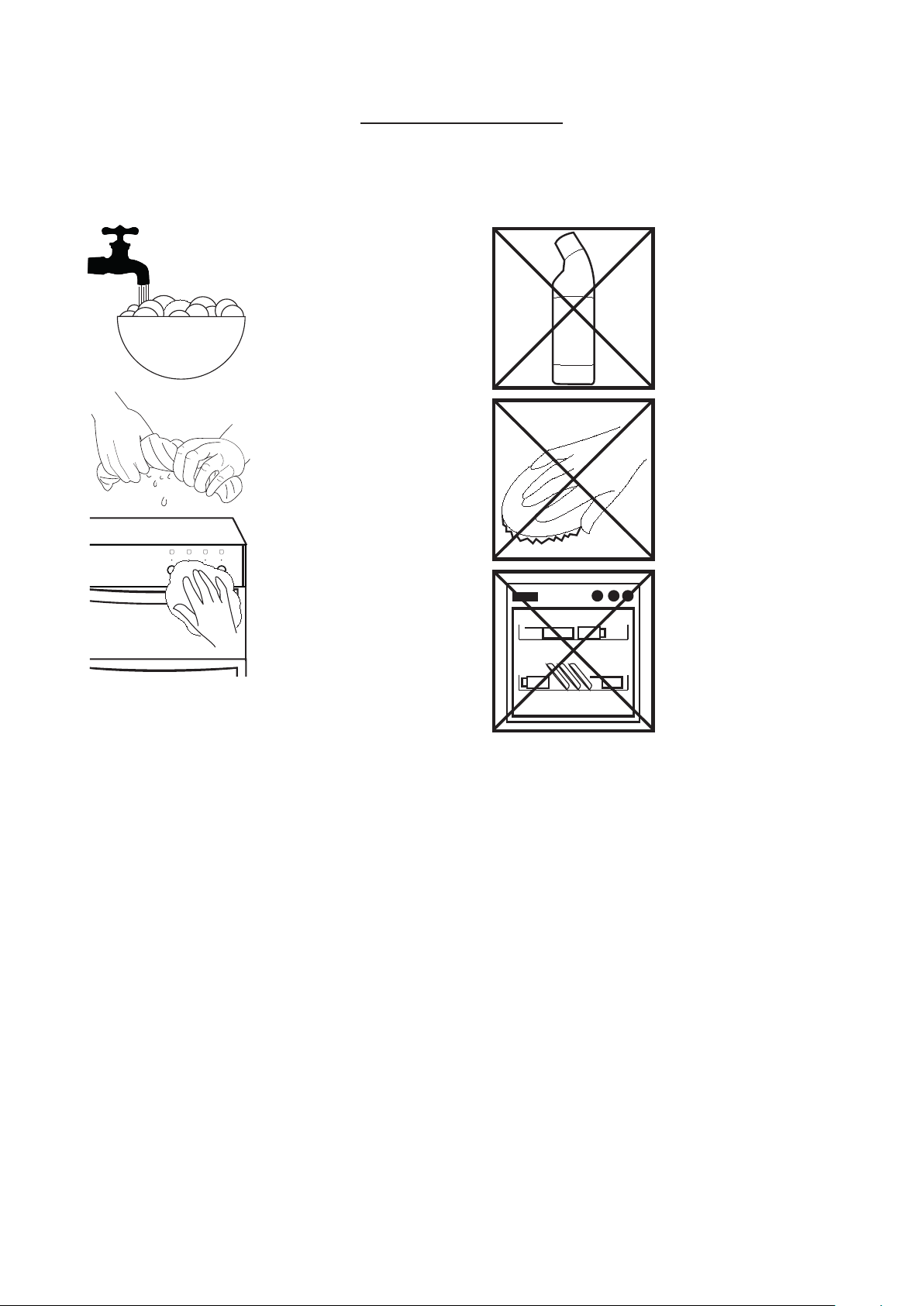
1
1
Telescopic positions (if fitted)
STANDARD SHELVES
1 2
Front of appliance
1. Slightly raise the shelf and insert in the chosen
shelf position
2. Ensure the shelf is fully pushed back towards the
back of the oven, until the shelf stopper is reached.
REMOVING TELESCOPIC SHELVES
(IF FITTED)
2
1
2
Front of appliance
1
Grasp and lift shelf
2
Lift shelf from the retaining tabs
4
Before removing the shelves completely,
please make sure that the shelf is
unclipped from the retaining tabs.
CHANGING THE LIGHT BULB
6 Warning! Switch off the power before
you change the light bulb.
4
Not all appliances have the same number
and type of bulbs. Before you replace
your bulb, check to see what type you
have. Please remember that bulbs are not
covered by your warranty.
39
CLEANING YOUR APPLIANCE
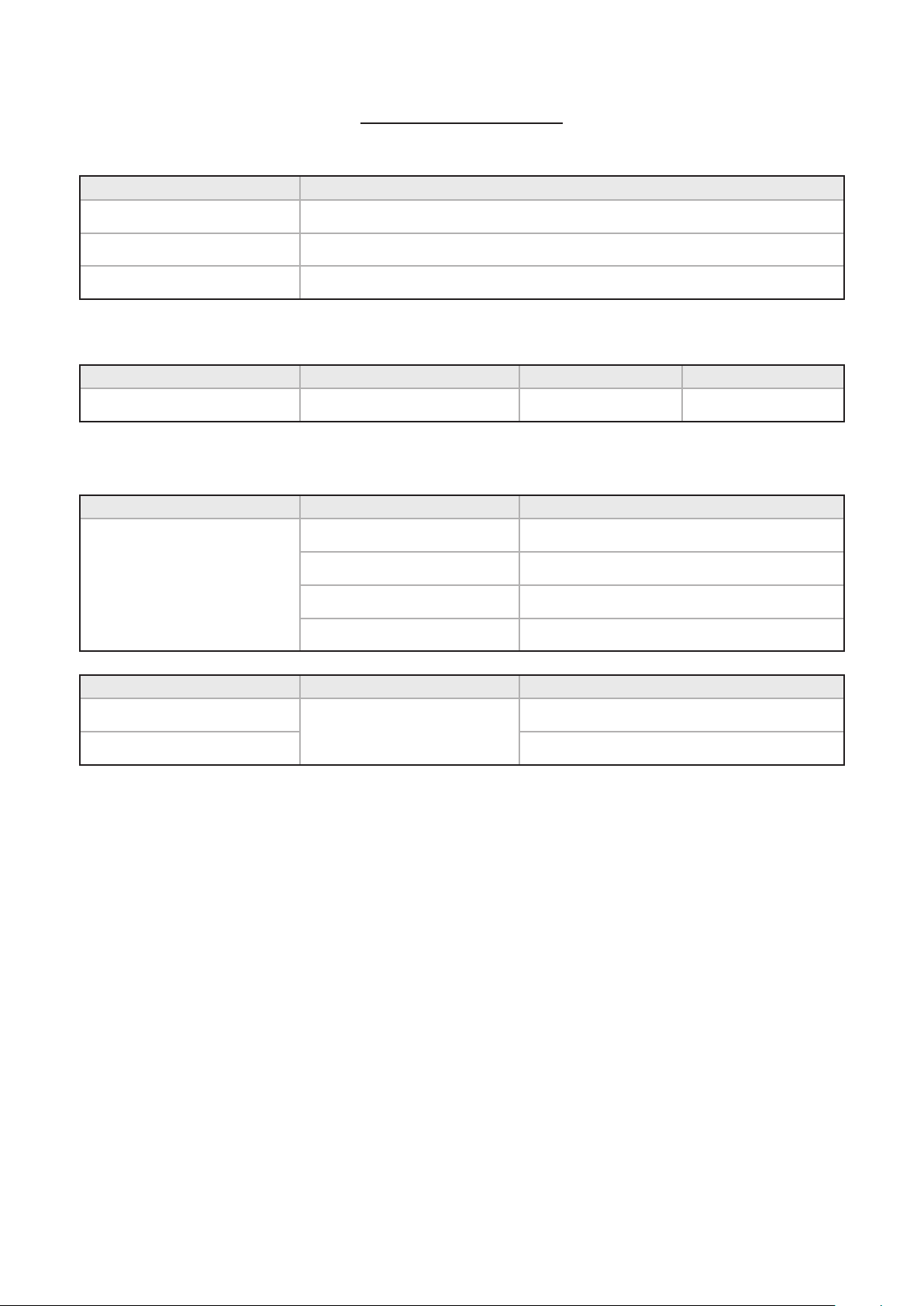
DO'S
H
Warm, soapy water
Clean, wrung out cloth
Wipe with damp cloth
Dry with a soft cloth
4
Note: Always switch off your appliance
and allow it to cool down before you
clean any part of it.
4
Note: Please take extra care when
cleaning over the symbols on the control
panel, as this can lead to them fading.
4
Tips: Some foods can mark or damage
the metal or paint work e.g.; Vinegar,
fruit juices and salt. Always clean food
spillages as soon as possible.
DON’TS
Undiluted bleaches
Chloride products
Wire Wool
Abrasive cleaners
Nylon pads
Steam cleaners
Do not place in the
dishwasher:
Cast iron griddle
Pan supports
6 It is important to clean your appliance
regularly as a build up of fat can affect
its performance or damage it and may
invalidate your guarantee.
6 In addition to the above, do not use metal
scrapers to clean the oven door glass.
4
We offer a great range of cleaning
products and accessories for your
appliance. To shop, please visit our
website located at the front of this User
Guide.
40
TECHNICAL DATA
Electrical components Load
Lamps 25 W each
Cooling fans 10 W each
Oven stir fans 30 W each
Hob top
Electrical supply Hotplate Zone Load (kW)
240 V Induction All zones 1.40 boost to 1.85
Appliance
Electrical supply Oven Load (kW)
240 V
Fanned Right 2.0
Fanned Left 2.50
Dual variable grill 1.7 / 2.7
Conventional top 1.39
Model Electrical supply Max. load (kW)
Single Grill
240 V
13.99
Dual Grill 14.84

41

42

43
084015500
Stoney Lane, Prescot, Merseyside L35 2XW
belling.co.uk
Customer Care
0344 815 3740
Product Information Helpline
0344 248 4149
WWW.BELLING.CO.UK