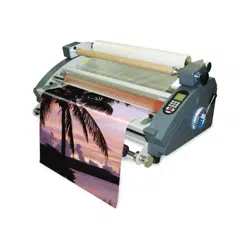
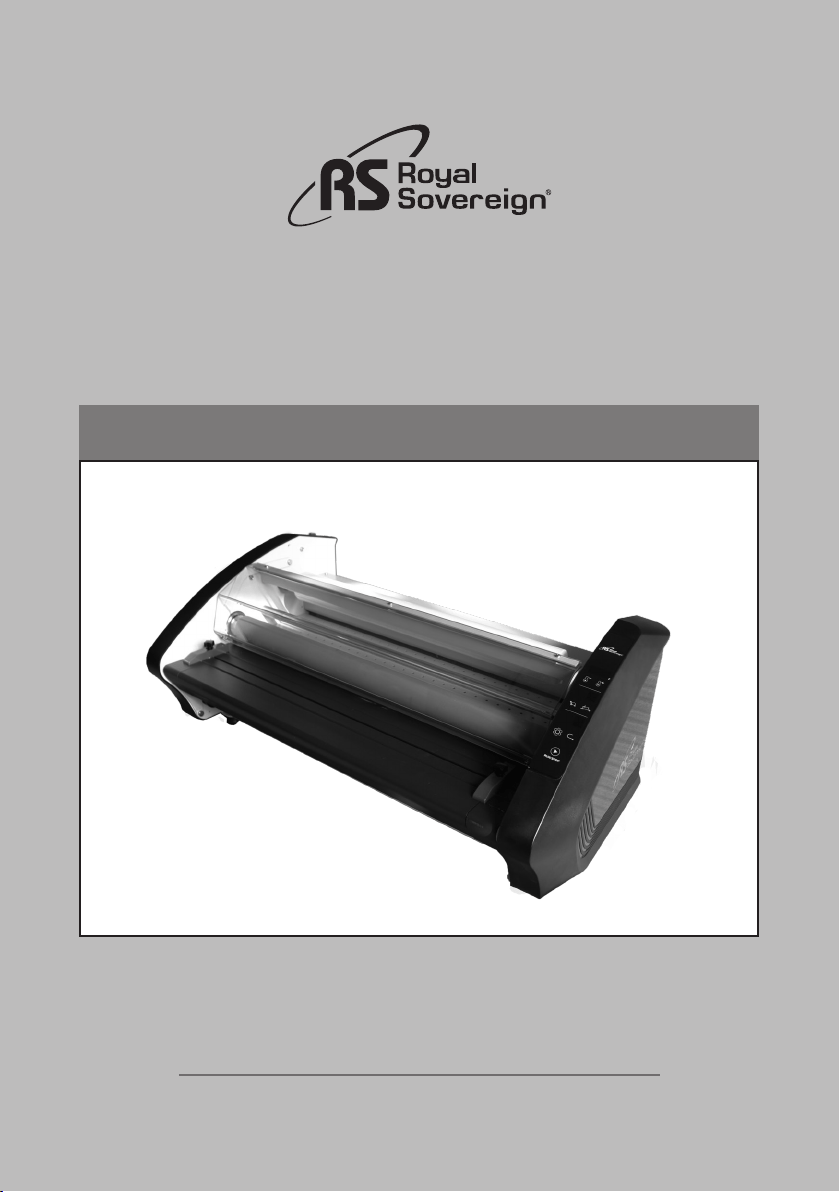
Alexis 27
OWNER'S MANUAL
Read all instructions carefully before use.
Royal Sovereign International Inc.
www.royalsovereign.com

2
TABLE OF CONTENTS
TOPIC PAGE
1. Introduction ....................................................................................................... 3
2. Package Contents .............................................................................................. 3
3. Safety Precautions .............................................................................................. 4
4. Parts .................................................................................................................... 5
5. Features Guide ................................................................................................... 6
6. Operation Instructions ......................................................................................... 9
7. Film Loading and Threading ............................................................................. 10
8. Maintenance .................................................................................................... 12
9. Trouble Shooting Guide .................................................................................... 13
10.Specification .................................................................................................... 14
11.Warranty ........................................................................................................... 15
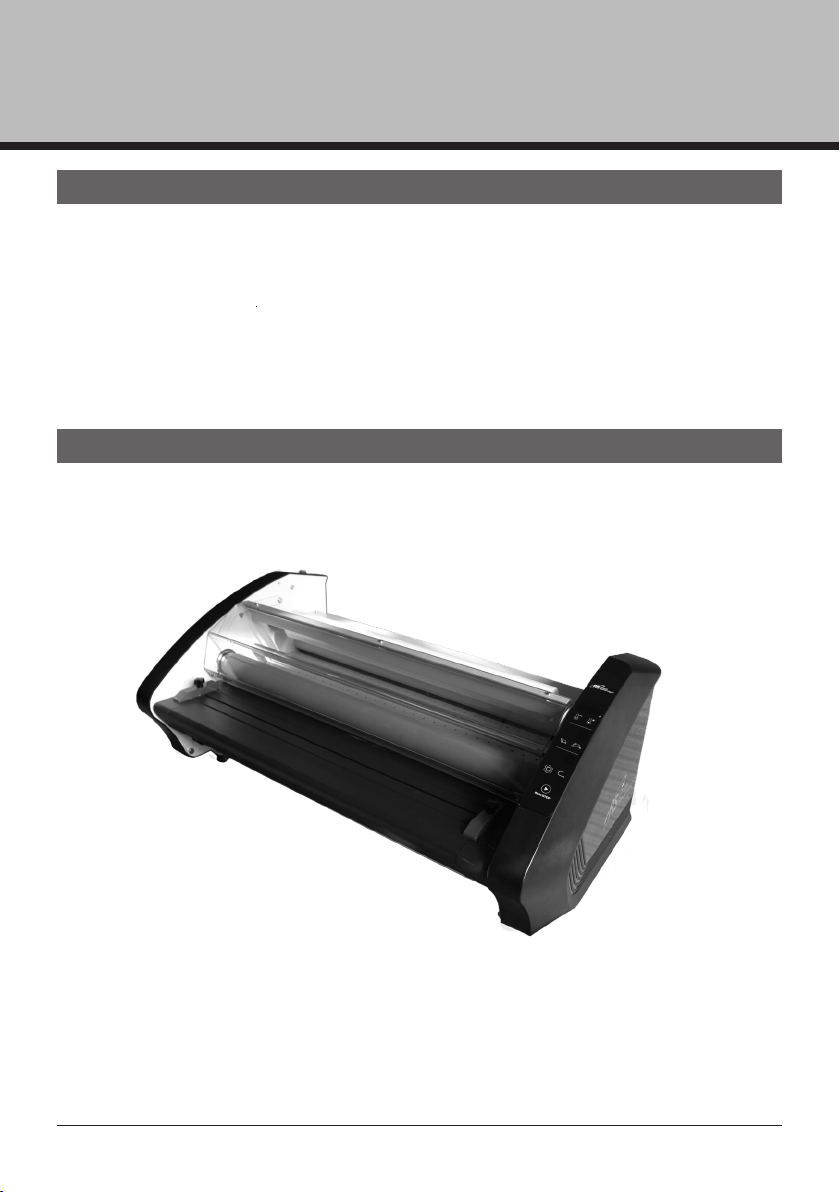
Alexis 27
3
1. INTRODUCTION
2. PACKAGE CONTENTS
Thank you for purchasing RS Alexis 27 . It has been designed and manufactured to
provide years of continuous service. For high quality lamination, please read this
instruction manual thoroughly. This manual will provide you with complete operating and
maintenance information
· Owner's Manual
· Wrench
· Dust Cover
· Silicone Elastic

4
3. SAFETY PRECAUTIONS
Failure to comply with any of the following safety procedures could result
in serious injury. Please read the instructions carefully and keep to future
reference.
1. Only a licensed electrician should install wiring and outlet for the laminator.
2. Ensure the unit is plugged into a properly grounded outlet with the correct voltage.
3. Keep hands and clothing (i.e. Neckties) away from rollers. The rollers have pinch points
that can trap body parts or clothing and cause serious injury.
4. Keep flammable and wet objects away from the machine.
5. Place machine on a level surface.
6. Avoid excessive sunlight, humidity and extreme temperatures.
7. Ensure the unit is turned off, cooled, and unplugged from the outlet prior to moving
and or repairing.
8. Keep out of reach of childre
n.
9. Only Royal Sovereign authorized maintenance and service technicians should make
repairs.
10. Do not attempt to laminate items that exceed total recommended material thickness
for the unit.
11. When cleaning the machine, don't use flammable sprays or materials.
12. Do not touch the rollers when they are hot or place foreign objects inside the machine.
13. Do not cover the surface of the machine until the machine has completely cooled.
5
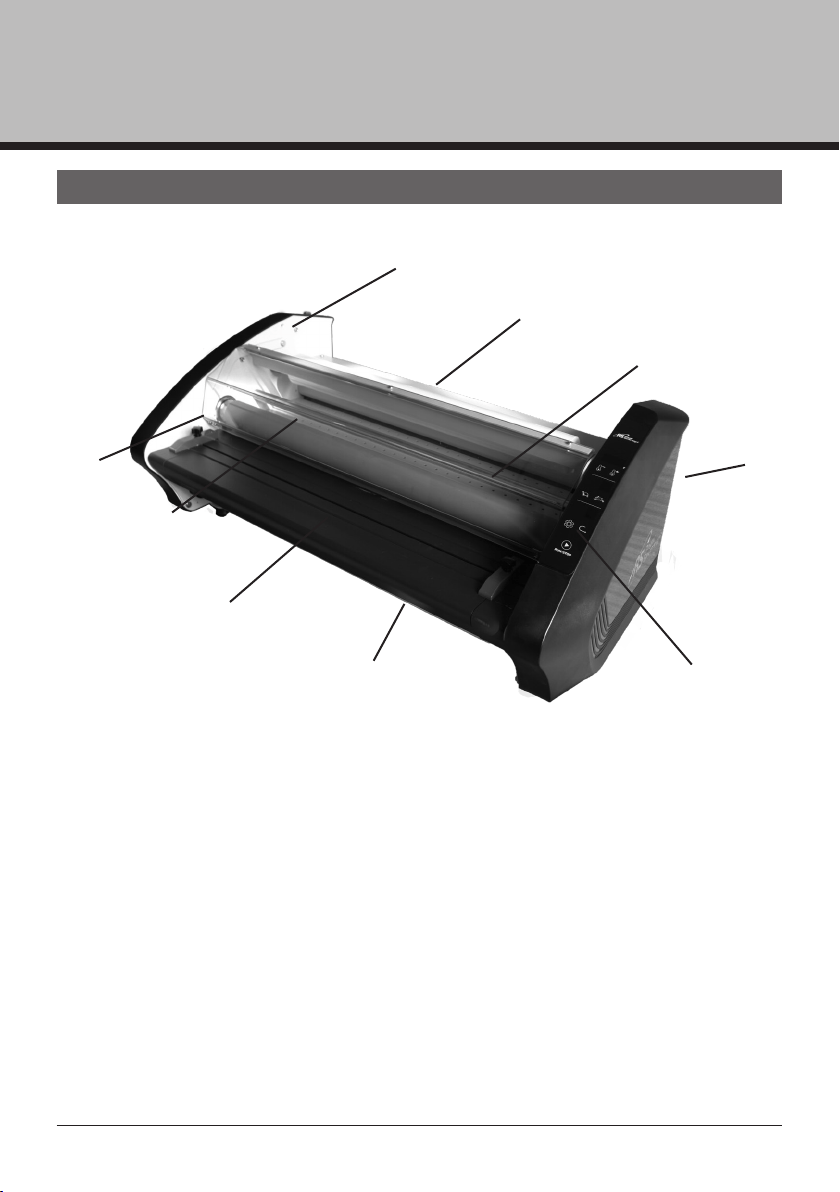
4. PARTS
1.Upper Film 2.Lower Film 3.Idle Bar
4.Hot Rollers 5.Feed Table 6.Paper Guide
7.Control Panel 8.Tension Screw 9.Power Switch
Alexis 27
①
②
③
④
⑤
⑥
⑦
⑧
⑨
6
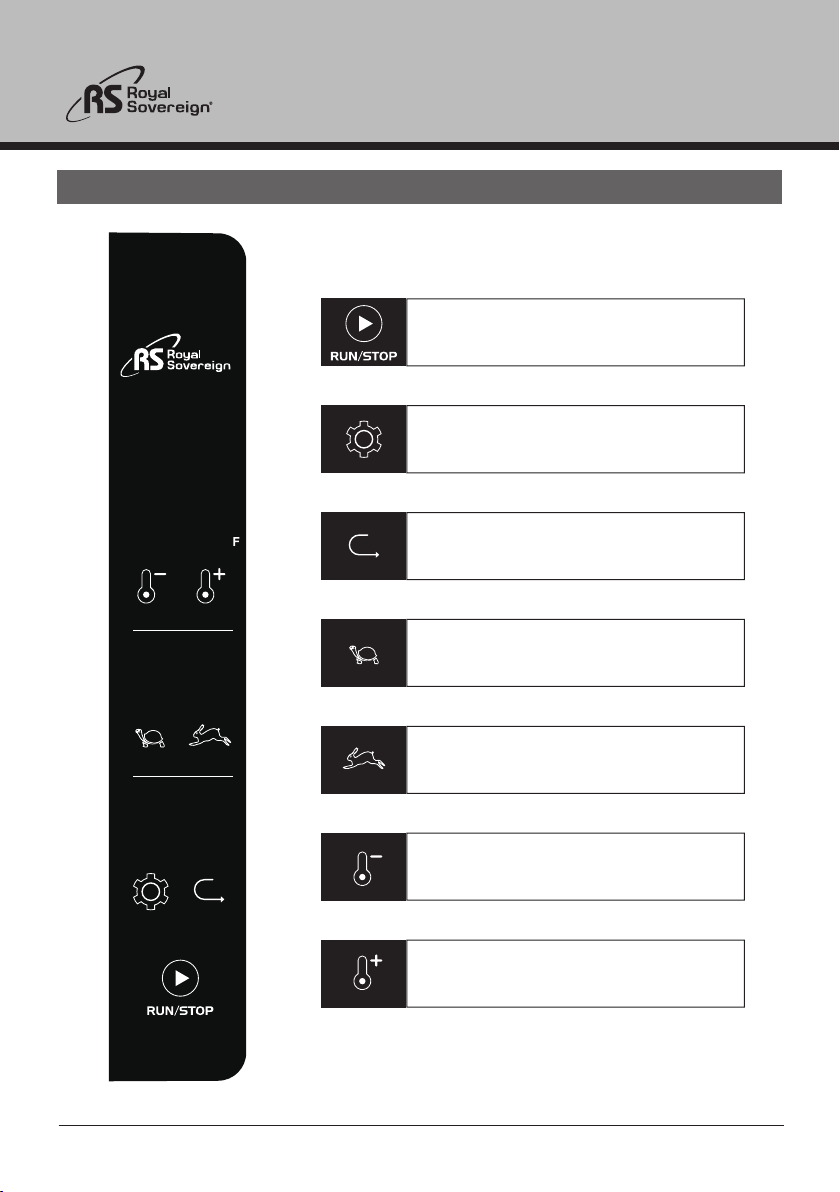
5. FEATURES GUIDE
Run and stop the machine.
Reverse the rollers to undo jams
and correct misfed documents .
Mode: change default mode(1~4 settings).
Reduce roller speed(9~1 setting).
Increase roller speed(1~9 setting).
Reduce roller temperature(302~176 F).
Increase roller temperature(176~302 F).
Figure 1
7
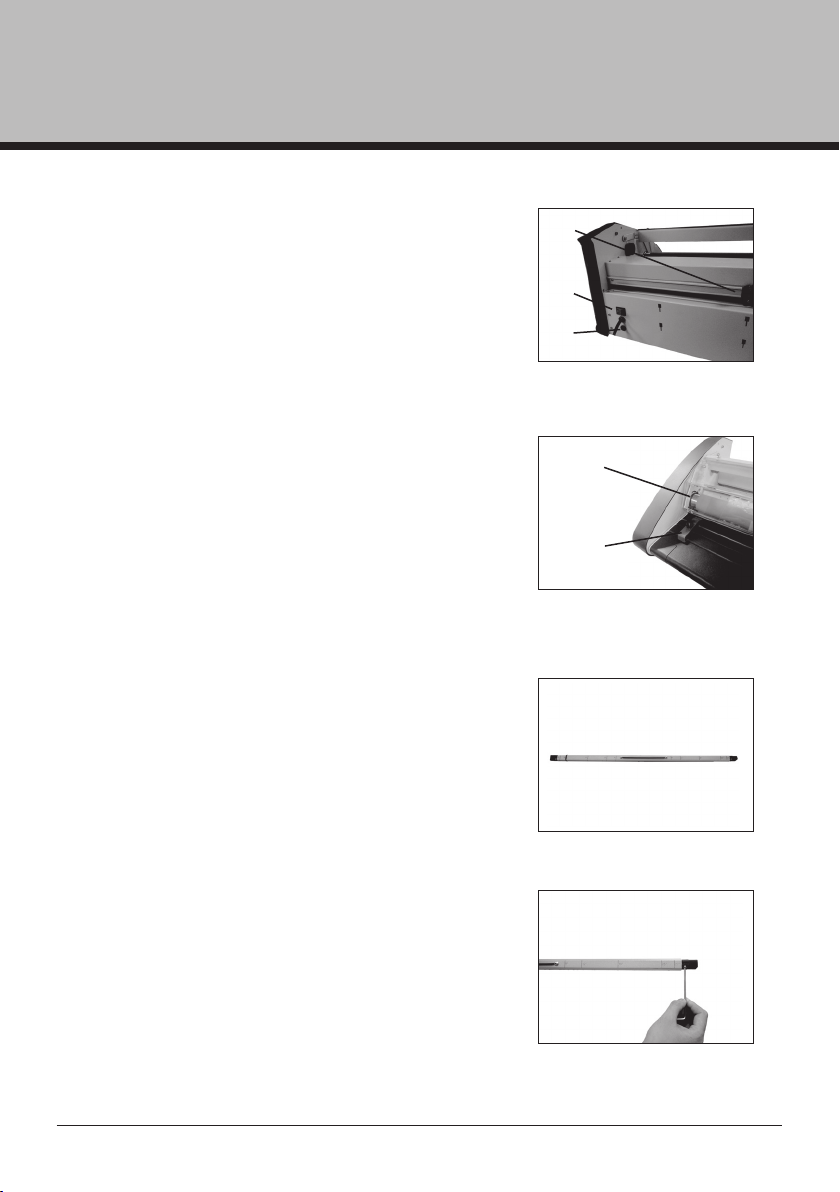
Power Switch (1) - Located on the rear of
the machine. “I” (on) “0” (off). (Fig. 2)
Cross Cutter (2) - Used to cut off the
laminated web. (Fig. 2)
Main Fuse (3) - To cut off the main power
circuit. It can recover by itself.
Feed Guide (4) -The feed guide permits
alignment of the item(s) to be laminated. To
position the adjustable guide, loosen the knob,
slide it to the desired position and tighten the
knob to secure the feed guide in place. (Fig. 3)
Safety Cover (5) - It prevents entanglement
NOTE: If the safety cover is opened, the power
to the motor will turn off.
Film Shaft
The film shaft holds the film supply on the
machine. (Fig. 4)
Film Tension Adjustment - Allows the
operator to increase or decrease film web
tension. clockwise to increase tension and
to decrease tension turn the knob counterclockwise.
(Fig. 5)
Figure 2
Figure 3
Figure 4
F
igure 5
Alexis 27
①
②
⑤
④
③
8
1. Turn the laminator ON (I) located on the rear of the machine. (Fig. 2)
2. Choose the appropriate speed (Fig.1)
3. Do not begin laminating until the blinking light is steady (approximately 8 minutes).
4. Position the item to be laminated on the feed table.
,raeppasid ot enil taeh rof tiaw ,nrut ot nigeb lliw srellor ehT .nottub NUR eht sserP .5
feed the item into the machine.
6. When using PET or OPP film laminate, please use a test print first to establish correct
speed and temperature for that product. Keep a distance of 15mm between prints when
running multiple prints through the laminator.
7. Stop the laminator when all of the items have completely exited the rear of the
machine.
8. Please keep the film tension controls as loose as possible but still maintaining proper
film flow over the rollers. Tighten as needed if film has slight wrinkles over the rollers.
9. If you find the temperature level is high while laminating with some films with thin
paper on the high or middle level you can try using a lower temperature level.
Repeat the above steps until all of your lamination is complete. When lamination is
completed and the machine is not in use for an extended period of time, turn the power off.
NOTE: Stand by mode and auto power off mode
- Stand by mode: If no activity is made within 30 minutes after each use the
machin
e will automatically switch into stand by mode. (In stand-by mode the
temperature will decrease to 80~90℃ and the three film thickness setting
indicators will blink).
- Auto power off mode: If the machine is in stand by mode and no activity is
made for 60 minutes the machine will automatically power off.
- If any activity is made while in stand by or auto power off mode the machine
will return to it’s previous stage.
6. OPERATION INSTRUCTIONS
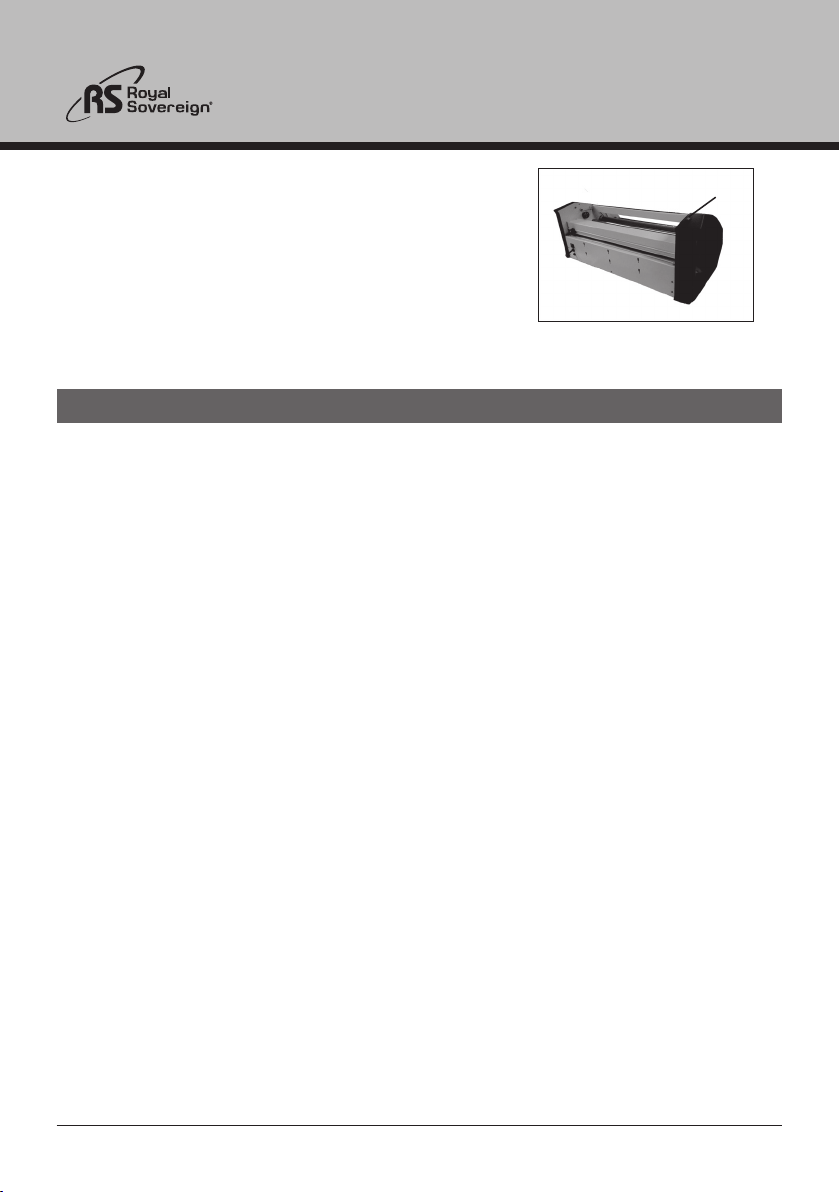
Figure 6
Emergency Switch (6) - To stop the machine
in a emergency situation. (Fig. 6)
⑥
9
Figure 8
Figure 9
7. FILM LOADING & THREADING
Figure 7
1. Slightly slide the shaft to the right and pull it out
from the machine. (Fig. 8)
2. Set the rubber “O” ring to a suitable location
base on the width of the file, make sure they are
in the same location for both shaft.
Alexis 27

10
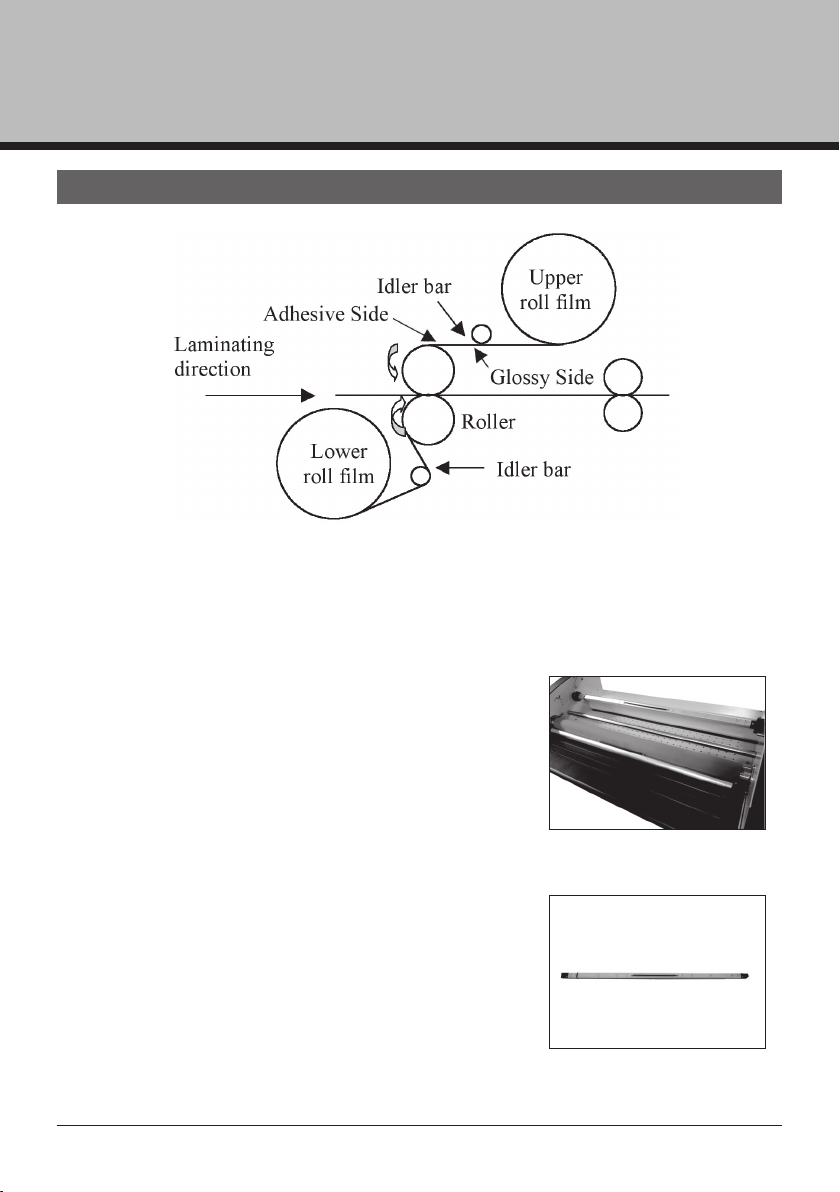
3. Insert shaft into the right end of the film core.
For film with poly-in (adhesive side is inside
the web), make sure the adhesive side is
facing upward. (Fig. 10)
Figure 10
4. Carefully return the film shaft back into place.

11
LOADING LOWER ROLL FILM
1. Repeat steps 1-4 to load the lower roll film.
2. Once the upper and lower film is on the shaft, Make sure the both films are align
to the “O” ring.
NOTE: If the film is not aligned properly exposed adhesive will adhere to the rollers
and may cause the film to jam.
FILM THREADING
Refer to Figure 6.
8. MAINTENANCE
1. Do not apply any cleaning fluids to the rollers certain fluids may cause damage.
2. Do not clean rollers with sharp or pointed objects.
3. Use adhesive remover to clean resin off of the rollers.
4. Use a damp cloth with water to clean the body of the machine.
5. Store machine in a dry clean area.
Alexis 27
12
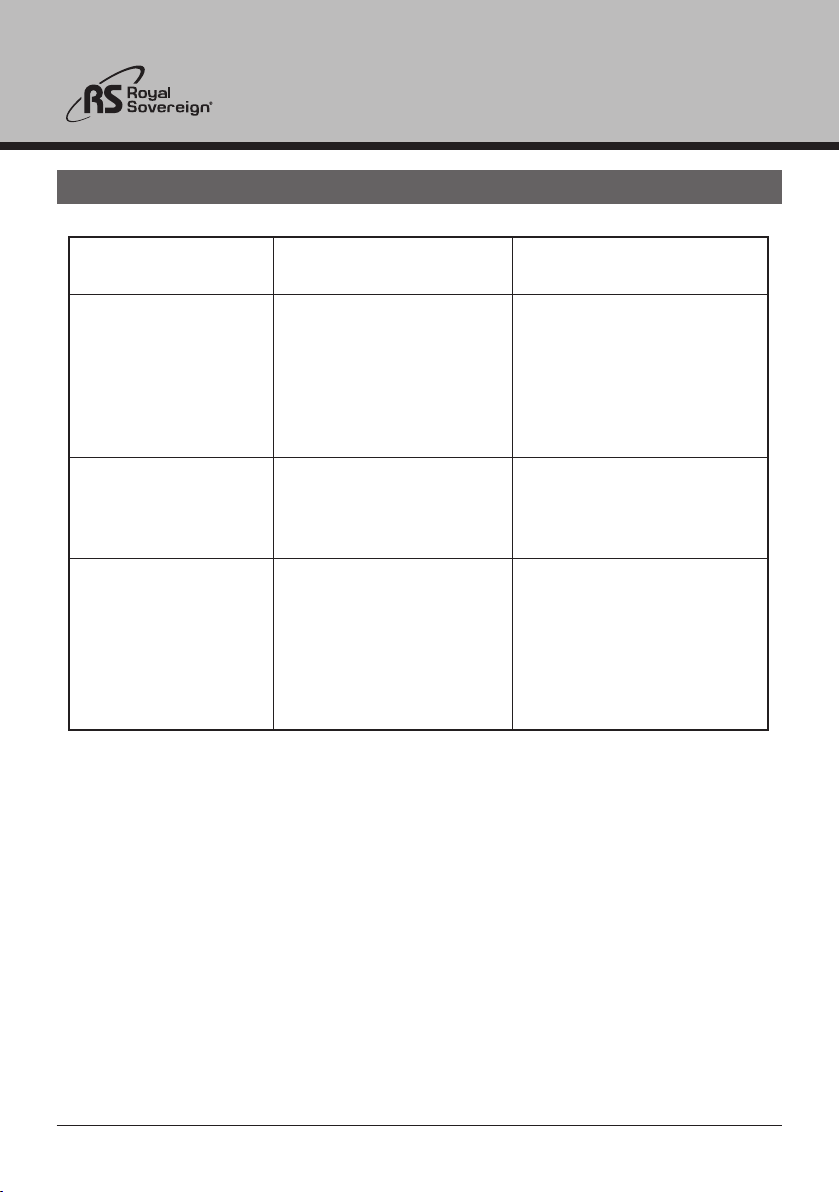
Rollers do not operate
after the RUN/STOP
button is pressed
Roller is not heating
Poor Lamination
Symptom Cause Possible Solution
1. Safety cover is opened
2. Power cord is not
plugged in
3. Machine is not turned on
Call your authorized
dealer
1. Film tension is
unbalanced
2. Wrong temperature/
speed setting
1. Check safety cover is
properly closed
2. Plug in the power cord
3. Turn the machine on
Possible heating element,
bimetal or thermal fuse
malfunction
1. Adjust film tension
2. Follow manufacturers
recommended
temperature and speed
9.TROUBLE SHOOTING GUIDE
13
13
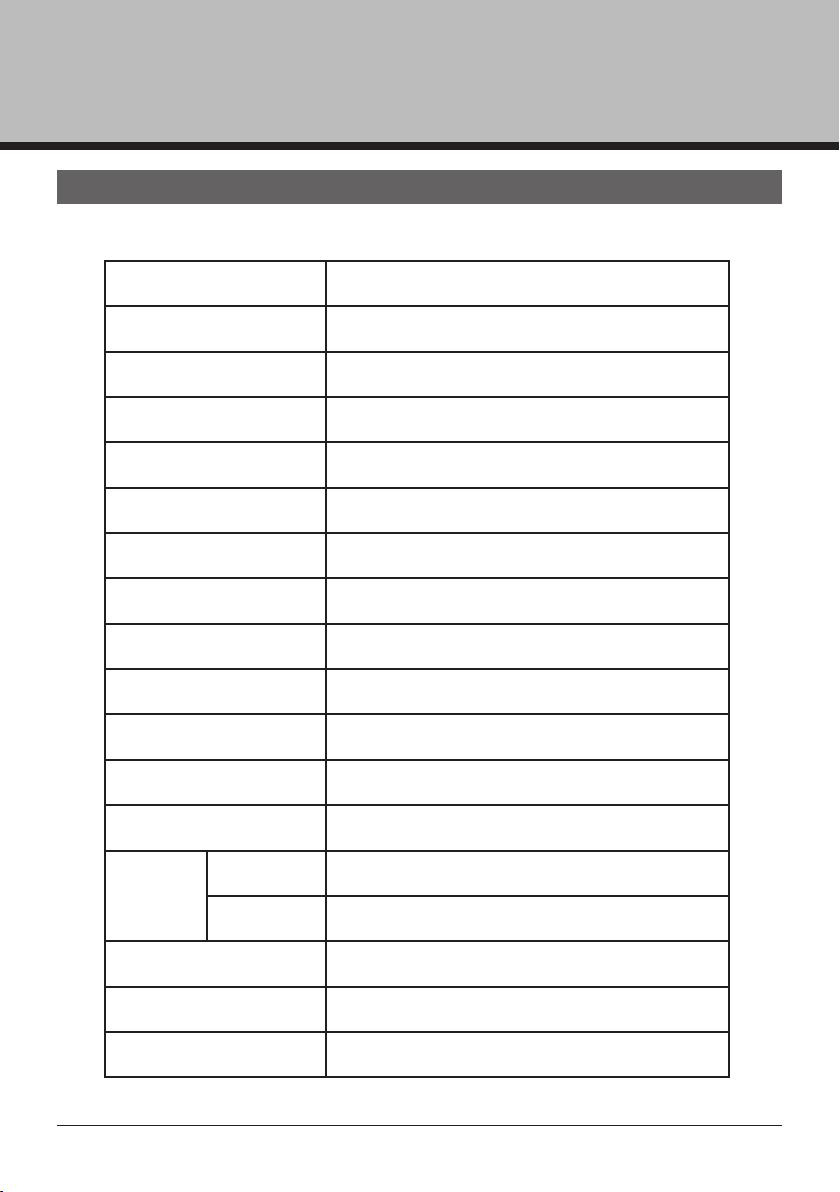
10. SPECIFICATIONS
MODEL Alexis 27
Power supply AC120V 60Hz
Power consunmption 1450W
Max laminating width 685mm
Film thickness 25~75mic /1~3mil
Max laminating speed 2.5m/min
Ready time 10min
Heating method Hot Roller
Driving motor DC geared motor
Temperature control Digital(micom)
Speed control Digital(9 steps)
Transport type 4 Roller
Cross cutter
Hot
lamination
Yes
Single No
Double Yes
Reverse Yes
Dimensions(WxDxH) 920x520x320mm
Unit weight
50kg
Alexis 27
14
CORPORATE HEADQUARTERS
Royal Sovereign International Inc.
2 Volvo Drive, Rockleigh, NJ 07647 U.S.A.
TEL : +1) 800-397-1025 FAX : +1) 201-750-1022
E-mail : info@royalsovereign.com
11. WARRANTY
Royal Sovereign International warrants the equipment sold is free from defects in
material and workmanship for a period of One (1) year for Parts and Labor from the date
of installation, excluding lamination rollers which are warranted for Six (6) months. This
warranty is extended only to the original purchaser. This warranty is the only warranty
made by Royal Sovereign International and cannot be modified or amended. Royal
Sovereign’s sole and exclusive liability and the customer’s sole and exclusive remedy
under this warranty shall be, at Royal Sovereign’s option, to repair or replace any such
defective part or product. These remedies are only available if Royal Sovereign’s
examination of the product discloses to Royal Sovereign’s satisfaction that such defects
actually exist and were not caused by misuse, neglect, attempt to repair, unauthorized
alternation or modification, incorrect line voltage, fire, accident, flood or other hazard.
All warranty claims must be filed through the authorized Royal Sovereign dealer or
reseller through which the equipment was originally purchased. Model, serial number
and date of delivery are required for all claims.
The warranty made herein is in lieu of all other warranties, expressed or implied,
including any warranty or merchantability or fitness for a particular purpose. Royal
Sovereign will not be liable for personal damage or personal injury (unless primarily
caused by its
negligence), loss of profit, or other incidental or consequential damages
arising out of the use or inability to use this equipment.
This warranty specifically does not cover damage to laminating rollers caused by knives,
razor blades, or any sharp objects or abrasives, or failure caused by adhesives, or
damage caused by lifting, tilting or improper use of the machine. Warranty repair or
replacement by Royal Sovereign or its authorized Reseller(s) does not extend the
warranty beyond the initial one year period from the date of installation. Unauthorized
customer alterations will void this warranty.
LIMITED WARRANTY
RS INTERNATIONAL CANADA INC.
191 Superior Blvd., Mississauga, ON L5T 2L6 CANADA
TEL: +1) 905-461-1095 FAX: +1) 905-461-1096
TF: +1) 866-961-6673
E-mail : [email protected]
Alexis 27