USER MANUAL
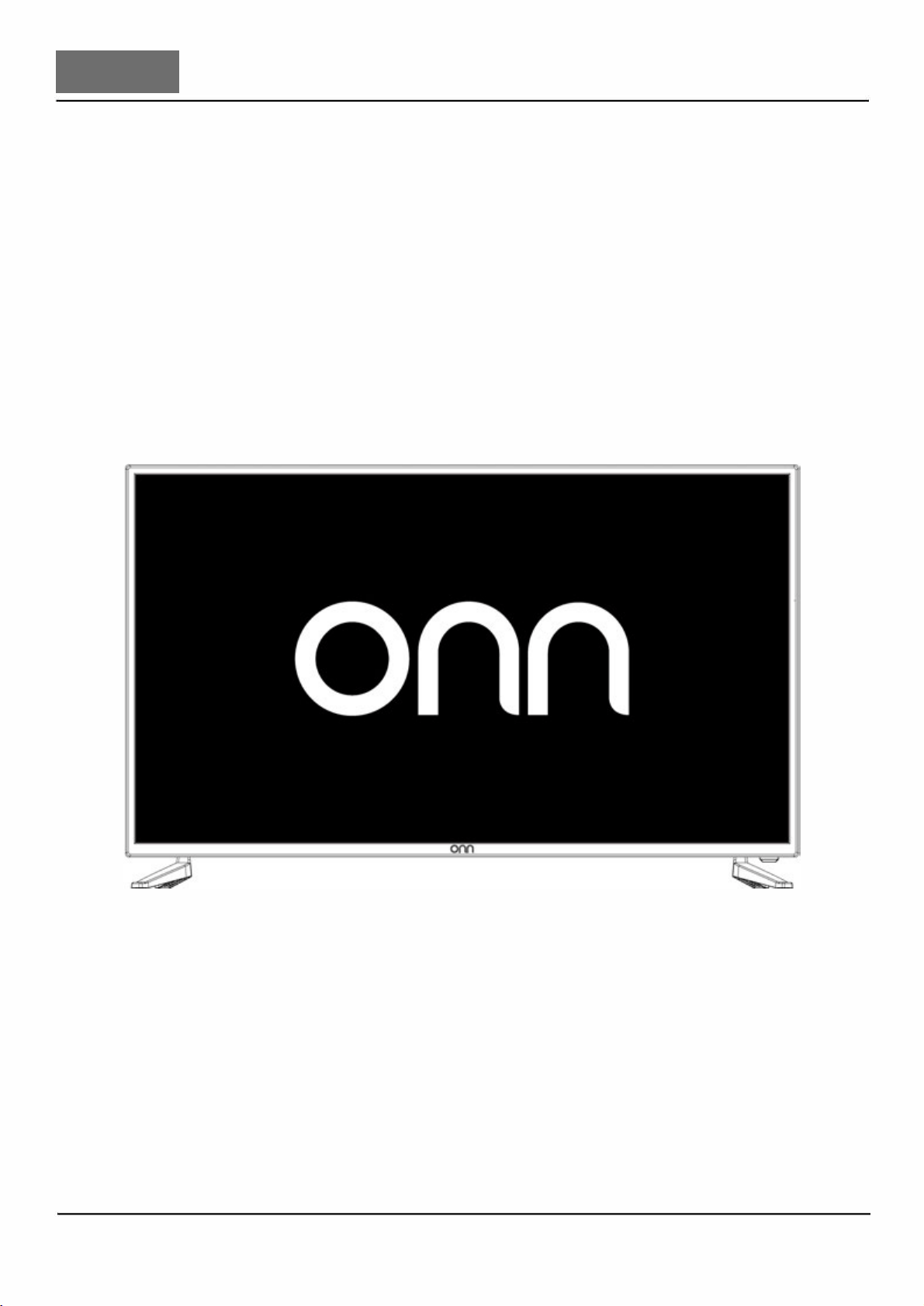
DIGIL LED TV
3
4
5
5
6
6
7
9
9
9
10
10
12
12
14
15
15
16
16
17
18
18
18
19
19
19
19
19
19
20
20
21
21
22
22
24
25
26
26
26
27
27
28
28
29
31
3
4
5
3
4
INPUT
6
2
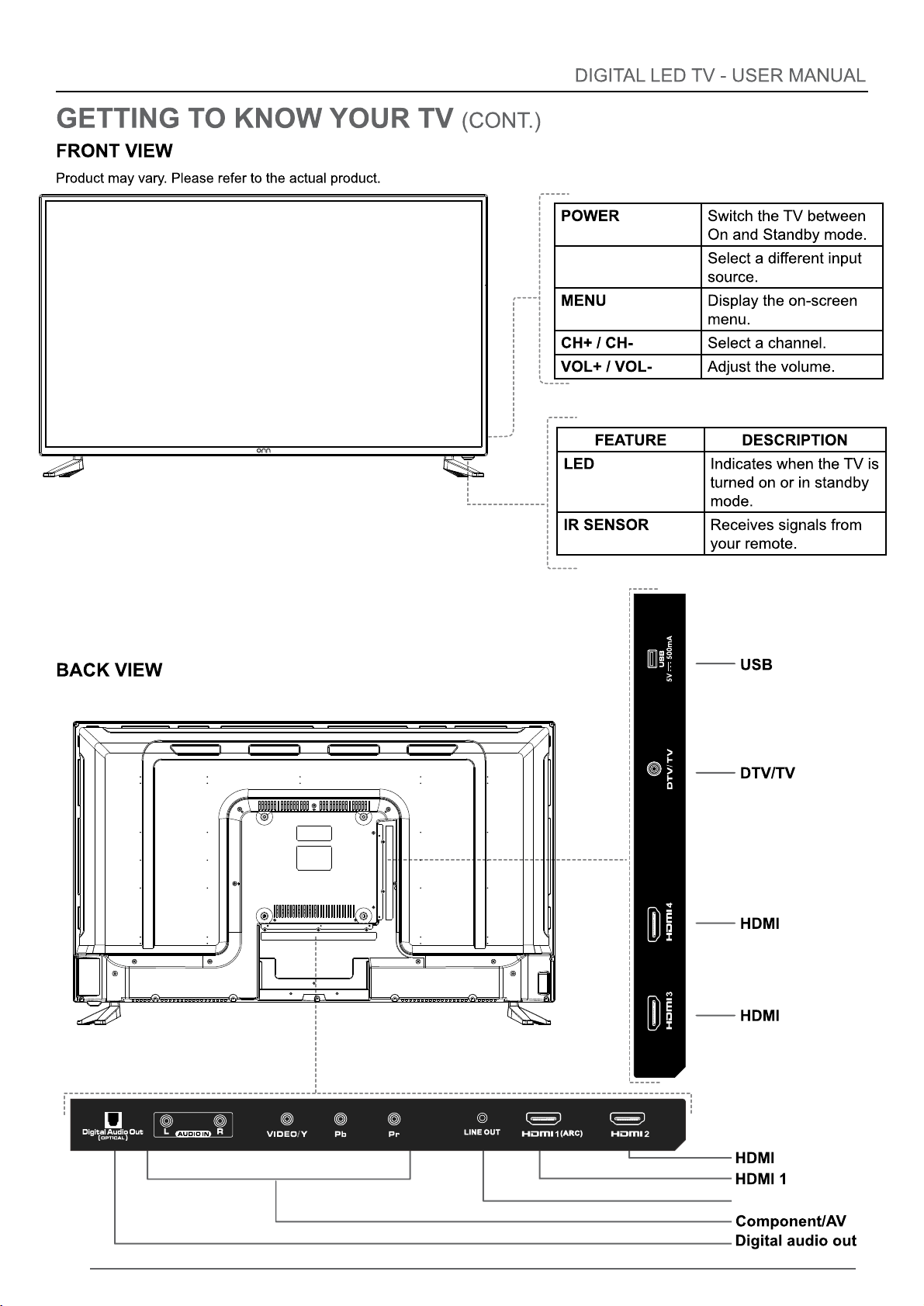
(ARC)
LINE OUT
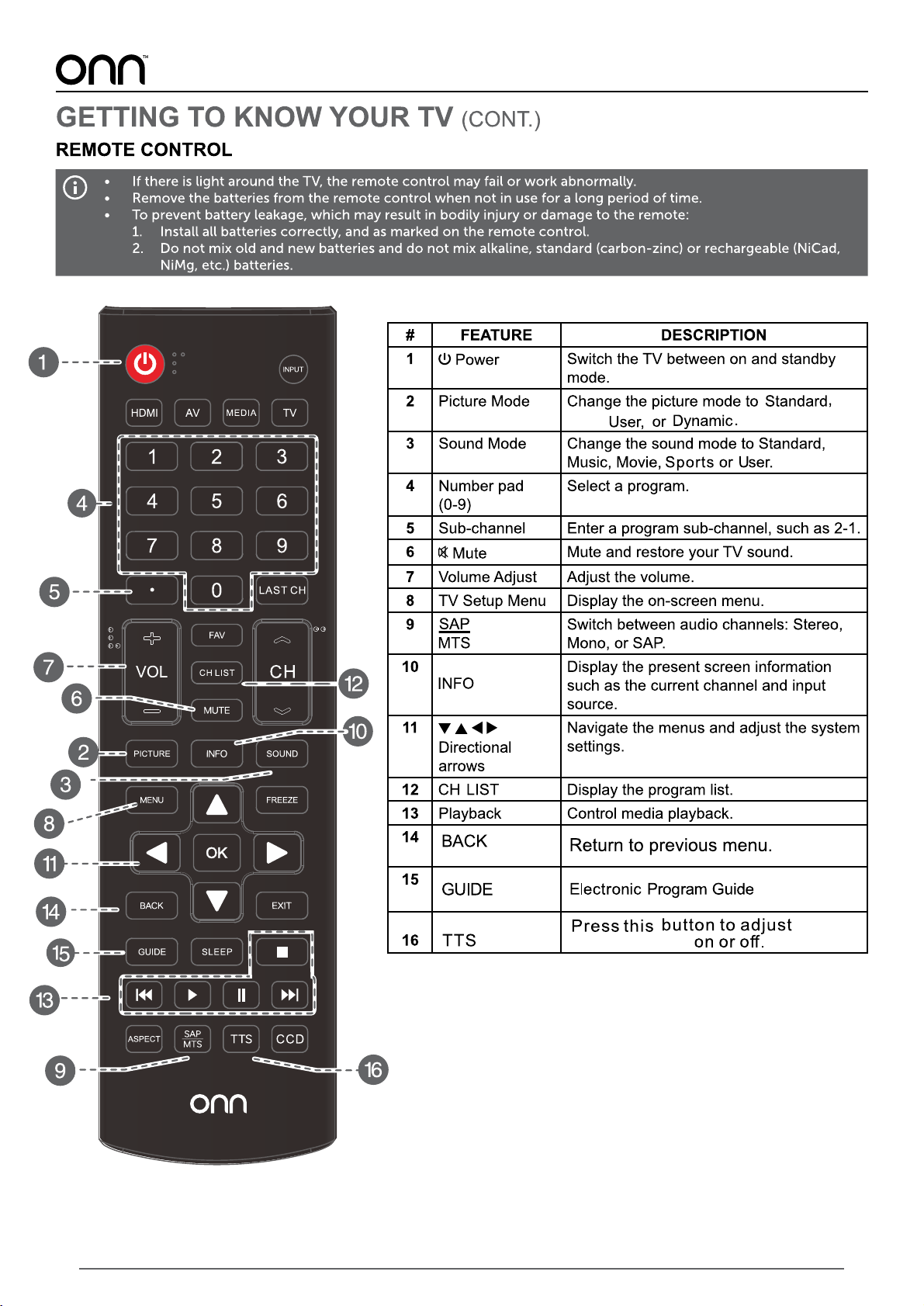
7
Soft,
Voice Guidance
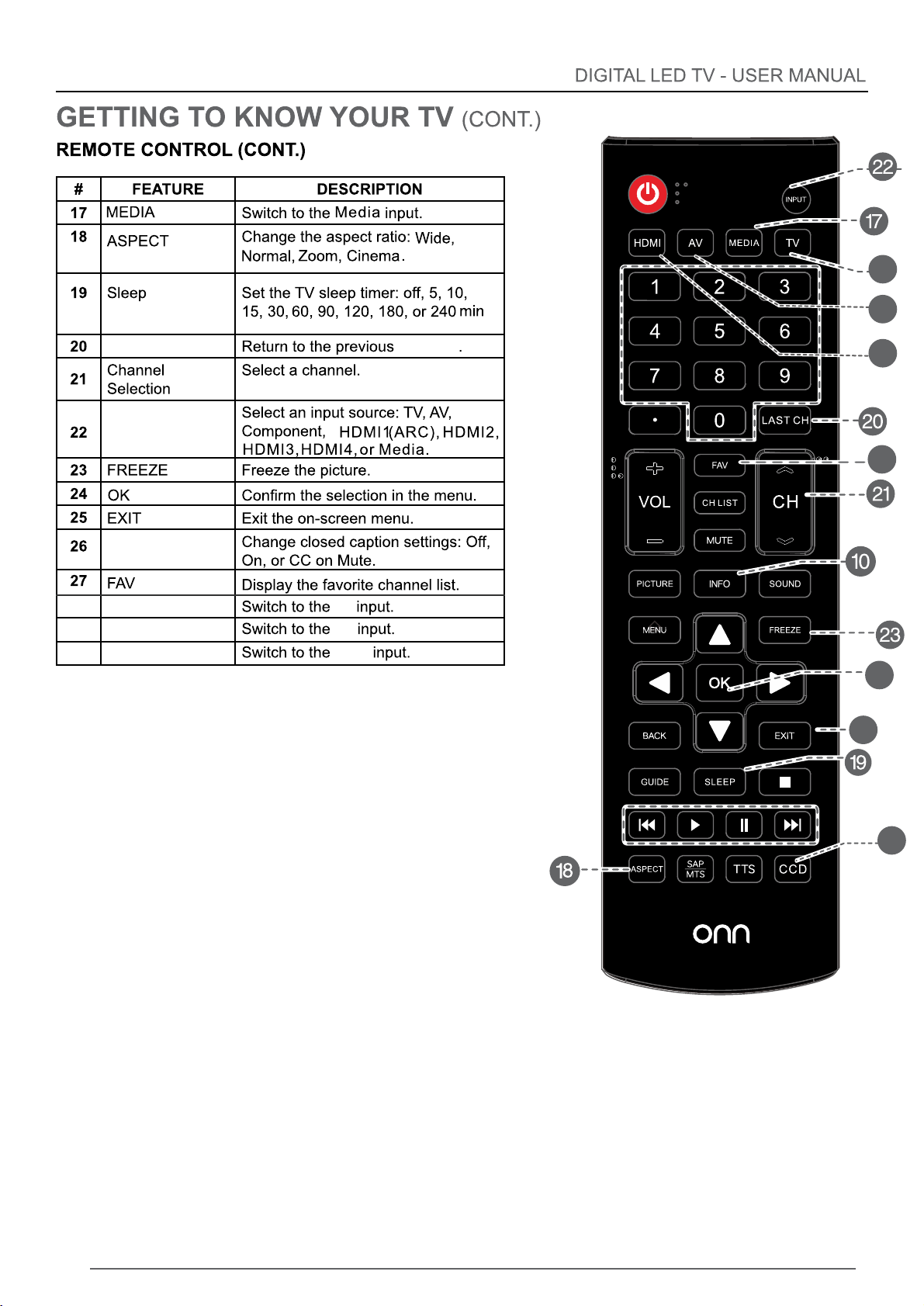
8
24
25
26
27
LAST CH
INPUT
CCD
channel
28 TV TV
29 AV
AV
30 HDMI
HDMI
28
29
30
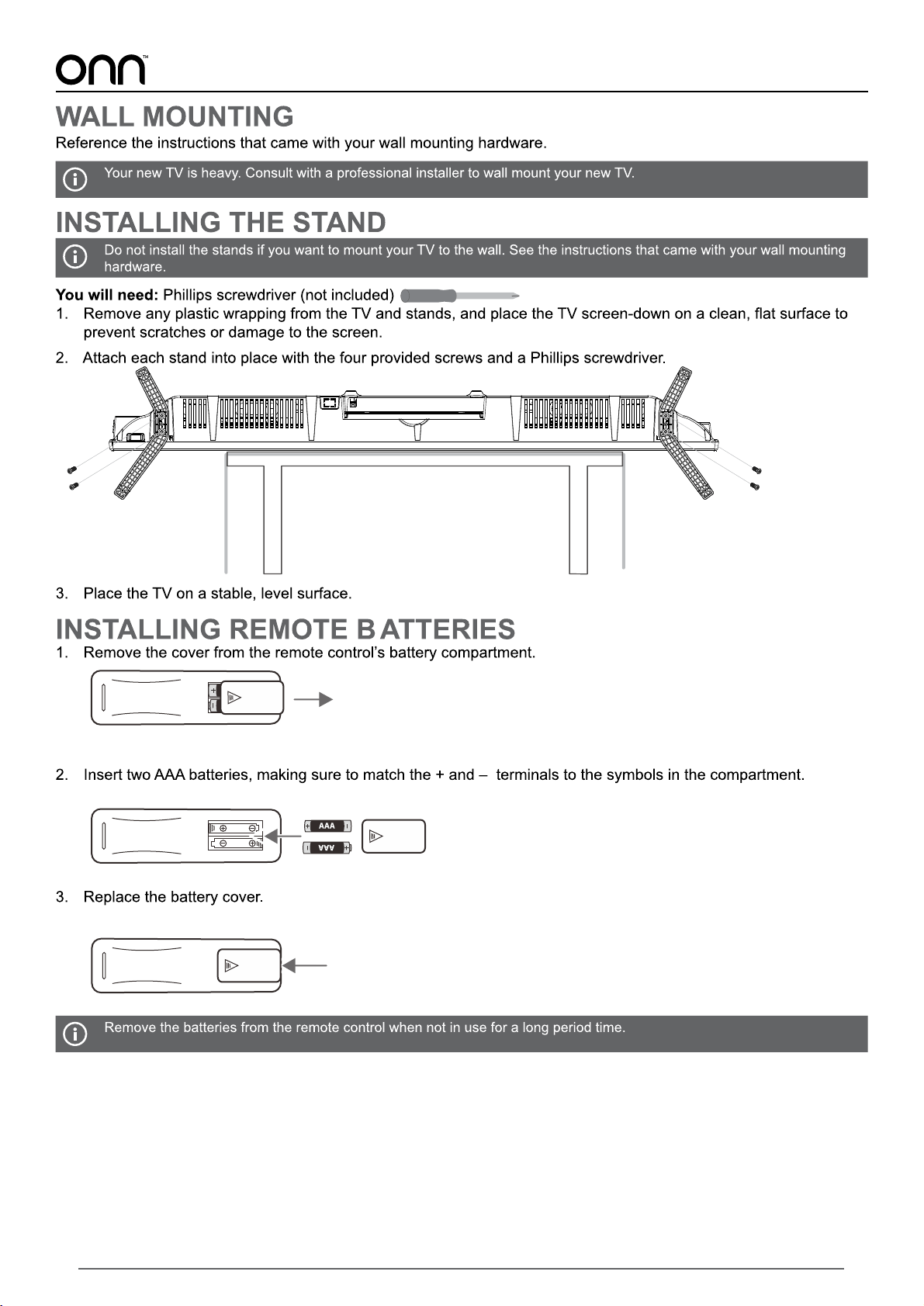
9
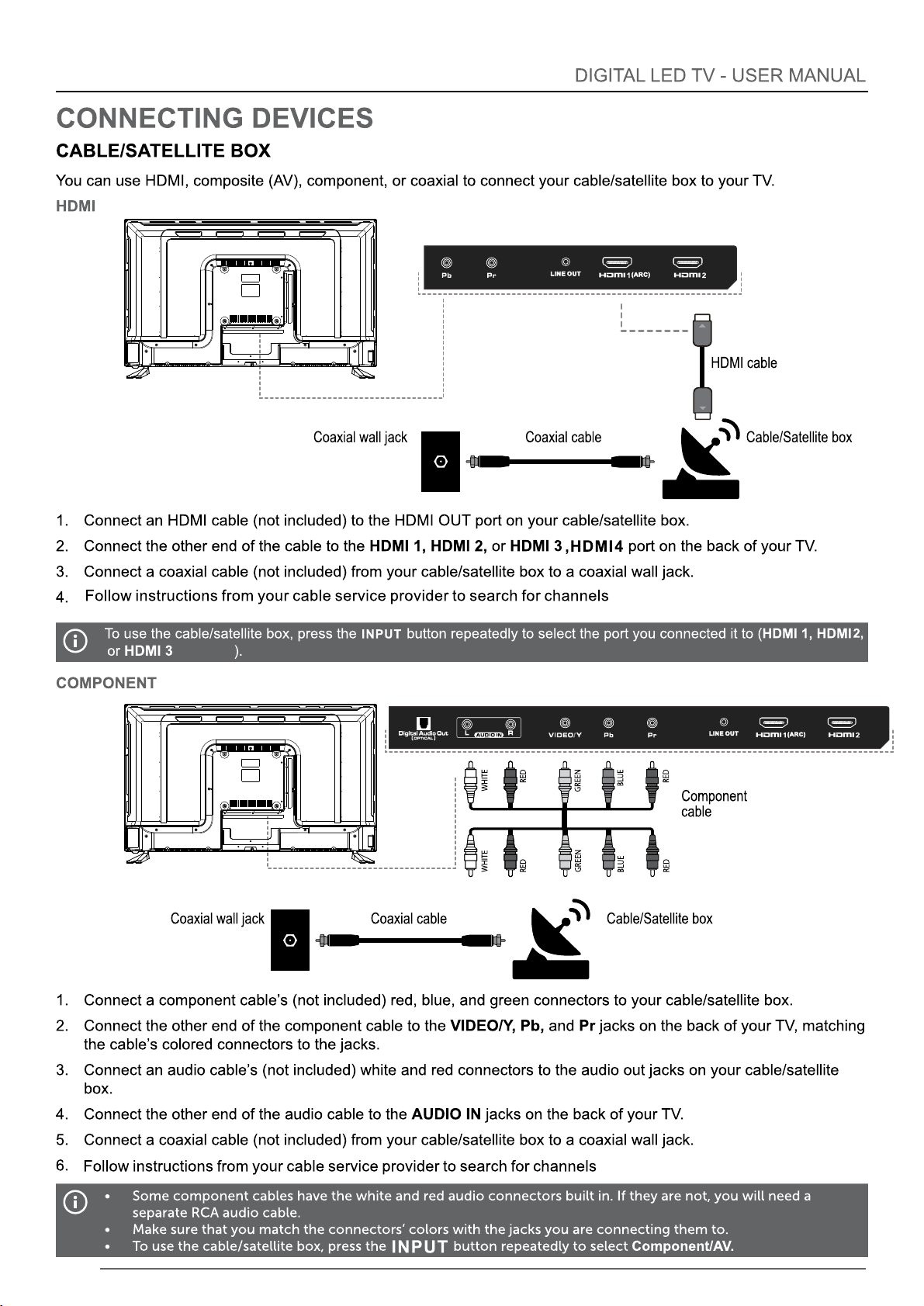
10
,HDMI4
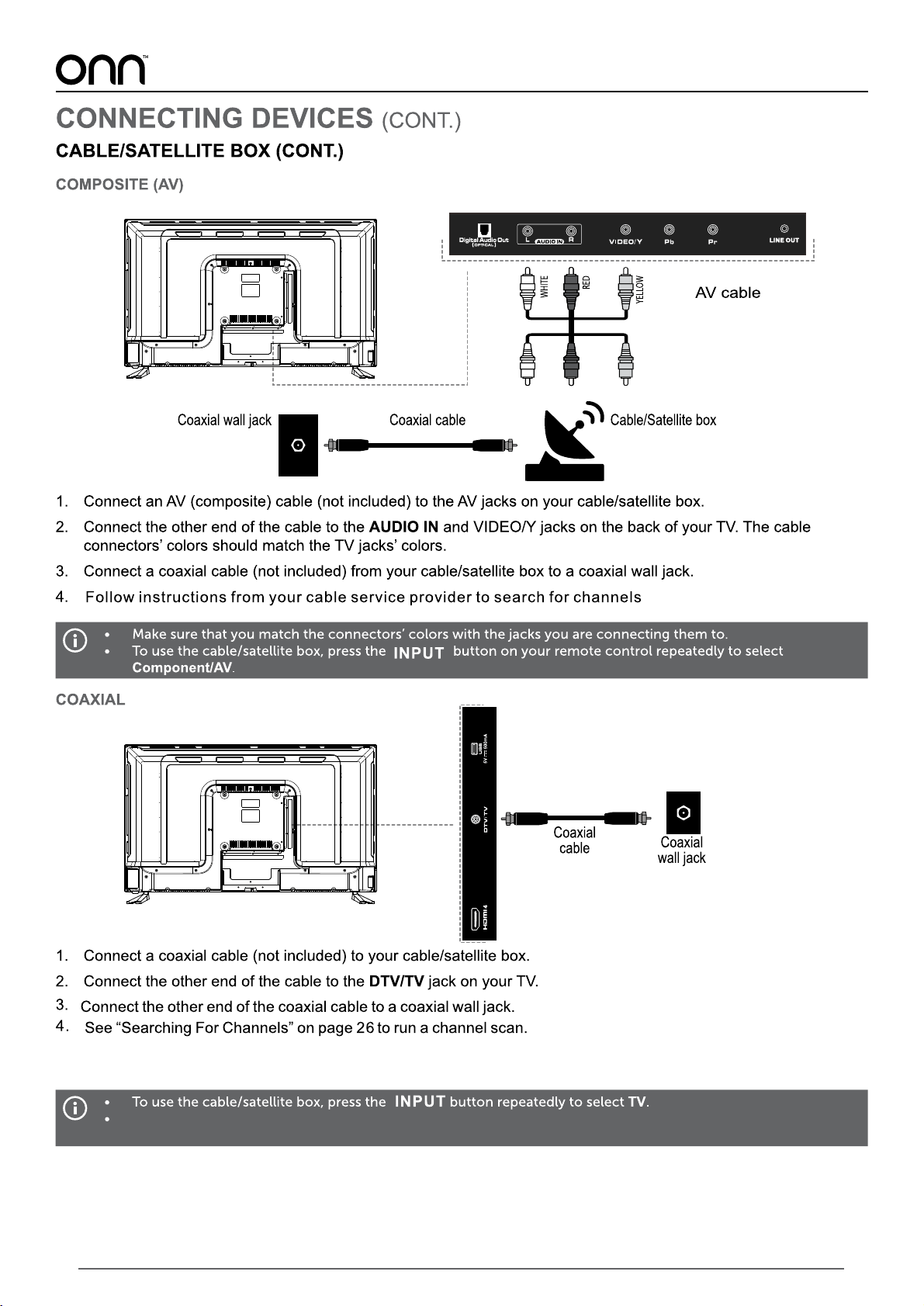
If you are connecting your TV to a coaxial wall jack,
go to your TV channel settings and switch to “Cable” input
11
12
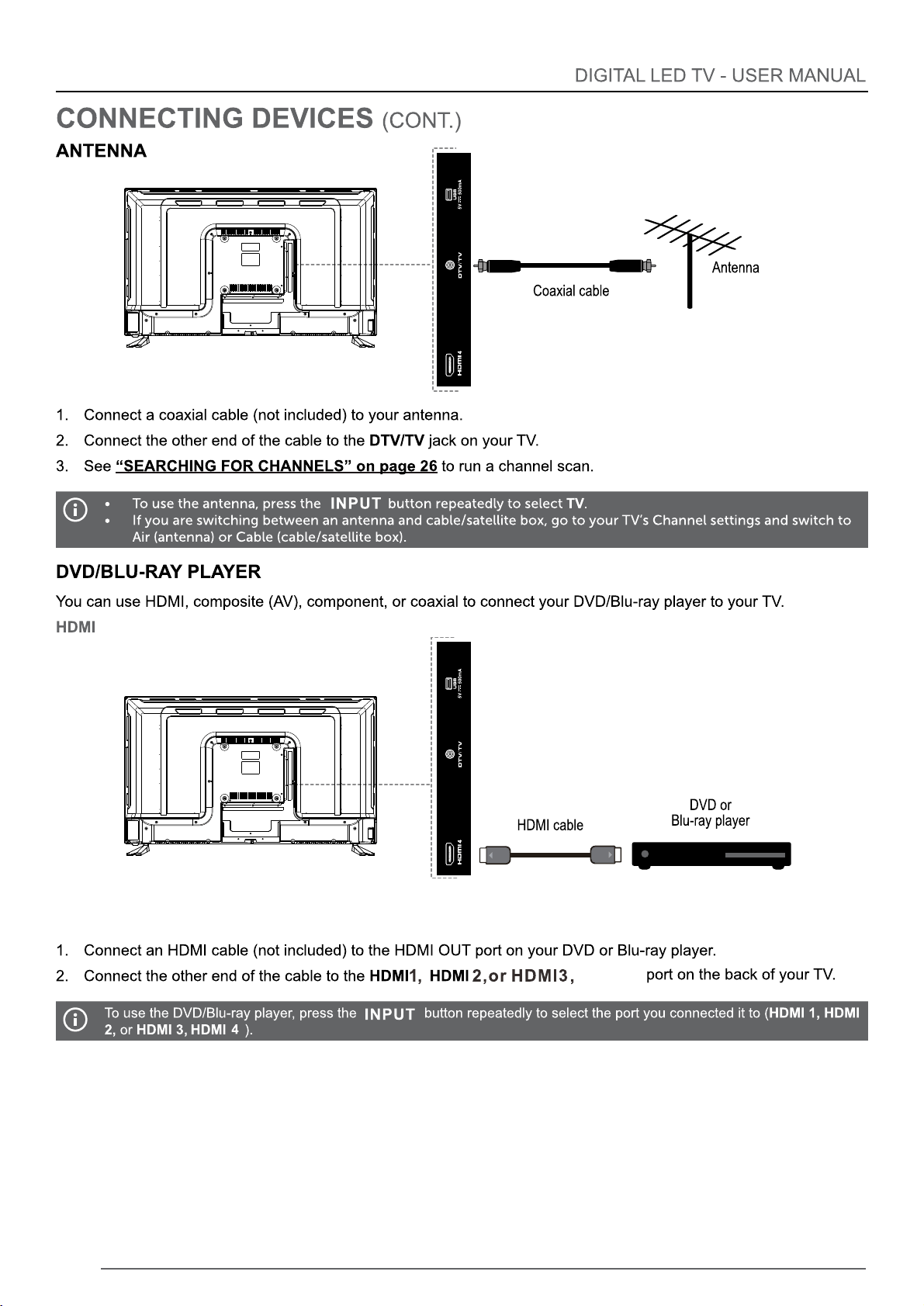
HDMI4
13
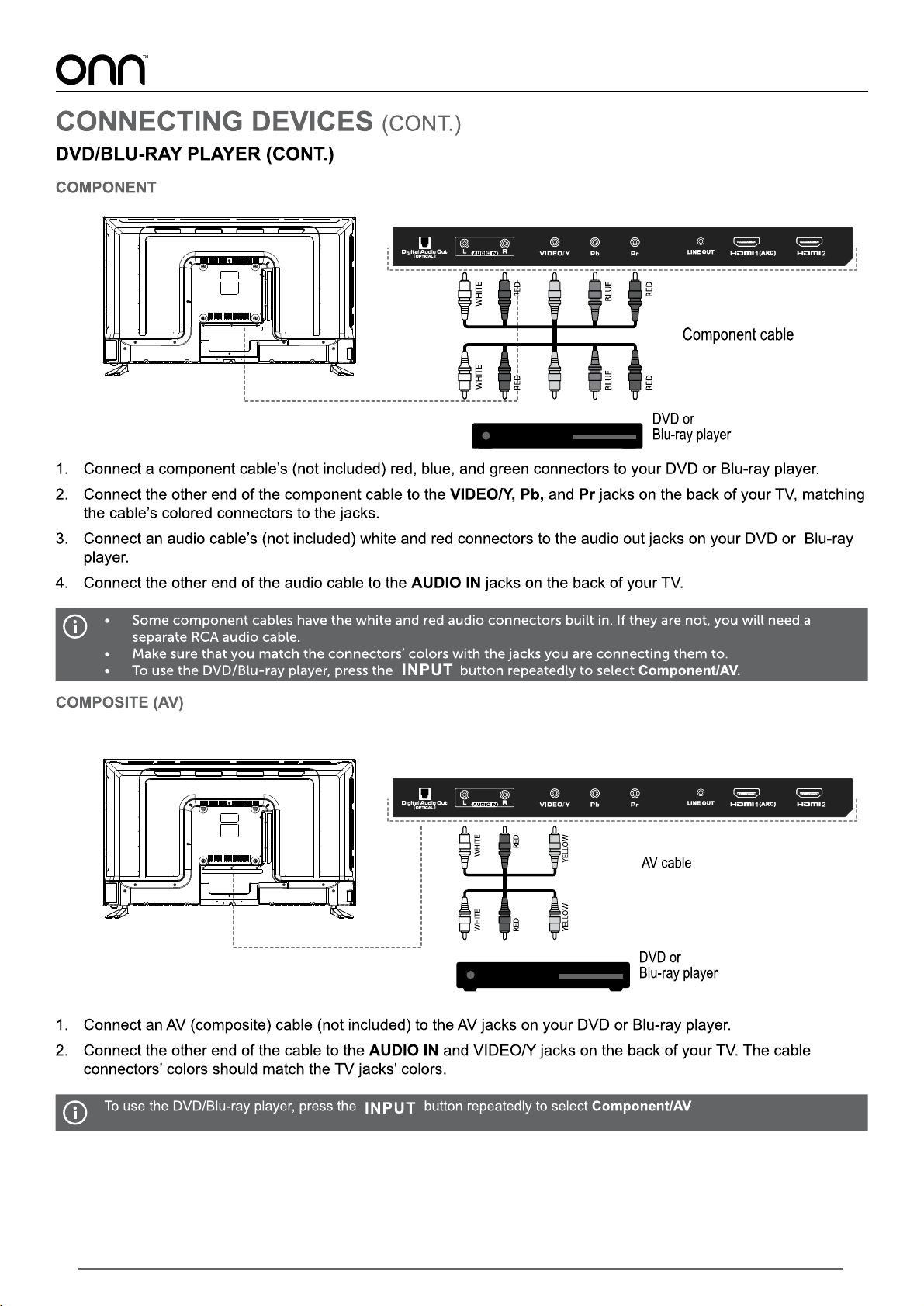
GREEN GREEN
14
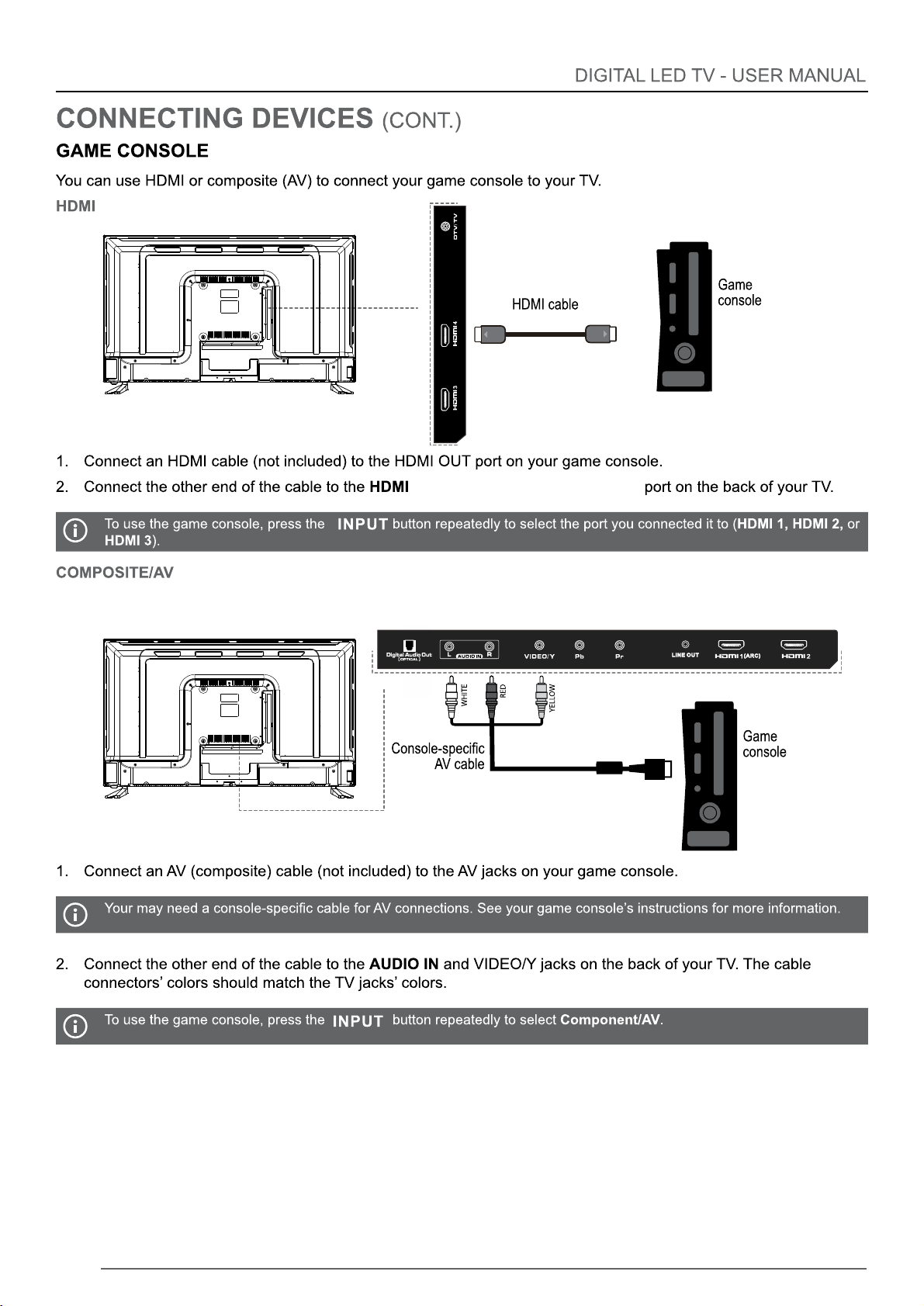
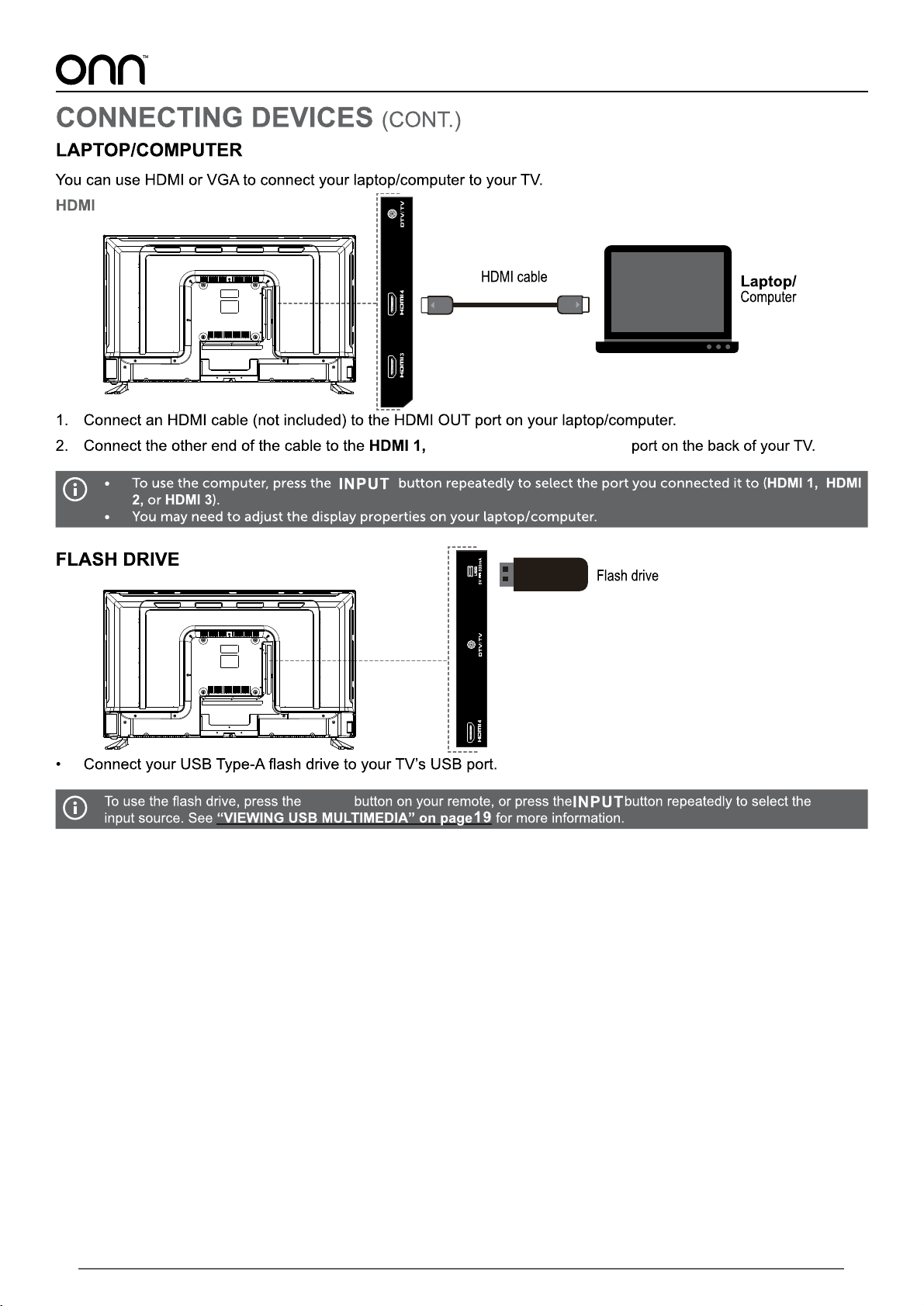
1 HDMI2,or HDMI3 ,HDMI4
,
15
HDMI2,or HDMI3,HDMI4
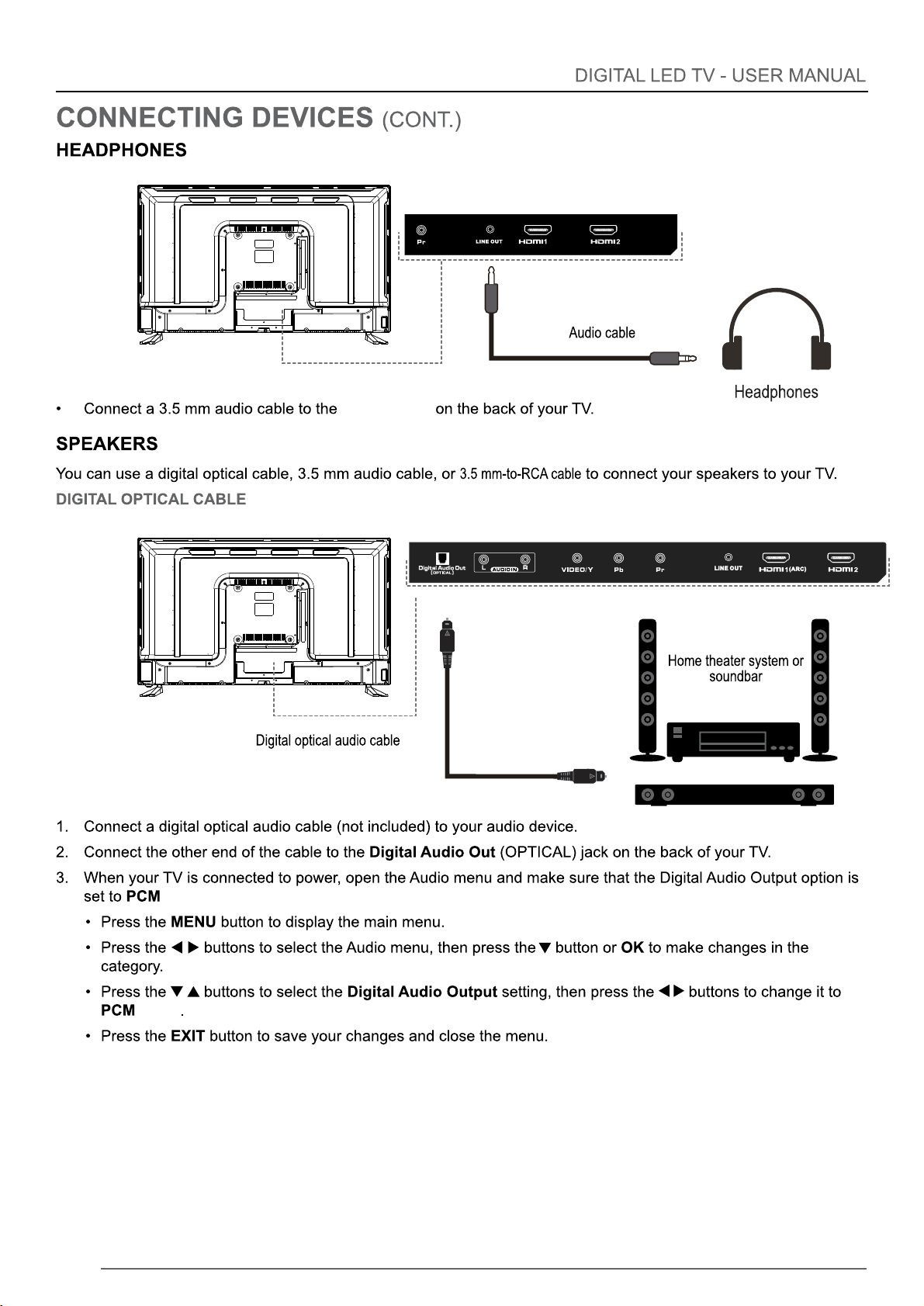
MEDIA Media
16
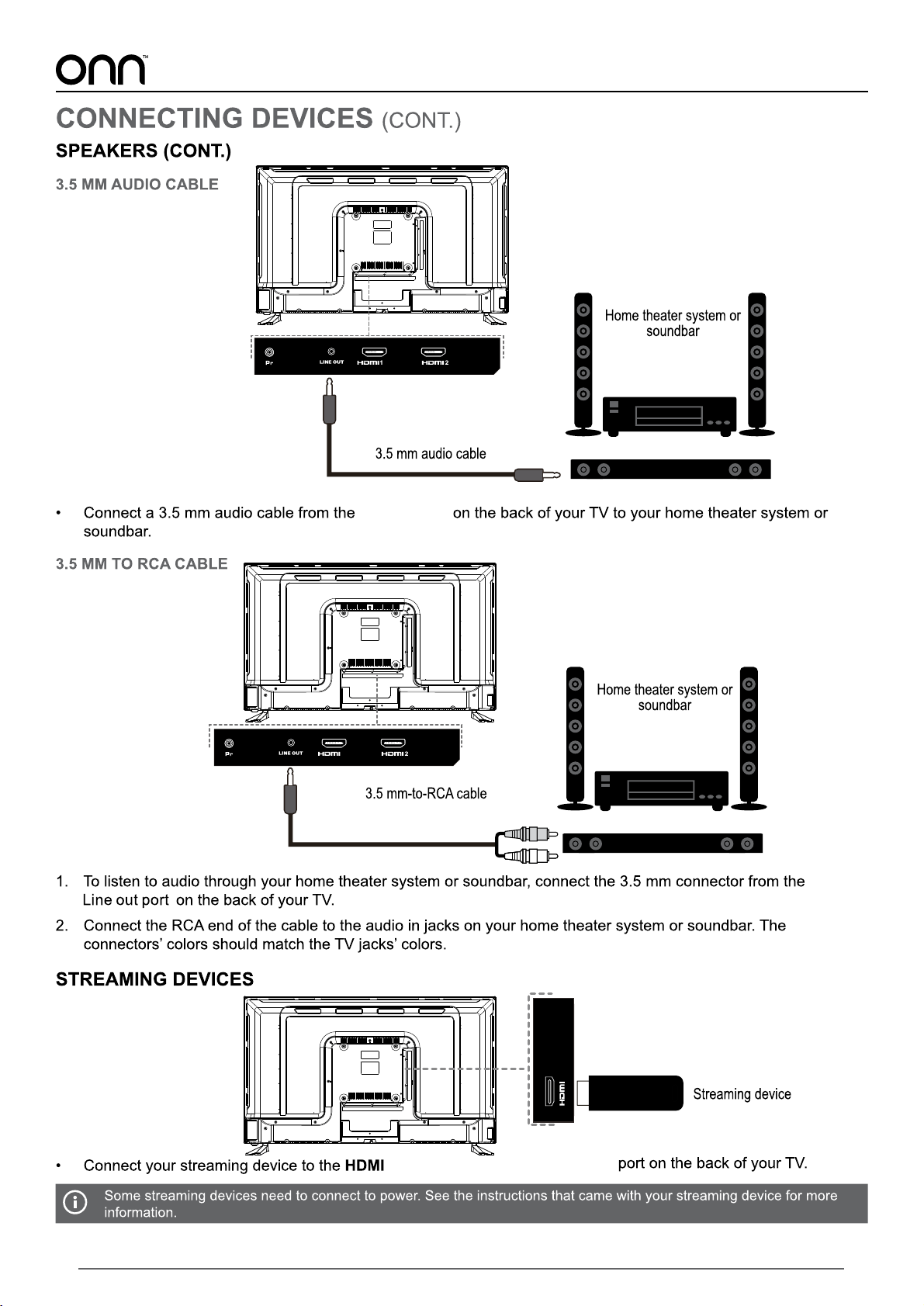
(ARC)
Line out port
/RAW:
/RAW
17
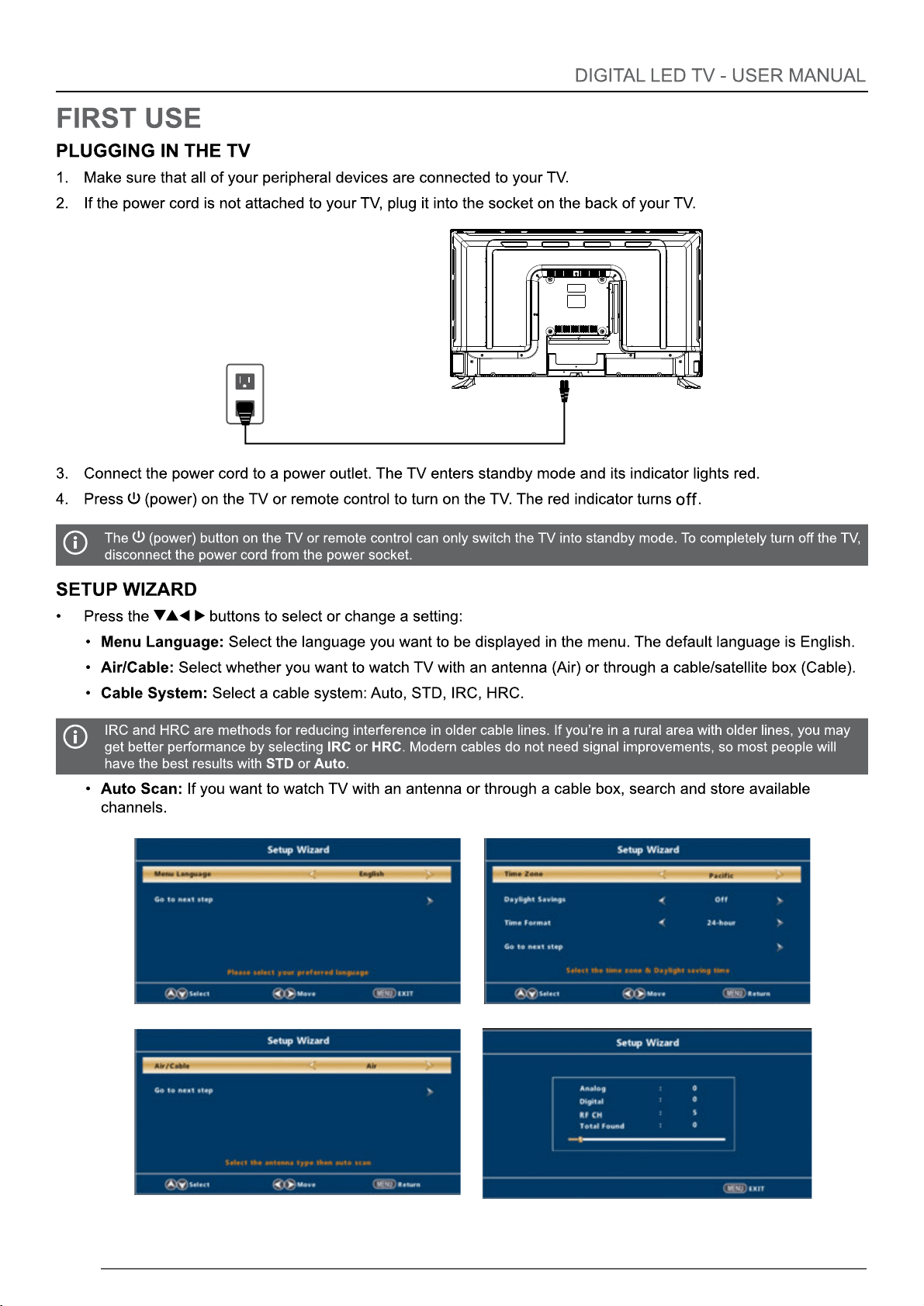
1 HDMI2,or HDMI3,HDMI4
(ARC)
Line out port
(ARC)
1
,
18
19
the LED light off
L
Media
HDMI4
HDMI3
HDMI2
HDMI1(ARC)
Component
AV
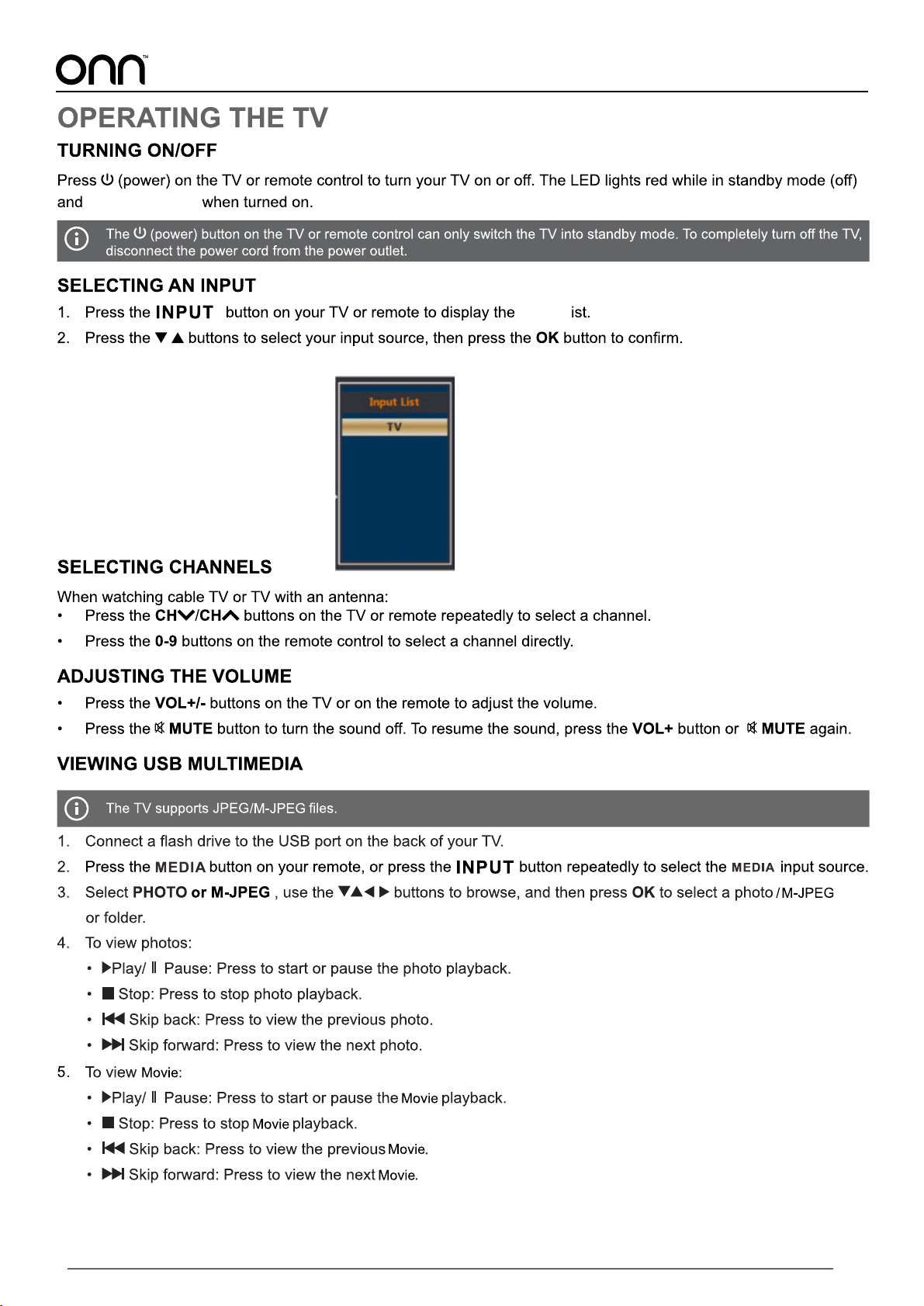
Input
20
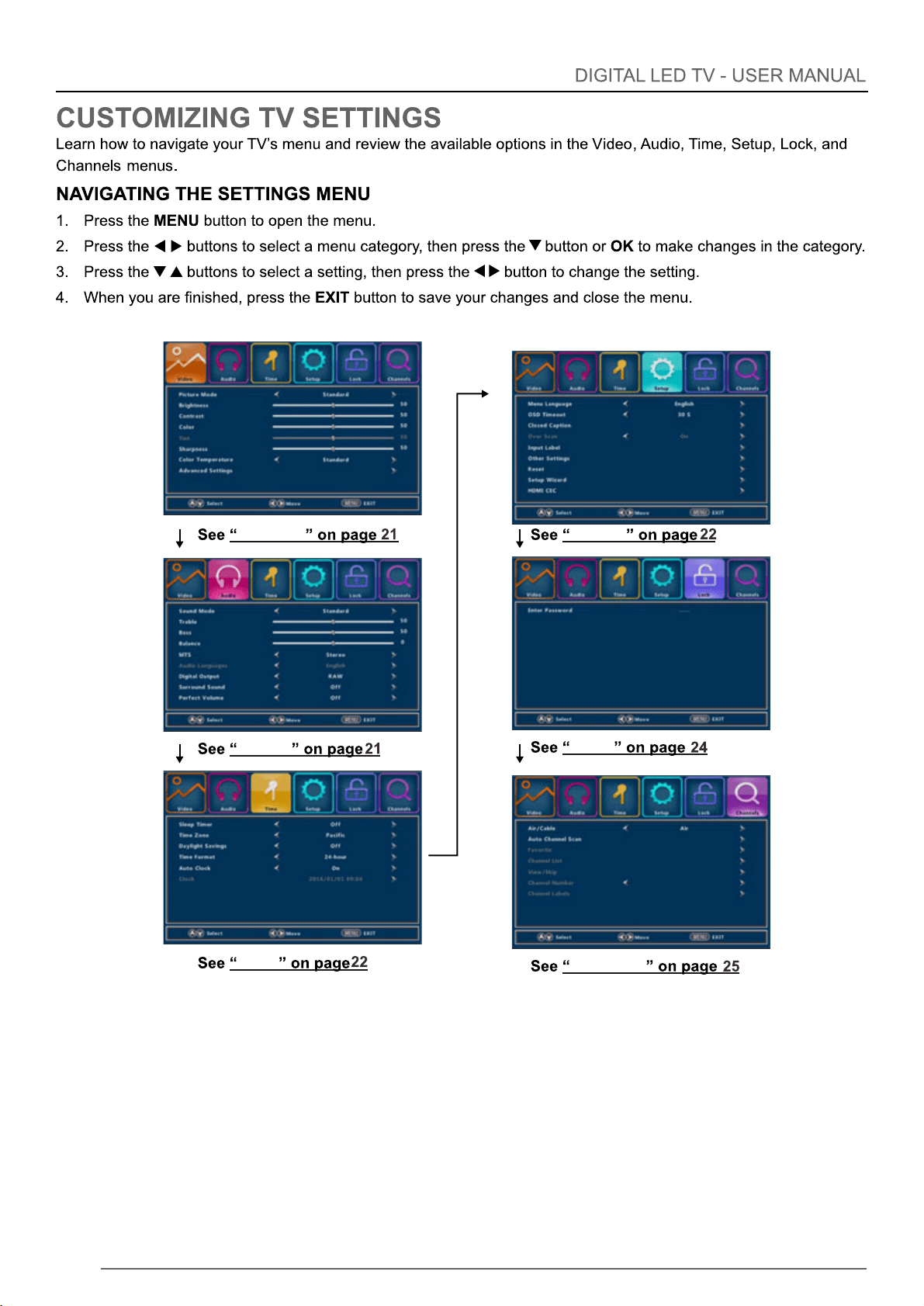
Video
Audio
Time
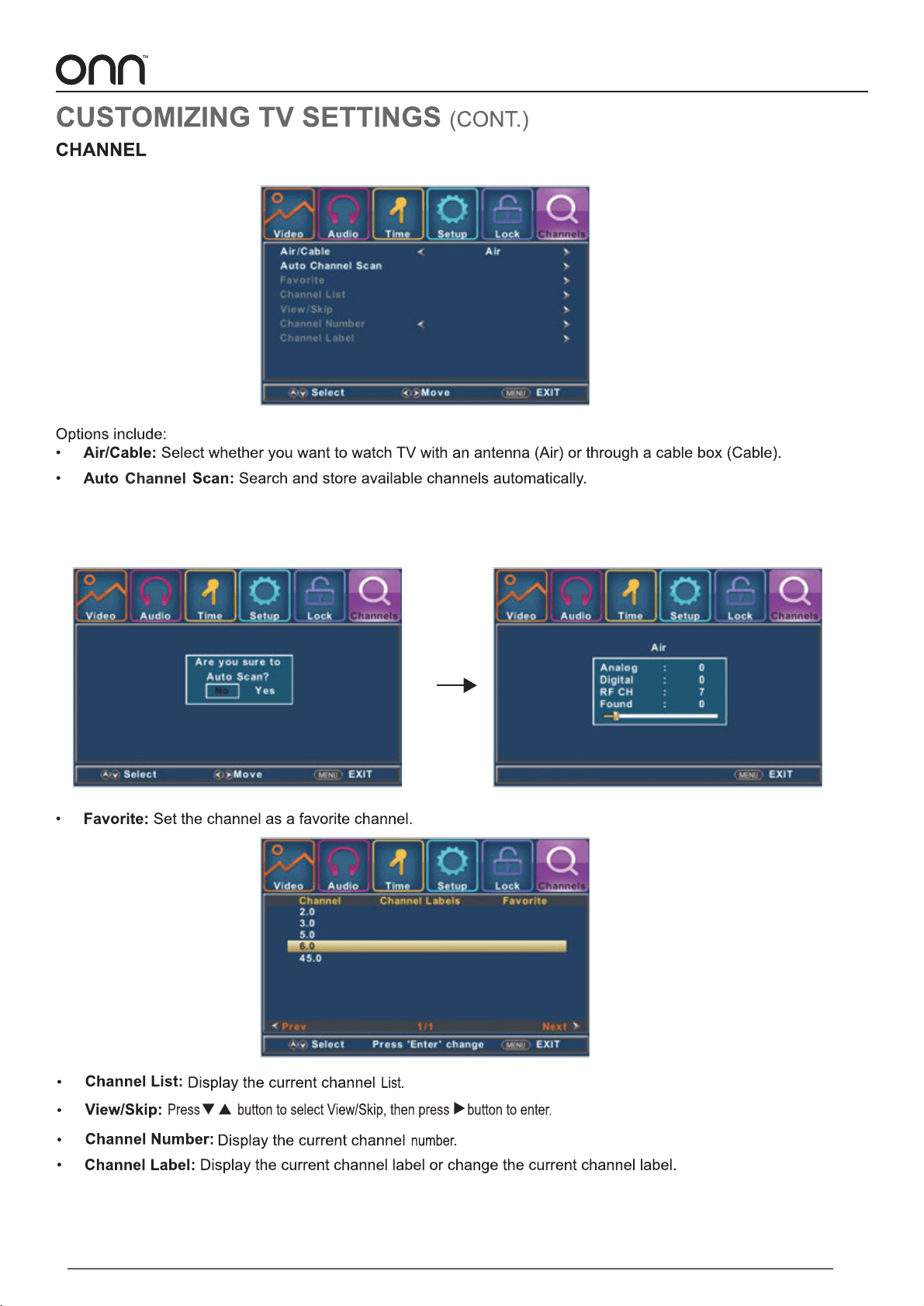
Channel
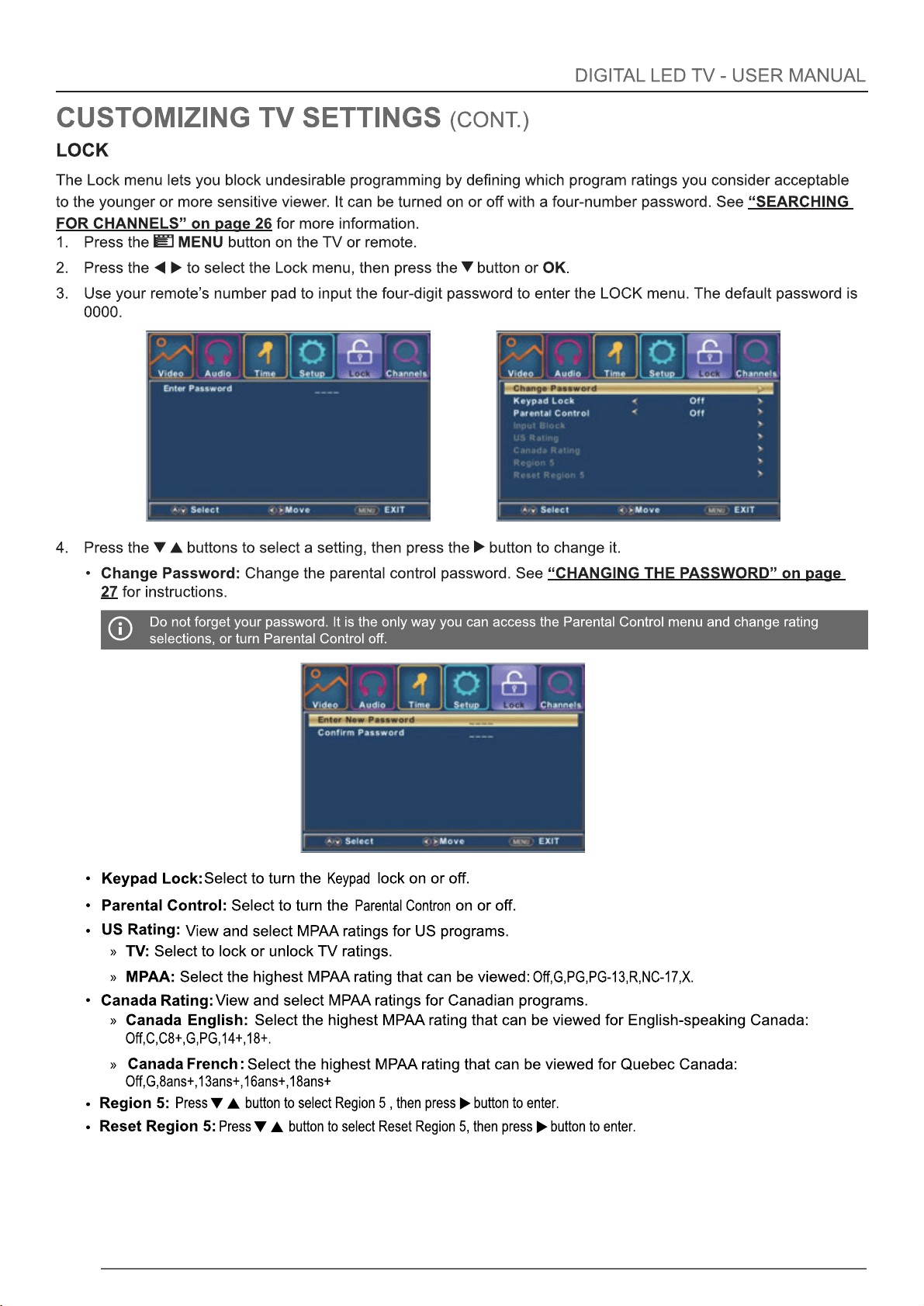
Lock
Setup
21
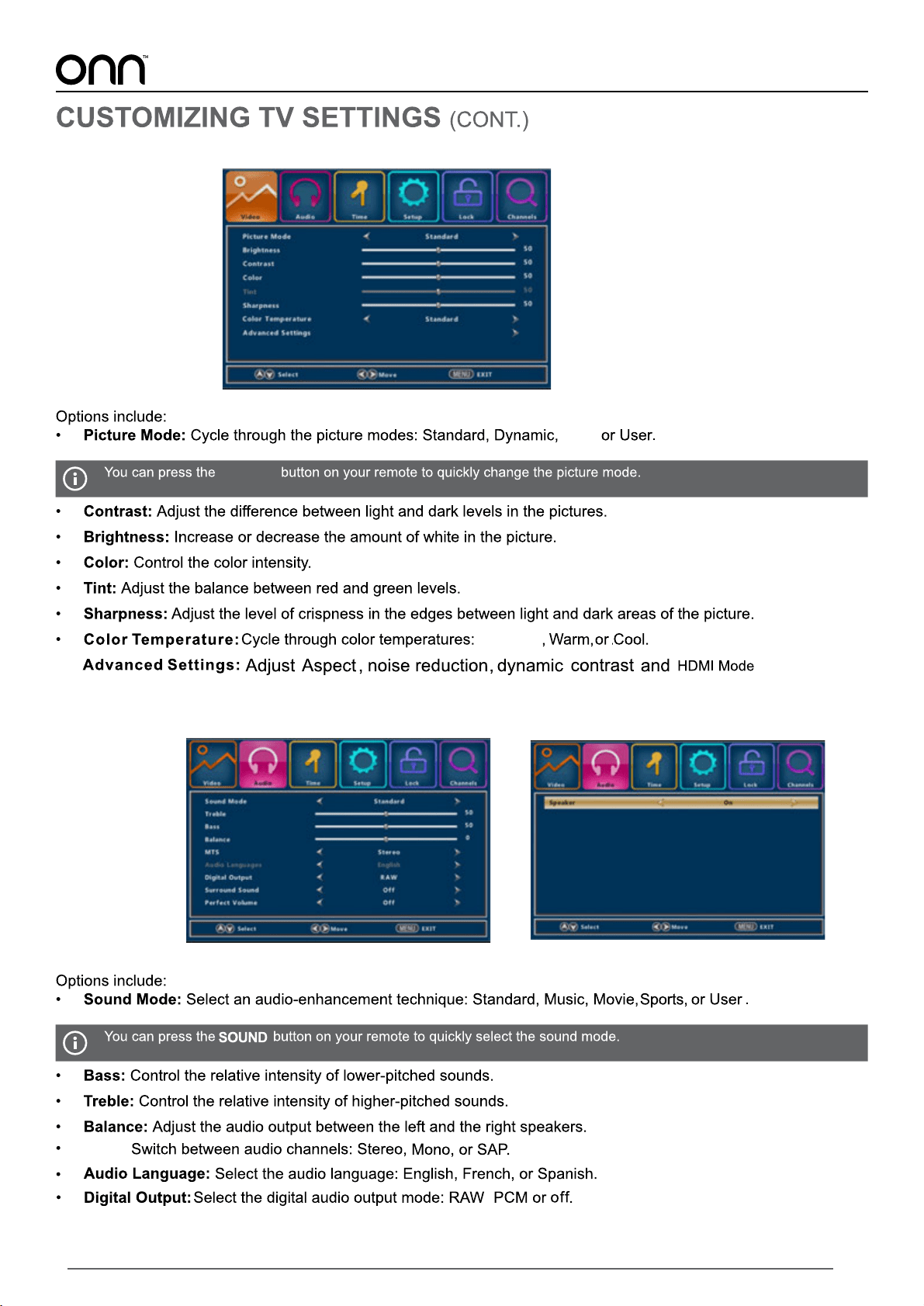
Video
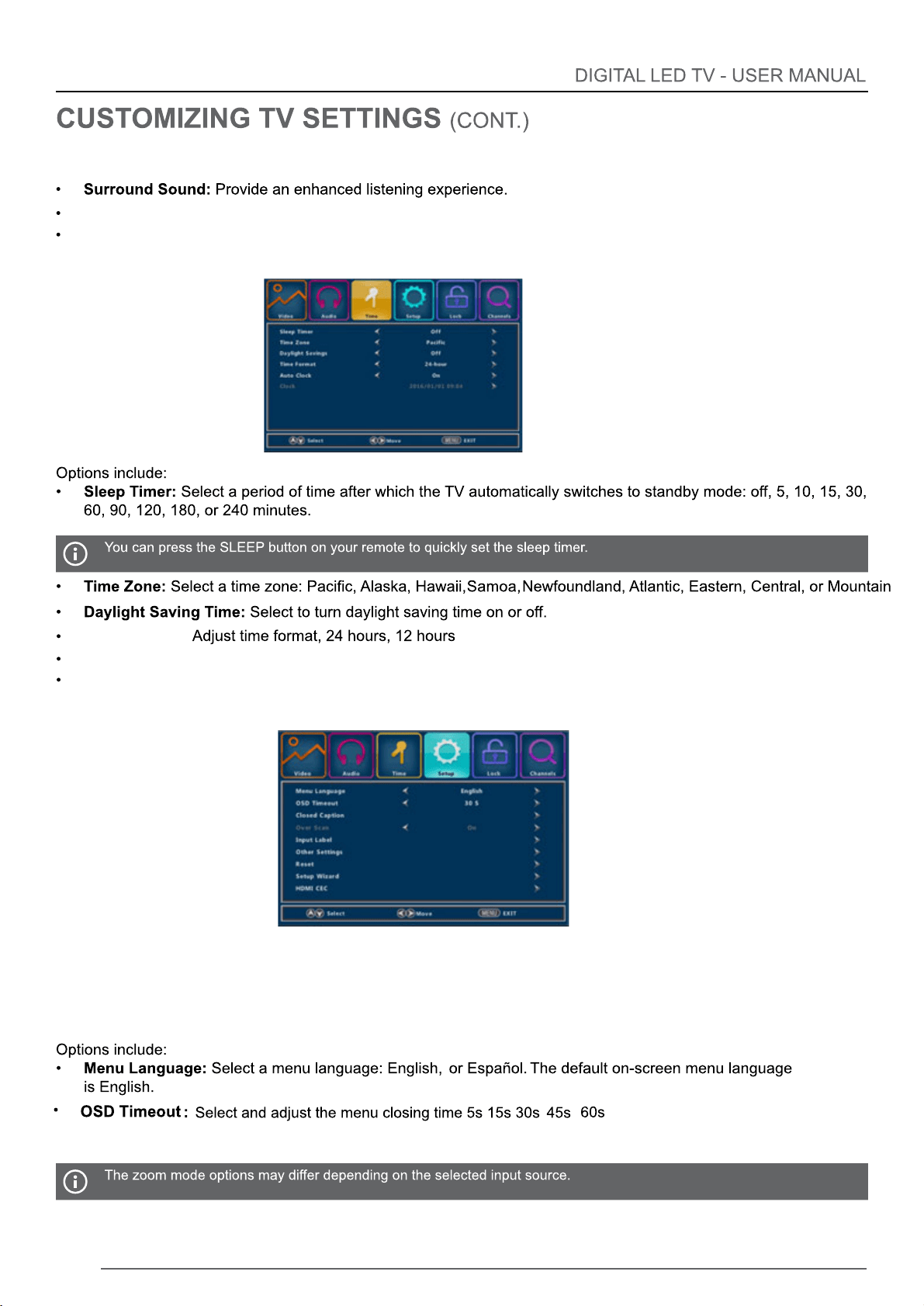
Audio
Soft,
PICTURE
MTS:
,
Standard
Audio(CONT.)
22
Time
Perfect Volume:
Speaker:
Set on/off the auto volume control
Set on/off the TV speaker
Time Format:
Auto Clock:
Set on/off auto clock
Show the current time
Clock:
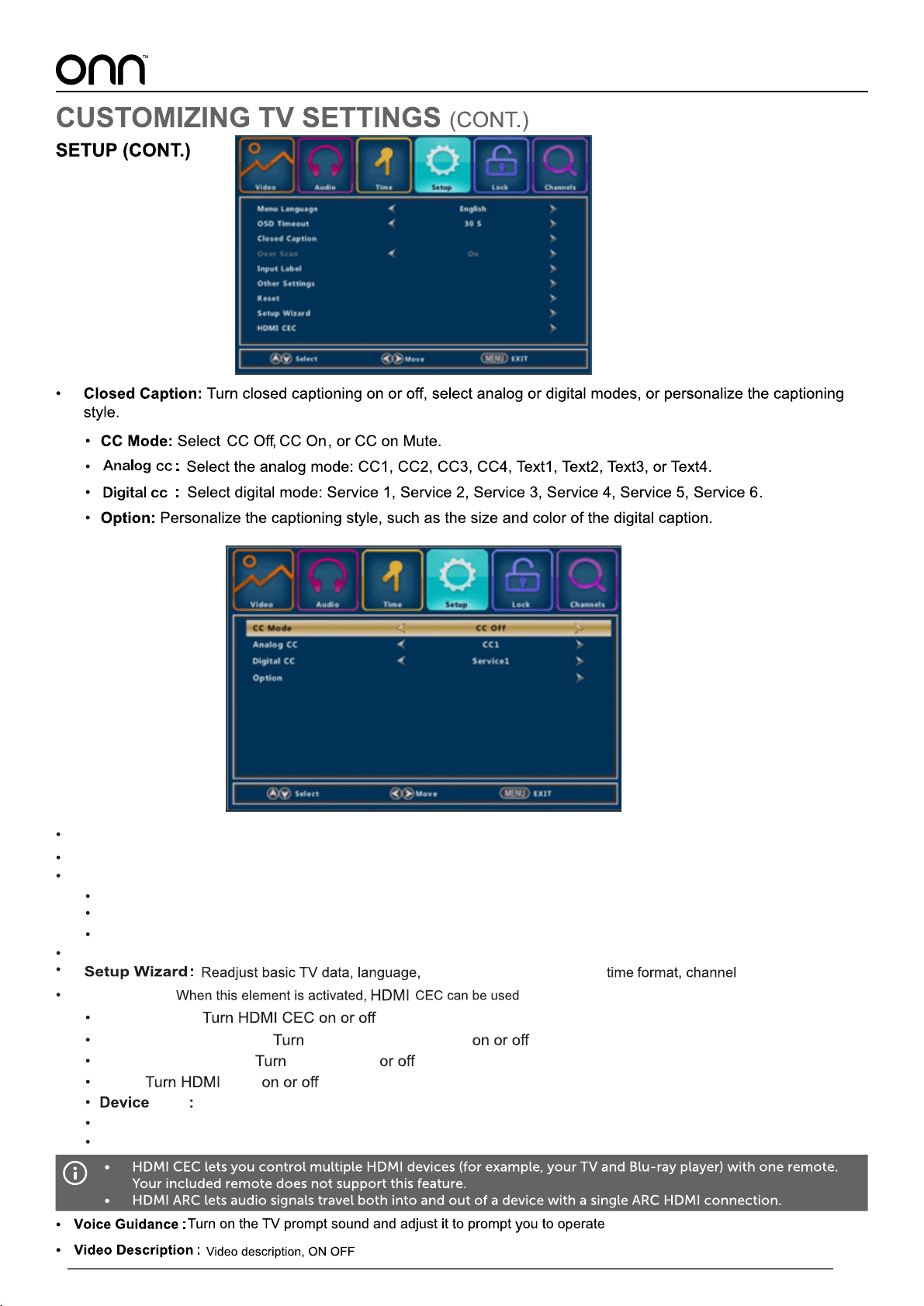
Setup
23
Over Scan:
Input Label:
Reset:
HDMI CEC:
CEC Control:
Device Auto Power Off: Auto Standby
TV Auto Power On: Auto TV on
ARC:
ARC
Connect the HDMI device
List
Display HDMI CEC or HDMI ARC device
Set on/off Overscanning of Digital TV
Change lnput Label
Reset all settings to factory default
Other Settings:
Set Audio Only,Demo mode,HDMI 4K
Audio Only:
Turn on/off audio only
Demo mode: Set demo mode as off/2 hours
HDMI 4K:
Set HDMI as standard or Enhancement
device
Connect:
Root Menu:
Set TV RC control HDMI device
Time Zone,Daylight Savings,
24
25
26
27
28
140
16.2
16.0
M6 screws , 10mm depth in hole
29
INPUT
30
31