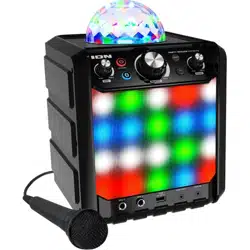

PARTY ROCKER
Quickstart Guide
English ( 3 – 4 )
Guía de inicio rápido
Español ( 5 – 6 )
Guide d'utilisation rapide
Français ( 7 – 8 )
Guida rapida
Italiano ( 9 – 10 )
Kurzanleitung
Deutsch ( 11 – 12 )
Snelstartgids
Nederlands ( 13 – 14 )
Snabbstartsguide
Svenska ( 15 – 16 )
Pikakäyttöopas
SUOMI ( 17 – 18 )
Appendix
English ( 19 )

3
Quickstart Guide (English)
Support
For product registration, visit the ION website: ionaudio.com
For the latest information about this product, visit ionaudio.com/partyrocker
For additional product support, visit ionaudio.com/support
For safety/warranty information, visit ionaudio.com/warranty
WARNING: DO NOT splash or immerse in water or other liquids.
Not for use in rain. Use only in dry locations.
WARNING: DO NOT look directly into the dome light.
Do not sit, stand, or apply pressure on the dome light.
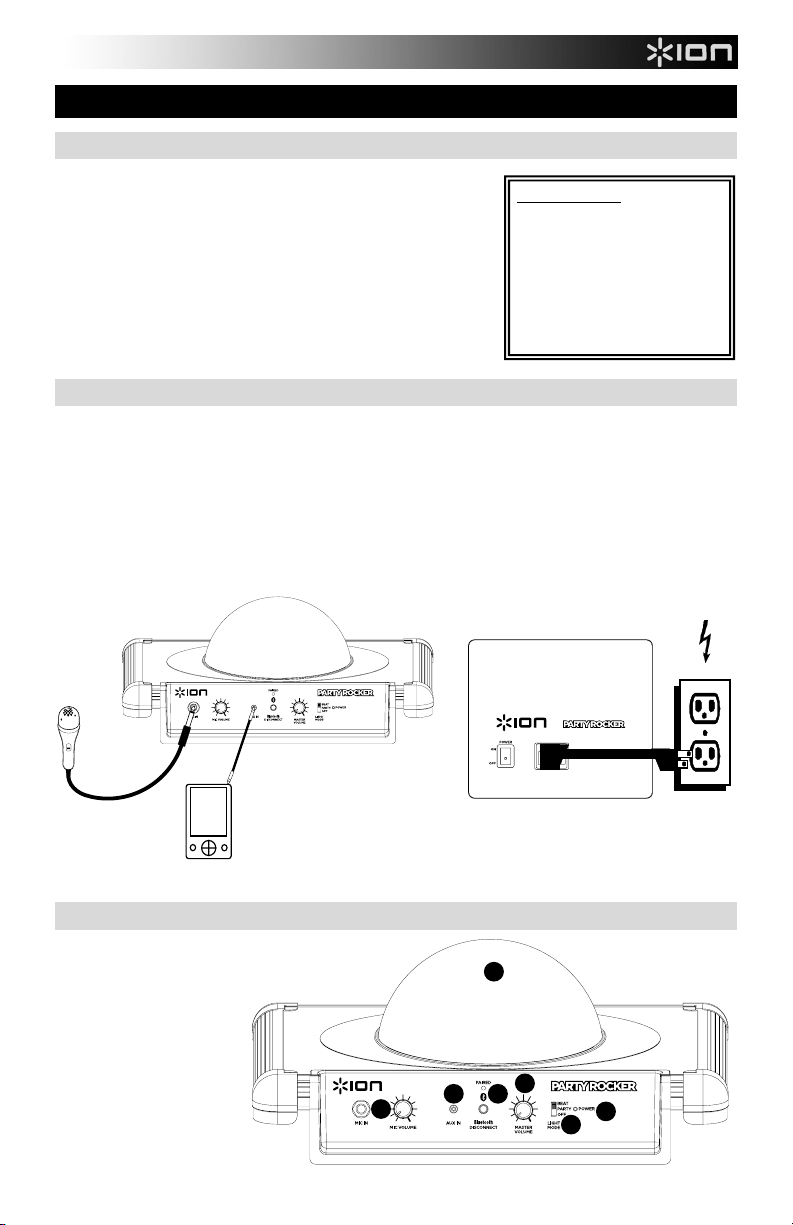
Quick Setup / Connection Diagram
1. Make sure all items listed in Box Contents at the beginning of this guide are included in the box.
2. READ SAFETY INSTRUCTION BOOKLET BEFORE USING THE PRODUCT.
3. For optimal performance, place Party Rocker in the center of the room so it is unobstructed by walls, furniture, etc.
4. Move Light Mode switch to OFF.
5. Turn down the Master Volume on the Party Rocker.
6. Turn on Party Rocker.
7. Connect your music player with an audio cable or Bluetooth. (see Connecting with a Bluetooth Device for more details
on this)
8. Adjust the volume on your music player and on Party Rocker as needed.
9. Adjust the Light Mode switch on Party Rocker as needed.
10. Turn off Party Rocker when not in use.
Diagram and Parts Description
1. Microphone Input
with Volume Control
(1/4"): This mono
input accepts a 1/4"
input such as a
microphone, guitar, or
other musical
instrument.
BOX CONTENTS
PARTY ROCKER
Microphone with mic cable
Audio Cable with 1/8” (3.5mm)
connectors
Power Cable (standard IEC)
Quickstart Guide
Safety Instructions & Warranty
Information Booklet
TOP PANEL
MICROPHONE
MP3 PLAYER
(not included)
MICROPHONE
REAR PANEL
POWER
1
2
4
5
6
7
3
4
2. Auxiliary input: This stereo 1/8” input can be used
to connect a smartphone, MP3 player, or other audio
source.
3. Bluetooth®: The Paired LED will be lit when a
device is paired to PARTY ROCKER. This LED will
not be lit when PARTY ROCKER is first powered
on (unless it was previously paired with a device).
Press the Disconnect button to disconnect a
paired Bluetooth device.
4. Master Volume Control: This adjusts the
speaker’s main mix volume, which includes
Microphone Input, Auxiliary Input, and the audio of
a paired Bluetooth device.
5. Power LED: Indicates whether PARTY ROCKER
is on or off.
6. Light Mode: There are three modes to select from
for how the strobe lights react to the music.
• Beat = the light reacts to the beat of the
music.
• Party = dome light spins and changes color
whether there is music playing or not.
• Off = the lights in the dome can spin and
react to the music playing (depending on the Light Mode that is selected).
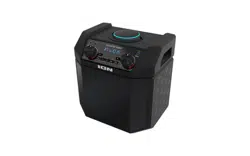
7. Dome: The dome light can spin and react to the music playing (depending on the Light Mode that is
selected).
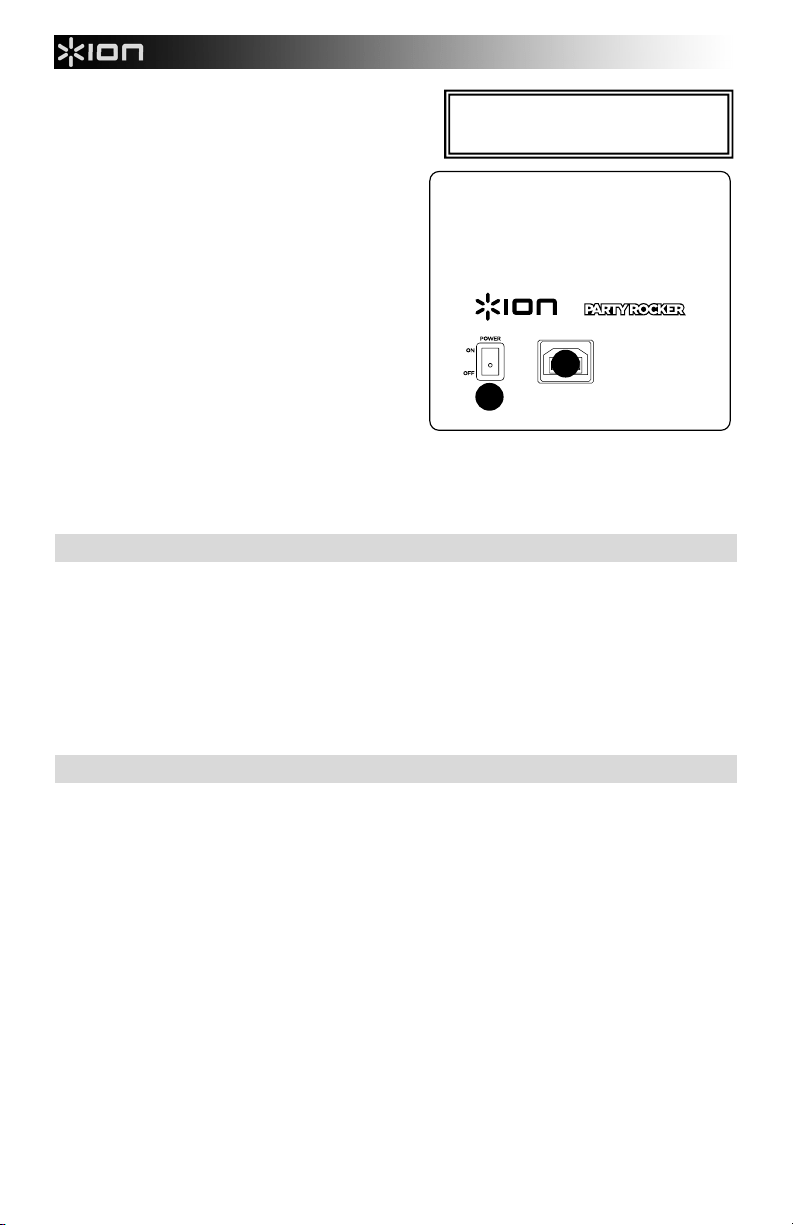
8. Power Cable Input (IEC): Insert the included power cable here to power the unit.
9. Power ON/OFF Switch: Turns PARTY ROCKER on or off.
Troubleshooting
If the sound is distorted: Try lowering the volume control of your sound source or musical instrument. Also,
try to reduce the overall volume of PARTY ROCKER.
If there is too much bass: Try adjusting the tone or EQ control on your sound source to lower the bass
level. This will allow you to play the music louder before clipping (distortion) occurs.
If there is a high-pitched whistling noise when using microphones: This is probably feedback. Point the
microphone away from the speaker.
If you can’t hear the microphone over the music volume: Turn down the music volume from your source.
Connecting with a Bluetooth Device
1. Turn on your Bluetooth device.
2. Power on PARTY ROCKER and it will automatically go into pairing mode to search for Bluetooth
devices. You will know you are in pairing mode when the LED is off.
3. If your Bluetooth device is not able to pair to the amp, press the disconnect button on the amp to break
previous Bluetooth connections and reset the Bluetooth module.
4. Navigate to your Bluetooth device’s setup screen, find “ION Speaker” and connect.
Note: If your Bluetooth device prompts for a pairing code, enter ‘
0000’.
5. Paired LED will light up solid when it is 'paired'.
Note: If you experience trouble pairing or playing music, update your device's OS.
6. To disconnect pairing, press the ‘Disconnect’ button on PARTY ROCKER.
7. To connect to another Bluetooth device, repeat steps 3-4.
Note: Maximum range will be achieved when using devices with Bluetooth 4.0.
*WARNING: Do not look directly into the
dome light. Do not sit, stand, or apply
pressure on the dome light.
9
8