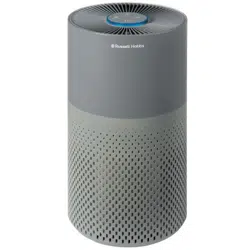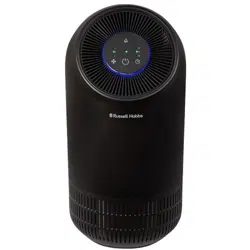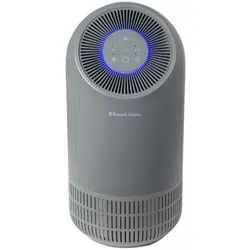
RHAP3501 1 Revision 1.8
Operating Manual
REGISTER YOUR
FREE 1 YEAR
GUARANTEE
TODAY
CLEAN FILTERS
Wash the pre-filters with warm
water at least once a month.
Clean the HEPA filter with a vacuum
and soft dusting brush attachment
1
MONTH
RHAP3501
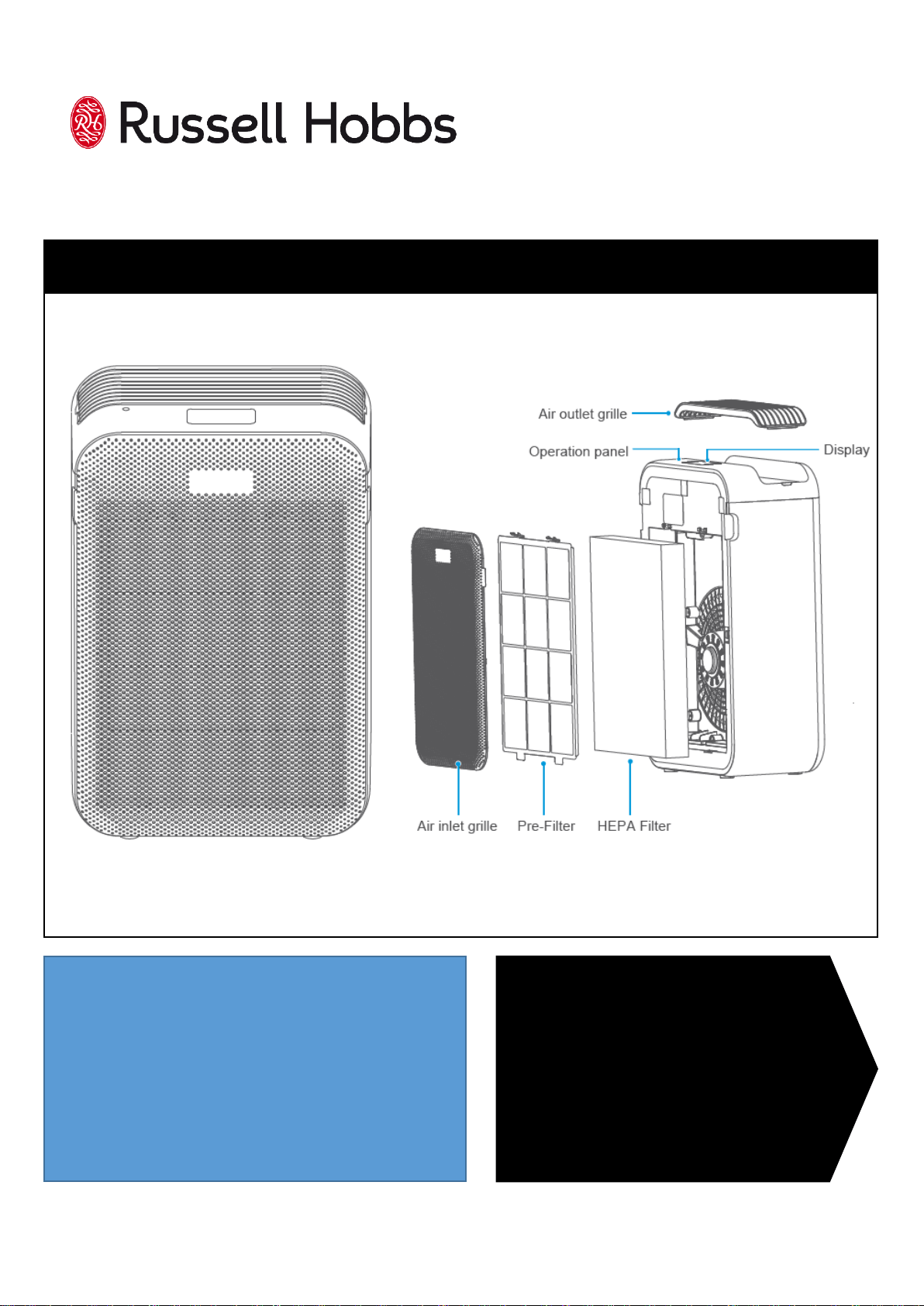
APPLIANCE DIAGRAM
AIR PURIFIER
RHAP3501 2 Revision 1.8
GUARANTEE
At Russell Hobbs, we take all our customer feedback seriously.
Feel free to contact our Product Care Team, on 0345 209 7461 who will be more
than happy to assist you.
This product is guaranteed for 12 months from the date of the original purchase. If any
defect arises due to faulty materials or workmanship, the faulty product must be
returned to the place of purchase.
Refund or replacement is at the discretion of the retailer.
The following conditions apply:
The product must be returned to the retailer with the original proof of purchase.
The product must be installed and used in accordance with the instructions
contained in this instruction guide and any other instructions for use which are
supplied.
It must be used for domestic purposes only and for its intended use.
This guarantee does not cover wear and tear, damage, misuse or consumable
parts.
This does not affect your statutory rights.
REGISTER
ONLINE
Visit our website to
register your full parts
and labour guarantee online.
https://mda.russellhobbs.com
REGISTER
BY PHONE
Call our friendly Product Care team.
0345 209 7461
RUSSELL HOBBS CONTACT DETAILS
Website: https://mda.russellhobbs.com
Telephone: 0345 209 7461
Address: Product Care Customer Service, Green Bank
Business Park, Hindley Green, Wigan, WN2 4AY
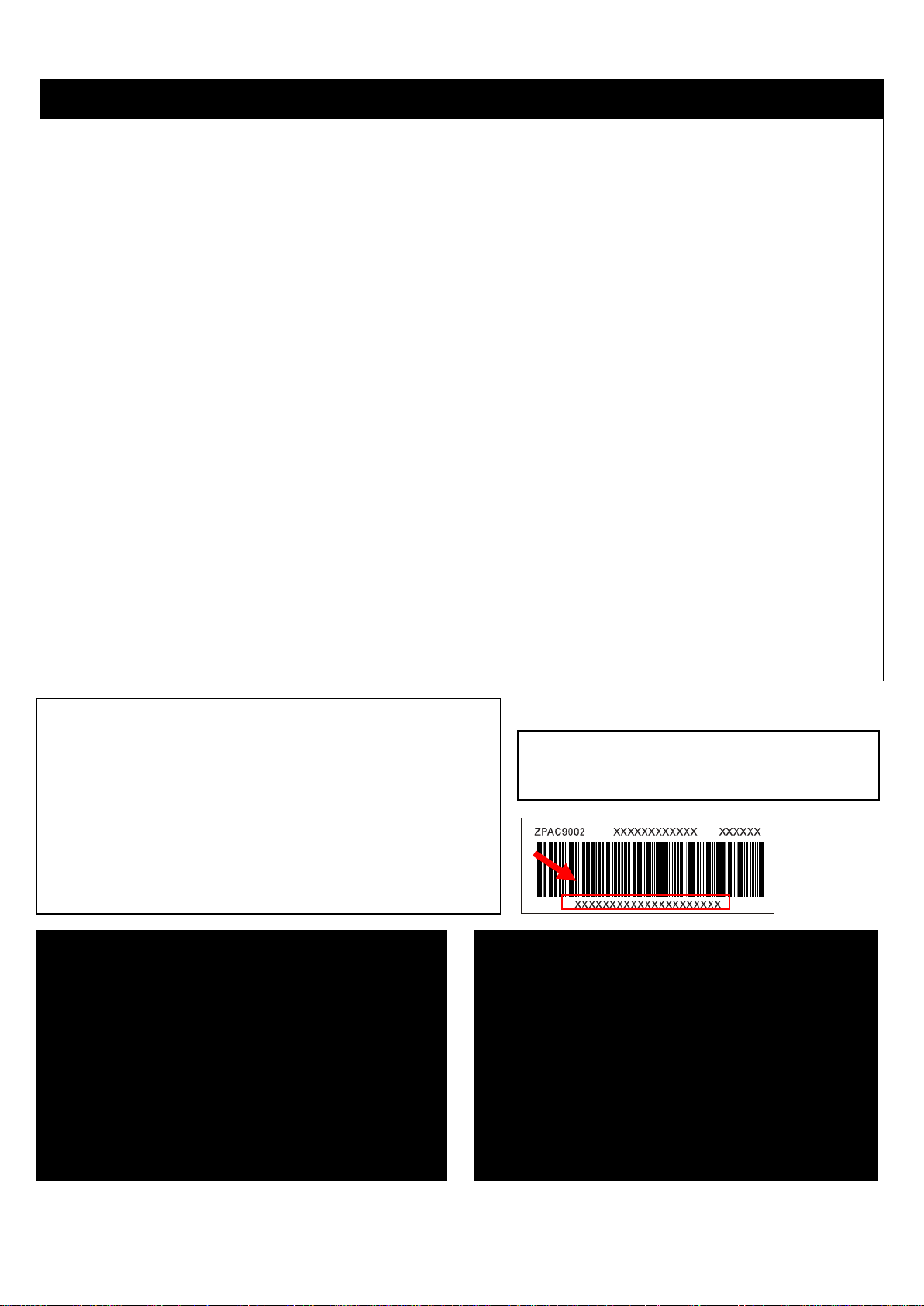
Note your serial number below for future reference.
Image for
illustration
purposes only
RHAP3501 3 Revision 1.8
IMPORTANT SAFETY INSTRUCTIONS
It is hazardous for anyone other than a competent person to carry out any service or repair
operation that involves the removal of a cover which gives protection against exposure to
electrical parts.
If the supply cord is damaged, it must be replaced by the manufacturer, its service agent or
similarly qualified persons in order to avoid a hazard. Do not use with damaged cord or plug.
This product is intended for household use only. Do not use outdoors.
This appliance can be used by children aged from 8 years and above and persons with
reduced physical, sensory or mental capabilities or lack of experience and knowledge if they
have been given supervision or instruction concerning use of the appliance in a safe way and
understand the hazards involved. Children should not play with the appliance. Cleaning and
user maintenance should not be made by children without supervision.
Unplug from outlet when not in use, and before putting on and taking off parts, and before
cleaning. Do not leave the appliance unattended while plugged in.
Do not use the appliance if it has been dropped, damaged, left outdoors or dropped into
water. Do not operate this appliance for anything other than its intended use.
Keep the appliance away from water; do not allow it to get wet. If unit is wet, do not plug
unit into wall socket or turn unit on. Do not immerse in water or other liquids for cleaning.
Do not handle the appliance with wet hands.
Do not pull or carry by cord, use cord as a handle, close door on cord, pull cord around sharp
corners or edges, or expose cord to heated surfaces. Do not unplug by pulling on cord.
To protect against electrical shock do not immerse cord, plug, or appliance in water or other
liquid.
The use of accessory attachments not recommended by the appliance manufacturer may
cause fire, electric shock or injury. Only use the accessories supplied by the manufacturer.
Do not let the cord hang over the edge of the worktop, or touch hot surfaces.
Only use the appliance when fully assembled.
Never place your fingers or other objects into any part of the appliance. Be aware that loose
clothing or hair may become trapped in the cleaner if improperly used.
Before use, ensure that all of the air vents of the appliance are clear and there is no
restriction of air flow.
Caution: Exhaust air discharged from the top of the appliance may extinguish a gas fire, pilot
light, or disturb ashes in an open fire. Always avoid directing the appliance toward naked
flames.
This appliance requires 30cm space around to operate effectively.
RHAP3501 4 Revision 1.8
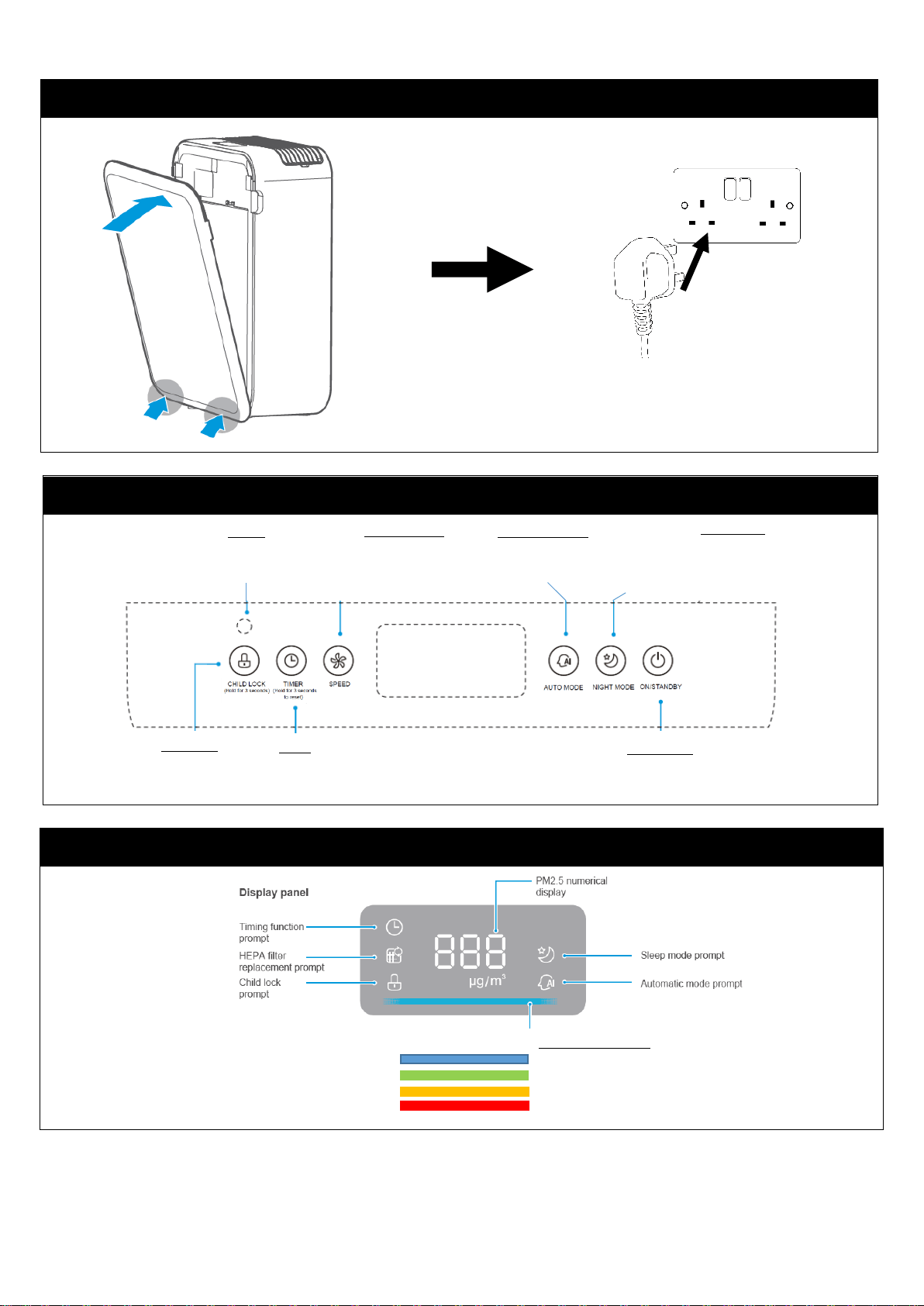
FIRST TIME USE & INSTALLATION
Pre-filter
HEPA Filter
Remove air inlet
grille and pre-filter
Remove HEPA filter
from packaging
Install HEPA filter
and replace pre-filter
RHAP3501 5 Revision 1.8
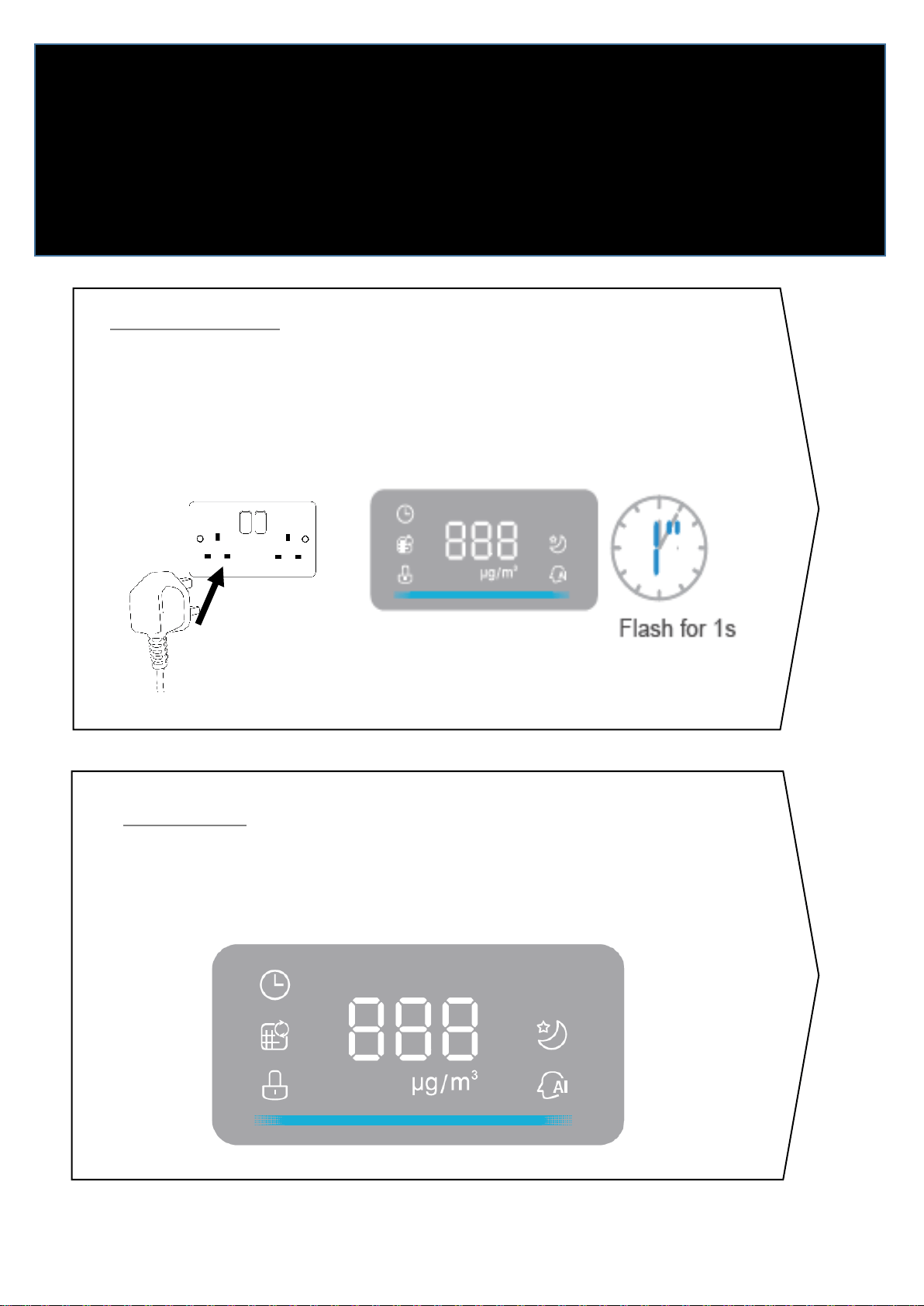
CONTROLS
DISPLAY PANEL
INSTALLATION
Night Mode
If Air Quality is above 50μg/m3, air flow is
increased to aid air purification.
If Air Quality is below 50μg/m3, the air
purifier enters low speed / noise mode.
Automatic Mode
Adjusts the air flow
automatically according to
the air quality
Speed Settings
Air flow can be manually
set to Low/Medium/High
Sensor
Automatically detects light in
the room to reduce power at
night
On/Standby
Press to power on or put in
standby mode
Child Lock
Hold for 3s to
enable/disable
Child Lock
Timer
Set for 1/2/4/8
hours. Hold for 3
seconds to reset.
Air Quality Indicator
Excellent (Blue)
Good (Green)
Average (Orange)
Poor (Red)
Replace cover and
plug in ensuring
appliance is 30cm
from any object
RHAP3501 6 Revision 1.8
POWERING ON
1
MONTH
24
HRS
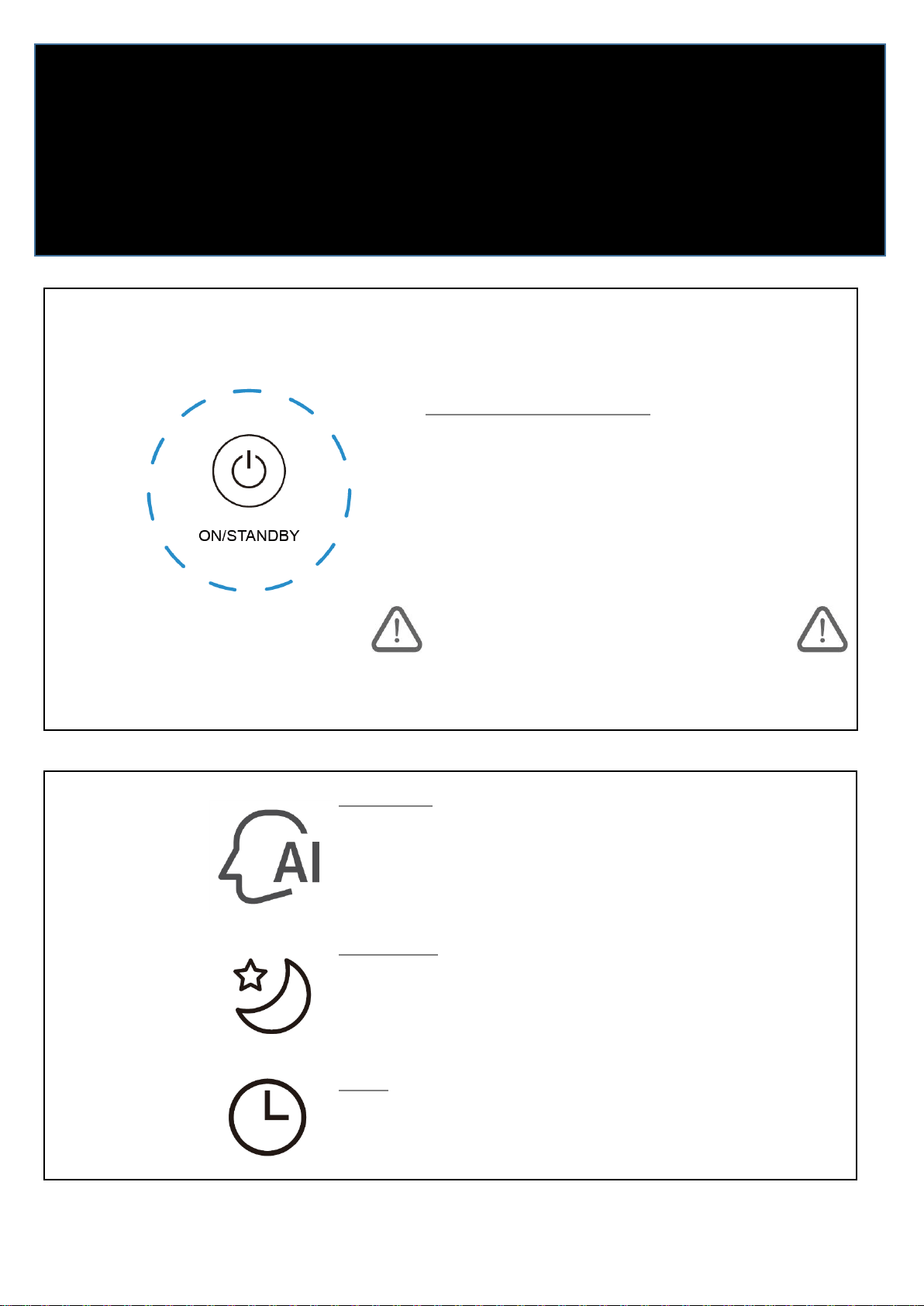
Preparing for Use
Plug in the unit.
The display panel will flash for 1 second then turn off.
The appliance is now in standby mode.
Warming Up
The purifier will enter a ‘warming up’ mode.
The LCD screen will display ‘---‘ for 10 seconds.
When the display shows ‘XXXμg/m3it is ready for
use.
RHAP3501 7 Revision 1.8
FOR THE FIRST TIME
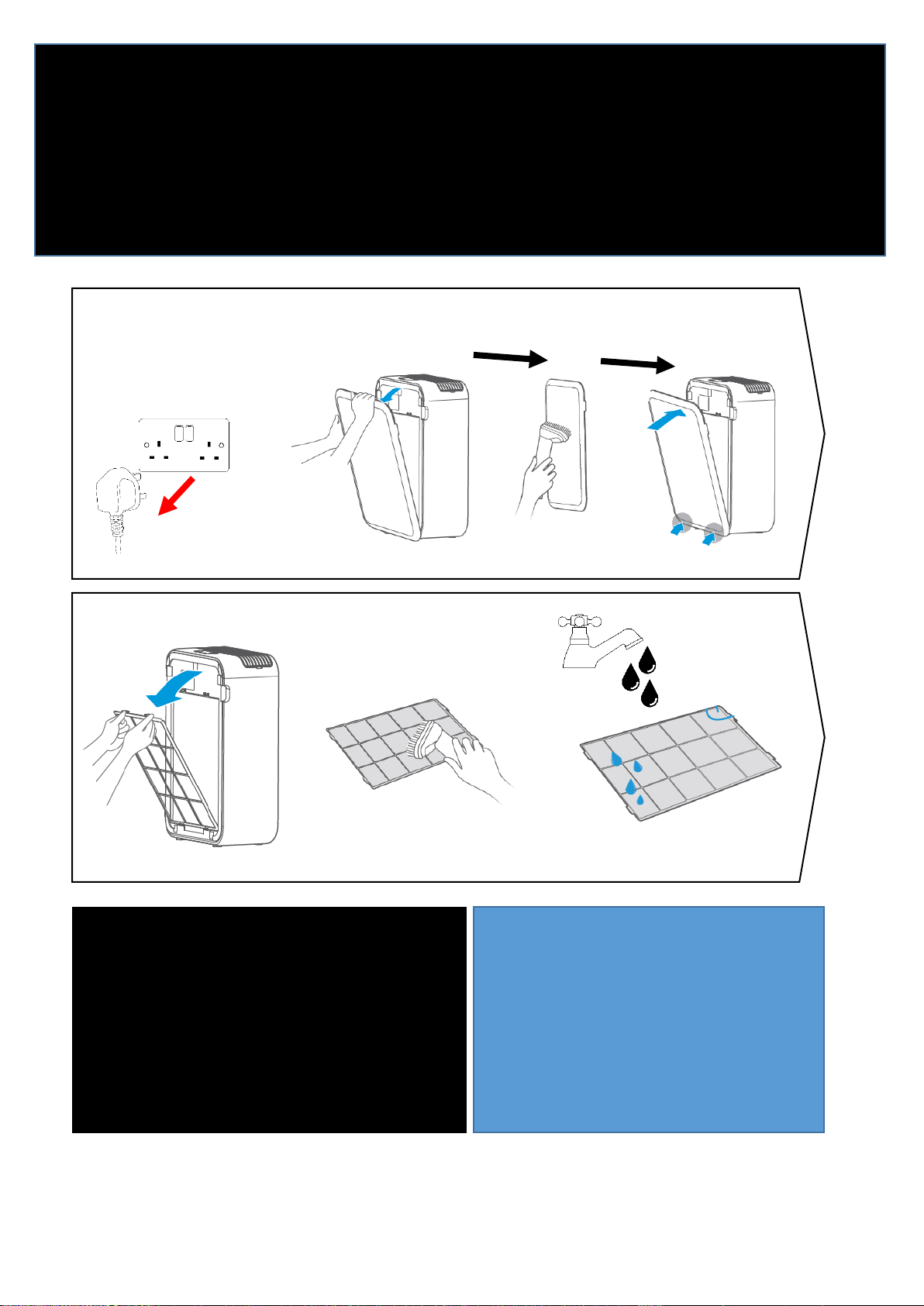
Turning On the Purifier
Ensuring that all the filters are in place, press the
‘On/Standby’ button located on the control
panel
If your purifier fails to turn on, ensure that all
the filters have been correctly assembled as
shown earlier in this manual.
Auto Mode
Once the Air Purifier has warmed up, press the AI
button to enter Auto Mode.
Auto mode automatically adjusts the fan speed
according to the air quality.
Night Mode
If Air Quality is above 50μg/m3, air flow is increased to aid air
purification.
If Air Quality is below 50μg/m3, the air purifier enters low
speed / noise mode.
Timer
Set for 1/2/4/8 hours. Hold for 3 seconds to reset the sensor
of HEPA filter after replacement, HEPA filter replacement
prompt will disappear and re-timing of HEPA filter will begin.
RHAP3501 8 Revision 1.8
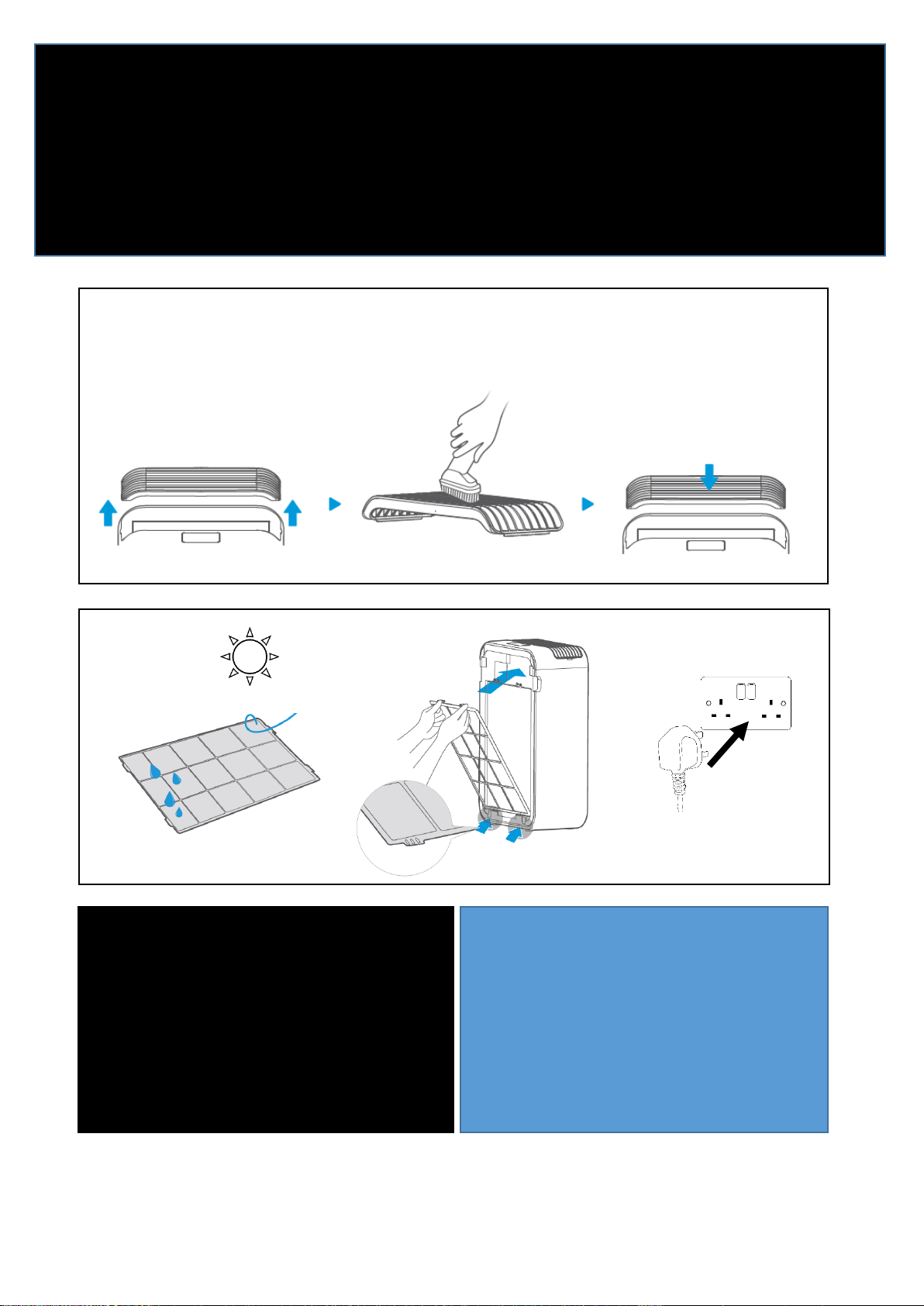
IMPORTANT! WASH
THE FILTERS
CLEAN FILTERS
Wash the pre-filters with
warm water at least once
a month.
Clean the HEPA filter with
a vacuum and soft dusting
brush attachment
1
MONTH
REGISTER YOUR
FREE 1 YEAR
GUARANTEE
TODAY
24
HRS
ALWAYS UNPLUG
BEFORE OPENING
THE APPLIANCE
Pre-Filter
! DO NOT USE WATER ON HEPA FILTER !
RHAP3501 9 Revision 1.8
IMPORTANT! WASH
THE FILTERS
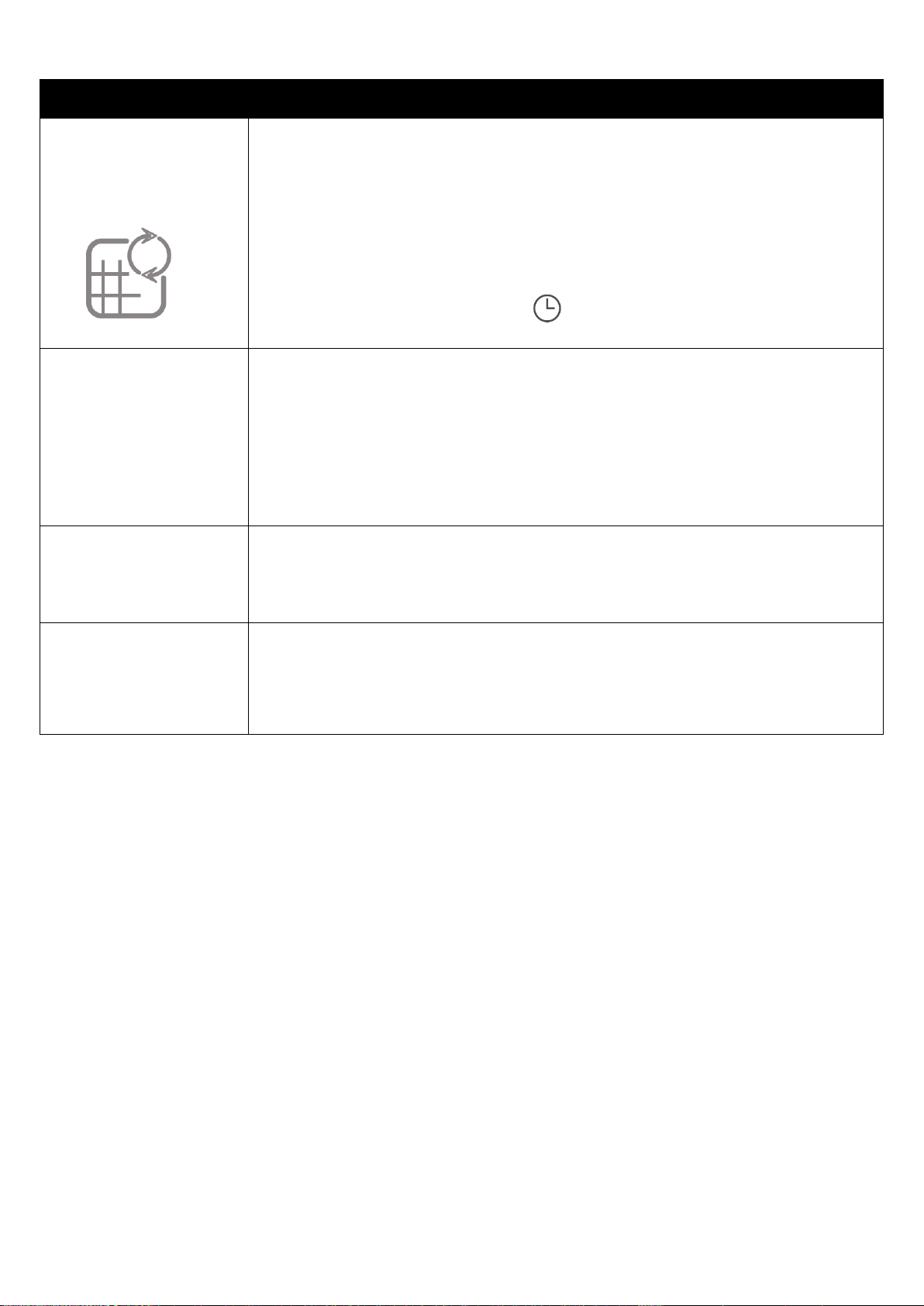
CLEAN FILTERS
Wash the pre-filters with
warm water at least once
a month.
Clean the HEPA filter with
a vacuum and soft dusting
brush attachment
1
MONTH
24
HRS
REGISTER YOUR
FREE 1 YEAR
GUARANTEE
TODAY
Vacuum cleaners or soft cloths can be used to remove dust from grilles.
Care should be taken when using the vacuum and dusting brush to clean the HEPA filter.
RHAP3501 10 Revision 1.8
PROBLEM SOLVING
Filter replacement
light is on
Ensure appliance is unplugged.
Remove HEPA filter as shown in this instruction manual.
HEPA filter should only be cleaned with a vacuum and soft
dusting brush. Take care not to damage filter.
Reinstall filters.
Power on as normal.
Hold the Timer Button [ ] for 3 seconds to reset the
sensor.
Appliance is not
powering on
Check appliance is plugged in and powered on.
Check that all filters are properly installed as shown in this
instruction manual.
Check the power button has been pressed.
Check in another socket.
The air exhausted
from the air purifier
smells
Clean the filters following the instructions in this manual.
Ensure the filters are completely dry before replacing.
ERROR CODES
E1 – Filters/Grille not properly assembled.
EU – Sensor failure – Turn off and contact us below.
E3 – Fan speed issue – Turn off and contact us below.
If you are still experiencing difficulties with the appliance please
contact us BEFORE returning the appliance to the retailer it was
purchased from:
Website: https://mda.russellhobbs.com
Telephone: 0345 209 7461
Address: Product Care Customer Service, Green Bank Business Park, Hindley Green,
Wigan, WN2 4AY
RHAP3501 11 Revision 1.8
IMPORTANT!
CLEAN FILTERS
Wash the pre-filters with warm water at
least once a month.
Clean the HEPA filter with a vacuum and
soft dusting brush attachment
1
MONTH
This product is guaranteed for 12 months from the date of the
original purchase. If any defect arises due to faulty materials or
workmanship, the faulty product must be returned to the place of
purchase.
By registering your product you will get an additional year
guarantee free of charge. Additional cover can be purchased
through the website.
REGISTER
ONLINE
Visit our website to
register your full parts
and labour guarantee online.
https://mda.russellhobbs.com
REGISTER
BY PHONE
Call our friendly Product Care
team.
0345 209 7461
RHAP3501 12 Revision 1.8
The ‘wheelie bin’ symbol is known as the 'Crossed-out wheelie
bin Symbol'. When this symbol is marked on a
product/batteries, it means that the product/batteries should
not be disposed of with your general household waste. Only
discard electrical/electronic/battery items in separate
collection schemes, which cater for the recovery and recycling
of materials contained within. Your co-operation is vital to
ensure the success of these schemes and for the protection of
the environment. For your nearest disposal facility, visit
www.recycle-more.co.uk or ask in store for details.
We reserve the right, due to possible changes to design, to
alter the instruction manual without prior notice.
RHAP3501 13 Revision 1.8
NOTES
RHAP3501 14 Revision 1.8
NOTES
RHAP3501 15 Revision 1.8
NOTES

RHAP3501 16 Revision 1.8
Russell Hobbs is a registered trademark used under license from
Spectrum Brands (UK) Ltd. Made under license by G2S Limited, Wigan,
WN2 4AY
Russell Hobbs Support: call 0345 209 7461 or visit
https://mda.russellhobbs.com