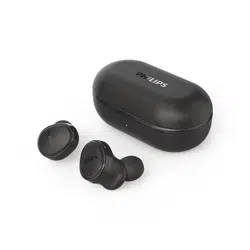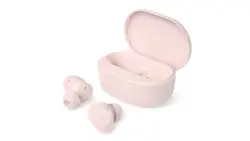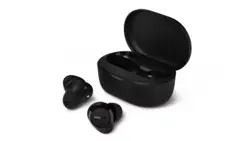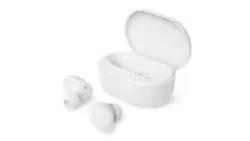
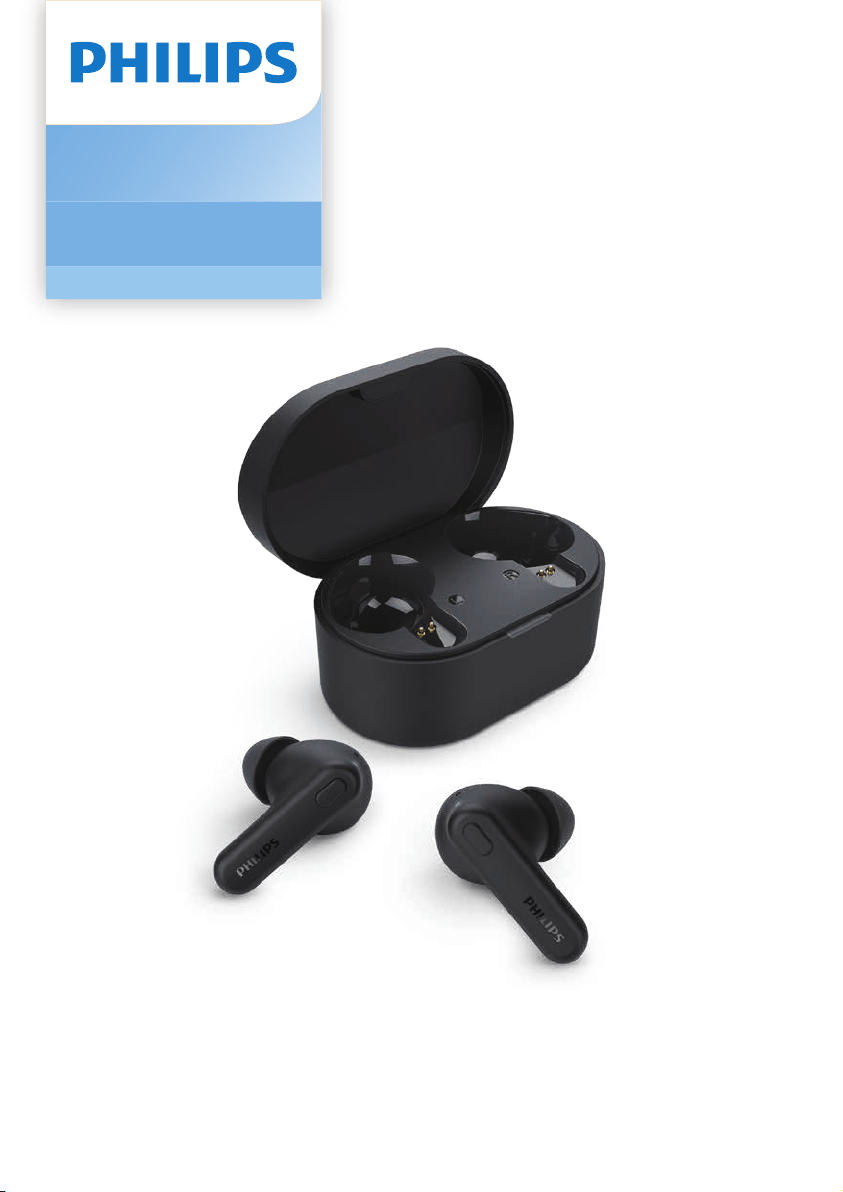
Headphones
1000 Series
TAT1108
User manual
Register your product and get support at
www.philips.com/support

1 Important safety instructions 2
Hearing safety 2
General information 2
2 Your True wireless earpieces 3
What's in the box 3
Other devices 3
Overview of your True wireless
earpieces 4
3 Get started 5
Charge the battery 5
How to wear 6
Pair the earpieces with your
Pair the earpieces with another
Bluetooth device 7
4 Use your earpieces 8
Connect the earpieces to your
Bluetooth device 8
Manage your calls and music 8
Voice Assistant 9
Earpieces/charging case LED
indicator status 9
9 Frequently asked questions 16
Contents
5 Reset the earpieces 10
6 Technical data 11
7 Notice 12
Declaration of conformity 12
Disposal of your old product
and battery 12
Remove the integrated battery 12
Compliance with EMF 13
Environmental information 13
Notice of compliance 13
8 Trademarks 15
1 Important
safety
instructions
Be sure to observe the following
guidelines when using your headphones.
• Listen at reasonable volumes for
reasonable periods of time.
• Be careful not to adjust the volume
continuously upwards as your
hearing adapts.
• Do not turn up the volume so high
that you can't hear what's around
you.
• You should use caution or
temporarily discontinue use in
potentially hazardous situations.
• Excessive sound pressure from
earpieces and headphones can
cause hearing loss.
• Using headphones with both ears
covered while driving is not
recommended and may be illegal in
some areas.
• For your safety, avoid distractions
from music or phone calls while in
environments.
Danger
To avoid hearing damage, limit the time you
use headphones at high volume and set the
volume to a safe level. The louder the volume,
the shorter the safe listening time is.
Hearing safety
General information
To avoid damage or malfunction:
Operating and storage temperatures and
humidity
• Store in a place where the
temperature is between -20°C (-4°F)
and 50°C (122 °F) with up to 90%
relative humidity.
• Operate in a place where the
temperature is between 0°C (32°F)
and 45°C (113 °F) with up to 90%
relative humidity.
• Battery life may be shorter in high or
low temperature conditions.
• Replacement of a battery with an
incorrect type risks severely damaging
the headphones and the battery (for
example, in the case of some lithium
battery types).
Caution
Do not expose headphones to excessive heat.
Do not drop your headphones.
Headphones shall not be exposed to dripping or
Do not allow your headphones to be submerged in
water.
Do not charge your headphones when the
connector or socket is wet.
Do not use any cleaning agents containing alcohol,
ammonia, benzene, or abrasives.
If cleaning is required, use a soft cloth, if necessary
dampened with a minimum amount of water or
diluted mild soap, to clean the product.
The integrated battery shall not be exposed to
Danger of explosion if battery is incorrectly
replaced. Replace only with the same or equivalent
type.
cover must be closed.
mechanically crushing or cutting a battery, can
result in an explosion.
Leaving a battery in an extremely high temperature
surrounding environment can result in an explosion
A battery subjected to extremely low air pressure
may result in an explosion or the leakage of
by external power source which output shall
comply with PS1 (with output capacity less than
15W)
2 EN
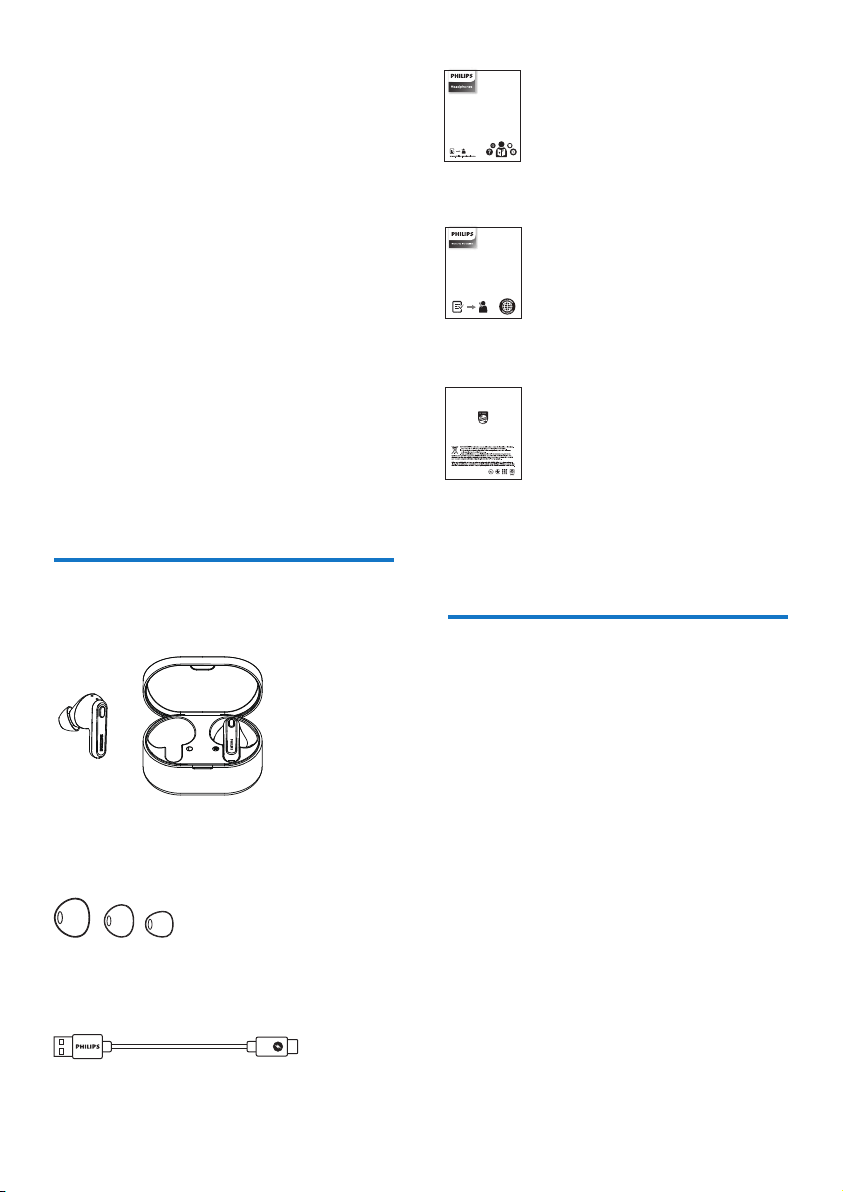
What's in the box
Philips True wireless earpieces Philips
TAT1108
Replaceable rubber ear caps x 3 pairs
USB-C charging cable (for charging only)
Other devices
A mobile phone or device (e.g. notebook,
tablet, Bluetooth adapters, MP3 players
etc) which supports Bluetooth and is
compatible with the earpieces.
3 EN
2 Your True
wireless
earpieces
Congratulations on your purchase, and
your product at www.philips.com/support.
With these Philips True wireless earpieces
you can:
• Enjoy convenient wireless
handsfree calls
• Enjoy and control music wirelessly
• Switch between calls and music
Quick start guide
Warranty
4 EN
Overview of your True
wireless earpieces
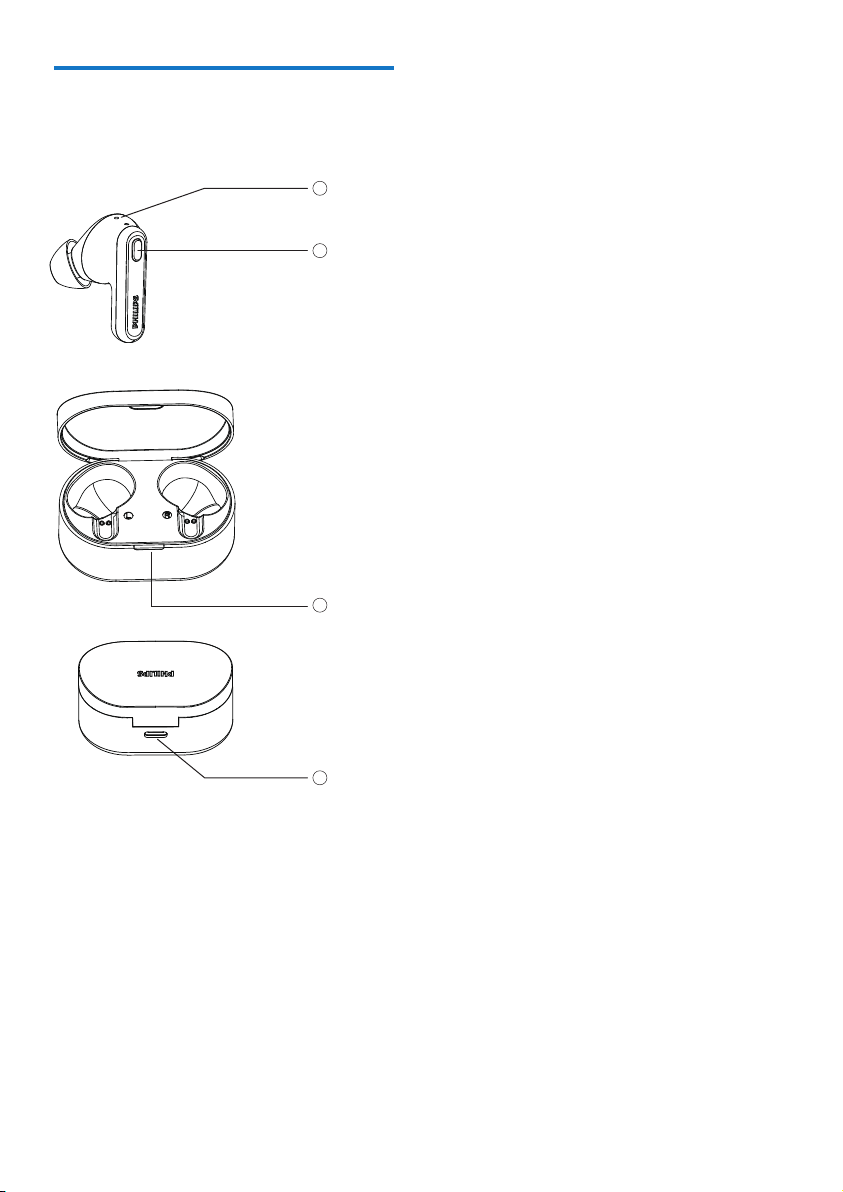
LED indicator (Earpieces)
Multi-function button
LED indicator (charging box)
USB-C charging slot
1
4
2
3
5 EN
3 Get started
Charge the battery
Charging case
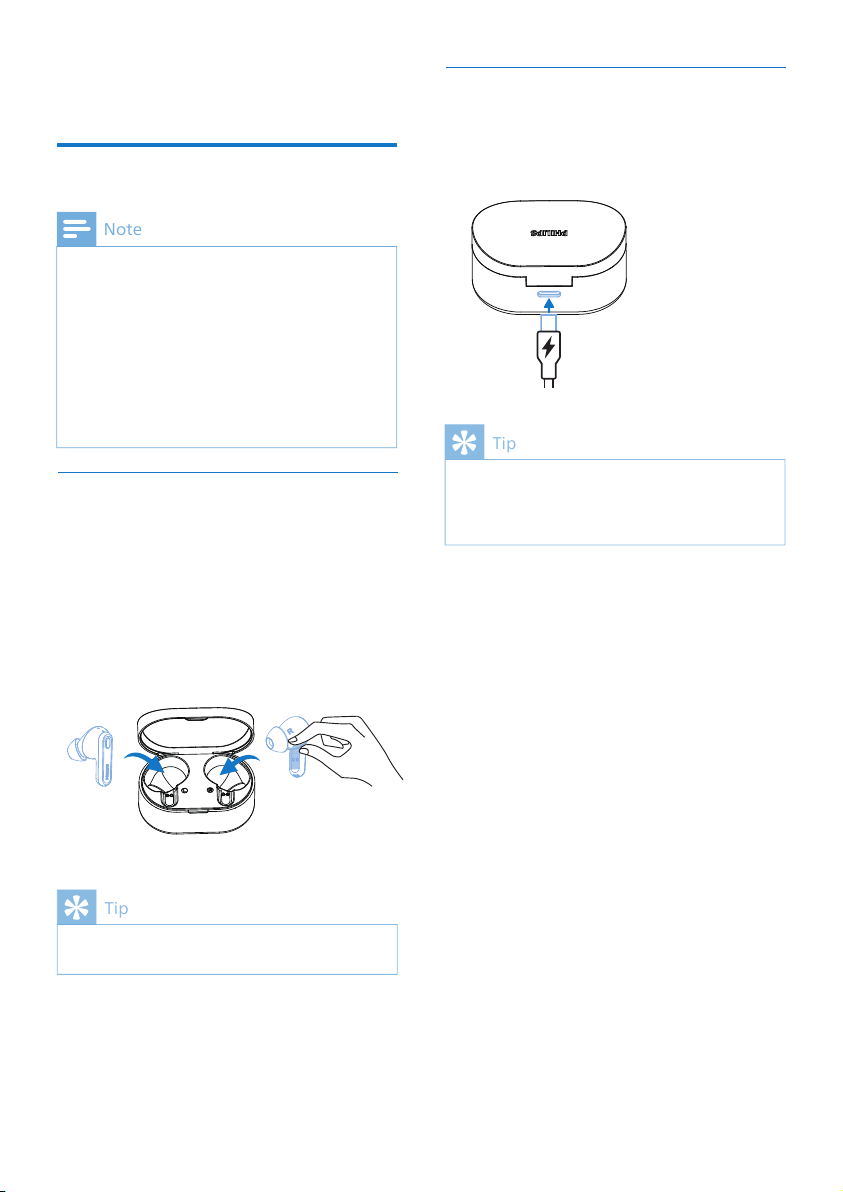
Plug one end of the USB-C cable into the
charging case and the other end into the
power source.
The charging case serves as a portable backup
battery for charging the earpieces. When the
charging case is fully charged, it will fully
recharge the earpieces 3 times.
Tip
Earpiece
Take out the earpieces and remove the
insulation labels.
Put the earpieces back into the charging
case and close the lid, the earpieces then
start charging.
Normally, a full charge takes 2 hours (for the
earpieces or charging case) by USB cable.
Tip
Before you use your headphones, place them in
the charging box and charge the battery for 2
hours for optimum battery capacity and lifetime.
Use only the original USB-C charging cable to
avoid any damage.
Finish your call before charging. Connecting the
If the headset is not used for a long time, the
rechargeable battery will begin to lose its
charge. To avoid this loss, please fully charge the
battery at least once every three months.
Note
6 EN
How to wear
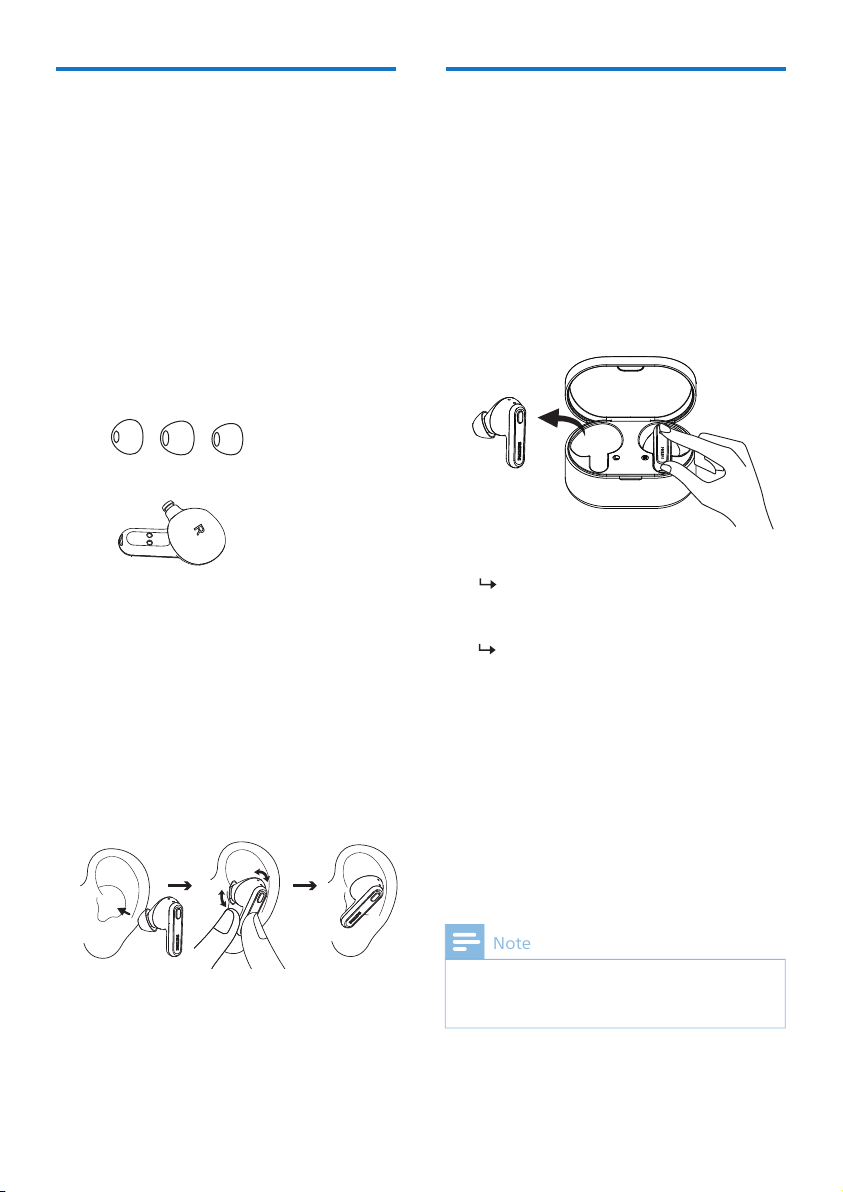
Select suitable ear tips for optimum �t
sound quality and noise isolation.
Pair the earpieces with
your Bluetooth device for
Test which ear tip provides you with
the best sound and wearing comfort.
3 sizes of silicone ear tip covers are
provided: large, medium and small.
L M S
1
2
Check left or right orientation of the
earpieces.
Insert the earpieces into the ears
achieved.
Insert the earpieces
Turn on the Bluetooth function of
your Bluetooth device.
Pair the earpieces with your
Bluetooth device. Refer to the user
manual of your Bluetooth device.
any previously connected Bluetooth device, it
will automatically switch to pairing mode.
white and blue alternately
The earpieces are now in pairing
mode and are ready to pair with a
Bluetooth device
(e.g. a mobile phone)
1
2
1
2
Make sure that the earpieces are fully
Open the cover of the charging case.
Take the earpieces out.
3
4
Note
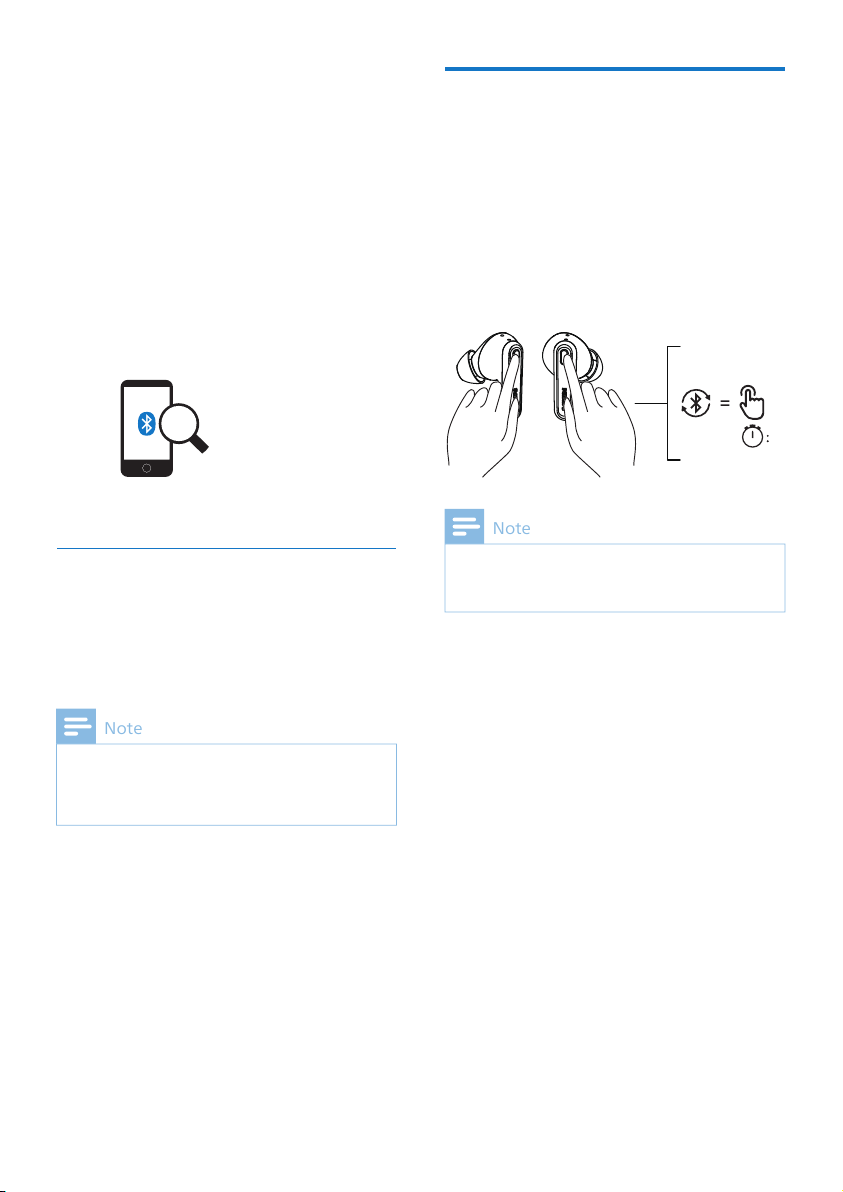
Single earpiece (Mono mode)
Take either right or left earpiece out
from charging case for Mono use. The
earpiece will power on automatically.
Philips TAT1108
The following example shows you
how to pair the earpieces with your
Bluetooth device.
Turn on the Bluetooth function of
your Bluetooth device, select
Philips TAT1108.
Enter the earpieces' password “0000”
(4 zeros) if prompted. For those
devices featuring Bluetooth 3.0 or
higher, there is no need to enter a
password.
1
2
Voice assistant is disabled in Mono mode.
Take the second earpiece from the charging case
and they will pair with each other automatically.
7 EN
Note
The earpieces store 4 devices in the memory.
If you try to pair more than 4 devices, the earliest
paired device is replaced by the new one.
Pair the earpieces with
another Bluetooth device
If you want to pair another Bluetooth
device with the earpieces, just press and
hold MFB on both earpieces 5 seconds
into pairing mode and put back in the
charging case, then re-take out from the
charging case, discover the second device
as per normal pairing.
Note
05"

The earpieces can’t connect to more than 1 device
at the same time. If you have two paired
Bluetooth devices, only turn on the Bluetooth
function of the device that you want to connect.
If you turn on the Bluetooth function of your
Bluetooth device after turning on the earpieces,
you have to go to the Bluetooth menu of the
device and connect the earpieces to the device
manually.
If the earpieces fail to connect to any Bluetooth
-
cally to save the battery life.
In some Bluetooth devices, connection may not
be automatic. In this case, you have to go to the
Bluetooth menu of your device and connect the
earpieces to the Bluetooth device manually.
The earpieces will search the last
connected Bluetooth device and
reconnect to it automatically. If the
last connected device is not
available, the earpieces will enter
pairing mode
4 Use your
earpieces
Turn on the Bluetooth function of
your Bluetooth device.
Take out earpieces from the charging
box cover.
Connect the earpieces to
your Bluetooth device
Tip
Note
1
2
Take earpieces
out of the
charging box
to power on
Task
Turn the
earpieces
on
Turn the
MFB
Operation
Manage your calls and
music
Music control
Play or pause
music
Next track Right
earpiece
Left
earpiece
Double press
Previous
track
Double press
Adjust
volume +/-
Via mobile
phone control
R / L
earpiece
Task MFB Operation
Call control
Pick up
Hang up call/
Reject call
R / L
earpiece
R / L
earpiece
Press once
Task
MFB
Operation
Put earpieces
back into the
charging box
Press once
Double press
8 EN

9 EN
OperationTask Button
R / L
earpiece
Trigger Voice
(Siri/Google)
Assistant
Voice Assistant
R / L
earpiece
Stop Voice
Assistant
Press once
Press and
hold
2 seconds
Indicator
Earpieces LED indicator
status
Earpieces status
The earpieces are
connected to a
Bluetooth device
The earpieces are
ready for pairing
The earpieces are
on but not
connected to a
Bluetooth device
Low battery level
(earpieces)
The LED blinks blue
and white
alternatively
White LED blinks
every second
15 minutes)
White LED on for 2
seconds
Battery is fully
charged
(charging box)
White LED blinks 2x
every 5 seconds
Refer to case LED
Charging box LED indicator
status
When charging Indicator
Case charging
Full charged White LED lights on
White LED blink 1x
every 1 second

5 Reset the
earpieces
On your Bluetooth device, go to the
Bluetooth menu and remove Philips
TAT1108 from the device list.
your Bluetooth device.
Take the earpieces out of the
charging case and press the button
once, then press and hold for 5
seconds.
Return the earpieces to the charging
case.
Follow steps in “Use your earpieces-
connect the earpieces to your
Bluetooth device.”
Pair the earpieces with your
Bluetooth device, select Philips
TAT1108.
If you encounter any pairing or connection
issue, you can follow the following
procedure to reset your earpieces to
factory default settings.
1
2
3
4
5
6
10 EN

6 Technical data
• Music play time: 5+10 hours
• Charging time: 2 hours
• Lithium-ion battery 35 mAh on each
earpiece, Lithium-ion battery 250 mAh
on charging box
• Bluetooth version: 5.3
•
• A2DP (Advanced Audio Distribution
• AVRCP (Audio Video Remote
• Supported audio codecs: SBC
• Frequency range: 2.402-2.480 GHz
• Transmitter power: < 10 dBm
• Operating range: Up to 10 meters (33
feet)
• USB-C port for charging
• Low battery warning: available
notice.
Note
11 EN
7 Notice
Hereby, MMD Hong Kong Holding Limited
declares that the product is in compliance
with the essential requirements
and other relevant provisions of RED
Directive 2014/53/EU and UK Radio
Equipment Regulations SI 2017 No 1206.
on www.philips.com/support.
Declaration of conformity
Disposal of your old
product and battery
This symbol on a product means that the
product is covered by European Directive
2012/19/EU.
This symbol means that the product contains
a built-in rechargeable battery covered by
European Directive 2013/56/EU which cannot
be disposed of with normal household waste.
We strongly advise you to take your product
service centre to have a professional remove
the rechargeable battery. Inform yourself
about the local separate collection system for
electrical and electronic products and
rechargeable batteries. Follow local rules and
never dispose of the product and
rechargeable batteries with normal
household waste. Correct disposal of old
products and rechargeable batteries helps
prevent negative consequences for the
environment and human health.
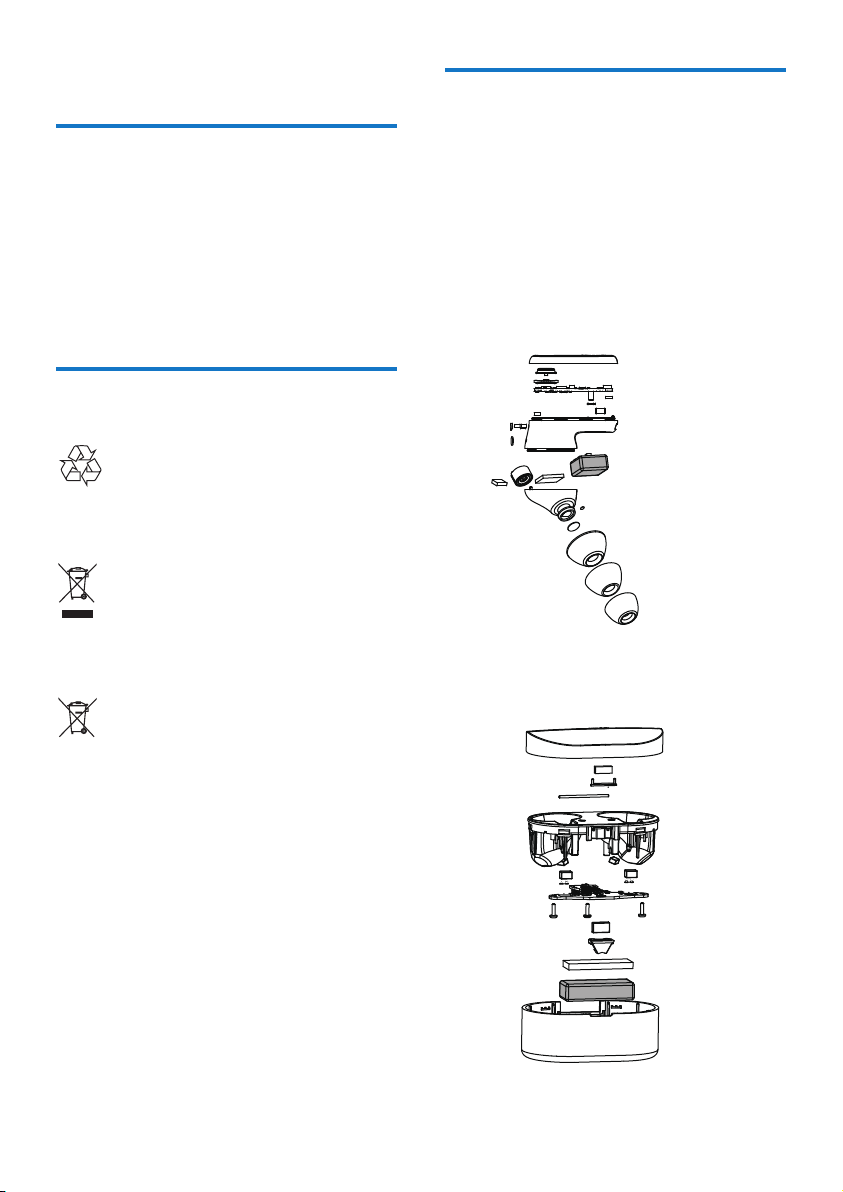
Remove the integrated
battery
• Make sure the charging box is
disconnected from the USB charging
cable before removing the battery.
Your product is designed and manufactured
with high quality materials and components
which can be recycled and reused.
If there is no collection/recycling system
for electronic products in your country,
you can protect the environment by
removing and recycling the battery before
disposing of the earpieces.
• Make sure the earpieces are
disconnected from the charging box
before removing the battery.
12 EN

Compliance with EMF
This product complies with all
applicable standards and regulations
regarding exposure to electromagnetic
Environmental information
All unnecessary packaging has been
omitted. We have tried to make the
packaging easy to separate into three
materials: cardboard (box), polystyrene
protective foam sheet.)
Your system consists of materials which
can be recycled and reused if
disassembled by a specialized company.
Please observe the local regulations
regarding the disposal of packaging
materials, exhausted batteries and old
equipment.
Notice of compliance
The device complies with the FCC rules,
Part 15. Operation is subject to the
following two conditions:
1. This device may not cause harmful
interference, and
2. This device must accept any
interference received, including
interference that may cause
undesired operation.
FCC rules
This equipment has been tested and
found to comply with the limits for a Class
B digital device, pursuant to part 15 of
the FCC Rules. These limits are designed
to provide reasonable
protection against harmful interference
in a residential installation. This
equipment generates, uses and can
radiate radio frequency energy and,
if not installed and used in accordance
with the instruction manual, may cause
harmful interference to radio
communications.
However, there is no guarantee that
interference will not occur in a particular
installation. If this equipment does cause
harmful interference to radio or television
reception, which can be determined by
user is encouraged to try to correct the
interference by one or more of the
following measures:
Reorient or relocate the receiving
antenna
Increase the separation between
equipment and receiver
Connect the equipment into an outlet
the receiver is connected
Consult the dealer or an experienced
radio/TV technician for help
FCC Radiation Exposure Statement:
This equipment complies with FCC
radiation exposure limits set forth for an
uncontrolled environment.
This transmitter must not be co-located or
operated in conjunction with any other
antenna or transmitter.
Caution:
The user is cautioned that
approved by the party responsible for
compliance could void the user's authority
to operated the equipment.
Canada:
This device contains licence-exempt
transmitter(s)/receiver(s) that comply
with Innovation, Science and Economic
Development Canada’s license-exempt
RSS(s). Operation is subject to the
following two conditions: (1) This device
may not cause interference. (2) This
device must accept any interference,
including interference that may cause
undesired operation of the device.
13 EN

IC Radiation Exposure Statement:
This equipment complies with Canada
radiation exposure limits set forth for
uncontrolled environments.
This transmitter must not be co-located
or operated in conjunction with any
other antenna or transmitter.
L’émetteur/récepteur exempt de licence
contenu dans le présent appareil est
conforme aux CNR d’Innovation, Sciences
et Développement économique Canada
applicables aux appareils radio exempts
de licence.
L’exploitation est autorisée aux deux
conditions suivantes : (1) L’appareil ne
doit pas produire de brouillage; (2)
L’appareil doit accepter tout brouillage
radioélectrique subi, même si le
brouillage est susceptible d’en
compromettre le fonctionnement.
CAN ICES-003(B)/NMB-003(B)
14 EN

8 Trademarks
The Bluetooth® word mark and logos are
registered trademarks owned by
Bluetooth SIG, Inc. and any use of such
marks by MMD Hong Kong Holding
Limited is under license. Other
trademarks and trade names are those of
their respective owners.
Bluetooth
Siri is a trademark of Apple Inc., registered
in the U.S. and other countries.
Siri
Google and Google Play are trademarks of
Google LLC.
Google
15 EN

9 Frequently
asked
questions
My Bluetooth earpieces do not turn on.
The battery level is low. Charge the
earpieces.
I cannot pair my Bluetooth earpieces
with my Bluetooth device.
The Bluetooth is disabled. Enable the
Bluetooth feature on your Bluetooth
device and turn on the Bluetooth device
before you turn on the earpieces.
Pairing does not work.
• Put both earpieces into charging box.
• Make sure you have disabled the
Bluetooth function of any previously
connected Bluetooth devices.
• On your Bluetooth device, delete
“Philips TAT1108” from the
Bluetooth list.
• Pair your earpieces (see ‘Pair the
earpieces with your Bluetooth device
The Bluetooth device cannot �nd the
earpieces.
• The earpieces may be connected to
the connected device or move it out
of range.
• Pairing may have been reset or the
earpieces have been previously
paired with another device. Pair the
earpieces with the Bluetooth device
again as described in the user
manual. (see ‘Pair the earpieces with
time’ on page 6).
16 EN
My Bluetooth earpieces are connected to
a Bluetooth stereo-enabled mobile
phone, but music only plays on the
mobile phone speaker.
Refer to the user manual of your mobile
phone. Select to listen to music through
the earpieces.
The audio quality is poor and a crackling
noise can be heard.
• The Bluetooth device is out of range.
Reduce the distance between your
earpieces and Bluetooth device, or
remove obstacles between them.
• Charge your earpieces.
The audio quality is poor when stream-
ing from a mobile phone, is very slow or
streaming does not work at all.
Make sure your mobile phone not only
supports (mono) HFP but also supports
A2DP and is BT4.0x (or higher) compati-
ble (see ‘Technical data’ on page 11).
The right and left earpieces are discon-
nected from each other.
• Put both earpieces into charging
box, keep the cover open.
• Shortly press 3 times casing button.

UM_TAT1108_00_EN_V2.0
Model: TAT1108, TAT1108LE
2023 © MMD Hong Kong Holding Limited. All rights reserved.
Speci�cations are subject to change without notice. Philips and
the Philips Shield Emblem are registered trademarks of
Koninklijke Philips N.V. and are used under license. This product
has been manufactured by and is sold under the responsibility
of MMD Hong Kong Holding Limited or one of its affiliates, and
MMD Hong Kong Holding Limited is the warrantor in relation
to this product. All other company and product names may be
trademarks of its respective companies with which they are
associated.