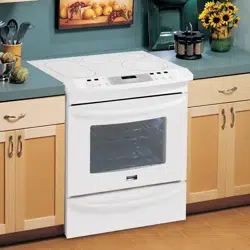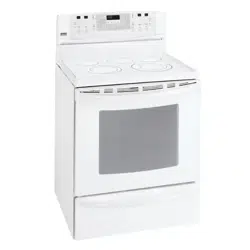
Radiant Convection
Self-Cleaning Freestanding
Electric Range
Eslula El_clrica
Radiante a Convecci6n
Tipo "lndependiente" con Autolimpieza
Models, Modelos 911.99002, 99003, 99004, 99009
! J
m
Z
Q
F
m
Z
m
t_
ZI
O
F
229C4020P252 Sears, Roebuck and Co.,
(SR-10454) Hoffman Estates, IL 60179 U.S.A. www.searsocom
RADIANTSELF-CLEAMNG
FREE-STANDINGRANGE
TABLEOF CONTENTS
Range Safety ........................ 3-8
Anti-Tip Bracket .................... 3-4
Protecting the Cooktop ............. 8
Features of Your Range ........... 9
Removal of Packaging Tape .... 9
Cooking Zones ....................... 10
Hot Cooktop Indicator
Lights ...................................... 10
Cooking Utensils and Woks ... 10
Home Canning Tips ................ 10
Checking Your Cookware ....... 11
Cookware Performance .......... 11
Radiant Coils .......................... 11
Temperature Limiter ............... 11
Control Settings ...................... 11
Bridge Surface Unit ................ 12
Dual Cooking Zones ............... 12
Surface Warmer ...................... 13
Oven Control, Clock,
Timer ................................. 14-15
Control Display ....................... 16
Clock ...................................... 17
Kitchen Timer ......................... 17
Tones ...................................... 18
F Code .................................... 18
Oven Cooking Tips ........... 19-21
Baking With Margarine ........... 20
Baking .................................... 22
Convection Baking Tips ......... 23
Convection Roasting
Tips ................................... 24-25
Convection Baking and
Roasting ........................... 26-27
Favorite Recipe ................ 27-29
Multi-Stage Cooking ......... 29-30
Broiling ................................... 31
Setting Special Features ... 32-33
Self-Clean Cycle ............... 34-35
Glass-Ceramic Cooktop ... 36-37
Control Panel .......................... 38
Broiler Pan and Grid ............... 38
Self-Clean Oven Interior ......... 38
Drawer and Sides of Range ...38
Oven Door Glass .................... 38
Door Vent Trim ........................ 38
Stainless Steel ........................ 38
Surface Control Knobs ........... 39
Oven Light Bulbs .............. 39-40
Oven Racks ............................ 40
Oven Door ........................ 40-41
Storage Drawer ...................... 42
Storage Drawer Liner ............. 42
Before Calling for
Service .............................. 43-46
Temperature Adjustment ..21,47
Warranty ................................. 50
Consumer Service
Numbers ............................... 100
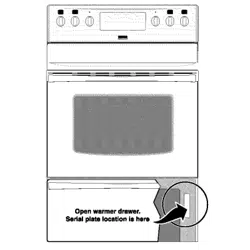
For your convenience and future reference, please write down your model
and serial numbers in the space provided, They are located on the frame
behind the storage drawer,
MODEL NUMBER: SERIAL NUMBER:
© Sears, Roebuckand Co.
2
iMPORTANTSAFETY
iNSTRUCTiONS
SAVE THESE INSTRUCTIONS
Read aiJ instructions before using this appJiance. When using gas or
electrical appliances, basic safety precautions should be followed,
including the following:
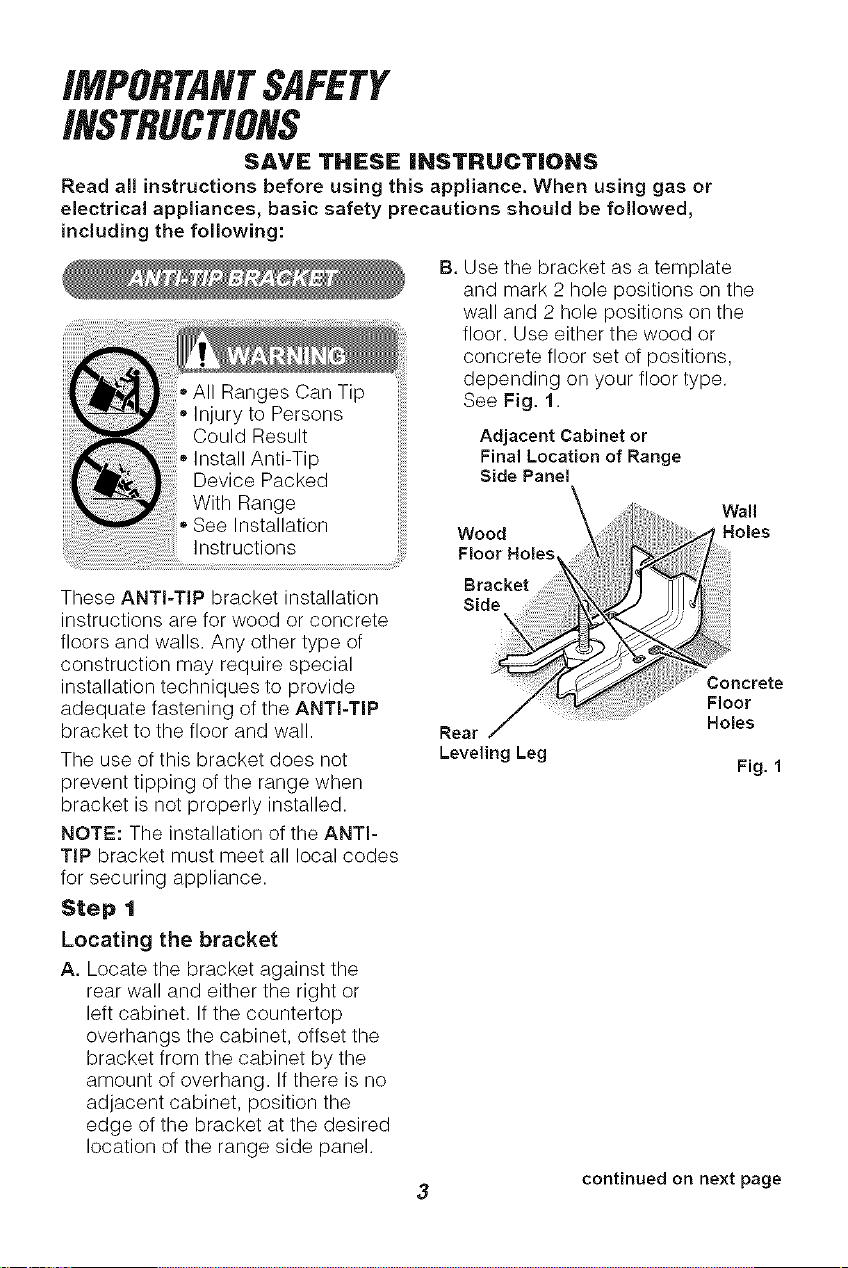
13.Use the bracket as a template
and mark 2 hole positions on the
wall and 2 hole positions on the
floor. Use either the wood or
concrete floor set of positions,
depending on your floor type.
See Fig. 1.
Adjacent Cabinet or
Final Location of Range
Side Panel
These ANTI-TIP bracket installation
instructions are for wood or concrete
floors and walls. Any other type of
construction may require special
installation techniques to provide
adequate fastening of the ANTI-TIP
bracket to the floor and wall.
The use of this bracket does not
prevent tipping of the range when
bracket is not properly installed.
NOTE: The installation of the ANTI-
TIP bracket must meet all local codes
for securing appliance.
Step 1
Locating the bracket
A. Locate the bracket against the
rear wall and either the right or
left cabinet. If the countertop
overhangs the cabinet, offset the
bracket from the cabinet by the
amount of overhang. If there is no
adjacent cabinet, position the
edge of the bracket at the desired
location of the range side panel.
Wood
Floor Holes
Bracket
Side
Rear
Leveling Leg
Wall
Holes
Concrete
Floor
Holes
Fig. 1
continued on next page

iMPORTANTSAFETY
iNSTRUCTiONS
Anti-Tip Bracket (contd.)
Step 2
Anti-tip bracket installation
A, Wood Construction:
1, Floor: Drill a 1/8"pilot hole in
the center of each pre-marked
wood floor hole position (a nail
or awl may be used if a drill is
not available),
AND
2. Wall: Drill an angled W' pilot
hole (as shown in Fig. 2) in the
center of each pre-marked
wall hole position (a nail or awl
may be used if a drill is not
available).
ATTACHMENT TO WALL AND FLOOR
Bracket. iI
'tl wo
I Screw Must Plate
EnterWood HI 'T-
orMeta --
Fig. 2
B. Mount the ANTI-TIP bracket
with the 4 screws provided as
illustrated in Fig. 2.
C. Concrete Construction:
1,
2,
Hardware required:
4 each 1//x 11/2"lag bolt
4 each 1/2"O.D. sleeve
anchor
Drill the recommended size
hole for the anchors into the
concrete at the center of each
pre-marked concrete floor and
wall hole position. Install the
sleeve anchor into the drilled
holes and then install the lag
bolts through the bracket.
DO NOT OVERTIGHTEN THE
BOLTS.
Step 3
Checking the installation
A. Complete the installation of
the range per the installation
instructions provided with it.
B. Check if the ANTI-TIP bracket is
installed and engaged properly.
Remove the kick panel or storage
drawer and inspect the REAR
LEVELING LEG. Make sure it fits
securely into the slot. See Fig. 1.
4
IMPORTA#TSAFETY
I#STRUCTIO#S
WARNJNG_ To prevent
[ _J accidental tipping of the
range from abnormal
use, including excessive loading
of the oven door, attach the
range to the wail or floor by
installing the Anti-Tip device
supplied. If the range is moved
for cleaning, servicing or any
reason, be sure the Anti-Tip
device is re-engaged properly
when the range is slid back in
the opening. Failure to do so
could result in the range tipping
and may cause personal injury.
To inspect the Anti-Tip device,
remove the storage drawer and
look to see if the rear leg leveler
fully engages the slot in the
bracket.
important: To ensure safety for
yourself, family, and home, please
read your Use and Care Guide
carefully. Keep it handy for reference.
Pay close attention to Safety Sections.
BE SURE your appliance is installed
and grounded by a qualified technician.
• DO NOT leave children alone or
unattended near an appliance in use.
• TEACH CHILDREN not to play with
controls or any part of the appliance,
and not to sit, climb or stand on the
door, or any other part of the
appliance.
* CAUTION: NEVER STORE items of
interest to children on the backguard
or in cabinets above the appliance.
Children climbing on the appliance
could be seriously injured.
* KEEP THIS book for later use.
* NEVER USE your appliance for
warming or heating the room.
* NEVER TRY to repair or replace
any part of the appliance unless
instructions are given in this manual.
All other work should be done by a
qualified technician.
* ALWAYS KEEP combustible wall
coverings, curtains, dishcloths,
towels, potholders, and other linens a
safe distance from the appliance.
* NEVER HEAT unopened food
containers. Pressure buildup can
cause the container to burst and
cause injury.
* NEVER LEAVE containers of fat or
drippings in your oven.
* ALWAYS KEEP the oven and
surface unit areas free from things
that will burn. Food, wooden utensils,
and grease buildup could catch fire.
Plastic utensils could melt and
canned foods could explode. Your
appliance should never be used as
a storage area.
* ALWAYS KEEP your appliance clear
of things that will burn (gasoline and
other flammable vapors or liquids).
* NEVER TRY to clean a hot surface.
Some cleaners produce noxious
fumes, and wet cloths or sponges
could cause steam burns.
* NEVER WEAR loose-fitting clothing
when using your appliance.
* NEVER USE a towel or other bulky
cloth as a potholder. Make sure the
potholder is dry. Moist potholders
and wet cloths or sponges could
cause steam burns. DO NOT let
potholders touch hot heating
elements.
iMPORTANTSAFETY
iNSTRUCTiONS
DO NOT touch cooking zones,
surfaces near them, or interior oven
surfaces. These may be hot enough
to cause burns even though they
are dark in color. During and after
use, do not touch or let clothing or
flammable material contact the
zones or hot surfaces until they have
had time to cool. Other surfaces
near the oven vent openings, oven
door and window, and cooktop
surfaces may also be hot enough to
cause burns.
* NEVER LEAVE cooking zones
unattended at high settings.
Boilovers result in smoking or
greasy spills which could catch fire.
* NEVER cook on a broken cooktop;
cleaning solutions and spillage
could penetrate it and create the
risk of electrical shock or fire.
Contact a qualified technician for
repairs.
* ALWAYS TURN utensil handles
inward and away from other cooking
zones to reduce the risk of burns,
ignition, unintended contact, and
spillage.
* WHEN PREPARING flaming foods
under the vent hood, turn the fan on.
ONLY certain kinds of glass or
ceramic cookware can be used for
cooktop cooking. Make sure the
cookware you choose to use is
designed for cooktop cooking
without breaking due to the sudden
temperature change.
ALWAYS USE care when
touching cooking zones. They will
retain heat after the range has been
turned off.
NEVER BLOCK the oven air vent
behind the right rear cooktop
cooking zone.
COOKWARE USED for
cooktop cooking should be flat
on the bottom and large enough to
cover the cooking zone being used.
Undersized utensils expose the
cooking zone and may result in
direct contact or ignition of clothing.
The proper size utensil will also
improve efficiency.
* PLACE OVEN RACKS in the
desired position while the oven is
cool. If racks must be moved while
oven is hot, do not let potholder
contact the hot oven element.
* AFTER BROILING, always take the
broiler pan and grid out of the oven
and clean them. Leftover grease in
the broiler pan could catch fire the
next time you use your oven.
* ALWAYS USE care when opening
the oven door. Let hot air and steam
escape before moving foods.
* NEVER USE aluminum foil to line
the oven bottom. Improper use of
foil could start a fire, or electrical
shock could result.
iMPORTANTSAFETY
iNSTRUCTiONS
* CLEAN ONLY the parts listed
in this manual. Follow all cleaning
instructions. Be sure to remove
broiler pan and grid before the
self-clean cycle.
* NEVER RUB, move, clean, or
damage the door gasket on self-
cleaning ranges. It is essential for
a good seal.
* NEVER TRY to clean utensils,
cookware, removable parts, or
broiler pan and grid in the self-
clean cycle.
* DO NOT USE oven cleaners--
No commercial oven cleaner or
protective coating of any kind
should be used in or around any
part of the oven.
* IF THE SELF-CLEANING mode
malfunctions, turn the oven off and
disconnect the power supply. Have
it serviced by a qualified technician.
IMPORTANT SAFETY
NOTICE!
The California Safe Drinking Water
and Toxic Enforcement Act requires
the governor of California to
publish a list of substances known
to the state to cause birth defects
or other reproductive harm and
requires businesses to warn their
customers of potential exposure
to such substances. The fiberglass
insulation in a self-cleaning oven
will give off a very small amount
of carbon monoxide during the
cleaning cycle. Exposure can be
minimized by venting with an
open door or window or using a
ventilation fan or hood.
IMPORTANT: The health of
some birds is extremely sensitive
to the fumes given off during
the self-clean cycle of any
range. Move birds to another
well-ventilated room.
READ AND UNDERSTAND
THIS INFORMATION NOWZ
Be sure everyone in your home
knows what to do in case of fire.
Never use water on a grease fire;
it will only spread the flames.
COOKTOP GREASE FIRE:
Never pick up a flaming pan...
1. Turn off the surface elements.
2. Smother the flame with a tightly
fitting lid, use baking soda, or
use a dry chemical, foam, or
halon-type extinguisher.
OVEN FIRE:
Do not try to move the pan!
1. Close the oven door and turn
controls off
2. If fire continues, carefully open the
door, throw baking soda on the
fire, or use a dry chemical, foam,
or halon-type extinguisher.
OPERATION
ProtectingtheCooktop
* DO NOT slide cookware across your
cooktop.
* DO NOT use a dishtowel or sponge
to clean or wipe your cooktop.
* DO NOT use scouring powders or
plastic, nylon, or metal cleaning pads
on your cooktop.
* DO NOT apply your cooktop
cleaning creme to the cooktop
surface if the surface is hot.
* READ the instruction label on the
cooktop cleaning creme bottle before
attempting to clean the surface of
your cooktop.
* AFTER cleaning the cooktop surface,
be sure to wipe off any residue that
may be left from the creme with a dry
paper towel.
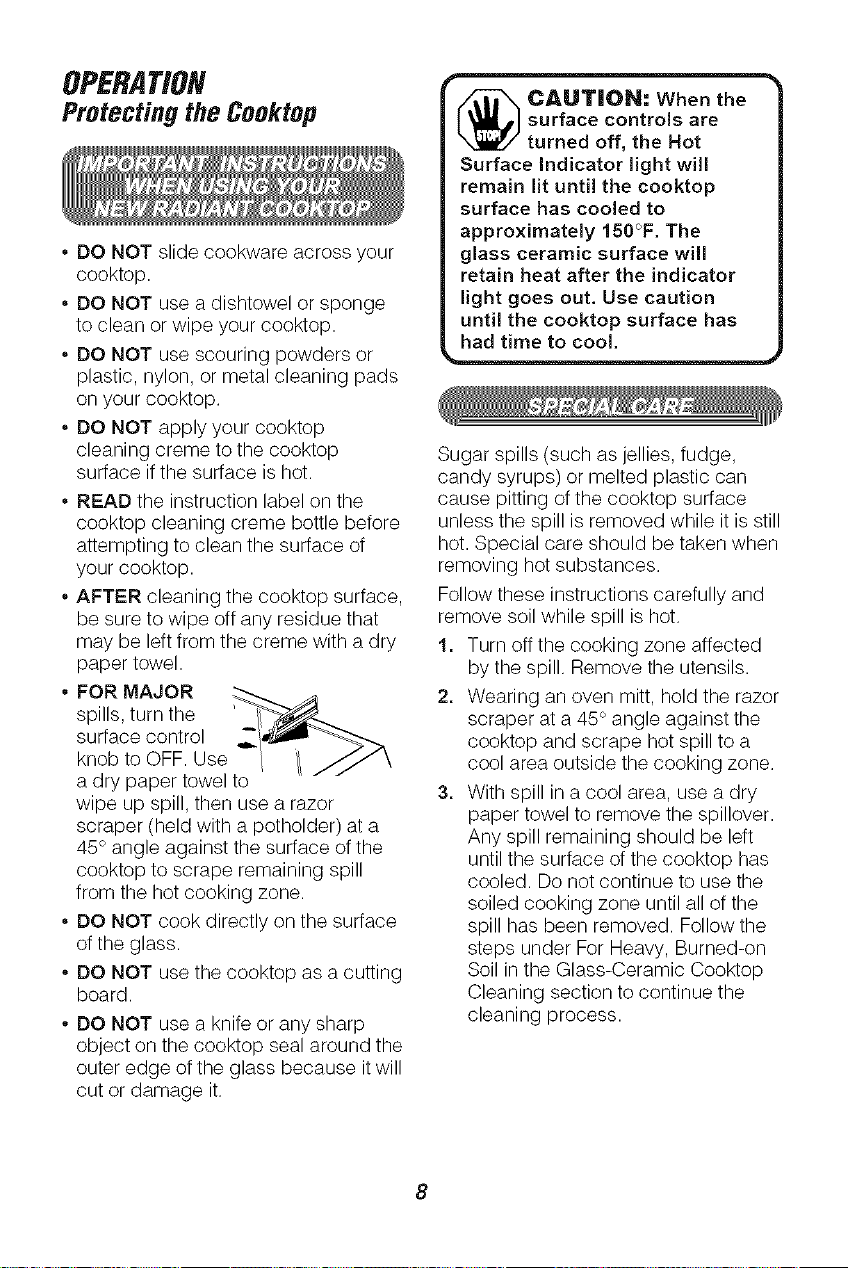
* FOR MAJOR
spills, turn the
surface control
knob to OFF. Use
a dry paper towel to
wipe up spill, then use a razor
scraper (held with a potholder) at a
45° angle against the surface of the
cooktop to scrape remaining spill
from the hot cooking zone.
* DO NOT cook directly on the surface
of the glass.
* DO NOT use the cooktop as a cutting
board.
* DO NOT use a knife or any sharp
object on the cooktop seal around the
outer edge of the glass because it will
cut or damage it.
m
CAUTION: When the /
surfacecontrolsare /
turned off, the Hot |
Surface Indicator light will |
remain lit until the cooktop |
surface has cooled to |
approximately 150°F. The |
glass ceramic surface will |
retain heat after the indicator |
light goes out. Use caution |
until !he cooktop surface has |
had time to cool.
Sugar spills (such as jellies, fudge,
candy syrups) or melted plastic can
cause pitting of the cooktop surface
unless the spill is removed while it is still
hot. Special care should be taken when
removing hot substances.
Follow these instructions carefully and
remove soil while spill is hot.
1, Turn off the cooking zone affected
by the spill. Remove the utensils.
2, Wearing an oven mitt, hold the razor
scraper at a 45° angle against the
cooktop and scrape hot spill to a
cool area outside the cooking zone.
3, With spill in a cool area, use a dry
paper towel to remove the spillover.
Any spill remaining should be left
until the surface of the cooktop has
cooled. Do not continue to use the
soiled cooking zone until all of the
spill has been removed. Follow the
steps under For Heavy, Burned-on
Soil in the Glass-Ceramic Cooktop
Cleaning section to continue the
cleaning process.
8
OPERATION
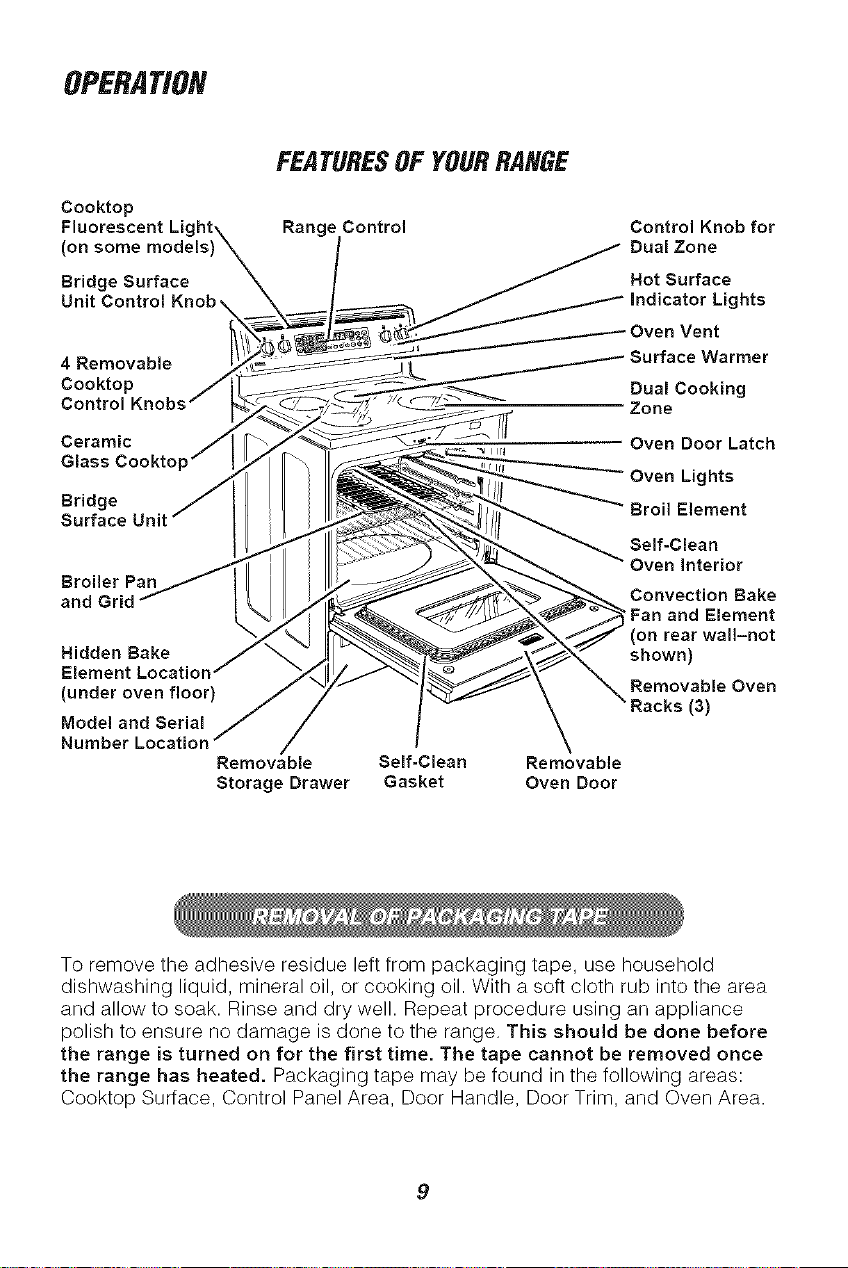
Cooktop
Fluorescent Lk
(on some models)
Bridge Surface
Unit Control
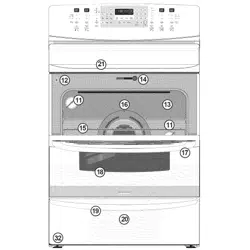
FEATURESOF YOURRANGE
Range Control
Control Knob for
Dual Zone
Hot Surface
ghts
4 Removable
Cooktop
Control
Ceramic
Glass Cookto
Bridge
Broiler Pan
Hidden Bake
(under oven floor)
Model and Serial
Number
Removable
Storage Drawer
Self-Clean Removable
Gasket Oven Door
Dual Cooking
Zone
Oven Door Latch
Oven Lights
Self-Clean
Oven Interior
Convection Bake
Fan and Element
on rear wal!-not
shown)
Removable Oven
(3)
To remove the adhesive residue left from packaging tape, use household
dishwashing liquid, mineral oil, or cooking oil. With a soft cloth rub into the area
and allow to soak. Rinse and dry well. Repeat procedure using an appliance
polish to ensure no damage is done to the range. This should be done before
the range is turned on for the first time. The tape cannot be removed once
the range has heated. Packaging tape may be found in the following areas:
Cooktop Surface, Control Panel Area, Door Handle, Door Trim, and Oven Area.
OPERATION
RadiantCooktopCooking
Before using your new radiant
cooktop, clean it with the Cooktop
Cleaning Creme ®.This will leave a
protective coating.
NOTE: On models with white
glass-ceramic, it is normal for the
surface to appear discolored when
cooking zones are hot. This is
temporary and will disappear as
the glass cools.
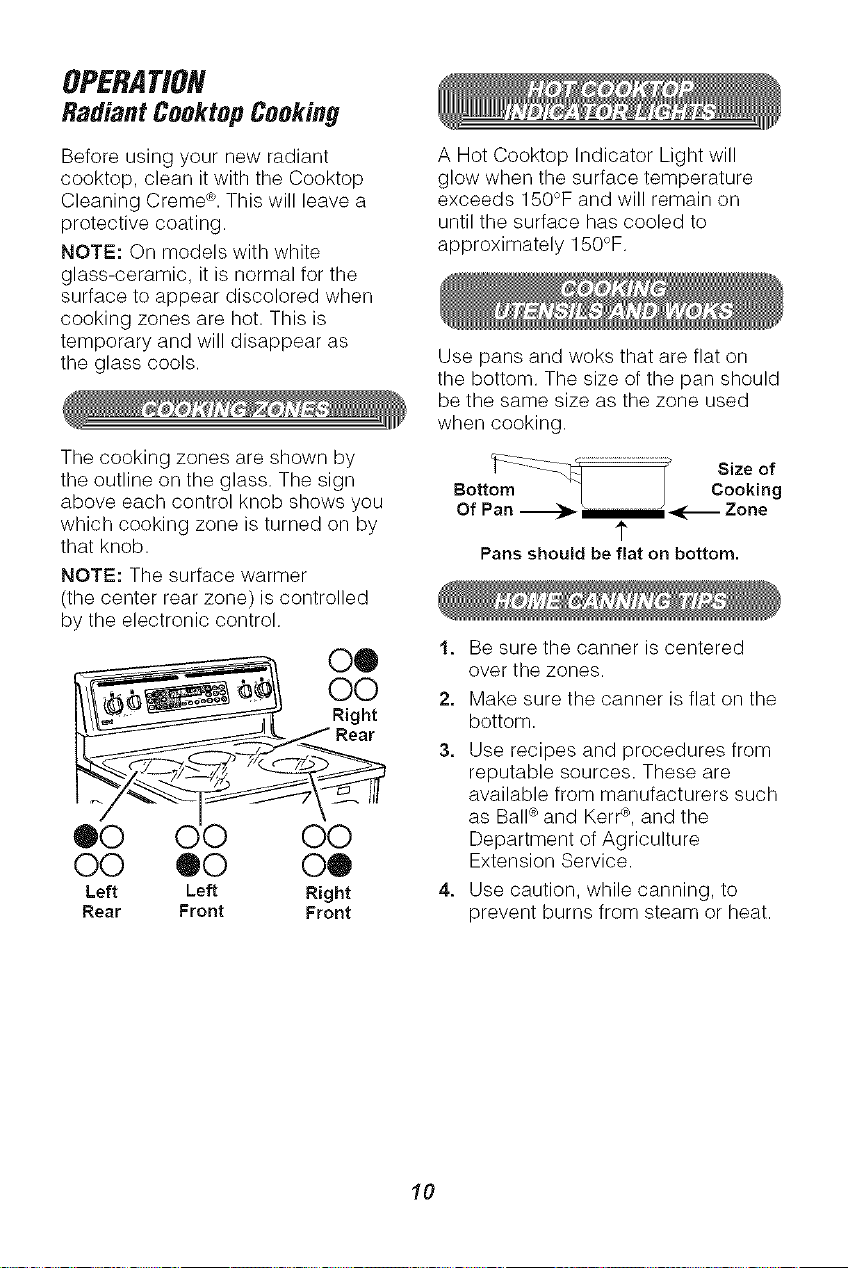
The cooking zones are shown by
the outline on the glass. The sign
above each control knob shows you
which cooking zone is turned on by
that knob.
NOTE: The surface warmer
(the center rear zone) is controlled
by the electronic control.
00
O0
Right
Rear
®0 O0
O0 00 O®
Left Left Right
Rear Front Front
A Hot Cooktop Indicator Light will
glow when the surface temperature
exceeds 150°F and will remain on
until the surface has cooled to
approximately 150°F.
Use pans and woks that are flat on
the bottom. The size of the pan should
be the same size as the zone used
when cooking.
_:::Z:Z._::::::::::::::_ Size of
Bottom I Cooking
Of Pan _ _............._;_-_ Zone
1"
Pans ehouJd be flat on bottom.
1, Be sure the canner is centered
over the zones.
2, Make sure the canner is flat on the
bottom.
3, Use recipes and procedures from
reputable sources. These are
available from manufacturers such
as Ball¢ and Kerr¢, and the
Department of Agriculture
Extension Service.
4, Use caution, while canning, to
prevent burns from steam or heat.
10
OPERATION
RadiantCooktopCooking(cont.)
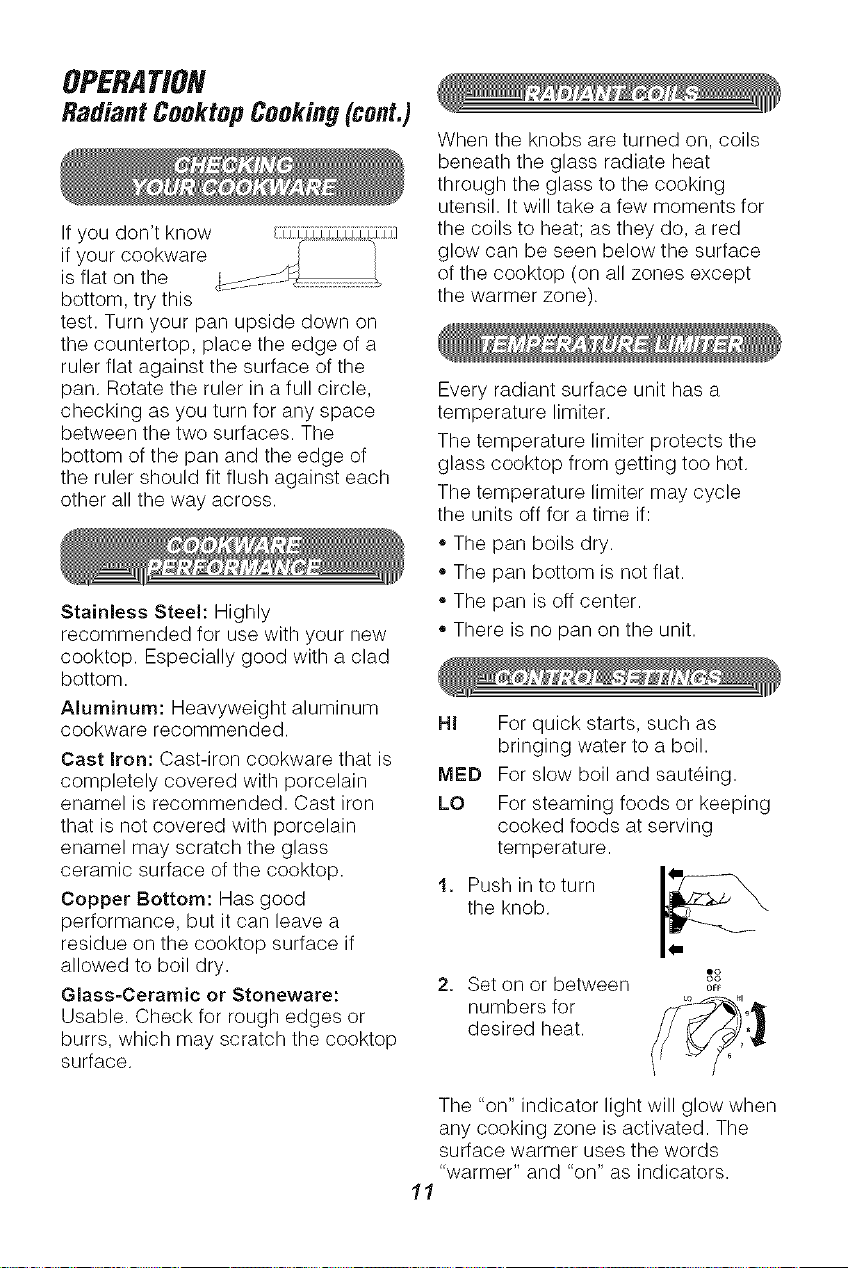
If you don't know :::d::¢Y_:_i:;Y7}:l
if your cookware
is flat on the
bottom, try this
test. Turn your pan upside down on
the countertop, place the edge of a
ruler flat against the surface of the
pan. Rotate the ruler in a full circle,
checking as you turn for any space
between the two surfaces. The
bottom of the pan and the edge of
the ruler should fit flush against each
other all the way across.
Stainless Steel: Highly
recommended for use with your new
cooktop. Especially good with a clad
bottom.
Aluminum: Heavyweight aluminum
cookware recommended.
Cast Iron: Cast-iron cookware that is
completely covered with porcelain
enamel is recommended. Cast iron
that is not covered with porcelain
enamel may scratch the glass
ceramic surface of the cooktop.
Copper Bottom: Has good
performance, but it can leave a
residue on the cooktop surface if
allowed to boil dry.
Glass=Ceramic or Stoneware:
Usable. Check for rough edges or
burrs, which may scratch the cooktop
surface.
When the knobs are turned on, coils
beneath the glass radiate heat
through the glass to the cooking
utensil. It will take a few moments for
the coils to heat; as they do, a red
glow can be seen below the surface
of the cooktop (on all zones except
the warmer zone).
Every radiant surface unit has a
temperature limiter.
The temperature limiter protects the
glass cooktop from getting too hot.
The temperature limiter may cycle
the units off for a time if:
• The pan boils dry.
,,The pan bottom is not flat.
• The pan is off center.
,,There is no pan on the unit.
HI For quick starts, such as
bringing water to a boil.
MED For slow boil and sauteing.
LO For steaming foods or keeping
cooked foods at serving
temperature.
1. Push in to turn I_--_
the knob.
o'3
2. Set on or between o_F
numbers for _° "_
desired heat. _,/_'_i '
J
The "on" indicator light will glow when
any cooking zone is activated. The
surface warmer uses the words
"warmer" and "on" as indicators.
11
OPERATION
RadiantCooktopCooking(cont.)
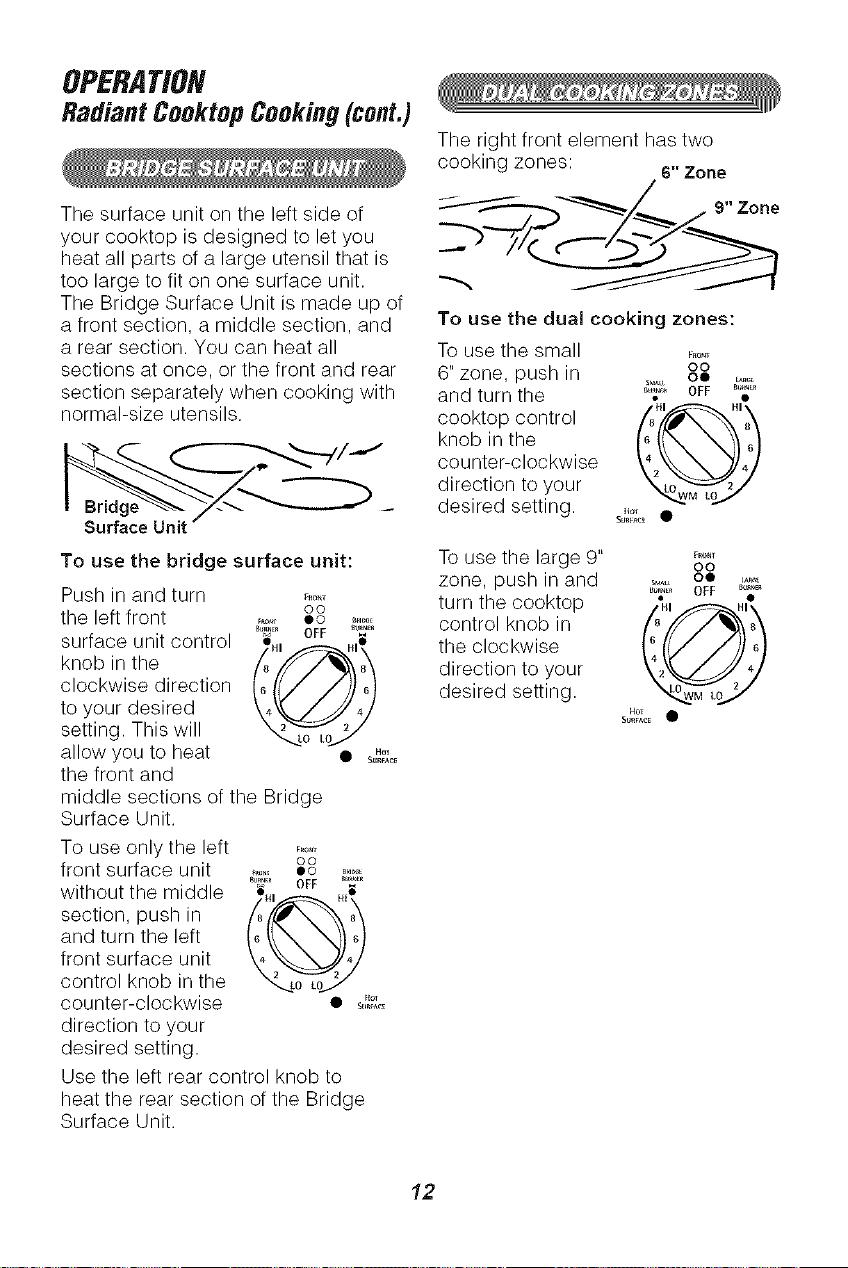
The surface unit on the left side of
your cooktop is designed to let you
heat all parts of a large utensil that is
too large to fit on one surface unit.
The Bridge Surface Unit is made up of
a front section, a middle section, and
a rear section. You can heat all
sections at once, or the front and rear
section separately when cooking with
normal-size utensils.
To use the bridge surface unit:
Push in and turn F_O_I
CO
the left front _,_, co .....
surface unit control _. _[_'_ ....
knob in the /8 '// /_'_x 8\
clockwise direction _Q__4/_
to your desired 4 4
setting. This will
",_0 LO_
allow you to heat • .o,
S,mFA_
the front and
middle sections of the Bridge
Surface Unit.
To use only the left
front surface unit
without the middle
section, push in
and turn the left
front surface unit
control knob in the
counter-clockwise
direction to your
desired setting.
CO
OFF
HI H_
6 6
4 4
",_o _o_
• Eto_
S_m_A_
Use the left rear control knob to
heat the rear section of the Bridge
Surface Unit.
The right front element has two
cooking zones:
6" Zone
To use the dual cooking zones:
To use the small _°o,.
6" zone, push in o°°
and turn the _I,,_,_','_ OFF #_%•
_1 HI
cooktop control 48Lu_Lo 2'_
knob in the 6
counter-clockwise _
direction to your
desired setting ......
To use the large 9" _.....
co
zone, push in and ,,i_ oe _&
OFF
turn the cooktop % ._
control knob in /'8/_/_/_'_ 8_
the clockwise
direction to your 2 4
desired setting, u L
t4OT
SUb,ACE •
12
OPERATION
RadiantCooktopCooking(cont.)
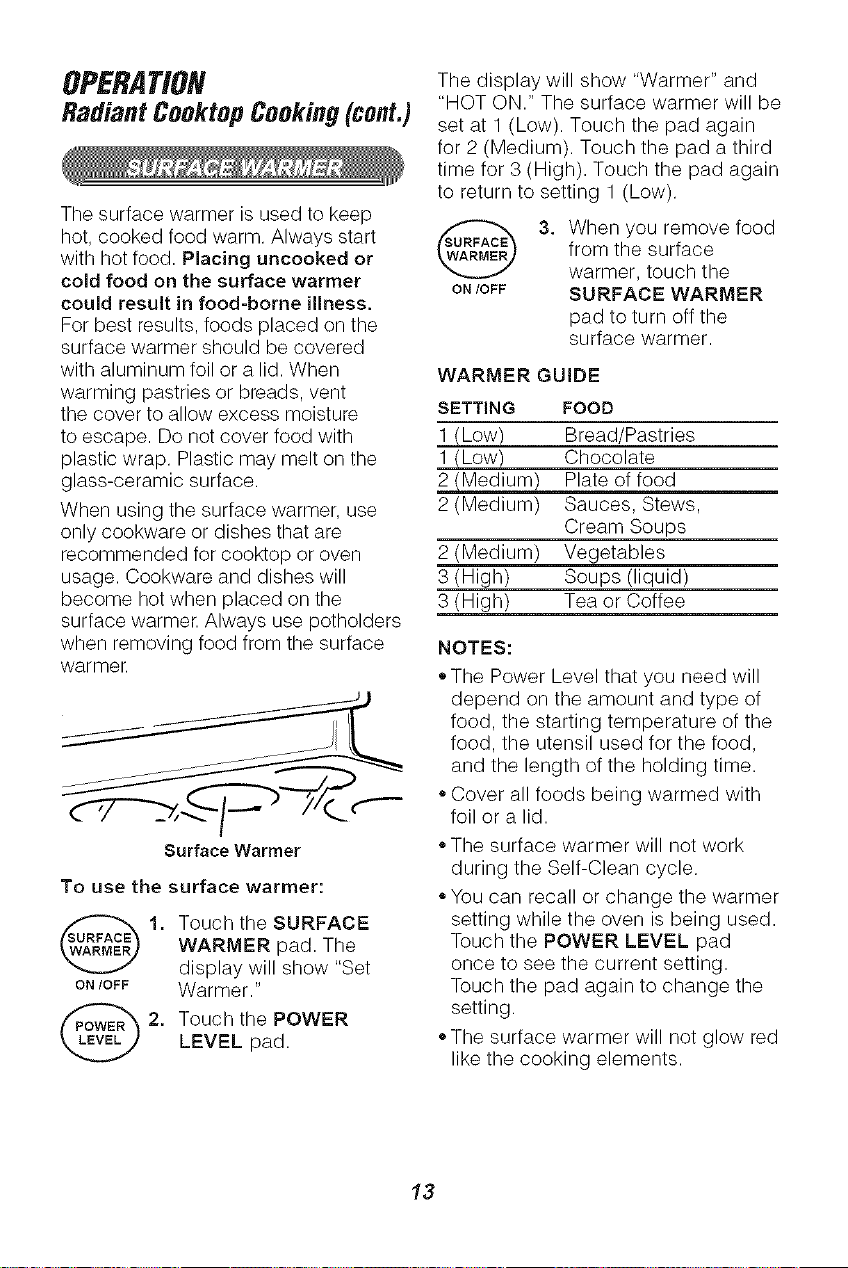
The display will show 'Warmer" and
"HOT ON." The surface warmer will be
set at 1 (Low). Touch the pad again
for 2 (Medium). Touch the pad a third
time for 3 (High). Touch the pad again
to return to setting 1 (Low).
The surface warmer is used to keep
hot, cooked food warm. Always start _SURFACE_
with hot food. Placing uncooked or
cold food on the surface warmer ON/OFF
could result in food-borne illness.
For best results, foods placed on the
surface warmer should be covered
with aluminum foil or a lid. When
warming pastries or breads, vent
the cover to allow excess moisture SETTING
to escape. Do not cover food with 1 (Low)
plastic wrap. Plastic may melt on the 1 (Low)
glass-ceramic surface. 2 (Medium)
When using the surface warmer, use 2 (Medium)
only cookware or dishes that are
recommended for cooktop or oven 2 (Medium)
usage. Cookware and dishes will 3 (High)
become hot when placed on the 3 (High)
surface warmer. Always use potholders
when removing food from the surface
warmer.
Surface Warmer
To use the surface warmer:
1, ouch the SURFACE
WARMER pad. The
display will show "Set
ON/OFF Warmer."
2. Touch the POWERLEVEL pad.
3. When you remove food
from the surface
warmer, touch the
SURFACE WARMER
pad to turn off the
surface warmer.
WARMERGUIDE
FOOD
Bread/Pastries
Chocolate
Plate of food
Sauces, Stews,
Cream Soups
Vegetables
Soups (liquid)
Tea or Coffee
NOTES:
• The Power Level that you need will
depend on the amount and type of
food, the starting temperature of the
food, the utensil used for the food,
and the length of the holding time.
,,Cover all foods being warmed with
foil or a lid.
,,The surface warmer will not work
during the Self-Clean cycle.
,,You can recall or change the warmer
setting while the oven is being used.
Touch the POWER LEVEL pad
once to see the current setting.
Touch the pad again to change the
setting.
,,The surface warmer will not glow red
like the cooking elements.
13
OPERATION
OvenControl,Clock,and Timer
©@
e®®®@@
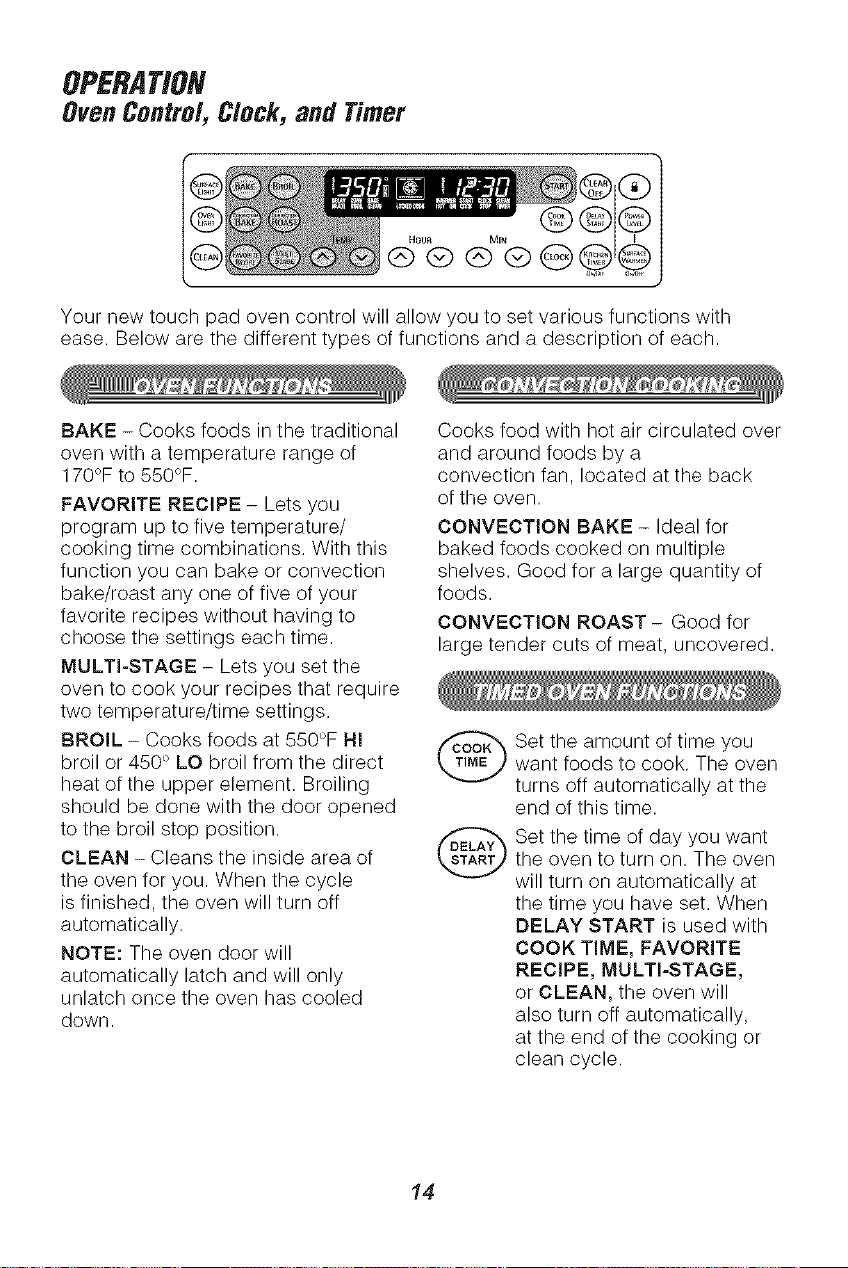
Your new touch pad oven control will allow you to set various functions with
ease. Below are the different types of functions and a description of each.
BAKE - Cooks foods in the traditional
oven with a temperature range of
170°F to 550°F,
FAVORITE RECIPE - Lets you
program up to five temperature/
cooking time combinations, With this
function you can bake or convection
bake/roast any one of five of your
favorite recipes without having to
choose the settings each time,
MULTI-STAGE - Lets you set the
oven to cook your recipes that require
two temperature/time settings,
BROIL - Cooks foods at 550°F HI
broil or 450 ° LO broil from the direct
heat of the upper element, Broiling
should be done with the door opened
to the broil stop position,
CLEAN - Cleans the inside area of
the oven for you, When the cycle
is finished, the oven will turn off
automatically,
NOTE: The oven door will
automatically latch and will only
unlatch once the oven has cooled
down,
Cooks food with hot air circulated over
and around foods by a
convection fan, located at the back
of the oven.
CONVECTION BAKE - Ideal for
baked foods cooked on multiple
shelves. Good for a large quantity of
foods.
CONVECTION ROAST- Good for
large tender cuts of meat, uncovered.
Set the amount of time you
want foods to cook. The oven
turns off automatically at the
end of this time.
Set the time of day you want
the oven to turn on. The oven
will turn on automatically at
the time you have set. When
DELAY START is used with
COOK TIME, FAVORITE
RECIPE, MULTI-STAGE,
or CLEAN, the oven will
also turn off automatically,
at the end of the cooking or
clean cycle.
14
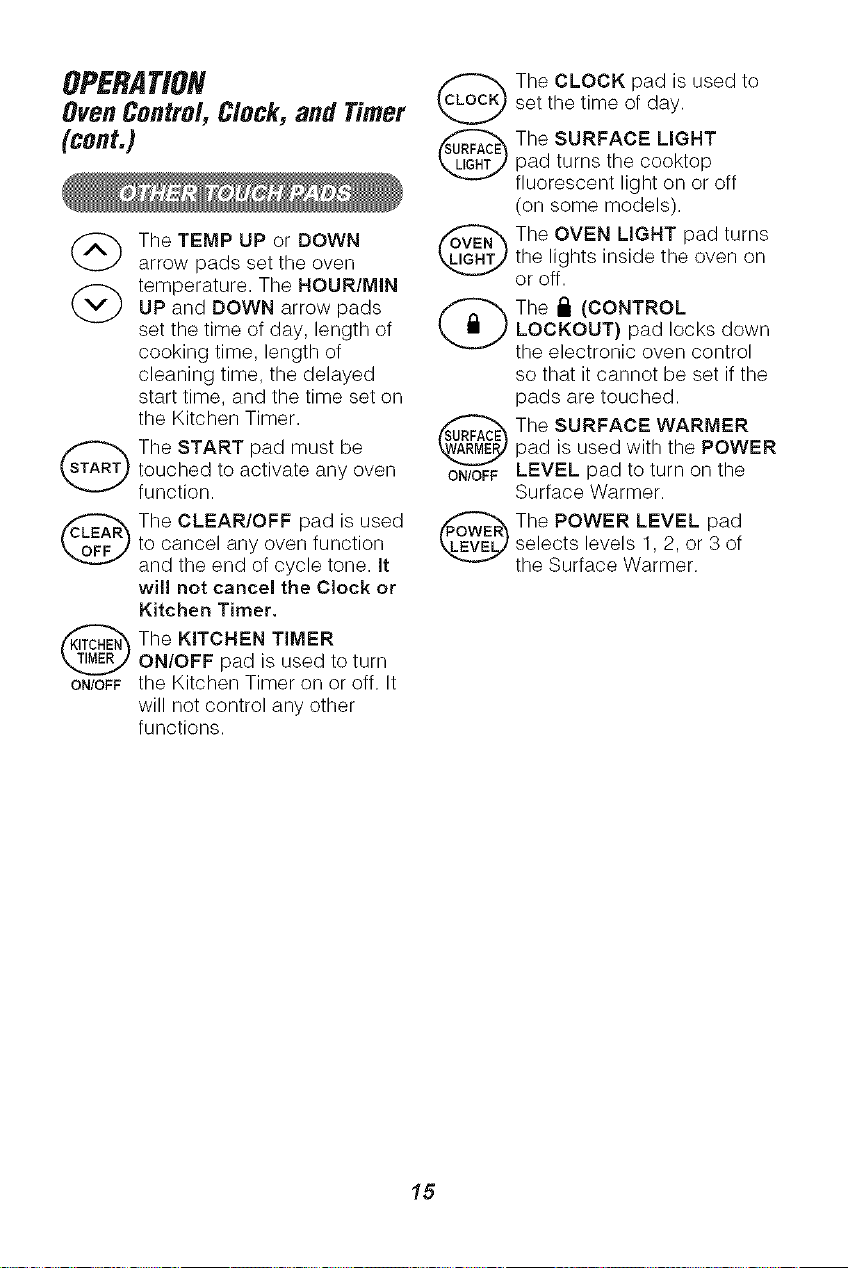
OPERATION
Oven Centre/, C/ock, and Timer
(cent.)
The TEMP UP or DOWN
arrow pads set the oven
(_) temperature. The HOUR/MIN
UP and DOWN arrow pads
set the time of day, length of
cooking time, length of
cleaning time, the delayed
start time, and the time set on
the Kitchen Timer.
The START pad must be
touched to activate any oven ON/OFF
function.
The CLEAR/OFF pad is used
to cancel any oven function
and the end of cycle tone. It
wil! not cancel the Clock or
Kitchen Timer.
The KITCHEN TIMER
ON/OFF pad is used to turn
ON/OFFthe Kitchen Timer on or off. It
will not control any other
functions.
The CLOCK pad is used to
set the time of day.
The SURFACE LIGHT
pad turns the cooktop
fluorescent light on or off
(on some models),
The OVEN LIGHT pad turns
the lights inside the oven on
or off.
The I_ (CONTROL
LOCKOUT) pad locks down
the electronic oven control
so that it cannot be set if the
pads are touched.
The SURFACE WARMER
pad is used with the POWER
LEVEL pad to turn on the
Surface Warmer.
The POWER LEVEL pad
selects levels 1, 2, or 3 of
the Surface Warmer.
15
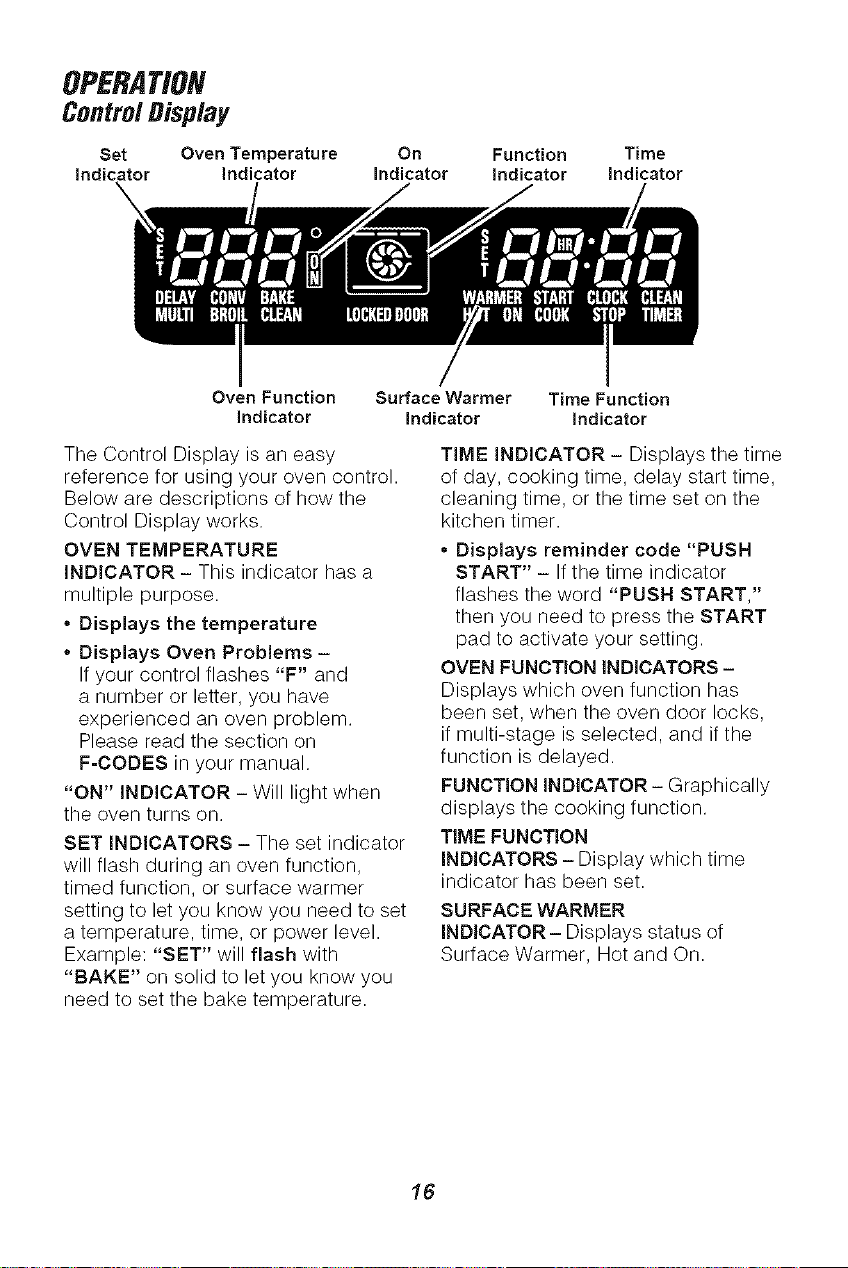
OPERATION
ControlDisplay
Set Oven Temperature On Function Time
indicator indicator Indicator indicator Indicator
Oven Function Surface Warmer Time Function
Indicator Indicator Indicator
The Control Display is an easy
reference for using your oven control.
Below are descriptions of how the
Control Display works.
OVEN TEMPERATURE
iNDiCATOR - This indicator has a
multiple purpose.
• Displays the temperature
• Displays Oven Problems -
If your control flashes "F" and
a number or letter, you have
experienced an oven problem.
Please read the section on
F=CODES in your manual.
"ON" INDICATOR - Will light when
the oven turns on.
SET INDICATORS - The set indicator
will flash during an oven function,
timed function, or surface warmer
setting to let you know you need to set
a temperature, time, or power level.
Example: "SET" will flash with
"BAKE" on solid to let you know you
need to set the bake temperature.
TIME INDICATOR - Displays the time
of day, cooking time, delay start time,
cleaning time, or the time set on the
kitchen timer.
* Displays reminder code "PUSH
START" - If the time indicator
flashes the word "PUSH START,"
then you need to press the START
pad to activate your setting.
OVEN FUNCTION INDICATORS -
Displays which oven function has
been set, when the oven door locks,
if multi-stage is selected, and if the
function is delayed.
FUNCTION INDICATOR- Graphically
displays the cooking function.
TIME FUNCTION
iNDiCATORS - Display which time
indicator has been set.
SURFACE WARMER
INDICATOR- Displays status of
Surface Warmer, Hot and On.
16
OPERATION
OvenControl,Clock,and Timer
The clock must be set for the correct
time of day before a delayed oven
function can work properly. The time
of day cannot be changed during
a timed oven function, but can be
changed during a bake or broil
function.
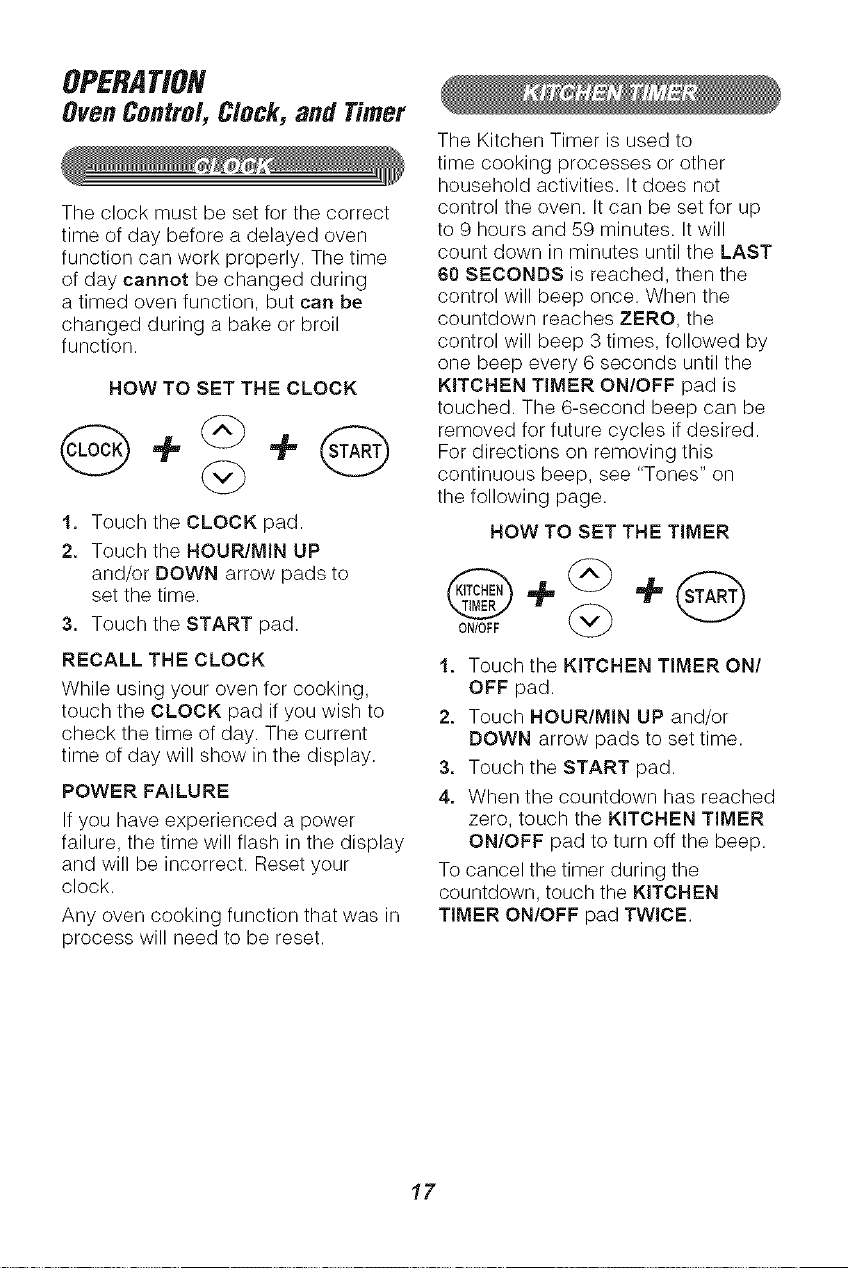
HOW TO SET THE CLOCK
1. Touch the CLOCK pad.
2. Touch the HOUR/MIN UP
and/or DOWN arrow pads to
set the time.
3. Touch the START pad.
RECALL THE CLOCK
While using your oven for cooking,
touch the CLOCK pad if you wish to
check the time of day. The current
time of day will show in the display.
POWER FAILURE
If you have experienced a power
failure, the time will flash in the display
and will be incorrect. Reset your
clock.
Any oven cooking function that was in
process will need to be reset.
The Kitchen Timer is used to
time cooking processes or other
household activities. It does not
control the oven. It can be set for up
to 9 hours and 59 minutes. It will
count down in minutes until the LAST
60 SECONDS is reached, then the
control will beep once. When the
countdown reaches ZERO, the
control will beep 3 times, followed by
one beep every 6 seconds until the
KITCHEN TIMER ON/OFF pad is
touched. The 6-second beep can be
removed for future cycles if desired.
For directions on removing this
continuous beep, see "Tones" on
the following page.
HOW TO SET THE TIMER
0N/0FF {_
1. Touch the KITCHEN TIMER ON/
OFF pad.
2. Touch HOUR/MIN UP and/or
DOWN arrow pads to set time.
3. Touch the START pad.
4. When the countdown has reached
zero, touch the KITCHEN TIMER
ON/OFF pad to turn off the beep.
To cancel the timer during the
countdown, touch the KITCHEN
TIMER ON/OFF pad TWICE.
17
OPERATION
Oven Centre/, C/ock, and Timer
(cont.)
Your new control has a series of
tones that will sound at different times.
These tones may sound while you set
the control for an oven function, or at
the end of the oven function. It will
also alert you that there may be a
problem with the functions. Below
are the types of tones and a brief
description of each.
TONES WHILE SETTING THE
CONTROL - When you touch a pad,
you will hear a beep. This beep will
let you know that the pad has been
activated. (The arrow pads do not
beep.)
END OF TIMED CYCLE TONE-
At the end of a timed cooking
function, you will hear 3 short beeps
followed by 1 beep every 6 seconds.
This beep will continue to sound
every 6 seconds until the CLEAR/
OFF pad is touched or you may
select the special feature to cancel
this 6-second beep from sounding
at the end of future cycles.
TO CANCEL THE 6-SECOND BEEP
1. Touch and hold the BAKE and
BROIL pads, at the same time
for 3 seconds, until the display
shows "SF."
2. Touch the KITCHEN TIMER ON/
OFF pad. The display will show
"con bEEP" (continuous beep).
3. Touch the KITCHEN TIMER ON/
OFF pad again. The display will
show "bEEP" (beep canceled).
4. Touch the START pad to cancel
the 6-second beep and leave the
special feature mode.
If you would like to return the
6-second beep, repeat steps above
until the display shows your choice
and touch the START pad.
ATTENTION TONE - This tone will
sound if you make an error or an
oversight is made while setting an
oven function.
Examples would be:
a. Setting a clean cycle and the oven
door is not properly closed.
b. Setting function and not pressing
the START pad.
c. Touching an additional function
pad without first setting a
temperature or time.
Any of these can be quickly identified
by watching the display.
PREHEAT TONE - When you
set an oven temperature, the oven
automatically starts to heat. When the
temperature inside the oven reaches
the temperature you have set, a tone
will sound to let you know the oven is
ready for baking.
If you set an oven function and the
control beeps while the display is
flashing "F" and a number or letter
such as "F4" or "Fd," there may be a
problem with the control or oven.
Touch the CLEAR/OFF pad. If the
function code repeats, disconnect
all power to the range for at least 30
seconds and then reconnect the
power. Try setting the function again.
If the code repeats again, write down
the flashing code and call for service.
Tell the technician what code was
flashing.
18
OPERATION
OvenCookingTips
It is normal to have some odor when
using your oven for the first time. To
help eliminate this odor, ventilate the
room by opening a window or
using a vent hood.
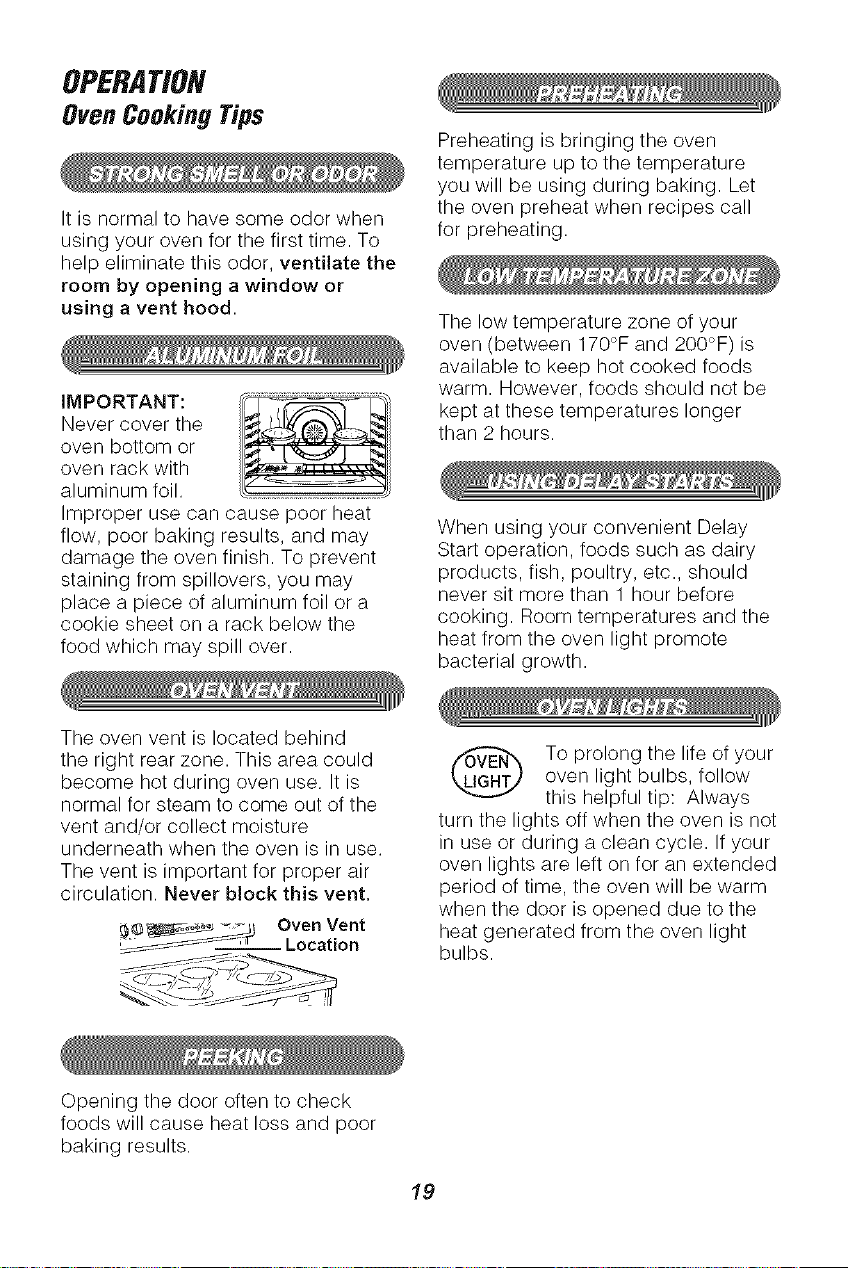
IMPORTANT:
Never cover the
oven bottom or
oven rack with
aluminum foil.
Improper use can cause poor heat
flow, poor baking results, and may
damage the oven finish. To prevent
staining from spillovers, you may
place a piece of aluminum foil or a
cookie sheet on a rack below the
food which may spill over.
Preheating is bringing the oven
temperature up to the temperature
you will be using during baking. Let
the oven preheat when recipes call
for preheating.
The low temperature zone of your
oven (between 170°F and 200°F)is
available to keep hot cooked foods
warm. However, foods should not be
kept at these temperatures longer
than 2 hours.
When using your convenient Delay
Start operation, foods such as dairy
products, fish, poultry, etc., should
never sit more than 1 hour before
cooking. Room temperatures and the
heat from the oven light promote
bacterial growth.
The oven vent is located behind
the right rear zone. This area could
become hot during oven use. It is
normal for steam to come out of the
vent and/or collect moisture
underneath when the oven is in use.
The vent is important for proper air
circulation. Never block this vent.
__ Oven Vent
_--_-_ .Location
To prolong the life of your
oven light bulbs, follow
this helpful tip: Always
turn the lights off when the oven is not
in use or during a clean cycle. If your
oven lights are left on for an extended
period of time, the oven will be warm
when the door is opened due to the
heat generated from the oven light
bulbs.
Opening the door often to check
foods will cause heat loss and poor
baking results.
19
OPERATION
OvenCookingTips(cont.)
Most recipes for baking have been
developed using high-fat products
such as butter or margarine (80% fat
by weight--the federal requirement
for products labeled "margarine").
You will get poor results if cakes, pies,
pastries, cookies, or candies are
made with low-fat spreads. Low-fat
spreads contain less fat and more
water. The high moisture content of
these spreads affects the texture and
flavor of favorite baked recipes. The
lower the fat content of a spread
product, the more noticeable these
differences become. To ensure best
results, use margarine, butter, or stick
spreads containing at least 70%
vegetable oil.
The bake element is under the oven
floor. Do not place food on the oven
bottom for cooking.
The Oven Temperature Sensor at the
back of the oven continuously senses
and controls the temperature inside
the oven. To keep a constant set
temperature, the elements will cycle
(turn on and off during cooking).
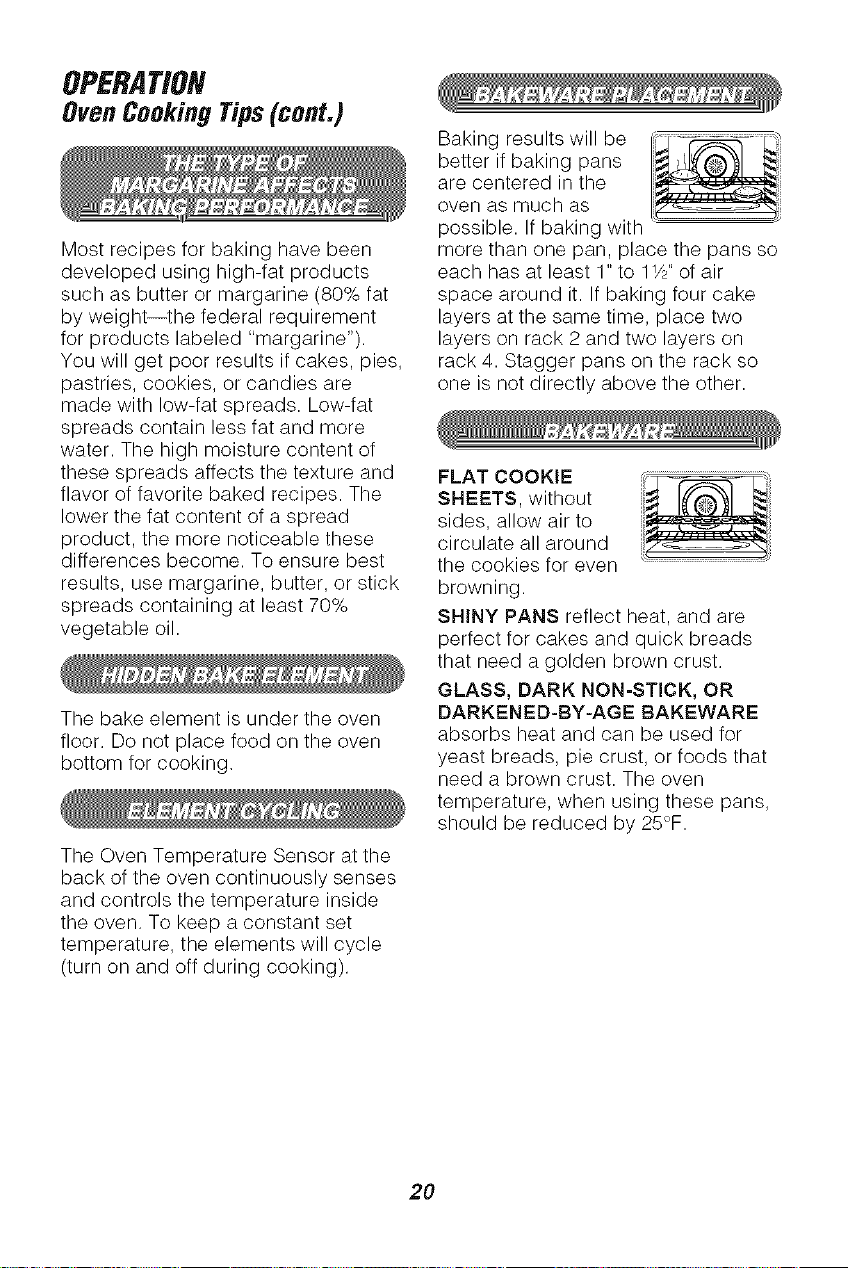
Baking results will be ] -_ L_"_
better if baking pans __._f_"_i
are centered in the
oven as much as __
possible. If baking with
more than one pan, place the pans so
each has at least 1" to 11/2"of air
space around it. If baking four cake
layers at the same time, place two
layers on rack 2 and two layers on
rack 4. Stagger pans on the rack so
one is not directly above the other.
FLAT COOKIE !!i_,
SHEETS, without
sides, allow air to
circulate all around
the cookies for even
browning.
SHINY PANS reflect heat, and are
perfect for cakes and quick breads
that need a golden brown crust.
GLASS, DARK NON=STICK, OR
DARKENED-BY-AGE BAKEWARE
absorbs heat and can be used for
yeast breads, pie crust, or foods that
need a brown crust. The oven
temperature, when using these pans,
should be reduced by 25°F.
2O
OPERATION
OvenCookingTips(cont.)
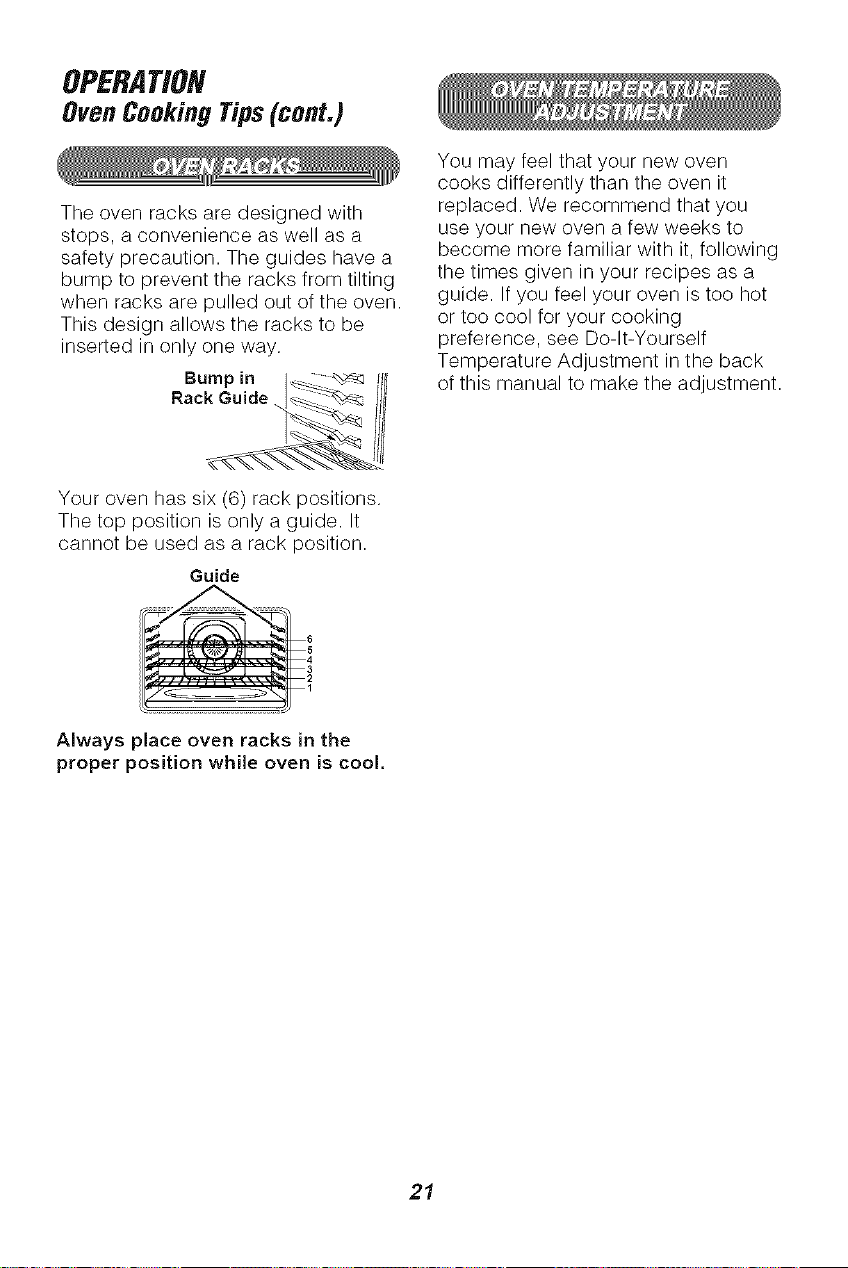
The oven racks are designed with
stops, a convenience as well as a
safety precaution. The guides have a
bump to prevent the racks from tilting
when racks are pulled out of the oven.
This design allows the racks to be
inserted in only one way.
Bumpin I_ _ !I_
Your oven has six (6) rack positions.
The top position is only a guide. It
cannot be used as a rack position.
Guide
_ ...................... 6
1
Always place oven racks in the
proper position while oven is cool,
You may feel that your new oven
cooks differently than the oven it
replaced. We recommend that you
use your new oven a few weeks to
become more familiar with it, following
the times given in your recipes as a
guide. If you feel your oven is too hot
or too cool for your cooking
preference, see Do-It-Yourself
Temperature Adjustment in the back
of this manual to make the adjustment.
21
G
Touch the BAKE pad.
3. Touch the COOK
TIME pad.
(_ 4. Touch the HOUR/MIN
UP or DOWN arrow
pads to set the amount
(_ of cooking time.
Touch the TEMP UP or ('S'rART'_
DOWN arrow pads to
set the oven temperature
you prefer to use.
5. Touch the START pad.
Touch the START pad.
When baking is finished,
touch the CLEAR/OFF
pad.
You can set the oven to turn on at a
later time of day, cook for a specific
amount of time, and turn off
automatically. Make sure the clock
is set correctly.
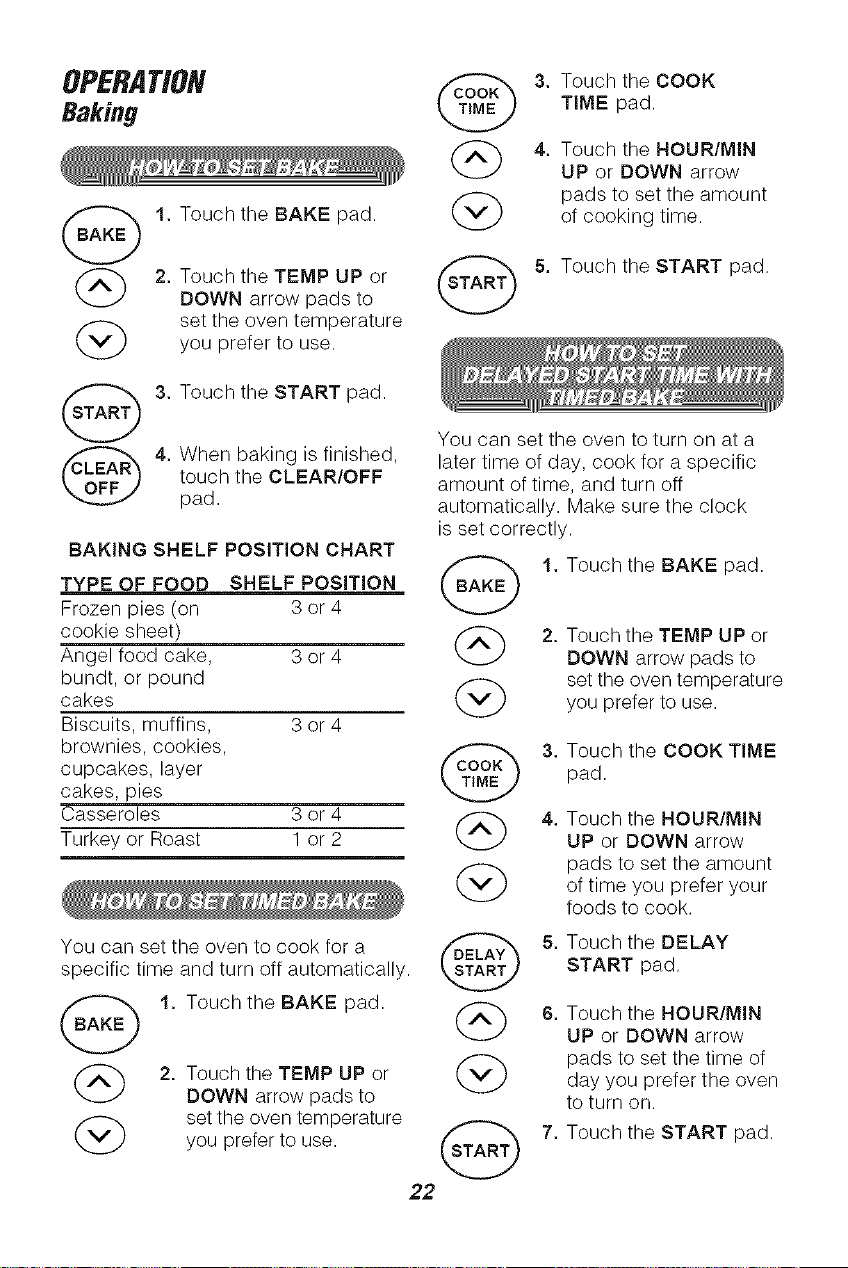
BAKING SHELF POSITION CHART
TYPE OF FOOD SHELF POSiTiON (BAKE _)
Frozen pies (on 3 or 4
cookie sheet)
Angel food cake, 3 or 4
bundt, or pound
cakes @
Biscuits, muffins, 3 or 4
brownies, cookies,
cupcakes, layer
cakes, pi
Casseroles 3 or 4
Turkey or Roast 1 or 2
@
You can set the oven to cook for a
specific time and turn off automatically.
1. Touch the BAKE pad.
2. Touch the TEMP UP or
DOWN arrow pads to
set the oven temperature
you prefer to use.
7b
G
1. Touch the BAKE pad.
2. Touch the TEMP UP or
DOWN arrow pads to
set the oven temperature
you prefer to use.
G
G
3. Touch the COOK TIME
pad.
4. Touch the HOUR/MIN
UP or DOWN arrow
pads to set the amount
of time you prefer your
foods to cook.
5. Touch the DELAY
START pad.
6. Touch the HOUR/MIN
UP or DOWN arrow
pads to set the time of
day you prefer the oven
to turn on.
7. Touch the START pad.
22
OPERATION
ConvectionBakingTips
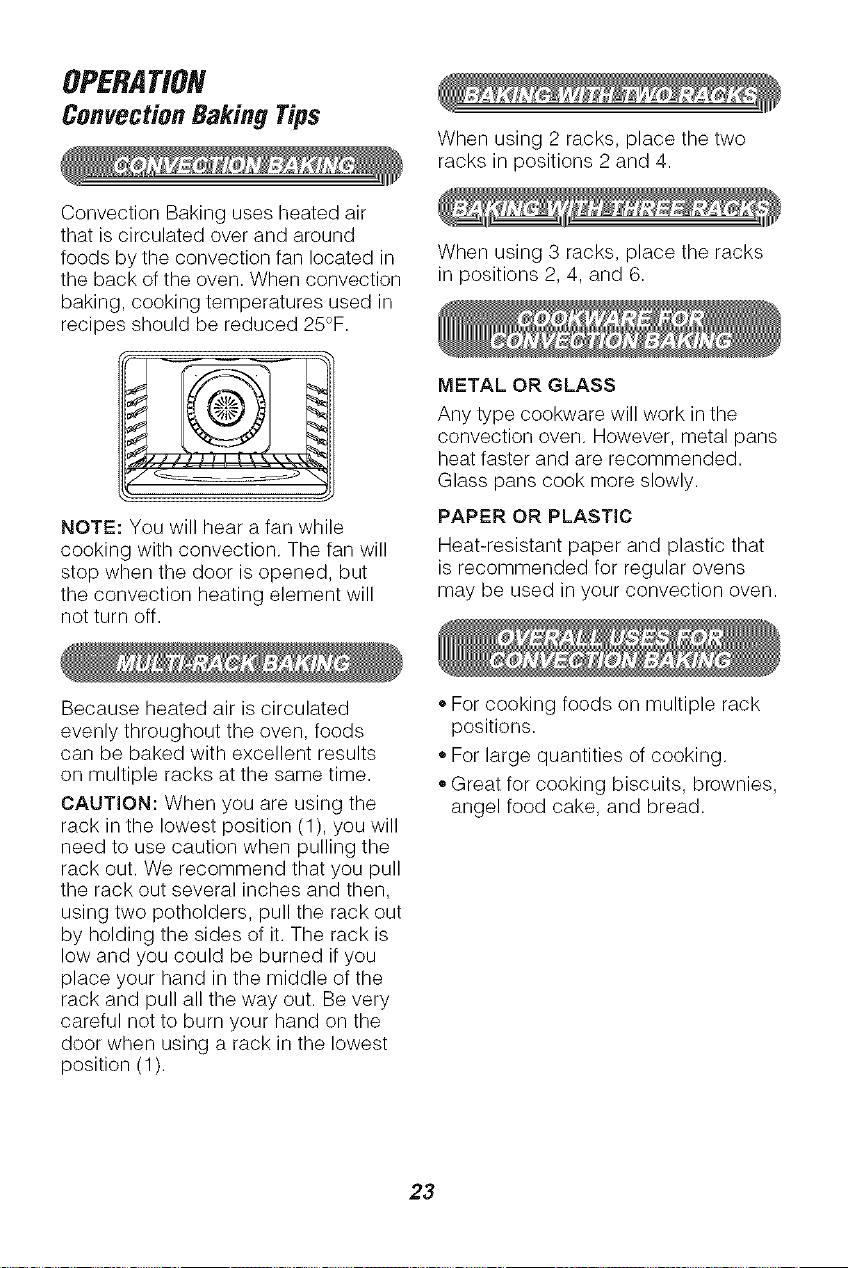
Convection Baking uses heated air
that is circulated over and around
foods by the convection fan located in
the back of the oven. When convection
baking, cooking temperatures used in
recipes should be reduced 25°F.
y .... . ,._
NOTE: You will hear a fan while
cooking with convection. The fan will
stop when the door is opened, but
the convection heating element will
not turn off.
When using 2 racks, place the two
racks in positions 2 and 4.
When using 3 racks, place the racks
in positions 2, 4, and 6.
METAL OR GLASS
Ally type cookware will work in the
convection oven. However, metal pans
heat faster and are recommended.
Glass pans cook more slowly.
PAPER OR PLASTIC
Heat-resistant paper and plastic that
is recommended for regular ovens
may be used in your convection oven.
Because heated air is circulated
evenly throughout the oven, foods
can be baked with excellent results
on multiple racks at the same time.
CAUTION: When you are using the
rack in the lowest position (1), you will
need to use caution when pulling the
rack out. We recommend that you pull
the rack out several inches and then,
using two potholders, pull the rack out
by holding the sides of it. The rack is
low and you could be burned if you
place your hand in the middle of the
rack and pull all the way out. Be very
careful not to burn your hand on the
door when using a rack in the lowest
position (1).
,,For cooking foods on multiple rack
positions.
,,For large quantities of cooking.
• Great for cooking biscuits, brownies,
angel food cake, and bread.
23
OPERATION
ConvectionRoastingTips
During Convection Roasting, heat
comes from the top element. The
convection fan circulates the heat
evenly around the food.
Meats cooked in a convection oven
are dark brown on the outside and
tender and juicy on the inside. In most
cases cooking time will be less when
using the Convection Roast feature.
Use the recommended roasting
temperature. Preheating is not
necessary. Check foods at the end of
suggested time. You may choose to
cook longer.
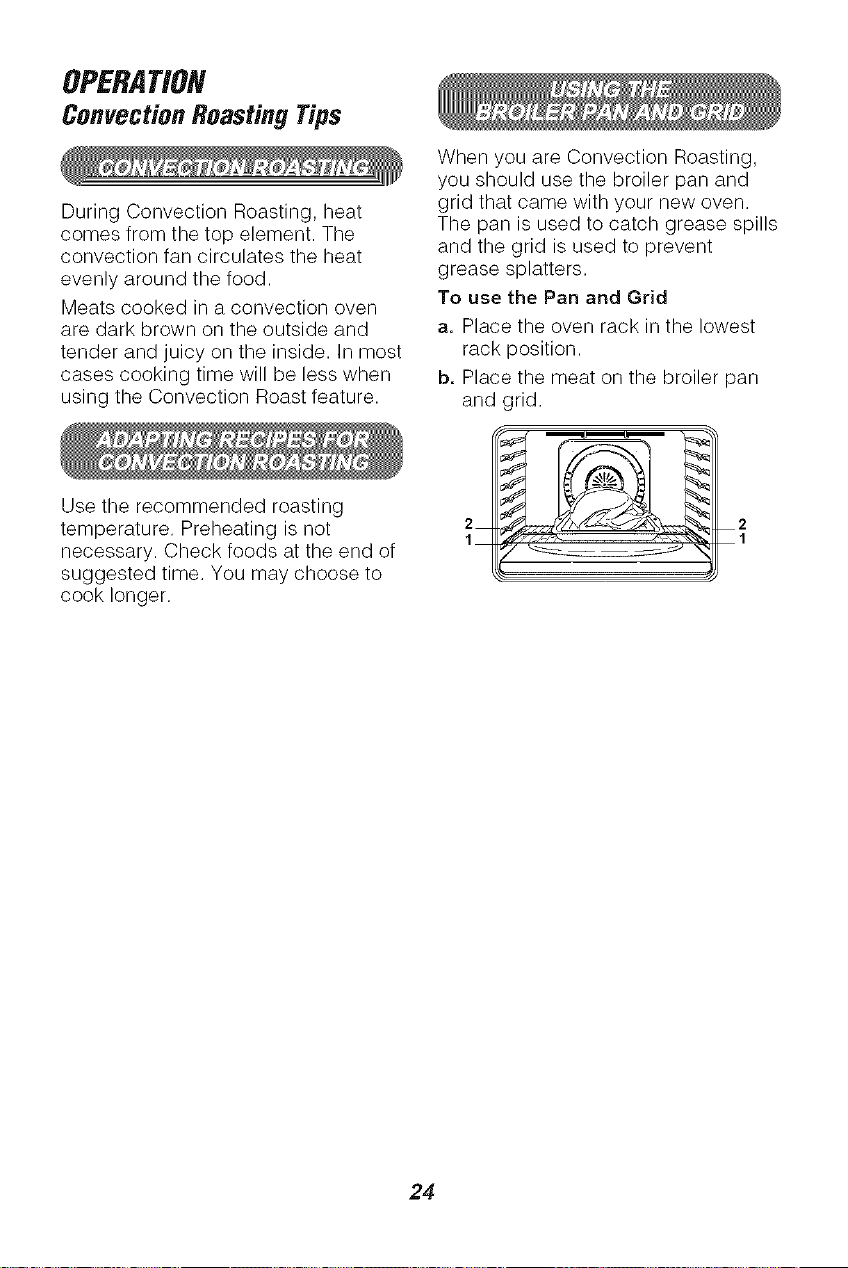
When you are Convection Roasting,
you should use the broiler pan and
grid that came with your new oven.
The pan is used to catch grease spills
and the grid is used to prevent
grease splatters.
To use the Pan and Grid
a. Place the oven rack in the lowest
rack position.
b. Place the meat on the broiler pan
and crid.
2
1
24
OPERATION
ConvectionRoastingTips(cont.)
MEATS
Beef
Pork
Ham
Lamb
Seafood
Poultry
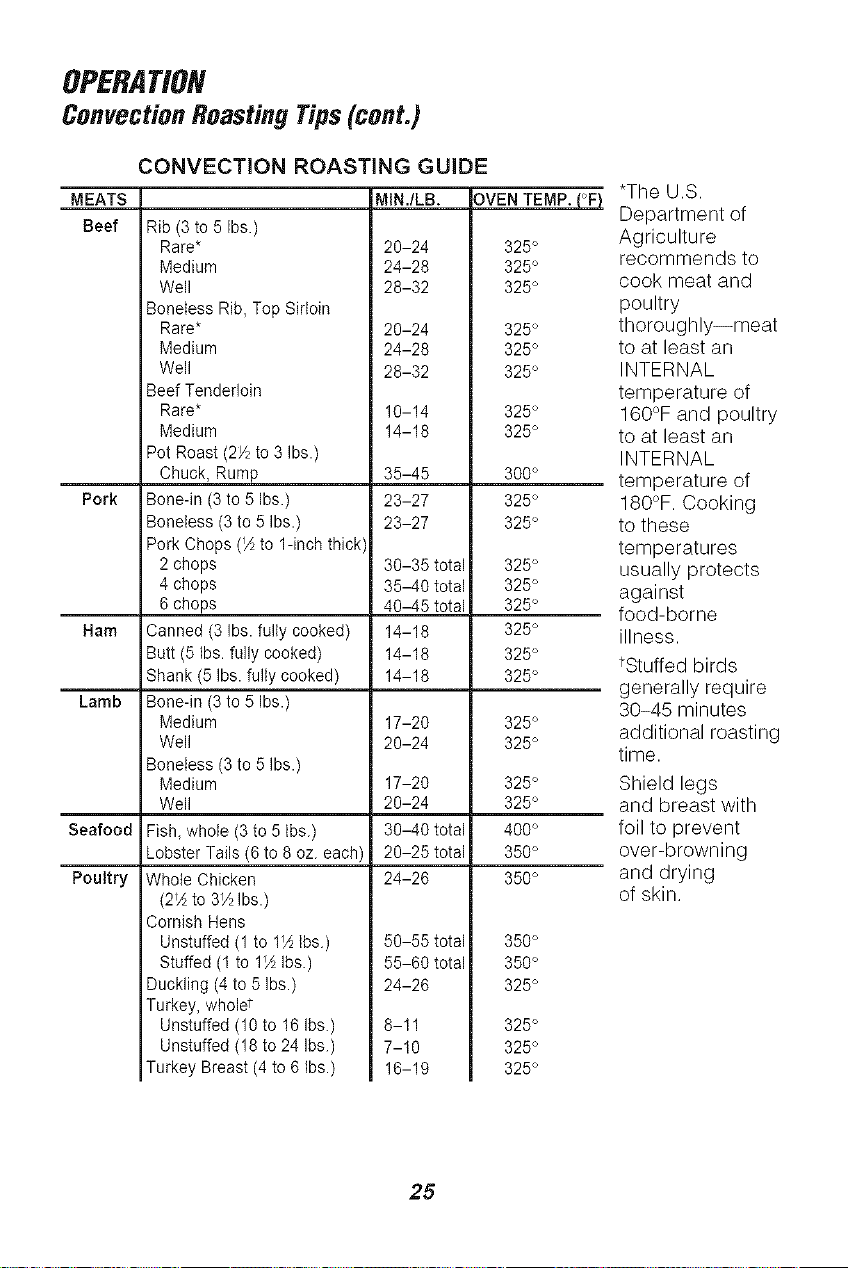
CONVECTION ROASTING GUIDE
MIN./LB, OVEN TEMP. (°F)
Rib (3 to 5 Ibs.)
Rare*
Medium
Well
Boneless Rib, Top Sirloin
Rare*
Medium
Well
Beef Tenderloin
Rare*
Medium
Pot Roast (2/_ to 3 Ibs.)
Chuck, Rump
Bone-in (3 to 5 Ibs.)
Boneless (3 to 5 Ibs.)
Pork Chops (A to 1-inch thick
2 chops
4 chops
6 chops
Canned (3 Ibs. fully cooked)
Butt (5 Ibs. fully cooked)
Shank (5 Ibs. fully cooked)
Bone-in (3 to 5 Ibs.)
Medium
Well
Boneless (3 to 5 Ibs.)
Medium
Well
Fish, whole (3 to 5 Ibs.)
Lobster Tails (6 to 8 oz. each)
Whole Chicken
(2"A to 3_AIbs.)
Cornish Hens
Unstuffed (1 to t½ {bs.)
Stuffed (1 to 1½ Ibs.)
Duckling (4 to 5 Ibs.)
Turkey, wholet
Unstuffed (10 to 16 Ibs.)
Unstuffed (18 to 24 Ibs.)
Turkey Breast (4 to 6 Ibs.)
20-24 325°
24-28 325°
28-32 325°
20-24 325°
24-28 325°
28-32 325°
10-14 325°
14-18 325°
35-45 300°
23-27 325°
23-27 325°
30-35total 325°
35-40total 325°
40-45total 325°
14-18 325°
14-18 325°
14-18 325°
17-20 325°
20-24 325°
17-20 325°
20-24 325°
30-40total 400°
20-25total 350°
24-26 350°
50-55total 350°
55-60total 350°
24-26 325°
8-11 325 °
7-10 325 °
16-19 325°
*The U.S.
Department of
Agriculture
recommends to
cook meat and
poultry
thoroughly--meat
to at least an
INTERNAL
temperature of
160°F and poultry
to at least an
INTERNAL
temperature of
180°F. Cooking
to these
temperatures
usually protects
against
food-borne
illness.
tStuffed birds
generally require
30-45 minutes
additional roasting
time.
Shield legs
and breast with
foil to prevent
over-browning
and drying
of skin.
25
OPERATION
Convection Raking and
Roasting
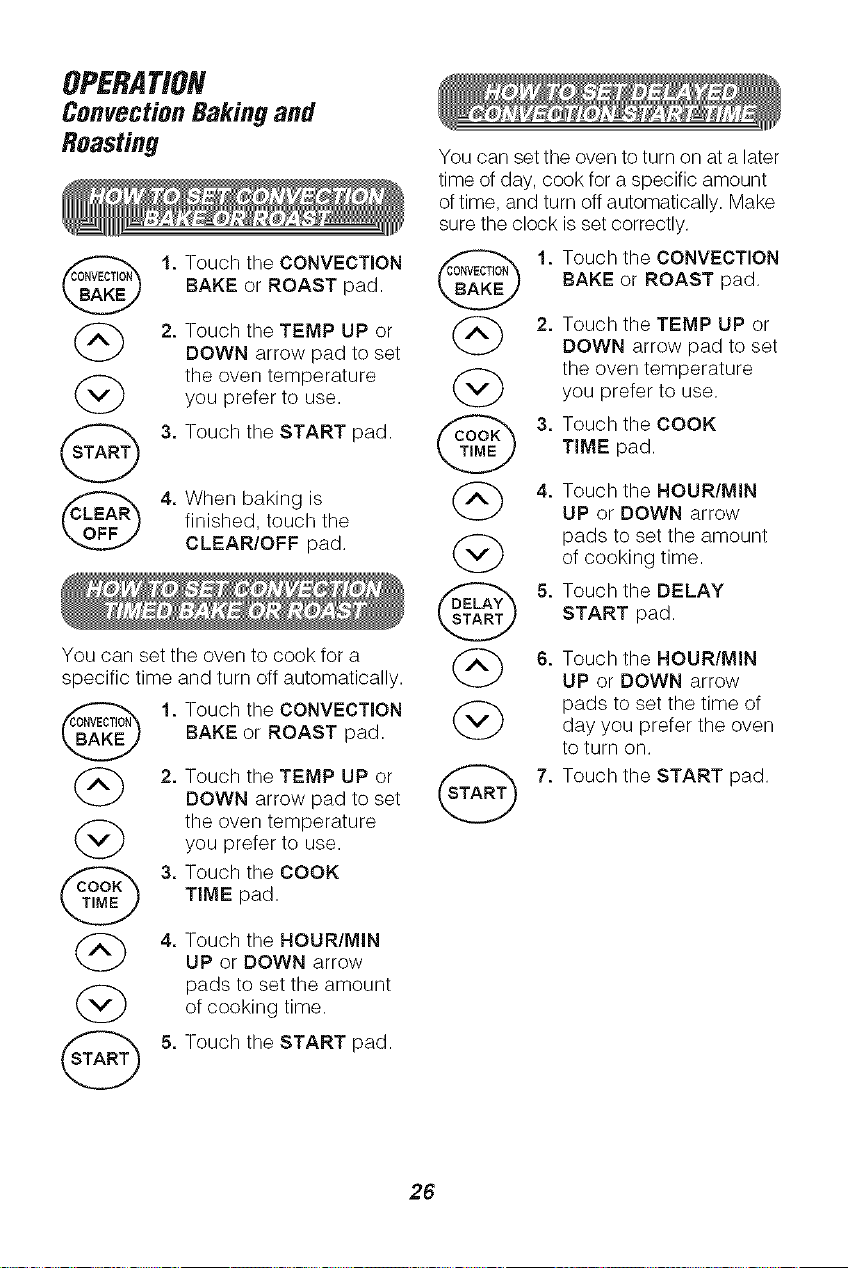
1. Touch the CONVECTION
BAKE or ROAST pad.
(_ 2, Touch the TEMP UP or
DOWN arrow pad to set
(_ the oven temperatureyou prefer to use.
(_ 3. Touch the START pad.
4. When baking is
finished, touch the
CLEAR/OFF pad.
You can set the oven to cook for a
specific time and turn off automatically.
1, Touch the CONVECTION
BAKE or ROAST pad.
(_ 2. Touch the TEMP UP or
DOWN arrow pad to set
(_ the oven temperature
you prefer to use.
3. Touch the COOK
TIME pad.
(_) 4. Touch the HOUR/MIN
UP or DOWN arrow
pads to set the amount
(_) of cooking time.
(_ 5. Touch the START pad.
You can set the oven to turn on at a later
time of day, cook for a specific amount
of time, and turn off automatically. Make
sure the clock is set correctly.
1.
4.
G
G
Touch the CONVECTION
BAKE or ROAST pad.
Touch the TEMP UP or
DOWN arrow pad to set
the oven temperature
you prefer to use.
Touch the COOK
TIME pad.
Touch the HOUR/MIN
UP or DOWN arrow
pads to set the amount
of cooking time.
Touch the DELAY
START pad.
Touch the HOUR/MIN
UP or DOWN arrow
pads to set the time of
day you prefer the oven
to turn on.
Touch the START pad.
26
OPERATION
Convection Raking and
Roasting (cont.)
OPERATION
CookingTimeSavers
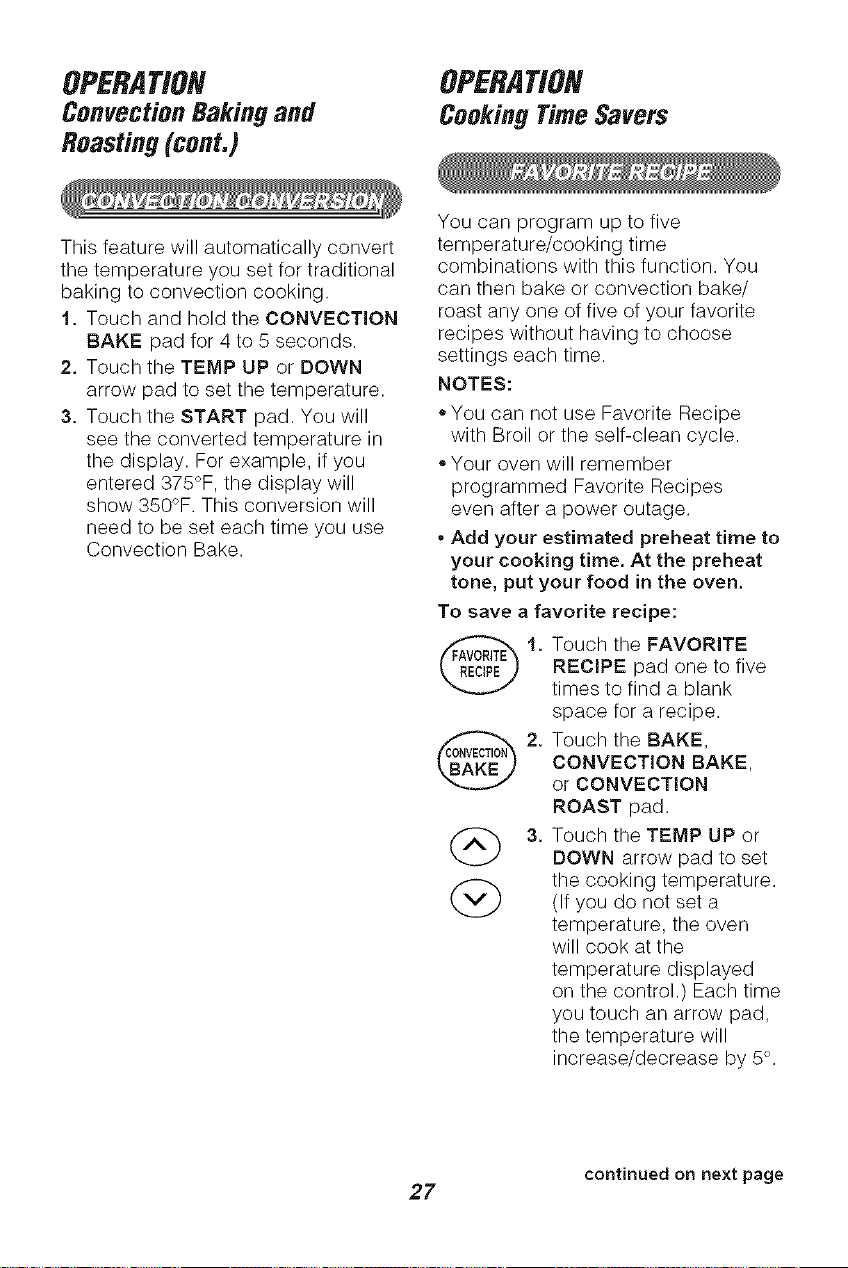
This feature will automatically convert
the temperature you set for traditional
baking to convection cooking.
1. Touch and hold the CONVECTION
BAKE pad for 4 to 5 seconds.
2. Touch the TEMP UP or DOWN
arrow pad to set the temperature.
3. Touch the START pad. You will
see the converted temperature in
the display. For example, if you
entered 375°F, the display will
show 350°F. This conversion will
need to be set each time you use
Convection Bake.
You can program up to five
temperature/cooking time
combinations with this function. You
can then bake or convection bake/
roast any one of five of your favorite
recipes without having to choose
settings each time.
NOTES:
2.
G
,,You can not use Favorite Recipe
with Broil or the self-clean cycle.
• Your oven will remember
programmed Favorite Recipes
even after a power outage.
• Add your estimated preheat time to
your cooking time. At the preheat
tone, put your food in the oven.
To save a favorite recipe:
1. ouch the FAVORITE
RECIPE pad one to five
times to find a blank
space for a recipe.
Touch the BAKE,
CONVECTION BAKE,
or CONVECTION
ROAST pad.
Touch the TEMP UP or
DOWN arrow pad to set
the cooking temperature.
(If you do not set a
temperature, the oven
will cook at the
temperature displayed
on the control.) Each time
you touch an arrow pad,
the temperature will
increase/decrease by 5°.
continued on next page
27
OPERATION
CookingTimeSavers(cont.)
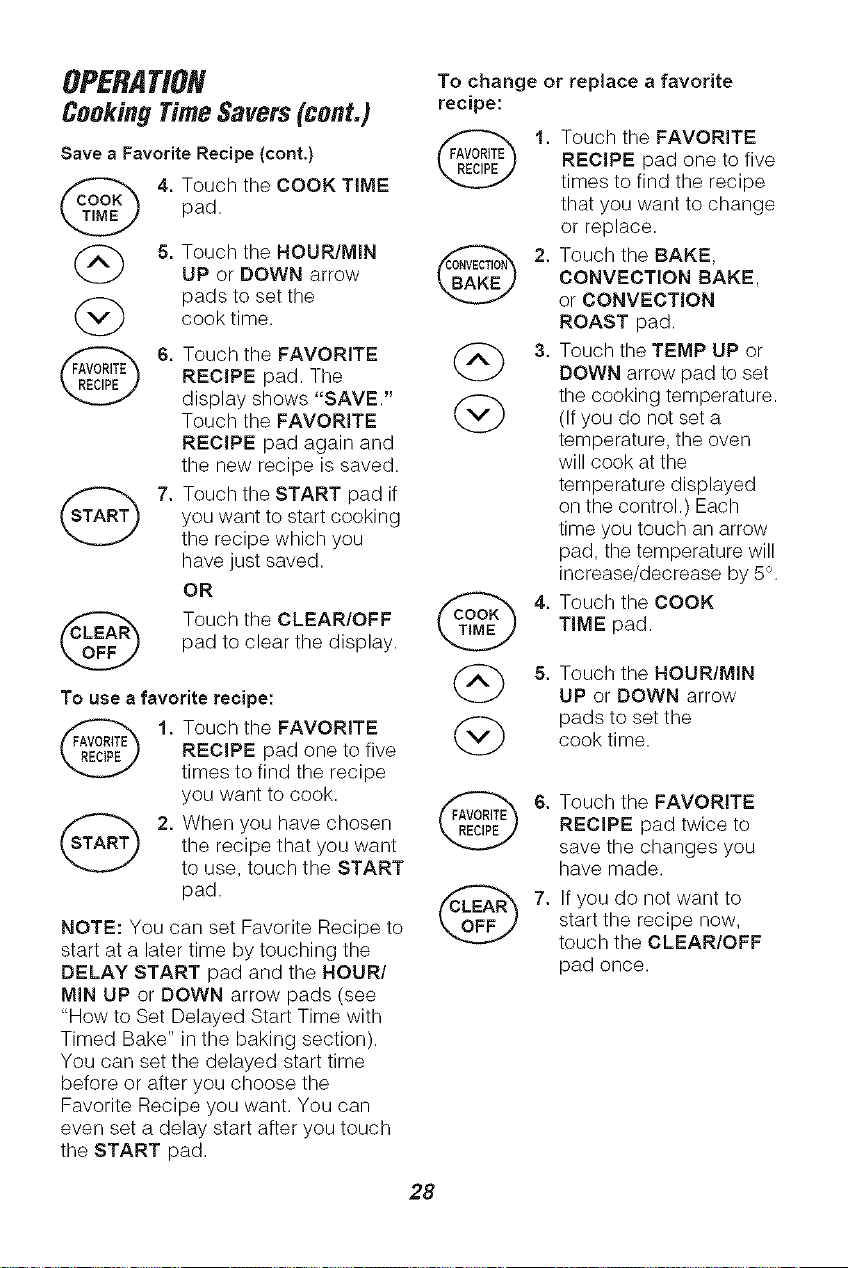
Save a Favorite Recipe (cont.)
4, Touch the COOK TIME
pad.
(_ 5. Touch the HOUR/MIN
UP or DOWN arrow
pads to set the
cook time.
@
6. Touch the FAVORITE
RECIPE pad. The
display shows "SAVE."
Touch the FAVORITE
RECIPE pad again and
the new recipe is saved.
7. Touch the START pad if
you want to start cooking
the recipe which you
have just saved.
OR
Touch the CLEAR/OFF
pad to clear the display.
To use a favorite recipe:
1. Touch the FAVORITE
RECIPE pad one to five
times to find the recipe
you want to cook.
2. When you have chosen
the recipe that you want
to use, touch the START
pad.
NOTE: You can set Favorite Recipe to
start at a later time by touching the
DELAY START pad and the HOURI
MIN UP or DOWN arrow pads (see
"How to Set Delayed Start Time with
Timed Bake" in the baking section).
You can set the delayed start time
before or after you choose the
Favorite Recipe you want. You can
even set a delay start after you touch
the START pad.
To change or replace a favorite
recipe:
@
G
@
G
1. Touch the FAVORITE
RECIPE pad one to five
times to find the recipe
that you want to change
or replace.
2. Touch the BAKE,
CONVECTION BAKE,
or CONVECTION
ROAST pad.
3. Touch the TEMP UP or
DOWN arrow pad to set
the cooking temperature.
(If you do not set a
temperature, the oven
will cook at the
temperature displayed
on the control.) Each
time you touch an arrow
pad, the temperature will
increase/decrease by 5°.
4. Touch the COOK
TIME pad.
5. Touch the HOUR/MIN
UP or DOWN arrow
pads to set the
cook time.
6. Touch the FAVORITE
RECIPE pad twice to
save the changes you
have made.
7. If you do not want to
start the recipe now,
touch the CLEAR/OFF
pad once.
28
OPERATION
CookingTimeSavers(cont.)
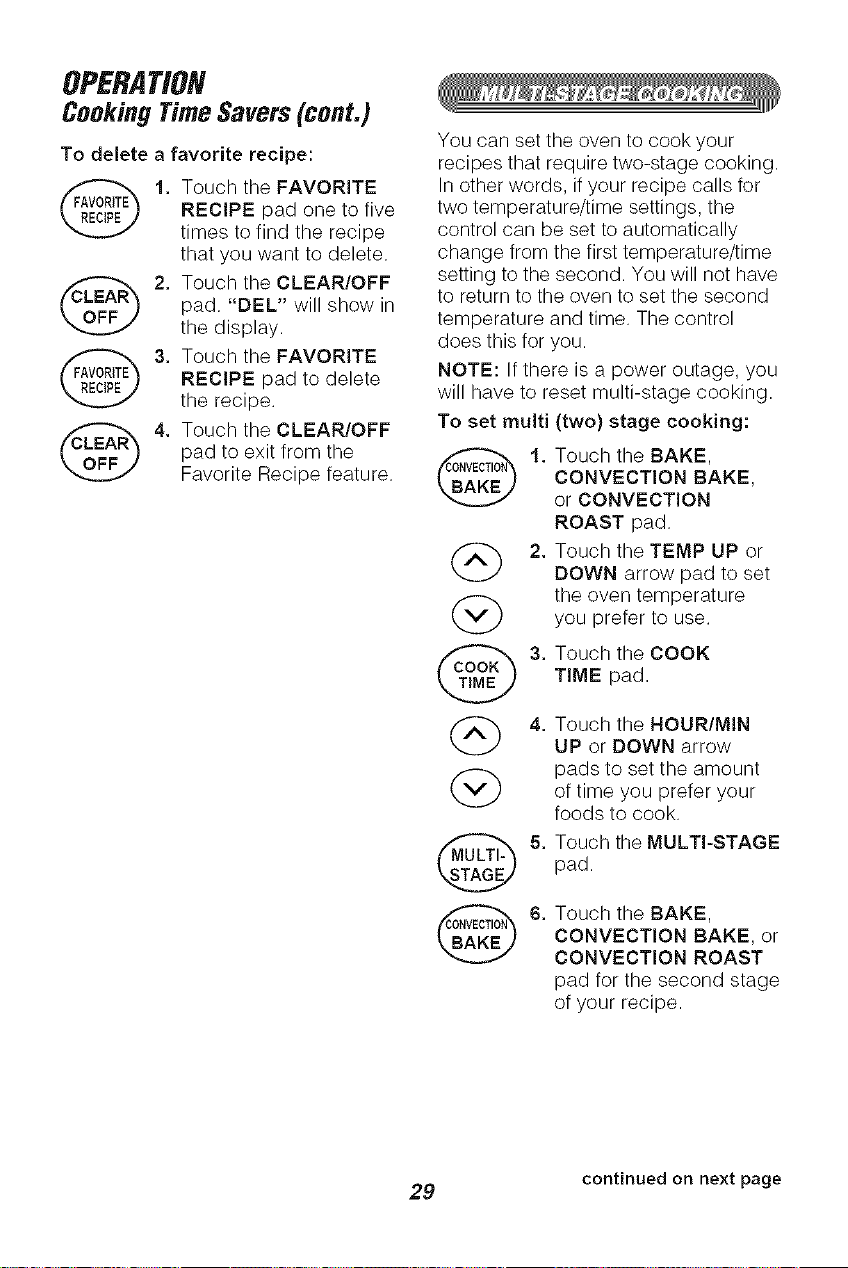
To delete a favorite recipe:
Touch the FAVORITE
RECIPE pad one to five
times to find the recipe
that you want to delete.
Touch the CLEAR/OFF
pad, "DEL" will show in
the display.
Touch the FAVORITE
RECIPE pad to delete
the recipe,
Touch the CLEAR/OFF
pad to exit from the
Favorite Recipe feature.
You can set the oven to cook your
recipes that require two-stage cooking.
In other words, if your recipe calls for
two temperature/time settings, the
control can be set to automatically
change from the first temperature/time
setting to the second. You will not have
to return to the oven to set the second
temperature and time. The control
does this for you.
NOTE: If there is a power outage, you
will have to reset multi-stage cooking.
To set multi (two) stage cooking:
(_) 2,
Touch the BAKE,
CONVECTION SAKE,
or CONVECTION
ROAST pad.
Touch the TEMP UP or
DOWN arrow pad to set
the oven temperature
you prefer to use,
Touch the COOK
TIME pad.
Touch the HOUR/MIN
UP or DOWN arrow
pads to set the amount
of time you prefer your
foods to cook.
Touch the MULTI-STAGE
pad.
Touch the BAKE,
CONVECTION BAKE, or
CONVECTION ROAST
pad for the second stage
of your recipe.
continued on next page
29
OPERATION
CookingTimeSavers(cont.)
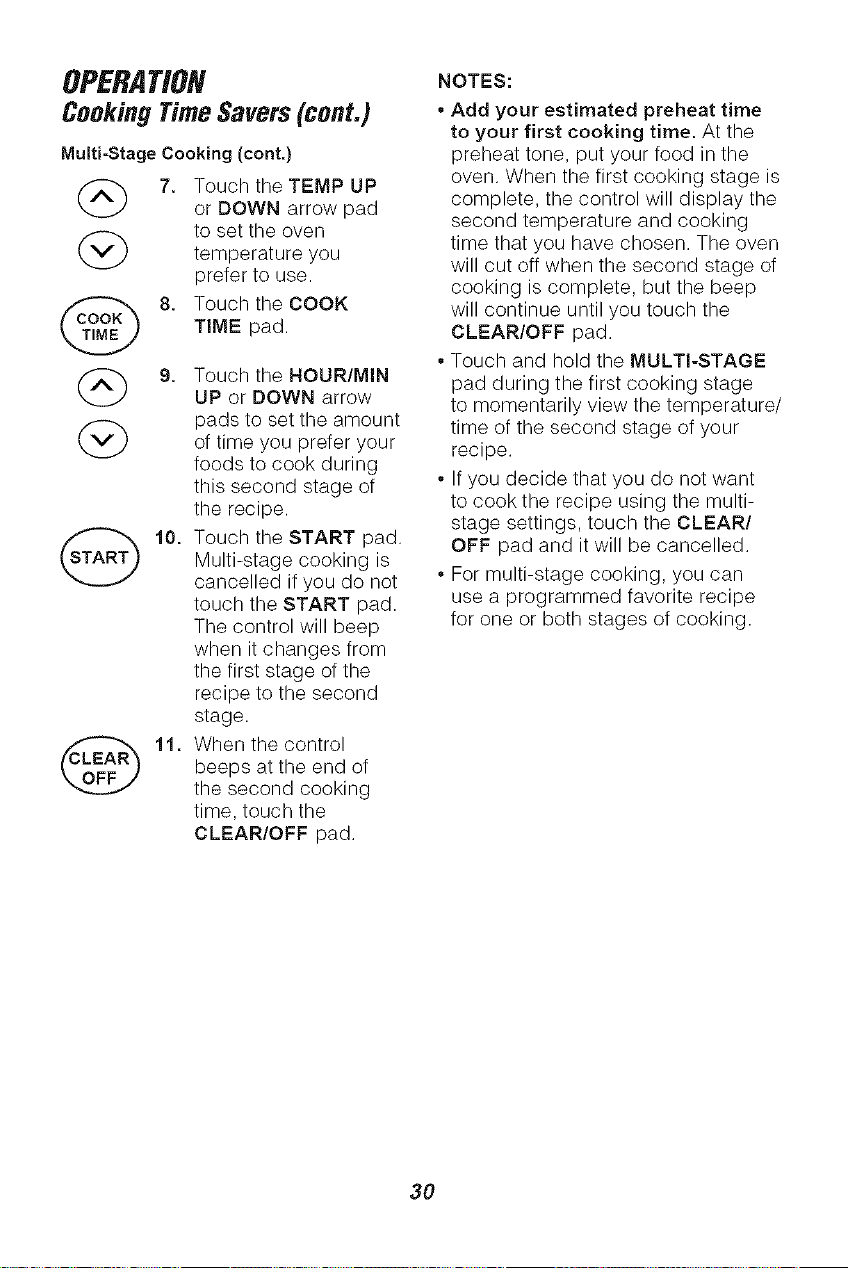
Multi-Stage Cooking (cont.)
(_ 7. Touch the TEMP UP
or DOWN arrow pad
to set the oven
temperature you
prefer to use.
@j_E K 8. Touch the COOK
TIME pad.
(_) 9. Touch the HOUR/MIN
UP or DOWN arrow
(_ pads to set the amountof time you prefer your
foods to cook during
this second stage of
the recipe.
10. Touch the START pad.
Multi-stage cooking is
cancelled if you do not
touch the START pad.
The control will beep
when it changes from
the first stage of the
recipe to the second
stage.
11. When the control
beeps at the end of
the second cooking
time, touch the
CLEAR/OFF pad.
@
NOTES:
* Add your estimated preheat time
to your first cooking time. At the
preheat tone, put your food in the
oven. When the first cooking stage is
complete, the control will display the
second temperature and cooking
time that you have chosen. The oven
will cut off when the second stage of
cooking is complete, but the beep
will continue until you touch the
CLEAR/OFF pad.
* Touch and hold the MULTI-STAGE
pad during the first cooking stage
to momentarily view the temperature/
time of the second stage of your
recipe.
* If you decide that you do not want
to cook the recipe using the multi-
stage settings, touch the CLEAR/
OFF pad and it will be cancelled.
* For multi-stage cooking, you can
use a programmed favorite recipe
for one or both stages of cooking.
3O
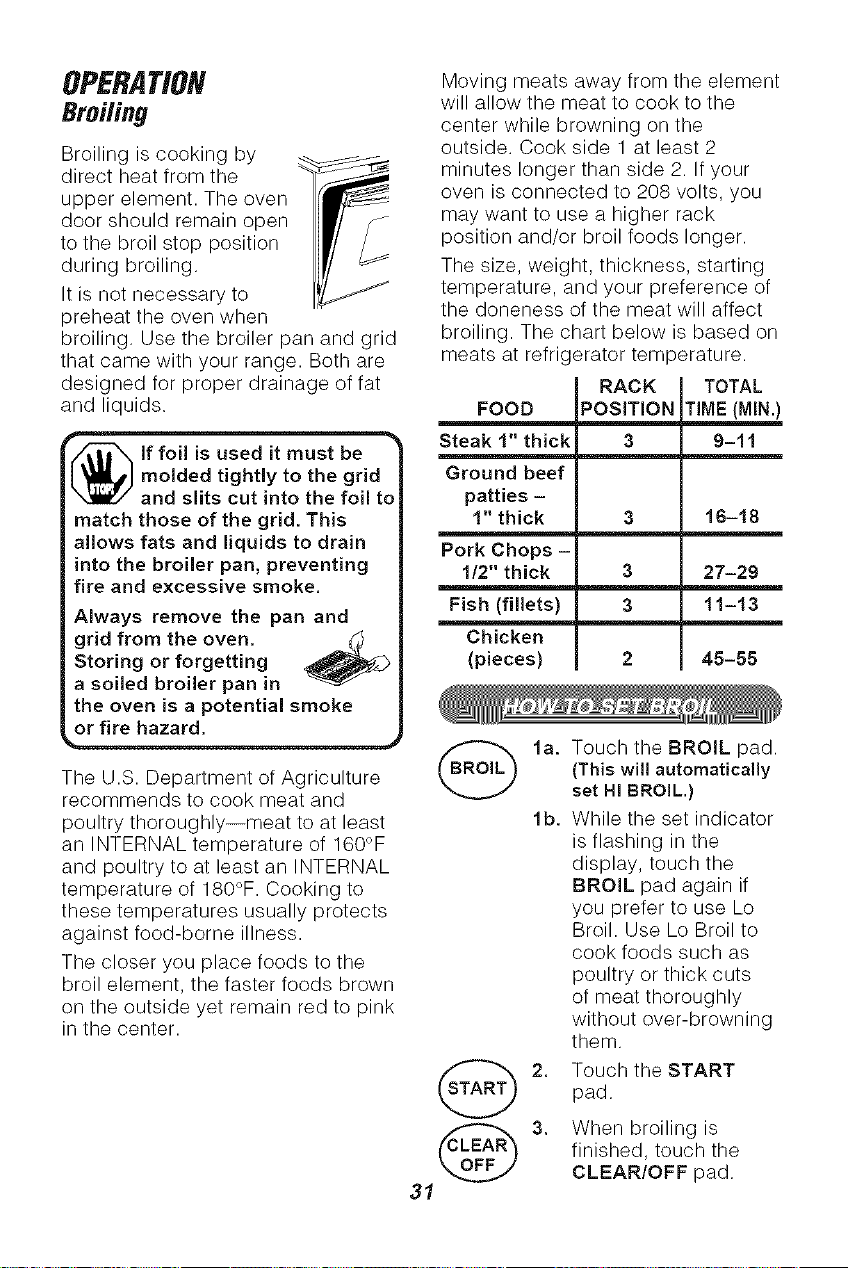
Broiling is cooking by
direct heat from the
upper element. The oven
door should remain open
to the broil stop position
during broiling.
It is not necessary to
preheat the oven when
broiling. Use the broiler pan and grid
that came with your range. Both are
designed for proper drainage of fat
and liquids,
i_lf foil is used it must be
molded tightly to the grid
and slits cut into the foil to
match those of the grid. This
allows fats and liquids to drain
into the broiler pan, preventing
fire and excessive smoke.
Always remove the pan and
grid from the oven. t_
Storing or forgetting
a soiled broiler pan in
the oven is a potential smoke
or fire hazard.
The U.S. Department of Agriculture
recommends to cook meat and
poultry thoroughly--meat to at least
an INTERNAL temperature of 160°F
and poultry to at least an INTERNAL
temperature of 180°F. Cooking to
these temperatures usually protects
against food-borne illness.
The closer you place foods to the
broil element, the faster foods brown
on the outside yet remain red to pink
in the center.
Moving meats away from the element
will allow the meat to cook to the
center while browning on the
outside. Cook side 1 at least 2
minutes longer than side 2. If your
oven is connected to 208 volts, you
may want to use a higher rack
position and/or broil foods longer.
The size, weight, thickness, starting
temperature, and your preference of
the doneness of the meat will affect
broiling. The chart below is based on
meats at refrk erator temperature.
RACK TOTAL
FOOD
Steak 1" thick
Ground beef
patties -
1" thick
Pork Chops -
1/2" thick
Fish (fillets)
Chicken
(pieces)
POSITION TIME (MIN)
3 9-11
3 16-18
3 27-29
3 11-13
2 45-55
2.
31
Touch the BROIL pad.
(This will automatically
set HI BROIL.)
While the set indicator
is flashing in the
display, touch the
BROIL pad again if
you prefer to use Lo
Broil. Use Lo Broil to
cook foods such as
poultry or thick cuts
of meat thoroughly
without over-browning
them.
Touch the START
pad.
When broiling is
finished, touch the
CLEAR/OFF pad.
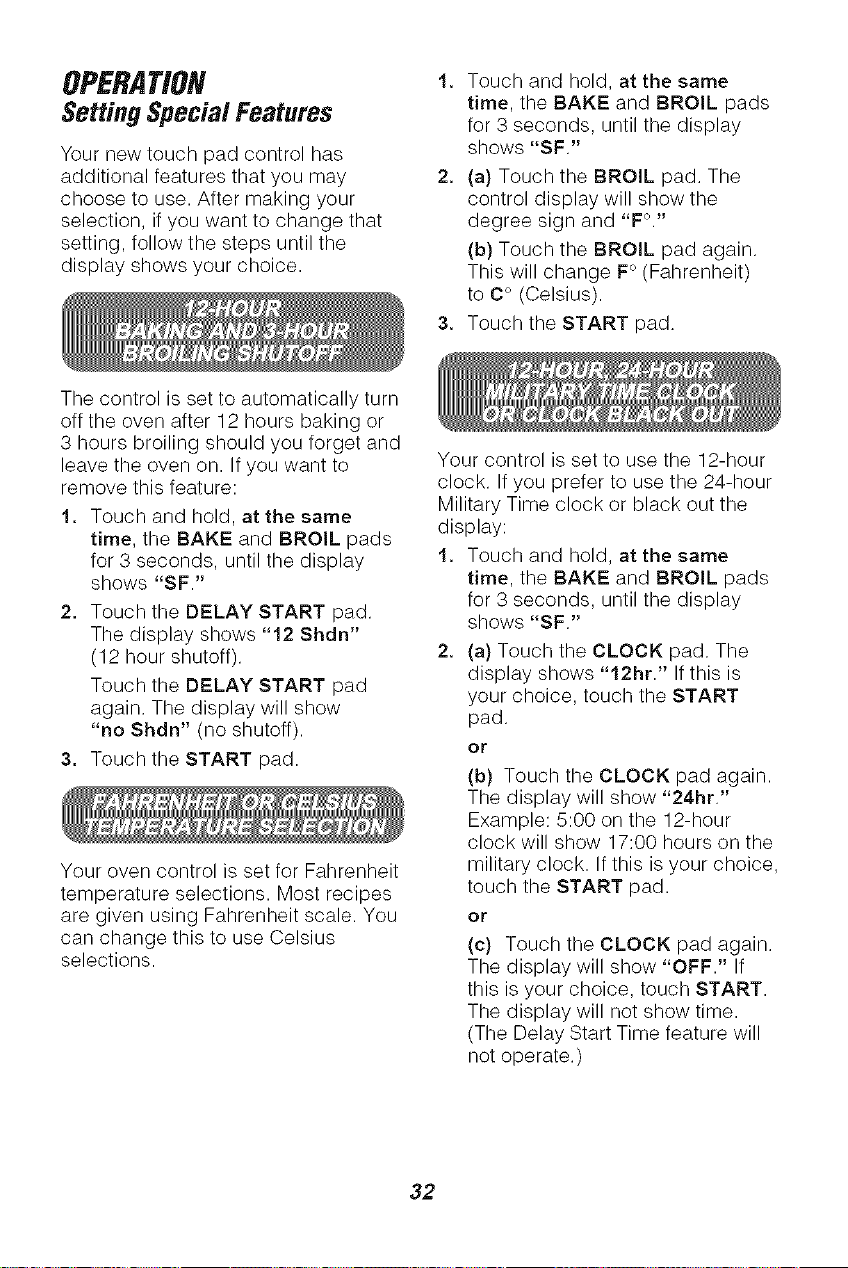
OPERATION
SettingSpecialFeatures
Your new touch pad control has
additional features that you may
choose to use. After making your
selection, if you want to change that
setting, follow the steps until the
display shows your choice.
1. Touch and hold, at the same
time, the BAKE and BROIL pads
for 3 seconds, until the display
shows "SF."
2. (a) Touch the BROIL pad. The
control display will show the
degree sign and "F°."
(b) Touch the BROIL pad again.
This will change F° (Fahrenheit)
to C° (Celsius).
3. Touch the START pad.
The control is set to automatically turn
off the oven after 12 hours baking or
3 hours broiling should you forget and
leave the oven on. If you want to
remove this feature:
1. Touch and hold, at the same
time, the BAKE and BROIL pads
for 3 seconds, until the display
shows "SF."
2. Touch the DELAY START pad.
The display shows "12 Shdn"
(12 hour shutoff).
Touch the DELAY START pad
again. The display will show
"no Shdn" (no shutoff).
3. Touch the START pad.
Your oven control is set for Fahrenheit
temperature selections. Most recipes
are given using Fahrenheit scale. You
can change this to use Celsius
selections.
Your control is set to use the 12-hour
clock. If you prefer to use the 24-hour
Military Time clock or black out the
display:
1. Touch and hold, at the same
time, the BAKE and BROIL pads
for 3 seconds, until the display
shows "SF."
2. (a) Touch the CLOCK pad. The
display shows "12hr." If this is
your choice, touch the START
pad.
or
(b) Touch the CLOCK pad again.
The display will show "24hr."
Example: 5:00 on the 12-hour
clock will show 17:00 hours on the
military clock. If this is your choice,
touch the START pad.
or
(c) Touch the CLOCK pad again.
The display will show "OFF." If
this is your choice, touch START.
The display will not show time.
(The Delay Start Time feature will
not operate.)
32
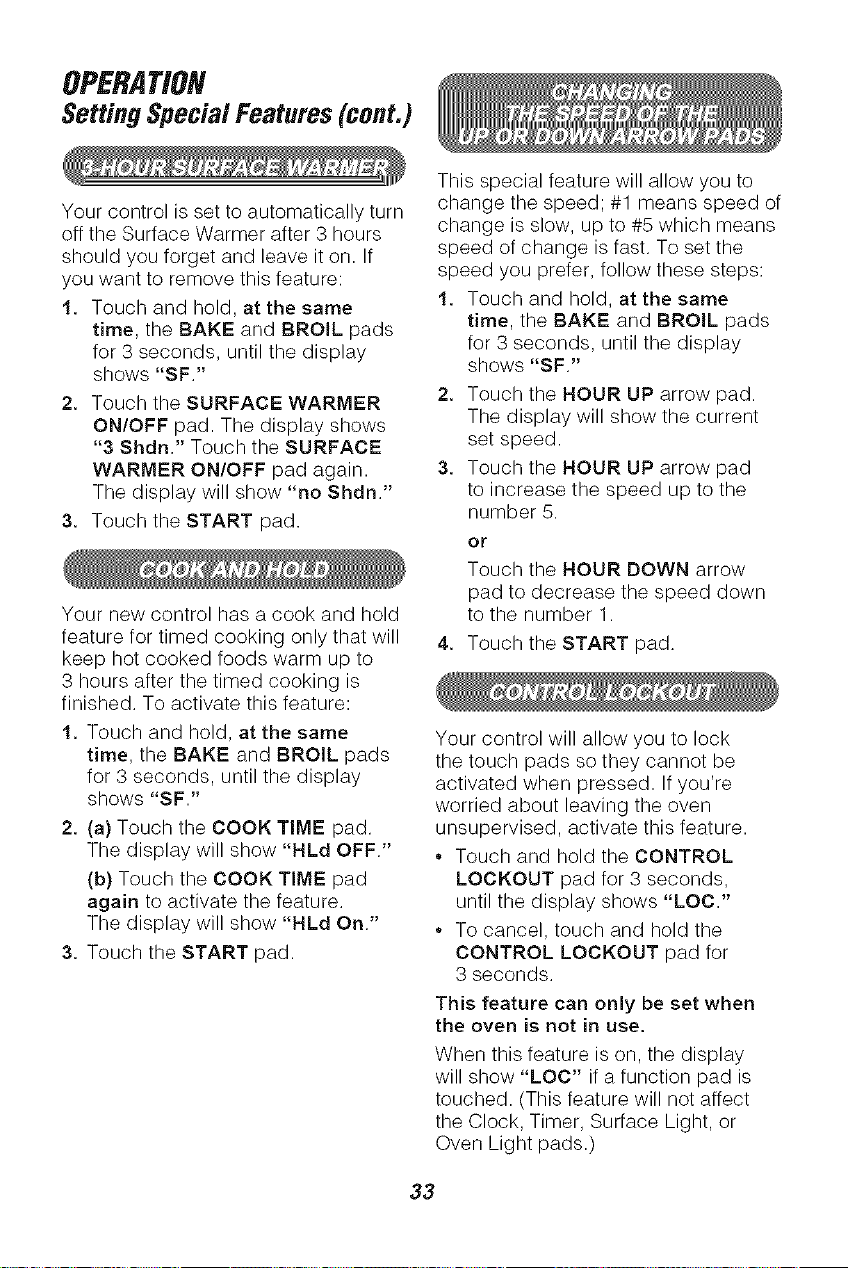
OPERATION
SettingSpecialFeatures(cont.)
Your control is set to automatically turn
off the Surface Warmer after 3 hours
should you forget and leave it on. If
you want to remove this feature:
1. Touch and hold, at the same
time, the BAKE and BROIL pads
for 3 seconds, until the display
shows "SF."
2. Touch the SURFACE WARMER
ON/OFF pad. The display shows
"3 Shdn." Touch the SURFACE
WARMER ON/OFF pad again.
The display will show "no Shdn."
3. Touch the START pad.
Your new control has a cook and hold
feature for timed cooking only that will
keep hot cooked foods warm up to
3 hours after the timed cooking is
finished. To activate this feature:
1. Touch and hold, at the same
time, the BAKE and BROIL pads
for 3 seconds, until the display
shows "SF."
2. (a) Touch the COOK TIME pad.
The display will show "HLd OFF."
(b) Touch the COOK TIME pad
again to activate the feature.
The display will show "HLd On."
3. Touch the START pad.
This special feature will allow you to
change the speed; #1 means speed of
change is slow, up to #5 which means
speed of change is fast. To set the
speed you prefer, follow these steps:
1. Touch and hold, at the same
time, the BAKE and BROIL pads
for 3 seconds, until the display
shows "SF."
2. Touch the HOUR UP arrow pad.
The display will show the current
set speed.
3. Touch the HOUR UP arrow pad
to increase the speed up to the
number 5.
or
Touch the HOUR DOWN arrow
pad to decrease the speed down
to the number 1.
Touch the START pad.
Your control will allow you to lock
the touch pads so they cannot be
activated when pressed. Ifyou're
worried about leaving the oven
unsupervised, activate this feature.
Touch and hold the CONTROL
LOCKOUT pad for 3 seconds,
until the display shows "LOC."
To cancel, touch and hold the
CONTROL LOCKOUT pad for
3 seconds.
This feature can only be set when
the oven is not in use.
When this feature is on, the display
will show "LOC" if a function pad is
touched. (This feature will not affect
the Clock, Timer, Surface Light, or
Oven Light pads.)
33
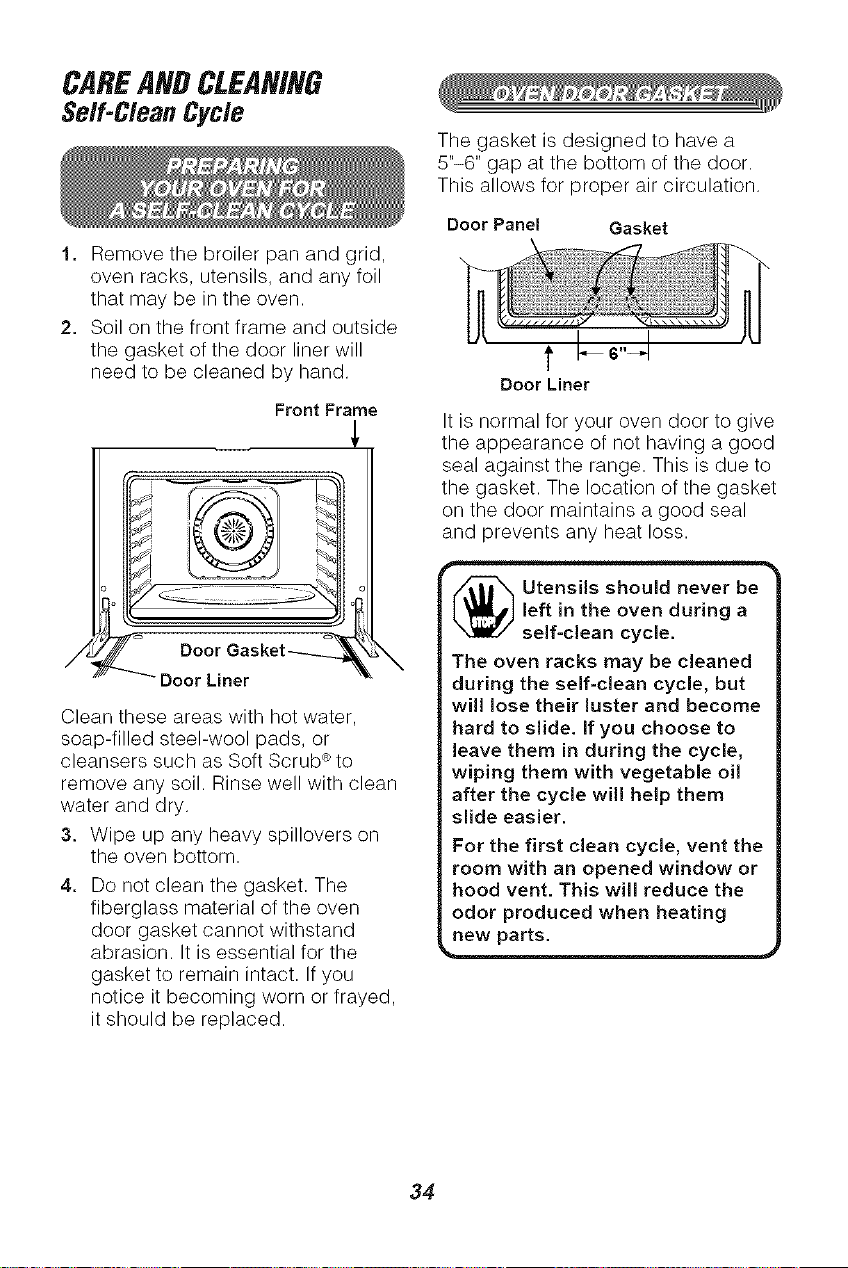
CAREAHDC[EAHIHG
Self-CleanCycle
1. Remove the broiler pan and grid,
oven racks, utensils, and any foil
that may be in the oven.
2. Soil on the front frame and outside
the gasket of the door liner will
need to be cleaned by hand.
Front Frame
o
ooorGasket----L 'X
DoorLiner
Clean these areas with hot water,
soap-filled steel-wool pads, or
cleansers such as Soft Scrub ®to
remove any soil. Rinse well with clean
water and dry.
3. Wipe up any heavy spillovers on
the oven bottom.
4. Do not clean the gasket. The
fiberglass material of the oven
door gasket cannot withstand
abrasion. It is essential for the
gasket to remain intact. If you
notice it becoming worn or frayed,
it should be replaced.
The gasket is designed to have a
5"-6" gap at the bottom of the door.
This allows for proper air circulation.
Door Panel Gasket
t
Door Liner
It is normal for your oven door to give
the appearance of not having a good
seal against the range. This is due to
the gasket. The location of the gasket
on the door maintains a good seal
and prevents any heat loss.
_ tensils should never be
left in the oven during a
self-clean cycle.
The oven racks may be cleaned
during the self-clean cycle, but
wi!l lose their luster and become
hard to slide. If you choose to
leave them in during the cycle,
wiping them with vegetable oil
after the cycle will help them
slide easier.
For the first clean cycle, vent the
room with an opened window or
hood vent. This will reduce the
odor produced when heating
new parts.
34
CAREANDCLEANING
Serf-CleanCycle(cont.)
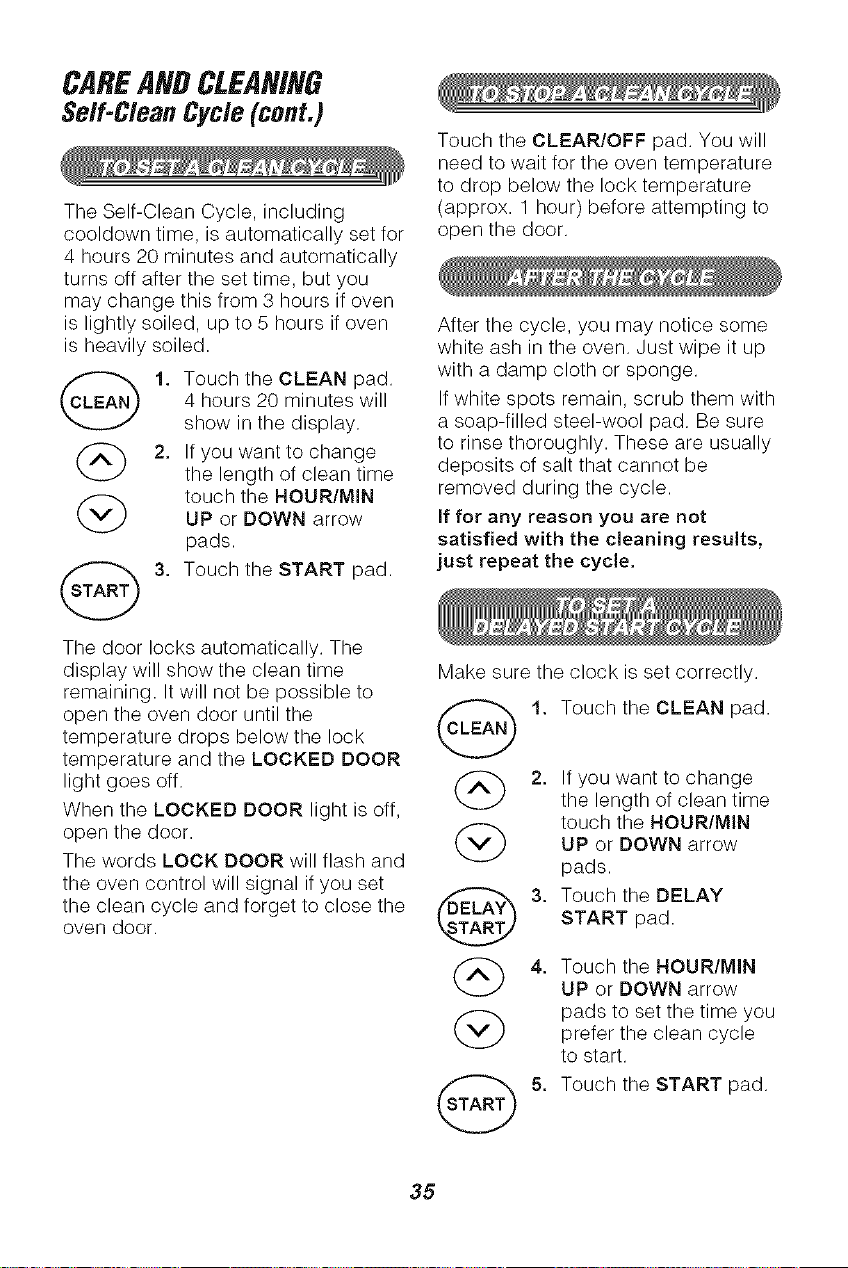
The Self-Clean Cycle, including
cooldown time, is automatically set for
4 hours 20 minutes and automatically
turns off after the set time, but you
may change this from 3 hours if oven
is lightly soiled, up to 5 hours if oven
is heavily soiled.
1. Touch the CLEAN pad.
4 hours 20 minutes will
show in the display.
(_ 2. If you want to change
the length of clean time
(_ touch the HOUR/MINUP or DOWN arrow
pads.
ST_T_ 3. Touch the START pad.
Touch the CLEAR/OFF pad. You will
need to wait for the oven temperature
to drop below the lock temperature
(approx. 1 hour) before attempting to
open the door.
After the cycle, you may notice some
white ash in the oven. Just wipe it up
with a damp cloth or sponge.
If white spots remain, scrub them with
a soap-filled steel-wool pad. Be sure
to rinse thoroughly. These are usually
deposits of salt that cannot be
removed during the cycle.
If for any reason you are not
satisfied with the cleaning results,
just repeat the cycle,
The door locks automatically. The
display will show the clean time
remaining. It will not be possible to
open the oven door until the _ 1.
temperature drops below the lock
temperature and the LOCKED DOOR
light goes off. (_ 2.
When the LOCKED DOOR light is off,
open the door.
The words LOCK DOOR will flash and
the oven control will signal if you set
the clean cycle and forget to close the _ 3.
oven door.
@ 4.
@
Make sure the clock is set correctly.
Touch the CLEAN pad.
If you want to change
the length of clean time
touch the HOUR/MIN
UP or DOWN arrow
pads.
Touch the DELAY
START pad.
Touch the HOUR/MIN
UP or DOWN arrow
pads to set the time you
prefer the clean cycle
to start.
Touch the START pad.
35
CAREANDCLEANING
Glass-Ceramic Cooktop
Cleaning
On models with white glass-ceramic,
it is normal for the surface to appear
discolored when cooking zones are
hot. This is temporary and will
disappear as the glass cools.
Cleaning a glass-ceramic cooktop is
different from cleaning a standard
porcelain cooktop. To maintain and
protect your glass-ceramic cooktop
follow these basic steps.
Use only Cooktop Cleaning Creme ®
on glass-ceramic.
NOTE: Any grease spatter or greasy
residue from a dish cloth will burn on
the cooktop when the cooking zones
are heated, resulting in a brown stain.
This can be removed with the
Cooktop Cleaning Creme ®and the
razor scraper; however, to avoid this
brown discoloration, remove any
spatter with a paper towel and
Cooktop Cleaning Creme ® before
heating the cooking zones.
For normal, light soil:
1. Using a damp paper towel, rub
a few drops of creme onto soiled
area. Wipe until all soil and creme
are removed.
2. Clean surface with creme after
each cooktop use. Frequent
cleaning is essential in preventing
scratches and abrasions.
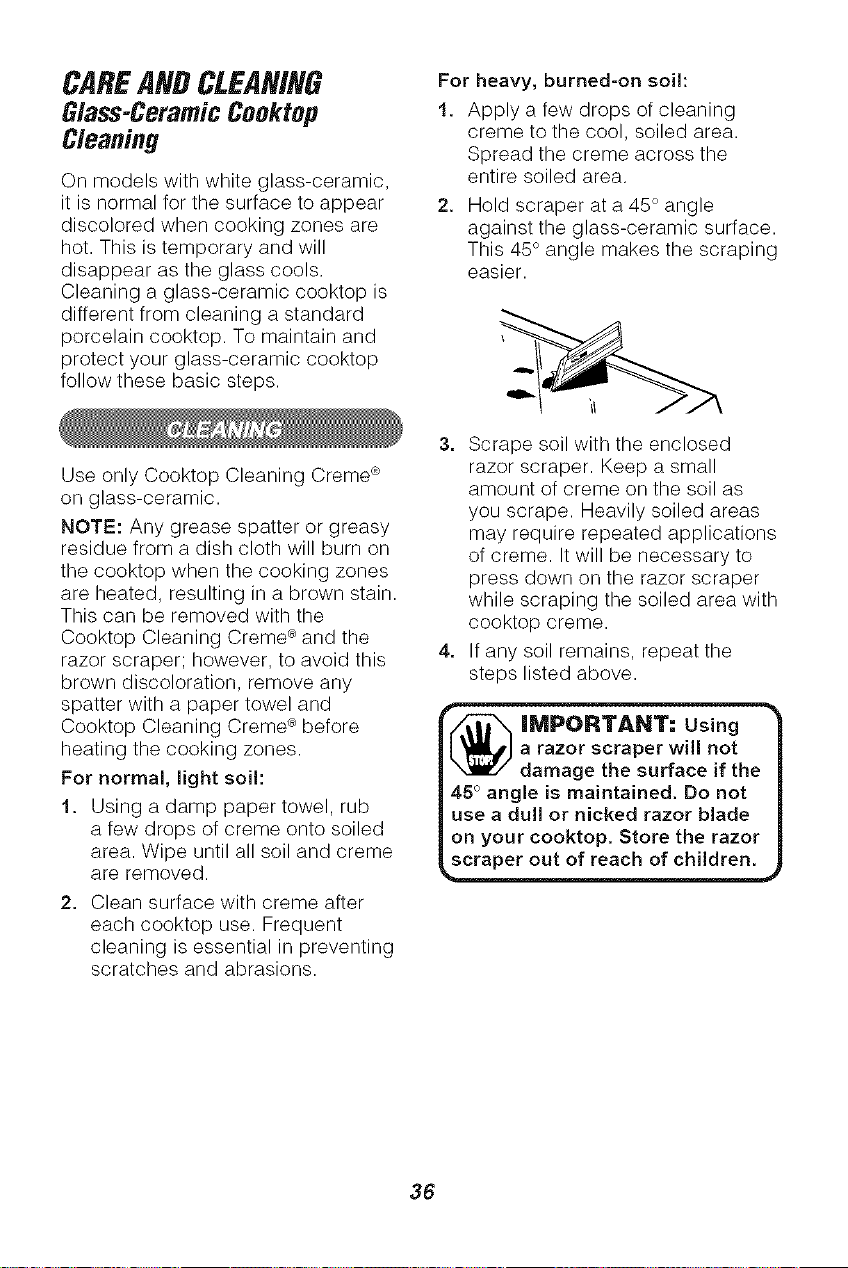
For heavy, burned-on soil:
1. Apply a few drops of cleaning
creme to the cool, soiled area.
Spread the creme across the
entire soiled area.
2. Hold scraper at a 45 ° angle
against the glass-ceramic surface.
This 45° angle makes the scraping
easier.
3. Scrape soil with the enclosed
razor scraper. Keep a small
amount of creme on the soil as
you scrape. Heavily soiled areas
may require repeated applications
of creme. It will be necessary to
press down on the razor scraper
while scraping the soiled area with
cooktop creme.
4. If any soil remains, repeat the
steps listed above.
_ MPORTANT: Usin
a razor scraper will not |
damage the surface if the |
45 °angle is maintained. Do not |
use a dull or nicked razor blade |
on your cooktop. Store the razor |
scraper out of reach of children.
36
CAREAHDCLEANING
Glass-Ceramic Ceektep
Cleaning (cent.)
As the Creme cleans, it leaves a
protective coating that helps prevent
buildup of mineral deposits (water
spots) and will make future cleaning
easier. Dishwashing detergent
removes the protective coating and
should not be used.
• Most cleaners contain ammonia,
chemicals, and abrasives that
damage the surface of your
cooktop. Use only the Cooktop
Cleaning Creme ®for proper
cleaning and protection of your
glass-ceramic surface.
,, If you slide aluminum or copper
bottom cookware across the surface
of the cooktop, they may leave metal
markings which appear as
scratches. Use the razor scraper
and cooktop creme to remove these
marks. Failure to remove this
residue immediately may leave
permanent marks.
If pots with a thin overlay of
aluminum, copper, or enamel boil
dry, bonding with the glass-ceramic
surface of the cooktop may occur.
This black discoloration should be
removed immediately or it could
become permanent.
Use of glass cleaner may leave
an iridescent film on the cooktop.
Cleaning Creme will remove
this film.
,,Water stains (mineral deposits)
are removable using the creme
or full-strength white vinegar.
,, Do not use a dull or nicked razor
blade on your cooktop.
,, Do not use abrasive cleaners or
abrasive scouring pads on your
cooktop.
Plastic mesh pads, such as Dobie ®,
may be used.
To order additional Cooktop Cleaning
Creme ®, call your nearest Sears
Service Center or Retail Store and
ask for Stock No. 40079.
37
CAREANDCLEANING
Cleaning
CLEANING MATERIALS
° Dishwashing detergent
• Warm water
eSoft cloth
Do not use abrasive cleaners,
industriaJ cleaners, or bleach.
CLEANING MATERIALS
Dishwashing detergent
° Warm water
. Soap-filled scouring pad
° Commercial oven cleaner
METHOD OF CLEANING
Allow the pan to soak. Sprinkle the
grid with dishwashing detergent and
cover with a damp cloth or paper
towel. Rinse and dry well. Scour as
needed. You may also place both the
pan and grid in the dishwasher.
Clean only as touch-up between
clean cycles. Use dishwashing
liquid, warm water, or a soap-filled
steel-wool pad. Rinse well after
cleaning and dry.
NEVER USE OVEN CLEANERS IN
OR AROUND ANY PART OF THE
OVEN,
When cleaning, be sure not to bend
or displace the temperature sensor
located on the back wall of the oven.
CLEANING MATERIALS
• Dishwashing detergent
• Warm water
,,Paper towels
METHOD OF CLEANING
Do not use oven cleaners, cleansing
powder, or harsh abrasives. If
marinades, tomato sauce, basting
materials, etc. should spill, wipe up
as much as possible. When surfaces
have cooled, thoroughly clean
painted areas.
METHOD OF CLEANING
For everyday cleaning, use glass
cleaner and a paper towel. For
stubborn soil, use paste of baking
soda and water. Rinse thoroughly.
CLEANING MATERIALS
• Soft abrasive cleaner
• Sponge-scrubber
Do not use hard abrasive cleaners,
industrial cleaners, or bleach.
Clean with warm sudsy water,
a stainless-steel cleaner, or an
all-purpose liquid or spray cleaner.
Always scrub in the direction of the
grain. Rinse thoroughly with a sponge
or cloth and clean water. Dry with a
soft, clean cloth.
Do not use a soap-filled, steel-wool
pad; it will scratch the surface.
38

CAREANDCLEANING
Removable Parts
CLEANING MATERIALS
• Dishwashing detergent
• Warm water
e Soft cloth
Spring Clip Insert
Flat on
Control
Shaft
TO REMOVE
1. Be sure the control knob is in the
off position.
2. Pull straight off the stem.
Using a piece of string can make
removing the knob easier. Slip the
string under and around the knob,
pulling straight out.
METHOD OF CLEANING
Wash the knob thoroughly with soapy
water. Dry completely with a soft
cloth. DO NOT let the knob soak.
TO REPLACE
1. Check the back of the knob.
The molded flat area of the knob
is designed to fit perfectly onto
the knob stem.
2. Align the flat side of the knob to
the flat area of the knob stem.
3. Push the knob back as far as it
will go.
_ AUT|ON: You must
disconnect electrical
power to the oven at the
main circuit breaker or fuse box
before attempting to replace oven
light bulbs. Do not touch the light
bulb with bare hands. The bulb
gets very hot very quickly. Wrap
foam rubber from bulb package
around bulb when installing.
When removing the bulb, wait
until the bulb has cooled and
To give you the best lighting available,
your oven has two halogen bulbs.
One is in the left corner of the rear
wall, the other is on the ceiling of the
oven cavity.
39
Receptacle Socket
Bulbwith _)_
Wrapping. ( ..
tlt_ _[_UID
Glass Cover
TO REMOVE
1, You must disconnect electrical
power to the oven at the main
circuit breaker or fuse box.
2. Turn the glass cover
counter-clockwise 1/4turn until
the tabs of the glass cover clear
the grooves of the socket.
3. Pull straight out to remove the bulb.
TO REPLACE
1, Wrap bulb with cotton cloth or
bulb packaging material. Don't
touch bulb with your fingers.
2. Push bulb straight into receptacle
all the way. Use only a 120-volt,
35-watt Halogen bulb.
continued on next page
CAREANDCLEANING
RemevableParts(cont.)
Replacing The Oven Light Bulbs (cont.)
3, Place the tabs of the glass cover
into the grooves of the socket.
4, Turn the glass cover clockwise
1/4turn.
5, Reconnect electrical power to the
oven at the main circuit breaker or
fuse box.
CLEANING MATERIALS
• Dishwashing detergent
,,Warm water
Scouring pad or soap-filled
steel-wool pad
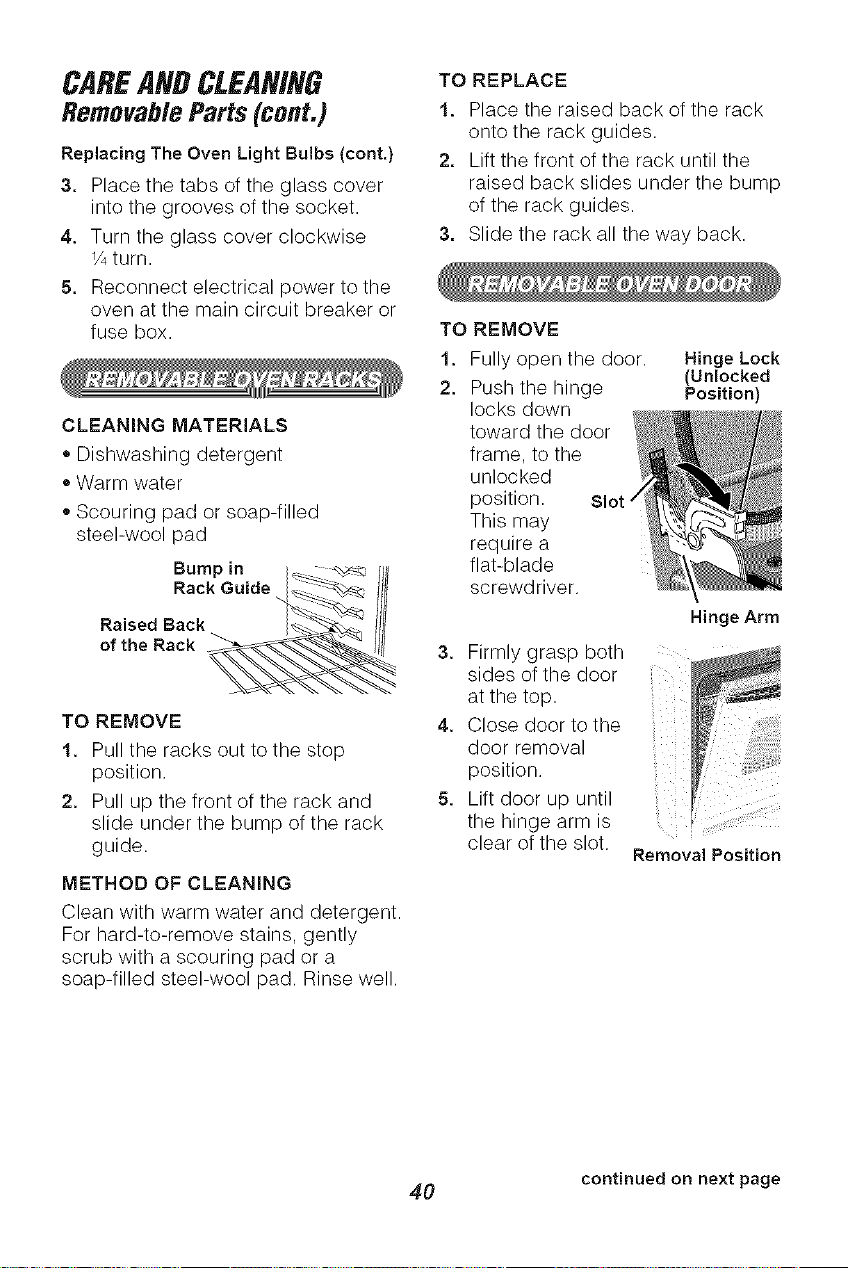
Bump in _ - _ _
RackGuide Jil;
Raised Back !ii
of the Rack _'_._"_.'_-_." i!ll
TO REMOVE
1. Pull the racks out to the stop
position.
2. Pull up the front of the rack and
slide under the bump of the rack
guide.
METHOD OF CLEANING
Clean with warm water and detergent.
For hard-to-remove stains, gently
scrub with a scouring pad or a
soap-filled steel-wool pad. Rinse well.
TO REPLACE
1. Place the raised back of the rack
onto the rack guides.
2. Lift the front of the rack until the
raised back slides under the bump
of the rack guides.
3. Slide the rack all the way back.
TO REMOVE
1. Fully open the door.
2. Push the hinge
locks down
toward the door
frame, to the
unlocked
position. Slot.
This may
require a
flat-blade
screwdriver.
Hinge Lock
(Unlocked
Position)
Hinge Arm
3. Firmly grasp both ....
sides of the door
at the top.
4. Close door to the
doorr÷mova
position.
5. Lift door up until
the hinge arm is
clear of the slot.
Removal Position
continued on next page
4O
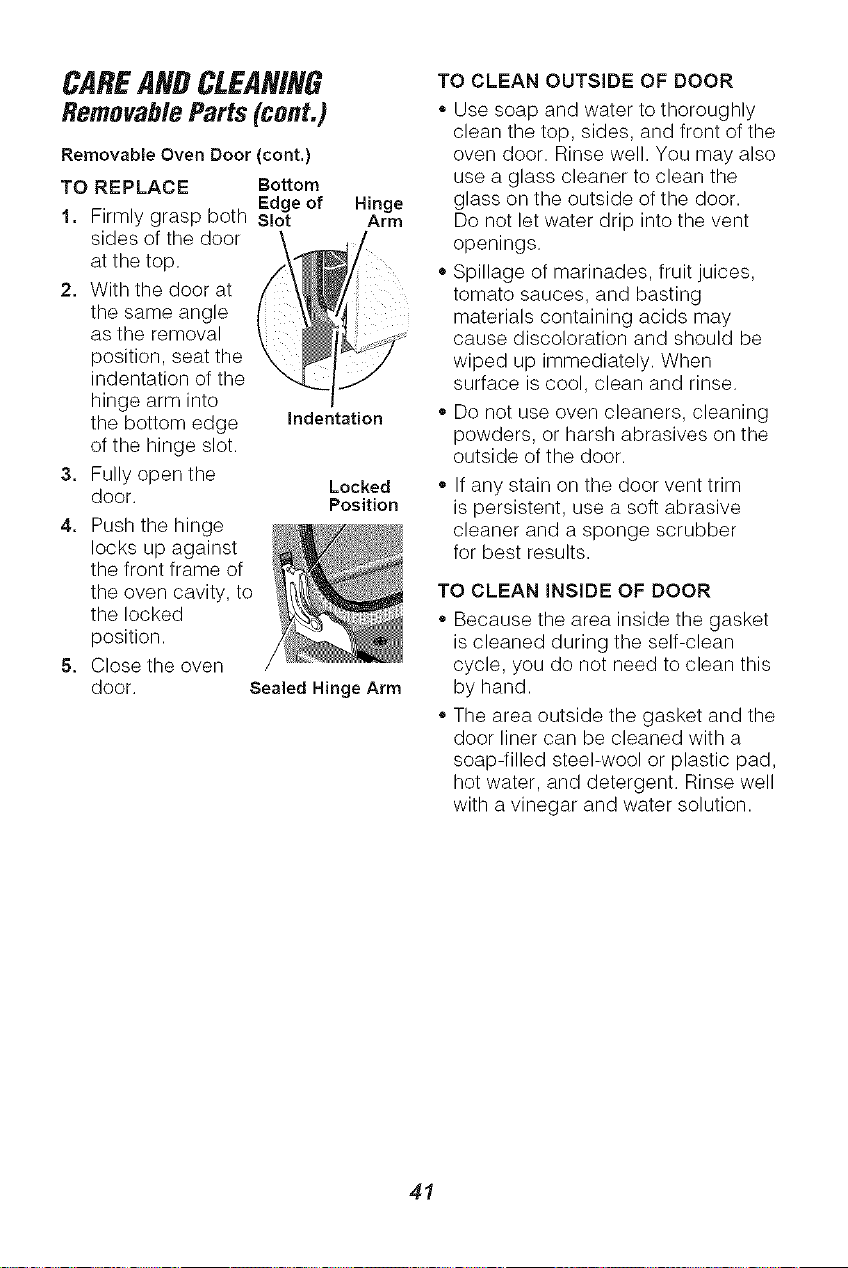
CAREANDCLEANING
RemovableParts(cont.)
Removable Oven Door (cont.)
TO REPLACE Bottom
Edgeof
1, Firmly grasp both S!ot
sides of the door
at the top
2. With the door at
the same angle
as the removal
position, seat the
indentation of the
hinge arm into
the bottom edge
of the hinge slot.
3, Fully open the
door.
4, Push the hinge
locks up against
the front frame of
the oven cavity, to
the locked
position.
5, Close the oven
door.
Hinge
Arm
indentation
Locked
Position
Sealed Hinge Arm
TO CLEAN OUTSIDE OF DOOR
,, Use soap and water to thoroughly
clean the top, sides, and front of the
oven door. Rinse well. You may also
use a glass cleaner to clean the
glass on the outside of the door.
Do not let water drip into the vent
openings.
,,Spillage of marinades, fruit juices,
tomato sauces, and basting
materials containing acids may
cause discoloration and should be
wiped up immediately. When
surface is cool, clean and rinse.
• Do not use oven cleaners, cleaning
powders, or harsh abrasives on the
outside of the door.
If any stain on the door vent trim
is persistent, use a soft abrasive
cleaner and a sponge scrubber
for best results.
TO CLEAN INSIDE OF DOOR
,, Because the area inside the gasket
is cleaned during the self-clean
cycle, you do not need to clean this
by hand.
• The area outside the gasket and the
door liner can be cleaned with a
soap-filled steel-wool or plastic pad,
hot water, and detergent. Rinse well
with a vinegar and water solution.
41
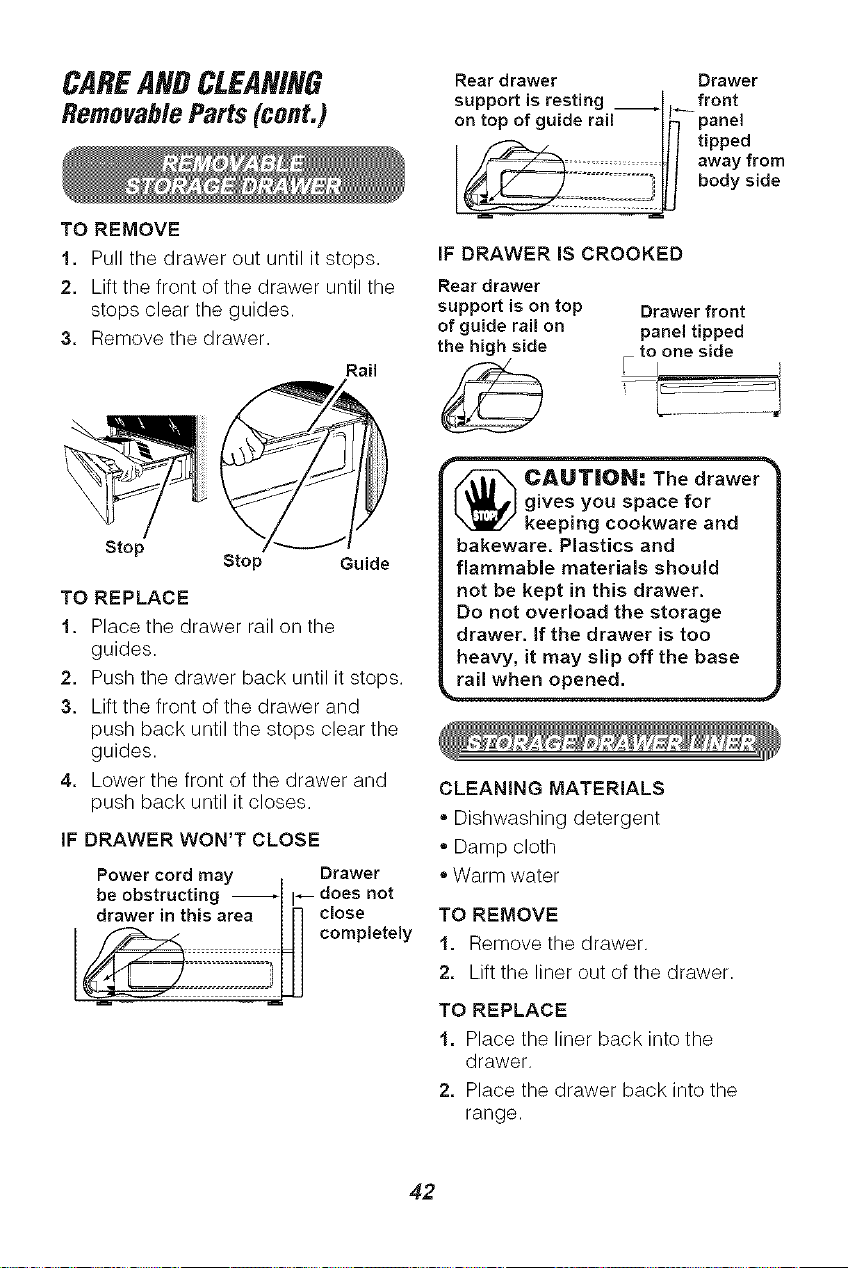
CAREANDCLEANING
RemovableParts(cont.)
TO REMOVE
1. Pull the drawer out until it stops.
2. Lift the front of the drawer until the
stops clear the guides.
3. Remove the drawer.
Rail
Stop
Stop Guide
TO REPLACE
1. Place the drawer rail on the
guides.
2. Push the drawer back until it stops.
3. Lift the front of the drawer and
push back until the stops clear the
guides.
4. Lower the front of the drawer and
push back until it closes.
IF DRAWER WON'T CLOSE
Power cord may I Drawer
be obstructing _l I_ does not
drawer in this area In close
L.LJ completely
HI
Rear drawer Drawer
support is resting ÷ front
on top of guide rail I_ panel
Ill tipped
/_:_.?:.i._.t _l away from
_ body side
IF DRAWER IS CROOKED
Reardrawer
support is on top Drawer front
of guide rail on panel tipped
the high side [ toIone side
_ .AU'TIION= =The drawer
gives you space for
keeping cookware and
bakeware. Plastics and
flammable materials should
not be kept in this drawer.
Do not overload the storage
drawer. If the drawer is too
heavy, it may slip off the base
CLEANING MATERIALS
• Dishwashing detergent
- Damp cloth
Warm water
TO REMOVE
1. Remove the drawer.
2. Lift the liner out of the drawer.
TO REPLACE
1, Place the liner back into the
drawer,
2. Place the drawer back into the
range.
42

BEFORECALLINGFORSERVICE
To save you time and money, before making a service call check the list below for
any problem you may feel you have with the performance of your range. If the
problem is something you cannot fix, use the Consumer Service Numbers located at
the back of this manuak When making any calls, have the Model No., Serial No.,
Repair Parts List, Use and Care Guide, and the Date of Purchase available.
PROBLEM POSSIBLE CAUSE POSSIBLE SOLUTION
The display of your You have a function Touch the CLEAR/OFF
control is flashing error code. pad. Restart the oven. If the
"F" followed by a function code repeats,
number or letter, disconnect all power to the
range for at least 30 seconds
and then reconnect power.
Ifthe function error code
repeats again, call for service.
Tiny scratches or a. Use of incorrect a. Use only Cooktop
abrasions on the cleaning materials. Cleaning Creme ®.
cooktop, b. Coarse particles b. Make sure the cooktop
(salt, etc.) between surface and bottom of
cookware bottom cookware are clean
and cooking surface, before using.
c. Cookware with c. Use only smooth-bottomed
rough bottoms, cookware.
Metal markings on Sliding or scraping Use recommended cleaning
the cooktop surface metal utensils and procedure to clean the
(may appear as cookware across cooktop surface.
scratches), cooktop surface.
Areas of Mineral deposits from Use recommended cleaning
discoloration on water or food. procedure to clean the
the cooktop surface, cooktop surface.
Dark streaks and a. Encrusted boilovers a. Use razor scraper and
specks on the or grease splatters, follow the directions in the
cooktop surface, cleaning section of this
manual.
b. Incorrect cleaning b. Use only the Cooktop
materials. Cleaning Creme ®on the
cooktop surface.
Cooktop, oven, and No power to range. Check the circuit breaker or
oven control will fuse. Make sure the power
not work. cord is plugged in.
43
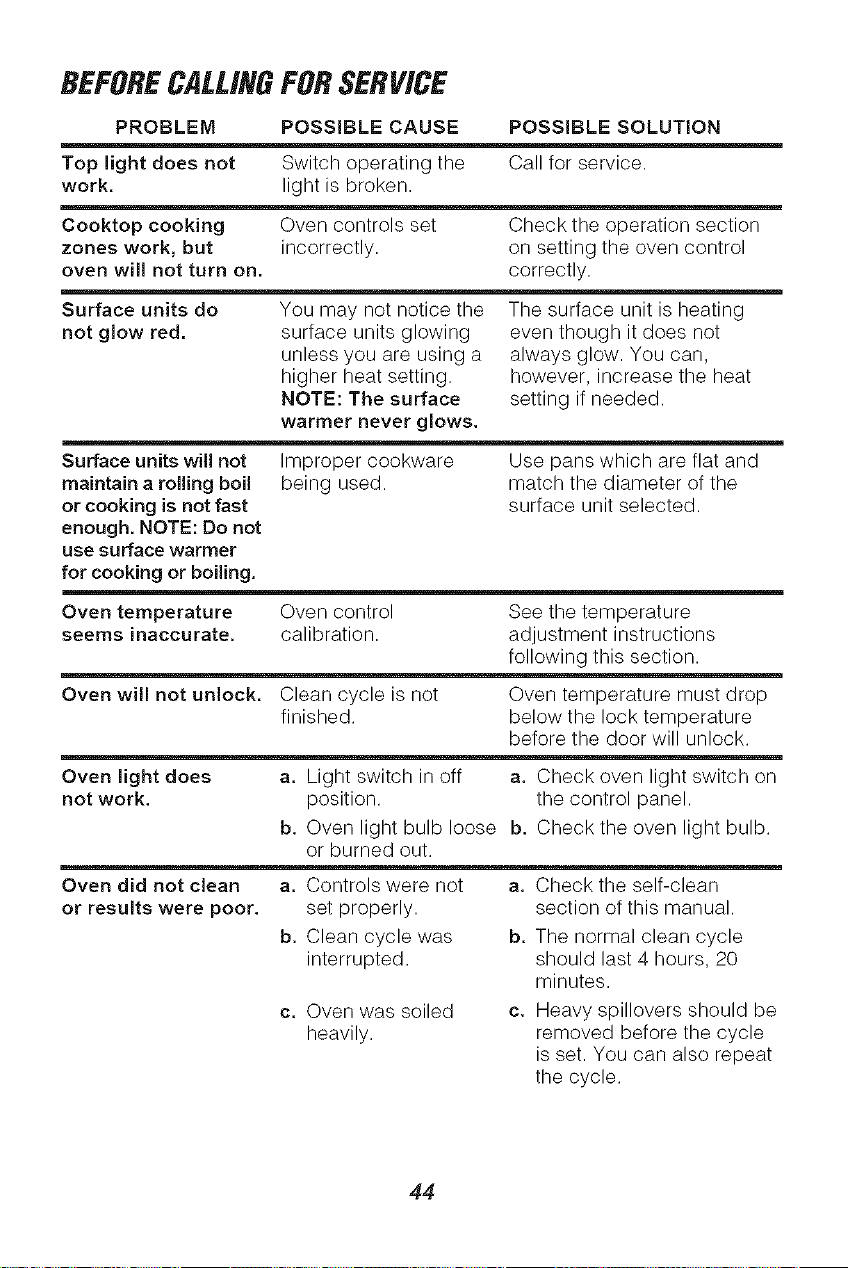
BEFORECALLINGFORSERVICE
PROBLEM POSSIBLE CAUSE POSSIBLE SOLUTION
Top light does not Switch operating the Call for service,
work. light is broken,
Cooktop cooking Oven controls set Check the operation section
zones work, but incorrectly, on setting the oven control
oven will not turn on. correctly.
Surface units do You may not notice the The surface unit is heating
not glow red. surface units glowing even though it does not
unless you are using a always glow. You can,
higher heat setting, however, increase the heat
NOTE: The surface setting if needed.
warmer never glows.
Surface units will not Improper cookware Use pans which are flat and
maintain a rolling boil being used. match the diameter of the
or cooking is not fast surface unit selected.
enough. NOTE: Do not
use surface warmer
for cooking or boiling.
Oven temperature Oven control See the temperature
seems inaccurate, calibration, adjustment instructions
following this section.
Oven will not unlock. Clean cycle is not Oven temperature must drop
finished, below the lock temperature
before the door will unlock.
Oven light does a. Light switch in off a. Check oven light switch on
not work. position, the control panel.
b. Oven light bulb loose b. Check the oven light bulb.
or burned out.
Oven did not clean a. Controls were not a. Check the self-clean
set properly.
b. Clean cycle was
interrupted.
c. Oven was soiled
heavily.
or results were poor.
section of this manual.
b. The normal clean cycle
should last 4 hours, 20
minutes.
c. Heavy spillovers should be
removed before the cycle
is set. You can also repeat
the cycle.
44
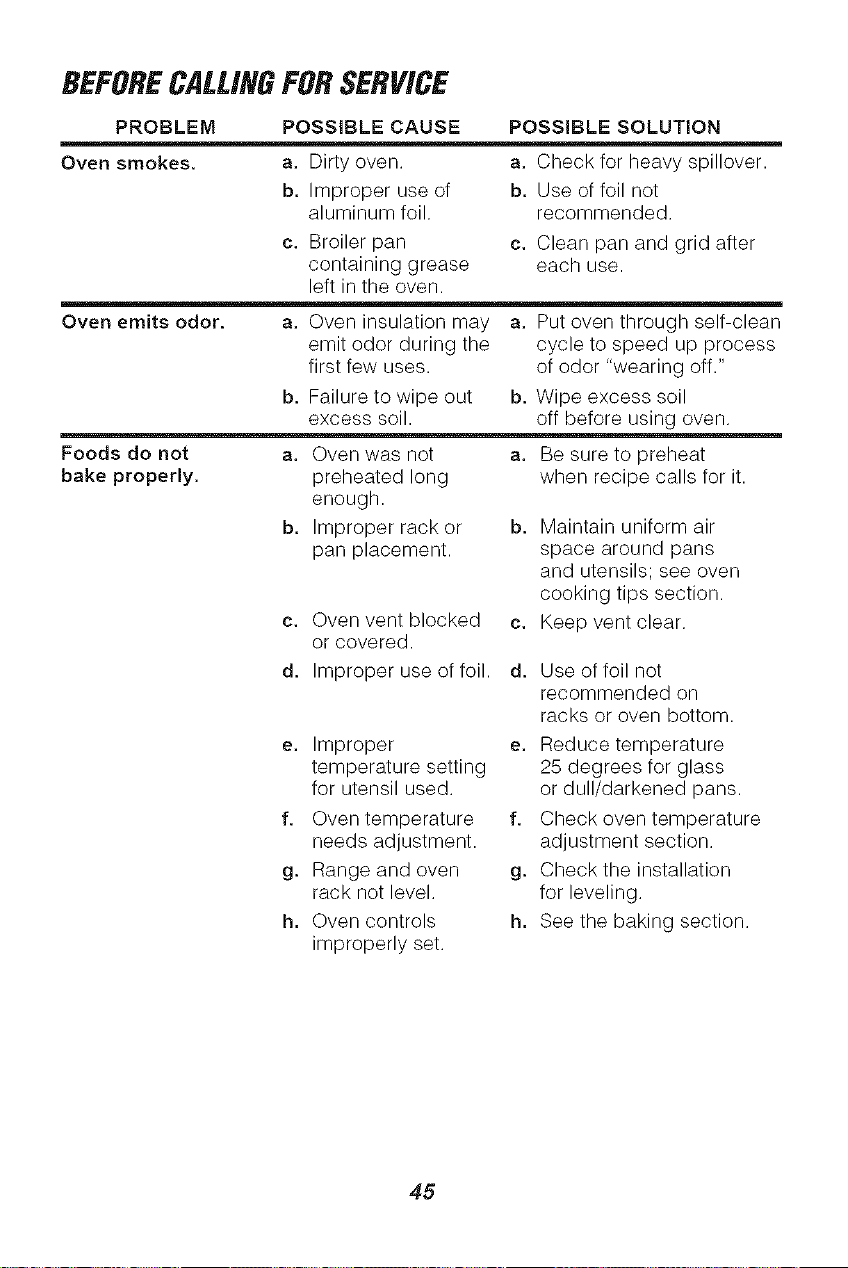
BEFORECALLINGFORSERVICE
PROBLEM POSSIBLE CAUSE POSSIBLE SOLUTION
Oven smokes, a. Dirty oven. a. Check for heavy spillover.
b, Improper use of b, Use of foil not
aluminum foil. recommended.
c. Broiler pan c. Clean pan and grid after
containing grease each use.
left in the oven.
Oven emits odor, a. Oven insulation may a. Put oven through self-clean
emit odor during the cycle to speed up process
first few uses. of odor "wearing off."
b, Failure to wipe out b, Wipe excess soil
excess soil. off before using oven.
Foods do not a. Oven was not a. Be sure to preheat
preheated long
enough.
Improper rack or b,
pan placement.
bake properly.
c. Oven vent blocked c.
or covered.
d, Improper use of foil. d,
e. Improper e.
temperature setting
for utensil used.
f. Oven temperature f.
needs adjustment.
g. Range and oven g.
rack not level.
h, Oven controls h,
improperly set.
when recipe calls for it.
Maintain uniform air
space around pans
and utensils; see oven
cooking tips section.
Keep vent clear.
Use of foil not
recommended on
racks or oven bottom.
Reduce temperature
25 degrees for glass
or dull/darkened pans.
Check oven temperature
adjustment section.
Check the installation
for leveling.
See the baking section.
45
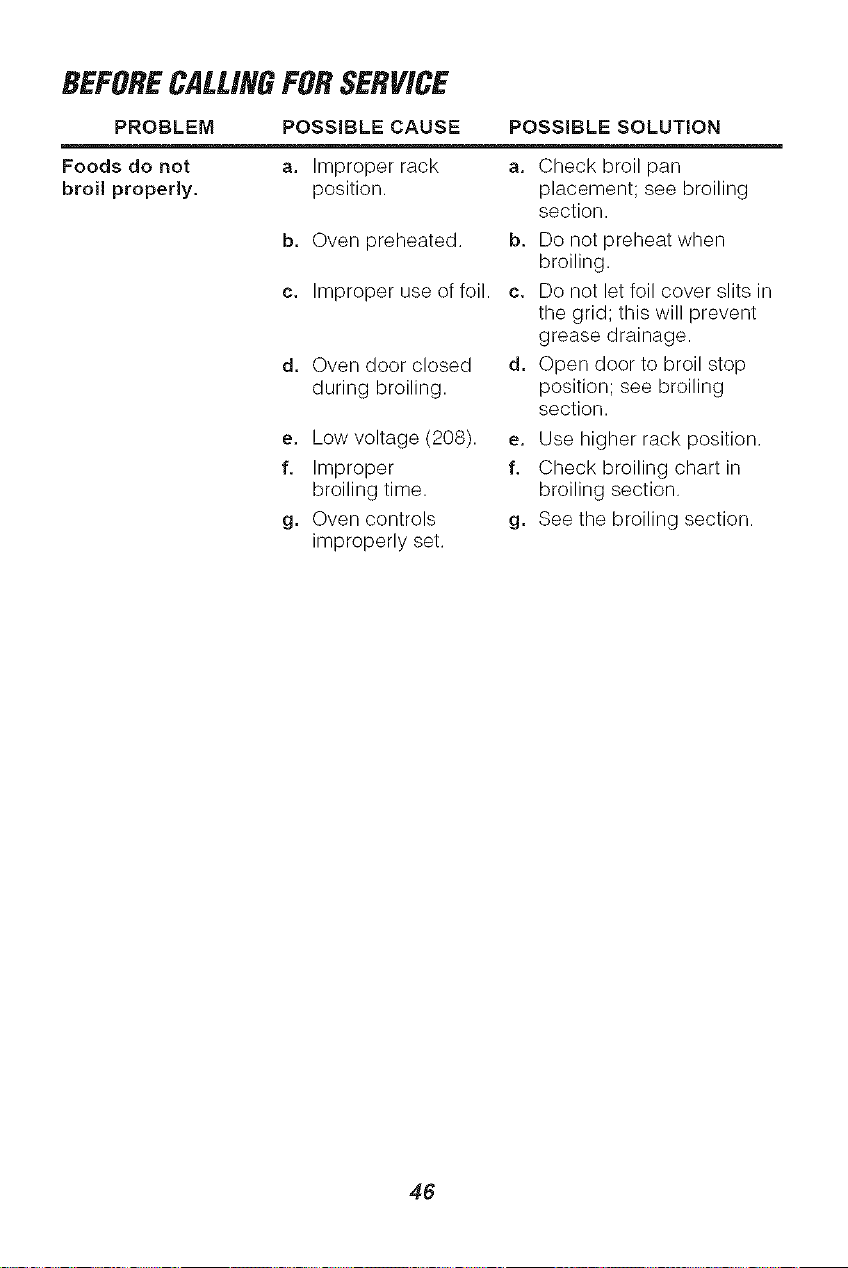
BEFORECALLINGFORSERVICE
PROBLEM POSSIBLE CAUSE POSSIBLE SOLUTION
Foods do not
broil properly,
a. Improper rack a. Check broil pan
position, placement; see broiling
section.
b, Oven preheated, b, Do not preheat when
broiling.
c. Improper use of foil. c. Do not let foil cover slits in
the grid; this will prevent
grease drainage.
d, Oven door closed d, Open door to broil stop
during broiling, position; see broiling
section.
e. Low voltage (208). e. Use higher rack position.
f. Improper f. Check broiling chart in
broiling time. broiling section.
g, Oven controls g, See the broiling section.
improperly set.
46
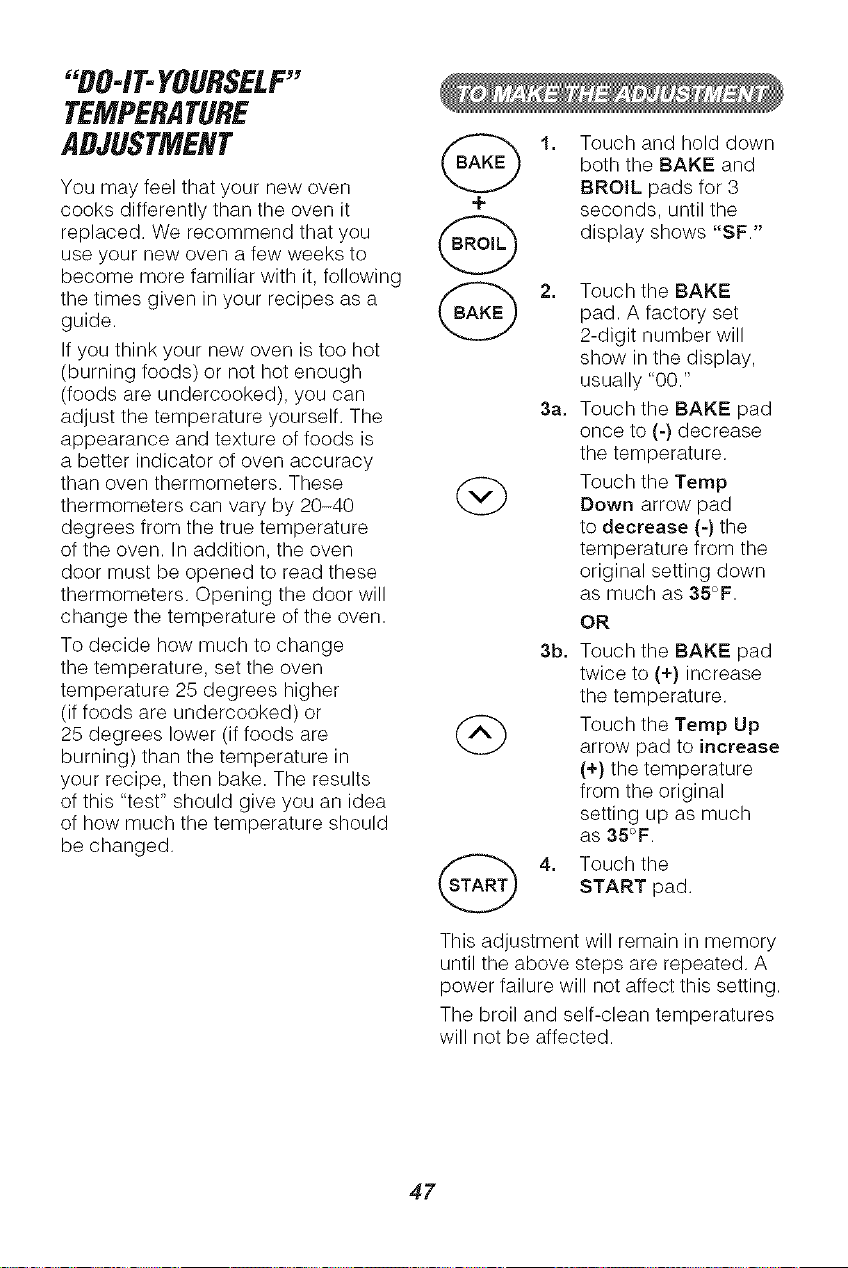
"DO-IT-YOURSELF"
TEMPERATURE
ADJUSTMENT
You may feel that your new oven
cooks differently than the oven it +
replaced. We recommend that you f,=_,."_
use your new oven a few weeks to
become more familiar with it, following
the times given in your recipes as a (_ A,._'_
guide.
. 2bJ
If you think your new oven is too hot
(burning foods) or not hot enough
(foods are undercooked), you can
adjust the temperature yourself. The
appearance and texture of foods is
a better indicator of oven accuracy
than oven thermometers. These
thermometers can vary by 20-40
degrees from the true temperature
of the oven. In addition, the oven
door must be opened to read these
thermometers. Opening the door will
change the temperature of the oven.
To decide how much to change
the temperature, set the oven
temperature 25 degrees higher
(if foods are undercooked) or
25
degrees lower (if foods are (A)
burning) than the temperature in
your recipe, then bake. The results
of this "test" should give you an idea
of how much the temperature should
be changed.
1. Touch and hold down
both the BAKE and
BROIL pads for 3
seconds, until the
display shows "SF."
2. Touch the BAKE
pad. A factory set
2-digit number will
show in the display,
usually "00."
3a. Touch the BAKE pad
once to (-) decrease
the temperature.
Touch the Ternp
Down arrow pad
to decrease (-) the
temperature from the
original setting down
as much as 35°F.
OR
3b. Touch the BAKE pad
twice to (+) increase
the temperature.
Touch the Temp Up
arrow pad to increase
(+) the temperature
from the original
setting up as much
as 35°F.
Touch the
START pad.
This adjustment will remain in memory
until the above steps are repeated. A
power failure will not affect this setting.
The broil and self-clean temperatures
will not be affected.
47

NOTES
48

NOTES
49
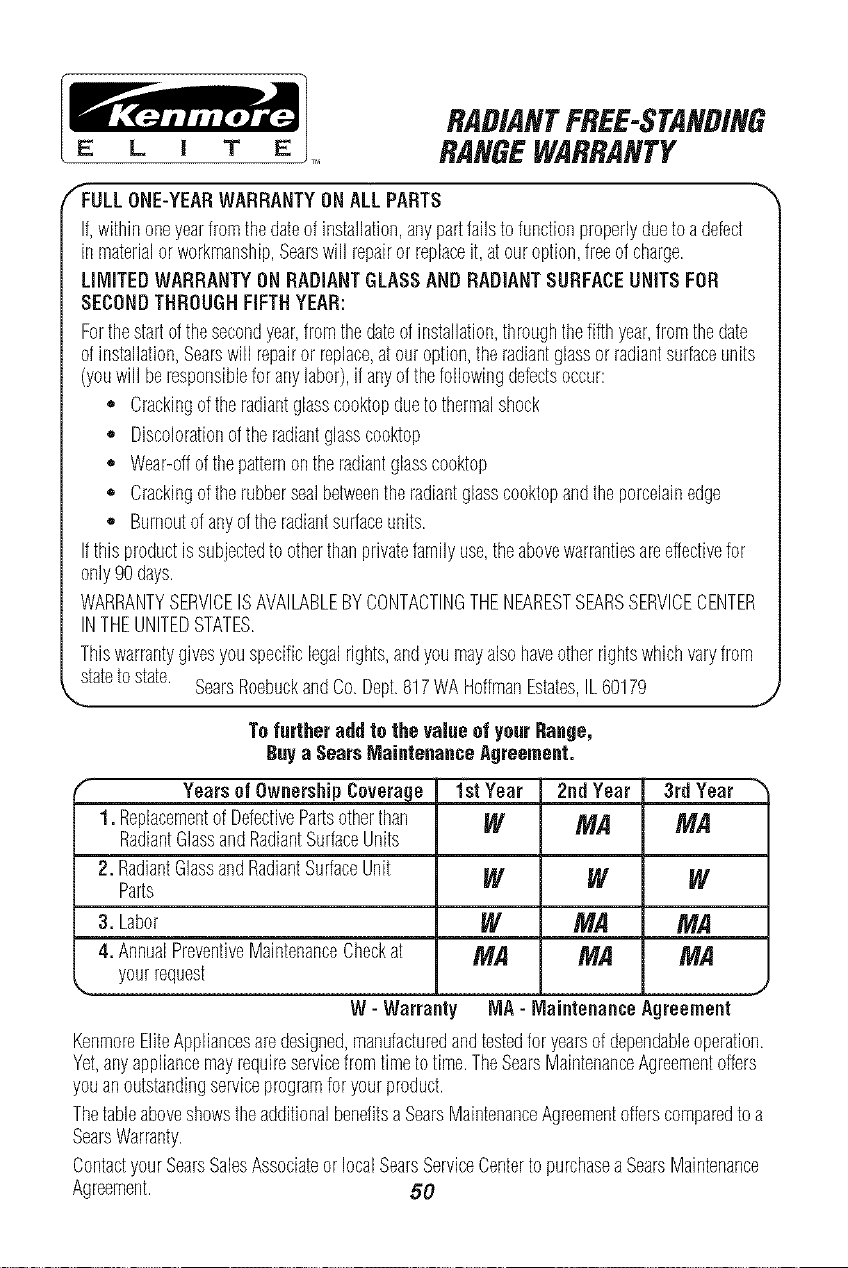
RADIANTFREE-STANDING
RANGEWARRANTY
ALL PARTS
If,withinoneyearfromthedateof installation,anypartfailstofunctionproperlyduetoadefect
inmaterialorworkmanship,Searswill repairor replaceit,atouroption,freeofcharge.
LilVliTEDWARRANTYONRADIANTGLASSAND RADIANTSURFACEUNITSFOR
SECONDTHROUGHFIFTHYEAR:
Forthestartofthesecondyear,fromthedateofinstallation,throughthefifthyear,fromthedate
ofinstallation,Searswill repairor replace,atouroption,the radiantglassor radiantsurfaceunits
(youwill beresponsibleforanylabor),if anyofthefollowingdefectsoccur:
* Crackingoftheradiantglass(:ooktopduetothermalshock
* Discolorationoftheradiantglasscooktop
* Wear-offoftile patternontheradiantglasscooktop
* Crackingoftherubbersealbetweentheradiantglasscooktopandtheporcelainedge
* Burnoutofanyoftheradiantsurfaceunits.
Ifthis productissubjectedto otherthanprivatefamilyuse,theabovewarrantiesareeffectivefor
only90days.
WARRANTYSERVICEISAVAILABLEBYCONTACTINGTHENEARESTSEARSSERVICECENTER
INTHEUNITEDSTATES.
Thiswarrantygivesyouspecificlegalrights,andyoumayalsohaveotherrightswhichvaryfrom
statetostate. IL60179
Tofurther add to the value of yourRange,
Buya SearsMaintenance Agreement.
Yearsnf Ownership Cnverage
1. Replacementof Defe('tivePartsotherthan
RadiantGlassandRadiantSurfaceUnits
2. RadiantGlassandRadiantSurfaceUnit
Parts
3. Labor
4. AnnualPreventiveMaintenanceCheckat
yourrequest
f st Year
W
2nd Year
MA
3rdYear
MA
W W W
W MA MA
MA MA MA
W - Warranty IVlA- MaintenanceAgreement
KenmoreBiteAppliancesaredesigned,manufacturedandtestedfor yearsofdependableoperation.
Yet,anyappliancemayrequireservicefromtimetotime.TheSearsMaintenanceAgreementoffers
youanoutstandingserviceprogramforyourproduct.
Thetableaboveshowstheadditionalbenefitsa SearsMaintenanceAgreementofferscomparedtoa
SearsWarranty.
ContactyourSearsSalesAssociateor localSearsServiceCentertopurchaseaSearsMaintenance
Agreement. 50