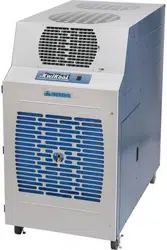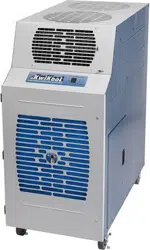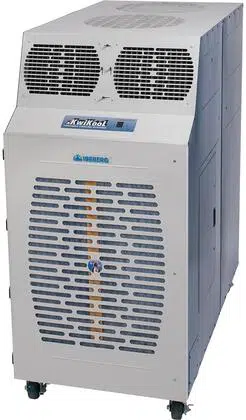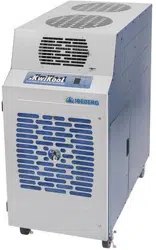
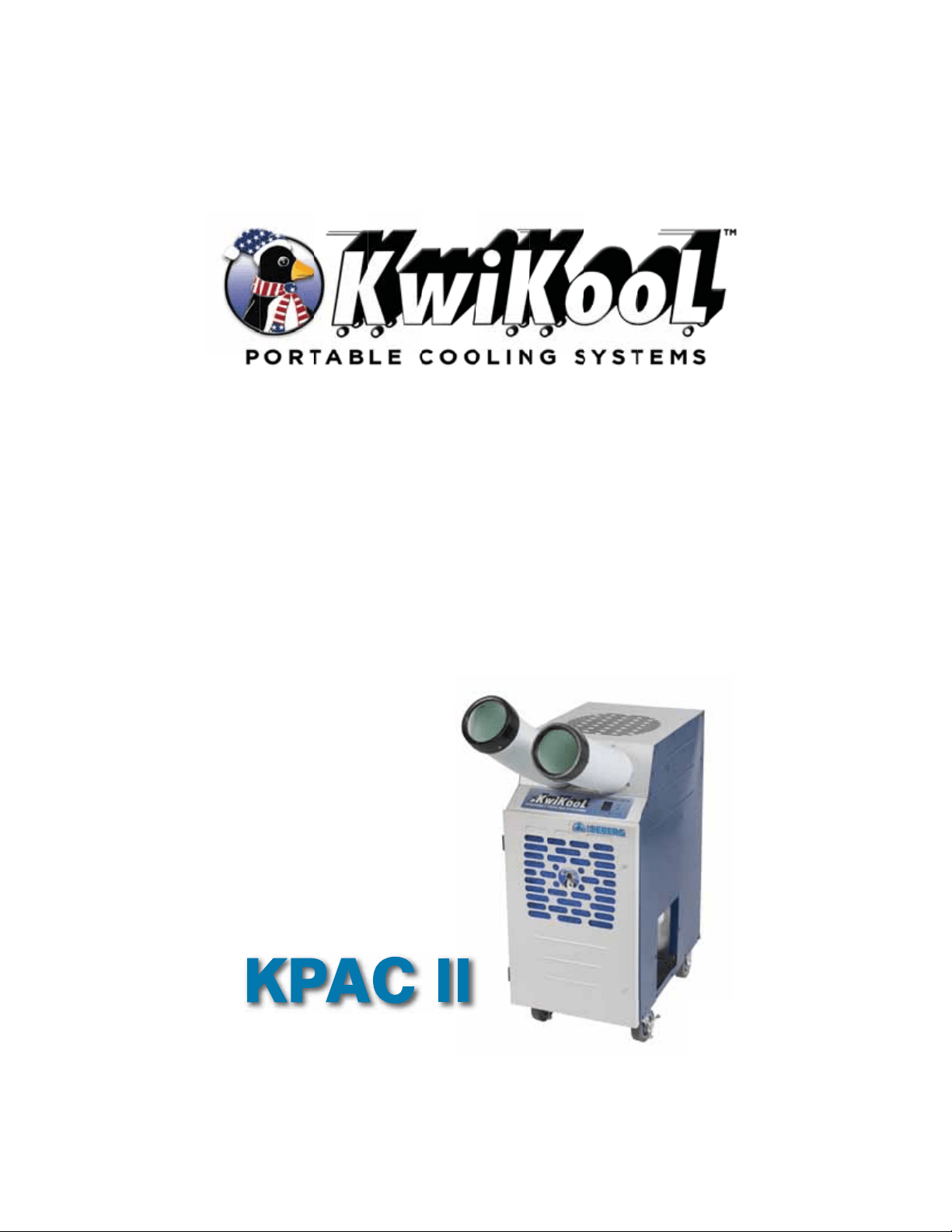
KPAC II
Operation Manual
SEIRES


KwiKool KPAC II Series
Operation Manual
Table of Contents
Before installing and using your KwiKool Portable Cooling
System, read this manual carefully for instructions and
proper usage and all safeguards.
This manual should be retained for future reference.
Section I / Unit Components - Page: 3
Section II / Assembly and Installation - Page: 4 - 5
Section III / Operational Safeguards - Page: 6
Section IV / System Operation - Page: 6 - 8
Section V / Built In Safeguards - Page: 8 - 9
Section VI / Application Requirements - Page: 9
Section VII / Maintenance - Page: 9
Section VIII / Utilizing Your KwiKool System - Page: 10
Section IX / Fault Codes - Page: 10
Section X / KPAC II Troubleshooting Guide - Page: 10-12

Page 3
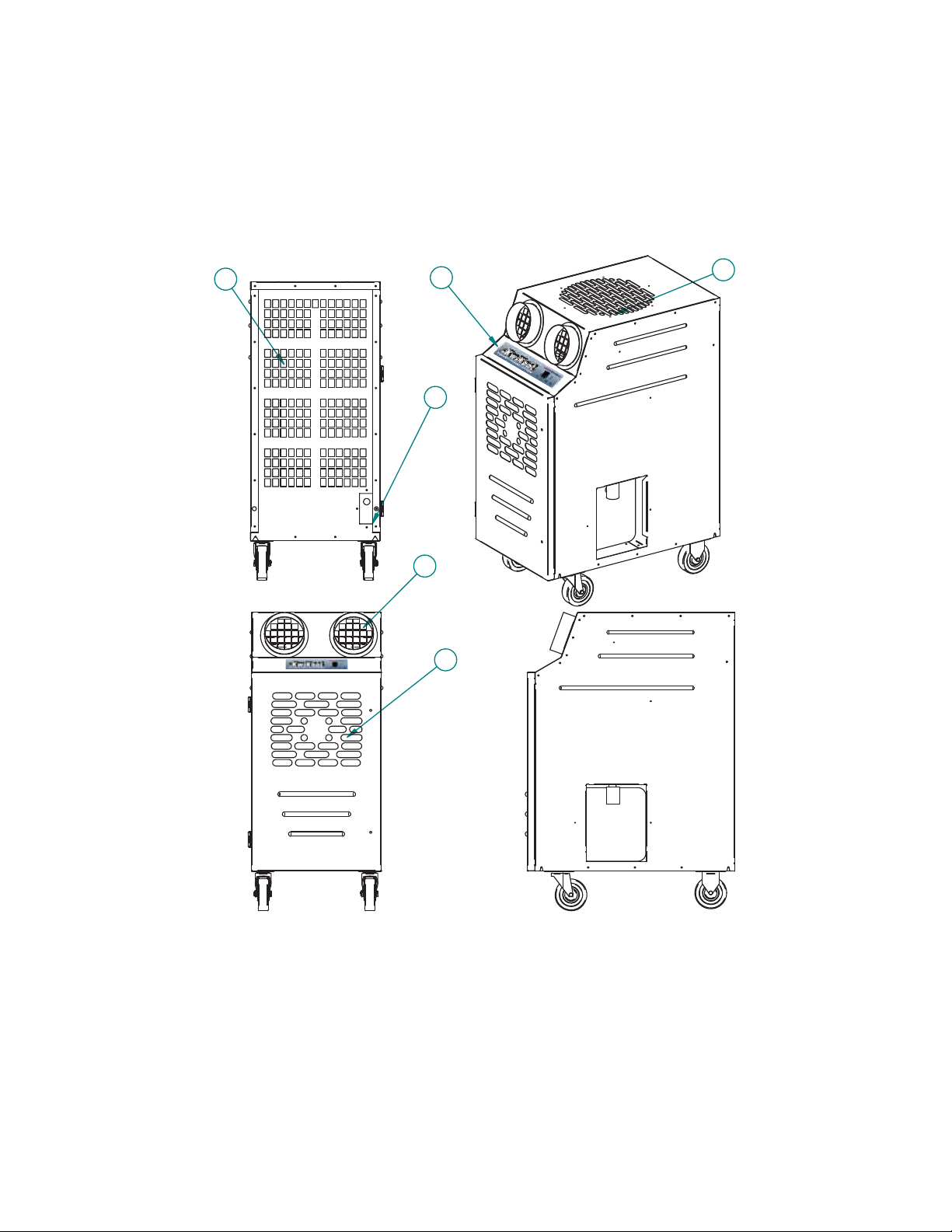
I / Unit Components
1*,*3)
1 Cold Air Return 4 Condenser Air Inlet
2 Control Pad 5 Condenser Air Outlet
3 Cold Air Supply 6 Power Cord
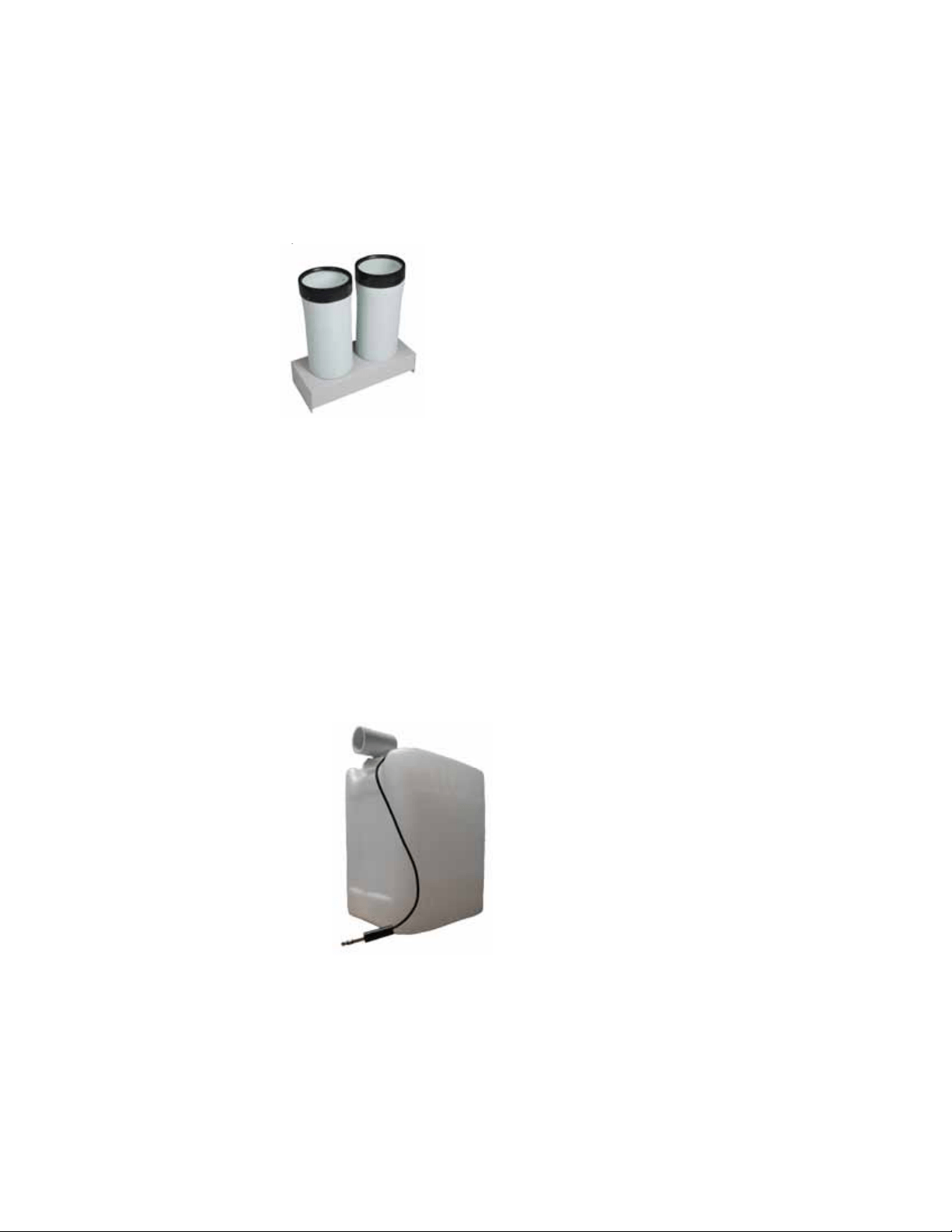
Ceiling Kit (Optional Accessory) - The ceiling kit is comprised of a flange with foam
tape, fasteners, one (1) eight foot length of flexible duct, duct clamps, and one
24”X24” replacement ceiling tile.
C.
Page 4
II / Assembly and Installation
Air Chutes (standard equipped) - Install supply air flanges to the front of your
KwiKool unit above the control panel. (See instructions in the air chute kit for specific
procedures).
A.
B.
Air Chutes - Conditioned air supply, equipped.
Condensate Tank -
3-gal Condensate
Tank with float assembly for automatic
cutoff.
Condensate Tank - The system comes standard with an internal 3-gallon condensate
tank. The internal condensate tank is equipped with a float switch that shuts your
KwiKool down and alerts operators with an alarm and displays CF (“Condensate Full”)
when the condensate tank is full. This prevents accidental water overflow on the floor.
To continue operation of your KPAC II the collection bottle must be removed, emptied
and then re-installed. Turning the KPAC II to off will stop the audio alarm. Remove the
float switch jack by pulling it straight back and then remove the condensate bottle by
pushing the front of the bottle slightly downward and then pull the bottle out. Remove
the cap threaded onto the bottle by turning it counterclockwise, then empty the
collected water, return the cap back onto the bottle by turning clockwise taking care not
to cross thread the cap upon installation, tighten the cap to the point where the angle
connector on the condensate bottle lines up with the nipple extending out from the drain
pan on your KPAC II and insert the bottle by pushing down slightly to clear the extended
drain pan nipple. Be sure the drain pan nipple is inside of the angle connector and the
cap is snug and not cross threaded to avoid water leakage. Install the float switch jack
by pushing it straight in and confirm the pin is fully inserted or the alarm will not clear.
Continue normal operation.

Page 5
1.
2.
Align the holes of the flange to the holes located on the top of the unit. Attach to the
top of the KwiKool unit using the factory supplied fasteners.
Attach the duct to the flange on the replacement ceiling panel; secure the duct to
the flange using the supplied clamps.
Install the replacement ceiling panel in the ceiling grid with the duct attached,
connect the open end of the duct to the flange on your KwiKool and secure with
supplied clamps. The area where the discharge air is directed must be open to a
space that is well vented or large enough to absorb the load without pressurizing
and coming back into your conditioned space. Discharge make-up air will come from
your conditioned space and create a negative pressure in the conditioned area. Your
KwiKool must have fresh make-up air going to the condenser to operate.
**For Ceiling Kit Users** - Single Duct Ceiling Kit - Can use this method when
conditioning a space, adding supplemental conditioning, process conditioning and
comfort conditioning. The unit is placed in the area you are conditioning, discharge
air is moved from the space through the duct connected to the condenser discharge
air flange, the duct is connected to the ceiling panel, the ceiling panel is typically
used in drop ceilings, a 24” x 24” space is opened in the ceiling grid and the
replacement panel with the duct attached to the flange is installed, the area where
the discharge air is directed must be open to a space that is well vented or large
enough to absorb the load without pressurizing and coming back into your condi-
tioned space. Discharge make up air will come from your conditioned space and
create a negative pressure in the conditioned area. Determine if your application can
tolerate this condition, the negative pressure will pull in surrounding conditioned air
and ambient air from unsealed areas which may include dust, moisture or other
particles. Additionally, the ceiling kit replacement panel is not limited to ceiling use
and may be placed or fastened to any vertical or horizontal surface providing the
discharge and make up air is able to be directed to the space where it is mounted.
For areas with a closed ceiling or no ceiling use the double flange ceiling kit method
or extended duct method.
Visit www.KwiKool.com for more information and a complete set up guide.
Follow these installation steps:
3.
4.
Ceiling Kit - The CK-12S includes one 12” x 8” duct,
1 flange and fasteners to be mounted to the unit, clamps
necessary for duct attachment and a ceiling panel.
Power Connection - Verify that the source power, phase and breaker size is
compatible with your KwiKool serial plate information and that the electrical circuit is
dedicated only for the use of your KwiKool Unit. If you aren’t sure about your power,
contact a licensed electrician. KwiKool systems are factory equipped with 8‘ of power
cable sized to meet the power requirement of your system. Extension power cable is
allowed but cannot exceed 25’ and must be rated to operate your KwiKool. KwiKool
units that come supplied with a factory installed plug require the exact receptacle to
match the plug and exact circuit size and power. Cutting the power plug on your KwiKool
unit will void its warranty.
D.
Page 6
III / Operational Safeguards
Do not operate or install your KwiKool unit in a potentially explosive, combustible, or
corrosive gas atmosphere.
Keep your KwiKool system away from flammable materials and open flame.
To avoid electrical shock keep your KwiKool system away from direct contacts with
water and any liquids and do not touch your system with wet hands.
To insure your KwiKool system is stable, the floor on which the system is to be place
should be level, free of vibration and strong enough to support the weight of your
KwiKool model.
Do not move the system while it is operating. Before moving the system, first turn
system to OFF then unplug the system from the power source. Then unlock casters.
Do not tilt or overturn your unit, since this could damage the compressor.
Do not place objects on top of your unit.
Do not insert your hand or any other object into the cold air supply chutes.
Do not operate your KwiKool system with its service doors open.
If your KwiKool system makes abnormal noises or vibrations, call KwiKool at
1-800-594-5665.
B.
A.
C.
D.
F.
E.
G.
H.
I.
J.
Read the following safeguards carefully before installing your KwiKool:
IV / System Operation
Apply Electrical Power - Once power is engaged by plugging in your system
and/or switching the breaker to the on position, your KwiKool display will come alive
and show the current room temperature. The unit is set to OFF and the fan is set to the
default position. A 2 minute time delay starts, indicated by a flashing F on the display. If
you are not seeing anything on the display, refer to the Troubleshooting Guide section
of this manual.
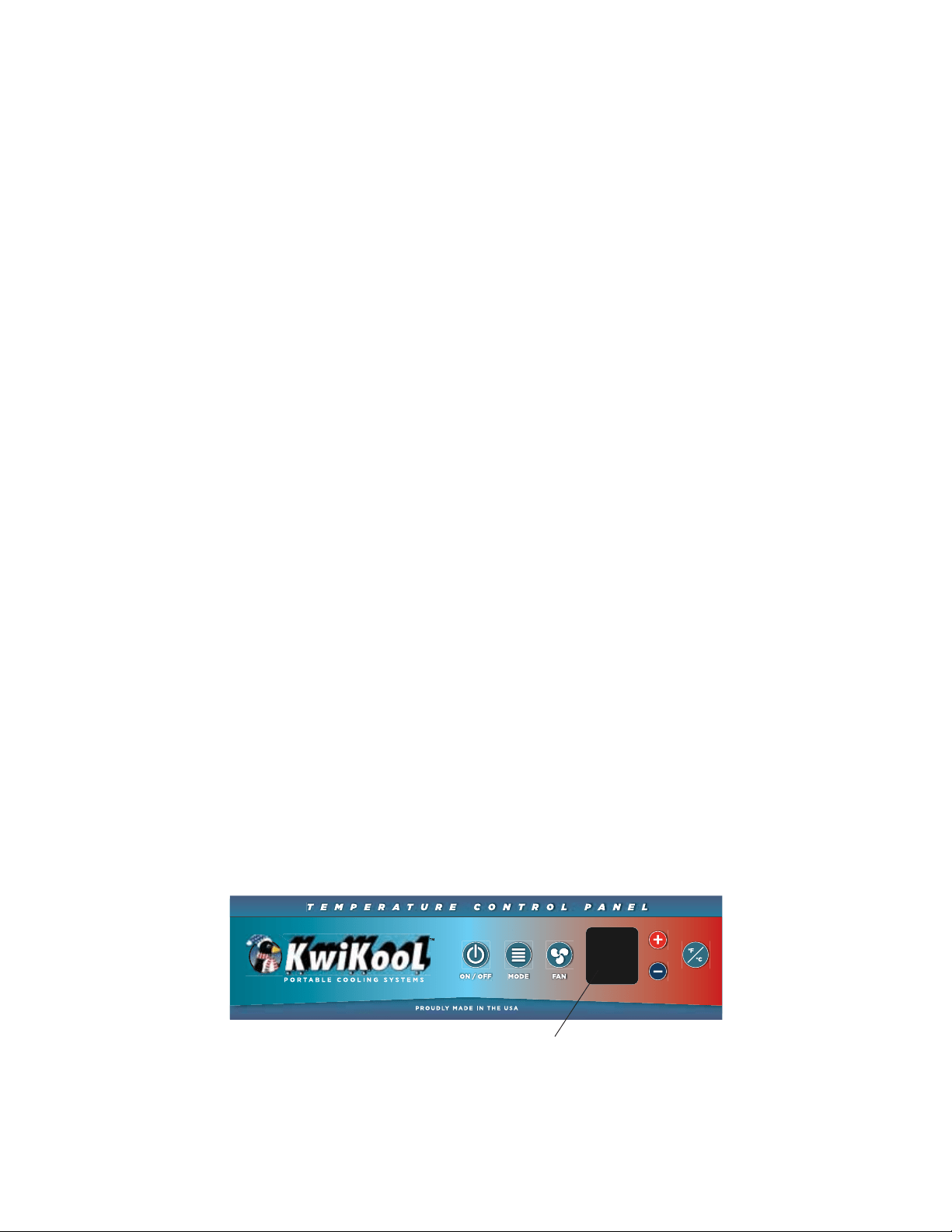
Control Panel - The control panel display shows the current operational status of the
unit.
B.
A.
Shown in detail on next page.
Page 7
ON/OFF Button - Pressing this button on your control panel engages or shuts
down your KwiKool system. All settings selected are stored in the microprocessor
board even if the power is lost including the ON/OFF selection. Refer to the
Troubleshooting Guide section of this manual if your KwiKool is alerting an alarm
after selecting ON.
MODE Button - Depressing the MODE button selects your choice of operations.
Cool, for cooling with compressor operation. “Cool” will flash when the compres-
sor is running. “Cool“ will not flash when the room temperature is equal to or lower
than the set temperature or the system is timing out. Fan, for air circulation without
compressor operation.
F/C - Selects the way that room temperature and set point are displayed on the
control panel. Choices are Fahrenheit or Celsius. F is the factory default. This
indicator will flash when the system is in “time out” to prevent compressor short
cycling.
Fan - Pressing the fan button cycles the supply air fan between auto fan and fan
on. When the system is in auto fan, the supply air fan only operates when the
compressor is running. When the fan is set to on, the fan runs continuously as long
as the unit is in the ON position. The fan speed window will be blank on these
models.
Up (+) and Down (-) Arrow Buttons - Raises or lowers the desired set tempera-
ture. When changing the set point, pressing the + or – key, the word SET will
appear on the display and the current set point flashes ON and OFF. The value of
the set point is changed 1 degree each time the + or – is pressed. The adjusted set
point flashes on and off 12 times after the last change and then returns to display
the room temperature.
1.
2.
3.
+
-
FAN
F
Cool
OFF
Fan
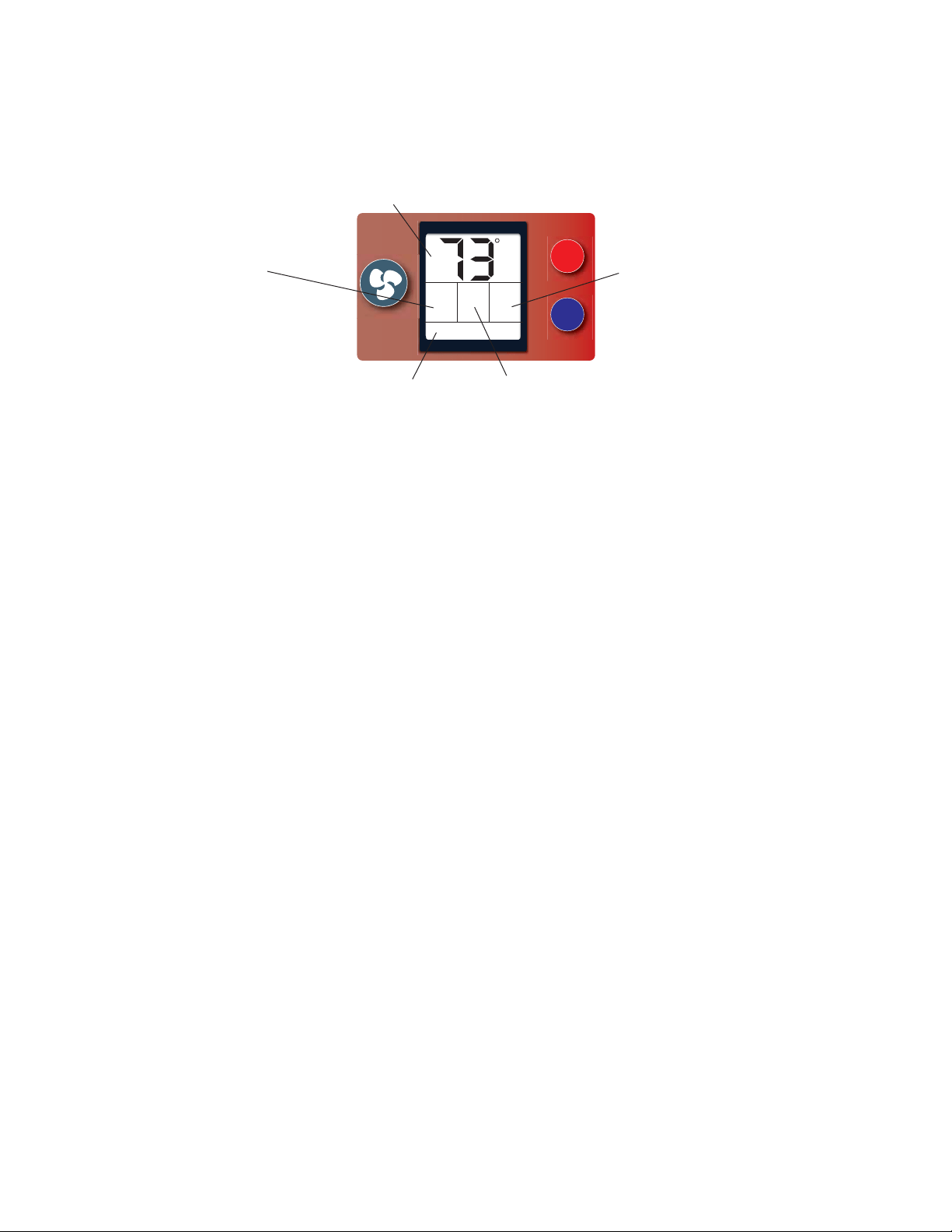
Display Shows - Current Temperature,
Set Temperature, or Alarm Codes
Display Shows - Unit Mode
Cool / Fan
Display Shows - Fan Speed (except single speed)
Display Shows - On / Off
Display Shows - Fan Mode
5.
4.
a.
Lowering or raising the set point will not change the temperature of the
supply air. For best results always adjust the set point to a temperature your
KwiKool can cycle on and off at to avoid operational issues such as freezing or
rapid discharge fan cycling, KwiKool systems are designed to maintain the set
point when sized properly and constant operation without achieving the set
point may shorten the expected operational life of your system.
NOTES:

C.
Turn On Your KwiKool System - Pressing the ON/OFF button once on your control
panel will put your unit in the ON position and “ON” will be displayed on the right
side of your display as well as the previously chosen mode.
COOL - If the unit was previously set to the cooling mode (cool) then “cool” will be
displayed. If the compressor is running, the ”cool” on the display will be flashing. If
your unit has been sitting for over 2 minutes, this should happen immediately upon
turning the unit on, unless your set point is lower than the current room tempera-
ture. In this case your unit is ready to automatically turn on once the temperature
rises above the set point. If the unit was recently turned off or the unit turned itself
off because it reached the set point, the compressor will not turn on until the
system waits for approximately 2 minutes. This prevents the compressor from
being damaged do to a condition called short cycling. The indicator that the unit is in
the “time out” condition is that the F (or C) in the display will be flashing. When the
compressor starts, the F will stop flashing and the “COOL” will begin flashing.
Note that the condenser fan will not start immediately with the compressor. If the
display flashes 99, this indicates ambient temperature of 99 degrees F or more.
This is normal and will stop flashing when the ambient temperature falls below 99
degrees F.
FAN - If the unit was previously set to the fan mode then “FAN” will be displayed
and the fan will start to run.
System Operation -
1.
Page 8
b.
The lowest set point temperature available for your KwiKool is 60 degrees F,
and the highest setting is 95 degrees F. The control will not allow adjustments
beyond these ranges.
V / Built in Safeguards
KwiKool is proud to provide its customers with high quality features and safety devices
that are not found in most other brands.
2.
3.
Time Delay - Protects your KwiKool from potential damage by delaying the compres-
sor from starting before the pressures in the mechanical system equalize. This always
activates when your KwiKool cycles off, is turned off, power is lost and then restored or
the operational mode is changed. Display flashes C or F if the time delay is activated.
High-Pressure Switch and Alarm - Protects your KPAC II unit from potential
damage to the mechanical system by shutting down, sounding an audible alarm and
displaying a fault code (AL) when the system pressure exceeds safe operating condi-
tions. The high pressure switch is a manual reset switch located in the condenser inlet
on the back of the system and labeled HP Reset; and must be reset after the switch is
activated and the condition causing the trip is corrected.
Automatic Restart - In the event of a power loss your KwiKool Iceberg resumes
operation when the power is restored. All operational functions are preserved in the
memory of the Microprocessor Board including the ON/OFF selection.
B.
A.
C.

Page 9
D.
E.
Condensate Tank & High Level Alarm - All KPAC II models come standard with
an internal condensate tank. The tank is equipped with an overflow safety cut-off. When
the tank is full, the safety will automatically shut down your unit, sound an audible alarm
and display a fault code (CF) this prevents accidental flooding of the conditioned space.
To continue operation when bottle is filled, see section II:B.
Service Ports - Located in the filter access compartment in the front of your KwiKool
below the control panel. This gives service personal a connection point for service
gauges to monitor the operating pressures of your KPAC II refrigeration system.
VI / Application Requirements
Air Temperature Requirements - The environmental requirements of your
KwiKool unit at the installation site are 60 to 110 degrees F for the condenser make-up
air located on the back of the unit. If the unit is operated in an environment above 110
F the high pressure switch may trip, stopping the unit’s compressor. You also may
notice diminished performance. The High Pressure Switch type is a manual reset. The
reset switch is located in the condenser make-up air inlet on the back of the system.
Reset the unit by pressing the button labeled HP Reset. Standard air-cooled KwiKool
models are not designed to operate at temperatures below 60 degrees F. Low-
ambient temperature controls must be special ordered at an additional cost.
Temperatures below 60 degrees F will cause freezing and or diminished performance
and can void your warranty.
Capacity & Temperature Settings - Sizing of our units is based on matching
capacity to a specific heat load while maintaining a 72 degree F temperature. In order
to reach temperatures below 72 degrees F, the unit must have extra capacity.
Positioning of Unit - Do not place your KwiKool unit in direct sunlight, the unit
should be positioned so that the output of the unit can be focused as close to the heat
generating equipment as possible with the front grill fully exposed. Do not block the
front of the unit, since this will cause a restriction in the airflow and can cause low
performance and/or evaporator coil freezing. The KPAC II will take condenser make-up
air from the area of placement and cannot be ducted, the inlet for the condenser
make-up air is located in the rear of the unit and will not allow for the back of the unit to
be placed flat against a wall or fixed object, not allowing at least 5 or 6 inches of space
between the inlet and a wall or fixed object will cause decreased performance and or
high pressure safety trip.
B.
A.
VII / Maintenance
Air Filters - Your KwiKool unit comes from the factory with filters installed on the
evaporator inlet to prevent dust and debris from entering the system and circulating in
the conditioned space, factory installed filters are a disposable type and must be
periodically checked and replaced based on the air quality of your conditioned space.
Failure to maintain the filters will cause restricted air flow and low overall unit
performance. The air filter is located on the front of your KwiKool unit below the
control, release the 2 slotted fasteners on the access door to open.
A.
C.

Page 10
VIII / Utilizing your KwiKool System
In contrast to conventional air conditioners, which circulate air conditioning capacity evenly
to an entire floor, KwiKool systems are designed for cooling an area with a high concentra-
tion of heat load, usually from electrical or computer equipment. Understanding the capabili-
ties of your KwiKool can help you avoid problems. For example, if you add heat-generating
equipment to the room after purchasing a KwiKool system, you may be short of the
necessary cooling capacity. Your KwiKool system offers an effective affordable solution for
many applications. It can also provide spot cooling for workers or process cooling within a
large space without the use of condenser ducting, such as a warehouse factory, or produc-
tion areas. If the system is used in this manner, the cold air supply must be within 5 feet of
the person or equipment being cooled, since the hot ambient air will mix with the cool air
very quickly. Your KwiKool system is specifically designed to adapt to today’s high tech
environments such as telecommunication or computer rooms and is equipped with the
necessary controls to maintain those special environments. Call your nearest KwiKool
Distributor or 1-800-594-5665 for help or for questions about other applications.
IX / Fault Codes
Your KwiKool Iceberg System incorporates a self-diagnostic system that sounds an audible
alarm, stops your system and displays a fault code to indicate the nature of the problem on
the display panel. See the troubleshooting guide later in this manual for further information.
CF = Condensate Tank Full
AL = High Pressure Switch Tripped
FP = Freeze Protection
X / KPAC II Troubleshooting Guide
Fault Possible Cause Possible Solution
Unit displays CF, Audio
alarm fails to clear on start
up or while operating
Internal Condensate Tank is
full, or condensate float
switch jack is not installed or
not positioned correctly.
Water level switch is
engaged.
Empty Internal Tank (see
section II:B) Unplug tank
plug and reinstall to assure
good connections. System
automatically resets when
fault condition is corrected.
Audio alarm fails to clear on
start up or while operating,
unit displays FP.
Microprocessor has
detected freezing on the
evaporator coil if the system
has a factory installed freeze
sensor. (Special order)
Check for freezing on the
evaporator coil and turn the
system off to let it thaw out,
call 1-800-KWIKOOL if your
system is not equipped with
a freeze sensor. Auto resets
upon correction.

Page 11
Unit Displays AL and Audio
alarm is sounding during
start up or while operating.
Microprocessor board has
detected high pressure. The
High Pressure switch is
tripped.
High pressure is normally
caused by reduced
condenser air flow. Check
for restriction in ducting.
Check for condenser air
system ventilation (see
section V:B). Check
condenser motors and/or
blowers for proper operation.
High pressure is a manual
reset type. To reset, press
the button labeled HP reset
located in the condenser
make-up air inlet on the back
of your KwiKool (you should
feel a click when resetting).
System is ON and display is
showing ON but unit is not
supplying conditioned air.
System is in time out (F or
C is flashing), control is set
above room temperature or
control is adjusted out of
operating parameters or not
in the correct operational
MODE.
Wait 2 minutes, review
System Operations guide.
Fault Possible Cause Possible Solution
Power is supplied but
control is blank
Low voltage circuit is not
engaged
Check source power
breaker and verify incoming
power to connector. Call
1-800-KWIKOOL for
assistance.
System trips breaker on
start up
Incoming power is incorrect,
breaker is undersized or
faulty, and or power cable is
too long and or undersized.
Verify the circuit and power
cable is within the systems
specifications, consult with
your electrician or call
1-800-KWIKOOL for
guidance.
Display shows 32 and unit
will not turn on cooling.
No connection of tempera-
ture sensor to Micropro-
cessor. Temperature
Sensor malfunction.
Call 1-800-KWIKOOL for
instructions.
Chatter or hum is heard
from the control box while
the system is operating.
Incoming source power is
poor or low voltage compo-
nent is faulty.
Check for proper incoming
voltage; remove excess or
undersized power cable.
Call 1-800-KWIKOOL.

Page 12
Supply air flow is limited, and
or water is dripping from the
front of the system
Supply or return air is
blocked or restricted, and or
the evaporator coil is
freezing.
Verify that supply and
return air are not blocked
and duct work is installed
to specification, remove or
add duct as needed, check
air filter for blockage.
Fault Possible Cause Possible Solution
Evaporator coil is freezing Low or restricted air flow.
Undersized capacity, unit
constantly on, unable to
achieve set point. Low
return air temperature out
of factory specifications.
Evaporator door open,
mechanical system
malfunction.
Direct supply return air to
area of highest heat load,
check for blocked air flow
from the supply air, replace
air filters, adjust set point to
allow the unit to cycle, add
another KwiKool system or
larger capacity model.
Install service gauges to
view pressures.
Call 1-800-KWIKOOL
99 Flashes on display Ambient room temperature
over 99 degrees F.
Unit is working properly.
Lowering of room tempera-
ture will rectify the flashing.
59 or lower temperature
flashes on display
Ambient room temperature
under 59 degrees F.
Limits of unit have been
reached. Operating tempera-
tures are 65 - 105 degrees F.


Revision 062016