gardena.com
Operator‘s manual
SILENO minimo
Minimo_cover_A5.indd 1Minimo_cover_A5.indd 1

Contents
1 Introduction
1.1 Introduction........................................................... 3
1.2 Product overview...................................................4
1.3 Symbols on the product........................................ 5
1.4 Symbols on the battery......................................... 5
1.5 General manual instructions................................. 5
1.6 Keypad.................................................................. 5
1.7 LED status indicator on the keypad...................... 6
2 Safety
2.1 Safety information................................................. 8
2.2 Safety definitions...................................................9
2.3 Safety instructions for operation............................9
3 Installation
3.1 Introduction - Installation..................................... 12
3.2 Main components for installation.........................12
3.3 General preparations.......................................... 12
3.4 Before the installation of the wires...................... 12
3.5 Installation of the product.................................... 17
3.6 To put the wire into position with stakes............. 19
3.7 To bury the boundary wire or the guide wire.......19
3.8 To extend the boundary wire or the guide wire... 19
3.9 After the installation of the product......................20
3.10 To do the product settings.................................20
4 Operation
4.1 To use the ON/OFF button..................................23
4.2 To start the product............................................. 23
4.3 Operating modes.................................................23
4.4 To stop the product............................................. 25
4.5 To switch off the product..................................... 25
4.6 To charge the battery.......................................... 25
4.7 Adjust the cutting height......................................25
5 Maintenance
5.1 Introduction - maintenance..................................27
5.2 Clean the product................................................27
5.3 Replace the blades............................................. 28
5.4 Firmware update................................................. 28
5.5 Update of the GARDENA Bluetooth
®
App.......... 29
5.6 Battery.................................................................29
5.7 Winter service..................................................... 30
6 Troubleshooting
6.1 Introduction - troubleshooting..............................31
6.2 Fault messages...................................................31
6.3 Information and warning messages.................... 35
6.4 Indicator lamp in the charging station................. 36
6.5 Symptoms........................................................... 37
6.6 Find breaks in the loop wire................................ 38
7 Transportation, storage and disposal
7.1 Transportation..................................................... 41
7.2 Storage................................................................41
7.3 Disposal.............................................................. 41
8 Technical data
8.1 Technical data.....................................................42
8.2 Registered trademarks........................................43
9 Warranty
9.1 Warranty terms....................................................44
10 EC Declaration of Conformity
10.1 EC Declaration of Conformity............................45
2 1585 - 004 - 03.03.2021

1 Introduction
1.1 Introduction
Serial number:
PIN code:
Product registration key:
The serial number is on the product carton and on the product rating plate. Refer to
Product overview on page 4
.
• Use the serial number to register your product on www.gardena.com.
1.1.1 Support
For support about the GARDENA product, speak to your
GARDENA service.
1.1.2 Product description
Note: GARDENA regularly updates the appearance
and function of the products. Refer to
Support on page
3
.
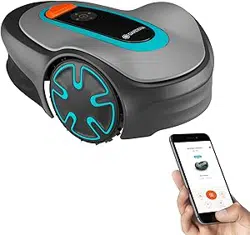
The product is a robotic lawn mower. The product has a
battery power source and cuts the grass automatically. It
continuously alternates between mowing and charging.
The movement pattern is random, which means that the
lawn is mowed evenly and with less wear. The boundary
wire and the guide wire controls the movement of the
product within the work area. Sensors in the product
senses when it is approaching the boundary wire. The
front of the product always passes the boundary wire by
a specific distance before the product turns around.
When the product hits an obstacle or approaches the
boundary wire the product selects a new direction.
The operator selects the operation settings in the
GARDENA Bluetooth
®
App or with the keys on the
keypad. The app and the LED status indicator lamps
show the selected and possible operation settings, and
the operation mode of the product.
1.1.2.1 Mowing technique
The product is emission free, easy to use and saves
energy. The frequent cutting technique improves the
grass quality and decreases the use of fertilizers.
Collection of grass is not necessary.
1.1.2.2 Find the charging station
The product operates until the battery state of charge is
low. Then it follows the guide wire to the charging
station. The guide wire is laid from the charging station
towards, for instance, a remote part of the work area or
through a narrow passage. The guide wire is connected
with the boundary wire and makes it much easier and
faster for the product to find the charging station.
1.1.2.3 GARDENA Bluetooth
®
App
The product can be operated with the keypad on the
product and use the factory settings of the product.
To adjust the settings of the product the GARDENA
Bluetooth
®
App is used. The product can be controlled
remotely with Bluetooth
®
within short range.
1585 - 004 - 03.03.2021 Introduction - 3

1.2 Product overview
1
2
5
6
4
7
2021
14
16
12
13
11
10
3
8
9
19
17
18
20
22
24
25
23
15
1. ON/OFF button
2. Keypad
3. Stop button
4. Top cover
5. Body
6. Front wheels
7. Charging station
8. Contact plates
9. LED for operation check of the charging station,
boundary wire and guide wire
10. Handle
11. Chassis box with electronics, battery and motors
12. Cutting system
13. Blade disc
14. Rear wheel
15. Hex key
1
16. Rating plate
2
17. Stakes
18. Connector for the loop wire
19. Couplers for loop wire
20. Screws for securing the charging station
21. Power supply
3
22. Loop wire for boundary loop and guide wire
23. Measurement gauge for help when installing the
boundary wire (the measurement gauge is broken
loose from the box)
1
Located on the body of the product on the other side of the top cover.
2
Located on the body of the product on the other side of the top cover.
3
The appearance may differ depending on market.
4 - Introduction 1585 - 004 - 03.03.2021

24. Low-voltage cable
25. Operator’s Manual and Quick Guide
1.3 Symbols on the product
These symbols can be found on the product. Study them
carefully.
WARNING: Read the user in-
structions before operating
the product.
WARNING: Disable the prod-
uct before working on or lift-
ing the product.
WARNING: Keep a safe dis-
tance from the product when
operating. Keep your hands
and feet away from the rotat-
ing blades.
WARNING: Do not ride on
the product. Do not put your
hands or feet close to or un-
der the product.
Use a detachable power sup-
ply as defined on the rating
plate next to the symbol.
This product conforms to the
applicable EC Directives.
It is not permitted to dispose this product
as normal household waste. Ensure that
the product is recycled in accordance with
local legal requirements.
The low-voltage cable must not be
shortened, extended or spliced.
Do not use a trimmer nearby the low-
voltage cable. Be careful when trimming
edges where the cables are placed.
1.4 Symbols on the battery
Read the user instructions.
Do not discard the battery into fire and do
not expose the battery to a heat source.
Do not immerse the battery into water.
1.5 General manual instructions
The following system is used in the Operator’s Manual
to make it easier to use:
• Text written in
italics
is a text that is shown in the
display or is a reference to another section in the
Operator’s Manual.
• Text written in bold is one of the buttons on the
product.
1.6 Keypad
Use the keypad on the product to select an operating
mode for the product. Push the button for 1 second or 3
seconds to set an operating mode, refer to
Operating
modes on page 23
. The buttons on the keypad with
flashing lights are the available operating modes for the
product that you can select. You must enter the PIN
code for the product before you can select an operating
mode.
• Use the ON/OFF button (A) to switch on and
switch off the product.
• Use the Park button (B) to send the product to the
charging station.
• Use the OK button (C) to confirm the settings you
select in the menus.
• Use the Start/Schedule button (D) to start the
product and set a schedule. The schedule will start
at this current time each day and the product will
operate to its maximum cutting time each day.
• Use the Start button (E) to start the operation of
the product.
1585 - 004 - 03.03.2021
Introduction - 5

A
B D
E
C
1.7 LED status indicator on the keypad
The LED status indicator on the keypad shows the status of the product. There are 2 light modes on the LED status
indicator, flashing light (A) and solid light (B).
A
B
Standby Idle
6 - Introduction 1585 - 004 - 03.03.2021

Waiting for PIN code Wrong PIN code
Cutting according to set
Schedule
Cutting, either in operating mode
Override schedule
or
Secondary area
Parked
Error
1585 - 004 - 03.03.2021 Introduction - 7

2 Safety
2.1 Safety information
2.1.1 IMPORTANT. READ CAREFULLY
BEFORE USE. KEEP FOR FUTURE
REFERENCE
The operator is responsible for accidents or hazards occurring to
other people or property.
This appliance is not intended for use by persons (including
children) with reduced physical, sensory or mental capabilities (that
could affect a safe handling of the product), or lack of experience
and knowledge, unless they have been given supervision or
instruction concerning use of the appliance by a person
responsible for their safety.
This appliance can be used by children aged from 8 years and
above and persons with reduced physical, sensory or mental
capabilities or lack of experience and knowledge if they have been
given supervision or instruction concerning use of the appliance in
a safe way and understand the hazards involved. Local regulations
may restrict the age of the operator. Cleaning and maintenance
shall not be made by children without supervision.
Never connect the power supply to an outlet if the plug or cord is
damaged. Worn or damaged cord increase the risk of electric
shock.
Only charge the battery in the included charging station. Incorrect
use may result in electric shock, overheating or leaking of
corrosive liquid from the battery. In the event of leakage of
electrolyte, flush with water/neutralizing agent. Seek medical help if
it comes in contact with the eyes.
Use only original batteries recommended by the manufacturer.
Product safety cannot be guaranteed with other than original
batteries. Do not use non-rechargeable batteries.
8
- Safety 1585 - 004 - 03.03.2021

The appliance must be disconnected from the supply mains when
removing the battery.
WARNING: The product
can be dangerous if used
incorrectly.
WARNING: Do not use
the product when
persons, especially
children, or animals are
in the work area.
WARNING: Keep your
hands and feet away
from the rotating blades.
Never put your hands or
feet close to or under the
product when it is
switched on.
WARNING: In the event
of an injury or accident
seek medical help.
2.2 Safety definitions
Warnings, cautions and notes are used to point out
specially important parts of the manual.
WARNING:
Used if there is a risk of
injury or death for the operator or bystanders
if the instructions in the manual are not
obeyed.
CAUTION: Used if there is a risk of
damage to the product, other materials or
the adjacent area if the instructions in the
manual are not obeyed.
Note: Used to give more information that is necessary
in a given situation.
2.3 Safety instructions for operation
2.3.1 Use
• The product may only be used with the equipment
recommended by the manufacturer. All other types
of use are incorrect. The manufacturer’s
instructions with regard to operation/maintenance
must be followed precisely.
• Warning signs shall be placed around the work
area of the product if it is used in public areas. The
signs shall have the following text: Warning!
Automatic lawnmower! Keep away from the
machine! Supervise children!
Warning!
Automatic lawnmower!
Keep away from the machine!
Supervise children!
Warning!
Automatic lawnmower!
Keep away from the machine!
Supervise children!
• Use the park mode, refer to
Park on page 24
or
switch off the product when persons, especially
children, or animals are in the work area. It is
recommended to program the product for use
during hours when the area is free from activity.
Refer to
Park / Schedule on page 24
. Consider
that certain animals, e.g. hedgehogs, are active at
night. They can potentially be harmed by the
product.
• Do not install the charging station, including any
accessory, at a location that is below, or within 60
cm / 24 in. from, any combustible material. Do not
install the power supply unit in easily flammable
surroundings. In case of malfunction, heating of
the charging station and the power supply may
occur and create a potential risk of fire.
1585 - 004 - 03.03.2021
Safety - 9

• The product may only be operated, maintained and
repaired by persons that are fully conversant with
its special characteristics and safety regulations.
Please read the Operator’s Manual carefully and
make sure you understand the instructions before
using the product.
• It is not permitted to modify the original design of
the product. All modifications are made at your
own risk.
• Check that there are no foreign objects such as
stones, branches, tools or toys on the lawn. If the
blades hit foreign objects the blades can be
damaged. Always switch off the product with the
ON/OFF button before clearing a blockage. Inspect
the product for damage before staring the product
again.
• If the product starts to vibrate abnormally. Always
switch off the product with the ON/OFF button and
inspect for damage before staring the product
again.
• Start the product according to the instructions.
When the product is switched on, make sure to
keep your hands and feet away from the rotating
blades. Never put your hands and feet under the
product.
• Never touch moving hazardous parts, such as the
blade disc, before it has come to a complete stop.
• Never lift up the product or carry it around when it
is switched on.
• Do not let persons who do not know how the
product works and behaves use it.
• The product must never be allowed to collide with
persons or other living creatures. If a person or
other living creature comes in the product’s way it
shall be stopped immediately. Refer to
To stop the
product on page 25
.
• Do not put anything on top of the product or its
charging station.
• Do not allow the product to be used with a
defective guard, blade disc or body. Neither should
it be used with defective blades, screws, nuts or
cables. Never connect a damaged cable, or touch
a damaged cable before it is disconnected from
the supply.
• Do not use the product if the ON/OFF button and
STOP button does not work.
• Always switch off the product using the ON/OFF
button when the product is not in use. The product
can only start when the product has been switched
on with the ON/OFF button and the correct PIN
code has been entered.
• GARDENA does not guarantee full compatibility
between the product and other types of wireless
systems such as remote controls, radio
transmitters, hearing loops, underground electric
animal fencing or similar.
• Metal objects in the ground (for example reinforced
concrete or anti-mole nets) can result in a
stoppage. The metal objects can cause
interference with the loop signal which then can
lead to a stoppage.
• Operation and storage temperature range is 0-50
°C / 32-122 °F. Temperature range for charging is
0-45 °C / 32-113 °F. Too high temperatures might
cause damage to the product.
2.3.2 Battery safety
WARNING: Lithium-ion batteries can
explode or cause fire if disassembled, short-
circuited, exposed to water, fire, or high
temperatures. Handle carefully, do not
dismantle, open the battery or use any type
of electrical/mechanical abuse. Avoid
storage in direct sunlight.
For more information about the battery, refer to
Battery
on page 29
2.3.3 How to lift and move the product
WARNING:
The product must be
switched off before lifting it. The product is
disabled when the indicator lamp on the
ON/OFF button is not lit.
CAUTION: Do not lift the product when
it is parked in the charging station. It can
damage the charging station and/or the
product. Push STOP and pull the product
out of the charging station before lifting it.
To safely move from or within the work area:
1. Push the STOP button to stop the product.
10
- Safety 1585 - 004 - 03.03.2021

2. Push the ON/OFF button for 3 seconds to switch
off the product.
3. Make sure that the product is disabled. The
indicator lamp on the ON/OFF button is not lit
when the product is disabled. Refer to
LED status
indicator on the keypad on page 6
.
4. Carry the product by the handle with the blade disc
away from your body.
2.3.4 Maintenance
WARNING: The product must be
switched off before maintenance is done.
The product is disabled when the indicator
lamp on the ON/OFF button is not lit.
WARNING: Use the plug to disconnect
the charging station before cleaning or
maintenance of the charging station or the
loop wire.
CAUTION: Do not use a high-pressure
washer to clean the product. Do not use
solvents for cleaning.
Examine the product weekly and replace damaged or
worn parts. Refer to
Maintenance on page 27
.
2.3.5 In the event of a thunderstorm
To reduce the risk of damage to electrical components
in the product and the charging station, we recommend
that all connections to the charging station are
disconnected (power supply, boundary wire and guide
wire) if there is a risk of a thunderstorm.
1. Mark the wires to simplify reconnecting. The
charging station’s connections are marked R, L
and GUIDE.
2. Disconnect all connected wires and the power
supply.
3. Connect all the wires and the power supply if there
is no longer a risk of thunder. It is important that
each wire is connected to the right place.
1585 - 004 - 03.03.2021
Safety - 11

3 Installation
3.1 Introduction - Installation
Refer to www.gardena.com for more information about
installation and instruction videos.
We recommend you to update the firmware before you
install the product to make sure that the product has the
latest firmware. Refer to
Firmware update on page 28
.
WARNING: Read and understand the
safety chapter before you install the product.
CAUTION: Use original spare parts and
installation material.
3.2 Main components for installation
The installation involves the following components:
• A robotic lawn mower that mows the lawn
automatically.
• A charging station, which has 3 functions:
• To send control signals along the boundary
wire.
• To send control signals along the guide wire
so that the product can follow the guide to
specific remote areas in the garden and can
find its way back to the charging station.
• To charge the product.
• A power supply, which is connected to the
charging station and a 100-240V power outlet.
• Loop wire, which is laid around the work area and
around objects and plants that the product must
not run into. The loop wire is used both as
boundary wire and guide wire.
3.3 General preparations
CAUTION: Holes with water in the lawn
can cause damage to the product.
Note: Read through the Installation chapter before
beginning the installation. How the installation is done
affects how the product performs. It is therefore
important to plan the installation carefully.
• Make a blueprint of the work area and include all
obstacles. This makes it easier to see the ideal
positions for the charging station, the boundary
wire and the guide wire.
• Make a mark on the blueprint where to put the
charging station, the boundary wire and the guide
wire.
• Make a mark on the blueprint where the guide wire
connects to the boundary wire. Refer to
To install
the guide wire on page 18
.
• Fill in holes in the lawn.
• Cut the grass before you install the product. Make
sure that the grass is maximum 4 cm / 1.6 in.
Note: The first weeks after installation the perceived
sound level when cutting the grass may be higher than
expected. When the product has cut the grass for some
time, the perceived sound level is much lower.
3.4 Before the installation of the wires
You can select to attach the wires with stakes or bury
them. You can use the 2 procedures for the same work
area.
CAUTION: If you use a dethatcher in
the work area, bury the boundary wire and
the guide wire to prevent them from
damage.
3.4.1 To examine where to put the charging
station
• Keep a minimum 2 m / 6.6 ft. of free space in front
of the charging station. Refer to
To examine where
to put the guide wire on page 16
.
• Keep a minimum of 30 cm / 12 in. of free space to
the right and left of the center of the charging
station.
60- cm / 24- in.
• Put the charging station near a power outlet.
• Put the charging station on a level surface.
• The baseplate of the charging station must not be
bent.
12
- Installation 1585 - 004 - 03.03.2021

Max 3 cm/1.2"
Max 3 cm/1.2"
Max +/- 2 cm / 0.8 in.
• If the work area has two parts separated with a
steep slope, we recommend to put the charging
station in the lower section.
• Put the charging station in an area with protection
from the sun.
• If the charging station is installed on an island,
make sure to connect the guide wire to the island.
Refer to
To make an island on page 15
.
3.4.2 To examine where to put the power
supply
WARNING:
Do not cut or extend the
low-voltage cable. There is a risk of
electrical shock.
CAUTION: Make sure that the blades
on the product do not cut the low-voltage
cable.
CAUTION: Do not put the low-voltage
cable in a coil or below the charging station
plate. The coil causes interference with the
signal from the charging station.
• Put the power supply in an area with a roof and
protection from the sun and rain.
• Put the power supply in an area with good airflow.
• Use a residual-current device (RCD) with a tripping
current of maximum 30 mA when you connect the
power supply to the power outlet.
Low-voltage cables of different lengths are available as
accessories.
3.4.3 To examine where to put the
boundary wire
CAUTION: There must be a barrier of
minimum 15 cm / 6 in. in height between the
boundary wire and water bodies, slopes,
precipices or public roads. This will prevent
damage to the product.
CAUTION: Do not let the product
operate on gravel.
CAUTION: Do not make sharp bends
when you install the boundary wire.
CAUTION: For careful operation
without noise, isolate all obstacles such as
trees, roots and stones.
The boundary wire should be put as a loop around the
work area. Sensors in the product senses when the
product approaches the boundary wire, and the product
selects another direction. All parts of the work area must
be maximum 15 m / 50 ft. from the boundary wire.
To make the connection easier between the guide wire
and the boundary wire, it is recommended to make an
eyelet where the guide wire will be connected. Make the
1585 - 004 - 03.03.2021
Installation - 13

eyelet with approximately 20 cm / 8 in. of the boundary
wire.
Note: Make a blueprint of the work area before you
install the boundary wire and guide wire.
D
E
B
C
F
A
• Put the boundary wire around all of the work area
(A). Adapt the distance between the boundary wire
and obstacles.
• Put the boundary wire 35 cm / 14 in. (B) from an
obstacle that is more than 3.5 cm / 1.4 in. high.
35 cm /14"
> 3.5 cm / 1.4"
• Put the boundary wire 30 cm / 12 in. (C) from an
obstacle that is 1-3.5 cm / 0.4-1.4 in. high.
1-3.5 cm / 0.4-1.4"
30 cm / 12"
• Put the boundary wire 10 cm / 4 in. (D) from an
obstacle that is less than 1 cm / 0.4 in. high.
10 cm / 4"
max 1 cm / 0.4"
• If you have a paving stone path that is in level with
the lawn, put the boundary wire below the paving
stone.
Note:
If the paving stone is minimum 30 cm / 12
in. wide, use the factory setting for the
Drive Past
Wire
function to cut all the grass adjacent to the
paving stone. Refer to
Drive Past Wire function on
page 21
.
• If you make an island, put the boundary wire that
runs to and from the island near together (E). Put
the wires in the same stake. Refer to
To make an
island on page 15
.
• Make an eyelet (F) where the guide wire is to be
connected to the boundary wire.
14
- Installation 1585 - 004 - 03.03.2021

3.4.3.1 To put the boundary wire in a slope
The product can operate in 25% slopes. Slopes that are
too steep must be isolated with the boundary wire. The
gradient (%) is calculated as height per m. Example: 10
cm / 100 cm = 10%.
10 cm/4"
100 cm/40"
10%
• For slopes steeper than 25% inside the work area,
isolate the slope with boundary wire.
• For slopes steeper than 10% along the outer edge
of the lawn, put the boundary wire 20 cm / 8 in. (A)
from the edge.
A
>10%
0-25%
• For slopes adjacent to a public road, put a barrier
of minimum 15 cm / 6 in. along the outer edge of
the slope. You can use a wall or a fence as a
barrier.
3.4.3.2 Passages
A passage is a section that has boundary wire on each
side and that connects 2 parts of the work area. The
distance between the boundary wire on each side in the
passage must be a minimum of 60 cm / 24 in.
Note:
If a passage is less than 2 m / 6.5 ft. wide,
install a guide wire through the passage.
The recommended minimum distance between the
guide wire and the boundary wire is 30 cm / 12 in. The
product always runs to the left of the guide wire as seen
facing the charging station. It is recommended to have
as much free area as possible to the left of the guide
wire (A).
>1 m / 3.3 ft
A
>30 cm / 12"
>60 cm / 24"
3.4.3.3 To make an island
CAUTION: Do not put a section of
boundary wire across the other. The
sections of boundary wire must be parallel.
CAUTION: Do not put the guide wire
across the boundary wire.
CAUTION: Isolate or remove obstacles
that are less than 15 cm / 5.9 in. in height.
Isolate or remove obstacles that slope
slightly, for example, stones, trees or roots.
This will prevent damage to the blades of
the product.
To make an island, isolate areas in the work area with
the boundary wire. We recommend to isolate all stable
objects in the work area.
1585 - 004 - 03.03.2021
Installation - 15

Some obstacles are resistant to a collision, for example,
trees or bushes that are more than 15 cm / 5.9 in. in
height. The product will collide with the obstacle and
then select a new direction.
• Put the boundary wire to and around the obstacle
to make an island.
• Put the 2 sections of boundary wire to and from the
island close together. This will make the product
run across the wire.
• Put the 2 sections of boundary wire in the same
stake.
0 cm / 0"
3.4.3.4 To make a secondary area
Make a secondary area (B) if the work area has 2 areas
that are not connected with a passage. The work area
with the charging station is the main area (A).
B
A
Note:
The product must be manually moved between
the main area and the secondary area.
• Put the boundary wire around the secondary area
(B) to make an island. Refer to
To make an island
on page 15
.
Note:
The boundary wire must be put as 1 loop
around all of the work area (A + B).
Note: When the product cuts grass in the
secondary area, the
Secondary area
mode must
be selected. Refer to
Secondary area on page
24
.
3.4.4 To examine where to put the guide
wire
Put the guide wire from the charging station through the
work area and connect it to the boundary wire.
F
D
C E
A
B
• Put the guide wire in a line at a minimum of 1 m /
3.3 ft. in front of the charging station (A).
• Put the guide wire minimum 30 cm / 1 ft. from the
boundary wire (B).
• Starting point (C). Refer to
Starting point on page
21
.
• Minimum distance 60 cm / 2 ft. perpendicular to the
guide wire (D).
• Where the guide wire is connected to the boundary
wire (E).
• Guide corridor (F). The product always runs to the
left of the guide wire as seen facing the charging
station. Make sure that the guide wire has as much
free area as possible to the left of the guide wire.
The guide corridor can be maximum 1.2 m / 4 ft.
Note:
The product always runs in the guide
corridor but changes the distance to the guide
wire.
3.4.5 Work area examples
• If the charging station is put in a small area (A),
make sure that the distance to the boundary wire is
at a minimum 2 m / 6.6 ft. in front of the charging
station.
16
- Installation 1585 - 004 - 03.03.2021

• If the work area has a passage (B) with no guide
wire installed, the minimum distance between the
boundary wires is 2 m / 6.5 ft. With a guide wire
installed through the passage, the minimum
distance between the boundary wires is 60 cm / 24
in. Use the
CorridorCut
function to cut this
passage, Refer to
Lawn Coverage and CorridorCut
on page 21
.
• If the work area has areas which are connected by
a narrow passage (B), you can set the product to
first follow and then leave the guide wire after a
certain distance (C). The settings can be changed
in
Lawn Coverage and CorridorCut on page 21
.
• If the work area includes a secondary area (D),
refer to
Secondary area on page 24
. Put the
product in the secondary area and select
Secondary area mode
.
B
D
C
A
3.5 Installation of the product
3.5.1 Installation tools
• Hammer/plastic mallet: To simplify putting the
stakes into the ground.
• Edge cutter/straight spade: To bury the boundary
wire.
• Combination pliers: For cutting the boundary wire
and pressing the connectors together.
• Adjustable plier: For pressing the couplers
together.
3.5.2 To install the charging station
WARNING: Obey national regulations
about electrical safety.
WARNING: The product is only to be
used with the power supply unit supplied by
GARDENA.
WARNING: Do not put the power
supply at a height where there is a risk it can
be put in water. Do not put the power supply
on the ground.
WARNING: Do not encapsulate the
power supply. Condensed water can harm
the power supply and increase the risk of
electrical shock.
WARNING: Risk of Electric Shock.
Install only to a residual-current device
(RCD) with a tripping current of maximum 30
mA when connecting the power supply to
the power outlet. Applicable to USA/Canada.
If power supply is installed outdoors: Risk of
Electric Shock. Install only to a covered
Class A GFCI receptacle (RCD) that has an
enclosure that is weatherproof with the
attachment plug cap inserted or removed.
CAUTION: Do not make new holes in
the charging station plate.
CAUTION: Do not put your feet on the
baseplate of the charging station.
WARNING: The power supply cable
and extension cable must be outside the
work area to avoid damage to the cables.
When connecting the power supply, only use a power
outlet that is connected to a residual-current device
(RCD).
1. Read and understand the instructions about where
to put the charging station. Refer to
To examine
where to put the charging station on page 12
.
2. Put the charging station in the selected area.
1585 - 004 - 03.03.2021
Installation - 17

Note: Do not attach the charging station with the
screws to the ground until the guide wire is
installed. Refer to
To install the guide wire on page
18
.
3. Connect the low-voltage cable to the charging
station.
4. Put the power supply at a minimum height of 30
cm / 12 in.
min 30 cm / 12”
5. Connect the power supply cable to a 100-240V
power outlet.
Note: When the charging station is connected, it
is possible to charge the product. Put the product
in the charging station while the boundary and
guide wires are being laid. Switch on the product to
start charging the product. Refer to
To use the
ON/OFF button on page 23
. Do not continue with
any product settings before the installation is
complete.
6. Put the low-voltage cable in the ground with stakes
or bury the cable. Refer to
To put the wire into
position with stakes on page 19
or
To bury the
boundary wire or the guide wire on page 19
.
7. Connect the wires to the charging station after the
installation of boundary wire and guide wire is
complete. Refer to
To install the boundary wire on
page 18
and
To install the guide wire on page
18
.
8. Attach the charging station to the ground with the
supplied screws after the guide wire is installed.
Refer to
To install the guide wire on page 18
.
3.5.3 To install the boundary wire
CAUTION:
Do not put remaining wire in
a coil. The coil causes interference with the
product.
1. Put the boundary wire around all of the work area.
Start and complete the installation behind the
charging station.
2. Open the connector and put the boundary wire in
the connector.
3. Close the connector with a pair of pliers.
4. Cut the boundary wire 1-2 cm / 0.4-0.8 in. above
each connector.
5. Push the right connector onto the metal pin on the
charging station with the mark "R".
6. Push the left connector onto the metal pin on the
charging station with the mark "L".
3.5.4 To install the guide wire
CAUTION: Twinned cables, or a screw
terminal block that is insulated with
insulation tape are not satisfactory splices.
Soil moisture will cause the wire to oxidize
and after a time result in a broken circuit.
1. Open the connector and put the wire in the
connector.
2. Close the connector with a pair of pliers.
3. Cut the guide wire 1-2 cm / 0.4-0.8 in. above each
connector.
4. Push the guide wire through the slot in the
charging station plate.
5. Push the connector onto the metal pin on the
charging station with the mark "G".
6. Disconnect the charging station from the power
outlet.
7. Put the end of the guide wire at the eyelet on the
boundary wire.
8. Cut the boundary wire with a pair of wire cutters.
9. Connect the guide wire to the boundary wire with a
coupler.
18
- Installation 1585 - 004 - 03.03.2021

a) Put the 2 ends of the boundary wire and the
end of the guide wire into the coupler.
Note: Make sure that you can see the ends
of the wires through the transparent area of
the coupler.
b) Push down the cover on the coupler with
adjustable pliers to attach the wires in the
coupler.
10. Attach the guide wire to the ground with stakes or
bury the guide wire in the ground. Refer to
To put
the wire into position with stakes on page 19
or
To bury the boundary wire or the guide wire on
page 19
.
11. Connect the charging station to the power outlet.
3.6 To put the wire into position with
stakes
CAUTION:
Make sure that the stakes
hold the boundary wire and the guide wire
against the ground.
CAUTION: Cutting the grass too low
right after installation can damage the wire
insulation. Damage to the insulation may not
cause disruptions until several weeks or
months later.
1. Put the boundary wire and the guide wire on the
ground.
2. Put the stakes at a maximum of 100 cm / 40 in.
distance from each other.
3. Attach the stakes to the ground with a hammer or
a plastic mallet.
Note: The wire is overgrown with grass and not visible
after a few weeks.
3.7 To bury the boundary wire or the
guide wire
• Cut a groove in the ground with an edge cutter or a
straight shovel.
• Put the boundary wire or the guide wire 1-20 cm /
0.4-8 in. into the ground.
3.8 To extend the boundary wire or the
guide wire
Note: Extend the boundary wire or the guide wire if it
is too short for the work area. Use original spare parts,
for example couplers.
1. Disconnect the charging station from the power
outlet.
2. Cut the boundary wire or the guide wire with a pair
of wire cutters where it is necessary to install the
extension.
3. Add wire where it is necessary to install the
extension.
4. Put the boundary wire or the guide wire into
position.
5. Put the wire ends into a coupler.
Note:
Make sure that you can see the ends of
the boundary wire or the guide wire through the
transparent area of the coupler.
6. Push down the cover on the coupler with
adjustable pliers to attach the wires in the coupler.
1585 - 004 - 03.03.2021
Installation - 19

7. Put the boundary wire or the guide wire into
position with stakes.
8. Connect the charging station to the power outlet.
3.9 After the installation of the product
3.9.1 To do a visual check of the charging
station
1. Make sure that the indicator LED lamp on the
charging station has a green light.
2. If the indicator LED lamp does not have a green
light, do a check of the installation. Refer to
Indicator lamp in the charging station on page 36
and
To install the charging station on page 17
.
3.10 To do the product settings
Use the GARDENA Bluetooth
®
App to set all the
settings for the product. The functions have factory
settings that are applicable for almost all work areas, but
the settings can be adapted to the conditions for each
work area.
3.10.1 To download and pair with the
GARDENA Bluetooth
®
App
The GARDENA Bluetooth
®
App is a free app for your
mobile device. The GARDENA Bluetooth
®
App is used
for the settings and operation of the product. The short-
range interaction with the product is called Bluetooth
®
.
When pairing between the product and app has been
confirmed, you have access to the menus and functions
as long as you are within short-range (Bluetooth
®
).
1. Download the GARDENA Bluetooth
®
App on your
mobile device.
2. Switch off the product and switch it on again.
3. Pair the GARDENA Bluetooth
®
App with the
product.
Note: The Bluetooth
®
pairing mode is active for
3 minutes.
4. Enter the PIN code. Refer to
PIN code on page
22
.
3.10.2 To do the Schedule settings
You can set the schedule in 3 different procedures:
• Use the GARDENA assisted scheduling where you
enter the size of your work area and the
scheduling wizard shows an applicable schedule.
• Use the Manual scheduling to set or adjust the
schedule manually.
• Use the Start/Schedule button to set a daily
schedule that starts this current time each day and
the product will operate to its maximum cutting
time each day. Refer to
To set the product to
operate in Main area and make a daily schedule
on page 23
.
CAUTION:
Do not cut the lawn more
than it is necessary to prevent wear on the
product and the lawn.
3.10.2.1 Make an estimate of the necessary operating
time
If the work area is less than maximum product capacity,
the schedule must be set to decrease the wear on the
lawn and the product. The product has a maximum
cutting time each day. You can set the operating time of
the product in the schedule. The operating time includes
cutting, searching and charging. The operating time can
be different because of many reasons, for example the
layout of the work area, the grass growth and age of the
battery. When the product has operated to the maximum
cutting time in a day, the message
Today's mowing
complete
is shown in the display of the app.
The recommended operating times for some work area
examples are shown in the table below. If the result is
not satisfactory, increase the operating time.
Area, m
2
Recommended operating
time, h
250 4-5
500 10-11
20 - Installation 1585 - 004 - 03.03.2021

3.10.3 Lawn Coverage and CorridorCut
If the work area includes remote parts that are
connected with narrow passages, the
Lawn Coverage
and
CorridorCut
function are useful to be able to
maintain a well-cut lawn in all parts of the yard. The
Lawn Coverage
function is used to guide the product to
remote parts of the work area. The
CorridorCut
function
is used for narrow passage mowing. A guide wire must
be installed to use these functions. You can set a
maximum of 3 remote areas.
With the
Lawn Coverage
function the product first
follows and then leaves the guide wire after a certain
distance and starts to mow the lawn.
Area A, approximately 50%
Area B, approximately 30%
Area C, approximately 20%
A
C
B
The
CorridorCut
function is suitable to mow narrow
passages of 60 cm - 1.5 m / 2 ft. - 4.9 ft. width. The
product moves in a pattern to cover the passage width.
The product starts the
CorridorCut
at the set distance
from the charging station. When the product reaches the
end of the narrow passage, the product continues and
cuts the lawn as normal.
Note:
To prevent that the grass in the narrow passage
is worn, GARDENA recommends to set a low
percentage for the
CorridorCut
.
In the factory settings the product follows the guide wire
20% of the time for 99 m / 325 ft, or until the product
reaches the connection with the boundary wire. The
remaining time the product starts to cut at the starting
point. In the factory settings the
CorridorCut
is disabled.
3.10.4 Drive Past Wire function
The front of the product always moves past the
boundary wire by a specified distance. Then the product
moves rearward and changes direction. The factory
setting is 32 cm / 12 in. You can select a distance of
20-40 cm / 8-15 in.
Note:
If you change the distance for
Drive Past Wire
,
the distance will change along the boundary wire in all
parts of the work area.
3.10.5 Starting point
This function allows you to control how far the product
drives along the guide wire from the charging station
before it starts operating. The factory setting is 60 cm / 2
ft.
Note: The product straddles the guide wire from the
charging station to the starting point. Keep as short
distance to the starting point as possible to reduce the
risk of tracks forming on the lawn.
If the charging station is put in a small space area, for
example between flower beds, set the starting point
where the distance to the boundary wire is minimum 60
cm / 2 ft.
B
A
A) Starting point
B) Minimum distance 60 cm / 2 ft (perpendicular to the
guide wire).
3.10.6 SensorControl
SensorControl
automatically adjust the cutting time to
the growth of the grass. The product is not permitted to
operate more than the schedule settings. You get set
how frequently the product cuts the grass when you use
SensorControl
. There are 3 frequency levels:
Low
,
Mid
and
High
. The higher the frequency, the more sensitive
the product is to the grass growth. That is, if the grass
growth is high then the product can operate longer.
Note:
When using
SensorControl
, it is recommended
to make as much operating time as possible available
for
SensorControl
. Do not restrict the schedule more
than necessary. Also, check that the blade disc is clean
and that the blades are in good condition.
1585 - 004 - 03.03.2021 Installation - 21

The first operation of the day is set by the schedule
settings. The product always completes 1 mowing cycle,
and then
SensorControl
selects if the product will
continue to operate or not. In the factory setting this
function is disabled.
Note:
SensorControl
is reset if the product does not
operate for more than 50 hours, or if a
Reset of all user
settings
is done.
SensorControl
is not changed if a
Reset of schedule settings
is done.
3.10.7 Avoid collisions with GARDENA
mower house
If you have installed a GARDENA mower house
4
, the
wear on the product and the mower house decreases
when you select
Avoid house collisions
. In the factory
setting this function is disabled.
Note: If
Avoid house collisions
is selected it can result
in grass that is not cut around the charging station.
3.10.8 ECO mode
If
ECO mode
is activated, it switches off the signal in the
boundary loop, the guide wire and the charging station,
when the product is parked or is charging. In the factory
setting this function is disabled.
Note: Use
ECO mode
to save energy and avoid
interference with other equipment, for example hearing
loops or garage doors.
Note: To start the product manually in the work area,
push the STOP button before you remove the product
from the charging station. If not, the product can not be
started in the work area.
3.10.9 Frost Sensor
The grass is extra sensitive to wear if the yard is
covered with frost. If the
Frost Sensor
is activated, the
product is not allowed to start to cut the grass if the
temperature is below 5° C / 41° F. In the factory setting
this function is disabled.
Note:
The frost sensor is located inside the chassis
and there can be a delay compared to the ambient
temperature.
3.10.10 New loop signal
The loop signal is randomly selected to create a unique
link between the product and the charging station. In
rare cases, there may be a need to generate a new
signal, for instance if two adjacent installations have a
very similar signal. Put the product in the charging
station before you make a new loop signal.
3.10.11 PIN code
The PIN code is a combination of 4 buttons on the
keypad.
Note: The ON/OFF button, the Park button, the Start
button and the Start/Schedule buttons can be included
in the PIN code.
3.10.11.1 To enter the factory PIN code
1. Push the ON/OFF button (A).
2. Push the Start/Schedule button (B).
3. Push the Start button (C).
4. Push the Park button (D).
A
D B
C
Note: You can change the PIN code in the GARDENA
Bluetooth
®
App.
3.10.12 Reset all user settings
Use this function to reset all user settings.
Note:
PIN code, Loop signal
and
Messages
are not
reset when you select
Reset all user settings
.
4
Available as accessory
22 - Installation 1585 - 004 - 03.03.2021

4 Operation
4.1 To use the ON/OFF button
WARNING: Read the safety
instructions carefully before you start the
product.
WARNING: Keep your hands and feet
away from the rotating blades. Do not put
your hands or feet near or below the product
when the product is switched on.
WARNING: Do not use the product
when persons, especially children, or
animals are in the work area.
• Push the ON/OFF button for 3 seconds to switch
on the product. The product is active when the
indicator lamp on the keypad is lit.
• Push the ON/OFF button for 3 seconds to switch
off the product.
• The product is in power save mode if the indicator
lamp flashes. Push the ON/OFF button for 3
seconds to switch on the product.
4.1.1 The indicator lamp
The indicator lamps on the keypad shows the operating
mode of the product, refer to
LED status indicator on the
keypad on page 6
.
4.2 To start the product
1. Push the ON/OFF button for 3 seconds.
2. Use the keypad to enter the PIN code. Refer to
PIN code on page 22
.
3. Select the desired operating mode and confirm.
Refer to
Operating modes on page 23
.
Note:
The first weeks after installation the perceived
sound level when cutting the grass may be higher than
expected. When the product has cut the grass for some
time, the perceived sound level is much lower.
4.3 Operating modes
The following operating modes are available:
•
Main area
•
Secondary area
•
Park
•
Park / Schedule
•
Override schedule
•
Spot cutting
4.3.1 Main area
Main area
is the standard operating mode where the
product mows and charges automatically.
4.3.1.1 To set the product to operate in Main area
This can be set in the dashboard in the app or with the
keypad on the product:
1. Push the STOP button.
2. Push the Start/Schedule button for 1 second.
3. Push the OK button.
Note:
If there is no set schedule a daily schedule will
be set. The schedule will start at this current time each
day and the product will operate to its maximum cutting
time each day.
4.3.1.2 To set the product to operate in Main area and
make a daily schedule
You can set a schedule that starts at this current time
each day and cuts the maximum cutting time for the
product each day. This can be set in the dashboard in
the app or with the keypad on the product:
1. Push the STOP button.
2. Push the Start/Schedule button for 3 seconds.
1585 - 004 - 03.03.2021
Operation - 23

3. Push the OK button.
4.3.2 Secondary area
To mow secondary areas the operating mode
Secondary area
must be selected. In this mode, the
operator must move the product manually between the
main area and the secondary area. The product mows
until the battery is empty. When the battery is empty, put
the product in the charging station to charge the battery.
When the battery is charged, the product moves out of
the charging station and stops. The product is now
prepared to start operation, but needs confirmation from
the operator first.
Note: Put the product in the charging station and
change the operating mode to
Main area
in the app or
with the keypad on the product if you want to cut the
main area after the battery is charged.
4.3.2.1 To set the product to operate in Secondary area
This can be set in the dashboard in the app or with the
keypad on the product:
1. Push the STOP button.
2. Push the Start button for 3 seconds.
3. Push the OK button.
4.3.3 Park
Operating mode
Park
means that the product returns to
the charging station where it remains until a different
operating mode is selected.
4.3.3.1 To park the product
This can be set in the dashboard in the app or with the
keypad on the product:
1. Push the
STOP button.
2. Push the Park button for 3 seconds.
3. Push the OK button.
Note: To change the operating mode of the product,
push the STOP button and the product will be in idle
mode where you can set an operating mode.
4.3.4 Park / Schedule
Operating mode
Park / Schedule
means that the product
goes back to the charging station where it stays until the
next schedule. If the product has operated the maximum
cutting time for the day, it will start to operate again the
next day. Refer to
Make an estimate of the necessary
operating time on page 20
.
4.3.4.1 To park the product and start again with the next
schedule
This can be set in the dashboard in the app or with the
keypad on the product:
1. Push the STOP button.
2. Push the Park button for 1 second.
3. Push the OK button.
Note:
To change the operating mode of the product,
push the STOP button and the product will be in idle
mode where you can set an operating mode.
4.3.5 Override schedule
Select
Override schedule
to temporarily override the
schedule settings. You can select to override the
schedule settings for 3 hours. The product can not be
24
- Operation 1585 - 004 - 03.03.2021

set to cut more than the maximum cutting time for each
day.
4.3.5.1 To override the schedule
This can be set in the dashboard in the app or with the
keypad on the product:
1. Push the STOP button.
2. Push the Start button for 1 second.
3. Push the OK button.
4.3.6 Spot cutting
Use the
Spot cutting
function to quickly cut an area
where the grass has been cut less than in other parts of
the yard. You must manually move the product to the
selected area. This operating mode can only be set in
the app.
Spot cutting means that the product operates in a spiral
pattern in order to cut the grass in the area where it was
started. When this is done, the product automatically
switches back to
Main area
or
Secondary area
.
4.4 To stop the product
1. Push the STOP button on top of the product.
Note:
When the STOP button is pushed the product
will be idle. The product stops and the cutting motor
stops.
4.5 To switch off the product
1. Push the STOP button.
2. Push the ON/OFF button for 3 seconds.
3. The product shuts down.
4. Check that the indicator lamp on the keypad is not
lit.
4.6 To charge the battery
WARNING: Only charge the product
using a charging station which is intended
for it. Incorrect use may result in electric
shock, overheating or leakage of corrosive
liquid from the battery.
In the event of leakage of electrolyte flush
with water and seek medical help if it comes
in contact with the eyes etc.
When the product is new or has been stored for a long
period, the battery can be empty and needs to be
charged before starting. In the
Main area
mode, the
product automatically alternates between mowing and
charging.
1. Push the ON/OFF button to start the product.
2. Put the product in as far as possible in the
charging station. Make sure that the product and
the charging station is connected. Refer to contact
and charging strips in
Product overview on page 4
4.7 Adjust the cutting height
CAUTION:
During the first weeks after
a new installation, the cutting height must be
set to MAX to avoid damaging the loop wire.
After this, the cutting height can be lowered
step by step every week until the desired
cutting height has been reached.
The cutting height can be varied 3 steps. Step 1 is the
lowest height, step 2 is the middle height, and step 3 is
the highest height. The steps 1-3 are marked on the
1585 - 004 - 03.03.2021
Operation - 25

cutting disc. The factory setting for the cutting height is
3.
4.7.1 To adjust the cutting height
WARNING: Use protective gloves.
1. Push the ON/OFF button for 3 seconds to switch
off the product.
2. Make sure that the product is disabled. The
indicator lamp on the ON/OFF button is not lit
when the product is disabled. Refer to
LED status
indicator on the keypad on page 6
.
3. Pull up the top cover clockwise by hand and
remove it.
4. Remove the hex key that is attached to the body of
the product.
5. Turn the product upside down.
6. Remove the 2 screws on the cutting disc.
7. Lift up the cutting disc.
8. Install the cutting disc on the shaft. Select a cutting
height and align the 2 holes on the cutting disc with
the 2 holes in the shaft.
9. Attach the 2 screws on the cutting disc to install
the shaft on the cutting disc.
10. Put back the hex key on the body of the product.
11. Attach the top cover on the product.
26
- Operation 1585 - 004 - 03.03.2021

5 Maintenance
5.1 Introduction - maintenance
WARNING: The product must be
switched off before any maintenance is
done. The product is disabled when the LED
status indicator is not lit.
WARNING: Wear protective gloves.
For better operation and longer service life, make sure
to clean the product regularly and replace worn parts. All
maintenance and servicing must be done according to
GARDENA's instructions. Refer to
Warranty on page
44
.
When the product is first used, the blade disc and
blades should be inspected once a week. If the amount
of wear during this period has been low, the inspection
interval can be increased.
It is important that the blade disc rotates easily. The
edges of the blades should not be damaged. The
lifetime of the blades varies immensely and depends for
instance on:
• Operating time and size of the work area.
• Type of grass and seasonal growth.
• Soil, sand and use of fertilizers.
• The presence of objects such as cones, windfalls,
toys, tools, stones, roots and the like.
The normal life is 4 to 7 weeks when used under
favorable conditions. Refer to
Replace the blades on
page 28
on how to replace the blades.
Note:
Working with blunt blades gives a poorer
mowing result. The grass is not cut cleanly and more
energy is needed resulting in the product not mowing
such a large area.
5.2 Clean the product
CAUTION:
Do not use a high-pressure
washer to clean the product. Do not use
solvents for cleaning.
The product does not operate satisfactorily in slopes if
the wheels are blocked with grass. Use a soft brush to
clean the product.
GARDENA recommends to use a special cleaning and
maintenance kit as an accessory. Speak to your
GARDENA service.
5.2.1 Chassis and blade disc
Inspect the blade disc and blades once a week.
1. Push the STOP button.
2. Push the ON/OFF button for 3 seconds to switch
off the product.
3. Check that the indicator lamp on the keypad is not
lit.
4. If the product is dirty, clean it by using a brush or a
water hose. Do not use a high-pressure washer.
5. Lift the product onto its side.
6. Clean the blade disc and chassis using for
example a dish brush. At the same time, check
that the blade disc rotates freely in relation to the
foot guard. Also, check that the blades are intact
and can pivot freely.
5.2.2 Wheels
Clean around the wheels. Grass on the wheels can
impact on how the product performs in slopes.
5.2.3 The body of the product
Use a moist, soft sponge or cloth to clean the body of
the product. If the body of the product is dirty, use a mild
soap solution to clean it.
5.2.4 Charging station
WARNING:
Disconnect the power
supply from the power outlet before any
maintenance, or cleaning of charging station
or power supply.
WARNING: Do not use a high-pressure
washer or running water to clean the
charging station.
Clean the charging station regularly from grass, leaves,
twigs and other objects that may impede docking.
1585 - 004 - 03.03.2021
Maintenance - 27

5.3 Replace the blades
WARNING: Use blades and screws of
the right type. GARDENA can only
guarantee safety when using original blades.
Only replacing the blades and reusing the
screw can result in a screw wearing during
mowing. The blades can then be propelled
from under the body and cause serious
injury.
Replace worn or damaged parts for safety reasons.
Even if the blades are intact, they should be replaced on
a regular basis for the best mowing result and low
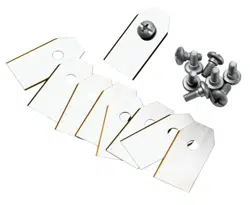
energy usage. All 3 blades and screws must be replaced
at the same time to obtain a balanced cutting system.
Use GARDENA original blades embossed with the
crowned H-mark logotype, refer to
Warranty on page
44
.
5.3.1 To replace the blades
1. Push the STOP button.
2. Push the ON/OFF button for 3 seconds to switch
off the product.
3. Make sure that the indicator lamp on the keypad is
not lit.
4. Turn the product upside down. Put the product on
a soft and clean surface to prevent scratching the
product.
5. Remove the 3 screws. Use a straight slot or cross-
tip screwdriver.
6. Remove each blade and screw.
7. Attach new blades and screws.
8. Make sure that the blades can pivot freely.
5.4 Firmware update
If service is done by GARDENA service then available
firmware updates are downloaded to the product by the
service technician. Owners of GARDENA products can
update the firmware if this is initiated by GARDENA.
Registered users are in that case notified.
5.4.1 To update the firmware
1. Remove the rubber plug.
2. Connect a USB printer cable (USB A and USB B
contacts) in the product and your computer. The
USB printer cable is available as an accessory.
3. Go to www.gardena.com, search for and download
the firmware update tool and follow the
instructions.
4. Remove the USB printer cable.
5. Attach the rubber plug and make sure that it seals
fully.
CAUTION: Make sure that the rubber
plug seals fully to prevent moisture.
28 - Maintenance 1585 - 004 - 03.03.2021

5.5 Update of the GARDENA
Bluetooth
®
App
GARDENA regularly updates the GARDENA Bluetooth
®
App. Update the app on App Store or on Google Play to
make sure that you have the latest version.
5.6 Battery
WARNING: Only charge the product
using a charging station which is intended
for it. Incorrect use may result in electric
shock, overheating or leakage of corrosive
liquid from the battery. In the event of
leakage of electrolyte flush with water and
seek medical help if it comes in contact with
the eyes etc.
WARNING: Use only original batteries
recommended by the manufacturer. Product
safety cannot be guaranteed with other
batteries. Do not use non-rechargeable
batteries.
CAUTION: The battery must charge a
complete cycle before winter storage. If the
battery is not fully charged it can be
damaged and in certain cases be rendered
useless.
If the operating time for the product is shorter than
normal between charges, this indicates that the battery
is getting old and eventually needs replacing.
Note:
Battery life is dependent on the length of the
season and how many hours a day the product is
operating. A long season or many hours of use a day
means that the battery must be replaced more regularly.
The battery is fine as long as the product maintains a
well-cut lawn.
5.6.1 To replace or to remove the battery
WARNING: Use protective gloves.
CAUTION: Do not touch the circuit
boards.
1. Push the ON/OFF button for 3 seconds to switch
off the product.
2. Make sure that the product is disabled. The
indicator lamp on the ON/OFF button is not lit
when the product is disabled. Refer to
LED status
indicator on the keypad on page 6
.
3. Turn the product upside down. Put the product on
a soft and clean surface to prevent scratching the
product.
4. Remove the 10 screws with a Torx 20.
5. Carefully lift the lower section of the chassis and
put it adjacent to the upper chassis.
CAUTION: Be careful, the cable is
connected to the main board.
6. Remove the screw for the battery holder.
T20
7. Push the clips and lift up the battery holder.
1585 - 004 - 03.03.2021
Maintenance - 29

8. Remove the battery.
9. Disconnect the cable to the battery.
10. Connect the cable to a new battery.
11. Put the new battery into position in the product.
12. Install the battery holder and the screw.
13. Remove the sealing strip in the upper chassis.
14. Install a new sealing strip in the upper chassis. Put
one end of the sealing strip in line with the mark on
the chassis.
CAUTION:
Install a 5 mm sealing
strip. An incorrect dimension of the
sealing strip or an incorrect installation
can cause leakage.
15. Put the sealing strip clockwise around the lower
chassis.
16. Put the other end of the sealing strip above the first
end and then out of the channel.
17. Attach the sealing strip in the retainer.
18. Install the upper chassis and attach the 10 screws
with a Torx 20 (Screw torque 1.8 Nm).
5.7 Winter service
Take your product to your GARDENA service for service
prior to winter storage. Regular winter service will
maintain the product in good condition and create the
best conditions for a new season without any
disruptions.
Service usually includes the following:
• Thorough cleaning of the body, the chassis, the
blade disc and all other moving parts.
• Testing of the product’s function and components.
• Checking and, if required, replacing wear items
such as blades and bearings.
• Testing the product’s battery capacity as well as a
recommendation to replace battery if necessary.
• If new firmware is available, the product is
updated.
30
- Maintenance 1585 - 004 - 03.03.2021

6 Troubleshooting
6.1 Introduction - troubleshooting
In this chapter you can find information and help about faults and symptoms of the product. You can find more
information and FAQ (Frequently Asked Questions) on www.gardena.com.
6.2 Fault messages
The fault messages in the table below are shown in the app. Speak to your GARDENA service if the same message
shows frequently.
Message Cause Action
Wheel motor
blocked, left/right
Grass or other object around the drive wheel. Remove grass or other object.
Cutting system
blocked
Grass or other object around the blade disc. Remove grass or other object.
The blade disc is in water. Move the product and prevent the collection
of water in the work area.
The grass is too high. Cut the grass before you install the product.
Make sure that the grass is maximum 4 cm /
1.6 in.
Trapped
The product is behind a number of obstacles
in a small area.
Remove the obstacles or put the boundary
wire around the obstacle to make an island.
Refer to
To make an island on page 15
.
Outside working area
A section of boundary wire is put across the
other section of boundary wire to the charg-
ing station.
Make sure that the boundary wire is connec-
ted correctly.
The boundary wire is too near the edge of
the work area.
Make sure that the boundary wire is installed
correctly. Refer to
To install the boundary
wire on page 18
.
The work area slopes much by the boundary
loop.
The boundary wire is put in the incorrect di-
rection around an island.
Interference to the boundary wire from metal
objects such as fences, reinforcement steel
or buried cables nearby.
Move the boundary wire.
The product can not find the correct loop sig-
nal because of interference with a loop signal
from a different product installation nearby.
Put the product in the charging station and
generate a new loop signal.
1585 - 004 - 03.03.2021 Troubleshooting - 31

Message Cause Action
Empty battery
The product cannot find the charging station. Change the position of the guide wire. Refer
to
To install the guide wire on page 18
.
The battery is at the end of its life cycle. Replace the battery. Refer to
Battery on
page 29
.
The antenna of the charging station is defec-
tive.
Do a check if the indicator lamp in the charg-
ing station flashes red. Refer to
Indicator
lamp in the charging station on page 36
.
The charging plates on the product or con-
tact plates on the charging station are defec-
tive because of corrosion.
Clean the charging and contact plates using
a fine grade emery cloth. If the problem stays
speak to your GARDENA service.
Wrong PIN code
Incorrect PIN code has been entered. Enter the correct PIN code. Speak to your
GARDENA service if you forget the PIN
code.
No drive
The product has got caught in something and
has been slipping.
Free the product and correct the cause of
problem. If it is because of wet grass, wait
until the lawn is dry before you use the prod-
uct.
The work area includes a steep slope. Steep slopes must be isolated. Refer to
To
examine where to put the boundary wire on
page 13
.
The guide wire is not put diagonally in the
slope.
Make sure that the guide wire is installed di-
agonally across the slope. Refer to
To exam-
ine where to put the guide wire on page 16
.
Wheel motor overloa-
ded, left/right
Grass or other object around the drive wheel. Remove grass or object from the drive
wheel.
Collision sensor
problem
The front wheels on the product are blocked. Free the product and correct the cause of
problem. If the problem stays speak to your
GARDENA service.
Charging station
blocked
The contact between the charging plates on
the product and the contact plates on the
charging station is not good. The product has
made a number of tries to charge.
Put the product in the charging station and
make sure that the charging plates and con-
tact plates are connected.
An object prevents the product to enter the
charging station.
Remove the object.
The charging station is tilted or bent. Put the baseplate on level ground.
The guide wire is not installed correctly. Install the guide wire correctly. Refer to
To
install the guide wire on page 18
.
Stuck in charging sta-
tion
An object prevents the product to move out
from the charging station.
Remove the object.
Upside down
The product is in an incorrect position, the
product is tilting too much or is upside down.
Put the product in the correct position.
Lifted
The lift sensor has been enabled because
the product has been lifted.
Make sure that the product body can move
freely around its chassis. Remove or create
an island around objects that can cause the
chassis to be lifted. If the problem stays
speak to your GARDENA service.
32 - Troubleshooting 1585 - 004 - 03.03.2021

Message Cause Action
Wheel drive problem,
right/left
Grass or other object around the drive wheel. Clean the wheels and around the wheels.
Electronic problem
Temporary electronic or firmware related
problem in the product.
Restart the product. If the problem stays
speak to your GARDENA service.
Loop sensor prob-
lem, front/rear
Tilt sensor problem
Temporary problem
Invalid sub-device
combination
Temporary battery
problem
Safety function faulty
Charging system
problem
Incorrect type of battery. Use original batteries recommended by the
manufacturer.
Battery problem
Temporary battery or firmware related prob-
lem in the product.
Restart the product. If the problem stays
speak to your GARDENA service.
Incorrect type of battery. Use original batteries recommended by the
manufacturer.
Battery temperature
outside limits
The temperature in the battery is too high or
too low to start operation.
The temperature in the battery is not in its
operating limits and charging/mowing has
stopped. Charging/mowing will start when
the temperature is restored to its limits.
Charging current too
high
Incorrect or defective power supply unit. Restart the product. If the problem stays
speak to your GARDENA service.
1585 - 004 - 03.03.2021 Troubleshooting - 33

Message Cause Action
No loop signal
The power supply or low-voltage cable are
not connected.
If the LED status indicator on the charging
station is not lit, it shows that there is no
power. Examine the power outlet connection
and the residual-current device. Make sure
that the low-voltage cable is connected to the
charging station.
The power supply or low-voltage cable are
damaged or not connected.
Replace the power supply or low-voltage ca-
ble.
The boundary wire is not connected to the
charging station.
Connect the boundary wire to the charging
station. Replace the connectors if damaged.
Refer to
To install the boundary wire on page
18
.
The boundary wire is damaged. Do a check of the LED status indicator on the
charging station. If it shows damage in the
boundary wire, replace the damaged section
with new boundary wire.
The product has tried to start but it is not in
the charging station and
ECO mode
is ena-
bled.
Put the product in the charging station and
start the product.
A section of the boundary wire is across the
other section of boundary wire to and from
an island.
Install the boundary wire in the correct direc-
tion around the island. Refer to
To install the
boundary wire on page 18
.
Problem with the pairing between the product
and the charging station.
Put the product in the charging station and
make a new loop signal. Refer to
New loop
signal on page 22
.
Interference from metal objects such as fen-
ces, reinforcement steel or buried cables
nearby.
Move the boundary wire and/or make islands
in the work area to increase the signal
strength.
The product is too far from the boundary
wire.
Install the boundary wire to make all parts of
the work area maximum 15 m / 50 ft. from
the boundary wire.
Mower tilted
The product is tilted more than the maximum
angle.
Move the product to a level area.
34 - Troubleshooting 1585 - 004 - 03.03.2021

6.3 Information and warning messages
The information messages in the table below are shown in the app. Speak to your GARDENA service if the same
message shows frequently.
Message Cause Action
Low battery
The product cannot find the charging station. Change the position of the guide wire. Refer
to
To install the guide wire on page 18
.
The battery is at the end of its life cycle. Replace the battery. Refer to
Battery on
page 29
.
The antenna of the charging station is defec-
tive.
Do a check if the indicator lamp in the charg-
ing station flashes red. Refer to
Indicator
lamp in the charging station on page 36
.
The charging plates on the product or con-
tact plates on the charging station are defec-
tive because of corrosion.
Clean the charging and contact plates using
a fine grade emery cloth. If the problem stays
speak to your approved servicing dealer.
Settings restored
A
Reset all user settings
has been done. Usual operation of the product.
Guide not found
The guide wire is not connected to the charg-
ing station.
Connect the guide wire to the charging sta-
tion. Refer to
To install the guide wire on
page 18
.
Damage in the guide wire. Replace the damaged section with new
guide wire.
The guide wire is not connected to the boun-
dary loop.
Connect the guide wire correctly to the boun-
dary loop. Refer to
To install the guide wire
on page 18
.
Loop signal created
New loop signal changed. Usual operation of the product.
Needs manual charg-
ing
The product is set to the
Secondary area
op-
erating mode.
Put the product in the charging station.
Next start hh:mm
The schedule setting prevents the product
from operating.
Change the schedule settings. Refer to
Park / Schedule on page 24
.
The product has operated the maximum cut-
ting time for the day.
Usual operation of the product.
Today's mowing
completed
The product has operated the maximum cut-
ting time for the day.
Usual operation of the product. Refer to
Park / Schedule on page 24
.
Connection NOT
changed
The loop signal was not changed because of
an error.
Make a
New loop signal
a number of times.
Refer to
New loop signal on page 22
. If the
problem stays speak to your GARDENA
service.
1585 - 004 - 03.03.2021 Troubleshooting - 35

6.4 Indicator lamp in the charging station
The indicator lamp in the charging station must show a solid or flashing green light for a correct installation. If not,
follow the instructions in the troubleshooting table below.
Speak to your GARDENA service for more information.
Light Cause Action
Green solid light Good signals. Usual operation of the product.
Green flashing light The signals are good and
ECO mode
is ena-
bled.
Usual operation of the product. Refer to
ECO
mode on page 22
.
Blue flashing light The boundary wire is not connected to the
charging station.
Make sure that the boundary wire is correctly
installed in the charging station. Refer to
To
install the boundary wire on page 18
.
Damage in the boundary wire. Find out where the damage is. Replace the
damaged section with new boundary wire.
Yellow flashing light The guide wire is not connected to the charg-
ing station.
Make sure that the guide wire is correctly in-
stalled in the charging station. Refer to
To in-
stall the guide wire on page 18
Damage in the guide wire. Find out where the damage is. Replace the
damaged section with new guide wire.
Red flashing light Interference in the antenna of the charging
station.
Speak to your GARDENA service.
Red solid light Error in the circuit board or incorrect power
supply in the charging station. The error must
be corrected by your GARDENA service
Speak to your GARDENA service.
36 - Troubleshooting 1585 - 004 - 03.03.2021

6.5 Symptoms
If the product does not operate as usual, follow the symptoms table below. Speak to your GARDENA service if you
cannot find the cause for the fault.
Symptoms Cause Action
The product has diffi-
culty docking.
The guide wire is not put straight in a line
and correct distance from the charging sta-
tion.
Do a check of the installation of the charging
station. Refer to
To install the charging sta-
tion on page 17
.
The guide wire is not put in the slot in the
charging station plate.
Make sure that the guide wire is put straight
in a line and put in the slot in the charging
station plate. Refer to
To install the guide
wire on page 18
.
The charging station is not on a level sur-
face.
Put the charging station on a level surface.
Refer to
To examine where to put the charg-
ing station on page 12
.
The product operates
at the wrong time.
The start and stop times for operating are in-
correct.
Change the schedule settings. Refer to
Make
an estimate of the necessary operating time
on page 20
.
The product vibrates. The cutting system is not in balance because
of damaged blades.
Examine the blades and screws and replace
them if necessary. Refer to
Replace the
blades on page 28
.
The cutting system is not in balance because
of too many blades in the same position.
Do a check that only one blade is attached to
each screw.
Different thickness of blades are installed on
the product.
Do a check if the blades are of different thick-
ness and replace if necessary.
The product oper-
ates, but the blade
disc does not rotate.
The product searches for the charging sta-
tion, or is moving to the starting point.
Usual operation for the product. The blade
disc does not rotate when the product is
searching for the charging station.
The product operates
for shorter periods
than usual between
charges.
Grass or other object causes a blockage to
the blade disc.
Remove and clean the blade disc. Refer to
Clean the product on page 27
.
The battery is at the end of its life cycle. Replace the battery. Refer to
Battery on
page 29
.
Blunt blades. More energy is necessary
when cutting the grass.
Replace the blades. Refer to
Replace the
blades on page 28
.
Mowing and charging
times are shorter
than usual.
The battery is at the end of its life cycle. Replace the battery. Refer to
Battery on
page 29
.
The product is
parked for hours in
the charging station.
The product has operated the maximum cut-
ting time for the day.
Usual operation for the product. Refer to
Make an estimate of the necessary operating
time on page 20
.
The STOP button has been pushed. Enter the PIN code and push the OK button.
Push the Start button.
Parking mode is enabled. Change the operating mode. Refer to
Oper-
ating modes on page 23
.
The product does not operate if the battery
temperature is too high or too low.
Make sure that the charging station is put in
an area with protection from the sun.
1585 - 004 - 03.03.2021 Troubleshooting - 37

Symptoms Cause Action
Uneven mowing re-
sults.
The product operates for a small number of
hours per day.
Increase the cutting time. Refer to
Make an
estimate of the necessary operating time on
page 20
.
For the shape of the work area it is necessa-
ry to adjust the settings for
Lawn Coverage
to cover all parts of the work area.
Change the settings of the areas where the
product starts to cut and how often. Refer to
Lawn Coverage and CorridorCut on page 21
.
The work area is too large. Decrease the size of the work area or extend
the schedule. Refer to
Make an estimate of
the necessary operating time on page 20
.
Blunt blades. Replace all the blades. Refer to
Replace the
blades on page 28
.
Long grass in relation to the set cutting
height.
Increase the cutting height and then lower it
when the grass is shorter.
Collection of grass by the blade disc or
around the motor shaft.
Remove the collection of grass and clean the
product. Refer to
Clean the product on page
27
.
The battery state of
charge is high, but
the product goes
back to the charging
station.
To prevent to become blocked in a small
area, the product follows the guide wire to
the charging station.
Usual operation for the product.
6.6 Find breaks in the loop wire
Breaks in the loop wire are usually the result of
unintentional physical damage to the wire such as when
gardening with a shovel. In countries with ground frost,
also sharp stones that move in the ground can damage
the wire. Breaks can also occur due to the wire being
stretched excessively during installation.
Mowing the grass too low right after the installation can
damage wire insulation. Damage to the insulation may
not cause disruptions until several weeks or months
later. To avoid this, always select the maximum cutting
height the first weeks after installation and then lower
the height one step at a time every second week until
the desired cutting height has been reached.
A defective splicing of the loop wire can also lead to
disruptions several weeks after the splice was done. A
faulty splice can, for example, be the result of the
coupler not being pressed together hard enough with a
pair of pliers, or that a coupler of lower quality than the
original coupler has been used. Please first check all
known splices before further troubleshooting is done.
A wire break can be located by gradually halving the
distance of the loop where the break may have occurred
until there is only a very short section of the wire left.
The following method does not work if
ECO mode
is
activated. Make sure first that
ECO mode
is switched
off. Refer to
ECO mode on page 22
.
1. Check that the indicator lamp in the charging
station flashes blue, which indicates a break in the
boundary loop. Refer to
Indicator lamp in the
charging station on page 36
.
2. Check that the boundary wire connections to the
charging station are properly connected and not
damaged. Check that the indicator lamp in the
charging station is still flashing blue.
38 - Troubleshooting 1585 - 004 - 03.03.2021

R
GUIDE
L
POWER
3. Switch the connections between the guide wire
and the boundary wire in the charging station.
Start by switching connection L and GUIDE.
If the indicator lamp is flashing yellow, then the
break is somewhere on the boundary wire between
L and the point where the guide wire is connected
to the boundary wire (thick black line in the
illustration).
Guide
GUIDE
L
To rectify the fault you will need boundary wire,
connector(s) and coupler(s):
a) If the suspected boundary wire is short then the
easiest way is to exchange all of the boundary wire
between L and the point where the guide wire is
connected to the boundary wire (thick black line).
b) If the suspected boundary wire is long (thick
black line) then do as follows: Put L and GUIDE
back to their original positions. Then disconnect R.
Connect a new loop wire to R. Connect the other
end of this new loop wire at the middle of the
suspected wire section.
R
If the indicator lamp now is flashing yellow, then
the break is somewhere in the wire between the
disconnected end to the point where the new wire
is connected (thick black line below). In that case,
move the connection for the new wire closer to the
disconnected end (roughly at the middle of the
suspected wire section) and check again if the
indicator lamp is green.
1585 - 004 - 03.03.2021
Troubleshooting - 39

Continue until only a very short section of the wire
remains which is the difference between a solid
green light and a flashing blue light. Then follow
instruction in step 5 below.
4. If indicator lamp still flashes blue in step 3
above: Put L and GUIDE back in their original
positions. Then switch R and GUIDE. If indicator
lamp now is lit with a solid green light then
disconnect L and connect a new boundary wire to
L. Connect the other end of this new wire at the
middle of the suspected wire section. Follow the
same approach as in 3a) and 3b) above.
5. When the break is found, the damaged section
must be replaced with a new wire. Always use
original couplers.
40 - Troubleshooting 1585 - 004 - 03.03.2021

7 Transportation, storage and disposal
7.1 Transportation
The supplied Li-ion batteries obey the Dangerous Goods
Legislation requirements.
• Obey all applicable national regulations.
• Obey the special requirement on package and
labels for commercial transportations, including by
third parties and forwarding agents.
7.2 Storage
• Fully charge the product. Refer to
To charge the
battery on page 25
.
• Switch off the product. Refer to
To use the
ON/OFF button on page 23
.
• Clean the product. Refer to
Clean the product on
page 27
.
• Keep the product in a dry, frost free space.
• Keep the product with all wheels on level ground
during storage.
• If you keep the charging station indoors,
disconnect and remove the power supply and all
the connectors from the charging station. Put the
end of each connector wire in a connector
protection box.
Note: If you keep the charging station outdoors,
do not disconnect the power supply and the
connectors.
• Speak to your GARDENA service for information
about available storage accessories for your
product.
7.3 Disposal
• Obey the local recycling requirements and
applicable regulations.
• For questions about how to remove the battery,
refer to
Battery on page 29
.
1585 - 004 - 03.03.2021
Transportation, storage and
disposal - 41

8 Technical data
8.1 Technical data
Dimensions SILENO minimo
Length, cm / in. 52 / 20.5
Width, cm / in. 34 / 13.4
Height, cm / in. 22 / 8.7
Weight, kg / lb 6.1 / 13.4
Electrical system SILENO minimo
Battery, Lithium-Ion 18 V/2.0 Ah Art.No 590 21 42-02, 590 21 42-04
Battery, Lithium-Ion 18.25 V/2.0 Ah Art.No 590 21 42-03
Power supply (28V DC), V AC 100-240
Low-voltage cable length, m / ft. 3 / 9.8
Mean energy consumption at maximum use 4 kWh/month in a 500 m
2
work area
Charge current, A DC 1 / 1.3
Type of Power Supply Unit
5
ADP-40BR XX, ADP 28EW XX,
FW7313/28/D/XX/Y/1.3/PI,
FW7313/28/D/XX/Y/1.3, ADP 28AR
XX, FW7313/28/D/XX/Y/1.0/PI,
FW7313/28/D/XX/Y/1.0
Average mowing time, min 70
Average charging time, min 75 / 60
Boundary wire antenna SILENO minimo
Operating Frequency Band, Hz 100-80000
Maximum magnetic field
6
, dBuA/m 82
Maximum Radio-frequency power
7
, mW @60m <25
Sound data
8
SILENO minimo
Measured sound power noise level, dB (A) 58
Noise emissions uncertainties K
WA
, dB (A) 2
Sound pressure noise level at the operator’s ear
9
, dB (A) 50
5
XX, YY can be any alphanumeric characters or blank for marketing purpose only, no technical differences.
6
Measured according to EN 303 447.
7
Maximum active output power to antennas in the frequency band in which the radio equipment operates.
8
Determined according to Directive 2006/42/EC and standard EN 50636-2-107.
9
Sound pressure noise uncertainties K
pA
, 2-4 dB (A)
42 - Technical data 1585 - 004 - 03.03.2021

Mowing SILENO minimo
Cutting system 3 pivoted cutting blades
Cutting motor speed, rpm 2670
Power consumption during cutting, W +/- 20 % 20
Cutting height, cm / in. 2-4.5 / 0.8-1.8
Cutting width, cm / in. 16 / 6.3
Narrowest possible passage, cm / in. 60 / 24
Maximum slope for cutting area, % 25
Maximum slope for boundary wire, % 10
Maximum length boundary wire, m / ft. 300 / 980
Maximum length guide loop
10
, m / ft. 150 / 490
IP-classification SILENO minimo
Product IPX5
Charging station IPX5
Power supply IP44
Bluetooth
®
SILENO minimo
Operating frequency band, MHz 2400 - 2484
Maximum transmitted power, dBm 8
Husqvarna AB does not guarantee full compatibility between the product and other types of wireless systems such as
remote controls, radio transmitters, hearing loops, underground electric animal fencing or similar.
The products are made in England or the Czech Republic. See information on the rating plate. Refer to
Introduction
on page 3
.
8.2 Registered trademarks
The
Bluetooth
®
word mark and logos are registered trademarks owned by
Bluetooth SIG, inc.
and any use of such
marks by GARDENA is under license.
10
The guide loop is the loop that if formed by the guide wire and the part of the boundary wire from the junction
with the guide wire to the right connection in the charging station.
1585 - 004 - 03.03.2021 Technical data - 43

9 Warranty
9.1 Warranty terms
GARDENA warranty covers this product's functionality
for a period of 2 years from date of purchase. The
warranty covers serious faults relating to materials or
manufacturing faults. Within the warranty period, we will
replace the product or repair it at no charge if the
following terms are met:
• The product and the charging station may only be
used in compliance with the instructions in this
Operator’s Manual. This manufacturer's warranty
does not affect warranty entitlements against the
dealer/retailer.
• End-users or non-authorized third parties must not
attempt to repair the product.
Examples of faults which are not included in the
warranty:
• Damage caused by water seepage from using a
high-pressure washer, or from being submerged
under water, for example when heavy rain forms
pools of water.
• Damage caused by lightning.
• Damage caused by improper battery storage or
battery handling.
• Damage caused by using a battery that is not a
GARDENA original battery.
• Damage caused by not using GARDENA original
spare parts and accessories, such as blades and
installation material.
• Damage to the loop wire.
• Damage caused by non-authorized changing or
tampering with the product or its power supply.
The blades and wheels are seen as disposable and are
not covered by the warranty.
If an error occurs with your GARDENA product, please
contact GARDENA service for further instructions.
Please have the receipt and the product’s serial number
at hand when contacting GARDENA service.
44
- Warranty 1585 - 004 - 03.03.2021

10 EC Declaration of Conformity
10.1 EC Declaration of Conformity
Husqvarna AB, SE-561 82 Huskvarna, Sweden, tel:
+46-36-146500, declares that the robotic lawn mowers
GARDENA SILENO minimo with serial numbers dating
2020 week 46 and onwards (the year and week is
clearly stated on the rating plate, followed by the serial
number), comply with the requirements of the
COUNCIL’S DIRECTIVE as listed below including
applied standards.
• Directive “relating to machinery” 2006/42/EC.
• EN 60335-1:2012
• EN 50636-2-107:2015
• EN 62233:2008.
• Directive on ”restriction of use of certain hazardous
substances” 2011/65/EU:
• EN IEC 63000:2018
• Directive “relating to radio equipment” 2014/53/EU.
Safety
• See directive 2006/42/EC above.
Electromagnetic compatibility
• EN 55032:2015
• ETSI EN 301 489-1 V2.2.3
• ETSI EN 301 489-17 V3.1.1
Efficient use of the spectrum
• Draft ETSI EN 303 447 V1.2.1_0.1.14
• ETSI EN 300 328 V2.1.1
1585 - 004 - 03.03.2021
EC Declaration of Conformity - 45

46 - EC Declaration of Conformity 1585 - 004 - 03.03.2021

1585 - 004 - 03.03.2021 EC Declaration of Conformity - 47

2021-03-05
ORIGINAL INSTRUCTIONS
We reserve the right to make changes without prior notice.
Copyright © 2021 GARDENA Manufacturing GmbH. All rights reserved.
114 23 31-26
Minimo_cover_A5.indd 2Minimo_cover_A5.indd 2