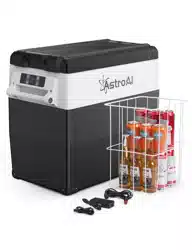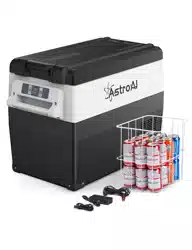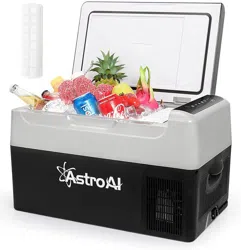
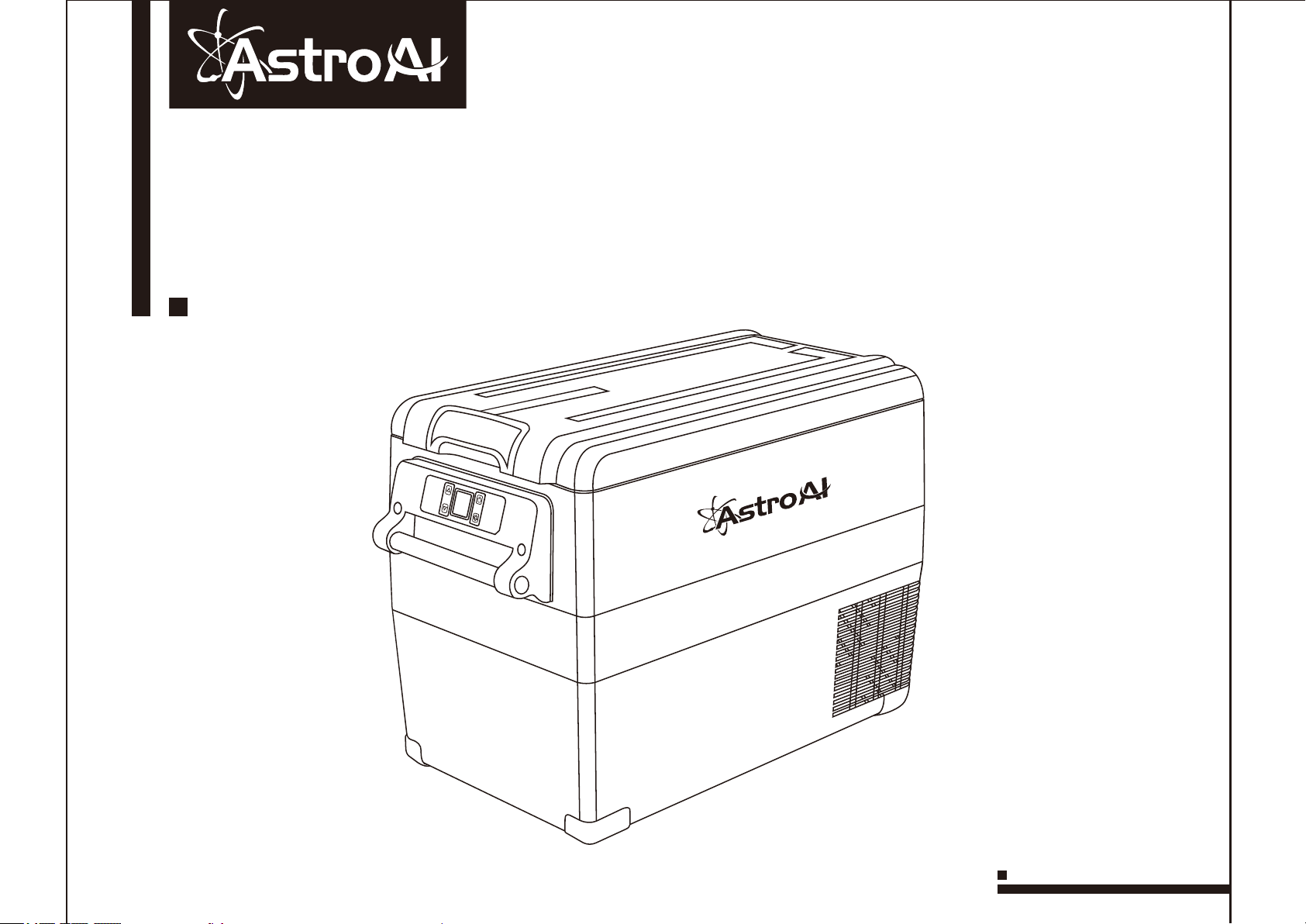
Portable Freezer
User Manual
- V1.0 -
Capacity:45L
45L压缩机冰箱说明书
尺寸:125*100
选用157g铜版纸双面黑白印刷
装订方式:骑马钉

This manual contains important information regarding the safety,
operation, maintenance, and storage of this product. Before using, read
and understand all cautions, warnings, instructions and product labels.
Failure to do so could result in possibly injury or property damage. Please
keep this manual for future reference.
Thank you for purchasing the AstroAI portable freezer. This is a portable
freezer that can be used with both a 12/24-volt car outlet and a standard
wall outlet. With an included chill and heat function, you’ll be able to keep
everything at the perfect temperature.
We hope you enjoy your new portable freezer! If you have questions or
concerns you are welcome to contact us with your questions via

01……………………………SAFETY INFORMATION
02……………………………DIAGRAM
03……………………………DISPLAY INTRODUCTION
04……………………………SIZE DESCRIPTION
05……………………………SPECIFICATIONS
06……………………………OPERATION INSTRUCTIONS
07……………………………TEMPERATURE UNIT SWITCHING
……………………………BATTERY PROTECTION SETTING
08……………………………TROUBLESHOOTING
09……………………………CODE ANALYSIS
10……………………………WARRANTY

01
SAFETY INFORMATION
● When using the 12/24V in-car adapter, the compact fridge should not be left connected for long
periods of time when the engine is not running.
● Unplug this device during lightning storms or when not in use for long periods of time to prevent
damage to the device.
● DO NOT open or remove covers, doing so may expose you to dangerous voltages or other
hazards.
● The supply voltage should be the same as that indicated in the technical specifications and the
appliance rating plate.
● In order to disconnect the device from the mains completely switch off the outlet and remove the
mains plug completely.
● Do not bend, stretch or pull the supply cable in order to avoid electric shock.
● Avoid using locations where dust or other airborne contamination may be drawn into the fan.
● Allow at least 5 inches of distance from the back and sides of the device to permit proper air
circulation and heat dispersal.
● Never leave the fridge running in poorly ventilated areas e.g. a car’s trunk.
● The installation of DC power on board must be performed by a professional electrician.
● Do not use electrical products inside the freezer.
● After initially unpacking the freezer, let it stand for at least 6 hours before powering on.
● Keep the freezer horizontal at all times.
● The freezer should be operated in a well-ventilated area away from heat sources and direct
sunlight.
● Do not soak the freezer with water. If water accumulates inside the freezer, use a cloth to dry the
condensation. Do not pour water out of the freezer.
02
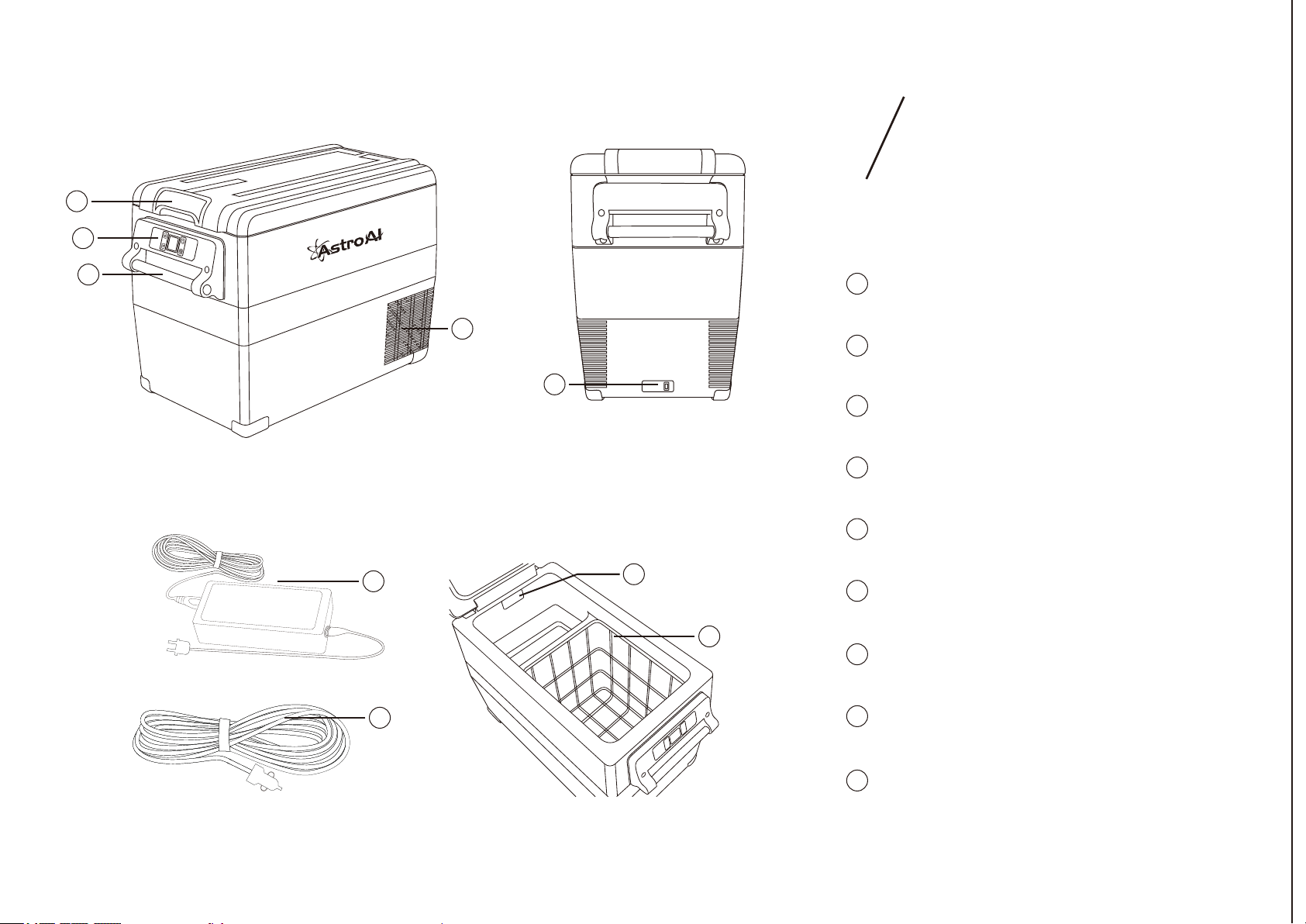
DIAGRAM
6
9
7
8
2
Door Handle
3
Control Panel
4
Heat Dissipation Port
5
Power Port
6
LED Light
Carrying Handle
1
7
AC Cord and plug
8
DC Cord and plug
9
Shelf
5
3
1
4
2
03
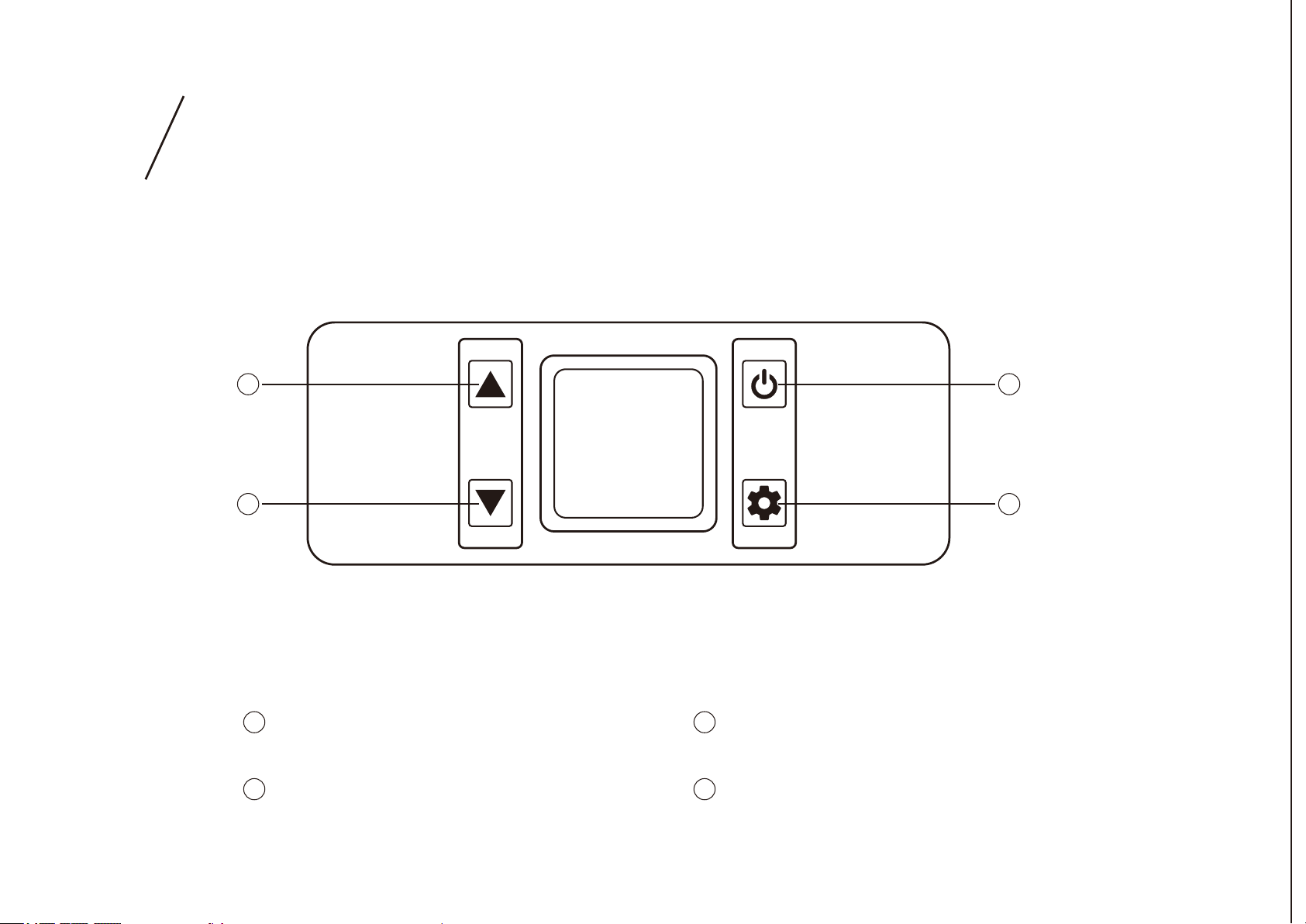
DISPLAY
INTRODUCTION
3
4
1
2
3
Increase Temperature
4
Decrease Temperature
2
Set Button
Power Button
1
04
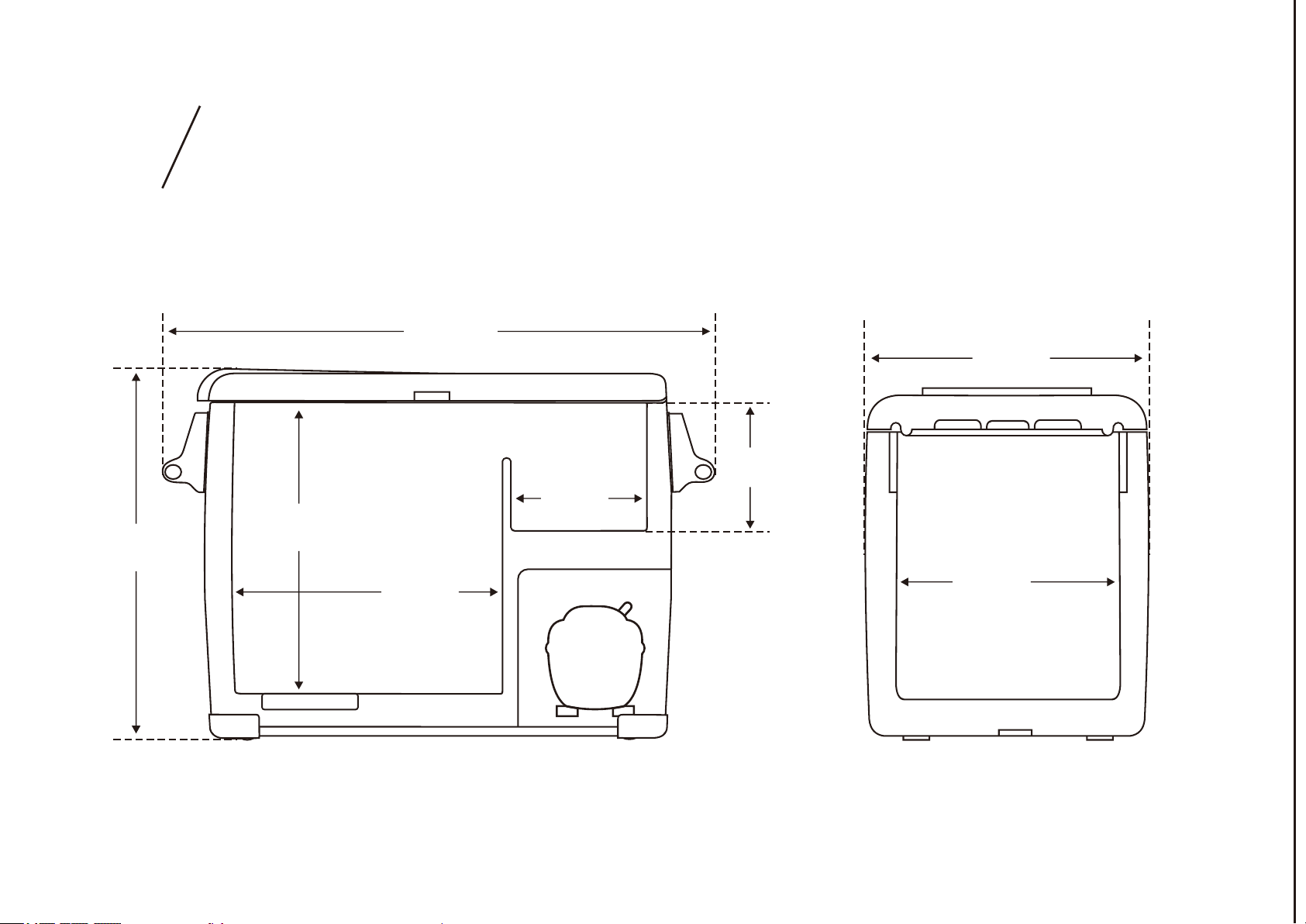
SIZE DESCRIPTION
27.3in
18.5in
15.1in
12.9in
6.3in
8.7in
10.5in
13.6in
05
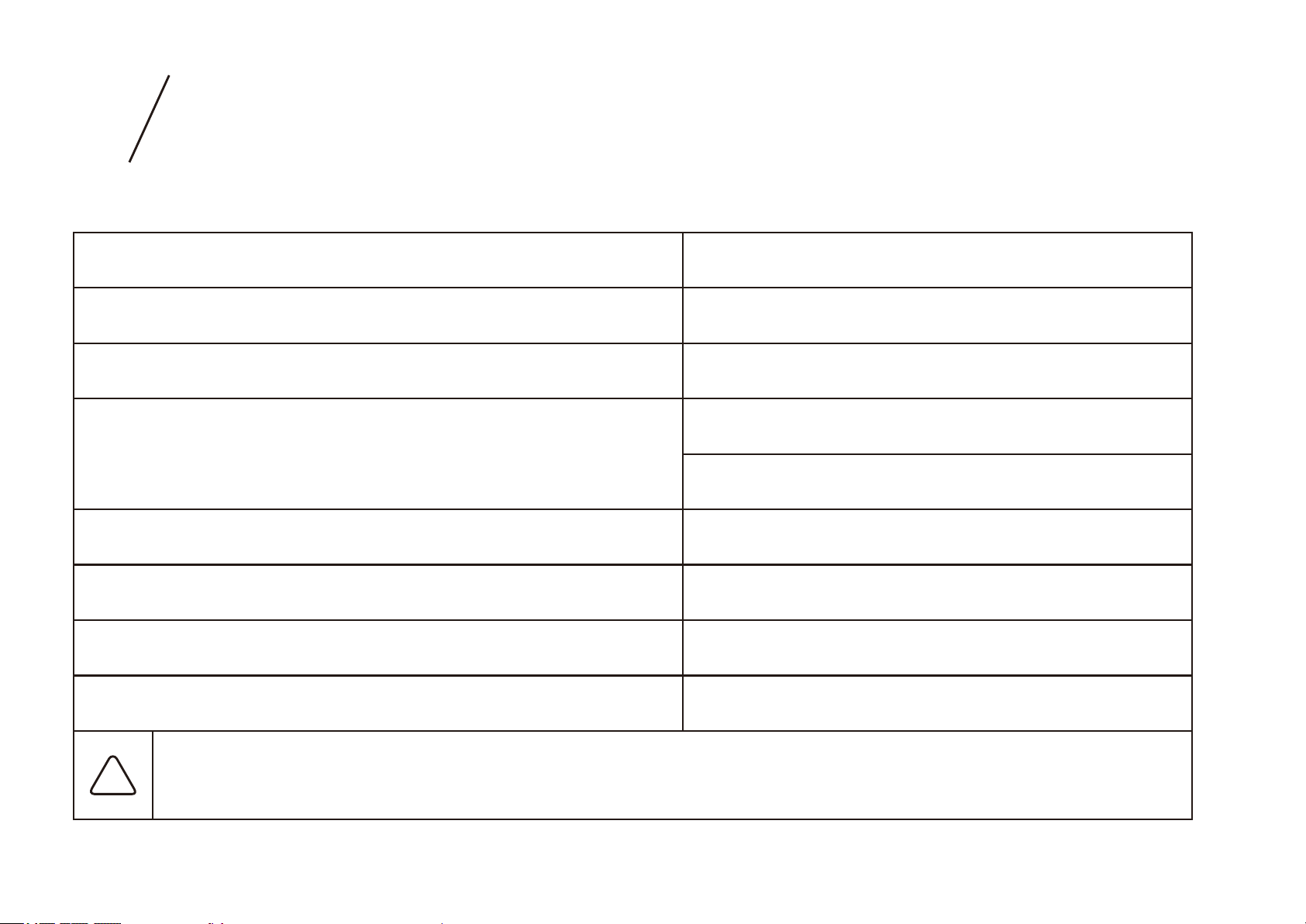
SPECIFICATIONS
Capacity:
45L
Operating Input Voltage Range:
100V-240V 50-60Hz
Car input Voltage Range:
12/24V
Rated Current:
DC:5.0A(12V)/2.5A(24V)
T/ST/N/SN
Electric Shock Resistance:
Ⅱ
Certifications:
CE, FCC, RoHS
!
Important note: After initially unpacking the freezer, let it stand for at least 6 hours
before powering on. Always keep the freezer horizontal.
Refrigerant Amount:
40g
Climatic Categopy:
AC:0.5A-1.2A
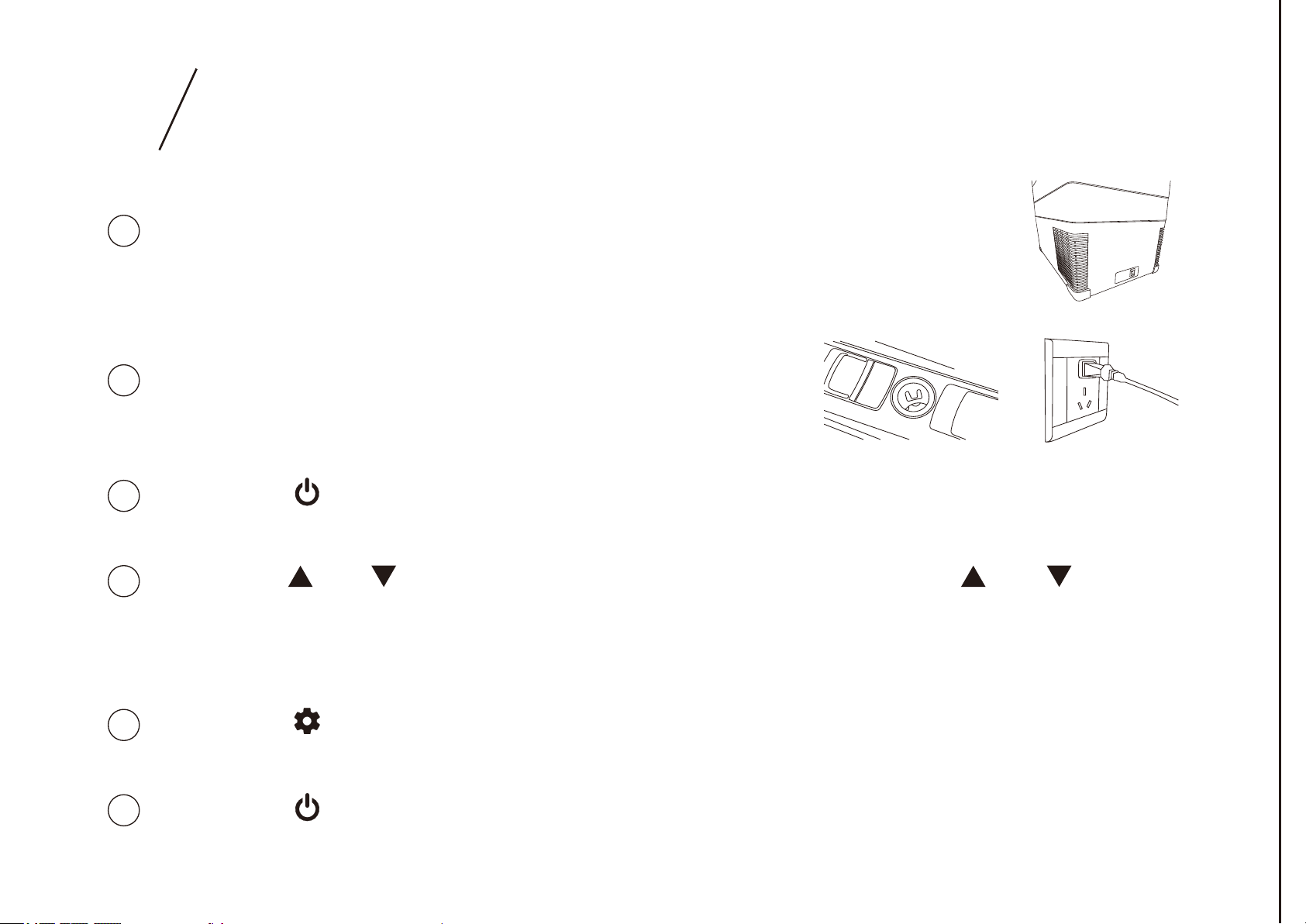
06
OPERATION INSTRUCTIONS
2
Connect the other end to a car cigarette lighter or
a standard household outlet.
3
Press the “ ” button to turn on the freezer to cooling mode. The temperature on
the display is the current internal temperature.
4
Press the “ ” or “ ” button to set the cooling temperature. Hold “ ” or “ ” to
quickly increase/decrease the temperature. The first time you use the freezer,
it will default to the lowest temperature. In subsequent uses, the temperature
will default to the last user-set temperature.
5
Press the “ ” button to change the freezer to ECO (Energy Saving Mode) or
MAX (Quick Cooling Mode). The factory default mode is MAX.
6
Press the “ ” button to turn off the freezer.
1
Connecting the power supply: Connect one end of the power supply
to the freezer socket.
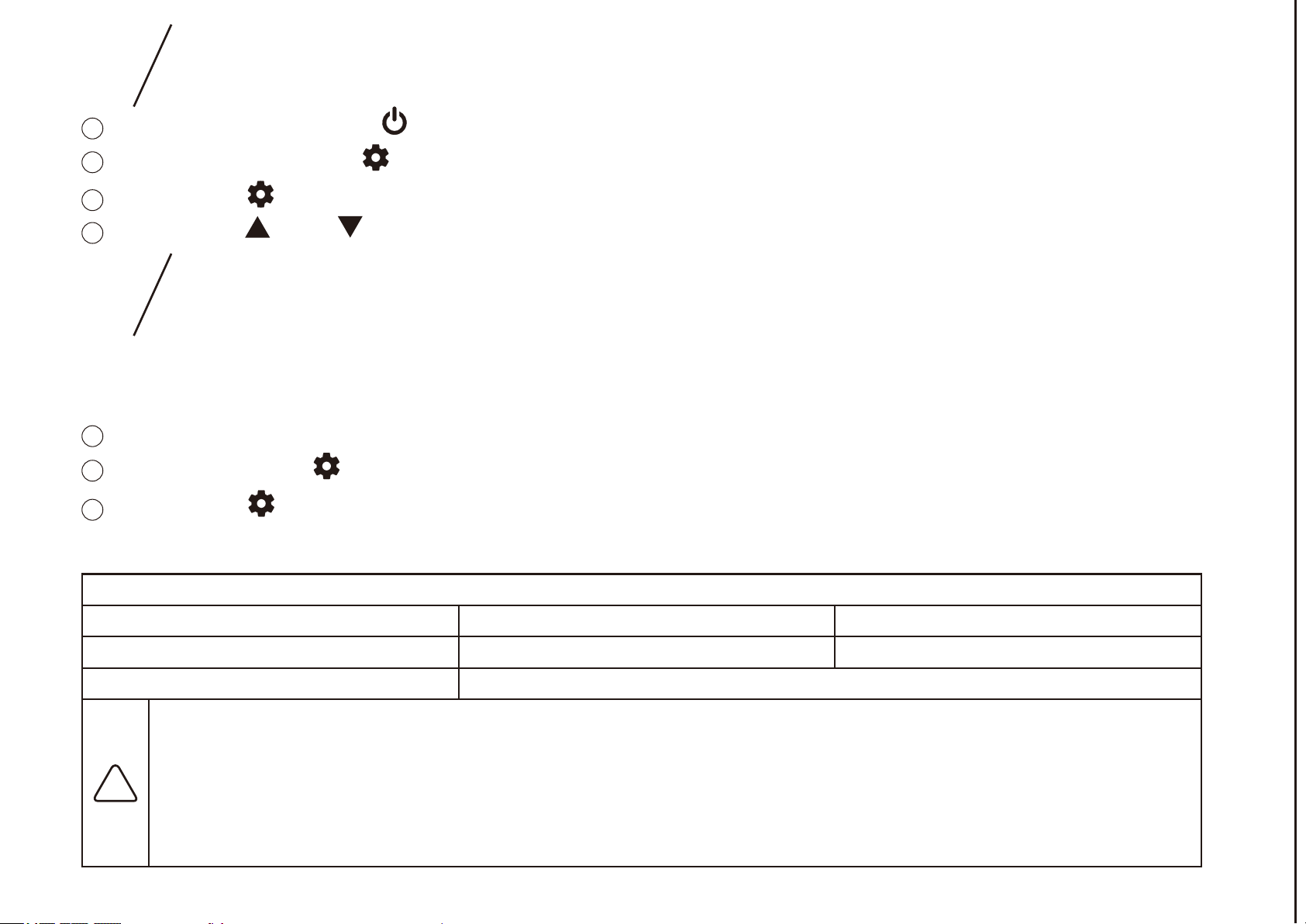
07
TEMPERATURE UNIT SWITCHING
BATTERY PROTECTION SETTING
This freezer has a three-level battery protection function which not only guarantees
normal operation of the freezer, but also protects the battery of the vehicle.
Set the freezer to its “on” state.
1
2
Press and hold the “ ” button until the display reads “E1”.
3
Press the “ ” button again to search through the settings until the display reads “E5”.
4
Press the “ ” or “ ” button to switch between Fahrenheit and Celsius.
Set the freezer to its “ ” state.
1
2
Long press the “ ” button until the display flashes “H”.
3
Press the “ ” button again to select a low voltage protection level - L, medium voltage
protection level - M, or high voltage protection level - H. The factory default is “H”.
Battery Protection
LMH
8.5-10.9V10.1-11.4V
11.1-12.4V
Vehicle Battery
External Battery or Spare Battery
Note: Due to the different output voltages of different vehicle power supply, if the voltage protection
appears (if the display reads “F1”), you can lower the battery protection setting by one level (H adjusted
to M or L).
We do not recommend that you run the freezer while the engine is off. If you must run the freezer while
the engine is off, set the protection level to H (high). If the freezer runs for too long without the engine on,
the vehicle may not be able to start.
!

08
TROUBLESHOOTING
Freezer is not working
● Check if the power supply is faulty.
● Check the plug to ensure it is in a good contact.
● Check if the cigarette lighter fuse has blown.
● Check if the power switch on the display panel is on.
● After turning the freezer on, there is a three-minute
compressor delay safety. Check if the freezer turns on after
three minutes.
● Check if the compressor turns on.
Excessive freezing inside
the refrigerator
It sounds like water is
running inside the freezer
The compressor starts loudly
Inaccurate
Temperature displayed
● The temperature is set too low.
● Confirm the door is closed and the seal is intact.
● Make sure the inside of the freezer is dry before use.
● This is the normal sound of flowing refrigerant.
Water droplets accumulate
around the shell or door seal
● When the moisture in the air meets the cold shell of the
freezer, it condenses into water droplets. This condensation
can be wiped off with a towel.
● When the compressor initially starts, the motor will usually
run at a high speed. This produces a loud noise, but it will
decrease after the speed has stabilized.
● If items put inside are too hot, the internal temperature will
be uneven while the temperature stabilizes.
● Frequently opening and closing the freezer door causes
varying air flow, resulting in an unstable internal temperature.
● Make sure that the unit of your thermometer matches the
unit of the freezer display.

09
CODE ANALYSIS
● Low voltage protection code: lower the battery protection setting by
one level.
F1
● Overloaded protection for the fan: Turn the freezer off and leave it
unplugged for 30 minutes before restarting. If the error occurs again,
please contact AstroAI Customer Support for help.
F2
● Protection for frequently started compressor: Turn the freezer off and
leave it unplugged for 30 minutes before restarting. If the error occurs
again, please contact AstroAI Customer Support for help.
F3
● The speed of the compressor is too low or the load is too large: Turn
the freezer off and leave it unplugged for 30 minutes before restarting.
If the error occurs again, please contact AstroAI Customer Support for
help.
F4
● High-temperature protection for the compressor: Turn the freezer off
and leave it unplugged for 30 minutes in a well-ventilated area before
restarting. If the error occurs again, please contact AstroAI Customer
Support for help.
F5
F6
● Abnormal protection of the thermal head: Check the terminal of the
thermal head.
F7/F8
● The controller cannot check the levels: Turn the freezer off and restart
it. If the error occurs again, please contact AstroAI Customer Support
for help.

Web:www.astroai.com
E-mail:support@astroai.com
10
WARRANTY
Each AstroAI portable freezer will be free from defects in material and workmanship.
This warranty does not cover damage from neglect, misuse, contamination, alteration,
accident, or abnormal conditions of operation or handling. This warranty covers the
original purchaser only and is not transferable.
AstroAI always wants to provide our customers with excellent product and customer
service. To find out more about us, please visit astroai.com.
1 Year Warranty Limited Warranty from AstroAI