INSTALLATION
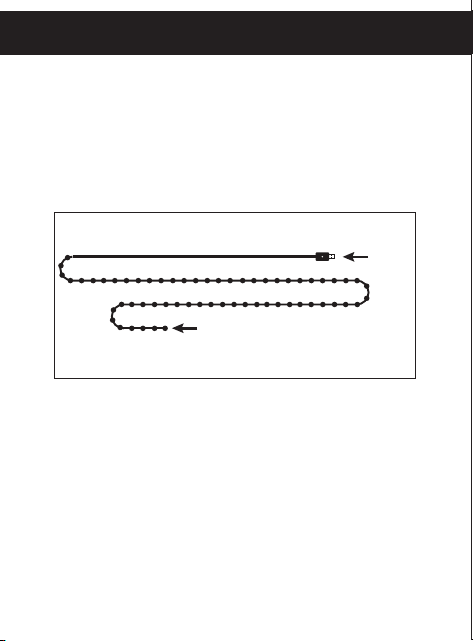
STEP 1: INSTALL STRING LIGHT
Carefully untie the string light and hang, wrap or
place it in your preferred indoor or covered outdoor
location. Ensure the 13ft. USB power cord is within
reach of a power source.
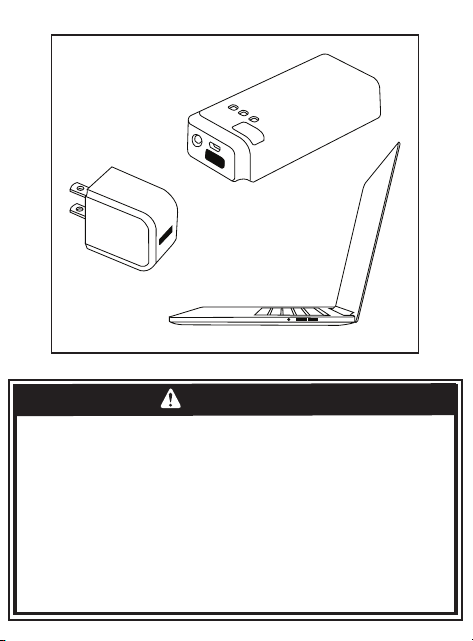
STEP 3: PLUG INTO USB-A PORT
Plug the USB power cord into a 5V, 1A minimum
USB-A port or adapter (not included).
STEP 2: UNTIE POWER CORD
Carefully untie and straighten out the USB
power cord.
USB power
Laptop
Power bank
Suppliers Declaration of Conformity | Model # 69281 |
Jasco Products Co., 10 E. Memorial Rd., Oklahoma City, OK 73114,
www.byjasco.com.
This device complies with Part 15 of the FCC and Industry Canada
license exempt RSS standards. Operation is subject to the following two
conditions: (1) this device may not cause harmful interference, and (2) this
device must accept any interference received, including interference that
may cause undesired operation.
FCC NOTE: The manufacturer is not responsible for any radio or TV
interference caused by unauthorized modifications to this equipment. Such
modifications could void the user’s authority to operate
the equipment.
NOTE: This equipment has been tested and found to comply with the
limits for a Class B digital device, pursuant to Part 15 of the FCC Rules.
These limits are designed to provide reasonable protection against harmful
interference in a residential installation. This equipment generates, uses
and can radiate radio frequency energy, and if not installed and used
in accordance with the instructions, may cause harmful interference to
radio communications. However, there is no guarantee interference will
not occur in a particular installation. If this equipment does cause harmful
interference to radio or television reception, which can be determined by
turning the equipment o and on, the user is encouraged to try to correct
the interference by one or more of the following measures:
• Reorient or relocate the receiving antenna.
• Increase the separation between the equipment and receiver.
• Connect the equipment into an outlet on a circuit dierent from
which the receiver is connected.
• Consult the dealer or an experienced radio/TV technician for help.
CAN ICES-3(B)/NMB-3(B)
RISK OF ELECTRIC SHOCK
• RECEPTACLE OUTLETS USED FOR POWERING STRING LIGHTS SHALL COMPLY
WITH ALL NATIONAL AND LOCAL ELECTRICAL CODES. CONSULT LOCAL
ELECTRICIAN IF UNSURE OF COMPLIANCE REQUIREMENTS.
• DO NOT SUBMERSE.
• DO NOT USE AROUND AQUARIUMS.
• DO NOT USE IN WET LOCATIONS.
• DO NOT INSTALL IN LOCATIONS WHERE CURTAIN LIGHTS CAN BE STEPPED ON.
• ENSURE STRING LIGHTS ARE UNPLUGGED FROM POWER DURING INSTALLATION.
• STRING LIGHTS SHOULD BE INSTALLED OUT OF CHILDREN’S REACH. DO NOT
ALLOW CHILDREN TO PLAY WITH THEM.
RISK OF FIRE
• NOT INTENDED FOR USE NEAR OPEN FLAMES OR ABOVE STOVES, COOK TOPS,
SINKS OR OTHER HEAT PRODUCING APPLIANCES, SUCH AS COFFEE MAKERS,
TOASTERS OR TOASTER OVENS.
• USE INDOORS OR IN PROTECTED OUTDOOR LOCATIONS ONLY.
WARNING
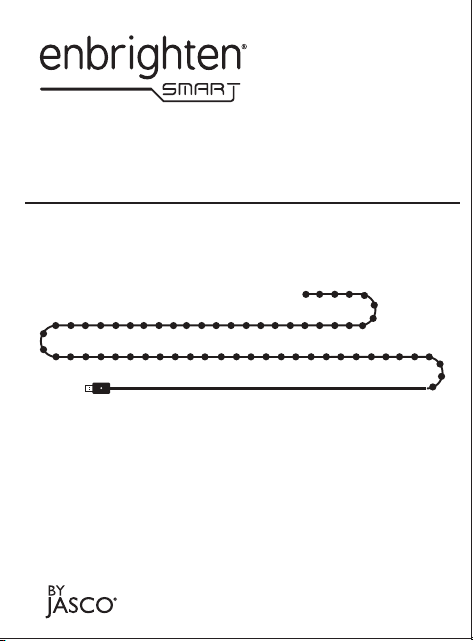
13ft.
20ft.
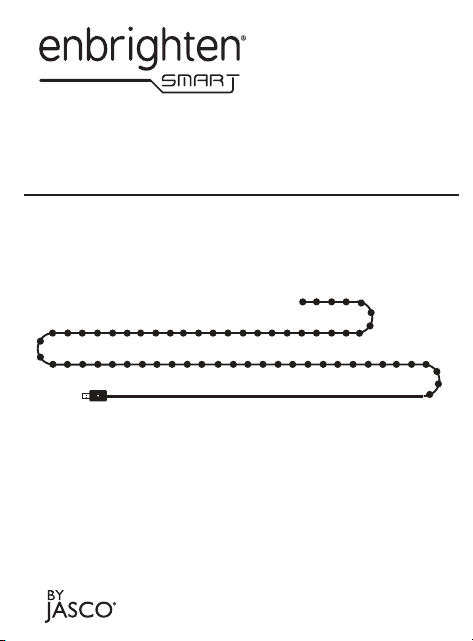
LED Wi-Fi
String Lights
Model – 69281
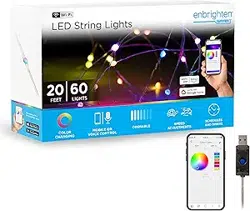
Your Enbrighten Smart LED Wi-Fi String
Lights transform your space with dynamic
colors and customization — all using the
free Enbrighten Wi-Fi app.
Read all instructions before installing. Please read all
the warning statements included in these instructions.
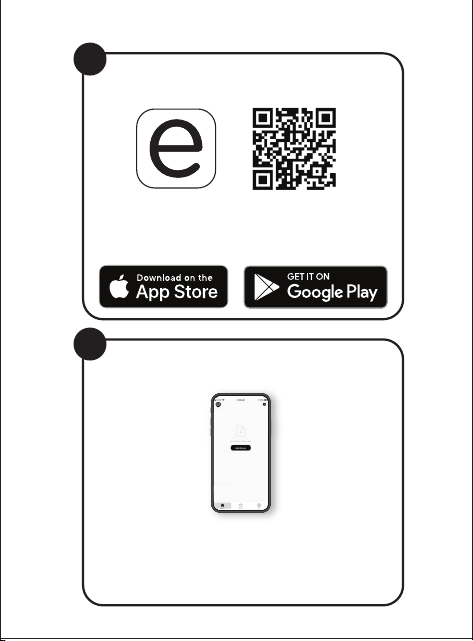
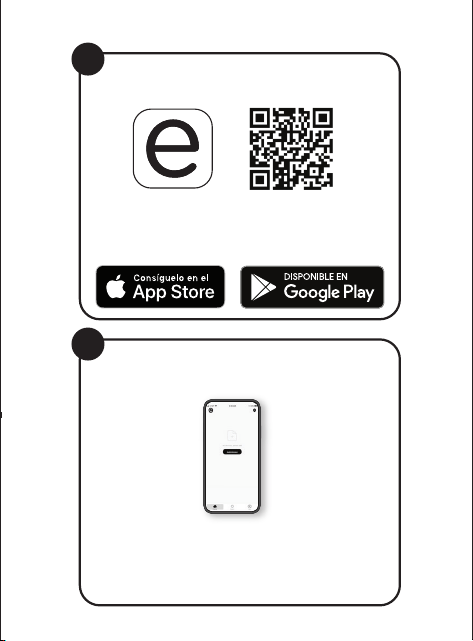
Scan the QR code or search
Enbrighten on the Apple App Store or
on Google Play
Download the app
Add devices, control the smart
string lights from anywhere
and create schedules
Setup and installation
3.
Install and plug in the
smart string light
Setup and installation
Create an account in
the Enbrighten app
1.
2.
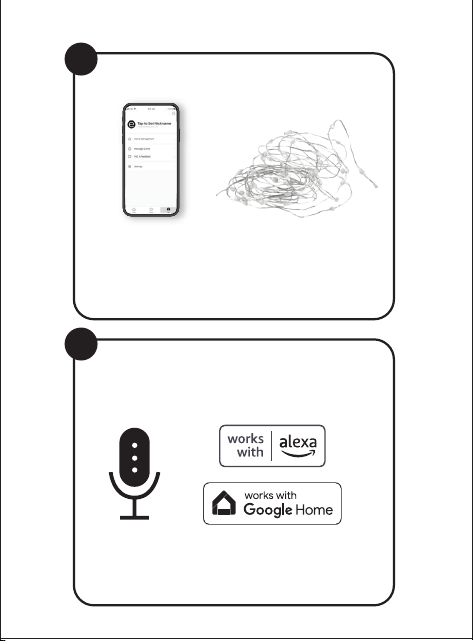
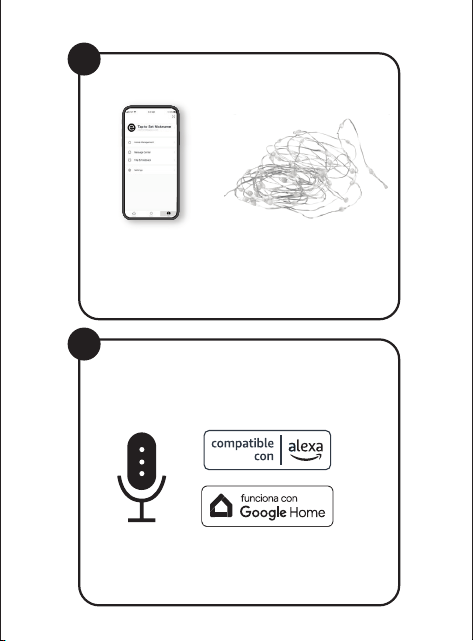
Voice control works with Amazon
Alexa or Google Assistant
Select "Support" in the Enbrighten app
or follow the steps in the Amazon Alexa
or Google Home app to connect your
Enbrighten account
Voice control
1 2
43
Remotely operate your smart string lights with the
easy-to-use Enbrighten app. Follow the available
instructions and resources to set up your
smart device.
NOTE: For best results, pair your lights near your router
prior to installation. Requires 2.4GHz Wi-Fi connection.
Thank you for your purchase!
Instructions
made easy
Register your
product
Discover innovative
lighting solutions at
enbrightenme.com.
Like our product?
Leave a review
on your favorite
retailer website or
amazon.com.
Having problems?
Let us know how
we can help.
Call
1-800-654-8483
between 7AM-8PM,
M-F, Central Time.
Read instructions or watch
easy-to-follow video.
Scan code or visit
byjasco.com/69281i.
Receive exclusive deals and
register your product.
Scan code or visit
byjasco.com/deals.
69281 v1 9/22
MADE IN CAMBODIA
Distributed by Jasco Products Company LLC,
10 E. Memorial Rd., Oklahoma City, OK 73114.
This Jasco product comes with a 1-year limited
warranty. Visit www.byjasco.com for
warranty details.
Questions? Contact our U.S.-based Consumer
Care at 1-800-654-8483 between 7AM-8PM,
M-F, Central Time.
MANUAL OPERATION
Press the button on the USB plug to cycle through 12
lighting eects.
1. Float
2. Rainbow
3. Snake
4. Rainbow chase
5. Flying
6. Red/Yellow Flash
7. Crash
8. Bounce
9. Twinkle
10. Flash
11. Pulse
12. Strobe
All brand names shown are trademarks of their respective owners. App
Store is a service mark of Apple Inc. Google, Google Play and Google
Home are trademarks of Google LLC. Amazon, Alexa and all related
logos are trademarks of Amazon.com, Inc. or its aliates.
INSTALLATION
STEP 1: INSTALL STRING LIGHT
Carefully untie the string light and hang, wrap or
place it in your preferred indoor or covered outdoor
location. Ensure the 13ft. USB power cord is within
reach of a power source.
STEP 3: PLUG INTO USB-A PORT
Plug the USB power cord into a 5V, 1A minimum
USB-A port or adapter (not included).
STEP 2: UNTIE POWER CORD
Carefully untie and straighten out the USB
power cord.
USB power
Laptop
Power bank
Suppliers Declaration of Conformity | Model # 69281 |
Jasco Products Co., 10 E. Memorial Rd., Oklahoma City, OK 73114,
www.byjasco.com.
This device complies with Part 15 of the FCC and Industry Canada
license exempt RSS standards. Operation is subject to the following two
conditions: (1) this device may not cause harmful interference, and (2) this
device must accept any interference received, including interference that
may cause undesired operation.
FCC NOTE: The manufacturer is not responsible for any radio or TV
interference caused by unauthorized modifications to this equipment. Such
modifications could void the user’s authority to operate
the equipment.
NOTE: This equipment has been tested and found to comply with the
limits for a Class B digital device, pursuant to Part 15 of the FCC Rules.
These limits are designed to provide reasonable protection against harmful
interference in a residential installation. This equipment generates, uses
and can radiate radio frequency energy, and if not installed and used
in accordance with the instructions, may cause harmful interference to
radio communications. However, there is no guarantee interference will
not occur in a particular installation. If this equipment does cause harmful
interference to radio or television reception, which can be determined by
turning the equipment o and on, the user is encouraged to try to correct
the interference by one or more of the following measures:
• Reorient or relocate the receiving antenna.
• Increase the separation between the equipment and receiver.
• Connect the equipment into an outlet on a circuit dierent from
which the receiver is connected.
• Consult the dealer or an experienced radio/TV technician for help.
CAN ICES-3(B)/NMB-3(B)
RISK OF ELECTRIC SHOCK
• RECEPTACLE OUTLETS USED FOR POWERING STRING LIGHTS SHALL COMPLY
WITH ALL NATIONAL AND LOCAL ELECTRICAL CODES. CONSULT LOCAL
ELECTRICIAN IF UNSURE OF COMPLIANCE REQUIREMENTS.
• DO NOT SUBMERSE.
• DO NOT USE AROUND AQUARIUMS.
• DO NOT USE IN WET LOCATIONS.
• DO NOT INSTALL IN LOCATIONS WHERE CURTAIN LIGHTS CAN BE STEPPED ON.
• ENSURE STRING LIGHTS ARE UNPLUGGED FROM POWER DURING INSTALLATION.
• STRING LIGHTS SHOULD BE INSTALLED OUT OF CHILDREN’S REACH. DO NOT
ALLOW CHILDREN TO PLAY WITH THEM.
RISK OF FIRE
• NOT INTENDED FOR USE NEAR OPEN FLAMES OR ABOVE STOVES, COOK TOPS,
SINKS OR OTHER HEAT PRODUCING APPLIANCES, SUCH AS COFFEE MAKERS,
TOASTERS OR TOASTER OVENS.
• USE INDOORS OR IN PROTECTED OUTDOOR LOCATIONS ONLY.
WARNING
13ft.
20ft.
LED Wi-Fi
String Lights
Model – 69281
Your Enbrighten Smart LED Wi-Fi String
Lights transform your space with dynamic
colors and customization — all using the
free Enbrighten Wi-Fi app.
Read all instructions before installing. Please read all
the warning statements included in these instructions.
Scan the QR code or search
Enbrighten on the Apple App Store or
on Google Play
Download the app
Add devices, control the smart
string lights from anywhere
and create schedules
Setup and installation
3.
Install and plug in the
smart string light
Setup and installation
Create an account in
the Enbrighten app
1.
2.
Voice control works with Amazon
Alexa or Google Assistant
Select "Support" in the Enbrighten app
or follow the steps in the Amazon Alexa
or Google Home app to connect your
Enbrighten account
Voice control
1 2
43
Remotely operate your smart string lights with the
easy-to-use Enbrighten app. Follow the available
instructions and resources to set up your
smart device.
NOTE: For best results, pair your lights near your router
prior to installation. Requires 2.4GHz Wi-Fi connection.
Thank you for your purchase!
Instructions
made easy
Register your
product
Discover innovative
lighting solutions at
enbrightenme.com.
Like our product?
Leave a review
on your favorite
retailer website or
amazon.com.
Having problems?
Let us know how
we can help.
Call
1-800-654-8483
between 7AM-8PM,
M-F, Central Time.
Read instructions or watch
easy-to-follow video.
Scan code or visit
byjasco.com/69281i.
Receive exclusive deals and
register your product.
Scan code or visit
byjasco.com/deals.
69281 v1 9/22
MADE IN CAMBODIA
Distributed by Jasco Products Company LLC,
10 E. Memorial Rd., Oklahoma City, OK 73114.
This Jasco product comes with a 1-year limited
warranty. Visit www.byjasco.com for
warranty details.
Questions? Contact our U.S.-based Consumer
Care at 1-800-654-8483 between 7AM-8PM,
M-F, Central Time.
MANUAL OPERATION
Press the button on the USB plug to cycle through 12
lighting eects.
1. Float
2. Rainbow
3. Snake
4. Rainbow chase
5. Flying
6. Red/Yellow Flash
7. Crash
8. Bounce
9. Twinkle
10. Flash
11. Pulse
12. Strobe
All brand names shown are trademarks of their respective owners. App
Store is a service mark of Apple Inc. Google, Google Play and Google
Home are trademarks of Google LLC. Amazon, Alexa and all related
logos are trademarks of Amazon.com, Inc. or its aliates.
INSTALLATION
STEP 1: INSTALL STRING LIGHT
Carefully untie the string light and hang, wrap or
place it in your preferred indoor or covered outdoor
location. Ensure the 13ft. USB power cord is within
reach of a power source.
STEP 3: PLUG INTO USB-A PORT
Plug the USB power cord into a 5V, 1A minimum
USB-A port or adapter (not included).
STEP 2: UNTIE POWER CORD
Carefully untie and straighten out the USB
power cord.
USB power
Laptop
Power bank
Suppliers Declaration of Conformity | Model # 69281 |
Jasco Products Co., 10 E. Memorial Rd., Oklahoma City, OK 73114,
www.byjasco.com.
This device complies with Part 15 of the FCC and Industry Canada
license exempt RSS standards. Operation is subject to the following two
conditions: (1) this device may not cause harmful interference, and (2) this
device must accept any interference received, including interference that
may cause undesired operation.
FCC NOTE: The manufacturer is not responsible for any radio or TV
interference caused by unauthorized modifications to this equipment. Such
modifications could void the user’s authority to operate
the equipment.
NOTE: This equipment has been tested and found to comply with the
limits for a Class B digital device, pursuant to Part 15 of the FCC Rules.
These limits are designed to provide reasonable protection against harmful
interference in a residential installation. This equipment generates, uses
and can radiate radio frequency energy, and if not installed and used
in accordance with the instructions, may cause harmful interference to
radio communications. However, there is no guarantee interference will
not occur in a particular installation. If this equipment does cause harmful
interference to radio or television reception, which can be determined by
turning the equipment o and on, the user is encouraged to try to correct
the interference by one or more of the following measures:
• Reorient or relocate the receiving antenna.
• Increase the separation between the equipment and receiver.
• Connect the equipment into an outlet on a circuit dierent from
which the receiver is connected.
• Consult the dealer or an experienced radio/TV technician for help.
CAN ICES-3(B)/NMB-3(B)
RISK OF ELECTRIC SHOCK
• RECEPTACLE OUTLETS USED FOR POWERING STRING LIGHTS SHALL COMPLY
WITH ALL NATIONAL AND LOCAL ELECTRICAL CODES. CONSULT LOCAL
ELECTRICIAN IF UNSURE OF COMPLIANCE REQUIREMENTS.
• DO NOT SUBMERSE.
• DO NOT USE AROUND AQUARIUMS.
• DO NOT USE IN WET LOCATIONS.
• DO NOT INSTALL IN LOCATIONS WHERE CURTAIN LIGHTS CAN BE STEPPED ON.
• ENSURE STRING LIGHTS ARE UNPLUGGED FROM POWER DURING INSTALLATION.
• STRING LIGHTS SHOULD BE INSTALLED OUT OF CHILDREN’S REACH. DO NOT
ALLOW CHILDREN TO PLAY WITH THEM.
RISK OF FIRE
• NOT INTENDED FOR USE NEAR OPEN FLAMES OR ABOVE STOVES, COOK TOPS,
SINKS OR OTHER HEAT PRODUCING APPLIANCES, SUCH AS COFFEE MAKERS,
TOASTERS OR TOASTER OVENS.
• USE INDOORS OR IN PROTECTED OUTDOOR LOCATIONS ONLY.
WARNING
13ft.
20ft.
LED Wi-Fi
String Lights
Model – 69281
Your Enbrighten Smart LED Wi-Fi String
Lights transform your space with dynamic
colors and customization — all using the
free Enbrighten Wi-Fi app.
Read all instructions before installing. Please read all
the warning statements included in these instructions.
Scan the QR code or search
Enbrighten on the Apple App Store or
on Google Play
Download the app
Add devices, control the smart
string lights from anywhere
and create schedules
Setup and installation
3.
Install and plug in the
smart string light
Setup and installation
Create an account in
the Enbrighten app
1.
2.
Voice control works with Amazon
Alexa or Google Assistant
Select "Support" in the Enbrighten app
or follow the steps in the Amazon Alexa
or Google Home app to connect your
Enbrighten account
Voice control
1 2
43
Remotely operate your smart string lights with the
easy-to-use Enbrighten app. Follow the available
instructions and resources to set up your
smart device.
NOTE: For best results, pair your lights near your router
prior to installation. Requires 2.4GHz Wi-Fi connection.
Thank you for your purchase!
Instructions
made easy
Register your
product
Discover innovative
lighting solutions at
enbrightenme.com.
Like our product?
Leave a review
on your favorite
retailer website or
amazon.com.
Having problems?
Let us know how
we can help.
Call
1-800-654-8483
between 7AM-8PM,
M-F, Central Time.
Read instructions or watch
easy-to-follow video.
Scan code or visit
byjasco.com/69281i.
Receive exclusive deals and
register your product.
Scan code or visit
byjasco.com/deals.
69281 v1 9/22
MADE IN CAMBODIA
Distributed by Jasco Products Company LLC,
10 E. Memorial Rd., Oklahoma City, OK 73114.
This Jasco product comes with a 1-year limited
warranty. Visit www.byjasco.com for
warranty details.
Questions? Contact our U.S.-based Consumer
Care at 1-800-654-8483 between 7AM-8PM,
M-F, Central Time.
MANUAL OPERATION
Press the button on the USB plug to cycle through 12
lighting eects.
1. Float
2. Rainbow
3. Snake
4. Rainbow chase
5. Flying
6. Red/Yellow Flash
7. Crash
8. Bounce
9. Twinkle
10. Flash
11. Pulse
12. Strobe
All brand names shown are trademarks of their respective owners. App
Store is a service mark of Apple Inc. Google, Google Play and Google
Home are trademarks of Google LLC. Amazon, Alexa and all related
logos are trademarks of Amazon.com, Inc. or its aliates.
INSTALLATION
STEP 1: INSTALL STRING LIGHT
Carefully untie the string light and hang, wrap or
place it in your preferred indoor or covered outdoor
location. Ensure the 13ft. USB power cord is within
reach of a power source.
STEP 3: PLUG INTO USB-A PORT
Plug the USB power cord into a 5V, 1A minimum
USB-A port or adapter (not included).
STEP 2: UNTIE POWER CORD
Carefully untie and straighten out the USB
power cord.
USB power
Laptop
Power bank
Suppliers Declaration of Conformity | Model # 69281 |
Jasco Products Co., 10 E. Memorial Rd., Oklahoma City, OK 73114,
www.byjasco.com.
This device complies with Part 15 of the FCC and Industry Canada
license exempt RSS standards. Operation is subject to the following two
conditions: (1) this device may not cause harmful interference, and (2) this
device must accept any interference received, including interference that
may cause undesired operation.
FCC NOTE: The manufacturer is not responsible for any radio or TV
interference caused by unauthorized modifications to this equipment. Such
modifications could void the user’s authority to operate
the equipment.
NOTE: This equipment has been tested and found to comply with the
limits for a Class B digital device, pursuant to Part 15 of the FCC Rules.
These limits are designed to provide reasonable protection against harmful
interference in a residential installation. This equipment generates, uses
and can radiate radio frequency energy, and if not installed and used
in accordance with the instructions, may cause harmful interference to
radio communications. However, there is no guarantee interference will
not occur in a particular installation. If this equipment does cause harmful
interference to radio or television reception, which can be determined by
turning the equipment o and on, the user is encouraged to try to correct
the interference by one or more of the following measures:
• Reorient or relocate the receiving antenna.
• Increase the separation between the equipment and receiver.
• Connect the equipment into an outlet on a circuit dierent from
which the receiver is connected.
• Consult the dealer or an experienced radio/TV technician for help.
CAN ICES-3(B)/NMB-3(B)
RISK OF ELECTRIC SHOCK
• RECEPTACLE OUTLETS USED FOR POWERING STRING LIGHTS SHALL COMPLY
WITH ALL NATIONAL AND LOCAL ELECTRICAL CODES. CONSULT LOCAL
ELECTRICIAN IF UNSURE OF COMPLIANCE REQUIREMENTS.
• DO NOT SUBMERSE.
• DO NOT USE AROUND AQUARIUMS.
• DO NOT USE IN WET LOCATIONS.
• DO NOT INSTALL IN LOCATIONS WHERE CURTAIN LIGHTS CAN BE STEPPED ON.
• ENSURE STRING LIGHTS ARE UNPLUGGED FROM POWER DURING INSTALLATION.
• STRING LIGHTS SHOULD BE INSTALLED OUT OF CHILDREN’S REACH. DO NOT
ALLOW CHILDREN TO PLAY WITH THEM.
RISK OF FIRE
• NOT INTENDED FOR USE NEAR OPEN FLAMES OR ABOVE STOVES, COOK TOPS,
SINKS OR OTHER HEAT PRODUCING APPLIANCES, SUCH AS COFFEE MAKERS,
TOASTERS OR TOASTER OVENS.
• USE INDOORS OR IN PROTECTED OUTDOOR LOCATIONS ONLY.
WARNING
13ft.
20ft.
LED Wi-Fi
String Lights
Model – 69281
Your Enbrighten Smart LED Wi-Fi String
Lights transform your space with dynamic
colors and customization — all using the
free Enbrighten Wi-Fi app.
Read all instructions before installing. Please read all
the warning statements included in these instructions.
Scan the QR code or search
Enbrighten on the Apple App Store or
on Google Play
Download the app
Add devices, control the smart
string lights from anywhere
and create schedules
Setup and installation
3.
Install and plug in the
smart string light
Setup and installation
Create an account in
the Enbrighten app
1.
2.
Voice control works with Amazon
Alexa or Google Assistant
Select "Support" in the Enbrighten app
or follow the steps in the Amazon Alexa
or Google Home app to connect your
Enbrighten account
Voice control
1 2
43
Remotely operate your smart string lights with the
easy-to-use Enbrighten app. Follow the available
instructions and resources to set up your
smart device.
NOTE: For best results, pair your lights near your router
prior to installation. Requires 2.4GHz Wi-Fi connection.
Thank you for your purchase!
Instructions
made easy
Register your
product
Discover innovative
lighting solutions at
enbrightenme.com.
Like our product?
Leave a review
on your favorite
retailer website or
amazon.com.
Having problems?
Let us know how
we can help.
Call
1-800-654-8483
between 7AM-8PM,
M-F, Central Time.
Read instructions or watch
easy-to-follow video.
Scan code or visit
byjasco.com/69281i.
Receive exclusive deals and
register your product.
Scan code or visit
byjasco.com/deals.
69281 v1 9/22
MADE IN CAMBODIA
Distributed by Jasco Products Company LLC,
10 E. Memorial Rd., Oklahoma City, OK 73114.
This Jasco product comes with a 1-year limited
warranty. Visit www.byjasco.com for
warranty details.
Questions? Contact our U.S.-based Consumer
Care at 1-800-654-8483 between 7AM-8PM,
M-F, Central Time.
MANUAL OPERATION
Press the button on the USB plug to cycle through 12
lighting eects.
1. Float
2. Rainbow
3. Snake
4. Rainbow chase
5. Flying
6. Red/Yellow Flash
7. Crash
8. Bounce
9. Twinkle
10. Flash
11. Pulse
12. Strobe
All brand names shown are trademarks of their respective owners. App
Store is a service mark of Apple Inc. Google, Google Play and Google
Home are trademarks of Google LLC. Amazon, Alexa and all related
logos are trademarks of Amazon.com, Inc. or its aliates.
INSTALLATION
STEP 1: INSTALL STRING LIGHT
Carefully untie the string light and hang, wrap or
place it in your preferred indoor or covered outdoor
location. Ensure the 13ft. USB power cord is within
reach of a power source.
STEP 3: PLUG INTO USB-A PORT
Plug the USB power cord into a 5V, 1A minimum
USB-A port or adapter (not included).
STEP 2: UNTIE POWER CORD
Carefully untie and straighten out the USB
power cord.
USB power
Laptop
Power bank
Suppliers Declaration of Conformity | Model # 69281 |
Jasco Products Co., 10 E. Memorial Rd., Oklahoma City, OK 73114,
www.byjasco.com.
This device complies with Part 15 of the FCC and Industry Canada
license exempt RSS standards. Operation is subject to the following two
conditions: (1) this device may not cause harmful interference, and (2) this
device must accept any interference received, including interference that
may cause undesired operation.
FCC NOTE: The manufacturer is not responsible for any radio or TV
interference caused by unauthorized modifications to this equipment. Such
modifications could void the user’s authority to operate
the equipment.
NOTE: This equipment has been tested and found to comply with the
limits for a Class B digital device, pursuant to Part 15 of the FCC Rules.
These limits are designed to provide reasonable protection against harmful
interference in a residential installation. This equipment generates, uses
and can radiate radio frequency energy, and if not installed and used
in accordance with the instructions, may cause harmful interference to
radio communications. However, there is no guarantee interference will
not occur in a particular installation. If this equipment does cause harmful
interference to radio or television reception, which can be determined by
turning the equipment o and on, the user is encouraged to try to correct
the interference by one or more of the following measures:
• Reorient or relocate the receiving antenna.
• Increase the separation between the equipment and receiver.
• Connect the equipment into an outlet on a circuit dierent from
which the receiver is connected.
• Consult the dealer or an experienced radio/TV technician for help.
CAN ICES-3(B)/NMB-3(B)
RISK OF ELECTRIC SHOCK
• RECEPTACLE OUTLETS USED FOR POWERING STRING LIGHTS SHALL COMPLY
WITH ALL NATIONAL AND LOCAL ELECTRICAL CODES. CONSULT LOCAL
ELECTRICIAN IF UNSURE OF COMPLIANCE REQUIREMENTS.
• DO NOT SUBMERSE.
• DO NOT USE AROUND AQUARIUMS.
• DO NOT USE IN WET LOCATIONS.
• DO NOT INSTALL IN LOCATIONS WHERE CURTAIN LIGHTS CAN BE STEPPED ON.
• ENSURE STRING LIGHTS ARE UNPLUGGED FROM POWER DURING INSTALLATION.
• STRING LIGHTS SHOULD BE INSTALLED OUT OF CHILDREN’S REACH. DO NOT
ALLOW CHILDREN TO PLAY WITH THEM.
RISK OF FIRE
• NOT INTENDED FOR USE NEAR OPEN FLAMES OR ABOVE STOVES, COOK TOPS,
SINKS OR OTHER HEAT PRODUCING APPLIANCES, SUCH AS COFFEE MAKERS,
TOASTERS OR TOASTER OVENS.
• USE INDOORS OR IN PROTECTED OUTDOOR LOCATIONS ONLY.
WARNING
13ft.
20ft.
LED Wi-Fi
String Lights
Model – 69281
Your Enbrighten Smart LED Wi-Fi String
Lights transform your space with dynamic
colors and customization — all using the
free Enbrighten Wi-Fi app.
Read all instructions before installing. Please read all
the warning statements included in these instructions.
Scan the QR code or search
Enbrighten on the Apple App Store or
on Google Play
Download the app
Add devices, control the smart
string lights from anywhere
and create schedules
Setup and installation
3.
Install and plug in the
smart string light
Setup and installation
Create an account in
the Enbrighten app
1.
2.
Voice control works with Amazon
Alexa or Google Assistant
Select "Support" in the Enbrighten app
or follow the steps in the Amazon Alexa
or Google Home app to connect your
Enbrighten account
Voice control
1 2
43
Remotely operate your smart string lights with the
easy-to-use Enbrighten app. Follow the available
instructions and resources to set up your
smart device.
NOTE: For best results, pair your lights near your router
prior to installation. Requires 2.4GHz Wi-Fi connection.
Thank you for your purchase!
Instructions
made easy
Register your
product
Discover innovative
lighting solutions at
enbrightenme.com.
Like our product?
Leave a review
on your favorite
retailer website or
amazon.com.
Having problems?
Let us know how
we can help.
Call
1-800-654-8483
between 7AM-8PM,
M-F, Central Time.
Read instructions or watch
easy-to-follow video.
Scan code or visit
byjasco.com/69281i.
Receive exclusive deals and
register your product.
Scan code or visit
byjasco.com/deals.
69281 v1 9/22
MADE IN CAMBODIA
Distributed by Jasco Products Company LLC,
10 E. Memorial Rd., Oklahoma City, OK 73114.
This Jasco product comes with a 1-year limited
warranty. Visit www.byjasco.com for
warranty details.
Questions? Contact our U.S.-based Consumer
Care at 1-800-654-8483 between 7AM-8PM,
M-F, Central Time.
MANUAL OPERATION
Press the button on the USB plug to cycle through 12
lighting eects.
1. Float
2. Rainbow
3. Snake
4. Rainbow chase
5. Flying
6. Red/Yellow Flash
7. Crash
8. Bounce
9. Twinkle
10. Flash
11. Pulse
12. Strobe
All brand names shown are trademarks of their respective owners. App
Store is a service mark of Apple Inc. Google, Google Play and Google
Home are trademarks of Google LLC. Amazon, Alexa and all related
logos are trademarks of Amazon.com, Inc. or its aliates.
INSTALLATION
STEP 1: INSTALL STRING LIGHT
Carefully untie the string light and hang, wrap or
place it in your preferred indoor or covered outdoor
location. Ensure the 13ft. USB power cord is within
reach of a power source.
STEP 3: PLUG INTO USB-A PORT
Plug the USB power cord into a 5V, 1A minimum
USB-A port or adapter (not included).
STEP 2: UNTIE POWER CORD
Carefully untie and straighten out the USB
power cord.
USB power
Laptop
Power bank
Suppliers Declaration of Conformity | Model # 69281 |
Jasco Products Co., 10 E. Memorial Rd., Oklahoma City, OK 73114,
www.byjasco.com.
This device complies with Part 15 of the FCC and Industry Canada
license exempt RSS standards. Operation is subject to the following two
conditions: (1) this device may not cause harmful interference, and (2) this
device must accept any interference received, including interference that
may cause undesired operation.
FCC NOTE: The manufacturer is not responsible for any radio or TV
interference caused by unauthorized modifications to this equipment. Such
modifications could void the user’s authority to operate
the equipment.
NOTE: This equipment has been tested and found to comply with the
limits for a Class B digital device, pursuant to Part 15 of the FCC Rules.
These limits are designed to provide reasonable protection against harmful
interference in a residential installation. This equipment generates, uses
and can radiate radio frequency energy, and if not installed and used
in accordance with the instructions, may cause harmful interference to
radio communications. However, there is no guarantee interference will
not occur in a particular installation. If this equipment does cause harmful
interference to radio or television reception, which can be determined by
turning the equipment o and on, the user is encouraged to try to correct
the interference by one or more of the following measures:
• Reorient or relocate the receiving antenna.
• Increase the separation between the equipment and receiver.
• Connect the equipment into an outlet on a circuit dierent from
which the receiver is connected.
• Consult the dealer or an experienced radio/TV technician for help.
CAN ICES-3(B)/NMB-3(B)
RISK OF ELECTRIC SHOCK
• RECEPTACLE OUTLETS USED FOR POWERING STRING LIGHTS SHALL COMPLY
WITH ALL NATIONAL AND LOCAL ELECTRICAL CODES. CONSULT LOCAL
ELECTRICIAN IF UNSURE OF COMPLIANCE REQUIREMENTS.
• DO NOT SUBMERSE.
• DO NOT USE AROUND AQUARIUMS.
• DO NOT USE IN WET LOCATIONS.
• DO NOT INSTALL IN LOCATIONS WHERE CURTAIN LIGHTS CAN BE STEPPED ON.
• ENSURE STRING LIGHTS ARE UNPLUGGED FROM POWER DURING INSTALLATION.
• STRING LIGHTS SHOULD BE INSTALLED OUT OF CHILDREN’S REACH. DO NOT
ALLOW CHILDREN TO PLAY WITH THEM.
RISK OF FIRE
• NOT INTENDED FOR USE NEAR OPEN FLAMES OR ABOVE STOVES, COOK TOPS,
SINKS OR OTHER HEAT PRODUCING APPLIANCES, SUCH AS COFFEE MAKERS,
TOASTERS OR TOASTER OVENS.
• USE INDOORS OR IN PROTECTED OUTDOOR LOCATIONS ONLY.
WARNING
13ft.
20ft.
LED Wi-Fi
String Lights
Model – 69281
Your Enbrighten Smart LED Wi-Fi String
Lights transform your space with dynamic
colors and customization — all using the
free Enbrighten Wi-Fi app.
Read all instructions before installing. Please read all
the warning statements included in these instructions.
Scan the QR code or search
Enbrighten on the Apple App Store or
on Google Play
Download the app
Add devices, control the smart
string lights from anywhere
and create schedules
Setup and installation
3.
Install and plug in the
smart string light
Setup and installation
Create an account in
the Enbrighten app
1.
2.
Voice control works with Amazon
Alexa or Google Assistant
Select "Support" in the Enbrighten app
or follow the steps in the Amazon Alexa
or Google Home app to connect your
Enbrighten account
Voice control
1 2
43
Remotely operate your smart string lights with the
easy-to-use Enbrighten app. Follow the available
instructions and resources to set up your
smart device.
NOTE: For best results, pair your lights near your router
prior to installation. Requires 2.4GHz Wi-Fi connection.
Thank you for your purchase!
Instructions
made easy
Register your
product
Discover innovative
lighting solutions at
enbrightenme.com.
Like our product?
Leave a review
on your favorite
retailer website or
amazon.com.
Having problems?
Let us know how
we can help.
Call
1-800-654-8483
between 7AM-8PM,
M-F, Central Time.
Read instructions or watch
easy-to-follow video.
Scan code or visit
byjasco.com/69281i.
Receive exclusive deals and
register your product.
Scan code or visit
byjasco.com/deals.
69281 v1 9/22
MADE IN CAMBODIA
Distributed by Jasco Products Company LLC,
10 E. Memorial Rd., Oklahoma City, OK 73114.
This Jasco product comes with a 1-year limited
warranty. Visit www.byjasco.com for
warranty details.
Questions? Contact our U.S.-based Consumer
Care at 1-800-654-8483 between 7AM-8PM,
M-F, Central Time.
MANUAL OPERATION
Press the button on the USB plug to cycle through 12
lighting eects.
1. Float
2. Rainbow
3. Snake
4. Rainbow chase
5. Flying
6. Red/Yellow Flash
7. Crash
8. Bounce
9. Twinkle
10. Flash
11. Pulse
12. Strobe
All brand names shown are trademarks of their respective owners. App
Store is a service mark of Apple Inc. Google, Google Play and Google
Home are trademarks of Google LLC. Amazon, Alexa and all related
logos are trademarks of Amazon.com, Inc. or its aliates.
INSTALLATION
STEP 1: INSTALL STRING LIGHT
Carefully untie the string light and hang, wrap or
place it in your preferred indoor or covered outdoor
location. Ensure the 13ft. USB power cord is within
reach of a power source.
STEP 3: PLUG INTO USB-A PORT
Plug the USB power cord into a 5V, 1A minimum
USB-A port or adapter (not included).
STEP 2: UNTIE POWER CORD
Carefully untie and straighten out the USB
power cord.
USB power
Laptop
Power bank
Suppliers Declaration of Conformity | Model # 69281 |
Jasco Products Co., 10 E. Memorial Rd., Oklahoma City, OK 73114,
www.byjasco.com.
This device complies with Part 15 of the FCC and Industry Canada
license exempt RSS standards. Operation is subject to the following two
conditions: (1) this device may not cause harmful interference, and (2) this
device must accept any interference received, including interference that
may cause undesired operation.
FCC NOTE: The manufacturer is not responsible for any radio or TV
interference caused by unauthorized modifications to this equipment. Such
modifications could void the user’s authority to operate
the equipment.
NOTE: This equipment has been tested and found to comply with the
limits for a Class B digital device, pursuant to Part 15 of the FCC Rules.
These limits are designed to provide reasonable protection against harmful
interference in a residential installation. This equipment generates, uses
and can radiate radio frequency energy, and if not installed and used
in accordance with the instructions, may cause harmful interference to
radio communications. However, there is no guarantee interference will
not occur in a particular installation. If this equipment does cause harmful
interference to radio or television reception, which can be determined by
turning the equipment o and on, the user is encouraged to try to correct
the interference by one or more of the following measures:
• Reorient or relocate the receiving antenna.
• Increase the separation between the equipment and receiver.
• Connect the equipment into an outlet on a circuit dierent from
which the receiver is connected.
• Consult the dealer or an experienced radio/TV technician for help.
CAN ICES-3(B)/NMB-3(B)
RISK OF ELECTRIC SHOCK
• RECEPTACLE OUTLETS USED FOR POWERING STRING LIGHTS SHALL COMPLY
WITH ALL NATIONAL AND LOCAL ELECTRICAL CODES. CONSULT LOCAL
ELECTRICIAN IF UNSURE OF COMPLIANCE REQUIREMENTS.
• DO NOT SUBMERSE.
• DO NOT USE AROUND AQUARIUMS.
• DO NOT USE IN WET LOCATIONS.
• DO NOT INSTALL IN LOCATIONS WHERE CURTAIN LIGHTS CAN BE STEPPED ON.
• ENSURE STRING LIGHTS ARE UNPLUGGED FROM POWER DURING INSTALLATION.
• STRING LIGHTS SHOULD BE INSTALLED OUT OF CHILDREN’S REACH. DO NOT
ALLOW CHILDREN TO PLAY WITH THEM.
RISK OF FIRE
• NOT INTENDED FOR USE NEAR OPEN FLAMES OR ABOVE STOVES, COOK TOPS,
SINKS OR OTHER HEAT PRODUCING APPLIANCES, SUCH AS COFFEE MAKERS,
TOASTERS OR TOASTER OVENS.
• USE INDOORS OR IN PROTECTED OUTDOOR LOCATIONS ONLY.
WARNING
13ft.
20ft.
LED Wi-Fi
String Lights
Model – 69281
Your Enbrighten Smart LED Wi-Fi String
Lights transform your space with dynamic
colors and customization — all using the
free Enbrighten Wi-Fi app.
Read all instructions before installing. Please read all
the warning statements included in these instructions.
Scan the QR code or search
Enbrighten on the Apple App Store or
on Google Play
Download the app
Add devices, control the smart
string lights from anywhere
and create schedules
Setup and installation
3.
Install and plug in the
smart string light
Setup and installation
Create an account in
the Enbrighten app
1.
2.
Voice control works with Amazon
Alexa or Google Assistant
Select "Support" in the Enbrighten app
or follow the steps in the Amazon Alexa
or Google Home app to connect your
Enbrighten account
Voice control
1 2
43
Remotely operate your smart string lights with the
easy-to-use Enbrighten app. Follow the available
instructions and resources to set up your
smart device.
NOTE: For best results, pair your lights near your router
prior to installation. Requires 2.4GHz Wi-Fi connection.
Thank you for your purchase!
Instructions
made easy
Register your
product
Discover innovative
lighting solutions at
enbrightenme.com.
Like our product?
Leave a review
on your favorite
retailer website or
amazon.com.
Having problems?
Let us know how
we can help.
Call
1-800-654-8483
between 7AM-8PM,
M-F, Central Time.
Read instructions or watch
easy-to-follow video.
Scan code or visit
byjasco.com/69281i.
Receive exclusive deals and
register your product.
Scan code or visit
byjasco.com/deals.
69281 v1 9/22
MADE IN CAMBODIA
Distributed by Jasco Products Company LLC,
10 E. Memorial Rd., Oklahoma City, OK 73114.
This Jasco product comes with a 1-year limited
warranty. Visit www.byjasco.com for
warranty details.
Questions? Contact our U.S.-based Consumer
Care at 1-800-654-8483 between 7AM-8PM,
M-F, Central Time.
MANUAL OPERATION
Press the button on the USB plug to cycle through 12
lighting eects.
1. Float
2. Rainbow
3. Snake
4. Rainbow chase
5. Flying
6. Red/Yellow Flash
7. Crash
8. Bounce
9. Twinkle
10. Flash
11. Pulse
12. Strobe
All brand names shown are trademarks of their respective owners. App
Store is a service mark of Apple Inc. Google, Google Play and Google
Home are trademarks of Google LLC. Amazon, Alexa and all related
logos are trademarks of Amazon.com, Inc. or its aliates.
INSTALLATION
STEP 1: INSTALL STRING LIGHT
Carefully untie the string light and hang, wrap or
place it in your preferred indoor or covered outdoor
location. Ensure the 13ft. USB power cord is within
reach of a power source.
STEP 3: PLUG INTO USB-A PORT
Plug the USB power cord into a 5V, 1A minimum
USB-A port or adapter (not included).
STEP 2: UNTIE POWER CORD
Carefully untie and straighten out the USB
power cord.
USB power
Laptop
Power bank
Suppliers Declaration of Conformity | Model # 69281 |
Jasco Products Co., 10 E. Memorial Rd., Oklahoma City, OK 73114,
www.byjasco.com.
This device complies with Part 15 of the FCC and Industry Canada
license exempt RSS standards. Operation is subject to the following two
conditions: (1) this device may not cause harmful interference, and (2) this
device must accept any interference received, including interference that
may cause undesired operation.
FCC NOTE: The manufacturer is not responsible for any radio or TV
interference caused by unauthorized modifications to this equipment. Such
modifications could void the user’s authority to operate
the equipment.
NOTE: This equipment has been tested and found to comply with the
limits for a Class B digital device, pursuant to Part 15 of the FCC Rules.
These limits are designed to provide reasonable protection against harmful
interference in a residential installation. This equipment generates, uses
and can radiate radio frequency energy, and if not installed and used
in accordance with the instructions, may cause harmful interference to
radio communications. However, there is no guarantee interference will
not occur in a particular installation. If this equipment does cause harmful
interference to radio or television reception, which can be determined by
turning the equipment o and on, the user is encouraged to try to correct
the interference by one or more of the following measures:
• Reorient or relocate the receiving antenna.
• Increase the separation between the equipment and receiver.
• Connect the equipment into an outlet on a circuit dierent from
which the receiver is connected.
• Consult the dealer or an experienced radio/TV technician for help.
CAN ICES-3(B)/NMB-3(B)
RISK OF ELECTRIC SHOCK
• RECEPTACLE OUTLETS USED FOR POWERING STRING LIGHTS SHALL COMPLY
WITH ALL NATIONAL AND LOCAL ELECTRICAL CODES. CONSULT LOCAL
ELECTRICIAN IF UNSURE OF COMPLIANCE REQUIREMENTS.
• DO NOT SUBMERSE.
• DO NOT USE AROUND AQUARIUMS.
• DO NOT USE IN WET LOCATIONS.
• DO NOT INSTALL IN LOCATIONS WHERE CURTAIN LIGHTS CAN BE STEPPED ON.
• ENSURE STRING LIGHTS ARE UNPLUGGED FROM POWER DURING INSTALLATION.
• STRING LIGHTS SHOULD BE INSTALLED OUT OF CHILDREN’S REACH. DO NOT
ALLOW CHILDREN TO PLAY WITH THEM.
RISK OF FIRE
• NOT INTENDED FOR USE NEAR OPEN FLAMES OR ABOVE STOVES, COOK TOPS,
SINKS OR OTHER HEAT PRODUCING APPLIANCES, SUCH AS COFFEE MAKERS,
TOASTERS OR TOASTER OVENS.
• USE INDOORS OR IN PROTECTED OUTDOOR LOCATIONS ONLY.
WARNING
13ft.
20ft.
LED Wi-Fi
String Lights
Model – 69281
Your Enbrighten Smart LED Wi-Fi String
Lights transform your space with dynamic
colors and customization — all using the
free Enbrighten Wi-Fi app.
Read all instructions before installing. Please read all
the warning statements included in these instructions.
Scan the QR code or search
Enbrighten on the Apple App Store or
on Google Play
Download the app
Add devices, control the smart
string lights from anywhere
and create schedules
Setup and installation
3.
Install and plug in the
smart string light
Setup and installation
Create an account in
the Enbrighten app
1.
2.
Voice control works with Amazon
Alexa or Google Assistant
Select "Support" in the Enbrighten app
or follow the steps in the Amazon Alexa
or Google Home app to connect your
Enbrighten account
Voice control
1 2
43
Remotely operate your smart string lights with the
easy-to-use Enbrighten app. Follow the available
instructions and resources to set up your
smart device.
NOTE: For best results, pair your lights near your router
prior to installation. Requires 2.4GHz Wi-Fi connection.
Thank you for your purchase!
Instructions
made easy
Register your
product
Discover innovative
lighting solutions at
enbrightenme.com.
Like our product?
Leave a review
on your favorite
retailer website or
amazon.com.
Having problems?
Let us know how
we can help.
Call
1-800-654-8483
between 7AM-8PM,
M-F, Central Time.
Read instructions or watch
easy-to-follow video.
Scan code or visit
byjasco.com/69281i.
Receive exclusive deals and
register your product.
Scan code or visit
byjasco.com/deals.
69281 v1 9/22
MADE IN CAMBODIA
Distributed by Jasco Products Company LLC,
10 E. Memorial Rd., Oklahoma City, OK 73114.
This Jasco product comes with a 1-year limited
warranty. Visit www.byjasco.com for
warranty details.
Questions? Contact our U.S.-based Consumer
Care at 1-800-654-8483 between 7AM-8PM,
M-F, Central Time.
MANUAL OPERATION
Press the button on the USB plug to cycle through 12
lighting eects.
1. Float
2. Rainbow
3. Snake
4. Rainbow chase
5. Flying
6. Red/Yellow Flash
7. Crash
8. Bounce
9. Twinkle
10. Flash
11. Pulse
12. Strobe
All brand names shown are trademarks of their respective owners. App
Store is a service mark of Apple Inc. Google, Google Play and Google
Home are trademarks of Google LLC. Amazon, Alexa and all related
logos are trademarks of Amazon.com, Inc. or its aliates.
INSTALACIÓN
RIESGO DE DESCARGA ELÉCTRICA
• LOS TOMACORRIENTES QUE SE UTILICEN PARA ALIMENTAR LAS CADENA DE LUCES DEBEN
CUMPLIR CON TODOS LOS CÓDIGOS ELÉCTRICOS LOCALES Y NACIONALES. CONSULTE
CON UN ELECTRICISTA LOCAL SI NO ESTÁ SEGURO SOBRE LOS≈REQUISITOS NORMATIVOS.
• NO SUMERGIR.
• NO USAR CERCA DE ACUARIOS.
• NO USAR EN LUGARES HÚMEDOS.
• NO INSTALAR LAS CORTINAS DE LUCES EN ÁREAS EN LAS QUE SEA PROBABLE PISARLAS.
• ASEGÚRESE DE QUE LAS CADENA DE LUCES ESTÉN DESENCHUFADAS DURANTE LA
INSTALACIÓN.
• LA INSTALACIÓN DE LAS CADENA DE LUCES SE DEBE REALIZAR LEJOS DEL ALCANCE DE LOS
NIÑOS O SIN PERMITIR QUE LOS NIÑOS JUEGUEN CON ELLAS.
RIESGO DE INCENDIO
• NO DISEÑADO PARA USAR CERCA LLAMAS ABIERTAS O SOBRE ESTUFAS, COCINAS,
FREGADEROS Y DEMÁS APARATOS QUE PRODUZCAN CALOR, COMO CAFETERAS,
TOSTADORAS U HORNOS ELÉCTRICOS.
• USAR SOLAMENTE EN ÁREAS INTERIORES O EXTERIORES PROTEGIDAS.
ADVERTENCIA
Cargador portátil
de batería
Alimentación
por USB
Computadora portátil
Declaración de conformidad de proveedores | Modelo n.º: 69281 | Jasco
Products Co., 10 E. Memorial Rd., Oklahoma City, OK 73114, www.byjasco.com.
Este dispositivo cumple con las normas RSS de exención de licencia de la
Parte 15 de la FCC y de Industry Canada. Su funcionamiento está sujeto a las
siguientes dos condiciones: (1) este dispositivo no podrá causar interferencias
perjudiciales, y (2) este dispositivo debe aceptar cualquier interferencia
recibida, incluidas las interferencias que puedan causar un funcionamiento no
deseado.
NOTA DE LA FCC: El fabricante no se responsabiliza por ninguna interferencia
de radio o TV causada por modificaciones no autorizadas a este equipo. Tales
modificaciones podrían anular el derecho del usuario a hacer uso del equipo.
NOTA: Este equipo se sometió a pruebas y cumple con los límites establecidos
para un dispositivo digital Clase B de acuerdo con la Parte15 de las Normas
de la FCC. Dichos límites están diseñados para proporcionar una protección
razonable contra la interferencia perjudicial en una instalación residencial.
Este equipo genera, usa y puede irradiar energía de radiofrecuencia. Si no se
instala y usa de acuerdo con estas instrucciones, podrá causar interferencia
perjudicial a las radiocomunicaciones. Por otro lado, tampoco es posible
garantizar que no ocurrirán interferencias en una instalación en particular.
Si este equipo causa interferencias perjudiciales en la recepción de radio o
televisión, las cuales pueden comprobarse encendiendo y apagando el equipo,
se recomienda al usuario que intente corregir la interferencia adoptando una o
más de las siguientes medidas:
• Cambiar la orientación o ubicación de la antena receptora.
• Aumentar la distancia entre el equipo y el receptor.
• Conectar el equipo a la salida de un circuito diferente al cual está
conectado el receptor.
• Consultar al distribuidor o a un técnico de radio o TV experimentado
para obtener ayuda.
CAN ICES-3(B)/NMB-3(B)
PASO 1: INSTALE LA CADENA DE LUCES
Desate con cuidado la cadena de luces y suspéndala,
úsela alrededor de un objeto o colóquela en el lugar
que prefiera, ya sea dentro de la casa o fuera en un área
cubierta. Asegúrese de que el cable de alimentación
USB de 4m (13ft.) esté dentro del alcance de una
fuente energía.
PASO 3: ENCHUFE EN UN PUERTO USB-A
Enchufe el cable de alimentación USB en un puerto o
adaptador USB-A de 5V, 1A como mínimo
(no incluido).
PASO 2: DESATE EL CABLE DE ALIMENTACIÓN
Desate y estire con cuidado el cable de
alimentación USB.
13ft.
20ft.
Lea todas las instrucciones antes de instalar. Lea
todas las declaraciones de advertencia incluidas en
estas instrucciones.
Su Enbrighten Smart LED Wi-Fi Cadena de Luces
transforma su espacio con colores dinámicos y
personalización, todo usando la aplicación gratuita
Enbrighten Wi-Fi.
LED Wi-Fi
Cadena de Luces
Model – 69281
Escanee el código QR o busque
Enbrighten en App Store de Apple o
en Google Play
Descargue la app
Agregue dispositivos,
controle las cadena de luces
inteligentes desde cualquier
lugar y cree horarios
Configuración e instalación
3.
Configuración e instalación
1.
IInstale y conecte la
cadena de luces
inteligente
Cree una cuenta en
la app Enbrighten
2.
El control por voz funciona con Amazon
Alexa o Google Assistant
Seleccione “Soporte” en la aplicación
Enbrighten o siga los pasos en la
aplicación Amazon Alexa o Google Home
para conectar su cuenta Enbrighten
Control por voz
1 2
43
Opere de forma remota sus cadena de luces con la
app Enbrighten fácil de usar. Siga las instrucciones
y los recursos disponibles para configurar su
dispositivo inteligente.
NOTA: Para obtener los mejores resultados, empareje sus
luces cerca de su enrutador antes de la instalación. Requiere
conexión wifi de 2.4GHz.
69281 v1 9/22
Instrucciones
fáciles
Lea las instrucciones o mire el
video con el paso a paso.
Escanee el código o visite
byjasco.com/69281i.
¡Gracias por su compra!
Registre su
producto
Recibe ofertas exclusivas
y registra tu producto.
Escanee el código o visite
byjasco.com/deals.
La domótica está al alcance de su
mano con los dispositivos y
accesorios inteligentes con wifi en
www.enbrightenwifi.com.
Le gusta nuestro
producto?
Deje una reseña en el
sitio web de su
comercio favorito o en
amazon.com
.
¿Tiene algún
problema?
Díganos cómo podemos
ayudar. Llame al
1-800-654-8483, entre
las 7 a. m. y las 8 p. m.,
hora estándar del centro.
HECHO EN CAMBOYA
Distribuido por Jasco Products Company LLC,
10 E. Memorial Rd., Oklahoma City, OK 73114.
Este producto de Jasco tiene una garantía
limitada de 1año. Para más información sobre
la garantía, visite www.byjasco.com.
¿Tiene preguntas? Póngase en contacto con
nuestro servicio de atención al consumidor de
EE. UU. al 1-800-654-8483, de lunes aviernes,
de 7a.m. a 8p.m. (hora estándar del centro).
MANUAL DE FUNCIONAMIENTO
Presione el botón en el enchufe USB para recorrer 12
efectos de iluminación.
1. Flotar
2. Arcoíris
3. Serpiente
4. persecución del arco iris
5. Volador
6. Parpadeo rojo/amarillo
7. Choque
8. Bote
9. Centelleo
10. Destello
11. Legumbres
12. estroboscópico
Todos los nombres de marcas son marcas comerciales de sus respectivos
propietarios. App Store es una marca de servicio de Apple Inc. Google, Google
Play y Google Home son marcas de Google LLC. Amazon, Alexa y todos los
logotipos relacionados son marcas registradas de Amazon.com, Inc. o sus filiales.
INSTALACIÓN
RIESGO DE DESCARGA ELÉCTRICA
• LOS TOMACORRIENTES QUE SE UTILICEN PARA ALIMENTAR LAS CADENA DE LUCES DEBEN
CUMPLIR CON TODOS LOS CÓDIGOS ELÉCTRICOS LOCALES Y NACIONALES. CONSULTE
CON UN ELECTRICISTA LOCAL SI NO ESTÁ SEGURO SOBRE LOS≈REQUISITOS NORMATIVOS.
• NO SUMERGIR.
• NO USAR CERCA DE ACUARIOS.
• NO USAR EN LUGARES HÚMEDOS.
• NO INSTALAR LAS CORTINAS DE LUCES EN ÁREAS EN LAS QUE SEA PROBABLE PISARLAS.
• ASEGÚRESE DE QUE LAS CADENA DE LUCES ESTÉN DESENCHUFADAS DURANTE LA
INSTALACIÓN.
• LA INSTALACIÓN DE LAS CADENA DE LUCES SE DEBE REALIZAR LEJOS DEL ALCANCE DE LOS
NIÑOS O SIN PERMITIR QUE LOS NIÑOS JUEGUEN CON ELLAS.
RIESGO DE INCENDIO
• NO DISEÑADO PARA USAR CERCA LLAMAS ABIERTAS O SOBRE ESTUFAS, COCINAS,
FREGADEROS Y DEMÁS APARATOS QUE PRODUZCAN CALOR, COMO CAFETERAS,
TOSTADORAS U HORNOS ELÉCTRICOS.
• USAR SOLAMENTE EN ÁREAS INTERIORES O EXTERIORES PROTEGIDAS.
ADVERTENCIA
Cargador portátil
de batería
Alimentación
por USB
Computadora portátil
Declaración de conformidad de proveedores | Modelo n.º: 69281 | Jasco
Products Co., 10 E. Memorial Rd., Oklahoma City, OK 73114, www.byjasco.com.
Este dispositivo cumple con las normas RSS de exención de licencia de la
Parte 15 de la FCC y de Industry Canada. Su funcionamiento está sujeto a las
siguientes dos condiciones: (1) este dispositivo no podrá causar interferencias
perjudiciales, y (2) este dispositivo debe aceptar cualquier interferencia
recibida, incluidas las interferencias que puedan causar un funcionamiento no
deseado.
NOTA DE LA FCC: El fabricante no se responsabiliza por ninguna interferencia
de radio o TV causada por modificaciones no autorizadas a este equipo. Tales
modificaciones podrían anular el derecho del usuario a hacer uso del equipo.
NOTA: Este equipo se sometió a pruebas y cumple con los límites establecidos
para un dispositivo digital Clase B de acuerdo con la Parte15 de las Normas
de la FCC. Dichos límites están diseñados para proporcionar una protección
razonable contra la interferencia perjudicial en una instalación residencial.
Este equipo genera, usa y puede irradiar energía de radiofrecuencia. Si no se
instala y usa de acuerdo con estas instrucciones, podrá causar interferencia
perjudicial a las radiocomunicaciones. Por otro lado, tampoco es posible
garantizar que no ocurrirán interferencias en una instalación en particular.
Si este equipo causa interferencias perjudiciales en la recepción de radio o
televisión, las cuales pueden comprobarse encendiendo y apagando el equipo,
se recomienda al usuario que intente corregir la interferencia adoptando una o
más de las siguientes medidas:
• Cambiar la orientación o ubicación de la antena receptora.
• Aumentar la distancia entre el equipo y el receptor.
• Conectar el equipo a la salida de un circuito diferente al cual está
conectado el receptor.
• Consultar al distribuidor o a un técnico de radio o TV experimentado
para obtener ayuda.
CAN ICES-3(B)/NMB-3(B)
PASO 1: INSTALE LA CADENA DE LUCES
Desate con cuidado la cadena de luces y suspéndala,
úsela alrededor de un objeto o colóquela en el lugar
que prefiera, ya sea dentro de la casa o fuera en un área
cubierta. Asegúrese de que el cable de alimentación
USB de 4m (13ft.) esté dentro del alcance de una
fuente energía.
PASO 3: ENCHUFE EN UN PUERTO USB-A
Enchufe el cable de alimentación USB en un puerto o
adaptador USB-A de 5V, 1A como mínimo
(no incluido).
PASO 2: DESATE EL CABLE DE ALIMENTACIÓN
Desate y estire con cuidado el cable de
alimentación USB.
13ft.
20ft.
Lea todas las instrucciones antes de instalar. Lea
todas las declaraciones de advertencia incluidas en
estas instrucciones.
Su Enbrighten Smart LED Wi-Fi Cadena de Luces
transforma su espacio con colores dinámicos y
personalización, todo usando la aplicación gratuita
Enbrighten Wi-Fi.
LED Wi-Fi
Cadena de Luces
Model – 69281
Escanee el código QR o busque
Enbrighten en App Store de Apple o
en Google Play
Descargue la app
Agregue dispositivos,
controle las cadena de luces
inteligentes desde cualquier
lugar y cree horarios
Configuración e instalación
3.
Configuración e instalación
1.
IInstale y conecte la
cadena de luces
inteligente
Cree una cuenta en
la app Enbrighten
2.
El control por voz funciona con Amazon
Alexa o Google Assistant
Seleccione “Soporte” en la aplicación
Enbrighten o siga los pasos en la
aplicación Amazon Alexa o Google Home
para conectar su cuenta Enbrighten
Control por voz
1 2
43
Opere de forma remota sus cadena de luces con la
app Enbrighten fácil de usar. Siga las instrucciones
y los recursos disponibles para configurar su
dispositivo inteligente.
NOTA: Para obtener los mejores resultados, empareje sus
luces cerca de su enrutador antes de la instalación. Requiere
conexión wifi de 2.4GHz.
69281 v1 9/22
Instrucciones
fáciles
Lea las instrucciones o mire el
video con el paso a paso.
Escanee el código o visite
byjasco.com/69281i.
¡Gracias por su compra!
Registre su
producto
Recibe ofertas exclusivas
y registra tu producto.
Escanee el código o visite
byjasco.com/deals.
La domótica está al alcance de su
mano con los dispositivos y
accesorios inteligentes con wifi en
www.enbrightenwifi.com.
Le gusta nuestro
producto?
Deje una reseña en el
sitio web de su
comercio favorito o en
amazon.com
.
¿Tiene algún
problema?
Díganos cómo podemos
ayudar. Llame al
1-800-654-8483, entre
las 7 a. m. y las 8 p. m.,
hora estándar del centro.
HECHO EN CAMBOYA
Distribuido por Jasco Products Company LLC,
10 E. Memorial Rd., Oklahoma City, OK 73114.
Este producto de Jasco tiene una garantía
limitada de 1año. Para más información sobre
la garantía, visite www.byjasco.com.
¿Tiene preguntas? Póngase en contacto con
nuestro servicio de atención al consumidor de
EE. UU. al 1-800-654-8483, de lunes aviernes,
de 7a.m. a 8p.m. (hora estándar del centro).
MANUAL DE FUNCIONAMIENTO
Presione el botón en el enchufe USB para recorrer 12
efectos de iluminación.
1. Flotar
2. Arcoíris
3. Serpiente
4. persecución del arco iris
5. Volador
6. Parpadeo rojo/amarillo
7. Choque
8. Bote
9. Centelleo
10. Destello
11. Legumbres
12. estroboscópico
Todos los nombres de marcas son marcas comerciales de sus respectivos
propietarios. App Store es una marca de servicio de Apple Inc. Google, Google
Play y Google Home son marcas de Google LLC. Amazon, Alexa y todos los
logotipos relacionados son marcas registradas de Amazon.com, Inc. o sus filiales.
INSTALACIÓN
RIESGO DE DESCARGA ELÉCTRICA
• LOS TOMACORRIENTES QUE SE UTILICEN PARA ALIMENTAR LAS CADENA DE LUCES DEBEN
CUMPLIR CON TODOS LOS CÓDIGOS ELÉCTRICOS LOCALES Y NACIONALES. CONSULTE
CON UN ELECTRICISTA LOCAL SI NO ESTÁ SEGURO SOBRE LOS≈REQUISITOS NORMATIVOS.
• NO SUMERGIR.
• NO USAR CERCA DE ACUARIOS.
• NO USAR EN LUGARES HÚMEDOS.
• NO INSTALAR LAS CORTINAS DE LUCES EN ÁREAS EN LAS QUE SEA PROBABLE PISARLAS.
• ASEGÚRESE DE QUE LAS CADENA DE LUCES ESTÉN DESENCHUFADAS DURANTE LA
INSTALACIÓN.
• LA INSTALACIÓN DE LAS CADENA DE LUCES SE DEBE REALIZAR LEJOS DEL ALCANCE DE LOS
NIÑOS O SIN PERMITIR QUE LOS NIÑOS JUEGUEN CON ELLAS.
RIESGO DE INCENDIO
• NO DISEÑADO PARA USAR CERCA LLAMAS ABIERTAS O SOBRE ESTUFAS, COCINAS,
FREGADEROS Y DEMÁS APARATOS QUE PRODUZCAN CALOR, COMO CAFETERAS,
TOSTADORAS U HORNOS ELÉCTRICOS.
• USAR SOLAMENTE EN ÁREAS INTERIORES O EXTERIORES PROTEGIDAS.
ADVERTENCIA
Cargador portátil
de batería
Alimentación
por USB
Computadora portátil
Declaración de conformidad de proveedores | Modelo n.º: 69281 | Jasco
Products Co., 10 E. Memorial Rd., Oklahoma City, OK 73114, www.byjasco.com.
Este dispositivo cumple con las normas RSS de exención de licencia de la
Parte 15 de la FCC y de Industry Canada. Su funcionamiento está sujeto a las
siguientes dos condiciones: (1) este dispositivo no podrá causar interferencias
perjudiciales, y (2) este dispositivo debe aceptar cualquier interferencia
recibida, incluidas las interferencias que puedan causar un funcionamiento no
deseado.
NOTA DE LA FCC: El fabricante no se responsabiliza por ninguna interferencia
de radio o TV causada por modificaciones no autorizadas a este equipo. Tales
modificaciones podrían anular el derecho del usuario a hacer uso del equipo.
NOTA: Este equipo se sometió a pruebas y cumple con los límites establecidos
para un dispositivo digital Clase B de acuerdo con la Parte15 de las Normas
de la FCC. Dichos límites están diseñados para proporcionar una protección
razonable contra la interferencia perjudicial en una instalación residencial.
Este equipo genera, usa y puede irradiar energía de radiofrecuencia. Si no se
instala y usa de acuerdo con estas instrucciones, podrá causar interferencia
perjudicial a las radiocomunicaciones. Por otro lado, tampoco es posible
garantizar que no ocurrirán interferencias en una instalación en particular.
Si este equipo causa interferencias perjudiciales en la recepción de radio o
televisión, las cuales pueden comprobarse encendiendo y apagando el equipo,
se recomienda al usuario que intente corregir la interferencia adoptando una o
más de las siguientes medidas:
• Cambiar la orientación o ubicación de la antena receptora.
• Aumentar la distancia entre el equipo y el receptor.
• Conectar el equipo a la salida de un circuito diferente al cual está
conectado el receptor.
• Consultar al distribuidor o a un técnico de radio o TV experimentado
para obtener ayuda.
CAN ICES-3(B)/NMB-3(B)
PASO 1: INSTALE LA CADENA DE LUCES
Desate con cuidado la cadena de luces y suspéndala,
úsela alrededor de un objeto o colóquela en el lugar
que prefiera, ya sea dentro de la casa o fuera en un área
cubierta. Asegúrese de que el cable de alimentación
USB de 4m (13ft.) esté dentro del alcance de una
fuente energía.
PASO 3: ENCHUFE EN UN PUERTO USB-A
Enchufe el cable de alimentación USB en un puerto o
adaptador USB-A de 5V, 1A como mínimo
(no incluido).
PASO 2: DESATE EL CABLE DE ALIMENTACIÓN
Desate y estire con cuidado el cable de
alimentación USB.
13ft.
20ft.
Lea todas las instrucciones antes de instalar. Lea
todas las declaraciones de advertencia incluidas en
estas instrucciones.
Su Enbrighten Smart LED Wi-Fi Cadena de Luces
transforma su espacio con colores dinámicos y
personalización, todo usando la aplicación gratuita
Enbrighten Wi-Fi.
LED Wi-Fi
Cadena de Luces
Model – 69281
Escanee el código QR o busque
Enbrighten en App Store de Apple o
en Google Play
Descargue la app
Agregue dispositivos,
controle las cadena de luces
inteligentes desde cualquier
lugar y cree horarios
Configuración e instalación
3.
Configuración e instalación
1.
IInstale y conecte la
cadena de luces
inteligente
Cree una cuenta en
la app Enbrighten
2.
El control por voz funciona con Amazon
Alexa o Google Assistant
Seleccione “Soporte” en la aplicación
Enbrighten o siga los pasos en la
aplicación Amazon Alexa o Google Home
para conectar su cuenta Enbrighten
Control por voz
1 2
43
Opere de forma remota sus cadena de luces con la
app Enbrighten fácil de usar. Siga las instrucciones
y los recursos disponibles para configurar su
dispositivo inteligente.
NOTA: Para obtener los mejores resultados, empareje sus
luces cerca de su enrutador antes de la instalación. Requiere
conexión wifi de 2.4GHz.
69281 v1 9/22
Instrucciones
fáciles
Lea las instrucciones o mire el
video con el paso a paso.
Escanee el código o visite
byjasco.com/69281i.
¡Gracias por su compra!
Registre su
producto
Recibe ofertas exclusivas
y registra tu producto.
Escanee el código o visite
byjasco.com/deals.
La domótica está al alcance de su
mano con los dispositivos y
accesorios inteligentes con wifi en
www.enbrightenwifi.com.
Le gusta nuestro
producto?
Deje una reseña en el
sitio web de su
comercio favorito o en
amazon.com
.
¿Tiene algún
problema?
Díganos cómo podemos
ayudar. Llame al
1-800-654-8483, entre
las 7 a. m. y las 8 p. m.,
hora estándar del centro.
HECHO EN CAMBOYA
Distribuido por Jasco Products Company LLC,
10 E. Memorial Rd., Oklahoma City, OK 73114.
Este producto de Jasco tiene una garantía
limitada de 1año. Para más información sobre
la garantía, visite www.byjasco.com.
¿Tiene preguntas? Póngase en contacto con
nuestro servicio de atención al consumidor de
EE. UU. al 1-800-654-8483, de lunes aviernes,
de 7a.m. a 8p.m. (hora estándar del centro).
MANUAL DE FUNCIONAMIENTO
Presione el botón en el enchufe USB para recorrer 12
efectos de iluminación.
1. Flotar
2. Arcoíris
3. Serpiente
4. persecución del arco iris
5. Volador
6. Parpadeo rojo/amarillo
7. Choque
8. Bote
9. Centelleo
10. Destello
11. Legumbres
12. estroboscópico
Todos los nombres de marcas son marcas comerciales de sus respectivos
propietarios. App Store es una marca de servicio de Apple Inc. Google, Google
Play y Google Home son marcas de Google LLC. Amazon, Alexa y todos los
logotipos relacionados son marcas registradas de Amazon.com, Inc. o sus filiales.
INSTALACIÓN
RIESGO DE DESCARGA ELÉCTRICA
• LOS TOMACORRIENTES QUE SE UTILICEN PARA ALIMENTAR LAS CADENA DE LUCES DEBEN
CUMPLIR CON TODOS LOS CÓDIGOS ELÉCTRICOS LOCALES Y NACIONALES. CONSULTE
CON UN ELECTRICISTA LOCAL SI NO ESTÁ SEGURO SOBRE LOS≈REQUISITOS NORMATIVOS.
• NO SUMERGIR.
• NO USAR CERCA DE ACUARIOS.
• NO USAR EN LUGARES HÚMEDOS.
• NO INSTALAR LAS CORTINAS DE LUCES EN ÁREAS EN LAS QUE SEA PROBABLE PISARLAS.
• ASEGÚRESE DE QUE LAS CADENA DE LUCES ESTÉN DESENCHUFADAS DURANTE LA
INSTALACIÓN.
• LA INSTALACIÓN DE LAS CADENA DE LUCES SE DEBE REALIZAR LEJOS DEL ALCANCE DE LOS
NIÑOS O SIN PERMITIR QUE LOS NIÑOS JUEGUEN CON ELLAS.
RIESGO DE INCENDIO
• NO DISEÑADO PARA USAR CERCA LLAMAS ABIERTAS O SOBRE ESTUFAS, COCINAS,
FREGADEROS Y DEMÁS APARATOS QUE PRODUZCAN CALOR, COMO CAFETERAS,
TOSTADORAS U HORNOS ELÉCTRICOS.
• USAR SOLAMENTE EN ÁREAS INTERIORES O EXTERIORES PROTEGIDAS.
ADVERTENCIA
Cargador portátil
de batería
Alimentación
por USB
Computadora portátil
Declaración de conformidad de proveedores | Modelo n.º: 69281 | Jasco
Products Co., 10 E. Memorial Rd., Oklahoma City, OK 73114, www.byjasco.com.
Este dispositivo cumple con las normas RSS de exención de licencia de la
Parte 15 de la FCC y de Industry Canada. Su funcionamiento está sujeto a las
siguientes dos condiciones: (1) este dispositivo no podrá causar interferencias
perjudiciales, y (2) este dispositivo debe aceptar cualquier interferencia
recibida, incluidas las interferencias que puedan causar un funcionamiento no
deseado.
NOTA DE LA FCC: El fabricante no se responsabiliza por ninguna interferencia
de radio o TV causada por modificaciones no autorizadas a este equipo. Tales
modificaciones podrían anular el derecho del usuario a hacer uso del equipo.
NOTA: Este equipo se sometió a pruebas y cumple con los límites establecidos
para un dispositivo digital Clase B de acuerdo con la Parte15 de las Normas
de la FCC. Dichos límites están diseñados para proporcionar una protección
razonable contra la interferencia perjudicial en una instalación residencial.
Este equipo genera, usa y puede irradiar energía de radiofrecuencia. Si no se
instala y usa de acuerdo con estas instrucciones, podrá causar interferencia
perjudicial a las radiocomunicaciones. Por otro lado, tampoco es posible
garantizar que no ocurrirán interferencias en una instalación en particular.
Si este equipo causa interferencias perjudiciales en la recepción de radio o
televisión, las cuales pueden comprobarse encendiendo y apagando el equipo,
se recomienda al usuario que intente corregir la interferencia adoptando una o
más de las siguientes medidas:
• Cambiar la orientación o ubicación de la antena receptora.
• Aumentar la distancia entre el equipo y el receptor.
• Conectar el equipo a la salida de un circuito diferente al cual está
conectado el receptor.
• Consultar al distribuidor o a un técnico de radio o TV experimentado
para obtener ayuda.
CAN ICES-3(B)/NMB-3(B)
PASO 1: INSTALE LA CADENA DE LUCES
Desate con cuidado la cadena de luces y suspéndala,
úsela alrededor de un objeto o colóquela en el lugar
que prefiera, ya sea dentro de la casa o fuera en un área
cubierta. Asegúrese de que el cable de alimentación
USB de 4m (13ft.) esté dentro del alcance de una
fuente energía.
PASO 3: ENCHUFE EN UN PUERTO USB-A
Enchufe el cable de alimentación USB en un puerto o
adaptador USB-A de 5V, 1A como mínimo
(no incluido).
PASO 2: DESATE EL CABLE DE ALIMENTACIÓN
Desate y estire con cuidado el cable de
alimentación USB.
13ft.
20ft.
Lea todas las instrucciones antes de instalar. Lea
todas las declaraciones de advertencia incluidas en
estas instrucciones.
Su Enbrighten Smart LED Wi-Fi Cadena de Luces
transforma su espacio con colores dinámicos y
personalización, todo usando la aplicación gratuita
Enbrighten Wi-Fi.
LED Wi-Fi
Cadena de Luces
Model – 69281
Escanee el código QR o busque
Enbrighten en App Store de Apple o
en Google Play
Descargue la app
Agregue dispositivos,
controle las cadena de luces
inteligentes desde cualquier
lugar y cree horarios
Configuración e instalación
3.
Configuración e instalación
1.
IInstale y conecte la
cadena de luces
inteligente
Cree una cuenta en
la app Enbrighten
2.
El control por voz funciona con Amazon
Alexa o Google Assistant
Seleccione “Soporte” en la aplicación
Enbrighten o siga los pasos en la
aplicación Amazon Alexa o Google Home
para conectar su cuenta Enbrighten
Control por voz
1 2
43
Opere de forma remota sus cadena de luces con la
app Enbrighten fácil de usar. Siga las instrucciones
y los recursos disponibles para configurar su
dispositivo inteligente.
NOTA: Para obtener los mejores resultados, empareje sus
luces cerca de su enrutador antes de la instalación. Requiere
conexión wifi de 2.4GHz.
69281 v1 9/22
Instrucciones
fáciles
Lea las instrucciones o mire el
video con el paso a paso.
Escanee el código o visite
byjasco.com/69281i.
¡Gracias por su compra!
Registre su
producto
Recibe ofertas exclusivas
y registra tu producto.
Escanee el código o visite
byjasco.com/deals.
La domótica está al alcance de su
mano con los dispositivos y
accesorios inteligentes con wifi en
www.enbrightenwifi.com.
Le gusta nuestro
producto?
Deje una reseña en el
sitio web de su
comercio favorito o en
amazon.com
.
¿Tiene algún
problema?
Díganos cómo podemos
ayudar. Llame al
1-800-654-8483, entre
las 7 a. m. y las 8 p. m.,
hora estándar del centro.
HECHO EN CAMBOYA
Distribuido por Jasco Products Company LLC,
10 E. Memorial Rd., Oklahoma City, OK 73114.
Este producto de Jasco tiene una garantía
limitada de 1año. Para más información sobre
la garantía, visite www.byjasco.com.
¿Tiene preguntas? Póngase en contacto con
nuestro servicio de atención al consumidor de
EE. UU. al 1-800-654-8483, de lunes aviernes,
de 7a.m. a 8p.m. (hora estándar del centro).
MANUAL DE FUNCIONAMIENTO
Presione el botón en el enchufe USB para recorrer 12
efectos de iluminación.
1. Flotar
2. Arcoíris
3. Serpiente
4. persecución del arco iris
5. Volador
6. Parpadeo rojo/amarillo
7. Choque
8. Bote
9. Centelleo
10. Destello
11. Legumbres
12. estroboscópico
Todos los nombres de marcas son marcas comerciales de sus respectivos
propietarios. App Store es una marca de servicio de Apple Inc. Google, Google
Play y Google Home son marcas de Google LLC. Amazon, Alexa y todos los
logotipos relacionados son marcas registradas de Amazon.com, Inc. o sus filiales.
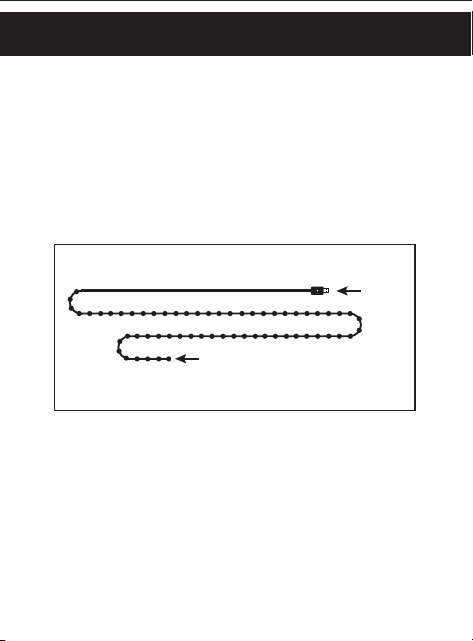
INSTALACIÓN
RIESGO DE DESCARGA ELÉCTRICA
• LOS TOMACORRIENTES QUE SE UTILICEN PARA ALIMENTAR LAS CADENA DE LUCES DEBEN
CUMPLIR CON TODOS LOS CÓDIGOS ELÉCTRICOS LOCALES Y NACIONALES. CONSULTE
CON UN ELECTRICISTA LOCAL SI NO ESTÁ SEGURO SOBRE LOS≈REQUISITOS NORMATIVOS.
• NO SUMERGIR.
• NO USAR CERCA DE ACUARIOS.
• NO USAR EN LUGARES HÚMEDOS.
• NO INSTALAR LAS CORTINAS DE LUCES EN ÁREAS EN LAS QUE SEA PROBABLE PISARLAS.
• ASEGÚRESE DE QUE LAS CADENA DE LUCES ESTÉN DESENCHUFADAS DURANTE LA
INSTALACIÓN.
• LA INSTALACIÓN DE LAS CADENA DE LUCES SE DEBE REALIZAR LEJOS DEL ALCANCE DE LOS
NIÑOS O SIN PERMITIR QUE LOS NIÑOS JUEGUEN CON ELLAS.
RIESGO DE INCENDIO
• NO DISEÑADO PARA USAR CERCA LLAMAS ABIERTAS O SOBRE ESTUFAS, COCINAS,
FREGADEROS Y DEMÁS APARATOS QUE PRODUZCAN CALOR, COMO CAFETERAS,
TOSTADORAS U HORNOS ELÉCTRICOS.
• USAR SOLAMENTE EN ÁREAS INTERIORES O EXTERIORES PROTEGIDAS.
ADVERTENCIA
Cargador portátil
de batería
Alimentación
por USB
Computadora portátil
Declaración de conformidad de proveedores | Modelo n.º: 69281 | Jasco
Products Co., 10 E. Memorial Rd., Oklahoma City, OK 73114, www.byjasco.com.
Este dispositivo cumple con las normas RSS de exención de licencia de la
Parte 15 de la FCC y de Industry Canada. Su funcionamiento está sujeto a las
siguientes dos condiciones: (1) este dispositivo no podrá causar interferencias
perjudiciales, y (2) este dispositivo debe aceptar cualquier interferencia
recibida, incluidas las interferencias que puedan causar un funcionamiento no
deseado.
NOTA DE LA FCC: El fabricante no se responsabiliza por ninguna interferencia
de radio o TV causada por modificaciones no autorizadas a este equipo. Tales
modificaciones podrían anular el derecho del usuario a hacer uso del equipo.
NOTA: Este equipo se sometió a pruebas y cumple con los límites establecidos
para un dispositivo digital Clase B de acuerdo con la Parte15 de las Normas
de la FCC. Dichos límites están diseñados para proporcionar una protección
razonable contra la interferencia perjudicial en una instalación residencial.
Este equipo genera, usa y puede irradiar energía de radiofrecuencia. Si no se
instala y usa de acuerdo con estas instrucciones, podrá causar interferencia
perjudicial a las radiocomunicaciones. Por otro lado, tampoco es posible
garantizar que no ocurrirán interferencias en una instalación en particular.
Si este equipo causa interferencias perjudiciales en la recepción de radio o
televisión, las cuales pueden comprobarse encendiendo y apagando el equipo,
se recomienda al usuario que intente corregir la interferencia adoptando una o
más de las siguientes medidas:
• Cambiar la orientación o ubicación de la antena receptora.
• Aumentar la distancia entre el equipo y el receptor.
• Conectar el equipo a la salida de un circuito diferente al cual está
conectado el receptor.
• Consultar al distribuidor o a un técnico de radio o TV experimentado
para obtener ayuda.
CAN ICES-3(B)/NMB-3(B)
PASO 1: INSTALE LA CADENA DE LUCES
Desate con cuidado la cadena de luces y suspéndala,
úsela alrededor de un objeto o colóquela en el lugar
que prefiera, ya sea dentro de la casa o fuera en un área
cubierta. Asegúrese de que el cable de alimentación
USB de 4m (13ft.) esté dentro del alcance de una
fuente energía.
PASO 3: ENCHUFE EN UN PUERTO USB-A
Enchufe el cable de alimentación USB en un puerto o
adaptador USB-A de 5V, 1A como mínimo
(no incluido).
PASO 2: DESATE EL CABLE DE ALIMENTACIÓN
Desate y estire con cuidado el cable de
alimentación USB.
13ft.
20ft.
Lea todas las instrucciones antes de instalar. Lea
todas las declaraciones de advertencia incluidas en
estas instrucciones.
Su Enbrighten Smart LED Wi-Fi Cadena de Luces
transforma su espacio con colores dinámicos y
personalización, todo usando la aplicación gratuita
Enbrighten Wi-Fi.
LED Wi-Fi
Cadena de Luces
Model – 69281
Escanee el código QR o busque
Enbrighten en App Store de Apple o
en Google Play
Descargue la app
Agregue dispositivos,
controle las cadena de luces
inteligentes desde cualquier
lugar y cree horarios
Configuración e instalación
3.
Configuración e instalación
1.
IInstale y conecte la
cadena de luces
inteligente
Cree una cuenta en
la app Enbrighten
2.
El control por voz funciona con Amazon
Alexa o Google Assistant
Seleccione “Soporte” en la aplicación
Enbrighten o siga los pasos en la
aplicación Amazon Alexa o Google Home
para conectar su cuenta Enbrighten
Control por voz
1 2
43
Opere de forma remota sus cadena de luces con la
app Enbrighten fácil de usar. Siga las instrucciones
y los recursos disponibles para configurar su
dispositivo inteligente.
NOTA: Para obtener los mejores resultados, empareje sus
luces cerca de su enrutador antes de la instalación. Requiere
conexión wifi de 2.4GHz.
69281 v1 9/22
Instrucciones
fáciles
Lea las instrucciones o mire el
video con el paso a paso.
Escanee el código o visite
byjasco.com/69281i.
¡Gracias por su compra!
Registre su
producto
Recibe ofertas exclusivas
y registra tu producto.
Escanee el código o visite
byjasco.com/deals.
La domótica está al alcance de su
mano con los dispositivos y
accesorios inteligentes con wifi en
www.enbrightenwifi.com.
Le gusta nuestro
producto?
Deje una reseña en el
sitio web de su
comercio favorito o en
amazon.com
.
¿Tiene algún
problema?
Díganos cómo podemos
ayudar. Llame al
1-800-654-8483, entre
las 7 a. m. y las 8 p. m.,
hora estándar del centro.
HECHO EN CAMBOYA
Distribuido por Jasco Products Company LLC,
10 E. Memorial Rd., Oklahoma City, OK 73114.
Este producto de Jasco tiene una garantía
limitada de 1año. Para más información sobre
la garantía, visite www.byjasco.com.
¿Tiene preguntas? Póngase en contacto con
nuestro servicio de atención al consumidor de
EE. UU. al 1-800-654-8483, de lunes aviernes,
de 7a.m. a 8p.m. (hora estándar del centro).
MANUAL DE FUNCIONAMIENTO
Presione el botón en el enchufe USB para recorrer 12
efectos de iluminación.
1. Flotar
2. Arcoíris
3. Serpiente
4. persecución del arco iris
5. Volador
6. Parpadeo rojo/amarillo
7. Choque
8. Bote
9. Centelleo
10. Destello
11. Legumbres
12. estroboscópico
Todos los nombres de marcas son marcas comerciales de sus respectivos
propietarios. App Store es una marca de servicio de Apple Inc. Google, Google
Play y Google Home son marcas de Google LLC. Amazon, Alexa y todos los
logotipos relacionados son marcas registradas de Amazon.com, Inc. o sus filiales.
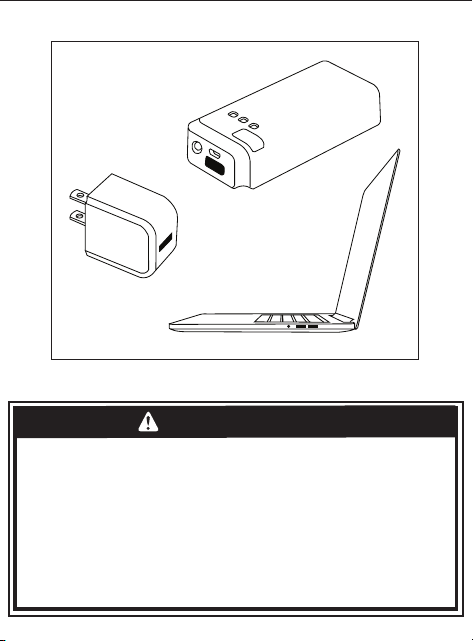
INSTALACIÓN
RIESGO DE DESCARGA ELÉCTRICA
• LOS TOMACORRIENTES QUE SE UTILICEN PARA ALIMENTAR LAS CADENA DE LUCES DEBEN
CUMPLIR CON TODOS LOS CÓDIGOS ELÉCTRICOS LOCALES Y NACIONALES. CONSULTE
CON UN ELECTRICISTA LOCAL SI NO ESTÁ SEGURO SOBRE LOS≈REQUISITOS NORMATIVOS.
• NO SUMERGIR.
• NO USAR CERCA DE ACUARIOS.
• NO USAR EN LUGARES HÚMEDOS.
• NO INSTALAR LAS CORTINAS DE LUCES EN ÁREAS EN LAS QUE SEA PROBABLE PISARLAS.
• ASEGÚRESE DE QUE LAS CADENA DE LUCES ESTÉN DESENCHUFADAS DURANTE LA
INSTALACIÓN.
• LA INSTALACIÓN DE LAS CADENA DE LUCES SE DEBE REALIZAR LEJOS DEL ALCANCE DE LOS
NIÑOS O SIN PERMITIR QUE LOS NIÑOS JUEGUEN CON ELLAS.
RIESGO DE INCENDIO
• NO DISEÑADO PARA USAR CERCA LLAMAS ABIERTAS O SOBRE ESTUFAS, COCINAS,
FREGADEROS Y DEMÁS APARATOS QUE PRODUZCAN CALOR, COMO CAFETERAS,
TOSTADORAS U HORNOS ELÉCTRICOS.
• USAR SOLAMENTE EN ÁREAS INTERIORES O EXTERIORES PROTEGIDAS.
ADVERTENCIA
Cargador portátil
de batería
Alimentación
por USB
Computadora portátil
Declaración de conformidad de proveedores | Modelo n.º: 69281 | Jasco
Products Co., 10 E. Memorial Rd., Oklahoma City, OK 73114, www.byjasco.com.
Este dispositivo cumple con las normas RSS de exención de licencia de la
Parte 15 de la FCC y de Industry Canada. Su funcionamiento está sujeto a las
siguientes dos condiciones: (1) este dispositivo no podrá causar interferencias
perjudiciales, y (2) este dispositivo debe aceptar cualquier interferencia
recibida, incluidas las interferencias que puedan causar un funcionamiento no
deseado.
NOTA DE LA FCC: El fabricante no se responsabiliza por ninguna interferencia
de radio o TV causada por modificaciones no autorizadas a este equipo. Tales
modificaciones podrían anular el derecho del usuario a hacer uso del equipo.
NOTA: Este equipo se sometió a pruebas y cumple con los límites establecidos
para un dispositivo digital Clase B de acuerdo con la Parte15 de las Normas
de la FCC. Dichos límites están diseñados para proporcionar una protección
razonable contra la interferencia perjudicial en una instalación residencial.
Este equipo genera, usa y puede irradiar energía de radiofrecuencia. Si no se
instala y usa de acuerdo con estas instrucciones, podrá causar interferencia
perjudicial a las radiocomunicaciones. Por otro lado, tampoco es posible
garantizar que no ocurrirán interferencias en una instalación en particular.
Si este equipo causa interferencias perjudiciales en la recepción de radio o
televisión, las cuales pueden comprobarse encendiendo y apagando el equipo,
se recomienda al usuario que intente corregir la interferencia adoptando una o
más de las siguientes medidas:
• Cambiar la orientación o ubicación de la antena receptora.
• Aumentar la distancia entre el equipo y el receptor.
• Conectar el equipo a la salida de un circuito diferente al cual está
conectado el receptor.
• Consultar al distribuidor o a un técnico de radio o TV experimentado
para obtener ayuda.
CAN ICES-3(B)/NMB-3(B)
PASO 1: INSTALE LA CADENA DE LUCES
Desate con cuidado la cadena de luces y suspéndala,
úsela alrededor de un objeto o colóquela en el lugar
que prefiera, ya sea dentro de la casa o fuera en un área
cubierta. Asegúrese de que el cable de alimentación
USB de 4m (13ft.) esté dentro del alcance de una
fuente energía.
PASO 3: ENCHUFE EN UN PUERTO USB-A
Enchufe el cable de alimentación USB en un puerto o
adaptador USB-A de 5V, 1A como mínimo
(no incluido).
PASO 2: DESATE EL CABLE DE ALIMENTACIÓN
Desate y estire con cuidado el cable de
alimentación USB.
13ft.
20ft.
Lea todas las instrucciones antes de instalar. Lea
todas las declaraciones de advertencia incluidas en
estas instrucciones.
Su Enbrighten Smart LED Wi-Fi Cadena de Luces
transforma su espacio con colores dinámicos y
personalización, todo usando la aplicación gratuita
Enbrighten Wi-Fi.
LED Wi-Fi
Cadena de Luces
Model – 69281
Escanee el código QR o busque
Enbrighten en App Store de Apple o
en Google Play
Descargue la app
Agregue dispositivos,
controle las cadena de luces
inteligentes desde cualquier
lugar y cree horarios
Configuración e instalación
3.
Configuración e instalación
1.
IInstale y conecte la
cadena de luces
inteligente
Cree una cuenta en
la app Enbrighten
2.
El control por voz funciona con Amazon
Alexa o Google Assistant
Seleccione “Soporte” en la aplicación
Enbrighten o siga los pasos en la
aplicación Amazon Alexa o Google Home
para conectar su cuenta Enbrighten
Control por voz
1 2
43
Opere de forma remota sus cadena de luces con la
app Enbrighten fácil de usar. Siga las instrucciones
y los recursos disponibles para configurar su
dispositivo inteligente.
NOTA: Para obtener los mejores resultados, empareje sus
luces cerca de su enrutador antes de la instalación. Requiere
conexión wifi de 2.4GHz.
69281 v1 9/22
Instrucciones
fáciles
Lea las instrucciones o mire el
video con el paso a paso.
Escanee el código o visite
byjasco.com/69281i.
¡Gracias por su compra!
Registre su
producto
Recibe ofertas exclusivas
y registra tu producto.
Escanee el código o visite
byjasco.com/deals.
La domótica está al alcance de su
mano con los dispositivos y
accesorios inteligentes con wifi en
www.enbrightenwifi.com.
Le gusta nuestro
producto?
Deje una reseña en el
sitio web de su
comercio favorito o en
amazon.com
.
¿Tiene algún
problema?
Díganos cómo podemos
ayudar. Llame al
1-800-654-8483, entre
las 7 a. m. y las 8 p. m.,
hora estándar del centro.
HECHO EN CAMBOYA
Distribuido por Jasco Products Company LLC,
10 E. Memorial Rd., Oklahoma City, OK 73114.
Este producto de Jasco tiene una garantía
limitada de 1año. Para más información sobre
la garantía, visite www.byjasco.com.
¿Tiene preguntas? Póngase en contacto con
nuestro servicio de atención al consumidor de
EE. UU. al 1-800-654-8483, de lunes aviernes,
de 7a.m. a 8p.m. (hora estándar del centro).
MANUAL DE FUNCIONAMIENTO
Presione el botón en el enchufe USB para recorrer 12
efectos de iluminación.
1. Flotar
2. Arcoíris
3. Serpiente
4. persecución del arco iris
5. Volador
6. Parpadeo rojo/amarillo
7. Choque
8. Bote
9. Centelleo
10. Destello
11. Legumbres
12. estroboscópico
Todos los nombres de marcas son marcas comerciales de sus respectivos
propietarios. App Store es una marca de servicio de Apple Inc. Google, Google
Play y Google Home son marcas de Google LLC. Amazon, Alexa y todos los
logotipos relacionados son marcas registradas de Amazon.com, Inc. o sus filiales.
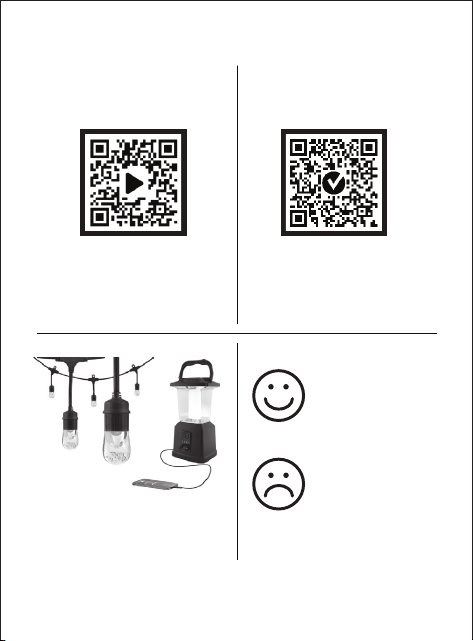
INSTALACIÓN
RIESGO DE DESCARGA ELÉCTRICA
• LOS TOMACORRIENTES QUE SE UTILICEN PARA ALIMENTAR LAS CADENA DE LUCES DEBEN
CUMPLIR CON TODOS LOS CÓDIGOS ELÉCTRICOS LOCALES Y NACIONALES. CONSULTE
CON UN ELECTRICISTA LOCAL SI NO ESTÁ SEGURO SOBRE LOS≈REQUISITOS NORMATIVOS.
• NO SUMERGIR.
• NO USAR CERCA DE ACUARIOS.
• NO USAR EN LUGARES HÚMEDOS.
• NO INSTALAR LAS CORTINAS DE LUCES EN ÁREAS EN LAS QUE SEA PROBABLE PISARLAS.
• ASEGÚRESE DE QUE LAS CADENA DE LUCES ESTÉN DESENCHUFADAS DURANTE LA
INSTALACIÓN.
• LA INSTALACIÓN DE LAS CADENA DE LUCES SE DEBE REALIZAR LEJOS DEL ALCANCE DE LOS
NIÑOS O SIN PERMITIR QUE LOS NIÑOS JUEGUEN CON ELLAS.
RIESGO DE INCENDIO
• NO DISEÑADO PARA USAR CERCA LLAMAS ABIERTAS O SOBRE ESTUFAS, COCINAS,
FREGADEROS Y DEMÁS APARATOS QUE PRODUZCAN CALOR, COMO CAFETERAS,
TOSTADORAS U HORNOS ELÉCTRICOS.
• USAR SOLAMENTE EN ÁREAS INTERIORES O EXTERIORES PROTEGIDAS.
ADVERTENCIA
Cargador portátil
de batería
Alimentación
por USB
Computadora portátil
Declaración de conformidad de proveedores | Modelo n.º: 69281 | Jasco
Products Co., 10 E. Memorial Rd., Oklahoma City, OK 73114, www.byjasco.com.
Este dispositivo cumple con las normas RSS de exención de licencia de la
Parte 15 de la FCC y de Industry Canada. Su funcionamiento está sujeto a las
siguientes dos condiciones: (1) este dispositivo no podrá causar interferencias
perjudiciales, y (2) este dispositivo debe aceptar cualquier interferencia
recibida, incluidas las interferencias que puedan causar un funcionamiento no
deseado.
NOTA DE LA FCC: El fabricante no se responsabiliza por ninguna interferencia
de radio o TV causada por modificaciones no autorizadas a este equipo. Tales
modificaciones podrían anular el derecho del usuario a hacer uso del equipo.
NOTA: Este equipo se sometió a pruebas y cumple con los límites establecidos
para un dispositivo digital Clase B de acuerdo con la Parte15 de las Normas
de la FCC. Dichos límites están diseñados para proporcionar una protección
razonable contra la interferencia perjudicial en una instalación residencial.
Este equipo genera, usa y puede irradiar energía de radiofrecuencia. Si no se
instala y usa de acuerdo con estas instrucciones, podrá causar interferencia
perjudicial a las radiocomunicaciones. Por otro lado, tampoco es posible
garantizar que no ocurrirán interferencias en una instalación en particular.
Si este equipo causa interferencias perjudiciales en la recepción de radio o
televisión, las cuales pueden comprobarse encendiendo y apagando el equipo,
se recomienda al usuario que intente corregir la interferencia adoptando una o
más de las siguientes medidas:
• Cambiar la orientación o ubicación de la antena receptora.
• Aumentar la distancia entre el equipo y el receptor.
• Conectar el equipo a la salida de un circuito diferente al cual está
conectado el receptor.
• Consultar al distribuidor o a un técnico de radio o TV experimentado
para obtener ayuda.
CAN ICES-3(B)/NMB-3(B)
PASO 1: INSTALE LA CADENA DE LUCES
Desate con cuidado la cadena de luces y suspéndala,
úsela alrededor de un objeto o colóquela en el lugar
que prefiera, ya sea dentro de la casa o fuera en un área
cubierta. Asegúrese de que el cable de alimentación
USB de 4m (13ft.) esté dentro del alcance de una
fuente energía.
PASO 3: ENCHUFE EN UN PUERTO USB-A
Enchufe el cable de alimentación USB en un puerto o
adaptador USB-A de 5V, 1A como mínimo
(no incluido).
PASO 2: DESATE EL CABLE DE ALIMENTACIÓN
Desate y estire con cuidado el cable de
alimentación USB.
13ft.
20ft.
Lea todas las instrucciones antes de instalar. Lea
todas las declaraciones de advertencia incluidas en
estas instrucciones.
Su Enbrighten Smart LED Wi-Fi Cadena de Luces
transforma su espacio con colores dinámicos y
personalización, todo usando la aplicación gratuita
Enbrighten Wi-Fi.
LED Wi-Fi
Cadena de Luces
Model – 69281
Escanee el código QR o busque
Enbrighten en App Store de Apple o
en Google Play
Descargue la app
Agregue dispositivos,
controle las cadena de luces
inteligentes desde cualquier
lugar y cree horarios
Configuración e instalación
3.
Configuración e instalación
1.
IInstale y conecte la
cadena de luces
inteligente
Cree una cuenta en
la app Enbrighten
2.
El control por voz funciona con Amazon
Alexa o Google Assistant
Seleccione “Soporte” en la aplicación
Enbrighten o siga los pasos en la
aplicación Amazon Alexa o Google Home
para conectar su cuenta Enbrighten
Control por voz
1 2
43
Opere de forma remota sus cadena de luces con la
app Enbrighten fácil de usar. Siga las instrucciones
y los recursos disponibles para configurar su
dispositivo inteligente.
NOTA: Para obtener los mejores resultados, empareje sus
luces cerca de su enrutador antes de la instalación. Requiere
conexión wifi de 2.4GHz.
69281 v1 9/22
Instrucciones
fáciles
Lea las instrucciones o mire el
video con el paso a paso.
Escanee el código o visite
byjasco.com/69281i.
¡Gracias por su compra!
Registre su
producto
Recibe ofertas exclusivas
y registra tu producto.
Escanee el código o visite
byjasco.com/deals.
La domótica está al alcance de su
mano con los dispositivos y
accesorios inteligentes con wifi en
www.enbrightenwifi.com.
Le gusta nuestro
producto?
Deje una reseña en el
sitio web de su
comercio favorito o en
amazon.com
.
¿Tiene algún
problema?
Díganos cómo podemos
ayudar. Llame al
1-800-654-8483, entre
las 7 a. m. y las 8 p. m.,
hora estándar del centro.
HECHO EN CAMBOYA
Distribuido por Jasco Products Company LLC,
10 E. Memorial Rd., Oklahoma City, OK 73114.
Este producto de Jasco tiene una garantía
limitada de 1año. Para más información sobre
la garantía, visite www.byjasco.com.
¿Tiene preguntas? Póngase en contacto con
nuestro servicio de atención al consumidor de
EE. UU. al 1-800-654-8483, de lunes aviernes,
de 7a.m. a 8p.m. (hora estándar del centro).
MANUAL DE FUNCIONAMIENTO
Presione el botón en el enchufe USB para recorrer 12
efectos de iluminación.
1. Flotar
2. Arcoíris
3. Serpiente
4. persecución del arco iris
5. Volador
6. Parpadeo rojo/amarillo
7. Choque
8. Bote
9. Centelleo
10. Destello
11. Legumbres
12. estroboscópico
Todos los nombres de marcas son marcas comerciales de sus respectivos
propietarios. App Store es una marca de servicio de Apple Inc. Google, Google
Play y Google Home son marcas de Google LLC. Amazon, Alexa y todos los
logotipos relacionados son marcas registradas de Amazon.com, Inc. o sus filiales.

INSTALACIÓN
RIESGO DE DESCARGA ELÉCTRICA
• LOS TOMACORRIENTES QUE SE UTILICEN PARA ALIMENTAR LAS CADENA DE LUCES DEBEN
CUMPLIR CON TODOS LOS CÓDIGOS ELÉCTRICOS LOCALES Y NACIONALES. CONSULTE
CON UN ELECTRICISTA LOCAL SI NO ESTÁ SEGURO SOBRE LOS≈REQUISITOS NORMATIVOS.
• NO SUMERGIR.
• NO USAR CERCA DE ACUARIOS.
• NO USAR EN LUGARES HÚMEDOS.
• NO INSTALAR LAS CORTINAS DE LUCES EN ÁREAS EN LAS QUE SEA PROBABLE PISARLAS.
• ASEGÚRESE DE QUE LAS CADENA DE LUCES ESTÉN DESENCHUFADAS DURANTE LA
INSTALACIÓN.
• LA INSTALACIÓN DE LAS CADENA DE LUCES SE DEBE REALIZAR LEJOS DEL ALCANCE DE LOS
NIÑOS O SIN PERMITIR QUE LOS NIÑOS JUEGUEN CON ELLAS.
RIESGO DE INCENDIO
• NO DISEÑADO PARA USAR CERCA LLAMAS ABIERTAS O SOBRE ESTUFAS, COCINAS,
FREGADEROS Y DEMÁS APARATOS QUE PRODUZCAN CALOR, COMO CAFETERAS,
TOSTADORAS U HORNOS ELÉCTRICOS.
• USAR SOLAMENTE EN ÁREAS INTERIORES O EXTERIORES PROTEGIDAS.
ADVERTENCIA
Cargador portátil
de batería
Alimentación
por USB
Computadora portátil
Declaración de conformidad de proveedores | Modelo n.º: 69281 | Jasco
Products Co., 10 E. Memorial Rd., Oklahoma City, OK 73114, www.byjasco.com.
Este dispositivo cumple con las normas RSS de exención de licencia de la
Parte 15 de la FCC y de Industry Canada. Su funcionamiento está sujeto a las
siguientes dos condiciones: (1) este dispositivo no podrá causar interferencias
perjudiciales, y (2) este dispositivo debe aceptar cualquier interferencia
recibida, incluidas las interferencias que puedan causar un funcionamiento no
deseado.
NOTA DE LA FCC: El fabricante no se responsabiliza por ninguna interferencia
de radio o TV causada por modificaciones no autorizadas a este equipo. Tales
modificaciones podrían anular el derecho del usuario a hacer uso del equipo.
NOTA: Este equipo se sometió a pruebas y cumple con los límites establecidos
para un dispositivo digital Clase B de acuerdo con la Parte15 de las Normas
de la FCC. Dichos límites están diseñados para proporcionar una protección
razonable contra la interferencia perjudicial en una instalación residencial.
Este equipo genera, usa y puede irradiar energía de radiofrecuencia. Si no se
instala y usa de acuerdo con estas instrucciones, podrá causar interferencia
perjudicial a las radiocomunicaciones. Por otro lado, tampoco es posible
garantizar que no ocurrirán interferencias en una instalación en particular.
Si este equipo causa interferencias perjudiciales en la recepción de radio o
televisión, las cuales pueden comprobarse encendiendo y apagando el equipo,
se recomienda al usuario que intente corregir la interferencia adoptando una o
más de las siguientes medidas:
• Cambiar la orientación o ubicación de la antena receptora.
• Aumentar la distancia entre el equipo y el receptor.
• Conectar el equipo a la salida de un circuito diferente al cual está
conectado el receptor.
• Consultar al distribuidor o a un técnico de radio o TV experimentado
para obtener ayuda.
CAN ICES-3(B)/NMB-3(B)
PASO 1: INSTALE LA CADENA DE LUCES
Desate con cuidado la cadena de luces y suspéndala,
úsela alrededor de un objeto o colóquela en el lugar
que prefiera, ya sea dentro de la casa o fuera en un área
cubierta. Asegúrese de que el cable de alimentación
USB de 4m (13ft.) esté dentro del alcance de una
fuente energía.
PASO 3: ENCHUFE EN UN PUERTO USB-A
Enchufe el cable de alimentación USB en un puerto o
adaptador USB-A de 5V, 1A como mínimo
(no incluido).
PASO 2: DESATE EL CABLE DE ALIMENTACIÓN
Desate y estire con cuidado el cable de
alimentación USB.
13ft.
20ft.
Lea todas las instrucciones antes de instalar. Lea
todas las declaraciones de advertencia incluidas en
estas instrucciones.
Su Enbrighten Smart LED Wi-Fi Cadena de Luces
transforma su espacio con colores dinámicos y
personalización, todo usando la aplicación gratuita
Enbrighten Wi-Fi.
LED Wi-Fi
Cadena de Luces
Model – 69281
Escanee el código QR o busque
Enbrighten en App Store de Apple o
en Google Play
Descargue la app
Agregue dispositivos,
controle las cadena de luces
inteligentes desde cualquier
lugar y cree horarios
Configuración e instalación
3.
Configuración e instalación
1.
IInstale y conecte la
cadena de luces
inteligente
Cree una cuenta en
la app Enbrighten
2.
El control por voz funciona con Amazon
Alexa o Google Assistant
Seleccione “Soporte” en la aplicación
Enbrighten o siga los pasos en la
aplicación Amazon Alexa o Google Home
para conectar su cuenta Enbrighten
Control por voz
1 2
43
Opere de forma remota sus cadena de luces con la
app Enbrighten fácil de usar. Siga las instrucciones
y los recursos disponibles para configurar su
dispositivo inteligente.
NOTA: Para obtener los mejores resultados, empareje sus
luces cerca de su enrutador antes de la instalación. Requiere
conexión wifi de 2.4GHz.
69281 v1 9/22
Instrucciones
fáciles
Lea las instrucciones o mire el
video con el paso a paso.
Escanee el código o visite
byjasco.com/69281i.
¡Gracias por su compra!
Registre su
producto
Recibe ofertas exclusivas
y registra tu producto.
Escanee el código o visite
byjasco.com/deals.
La domótica está al alcance de su
mano con los dispositivos y
accesorios inteligentes con wifi en
www.enbrightenwifi.com.
Le gusta nuestro
producto?
Deje una reseña en el
sitio web de su
comercio favorito o en
amazon.com
.
¿Tiene algún
problema?
Díganos cómo podemos
ayudar. Llame al
1-800-654-8483, entre
las 7 a. m. y las 8 p. m.,
hora estándar del centro.
HECHO EN CAMBOYA
Distribuido por Jasco Products Company LLC,
10 E. Memorial Rd., Oklahoma City, OK 73114.
Este producto de Jasco tiene una garantía
limitada de 1año. Para más información sobre
la garantía, visite www.byjasco.com.
¿Tiene preguntas? Póngase en contacto con
nuestro servicio de atención al consumidor de
EE. UU. al 1-800-654-8483, de lunes aviernes,
de 7a.m. a 8p.m. (hora estándar del centro).
MANUAL DE FUNCIONAMIENTO
Presione el botón en el enchufe USB para recorrer 12
efectos de iluminación.
1. Flotar
2. Arcoíris
3. Serpiente
4. persecución del arco iris
5. Volador
6. Parpadeo rojo/amarillo
7. Choque
8. Bote
9. Centelleo
10. Destello
11. Legumbres
12. estroboscópico
Todos los nombres de marcas son marcas comerciales de sus respectivos
propietarios. App Store es una marca de servicio de Apple Inc. Google, Google
Play y Google Home son marcas de Google LLC. Amazon, Alexa y todos los
logotipos relacionados son marcas registradas de Amazon.com, Inc. o sus filiales.