
Tripod Stand
User Manual
PRJTPS37
User Manual
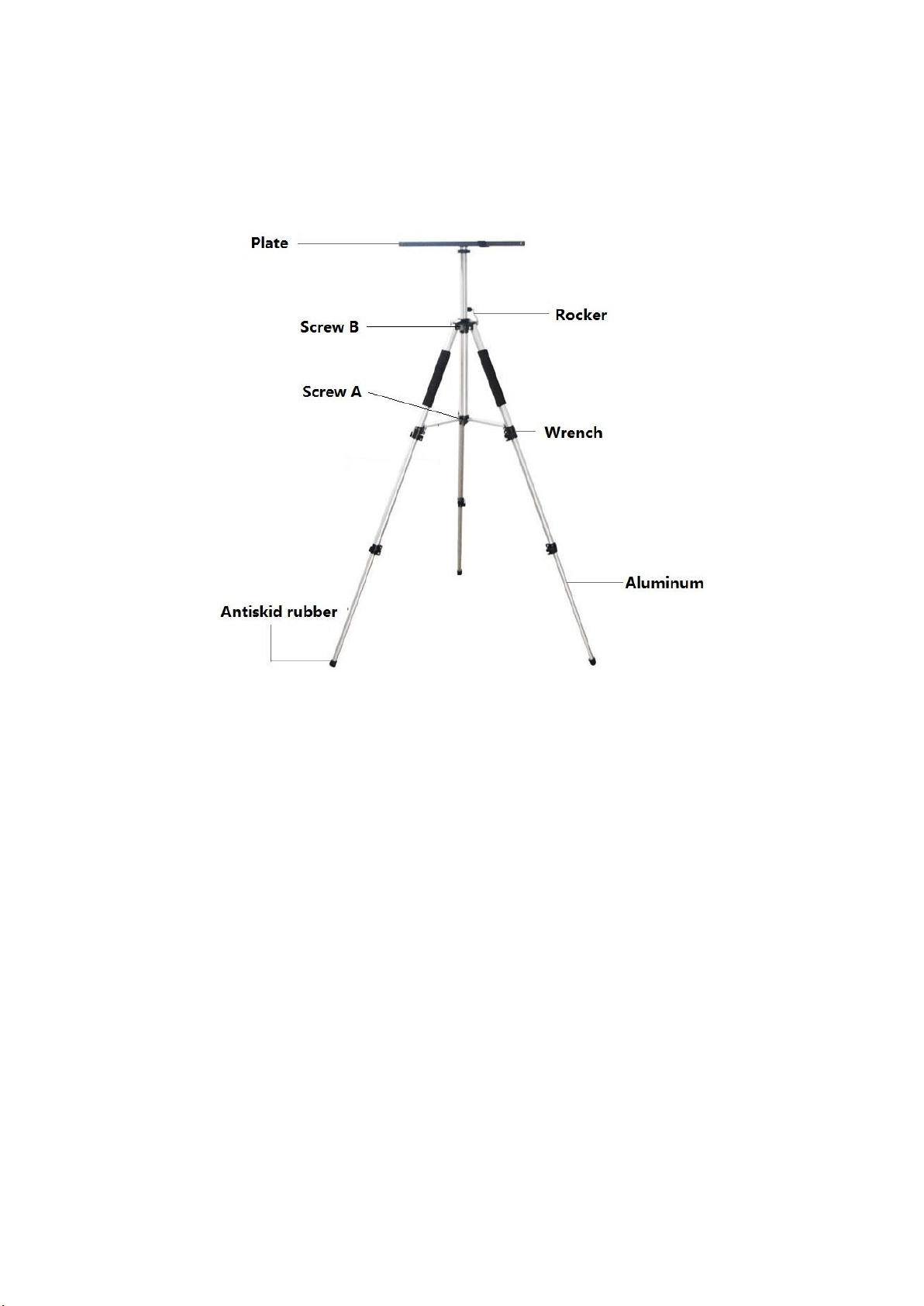
Step One: After removing the tripod from the packaging, unlock the middle wrench in order to
separate the legs of the tripod (this will extend the tripod). Tighten the wrench when it is fully
extended.
Step Two: Following the same method as in step one, loosen the wrenches on each leg of the
tripod. Extend the legs outward as far as they can go (without stressing the tripod) and then
tighten the wrenches again.
Step Three: Put the tripod on the ground and test the weight by putting some pressure on the
top. None of the tripod feet should move or be loose.
Step Four: Slowly tighten “Screw A”
Step Five: Set the plate onto the tripod stand and fix it to the projector. Raise the plate until it is
at the desired height and then tighten “Screw B”. Make sure everything is completely secure
before placing the projector on to the tripod.